Fanvue is a content monetization platform that’s especially popular among creators, AI models, and teams working in the AI OFM niche. But before you can start accepting payments, selling subscriptions, and withdrawing funds, you need to verify your account.
In practice, Fanvue account verification is often the main stumbling block: for some, their ID document isn’t accepted; for others, their selfie is rejected; and for others still, their account is instantly rejected due to their country, IP address, personal information, or registration errors.
In this article, we’ll walk you through how to register correctly, complete Fanvue verification, set up payouts, and what to do if your verification is rejected. If you’re still unable to complete verification on your own, you can contact us, and we’ll help you get verified.
What Is Fanvue Verification and Why Is It Needed
Fanvue verification is a process that verifies the creator’s identity to confirm that the account belongs to a real person or team operating in accordance with the platform’s rules.
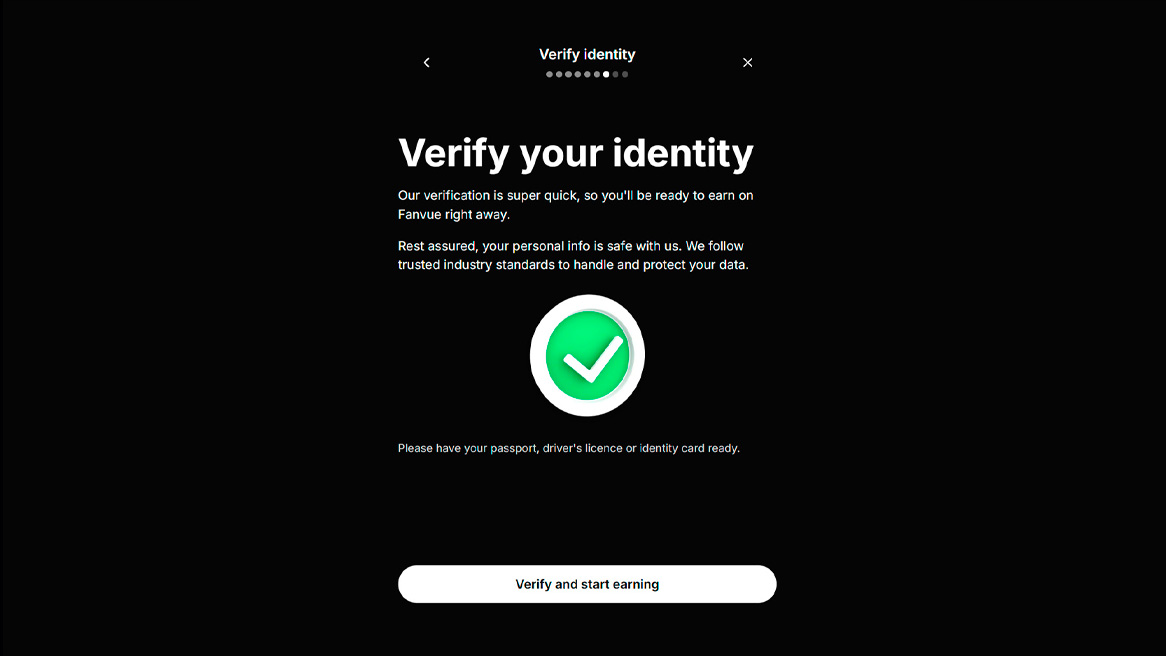
Without passing verification, your account won’t be able to be fully monetized. In other words, you can sign up, set up your profile, and prepare content, but you’ll need to complete KYC to earn money and withdraw funds.
Typically, Fanvue may request:
- a valid ID;
- a selfie or live facial verification;
- accurate personal information;
- payment details;
- additional information if the system detects a risk.
The main mistake beginners make is treating verification as a mere formality. In reality, any inaccuracy in the data, poor photo quality, a mismatch in country information, a suspicious IP address, or a repeat attempt after a rejection can complicate the verification process.
How to Create a Fanvue Account
Before verification, you need to set up your account correctly. It’s best to do everything carefully from the start, because mistakes during registration can affect the verification process later on.

Step 1. Create an account
Go to Fanvue and select “Register as a creator.” Enter a valid email address, create a password, and confirm your email.
Step 2. Fill out your profile
Add a profile name, username, avatar, cover photo, and description. If you’re creating an AI model, prepare a clear concept in advance: who the character is, what kind of content will be posted, and what audience the profile is intended for.
Step 3. Prepare your documents
Before KYC, make sure your document is valid, clearly legible, not cropped, and matches the information you’ve provided in your account.
Step 4. Check the technical details
It’s best to complete the verification process using a standard device, a stable internet connection, and without any suspicious VPNs or proxies. If the system detects discrepancies regarding your country, device, or IP address, the likelihood of rejection may increase.
How to Complete Fanvue Verification
The verification process usually consists of several steps. The interface may vary, but the logic remains roughly the same.
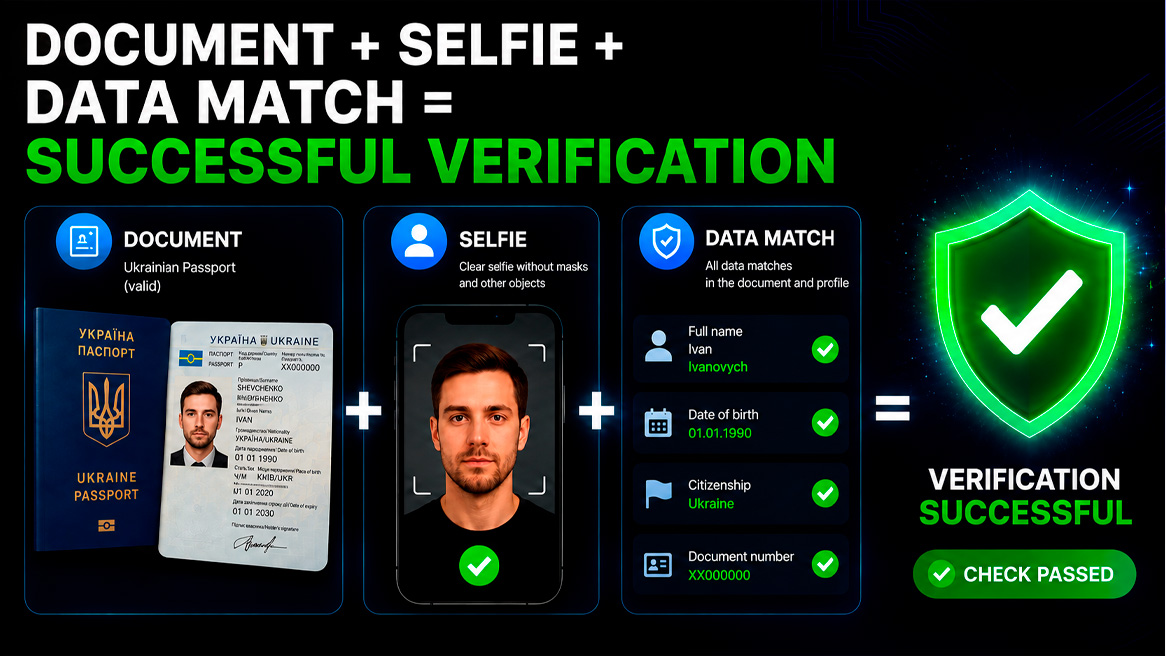
1. Enter your real information
Enter your first name, last name, country, and other information exactly as it appears on your ID. Do not use random information, abbreviations, or different spellings of your name.
2. Upload your document
The photo of your document must be clear, without glare, blurring, cropped corners, or obscured fields. It’s better to take a photo in good lighting than to upload an old, low-quality scan.
3. Complete a selfie or live verification
If Fanvue asks you to take a selfie or complete a verification via camera, your face must be clearly visible. Do not use masks, filters, heavy editing, glasses with glare, or poor lighting.
4. Wait for the result
Verification can be quick, but sometimes an account is sent for additional review. If your information is correct, the document is legible, and your profile doesn’t raise any red flags, you’re more likely to pass.
Why Fanvue Might Reject Your Verification
A rejection doesn’t always mean you’ve done something critically wrong. Sometimes the problem lies in technical details, your country of registration, the quality of your documents, or repeated attempts following a previous rejection.
The most common reasons for rejection are:
- poor-quality photo of the document;
- the document is expired or not supported;
- Profile information does not match the document;
- the selfie fails verification;
- an unstable IP address, VPN, or suspicious device is being used;
- the user’s country is in a high-risk zone;
- the account has been rejected before;
- an attempt to create multiple accounts without the correct structure;
Fanvue verification is not available in all countries
An important point that many only learn after several unsuccessful attempts to pass verification: Fanvue verification is not available in all countries and regions.
Depending on the platform’s policies, payment partners’ requirements, and compliance rules, some countries may have restrictions on creating creator accounts, enabling payouts, or completing KYC. In such cases, an account may be automatically rejected even if the documents were uploaded correctly and the selfie was successfully submitted.
| Country / Region | Status | Reason |
|---|---|---|
| 🇷🇺 Russia | High risk of rejection | Sanctions |
| 🇧🇾 Belarus | High risk of rejection | Sanctions restrictions |
| 🇺🇦 Ukraine | Restrictions are possible | Payment restrictions |
| 🇰🇿 Kazakhstan | Restrictions may apply | Payment restrictions |
| 🇮🇷 Iran | Not available | International sanctions |
| 🇰🇵 North Korea | Not available | International sanctions |
| 🇸🇾 Syria | Not available | Sanctions restrictions |
| 🇨🇺 Cuba | High risk of rejection | Payment restrictions |
| 🌍 Certain countries in the Middle East and Asia | Depends on the country | Local laws |
If your application is rejected almost immediately after submitting your documents, one possible reason may be a country- or region-specific restriction.
If you’re unsure whether verification is available in your region, or if you’ve already received several automatic rejections in a row, please contact us. We’ll help you identify the possible reason for the rejection and advise you on the next steps.
What to Do If Fanvue Rejects Your Verification Immediately
For some users, verification is rejected almost immediately. This happens especially often if the country, IP address, document, or device triggers the system’s heightened scrutiny.
In this situation, don’t frantically create new accounts or repeat the same actions over and over. This will only make things worse.
It’s better to first determine the reason for the rejection:
- Check whether the account information matches the information on your documents;
- Determine whether there were any errors during your first attempt;
- Check whether a suspicious IP address is being used;
- determine whether the document is suitable for verification;
- Check if there are any issues with your region;
- determine whether you can resubmit or if it’s better to change your strategy.
Having trouble passing Fanvue verification?
If Fanvue rejects your verification, your account fails KYC, or you don’t understand the reason for the rejection— contact us. We’ll help you sort out the situation, prepare your account for re-verification, and navigate the process as smoothly as possible.
Important: We do not forge documents or offer illegal ways to bypass verification. Our goal is to help you pass verification correctly, without errors or unnecessary account suspensions.
How to Set Up Payouts on Fanvue
After successful verification and earning your first $50, you can move on to setting up payouts. This is an important step because if you don’t complete this process correctly, you may face restrictions.
Typically, you need to:
- Go to payment settings
- select an available withdrawal method (cryptocurrency)
- Enter your payment details
- Enter the recipient’s name (the same as in your account)
- Wait for payment method confirmation.
Important! If you purchase a pre-verified account or verification service, you can only withdraw funds in cryptocurrency. Fanvue may hold funds in escrow before they become available for withdrawal. Additionally, payout times may vary depending on the method, country, account verification status, and internal anti-fraud systems.
What Mistakes Prevent Withdrawals
Even if your account has passed KYC, issues may arise during the payout process. Most often, these are related to violations of Fanvue’s rules; here are the main ones:
- The content was stolen from someone
- You used face-swap on someone else’s content
- In chats, you’re passing off an AI model as a real person
- The account has been flagged for additional review
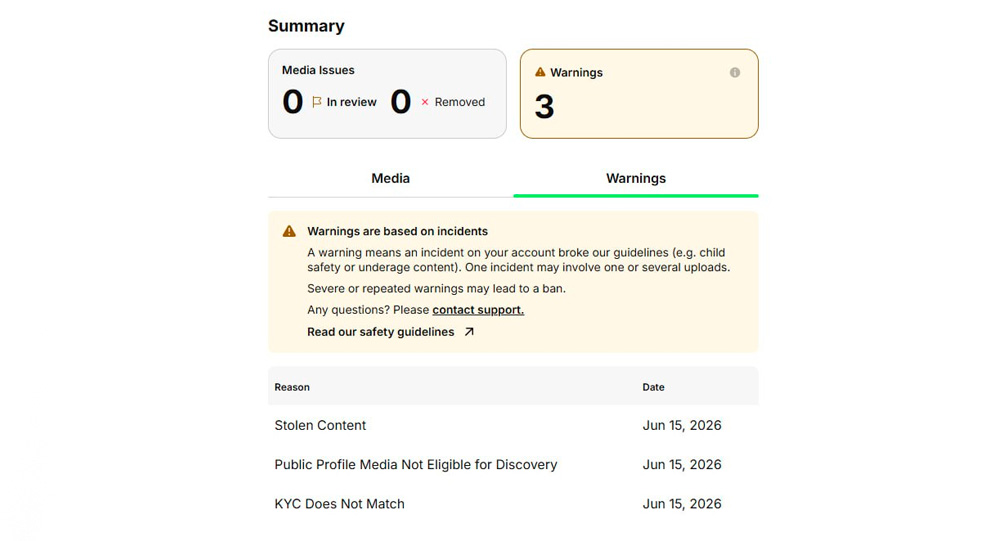
Before scaling up traffic and sales, it’s best to make sure in advance that your account is not only verified but also ready to receive payments. Therefore, once you reach the payout threshold, it’s recommended to withdraw your funds immediately and only then continue driving traffic.
How to Make Money on Fanvue with AI OFM
Fanvue is actively used not only by traditional creators but also by teams that work with AI models. The AI OFM format is based on creating a virtual character, curating a profile, posting regular content, driving traffic, and monetizing through subscriptions, messages, and paid content.
The basic scheme looks like this:
- An AI character and visual style are being created;
- a Fanvue profile is set up;
- The creator account is verified;
- A content plan is created;
- Traffic is driven from Instagram, X, TikTok, Reddit, Telegram, or other sources;
- The audience is migrated to Fanvue;
- monetization occurs through subscriptions, PPV, donations, and private messages.
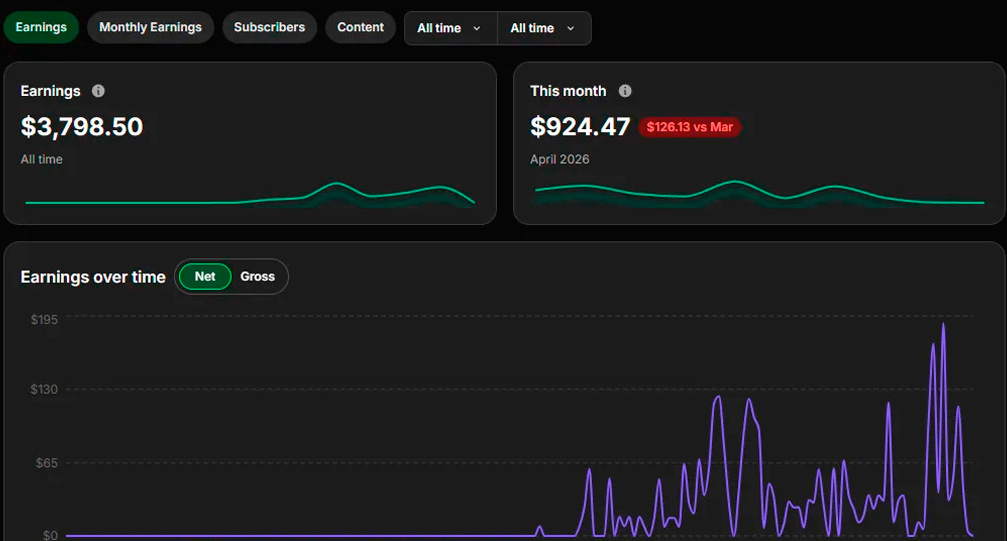
The main advantage of AI OFM is the ability to scale content and test different personas without the traditional reliance on a single real-life blogger. But it’s not a “get-rich-quick” scheme. You need to understand profile curation, traffic, audience engagement, content, analytics, and the platform’s rules.
If you want to delve deeper into this model, we recommend reading a separate article: How to Make Money with AI OFM.
Why Verification Is Important Before Launching Traffic
Many beginners first create content, buy ads, and launch Telegram or Instagram traffic, and only then try to pass Fanvue KYC. This is a mistake.
If your account fails verification, you could waste time, money on creatives, audience warm-up, and your ad budget.
Here’s one strategy:
- Preparing a Fanvue account for monetization
- Setting up the model’s Telegram account
- Creating Reels content and directing traffic to Telegram
- Processing traffic on Telegram and redirecting it to Fanvue
- Monetizing traffic on Fanvue
This way, you minimize risks and ensure in advance that your entire sales funnel is ready to generate revenue.
Where to Buy a Verified Fanvue Account
If you’re in a standard situation—you’ve tried to get verified on your own but haven’t succeeded— you can contact us to purchase a verified account:

In some cases, it’s better not to make haphazard repeated attempts. It’s much easier to purchase a ready-made account or get your own account verified through our services.
Fanvue Verification Assistance
We help prepare Fanvue accounts for verification, analyze rejection reasons, and set up the structure for future monetization.
What’s included in our support:
- Analyzing the reason for rejection;
- Assistance with verifying your account;
- Sale of verified accounts;
- Consultation on payouts;
- Recommendations for the AI OFM model;
We use only legal methods to pass verification. We do not forge documents, bypass KYC, or provide schemes that could lead to account suspension.
Want to get verified on Fanvue without any mistakes?
Contact us if Fanvue rejects your account, you fail KYC, or you want to prepare your profile for monetization in advance.
We’ll help you figure out exactly what’s preventing you from passing verification and advise you on how to proceed.
Conclusion
Fanvue verification is a key step before you can start monetizing. Without it, you cannot properly manage subscriptions, paid content, or withdrawals.
If you want to earn money on Fanvue—especially in the AI OFM niche—first set up your account, complete KYC, configure payouts, and only then start driving traffic.
If your verification fails, your account is rejected, or you’re unsure what to do next—contact us. We’ll help you troubleshoot the issue and prepare your account for successful verification.