You open Contacts to find neighbors or a neighborhood group, and the familiar button is gone. Reinstalling changes nothing, neither does an update. Telegram People Nearby didn't break on your phone alone: it was removed for everyone.
Most users react by hunting for an old app build, spoofing GPS or trying a bot that promises to "bring Nearby back". But Telegram's servers no longer answer those requests, so no trick works, and such bots are often a trap for your login data.
Below we cover when and why the feature disappeared, what regular users can switch to in 2026 and how businesses can still reach a hometown crowd through community chats and two parsers.
What Happened to Telegram People Nearby
The section listed users who had chosen to be visible plus groups within a few kilometers. It served for dating, meeting neighbors and promoting small neighborhood businesses.
Where the Telegram People Nearby Button Used to Be
On iPhone the path was Contacts → Find People Nearby. On Android, meanwhile, it sat in the side menu ☰ or under Contacts as well. Inside you'd see a "Make Myself Visible" switch, a list of users with distances and a Groups Nearby block.
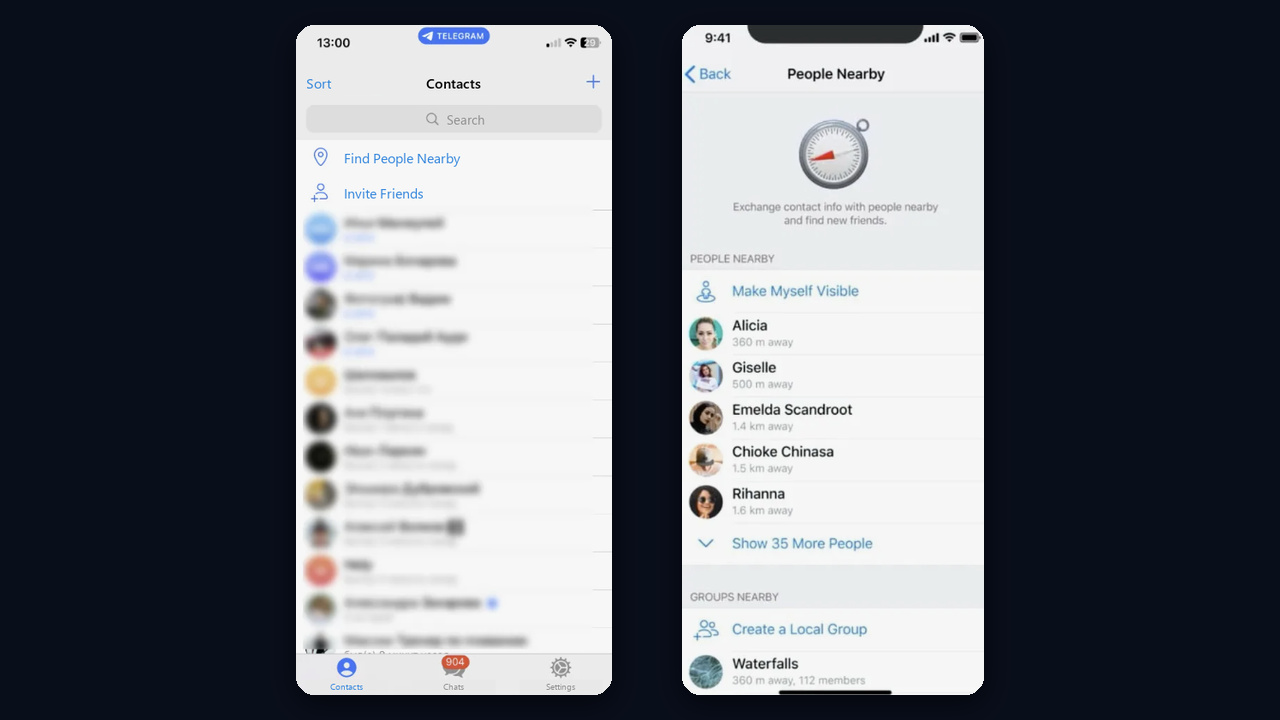
On Android the same screen looked different: user search at the top and a Groups Nearby block below it, listing local chats with their distance.
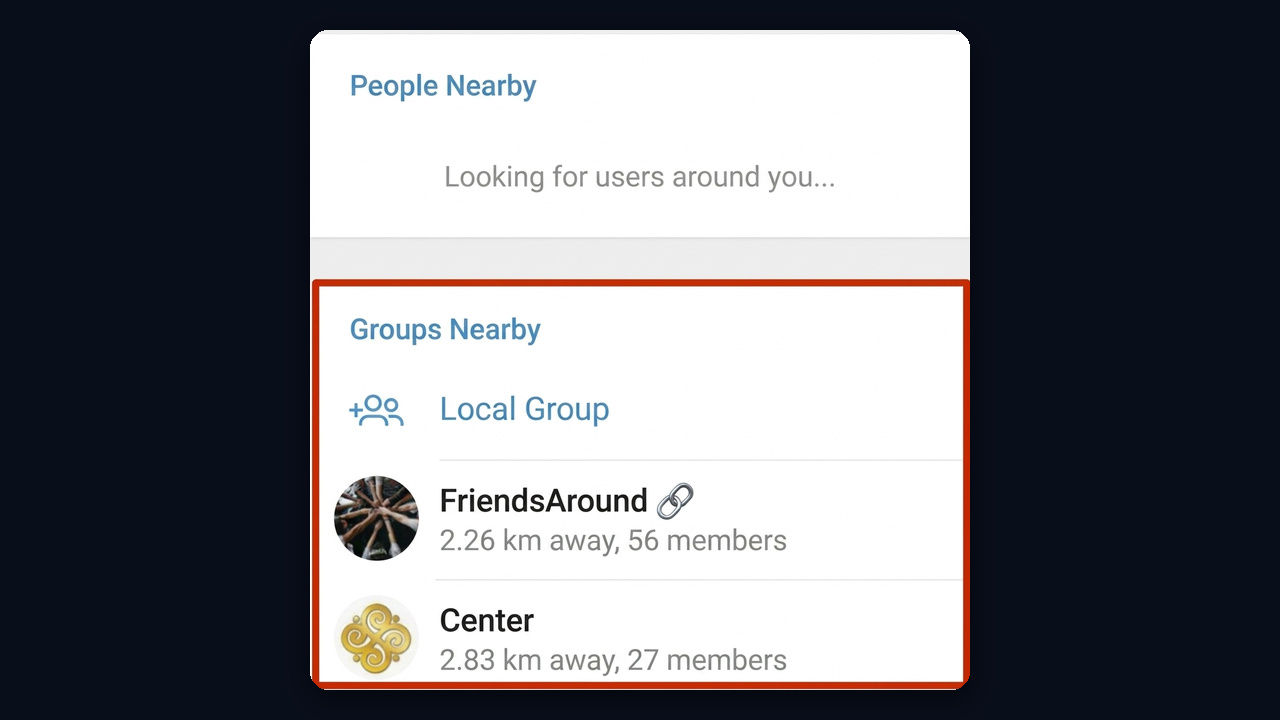
Today none of this exists in any official app, whether iOS, Android or Telegram Desktop. So if you're wondering where the tab went, the short answer is that it no longer exists.
When Telegram People Nearby Was Removed and Why
In early September 2024 the list stopped loading. Then, on September 6, Pavel Durov announced the removal. According to him, fewer than 0.1% of users relied on the feature, while bots and scammers had turned it into a hunting ground. Version 11.1 dropped the menu item entirely.
As a replacement, Telegram promised "Businesses Nearby" with verified companies, product catalogs and payments. However, that targets companies rather than individuals.
Why Telegram Nearby Won't Return on iPhone or Android
The list was built on Telegram's side, not inside the app. Therefore an old APK, a fake GPS location or a different region setting does nothing, because there's no server feature left to query. And if a bot or site offers to "enable People Nearby", it's almost certainly harvesting phone numbers and login codes.
How to Turn Off Telegram People Nearby
There's nothing left to switch off: since the removal, your location isn't shown to strangers. Still, check three things. First, stop any live location you once shared in a chat. Second, remove the address from a Telegram Business profile if you don't need it. Finally, in your phone settings, change Telegram's location access from "Always" to "While using the app".
Telegram People Nearby Alternatives
No direct substitute exists. But the jobs it handled can be done in other ways, and some of them work better than the old feature ever did.
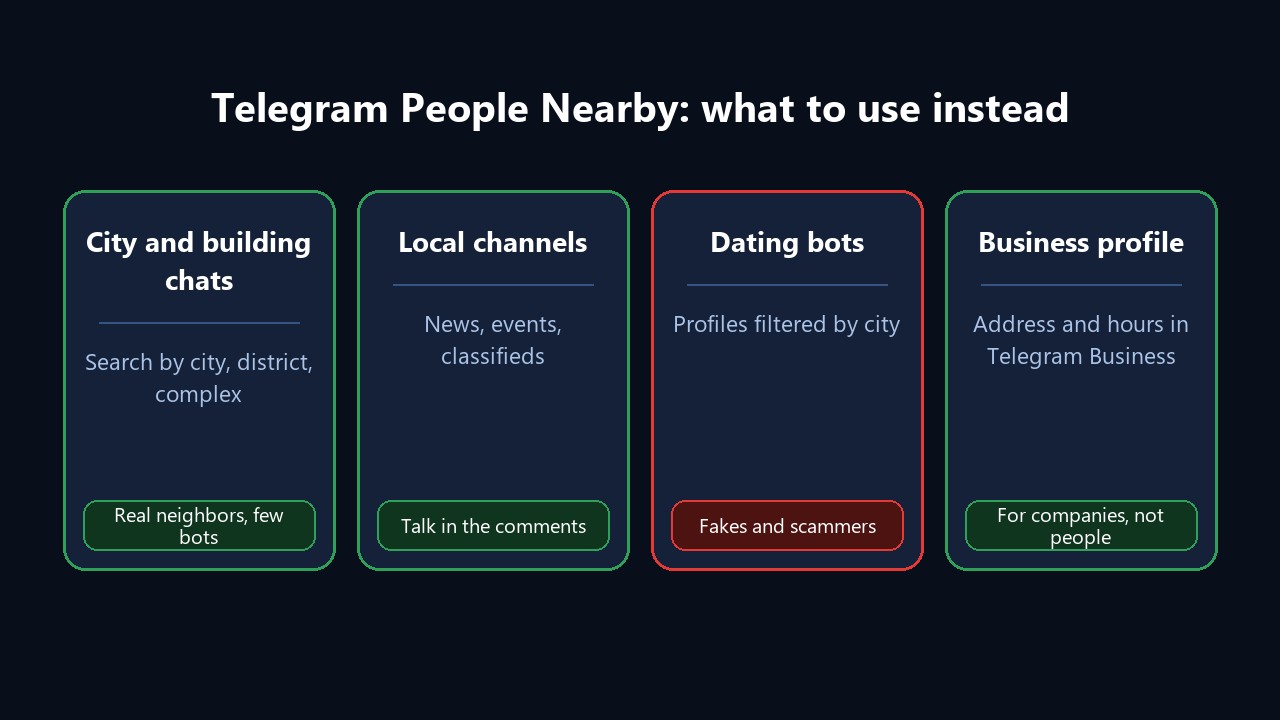
City, District and Building Chats
Community groups are the main replacement, so first start there. Almost every town, district and apartment complex has a neighbors chat, a buy-and-sell group or a parents' community. Type a city name plus a topic into search, for example "Austin neighbors", "Austin moms" or "Austin marketplace". The screenshot below shows the same idea for Kazan.
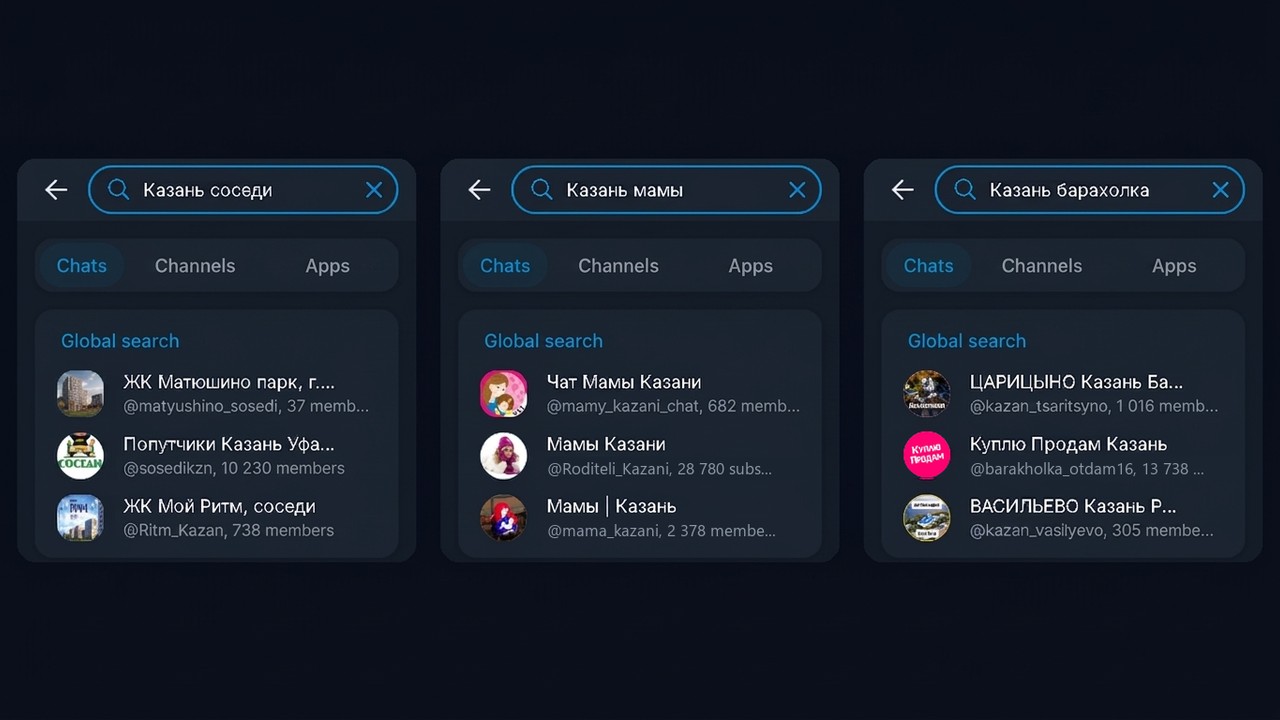
The built-in search has a catch, though: its Global search block returns only three chats per query. So vary the wording with a district, a complex name, "jobs", "rideshare" or "classifieds". That way you collect a dozen active groups in 15–20 minutes.
Neighborhood Channels and Their Comments
Besides, regional news channels and event listings gather residents of one town. Readers discuss traffic, outages and weekend plans in the comments, so that makes it easy to start talking with neighbors.
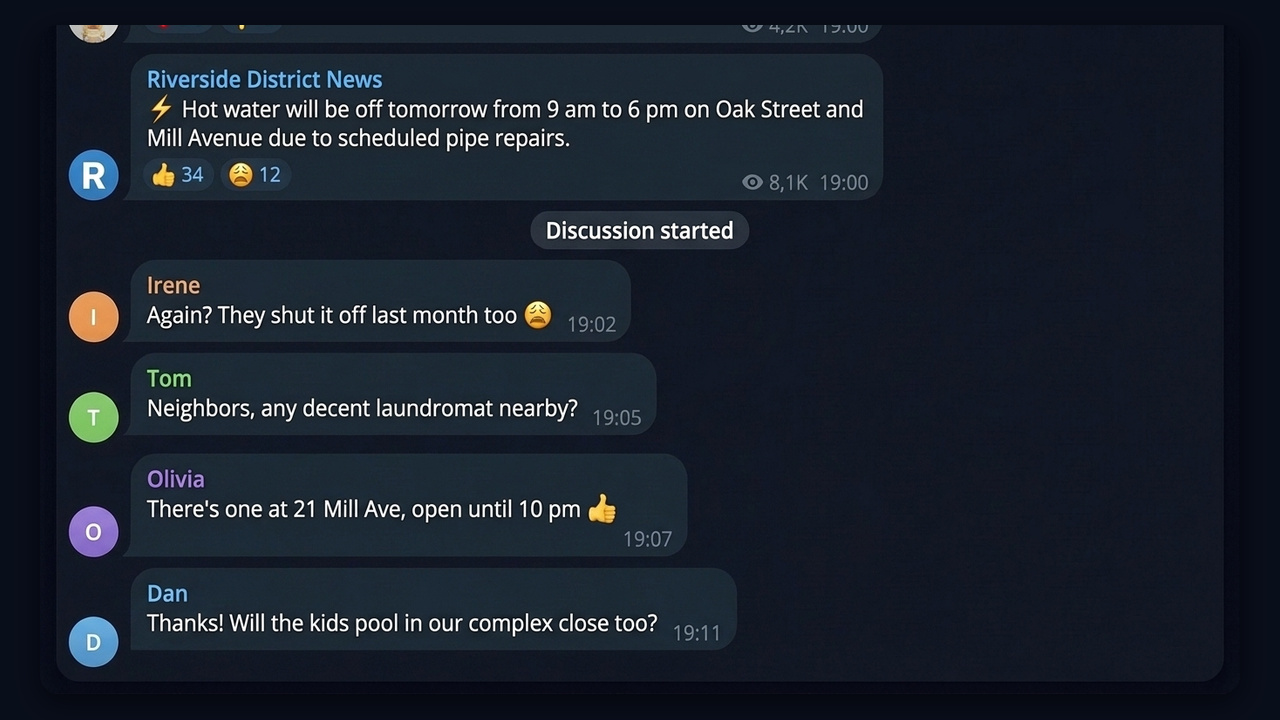
For example, under a district post about a water outage, neighbors quickly share the nearest laundromat and what closes in their complex. One helpful reply in such a thread introduces you to half the area.
Live Location for Friends
Need to see a specific person on the map rather than strangers? Tap the paperclip → Location.
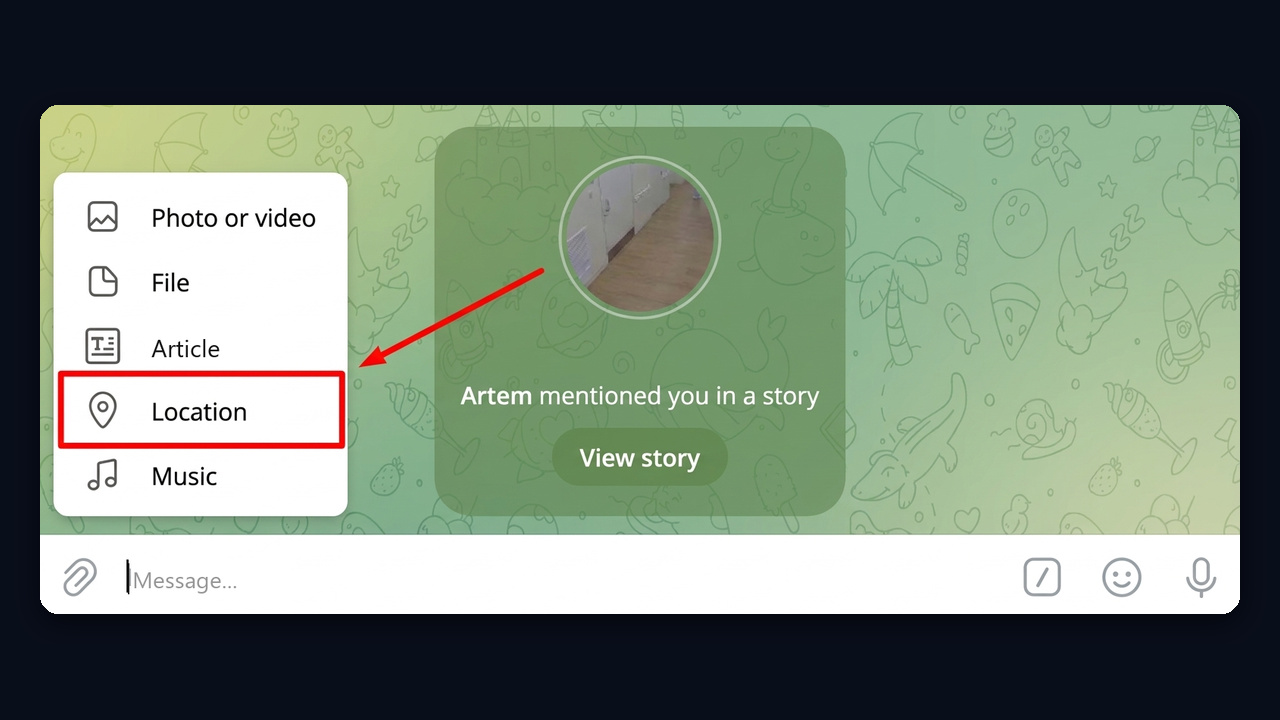
In the window that opens, you can then send your current point, pick a venue nearby or choose Share My Live Location.
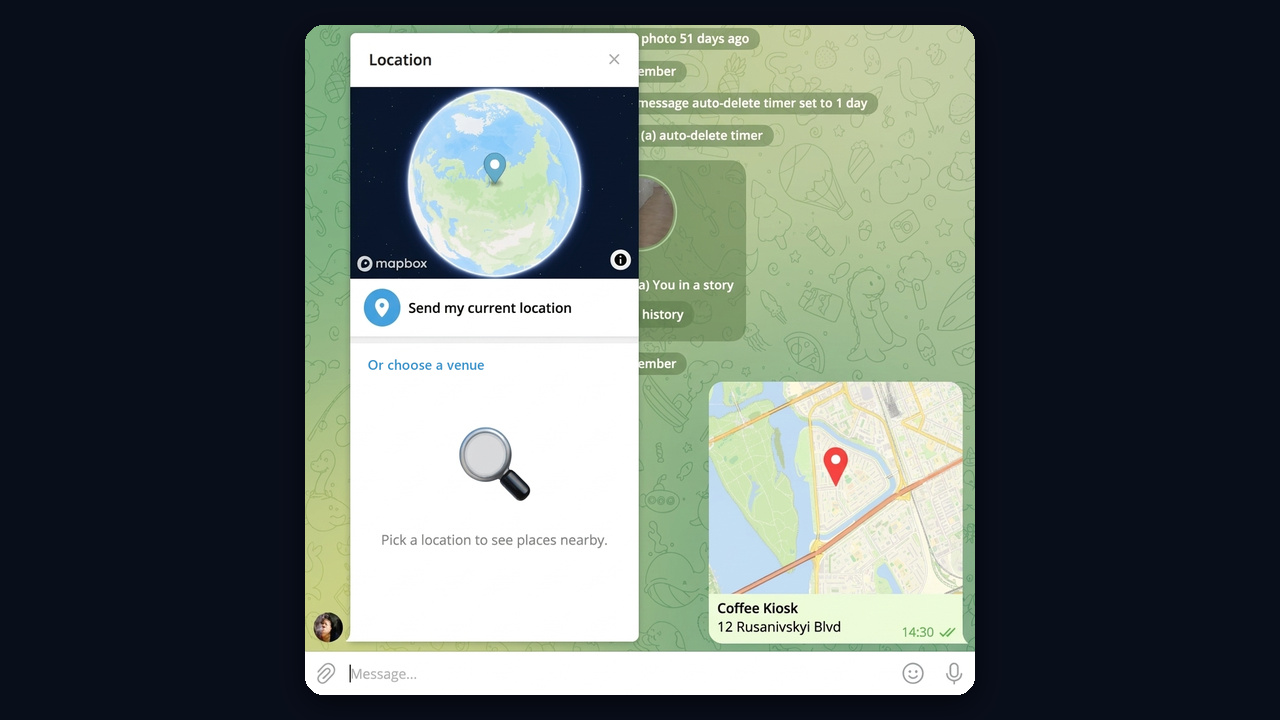
With live location on, your friend sees you in the chat for 15 minutes, an hour, 8 hours or until you stop. It works only with mutual consent, which is how Telegram handles "who's where" today.
Dating Bots: Proceed With Care
Bots with area-filtered profiles have rushed into the niche People Nearby left behind. Many of them, however, are full of fakes, so stay alert. Never pay for "profile access", never type an SMS code into a bot and skip any outside "verification" link.
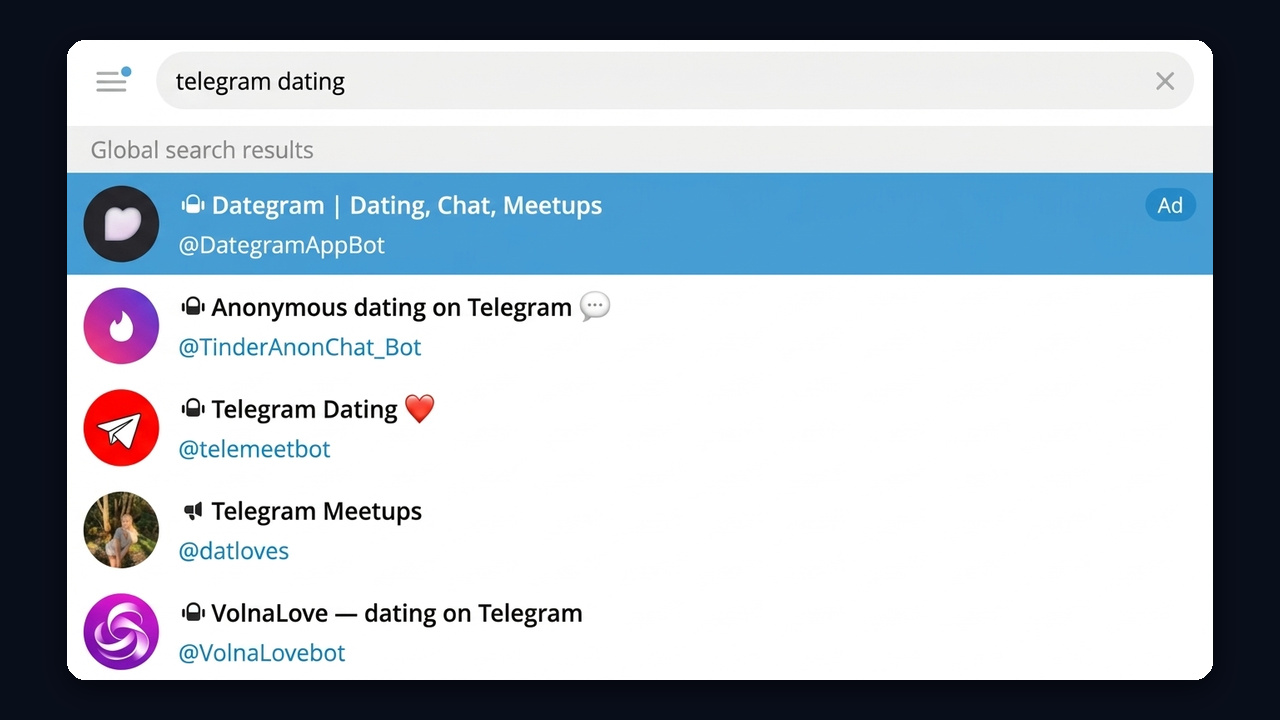
The screenshot shows results for a dating search: the top line is marked as an ad, and profile bots follow below.
A Business Profile With an Address
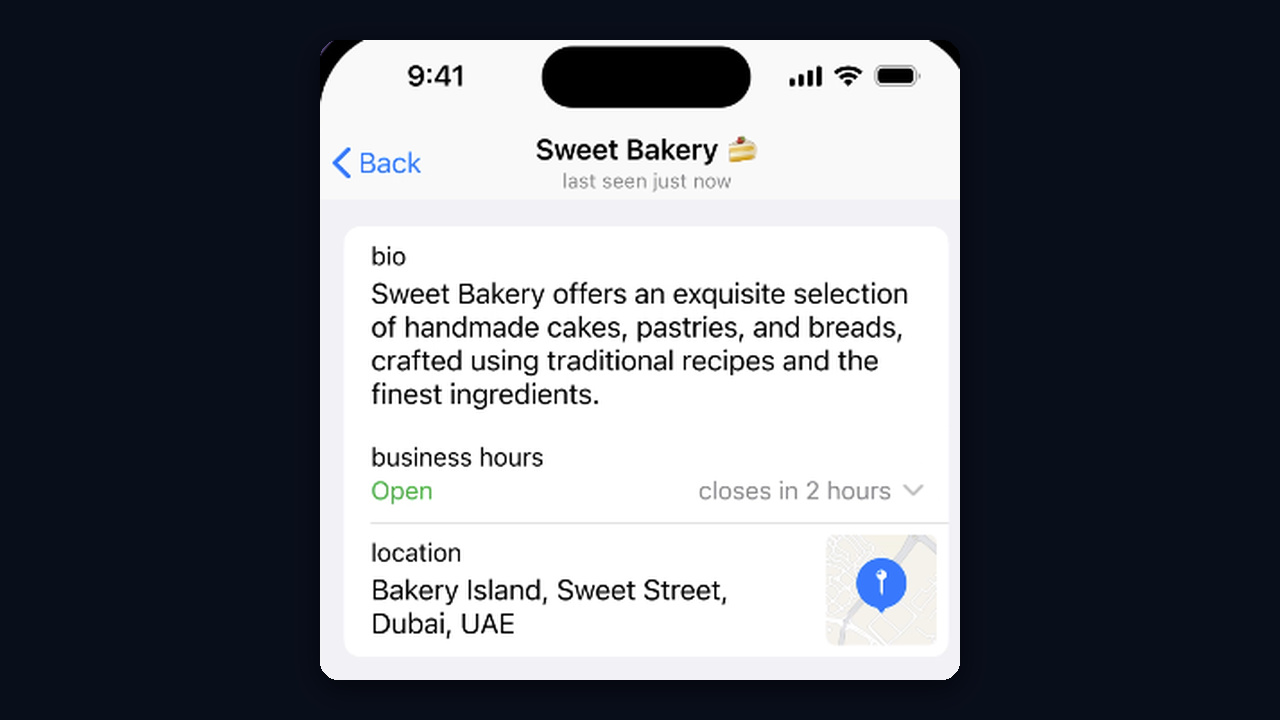
Companies can use Telegram Business instead, which lets a profile show an address, a map pin and opening hours. But it requires Premium, so budget for it. As a result, a customer who spots you in a district chat sees right away where to go.
Finding Customers Close By on Telegram for Business
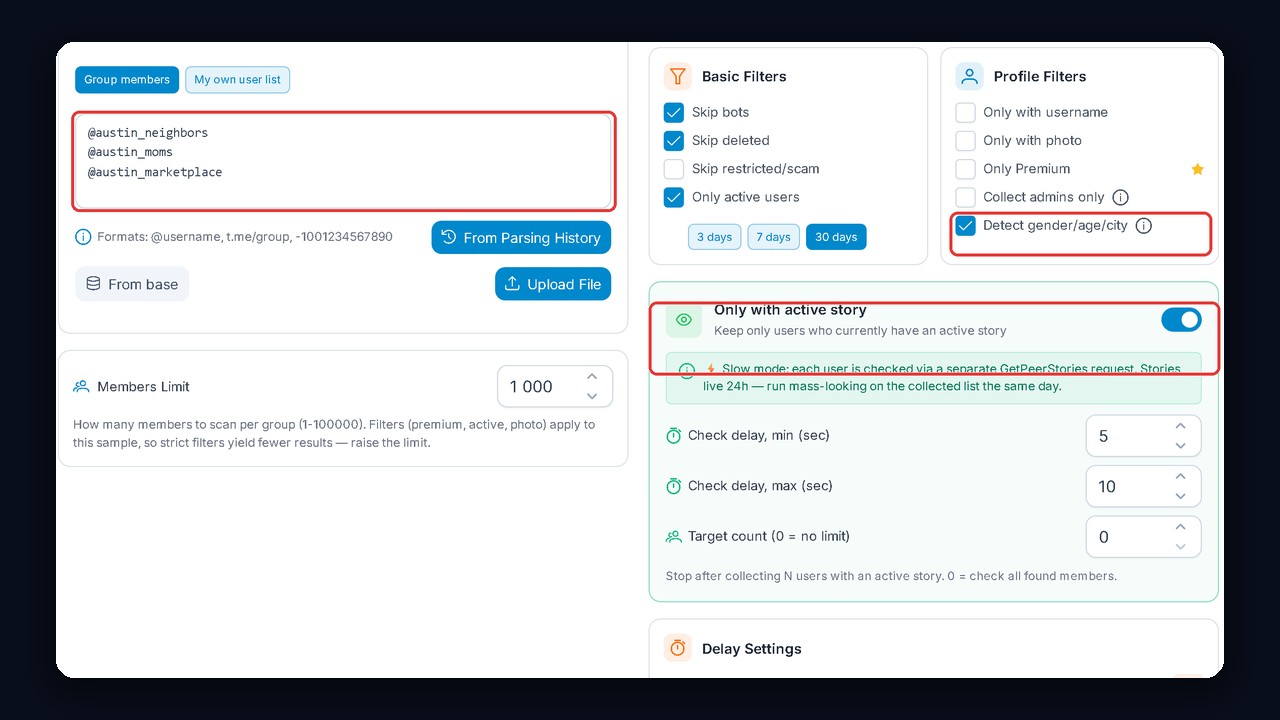
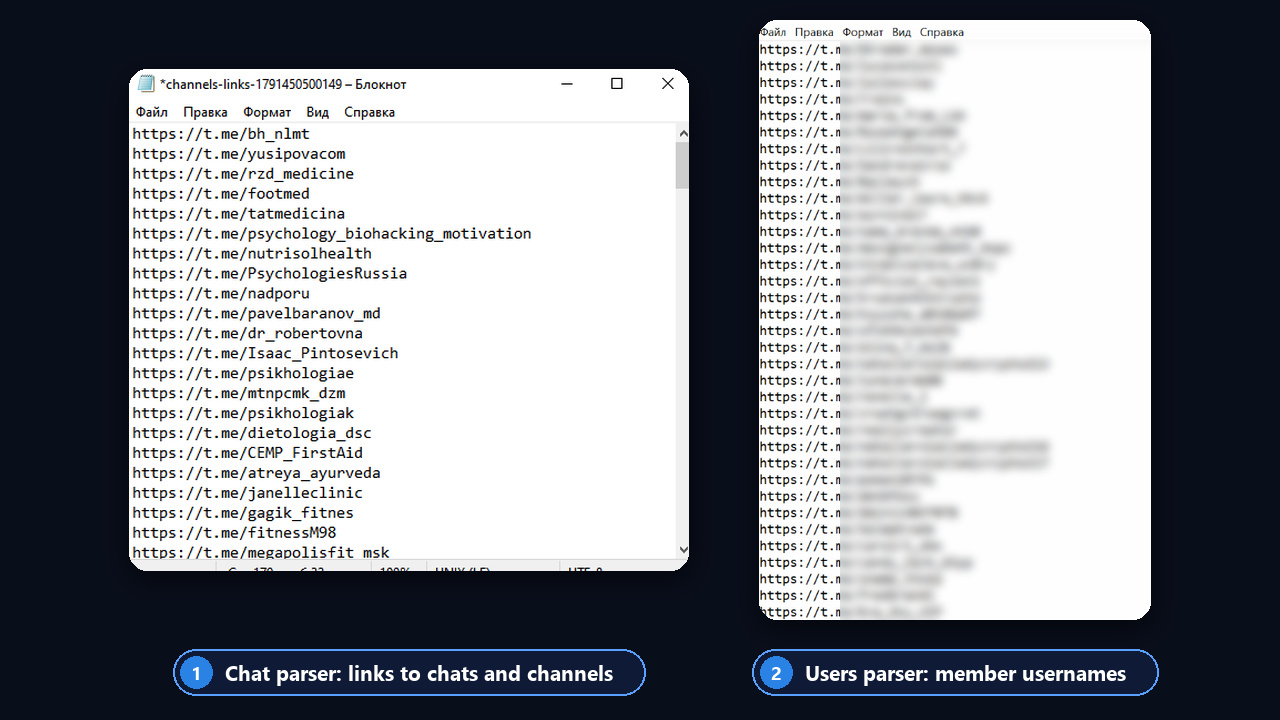
A cafe, salon, school or developer needs more than knowing such chats exist. Instead, you have to gather dozens of them and export the active residents. By hand that takes weeks, so in GramGPT two parsers now cover what Telegram People Nearby used to do for finding an audience.
Which Keywords to Use
First, match the words to your audience rather than to the whole town. A kids' center wants parents, for instance, while a renovation crew wants new-build owners.
| Business | Chat keywords | Who you reach |
|---|---|---|
| Cafe, delivery | neighbors, district, apartments | Residents in your delivery zone |
| Beauty salon | moms, girls, marketplace | Women in the area |
| Renovation, furniture | new build, keys, complex | New homeowners |
| Kids' center | moms, parents, school | Parents |
| Gym | running, sports, fitness | Active locals |
Step 1. Collect City Chats With the Parser
In the Search Parser module, open the Chats tab and add keywords such as "neighbors", "moms", "marketplace", "chat" and "expats". Under Suffixes, choose Manual and enter your city. The module then builds combinations like "Austin neighbors" and works through all of them instead of stopping at three global search results.
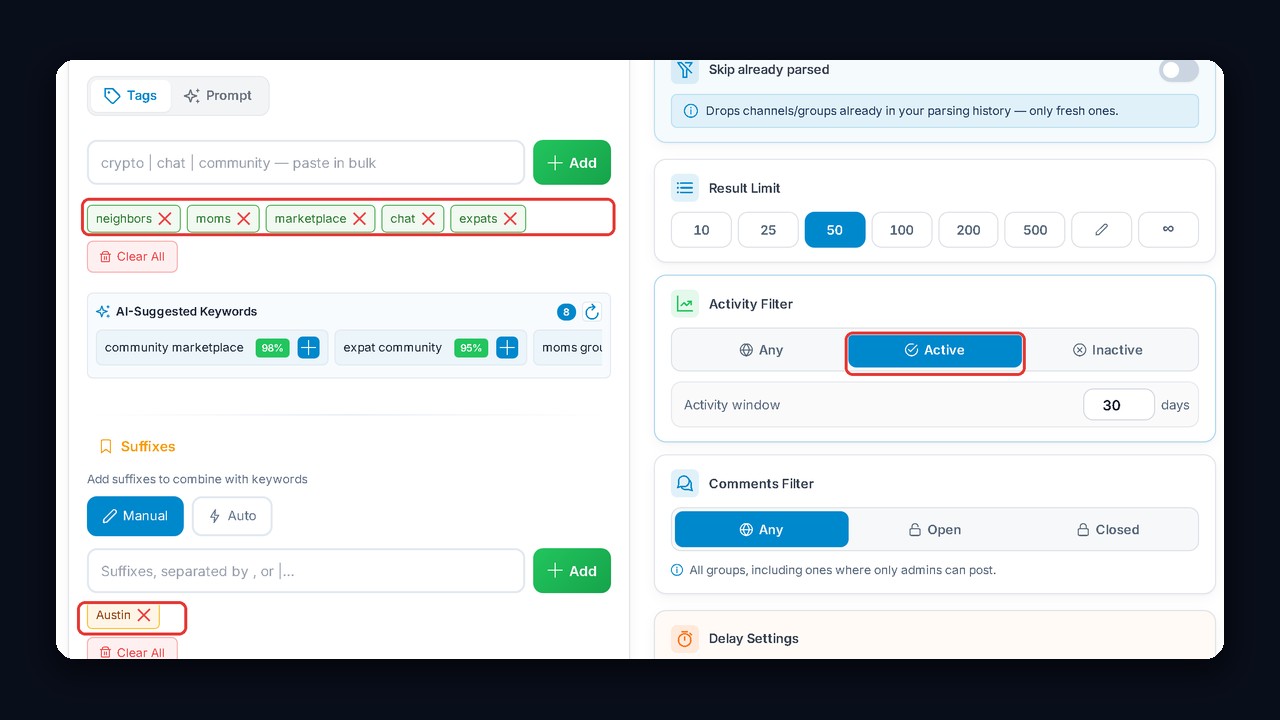
Next, set Activity Filter → Active to skip abandoned groups. AI suggestions will also propose related keywords like "community marketplace" or "expat community". Every setting is explained in our review of the channel and chat parser.