You join a feed, and Telegram instantly suggests a dozen more like it. Readers love it. Authors who never show up there watch competitors collect free subscribers. That is why every creator wants to know how Telegram similar channels work and how to get featured there.
Most people hunt for a button or a form to add themselves. No such setting exists, and buying bots pushes the goal further away: the algorithm counts real people, not the subscriber number.
Below we cover where the block appears, how the app fills it, how to get into Telegram similar channels in 2026 and how to use the same mechanics for niche research and growth through competitors' audiences.
What Telegram Similar Channels Are
These are the messenger's own recommendations: a list of public feeds close in topic to the one you opened. The app builds it from audience similarity, meaning how many followers two of them share. For example, if thousands of people follow both you and a competitor, the system treats you as neighbors.
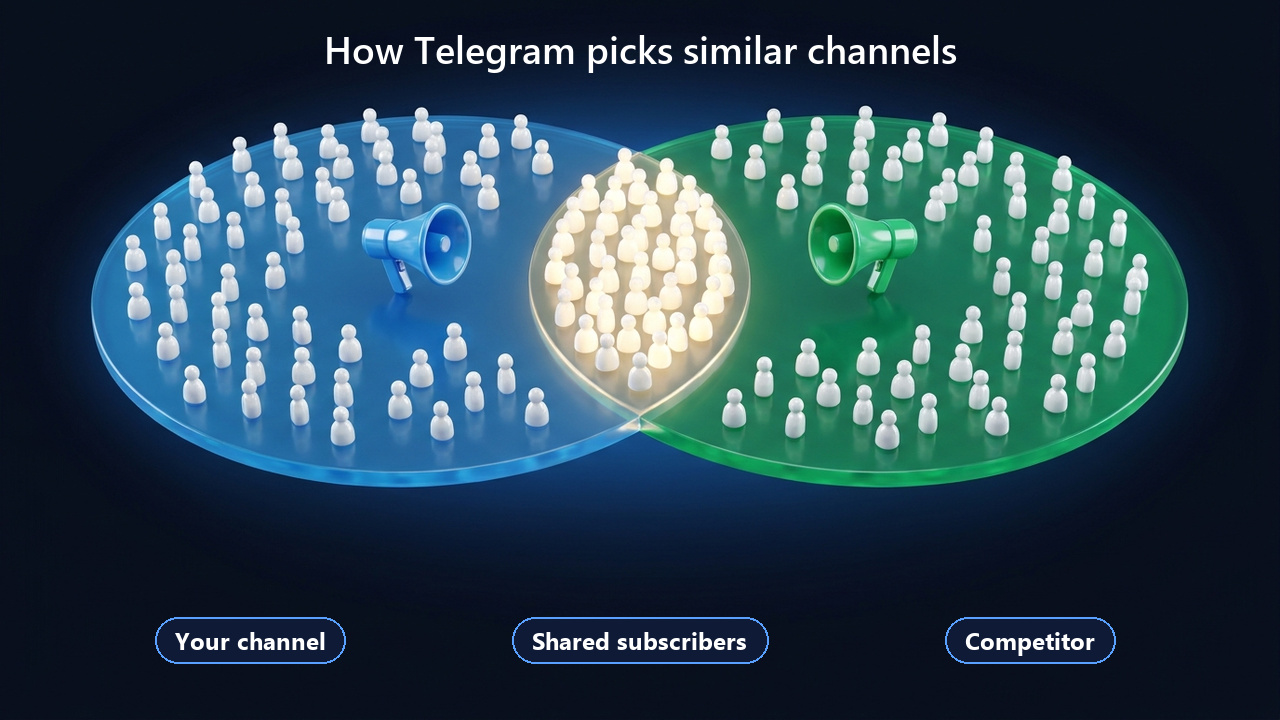
The key takeaway follows from that. The only way into the block is to attract people who already read your niche. Topic, description and hashtags on their own barely matter.
Where to Find Similar Channels on Telegram
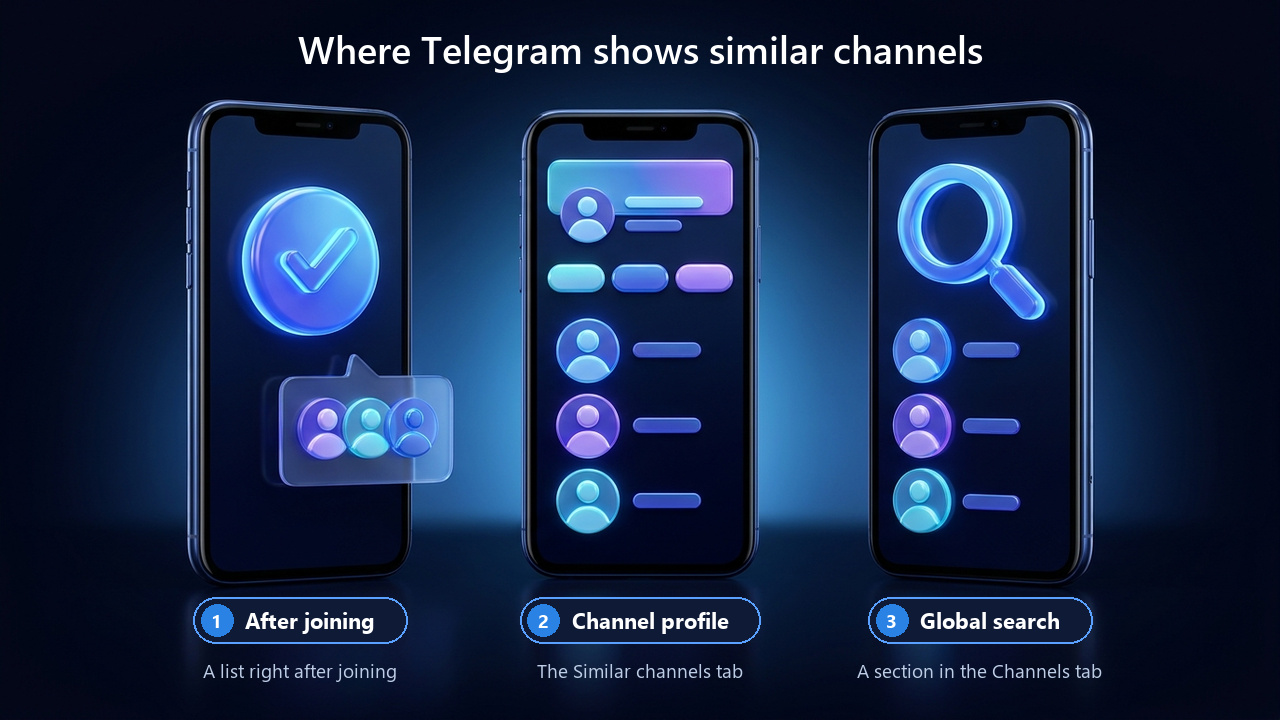
First of all, the block appears in three places in the official apps.
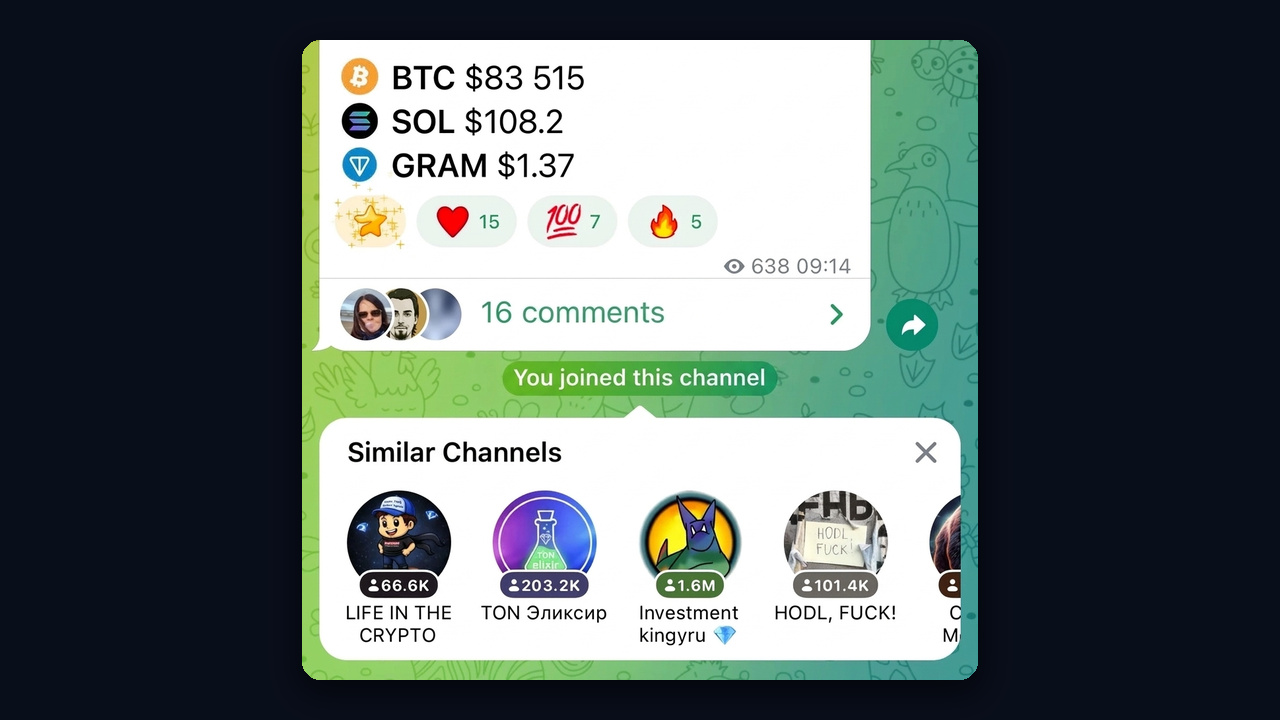
Right After You Join
As soon as you join, a panel with suggestions unfolds under the header. Join a fitness feed, for instance, and you get a set about nutrition and workouts. You can also collapse that panel.
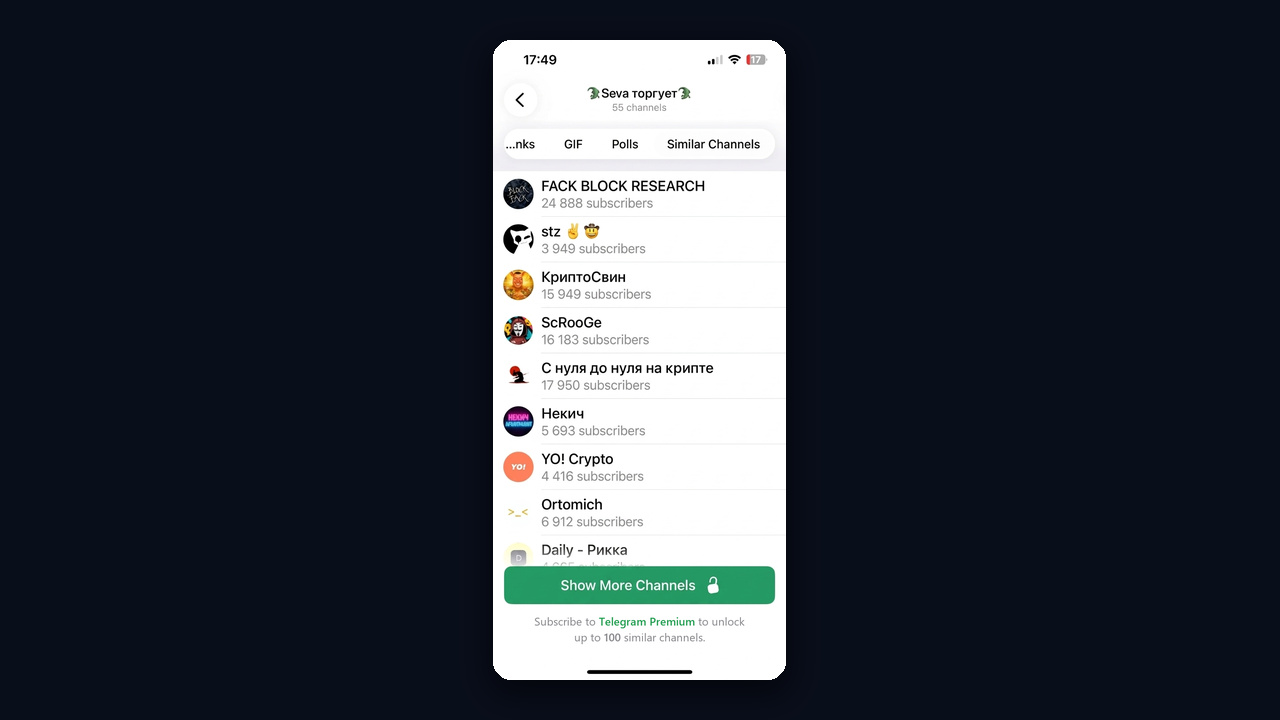
The Tab in a Public Profile
Open any public profile of this kind: next to Media and Links you will find a Similar channels tab. The list is fuller here; open or join any entry in one tap.
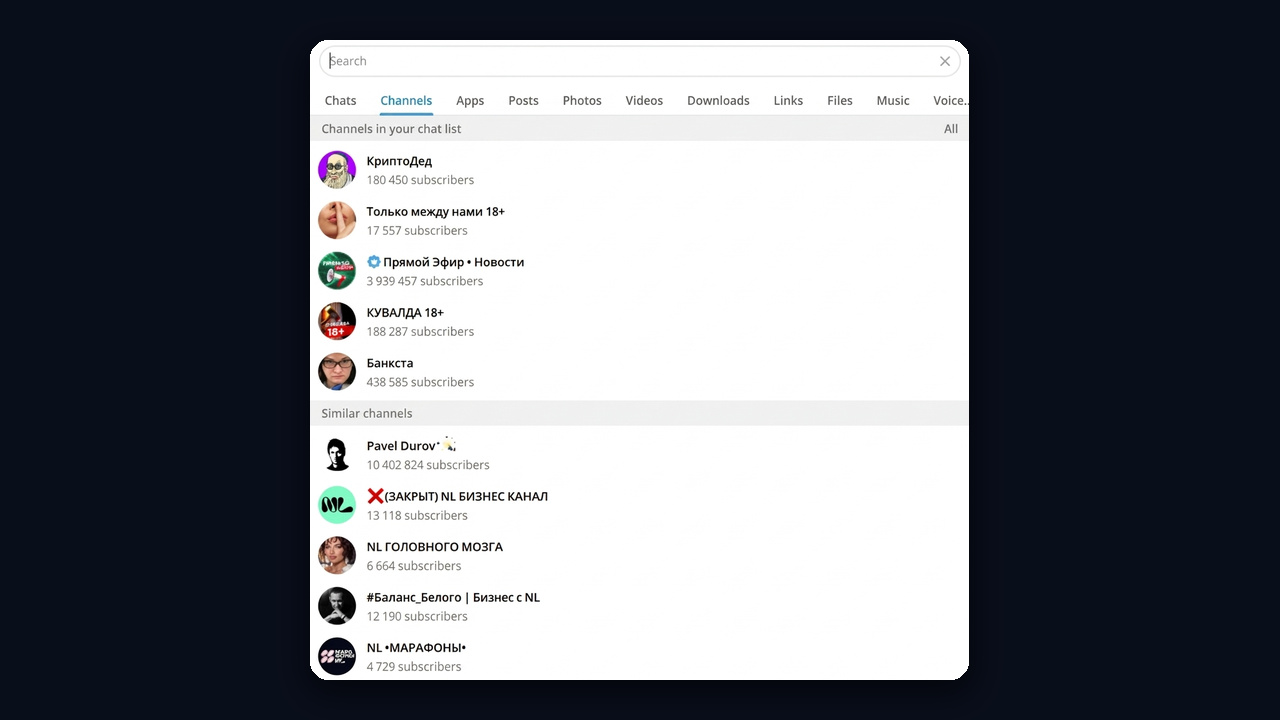
The Section in Global Search
Besides, the Channels tab of global search has its own Similar channels section. That one is built from all your subscriptions at once.
However, without Premium part of the list stays hidden, while Premium subscribers see the full set. Telegram Web has no similar-channels tab in profiles, so check the block in the phone or desktop app.
How to View Similar Channels on Your Phone and Computer
In general, the steps barely differ between apps; only the button placement changes.
- Android and iPhone. First, open a channel, tap its name at the top, and swipe through the tabs below the description until you reach "Similar Channels".
- Telegram Desktop. Similarly, click the name at the top of an open feed; the profile shows a "Similar Channels" section.
- Picks based on all your subscriptions. Finally, tap search, switch to the "Channels" tab, and look for the "Similar Channels" block.
In short, that is how to find similar Telegram channels for any public project in a couple of taps. If you need lists for dozens of competitors at once, though, doing it by hand takes hours, so automation is covered below.
How Telegram Picks Similar Channels
Officially, the developers say just one thing: picks depend on how similar the audiences are. Still, that principle shows which factors help you and which work against you.
| Factor | Effect |
|---|---|
| Shared followers with niche leaders | The main signal: the bigger the overlap, the better the odds |
| Public access with a username | Required: private ones never enter the block |
| Real audience | Bots from boosting services read nothing else and create no overlap |
| Audience size | Small projects have a statistically weaker overlap, so they appear less often |
No subscriber threshold is published either. So "how many subscribers do I need" has no single answer: what counts is the share of readers you have in common, not the raw number.
Telegram Similar Channels Not Showing: Why the List Is Empty
If the tab is missing or the list has suddenly gone blank, one of these is usually the cause.
- The channel is private. Recommendations cover only public ones, so invite-link communities never get the block.
- Too few shared subscribers. A new or small project overlaps weakly with its neighbors, and its list may stay empty.
- No Premium. Meanwhile, regular users see a trimmed list, while Premium subscribers get the full set.
- Web version or an old app. Telegram Web has no such tab, and outdated builds may lack it too, so update the app.
When your own listing disappears, the audience overlap has changed. After all, the selection is not fixed: the Telegram similar channels algorithm depends on what people actually follow. A wave of unsubscribes or a batch of bots can push you out, and only an inflow of real readers from your niche brings you back.
Telegram documents no switch that turns these recommendations on or off. Keeping it public and the app up to date is all you can control, while readers who find the popup distracting can simply collapse it.
How to Get Into Telegram Similar Channels
In other words, the job is to be read by the same people who follow the leaders of your niche. In practice:
- Go public. You need a short username and a clear description.
- Stick to one topic. A blog about cutting and meal prep gathers the audience of fitness feeds, while an "about everything" feed attracts random people.
- Win over competitors' readers. Paid posts with competitors, cross-promotion and helpful comments under their posts bring exactly the people who create overlap.
- Skip bots. They inflate the counter but dilute the share of real shared subscribers.
- Post on schedule. Then newcomers stay, and the overlap doesn't melt away within a week.
Moreover, more growth ideas are collected in our guide on how to grow a Telegram channel.
How to Find Similar Channels for Research and Ads
The mechanics also work the other way round. A competitor's recommendations are a ready list of places for paid posts, cross-promotion and comments. You can collect them by hand from the profile tab, but across dozens of feeds that takes hours.
The GramGPT Search Parser has a Similar channels mode for this. Paste up to 50 sources: the API returns up to a hundred similar ones for each, and Depth 2 runs one more round over the results. Next, filter by member count and activity, and set the comments filter to Open to keep only places where commenting is allowed.
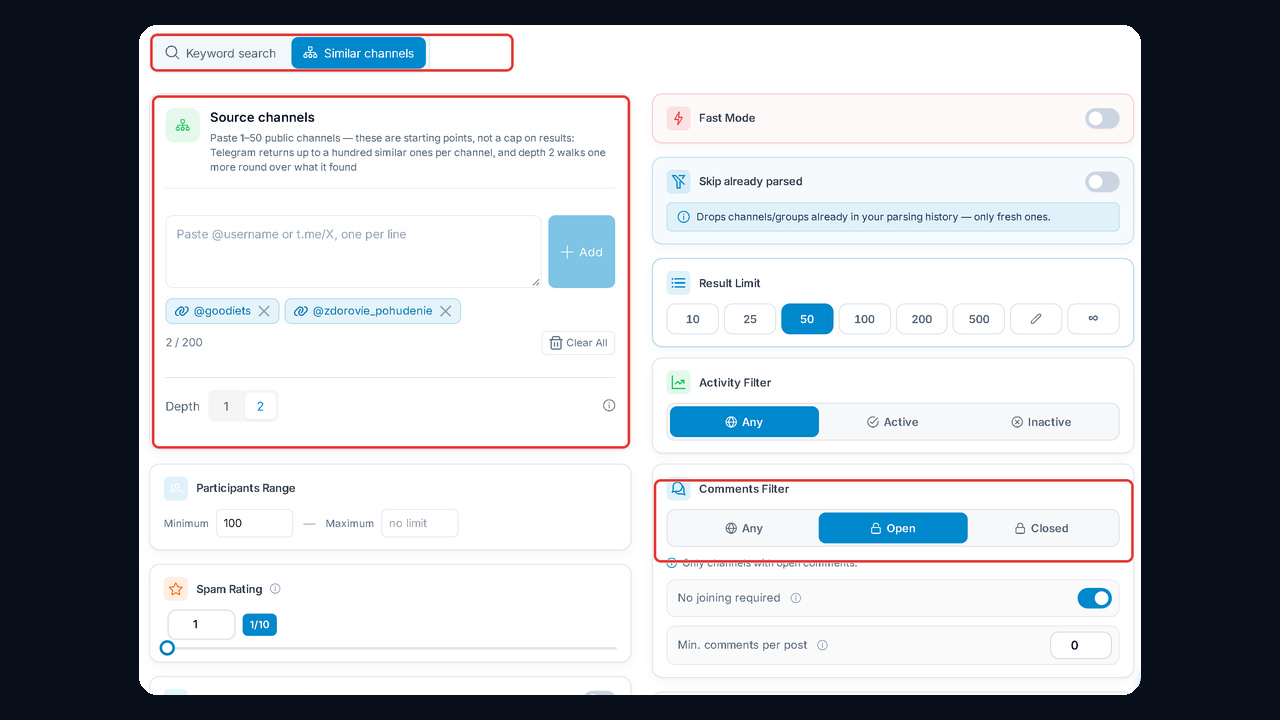
Then copy or export the list. All settings are explained in our review of the channel and chat parser. For a first look at a niche, the free Telegram channel map with categories and adjacent segments also helps.