
Flood Wait in Telegram is a temporary restriction on account actions that occurs when operations are performed too frequently or in a repetitive manner (most commonly — mass channel joins, invite actions, or consecutive active operations). In this article, we will explain what Flood Wait is, why it appears, and how the quarantine system in the Telegram combiner GramGPT.io protects accounts.
What Is Flood Wait in Telegram
Flood Wait is Telegram’s automatic protection against suspicious activity.
The restriction may last:
- 60 seconds
- a few minutes
- a few hours
- up to 24 hours or more
Flood Wait most often occurs when:
- joining channels too frequently
- performing repetitive mass actions
- account activity speed is too high
- repeated actions are made without pauses
It is important to understand:
👉 Flood Wait is not a ban, but only a temporary restriction.
Why Flood Wait Occurs
Telegram analyzes account behavior. If actions look “automated” or excessively intensive, the system increases the delay.
Flood commonly appears when:
- mass joining via invite links
- connecting to a large number of channels in a short time
- aggressive account warming without limits
If actions continue after the first restriction, the Flood Wait duration may increase up to 24 hours.
What Is Quarantine in GramGPT.io
The Telegram combiner GramGPT.io includes an automatic account protection system.
If an account receives a Flood Wait, it:
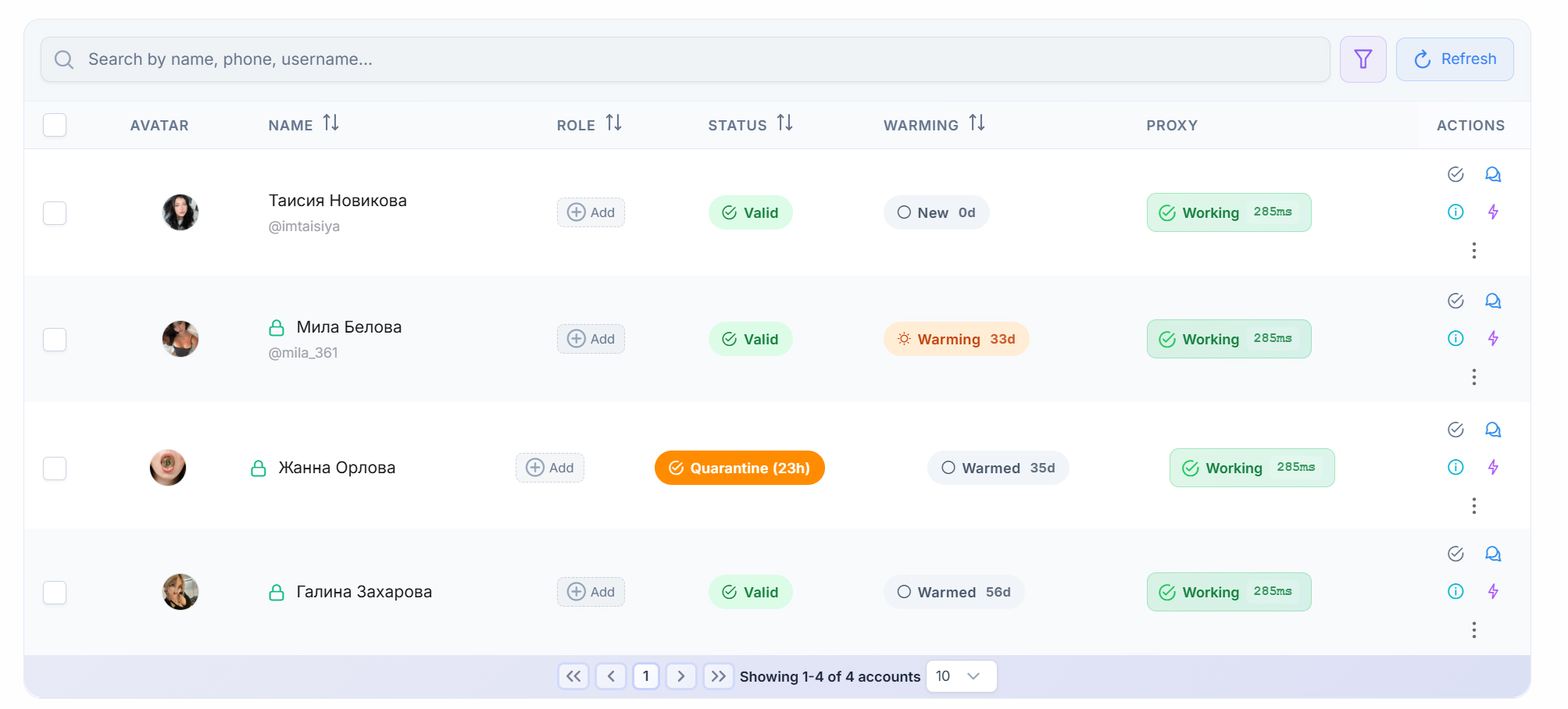
✅ is automatically placed into quarantine for 24 hours
✅ completely stops active operations
✅ is protected from longer restriction periods
Even if Telegram issues a restriction for only 60 seconds, the system still places the account into quarantine.
Why is this important?
If you continue working after a short flood restriction:
- the next Flood Wait will be longer
- the risk of account suspension increases
- account survivability decreases
Quarantine is a strategic protection mechanism for long-term account health.
How Quarantine Affects Account Status
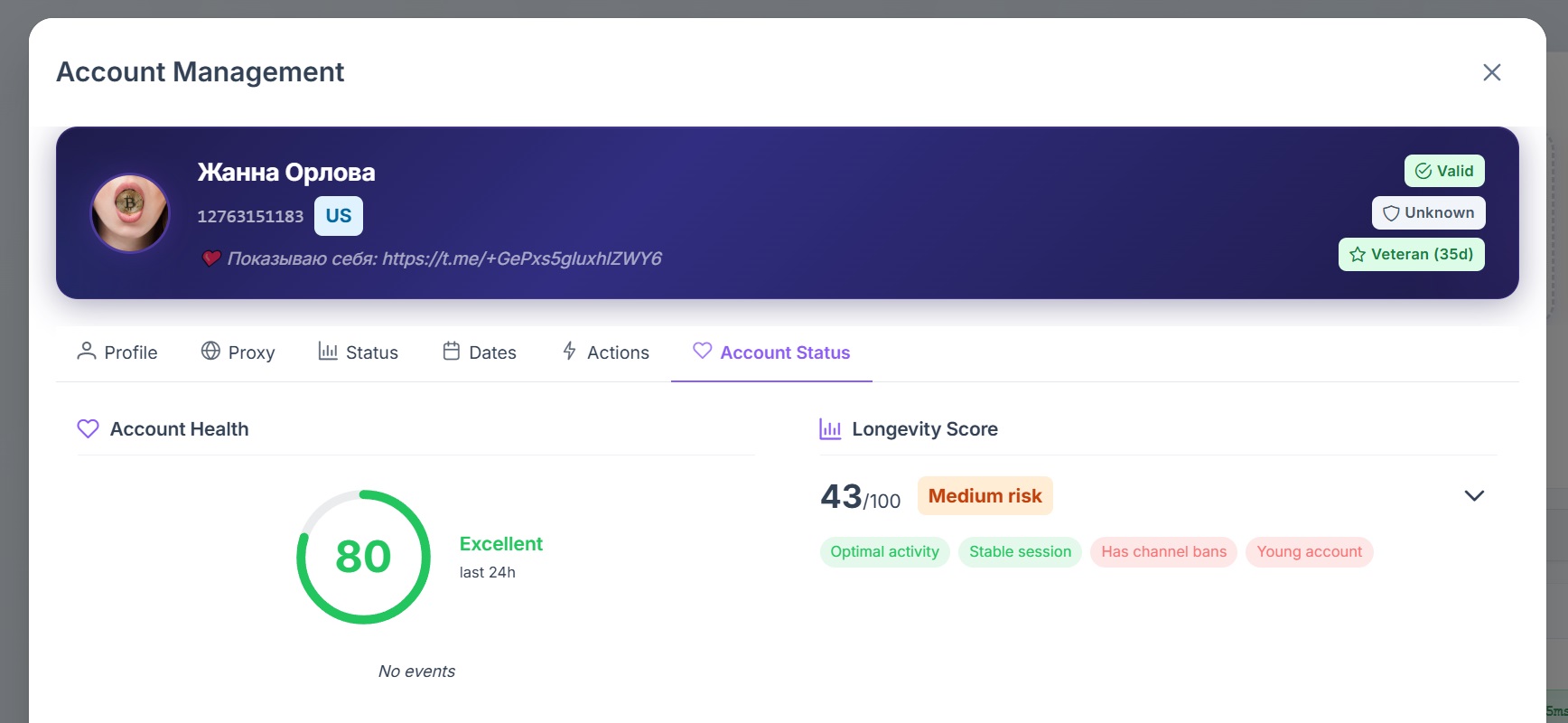
GramGPT.io includes a scoring system:
- Account Health
- Survivability Score
- Risk Factors
Flood Wait directly impacts:
- decreased account health
- lower survivability score
- increased risk level
- Account Health
- Survivability Score
- Medium Risk
How Flood Wait Appears in Logs
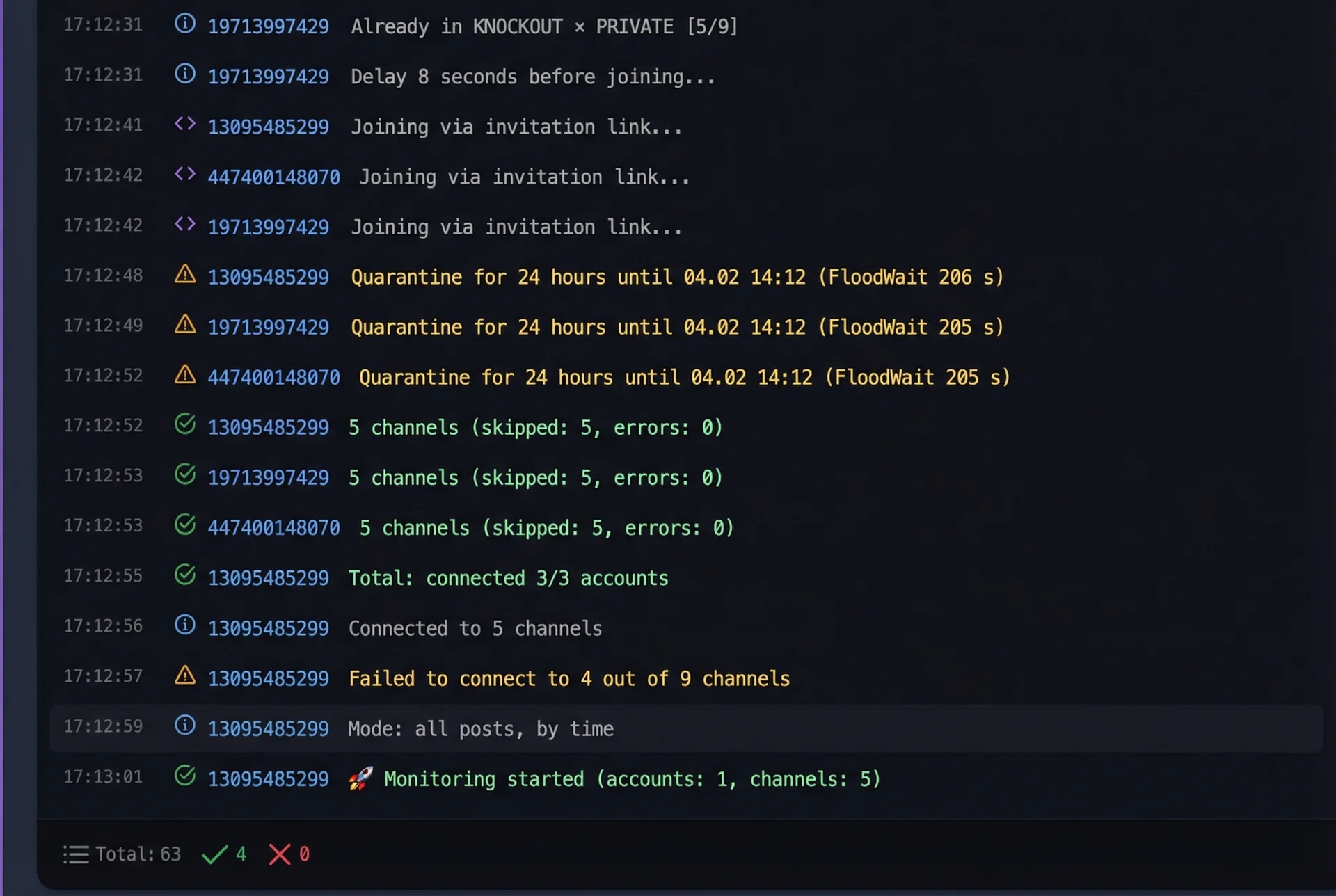
When a restriction is triggered, the logs display:
- 24-hour Quarantine
- FloodWait (time in seconds)
Why It’s Better to Enter Quarantine Immediately
GramGPT.io intentionally places accounts into quarantine even for short Flood Waits (60 seconds) because:
- Telegram increases restriction duration after repeated actions
- the risk of suspension grows
- account survivability decreases
- additional limitations may follow
Therefore, quarantine is not a punishment, but a protection mechanism.
How to Solve Flood Wait Issues in Telegram
To minimize risk:
- Avoid performing repetitive mass actions consecutively
- Limit the number of channel joins or increase delay between joins
- Use account warming strategies
- Work with high-quality proxies
- Allow accounts to rest
- Use AI Protection when working with different GramGPT modules
Main rule:
👉 If you receive a Flood Wait — do not try to “push through” Telegram.
GramGPT.io handles this automatically by switching the account into safe mode.