GGR (GramGPT Rating) is a Telegram account quality analysis system for automation. The service helps evaluate the risk of account blocking, determine its potential under load, and choose a safer launch strategy.
In this guide, we will go through the full process of checking Telegram accounts with GGR: from the free version to detailed rating analysis, reasons for rating drops, and recommendations for working with the account.

When You Should Check a Telegram Account
Telegram account checking is recommended in several situations:
- before buying an account;
- after buying a new batch of accounts;
- after account warm-up;
- before launching mass messaging;
- before launching inviting campaigns;
- before connecting an account to automation;
- after suspicious restrictions appear.
Even if an account looks fully working, its real quality indicators may be very different from what you expect.
Free Telegram Account Check
For a quick account evaluation, you can use the free version of GGR. It allows you to run up to three checks per hour without registration.
To check an account, you need to:
- Open the GGR page.
- Select the upload format.
- Upload session + json or tdata.
- Click the check button.
- Wait until the analysis is complete.
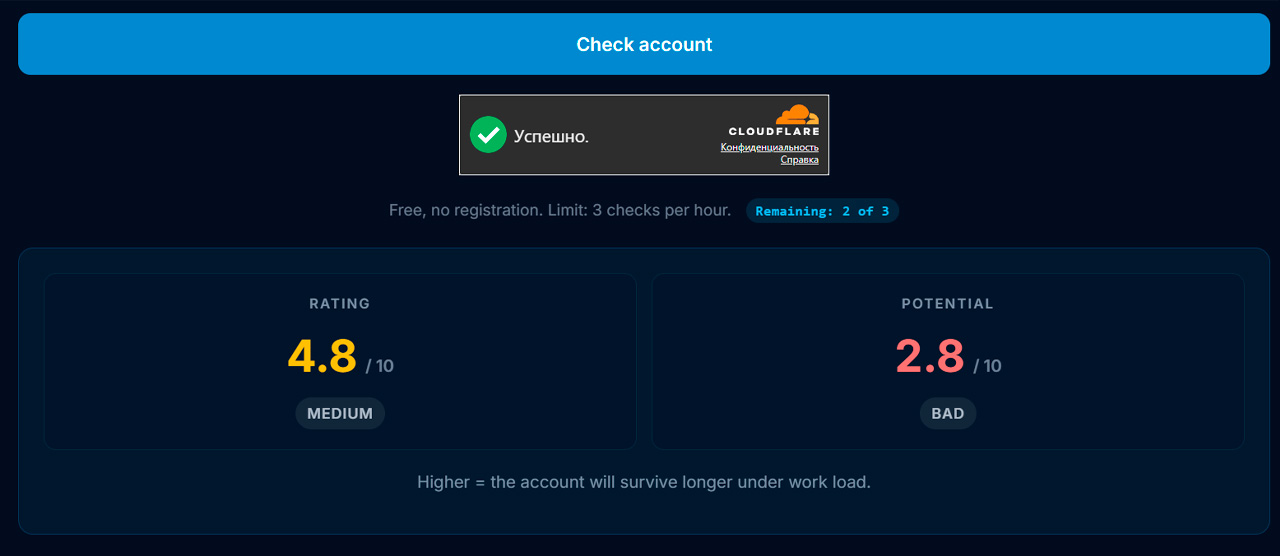
After the check is complete, the system will show the basic Telegram account rating and a preliminary assessment of its quality.
What the GGR Rating Means
The main metric of the system is the Telegram account rating on a scale from 1.0 to 10.0.
The higher the rating value, the higher the probability that the account will work stably under automation.
- 7–10 — high rating;
- 4–7 — medium rating;
- 1–4 — high risk of problems.
It is important to understand that the rating is not a guarantee that the account will survive. It shows the probability of successful operation based on statistics from similar Telegram accounts.
How to Run a Detailed Telegram Account Lifespan Analysis
First, you need to go to the account manager in your dashboard and import your Telegram accounts into the system using Tdata or Session+Json.
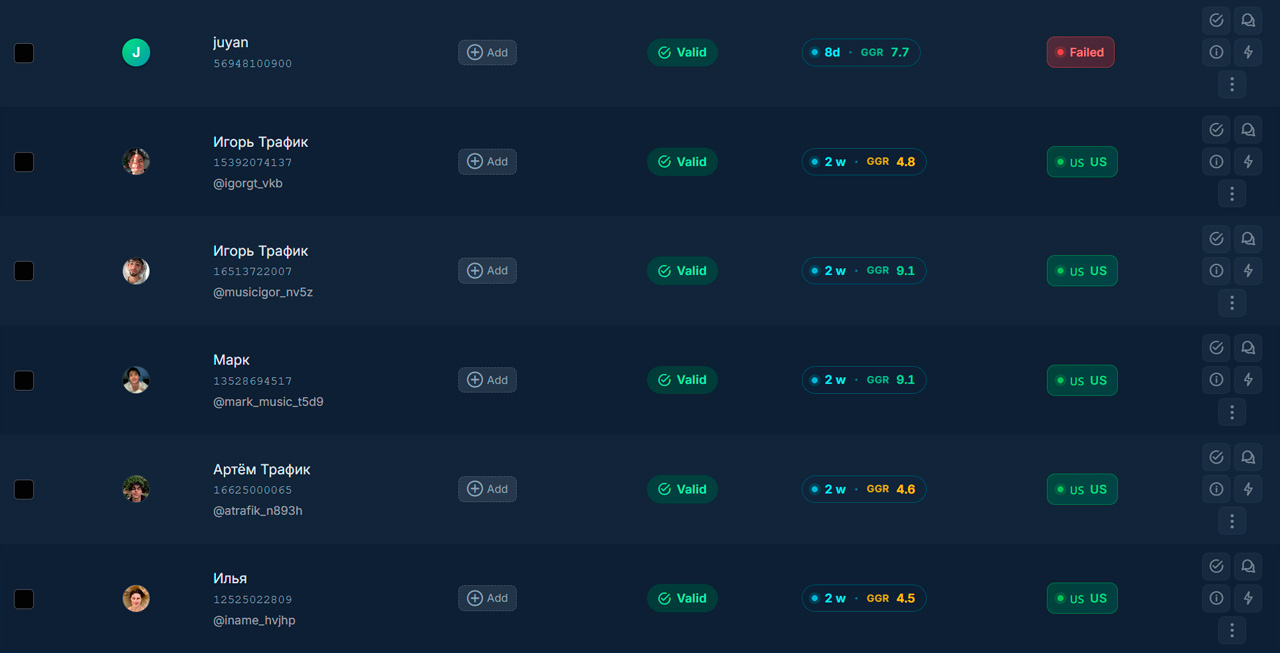
At this stage, the GGR metric will not yet appear in the account aging field because the account has not been checked yet. To run the check, go to the GGR Check section in the dashboard menu.
Then, on the left side, click any account to start the analysis:
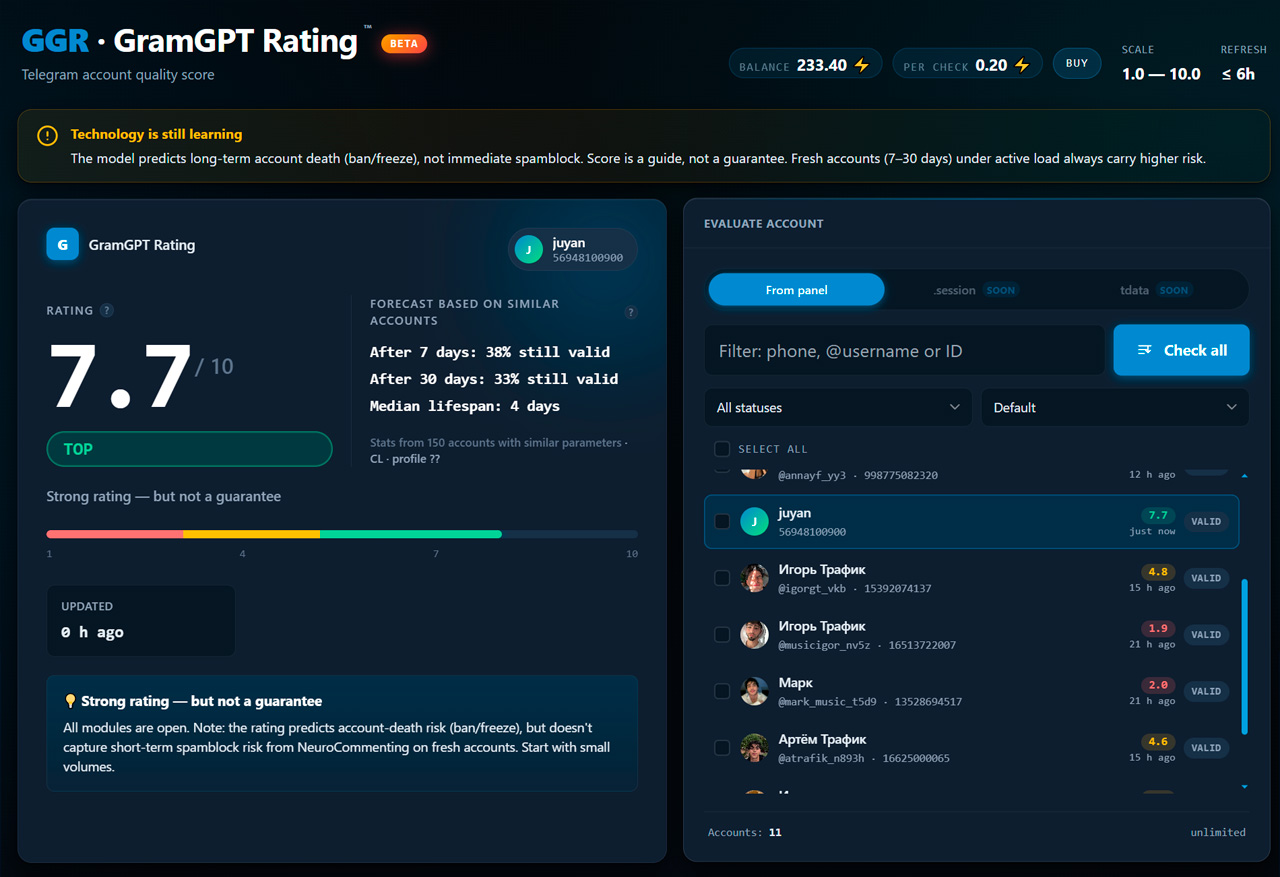
It is important to know that each check costs $0.02. You can top up your balance by clicking on it, or receive a bonus when purchasing a subscription: the monthly plan adds $3 to your balance, and the yearly one adds $15.
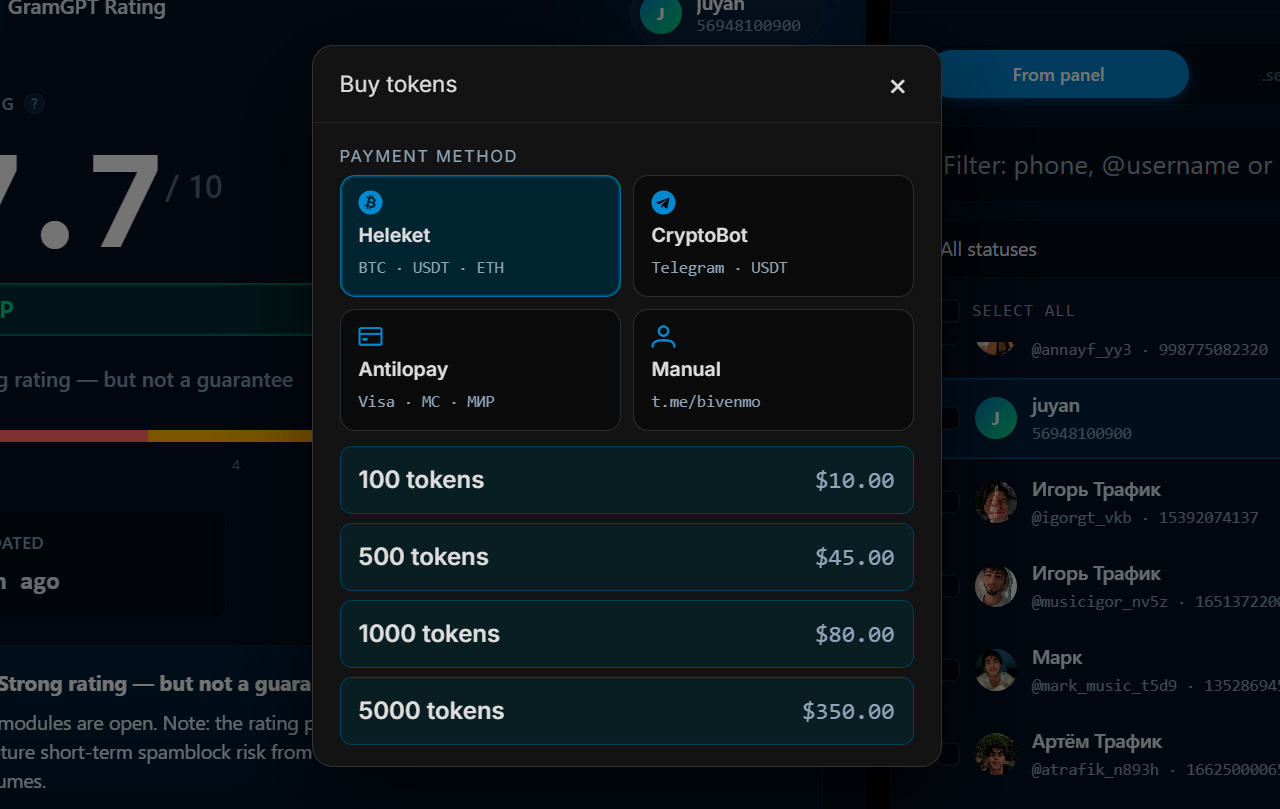
It is also important to note that the bigger the top-up pack, the bigger the bonus on top. If you buy the $500 pack for $350, one GGR metric check costs about $0.014 instead of $0.02, which helps save money when frequently checking a large number of Telegram accounts.
How to Read the Check Results
After the analysis is complete, a detailed account card appears. The final account rating is displayed at the top.
On the right side, you can see a forecast based on similar accounts.
The system shows:
- the percentage of accounts that survived after 7 days;
- the percentage of accounts that survived after 30 days;
- the median lifespan;
- the size of the statistical sample.
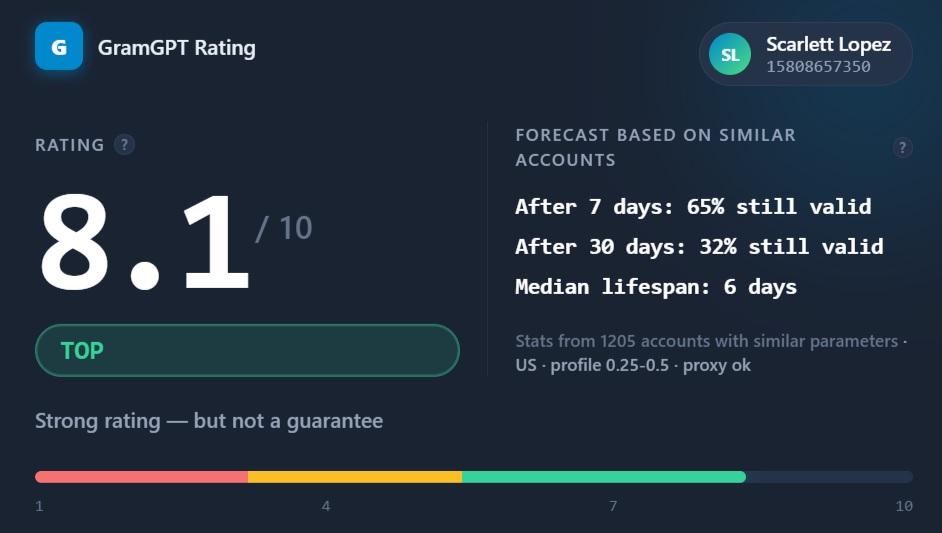
This is one of the most useful GGR blocks because it helps you understand not just the current state of the account, but its expected behavior in the future.
What to Do After Getting a High Rating
If an account receives a rating above 7 points, it means that statistically it shows strong lifespan and stability indicators.
Such accounts are usually suitable for:
- AI commenting;
- mass reactions;
- parsing;
- mass messaging;
- inviting;
- other Telegram automation scenarios.
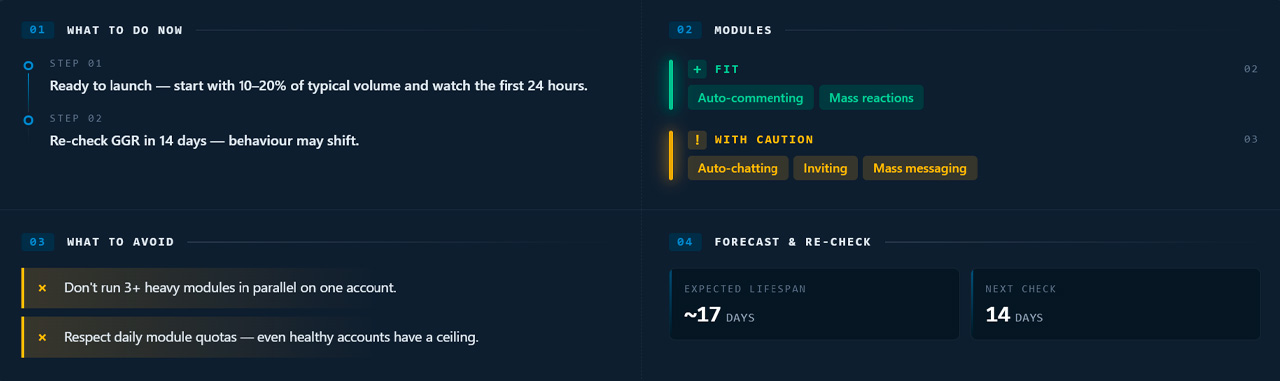
However, it is still recommended to start gradually and monitor activity during the first days.
What to Do if the Rating Is Low
A low rating does not necessarily mean that the account will be blocked.
Common reasons include:
- young account age;
- lack of activity history;
- unstable proxies;
- an unsuccessful combination of registration parameters;
- ban waves affecting similar accounts.
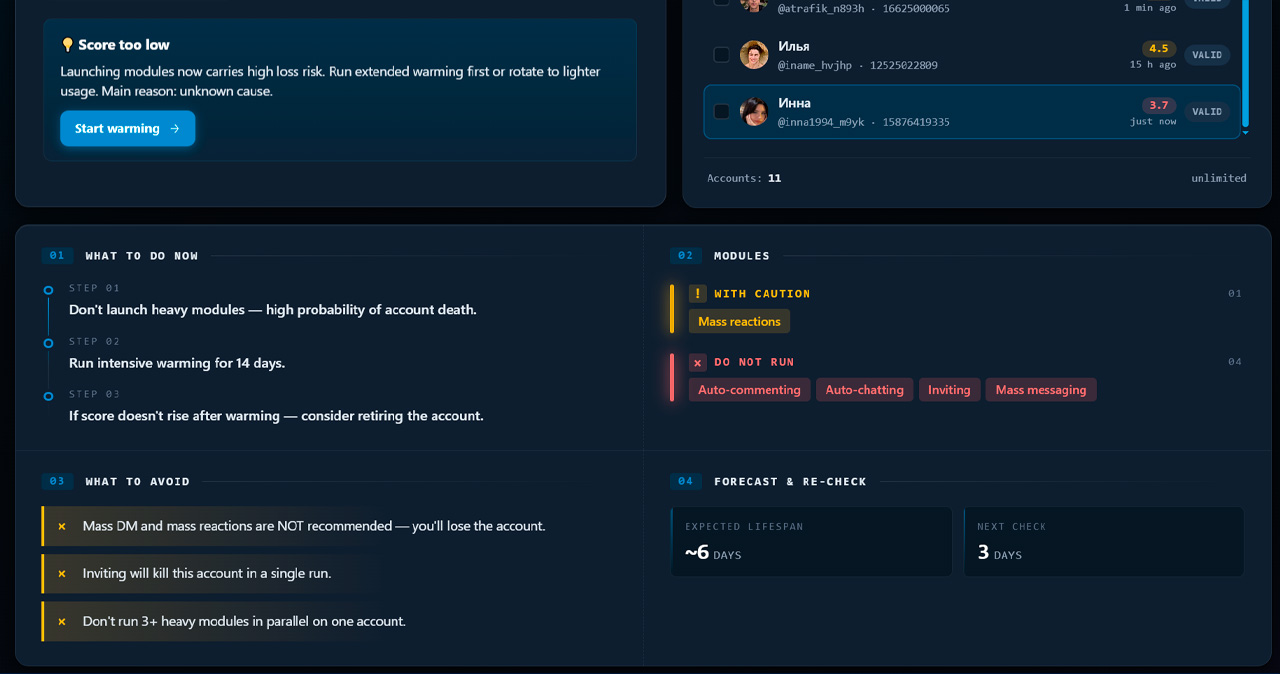
In such cases, it is recommended to warm up the account and run another check later.
The “GGR Rating Details” Section
For deeper analysis, use the “Rating Details” block.
It shows how individual factors contribute to the final Telegram account rating.
The system analyzes:
- account age;
- device identity;
- network parameters;
- account behavior;
- restriction history;
- recovery cycles;
- account origin.
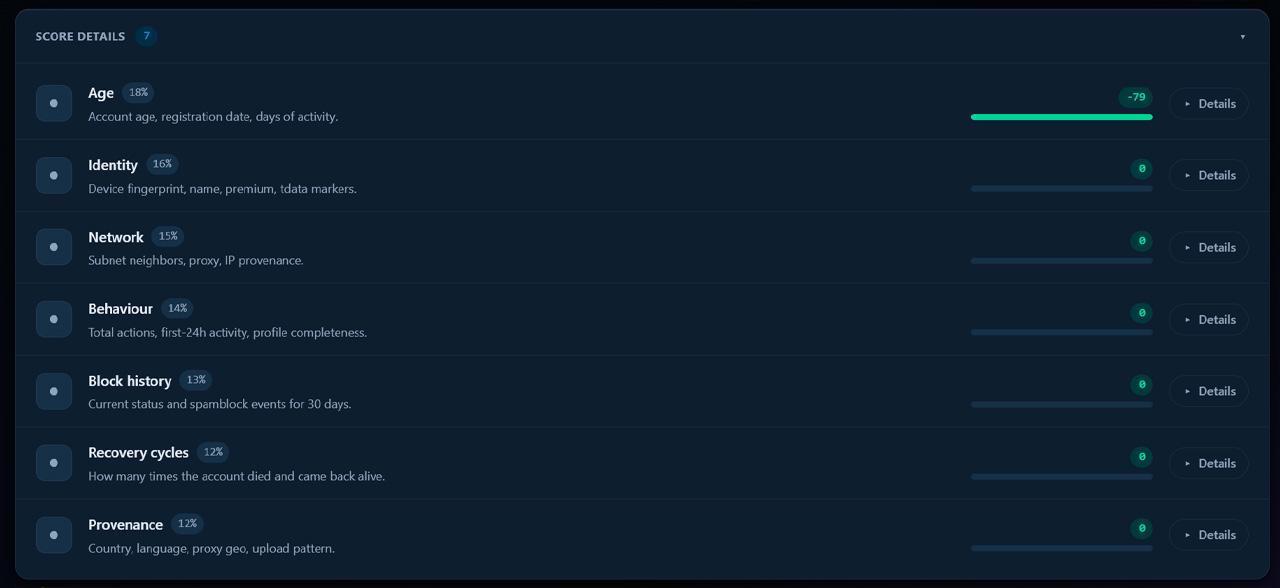
This block helps you understand why the account received exactly this rating and which parameters require improvement.
Account Check History
GGR saves the history of previous account analyses. This allows you to track rating changes over time.
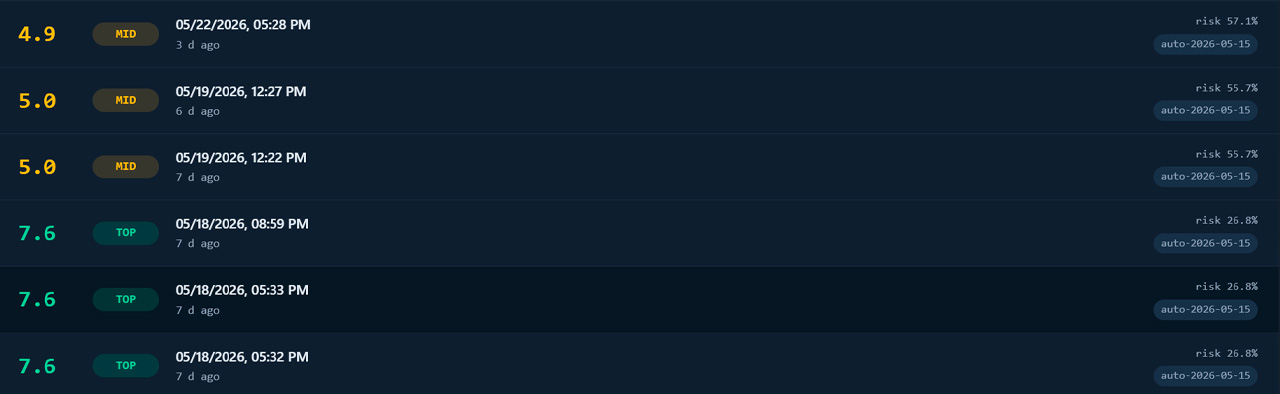
If the rating gradually increases after warm-up, the account can be considered more promising for launching under load. If the rating decreases, it is recommended to understand the reasons before launching heavy automation modules.
GEO Benchmark
A separate GGR section shows statistics by Telegram account registration countries.
Based on millions of checks, the system creates a ranking of the best and worst GEOs by account survival rate.
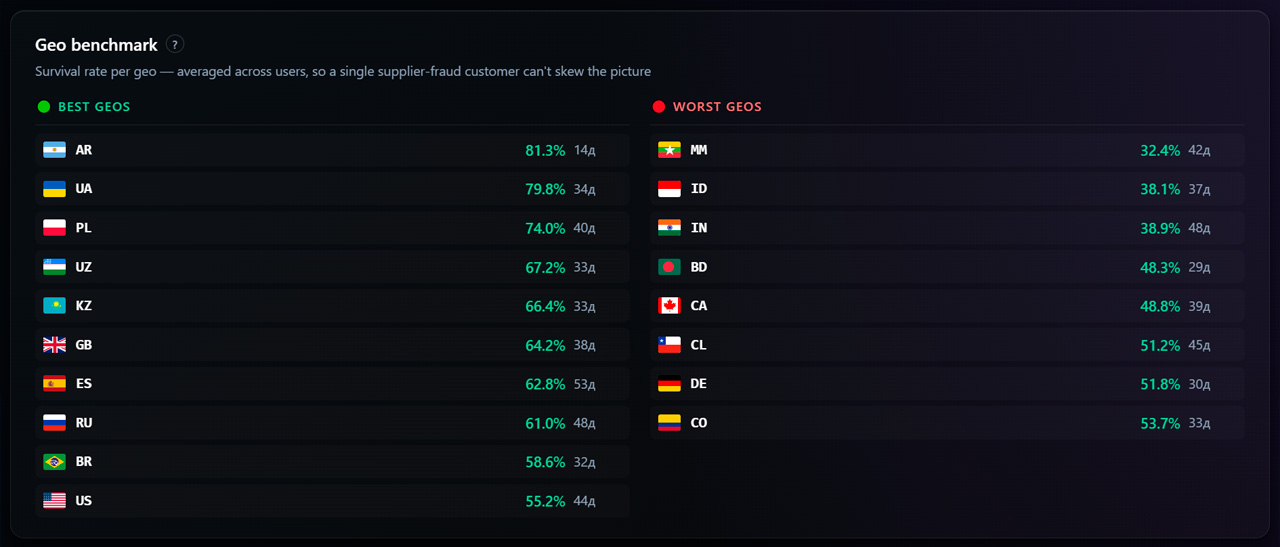
This helps you:
- choose accounts before buying;
- evaluate new account batches;
- analyze the quality of different regions;
- understand long-term market trends.
Conclusion
GGR helps move from subjective Telegram account evaluation to analysis based on statistics and machine learning.
By using the rating, forecast based on similar accounts, rating details, and change history, you can significantly reduce the risk of blocking, choose the best Telegram accounts for automation, and manage your account infrastructure more efficiently.