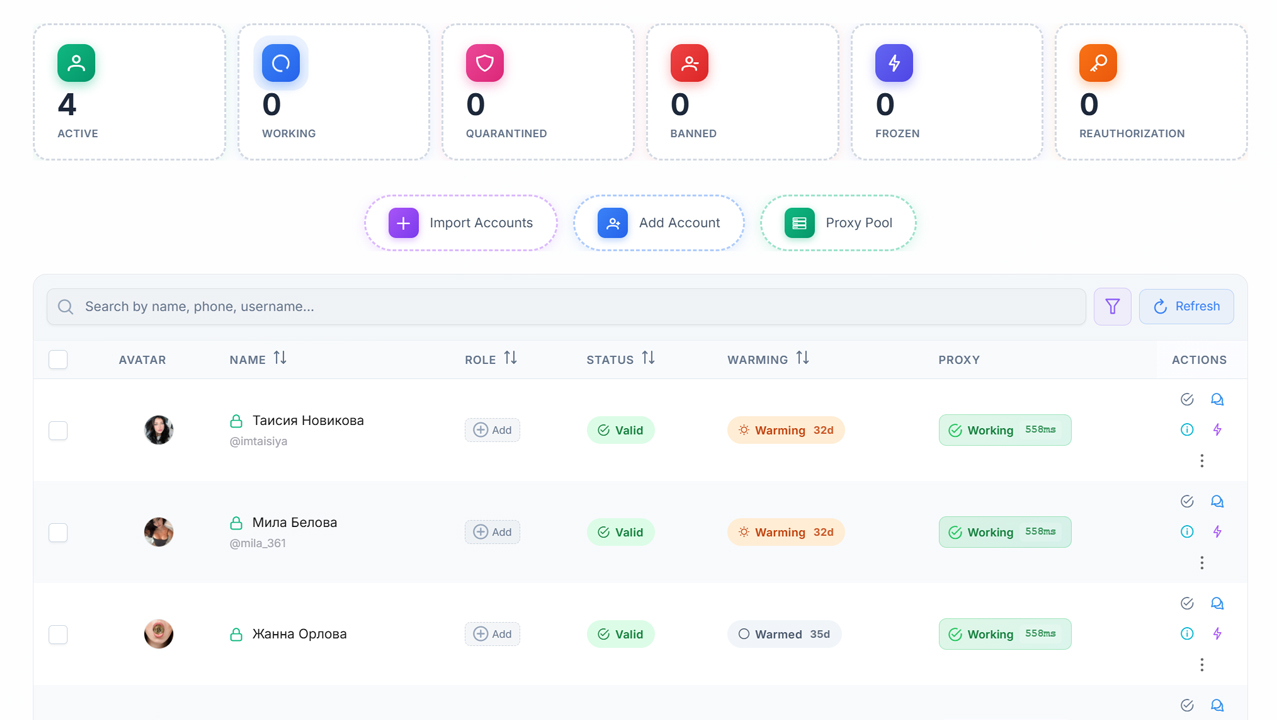
Account Manager in GramGpt is the central tool for adding, checking, and configuring all Telegram accounts used in the Telegram combiner.
In this article, we will show you how to import accounts, configure proxies, check their validity, and safely edit profiles through the Account Manager.
Account Manager Interface
In the "Account Manager" tab, we see the basic interface where we can review the status of our accounts: active, banned, and so on.
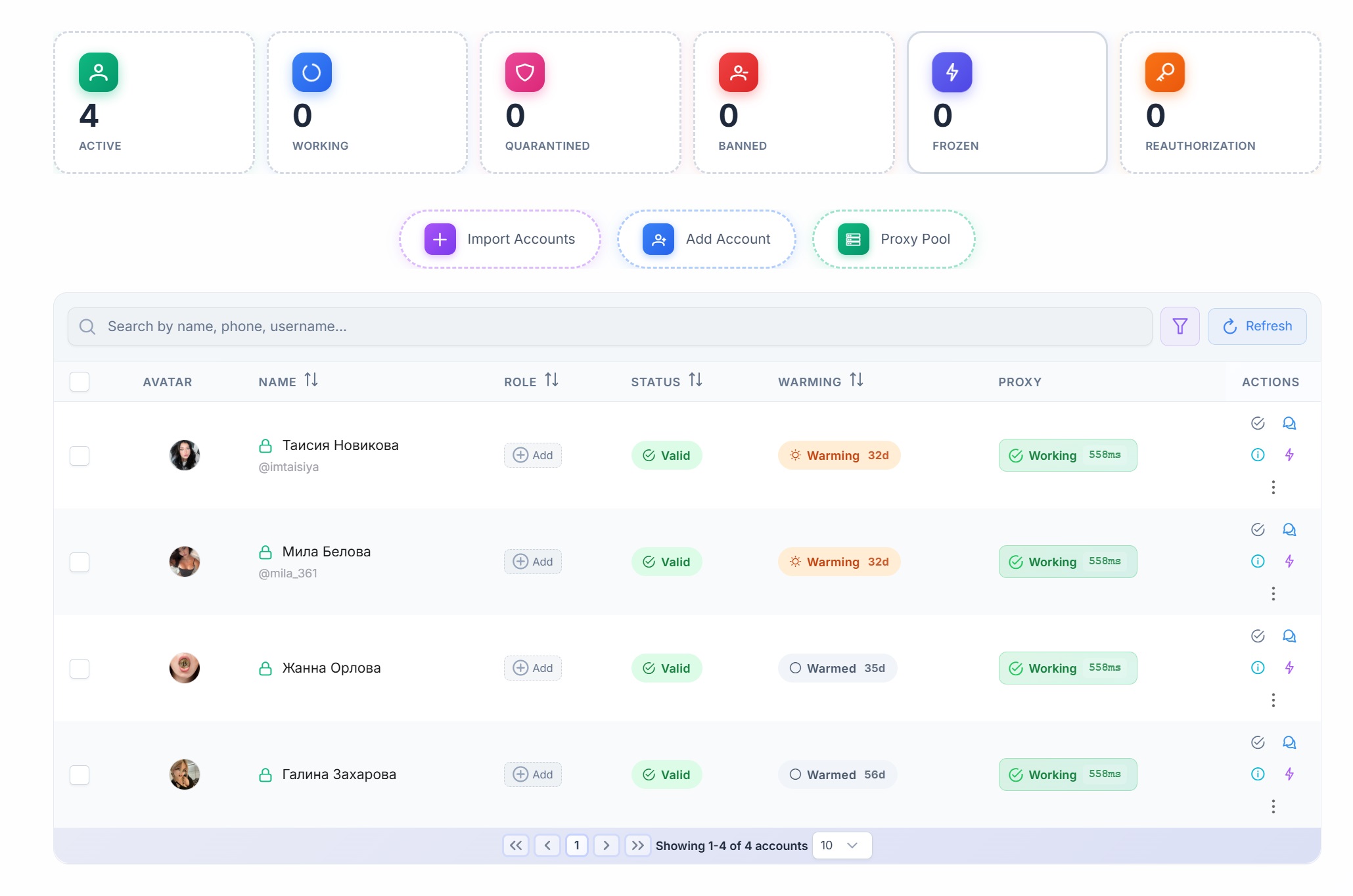
The combiner interface may change from time to time, but the overall logic remains the same. Here we can see:
- Avatar
- First and last name
- Status (active or not)
- Warm-up duration
- Whether the proxy is working
- Additional menu
- Role
Importing Accounts into the Telegram Combiner
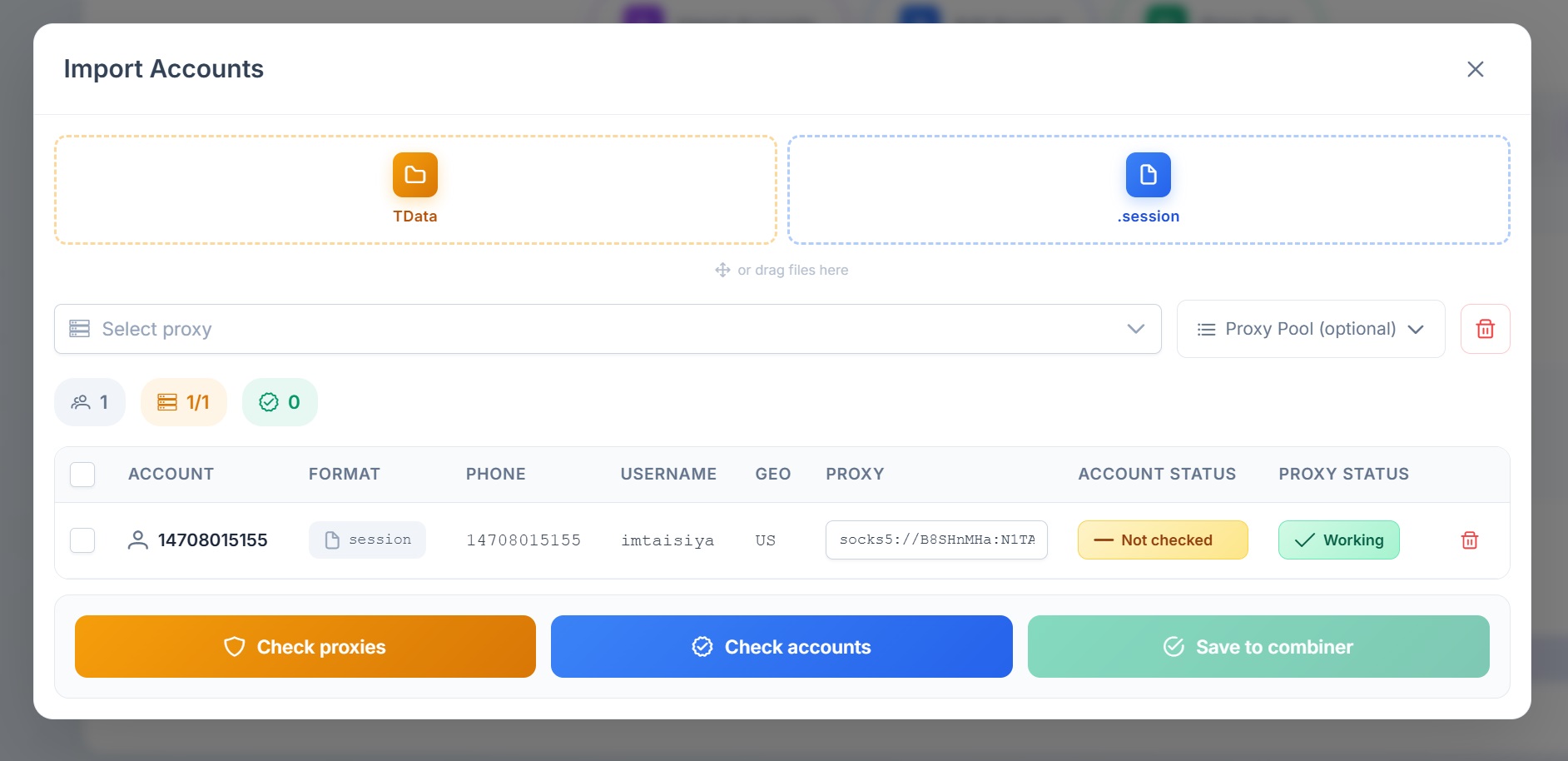
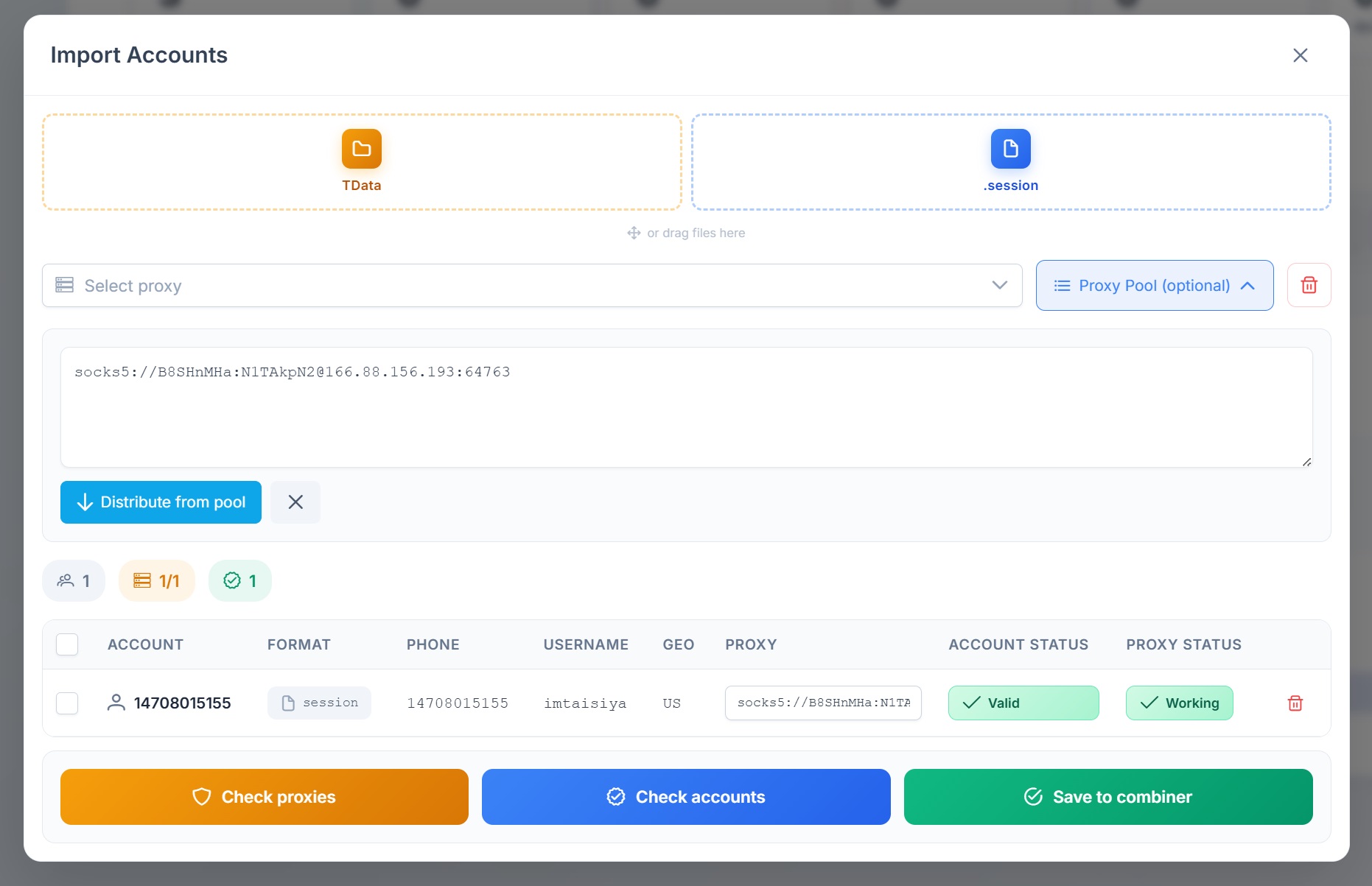
To import accounts, click “Import Accounts.” Here you can add Telegram accounts in TData or session format.
Click the appropriate icon, select the account you need, choose the required TData folder, and click “Upload.”
Bulk Account Import
You can add multiple accounts at once. After adding them, click “Upload.” The same method applies when adding session accounts.
Proxy Setup for Secure Operation
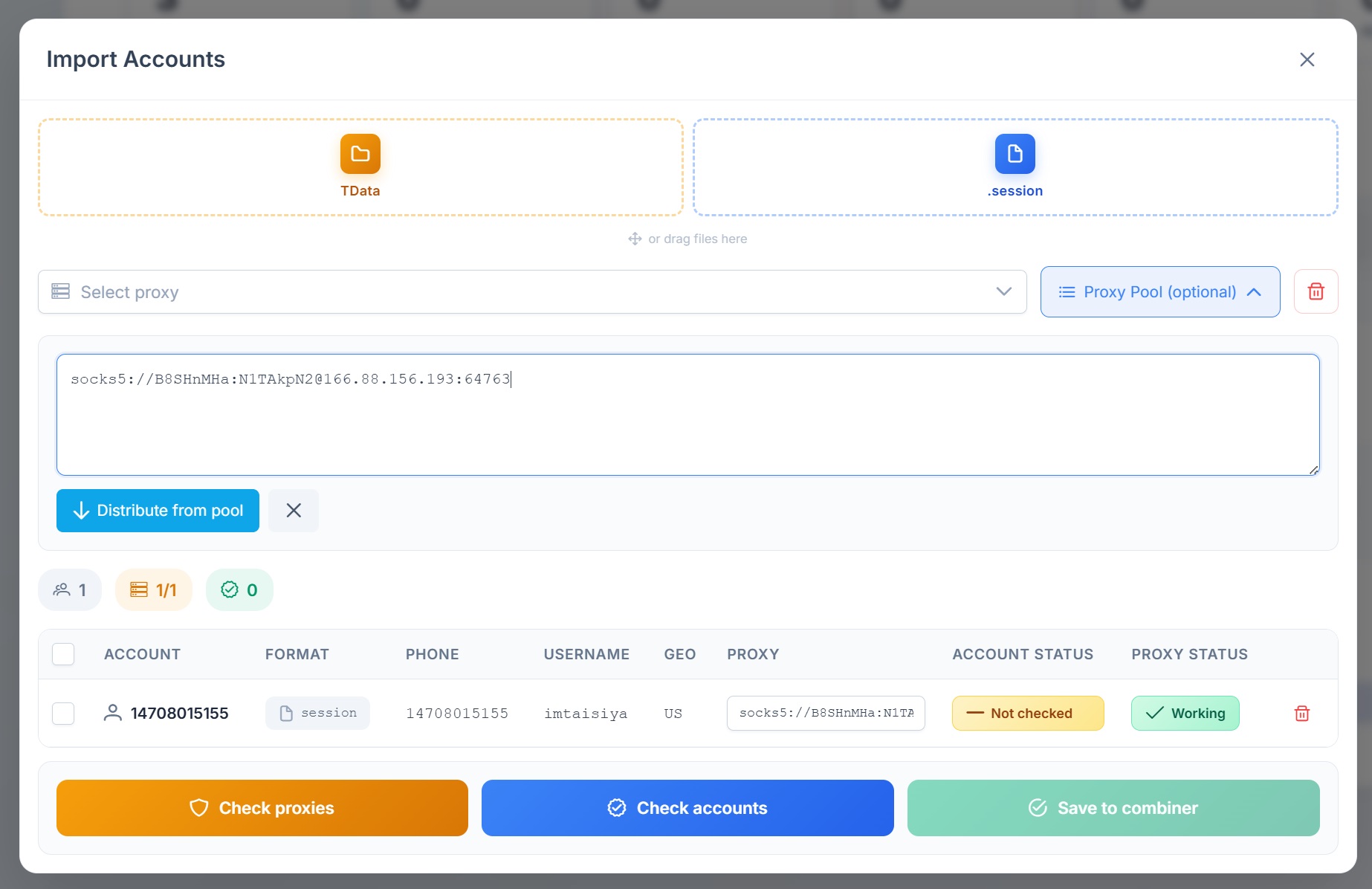
Next, you need to add proxies for operation. Our Telegram combiner supports various formats. For example, I use the SOCKS5 format.
Proxy Checking and Distribution
Click “Distribute from Pool,” and the proxy will automatically be assigned to the account. You can also check proxy validity.
Account Conversion and Validation
The account is automatically converted into the required format for our combiner.
You can immediately check the account for validity. If the account is valid, click “Save to Combiner.”
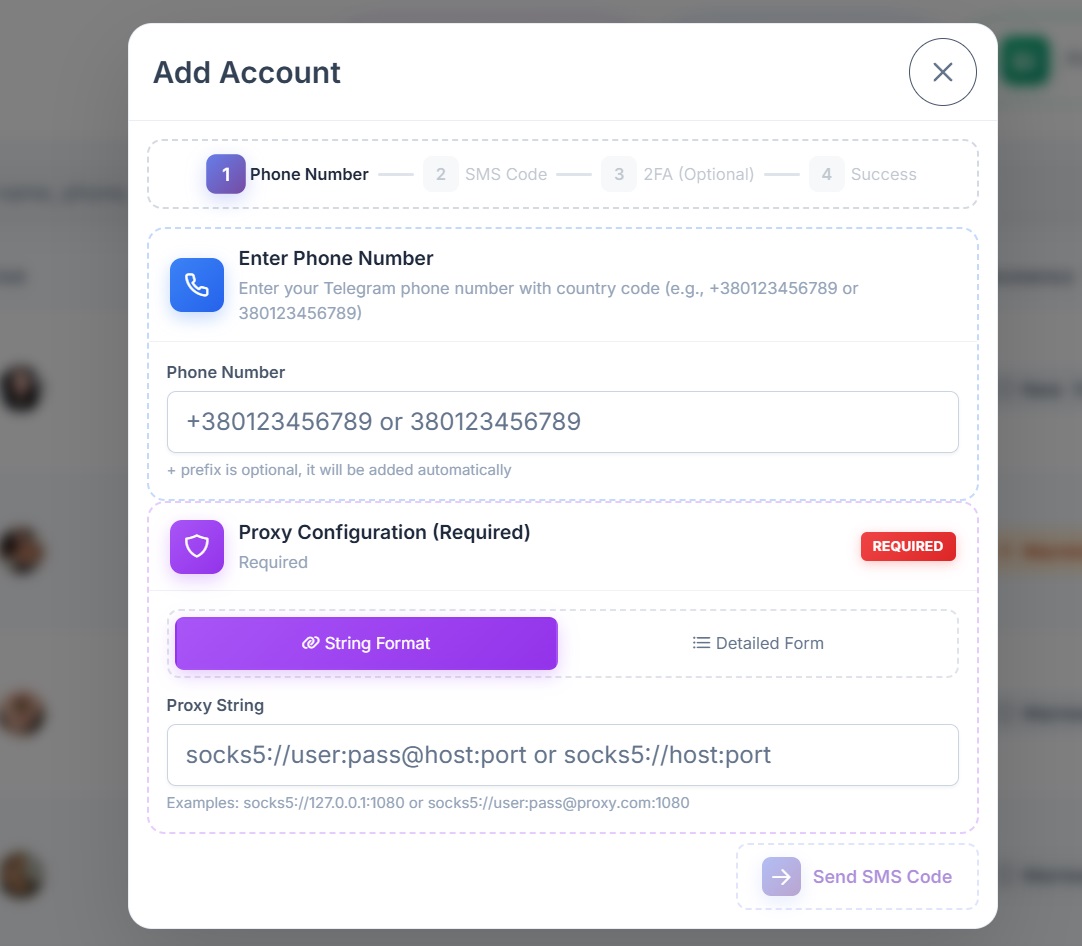
You can also add an account by entering a phone number, verification code, and two-factor authentication. A proxy can also be specified here.
Bulk Proxy Assignment
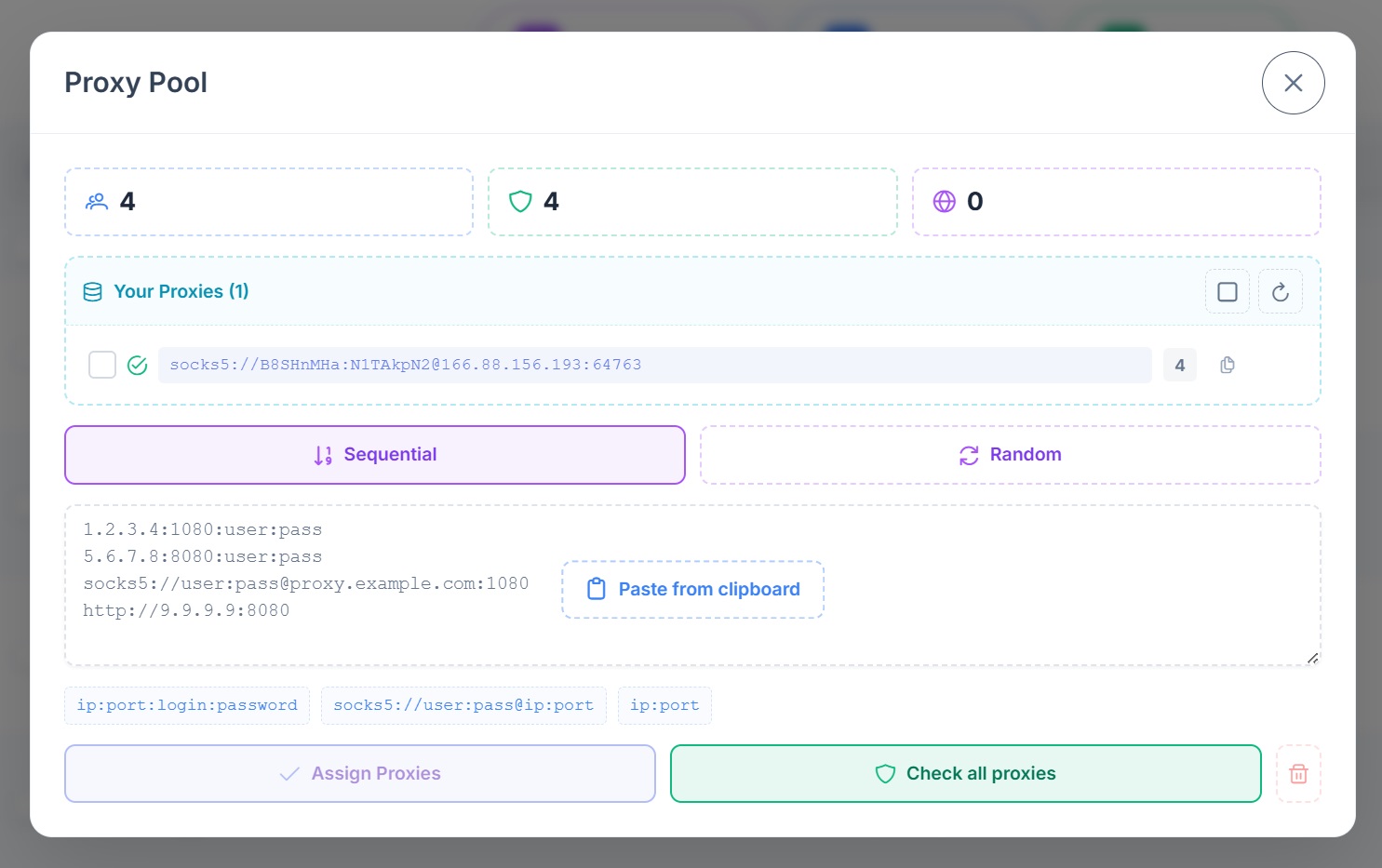
In the “Pool Proxy” section, you can add multiple proxies at once.
Select “Random” and sequentially distribute them across accounts, then click “Assign Proxy” if they were not previously assigned. However, I recommend assigning them in advance.
Configuring Accounts for Telegram Promotion
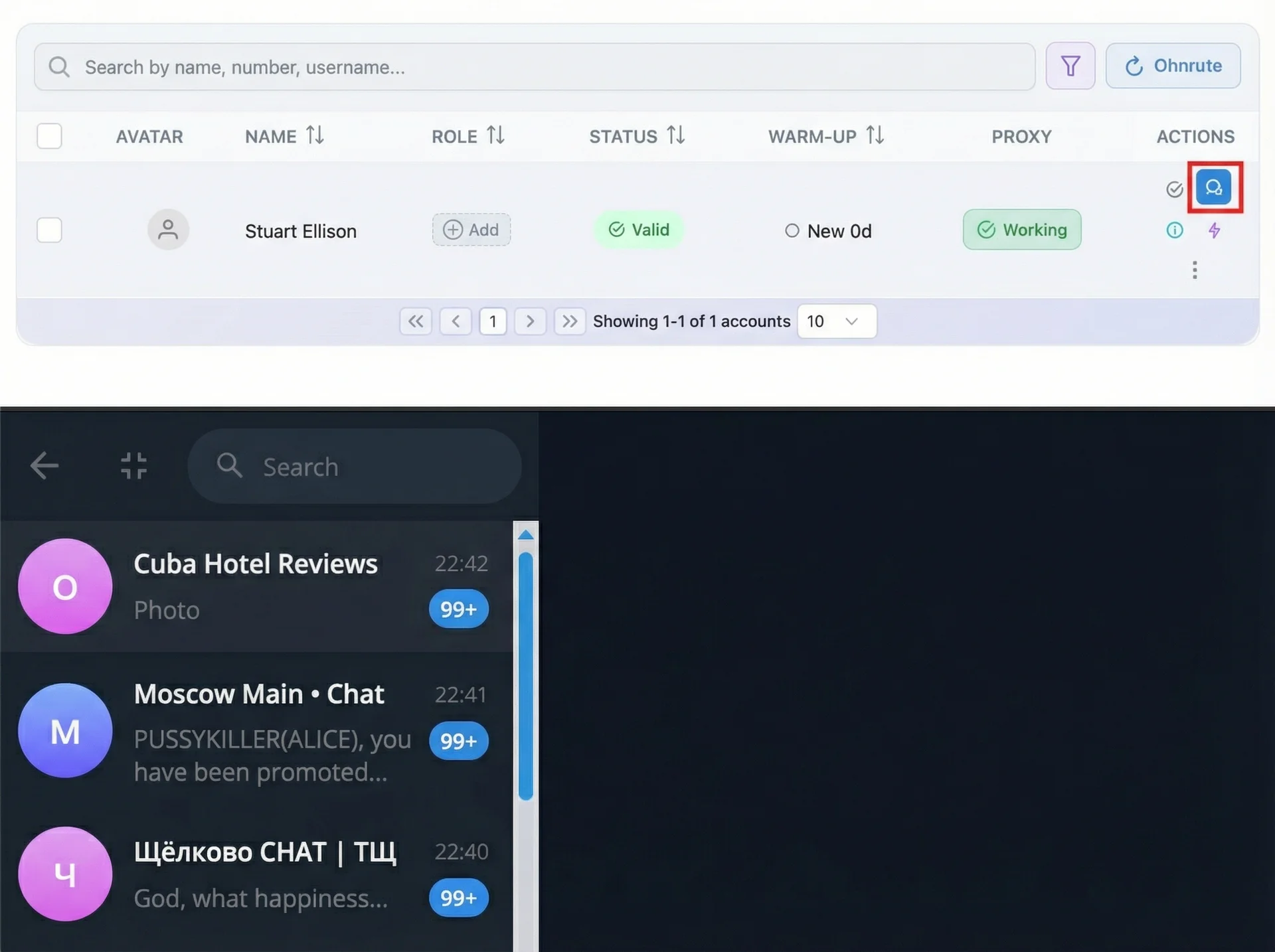
You can switch to the web version of the account. Here you can view available chats, send messages, and check whether the account is working properly.
Detailed Account Information
You can also view detailed information about the account: its statuses, when it was added to the system, when the proxy was last checked, and other useful data.
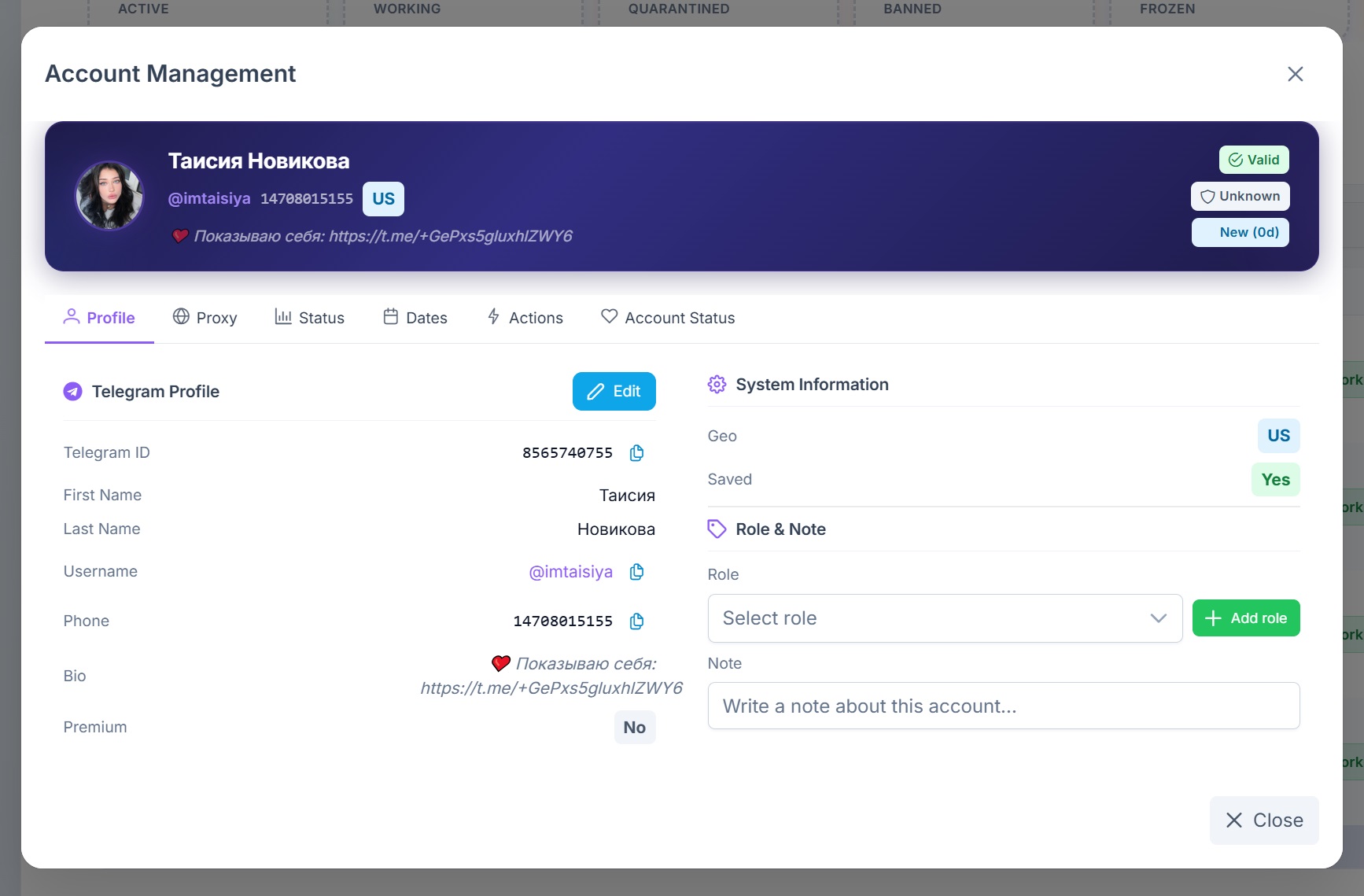
Profile Editing for Telegram Promotion
You can edit the profile directly here in just a few clicks without logging into the account separately.
Set the first and last name, username, bio, add a photo, or generate one automatically using artificial intelligence.
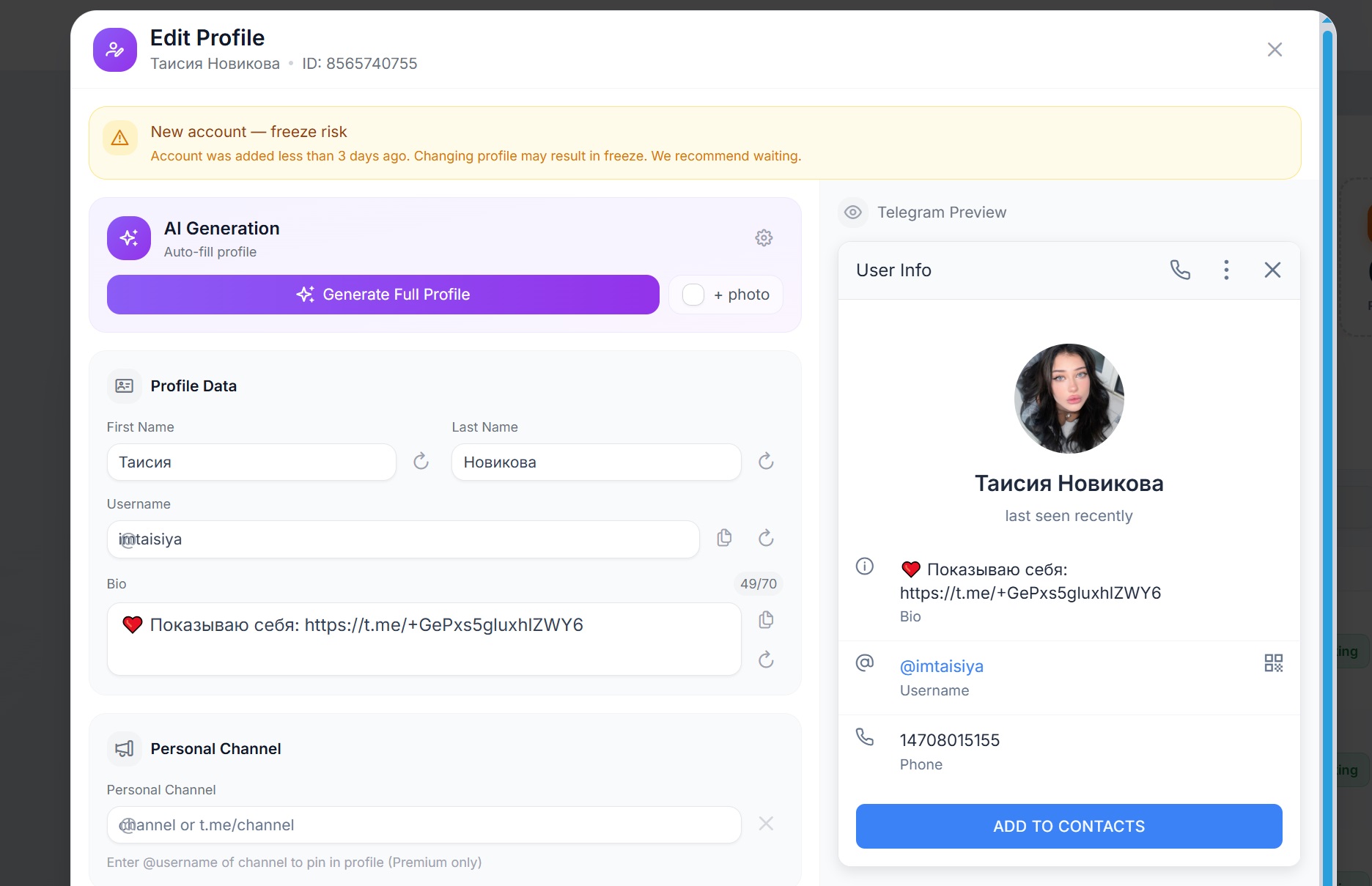
Click “Generation Settings” and choose:
- Female gender
- Country
- Age
- Profession
Click “Generate Full Profile.” Based on the selected profession, the bio is automatically filled in, a link is created, and the avatar is changed. If needed, you can manually adjust the details.
Click “Save.” Saving may take up to one minute, but editing accounts this way is much safer than opening TData and editing directly there.
Other important features include spam block checking, validity checks, bulk proxy validation, account role assignment, bulk channel creation and pinning in profiles, reauthorization, and dozens of other actions.
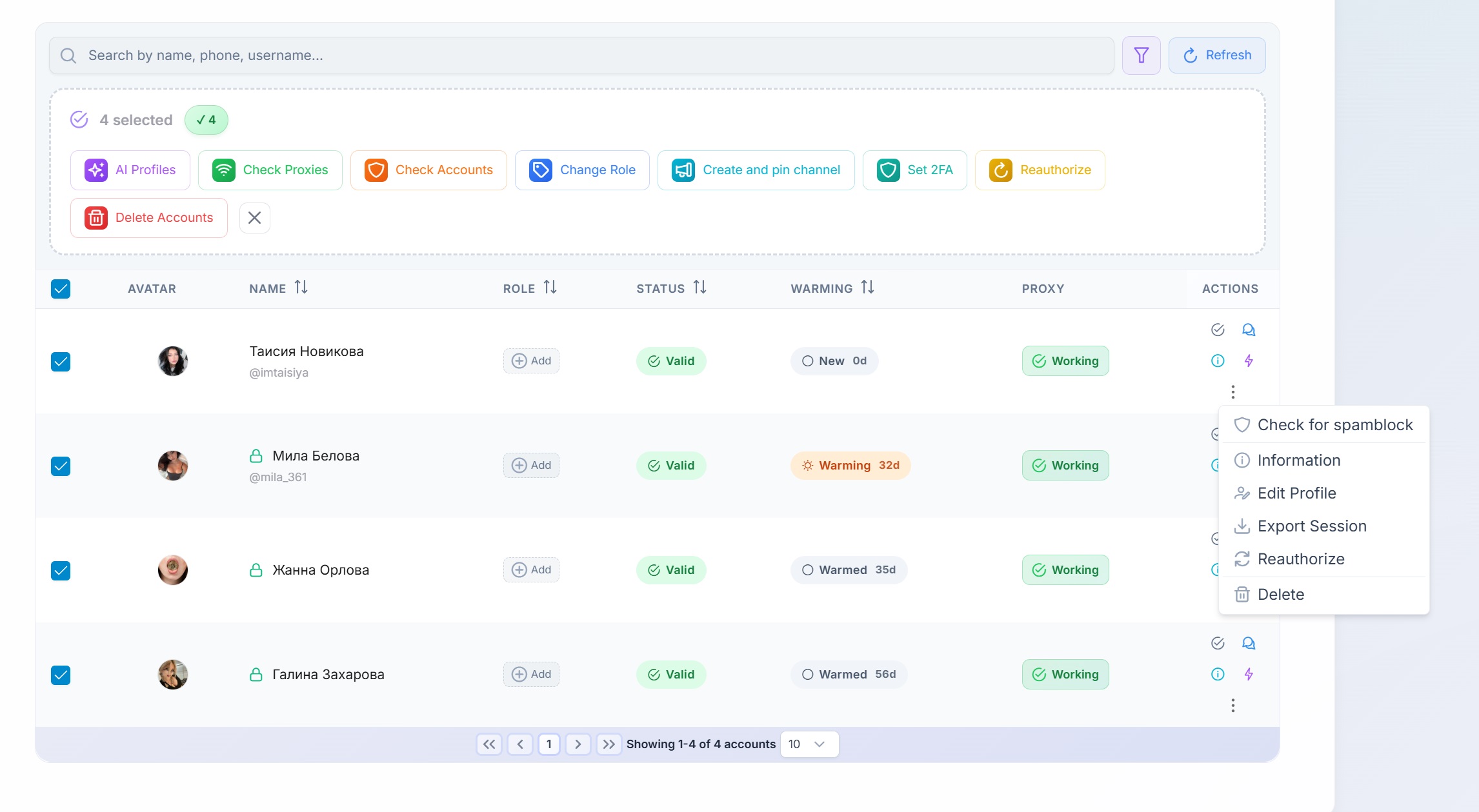
Account Filtering in GramGPT for Bulk Operations
If you have hundreds of accounts added, you can use filters to quickly and conveniently sort them:
- By name
- By status
- By warm-up
- By role
Conclusion
The GramGpt Account Manager significantly simplifies managing dozens and hundreds of Telegram accounts, making the process of importing, configuring, and verifying fast and secure.
In this article, we covered account import, proxy setup, validity checks, profile editing, and filtering — all key features of the Account Manager.