In 2026, Telegram is used simultaneously for publishing, promotion, and community management. But as a channel or group grows, two problems appear: in a large stream of posts it becomes harder to quickly find the right content, while in a work chat it becomes harder to understand which participant is responsible for what.
Telegram hashtags help structure publications, create categories, simplify search, and give public posts additional visibility. Tags in Telegram solve a different task: next to a participant’s name, you can display their role or status — for example, “Designer,” “Manager,” or “Support.” This is especially convenient for work groups: it is immediately clear which specialist to contact without searching for information about the person in the chat history.
In this article, we will show what a hashtag is, how to write and add hashtags, and how to use them for search and channel promotion. Then we will examine participant tags: how to create them, how to change a tag in a group, who can manage them, how administrator tags are displayed, and how a Telegram tag differs from a regular hashtag.
What Are Telegram Hashtags
A Telegram hashtag is a word or short phrase with the # symbol used to label and group publications by a single topic. After publication, the hashtag becomes clickable: a user can tap it and move to other messages with the same label. For example, a marketing channel might use #cases, #analytics, or #tools.
Understanding what hashtags mean in Telegram is simple: they group publications on the same topic and help users find the right materials faster. For a channel author, this is what a hashtag means in practice — a convenient way to organize content into categories and connect guides, news, case studies, and other publications. Telegram hashtags can also give public posts an additional opportunity to appear in search.
In simple terms, what's a hashtag? It is a topic label that connects related posts. For readers wondering what hashtag means in everyday use, the answer is straightforward: the label tells them what kind of content it groups. More broadly, what is the meaning of a hashtag? It depends on the topic it represents. And what is the meaning of the hashtag in a particular post? That becomes clear from the surrounding content and category.
Both spellings refer to the same concept. As for how to write a hashtag, the rule is simple: place the # symbol before a word or phrase without a space. If the name consists of several words, write them together or connect them with an underscore.
If you are wondering what is the sign for hashtag, it is simply # — the symbol placed directly before the word or phrase.
What Tags Are in Telegram
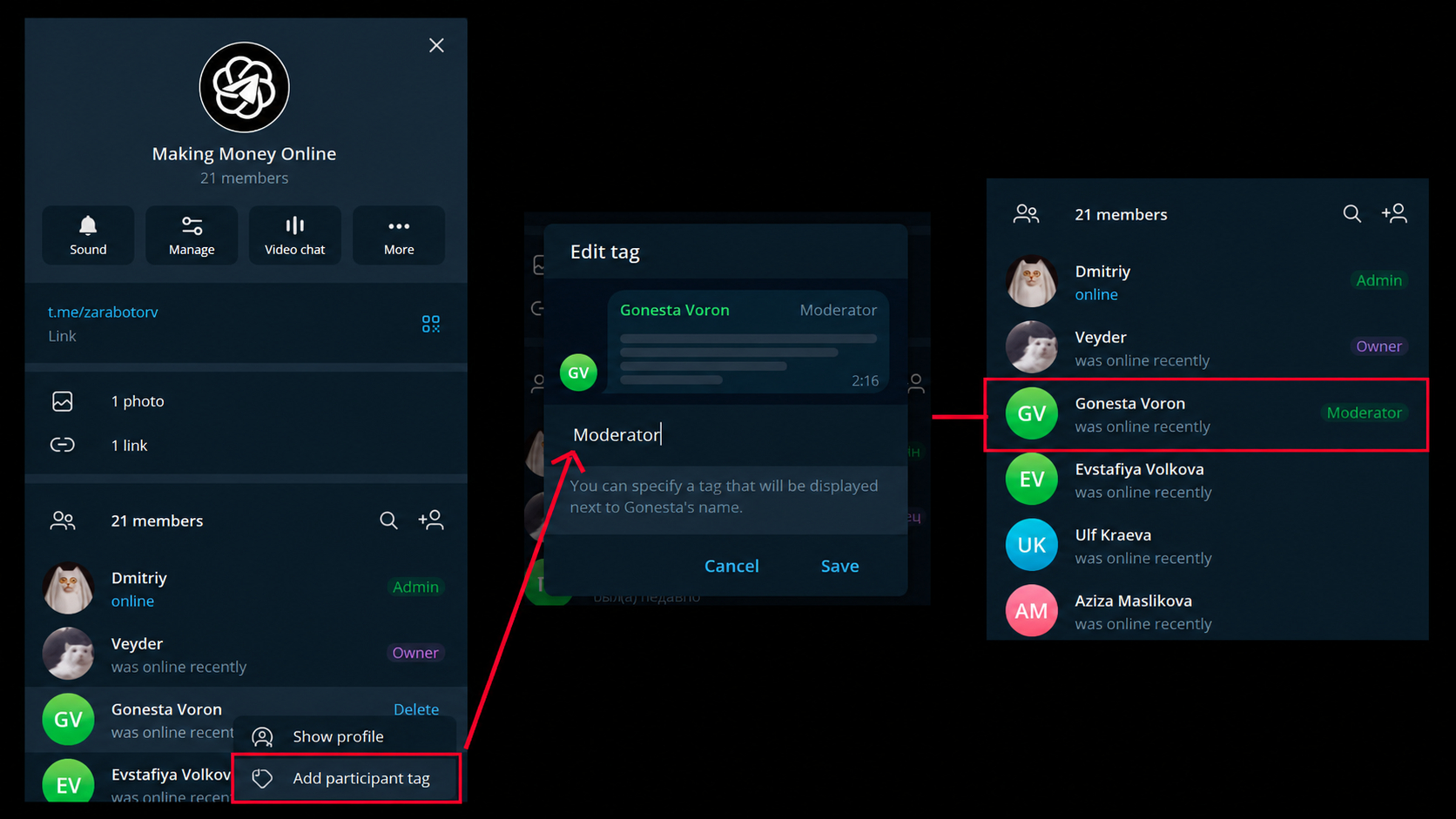
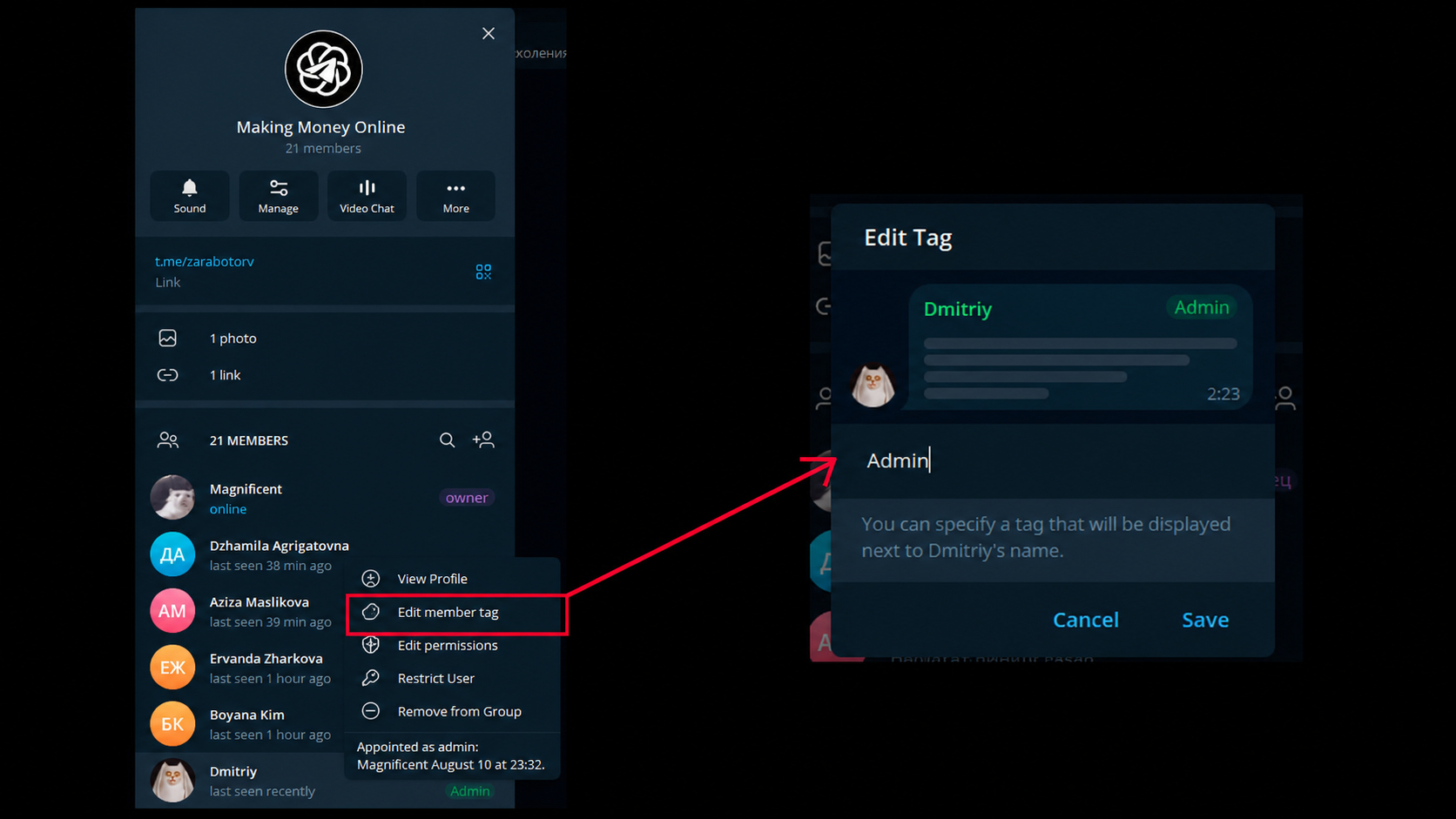
A participant tag is a short label next to a user’s name in a Telegram group chat. It shows their role, specialization, or status within a specific community. For example, in a work group we can label participants as “Designer,” “Developer,” “Manager,” or “Support” so that other users can immediately understand who is responsible for what.
The purpose of the feature clearly explains what a tag in Telegram is: it helps distinguish participants and navigate large groups more quickly. Participant tags in Telegram are especially useful for work teams, client chats, education, and thematic communities where people have different roles. At the same time, a tag applies only within a specific group and does not change the name or data of the Telegram account.
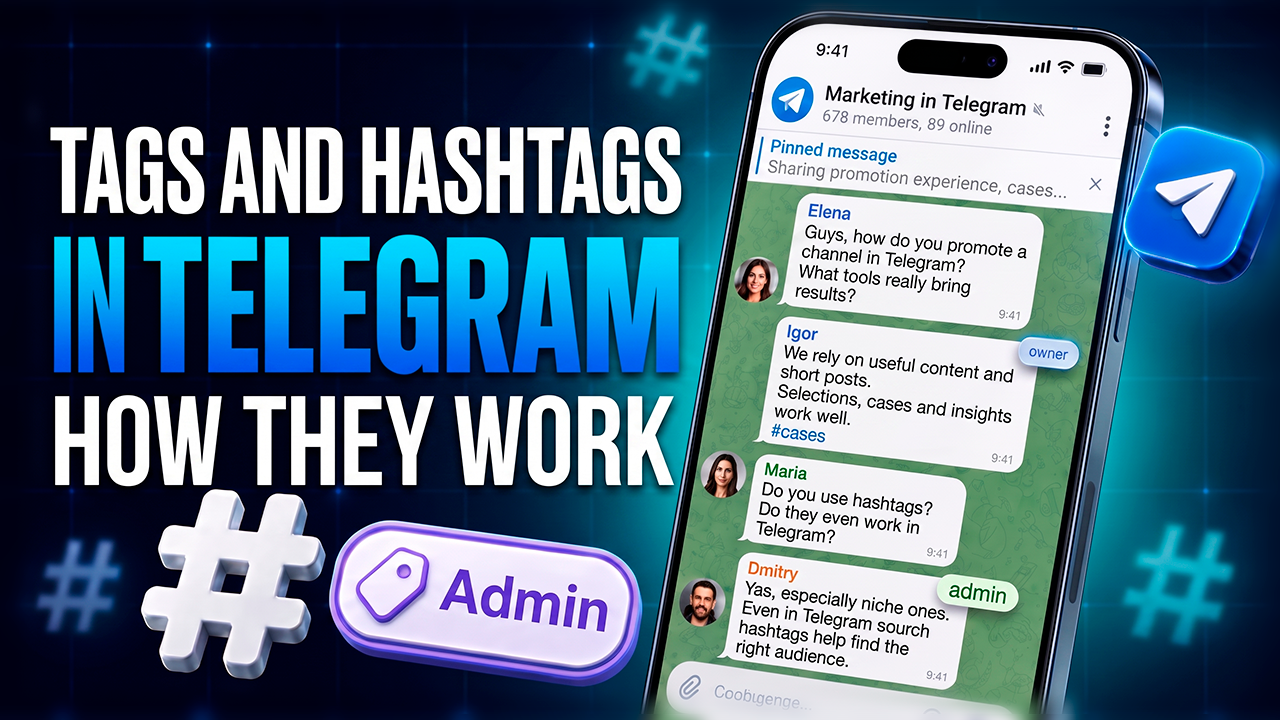
Participant tags should not be confused with #hashtags and @mentions. A hashtag relates to a publication, a mention lets you address a user or channel, while a Member Tag shows a person’s role next to their name. Therefore, message tags in Telegram are usually associated with content labeling, while tags in a Telegram chat indicate the status or specialization of group participants.
How Hashtags and Tags Work in Telegram
After defining the basic concepts, let us look at the mechanics themselves. For hashtags, they are related to publications and content search, while participant tags are related to displaying a person’s role within a specific group.
How Does a Hashtag Work?
The mechanics clearly show how hashtags work: we publish a message with the #promotion label, Telegram makes it clickable, and after a tap it opens related results. This allows a user to move between publications on the same topic and, in public search results, find materials from other channels.
So, how does the hashtag work after publication? Telegram turns it into a clickable navigation element that leads users to related results and helps connect posts on the same topic.
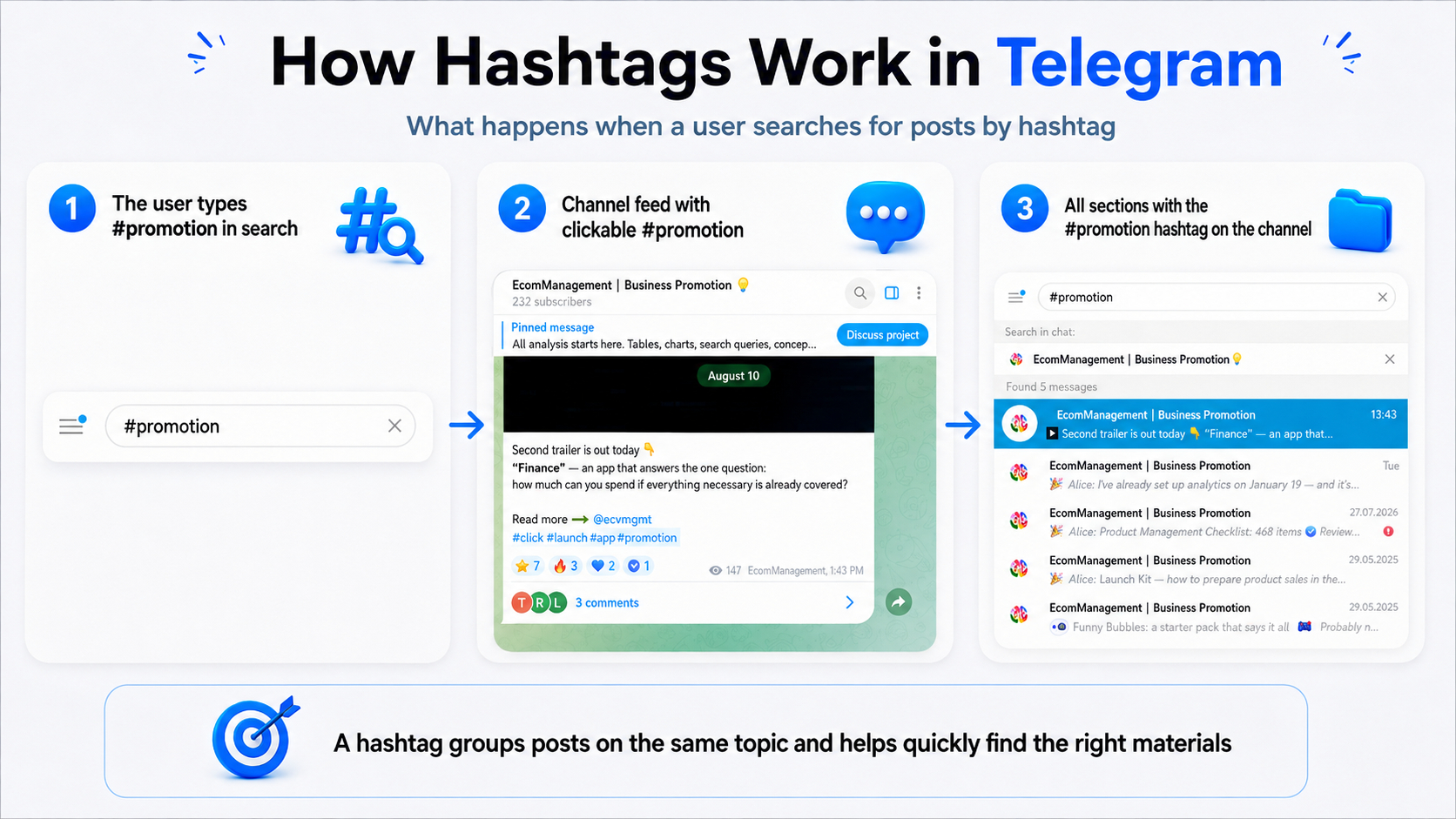
A recurring category is the clearest example of how a hashtag is used. We define labels in advance and use them consistently in related publications. For example, a reader taps #cases and gets a selection of materials from that category without manually browsing the entire channel archive.
How Participant Tags Work
A participant tag is linked to a person within a specific group and is displayed next to their name. An administrator can allow users to change their own labels or keep tag management available only to administrators. Therefore, tags in a Telegram group are convenient for indicating roles and positions without changing the account name.
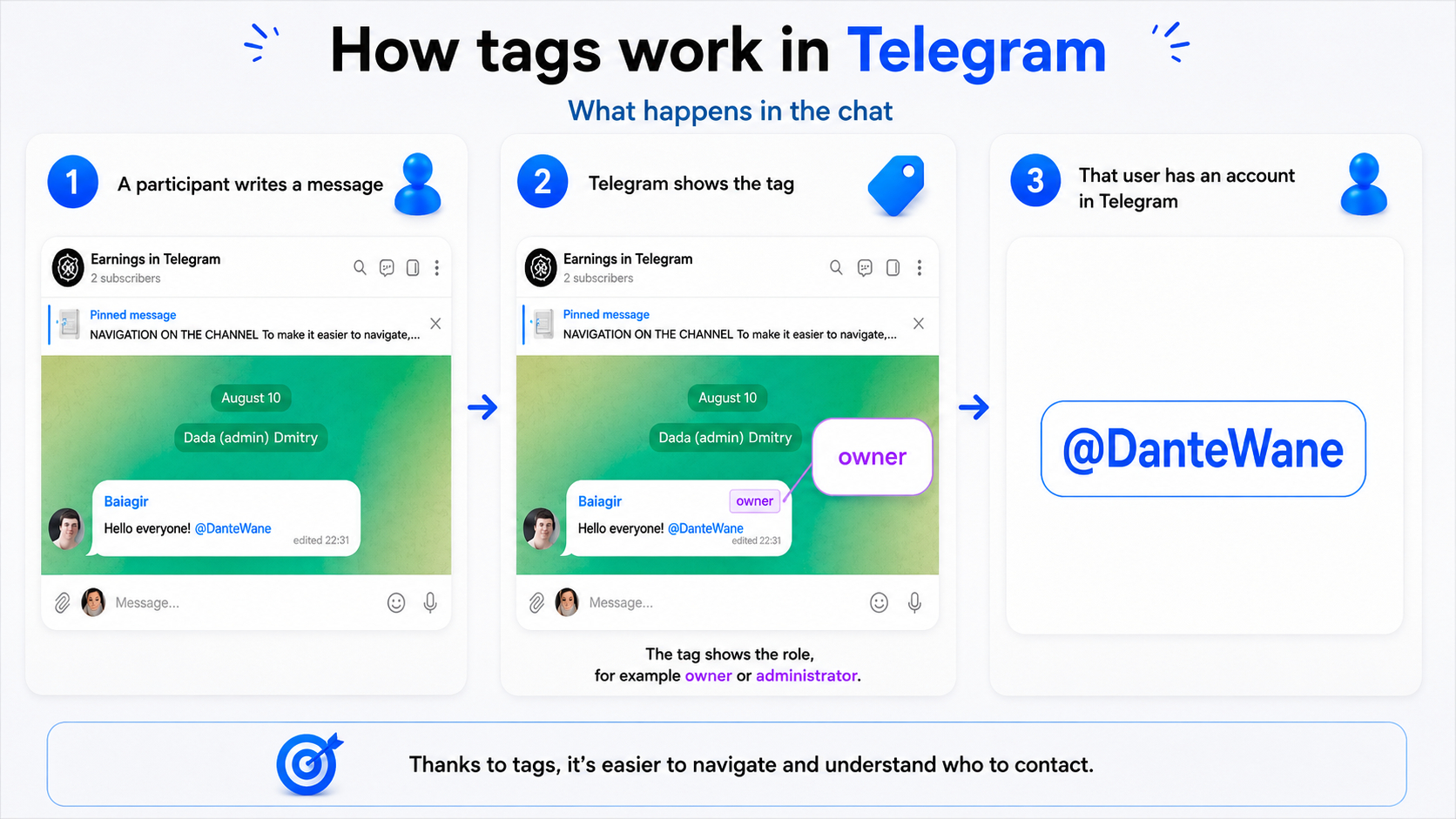
The @username function serves a separate purpose: a mention lets you address a user. It is neither a content label nor a participant role, so an @mention works independently of hashtags and Member Tags.
Comparison of hashtags, participant tags, and mentions:
How to Use Hashtags in Telegram
To understand how to use hashtags in Telegram, keep their main purpose in mind — navigation and content organization. For a channel, define permanent hashtags and rules for their use in advance. Some can be assigned to recurring categories, while others can be added for individual topics, a brand, events, or publications associated with a specific location.
How to Write and Add Hashtags
The rule for how to hashtag a word or phrase is simple: put the # symbol directly before it without a space. Several words are combined into one label; otherwise, the hashtag ends at the first space.
- Define the publication topic or channel category.
- Add the # symbol.
- Immediately after it, add a word, for example #vacancy.
- For several words, use an underscore or a clear joined spelling: #SeniorBackendEngineer.
- Publish the message and check that the hashtag has become clickable.
How do you add a hashtag in Telegram? You can do this in an already published message: open editing, enter the required label, and save the changes. Multiple hashtags are added according to the same principle — each begins with the # symbol and is written as a separate label.
If the name consists of several words, it is important to decide in advance how to write the hashtag so that it is easy to read. For example, instead of a long joined version, you can use an underscore: #telegram_promotion. For one recurring category, it is better to choose one spelling and follow it in all publications.
Once the basic rules are clear, how to use the hashtag depends on its purpose. For navigation, we keep permanent category hashtags, while for individual publications we add thematic hashtags only where they actually help the reader.
If you're asking how do i use a hashtag, start with a relevant label, keep its spelling consistent, and use it only where it makes navigation or search easier for the reader.
At the same time, it is important not only to know how to add a hashtag in Telegram, but also to choose hashtags by meaning. A practical Telegram hashtag strategy is to use several precise labels related to the content of the post and avoid adding dozens of popular words solely for reach.
The placement of labels depends on the channel design. They can be left at the end of the publication or neatly integrated into the text if this does not interfere with reading. The main thing is that hashtags remain visible for navigation and do not distract from the content.
How Are Hashtags Used? Types and Examples
Hashtags can be divided according to the task they perform in a channel. Some help create recurring categories, others describe the topic of a specific publication, while separate labels can be used for a brand, event, or materials connected with a particular location.
- Category hashtags. #cases, #guides, #news — help organize the channel archive.
- Thematic hashtags. #marketing, #telegram, #neuralnetworks — describe the topic of a specific post.
- Brand hashtags. A unique hashtag for a project or product, for example #GramGPT.
- Event hashtags. A separate hashtag for a conference, promotion, contest, or launch, for example #contest2026.
- Geographic hashtags. We use them when location is genuinely important to the audience: #Moscow, #SPB, and others.
The most convenient system usually combines permanent category labels with thematic ones. The former help readers navigate within the channel, while the latter more precisely show the content of a specific publication.
In practice, what do hashtags do? They organize publications, connect related posts, and make content easier to find. So what does the hashtag do in a recurring category? It gives readers a direct path to other posts carrying the same label.
If you're asking what is a hashtag used for, the answer usually comes down to categories, navigation, search, and additional discoverability. If the question is what is the hashtag used for, the practical answer is the same. And what is the purpose of the hashtag? That depends on whether it represents a category, topic, brand, event, or location.
How to Create a Hashtag
When we decide how to create hashtags for recurring categories or a brand, we start with their purpose. For a recurring category, it is better to choose a short and stable label; for a brand, a unique and recognizable one; and for a separate topic, a label that is understandable without additional explanation.
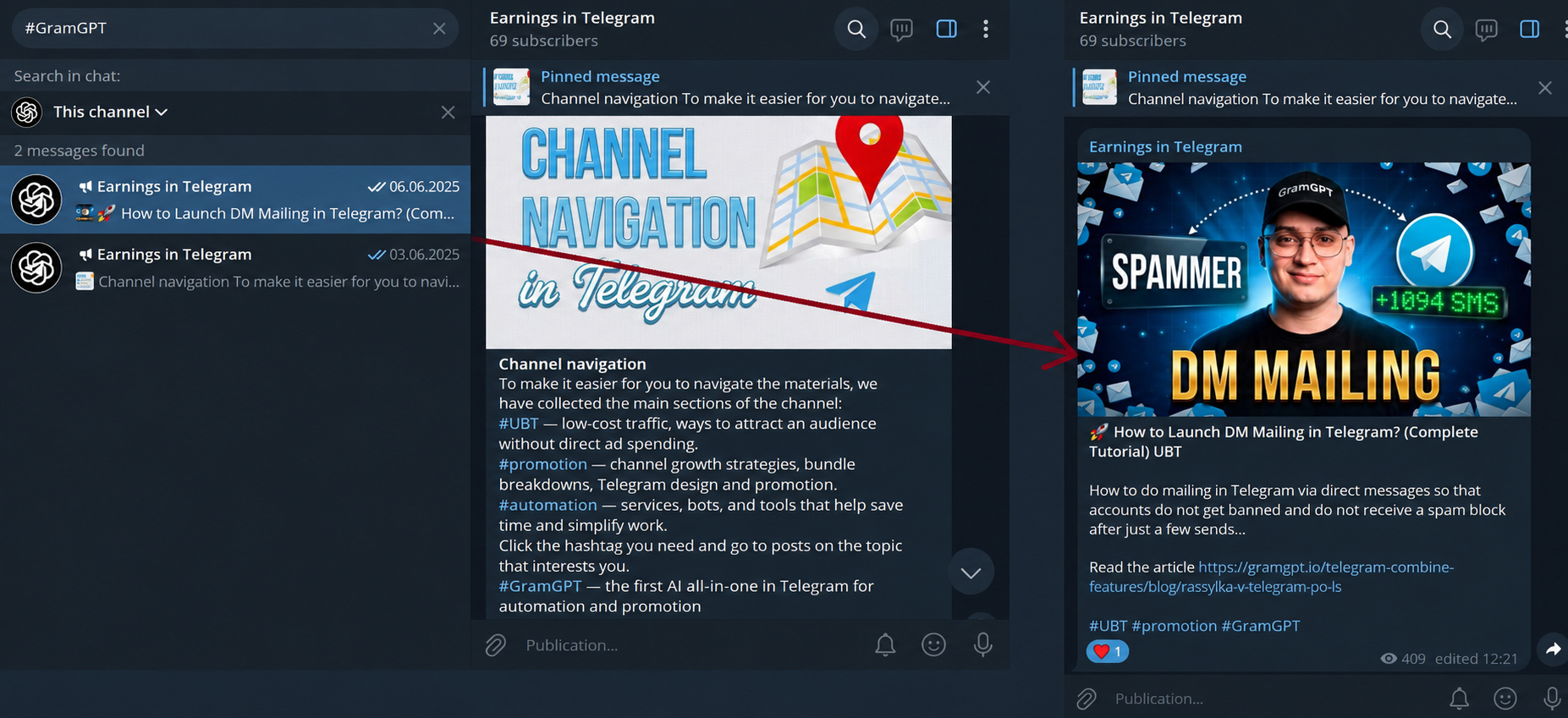
- Define the goal. Decide what the hashtag should group: a category, topic, brand, event, or publications in a specific area.
- Simplify the name. Remove unnecessary words and keep a wording that is easy to read and remember.
- Check the meaning. The hashtag should make it clear what materials the user will find after following it.
How to Turn Channel Topics Into Hashtags
The easiest approach is to start from topics we actually publish about regularly. For example, in a channel about Telegram promotion, we can use #telegramtraffic for materials about audience acquisition, #free_traffic for publications about conditionally free traffic, and #promotion for broader reviews of tools and strategies. In this case, each hashtag gets its own clear purpose and does not duplicate the others.
There is no need to create a separate hashtag for every publication. Permanent labels are more useful when assigned to topics that we return to regularly. If there are many such categories, the main hashtags can be collected in one pinned message — the reader will get a simple navigator through the channel’s content.
When You Need Your Own Hashtag
A separate label can be created for a brand, product, project, or series of materials that is important to distinguish from general thematic publications. For example, #GramGPT clearly links content to a specific brand, while #neuralnetworks or #telegram may be used by thousands of other channels.
For a branded hashtag to actually work, we follow several principles:
- Make it recognizable. Whenever possible, connect the name with the brand, product, or project.
- Avoid complex constructions. The hashtag should be easy to read and type without unnecessary symbols.
- Check its meaning. Before using a hashtag regularly, look at which publications already appear under that label.
- Keep one spelling. Do not change the form of the hashtag from post to post if it belongs to the same series of materials.
Technically, how to create a hashtag is very simple: write the chosen word or combination with the # symbol and add it to the message. But how to make a hashtag useful for a channel depends on the system: the hashtag should have a clear purpose and appear regularly in exactly those publications that we want to connect with one another.
The same principle determines how to make your own hashtag for a separate project or series of posts: choose its purpose, define one spelling, check the label in Telegram, and then use it consistently. This turns the hashtag into a full navigation element rather than a random addition to a publication.
How to Find Posts by Hashtag in Telegram
Hashtags in Telegram can be used not only to organize categories but also directly to search for publications. Hashtag search in Telegram works in two main scenarios: within a specific channel or chat and more broadly across available Telegram publications. Therefore, the same hashtag can help both with navigation through your own content and with finding materials outside the channel.
Search Within a Channel or Chat
If we tap a hashtag in a specific channel or chat, that label can take us to related messages and help us find the required category or publication series more quickly. For example, a permanent #cases label lets a reader avoid scrolling through the entire channel and go directly to materials marked with that label.
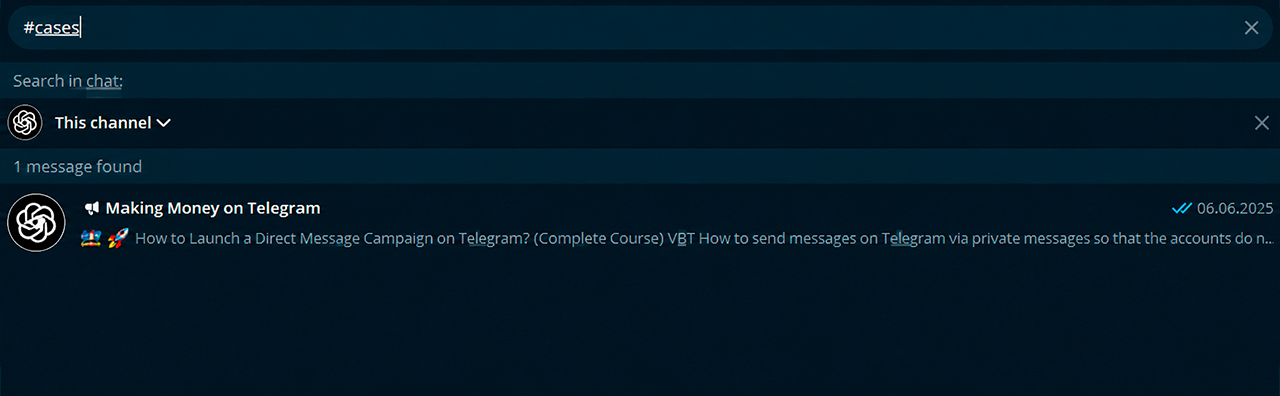
For internal navigation, it is enough to use the same label in all publications from the selected category. For example, if we mark case studies with the #cases hashtag, the reader will be able to follow that label and consistently browse related channel materials.
Public Hashtag Search
The second option is to enter a hashtag with the # symbol into the Telegram search bar and view the available results on that topic. In this mode, search is not limited to one category in our channel: the user can find suitable public publications and move to new content sources.
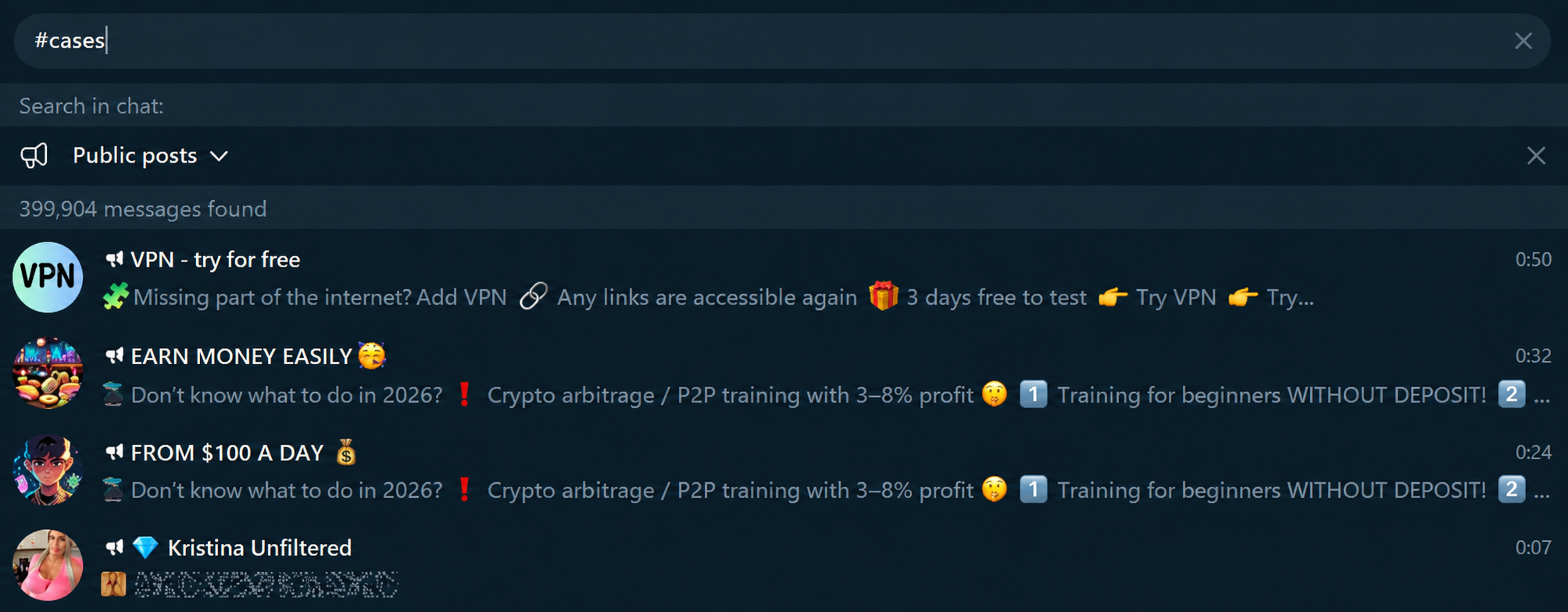
The easiest way to view hashtags for a specific topic is to check several similar variants. For example, for a publication about promotion, you can check #marketing, #promotion, and narrower thematic labels one after another. Then compare the results: how well the publications match the topic, which channels appear in the results, and how much irrelevant or spam content there is.
How to Choose a Suitable Label Through Search
This check is useful even before regular use of a hashtag. To decide how to choose hashtags for a channel, compare the publication topic, similar label variants, competitors’ categories, and, if necessary, geography. Empty or nearly empty results may suit your own internal category, while results that are too broad and irrelevant indicate that the label should be made more specific.
Promoting a Telegram Channel With Hashtags
Hashtags do not replace advertising, but they help organize content and gain additional visibility. For promotion, we connect a relevant label with a useful post and clear channel design. As a result, the publication may be noticed not only by subscribers but also by users who search for materials on that topic in Telegram.
Telegram Hashtag Benefits for Additional Reach
Global search extends a hashtag beyond a single channel. Publications with a suitable label from public channels may be displayed in the “Public Posts” section, where a user sees materials on the selected topic even from channels they do not follow.
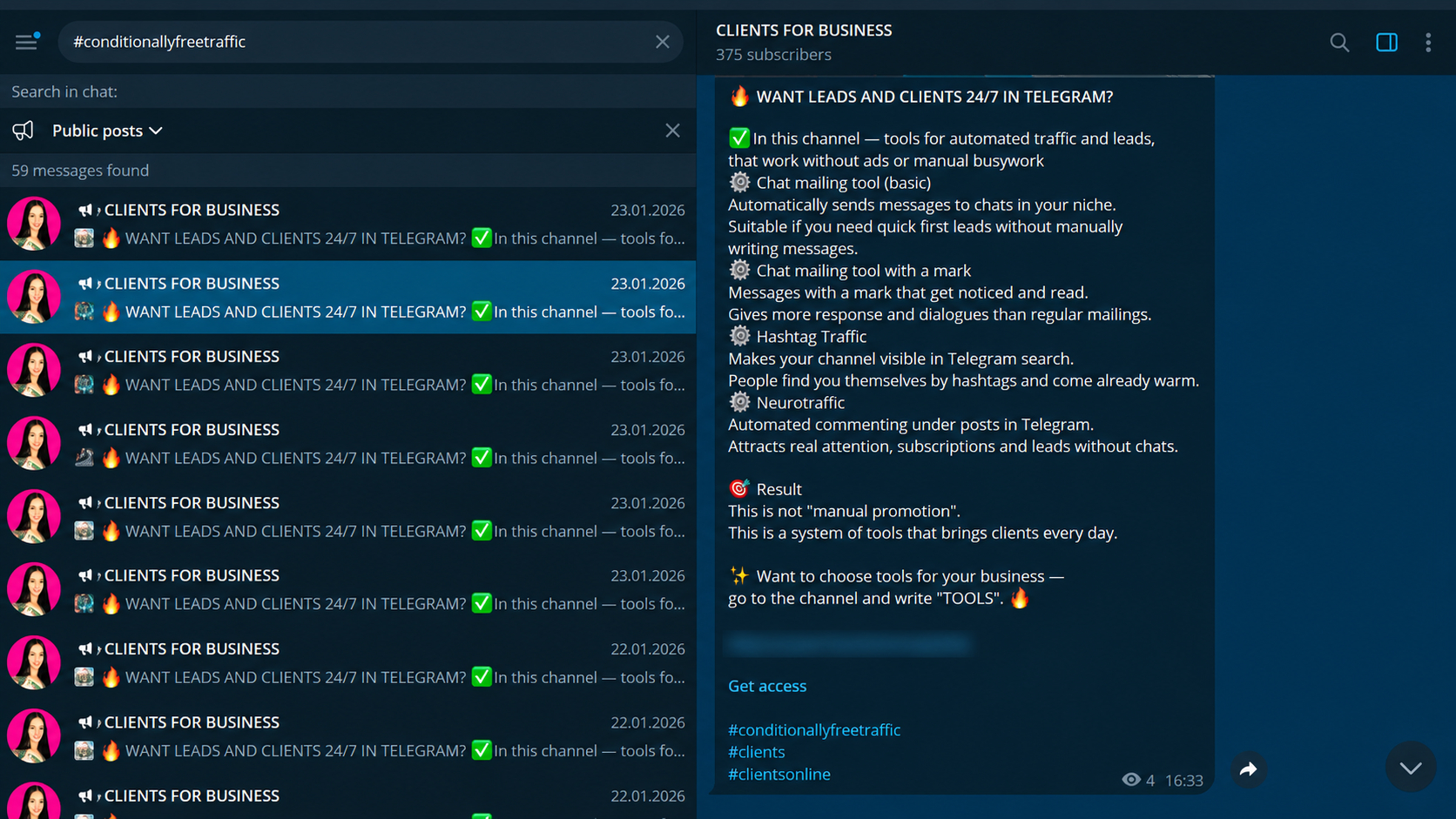
For promotion, how Telegram hashtags work can be explained simply: a relevant hashtag helps a public publication appear in thematic search and attract users who are not yet subscribed to the channel. If the post matches their interests, they may open the channel and subscribe.
At the same time, the visibility of publications in such results depends primarily on publication time: newer posts appear higher. The size of the channel audience or the number of reactions by themselves do not move a publication higher in hashtag search results. Therefore, it is especially important to use a target label when the post is published, while the material is still sufficiently fresh.
Very important! Global search applies to publications from public channels. Messages from private conversations and closed content do not become part of public search results, so for promotion this mechanism makes sense specifically in an open channel.
Global hashtags do not guarantee growth by themselves. Their task is to create another entry point for a publication and give a potential audience the opportunity to discover the channel through thematic search. The further result depends on the quality of the post, the channel design, and how well the content matches the user’s interests.
Basic Promotion Recommendations
For promotion, the number of hashtags is less important than how precisely they match the publication. This sets the main principle of how to select hashtags correctly: first look at the topic and objective of the post, and only then choose labels that will actually help navigation or search.
- Use only relevant hashtags. They should precisely match the topic of the channel and the post.
- Do not change category names. Use the same hashtag for one publication series.
- Combine labels by meaning. For example, a thematic hashtag can be supplemented with a branded one.
- Check search results in advance. See which posts are already displayed under the selected label.
- Do not use too many hashtags. A few precise labels are usually enough.
- Look at the result. Evaluate channel visits, reactions, and subscriptions, not only views.
A practical scheme for how to select hashtags for a specific post is simple: determine its topic, choose a suitable category, add a brand or geography if necessary, and check the labels in search. This keeps hashtags part of the channel’s structure and promotion rather than a random set of popular words. It is also useful to study other materials about Telegram channel promotion methods.
Neurochatting as an Additional Promotion Method
Hashtags help gain additional visibility in Telegram, but reach through search depends on users’ interest in a specific topic and activity in public search results. Therefore, for channel promotion, we can combine them with other sources of target traffic.
One such tool is GramGPT Neurochatting. The module tracks messages in selected Telegram chats and can respond to specified keywords. For example, if a user discusses channel promotion, advertising, or another topic of interest to us, the connected account can join the conversation and provide a relevant response.
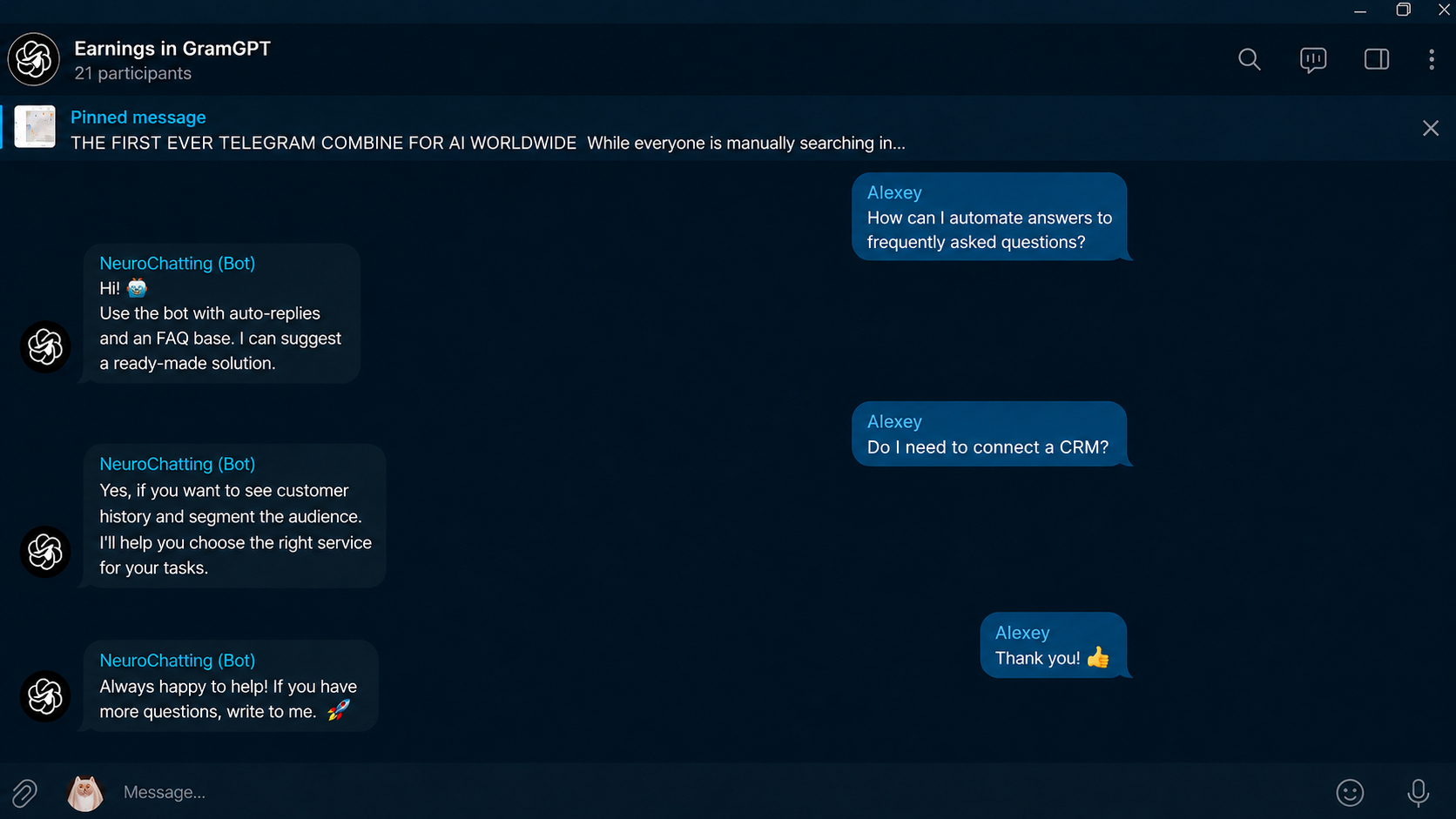
This means we work not only with hashtag search, but also with an audience that shows interest in the topic directly in discussions. With proper configuration, the response attracts attention to the account, and through a well-designed profile the user can move to the promoted channel, website, or product.
As a result, hashtags and neurochatting solve different parts of the same task: the former help users find our public materials through content and search, while the latter helps find potential audiences directly in thematic chats and join an already ongoing discussion. Thanks to deep analysis of conversation context, AI can take the dialogue content into account and respond at the moment when the user is already showing interest in the required topic.