A Telegram news channel grows differently from an expert blog or an online shop. Nobody needs one more feed of headlines until they see that you are faster and closer to their city. That's why ordinary ads often cost a lot here, and new readers leave within a week.
This guide shows how to promote a local news outlet in 2026: how to set it up, what a subscriber from ads really costs, and how to win readers through replies in city discussions. We also walk through a bridge-channel scheme that brings real people without buying a single post.
What makes a Telegram news channel different
First of all, local news lives on speed and geography. People join because they want to be the first to hear about a road closure, a power cut or a concert near home. As a result, the audience is narrow but very engaged.
- Local focus. A metropolitan outlet doesn't compete with every headline service, only with two or three regional rivals.
- Frequency. A regional outlet publishes 10–30 updates a day. With fewer, readers forget it exists.
- Reader tips. Residents send photos and videos themselves, so you beat official media.
- Revenue. Nearby businesses gladly buy placements, since their customers read you.

Setting up a Telegram news channel before promotion
However, before inviting anyone, prepare the profile. Otherwise traffic is wasted: a visitor sees three updates and leaves.
- A name with the place. For example, "Kyiv News | Now". Then people find it through search.
- An avatar. A simple icon or a municipal crest that stands out in the chat list.
- A bio. One line about what you cover, plus a contact for tips.
- Content. At least 20–30 updates before any paid traffic, so the feed looks alive.
If you're still at the very start, see our guide on how to create a Telegram channel. Also, many local outlets switch to join requests: a closed door sparks curiosity, and the admin sees every newcomer.
Method 1. Buying ads for a Telegram news channel
The most obvious route is a paid shoutout in neighbouring pages: district outlets, neighbourhood chats, parenting groups or event listings. The audience matches, so subscribing feels natural.
Still, the price depends heavily on the niche. In public case studies, a municipal outlet gained its first thousands of followers for roughly $0.07–0.30 each. Meanwhile, a general outlet with no local angle paid around $1.20, and part of that audience unsubscribed within the first week.
| Where to buy | Pros | Cons |
|---|---|---|
| District and neighbourhood outlets | Precise geography | Few venues, they burn out fast |
| Niche communities (parents, cars, events) | Cheaper, lively readers | Needs a separate creative |
| Large national outlets | Huge reach | Expensive, many random joiners |
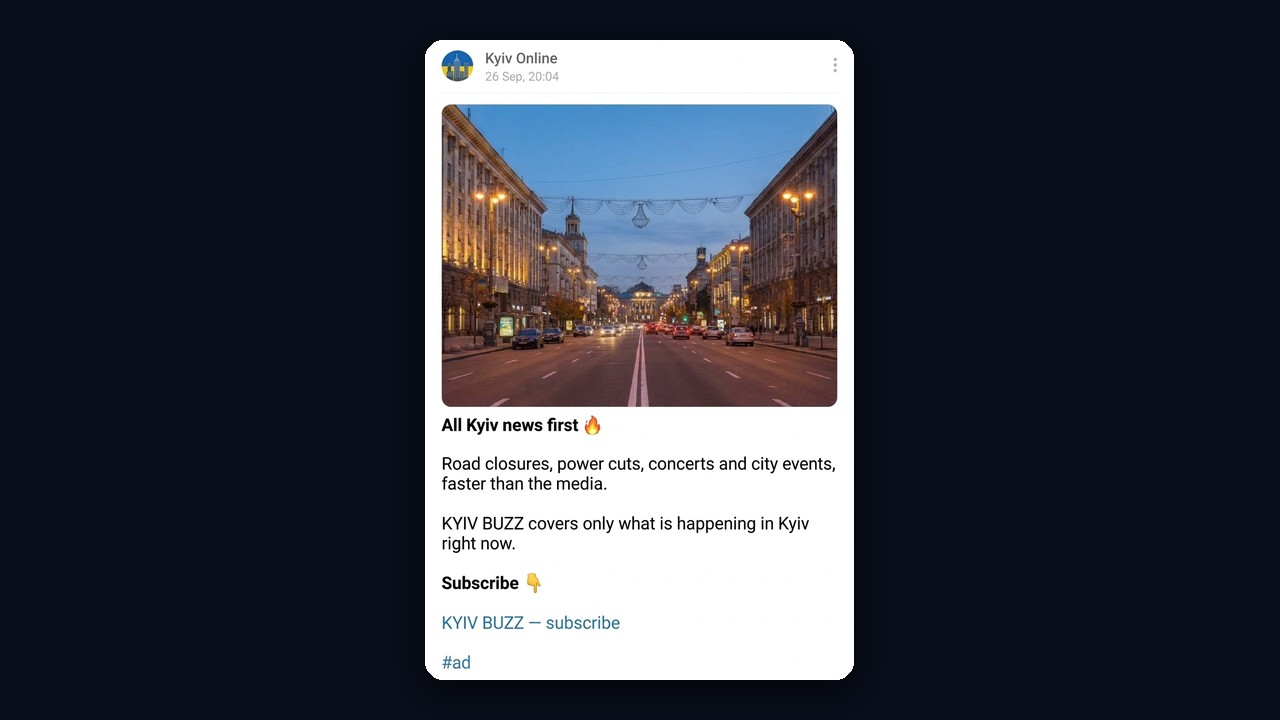
Tip: instead of describing yourself, the ad should carry a fresh story people want to finish. For instance, "Khreshchatyk closes to traffic tomorrow: detour map inside".
Method 2. Neuro Commenting in city discussions: the bridge scheme
By contrast, the second method needs no paid posts. You leave lively comments under city news from accounts whose bios lead to you. Here is how it works:
- An account of a girl with a bright avatar posts an emotional reply under a neighbourhood update.
- Readers notice the reply and the photo, then open the profile out of curiosity.
- Their profile has a pinned bridge, for example "Kyiv Concerts | Events".
- The bridge pins a post about the event with a link to the main news hub at the end.
- Finally, the visitor follows the link and sends a join request.

Step 1. Collect your city's feeds
First, you need a list of local feeds where discussion is open. Searching by hand takes weeks, so a channel parser for open comments is faster. Enter keywords like "Kyiv", "Kyiv news" or "Kyiv events", and it builds the database and finds similar ones too.
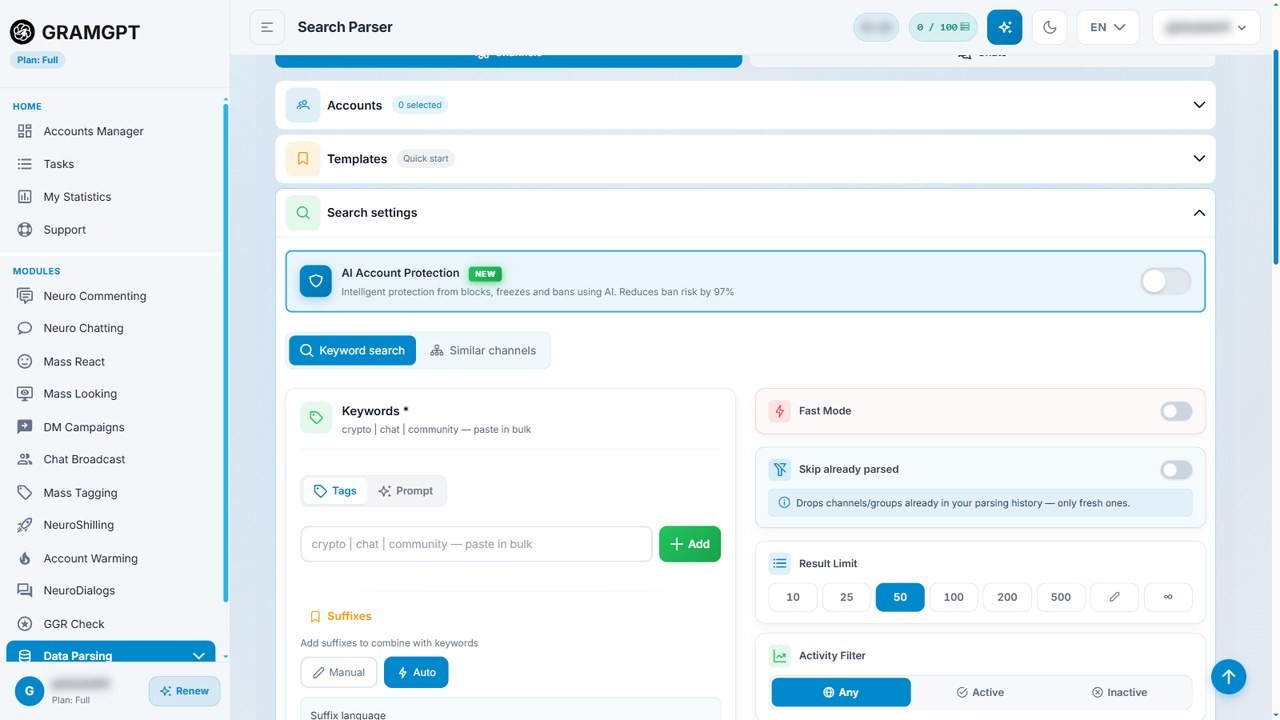
Where to comment
Places where people already discuss posts work best: municipal outlets, event listings, district feeds and local bloggers. Hundreds of residents see each reply there, so clicks come steadily.
On the other hand, official government accounts and big media often moderate discussions. That's why it pays to exclude them via the blacklist, so accounts don't waste their limits.
Step 2. Prepare the profile and the bridge
The profile decides whether a person goes further. So give the account an attractive photo of a girl, a simple first name, and pin the bridge. A bridge is a small related feed: events, concerts, weekend plans.
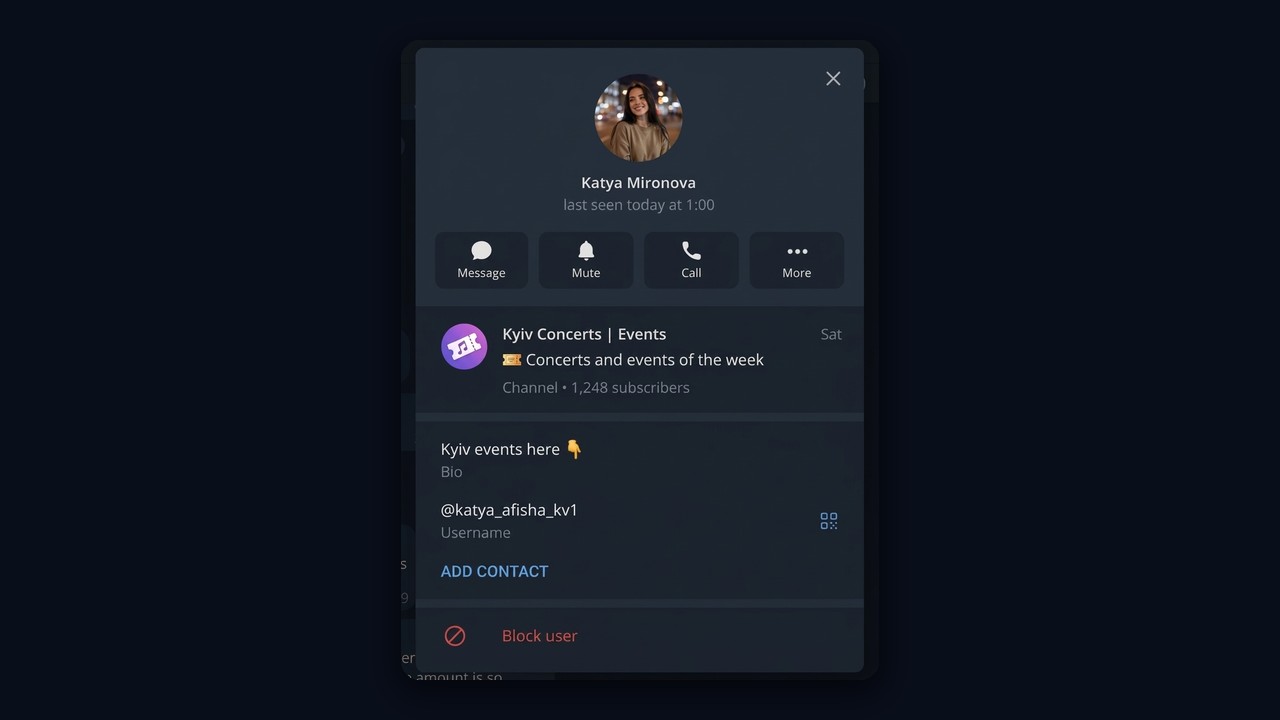
Next, pin a post about an upcoming event there and add a line such as "All city news is here" with a link to your Telegram news channel.
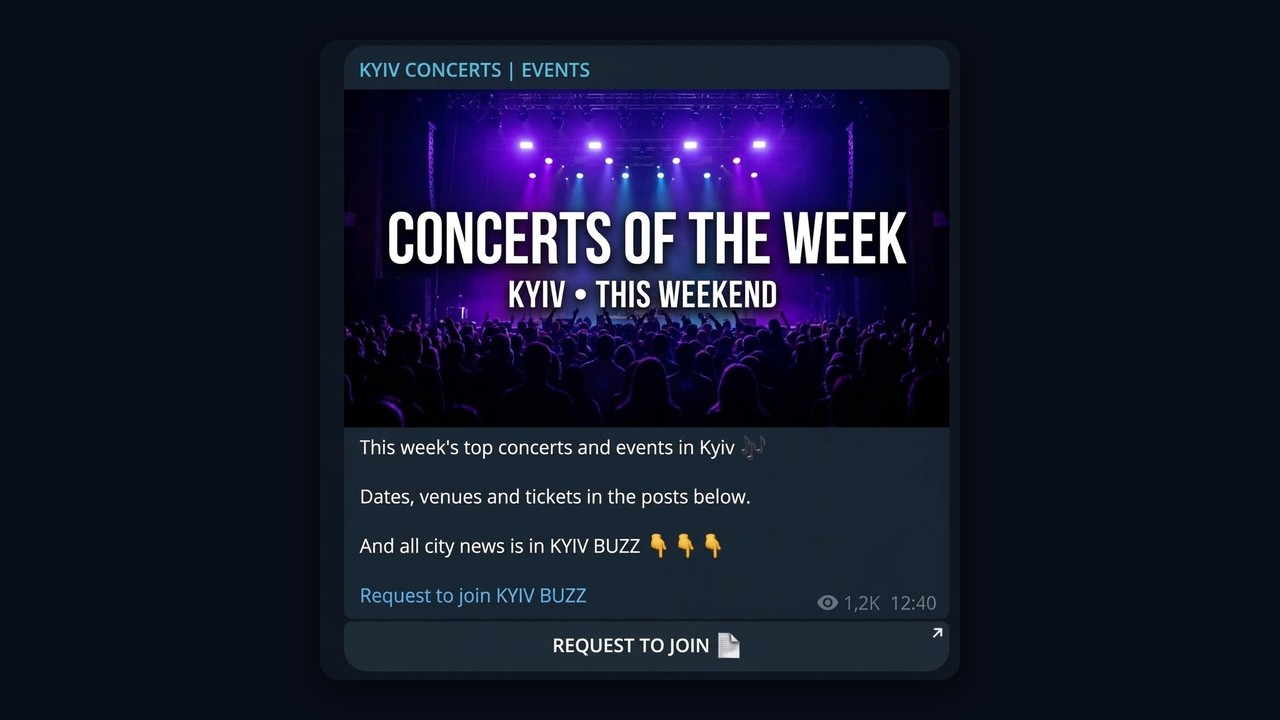
Important: use only real events from the official city listings. A made-up concert collects reports, the accounts get blocked quickly, and trust in your news page disappears.
Step 3. Launch Neuro Commenting
Neuro Commenting watches new posts in the selected sources and writes replies with AI. You choose a random mode, keyword triggers or every post. In addition, you set the probability and a cap per account.
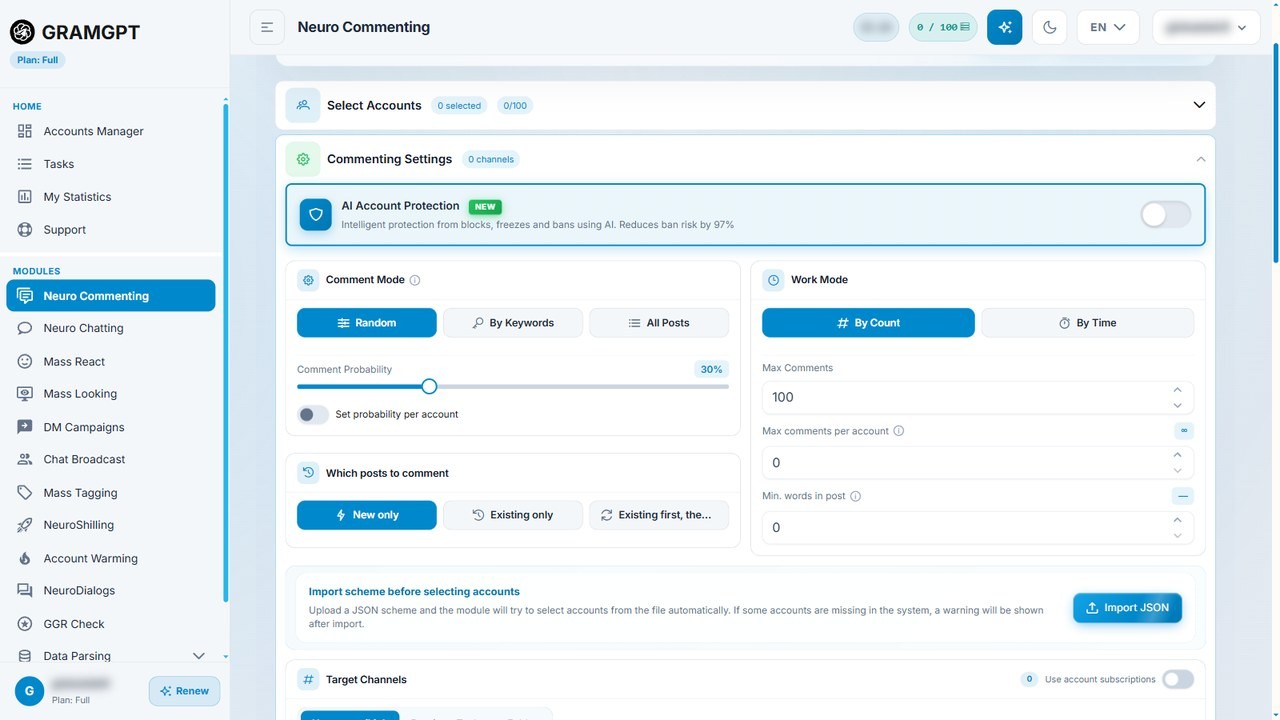
Then describe the role in the prompt: a local girl who is excited about the event. A comment might read: "So happy my favourite band is coming to town this week! Who's got tickets already? 😍" It grabs attention, and the question at the end invites replies.
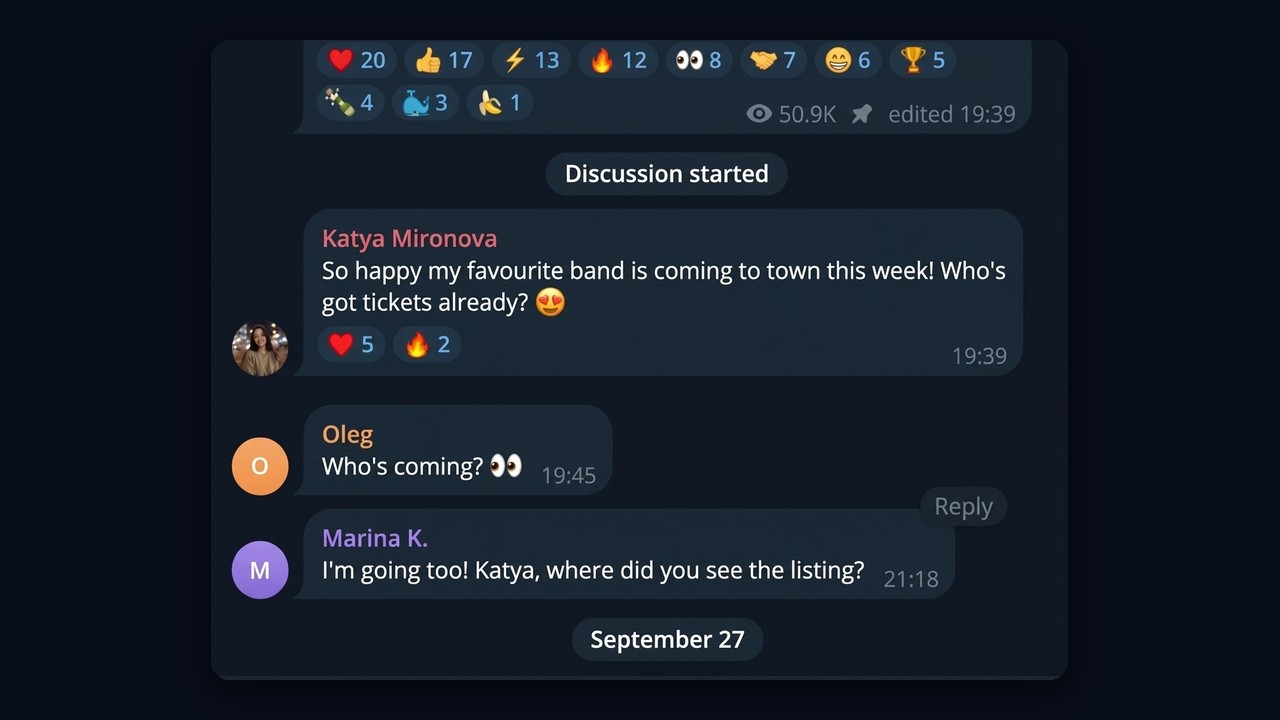
As a result, people reply, open the profile, see the event page and send a join request.