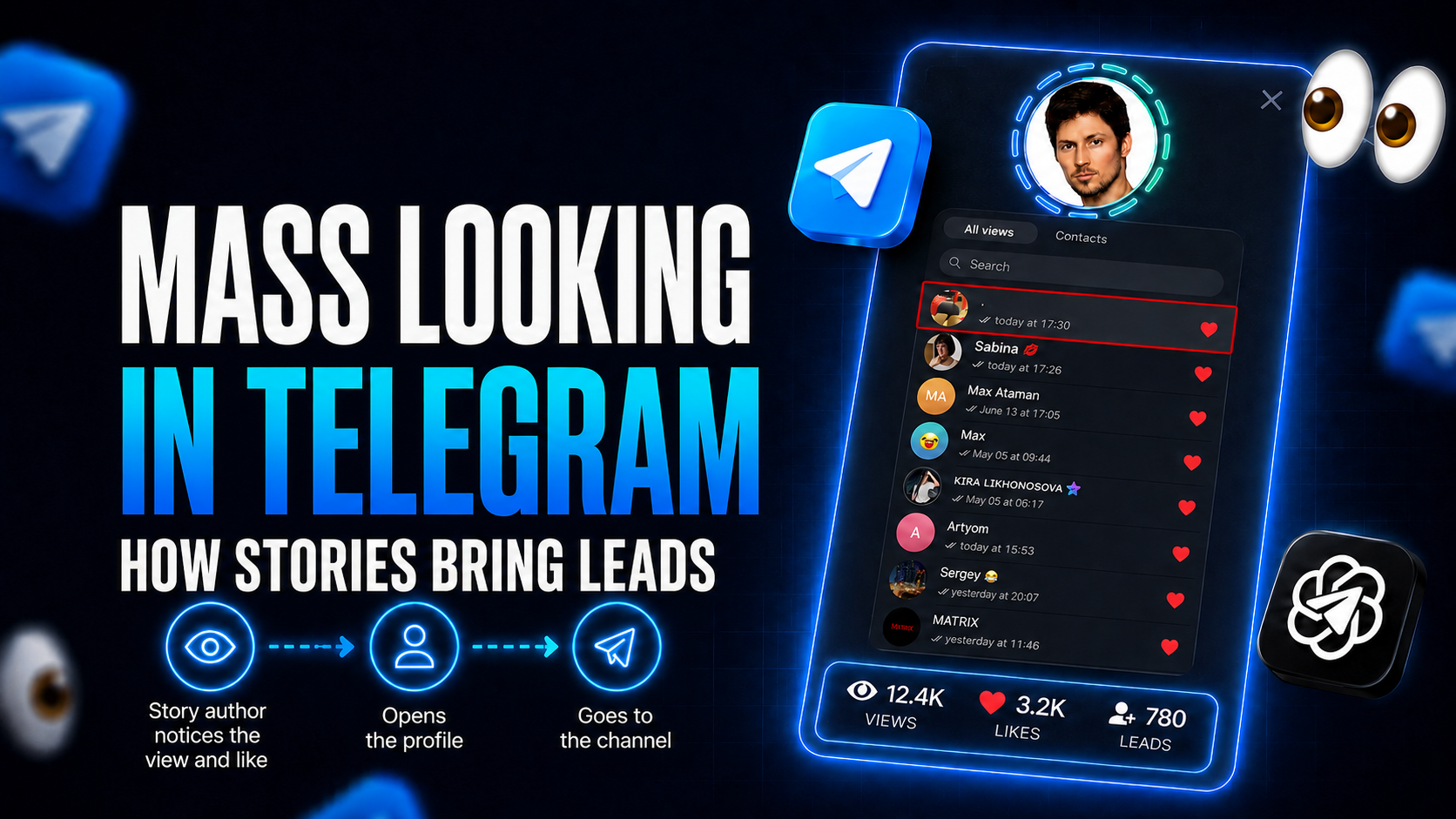
To attract traffic from Telegram to your resources, it is no longer enough to simply send mass messages, place direct ads, and leave links. Users quickly notice intrusive promotion, click unfamiliar links less often, and increasingly ignore direct offers. Therefore, it is important to use more native mechanics: look natural, spark interest in the profile, and gently guide a person toward independently opening the channel.
One such method is Mass Looking in Telegram. It helps unobtrusively attract the attention of the audience we need through Story views without sending users advertising messages directly. In essence, it is mass story viewing from prepared pages. Prepared accounts work with people from thematic channels and chats, while promotion effectiveness depends on how accurately the audience is selected and how convincingly the profiles are designed.
Below, we will examine what Mass Looking in Telegram is, how this mechanic works, and how to configure it in GramGPT.io. We will show how to add and design accounts, collect a target audience database, set delays and limits, configure likes and reactions, and launch relooking for repeated contact with the audience.
What Mass Looking in Telegram is
Mass Looking in Telegram is a promotion method that allows you to attract the attention of a right people through mass Story viewing. We use a network of prepared accounts that open the Stories of users from relevant channels and chats. A person notices a new profile among the viewers, opens it, and, if the design is interesting, follows the link to our channel. That's why masslooking is often called native promotion: people decide on their own whether to click through.
The approach is based on working with an audience that is already interested in the required topic. We do not try to attract everyone indiscriminately, but select users from suitable channels, chats, and comments.
Transitions depend not only on the number of Stories viewed. Three things are important:
- the relevance of the target audience database;
- an attractive and natural-looking profile design;
- a clear path from the profile to the promoted channel.
How Mass Looking works in Telegram
The setup is simple: select a relevant audience, design accounts according to its interests, launch views, add likes to Stories when needed, and regularly return to those who continue publishing content. The more accurately the database is collected and the more clearly the account profile is designed, the higher the probability of a transition and channel subscription.
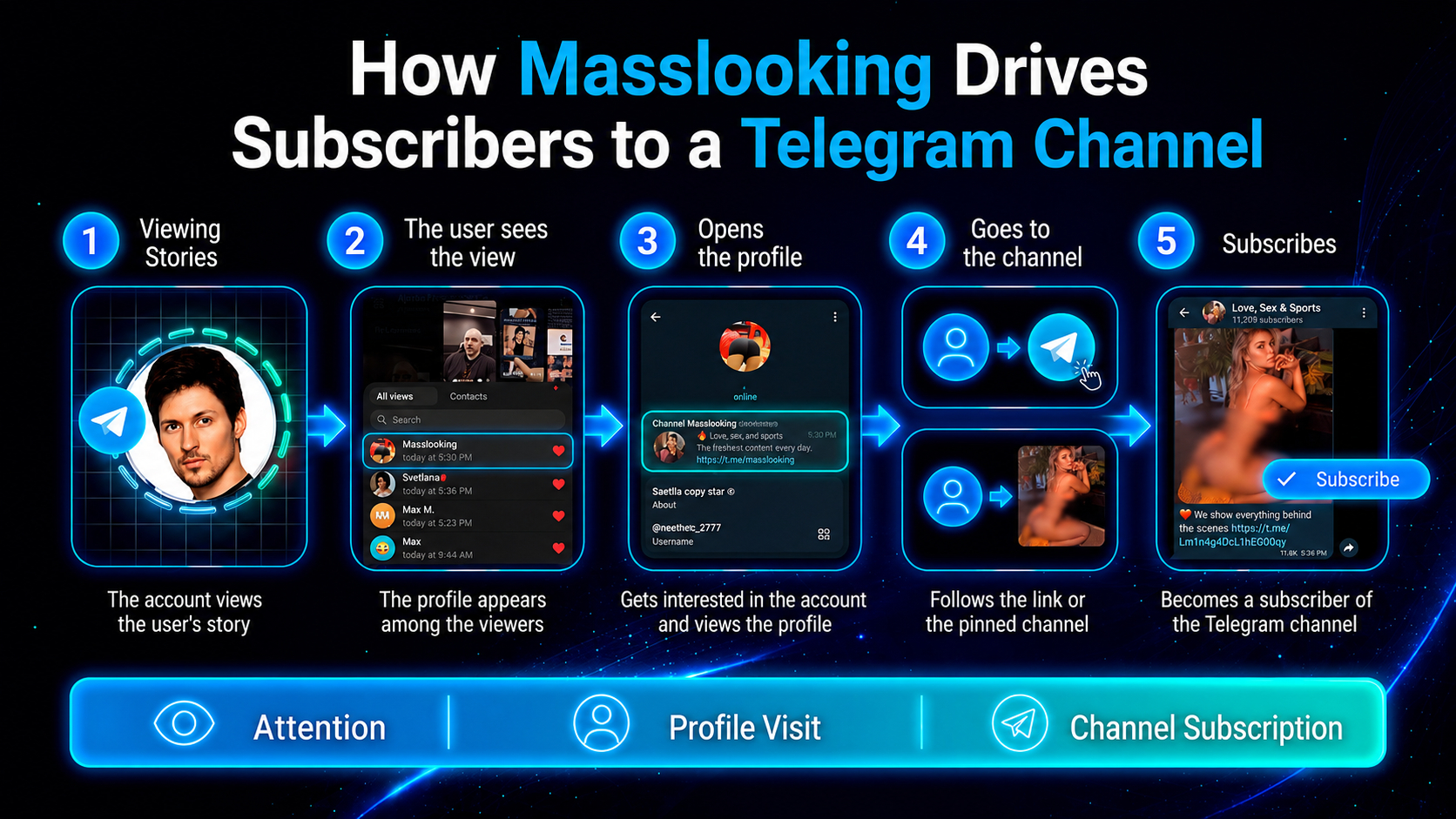
When our accounts view Stories, their profiles appear in the viewer list. If a profile looks active and matches the person's interests, the user may open it and see a pinned channel or a link in the bio.
It is especially effective to work not with a random audience, but with people who are already in competitors' channels. This way, promotion reaches users who have previously shown interest in the required topic.
For example, if we are promoting a sports channel, the accounts should look organic to a sports audience. To do this, we select thematic avatars, names, and descriptions, and pin a channel in the profile with a clear reason to subscribe.
How to configure Mass Looking in Telegram in GramGPT.io
Configuring Mass Looking in GramGPT consists of several stages: adding and designing accounts, selecting an operating mode, uploading an audience database, configuring Story actions, and launching promotion. In this example, the GramGPT.io Telegram Combine is used as the main tool for promotion through one sequential system, allowing accounts, audiences, and launches to be managed in a single interface. All module features are summed up in our Telegram mass looking tool overview.
How to add and design accounts
To launch, add accounts to the GramGPT panel using tdata or session+json. These accounts will be used to view Stories. Each one needs its own proxy, attached in the manager. You can also use accounts with a spam block, since they may cost several times less. We previously explained how to choose accounts for promotion.
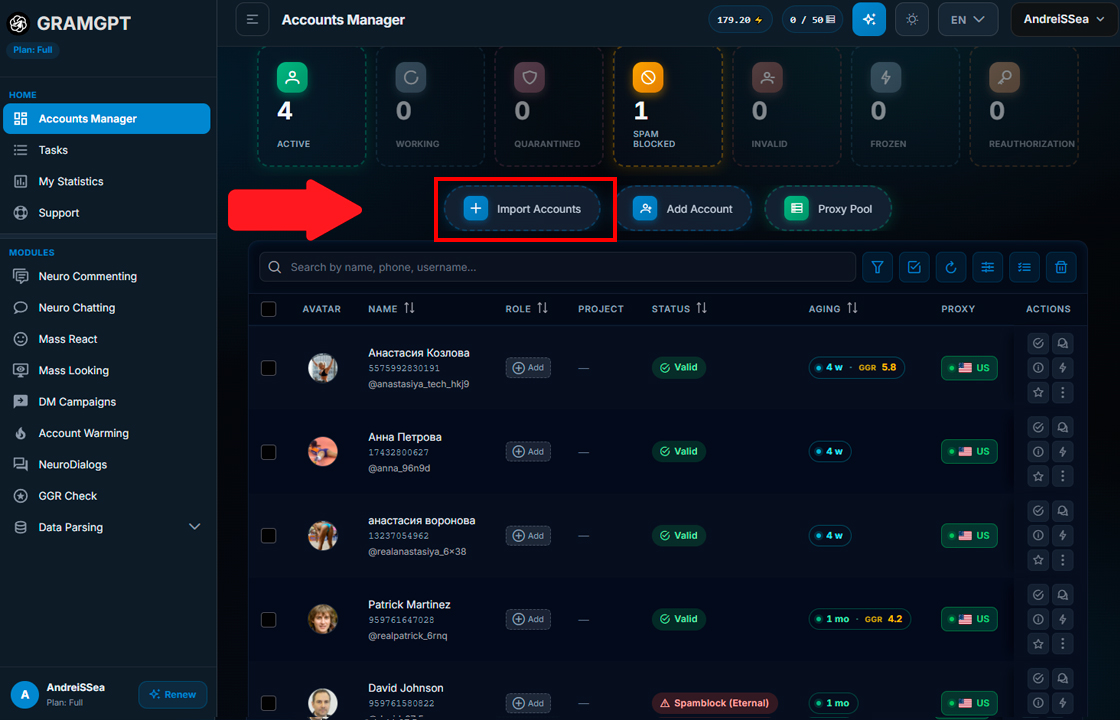
But an account alone solves nothing. It needs to be turned into a profile that people want to open. We design accounts so that they match the interests of the selected database. If we work with a sports audience, we use suitable avatars and positioning, and pin a thematic channel in the profile with an attractive presentation.
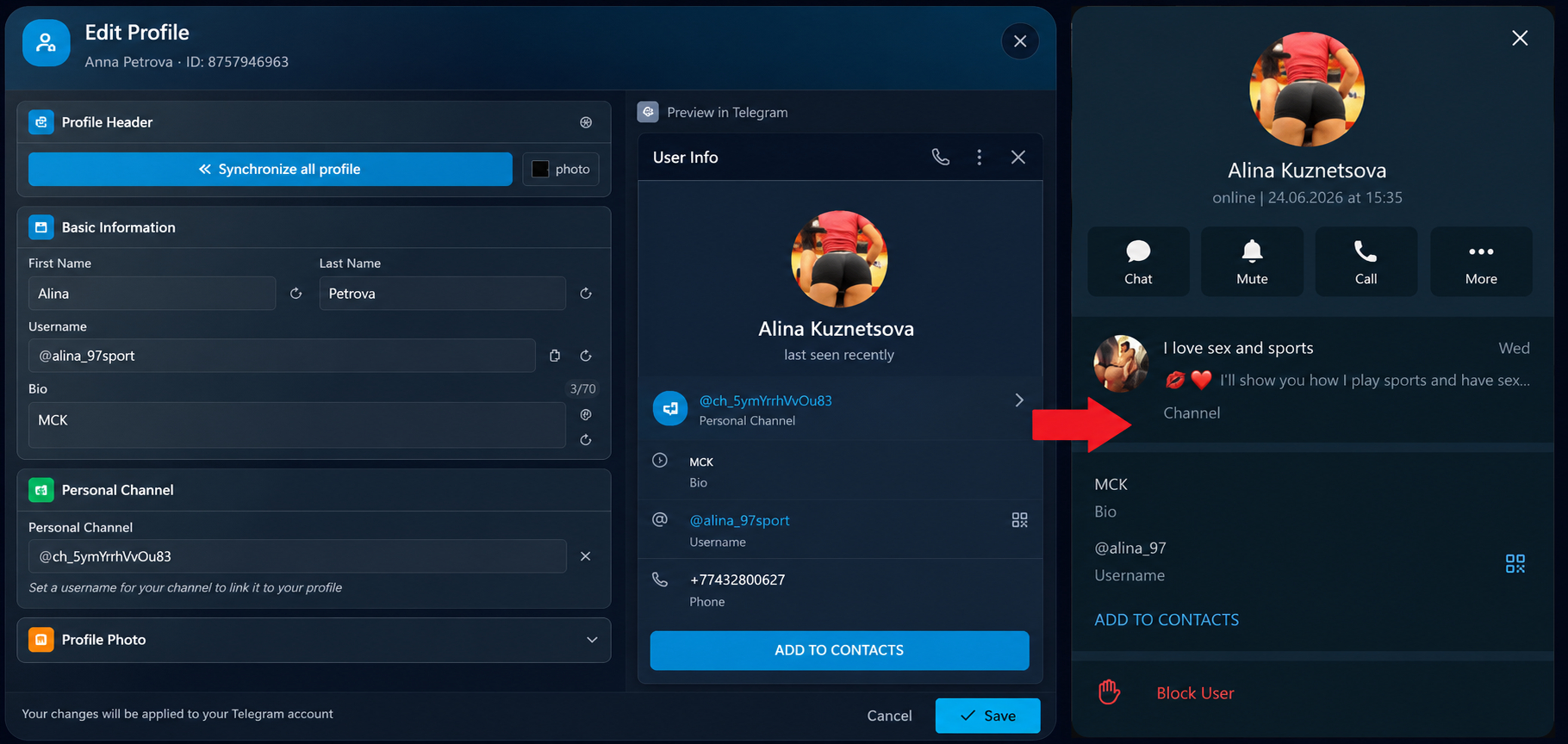
In the panel, you can select accounts in bulk and generate profile designs.
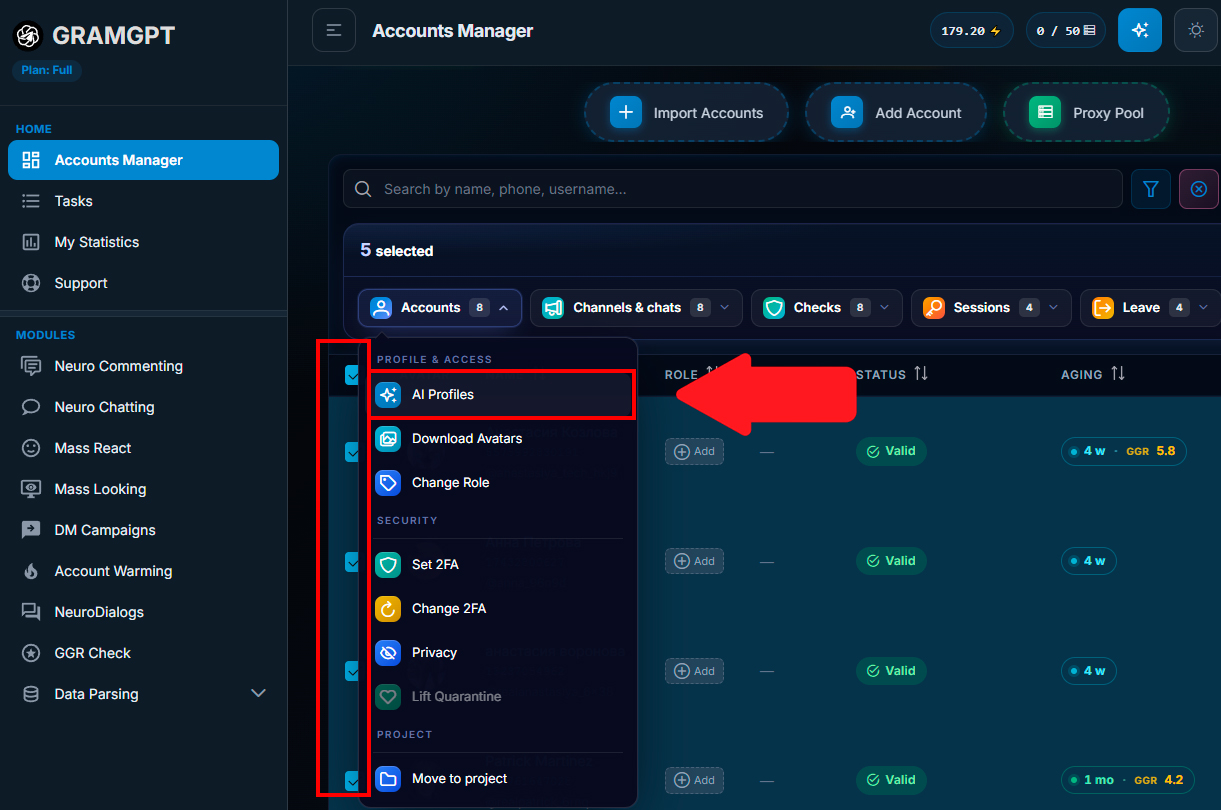
For example, launch AI generation using a prompt and specify the image of a crypto trader from Dubai.
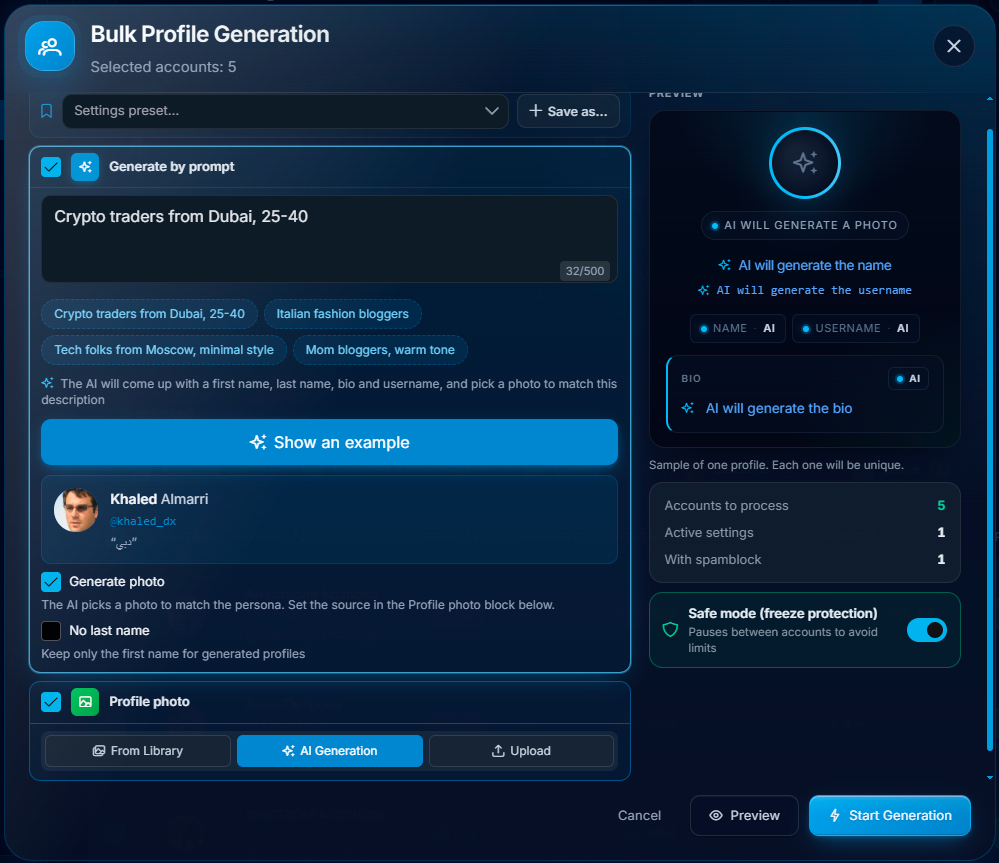
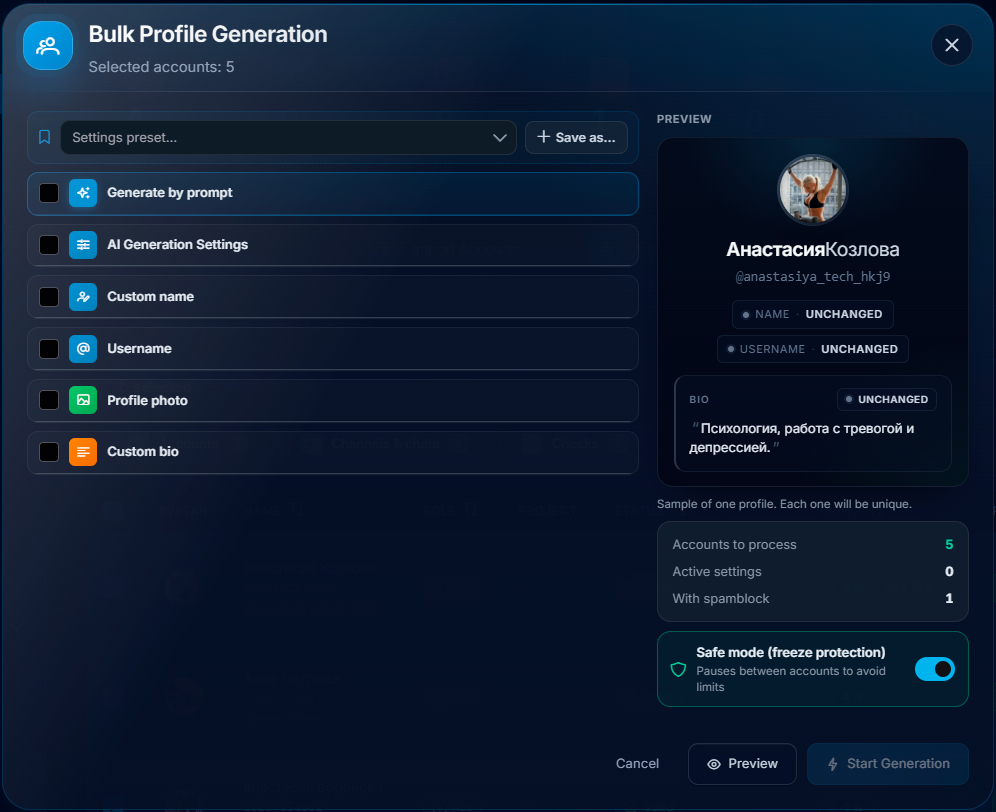
The system helps prepare names, usernames, and other profile data. You can also upload your own avatars, add a link to the bio, and launch the profile setup in safe mode.
If bulk generation is not suitable, each profile can be edited separately by clicking any individual account in the list.
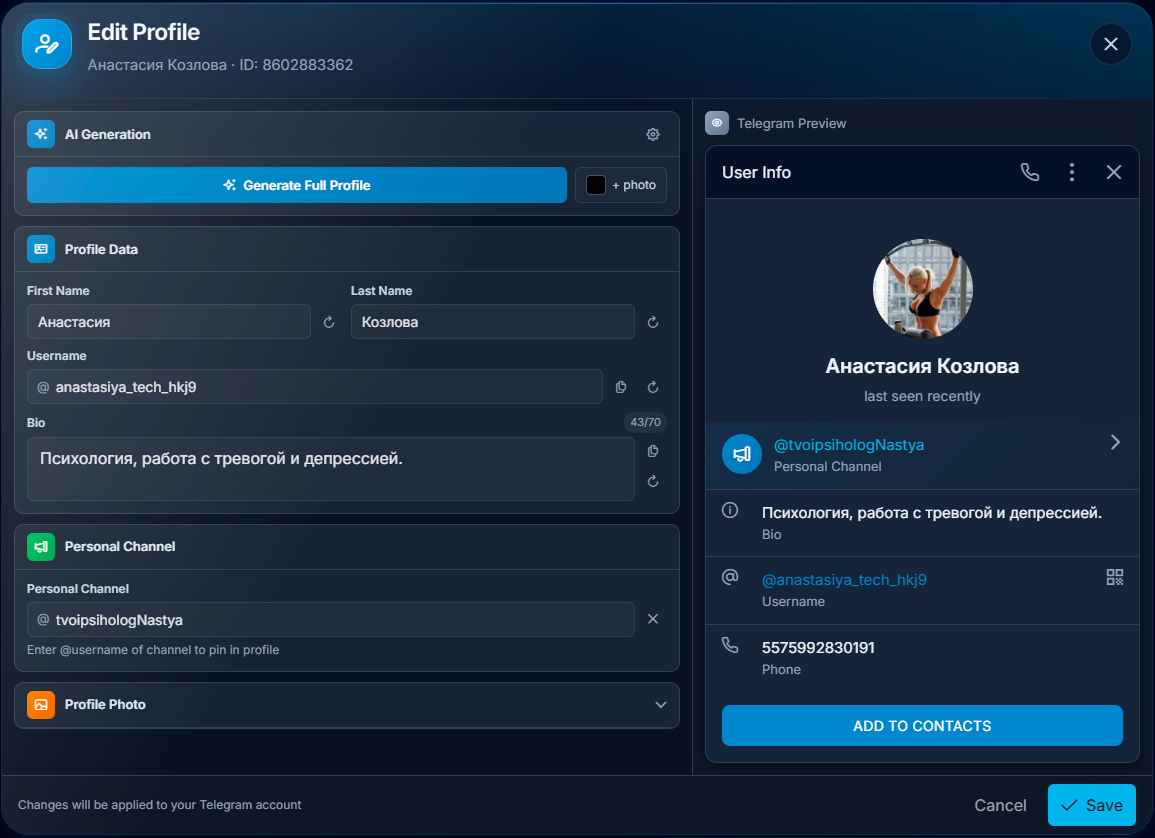
If channels need to be created and pinned, this is also done automatically: add an avatar, images, and buttons, and then edit the design if necessary.
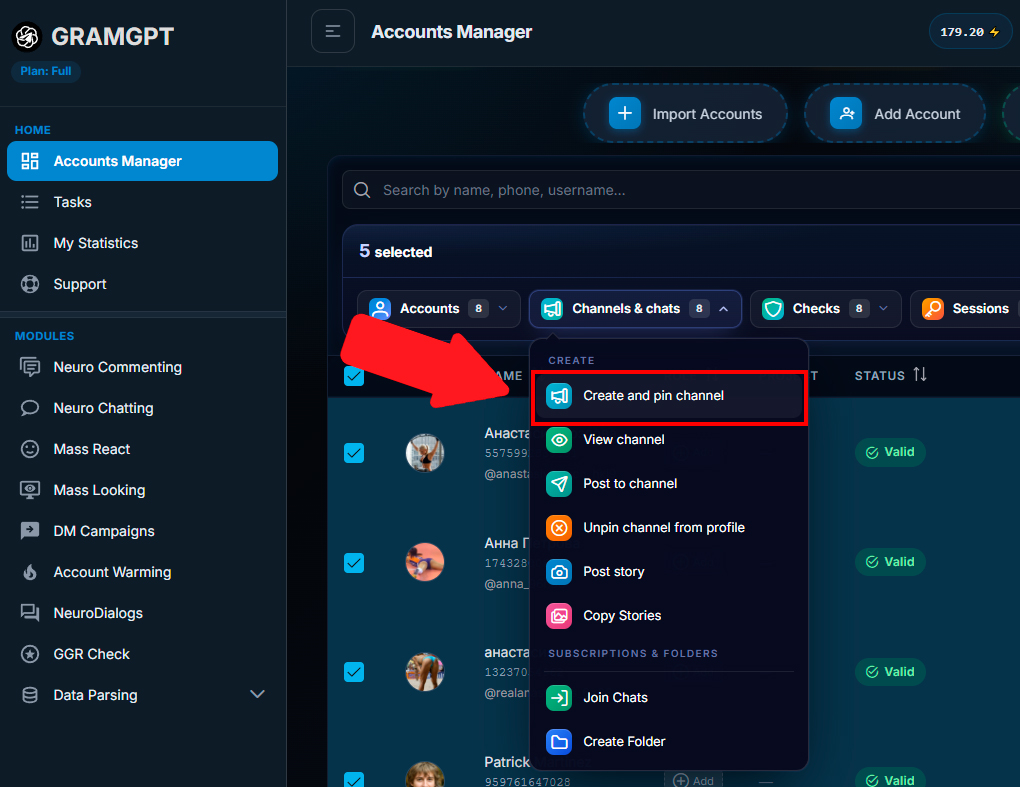
The design can be set for a group of accounts at once, and each profile can then be refined separately if necessary. This automation reduces the amount of manual work required when preparing accounts for promotion.
Configuring Mass Looking
After preparing the accounts, open the Mass Looking section. Here, choose which accounts will work and decide whether to use profiles with a spam block. Also enable protection that imitates human actions and reduces the risk of accounts being restricted quickly.
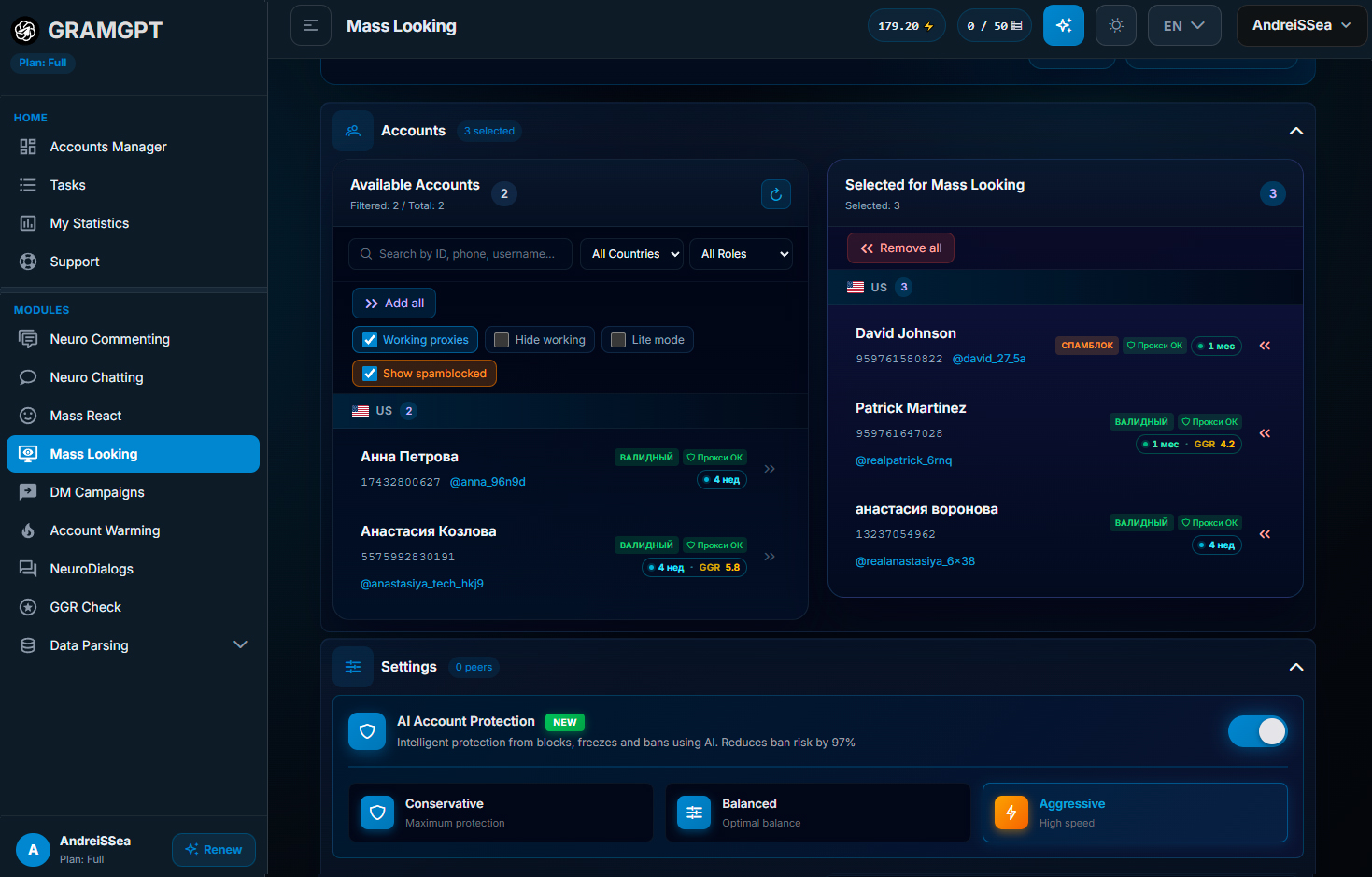
You can select an aggressive operating mode in the settings, but the basis of stability remains the same: reasonable delays and limit control.
Operating delays
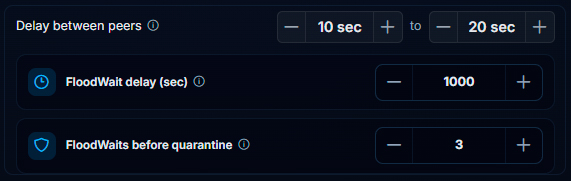
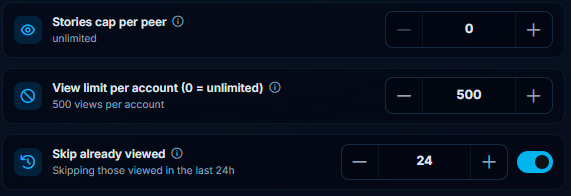
Use a delay of 10 to 20 seconds when moving between profiles. This pause allows accounts to work longer and view a large volume of Stories throughout the day.
Separately set a Story limit per account. If zero is specified, no limit is set. One account can process approximately 200 to 2,000 Stories per day, but for a more manageable launch, set a specific ceiling, for example up to 500 Stories per profile.
Adding an audience database
Mass Looking in Telegram requires a database of users whose Stories will be viewed. A Telegram parser helps collect it by obtaining an audience from suitable channels, chats, and comments. We previously wrote in our articles about how to parse users in Telegram.
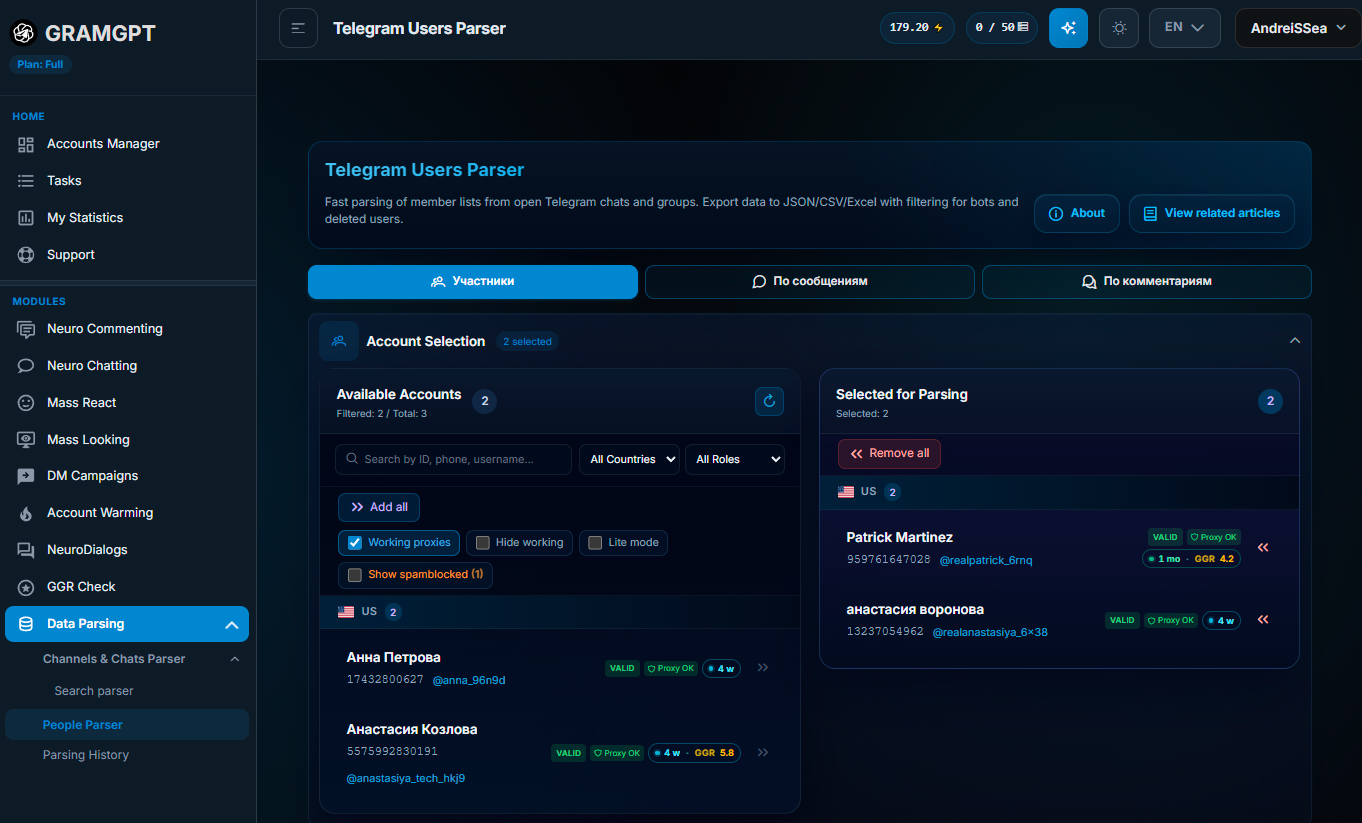
The user database can be prepared in several ways:
- parse participants of Telegram chats;
- collect users who write messages in chats;
- parse authors of comments under posts in competitors' channels;
- simply specify a competitor's channel with open comments, which is the easiest method.
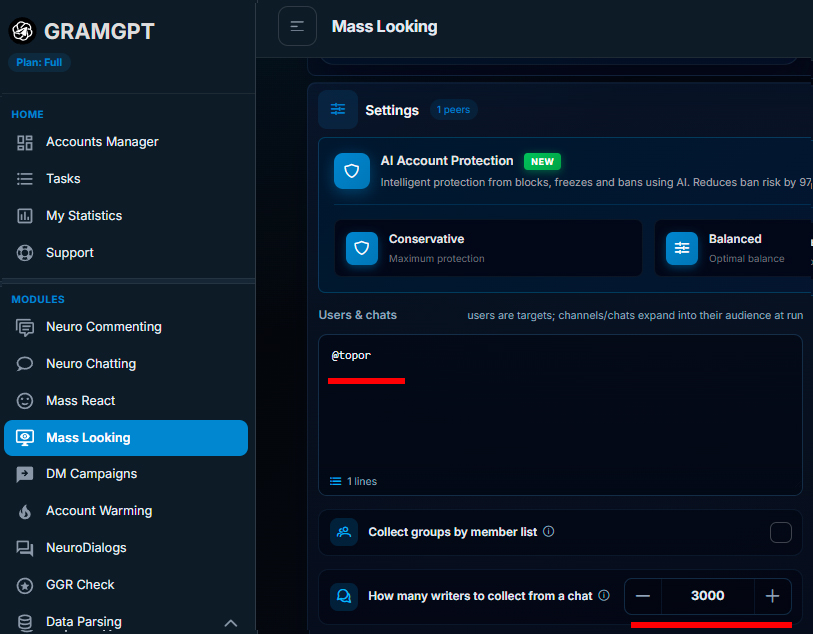
The last option is especially convenient when you do not want to collect and upload a database separately. In the Mass Looking settings, specify a channel, set how many of the latest active users need to be taken, for example the latest 3,000 participants who wrote in the chat, and launch processing.
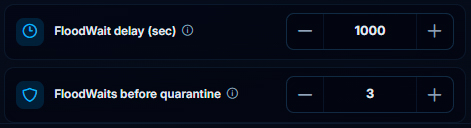
It is important to consider the Flood Wait setting. If an account receives a restriction, it pauses for approximately 1,000 seconds. If the situation repeats more than three times, the profile is placed in quarantine. While quarantined, it temporarily stops working and does not continue performing actions. The account can be returned to operation after one day.
In one launch, you can set an audience source, account restrictions, and parameters for Story actions. Thanks to this, promotion automation covers not only views, but also database preparation, load distribution, and profile activity control.
Reactions and likes on Stories
In the settings, you can enable reactions and likes and choose the share of Stories to which they will be sent. For example, set reactions for 55% of publications and choose the required emojis.
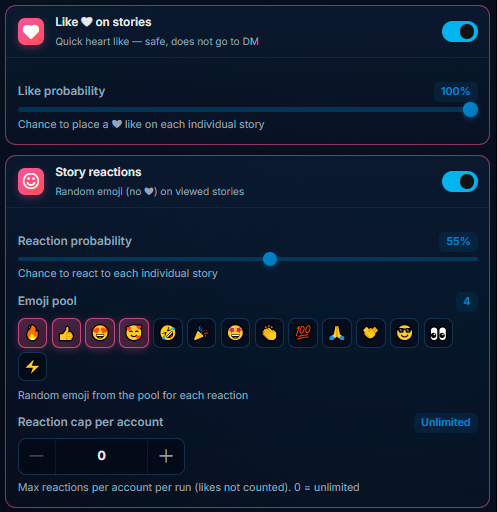
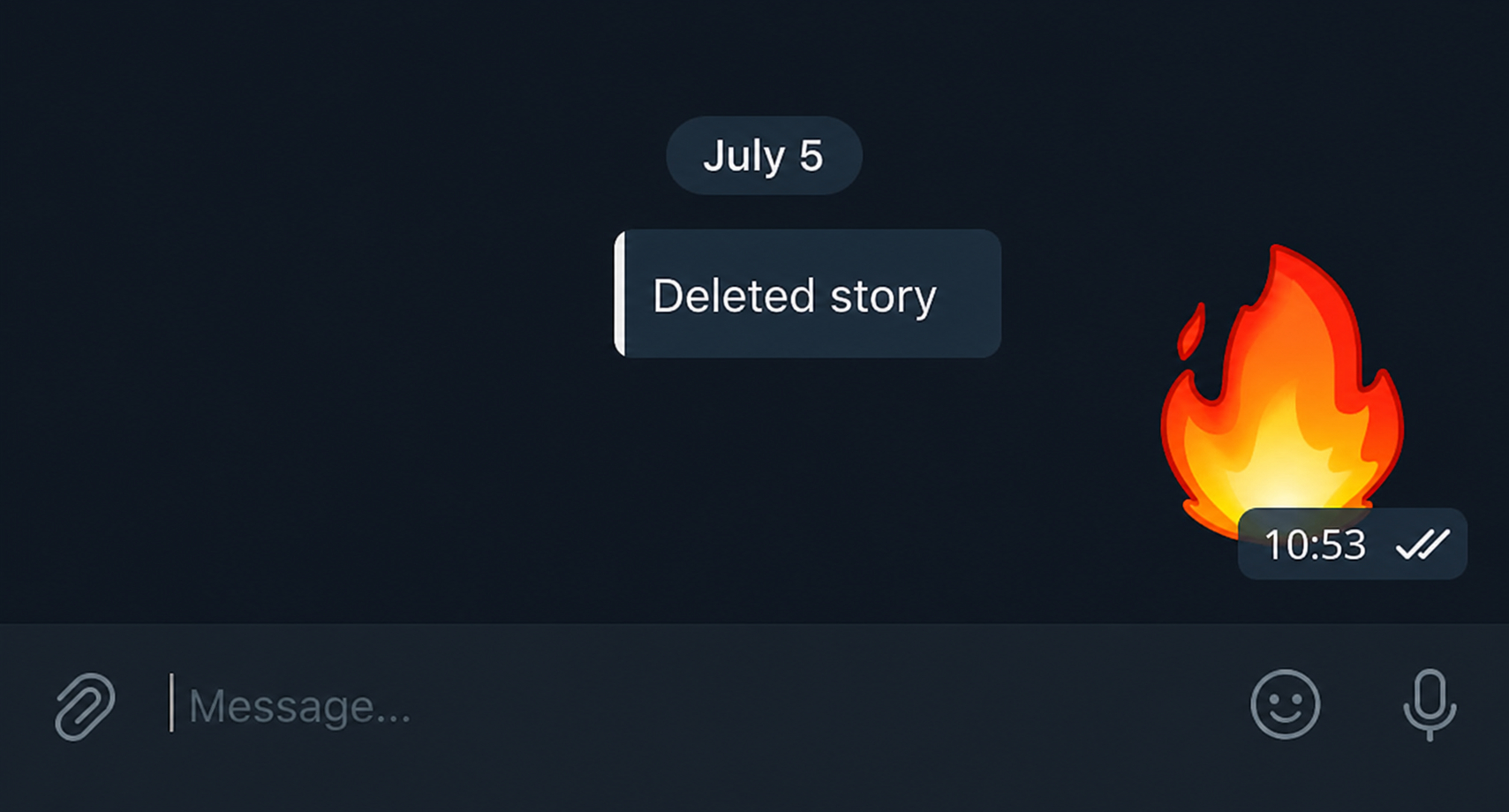
However, it is important not to confuse two different actions. The first option is a reaction to a Story in Telegram. It is sent to the person in private messages, so Telegram treats it as mass activity in direct messages. The Telegram reaction limit for one account is no more than 40 actions.
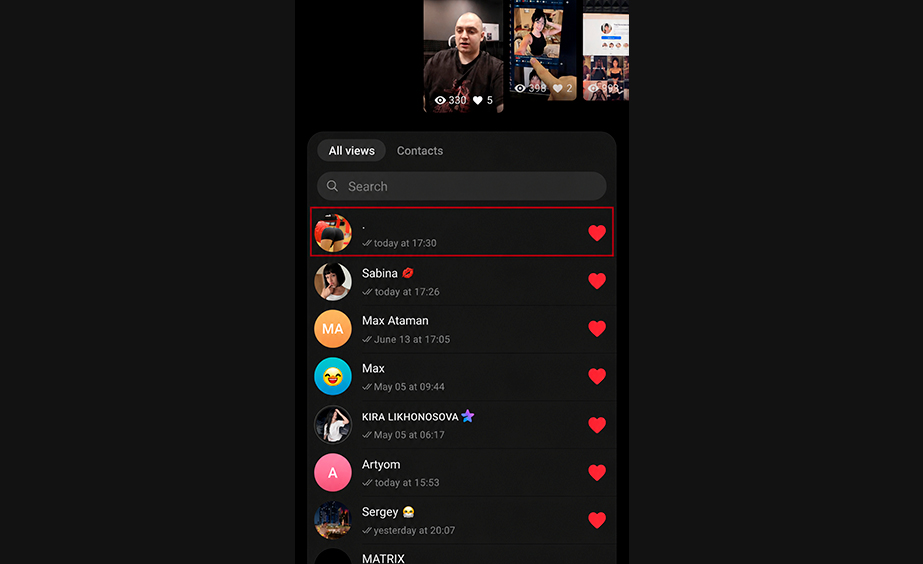
The second option is a like on a Story. It works differently: it helps the account move higher in the viewer list and makes the profile more noticeable to the Story author. Therefore, the person is more likely to notice and open the profile.
The key difference is simple:
- a reaction goes to private messages and has a limit of up to 40 actions per account;
- a like marks the Story, is not sent to a private chat, and has a significantly higher limit—more than 150 likes per day.
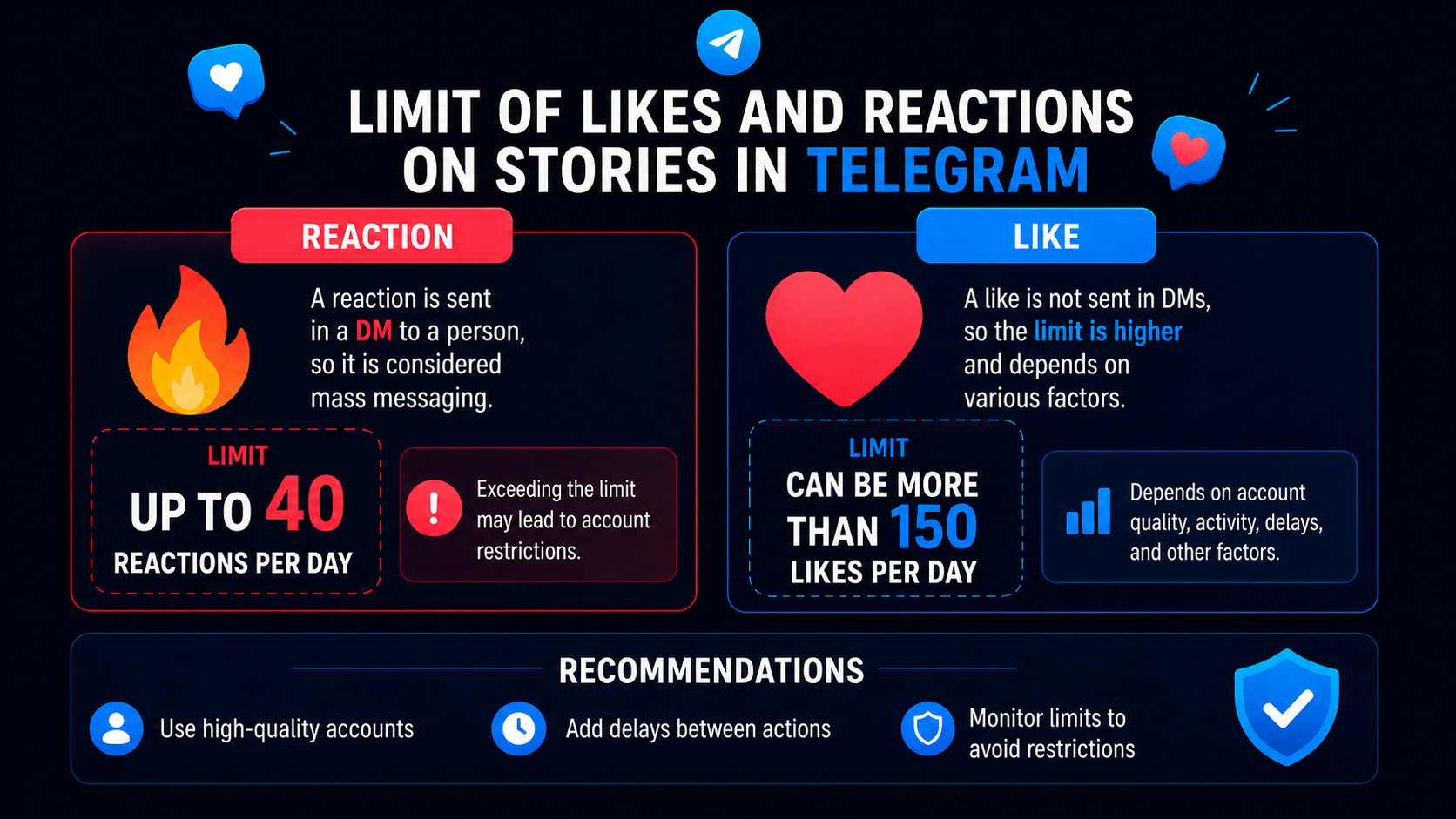
We recommend using likes as the main promotion method through Mass Looking because they increase account visibility without sending a message to a private chat.
Reactions provide an additional touchpoint but require a more cautious approach to the volume of work. In a safe promotion model, they should not be made the primary action for the entire farm.
Launch and operation process
When the accounts are selected, the database is added, and the delays and limits are set, launch viewing. The accounts connect to Telegram and begin sequentially collecting and processing the right people's Stories.
During operation, you can see how views are launched, actions are performed, and the operation history is populated. This makes it possible to control promotion and adjust settings in time.
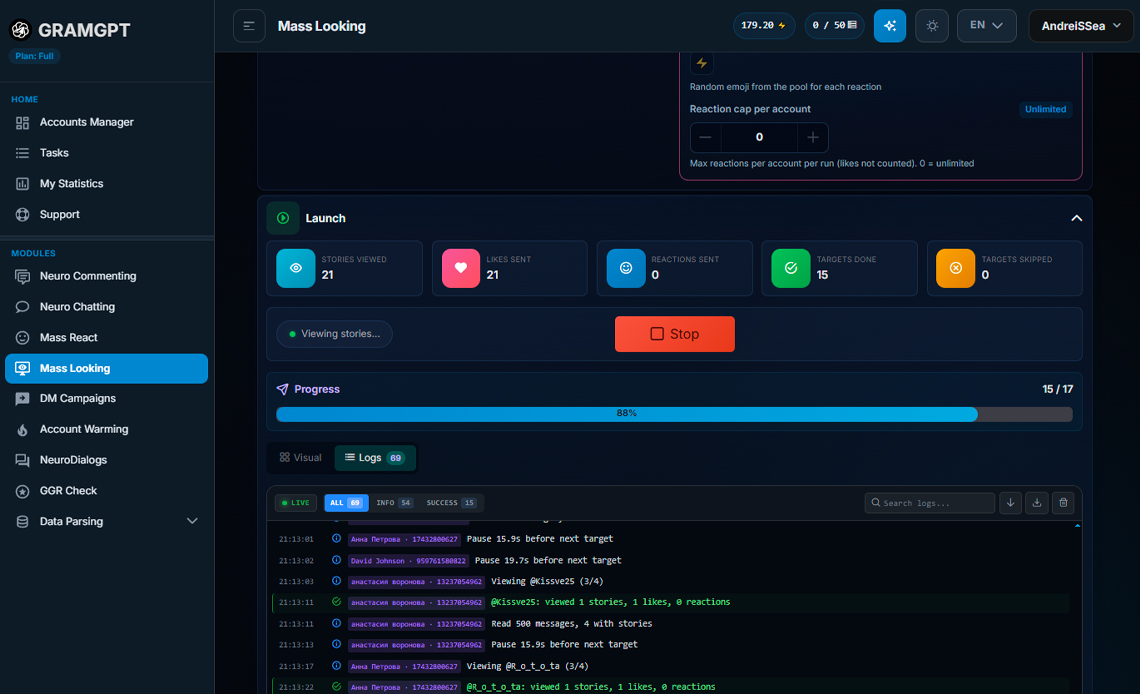
Do not try to squeeze the maximum out of each account on the very first day. A working system is built on regularity: safe delays, reasonable limits, a clear audience, and stable operation of prepared profiles. This is how Telegram promotion automation helps scale Mass Looking without constant manual control over every action.
How relooking works in Telegram
The strongest part of Mass Looking in Telegram is relooking, meaning repeated viewing of the Stories of users with whom we have already had contact. People who publish Stories usually do so regularly. If a user has already seen our accounts, repeated contact increases profile recognition.
In the “My Statistics” section, the view history stores a database of all users whose Stories were viewed during operation, as well as data on completed actions. If such a user publishes a new Story, we can return to them again.
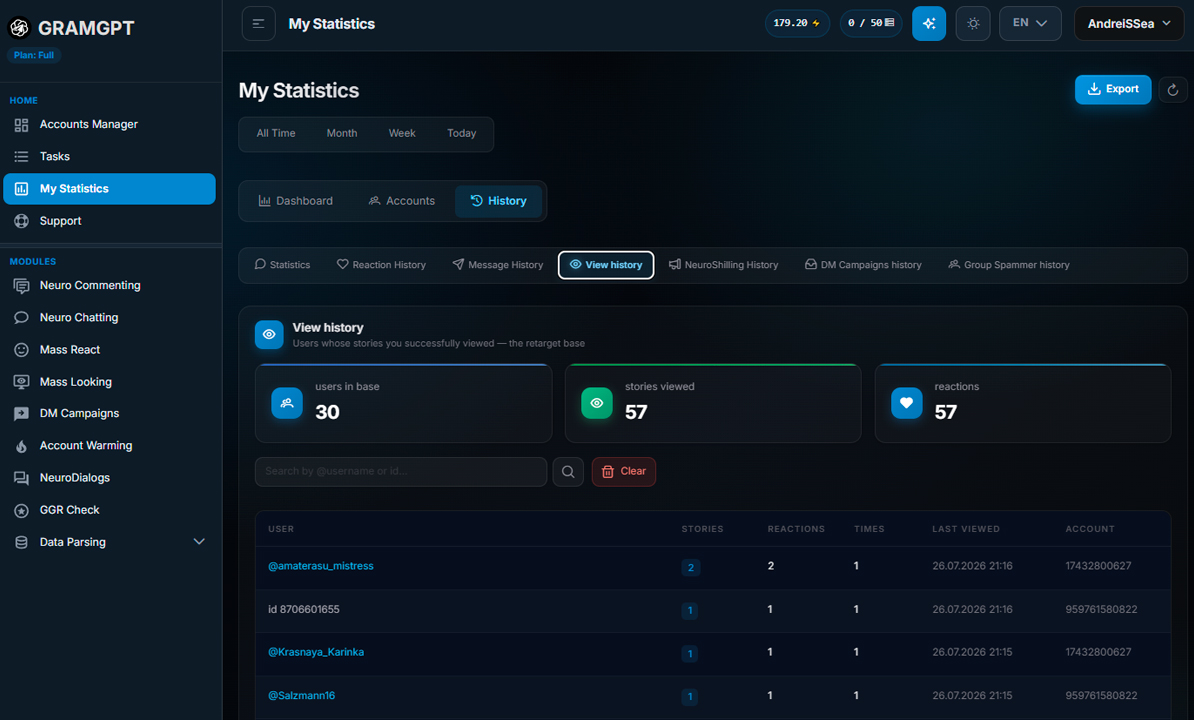
To collect a database for relooking, select export in the upper right, choose target usernames, upload them to Google Sheets, and copy the list for a new launch.
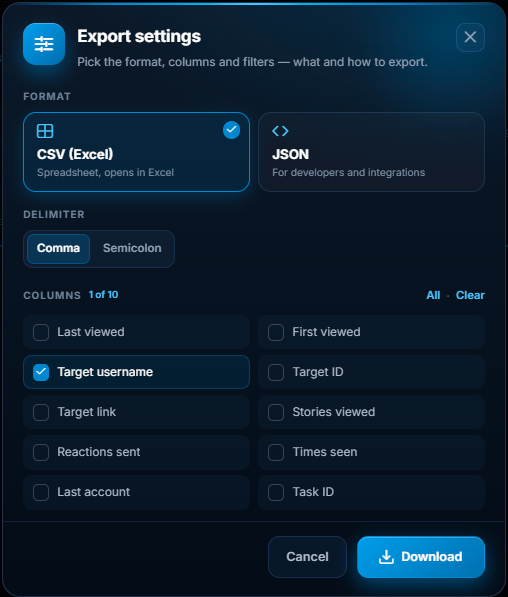
When a large farm is operating, the database grows quickly: within a month, it may contain tens of thousands of users.
How to promote a Telegram channel through Mass Looking
To promote a Telegram channel through Mass Looking, you need to connect the audience source, account design, and the promoted channel into one sequential system.
The working mechanic looks like this:
- Collect users from competitors' channels, chats, and comments.
- Design accounts according to the interests of the selected audience.
- Add a link or a pinned promoted channel to the profiles.
- Launch Story views with the configured delays and limits.
- Add likes when necessary to increase profile visibility.
- Save the active audience and return to it through relooking.
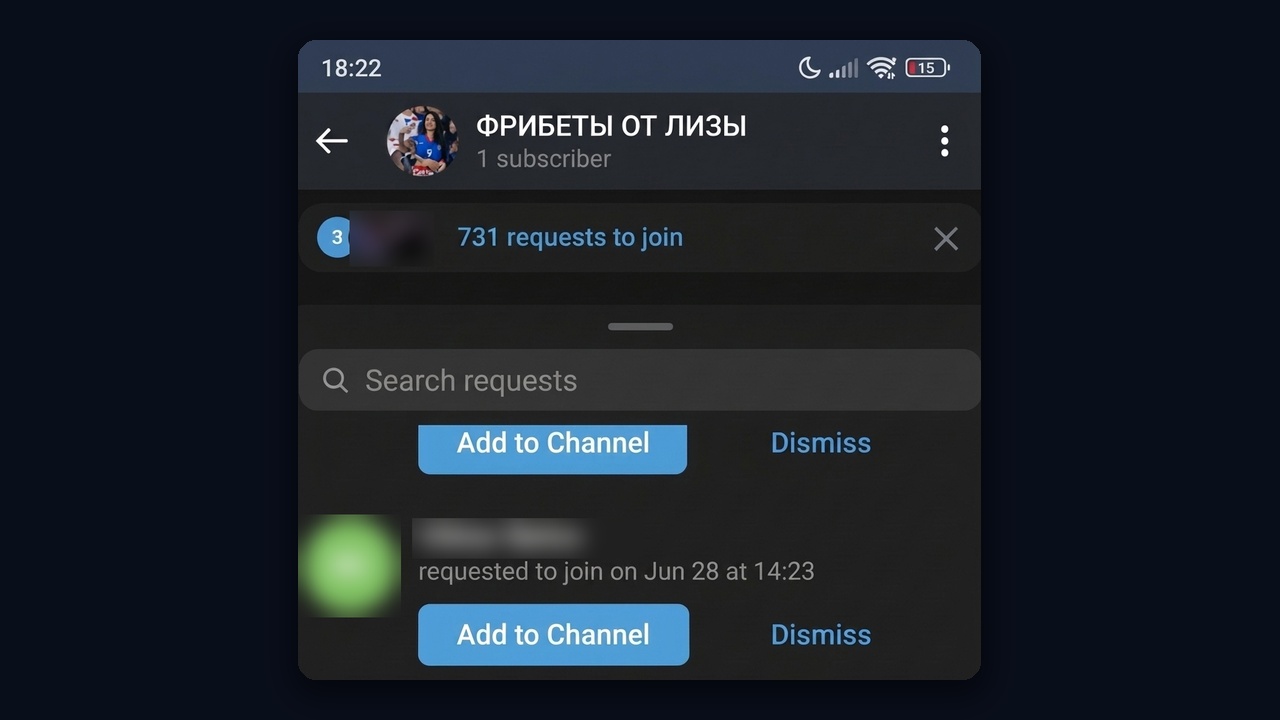
From our practice: in one month, «Freebets from Liza» collected 731 join requests this way. None are approved yet, hence the single member in the header.
We also previously examined in detail how to promote a Telegram channel: 30 promotion methods in a separate article.
Conclusion
If everything is configured properly, Mass Looking in Telegram begins to consistently attract the attention of the required audience even without a large channel or your own subscriber database. This approach is often classified as conditionally free traffic because the main work is based not on direct advertising, but on Story views and users' natural interest in the profile.
Mass Looking works best as part of a unified promotion system: prepare and naturally design accounts, collect a target audience from thematic channels and chats, configure Story views, likes, and safe limits, and then return for repeated contact with active users through relooking. This automation makes promotion more consistent and allows Mass Looking to be managed from one system. Pricing for the mass looking software starts at $12 a month.
Good luck with promotion through Mass Looking and stable channel growth.