If you buy accounts for automation, promotion in Telegram, and work through a Telegram combiner, sooner or later you face the same pain. The account works, everything is fine, a few days pass, and then it suddenly gets deauthorized. And at that moment it is important to understand one simple thing. Very often the problem is not you, but the fact that the seller restores access and sends the same account around in circles.
That is why the question of how to protect a Telegram account after purchase is not an unnecessary precaution, but a practical scheme that helps you avoid losing money, avoid chaos in your work, and avoid giving accounts back to the seller or to a repeat buyer of the virtual number.

Below we will break down the full chain. First, we will understand exactly how sellers steal accounts back and how Telegram accounts are stolen through shared sessions. Then we will go through the protection scheme. And separately, we will look at how to secure a Telegram account and reduce the risk of deauthorization from Telegram itself.
The theft scheme: how sellers steal Telegram accounts
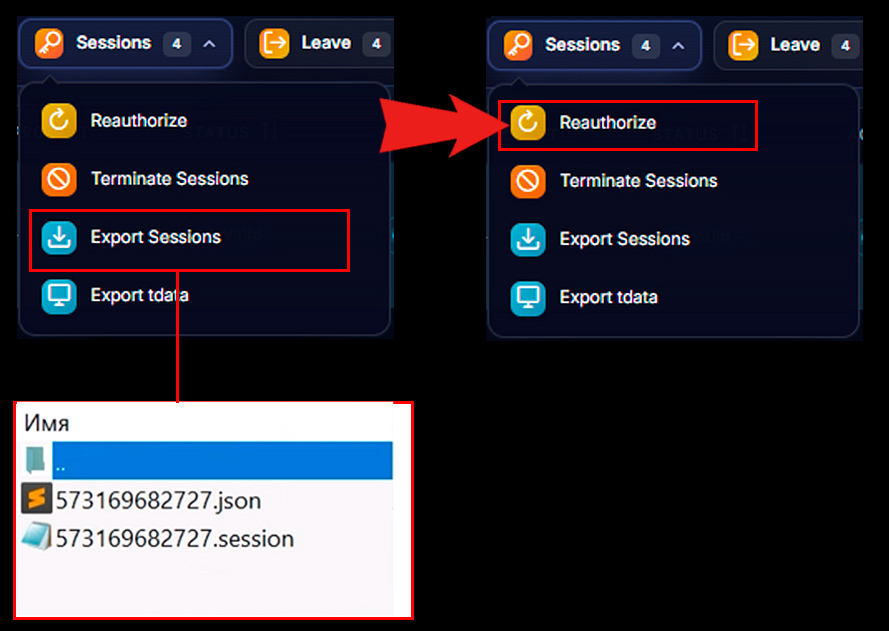
Usually, an account is sold as tdata or session+json. Many people think these are two different types of access. In fact, it is the same account; access is simply transferred in different formats.
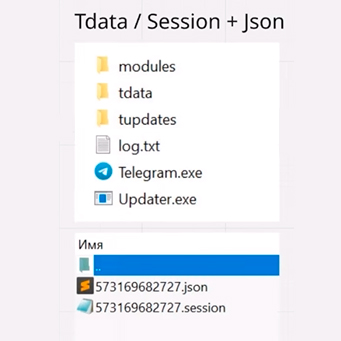
At the purchase stage, both we and the seller simultaneously have access to the same session. This is where the whole story begins and it becomes clear how Telegram is stolen through shared access.
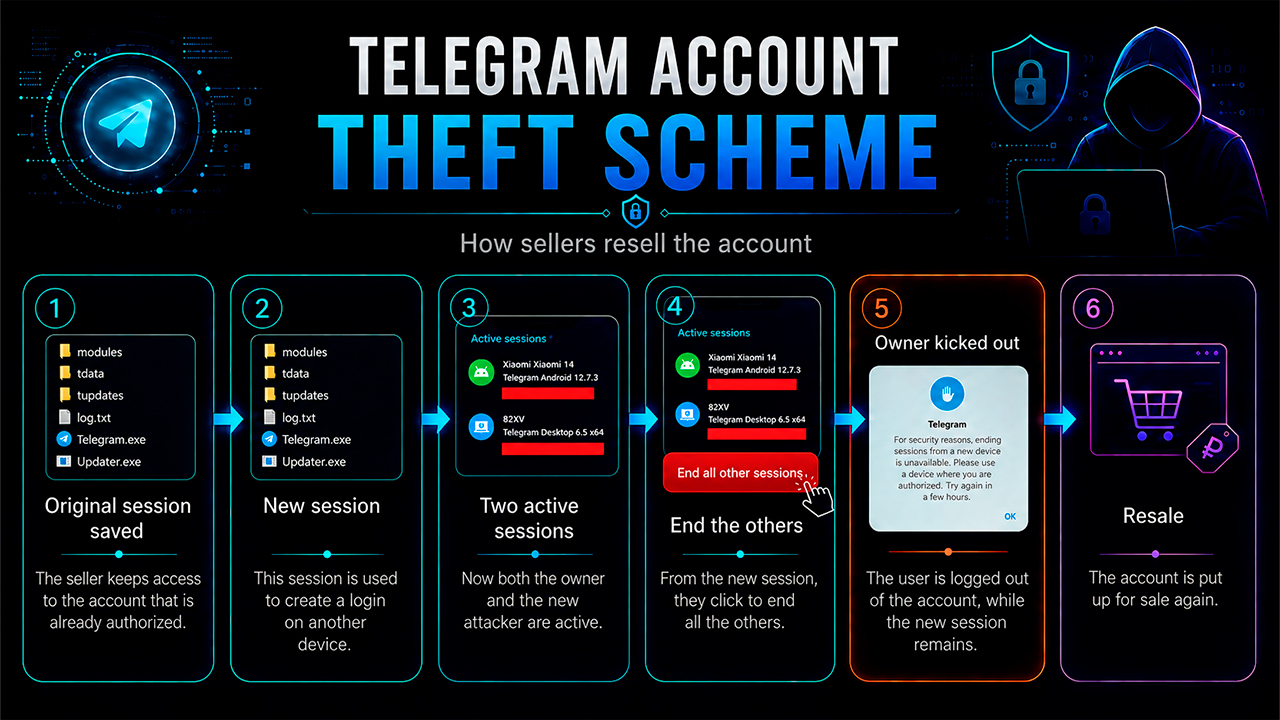
Then the seller does a very simple thing:
- takes the original session to which he still has access
- creates a new session from it on another device or in another environment
- gets two active sessions already
- from the new session, presses the button to terminate all other sessions
- knocks us out of the account
- keeps his new session and sells the account again
That is why accounts often get knocked out specifically on the third or fifth day. On the first day, you can still argue with the seller and try to get your money back. After a few days, proving anything is already much harder.
The key conclusion here is this: the problem is not only the number of sessions, but the presence of a shared session used by both us and the seller. That is why Telegram account protection should not start with chaotic actions, but with the proper break of old access.
Protection scheme: how to protect a Telegram account after purchase
When we talk about how to protect a Telegram account, we need to separate two threats:
- the account seller keeps shared access and later knocks us out of the session
- Telegram itself terminates sessions because of suspicious activity, login conflicts, or proxy problems
Because of this, the usual action like “well, we terminated all sessions, so everything is fine” does not work. Telegram account security is built in several steps:
- buy an account on one of the marketplaces, lzt, dark.shopping, or others
- import it into the working environment with a new proxy
- let the account settle on the new IP
- terminate all active sessions
- perform reauthorization
- after 24 hours, terminate all sessions once again to kill the old shared session
- enable two-step authentication
- if necessary, create a backup session as a backup against deauthorization
The scheme is not complicated, but it is critically important to follow the exact order. If you mix up the stages, you can leave the seller a loophole and fail to strengthen the Telegram account protection completely. Next, we will analyze this scheme in more detail using our GramGPT service as an example.
Setting up Telegram account protection in GramGPT
Now we move on to the practical and more detailed setup of the protection scheme. Next, we will break down each step separately and show how to properly protect a Telegram account after purchase. Earlier, we talked about how to choose a Telegram account for promotion.
1. Importing accounts into GramGPT and choosing a proxy
After purchase, you should not immediately rush to click things in bulk. First, the account needs to be imported into the working environment in any of the formats, tdata or session+json, and moved to the proxy on which it will continue to live.
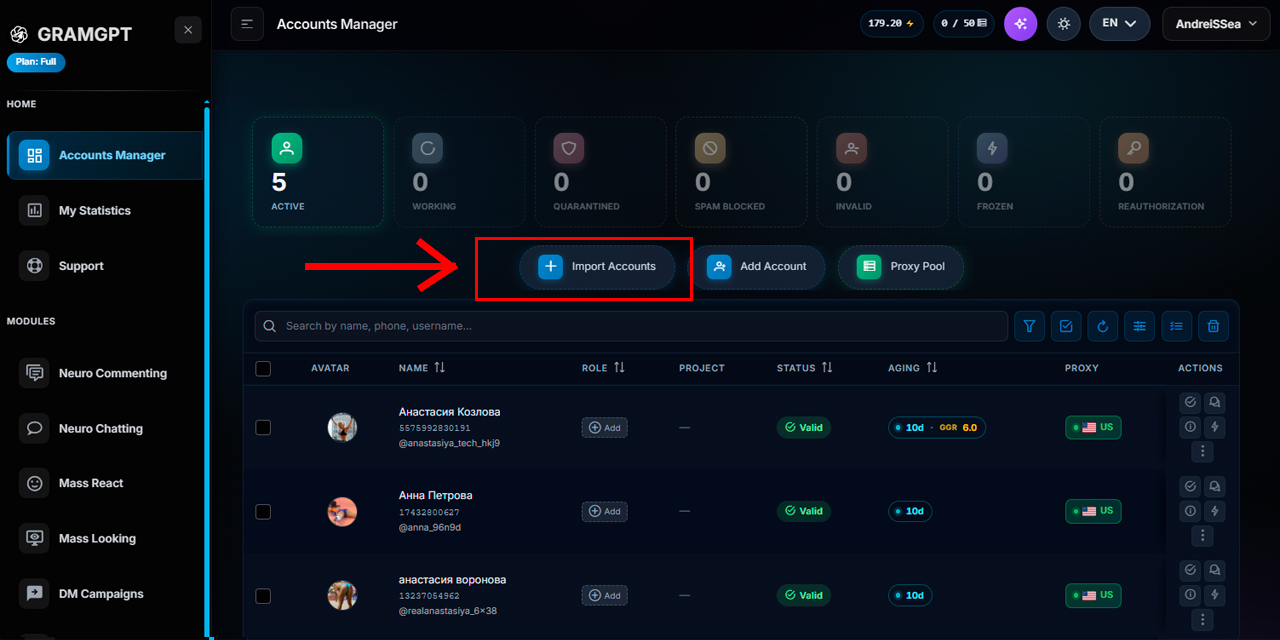
Then we let it settle for 2 to 24 hours on the new IP. This is needed so that the transition to the new infrastructure does not look too abrupt and suspicious.
If you work in GramGPT, the logic is the same. You imported the account, assigned a new proxy, and waited. If you use other software, the principle does not change.
Separately, it is worth understanding which proxy is better for Telegram in such a scheme. Usually, it is safer to use a stable individual proxy without frequent IP changes, because Telegram proxy security directly affects the risk of deauthorization. If the account constantly jumps between different IPs, TG protection against hacking and dropouts becomes weaker. Therefore, before using a proxy, it is better to check its stability and speed in our telegram proxy checker.
The mistake many people make is that they immediately start twisting actions with sessions. This is not always critical, but overall it is safer to first let the account calmly settle on the new IP.
2. Terminating active sessions in Telegram
After the settling period, you can move on to terminating active sessions.
If there are only a few accounts, you can do it manually through the security section and view active sessions in Telegram directly in the settings. If there are many accounts, it is better to work in batches, for example 15, 20, or 30 pieces at a time, rather than hundreds at once.
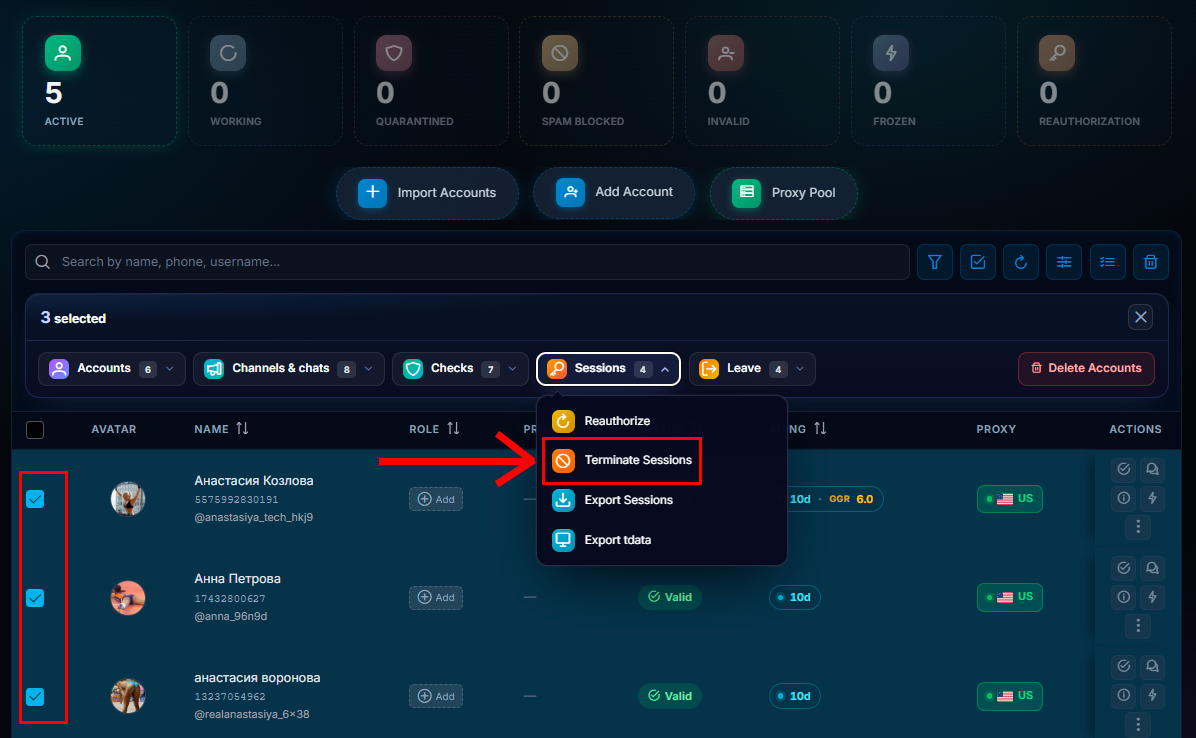
What happens at this moment:
- if the account had several active sessions, they are terminated
- only the current active session remains, the one we are in
At this stage, many people relax and think that the question of how to protect a Telegram account is already closed. But no. The protection is not yet complete here.
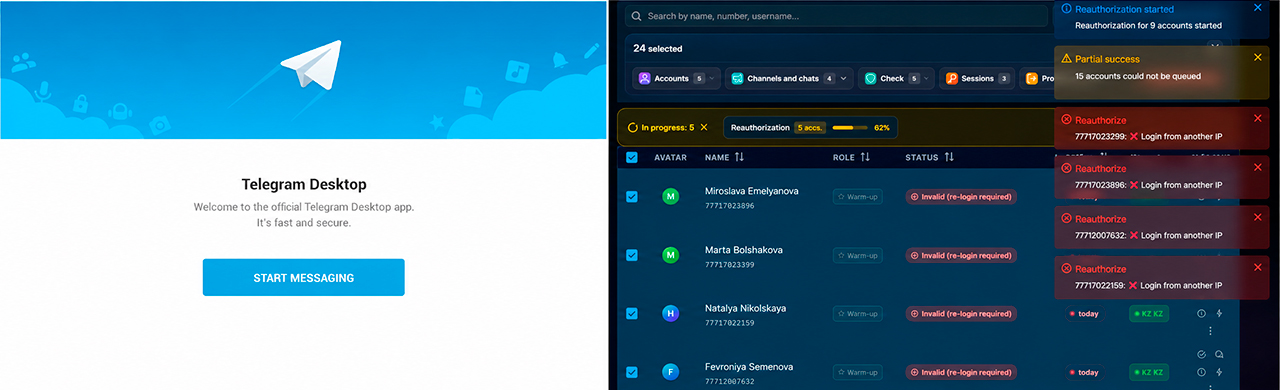
The problem is that the current active session may still be shared with the seller. We simply removed the extra sessions, but did not completely break the original connection. Therefore, it is important to understand not only how to terminate an active Telegram session, but also when you need to perform Telegram session termination again from the new session.
3. Reauthorizing the Telegram account
The next step is mandatory. After terminating sessions, we perform reauthorization.
The logic here is very important. Reauthorization creates a new session. But the old one does not disappear automatically. And this is where the most common mistake is hidden.
If the old session was shared with the seller, then after reauthorization we effectively have:
- the old shared session
- our new session
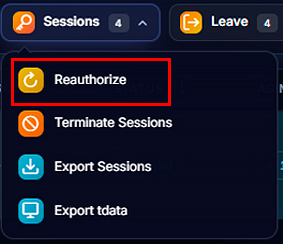
That is, reauthorization by itself does not remove the seller. It only creates a new entry point for us, from which we can already properly finish off the old shared session.
That is exactly why terminating sessions once is not enough. And that is exactly why reauthorization comes not instead of, but after terminating active sessions.
4. Terminating the shared account session
Now comes the most important moment of the whole scheme.
After reauthorization, we wait about 24 hours. Then we again press termination of all sessions, but now from our new session.
What this gives:
- the new session remains active
- the old shared session, potentially owned by the seller, is destroyed
After that, the seller will no longer be able to log back into the account without access to SMS. And in practice, such accounts were often registered to virtual numbers to which the seller no longer has stable access later.
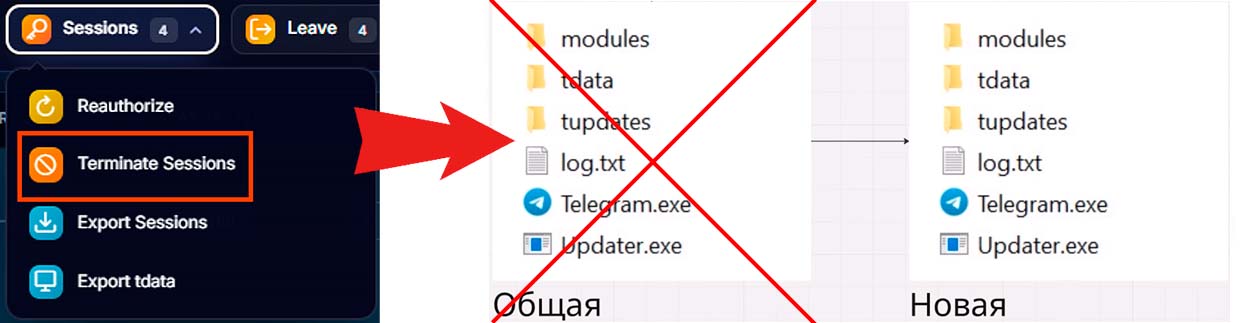
This exact stage truly closes the hole. To put it very simply, the scheme looks like this:
- removed extra sessions
- created our own new session
- destroyed the old shared session from the new session
That is, if we answer briefly how to terminate all sessions in Telegram correctly after purchase, it should be done not once on the old access, but again after reauthorization, when the new session has already become the main one.
5. Setting up two-step authentication in Telegram
Next, we will look at how to strengthen Telegram account protection. After the issue with the seller is closed, we add another level of protection. We enable two-step authentication. To do this, go to the Telegram account manager, select the accounts and select the “accounts” item, after which we go to the “Set 2FA” item.
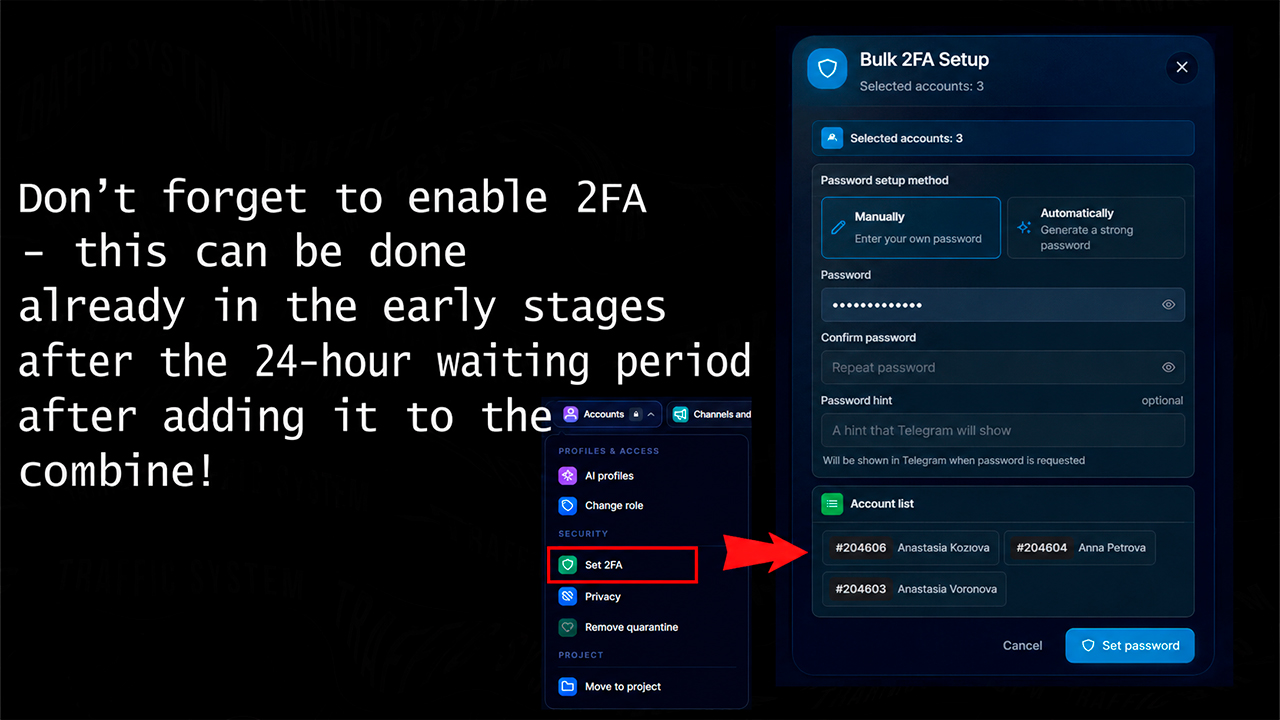
This is needed not only against the seller. There is another problem: the virtual number to which the account was registered may later go to another person. This happens. SMS services sometimes resell numbers repeatedly.
If the account has no 2FA, the new owner of the number could potentially try to get access. If two-step authentication is enabled, the number alone is no longer enough.
That is, here we are protecting ourselves not from the old shared session, but from the resale of the number itself. Therefore, 2FA in Telegram is a basic measure if you want to understand how to secure a Telegram account after purchase and how to keep a Telegram account when the number is resold.
If you need to understand how to enable 2FA in Telegram, the logic is simple: open the security settings, go to the cloud password, and set a login password. This two-factor Telegram protection does not cancel the work with sessions, but it greatly strengthens Telegram account security.