If you work with Telegram automation — managing multiple accounts, running bulk messaging, commenting, or mass reactions — you can’t do it without proxies.
Search queries like “proxies for telegram”, “which proxy for telegram”, “telegram proxy socks5”, or “ipv4 proxy telegram price” appear for a reason. The right choice affects:
-
account lifespan
-
ban frequency
-
performance speed
-
scalability potential
Let’s break down which Telegram proxies are suitable for different tasks.
Main Types of Proxies for Telegram
There are three main types of proxies used for Telegram:
-
Datacenter (Server)
-
Residential
-
Mobile (4G/5G)
Main Proxy Types for Telegram Account Automation
Below is a comparison of datacenter, residential, and mobile proxies: how they differ and how they behave in Telegram automation tasks (logins, warming up, comments, reactions, bulk messaging).
| Type | What It Is | Behavior in Telegram Automation | Pros | Cons |
|---|---|---|---|---|
| Datacenter DC / Hosting | IP addresses from data centers (hosting/server infrastructure). Usually fast and affordable, often sold in bulk. | Suitable for low-risk tasks and situations where “natural” IP origin is not critical. In Telegram, they may hit limits faster during aggressive actions (mass logins/spam patterns). |
|
|
| Residential | IPs assigned to home internet providers (looks like a real user connection). | Better for account warming, natural activity simulation, and long-term account stability if human-like pacing is maintained. |
|
|
| Mobile 4G/5G/LTE | IPs from mobile operators. Often shared among many users and frequently rotated. | Considered the most “natural” for high-risk actions. Works well for phone-like behavior, but requires careful IP/geo management. |
|
|
• Need scale and low cost → Datacenter proxies.
• Need stability and natural behavior → Residential proxies.
• Need maximum trust level → Mobile proxies.
It is important to understand that proxies are divided into rotating and static types, and this is where one of the key issues arises. Rotating proxies are proxies where the IP address changes periodically. When used incorrectly (frequent IP changes, lack of stickiness, or sudden IP jumps), this can lead to Telegram account deauthorization, as discussed in more detail in a separate article.
Therefore, even higher-quality mobile rotating proxies, when used for Telegram automation, may be less stable than static proxies with a fixed IP if session handling is not properly configured.
Datacenter Proxies for Telegram
Datacenter proxies (IPv4) are IP addresses provided by hosting infrastructure.
Common related searches:
-
telegram proxy server
-
ipv4 proxy telegram price
-
cheap telegram proxy
Best for:
-
large-scale account management
-
testing automation flows
-
moderate automation load
Pros:
-
low price
-
high speed
-
easy scaling
Cons:
-
lower trust score
-
higher restriction risk under aggressive actions
If budget matters, SOCKS5 IPv4 proxies for Telegram remain the most popular choice.
Residential Proxies for Telegram
Residential IPs appear as regular home internet connections.
They are chosen when it’s important to:
-
warm up accounts
-
simulate real user behavior
-
reduce ban risks
Pros:
-
more natural network type
-
better for long-term stability
Cons:
-
more expensive than datacenter
-
slightly slower performance
If you need to protect valuable accounts, residential Telegram proxies are a safer choice.
Mobile Proxies
Mobile 4G/5G proxies are considered the most “legitimate-looking”.
Best for:
-
new account warming
-
advanced automation scenarios
-
high-limit activity with lower risk
Cons:
-
high cost
-
unstable speed
-
requires careful geo management
Which Telegram Proxy Is Best for Automation?
-
For scale → Datacenter SOCKS5 IPv4
-
For safe warming → Residential
-
For maximum trust → Mobile
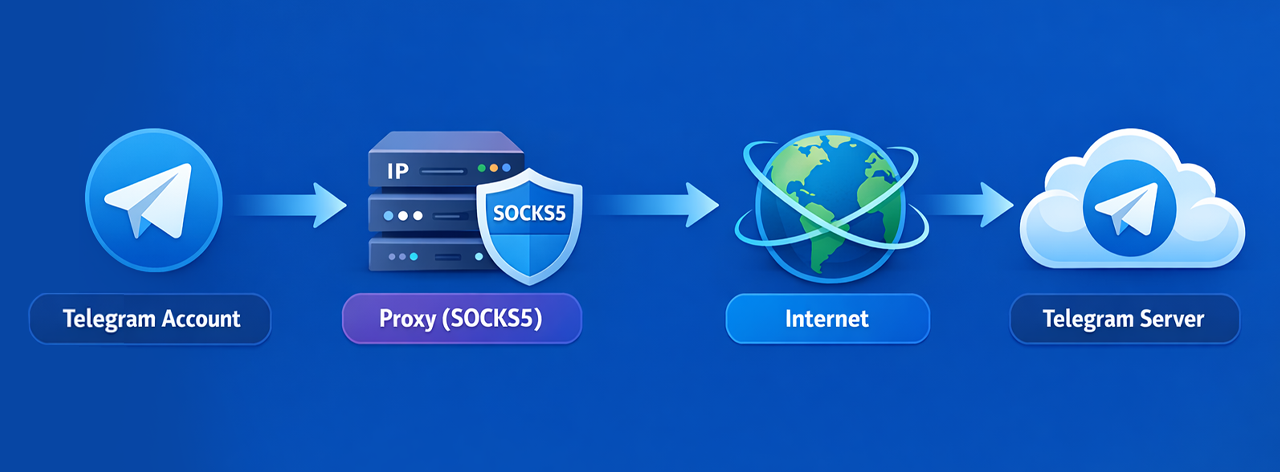
In 80% of cases, Telegram automation tools rely on SOCKS5 proxies.
Which Proxy Format Does Telegram Support?
-
SOCKS5
-
HTTP
-
IP:PORT
-
IP:PORT:LOGIN:PASSWORD
-
socks5://user:pass@ip:port
The most stable format for Telegram automation is SOCKS5.
How Much Does an IPv4 Telegram Proxy Cost?
-
Datacenter IPv4 — from $1–3 per IP
-
Residential — higher
-
Mobile — most expensive
This is why many users start with searches like “ipv4 proxy telegram price”.
How to Add a Proxy in GramGPT
If you use GramGPT for Telegram automation, you can connect a proxy when adding an account — or change it later.
1️⃣ Open Account Settings
Go to the “Proxy” section.
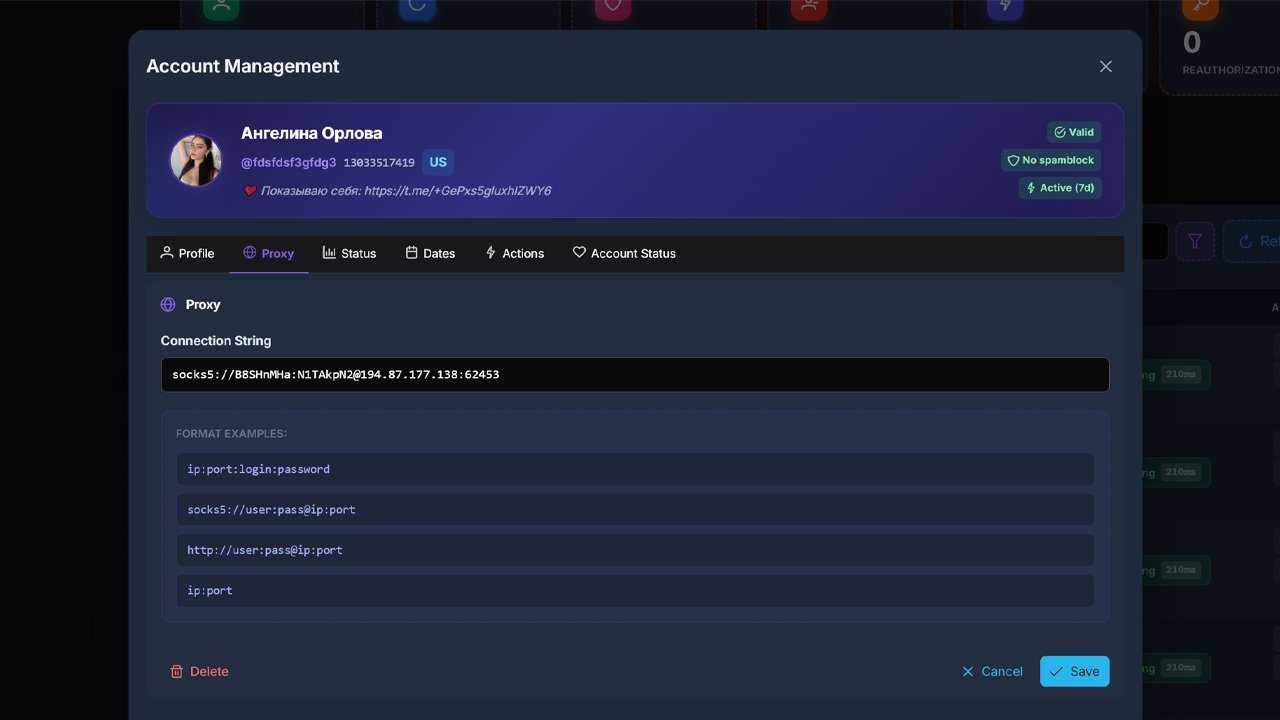
2️⃣ Insert Connection String
ip:port:login:passwordsocks5://user:pass@ip:porthttp://user:pass@ip:portip:port
3️⃣ Save Changes
Click “Save”.
Adding a Proxy Pool
The proxy pool in GramGPT allows automatic distribution of proxies across all your accounts sequentially or randomly in just two clicks.
-
paste a bulk proxy list
-
choose sequential or random rotation
-
validate all proxies
-
assign them to accounts
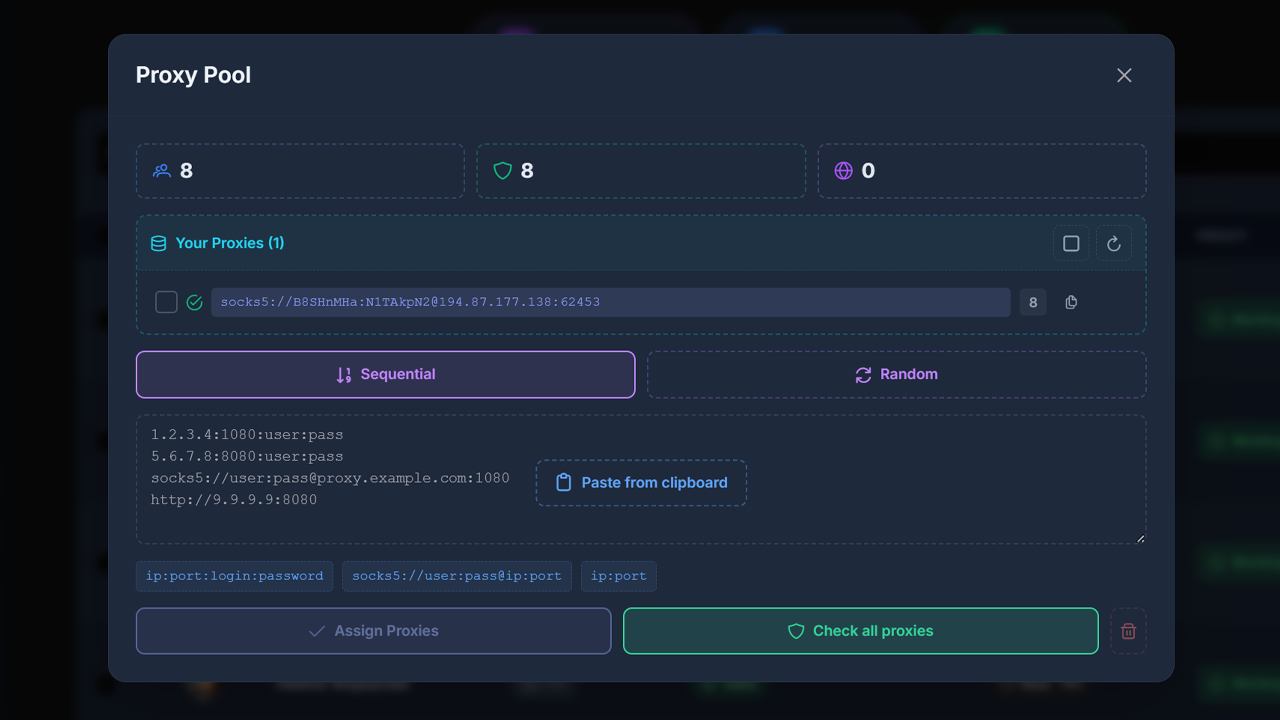
This is useful if you manage dozens or hundreds of accounts.
Conclusion
-
Need scale → Datacenter IPv4 SOCKS5
-
Need stability → Residential
-
Need maximum trust → Mobile
The key is not to reuse the same IP across dozens of accounts simultaneously.
If you automate with GramGPT, a properly configured proxy pool is the foundation of stable operation.