Telegram account deauthorization is a common issue when working with multiple accounts, especially when using proxies, third-party tools, or tdata sessions. In this guide, we’ll explain why Telegram logs out accounts, what causes session invalidation, and how to prevent Telegram account deauthorization.
What Is Telegram Account Deauthorization
Deauthorization occurs when Telegram terminates an active session, forcing you to log in again using SMS or a verification code.
Common signs of deauthorization:
- tdata opens with a login window
- purchased accounts требуют повторный вход
- account logs out during work
- software shows statuses like "not authorized" or "relogin required"
Using One Session from Multiple IP Addresses
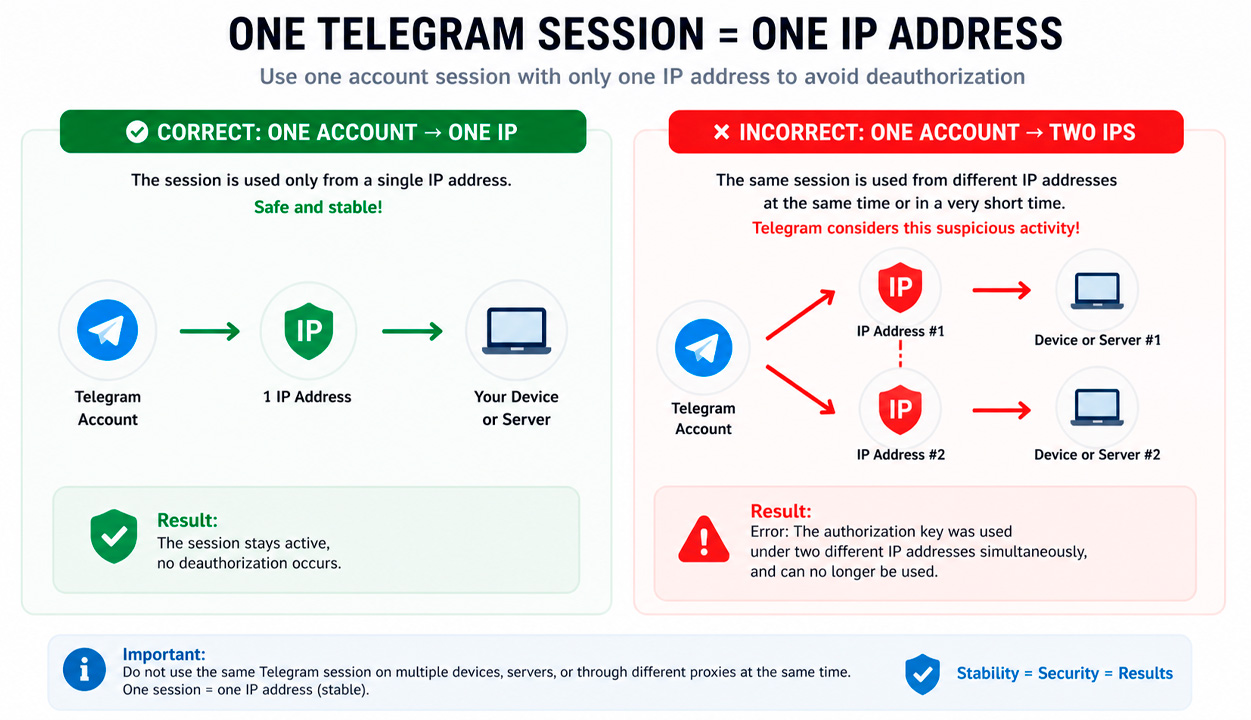
One of the most common reasons for Telegram account deauthorization is using the same session from multiple IP addresses at the same time. Telegram may detect this activity as unsafe and invalidate the session file.
In this case, the Telegram API returns the following error: The authorization key was used under two different IP addresses simultaneously, and can no longer be used.
This means that the same authorization key was used from two different IP addresses. For example, the account could have been opened simultaneously on different servers, in different applications, or through different proxies.
Important: one session should be used in only one place and preferably with one stable IP address.
Telegram Terminated All Sessions Due to Suspicious Activity
Another common reason is that Telegram itself terminates account authorization due to suspicious actions. In this case, the session becomes invalid, and the account requires re-login.
Possible error: The authorization has been invalidated, because of the user terminating all sessions.
In practice, this may occur not only after manually terminating all sessions, but also after actions that Telegram considers suspicious.
Why Telegram May Consider Activity Suspicious
The risk of deauthorization increases if, after logging in from a new IP address, you immediately perform active actions:
- editing the profile;
- joining channels and chats;
- sending messages;
- performing mass actions via software;
- working without prior account warm-up.
If the account has just been launched from a new IP, it is better not to start active work immediately. Sudden actions after an IP change often lead to account logout.
Issues with tdata and Incorrect Account Metadata
Another reason for deauthorization is low-quality tdata accounts. This is especially common if the accounts were purchased and previously created using auto-registration tools.
During registration or preparation of such accounts, incorrect device metadata may have been specified. For example, in the device_model parameter, there may be non-existent device models.
Examples of suspicious device_model values: IPQ2_-EXTREME, SZ-LSJRGW3-EXTREME, G2SBNI-PRO, 4AEL2RZPAG-ELITE, YP8UK-PREMIUM, UP9BKDS-ELITE, and so on.
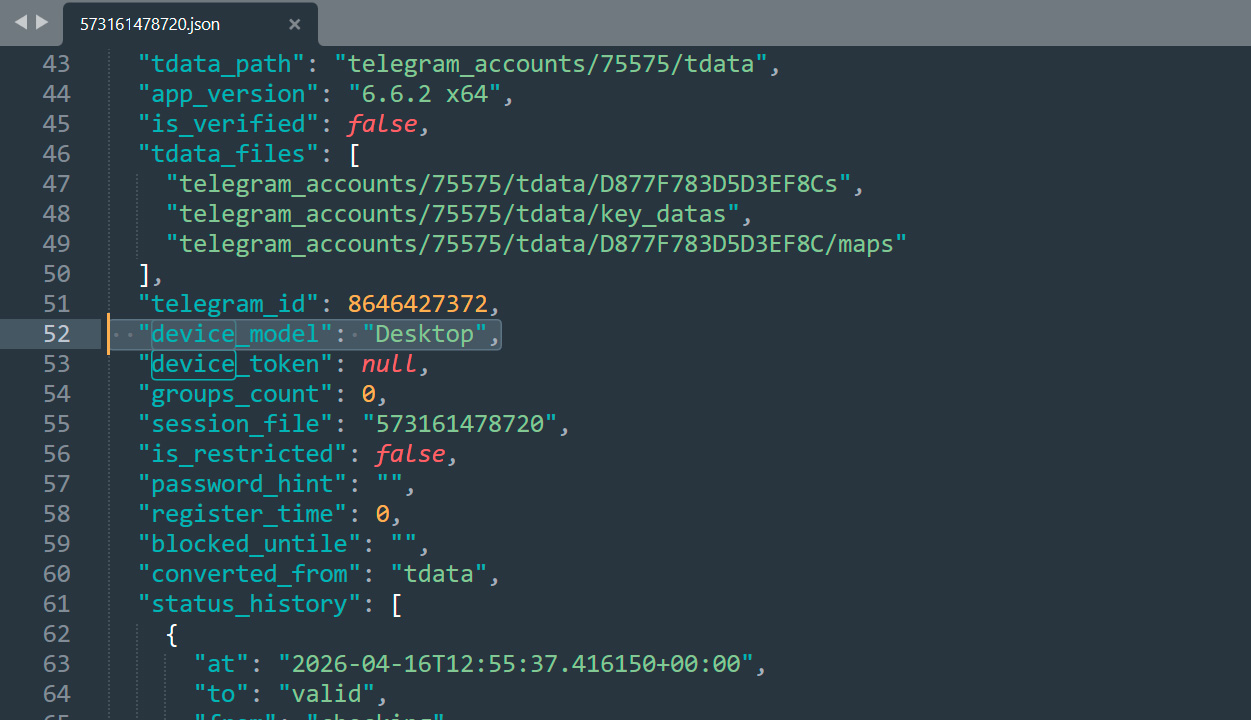
Such values look unnatural and may increase the risk of security checks from Telegram. If an account was initially created with incorrect parameters, it may be less stable during further use.
Using Rotating Proxies Without IP Stickiness
Another common reason for Telegram account deauthorization is working with rotating proxies without a fixed IP address. Such proxies automatically change the IP at certain intervals or with each new request. For more details on which proxies are needed for Telegram, read our separate article.
In practice, this can lead to a situation where the same Telegram session starts operating from different IP addresses. Even if this does not happen literally at the same time, for Telegram’s security system it looks like suspicious activity.
As a result, the following error may occur: The authorization key was used under two different IP addresses simultaneously
Main reasons why this happens:
- frequent IP changes during an active session;
- lack of IP stickiness (sticky session);
- parallel requests through different proxy nodes;
- unstable proxy provider performance;
- use of multi-threaded software.
This issue occurs especially often when using mobile or backconnect proxies, where the IP can change every few minutes.
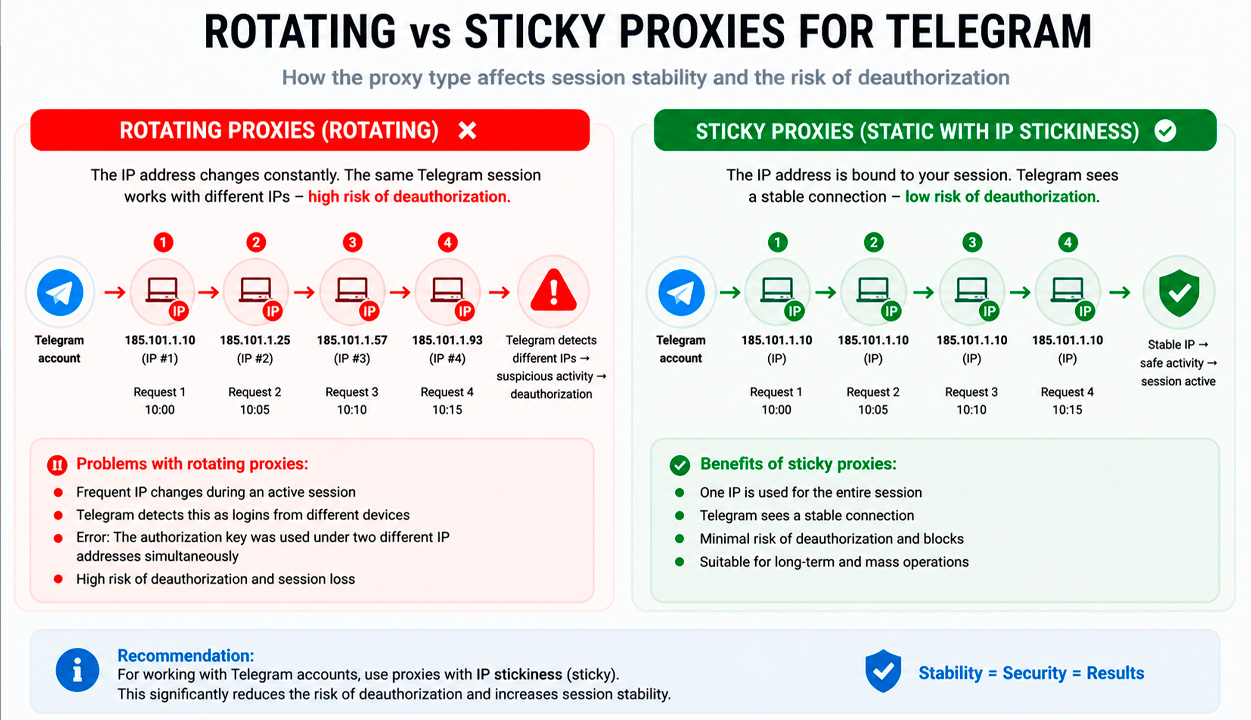
Important: Telegram does not allow one session to operate across multiple IPs. Even rapid IP switching can lead to logout.
How to reduce risk:
- use sticky proxies
- avoid IP changes during active sessions
- avoid parallel actions
- choose reliable proxy providers
- add delays after IP changes
How to Detect Telegram Account Deauthorization
The most obvious sign is when Telegram asks you to log in again when opening tdata.
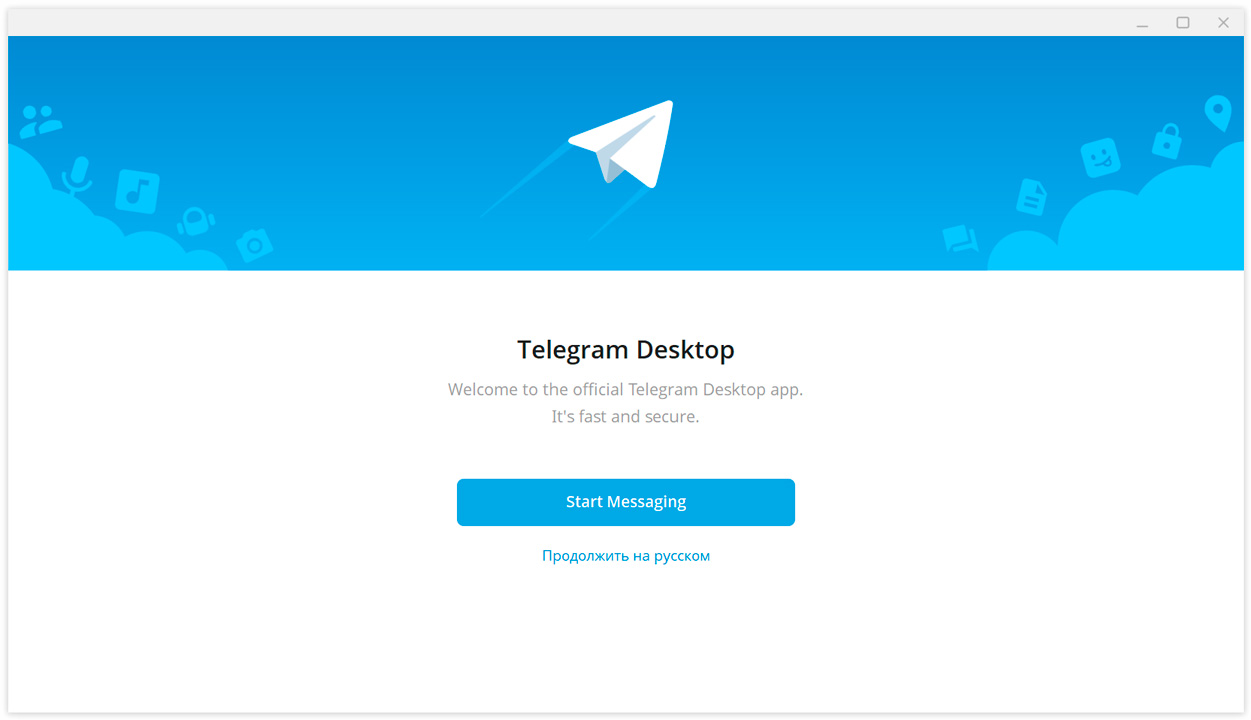
Another sign is when an account suddenly logs out during operation.
How Deauthorization Looks in Tools Like GramGPT
In Telegram automation tools like GramGPT, deauthorization appears as statuses such as:
- not authorized
- deauthorized
- relogin required
- invalid account
- login from another IP
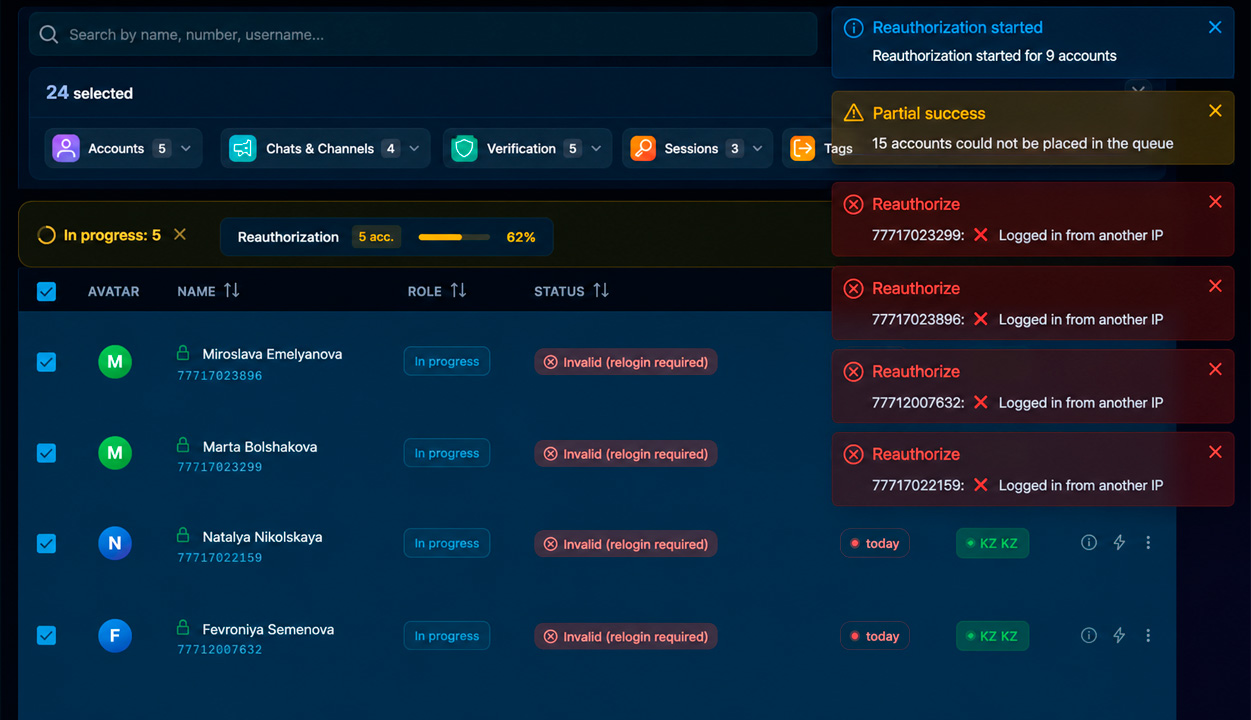
All these statuses indicate that the account has lost its active session and can no longer be used properly without reauthorization.
What to Do If a Telegram Account Was Deauthorized
If a Telegram account has been deauthorized, access can only be restored by logging in again. This requires access to the phone number, SMS, or another method of receiving the verification code.
If there is no access to SMS, it is usually impossible to restore the account.
Therefore, before purchasing or working with accounts at scale, it is important to understand in advance whether you have access to the phone number. Without it, any deauthorization may lead to a complete loss of the account.
How to Prevent Telegram Account Deauthorization
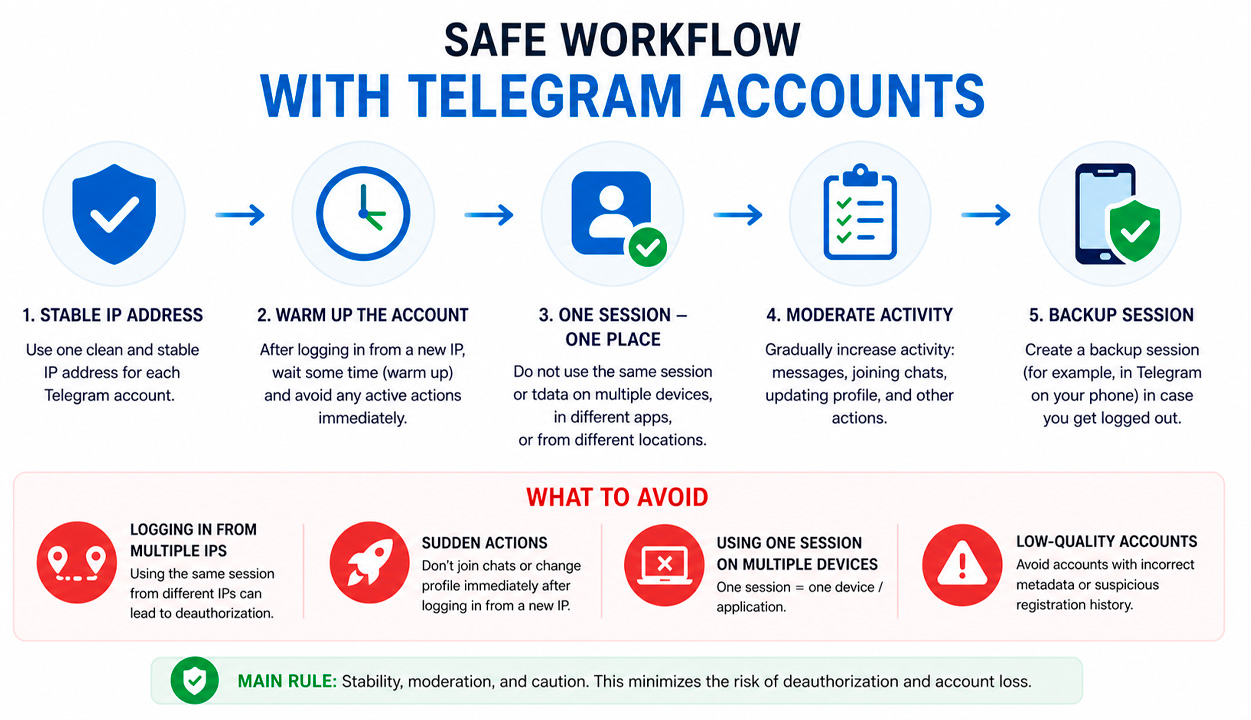
It is impossible to completely eliminate the risk of deauthorization, but it can be significantly reduced. To do this, it is important to follow safe account management practices.
Use a Stable IP
You should not run the same session from different IP addresses. It is especially risky if the account is opened simultaneously on multiple servers or in different applications.
Warm Up After Login
After logging in from a new IP, do not immediately edit the profile, join channels, or perform mass actions. It is better to give the account time to adapt to the new environment.
Do Not Use One tdata Session in Multiple Places
One tdata session should be used in only one working environment. If the same session is opened in multiple places, the risk of deauthorization increases significantly.
Check the Quality of Purchased Accounts
If accounts were purchased, it is important to pay attention to their quality. Suspicious metadata, unusual device_model values, and signs of mass auto-registration may indicate a higher risk of logout.
Create a Backup Session
In some cases, you can create a second session in advance, for example on a mobile device or in another tdata. If the main session is deauthorized, the backup session may sometimes remain active.
Conclusion
Telegram account deauthorization is usually caused by specific factors such as multiple IP usage, proxy issues, suspicious activity, lack of warm-up, or poor-quality accounts.
By following best practices, you can significantly reduce the risk and maintain stable account performance.