A paid Telegram channel looks like an easy model: collect great content, set a price, watch subscriptions roll in. Real launches go differently. A handful of visitors open the invite, half of them leave before paying, and someone has already posted your secret URL in a public group.
The reason is simple: the feed itself is only the shop window. Money comes from the whole chain around it, from where a visitor arrives to what they see first, how they pay and how they get in. When one link in that chain breaks, even strong content sells poorly.
This guide covers how to lock down a channel, set up join approvals, charge with Stars, Tribute or an assistant that issues access automatically. Then we walk through a complete 2026 funnel from the 18+ niche: AI model profiles, mass reactions, a bait channel, the main channel and the paid club.
What a paid Telegram channel is
A private channel has no public @username, so it never appears in Telegram search. Readers can only join through an invite like t.me/+code, which means you decide who sees the content. A paid Telegram channel is simply a closed one with a payment step in front of the door.
| Feature | Public channel | Private channel | Paid channel |
|---|---|---|---|
| Telegram search | Yes | No | No |
| How people join | By @username | Invite or approval | After payment |
| Main goal | Reach and ads | Community, exclusives | Subscription revenue |
| Who controls access | Nobody | Admins | Billing tools |
In other words, every setup starts with privacy, and then payment is added on top.
How to join a private Telegram channel
You cannot find a private channel through search, since Telegram never lists it. However, there are only three ways in:
- An invite. A t.me/+code address opens the join screen or a request form.
- A join request. If the admin has approvals on, you get in once your request is reviewed.
- A payment. For a paid Telegram channel, access comes after Stars are charged, from a subscription service or from a bot.
There is no way to view a private channel without an invite. So services promising to open someone else's club usually steal accounts or money. If an invite stops working, it has expired or hit its member limit, and you need a fresh one from the admin.
How to create a private Telegram channel
Telegram makes new channels private by default, so the setup takes a minute:
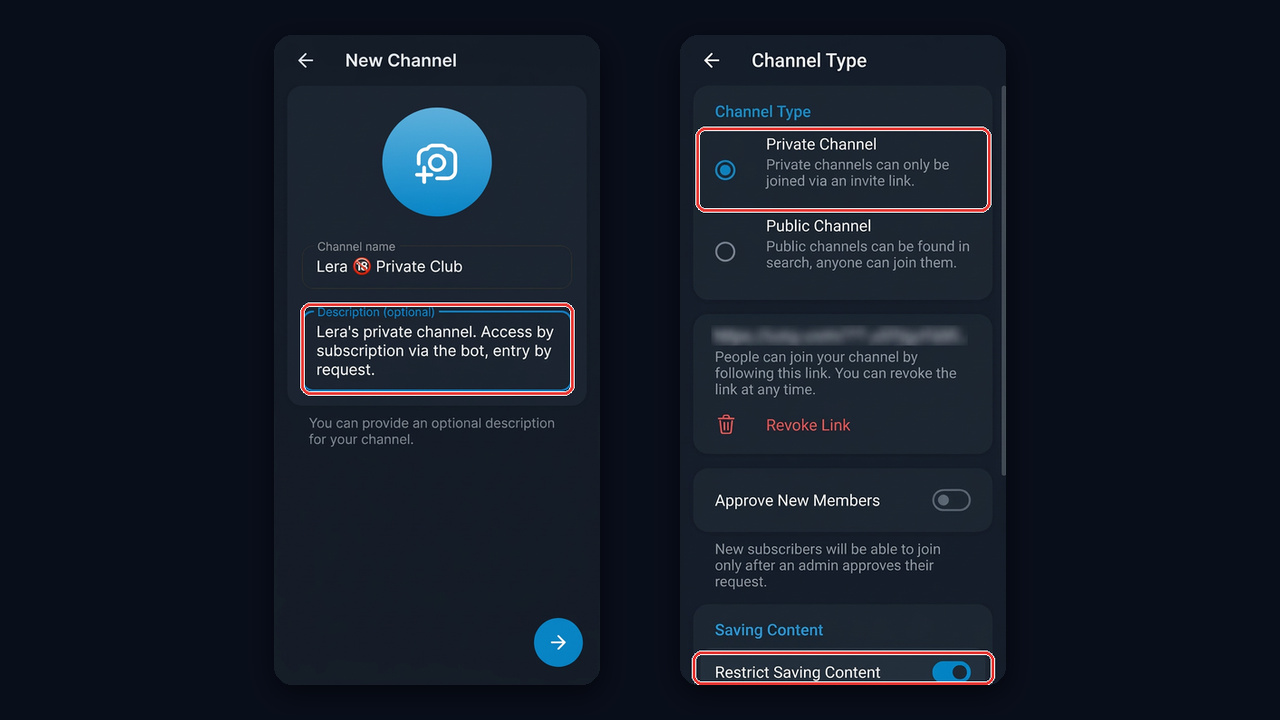
- First, tap the pencil icon in your chat list and choose New Channel.
- Add a name, description and photo. Use the description to explain what subscribers pay for.
- Then skip the step that asks you to add members.
- Open Edit → Channel Type and check that Private Channel is selected.
- Turn on Restrict Saving Content so members cannot forward or download posts.
If you are converting a public one, switch the type. Members stay, but then the old @username is released and anyone can grab it. Also keep in mind that saving restrictions do not stop screenshots, so watermark your most valuable content as well.
Invite links and join requests for a paid Telegram channel
First, under Invite Links you can create as many extra links as you need, each with a name, an expiry date and a member limit. For example, a separate link per traffic source shows what actually brings visitors in, while a one-person limit stops buyers from reselling access.
The key option here is Approve New Members. Instead of joining instantly, a visitor sends a request that an admin or an automated helper approves. That gives you three wins:
- Control. You see everyone who applies and can filter out bots and competitors.
- A touchpoint before entry. While the request is pending, an assistant can greet the person, show prices and offer a trial.
- Fewer unsubscribes. In practice, it pays to hold applications for at least a day instead of approving them instantly. Those who waited value the access more, so more of them stay than with instant entry.
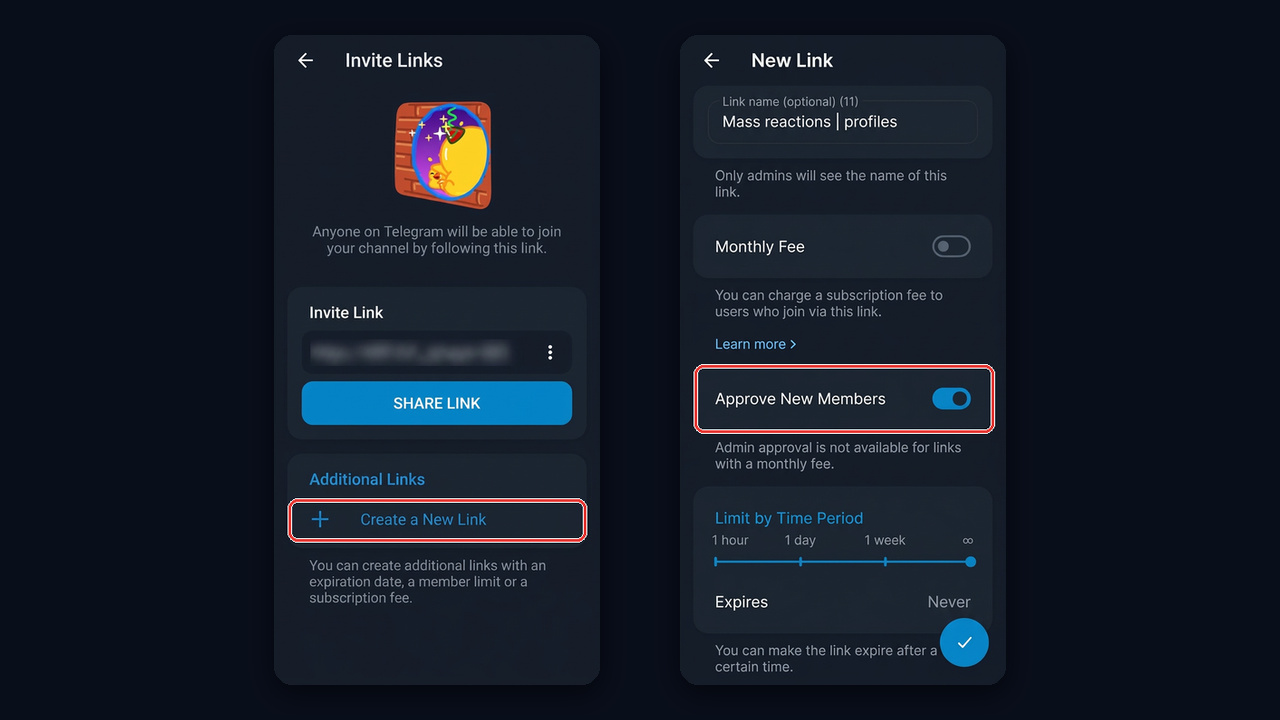
Note one platform limit: admin approval is not available on links with a monthly fee. So approvals usually go on the free preview feed or the checkout entry, while Stars billing lives on a separate URL.
Three ways to monetize a paid Telegram channel
You can charge for access with built-in Stars, a subscription service or your own checkout script. But first, here is how they compare:
| Method | How subscribers pay | Pros | Cons |
|---|---|---|---|
| Stars subscription | In-app currency | No third parties, renewals and removals are automatic | No manual approval, payouts via Fragment at a lower rate |
| Tribute | Card or Stars | Card payments, trials, promo codes, reminders | Service fee, identity check for payouts |
| Your own bot | Any connected payment method | Full control of the funnel and follow-ups | Needs a developer or a bot builder |
Stars subscriptions
This is the fastest way to start charging. Go to Invite Links → Create a New Link, switch on Monthly Fee and enter the number of Stars per month. The app shows the dollar estimate right away: 500 come to about $7.
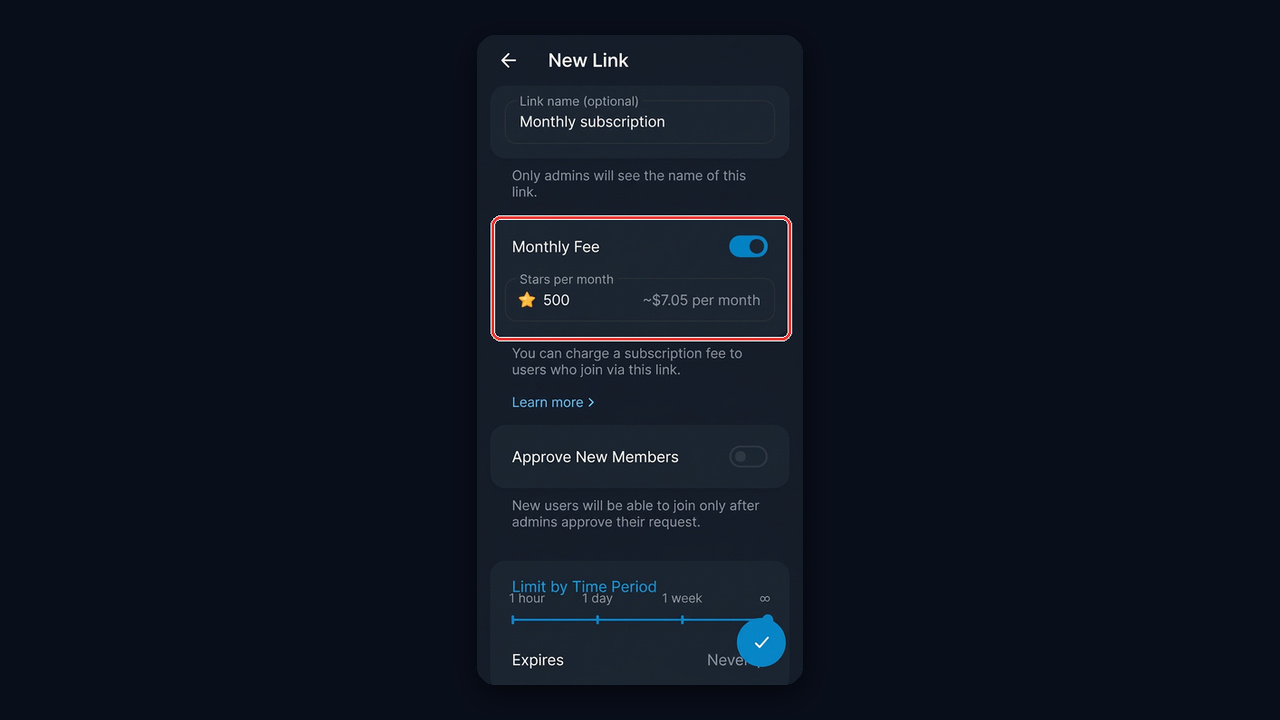
Then the platform handles billing, charging once a month and removing those who do not renew. You withdraw earnings through Fragment, but the payout rate is below the purchase price, so build that gap into your pricing. Our guide to Telegram Stars explains buying and withdrawing in detail.
Tribute
Tribute is a bot for paid subscriptions, donations and digital products, basically a ready checkout. You add it as an admin, set the price and period, and subscribers pay by card or in-app currency. It reminds people to renew, retries failed charges for several days and then removes the member. According to the service itself, the fee is about 10% per payment with no monthly charge.
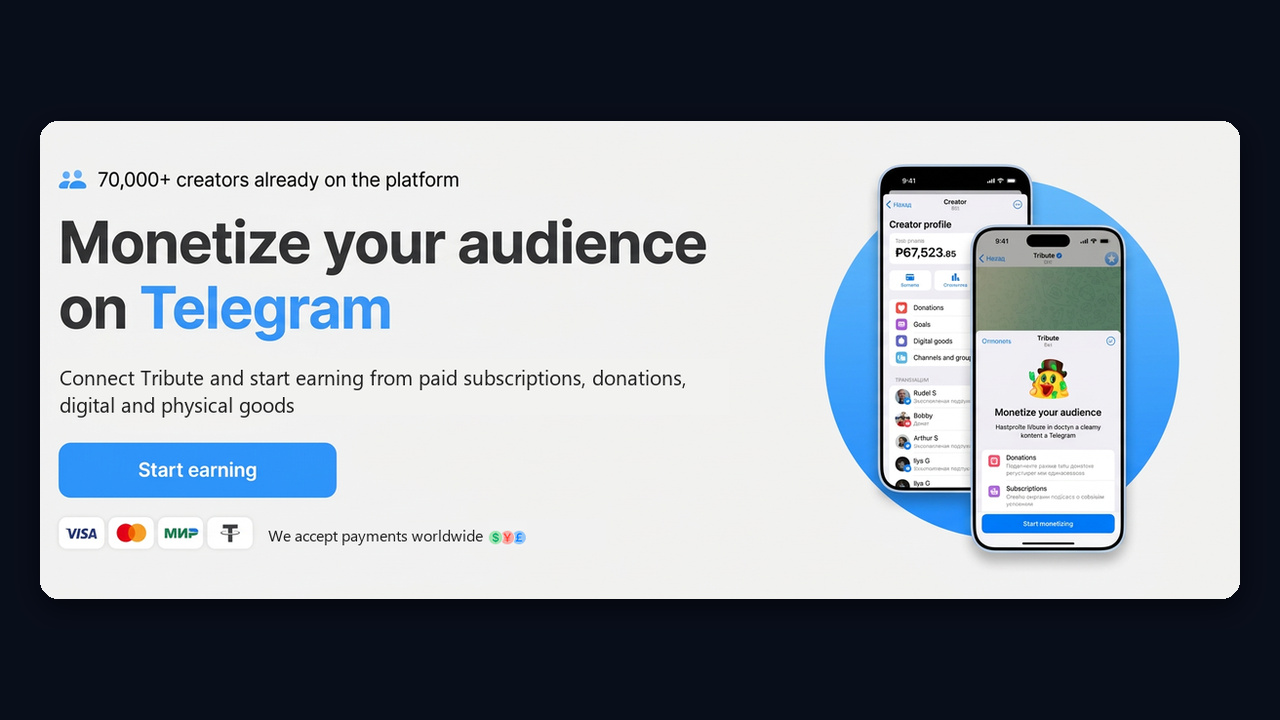
Tribute also supports trials, promo codes and first-month discounts. Payouts to a card need owner verification, so set that up before launch.
A bot that grants access automatically
In niches with steady traffic, such as 18+, sales usually run through your own bot. A visitor taps a button in the main channel, it shows plans, takes the payment and instantly sends a personal one-use invite. With approvals on, it also lets paying users in and reminds everyone else about prices.
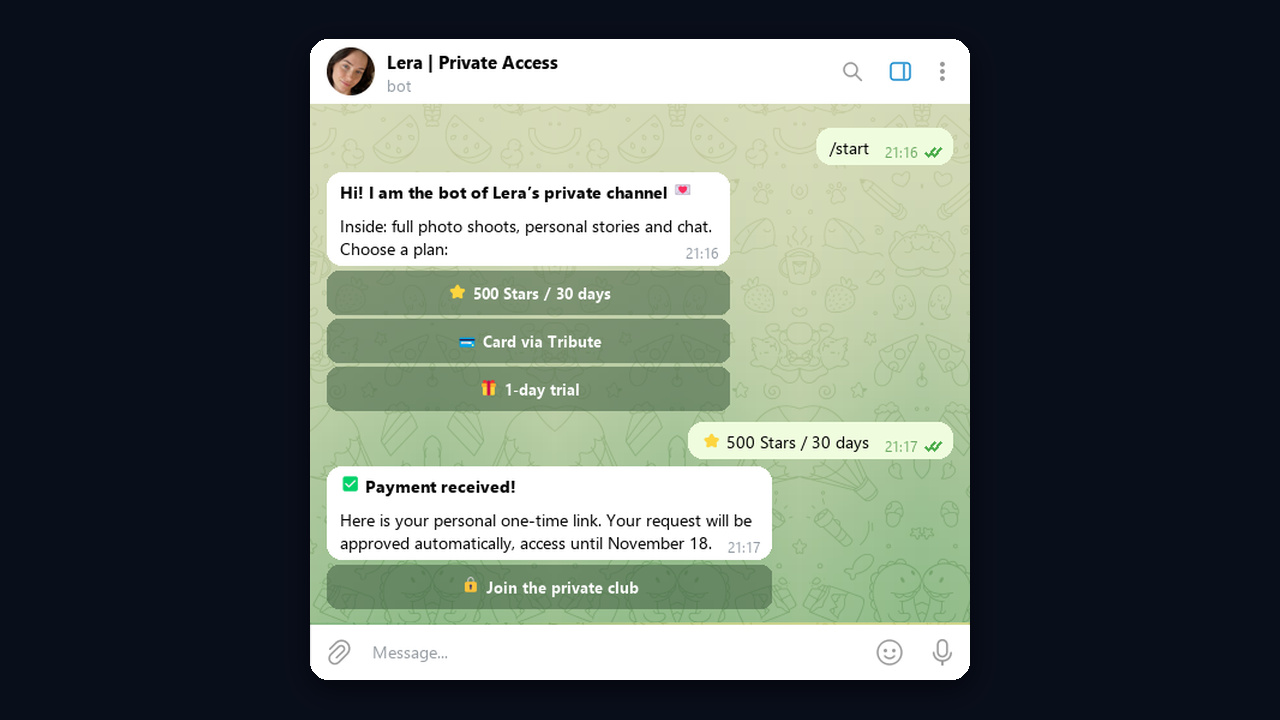
One assistant can also combine checkouts: Stars for those who pay in-app, Tribute for card payments. As a result, it never sleeps, never misses an applicant at night and grants access in seconds.
Pricing a paid Telegram channel: trials and retention
Many creators start at $7–15 a month, while 18+ and expert niches charge more. However, regular posting keeps subscribers better than a low price, so plan at least a month of content before launch.
- A 1–3 day trial via a time-limited invite removes the fear of paying.
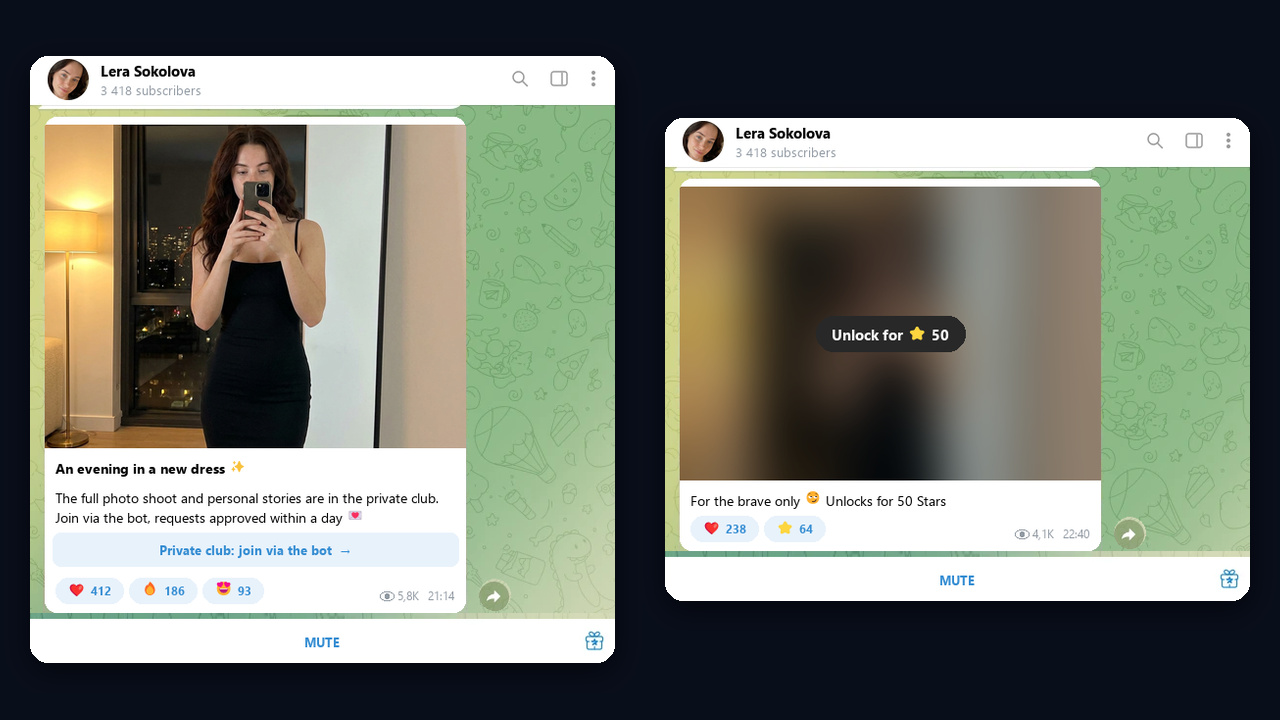
- Paid posts for Stars in the free feed show a blurred preview and sell single pieces to readers not ready for a subscription.
- A pinned guide inside explains what comes out and when, so you get fewer questions in DMs.
- A loyalty bonus in month three reduces churn.
The 18+ funnel: AI profiles, bait channel, main channel, paid club
Next, let's see how a paid Telegram channel is sold in the 18+ niche with AI models. The flow has five steps: an AI model's reaction, a bait channel pinned in her profile, the main channel, a checkout bot, and the club itself.

The AI model's profile
The profile is the first thing visitors notice, so it should look real: a first and last name, a natural photo without ad text, a short bio and a pinned personal channel. Every profile of one model must share the same face, otherwise trust disappears. We covered building such personas in the guide to an AI girl farm.
The bait channel
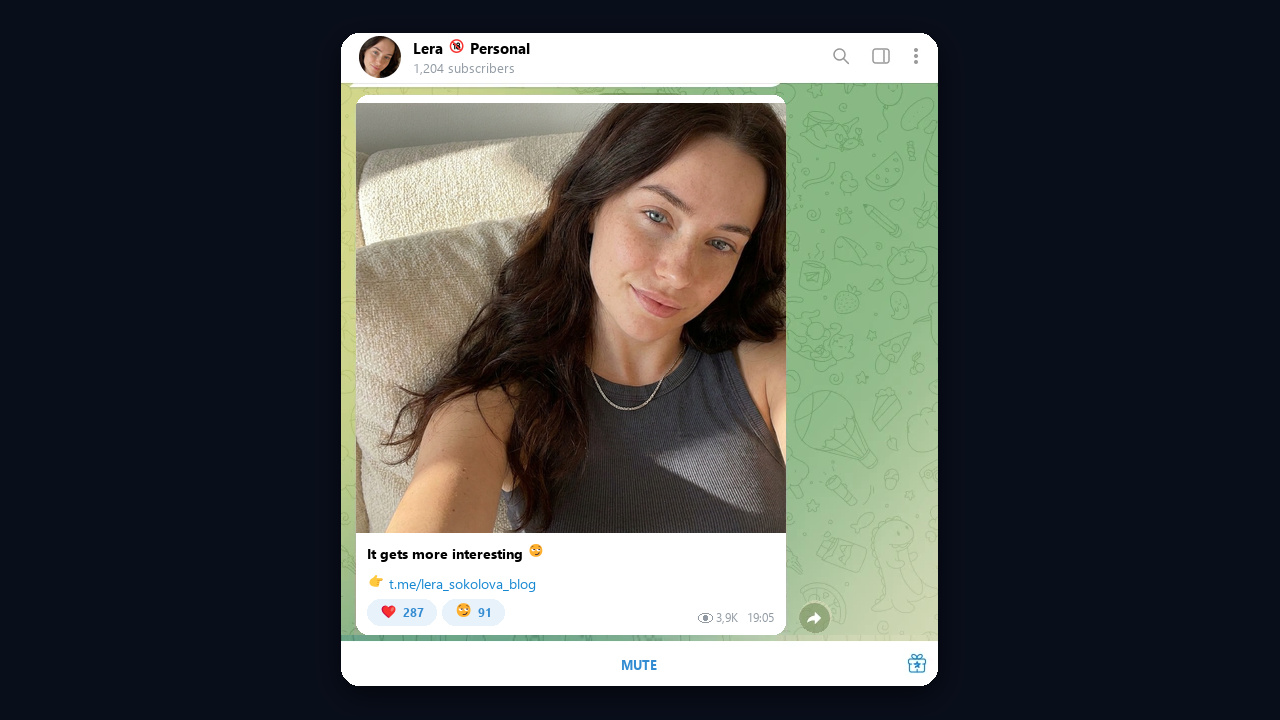
The bait channel is a small private channel pinned in the profile. At the same time, it holds almost nothing: one teaser photo of the model, a caption like "It gets more interesting 😏" and a link to the main channel. Its job is not to sell but to move a curious visitor one step further within seconds, so nothing explicit lives here.
The main channel
In the main channel, the model runs an ordinary blog: photos, short stories and polls. In addition, paid Stars posts with blurred previews appear from time to time, and every post carries a call to join the paid club via the bot. Entry here should go through approvals after a day: the bot gets time to warm the person up, and fewer subscribers leave.
Keep explicit material behind the paywall only. Telegram restricts public pages with such content, and many users never notice it at all. Moreover, check the laws of your country and label AI content wherever platforms require it. More promotion ideas are in our guide to promoting an 18+ channel.
How to drive traffic to a paid Telegram channel with GramGPT.io mass reactions
A closed club never shows up in search, so traffic has to come from outside. In the 18+ niche, mass reactions work best: AI model accounts react to messages in niche chats and channels. The person gets a notification, sees a reaction from an attractive profile, opens it out of curiosity and finds the pinned feed.
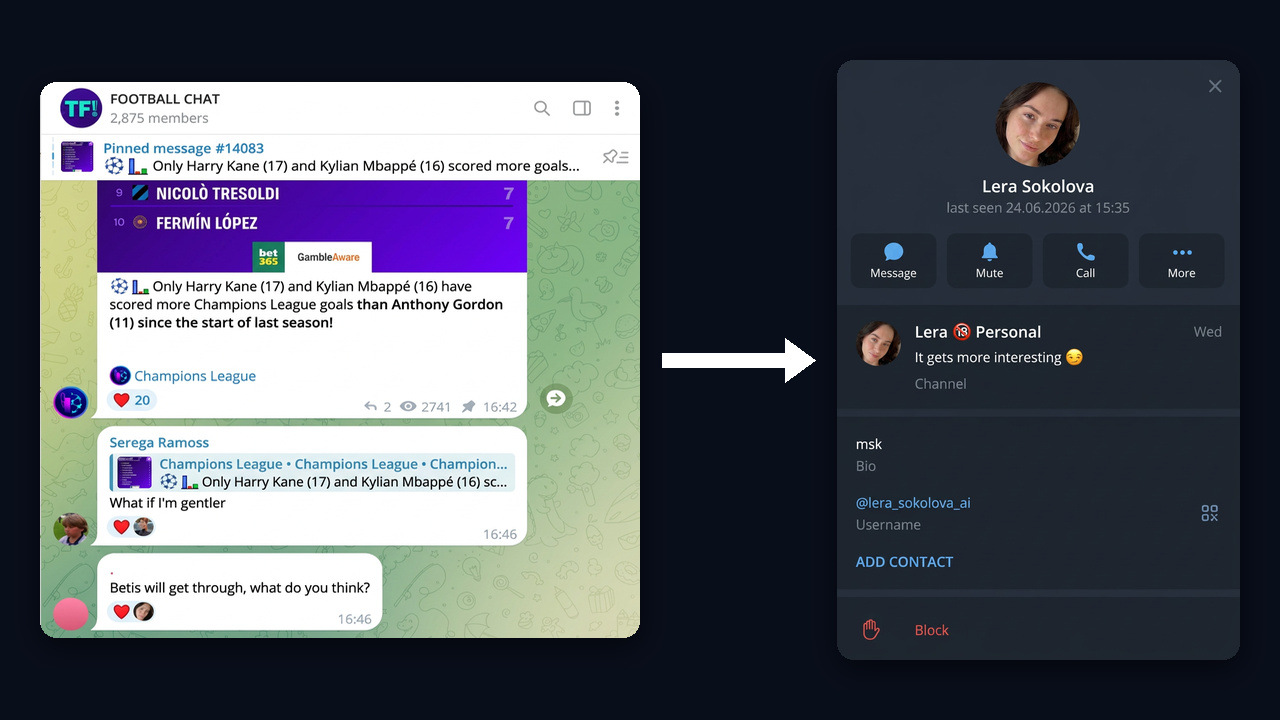
The setup in GramGPT.io takes a few steps:
- Prepare the accounts. Import them into the account manager and style the profiles in bulk: name, photo, bio, personal channel.
- Warm them up. Fresh accounts without history get restricted quickly, so start with auto warm-up first.
- Find the venues. The chat parser collects men's, car, gaming and other chats with a live audience.
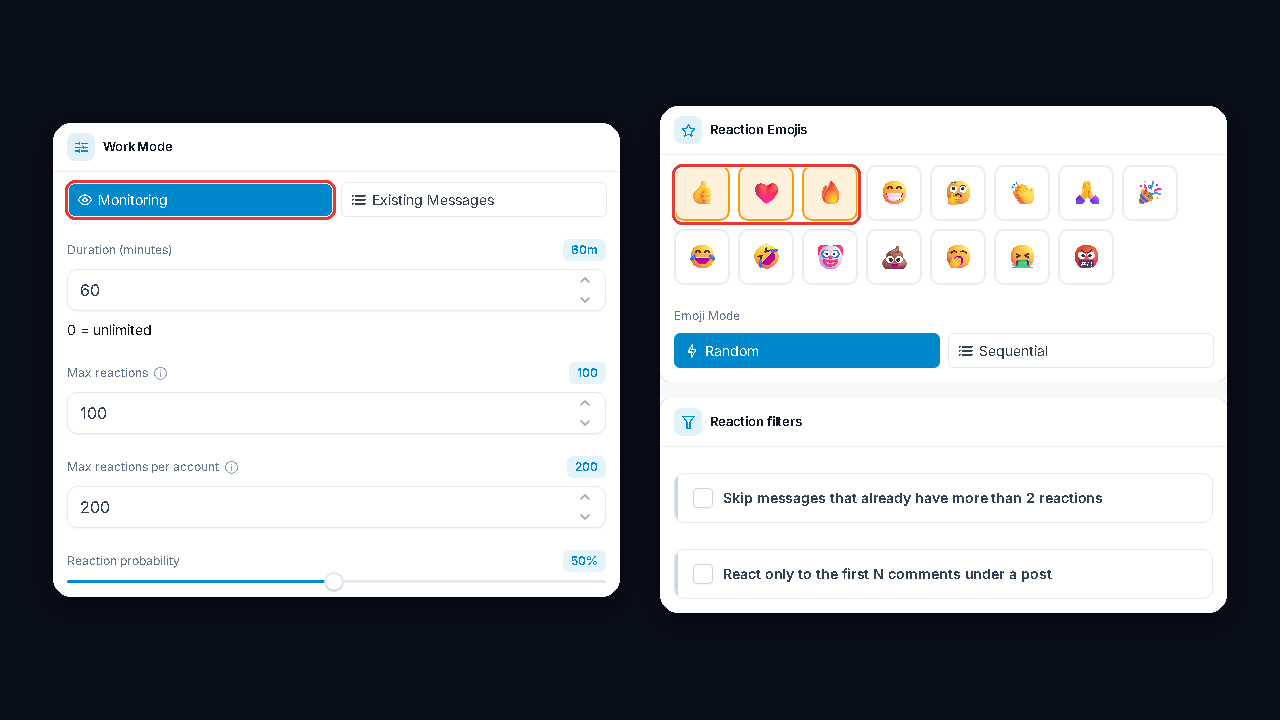
- Launch mass reactions. Choose chats, a set of emoji and delays, and the module spreads actions across accounts.