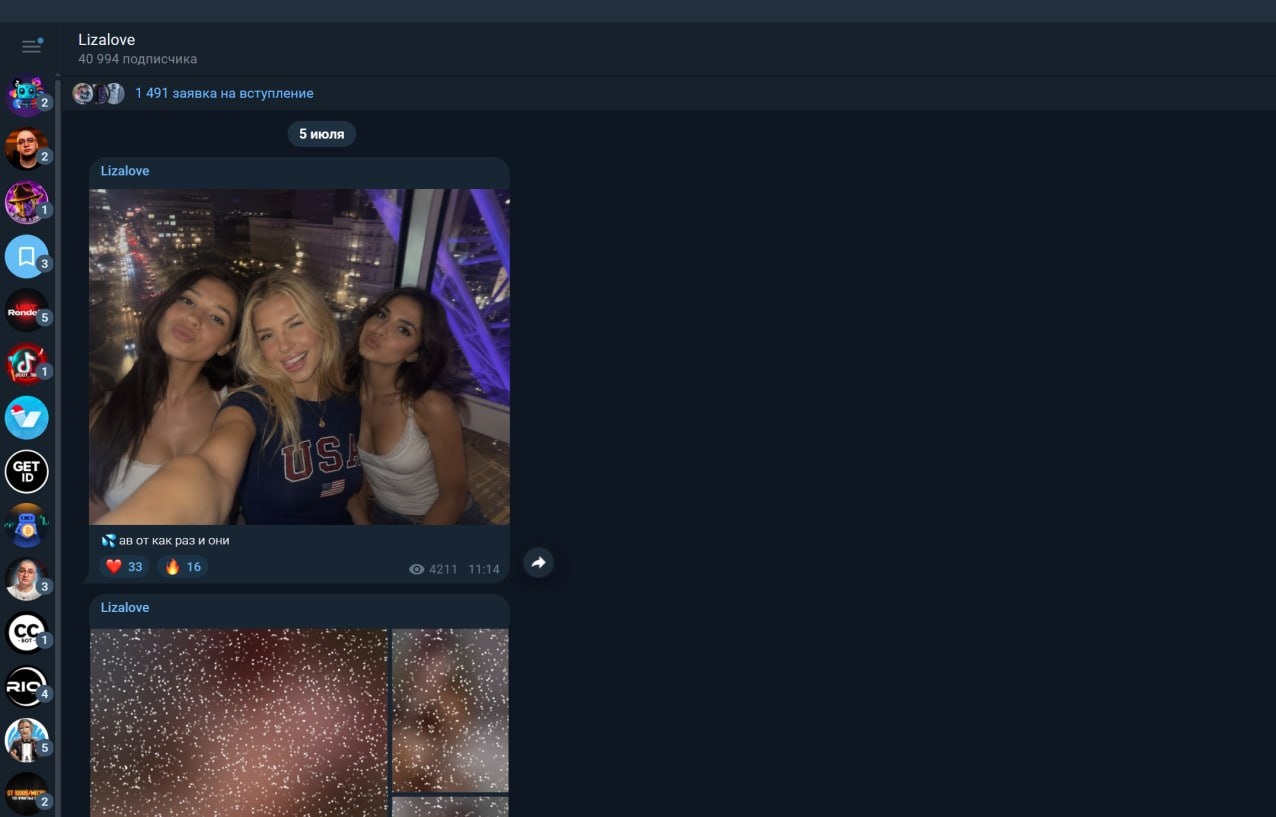
Creating a virtual model and generating several beautiful images for her is relatively easy. The main question comes later: how to make money on AI OFM in Telegram, where to get traffic regularly, and how to convert the audience into subscriptions and purchases. Essentially, this is making money on Telegram, built on content, promotion, and monetization. Without a filled Telegram channel, a content reserve, and a configured funnel, separate generations do not turn into a full-fledged project.
Before launching promotion, it is important to combine all elements into a single system and determine in advance how monetization will work. In an AI OFM project, each stage performs its own task: the AI model creates a recognizable image, the content attracts attention, the Telegram channel introduces the audience to the character, and Fanvue converts user interest into subscriptions and purchases of individual materials. This is how making money with AI models is built and how it becomes clearer how to make money with an AI model through a single funnel.

In this article, we will go through the entire process step by step: creating a unique AI girl, preparing photos and training LoRA, generating photo and video content, as well as setting up a Telegram channel and a Fanvue profile. We will separately examine promotion, ways to attract an audience through Neurocommenting and Neurochatting in GramGPT.io, and the setup of automated conversations for handling incoming messages.
How an AI OFM farm of AI girls works
In the original setup, an AI OFM farm combines several important areas: content generation, a Telegram channel, a paid profile, neurocommenting, neurochatting, and automated dialogues. All stages are built into a single funnel: first, an AI model and materials for her are created, then an audience is attracted, after which users move on to subscribing and purchasing individual materials.
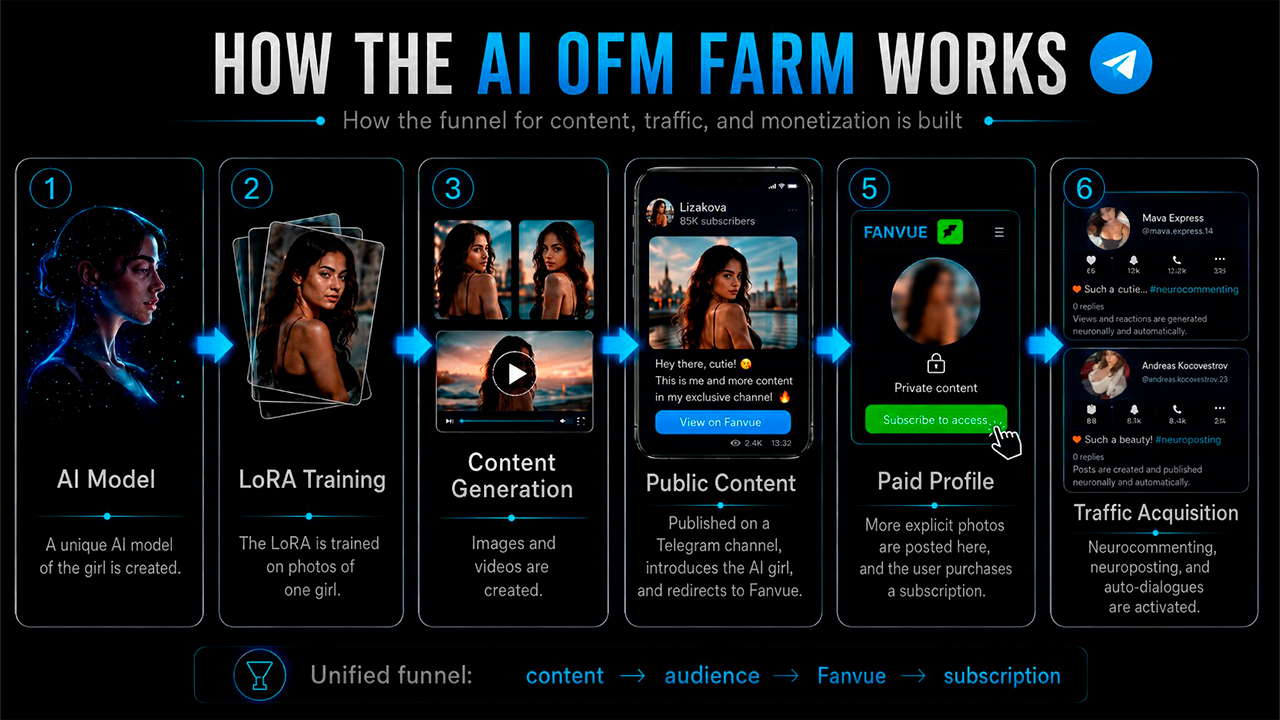
The setup works as follows:
- create a unique AI model;
- train LoRA on photos of one girl;
- generate images and videos;
- publish open content in a Telegram channel;
- place more provocative materials on Fanvue;
- attract users through Telegram accounts;
- connect neurocommenting, neurochatting, and automated dialogues.
The main task is to make the same model recognizable across all publications and then build a funnel around her using Telegram and a paid platform. To make money from a Telegram channel with AI OFM, content, promotion, and monetization must work as a single system, converting the attracted audience into subscriptions and purchases.
How to make an AI girl and create an AI model
Creating AI models begins with a consistent character face. One base portrait is used as the main reference for subsequent photos and videos, so at this stage it is important to obtain an image that will be repeated in all generations. This is how an AI model with a recognizable appearance is formed.
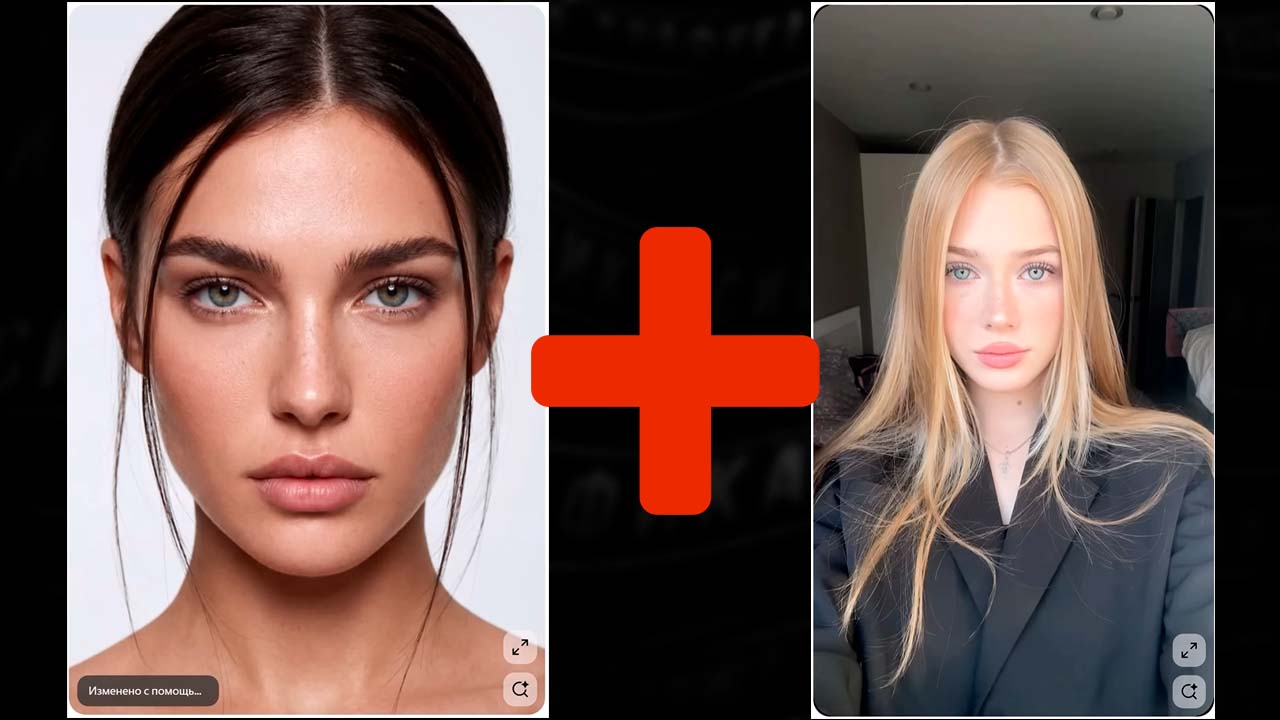
To generate an AI girl with a new appearance, we first collect references. Someone else's face cannot be used directly because of copyright, so a new portrait needs to be created. On Pinterest, you can find two photos of girls with a suitable appearance: type girl face in the search and select them, then upload them to WaveSpeed.
In the service search, find the BDE Cdream V4 Edit model, add the first and second face, insert the prompt, and click Run.
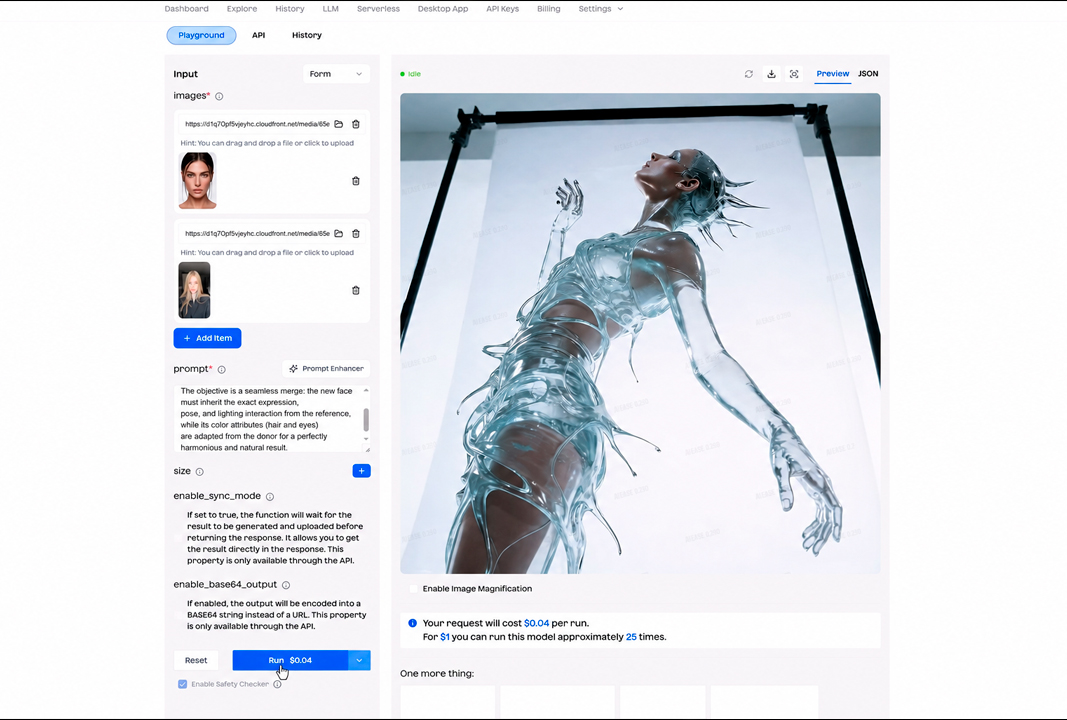
Prompt for combining faces:
Integrate a face into an existing scene.
Substitute the face in the reference image with the face from the donor image.
The objective is a seamless merge: the new face must inherit the exact expression, pose, and lighting interaction from the reference, while its color attributes (hair and eyes) are adapted from the donor for a perfectly harmonious and natural result.
The neural network blends the features of the two photos, resulting in a new model portrait.
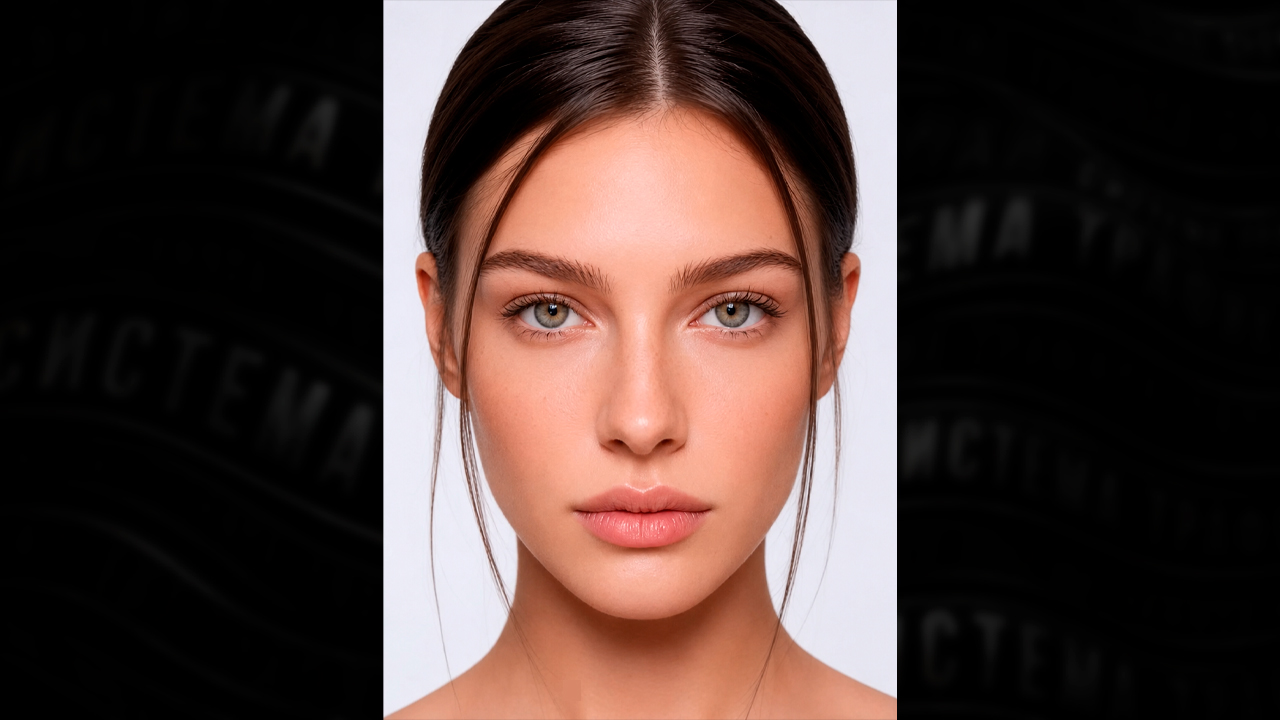
Recommendation: it is better to choose faces with a distinctive feature—expressive facial expressions, unusual traits, or simply a less generic appearance. Such a character looks more alive and is remembered by the audience more quickly. Save the resulting portrait as the main reference for the future AI model, on the basis of which the entire visual package will then be assembled.
Preparing 30 photos for LoRA training
AI generation of girl photos for LoRA training begins with collecting images of one model from different angles. One image is not enough: LoRA must see the girl with different facial expressions, body positions, and distances from the camera. Therefore, close-ups, waist-up shots, and full-body photos will be needed.
For the future set, we select references in which the girl is turned sideways, looks over her shoulder, smiles, fixes her hair, holds her hand near her face, stands full-length in front of the camera, or takes a mirror selfie. You do not need to focus on the girl's appearance in these shots: the pose, head turn, hand position, composition, and overall image format are more important.
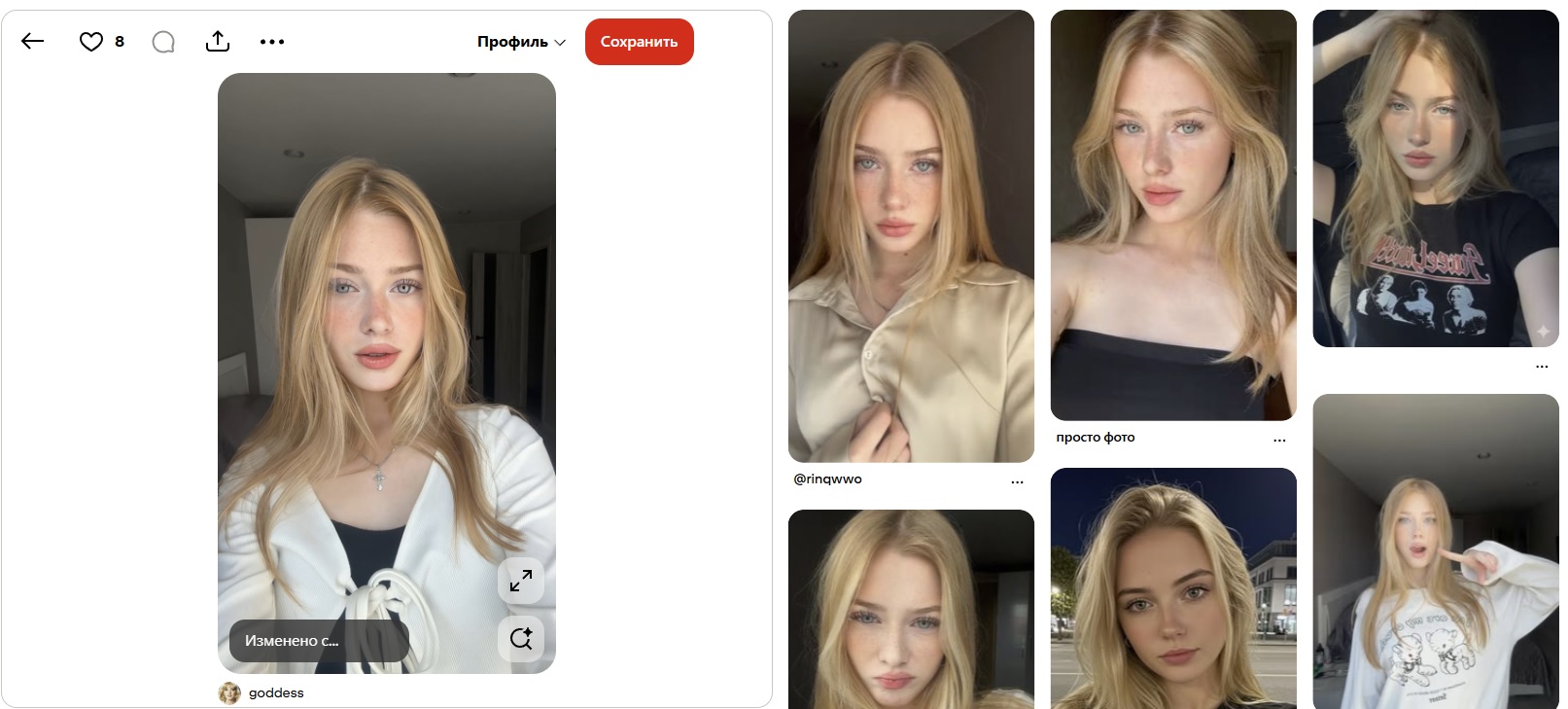
You can search for such photos on Pinterest, stock photo sites, and other platforms. Suitable queries include girl photo, girl selfie, girl profile, full body girl, girl with hand in hair, mirror selfie girl and standing girl.
For each new angle, take a suitable photo, upload it to ChatGPT, and ask it to create a detailed description of the shot: body position, facial expression, head turn, clothing, lighting, background, hand position, and other composition details.
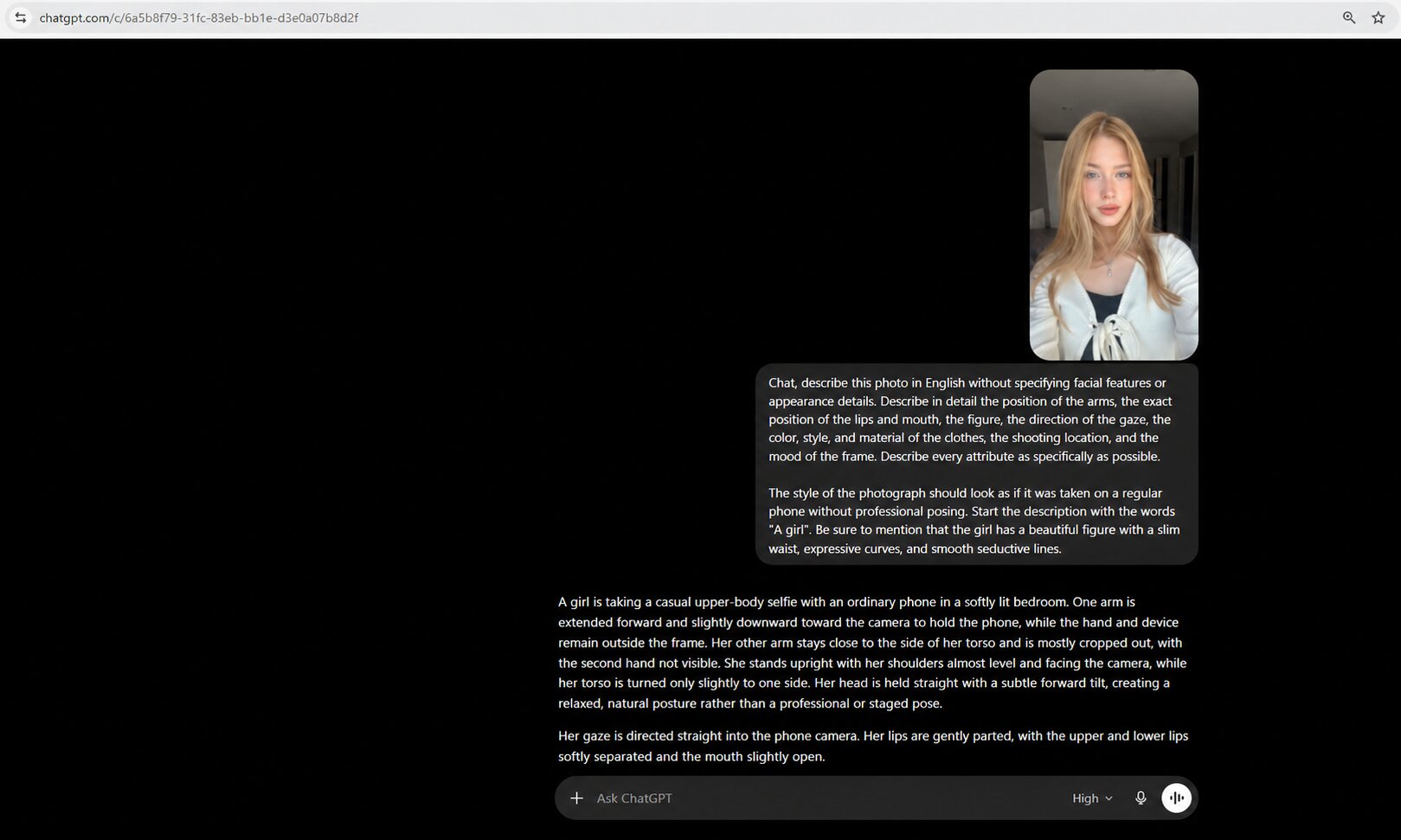
Prompt for describing the reference:
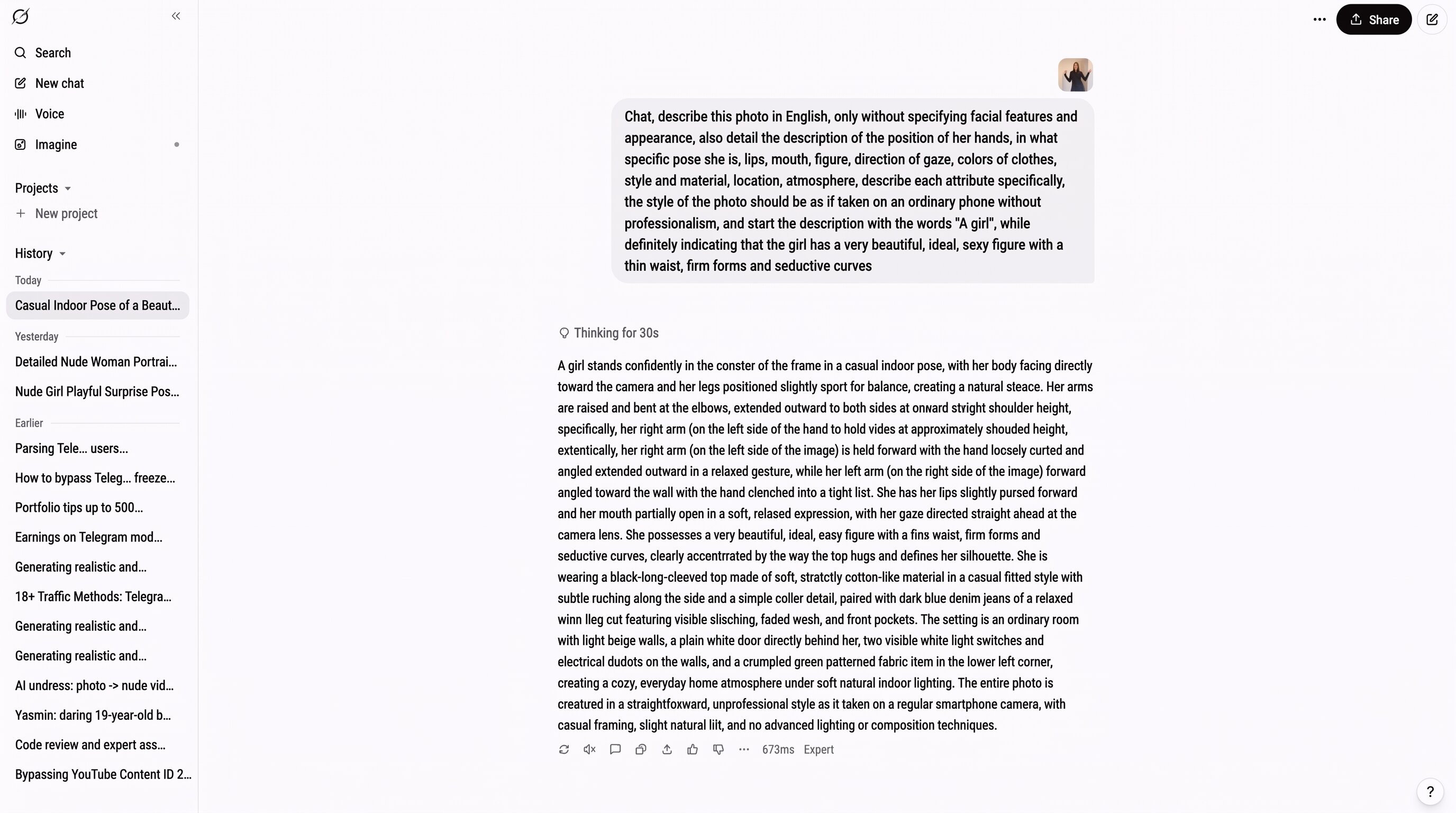
Chat, describe this photo in English without specifying facial features or appearance characteristics. Describe in detail the position of the hands, the exact pose, the position of the lips and mouth, the figure, the direction of the gaze, the color, style, and material of the clothing, the shooting location, and the atmosphere of the shot. Describe each attribute as specifically as possible.
The photo style should look as if it was taken on an ordinary phone without professional staging. Begin the description with the words “A girl.” Be sure to indicate that the girl has a beautiful figure with a slim waist, expressive curves, and smooth contours.
Use the finished prompt in Nano Banana or another generation service. Upload the main portrait, insert the description, and select:
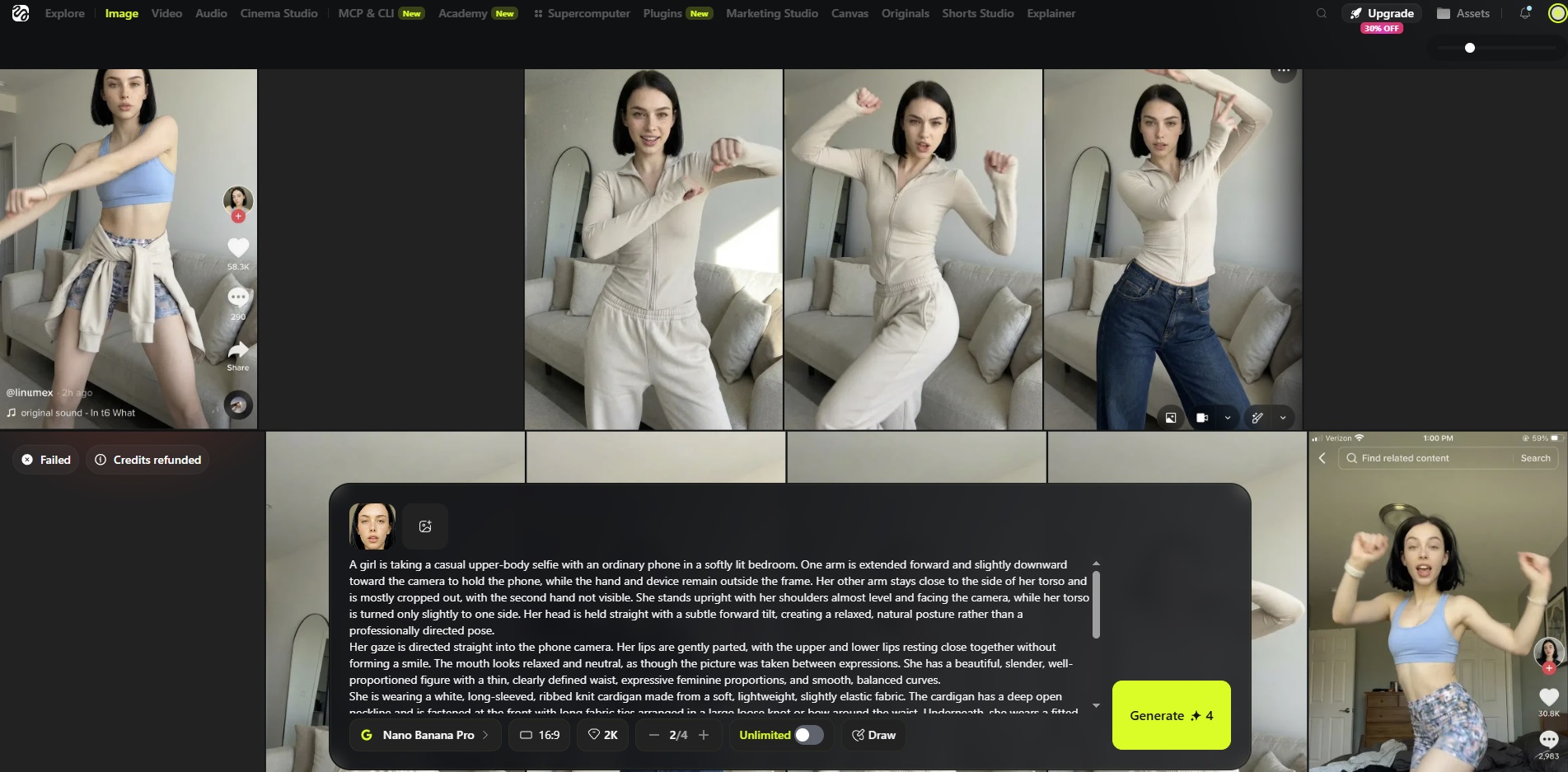
- 2K resolution;
- two photos per generation;
- vertical 9:16 format.
Our model remains the basis, while the pose, angle, and composition are taken from the prepared description. In this way, we sequentially process all collected references and create photos with different positions of the head, hands, and hair, smiling, in profile, waist-up, and full-body.
Our task is to collect about 30 photos of the same girl that are as similar as possible, but from different angles. In our example of an already prepared AI girl, 24 images were used.

Put the finished files into one ZIP archive.
LoRA training and preparing the generation environment
After preparing the photo set, you can move on to training LoRA for the AI OFM model. At this stage, a model file is created, a virtual server is launched, the required modules are uploaded, and ComfyUI is configured for further image and video generation.
LoRA training and choosing a trigger word
Upload the prepared ZIP archive with photos to wavespeed-ai/wan-2.1-14b-lora-trainer. During training, a trigger word is specified, by which the model will be called in future prompts.
In the example, the trigger word will be Grayg. Set 3,000 steps for training, leave the other settings unchanged, and click Run.
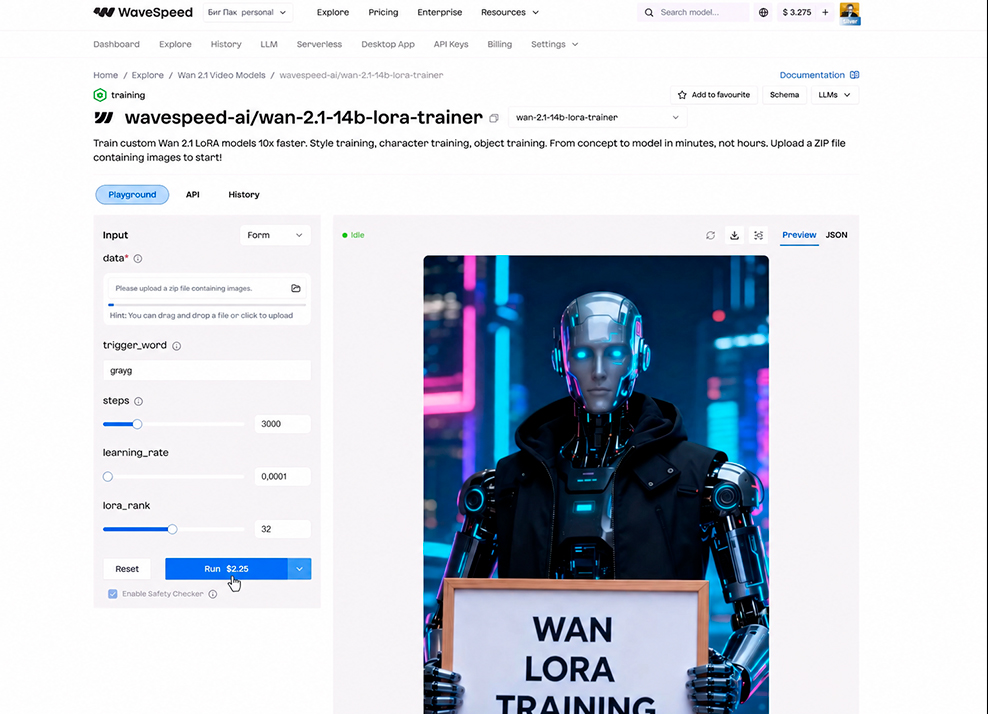
The neural network trains on the uploaded photos and creates a LoRA file.
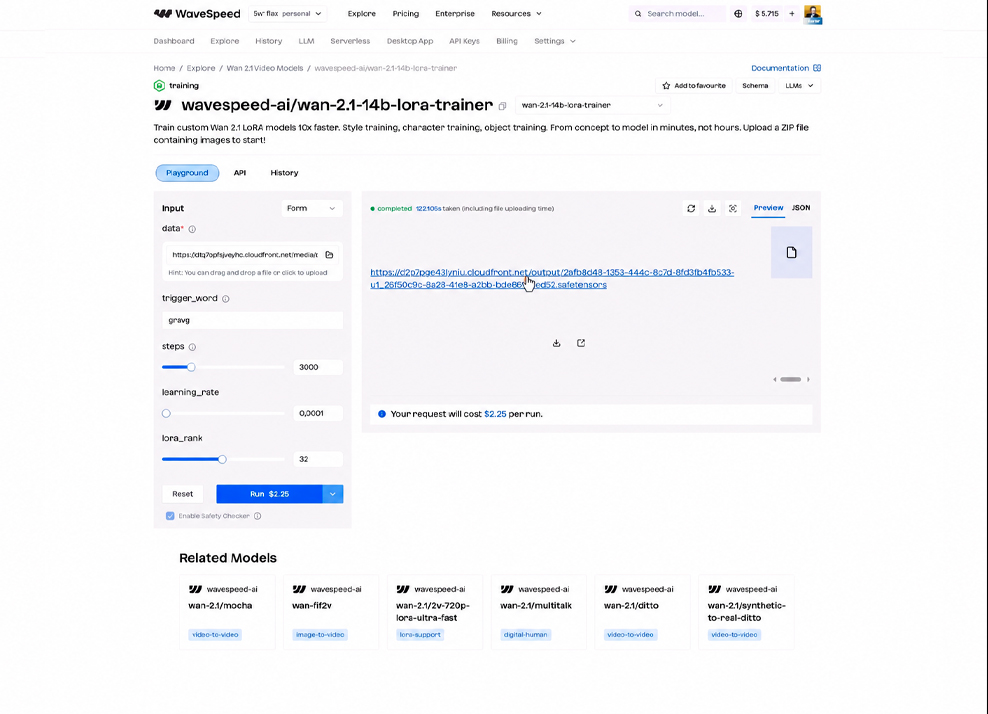
It needs to be downloaded and given a clear name so that it can later be uploaded to the server and used for generating images and videos, including 18+ content.
Creating a server and uploading LoRA
The next stage is launching a virtual server with a high-performance graphics card in RunPod. It is better to top up the balance with at least 10 dollars immediately. The server is used to upload LoRA, work with ComfyUI, and generate images and videos in batches.
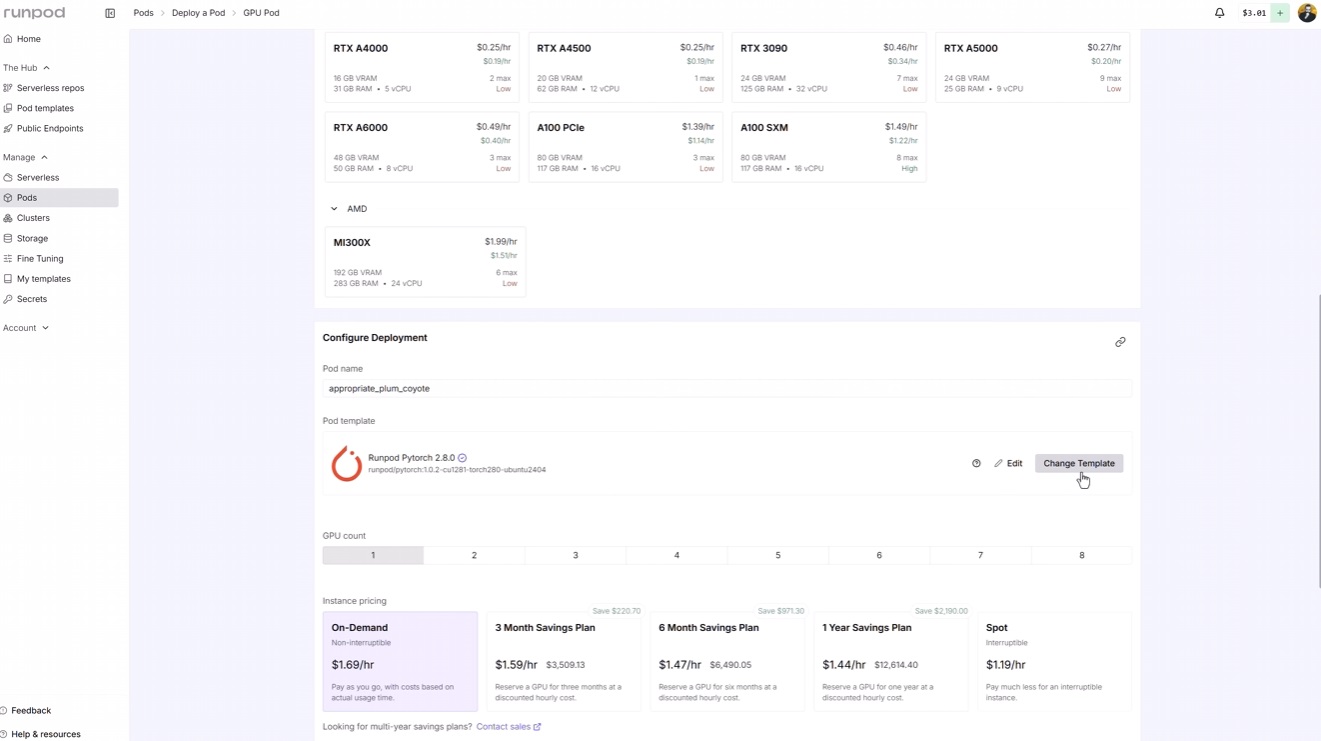
We recommend choosing an RTX PRO 6000 graphics card. Then, in the Configure Deployment section, go to Change Template.
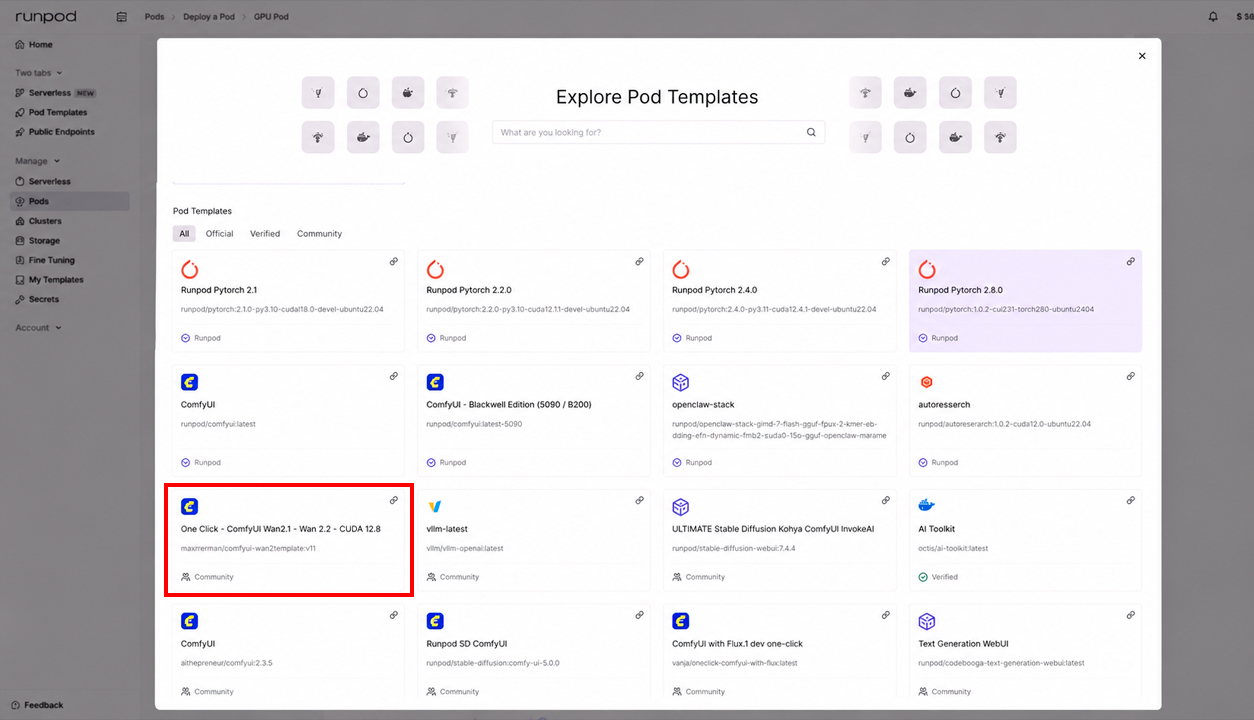
Select the One Click — ComfyUI Wan2.1/Wan2.2 — CUDA 12.8 template.
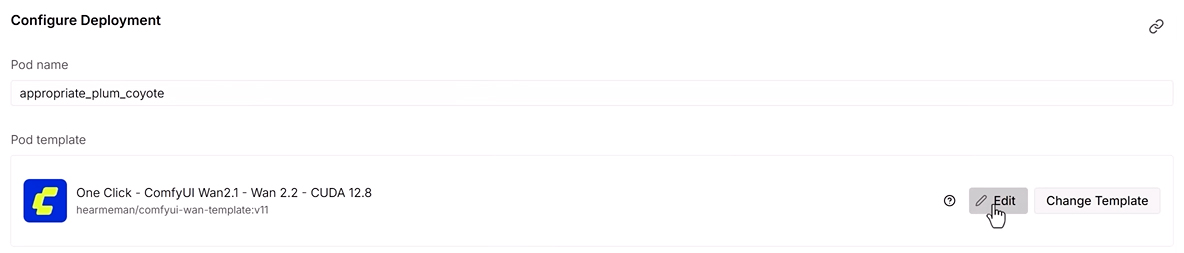
After that, click Edit next to the selected template.
Specify the required storage parameters:
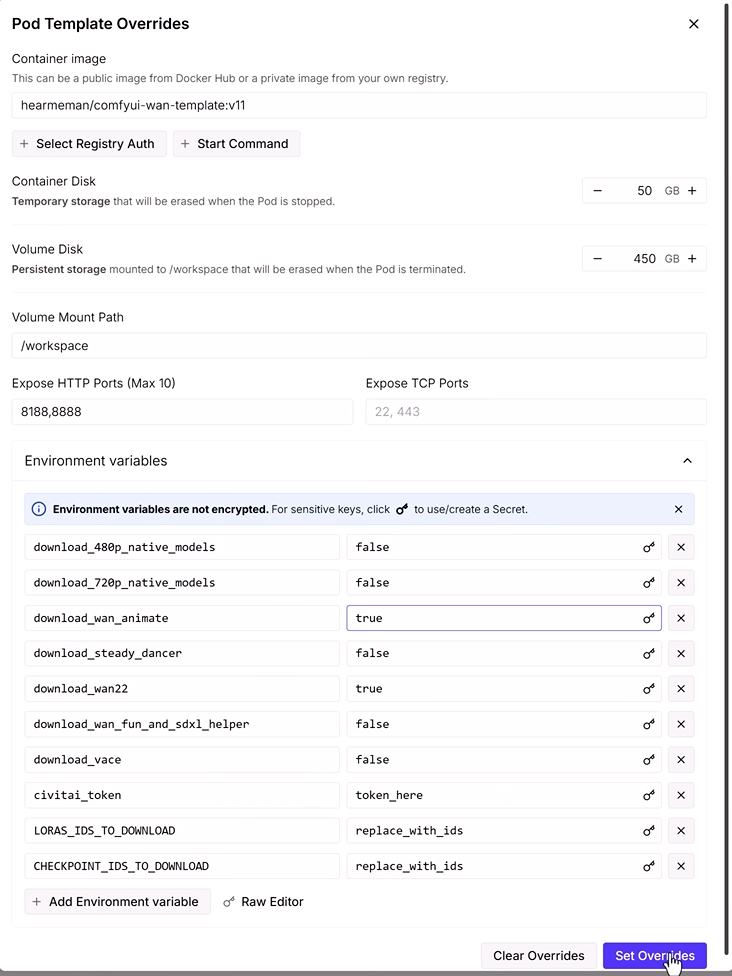
- 50 GB in the first field;
- 450 GB in the second field;
- in additional settings, set download_wan22 to
true; - set the download_wan_animate parameter to
true—this enables the required patches.
After that, save the settings by clicking Set Overrides and click Deploy at the very bottom. Such a server may cost about $2 per hour, so we recommend preparing all files in advance and immediately launching an active series of generations.
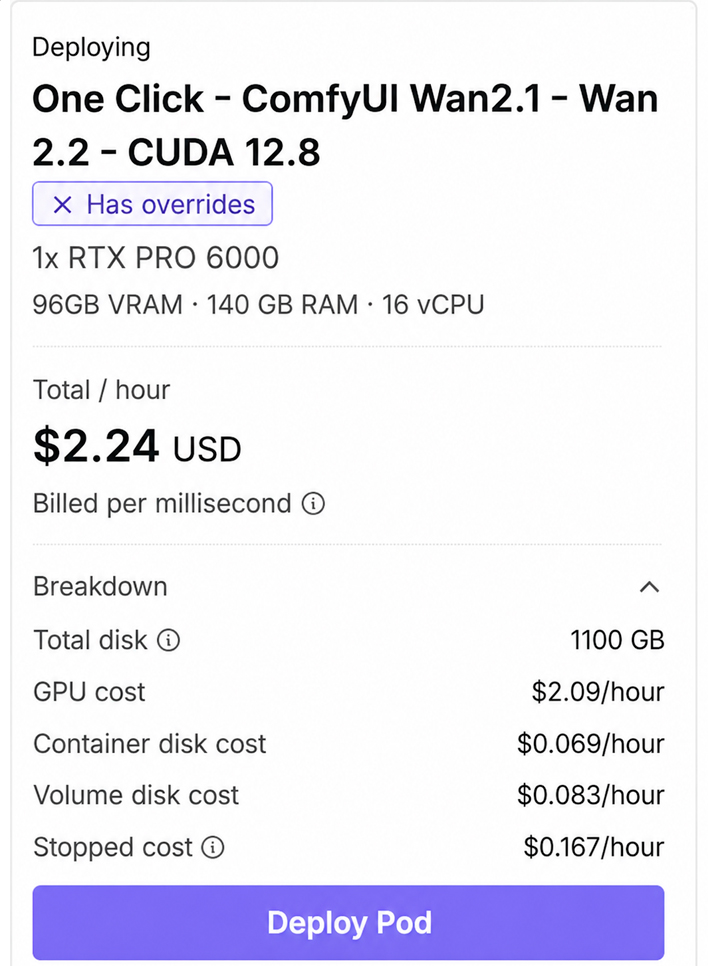
When active work is finished, the server can be stopped. In the stopped state, rental is cheaper—about 13–15 cents per hour.
After the server is created, the trained LoRA and additional modules needed for generation and result improvement are transferred to it.
Uploading LoRA to Hugging Face and transferring it to RunPod
To transfer the trained LoRA to the server, first place the model file on the Hugging Face website. From there, it can be downloaded directly to the required ComfyUI folder using a link and access token.
First, create an Access Token in the Hugging Face account settings.
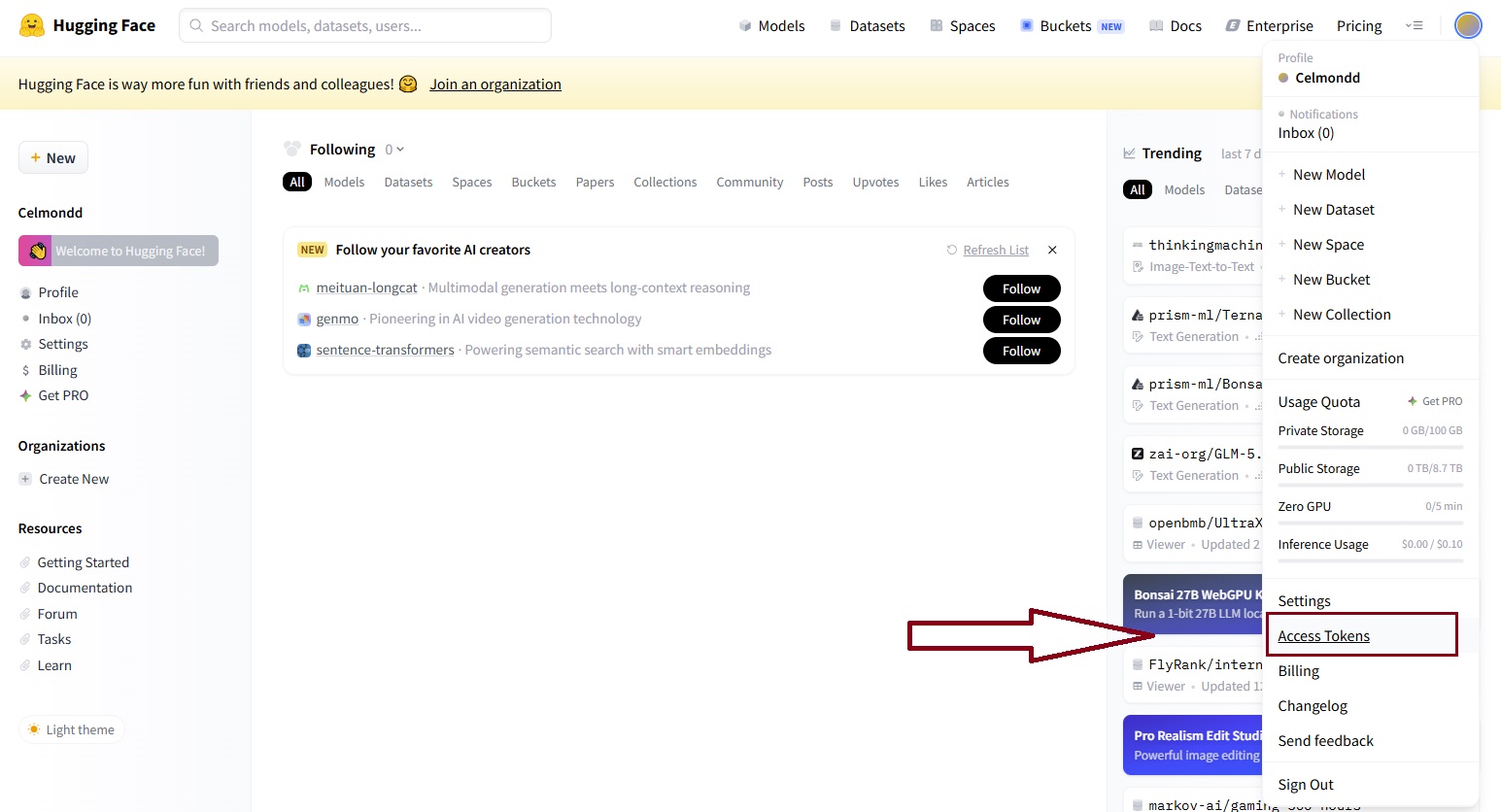
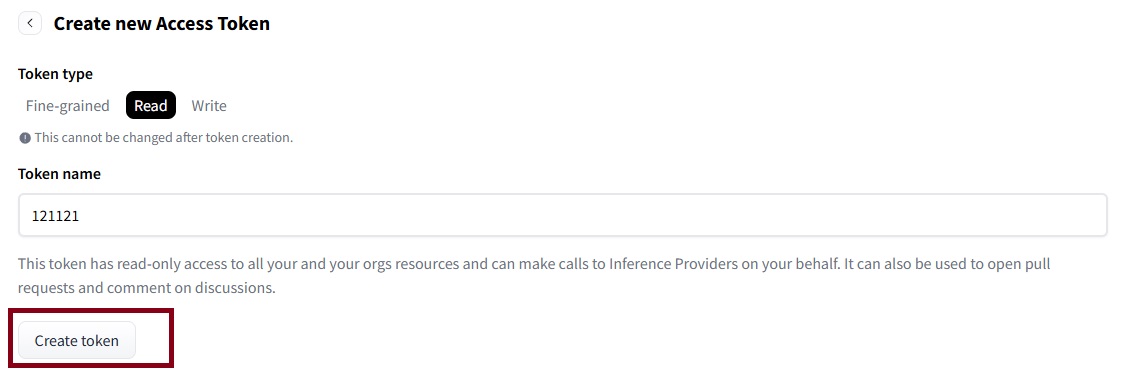
Give the token any name—for example, several digits—and select the Read access level.
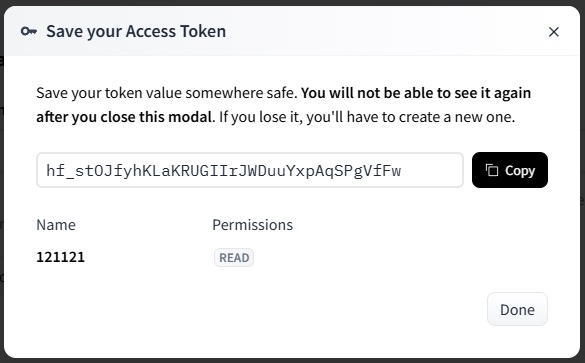
The resulting key must be saved: it will be needed when downloading the file to the server.
Then click New Model, come up with a name, and create a new model.
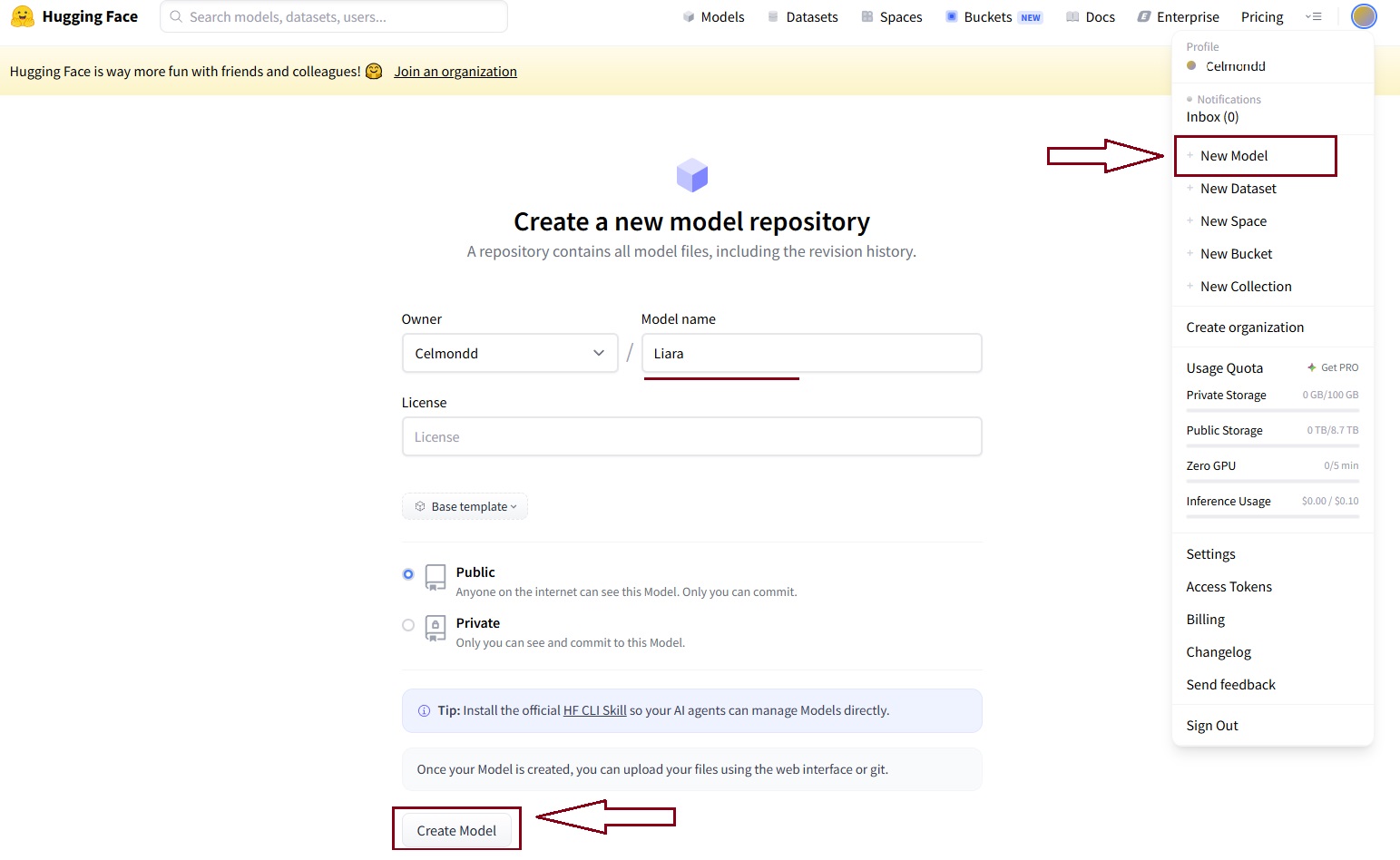
After that, open Contribute → Upload files and upload the LoRA file obtained after training in LoRA Trainer.

When the upload is complete, open the file page and copy its link.
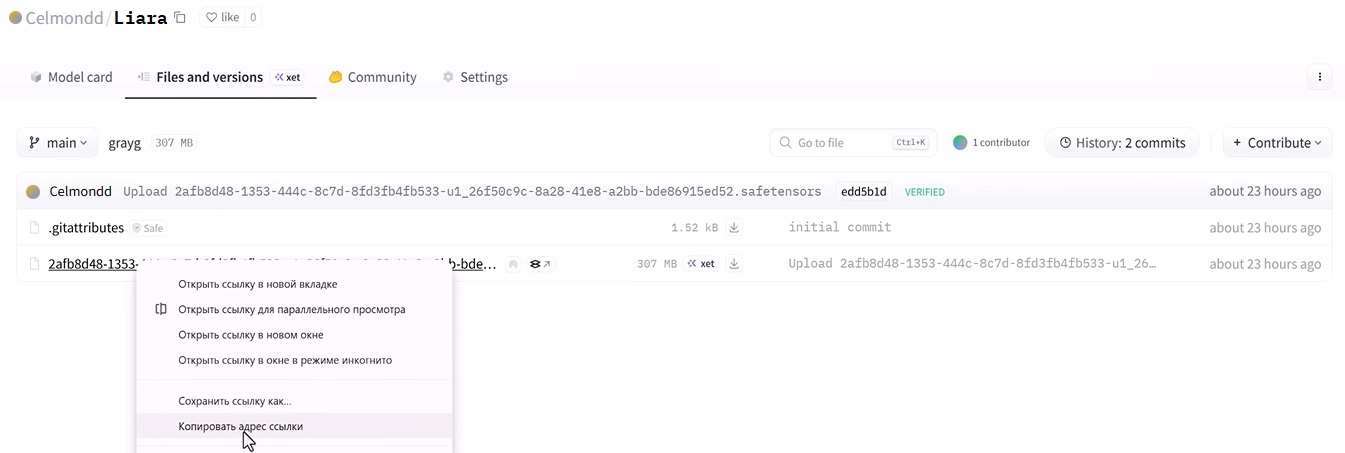
To make the address suitable for direct download, replace blob with resolve. Save the prepared link and the token created earlier separately.

Use the following command to download LoRA:
wget --header="Authorization: Bearer YOUR_TOKEN" "YOUR_LINK"
Instead of YOUR_TOKEN, insert the access key from Hugging Face, and instead of YOUR_LINK, insert the file address in which blob has already been replaced with resolve. After that, the command is ready to download the model to the created server.
Transferring LoRA to the server through JupyterLab
Open RunPod and check that the server has switched to Ready status.
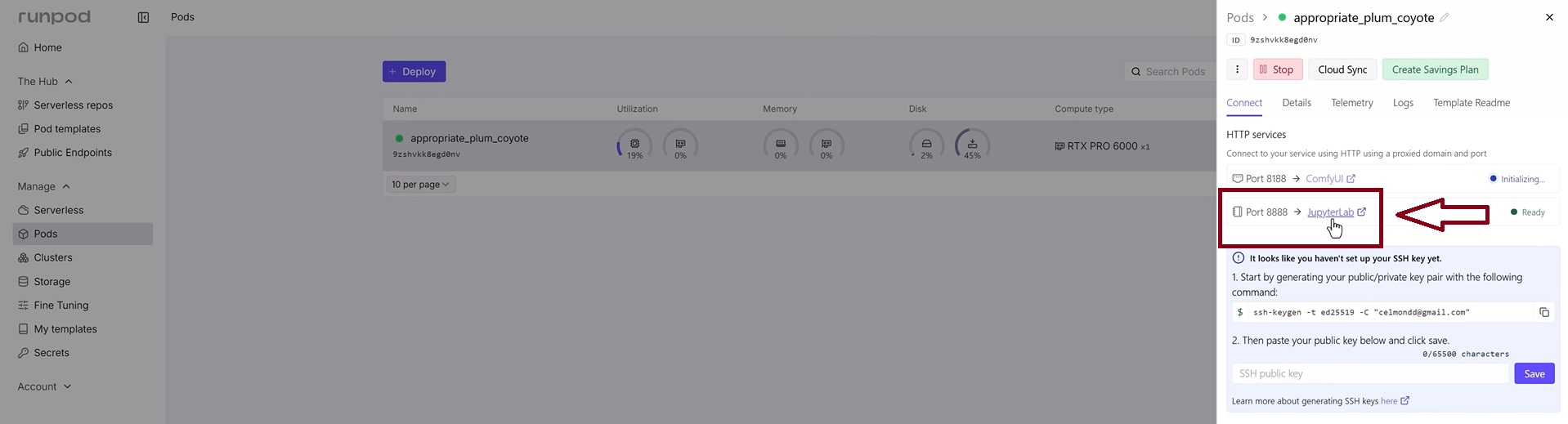
Then open JupyterLab, launch the terminal, and go to the ComfyUI models folder:
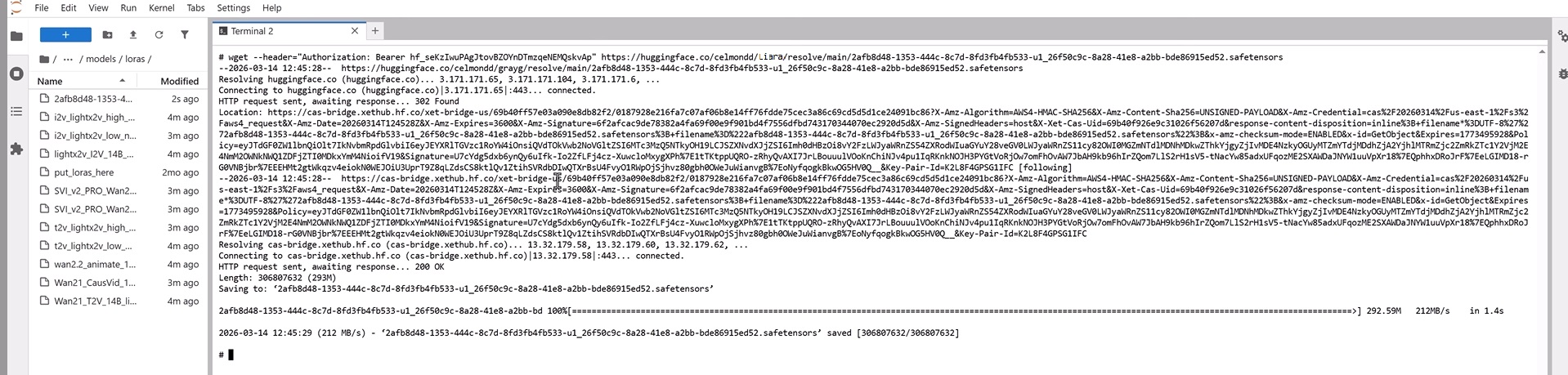
- open the
modelsfolder; - go to the
lorassection; - open Terminal
- paste the prepared
wgetcommand; - wait for the model file to download.
Next, proceed to install additional modules. The Wan_Animate_GOD_V3 archive is a ready-made workflow for the ComfyUI platform; upload it to the server, and move the Skin file to the upscale_models folder.
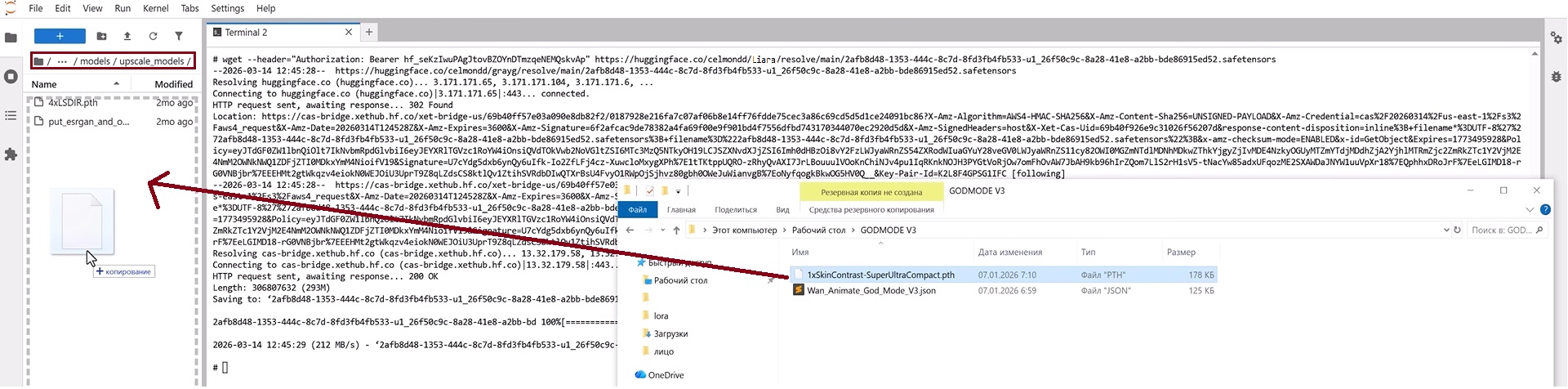
After that, the required models and modules will be ready for further workflow configuration.
Configuring ComfyUI and the generation workflow
When LoRA and the additional files have been uploaded, open the ready-made workflow in ComfyUI. Select the required model, connect the source images and video, and then proceed to the first test generation.
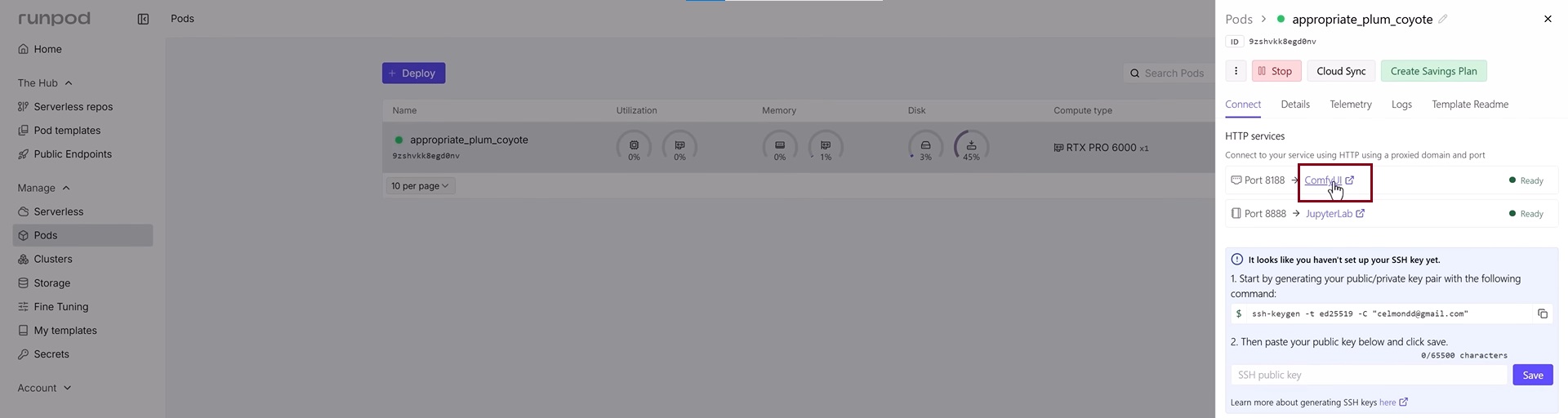
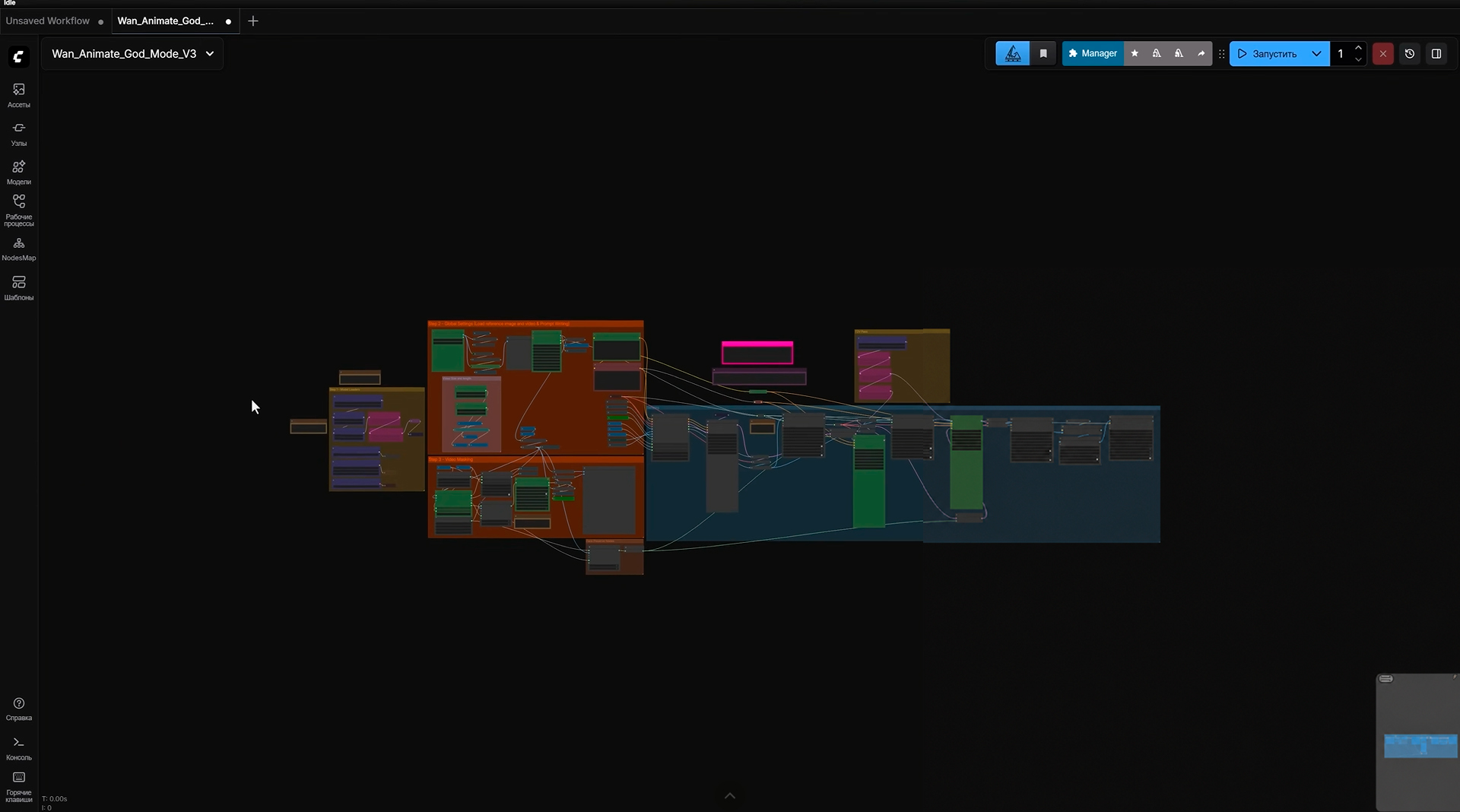
Drag the file into the workspace and load this workflow: download Wan_Animate_GOD_V3.
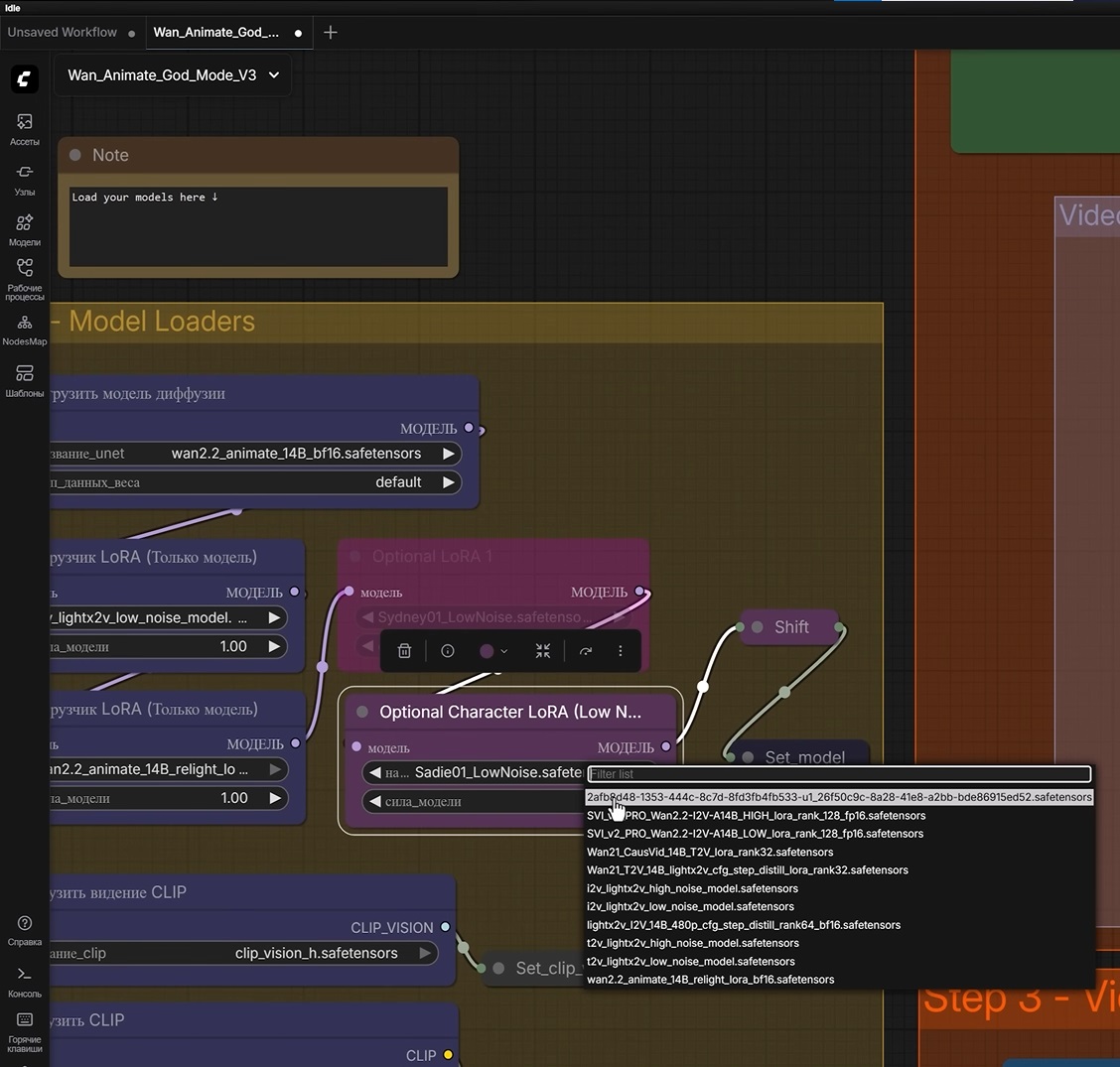
Then open the lower Optional Character LoRA module, select bypass, and specify the file named after our LoRA that we trained earlier.
After selecting the model, the environment is ready for generation. Next, you need to prepare the source video, the AI model photo, and the prompts.
How to make a video with an AI girl
To create a video with an AI OFM model while preserving the AI model's consistent appearance, first select a movement reference or a suitable scene. In the original setup, short TikTok videos are used for this, and a new photo of the AI model in the required pose is created based on them. After selecting the video, download it by copying the link and searching for “download TikTok video” in any Google or Yandex search engine.
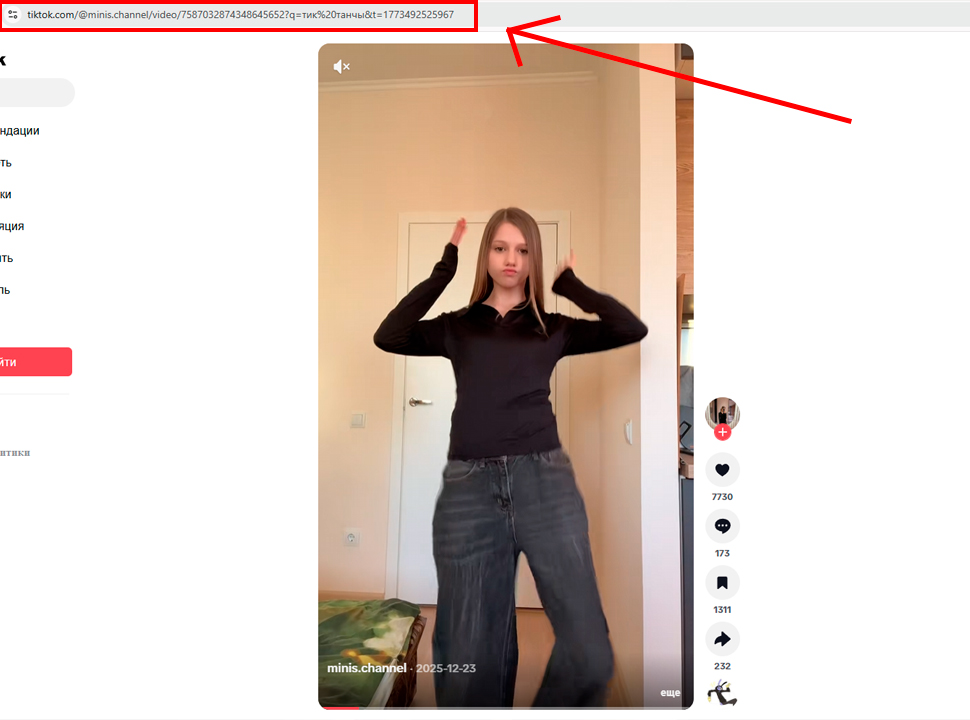
Next, open the video and take a screenshot of one of the first frames. Upload this frame to ChatGPT or Grok and ask the neural network to describe the girl in detail using the first reference prompt and the frame from the TikTok video.
Then go to NanoBanana, upload a full-body photo of our model, and paste the resulting description. The output is a new photo with a similar scene and pose, but with the face of our AI model.
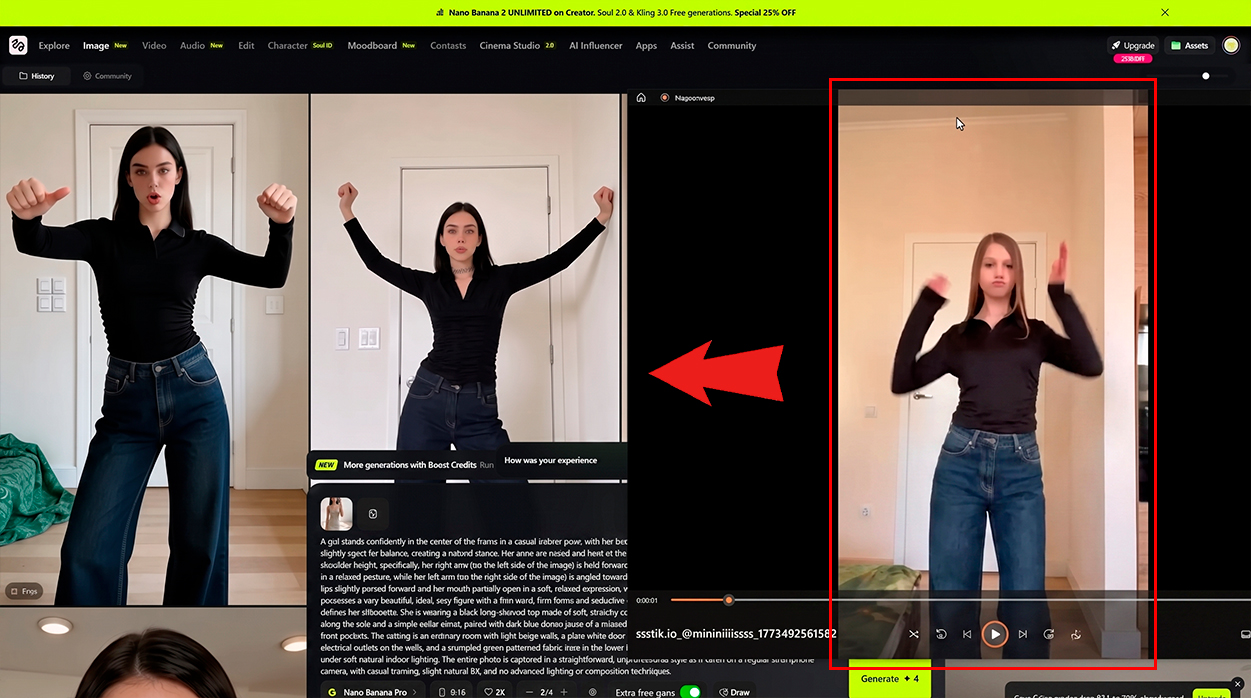
Select the best version and save it. Such images can also be collected in an archive and used for further work with LoRA.
After that, upload the following to ComfyUI:
- a new photo of our model;
- the source video with the movement or dance that needs to be repeated.
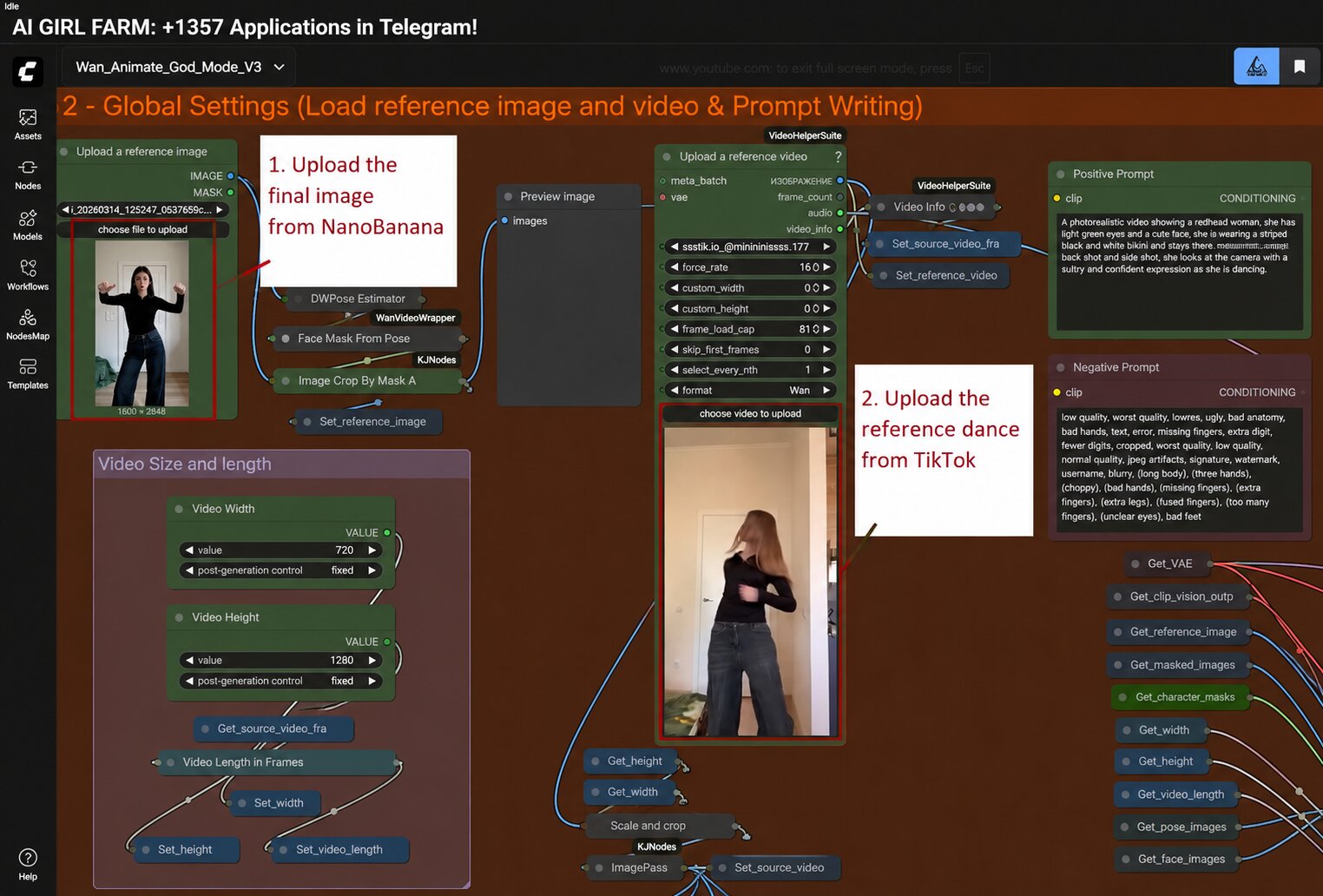
Further down, set the Expand parameter to approximately 10. These settings determine how accurately the model preserves the face, movement, and overall appearance of the scene.
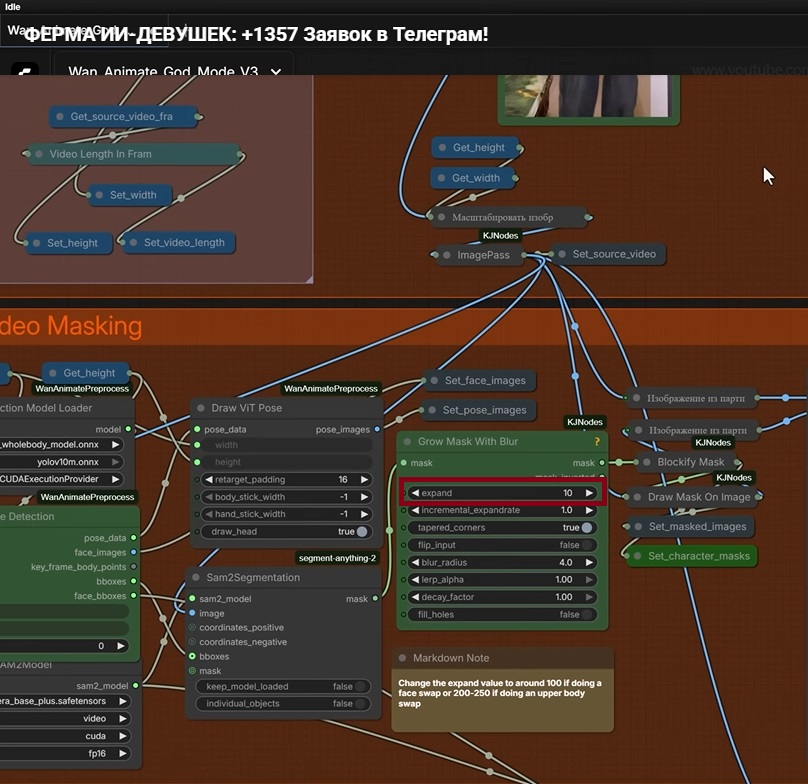
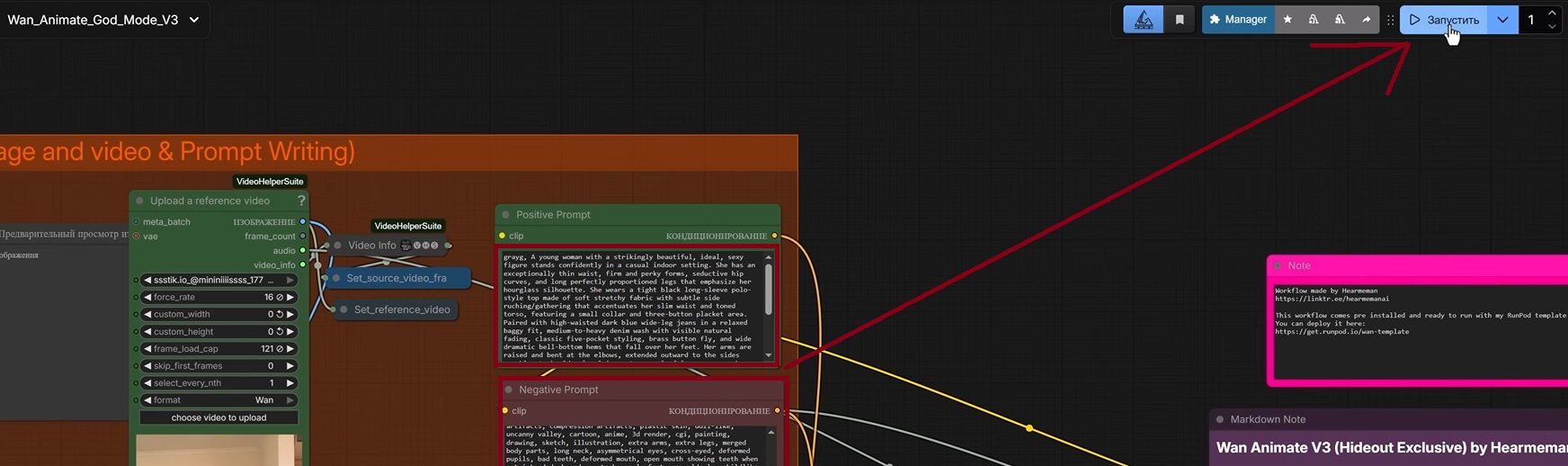
Before starting the generation, configure the positive and negative prompts as well.
Prompt for analyzing the photo after generation:
Describe the girl in the photo and create a detailed description of the scene in English. Specify her pose, the position of her body and hands, clothing, background, lighting, camera angle, and the overall atmosphere of the shot. Also create a separate negative prompt to exclude anatomical errors, facial and body distortions, extra limbs, blurriness, and other image defects.
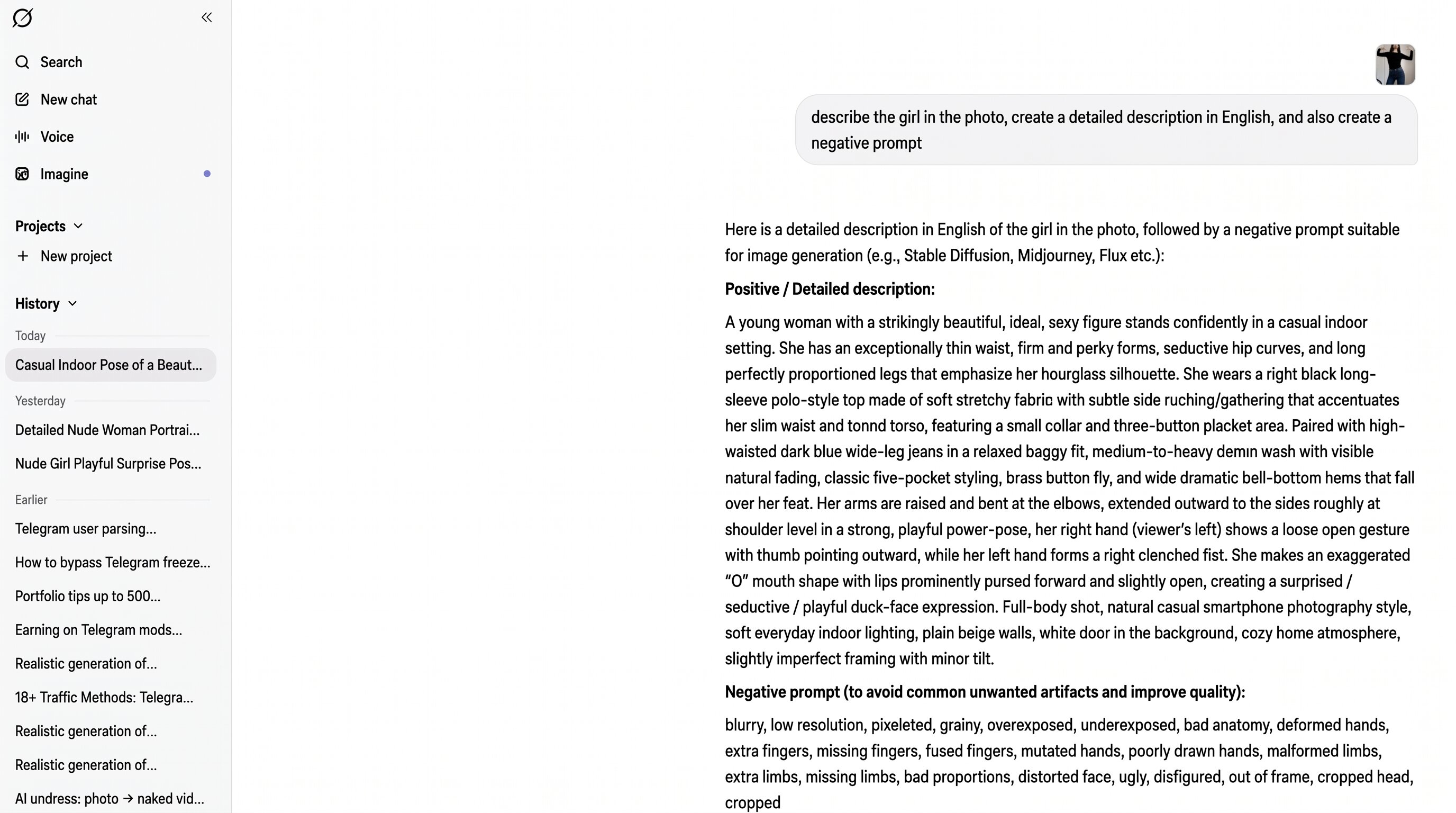
Insert the positive prompt into the corresponding field. At the beginning, be sure to specify the LoRA trigger word—in the example, this is Grayg . Insert the negative prompt into a separate block and click “Run.”
Generating 18+ content
Creating 18+ AI girls follows the same process as generating a regular video. To undress a girl with AI, it is enough to change the scene description in the positive prompt, keep the LoRA trigger word, and prepare a suitable negative prompt. This makes it possible to obtain an explicit image while preserving the face, figure, pose, and overall appearance of the AI model.
AI content generation result
After processing, the system produces several video options in which the AI model repeats the movement from the selected video. As a result, AI girls dance or perform other movements from the reference, while the same appearance is preserved in both photo and video content.
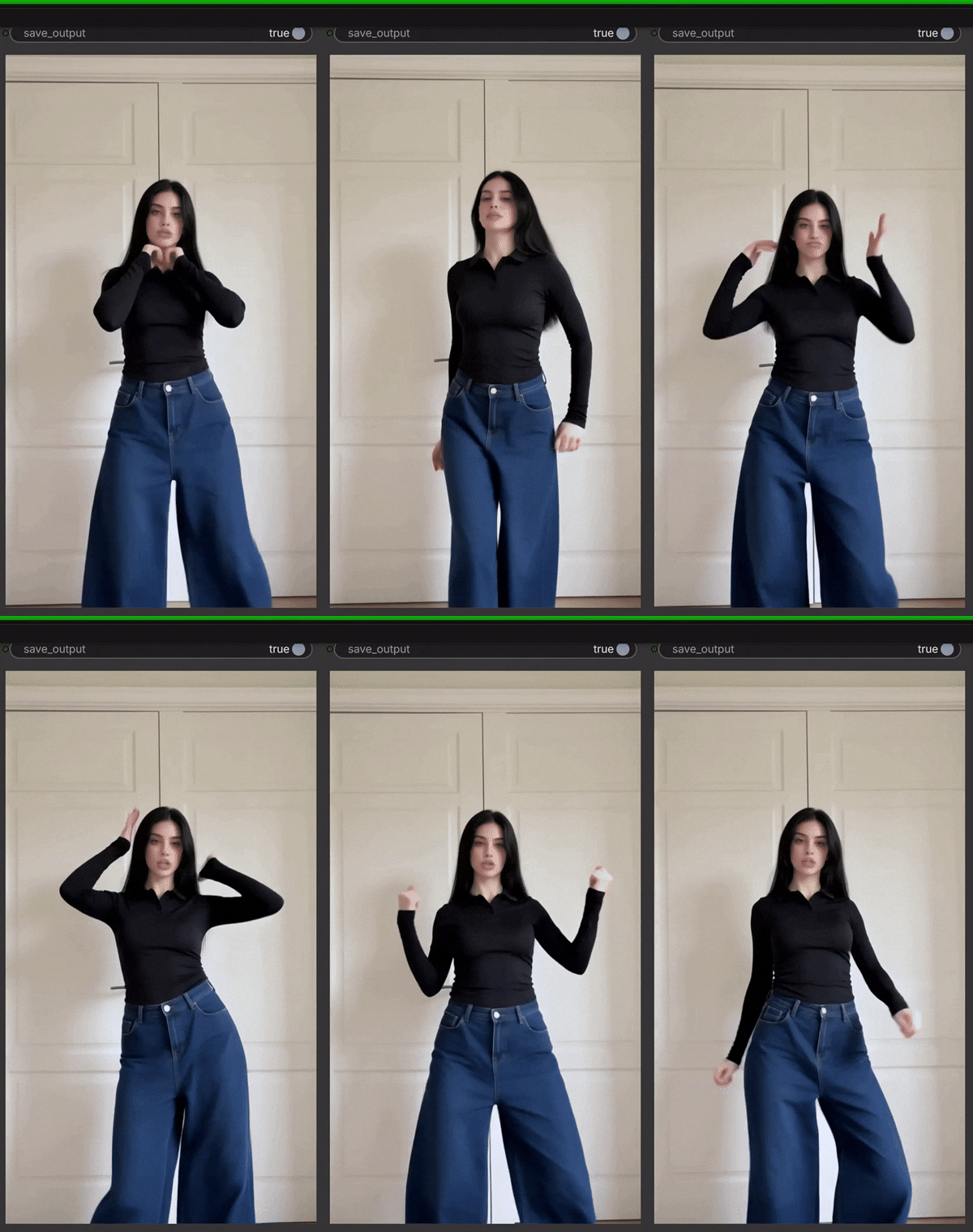
The resulting materials can be uploaded:
- to Reels;
- to TikTok;
- to a Telegram channel;
- to Fanvue.
Creating and promoting an AI OFM Telegram channel
Creating a Telegram channel must be completed before launching promotion of the AI OFM model: the platform should be designed and filled with content in advance. The user should arrive not at an empty page, but at a ready channel with photos, videos, the model's story, and a link to the paid profile.
It is preferable to run the channel in English. Before launching promotion, it is advisable to publish at least twenty posts. This shows that the channel is regularly maintained, introduces the user to the AI girl, and directs them to the paid profile. To promote a Telegram channel and retain the audience's attention, open content without explicit 18+ materials is posted in the channel. Users receive more revealing publications on the paid platform by following the posted link.
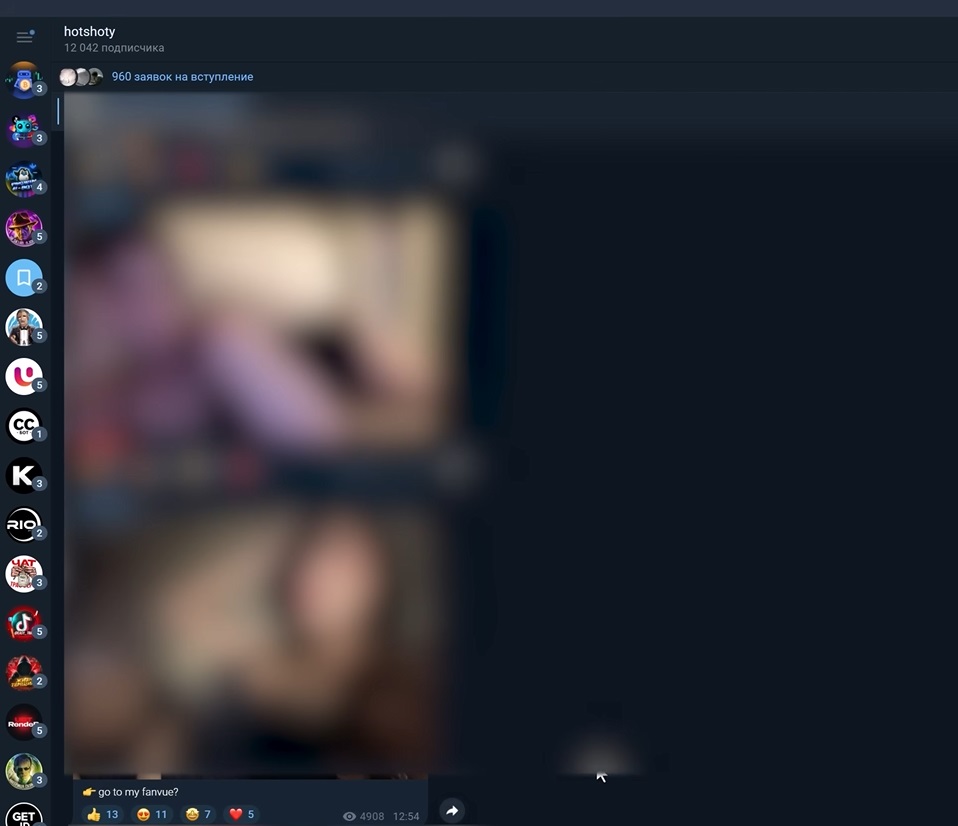
To gain subscribers for a Telegram channel and keep their attention, it is important to prepare content in advance, clearly design the channel, and connect a stable traffic source.
Further Telegram channel monetization is built through subscriptions, sales of individual materials, and conversations in Telegram or on the paid platform. This approach clearly shows how to sell in Telegram access to content, while new publications can be regularly created using the trained LoRA.
Registration and verification on Fanvue
After preparing the Telegram channel as part of AI OFM, proceed to creating a profile on Fanvue. In this setup, Telegram is used to publish photos and videos, while the paid platform is used for subscriptions, private conversations, and posting more provocative materials. This is where making money with AI models moves from audience attention to paid actions.
To start making money on Fanvue, you need to register an account, choose the appropriate content category, pass identity verification, and design the model's page. After that, you can configure subscriptions, upload paid publications, and place links in the Telegram channel.
Why Fanvue is chosen for monetization
Fanvue is suitable for working with virtual models because the service supports AI content and allows adult-format materials to be published. The described setup also uses cryptocurrency payouts, which simplifies receiving income from a foreign audience.
Because access to Fanvue in Russia and other CIS countries is restricted, many users face difficulties with registration and verification. Therefore, the query “buy a Fanvue account” is quite common among those who do not want to go through the entire process themselves. At the same time, for successful verification, the profile data must match the account owner's information.
Let us examine how registration on the platform works, what data must be specified, and what is required to set up the profile.
Fanvue registration and profile setup
During registration, it is important to choose the AI creator category and, for more explicit materials, the 18+ section rather than general content. Telegram remains the main place for warming the audience, while the paid part of the content is moved to the platform. The basic account data is filled in.
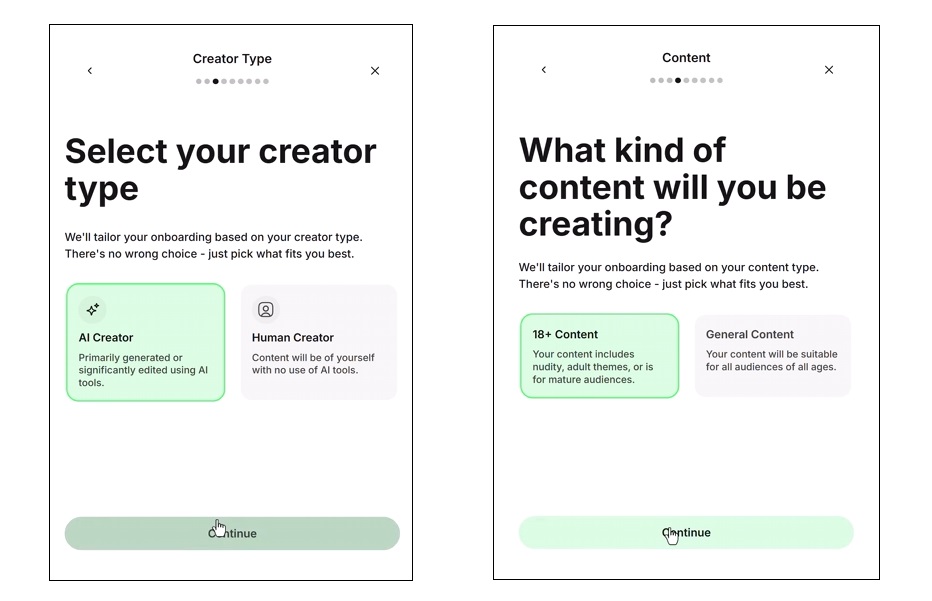
Next, the platform requests:
- the account owner's country;
- first and last name;
- identity confirmation;
- face verification;
- payout details.
We examined and solved the account verification problem in detail in a separate article: Fanvue verification.
After confirmation, you can upload an avatar, add the model's description, publish the first materials, and proceed to monetization settings.
Making money on Fanvue
After setting up the profile, you can configure the main ways of making money on Fanvue: a monthly subscription, multi-month plans, trial offers, and sales of individual photos, videos, and collections.
In the Promotions section, you can specify:
- the monthly subscription price;
- the price of three-month access;
- the price of six-month access;
- trial links for new subscribers.
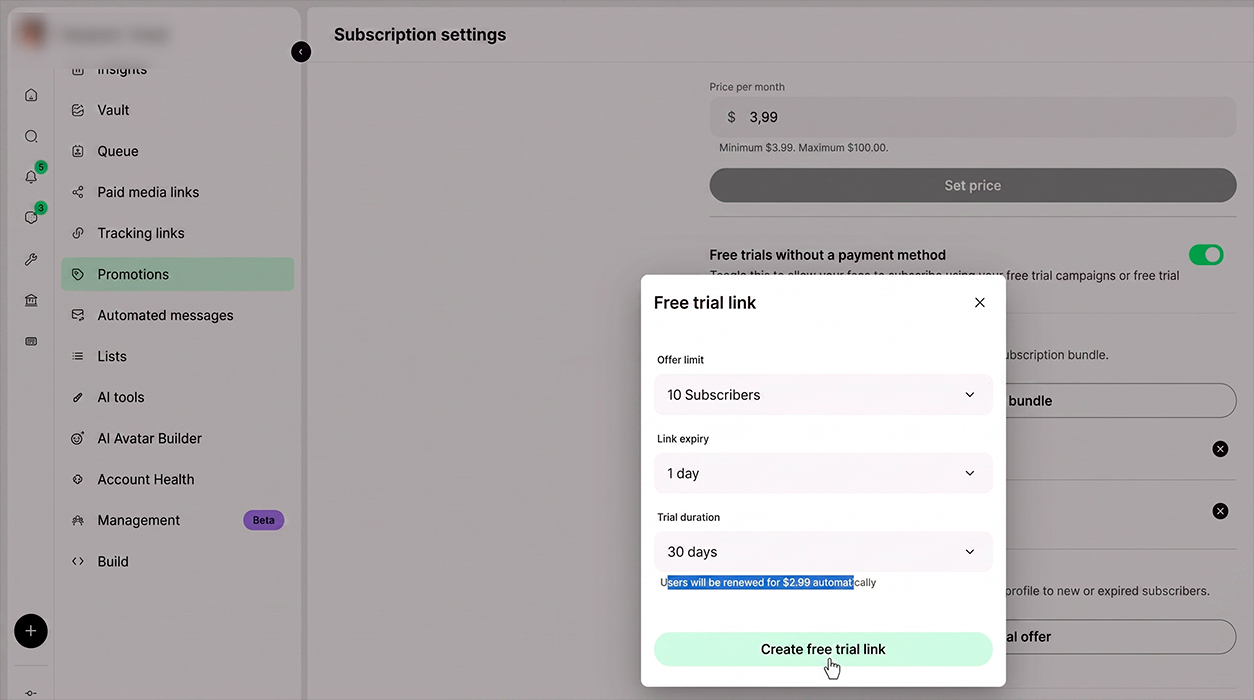
Consider a clever example of setting up a trial subscription through Free Trial Links: the first ten users receive free access for one day via the trial link. After this period ends, the subscription renews automatically—every 30 days, 4 dollars or another amount specified by you is charged.
In addition to subscriptions, individual materials can be sold on this platform. To do this, select the required publication in the Creation Tools section, set a price, and create a direct payment link.
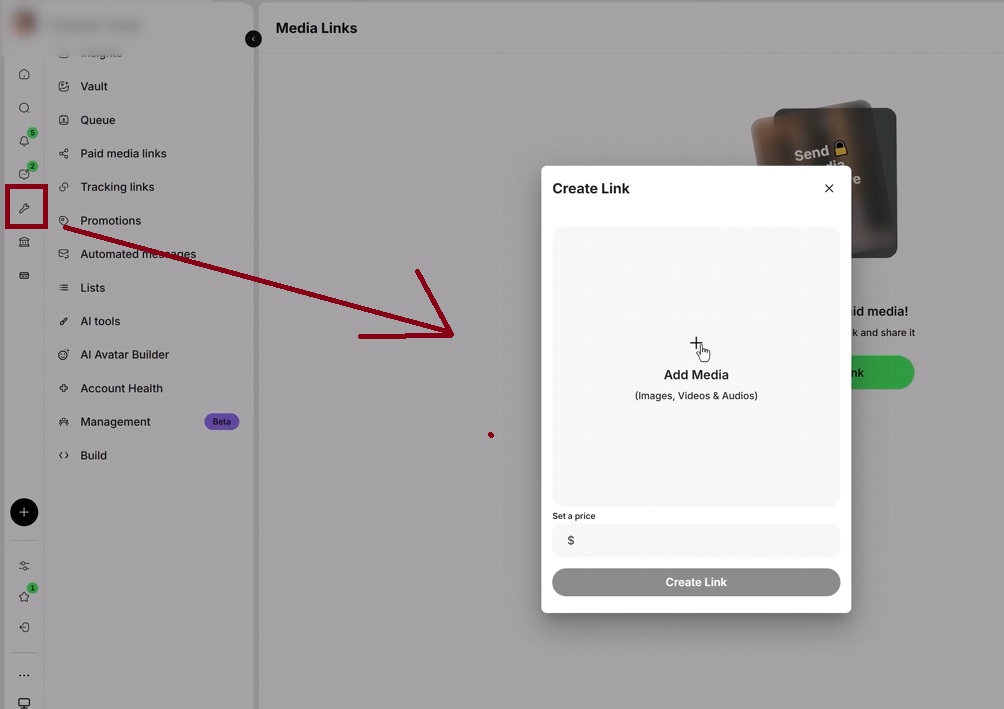
Place links to subscriptions and individual materials in the Telegram channel, add them to publications, or send them to the user during a conversation. This allows the user to subscribe or purchase a specific material immediately after becoming familiar with the model's content.
By the time traffic is launched, two platforms must be ready: a Telegram channel with at least twenty publications and a fully completed Fanvue profile. First, the user gets acquainted with the AI model on Telegram, then goes to the paid page, subscribes for 3–10 dollars, or buys individual photos, videos, and collections.
After moving to the paid platform, the user can also write to the model in private messages. A separate chatter can be hired to work for a percentage.
Method 1. Attracting traffic through Neurocommenting in GramGPT.io
When the AI OFM content, Telegram channel, and paid profile are ready, you can move on to promotion. For this, a farm of Telegram accounts is created in GramGPT.io. These accounts monitor new publications in selected channels, leave comments, and direct interested users to the prepared profiles. The main task is to attract subscribers to the Telegram channel and direct targeted traffic there.
How a Neurocommenting farm works
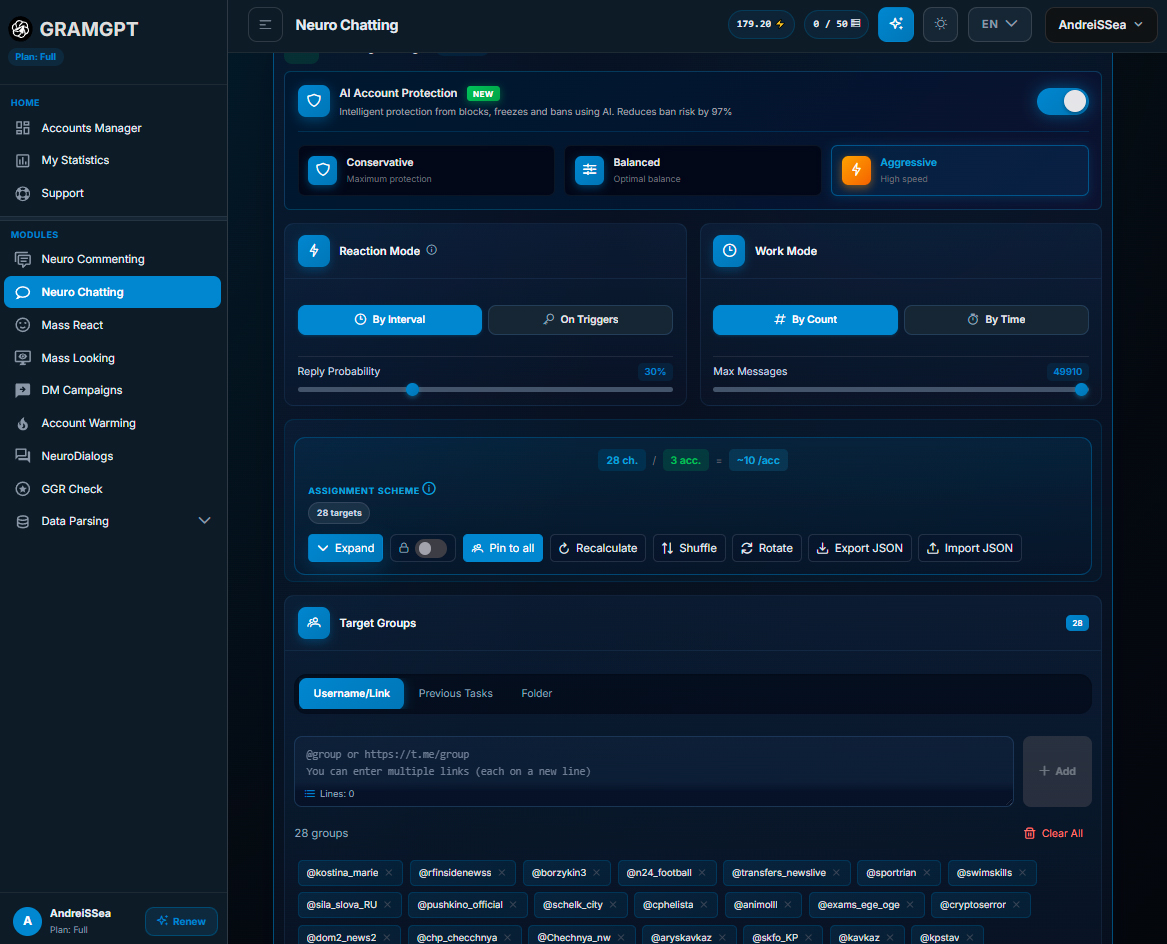
A Neurocommenting farm consists of several Telegram accounts distributed across separate threads. Each account receives its own part of the channel database, monitors the publication of new posts, and leaves short comments according to the specified prompt.
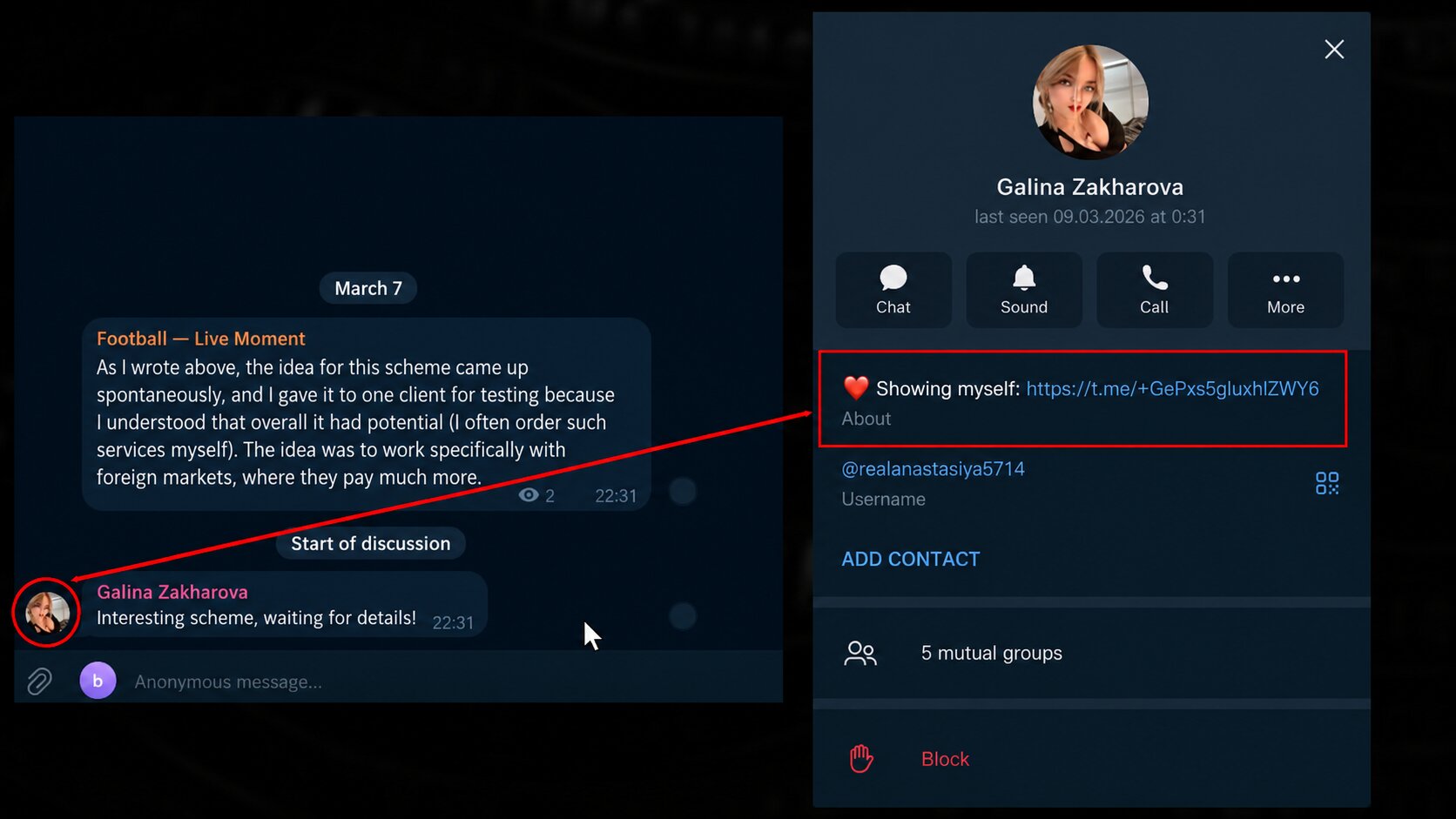
The funnel looks as follows:
- the account leaves a comment under a new publication;
- the user opens the account profile;
- follows the link to the Telegram channel;
- views the generated AI girl content;
- follows the link to the paid page;
- subscribes or writes to the model to receive more explicit content.
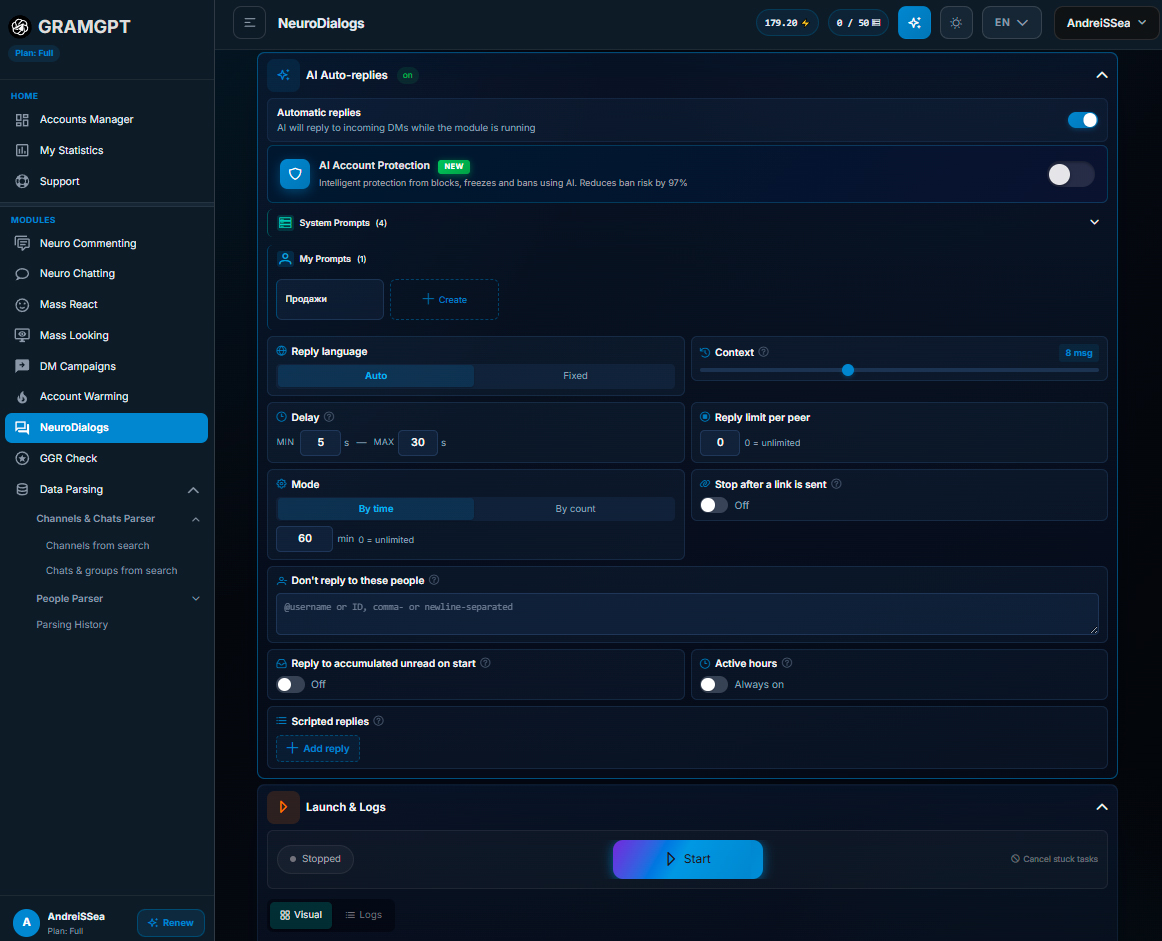
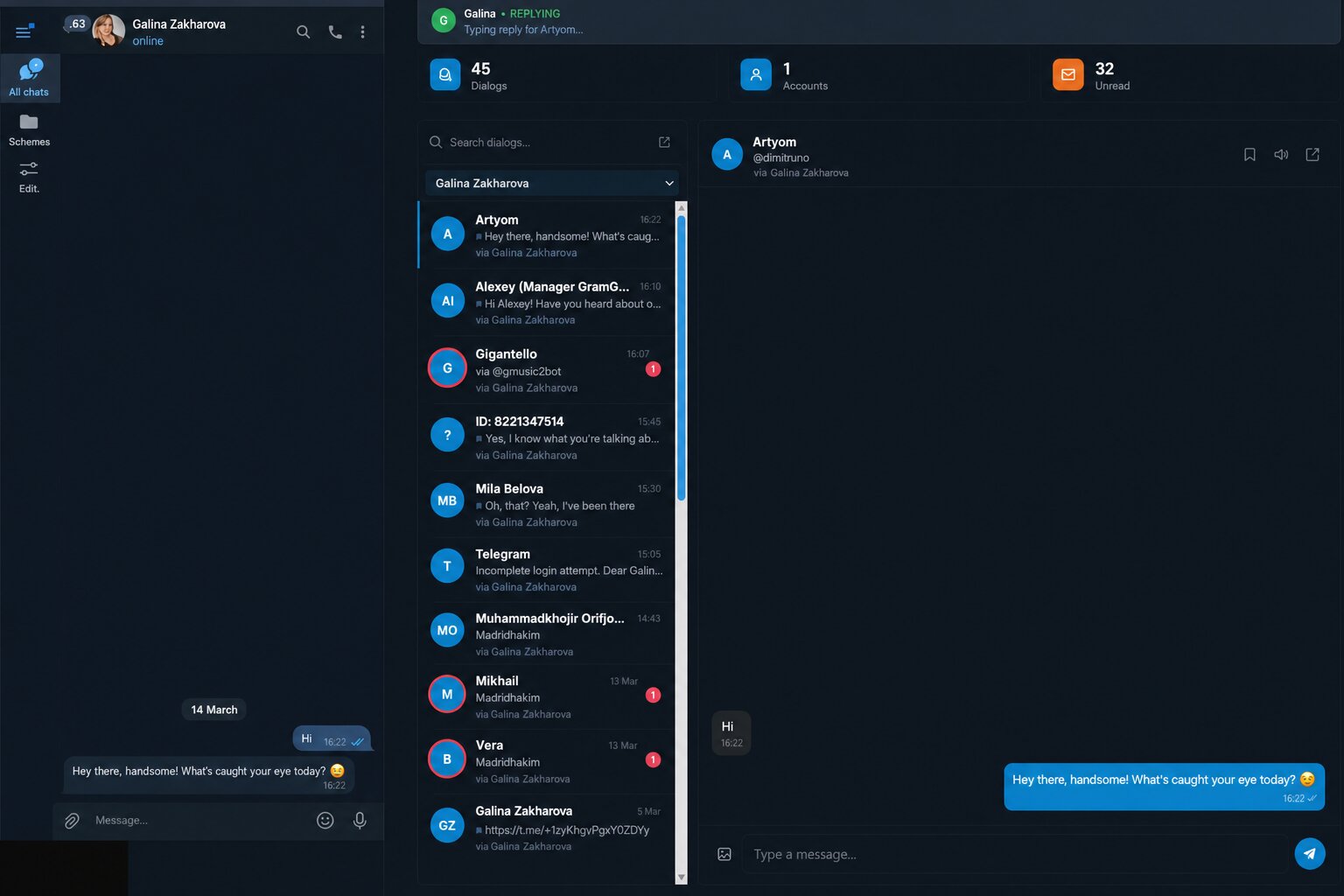
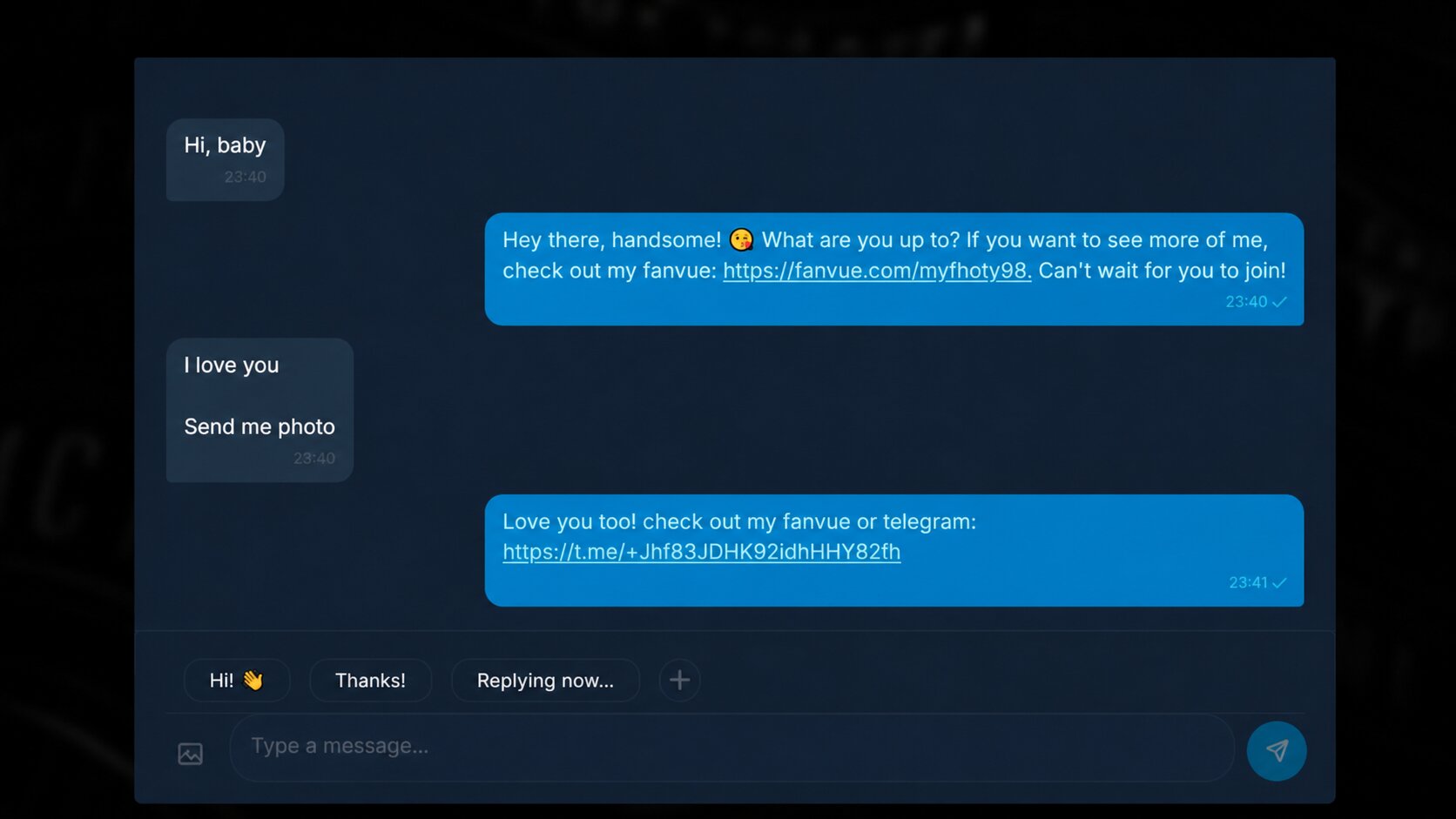
If the user writes to the account in private messages, the AI autoresponder can direct them to the main Telegram channel, a separate account for conversations, or directly to the paid profile.
Buying, importing, and setting up accounts in the Telegram Combine
First, buy Telegram accounts and download them in TData format. In GramGPT, open account import, select the prepared files, and upload them to the system.
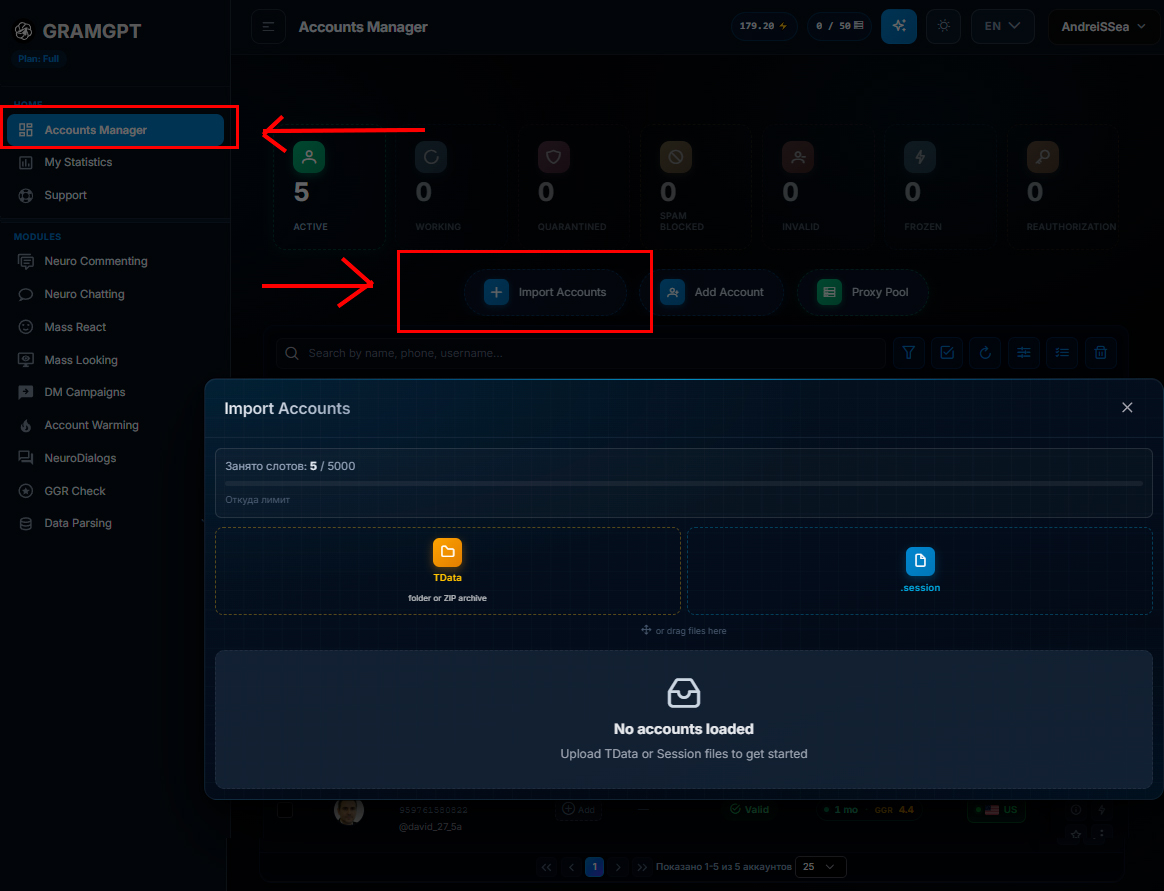
During import, proxies are connected to the accounts. The example uses dedicated IPv4 proxies from ProxyLine in SOCKS5 format. It is recommended to use one proxy for approximately three to five accounts, choosing the same country that the profile belongs to.
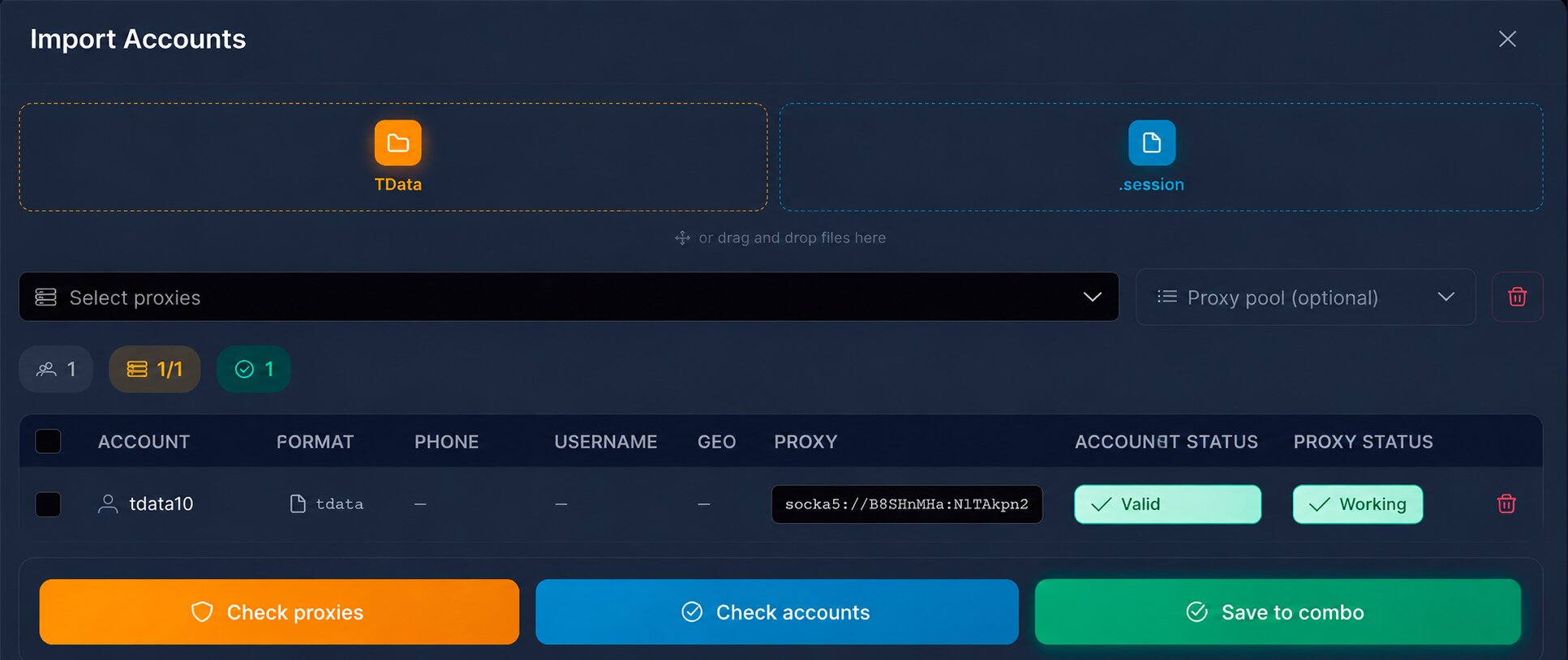
The addition process looks as follows:
- upload the TData file;
- copy the proxy data;
- paste the proxy into the GramGPT import window;
- click “Check proxy”;
- wait for the account conversion;
- check its validity;
- save the account in the GramGPT Telegram Combine.
After import, the accounts are left on the new IP and then designed to match the selected image. For each profile, set a female name, avatar, bio, and a link to the main Telegram channel.
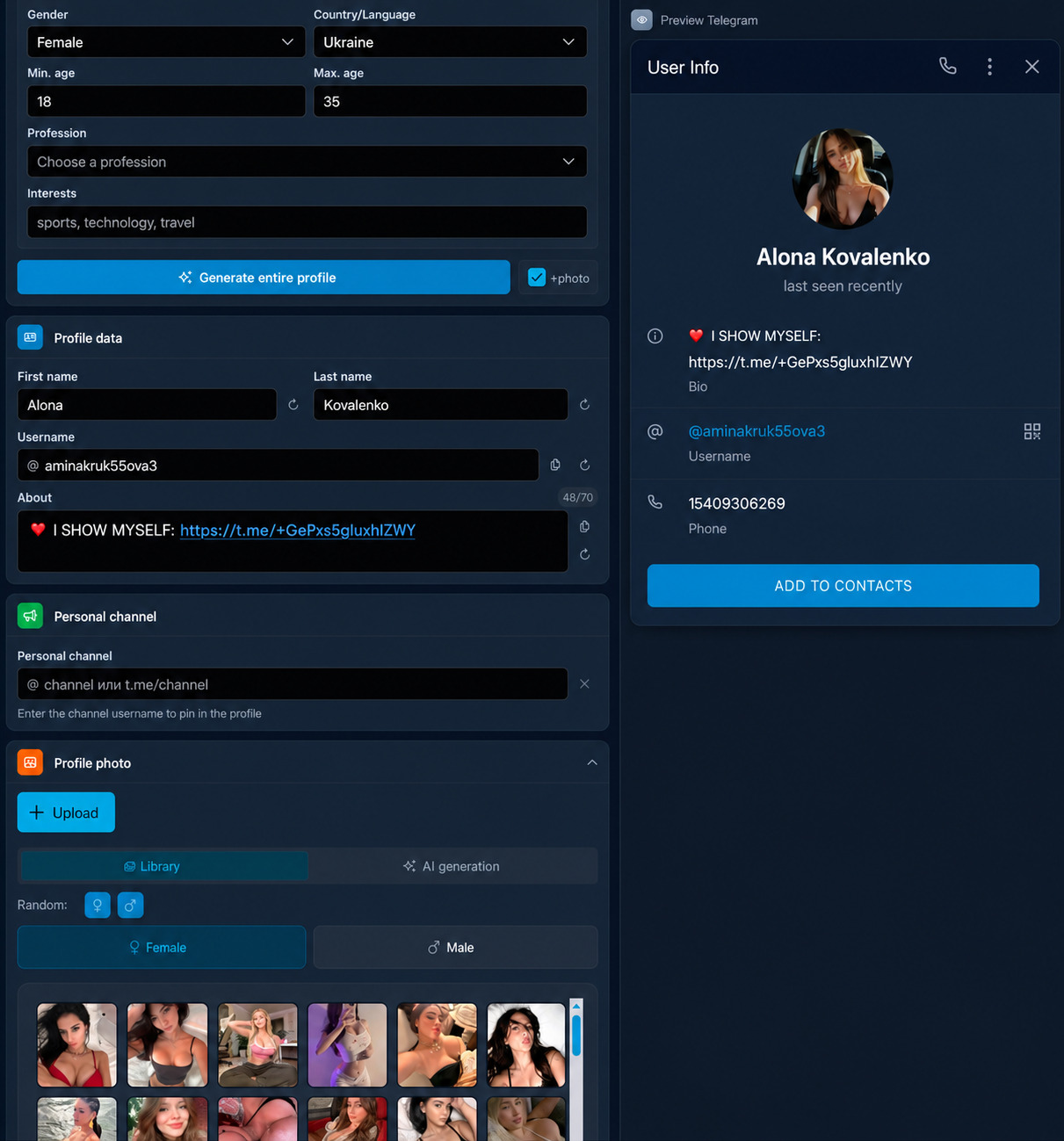
Profile setup can be performed manually or in bulk. During bulk generation, select all imported accounts in GramGPT, then configure gender, country—for example, the USA or England—images from the female library or your own photos, as well as a common bio text.
Parsing foreign Telegram channels
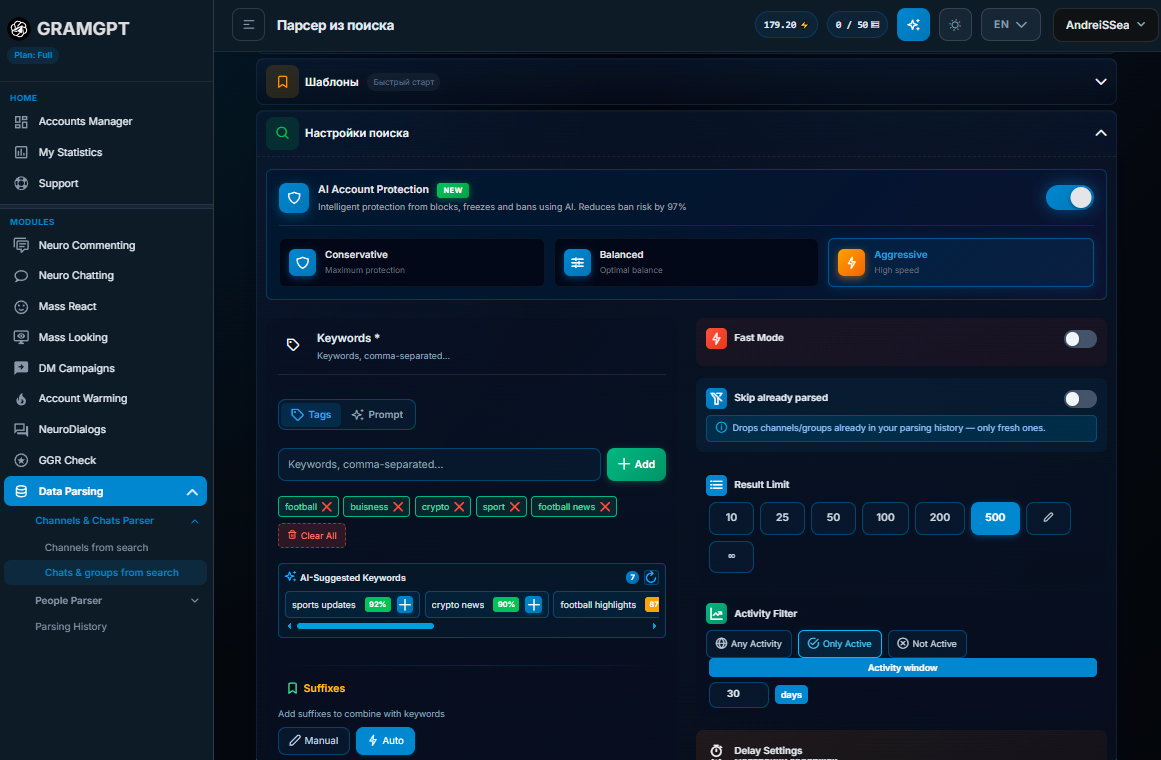
After setting up the accounts, proceed to collect foreign channels in which Neurocommenting will work, and in the settings it is better to select everything except the CIS. Suitable platforms can be searched by keywords, topic, language, activity, and availability of open comments.
To collect the database, GramGPT uses a Telegram channel parser. The main search parameters are set in it, and AI protection can also be enabled if necessary to diversify the account's actions during work.
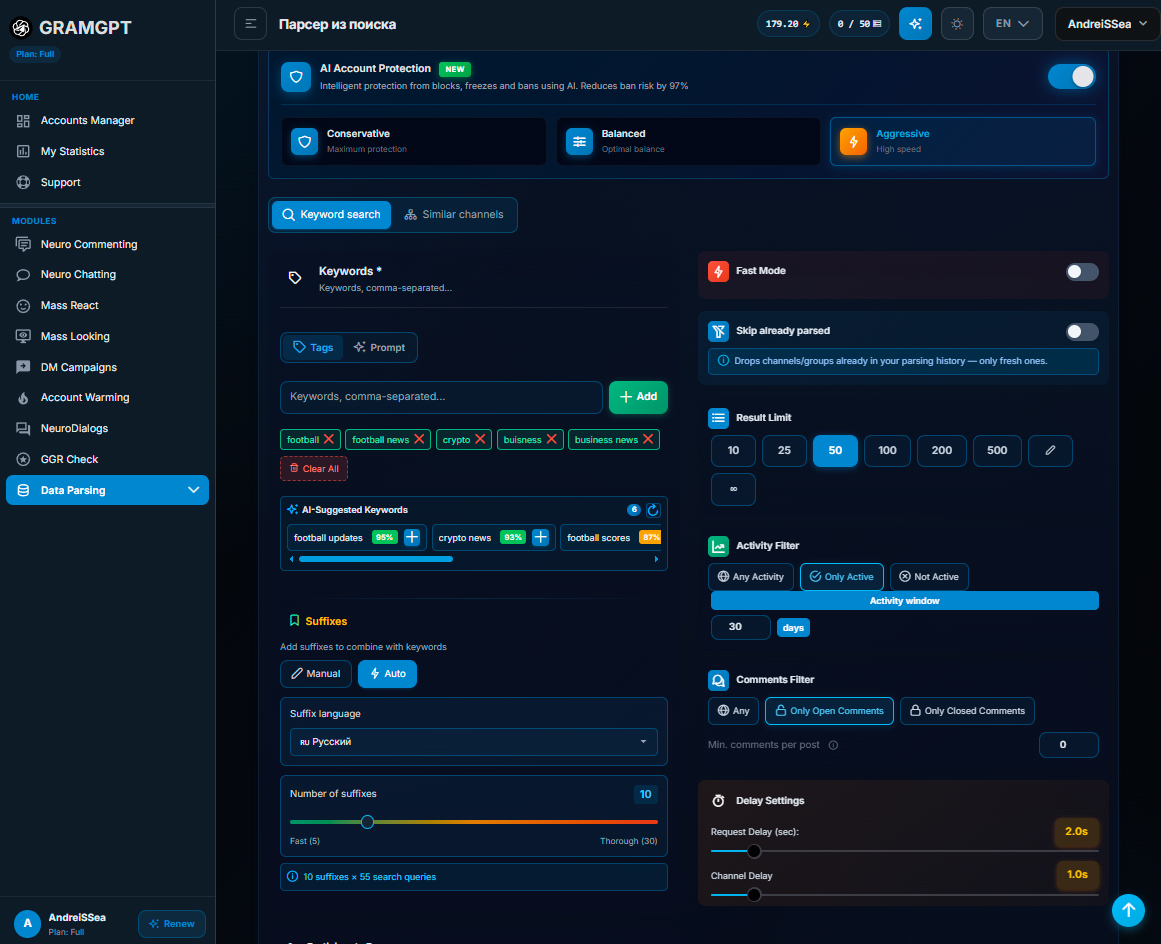
Channels are selected by topics where a male audience is present:
- crypto;
- business;
- earnings and money;
- sports and football;
- other male interests.
Thematic queries are added to the search, for example Crypto 2026 and Crypto News. When selecting suitable platforms, you can take into account channel activity, number of subscribers, language, country, and availability of open comments.
After launch, the parser collects the found channels. The results can be saved, exported, or opened later through the parsing history.
The quality of the collected database largely depends on the selected keywords and filters. A separate guide on working with the Telegram channel parser will help you understand them and configure the search for the required topic.
GramGPT also provides a Telegram channel map with a large platform database. Channels are divided into categories and subcategories, so you can manually browse the required topics, select platforms for promotion, and copy their links for further work in GramGPT.
General principle of Neurocommenting setup
The collected channel database is uploaded to the Neurocommenting module and distributed among threads, where each account works with its own part of the list. Before the main launch, it is advisable to test the system on your own channels with open comments.
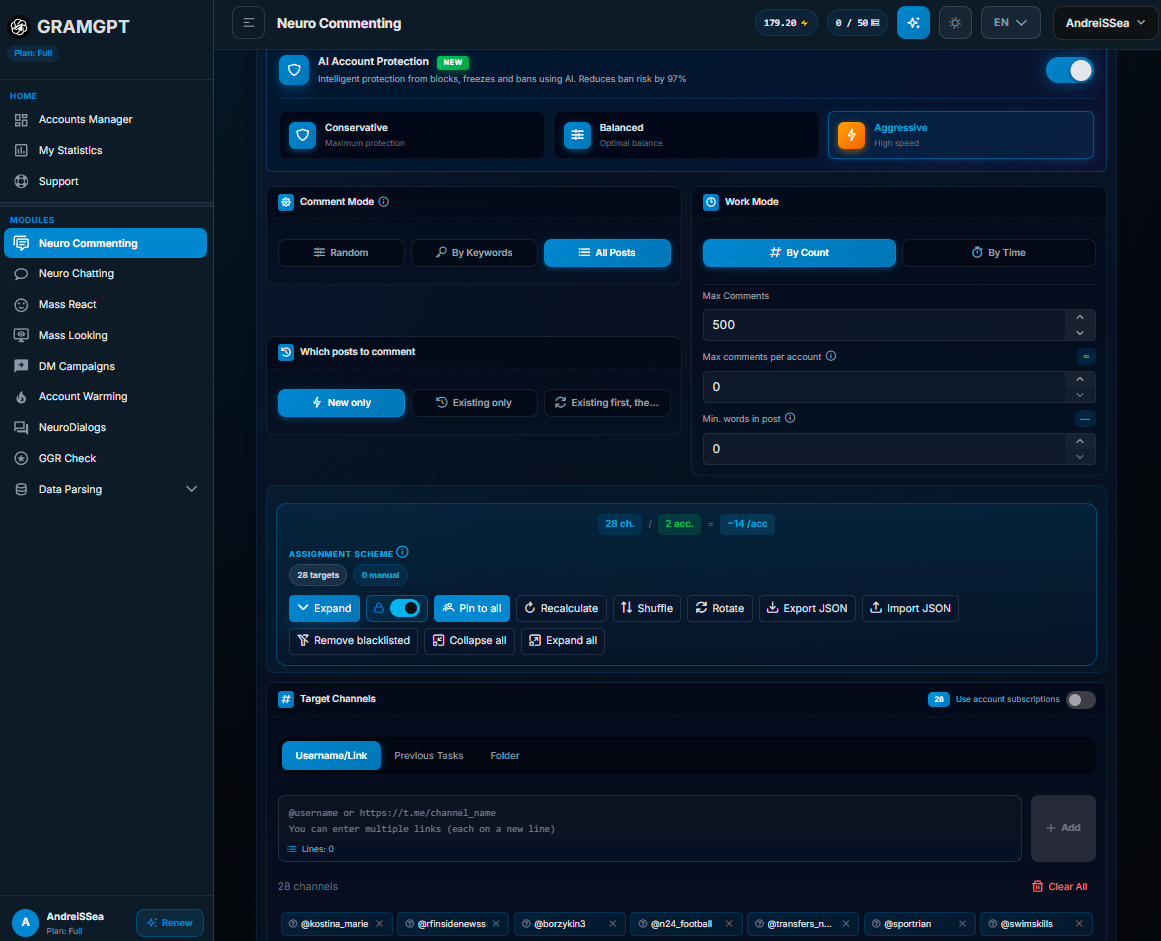
Next, configure the prompt: comments should match the topic of the publication, look natural, consist of three or four words, and not contain unnecessary hashtags or emojis. If necessary, add light flirting, and limit the message length to approximately 25 characters.
In the autoresponder, specify a short phrase and a link to the main Telegram channel or a separate account for handling incoming messages. Distribute channels among threads in small groups and set delays between actions so that the load on the accounts remains even.
We covered account connection, thread creation, and detailed prompt setup in a separate article: how to promote an 18+ Telegram channel.
Launching and checking Neurocommenting
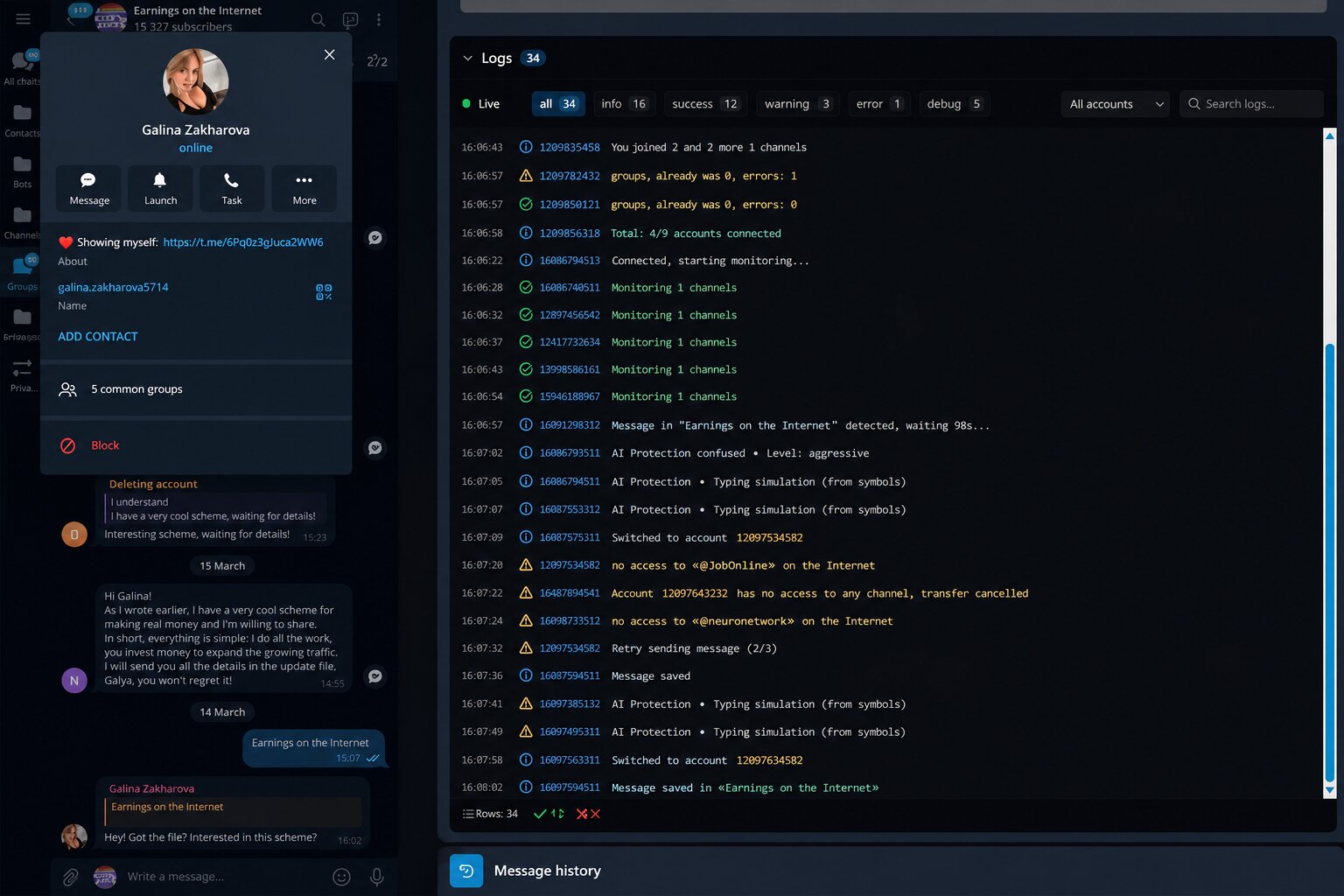
After launch, the accounts join the selected channels, while GramGPT enables monitoring and displays logs for each thread.
When a new publication appears in one of the channels, the system detects it, waits for the specified delay, creates a comment according to the prompt, and sends it from the connected account.
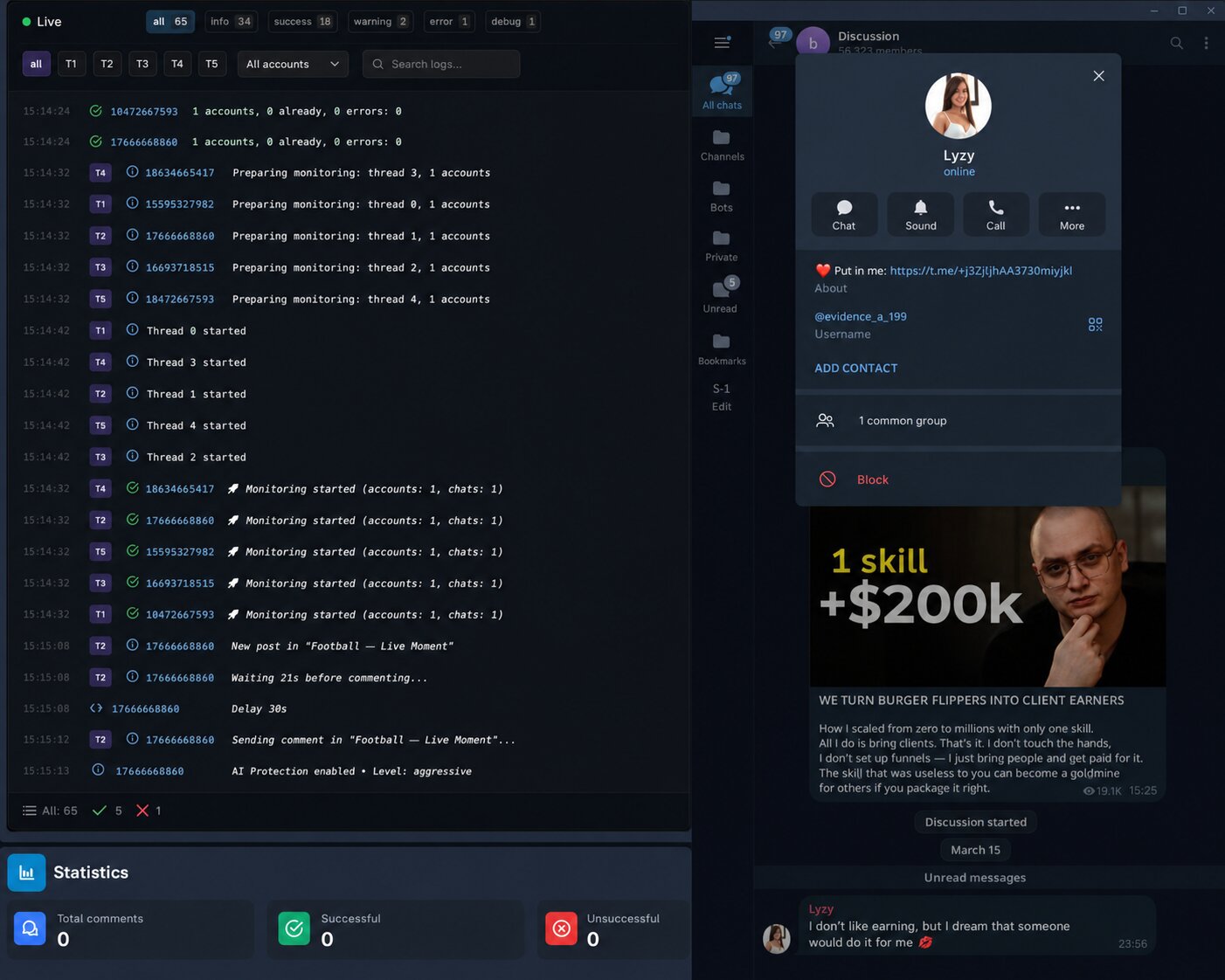
In the logs, you can check which account processed the publication, which comment was created, and whether it was sent successfully. If the messages are irrelevant, too long, or repetitive, you need to change the prompt, delays, or distribution of channels among threads.