A Telegram channel parser matters in GramGPT because a weak database quickly caps any outreach campaign or automation. If the list was bought from someone else or collected the same way everyone collects it, the audience is already overheated. That is why the goal is not just to find sources, but to build a high-quality, relevant and scalable database you can keep working with.
Below we break down how the Telegram parser works inside GramGPT, which settings and filters it has, where this approach is strong, and how to grow a small initial sample into a much larger channel database.
What Is a Telegram Channel Parser and Why Do You Need It?
It is a module that lets you:
- look up sources by keywords through Telegram search,
- filter them by subscribers, activity, comments and language,
- expand the collected list through recommendations,
- keep results in the parsing history and in My channel base,
- export the database in different formats for analytics and automation.
In practice, this is useful in three scenarios:
- outreach campaigns to a relevant audience,
- collecting active users from those sources,
- automating work with them, including commenting and other actions.
Where the Parser Gets Its Sources: Telegram Search and Recommendations
The main problem with most solutions is simple: people either buy ready-made databases or collect the same sources everyone else already collects. As a result, they end up with an overheated audience and weak returns.
The logic here is different. First, we take the initial results from Telegram search, and then expand them through Telegram recommendations. Because of this, the list turns out livelier and broader than a regular search by a few keywords.
That is where the practical value comes from: the parser does not stop at the search bar but uses it as a starting point. If you need a ready sample without your own accounts, see the parser that works on our base of 2M+ channels and chats.
Where the Telegram Channel Parser Starts: Importing Accounts
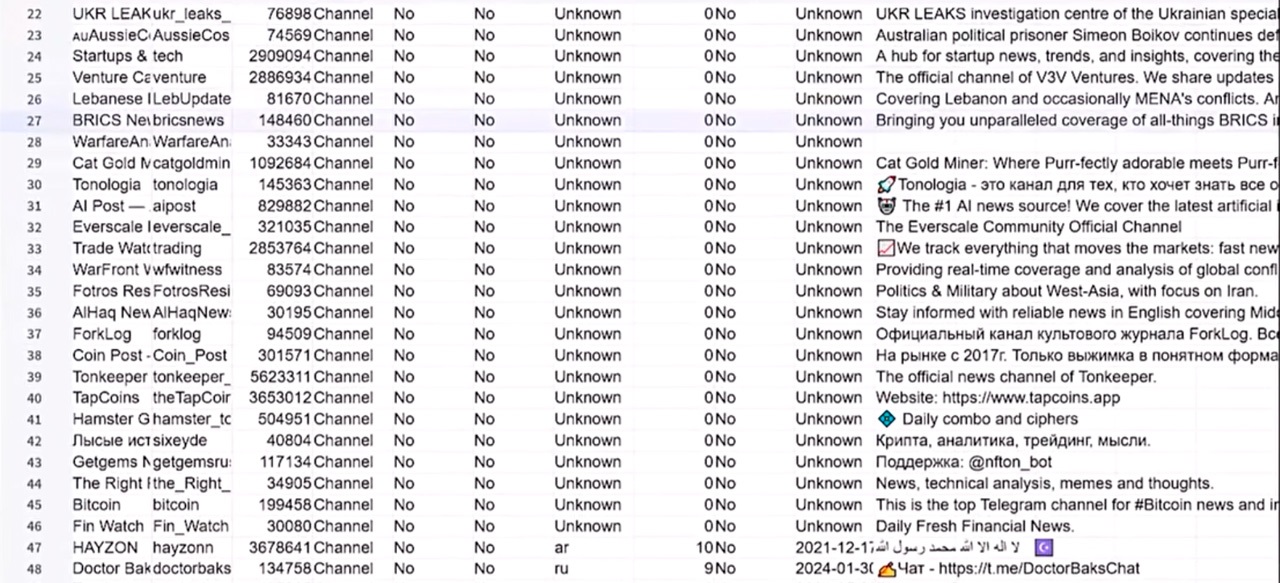
Before launching, you need to connect the accounts that will run the search. The interface has a separate account import section for this.
For example, you can add accounts through Tdata or Telethon sessions. This step matters because the parsing itself runs through connected accounts, so without it the work simply will not start.
The advantages of parsing through your own accounts:
- unlimited search with no fee for each run,
- you choose which accounts take part in the task,
- you can set detailed filters without paying extra for them.
Next, open the channel parsing section and pick the profiles in the Accounts block, for example with the "Add all" button.
How to Set Up the Telegram Channel Parser by Keywords
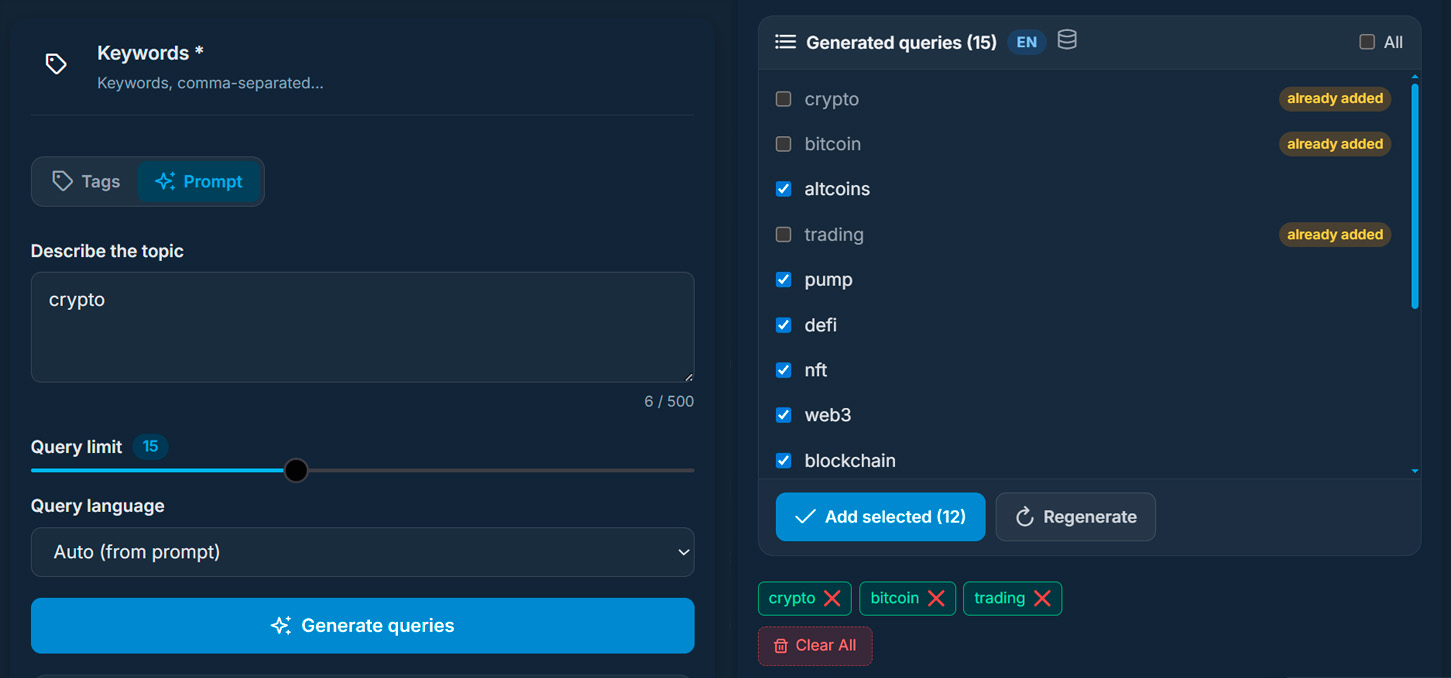
The search is based on keywords that Telegram uses to find suitable results. You can type them by hand or take them from a template: the Templates block has ready sets for marketing, IT, crypto and other niches, plus your own templates.
For example, a set for the crypto niche could look like this:
- crypto,
- cryptocurrency,
- bitcoin,
- trading,
- signals,
- blockchain.
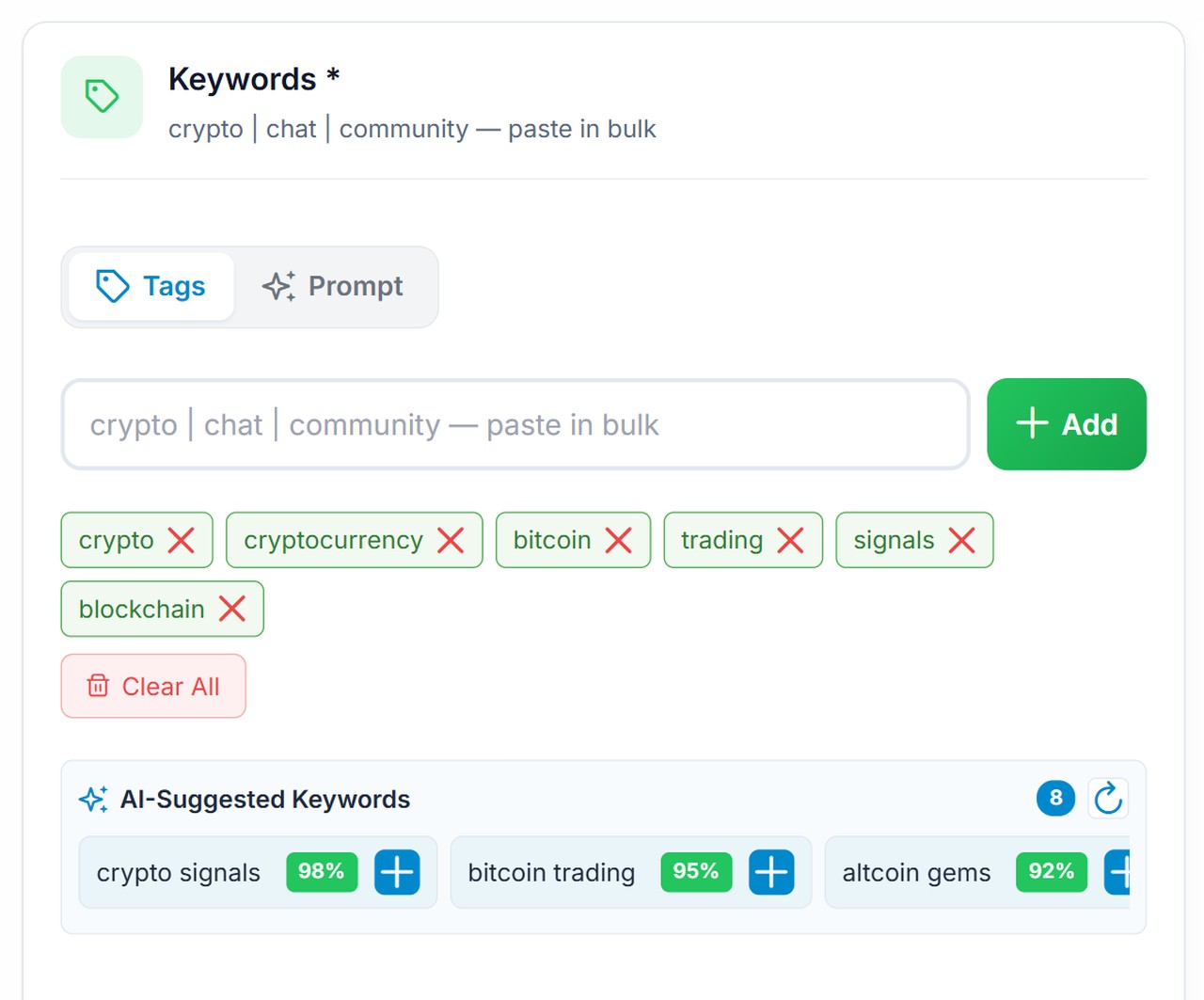
At the same time, the system suggests related words via AI and shows a match percentage. However, the point is not to add everything blindly: the suggestions are a guide for expanding your keyword list.
If you do not know which keywords to use, switch to the Prompt tab. It builds a set of words from a short description of the niche you need:
Suffixes: How to Multiply Search Queries
Next, turn on suffixes. In Manual mode you write them yourself, while in Auto mode the service picks them for the language of your keywords. A slider sets from 5 to 30 suffixes, and right below it you see the total, for example "10 suffixes × 66 search queries".
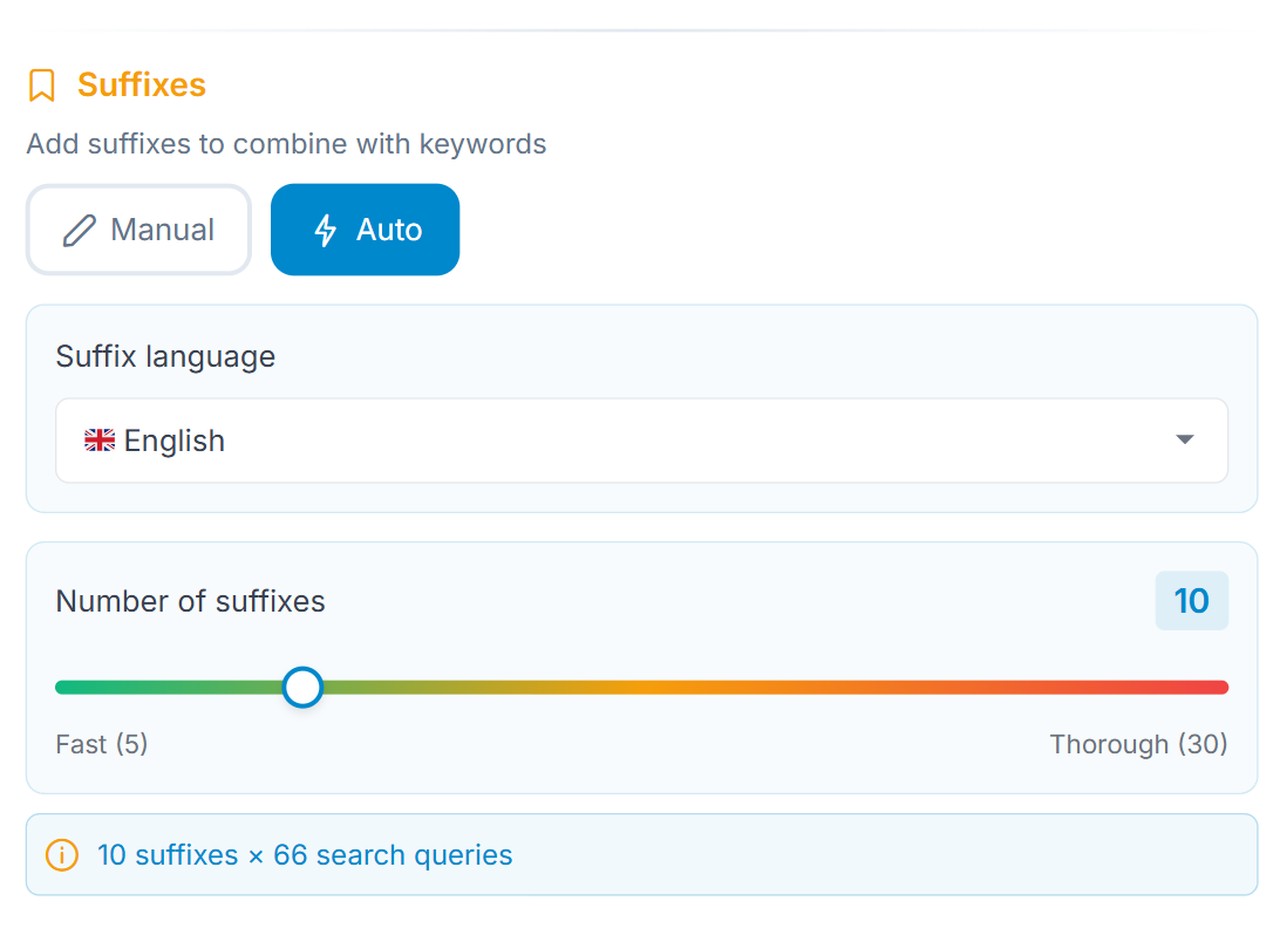
That means the parser works not on one word but on many combinations. For example:
- crypto 2026,
- bitcoin news,
- crypto trading,
- trading signals.
In this way, the parser gets the most out of standard Telegram search, which is quite limited on its own.
Which Filters the Telegram Channel Parser Has
To avoid collecting everything in a row, set the selection criteria right away. The left column of the settings has four of them:
- Participants Range: minimum and maximum subscribers, for example 1,000 to 1,000,000;
- Spam Rating from 1 to 10;
- Match in post text: the keyword is checked not only in the title but in posts too;
- Language Detection: the parser checks recent posts and keeps only the languages you tick.
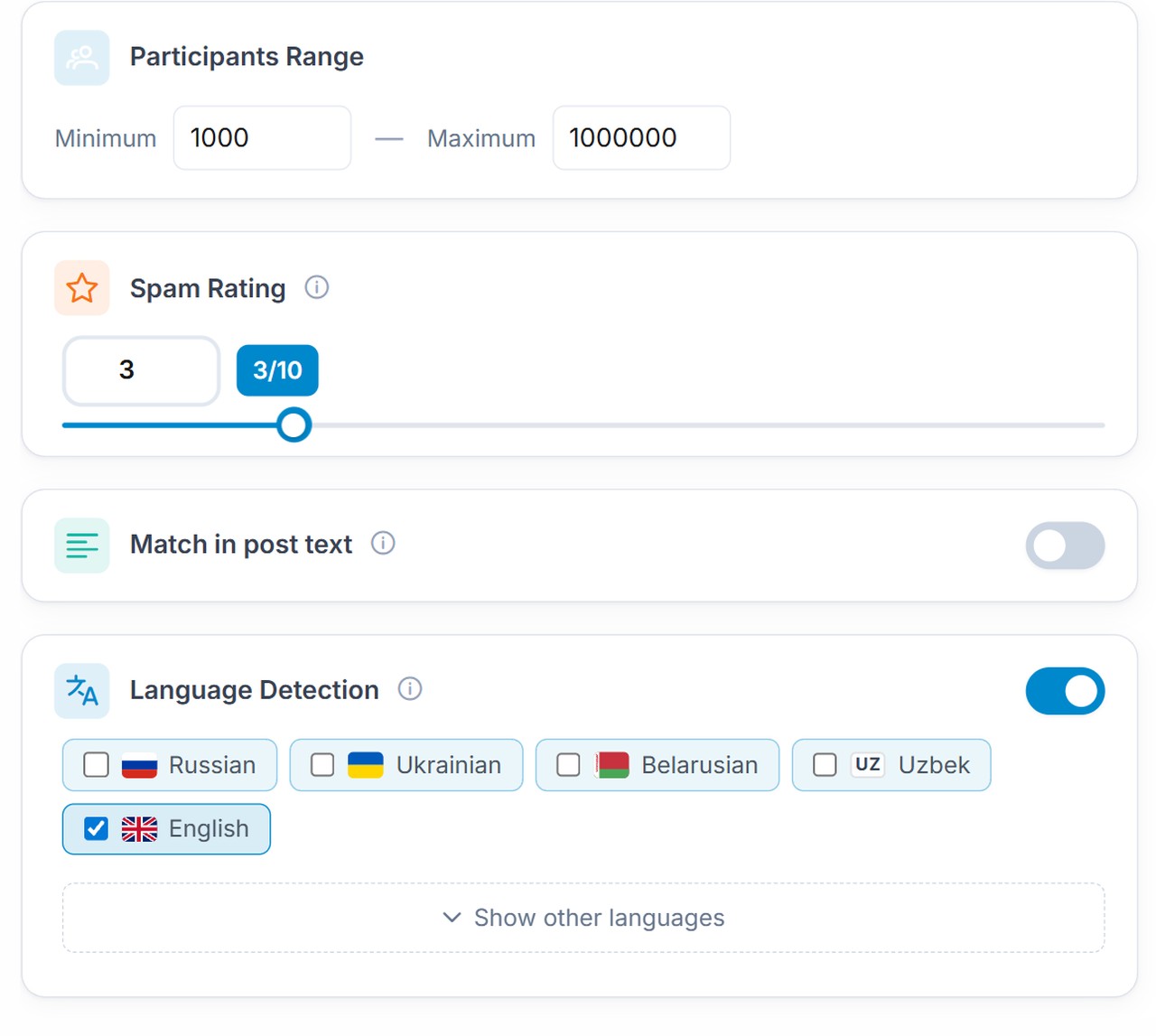
The right column holds the Activity Filter with a window in days and the Comments Filter. As a result, instead of noise and random entities, you get a database that fits real tasks.
Limit, Speed and Duplicates
The same screen holds the service settings of the task:
- Result Limit: 10, 25, 50, 100, 200, 500, a custom number or no limit;
- Skip already parsed: entries from your history are dropped, so only fresh ones remain;
- Fast Mode and the delays between requests.
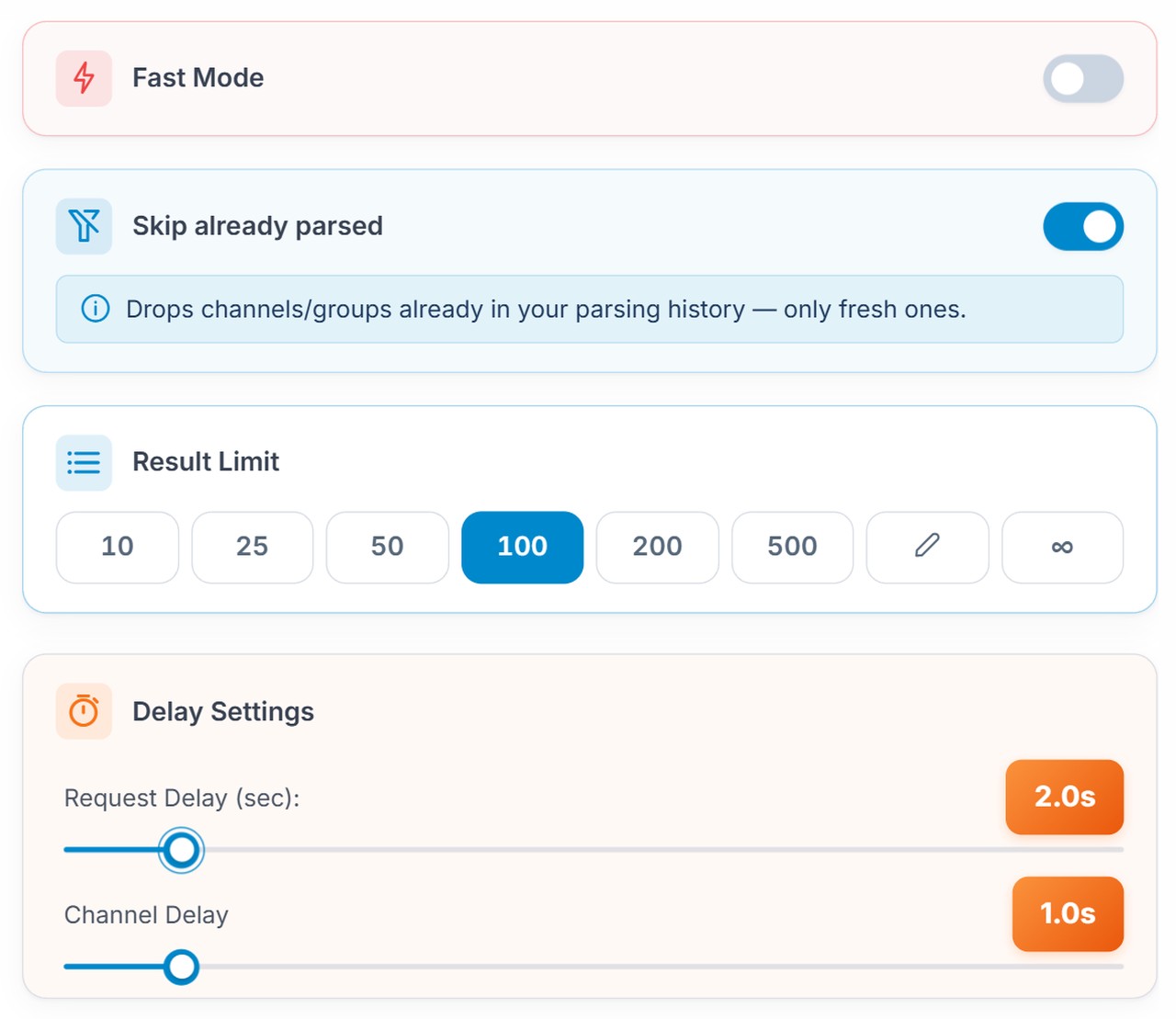
Fast Mode works when the Telegram channel parser handles small samples. But if you need hundreds of results, keep the default delays and turn on AI Account Protection at the top of the settings block.
How Does the Telegram Channel Parser Select Results?
The mechanics are simple, but many people underestimate them. The service goes through keywords and their combinations, runs them through Telegram search, and then checks every found object against your conditions.
Bots and irrelevant results are filtered out. If a source fits by subscribers, comments and other limits, it gets into the database. Besides, the log shows the reason for every skip: "comments closed or members-only", "inactive for over 30 days" or "fewer than 1000 members".
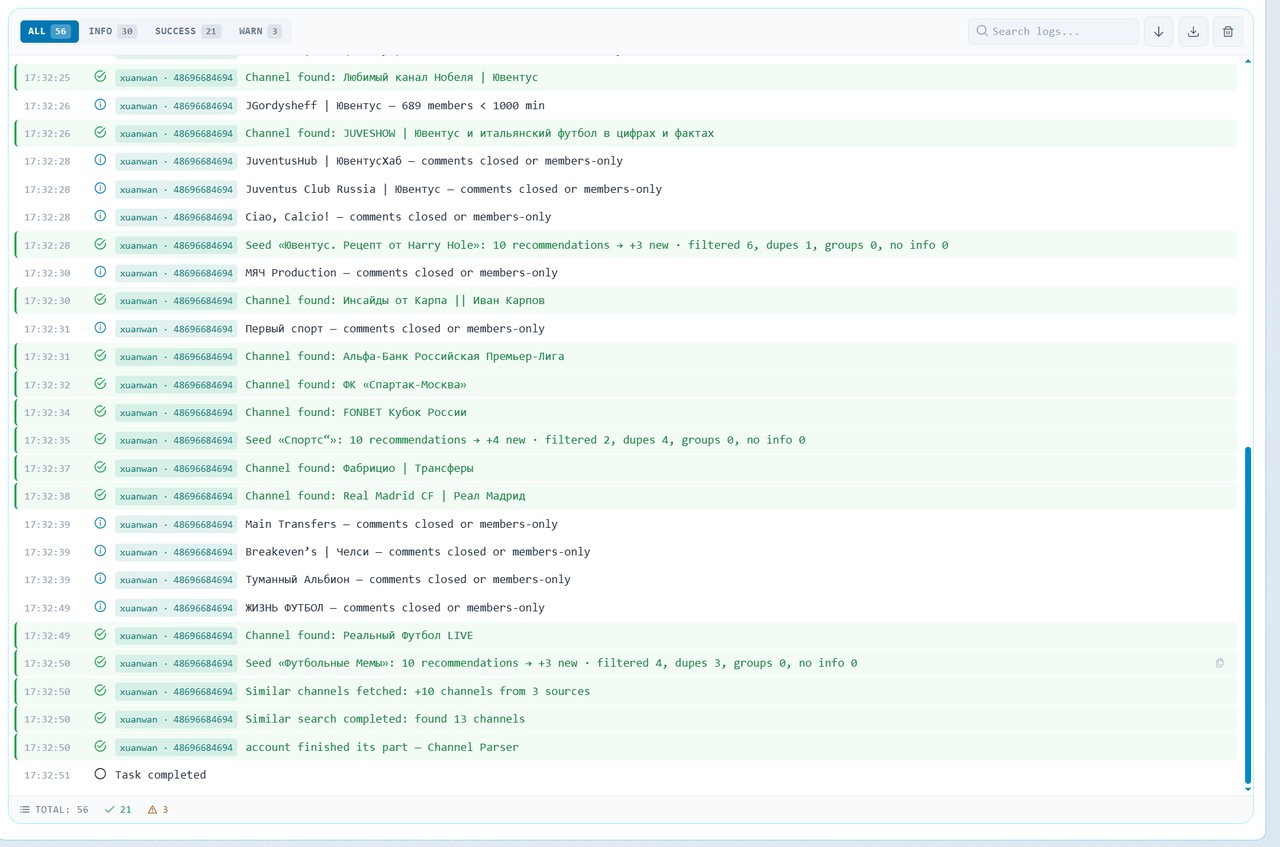
Therefore, you can collect far more than crypto. The same approach works for fishing, hunting, news, finance and local niches by country and language.
But standard search has a hard limit. It does not return endless results, so collecting thousands of sources this way alone is difficult. This is where the most interesting part begins.
Key Feature: Parsing Similar Telegram Channels
If you use only search, the Telegram channel parser gives you a starting sample. But once you add recommendations, the same list starts growing many times faster.
Telegram has a block of similar channel recommendations. A regular account gets roughly 10 of them, and with Premium you can get up to 100 similar channels per source. For example, the log says it directly: "Telegram returned 10 of 57 similar channels, the full list is available to Premium accounts".
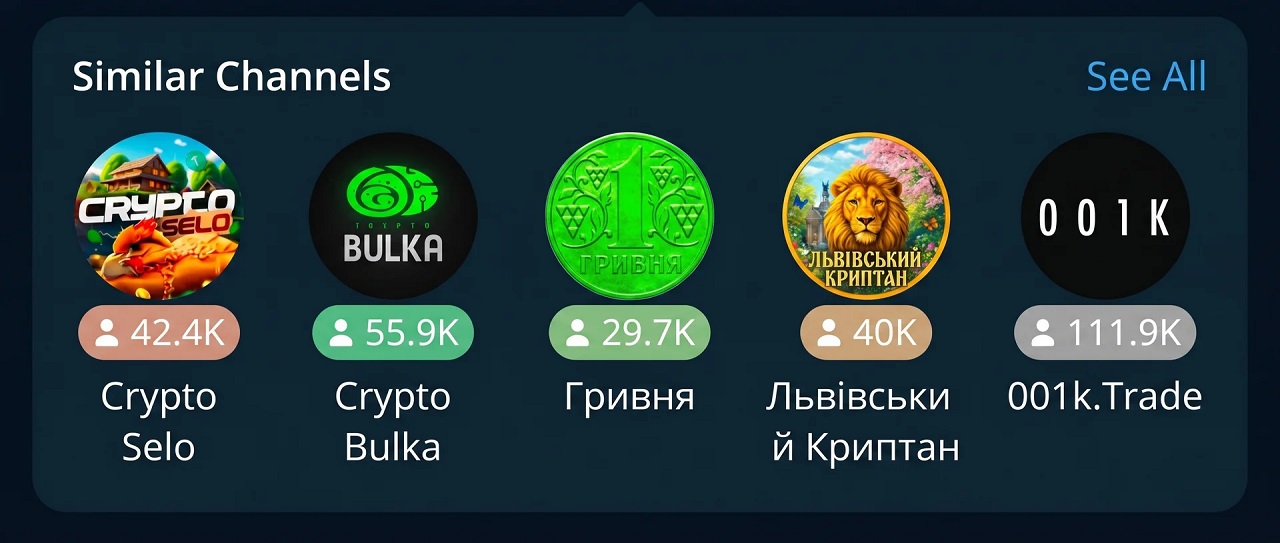
The logic is very powerful:
- First, collect a starter list by keywords.
- Take the list and send it for related recommendations.
- Get new results filtered by the same conditions.
- If needed, repeat the process on the new sample.
As a result, the parser turns from a simple search tool into a way to scale your database.
What to Consider When Searching for Similar Channels
- The topic can blur a little. Especially at depth 2: first you find a related source, then ones related to it, and relevance drops.
- There will be duplicates. However, this is normal: if a source shows up in recommendations several times, the system removes the repeats.
- Choose the depth on purpose. For an accurate database, keep depth 1. If you need more volume and are ready to clean the list later, set 2.
How It Looks in Practice
After collecting the initial database, click "Copy Links" in the results block. Then switch from Keyword search to Similar channels and paste the links into the Source channels field, one per line.
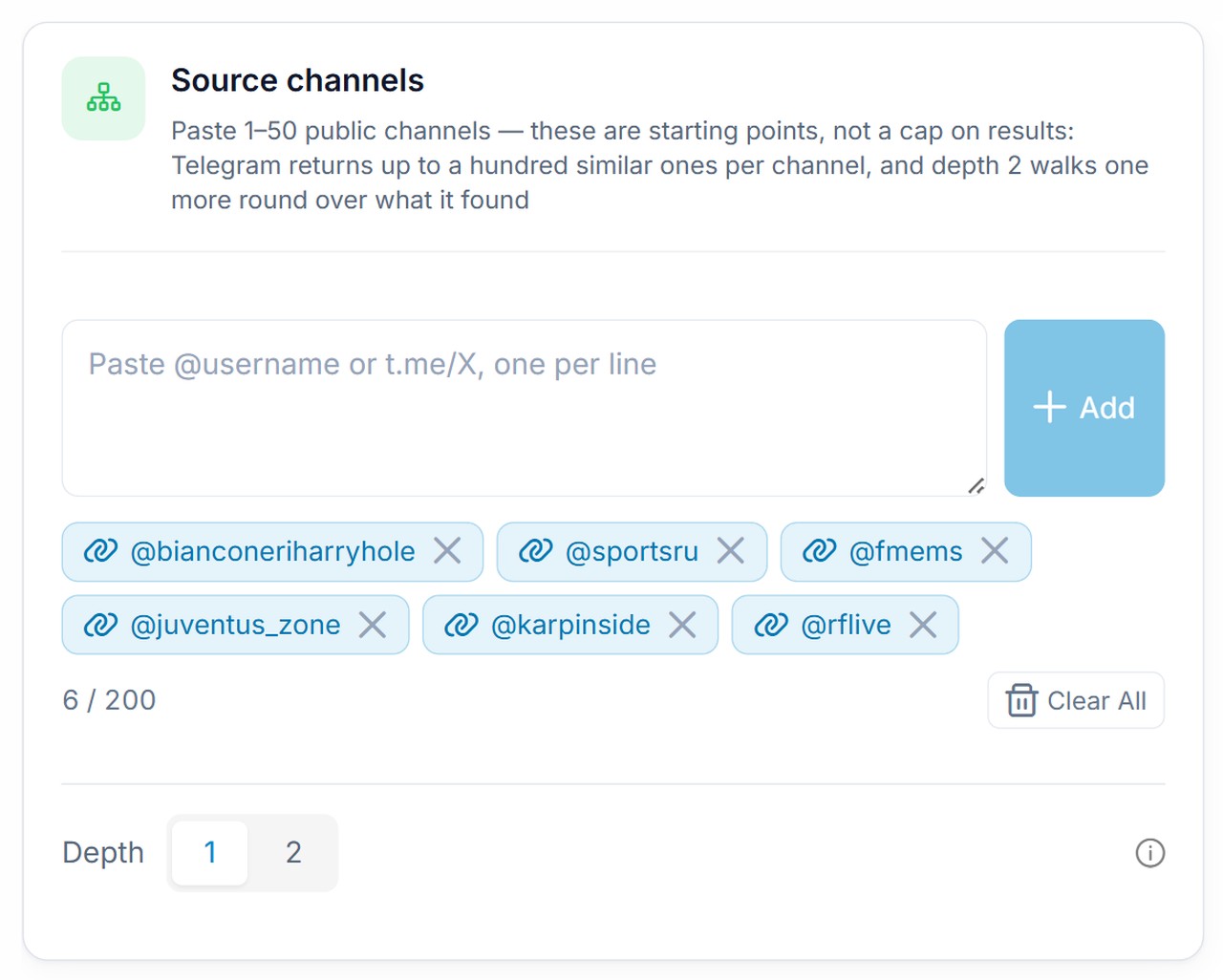
One run takes from 1 to 50 public sources. After the start, the system queues the task and pulls recommendations for each source. Duplicates and everything that fails the filter are removed. At depth 2, after a short pause, the parser makes one more round over what it found.
For example, if one source brings 10 recommendations, some of them may overlap with what was already found. That is why the final gain is less than 10. Still, when several sources are processed, the list grows very fast.
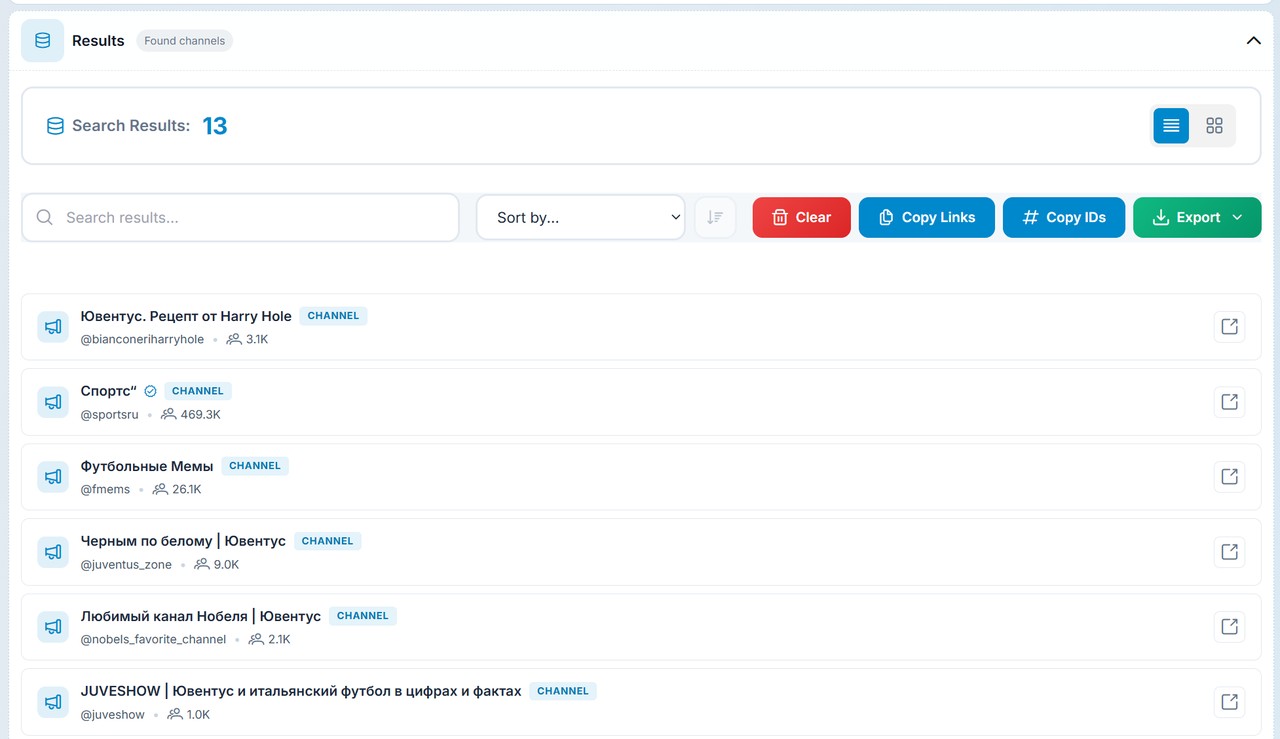
How Well the Database Scales
The tool is strong because it lets you expand step by step. The workflow is simple: collect the first sources through search, get similar ones, copy the new list and launch the next run. In the end, the database gets bigger with every round.
So the Telegram channel parser gives you not just a set of links, but a database that matches your conditions: subscribers, activity, comments, language and other parameters.
Saving Telegram Channel Parser Results and Export
Another practical point: you do not have to save results by hand as you go. The parsing history keeps every run for 30 days, and you can return to it later. This way, you do not lose intermediate results and can compare different approaches.
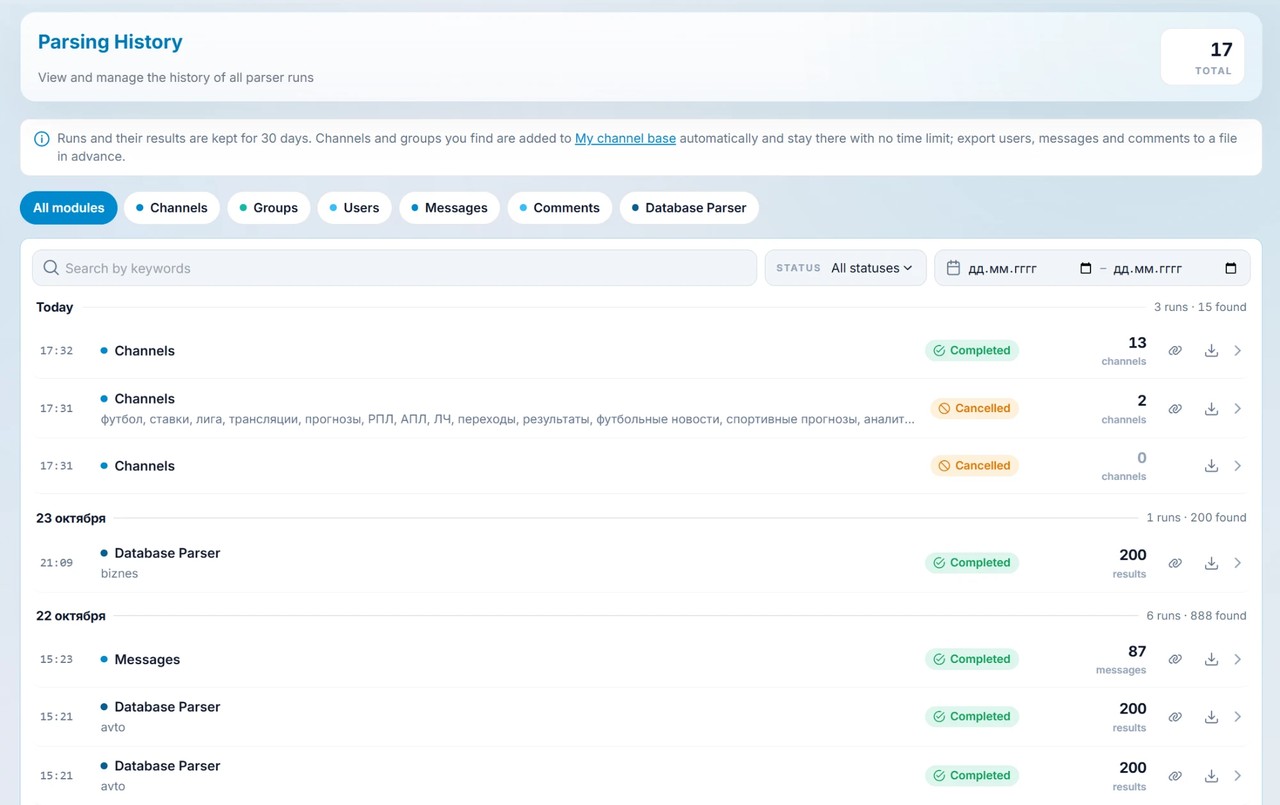
Several export options are available from the history:
- export to Excel,
- copying text links,
- extended export with additional data.
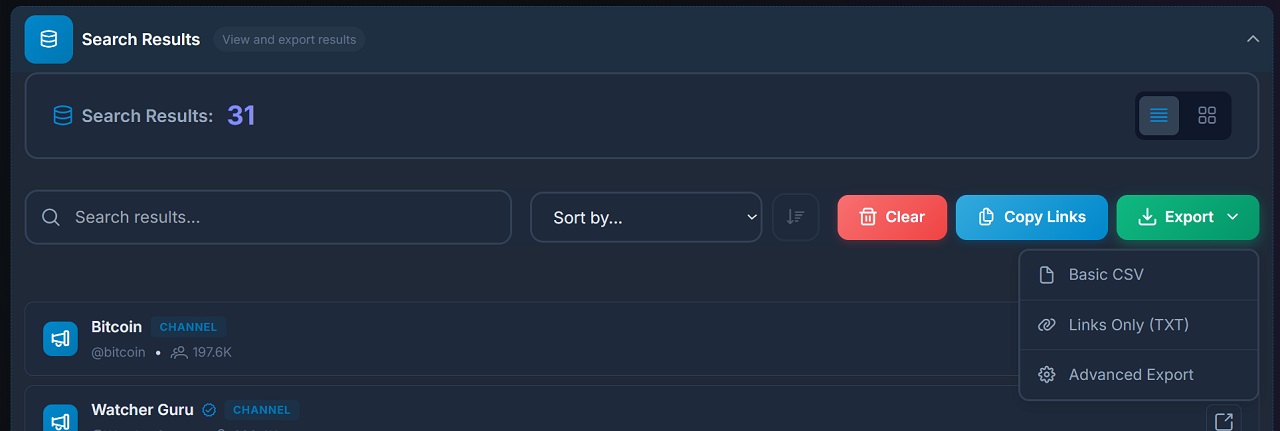
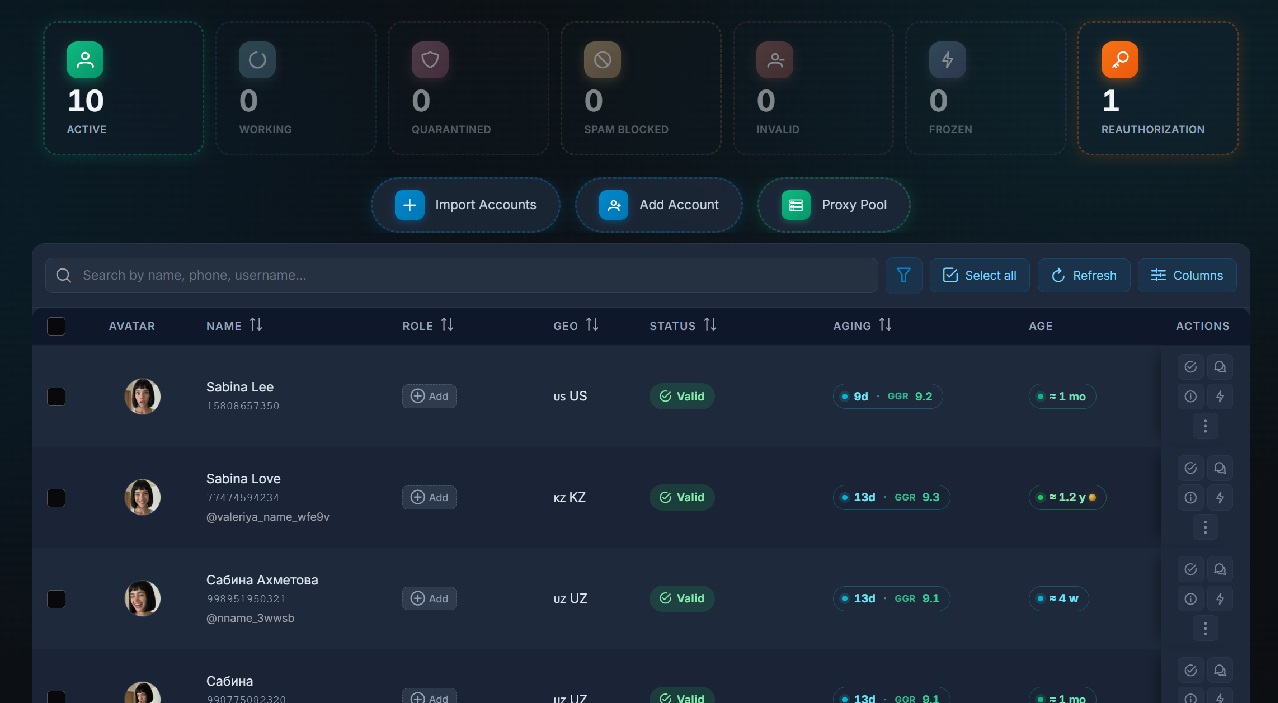
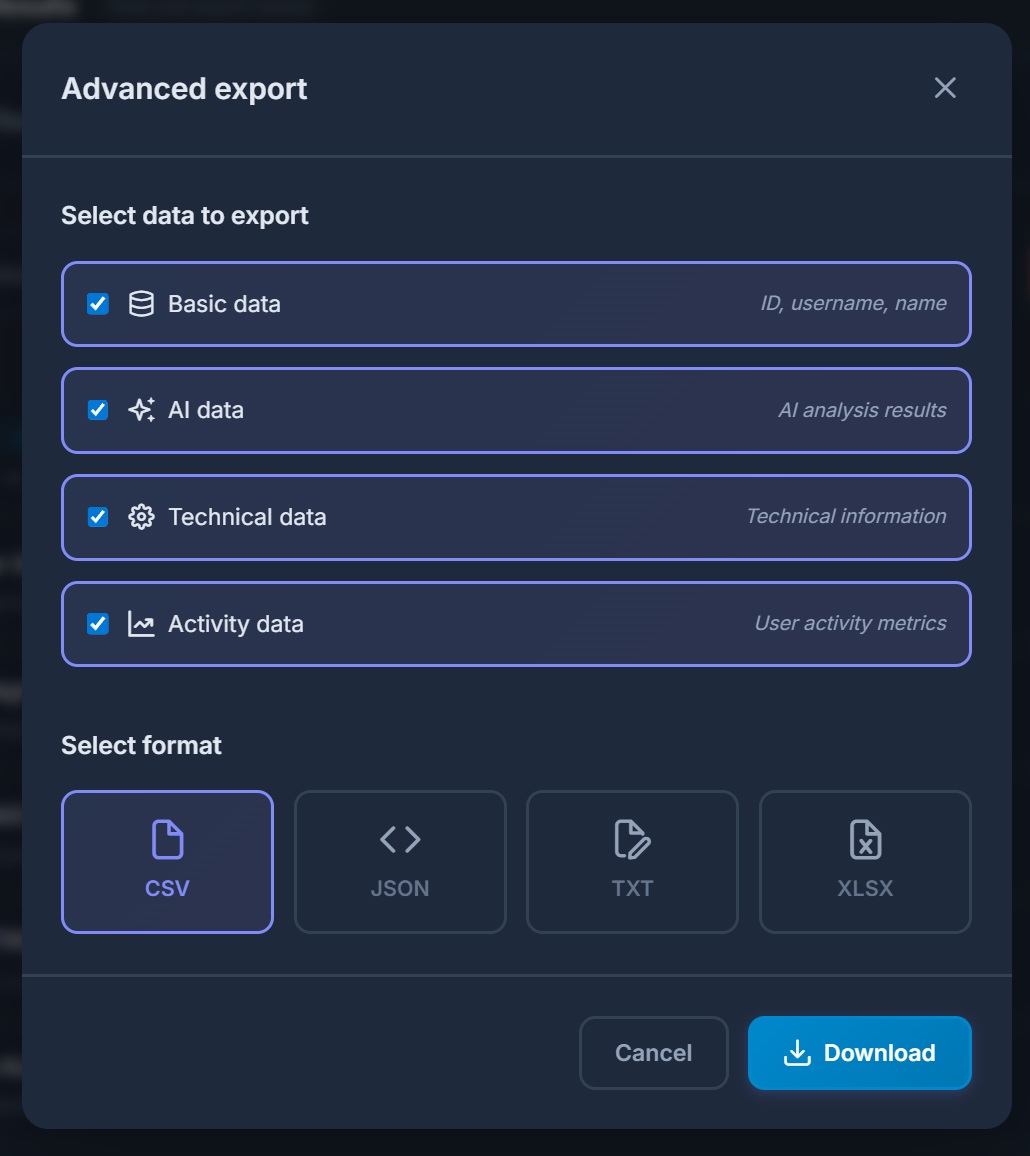
Extended export gives you not only basic info, but also practical data for analytics, outreach and technical processing. This is especially useful if you later need to rank the list by quality or run it through ChatGPT.
My Channel Base: Where Results Stay With No Time Limit
In addition, everything you find goes to My channel base automatically and stay there with no time limit. For each entry you see its language, subscribers, status (live, weak or dead), activity and whether comments are open.
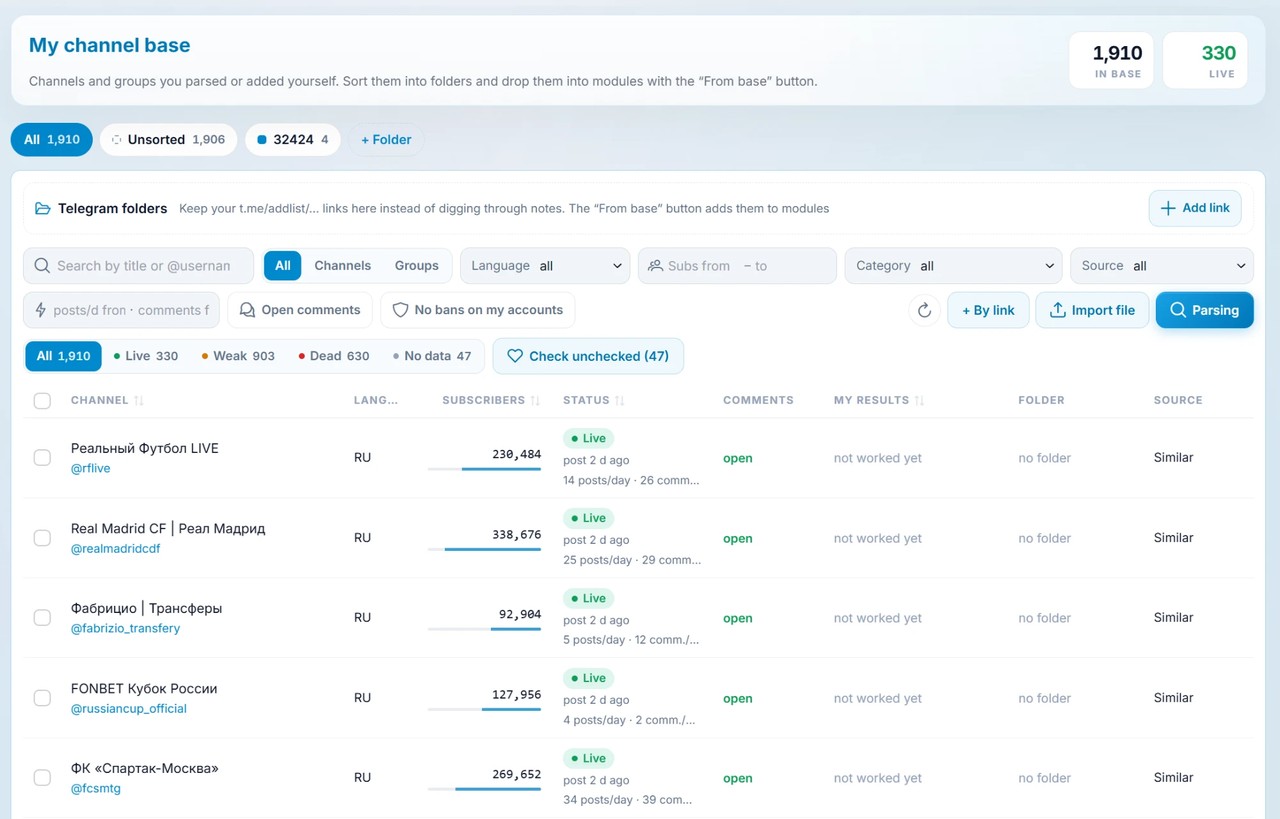
Then you can sort the base into folders, filter it by language, subscribers, category and source, and turn on the "Open comments" and "No bans on my accounts" filters. After that, the list goes into any module with the "From base" button. The same page also stores Telegram folder links like t.me/addlist.
Neurocommenting and promotion through comments only work where people can reply under posts. So set "Comments Filter: Open" right in the task. As a result, channels with closed discussions are dropped during collection, and you do not have to clean the list by hand.
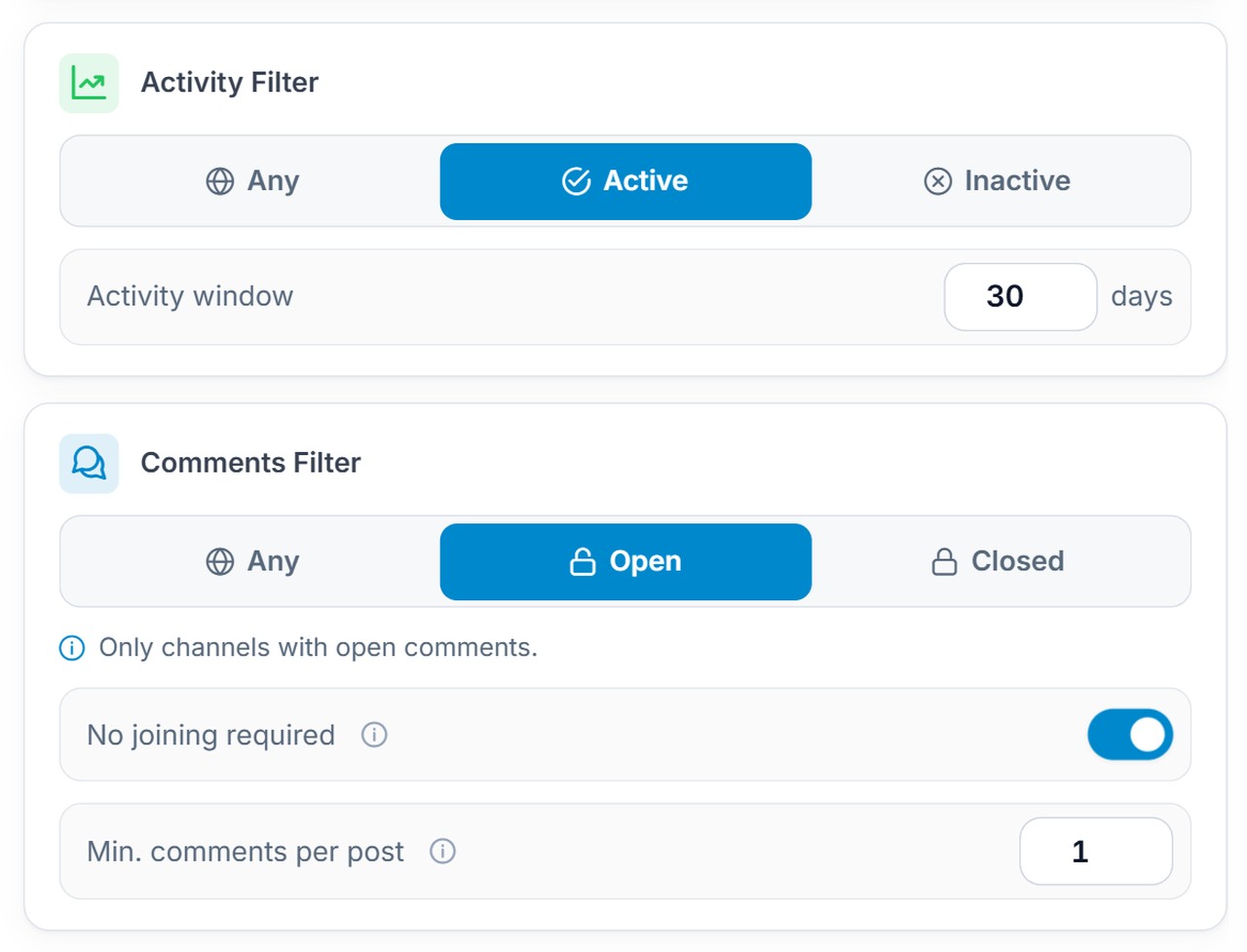
Then tune the other settings for this task:
- No joining required: keeps sources where you can comment without joining the discussion group;
- Min. comments per post: cuts sources where nobody writes under posts;
- Activity Filter: active ones only, with a window of, say, 30 days.
After that, run what you found through the related search with the same filter, and the list grows several times. Load the final list into neurocommenting, and your accounts will start leaving AI comments under fresh posts.
How to Use the Collected Database and Find an Audience in Telegram
The collected database has at least two practical uses.
1. Extract Active Users from Channels
Once the parser has gathered relevant sources, you can use them as an audience source. To do this, take this database and launch user parsing by comments.
As a result, you get a list of active people who actually interact with content in your niche. If it is crypto, these are users already interested in crypto. For outreach, this is much stronger than working blindly.
2. Use Channels for Automation and Outreach
The second use is automated activity on these platforms. If you gather sources for neurocommenting or other scenarios, the database becomes not a marketing list but working infrastructure. And if you need groups rather than channels, switch the parser to the Chats tab: the article on parsing Telegram chats and groups explains how it works.
That means one Telegram channel parser solves several tasks:
- finding platforms,
- finding an audience,
- preparing sources for further automated actions.