It is Friday evening. A nail artist is finishing her last client while eight messages pile up: "Any slot tomorrow?", "How much is gel?", "Can I move to 3 pm?". By the time she replies, two of those people have booked elsewhere, at a studio that already runs a Telegram booking bot.
Taking appointments by hand rarely fails because of poor care. It fails on speed: people expect an answer in minutes, and without a reminder they simply forget the visit. That is why automation now makes sense even for a solo pro.
Below we cover how a Telegram scheduling bot works, what it handles besides the booking itself, what each option costs and how to build one yourself. We also show what to do with clients who message your personal account instead of the bot, and how AI answers them right in the chat in 2026.
Telegram booking bot: what booking looks like for the client
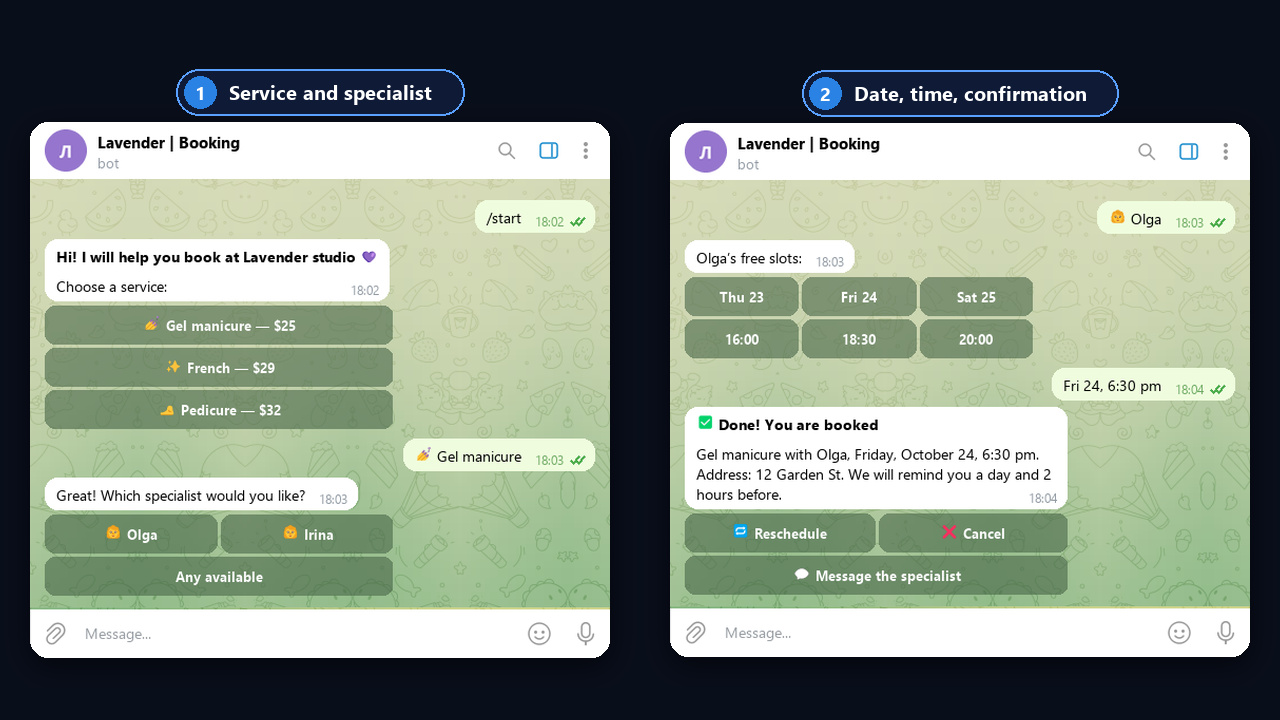
A client opens the bot from your profile, channel or a QR code at the front desk. Then the whole thing usually takes under a minute:
- Service. First come buttons with the name, price and duration.
- Specialist. If you have several, each appears with a photo, so clients can pick by portfolio.
- Date and time. Only free slots are shown, so double bookings never happen.
- Confirmation. Then the client leaves a name, phone and, where needed, a deposit.
Compared with chatting, however, the difference is obvious:
| Factor | Chat replies | Booking bot |
|---|---|---|
| Reply speed | When the specialist is free | Instant, 24/7 |
| Free slots | Checked by hand | Visible in the calendar |
| Double bookings | Happen | Impossible |
| Reminders | If someone remembers | Automatic |
| Workload | Dozens of messages a day | New appointment alerts only |
What a booking bot does beyond taking appointments
A good system covers the whole visit cycle, not just the first step. So when choosing one, check for these features:
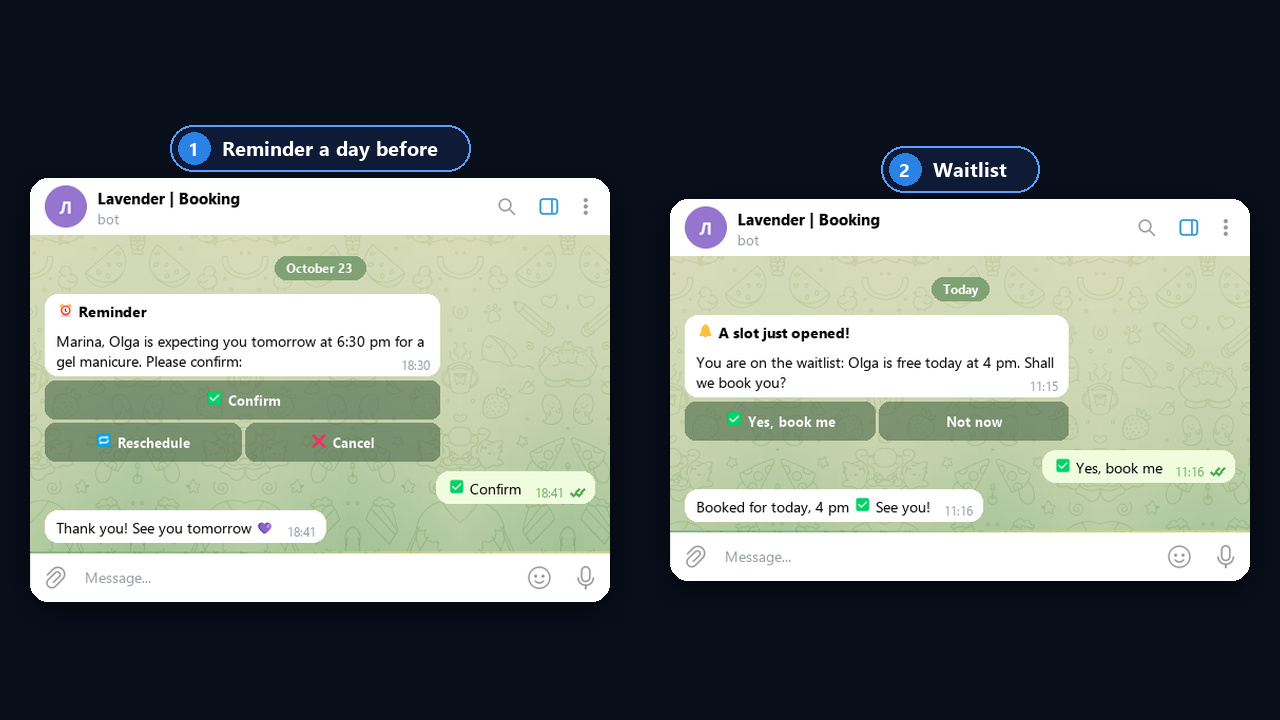
- Reminders a day and 2 hours before, with Confirm, Reschedule and Cancel buttons. These are what cut no-shows.
- Rescheduling and cancelling in two taps, so the client frees the slot instead of simply not showing up.
- A waitlist. When someone cancels, the next person in line gets the slot right away, so it never stays empty.
- Deposits for long or expensive services, so late cancellations cost less.
- Alerts for the specialist on every new booking, change and cancellation, so nothing slips through.
- A review request after the visit and an invite to rebook in 3–4 weeks, which means repeat sales without ads.
For example, a nail artist with a $25 average ticket and five no-shows a month loses $125. Even if reminders recover half of those visits, the subscription pays for itself in the first month.
So run the numbers for your niche. Here is a sample of monthly losses from no-shows:
| Niche | Average ticket | No-shows per month | Monthly loss |
|---|---|---|---|
| Nails | $25 | 5 | $125 |
| Barbershop | $20 | 8 | $160 |
| Dental clinic | $80 | 4 | $320 |
| Car service | $70 | 3 | $210 |
Booking bots for salons, clinics and other niches
The flow is similar everywhere, but questions and rules differ. For instance:
| Niche | What to ask | Specifics |
|---|---|---|
| Nails and beauty | Treatment, design, artist | Duration varies by treatment |
| Barbershop | Haircut, beard, barber | Short 30–45 minute slots |
| Clinic and dentistry | Doctor, visit type | Never collect symptoms: health data is sensitive personal data under privacy laws |
| Car service | Car make, type of work | Bay and mechanic, long slots |
| Tutor and therapist | Format, time zone | Video link in the confirmation |
| Fitness and coaching | Workout type, gym | Memberships and group slots |
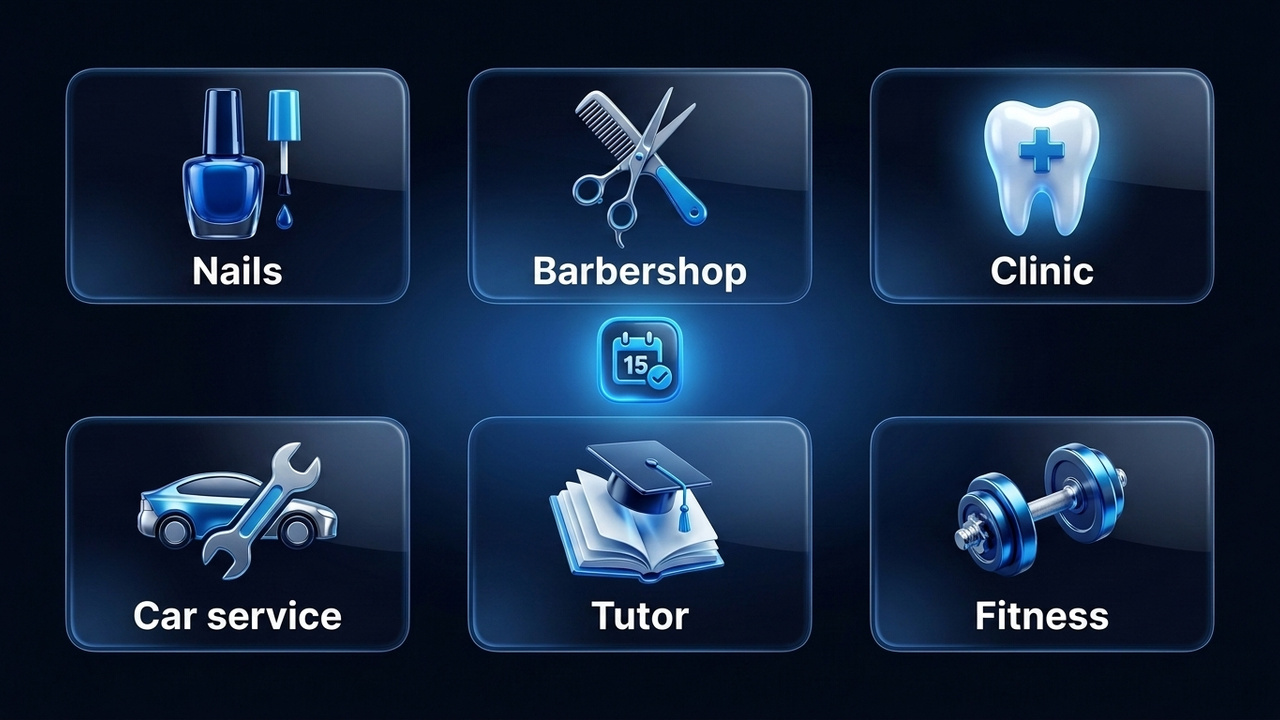
For example, a two-chair barbershop moved appointments from DMs to a bot with reminders. The admin stopped answering "any time today?" messages, and freed slots started going to the waitlist instead of staying empty. That result is typical for niches with short slots and regular clients.
For more ideas on finding customers, see our guide on how to promote a beauty salon.
Four ways to get a Telegram booking bot
You can plug in a ready-made scheduling platform, assemble a bot in a builder, hire a developer or let AI handle the first chat in direct messages. Here is how they compare:
| Option | Time to launch | Cost | Best for |
|---|---|---|---|
| Scheduling platform with a bot | 1 day | Free plan or subscription | Solo pros and salons with a standard menu |
| Bot builder | 1–3 days | About $10–15 a month | Those who need custom flows and broadcasts |
| Custom development | 2–4 weeks | From several hundred dollars | Chains, clinics, businesses with a CRM |
| AI in direct messages | 1 day | Module subscription | Specialists whose clients write directly; paired with a scheduling platform |
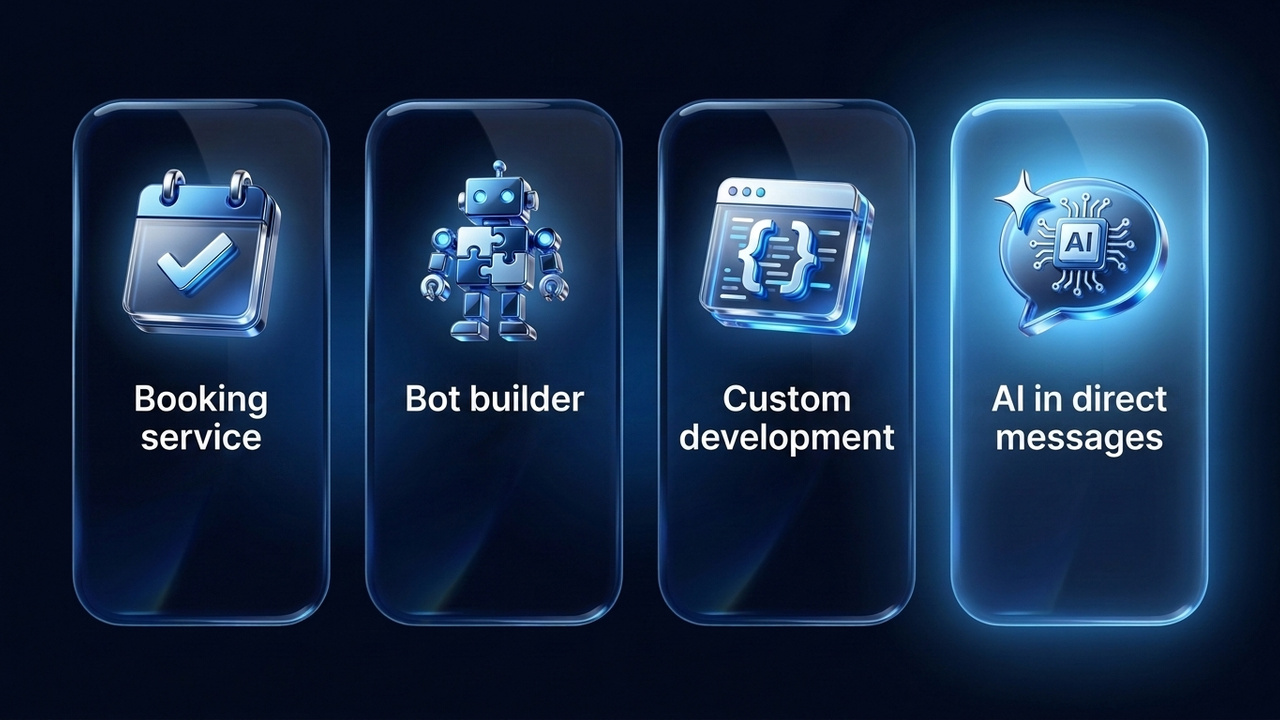
For example, booking platforms give you a calendar, reminders and a ready widget out of the box. Builders, by contrast, are more flexible: you design the flow, questions and broadcasts yourself. Custom development, however, only pays off when bookings must live in a CRM and cover branches and dozens of staff.
Booking bot platforms compared
A Telegram booking bot is usually built on one of these platforms, so here are common options side by side:
| Tool | Type | Free start | How it connects to Telegram | Best for |
|---|---|---|---|---|
| YCLIENTS | CRM with online scheduling | Trial, then a subscription | Widget in your profile or channel | Salons and chains with several staff |
| DIKIDI | Online scheduling and CRM | Basic free plan | Online widget, client notifications in the messenger | Solo pros and small studios |
| BotHelp | Bot builder | Trial | Your own assistant on a @BotFather token | Broadcasts and funnels |
| Salebot | Bot builder with a built-in CRM | Free start with limits | One flow across several messengers | Businesses on several messengers |
| GramGPT.io NeuroDialogs | AI replies in DMs | Module subscription | Replies from your personal account and shares your scheduling address | Specialists whose clients write directly |
Plans and features change often, so check them on each website before you commit. In practice, a pair works best: the platform owns the calendar, while an assistant or AI handles the conversation.
Telegram booking bot or Mini App: which one to choose
Besides a button flow, scheduling can live in a Mini App, a small web app inside Telegram with a full calendar. So the choice depends on scale:
| Criterion | Button bot | Mini App |
|---|---|---|
| Team and menu | Up to 5 staff, 10–15 treatments | Chains, branches, a large menu |
| Interface | Messages and buttons | Calendar, photos, filters |
| Time to launch | 1–3 days | 3–4 weeks and more |
| Cost | Free or a subscription | Custom development, from about $1,200 |
In other words, a solo specialist or small studio is fine with buttons, while a Mini App pays off for chains with heavy appointment traffic.
Deposits and cancellation rules
No-shows hurt most on long appointments: extensions, coloring, dental treatment. That is why these often require a deposit of 20–30% through a payment provider. Also spell out the rules right in the confirmation message:
- Free cancellation, for example, up to 12–24 hours before the visit.
- Late cancellation: the deposit stays with the specialist or moves to the next visit.
- Lateness: after 15 minutes the service is shortened or rescheduled.
Stars do not work here, however: they pay for digital goods, not offline services. So deposits need a regular payment provider connected to your builder or scheduling platform.
How to choose a scheduling platform: a checklist
First, make sure the service fits your real working day, not a polished demo. Answer seven questions:
- Is there a free plan or trial, so you can test it on real clients?
- Do reminders include buttons, not just plain text?
- Can you take a deposit and, for example, keep it on late cancellations?
- Does it handle several specialists with different schedules instead of one shared calendar?
- Does it sync with Google Calendar to prevent double bookings?
- Can the same schedule power a website widget too?
- Can you export the client list if you switch platforms later?
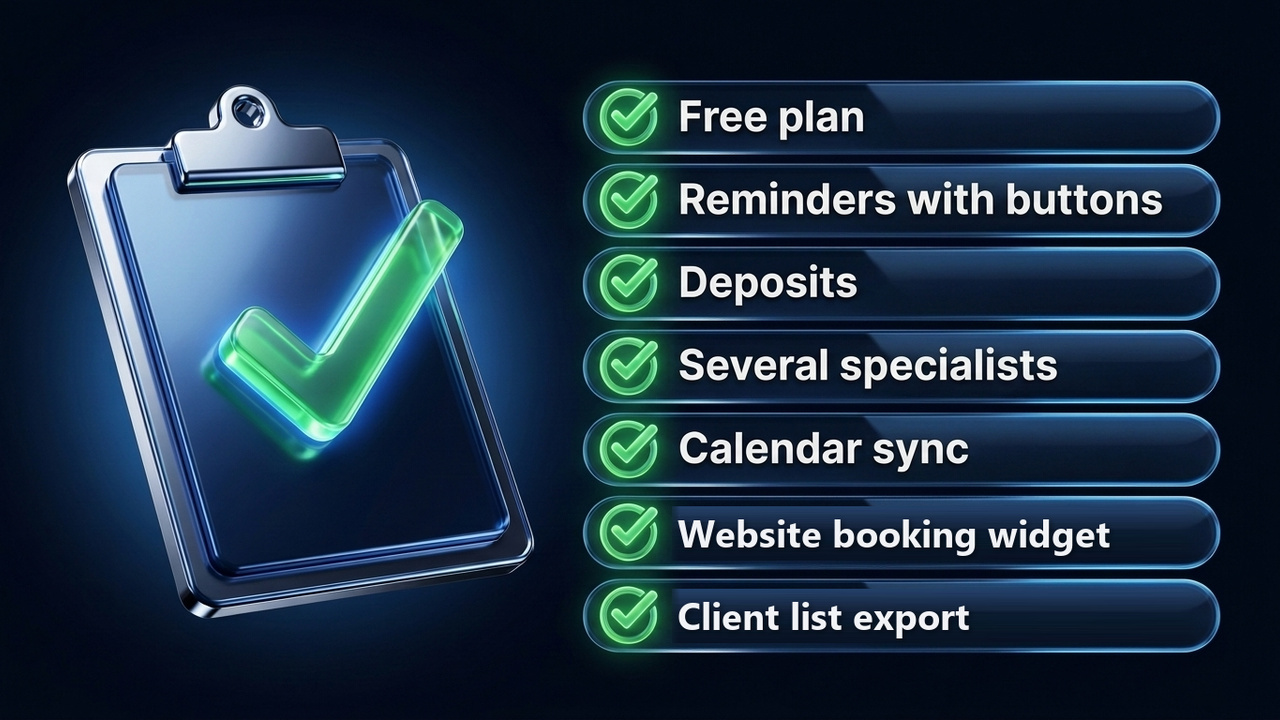
In other words, a simple Telegram booking bot that does these seven things beats a complex system where half the features go unused.
Calendar sync: a Telegram booking bot without overlaps
Overlaps almost always come from having more than one schedule: one in the messenger, another in the specialist's notebook, and a phone booking nobody entered. Therefore, keep one schedule for every channel: the widget, your website and the DM assistant all read the same calendar.
| Where overlaps come from | How to fix it |
|---|---|
| Personal plans are invisible to the system | Two-way sync with Google Calendar: a personal event blocks the slot |
| Phone and walk-in appointments | The admin adds them to the same calendar right away, not at the end of the day |
| Two people pick one slot at once | The slot is held for 5–10 minutes while the client confirms or pays the deposit |
| A treatment runs late | Own duration per treatment plus a 10–15 minute buffer |
| Several branches and staff | A separate schedule per specialist, not one shared salon calendar |
For example, ask a friend to grab the same time as you from another account. If the system accepts both, the sync is broken.
How to create a Telegram booking bot
For small businesses the most common route is a builder, so here are the steps:
- Create the bot in @BotFather. Send /newbot, choose a name and a username ending in "bot", then copy the token.
- Then paste the token into your builder or scheduling platform.
- Add services: for example, name, price, duration and specialist.
- Set the schedule: working hours, breaks, days off and also a buffer between clients.
- Next, turn on reminders for clients and alerts for yourself.
- Book a test visit from your phone and ask a friend to try from another account.
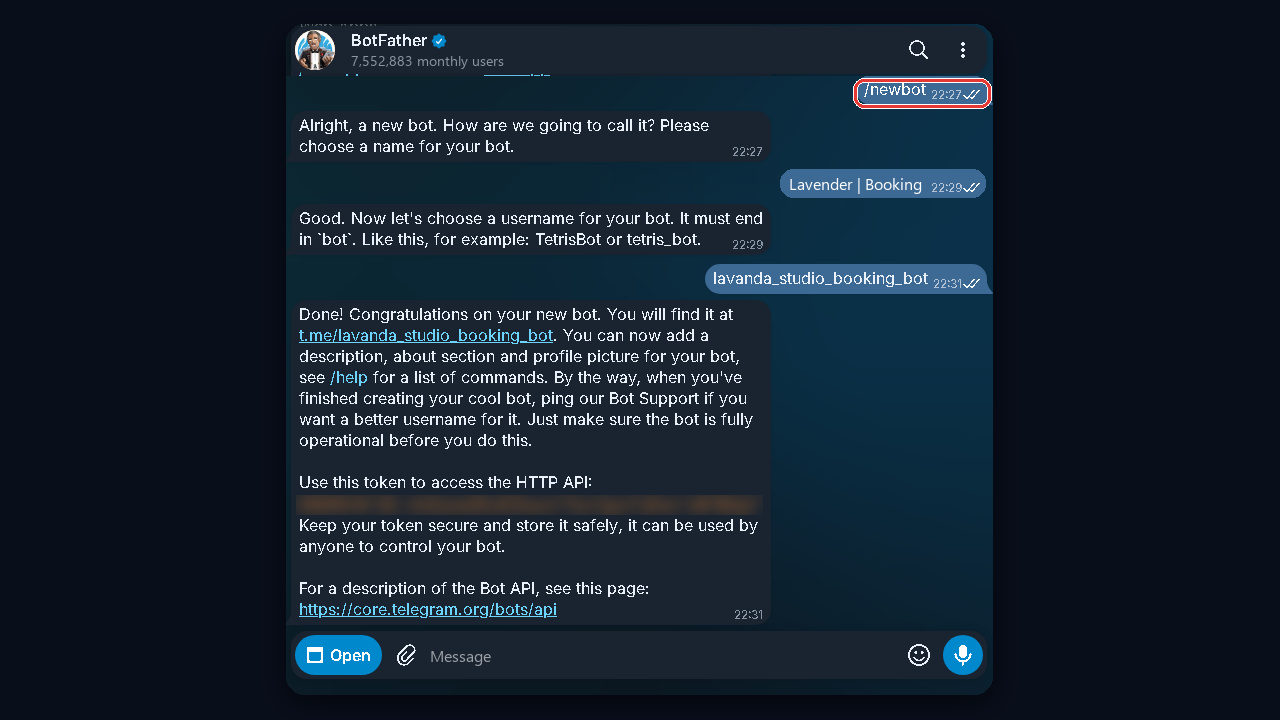
After launch, every new appointment then reaches you as a separate message with the treatment, time and client contact.
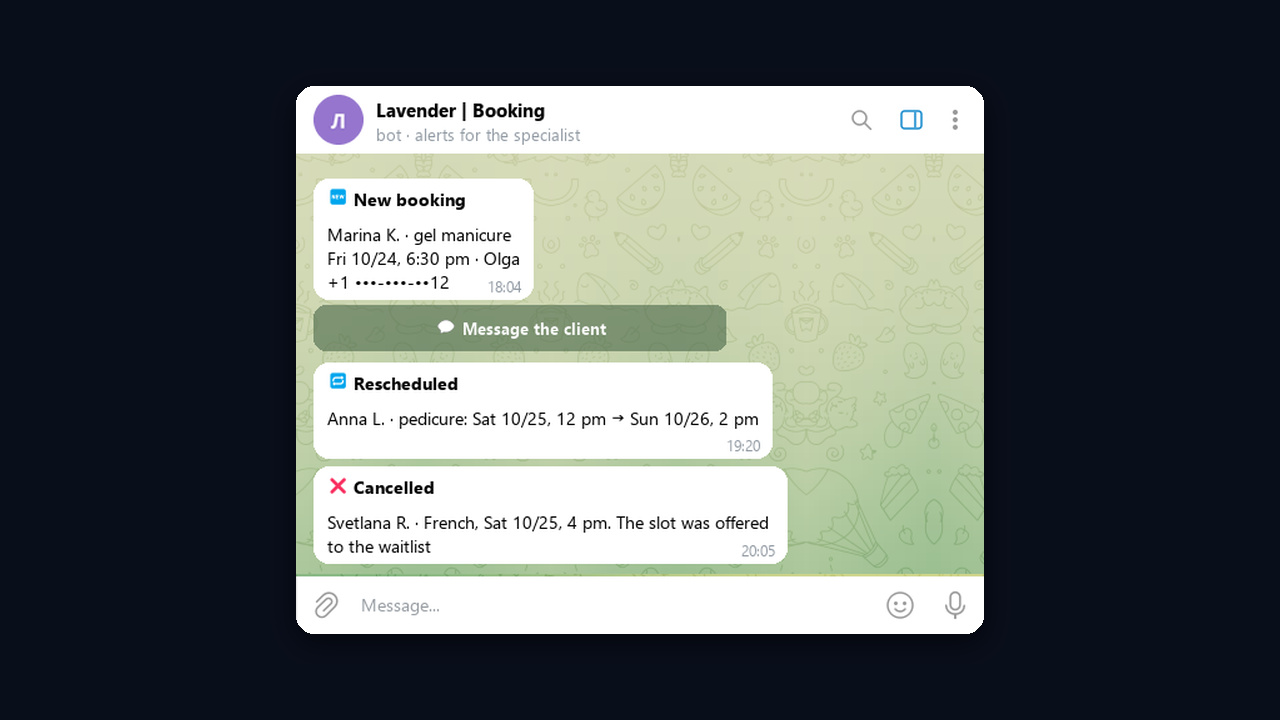
Bot copy: greeting, confirmation, reminder
Tone matters more than it seems, because the bot speaks for the specialist. Keep messages short and warm, for example:
"Hi! I'll help you book with Olga at Lavender studio. Pick a service 👇"
"Done! Gel manicure, Friday, 6:30 pm. Address: 12 Garden St. Plans changed? Tap Reschedule."
"Reminder: Olga is expecting you tomorrow at 6:30 pm. Please confirm or pick another time."
Next, add a description and a profile photo, and put the bot link in your profile, pinned channel post and business cards. But keep a human contact too: a Message the specialist button helps anyone with an unusual question.
Chatbots in Telegram Business and your personal account
But many clients skip the bot and message the specialist's personal account. Telegram Business lets you connect a chatbot to that account so it replies in your DMs on your behalf. Our guide to Telegram Business covers the features in detail.
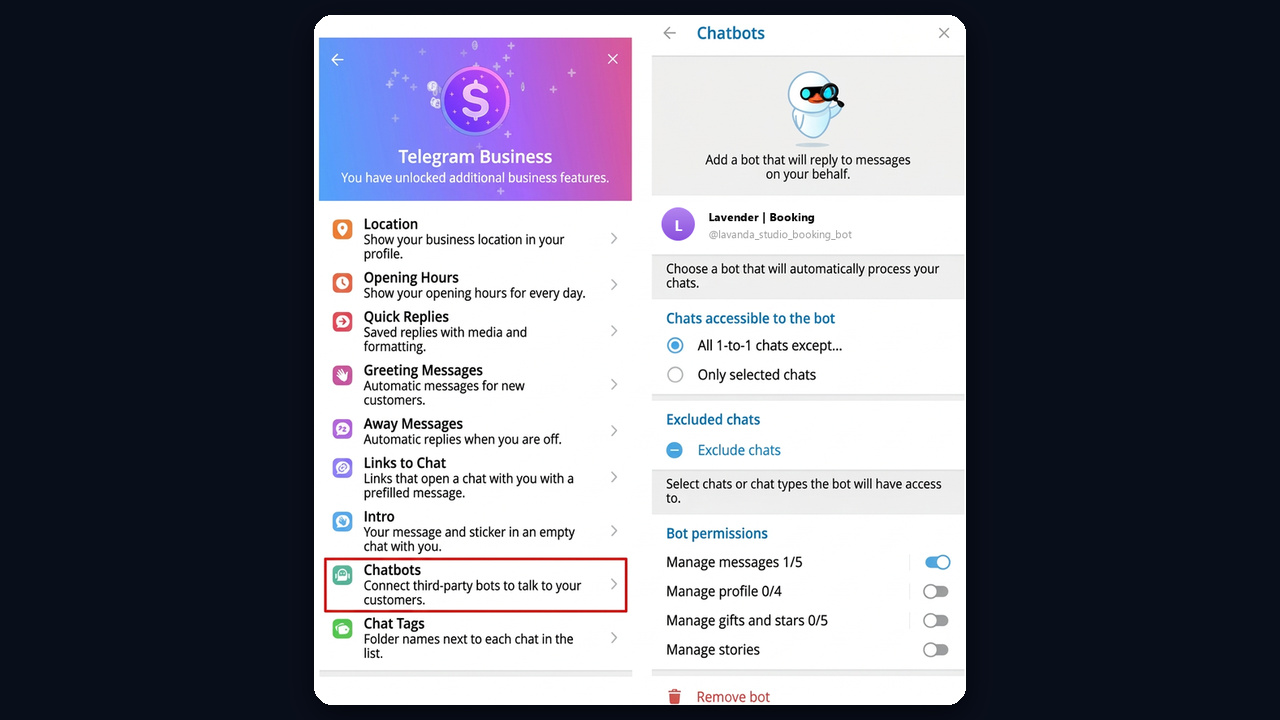
Connecting a Telegram booking bot to your account takes a couple of minutes: Settings → Telegram Business → Chatbots, then the bot's username, the chats it may access and its permissions. Telegram Business is part of the Premium subscription, so your account needs it active.
However, a button-based bot struggles with free-form requests like "French tips on Friday after six?". This is where AI that understands plain language and suggests times from your schedule comes in.
If you have no bot yet, switch on the Away message in Telegram Business with a booking link. That way the client gets a path to booking even at night instead of waiting until morning.
Booking clients in DMs: a bot or GramGPT.io AI
When clients write to a personal account rather than a bot, you can hand the first conversation to the AI autoresponder NeuroDialogs. It replies as the specialist within seconds, understands free-form text and voice messages, and explains services, prices and the address. However, it does not reserve slots itself: the client gets the widget address, and the platform handles the rest.
AI in DMs plus a shared calendar: how the pair works
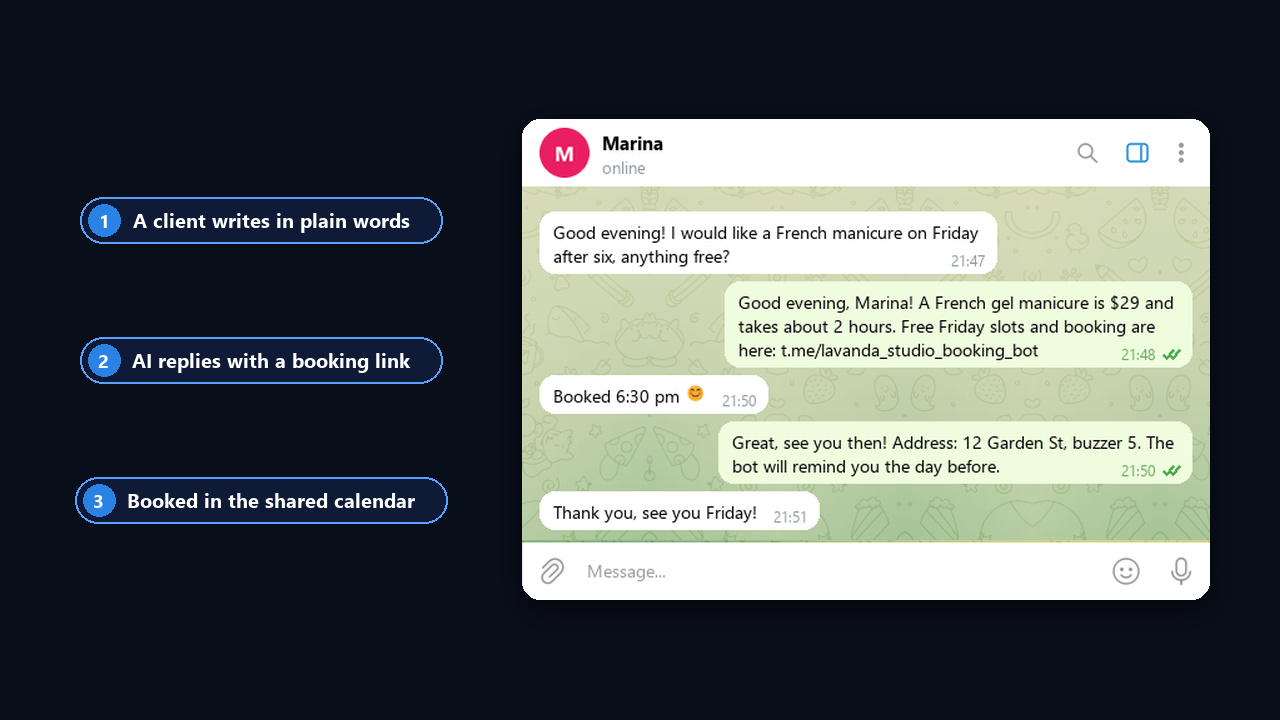
- First, the client writes as usual: "how much is a French manicure, anything on Friday?" or sends a voice note.
- Then an answer arrives right away: price, duration, what is included and any follow-up questions.
- Once the client is ready, the assistant shares an address, for example @lavanda_studio_booking_bot.
- The client picks a slot in the shared calendar, while reminders and the waitlist run on the platform.
- You see the funnel in the dashboard: the Got a link filter lists who has it, and Awaiting reply shows where a human is needed.
Our video shows how the AI autoresponder handles these chats (in Russian):
As a result, the assistant never invents a time, so there are no overlaps even with a hundred chats a day. Meanwhile, there is one calendar, and your evenings are no longer eaten by messages.
Here is how it looks in the NeuroDialogs dashboard: the assistant quoted the price, shared the link and answered a question about nail art, and Marina booked on her own. The Got a link filter keeps these clients in one list.
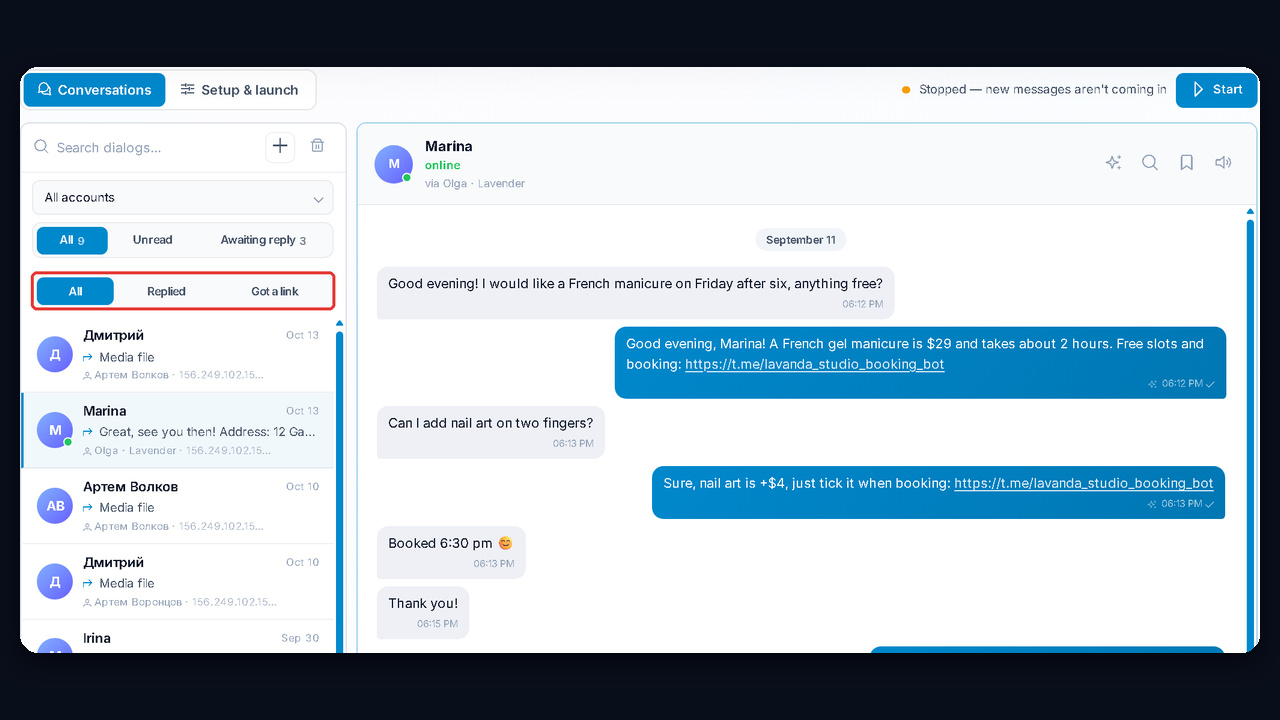
Setup in GramGPT.io takes four steps, so you can launch it in one evening:
- Connect the account of the specialist or salon via the account manager.
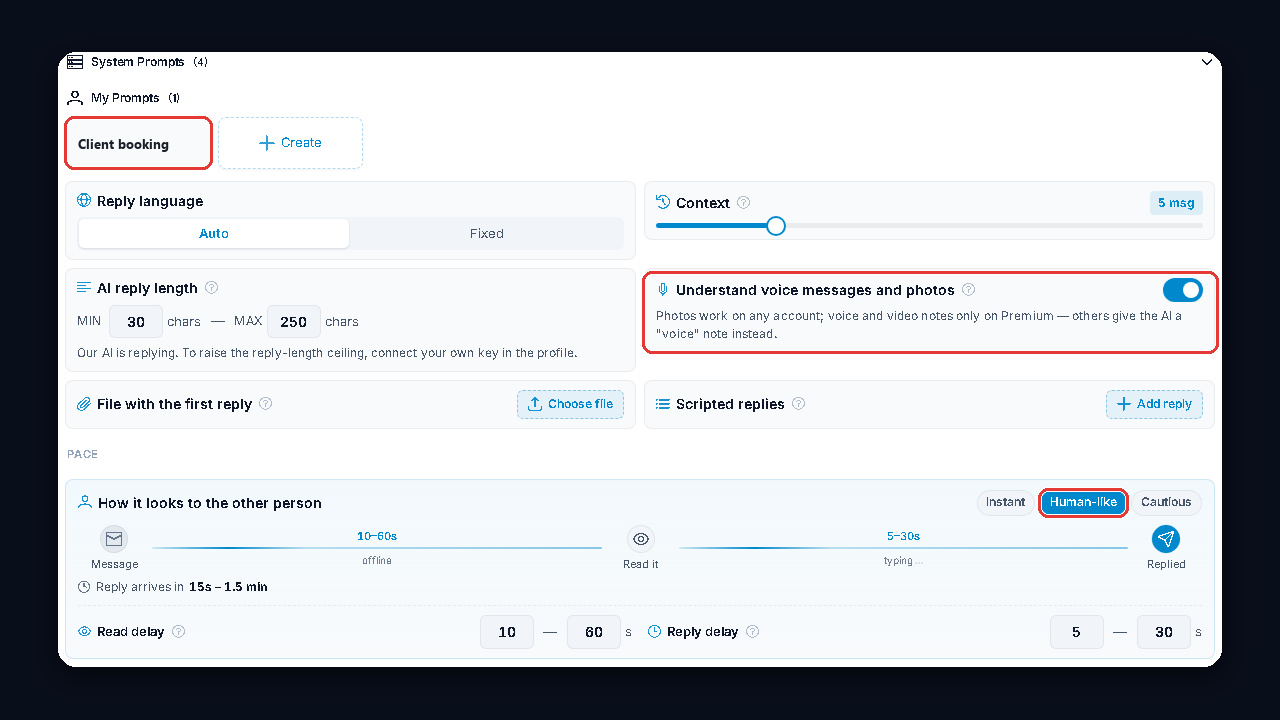
- Write a prompt: services, prices, address, working days and a rule such as "once the client picks a service, send the booking link t.me/lavanda_studio_booking_bot".
- Pick Human-like mode: the AI pauses to "read" and "type" instead of answering instantly.
- Enable lead action alerts to get a ping when a client receives the link or asks for the specialist.