A text lands at 11:40 p.m.: "Are you open tomorrow? Do you deliver?" You see it over breakfast, reply, and learn the buyer already ordered from a shop that answered in sixty seconds. If DMs are where your orders come from, that story repeats every week. Telegram Business was built for exactly this gap.
But a regular profile can't close it, because there are no opening hours, no saved answers, no auto-response and no way to plug in an assistant. As a result, owners carry a second phone "for clients", paste the same texts from their notes app and still miss requests.
This guide covers what the toolkit offers in 2026, what it costs and how to switch it on. Then we set up a greeting with ready-made texts, saved answers and an assistant, and finish with the jobs the built-in tools can't handle and what fills the gap.
What Is Telegram Business and Who Needs It
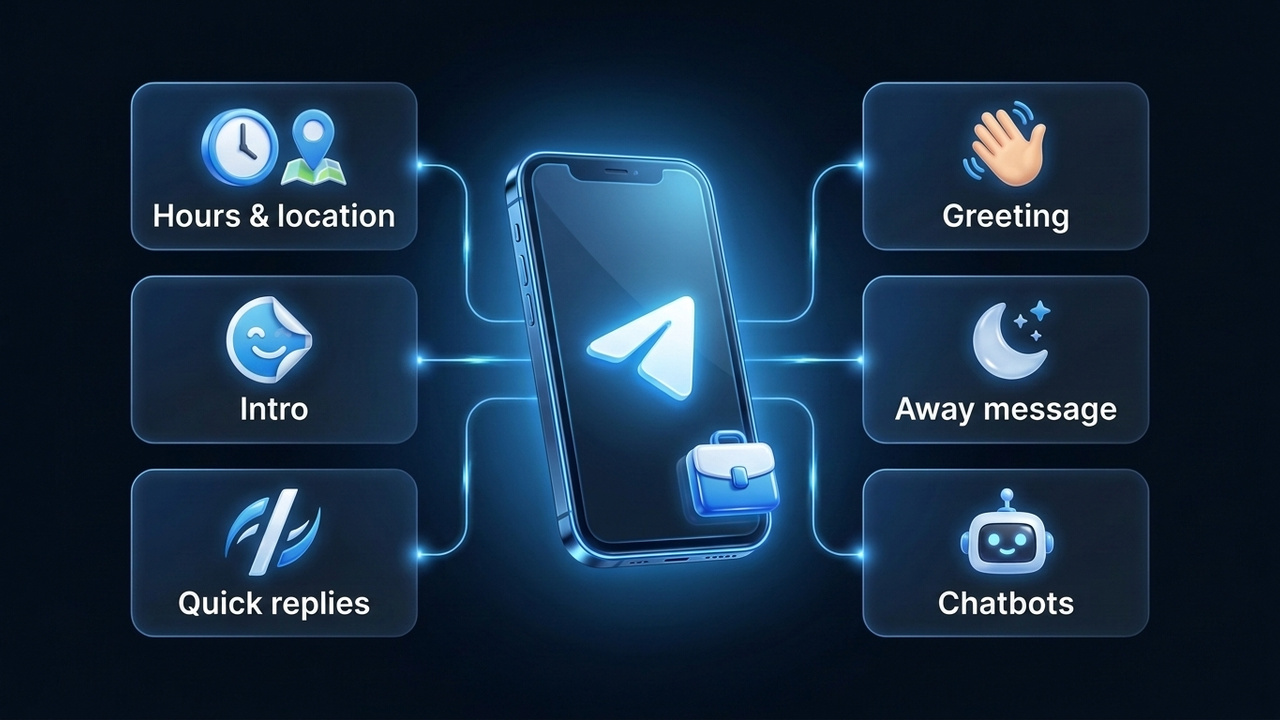
In short, think of it as a storefront layer on top of your personal account. Also, there is no separate app: same conversations, same number, plus a new section in Settings. Customers then see your address and hours on the profile, get a greeting the moment they write, and receive a response even while you're offline.
Above all, using Telegram for business pays off for people who sell one-on-one: repair shops, tutors, home bakers, stores with delivery, lawyers and coaches. However, if your sales run through a channel or a website, the account works as a helpful extra rather than the main engine.
Telegram Business Subscription and Pricing
You won't find a standalone plan. Instead, the tools ship inside Premium, so the only bill is the Premium one. Also, be wary of "free business mode" offers in random groups; those are usually scams.
Still, the price depends on your country and payment route: an app store, the official @PremiumBot, or a gift from another user. Our Telegram Premium price checker compares the cost across countries. For payment and cancellation steps, see what Telegram Premium is and how to buy it.
Telegram Business vs Premium
In short, Premium is the subscription and the company toolkit is one of the things it unlocks. Here is how the two halves differ in purpose:
| Area | Premium perks for you | Business tools in the same plan |
|---|---|---|
| Profile | Emoji status, animated avatar | Address, opening hours, intro screen |
| Messages | Translation, voice-to-text | Quick replies, greeting, away message |
| Inbox order | Folder tags in the inbox | The same tags for order stages |
| Promotion | None | Prefilled links with a click counter |
Note that linking an assistant to your profile is missing from the table on purpose. Since May 2026 every user can do it, Premium or not, so we cover it separately below.
How to Set Up a Telegram Business Account
First, you don't need a new registration, because the mode turns on inside your current profile. Still, decide which number will face customers, since every conversation stays on it. Many owners keep a dedicated profile for clients; our guide on adding multiple Telegram accounts shows how to run it next to your personal one.
- Get Premium on the account that will receive orders.
- Open Settings and tap Telegram Business. On mobile it sits below the Premium block; on Telegram Desktop it's in the main settings list.
- Fill in the company profile: location, opening hours and intro.
- Turn on automated texts and add saved answers.
- Link an assistant if templates aren't enough.
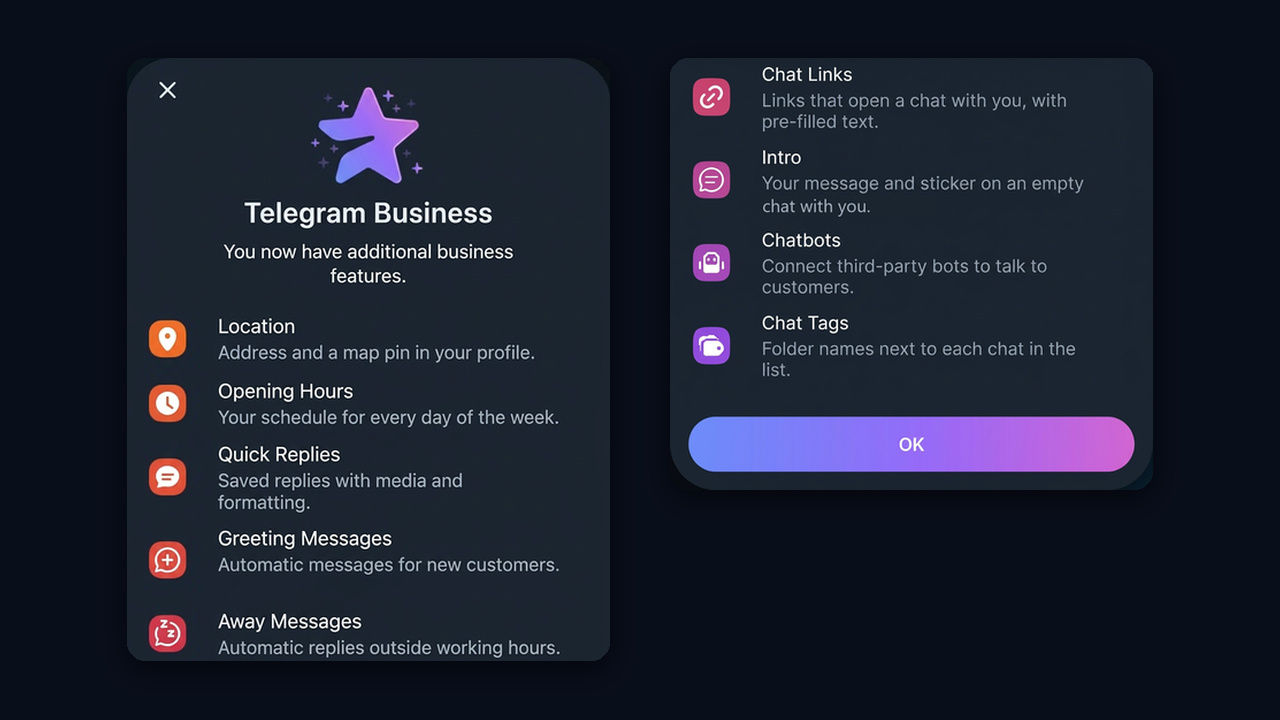
No such item in Settings? Update the app, as older builds lack it, and make sure your subscription is active.
How to Turn It Off
There's no single "disable" switch, so each feature is turned off on its own screen: clear the address and hours, stop the automated texts, unlink the assistant. If Premium lapses, the tools stop working by themselves. Your texts and schedule are kept, though, so renewing brings everything back without a fresh setup.
Business Hours, Location and Intro
The profile card is the first thing a customer checks. After setup it shows your schedule and a map pin, so people instantly know whether you're open, and a tap on the address opens the map. In addition, hours are set per weekday in your own time zone, with days off marked separately.
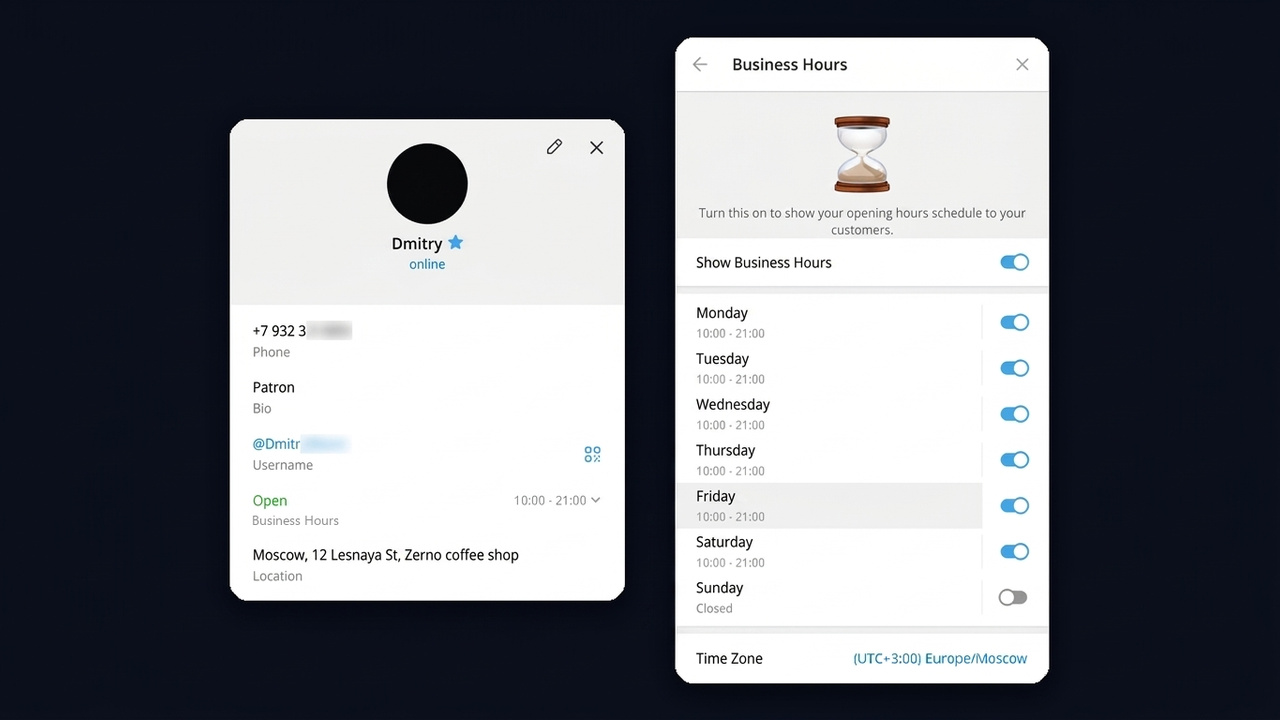
Next, the intro is a title, a short text and a sticker that a newcomer sees in an empty conversation before typing anything. For example, use it to say what you do and what to ask about: "Fresh sourdough daily, delivery within 3 miles. Tell us what you'd like and when." Similarly, a sticker made from your logo makes the blank screen look branded.
For brick-and-mortar shops, the address also does one more job: the app can surface shops nearby to people in the area. The details of that feature keep changing, so check how it works in your app version.
Greeting Message: How to Set It Up and What to Write
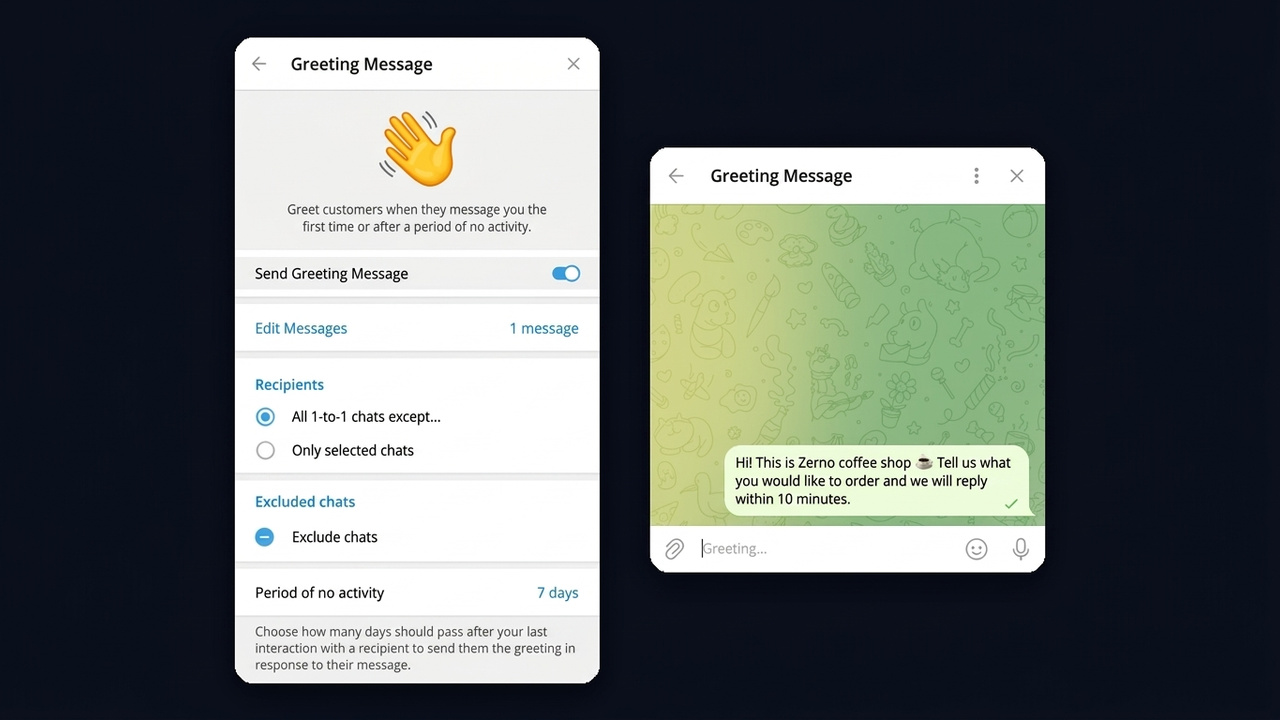
The greeting is an automatic text your account sends when someone writes for the first time. It also reaches people who went quiet for a while, and you choose that window yourself, for example 7 or 28 days. As a result, every customer gets an instant answer even when the team is busy.
- Go to Settings → Telegram Business → Greeting Message.
- Turn it on and compose it from text, a photo, a file or a sticker. A branded sticker sticks in memory better than plain words.
- Pick recipients, everyone or newcomers only, and exclude friends and colleagues.
- Set how many silent days must pass before the greeting goes out again.
Greeting Examples by Business Type
A good greeting does more than say hello, because it points to the next step. Below, for example, are starters you can adapt:
| Business | Greeting text |
|---|---|
| Bakery | "Hi! Tell us what you'd like and when to deliver, and we'll confirm within 10 minutes." |
| Online school | "Hello! Which course caught your eye? We'll send the syllabus shortly." |
| Repair shop | "Hey! Share the device model and the problem, plus a photo if you can." |
| Web store | "Thanks for reaching out! Send the product name or a screenshot and we'll check stock and sizes." |
| Consultant | "Hello! Describe your task in two or three sentences and I'll suggest options." |
So keep it to one or two sentences and a single question. Long greetings with full price lists get skimmed, so move prices into a saved answer instead.
Away Message
This is the built-in auto-response, and it fires outside business hours, on a custom schedule, or all the time, say during a vacation. There's also an "only when offline" option and an exclusion list for personal contacts. Setup takes a couple of minutes with no coding.
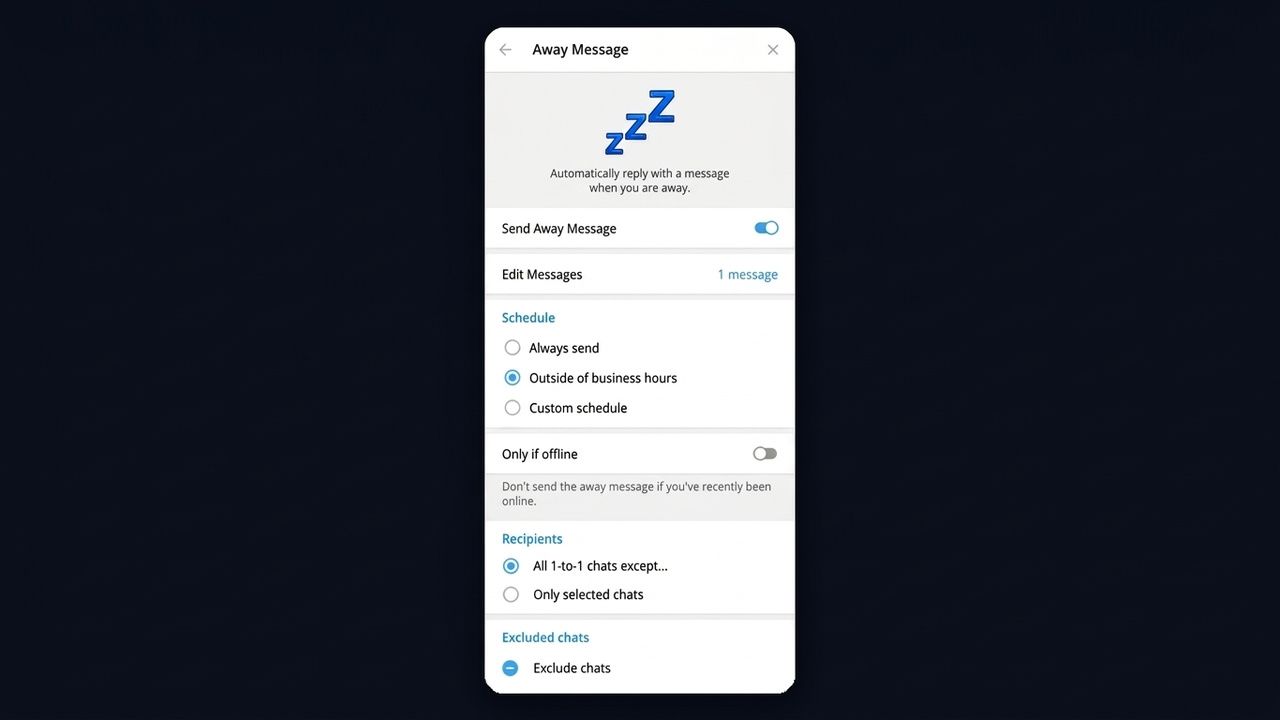
However, both texts are static. The account doesn't understand the question and sends the same text every time. So build the away text around the next step: "We're back at 9 a.m. Leave your request now and you'll be first in line."
Welcome Texts in Groups and Channels
Since August 2026, communities can greet newcomers too, with no subscription and no code. Open the group or channel profile and choose Edit → Welcome. Moreover, only the person who just joined sees it, so rules, links and menus don't clutter the shared feed.
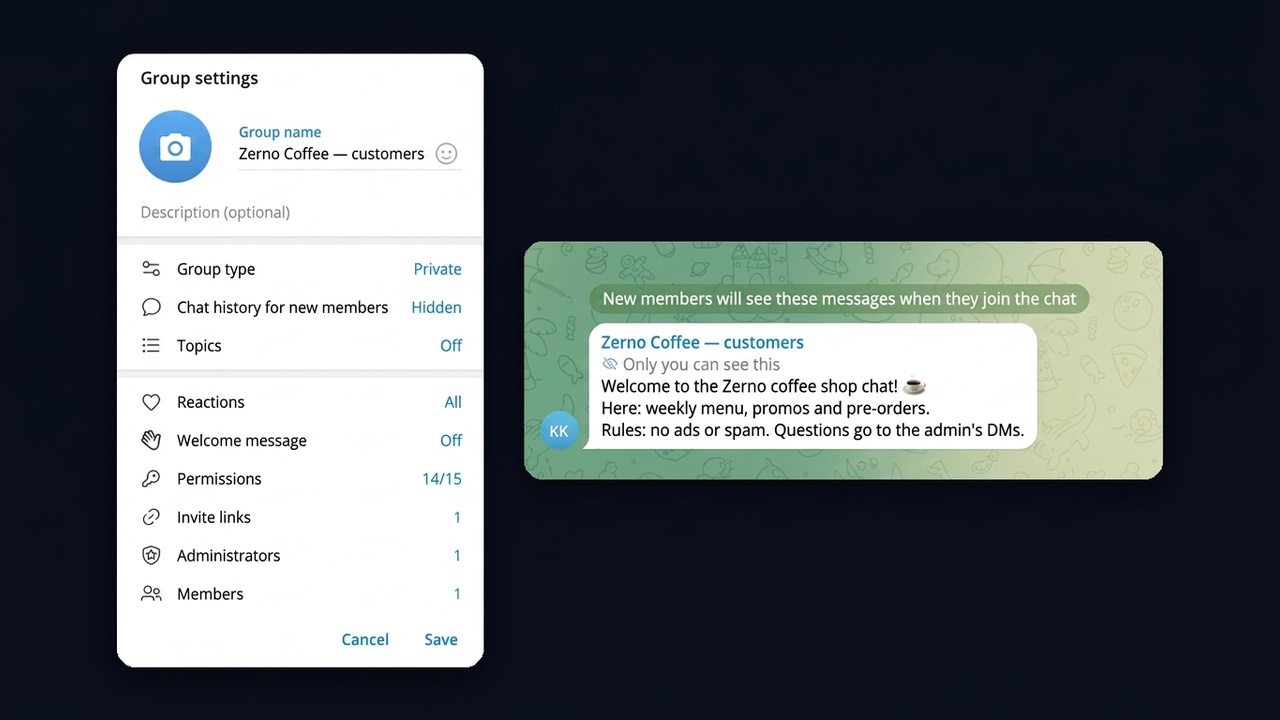
Besides, a group welcome can hold several posts with photos and video. For instance, a store's customer group might show the rules, a catalogue link and the manager's contact. By contrast, bots handle it differently: the developer writes a description in @BotFather, and users see it before pressing Start.
Quick Replies, Chat Links and Tags
Repeated questions are what saved answers are for. For instance, save answers about prices, location, payment details or delivery terms under a short keyword such as "/menu", then send them in two taps. A template can carry text, a photo, a file or a voice note.
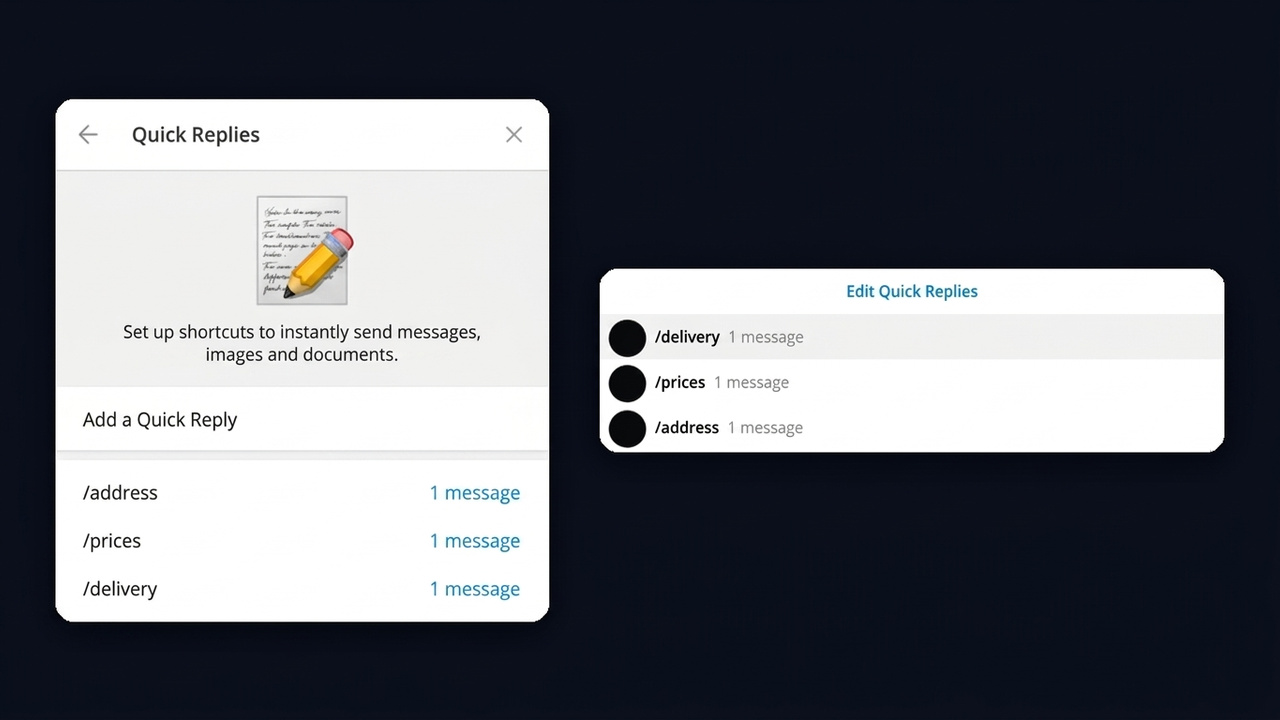
Example. Save under "/delivery": "We deliver within 3 miles in 90 minutes, free on orders over $30. You can order right here." Nobody on the team types that twenty times a shift anymore.
Prefilled links open a conversation with your text already typed in, for example "I'd like a birthday cake for Saturday". So put them in ads, on your website, in a QR code at the counter or in a channel bio. Besides, each link has its own click counter, which shows which source actually brings people.
Finally, once the inbox grows, colored folder tags such as "New", "Awaiting payment" and "Regulars" keep it under control. The tag is visible right in the list, so the manager knows who to answer first.
Telegram Business Bots: Connecting a Chatbot
This is the biggest difference from a plain profile: here the program answers in your DMs on behalf of your account, so customers talk to you, not to a separate service. Linking used to be a paid perk, but in May 2026 Telegram opened it to everyone. As a result, you now add one by its @username under Settings → Chat Automation.
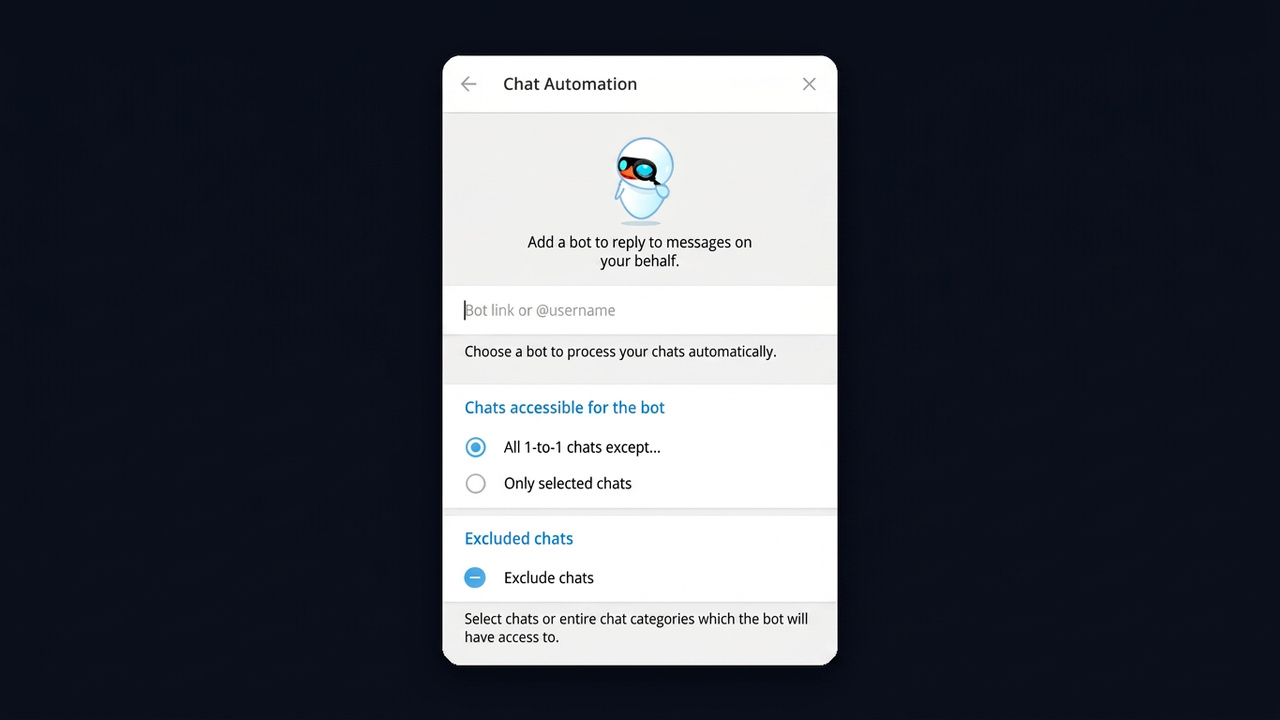
- Pick a bot that supports this mode. The developer has to enable it, so not every one qualifies.
- Choose its scope: everyone except contacts, or new conversations only.
- Set permissions: read only, or read and answer in your name.
Which Bots Work With Your Company Profile
Typically these come from CRM systems and bot builders, and they log requests into a spreadsheet, add labels and hand the thread to a manager. You can also build your own through @BotFather, but then the developer must turn on Business Mode in its settings and code the logic. An error saying the program doesn't support this feature means that mode is off.
Keep in mind, though, that a linked assistant works in DMs only. If this is new to you, start with our explainer on what a Telegram bot is, which walks through how they work.
Example: A Bakery Set Up in One Evening
To tie it together, picture a small bakery that takes orders through Telegram. Here's the complete setup:
- Profile. Shop address, hours "Daily 7 a.m.–7 p.m.", intro: "Fresh bread and cakes to order. Tell us what and when."
- Saved answers. "/menu" with photos, "/delivery" with zones and fees, "/pay" with payment details.
- Greeting. For new customers: "Hi! What would you like, and for which day?"
- Away message. After 7 p.m.: "We're closed for today. Morning orders placed now get baked first."
- Prefilled links. One for a local community channel ad, another for the QR code on the counter.
- Tags. Folders "New", "Paid" and "Picked up" in different colors.
Now every customer gets an answer and knows what to do next, while the baker spends time on baking. Then the holidays arrive, questions multiply tenfold, and templates stop keeping up.
Where Built-In Telegram Business Tools Fall Short
The native features cover the basics, but they have clear limits. Check your tasks against this table:
| Task | Built-in toolkit | What's missing |
|---|---|---|
| Reply at night | One away template | An answer to the actual question |
| Share a price | Template, sent by hand | Automatic answers based on meaning |
| Handle a voice note or photo | Nothing | Understanding and a relevant response |
| Run several accounts | Each one configured separately | Shared control and rules |
| Add AI | Requires custom code or a developer | A ready no-code option |
Therefore, for a solo seller with steady, predictable questions, templates are enough. Once requests reach dozens a day and each one is different, customers need a real answer, not a stock phrase.
AI Replies in Private Chats With GramGPT.io
The NeuroDialogs module fills that gap. A neural network reads each incoming text and answers from your account based on what was asked. It runs on accounts added to the platform, so you need no custom code, no developer and not even Premium.
- Add accounts to the GramGPT manager and select them in the module.
- Write a prompt: who you are, what you sell, prices and how to order. A prompt named "Sales", for example, answers questions and nudges toward a purchase.
- Tune the behavior: language, reply length, voice and photo understanding, human-like delays and scripted replies.
- Turn on automatic answers and follow the conversations in the module log.
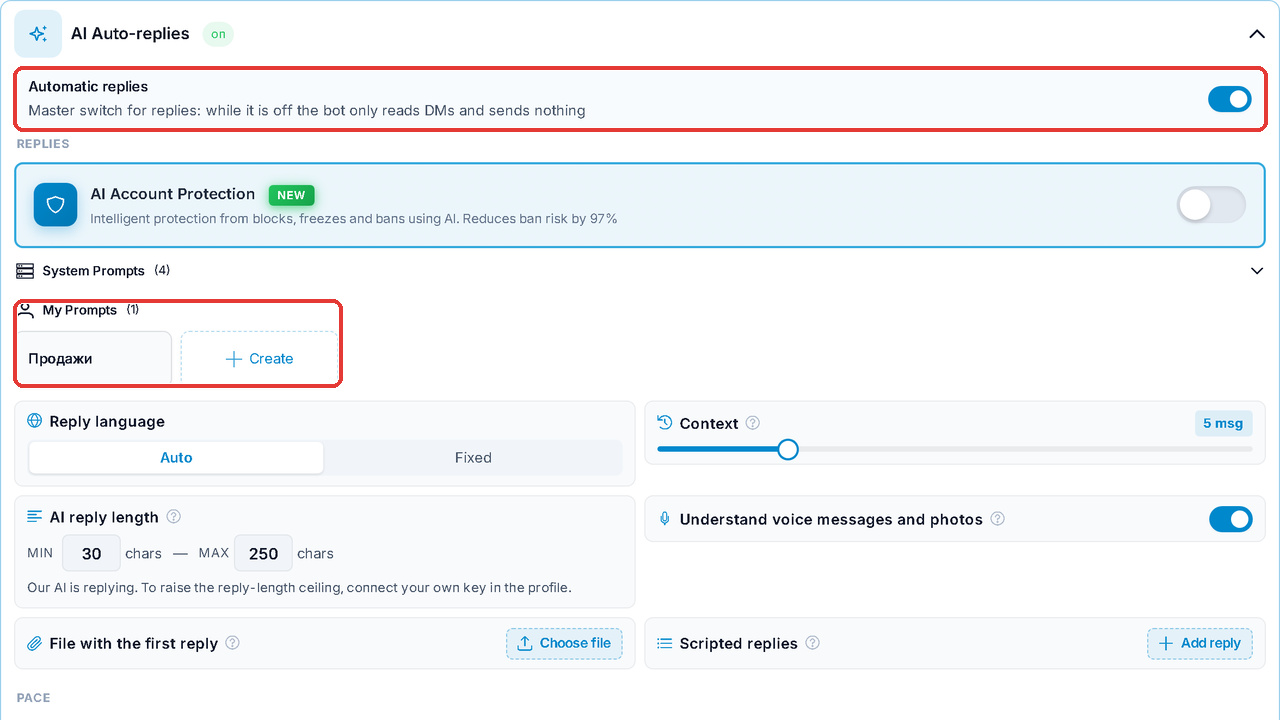
Meanwhile, unlike the built-in away message, the AI responds to the specific question about delivery, stock or booking. In addition, read and typing delays make the dialog feel natural, and a manager can step in at any moment to continue by hand.
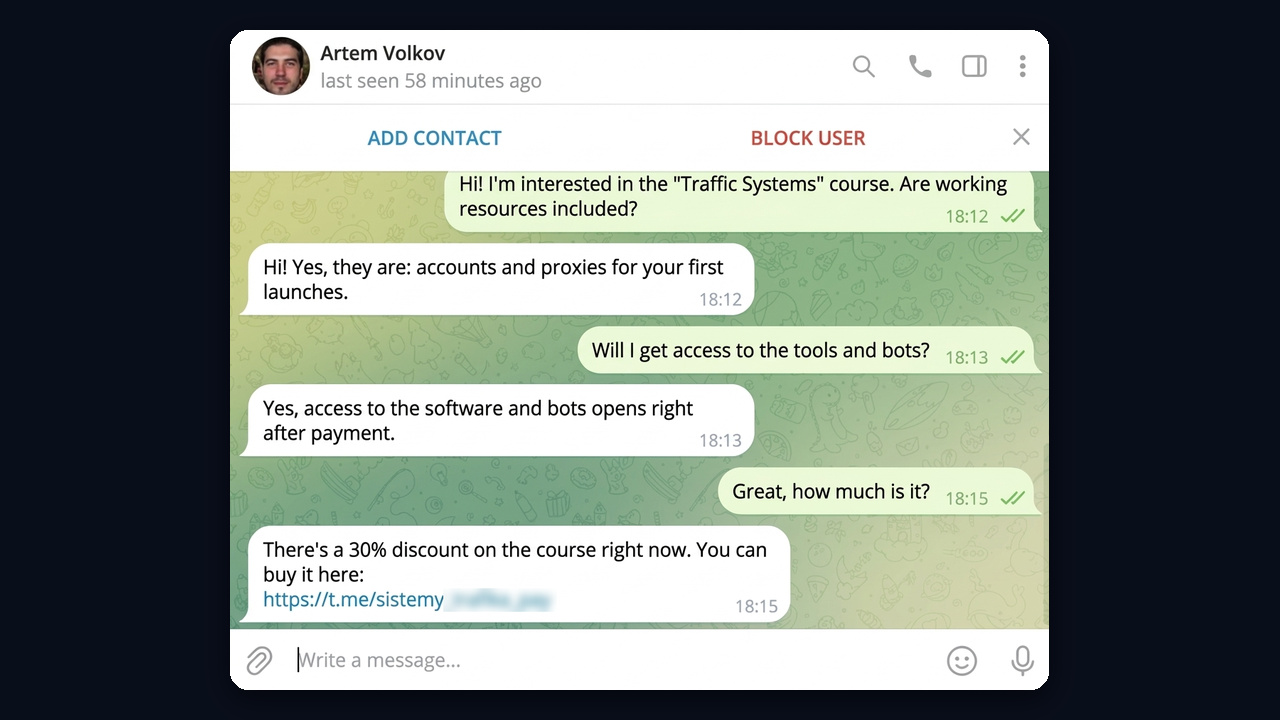
For instance, a customer asks about the "Traffic Systems" course: are working resources and bot access included? The AI answers each question on point and closes with the current discount and a purchase link.