
Businesses receive requests at different times, customers ask the same questions, and answering everyone manually becomes increasingly difficult. In 2026, automation of Telegram projects and businesses is more important than ever: with the rapid development of neural networks, many processes have become easier to delegate to bots. They accept requests around the clock, provide materials, process orders, and help users even when we are offline.
However, beginners do not always understand how Telegram bots work internally or where their creation begins. After registration through BotFather, only a bot account appears — without connected logic, it still cannot reply to messages, display a menu, or execute commands. To turn it into a working tool, we need to plan the scenario, connect a builder or program code, configure buttons and integrations, and ensure continuous operation.
First, we will understand what a Telegram bot is, what a Telegram bot can do, how it works and what tasks it can solve. Then we will move on to practice: we will look at creation through BotFather, connecting logic, configuring commands and menus, launching, adding it to groups and channels, as well as promotion in Telegram. We will separately compare the main development methods — a builder, working with a freelancer, and vibe coding using AI tools.
What Is Telegram Bot Technology and Why Use Telegram Bots?
What is a Telegram bot? It is a digital assistant connected to Telegram and operating according to predefined logic. It responds to commands, regular messages, and button clicks, after which it launches the required scenario: shows information, accepts data, sends a file, creates a request, or opens access to a specific function.
What is a bot on Telegram? The easiest way to understand it is through an example of how it works. A user opens a conversation, chooses the required action, and the bot immediately executes the corresponding scenario. This allows channel owners, specialists, and companies to move part of their usual processes directly into the messenger and make them available at any time.
Why use Telegram bots for business? The main task is to turn repetitive operations into an automated scenario. A bot reduces the workload on the team, speeds up request processing, helps avoid losing leads, and interacts with many users simultaneously. In this way, automation in Telegram simplifies support, sales, publishing, and audience management.
How Do Telegram Bots Work?
How do bots work on Telegram? A bot should be viewed not as a regular account, but as a link between the user, Telegram, and program logic. A person sends a message, enters a command, or presses a button, Telegram forwards the request to the bot, after which the bot processes it and returns the result directly in the conversation.
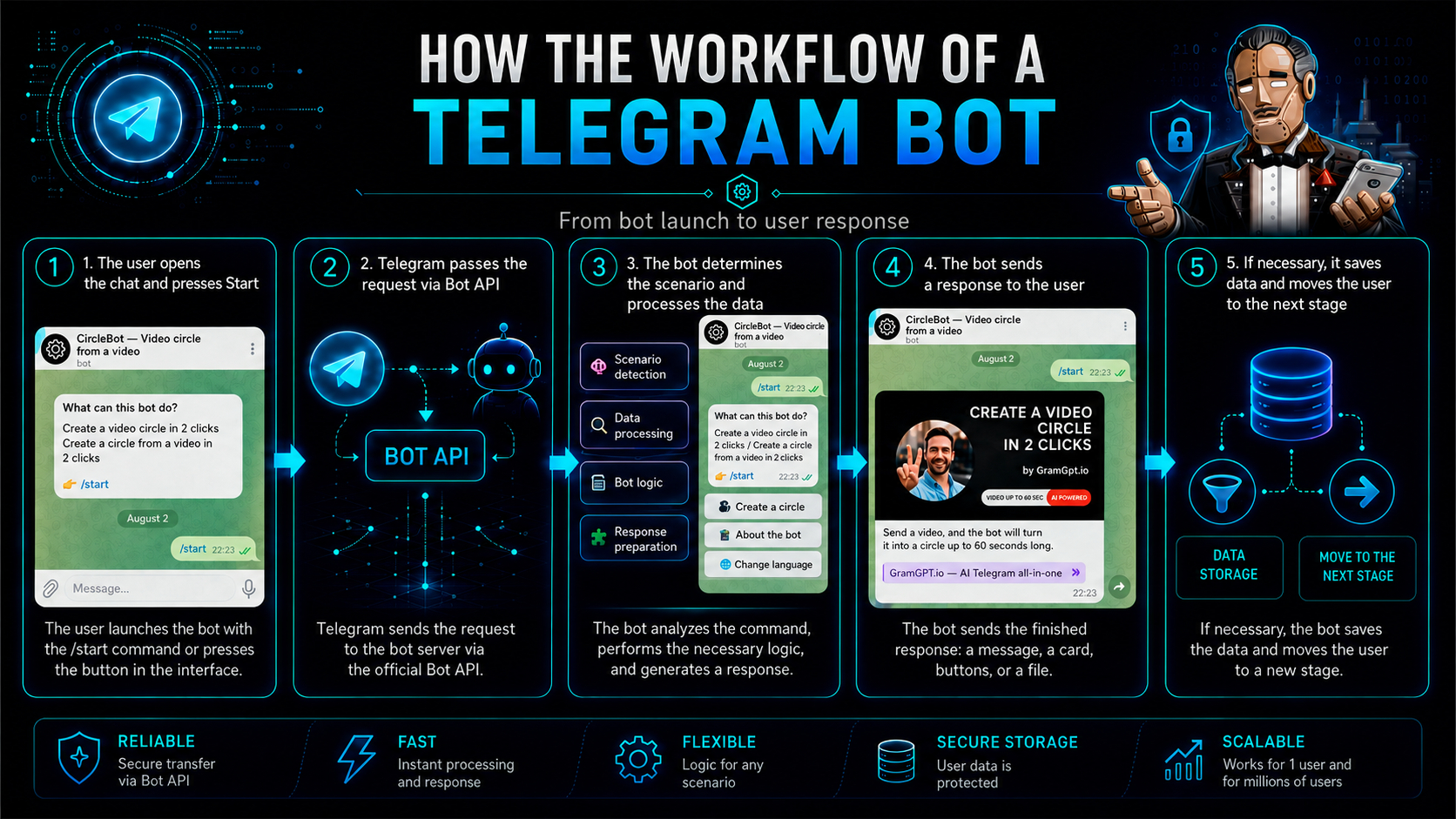
If we look in more detail at how Telegram bots work, their capabilities depend on predefined scenarios and connected services. A bot can check user data, access a CRM, database, payment system, website, or neural network, and then perform the required action: send a response, open a menu, save information, accept a request, or launch the next stage of the scenario.
How the Telegram bot workflow is structured
The workflow looks like this:
- The user opens a conversation with the bot and presses Start.
- Sends a message, enters a command, or presses a menu button.
- Telegram forwards the request through the Bot API.
- The bot determines which scenario needs to be launched.
- If necessary, it accesses a database, CRM, payment system, or neural network.
- Processes the received information.
- Sends the user a response, file, button, notification, or another result.
- If necessary, saves the data and moves the user to the next stage of the scenario.
A simple bot responds only to predefined commands and buttons. A more complex Telegram bot can take user data into account, save action history, maintain a sequential dialogue, and connect external services.
A bot differs from a regular account in that it works through the Telegram Bot API and performs only the actions provided by its logic and granted permissions. It cannot independently start a private conversation: first, the user must open the dialogue, press Start, send a message, or add the bot to a group.
As a result, commands, messages, and buttons form a single user scenario. Depending on the settings, the bot can access connected services, transfer data, and launch the required actions. Therefore, Telegram bots are used not only for simple replies, but also for processing requests, supporting sales, customer support, and automating workflows.
What Do Telegram Bots Do?
What do bots do on Telegram? Their capabilities depend on the task and connected tools. A bot can answer questions, display menus, send files, conduct surveys, collect requests, accept payments, and provide access to materials.
To understand what Telegram bots can do in more complex projects, let us consider a complete user scenario. The bot helps choose a service, can request the necessary data, forwards the request to a manager, and informs the customer about the result.
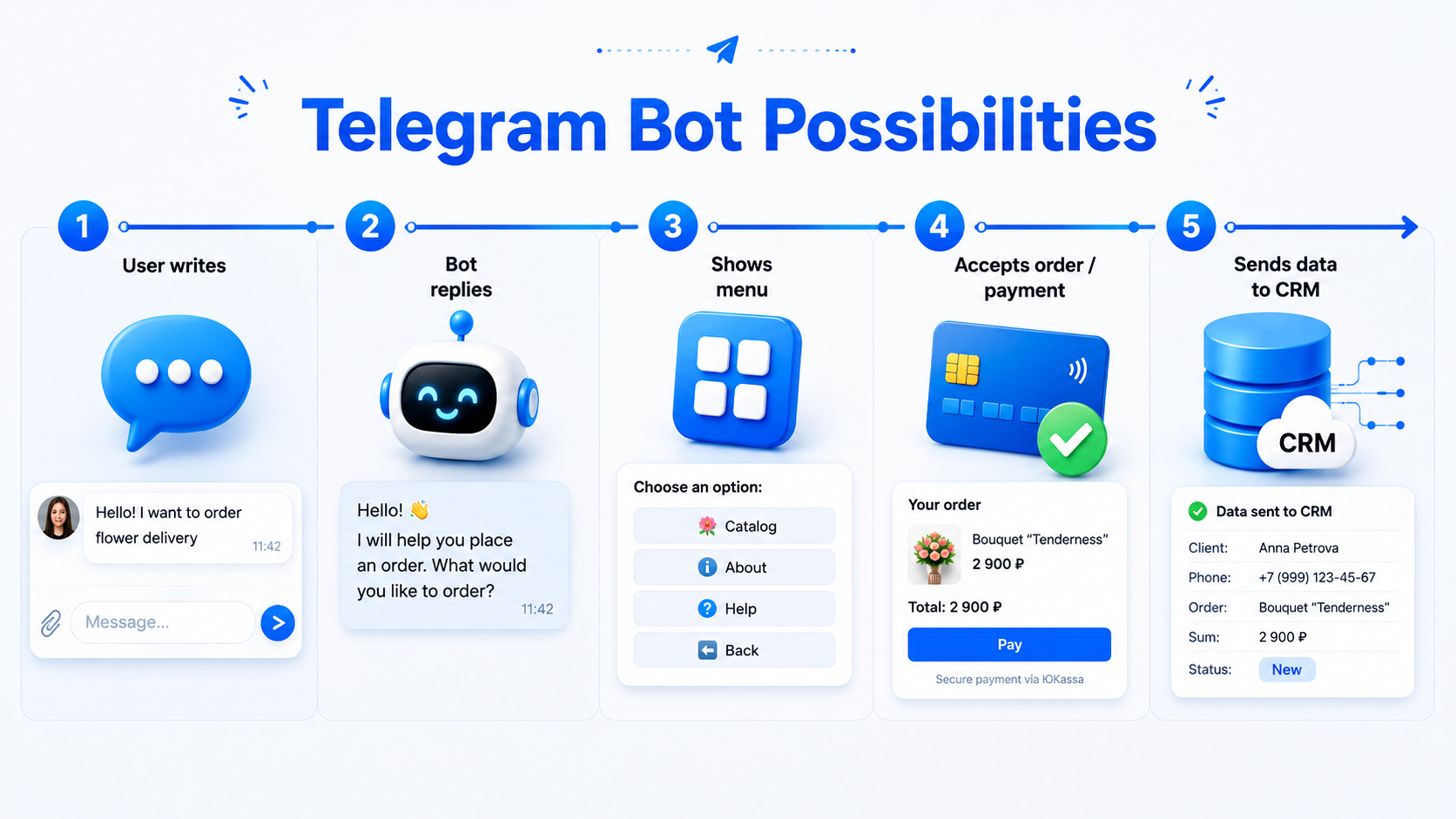
What do bots on Telegram do for a channel owner? Their role is not limited to communication. Bots are used for moderation, publishing posts, broadcasts, processing requests, and managing members.
The capabilities of a specific solution are determined by its settings, permissions, and integrations. A simple bot executes several commands, while a complex one can automate a sequential process with a CRM, payment system, or neural network connected.
What Are Bots on Telegram? Main Types
To understand what bots in Telegram are, after reviewing their capabilities, let us move on to their main types. Telegram bots differ in purpose, complexity, and feature set. Some perform one simple task, such as sending notifications or helping users receive a file, while others combine several scenarios and become full-fledged services inside the messenger.
What a chatbot in Telegram is
Chatbots communicate with users, answer questions, and conduct a dialogue according to a predefined scenario or with the help of AI.
If we need to understand what a chatbot in Telegram is, we can imagine an automated consultant that receives a message, identifies the request, and sends an appropriate response. This format is used in support, sales, education, and request processing.
Service bots
Service bots help users obtain information, translate texts, create reminders, search for data, convert files, and perform other everyday tasks. Usually, the user selects an action in the menu, sends the source data, and receives the finished result.
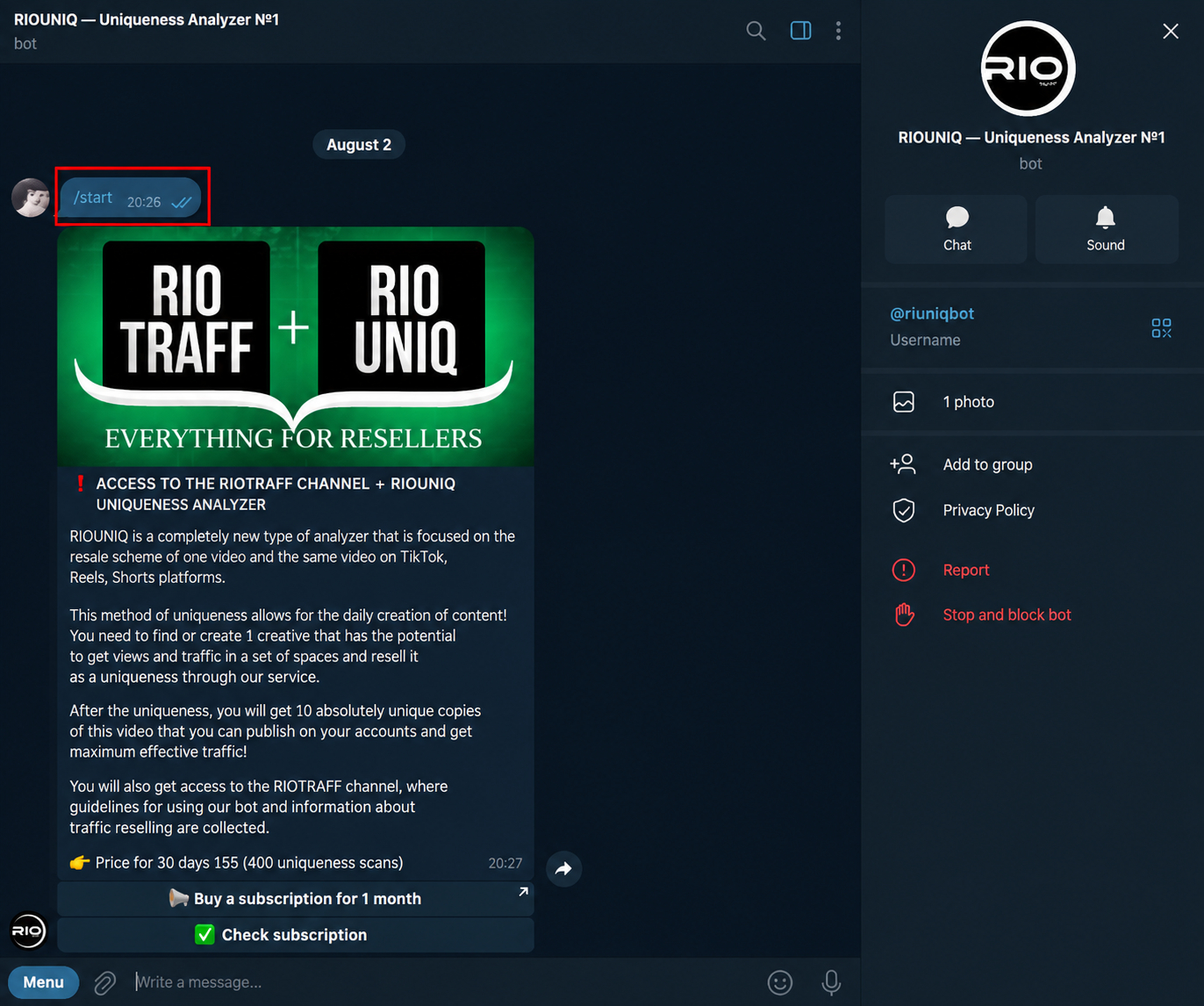
As an example, let us consider one of the bots from our Telegram Combine GramGPT.io service, which helps process videos directly inside Telegram.
RIOUNIQ — video uniquifier
RIOUNIQ is a Telegram bot for preparing modified versions of videos before publication on TikTok, Reels, and Shorts — @riouniqbot.
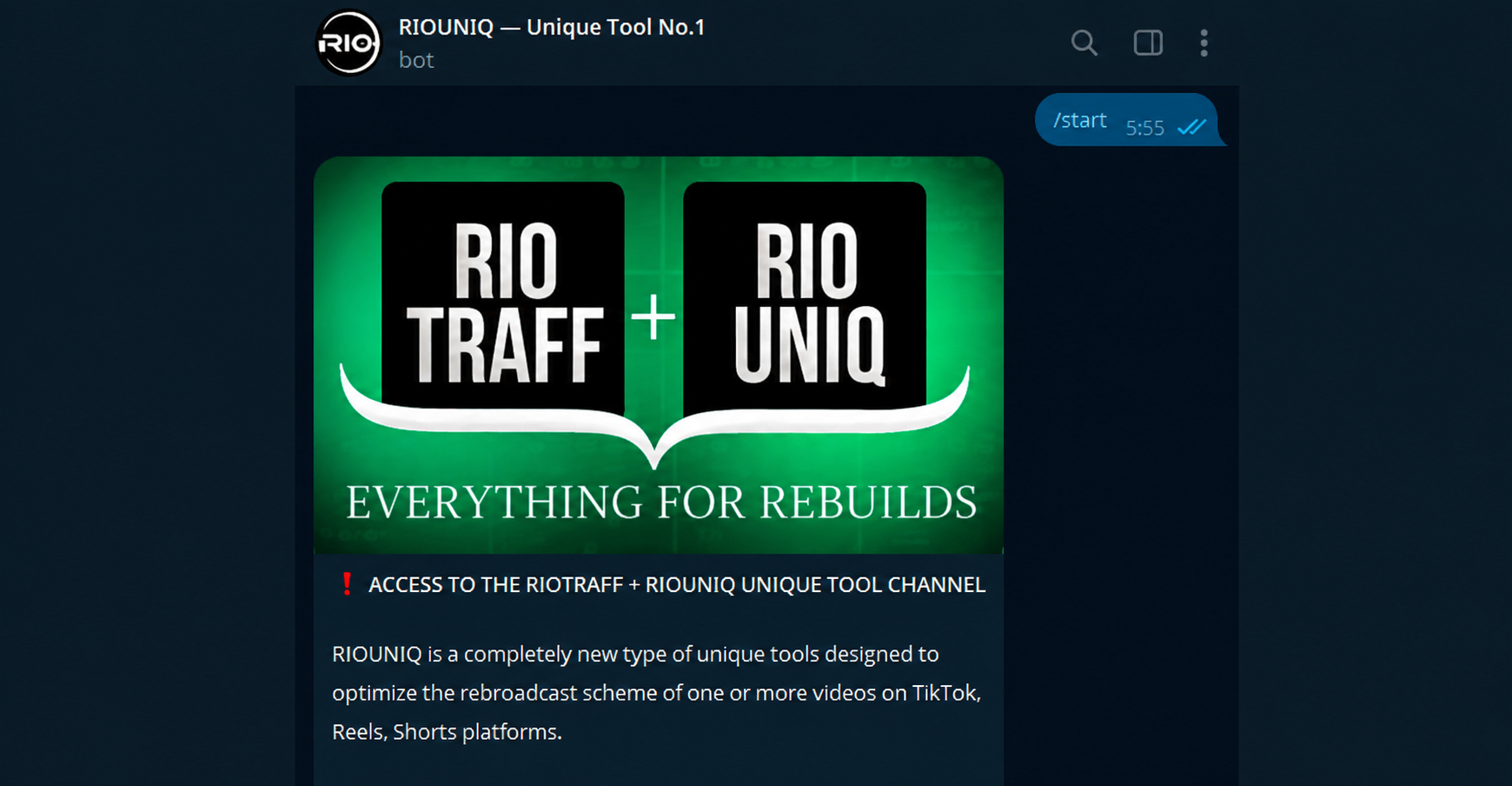
The bot applies more than 20 effects to a video, changing its technical and visual characteristics, which makes it especially suitable for making content unique for Instagram.
Bots for business
Bots for business help automate a company's interaction with customers: they sell, collect contacts, qualify requests, and transfer data to managers.

They are often connected to CRM systems, spreadsheets, calendars, and notification systems so that information immediately enters the company's work services.
Store bots
Store bots allow users to view a catalog, choose a product, place an order, and in some cases make a payment directly in Telegram.
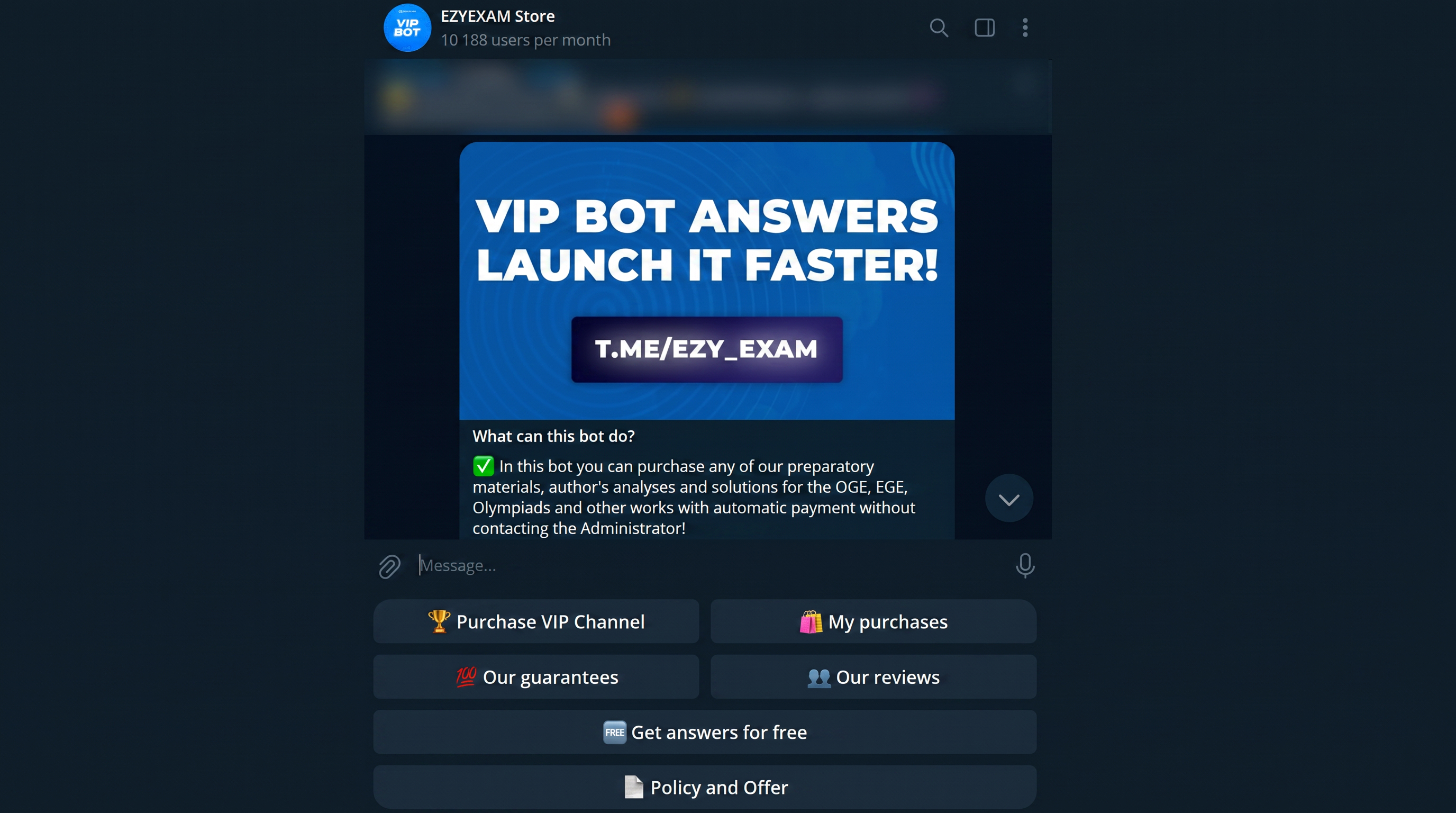
Inside such a bot, you can configure product cards, a shopping cart, delivery methods, order notifications, and communication with a manager.
Bots for channels and groups
Bots for channels and groups are used for moderation, content publishing, member management, statistics collection, and other administrative tasks.
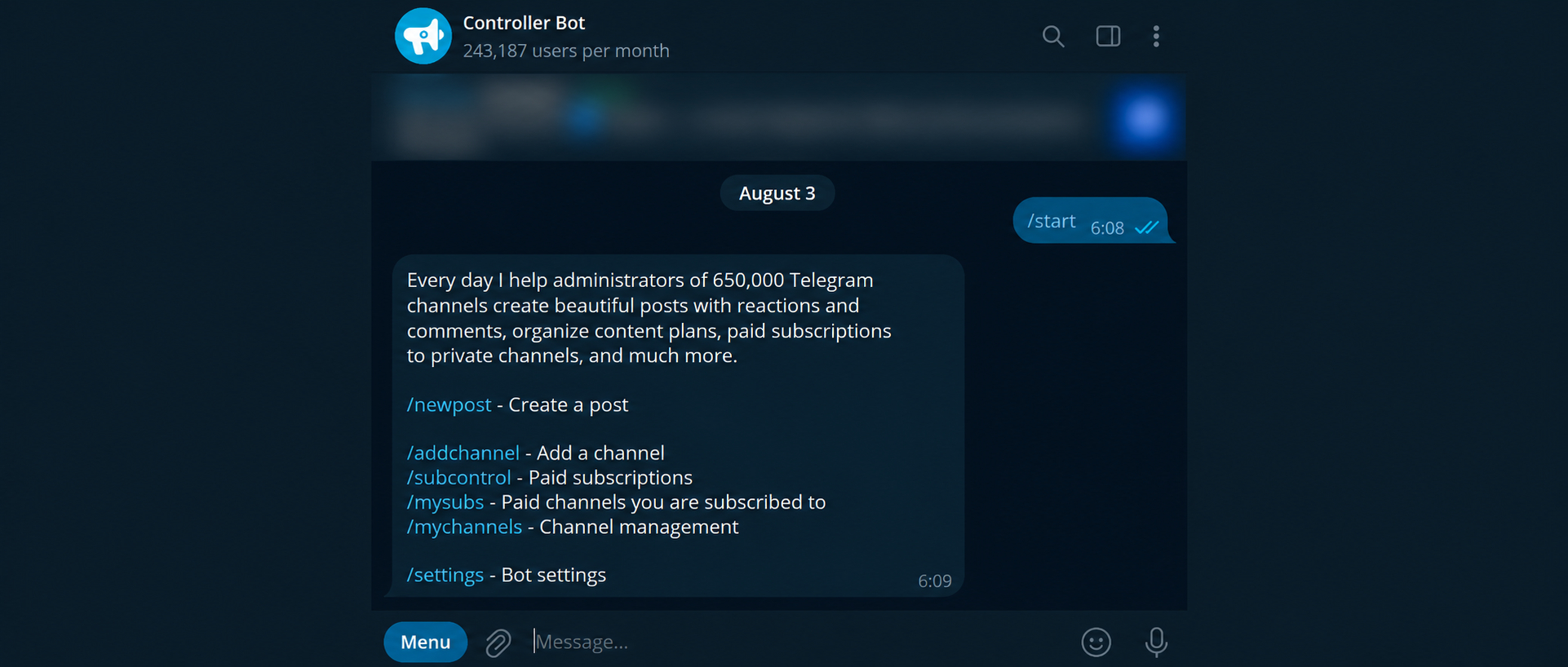
If we talk about what a bot in a Telegram channel is, it is a connected assistant to which the owner grants the necessary permissions for publishing, deleting messages, reviewing join requests, or performing other actions.
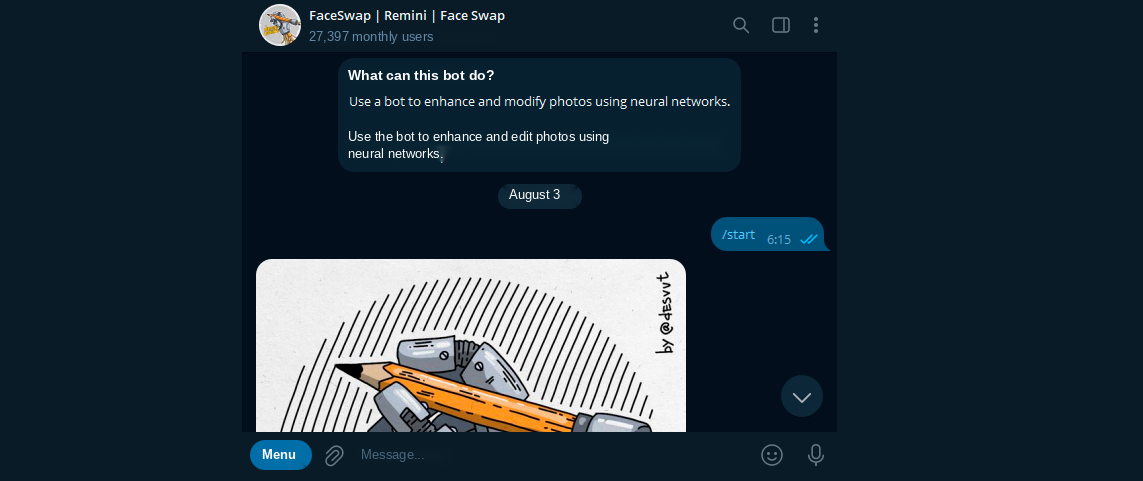
AI bots
AI bots use neural networks to generate text and images, analyze information, communicate with users, and process more complex requests. Such a bot can work with a company's knowledge base, take the dialogue history into account, classify requests, and transfer to a manager only those cases where human involvement is required.
At the same time, one Telegram bot can belong to several types at once. For example, an online store bot can advise the customer as a chatbot, display a catalog, accept an order, process payment, and send automatic notifications after purchase.
How to Use Telegram Bots
Learning how to use Telegram bot features begins with a regular conversation inside the messenger. The user can press buttons, select menu sections, send commands, text, images, documents, and other data — the exact set of actions depends on the functions of the specific bot.
How to use a Telegram bot? First, open its profile and read the welcome message. It usually explains what the bot was created for, what features are available, and which action is best to start with. Then select the appropriate button or send the suggested command.
Interaction is most often structured as follows:
- Open the required bot using a link or username.
- Start the conversation and review the available functions.
- Select a menu item, enter a command, or send the required data.
- Receive a response, file, processing result, or proceed to the next stage.
How to use bots on Telegram? The process depends on how they are designed. Services with a simple scenario respond only to predefined commands and buttons, while chatbots and AI-powered solutions can understand regular messages and maintain a more open-ended dialogue. Therefore, how to use bots in Telegram varies according to the bot type and available features.
If it is unclear how to write to a bot in Telegram, use its description, prompts, and menu as guidance. What you can write to a bot in Telegram depends on its purpose: send a file to a service bot for processing, ask a support bot a question, and provide order details to a store bot.
How to use bot in Telegram: a separate instruction for every service is not required. It is enough to read the messages in the dialogue carefully and follow the suggested actions step by step.
How to Activate Telegram Bot and Start It
Starting means beginning the user’s personal interaction with the bot. To understand how to start a Telegram bot, open its profile or follow a special link.
How do you start a bot in Telegram? Press the Start button or send the /start command. After that, a welcome message, main menu, or the first question of the predefined scenario usually appears.
After the first launch, the user gains access to commands, buttons, and other service functions. The welcome message, menu, and prompts inside the dialogue help explain how to use a bot in Telegram. Usually, there is no need to press Start again every time — it is enough to open the existing conversation.
A separate subscription, as with a channel, is usually not required. Open the profile, press Start, and follow the prompts that appear — this is how to subscribe to a bot in Telegram and begin interacting.
How to create a bot in Telegram
Before making a Telegram bot, define its purpose. The principle of how to create Telegram bots for different tasks begins with setting the right goal: it is important to decide in advance what the bot will do, who will use it, and what result the person should reach after launch.
At the planning stage, we think through the future scenario and decide how to add commands, buttons, images, menu sections, and a sequence of actions to a Telegram bot. We also determine what data the bot will receive and save, and whether payments, CRM, a website, spreadsheets, a neural network, or other external systems will be needed.
What is needed to create a Telegram bot? The basic set includes a Telegram account, registration of a new bot through BotFather, an access token, and a tool in which the working logic will be built.
A visual builder, custom program code, or a ready-made solution developed by a specialist can be used as such a tool. A builder is suitable for standard scenarios without programming, while custom development makes it possible to implement complex functions and non-standard integrations.
BotFather itself only creates the future bot account and issues a token. For the bot to start replying, displaying menus, and executing commands, the token must be connected to a builder or program, after which the predefined scenario must be configured.
The basic “how to create a bot in Telegram” process begins with the official bot @BotFather:
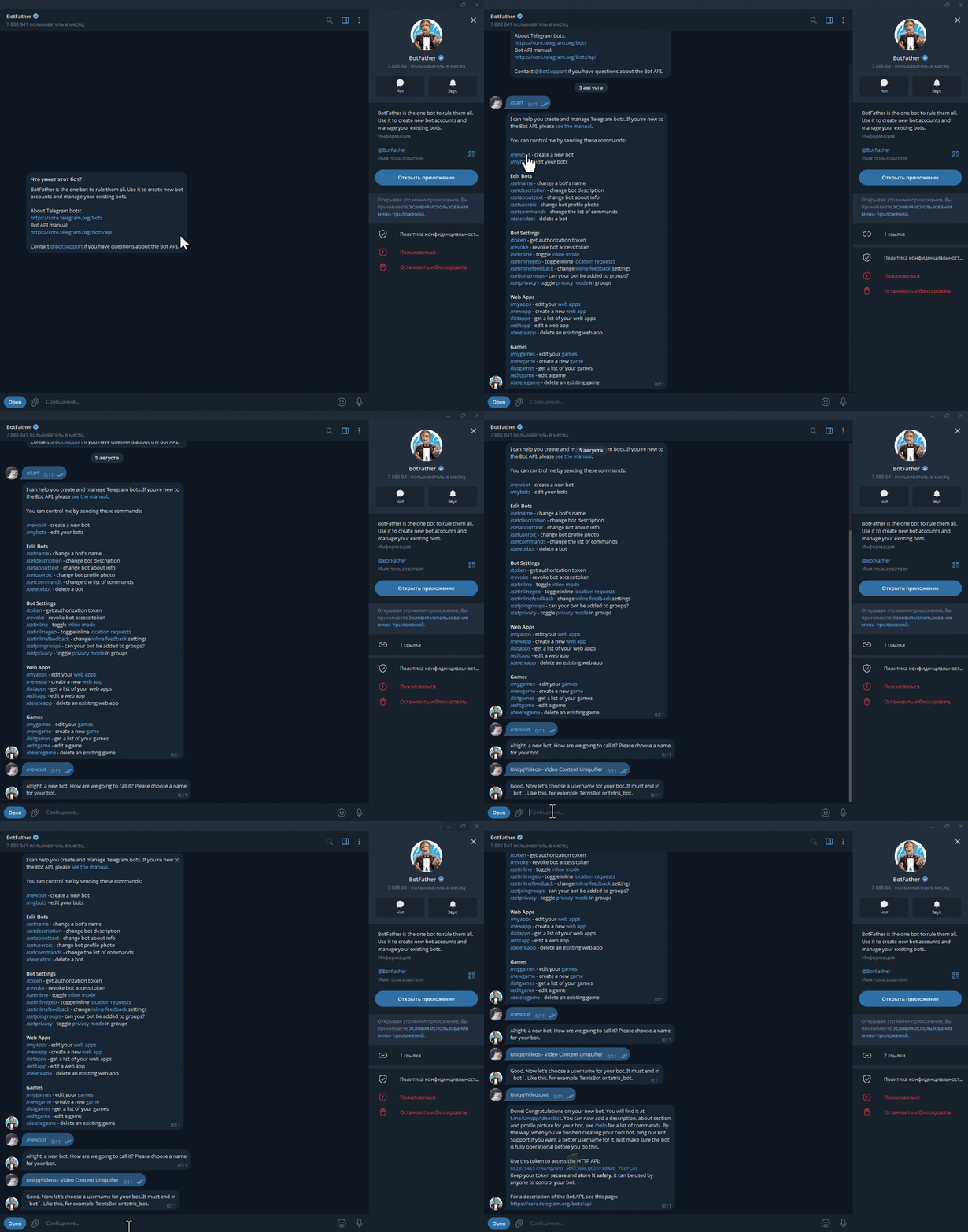
- Open Telegram, find @BotFather, and press Start.
- Send the
/newbotcommand. - Specify the display name of the future bot.
- Set a unique username, which usually ends in
bot. - Receive the token and save it — it is needed to connect a builder, server, or program code.
- Add a description, avatar, commands, and other profile parameters.
Important: do not publish the token or share it with third parties. It provides access to bot management. If the token has become publicly available, regenerate it through BotFather.
After these actions, a bot account appears in Telegram and must be connected to the selected tool and configured. How do you upload a bot to Telegram? There is no need to add a separate file to the messenger: an account created through BotFather is connected to a program, server, or builder where its commands, scenarios, and functions are configured.
How to Set Up a Telegram Bot Using a Builder
What is a Telegram chatbot? It is a program inside the messenger that receives user messages and responds according to a predefined scenario or with the help of AI. Such a bot can display a menu, ask questions, collect data, send materials, and move a person to the next stages of interaction.
A visual builder helps create a chatbot in Telegram from ready-made elements without writing code. We assemble the scenario from ready-made blocks: messages, buttons, conditions, delays, tags, forms, broadcasts, and integrations. After that, we connect the BotFather token and test the bot in Telegram.
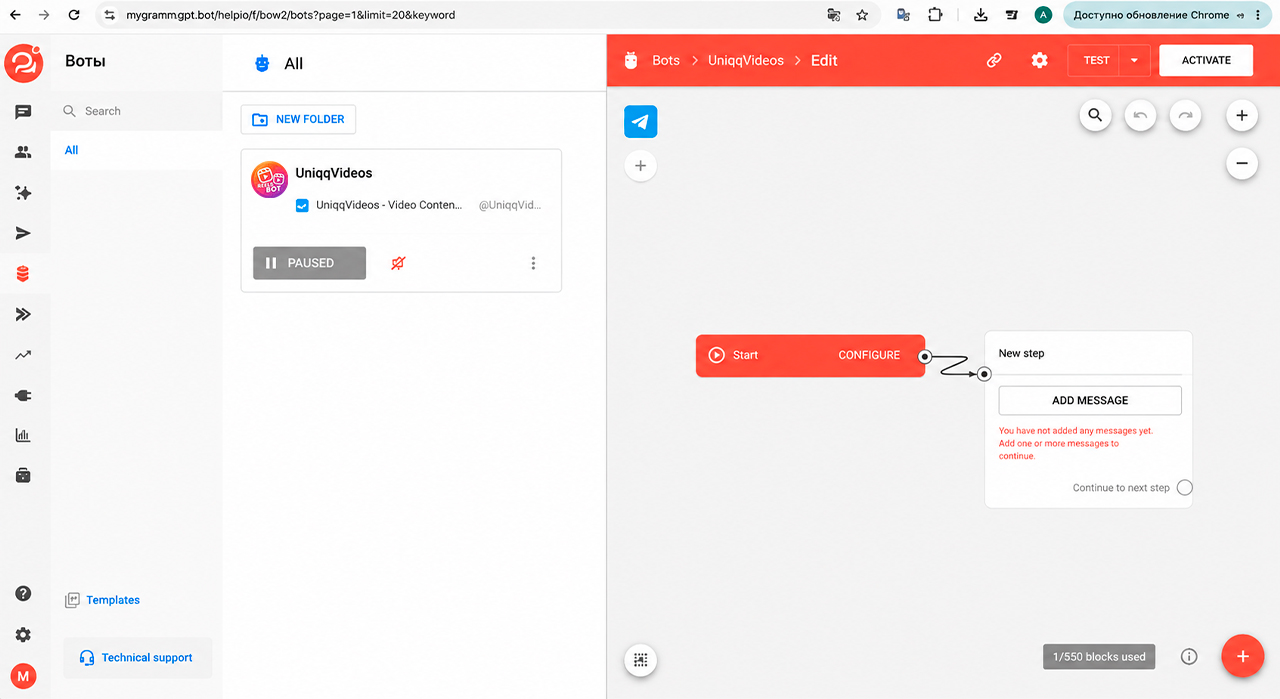
Several builders can be considered for creation:
- BotHelp — suitable for chatbots, broadcasts, automated funnels, segmentation, and request processing;
- SaleBot — allows you to build scenarios, connect integrations, forms, payments, and sales automation;
- Botmother — a visual builder for creating scenarios, menus, variables, broadcasts, and connections to external services.
The general principle is the same: create a bot through BotFather, copy the token, add it to the builder, assemble the message chain, and run a test. This shows how to set up Telegram bot logic without creating the entire program part from scratch.
How do you configure the bot menu in Telegram? In the builder, add commands, buttons, transitions between sections, and actions after clicking. Separately, check messages, forms, links, and notifications so that all elements work in the correct sequence.
To understand how to set up a bot on Telegram after creation, sequentially check its profile, commands, menu, access rights, and connected integrations. This review also explains how to set up bot in Telegram projects with different scenarios. Then go through the main user paths: launch via /start, button transitions, data submission, notifications, and error handling. Such testing helps ensure that the bot works predictably and leads the user to the required action without unnecessary steps.
Order a Telegram bot from a freelancer
If we need a complex scenario, a custom interface, or connection to external services, Telegram bot development can be ordered from a freelancer. Contractors are usually found on specialized freelance platforms, for example Kwork.
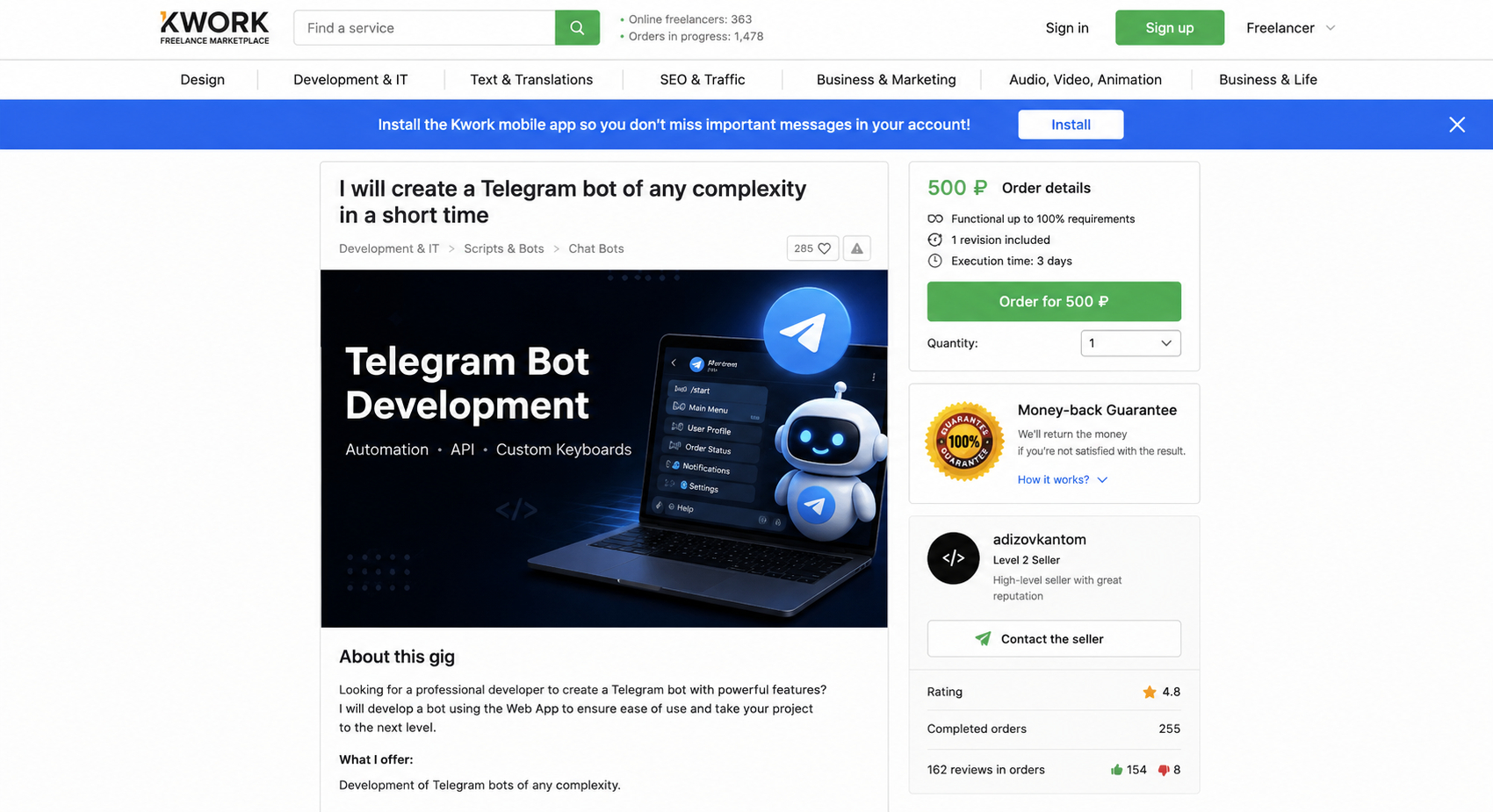
What to specify in the technical requirements: the bot's purpose, list of screens and commands, menu structure, user roles, required integrations, data storage rules, error scenarios, and expected result. The more precisely the workflow logic is described, the easier it is to compare contractor offers, estimate timelines, and obtain a predictable result.
The development cost depends on the complexity of the scenario, number of integrations, availability of payments, a personal account, AI functions, an administrative panel, and further support. A simple bot with several commands usually costs less than a store bot, booking service, or chatbot with a connected knowledge base.
How to Program a Telegram Bot Through Vibe Coding
Vibe coding is suitable when the capabilities of a ready-made builder are not enough, but we want to accelerate development with AI. For this, you can use ChatGPT, Cursor, Grok, and other tools capable of creating and editing program code based on a text description.
First, describe the task: which commands the bot should accept, what menu it should display, where data should be stored, and which services should be connected. To understand how to program a bot in Telegram, a beginner can give AI a general project description and ask it to prepare code and step-by-step instructions.
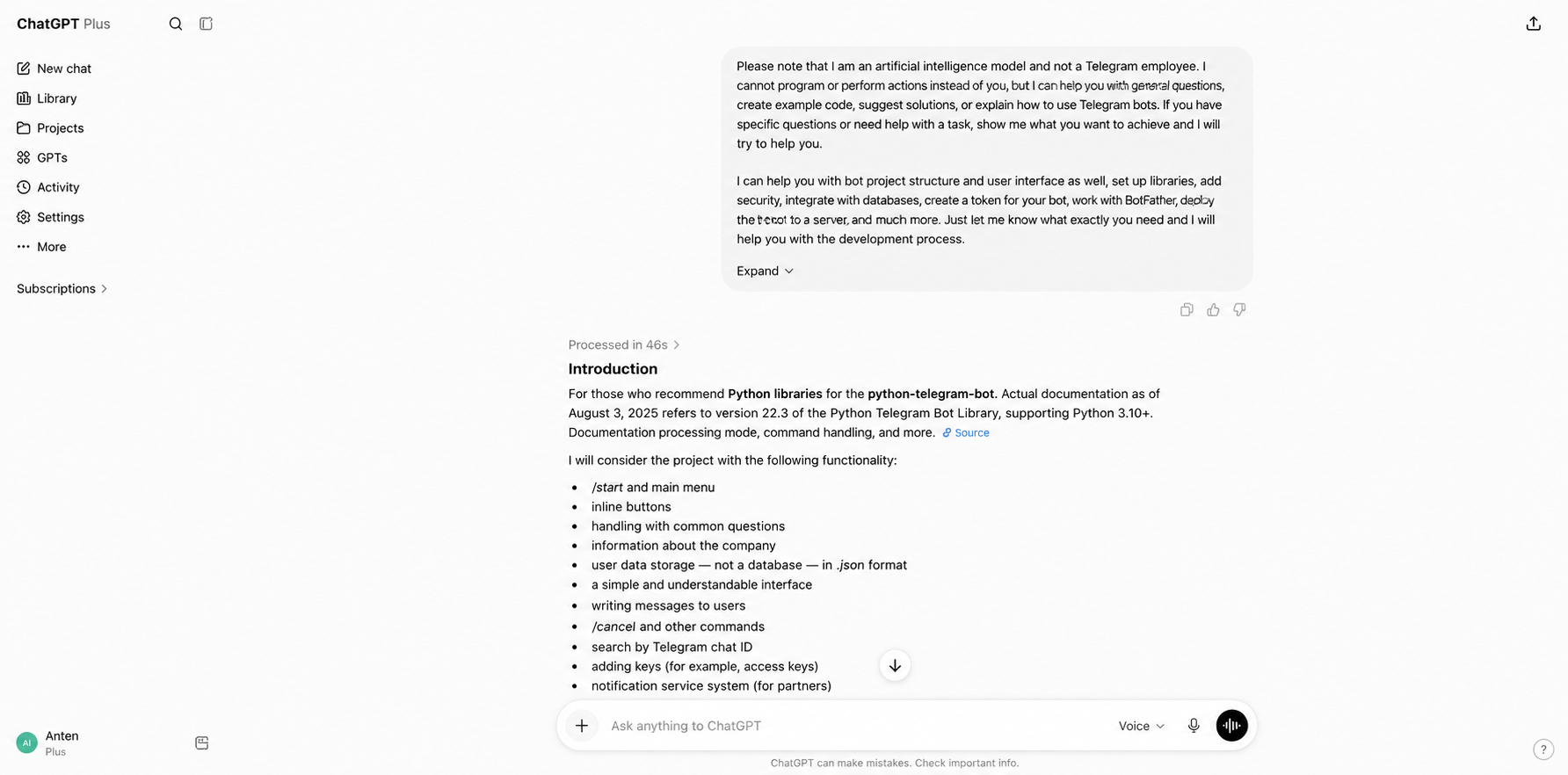
Example request for ChatGPT:
Help me create a simple chatbot for Telegram from scratch. I am a beginner in programming, so ask the necessary clarifying questions, suggest a suitable language, and prepare complete working code. The bot should launch with the
/startcommand, display a welcome message and a menu with buttons, answer frequently asked questions, and forward a user's request to a manager.Prepare the project structure and explain step by step how to create the files, install libraries, securely add the BotFather token, run the bot on a computer, and test its operation. After that, explain how to deploy Telegram bot code to a server for round-the-clock operation.
After receiving the instructions, sequentially create the project files, install the libraries, add the token, and test commands, buttons, and responses. AI speeds up code writing, but the finished bot still needs to be tested before launch.
To decide where to host Telegram bot code, choose a VPS, VDS, or another suitable cloud platform. On a computer, the bot works only while the device is turned on and the program is running, while a server keeps it available around the clock.
How to Set Up Telegram Bot and Connect It
How do you connect a Telegram bot after creation? First, determine where it will work, grant it the required permissions, and choose a management method. Publishing, commands, scenarios, and interaction with users are configured separately.
How to Add a Bot to Telegram Group or Channel
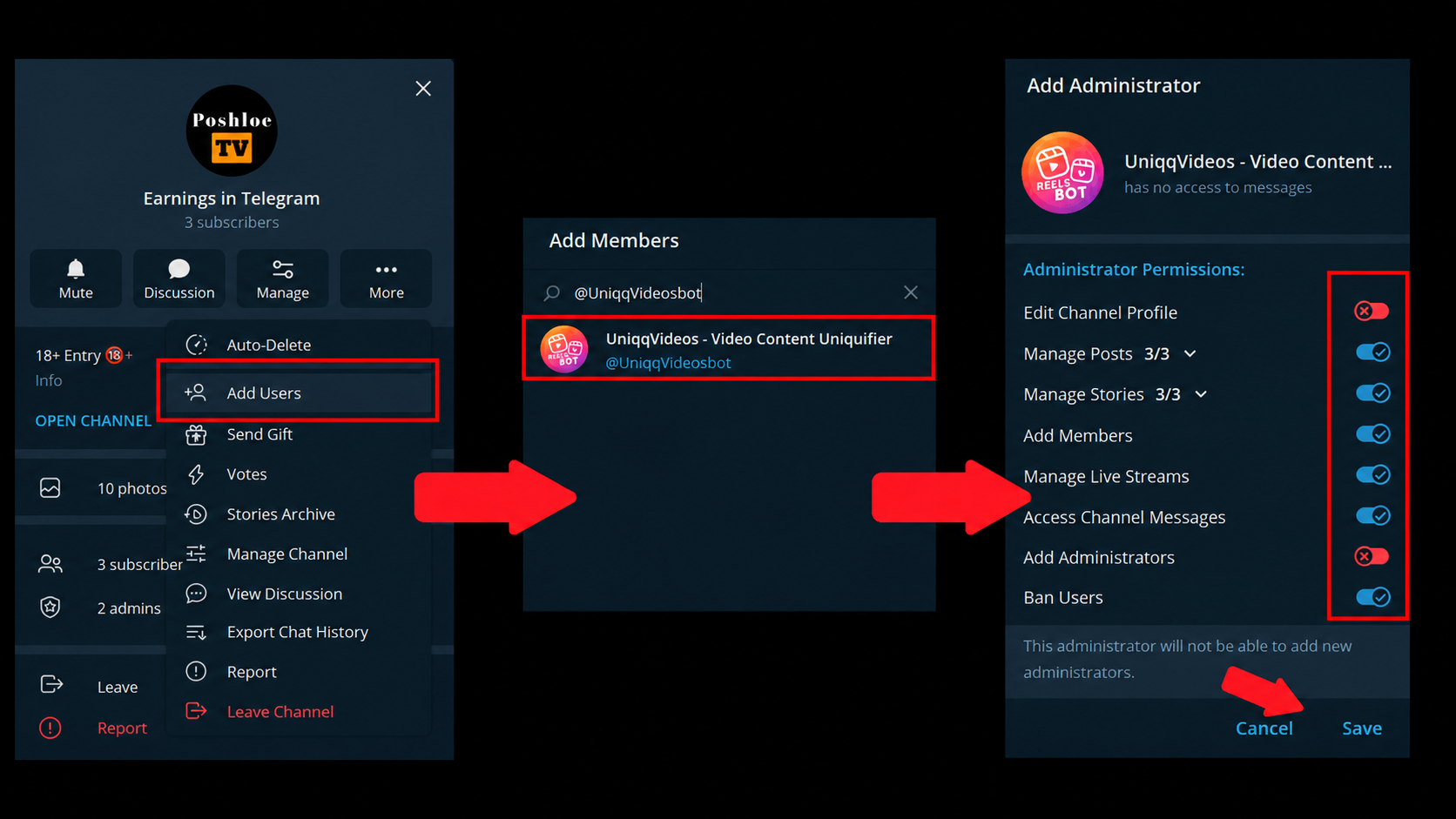
After creation, the bot can be connected to a group, chat, or channel. How to add a bot on Telegram? Open the settings of the required community, find it by username, and select the required permissions. The same community menu shows how to add a bot in Telegram and how to add bots on Telegram when several assistants are needed.
How to add bot to Telegram group settings? Open the settings, select the option to add members, and find it by username. This also explains how to add bot in Telegram when it must process group commands. Basic access is usually sufficient, while a moderation bot may need permissions to delete messages and restrict members. How to use bot in Telegram group workflows depends on the tasks assigned to it.
How to Add Bot to Telegram Channel
A bot in a Telegram channel is a connected assistant to which the owner grants permissions to perform specific actions. It can publish and edit posts, send notifications, process reactions, review join requests, and perform other tasks.
How to add Telegram bot permissions for a channel? Add it as an administrator and grant only the permissions required for its work. How to use bot in Telegram channel workflows depends on the selected scenario: publishing and editing posts, sending notifications, processing reactions, or performing another permitted action.
How to manage a bot in Telegram
A bot can be managed through the BotFather settings, a visual builder panel, an administrative interface, or a custom system. At this stage, it becomes clear how to configure a Telegram bot according to its tasks and the selected management method.
Through the Edit Bot section in BotFather, we change the description, commands, and basic account parameters, while through the connected platform we manage scenarios, broadcasts, users, and integrations.
After launch, we additionally check how to configure the Telegram bot for stable operation: we test commands, the menu, access permissions, notifications, and connected services.
How to write to a bot in Telegram and reply on its behalf
If you need to understand how to write on behalf of a bot in Telegram, messages can be sent through a builder, administrative panel, custom code, or the Telegram Bot API. In a private conversation, the bot can reply only after the user has started it or sent a message.
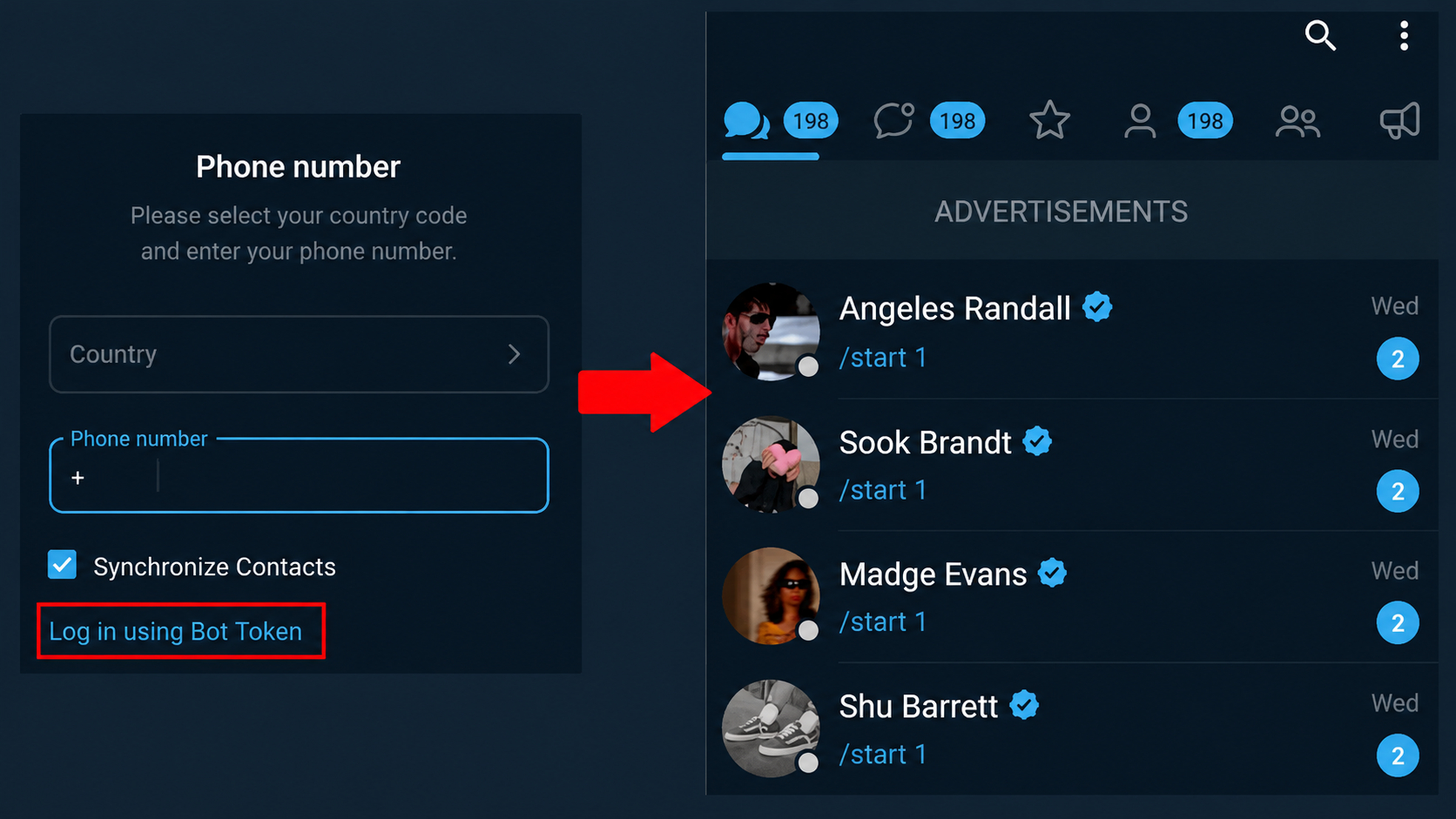
One of the simplest ways to communicate with users is to use the Graph Messenger application. It can be downloaded on Android or launched on a computer through a Windows emulator, such as BlueStacks. After installing the application, you need to log in using the bot token.
To maintain a dialogue with users, you can also configure the “Telegram NeuroDialogues” module through GramGPT.io. This tool helps automate communication with clients and users: it maintains a dialogue on autopilot and responds using AI while taking the conversation context into account. This makes it possible to save time and maintain constant contact with people without having to reply to every message manually.