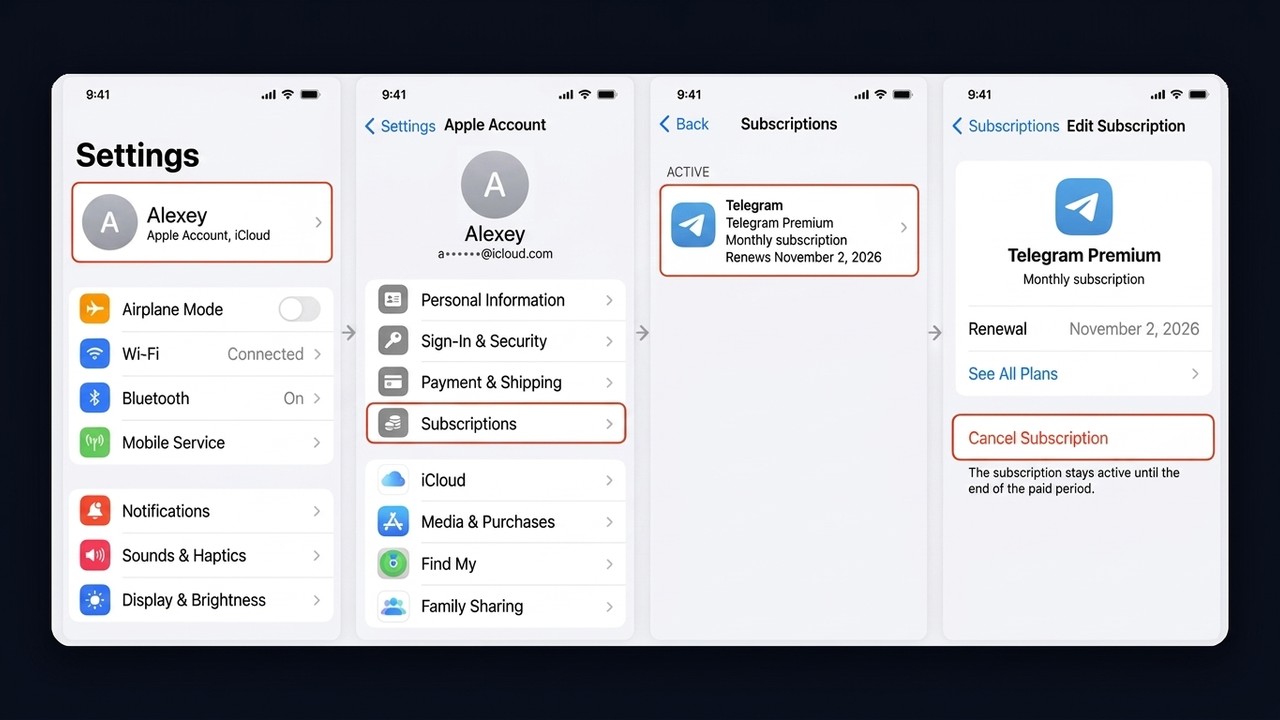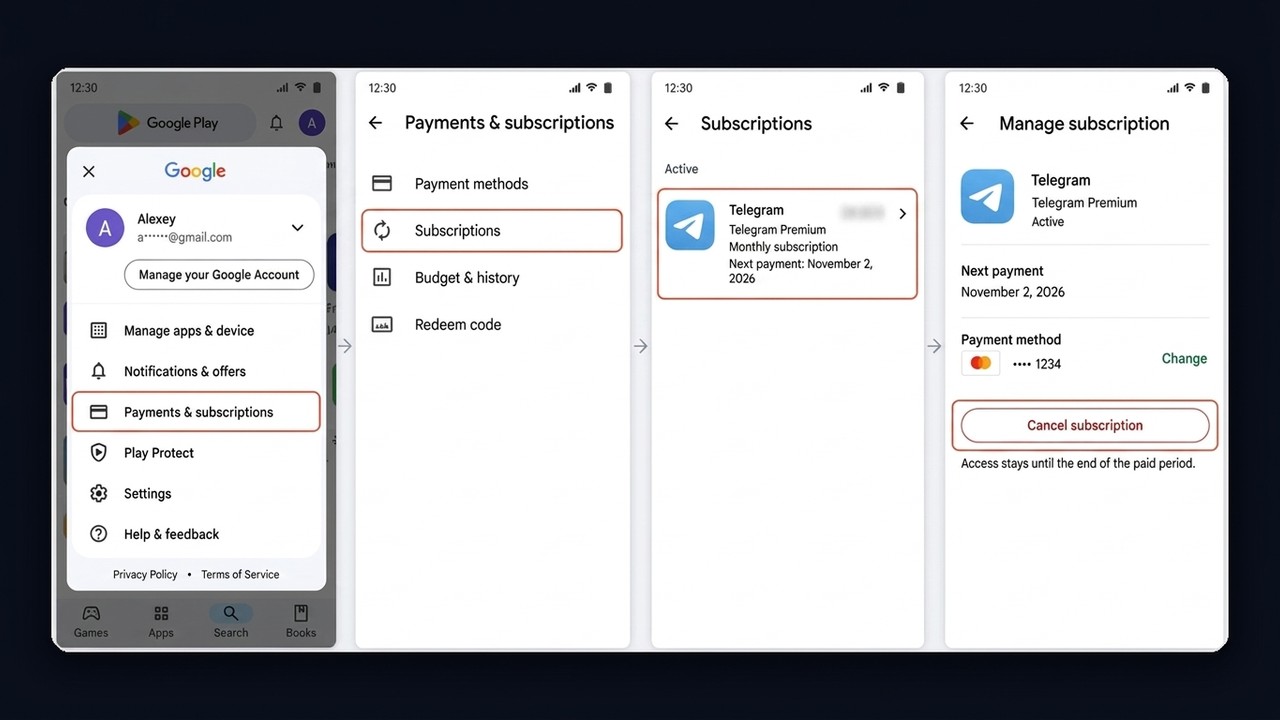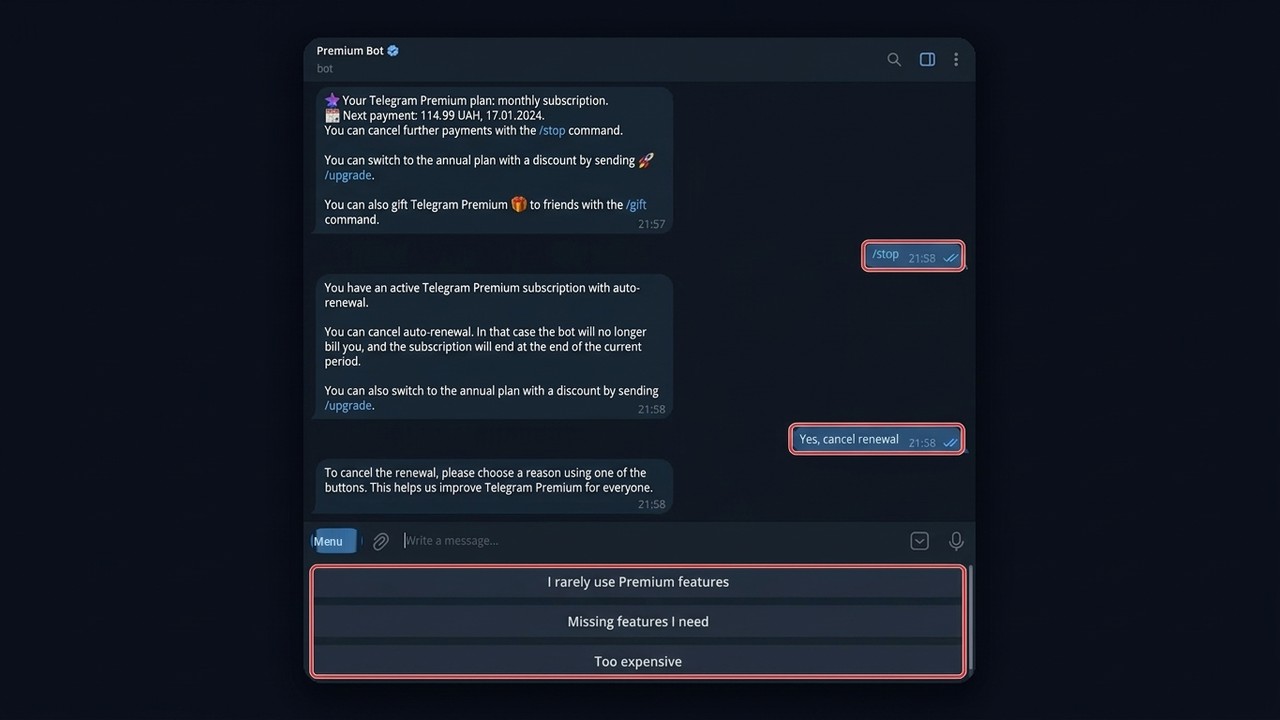
Paying for a messenger that's already free sounds odd at first. Yet millions of people tap that purple star every month, and a good share of them later wonder whether it was worth it. So what is Telegram Premium, who actually gets value from it, and how do you walk away if it turns out you don't need it?
This guide covers the features and prices in 2026, cheaper ways to buy, gifting a subscription, bulk activation for work profiles, and the exact steps to stop renewal on iPhone, Android and the official bot.
What Is Telegram Premium?
To begin with, it's an optional upgrade layered on top of your regular profile, not a separate app. So once you turn it on, extra tools plus higher limits unlock. But if you turn it off, nothing is lost: chats, channels and files stay exactly where they were, only the extras disappear.
Benefits of Telegram Premium at a Glance
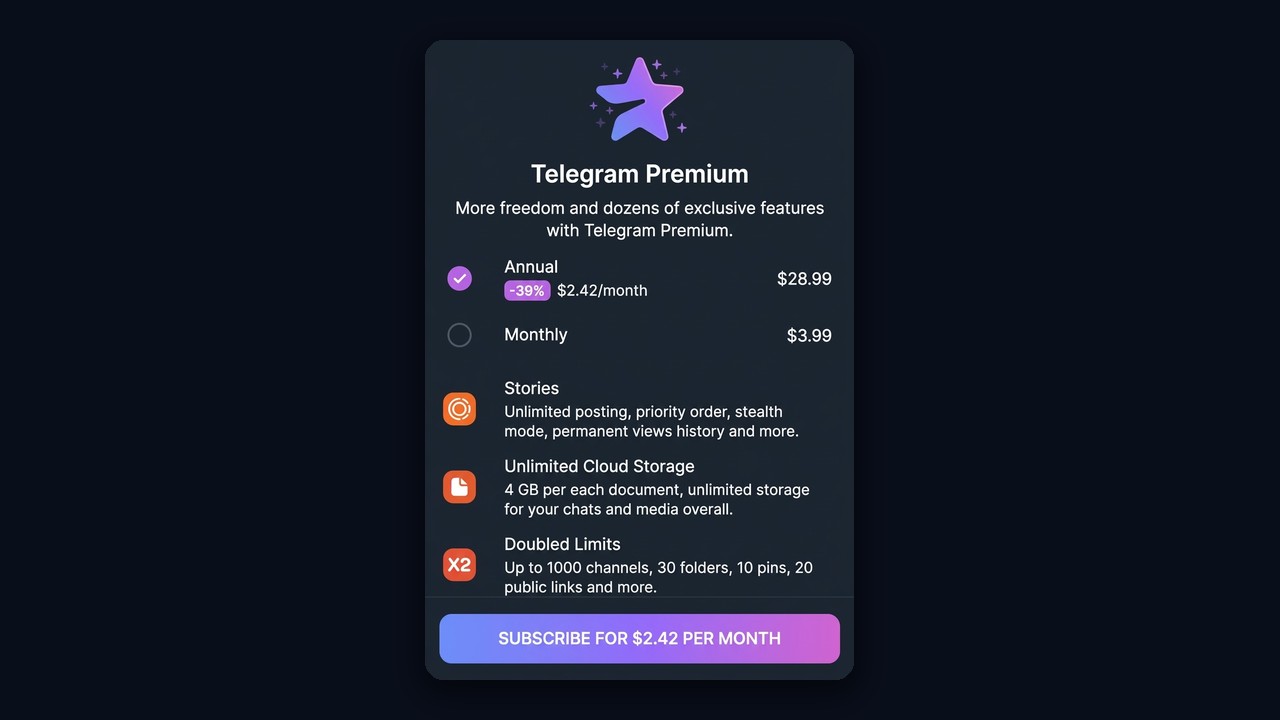
| Feature | Free plan | Premium |
|---|---|---|
| Largest single upload | 2 GB | 4 GB |
| Communities you can join | 500 | 1,000 |
| Chat folders | 10 | 30 |
| Pinned dialogs | 5 | 10 |
| Sponsored posts in channels | visible | hidden |
| Voice-to-text | limited | unlimited |
| Download speed | standard | top speed |
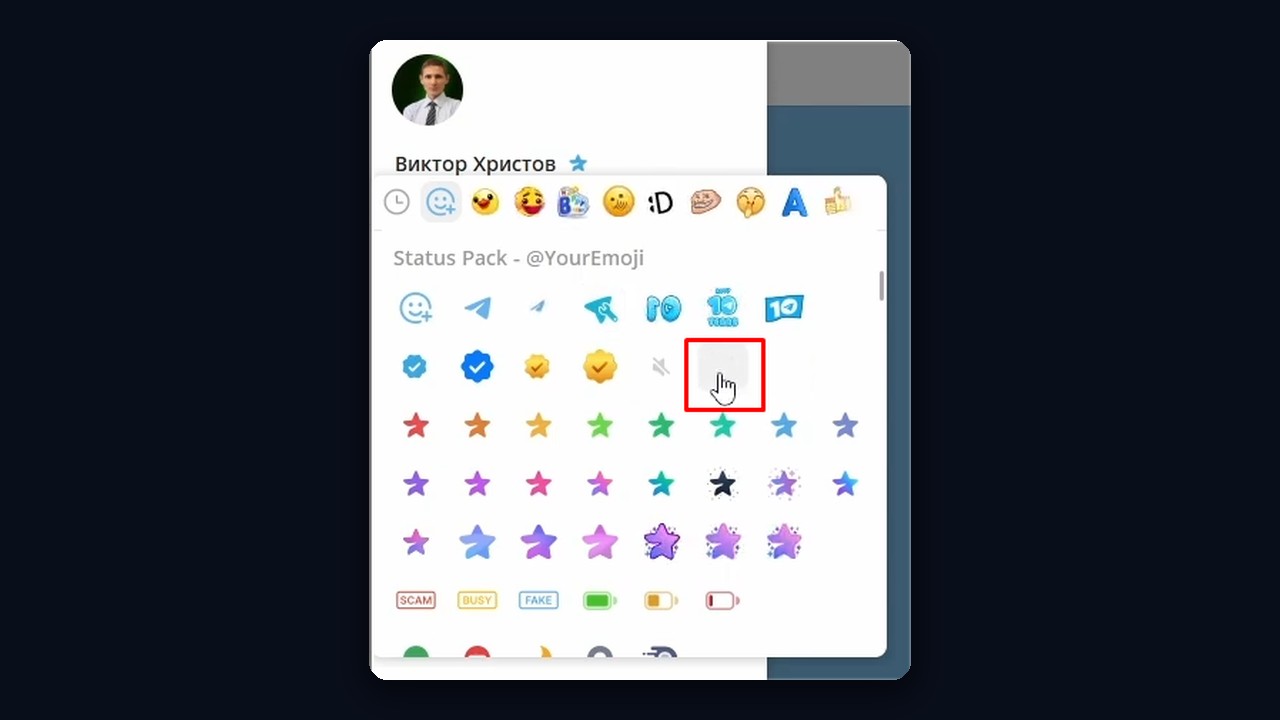
| Emoji status, animated avatar | no | yes |
| Stealth mode for stories | no | yes |
On top of that, subscribers get unique sticker packs and reactions, whole-chat translation and tags in Saved Messages. Stories also get a boost, since you can watch them anonymously. We break the format down in our article on Telegram stories.
Who Really Benefits From the Subscription
For chatting with friends, honestly, the free version already covers almost everything. However, a few groups recoup the cost quickly.
- Channel owners and creators. A 1,000-community cap, extra folders and an ad-free feed speed up daily content work.
- Small business owners. An emoji status and an animated photo make the login stand out, while 4 GB uploads help with client files.
- People juggling several profiles. The app lets subscribers add more accounts, as covered in our guide on adding multiple Telegram accounts.
- Marketers with work accounts. The star badge and higher limits add credibility to profiles used for promotion.
Otherwise, if you open the app twice a day, the free plan is perfectly fine.
Business Tools Hidden Inside Telegram Premium
Few people realize the subscription also unlocks Telegram Business. Therefore it matters if you sell anything through private chats.
- Opening hours and location appear on your login like a company card.
- Greeting messages go out to new contacts automatically.
- Away messages reply while you're offline.
- Quick replies drop saved answers into a chat with a shortcut.
- Connected bots answer customers on behalf of your personal profile.
In other words, the upgrade turns a personal profile into a simple storefront. Still, for a serious flow of leads these templates fall short, and dedicated automation does the heavy lifting.
Telegram Premium: How Much Does It Cost?
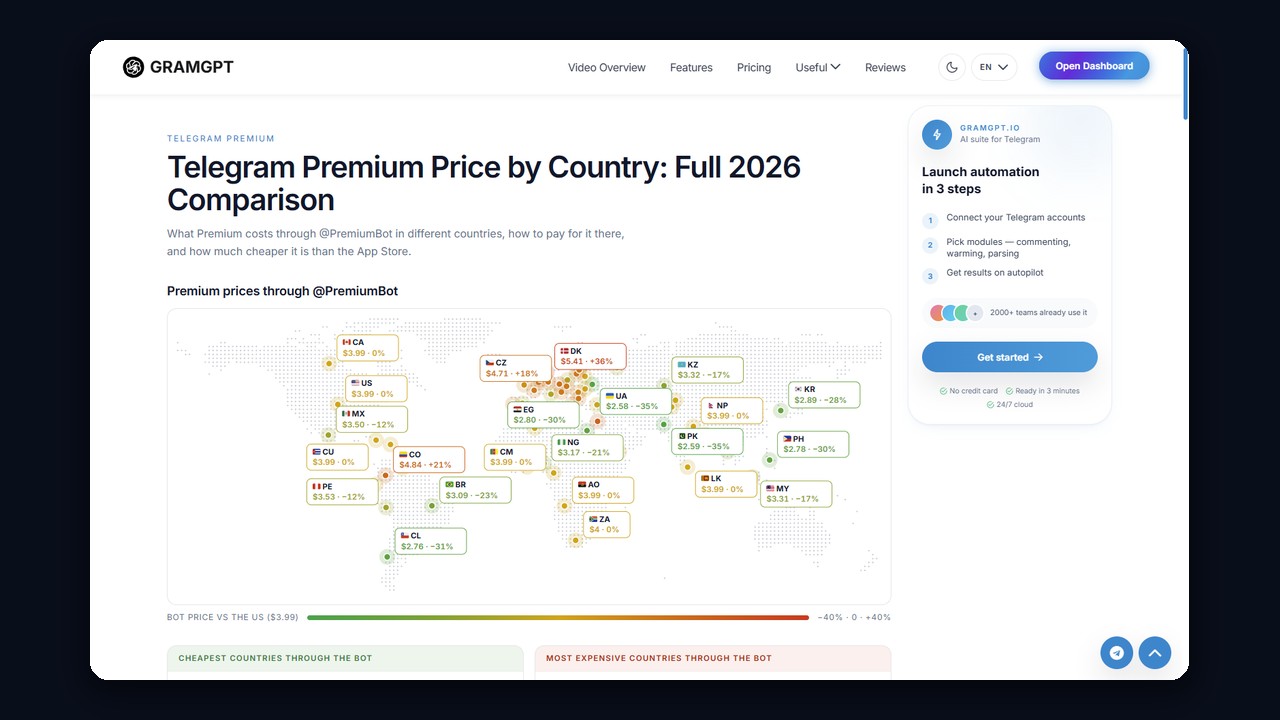
First, the price depends on where and how you pay. Inside the app, Apple and Google set the rate, while the official @PremiumBot uses regional pricing. For example, a US demo login shows $3.99 a month or $28.99 a year, so the annual plan saves roughly 39%.
Besides, gaps between countries can be large. We track them on our Telegram Premium price by country page, which shows where the subscription costs less than the base rate and where it costs more.
How to Get Telegram Premium for Less
- Go annual. Twelve months cost far less than twelve separate payments.
- Compare the bot with the store. In several regions @PremiumBot beats App Store and Google Play.
- Watch for promos. The app occasionally shows a first-period discount in Settings.
As for how to get Telegram Premium for free: the only legitimate way is a gift from someone else or an occasional giveaway run by a channel.
How to Buy Telegram Premium
There are three ways in, and your choice then decides where the cancel button lives.
- Inside the app. Go to Settings → Telegram Premium, pick monthly or yearly and pay with your Apple or Google account. Renewal is on by default.
- Through @PremiumBot. The bot doesn't accept cards in every country, but it often offers a local price.
- As a gift. A friend or colleague pays for you.
Gifting a Subscription
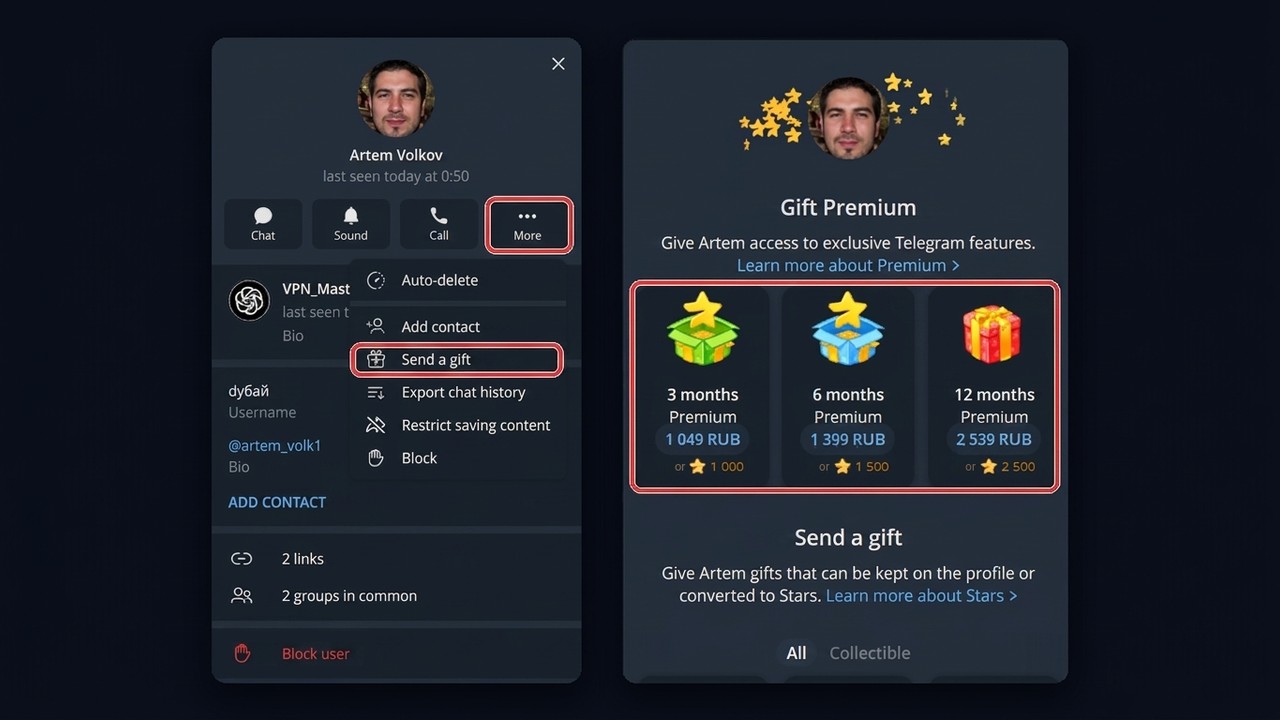
First, open your friend's profile, tap "More" and choose "Send a gift". At the top you'll see "Gift Premium" with 3, 6 and 12 months, and the longer packages come with up to 39% off. A one-month gift goes through @PremiumBot with the /gift command. A gifted plan doesn't renew on its own, so there's nothing to cancel later.
Bulk Telegram Premium for Work Accounts in GramGPT.io
However, with dozens of profiles, buying one by one is tedious. That's why the GramGPT account manager activates Premium in batches: select the logins, open the Accounts menu and choose "Buy Premium".
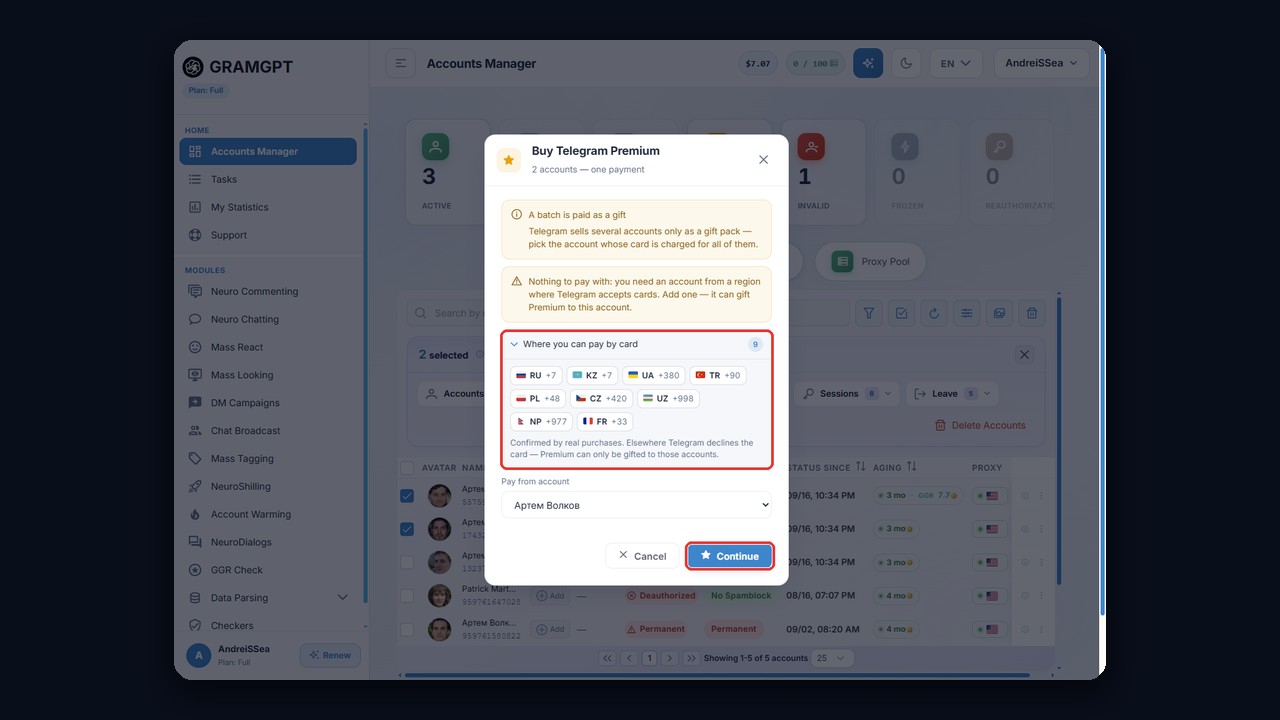
Here's the trick: Telegram sells several subscriptions only as a gift pack. So the full amount is charged to one profile's card, and the rest receive Premium as a present. That paying profile must come from a region where Telegram accepts cards, and the purchase window lists the verified countries. As a result, one payment covers the whole batch.