Telegram stories started in 2023 as a Premium perk. Today almost every account publishes them, from creators and shops to experts. However, people keep asking where the button is, why strangers see their updates and how to turn a 24-hour photo into real traffic.
Every view and every mention lands in someone's notifications. As a result, this format quietly brings people to your profile and channel.
Below we cover who can publish, how to do it from a phone or desktop, links, mentions and reposts, anonymous viewing and how to grow with stories in 2026.
What are Telegram stories and who can post them
A story is a photo or video shown above your chat list for a limited time. After that, it disappears. You decide who sees it, and you also pin the best ones to your profile.
At first, only Premium users had access. Since early 2026, the feature is open to everyone, but free accounts get fewer uploads per day, a fixed lifetime and fewer tools.
| Feature | Free account | Premium |
|---|---|---|
| Posting | Yes, with a daily cap | Yes, a much higher cap |
| Lifetime | 24 hours | 6, 12, 24 or 48 hours |
| Clickable link sticker | No, plain link in the caption | Yes |
| Caption length | Short | Extended |
| Stealth mode | No | Yes |

Separately, channels have them too. An owner or admin publishes them once the channel collects enough boosts from Premium subscribers.
How to post a story on Telegram from your phone
On mobile, the whole process takes under a minute, and Premium isn't required:
- Pull the chat list down, or tap the camera icon at the top.
- Shoot a photo or clip, or pick one from your gallery.
- Add a caption, stickers, a drawing, music or an @mention.
- Choose the audience and lifetime, then confirm.
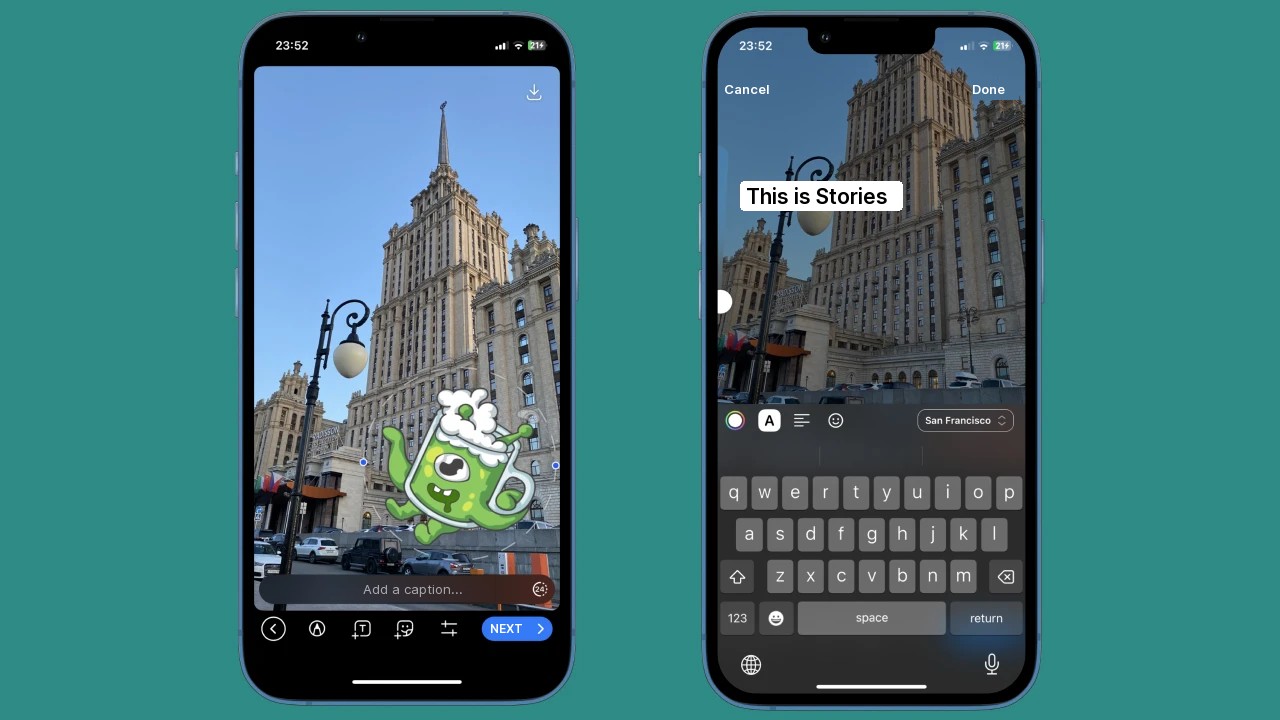
One handy detail: the camera records from the front and back lenses at once. For example, film a product and your reaction in a single clip.
Music, multiple photos and video length
For example, attach a track from a chat or your files, and it plays over the image. Besides, several selected photos become a series.
Videos have a length limit, so cut long clips beforehand. Otherwise, Telegram trims them, and the ending never makes it into the story.
Who can see your Telegram story
Next, you pick the audience: everyone, contacts, close friends or selected people. At the same time, you set the lifetime and block screenshots or forwarding if needed.
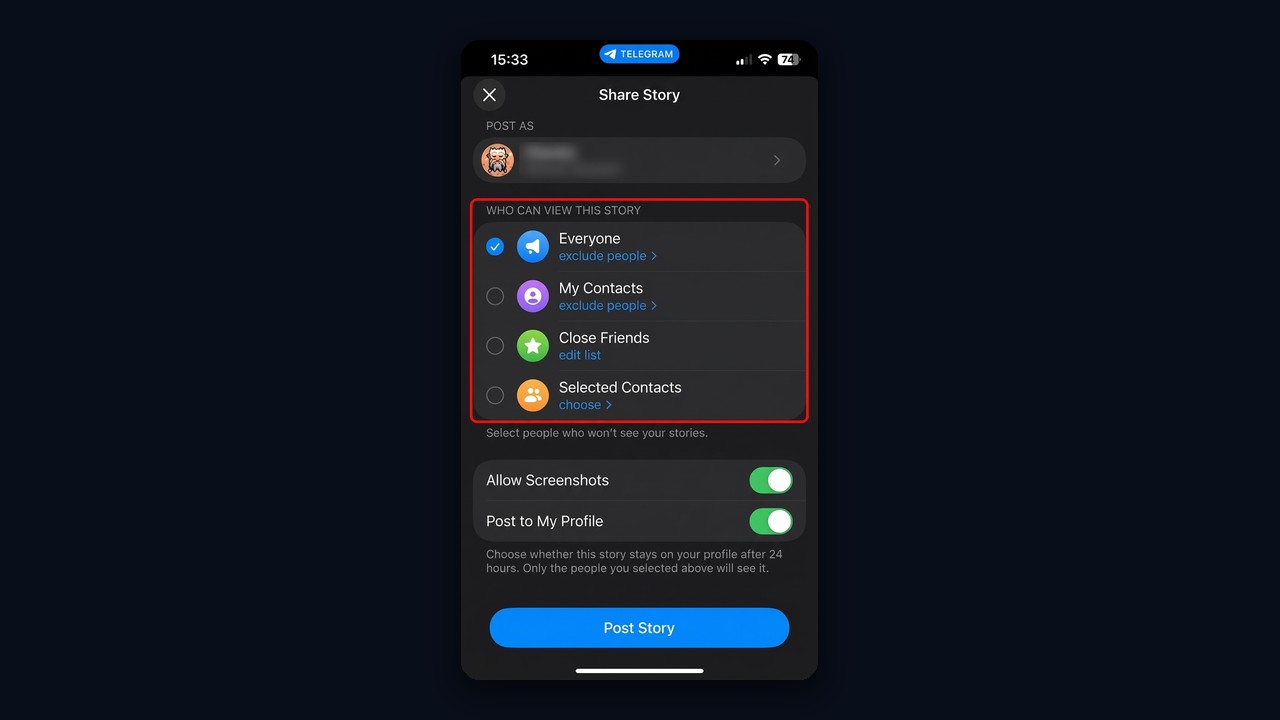
If strangers show up in your viewers list, the audience is probably set to Everyone. So for personal updates, Contacts or Close Friends work better.
Can you post Telegram stories from a PC
Publishing is built for the mobile app. Telegram Desktop and Web mostly let you watch, and uploading from a computer depends on the app version. Therefore, the phone remains the reliable option.
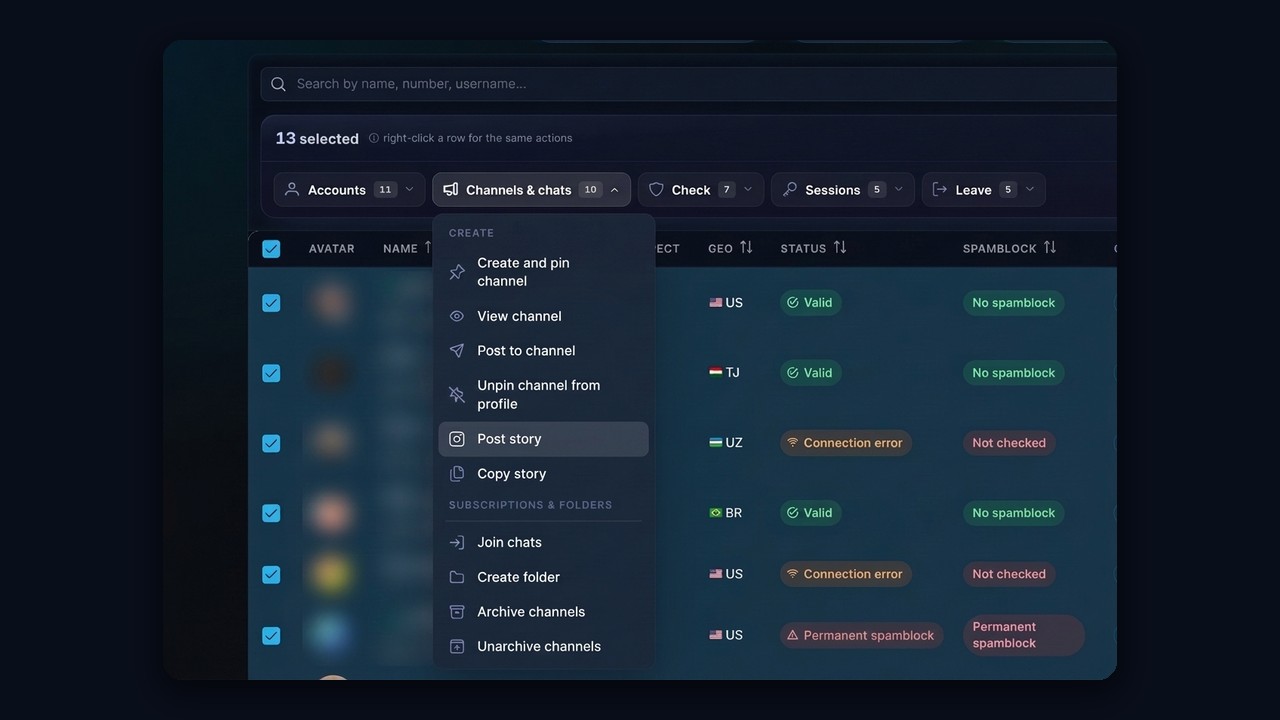
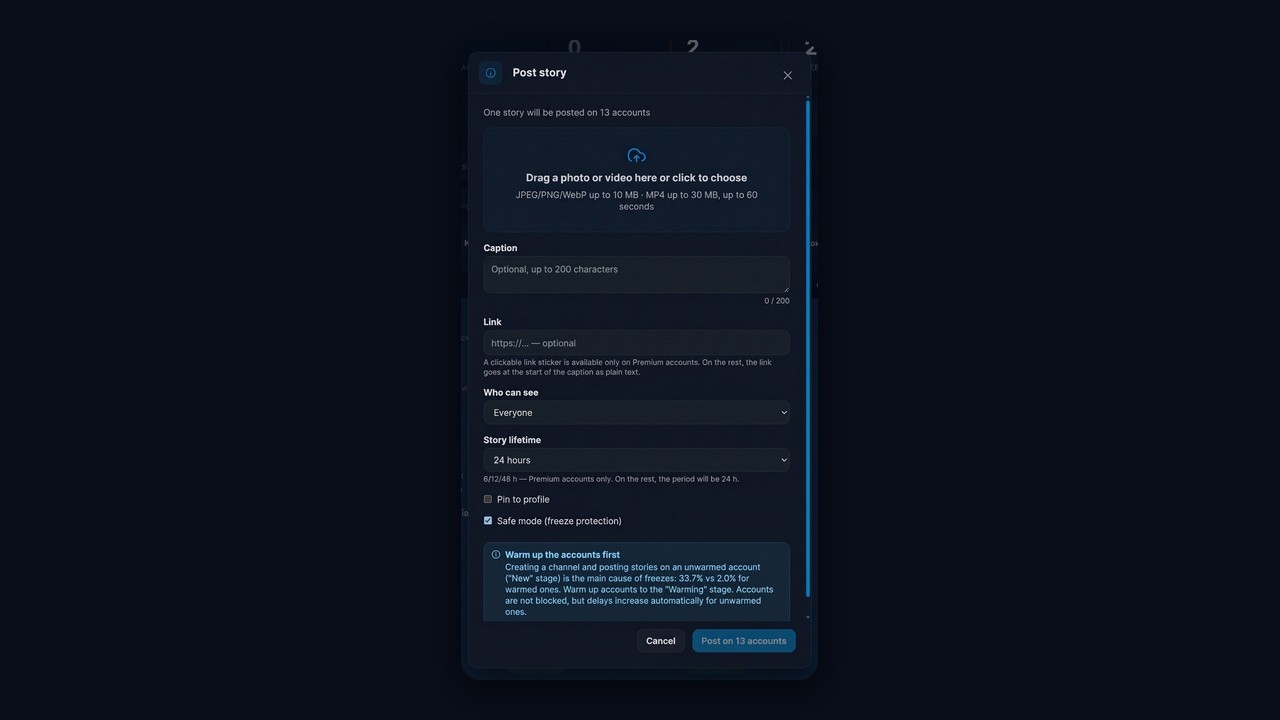
For work, however, there is another route. When one update has to go out from dozens of profiles, a bulk manager does it faster than any phone.
Links, mentions and reposts
These three features turn a fun format into a promotion tool.
- URL. Premium users add a clickable sticker. Others paste it into the caption as plain text instead.
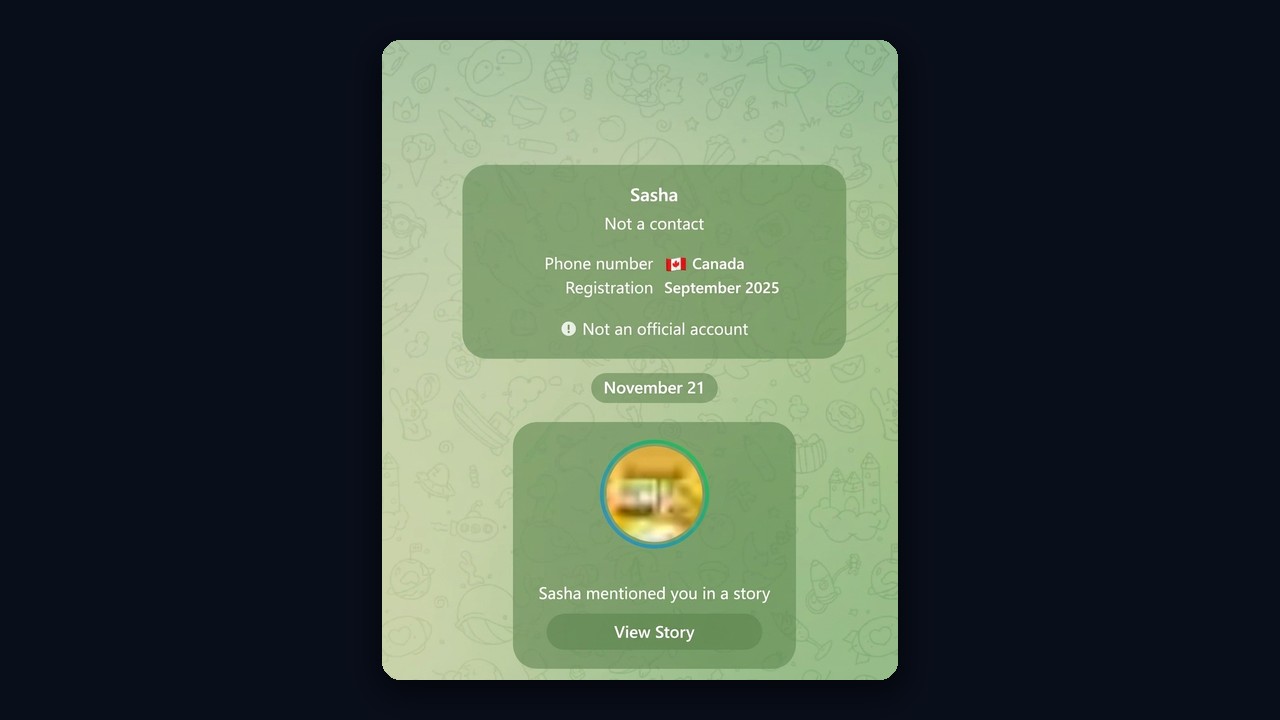
- Mention. Tag someone with their @username, and they get a notification about it.
- Repost. Share a channel update, and viewers open the original in one tap.
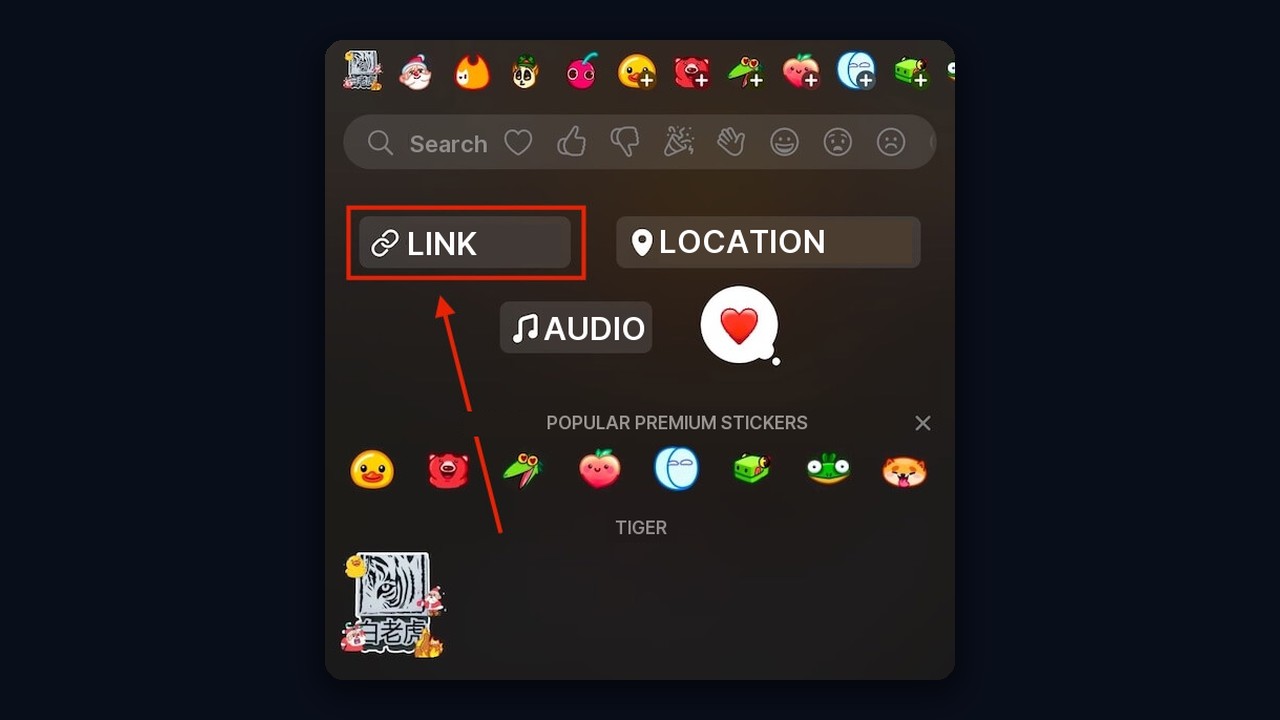
As a result, a single clip can send viewers to a channel, a website or a specific person. For more ways to attract an audience, read our guide on how to promote a Telegram channel and chat.
How to share a channel update
Open the message, tap Forward and choose Post to Story. Then it appears as a card that opens the original. In addition, you can put text or a "subscribe" sticker on top of the card.
How to pin, delete or save a story
Open your upload and tap the three dots. After that, pin it to your profile, delete it or save the file. Pinned items stay after they expire, while deleted items vanish for all viewers instantly.
However, built-in tools won't save someone else's clip if the author disabled it. Third-party downloaders usually ask for login access, which makes them risky.
Telegram channel stories
They appear above the chat list, just like personal ones. Thus, you get extra reach: a subscriber may skip an update, yet still notice the ring.
But to unlock them, a channel needs boosts. Premium subscribers vote for it, and each level adds features, including stories. That's why a new channel should build a loyal audience first and ask for boosts later.
How to view Telegram stories anonymously
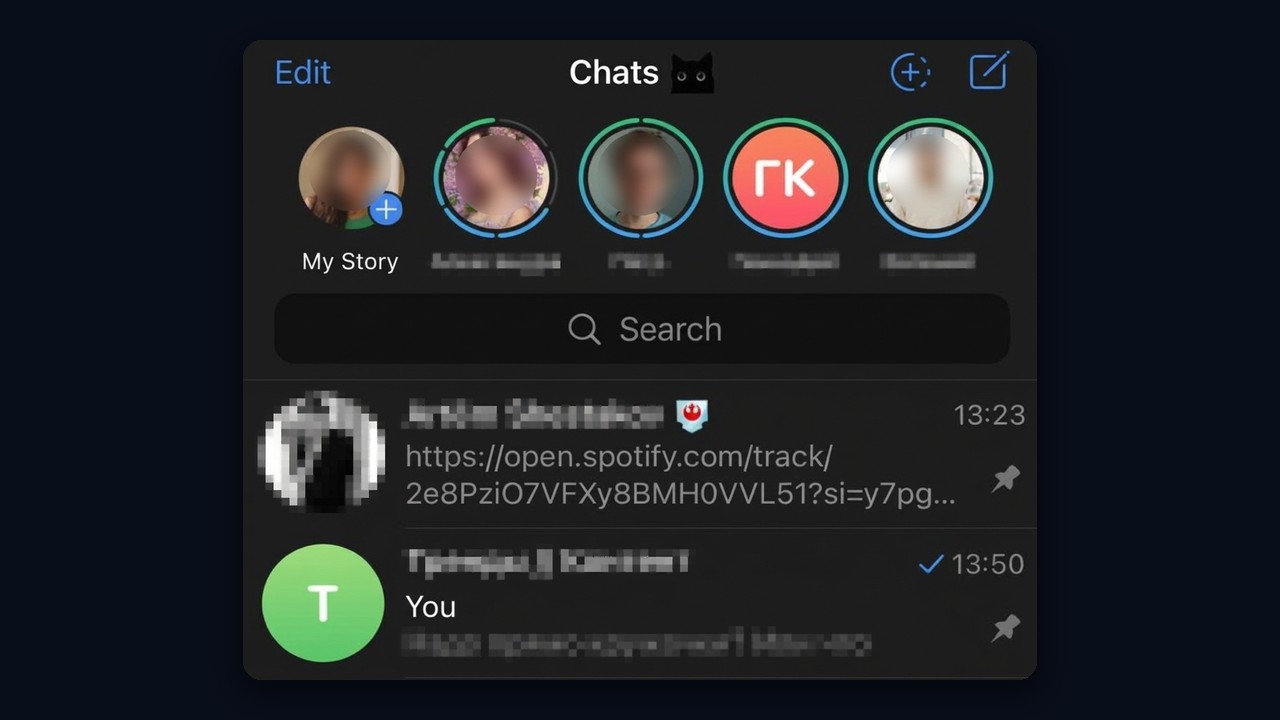
The author sees a list of everyone who watched. In other words, a regular view never goes unnoticed.
Premium offers Stealth Mode, which hides your views from the last 5 minutes and the next 25 minutes. Meanwhile, any third-party Telegram story viewer or story download bot typically needs your login, so avoid them.
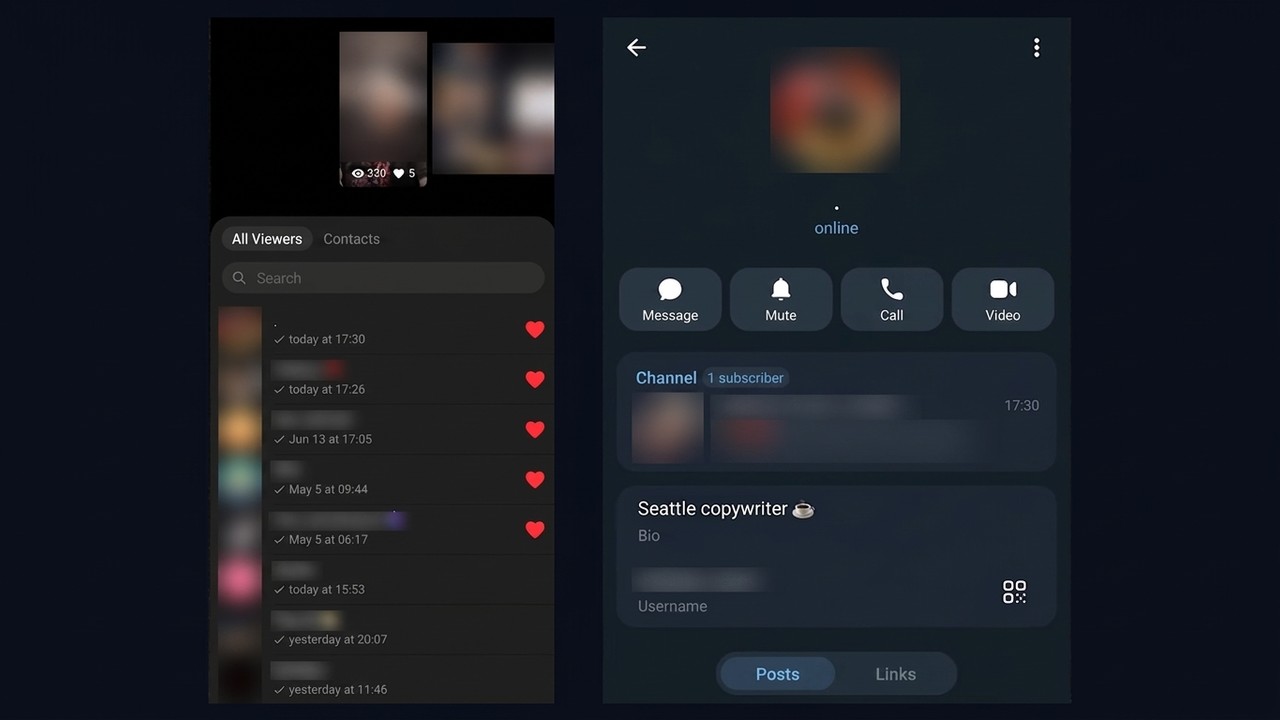
Key point: because authors see every viewer, watching works as a way to get noticed. A new name in the viewers list makes people curious enough to open that profile.
Content ideas for your updates
Viewers stay when there is a reason to watch to the end. So plan a few formats and rotate them.
- Teaser. A short preview that leads to a fresh channel update.
- Behind the scenes. Your workflow, desk or product prep. People tend to watch these fully.
- Poll or question. A reaction sticker shows what your audience cares about.
- Review or case. A screenshot of client feedback with a short comment.
- One-day offer. The time limit itself pushes people to act.
Pin your best clips to the profile. This way, anyone who arrives after a view or a mention sees the essentials first.
Timing matters too. Publish when your readers are online, usually in the morning and evening, and keep a steady rhythm of one to three clips a day. Sudden bursts of twenty uploads look spammy and tire followers quickly.
How to hide or disable Telegram stories
For example, if other people's updates get in the way, long-press their avatar above the chats and choose Hide Stories. They move to the archive. Also, mute the alerts in notification settings.
To hide your own, use the audience setting or the Hide From list. There is no switch that removes the feature, but hiding everyone works.
How to grow with Telegram stories
Growth here relies on notifications. First, someone learns that you viewed or tagged their clip, opens your profile and finds a channel link there. Consequently, the click happens without any ads.
- Set up the profile. A clear name, an avatar and a channel link in the bio.
- Watch your audience's updates. People notice a new name among their viewers.
- Mention people. A mention arrives as a separate notification, and people open it more often than a message.
- Lead to the channel. A pinned story explains why it's worth subscribing.
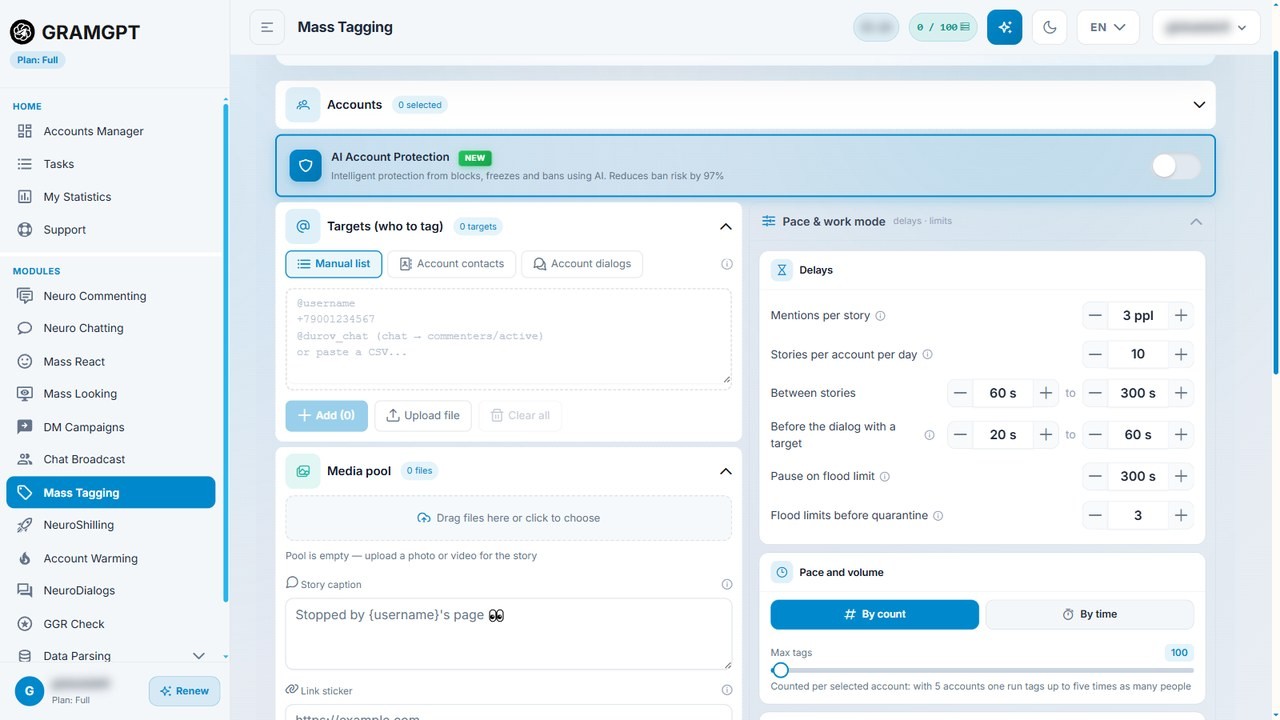
By hand, however, you reach a few dozen people a day. Therefore, hundreds or thousands require automation.
How to promote with Telegram stories using GramGPT.io
Mass Looking: automated viewing
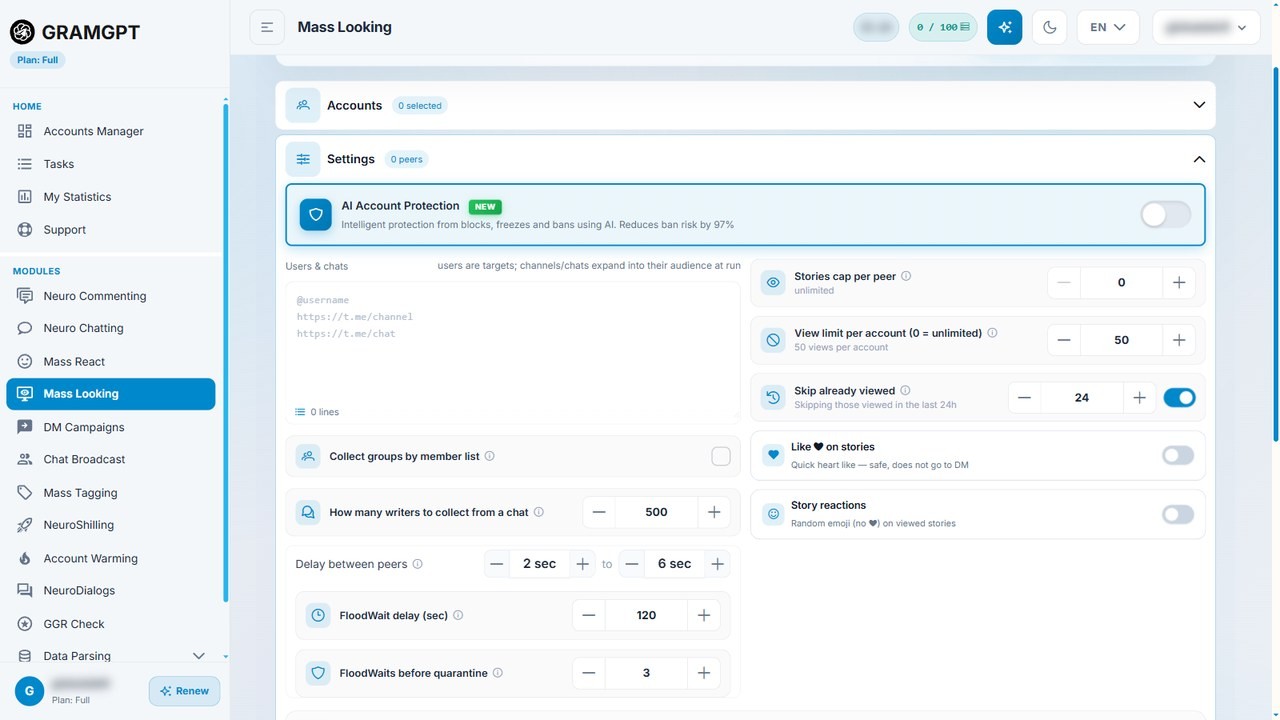
Mass Looking watches what members of niche chats and channels publish, using your profiles. You set limits, delays and an optional like or reaction, while AI protection keeps them safe from bans.
For example, here is what the other person sees: your profile in their viewers list, with a channel link in the bio.