If you need Telegram account warming for outreach, automation or any bulk work, remember one thing: it is not a set of random actions but a gradual process of building trust. So the goal is not just to keep a login busy. Instead, it should look alive, earn trust and survive the beginning.
That is why Telegram account warming should never come down to chaotic clicks, group joins and messages. Treat newcomers like ordinary users: some reading, some navigation, minimal natural behavior. The load comes later.
How to warm up a Telegram account: the short version
Here is the logic in five points, with details below.
- Import it and let it sit for 2 to 24 hours.
- Next, pick an intensity that matches its age and set a schedule.
- Early on, keep only channel reading and light moves, up to 5 an hour.
- Then gradually add reactions, stories, joins and chats.
- Finally, fill in the bio, give it another rest and send it to real tasks.
In other words, it is not a single pass but a smooth, gradual ramp-up.
Where Telegram account warming starts
Everything begins with an import into the account manager. Both tdata and session+json files work.
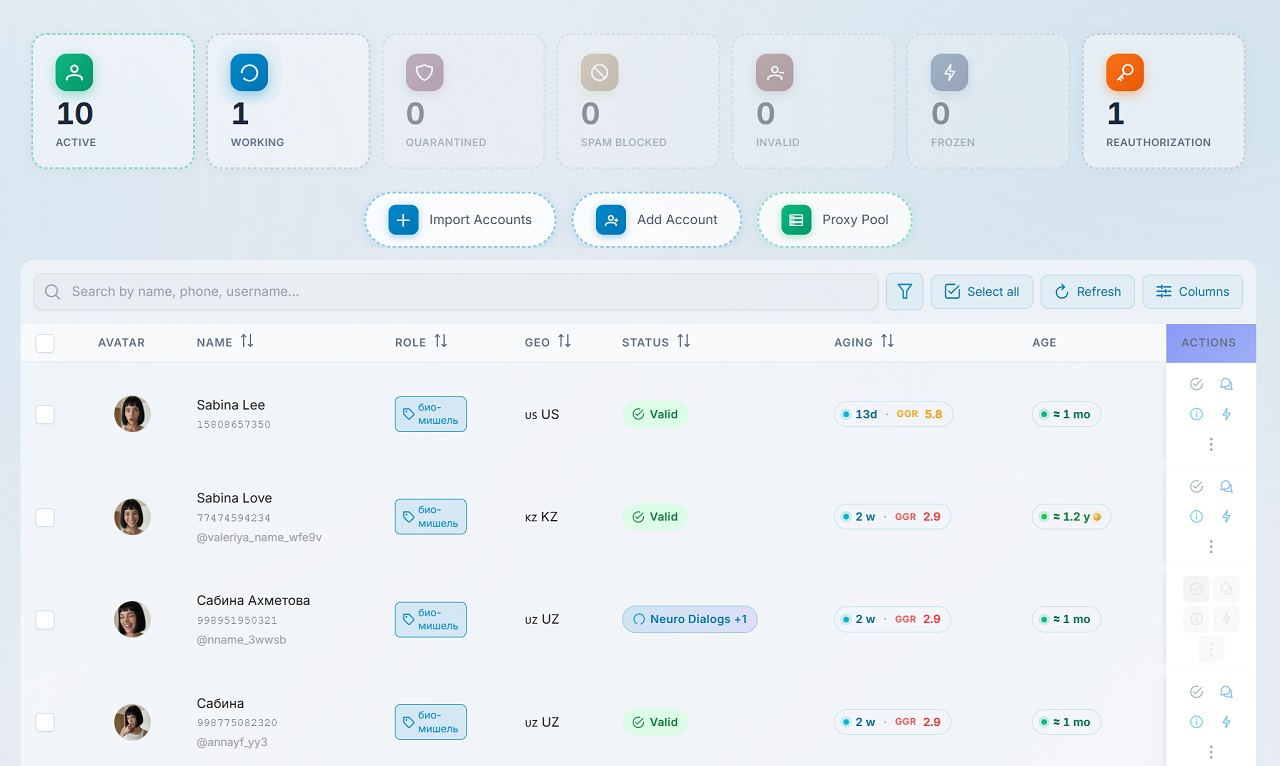
Do not launch any activity right after import. Profiles need 1–2 hours of rest, or longer if possible.
For example, a common mistake is to upload a number and immediately push it through dozens of tasks. For a newcomer, that is an unnecessary trigger, so we go calmly.
Many people look for a fast shortcut. However, in practice a gradual launch beats an aggressive scenario in the first hours after import.
How to warm up a Telegram account in GramGPT: setup
Next, we move the batch to the warm-up section and configure the session.
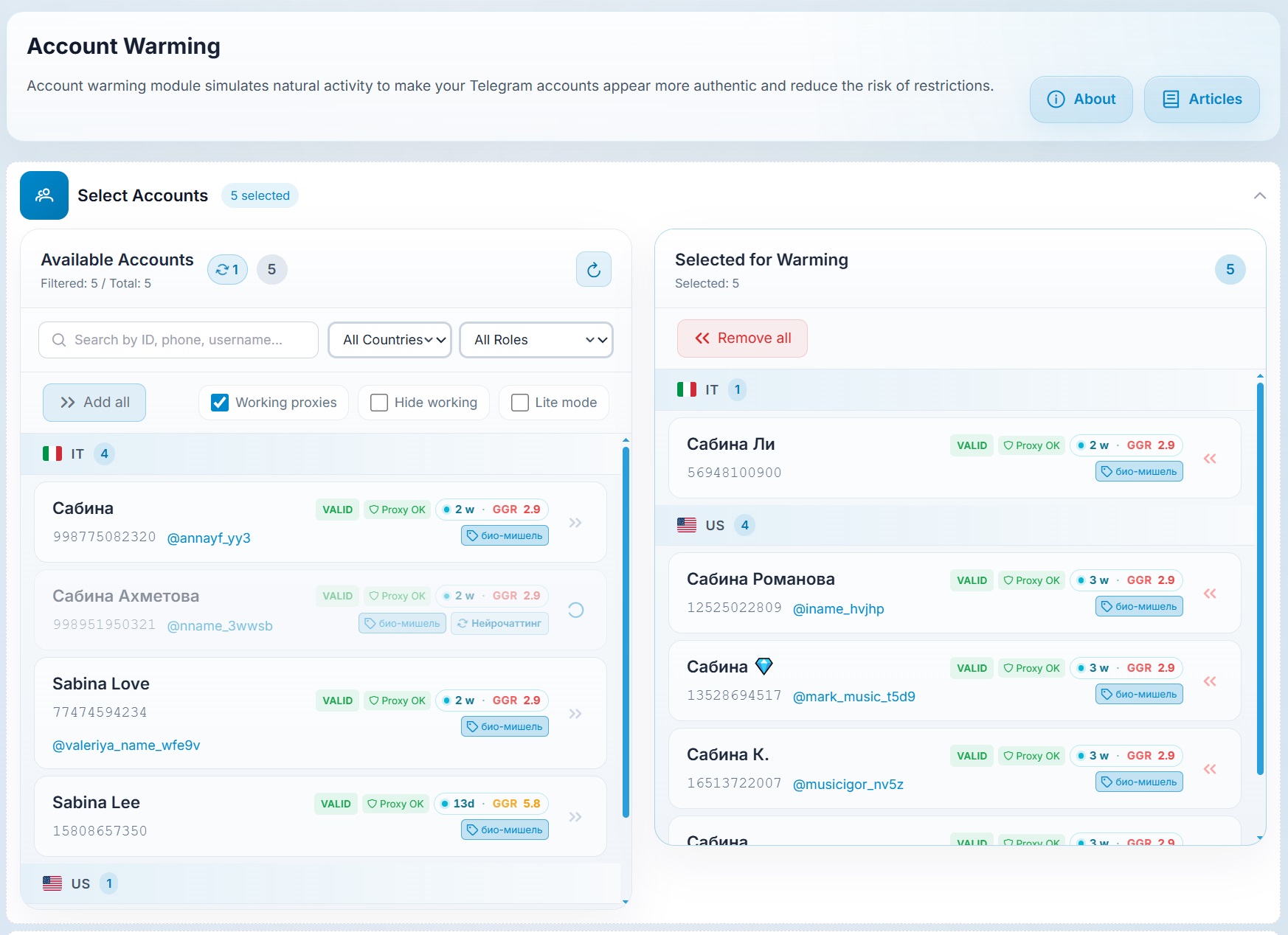
1. Schedule
Set the time window, for example a window from 13:00 to 15:00 or any other convenient range. Also turn on random breaks so nothing looks mechanical.
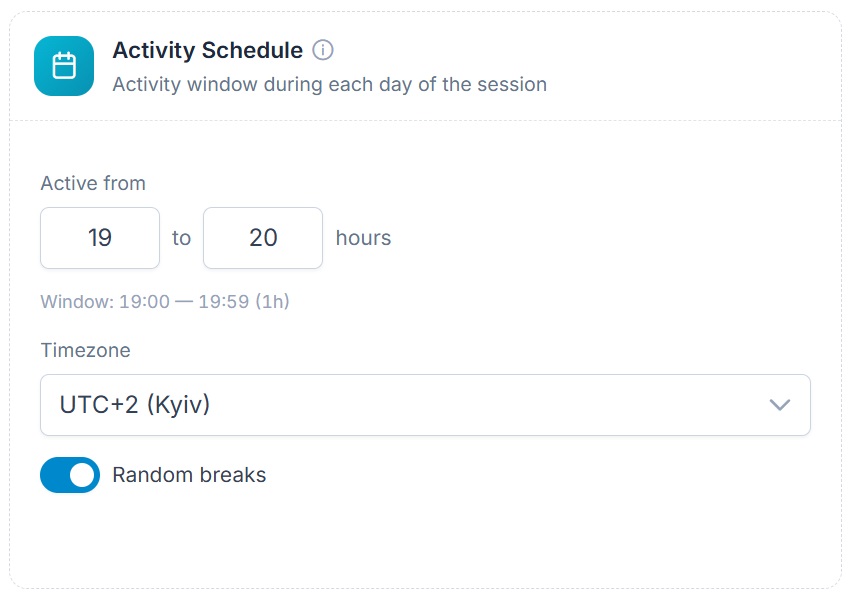
Make sure to choose your time zone and geo. Otherwise, the schedule may fire at unnatural times.
2. Warming intensity
Intensity depends on how fresh the login is. One with little rest after registration needs the cautious option, while an aged and stronger one can use normal intensity.
| Age | Mode | What to keep in mind |
|---|---|---|
| 0–7 days | Cautious | Minimal actions, long pauses |
| 7–30 days | Normal | Fits most tasks |
| over 30 days | Aggressive | Only for profiles that already run stably |
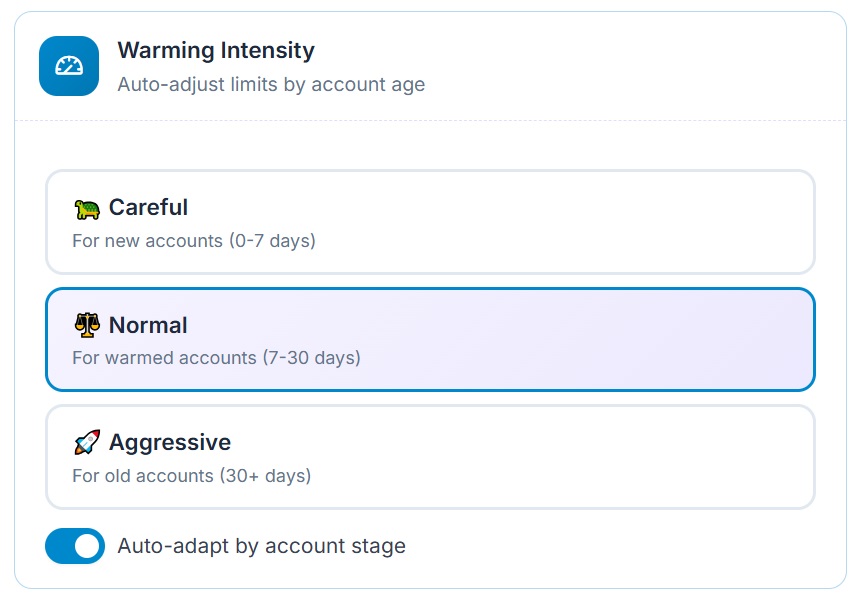
For a longer warm-up, enable stage-based adaptation. As a result, the system switches scenarios gradually, with no manual reconfiguration.
3. Safety limits
There is no need to be a hero at launch. A normal opening is up to 5 actions per hour, around 15 daily and a short 30- or 60-minute session.
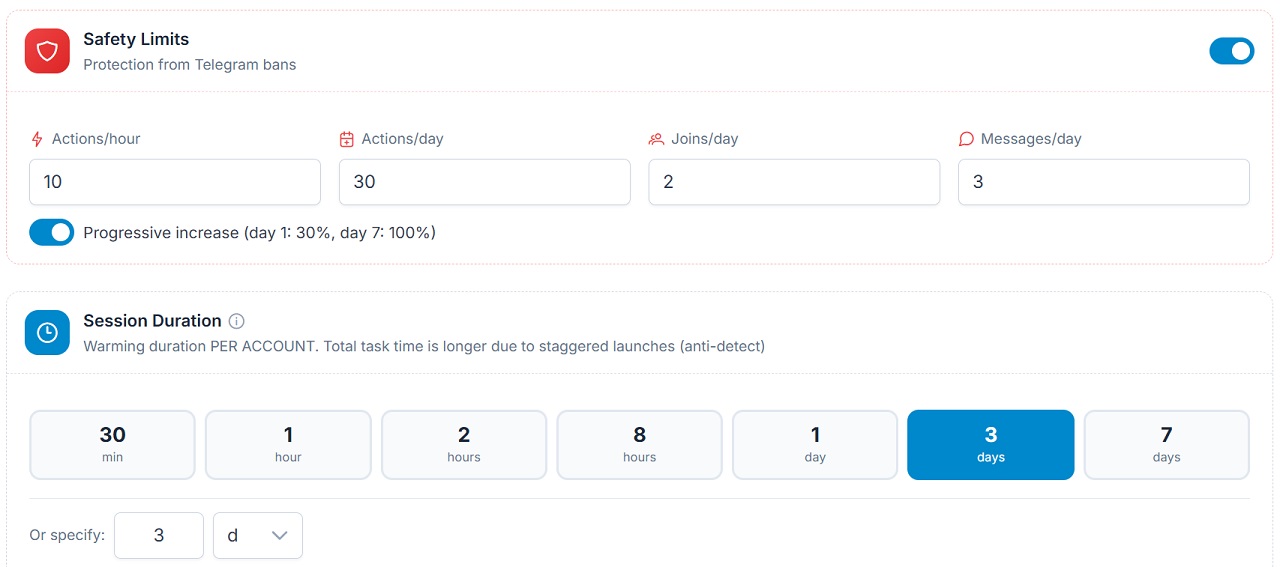
That is enough at first. For instance, 10 actions in 2 hours is a normal pace. The goal here is a soft entry, not motion for its own sake.
Besides, the limits let you cap joins and messages. Accordingly, hold them at zero until the first stage is over.
Which actions to enable during Telegram account warming
This choice decides whether freezes begin. So for newcomers, we do not switch everything on.
At the start, disable:
- reactions
- story views
- group joins
- aggressive trust-building tasks
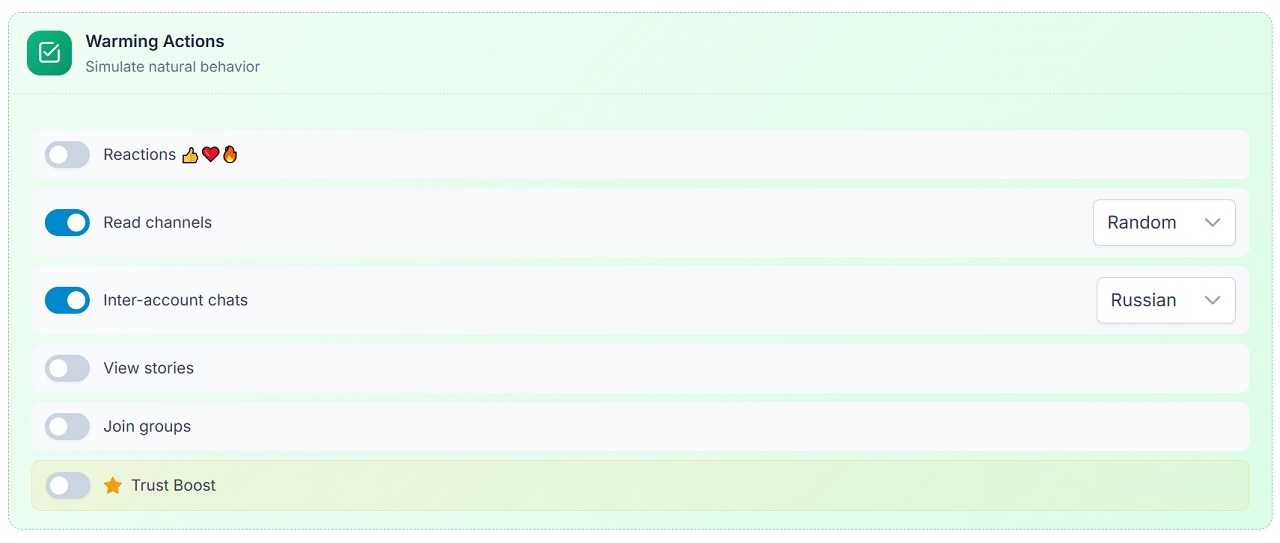
Leave only channel reading and careful dialogs inside your own network.
That is, early on it should look like an ordinary person, not a spammer: it scrolls content and opens channels.
Detailed Telegram account warming settings
If you need to save traffic, especially on mobile or residential proxies billed per gigabyte, turn off traffic-heavy actions. These include scrolling heavy media, watching videos, playing voice messages and anything that downloads lots of content, including stickers and GIFs.
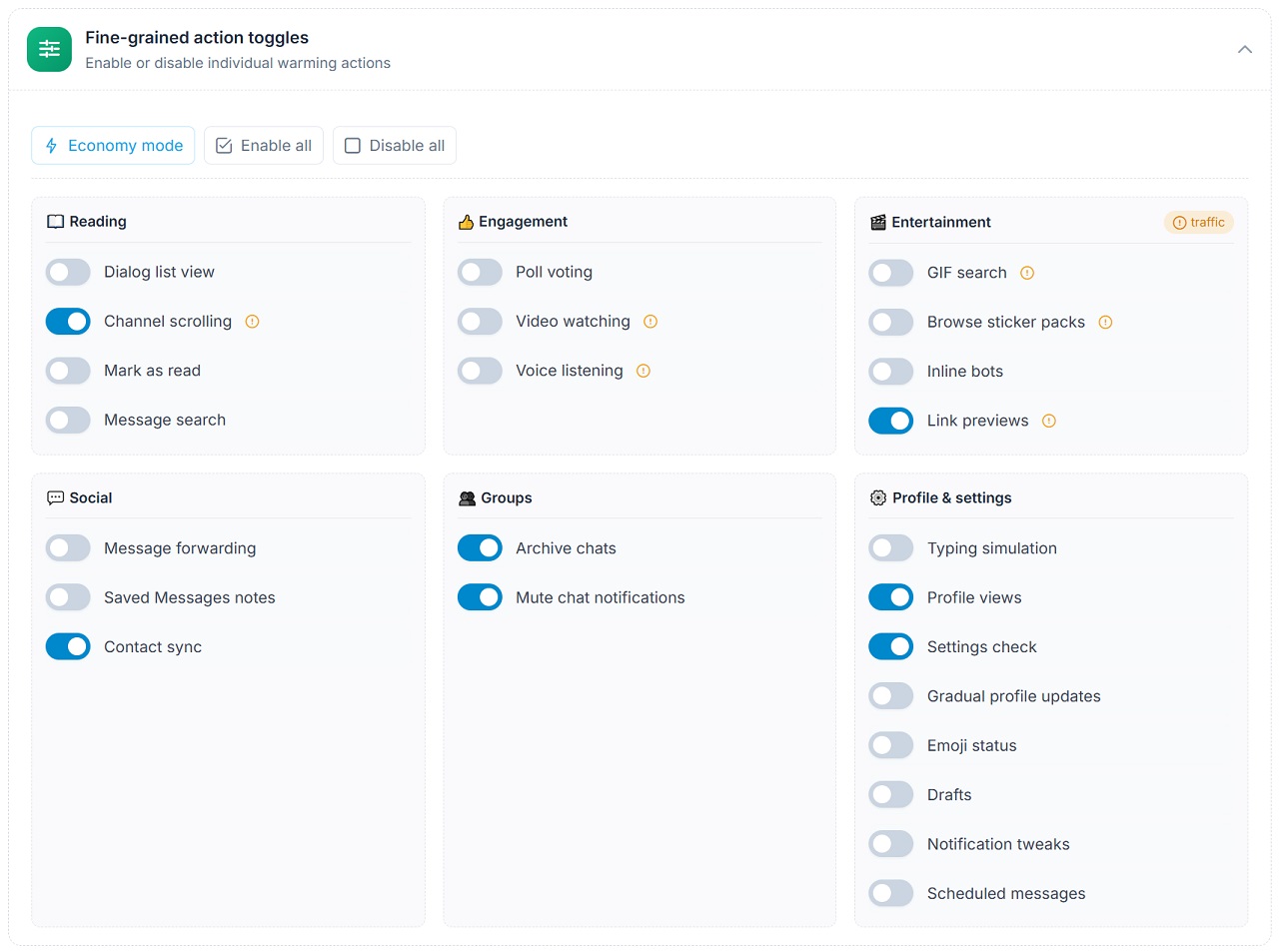
But on server proxies, you can leave more basic actions on. At an early stage, enable:
- dialog viewing, channel reading and scrolling;
- profile views and settings checks;
- optionally, message search, poll voting, chat archiving and muting;
- typing simulation.
Remove at the start: Saved Messages notes, contact sync, bio updates during the warm-up, emoji statuses, drafts and anything noticeable the opening stage does not need.
Why does proxy type matter so much? Mobile and residential IPs look closest to real people, yet providers charge per gigabyte, so media-heavy behavior quickly becomes expensive. Datacenter IPs are cheaper and unmetered, which is why the full basic set is affordable there.
Typing simulation deserves a separate note. It matters when your numbers chat with each other, because a message sent with no typing looks artificial.
First stage: Telegram account warming built on reading
At first, everything is built around reading, with no sharp moves.
During this period, it:
- reads channels
- scrolls the feed
- sometimes opens a profile
- may vote in simple polls
- does light everyday things in the app
Meanwhile, it does not rush into groups, join communities in batches or start aggressive chats. As a result, nothing looks like mass automation, and that is the safest foundation.
At this stage, behavior has to look natural. The fewer sharp moves early on, the higher the chance of passing the initial stage with no restrictions.
Should you add your own channels and groups at the start
No, not at the beginning. A newcomer is fine reading random sources from the shared database. Here the system visits different sources on its own and does neutral things unrelated to your target network.
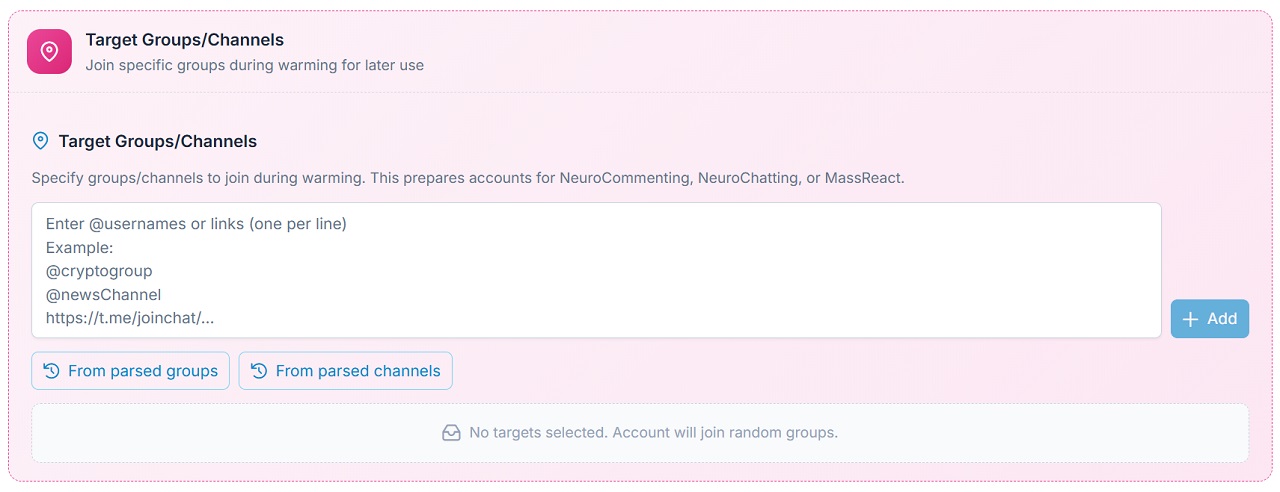
Therefore, connect your own groups and channels later, once the initial stage is over and it no longer looks fresh. You can paste the list by hand or take it from a base collected with the channel and chat parser.
Launch and result control
Then we run the task and watch what happens. It begins with light moves such as viewing profiles and reading channels.
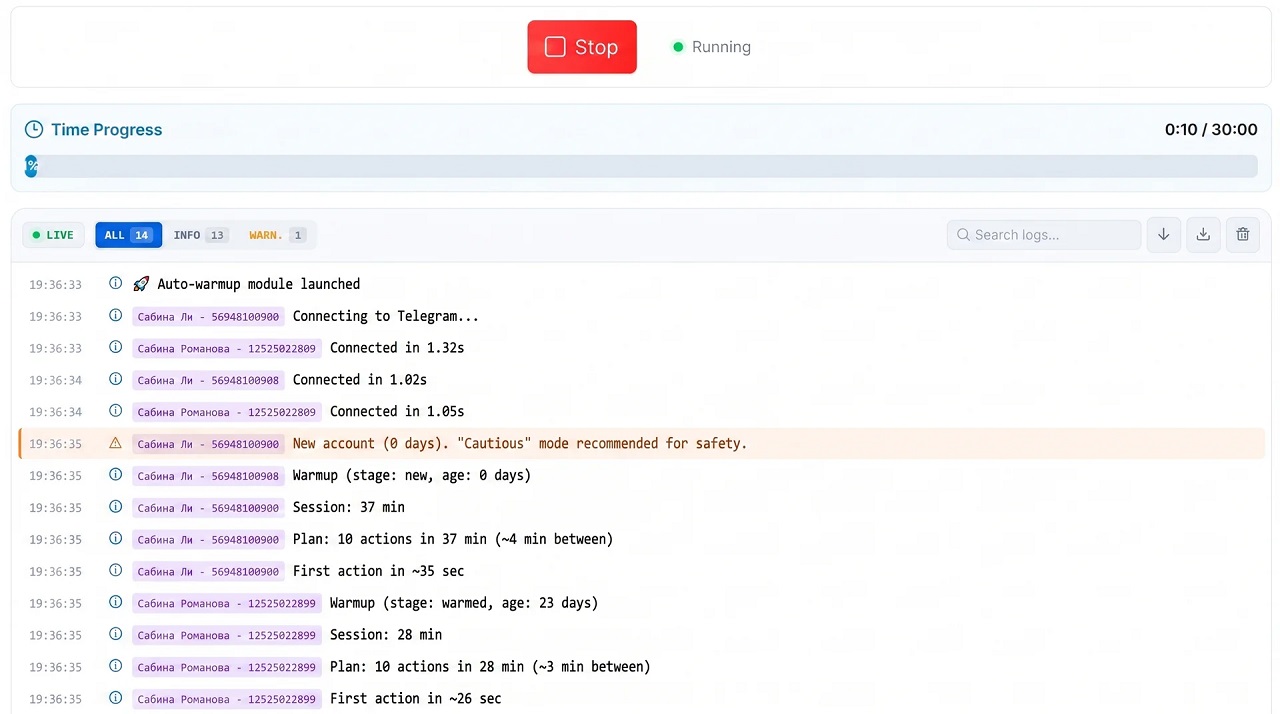
If a number is frozen right after launch, the cause is usually no downtime, too much load or unnatural behavior. We covered what to do in that case in the article how to avoid a freeze.
So even a soft scenario sometimes needs tightening:
- reduce the number of actions
- shorten each round
- remove questionable moves
- add more downtime between rounds
For example, on day one you can repeat such short rounds 2–3 times on minimal settings, adding more later.
How to gradually increase Telegram account warming
Next, expand the set of actions step by step.
Gradually add:
- reactions
- story views
- group joins
- video views and voice messages, if your traffic allows
- marking messages as unread
- careful chats inside your network.
To work with specific communities, select custom groups and add your list. For instance, 3, 5 or 10 groups to interact with gradually.
The logic is simple: minimum first, then a smooth ramp-up. This way the behavior looks natural and survival improves.
How to automate Telegram account warming by days
To avoid changing parameters daily, set a schedule in advance. For example, run it from 15:00 to 18:00 for 7 days in a row.
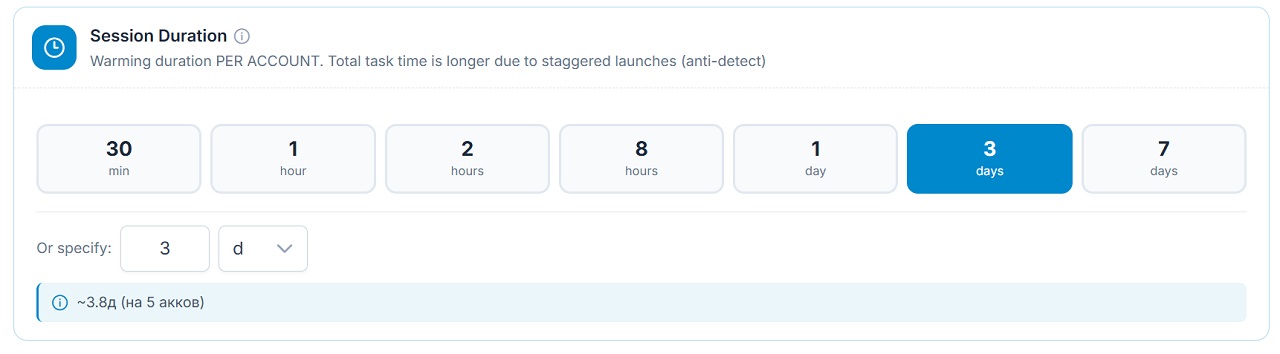
After that, the service handles everything on its own. The system runs in the cloud, so you can close the site or turn off your computer, and the settings keep working.
This approach means a gradual rise along a prepared scenario with no sudden spikes.
Working scheme: Telegram account warming step by step
Below is the full sequence as a diagram.
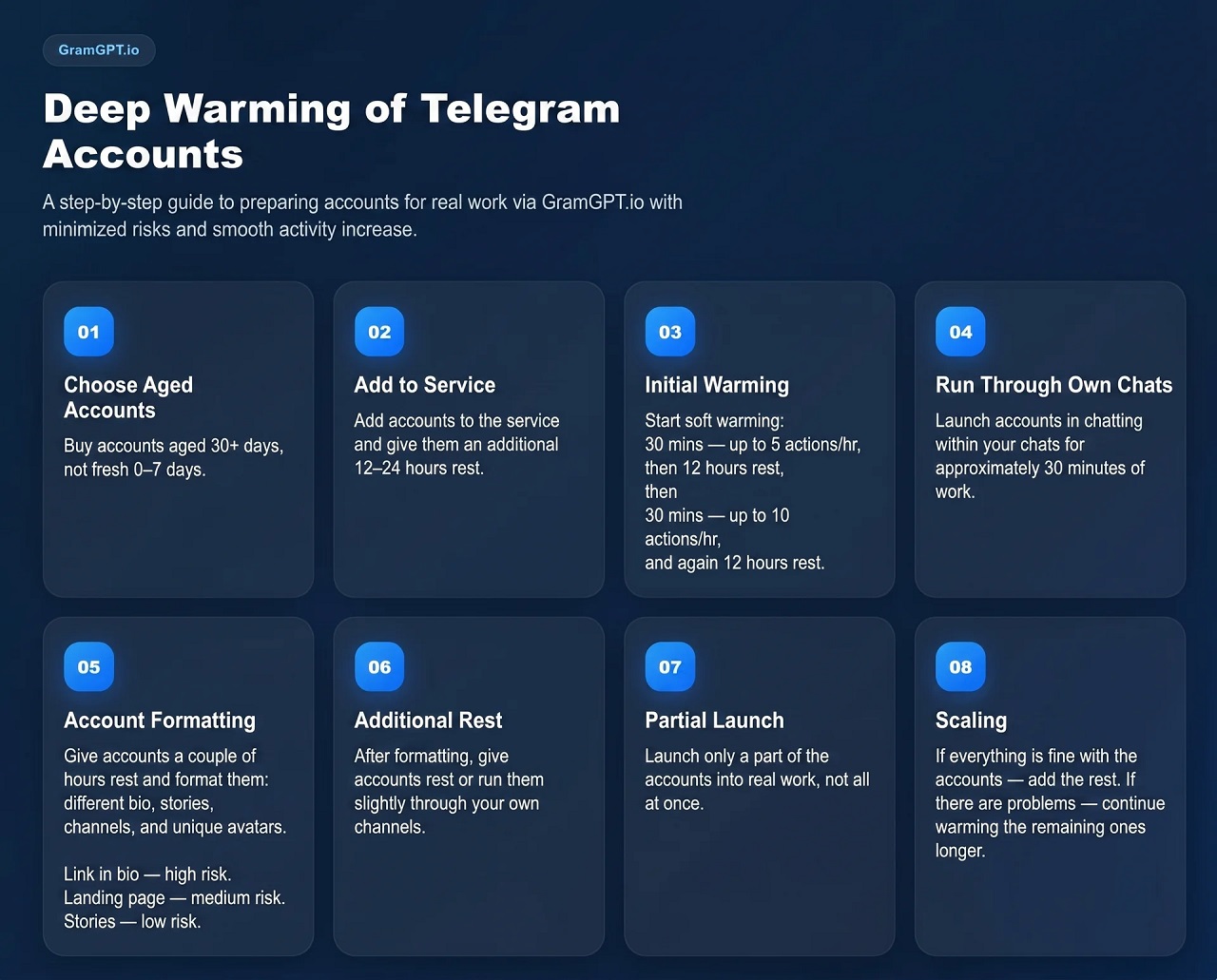
Step 1. Buy accounts with good aging
To begin with, newcomers should take profiles aged around 30 days, which is simpler and safer. Ones aged 0–7 days work too, but they need a slower, more careful warm-up.
So when buying numbers for automation, choose ones with a confirmed history. They pass the warm-up more easily and handle load better.
Step 2. Let accounts rest after upload
After adding the batch to the system, let it rest for 2 to 24 hours. As a result, the launch is less abrupt.
Step 3. Run the first warming session
Begin with 30 minutes with a limit of 5 per hour. Then pause until the next half-day.
The next round also lasts 30 minutes, but with 10 per hour. Then comes another pause. Some batches need 12 hours of downtime, others 6 or even 2. Here everything depends on quality and how they react to load.
Step 4. Run accounts in idle mode
However, once the basic stage is done, do not rush to add links and texts to the profile. Leave it empty and run something soft: neurocommenting, neurochatting or mass reactions. Five to ten channels with no heavy load are enough.
The point is to keep them busy without a commercial goal. In other words, it adds one more layer of natural behavior.
Mass reactions are the gentlest option of the three: a quick emoji under a post leaves a trace without any text that moderators could judge.
Step 5. Set up profiles correctly
After another short pause, move on to profile setup. Here uniqueness is what matters.
Use:
- your own photos
- generated images
- your own pool of avatars
- different bios
- different invite links
That is why you should not set them up identically, the way hundreds of other networks do. If a large batch shares the same photos, similar bios and common templates, the messenger gets an extra signal.
Write each bio variant on a new line so the texts spread differently. Separately, create different variants of links too.
Step 6. Rest again, then launch into work
After setup, do not throw the batch into maximum load. Instead, let them sit idle and only then send them to the main work.
Also, an idle number still benefits from a minimal warm-up: a little daily browsing keeps it from becoming dead weight.
How long to warm up a Telegram account
A common question: how long should it last?
The basic answer: the longer and more careful the process, the higher the survival rate. You can also check it with the GGR check.
Usually 48–72 hours are enough before real tasks. But numbers that live for 10, 15 or 20 days and keep getting natural use become noticeably stronger.
In practice:
- some numbers drop out early
- some pass and live stably
- then a new batch arrives, and the selection repeats
In the end, those that survive several weeks often become the strongest. Some live for months because they were launched correctly and kept warming up during work.
What gives the strongest result
The strongest Telegram account warming relies on a combination of factors, not one magic switch:
- a high GGR score
- normal aging
- a calm beginning after import
- minimal limits early on
- a focus on passive consumption early on
- gradual expansion of activity
- unique profile setup
- pauses between stages and regular soft use even when idle
If you follow these rules, your network reaches a live status more reliably, and the risk of freezes and quick bans goes down.
You can run the scenario from this article in the Auto Warming module. After the warm-up, turn on AI protection: it mixes ordinary behavior into work tasks and extends their lifetime.