
If you need to quickly collect Telegram folders with channels or chats on one account or immediately on a large pool of accounts, doing it manually is inconvenient. In our Telegram Combine GramGPT, this process can be automated: import accounts, distribute subscriptions, join Telegram channels with delays, and then create folders in bulk.
In this overview, we will look at two main work scenarios: creating folders from already existing subscriptions and collecting new selections through automatic joining of channels and chats. We will also separately show why delays are needed, how to account for Telegram limits, and what to do to avoid restrictions on accounts.
Importing Accounts into the GramGPT Telegram Account Manager
First, go to the account manager, open the panel, and import accounts in tdata or session+json format, on which we will collect folders. Everything is as simple as possible: accounts are added to the system, after which they can be managed from one interface.
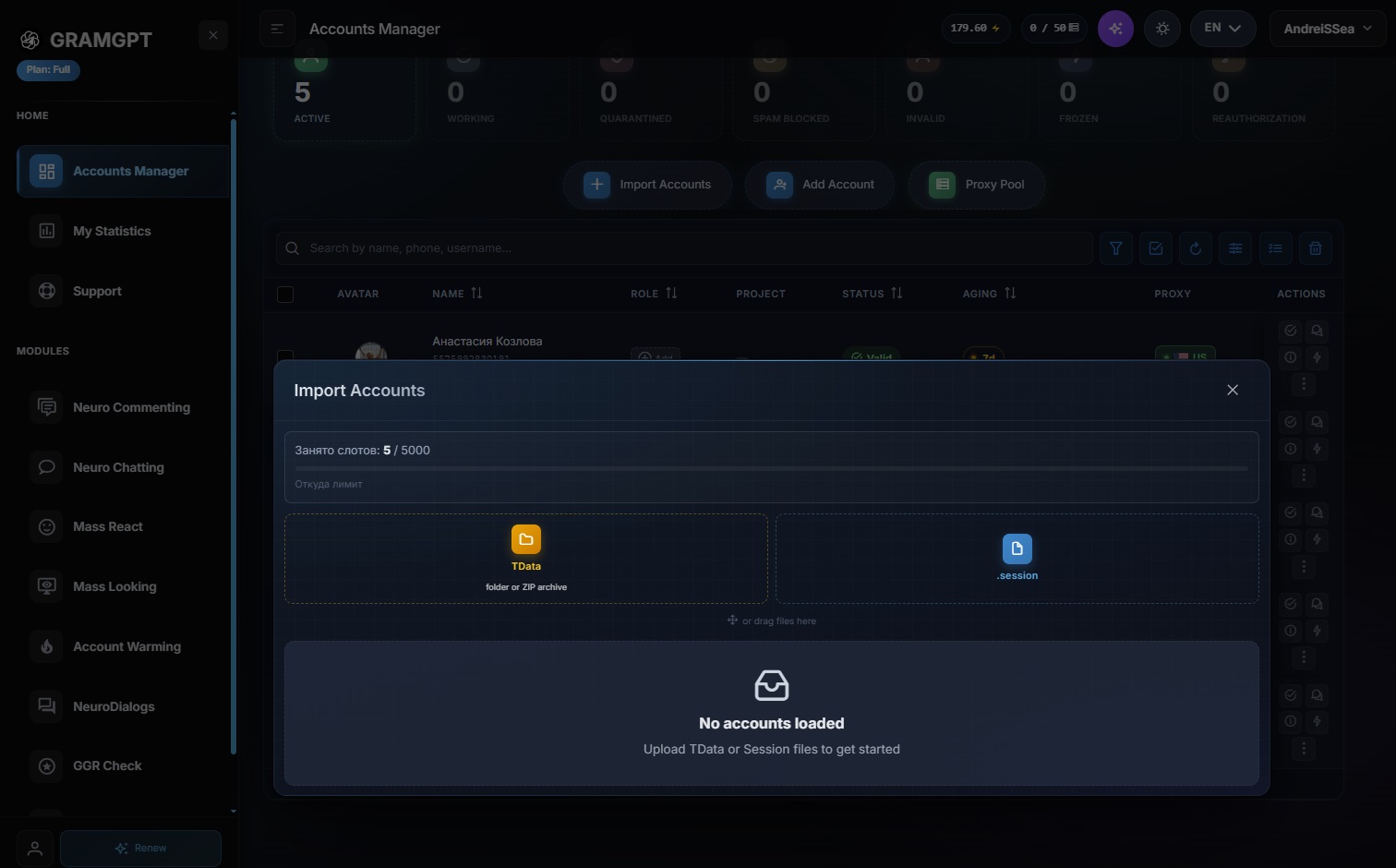
The Telegram account manager is needed exactly for such tasks: not to switch between sessions manually, but to select the needed accounts, launch actions, and collect the result in one place. This is especially convenient when there are not one or two accounts, but dozens or hundreds. How to work in more detail with the Telegram account manager, we already explained in the previous article.
Collecting Folders by Subscriptions
If the account is already subscribed to some channels or chats, this can be immediately viewed in the GramGPT panel. Select the needed account by checking the box, go to the “channels and chats” section, and find the folder creation button.
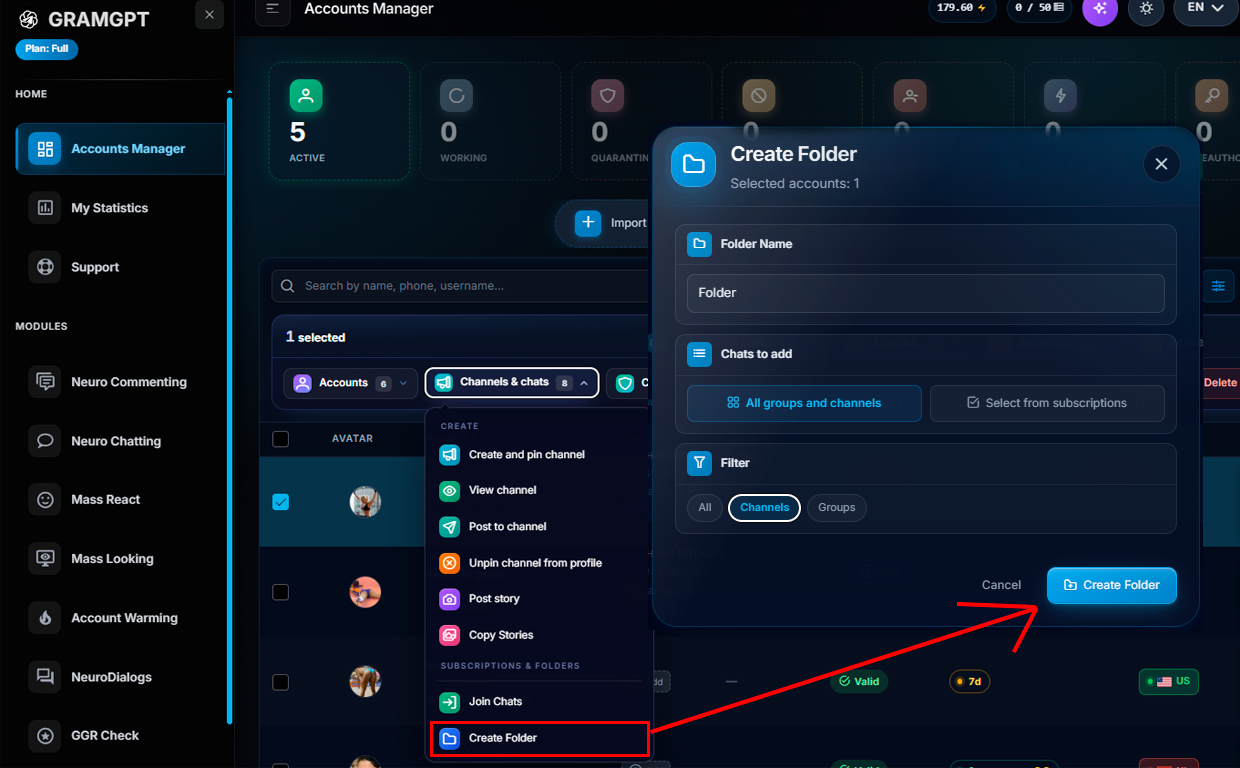
Next, choose what exactly needs to be added to the folder:
- only channels;
- only groups;
- channels and groups together;
- selectively from already existing subscriptions.
After that, click “Create folder”. In a few seconds, the account will have a ready-made folder that can already be used for further automation.
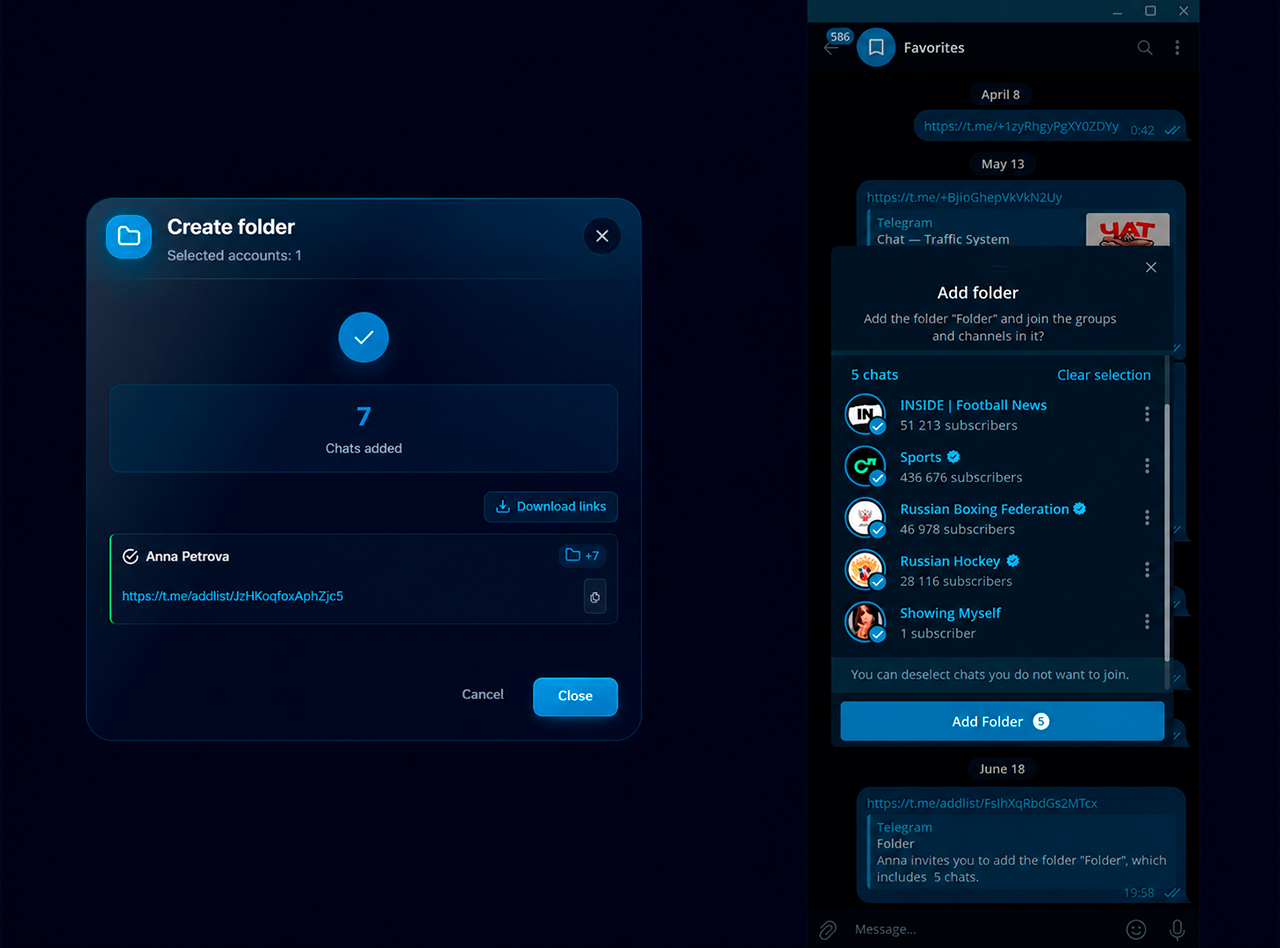
This scenario is suitable if the accounts are already prepared and have the needed subscriptions. In this case, separate joining of a channel in Telegram is not required — GramGPT simply collects a folder from what is already on the account.
Automatic Joining of Telegram Channels and Chats
But what should you do if, for example, there are hundreds of accounts and each account needs its own folder with its own channels and chats? Manually subscribing each account to separate links takes too long. For this, GramGPT uses mass joining of Telegram channels and chats.
The logic is simple. In the Telegram account manager, select the needed accounts or choose the entire pool. Then go to the “Channels and chats” section and select the “Join chats” action.
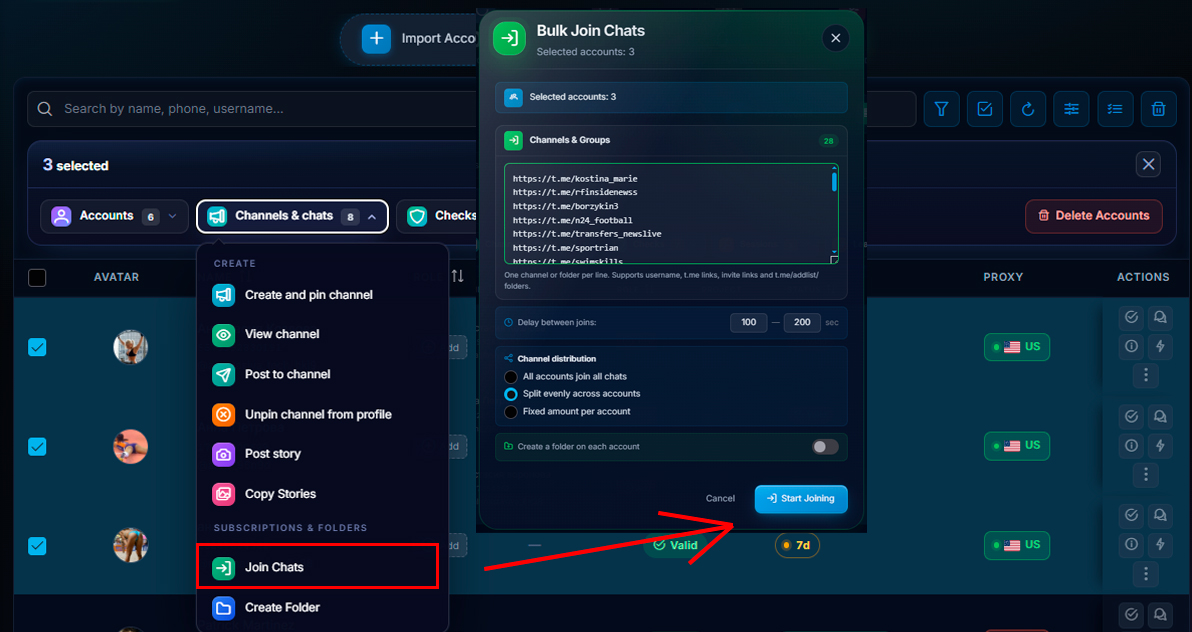
Next, insert the link database for channels or chats. It can be a small database, or it can be a list of hundreds of Telegram channels and groups. After that, you can choose how to distribute the joins:
- So that all accounts subscribe to all chats
- So that the database is distributed evenly between accounts.
For forming individual folders, it is usually more logical to distribute channels and chats evenly between accounts. Then one account joins one part of the database, the second joins another, and the third joins the next one. As a result, each account forms its own selection of subscriptions.
Why Delays Are Needed for Joining
Mass joining setup exists not for sharply joining all chats, but for managing load distribution between accounts. Instead of one account joining all chats in a row, the database is distributed between several accounts, and actions are performed with delays.
When setting up joining, it is important to specify a delay. For example, you can set 10–50 seconds, but for more careful work it is better to use calmer intervals, for example 100–200 seconds. This helps avoid creating sudden activity on accounts.
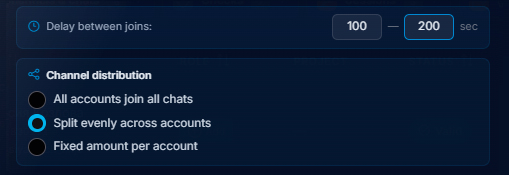
This approach helps work more carefully: accounts do not perform identical actions at the same time, do not get overloaded, and form folders gradually. This is especially important if you need to collect folders on a large number of accounts and not hit the limit of channels and chats in Telegram too quickly.
Delays are especially important when mass joining of Telegram channels is launched. If an account joins a large number of channels and chats too quickly, Telegram may restrict such actions and the account may receive Flood Wait, a temporary spam block in Telegram, or another restriction. The system tracks suspicious activity, because Telegram has limits.
What Happens When the Limit Is Exceeded
When the limit is exceeded, the “Join” button may temporarily stop working, and the account may receive a restriction on subscriptions, messages, or comments. Such a temporary spam block usually lasts from 24 hours to several days, but the duration depends on the situation and the account’s behavior.
If you have already encountered a restriction and are looking for how to remove a limit in Telegram or how to remove a spam block in Telegram, first you should stop active actions. We discussed this topic in detail in the article about Spam Block in Telegram.
Bulk Folder Creation
When the accounts have already joined the needed channels and chats, you can move on to bulk folder creation. To do this, again using the same logic as when creating the channel folder above, select the needed accounts (check the box) and click “Create folder”.
Next, choose what to add to the folder, for example only channels, and launch creation. After that, all selected accounts create their folders automatically.
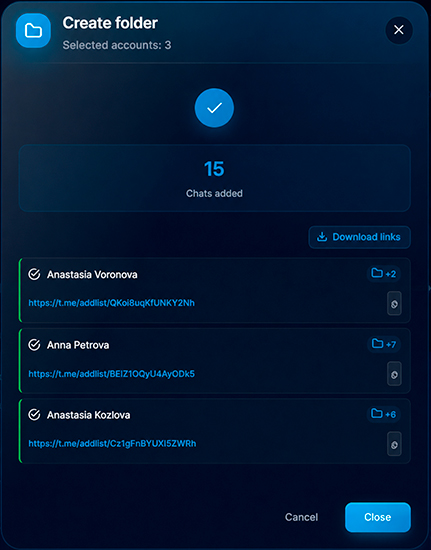
Ready-made folder links can be downloaded in one click and used later: for automation and promotion in Telegram.
As a result, the whole process looks like this:
- Import accounts in tdata or session+json format.
- Select the needed account pool.
- Insert the database of channels and chats.
- Distribute the database evenly between accounts.
- Set delays for joining.
- Launch joining.
- After subscriptions, create folders in bulk.
- Download links to ready-made folders.
This is exactly how the Telegram account manager helps collect folders literally in a few minutes, without manually configuring each account.