How do you promote a Fanvue account if the profile has only just been created, verification has not yet been completed, there are few posts on the page, and there is no stable traffic source? Creating an AI model and preparing several high-quality images for it is relatively easy. The main difficulties begin later: you need to properly set up the paid profile, fill it with content, pass the platform's review, attract an interested audience, and lead users to a subscription or the purchase of individual materials. Without a prepared profile and a structured promotion system, even good visuals rarely generate stable sales.
Before launching traffic, we combine visuals, content, a Telegram channel, and Fanvue into a single AI OFM system. Each element performs its own task and consistently leads the user from the first introduction to the model to a subscription or purchase.

In this article, we will examine step by step how to promote a Fanvue account from scratch. This AI OFM guide covers the entire path: creating a unique appearance for an AI model, setting up content generation, designing a Telegram channel and a profile on the Fanvue platform, and completing verification. We will separately examine how to launch promotion, attract the first applications through a combination of Telegram Stories and Neurocommenting, and get the first sales.
Fanvue account promotion: how an AI OFM system turns traffic into sales
A Fanvue account is a platform for publishing paid content and monetizing it through subscriptions and individual sales, suitable for authors, AI model creators, and teams developing projects in the AI OFM niche. A user can subscribe to a profile, unlock a paid post, or write to the model in private messages.
Within an AI OFM setup, Fanvue serves as the final sales point, while account monetization on Fanvue is built on subscriptions and individual purchases. We create a recognizable AI model, prepare photo and video content, design a Telegram channel to warm up the audience, attract targeted traffic to it, and then direct interested users to the model's paid Fanvue page.
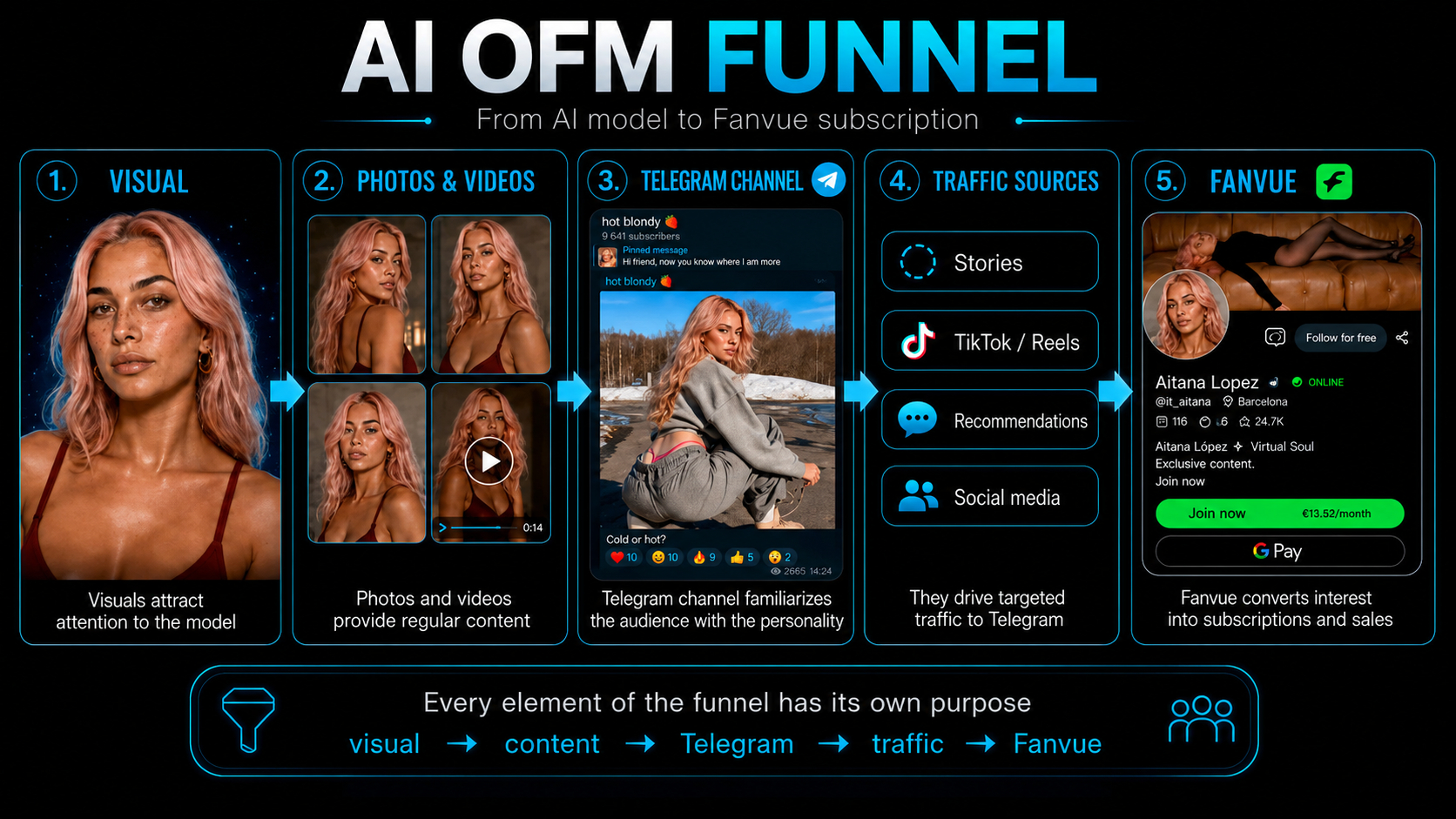
Each element of the funnel performs its own task:
- visuals attract attention to the model;
- photos and videos provide regular content;
- the Telegram channel introduces the audience to the character;
- traffic sources bring interested users to Telegram;
- Fanvue converts interest into subscriptions and first sales.
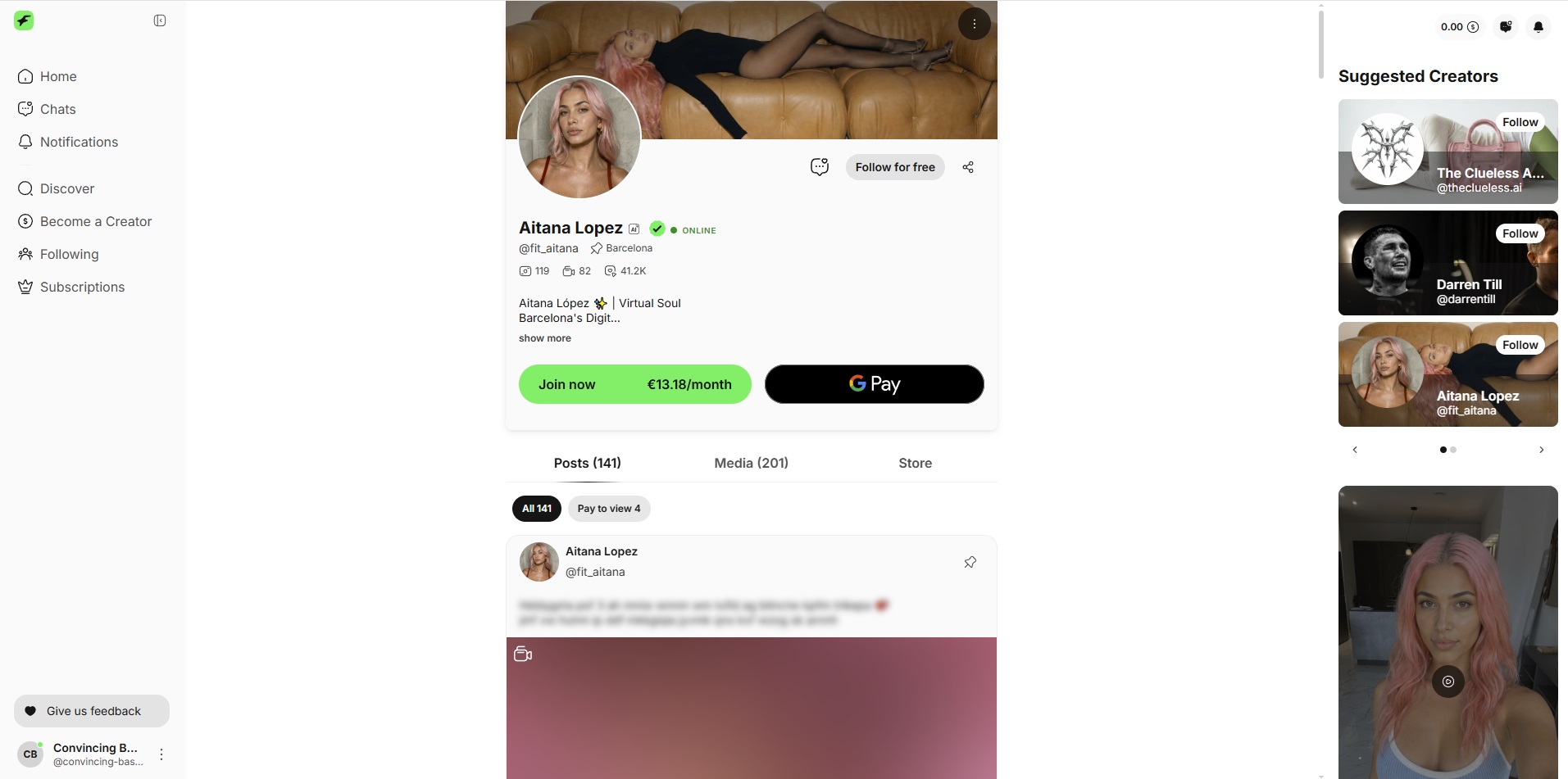
Therefore, Fanvue promotion begins with preparing the account itself. Before launching traffic, we add an avatar, cover, description, free and paid posts, a welcome message, and several subscription options. The user should immediately see the same image they became familiar with on Telegram and understand what content they will receive after payment.
The main task is to make the transition to Fanvue a logical continuation of getting to know the model. The better the visuals, Telegram channel, promotion, and paid profile are connected, the higher the probability of a subscription and the purchase of individual materials.
What affects Fanvue account promotion
To understand how to promote a Fanvue profile, it is important to look not only at the number of users attracted. The result is affected by the account's readiness to receive traffic, posting consistency, engaging offers, and whether the content meets the audience's expectations.
Before launching promotion, we check five main elements:
- a fully designed profile with an avatar featuring a memorable appearance, a cover, and a clear description;
- a reserve of content for publications;
- prices, trial offers, and individual materials for sale;
- a Telegram channel and other sources of targeted traffic;
- a prepared user journey from the first visit to a subscription or purchase.
If one of the stages is configured incorrectly, even a large volume of traffic will not generate many sales. The main thing is for the entire system to work steadily. This order helps explain how to develop a Fanvue account without chaotic scaling: first, we fill the account as thoroughly as possible, and then expand traffic sources and attract more of the target audience.
Creating a unique appearance for an AI model
The foundation of the model is one strong portrait. It is used as the main reference for faceswap, generating new images, and preparing videos. We need not just a beautiful face, but an image that is easy to recognize among other AI characters.
To create a new appearance, we blend the facial features of two girls in WaveSpeed using the bytedance/seedream-v4.5/edit model. We select references with different distinctive characteristics, upload them to the face-blending model, and obtain a new portrait.
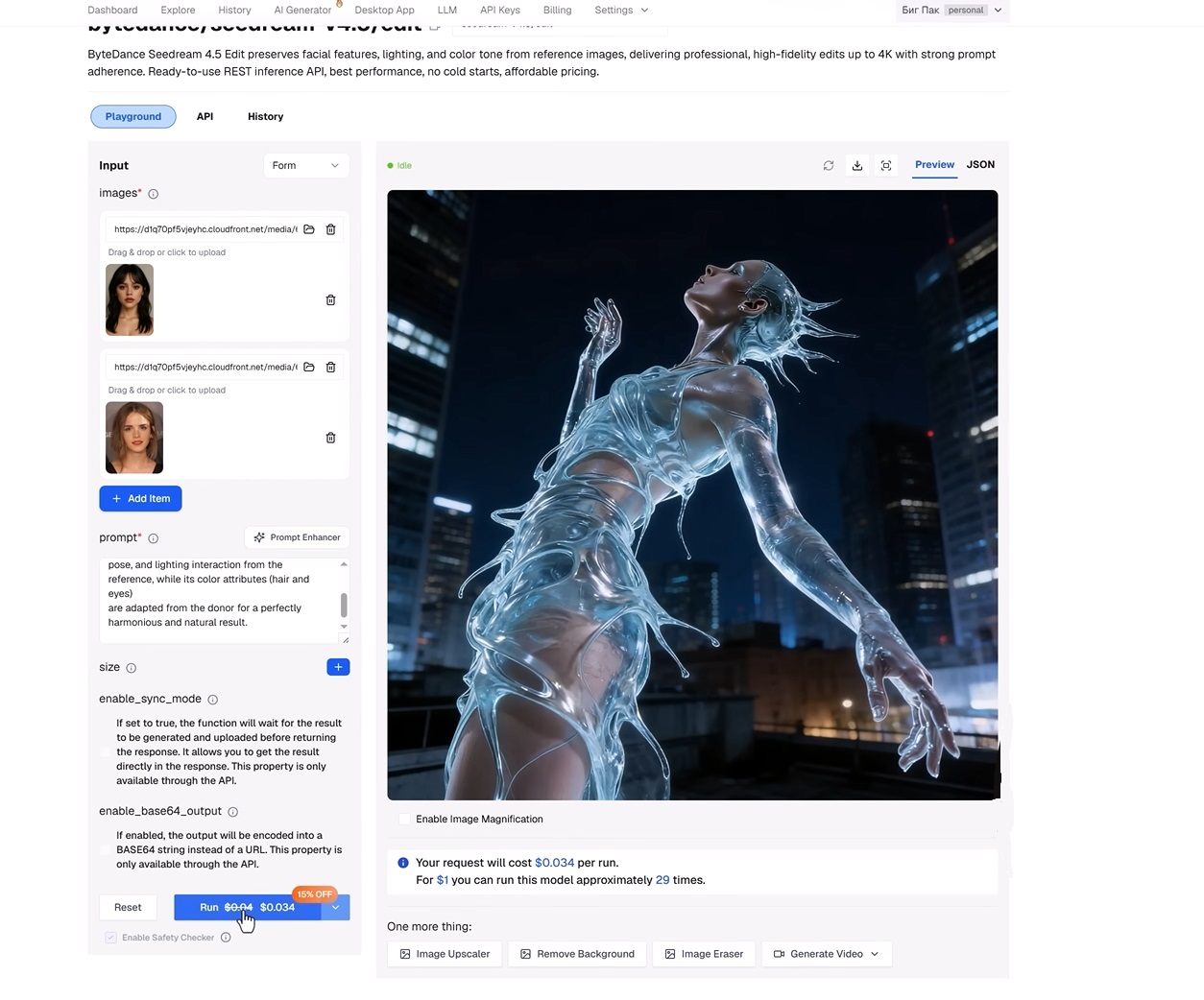
Prompt for blending faces:
Integrate a face into an existing scene. Substitute the face in the reference image with the face from the donor image. The objective is a seamless merge: the new face must inherit the exact expression, pose, and lighting interaction from the reference, while its color attributes, including hair and eyes, are adapted from the donor for a perfectly harmonious and natural result.
For example, on Pinterest you can select suitable references and combine their distinctive features. After several attempts, keep the option that looks the most successful and has a memorable appearance.
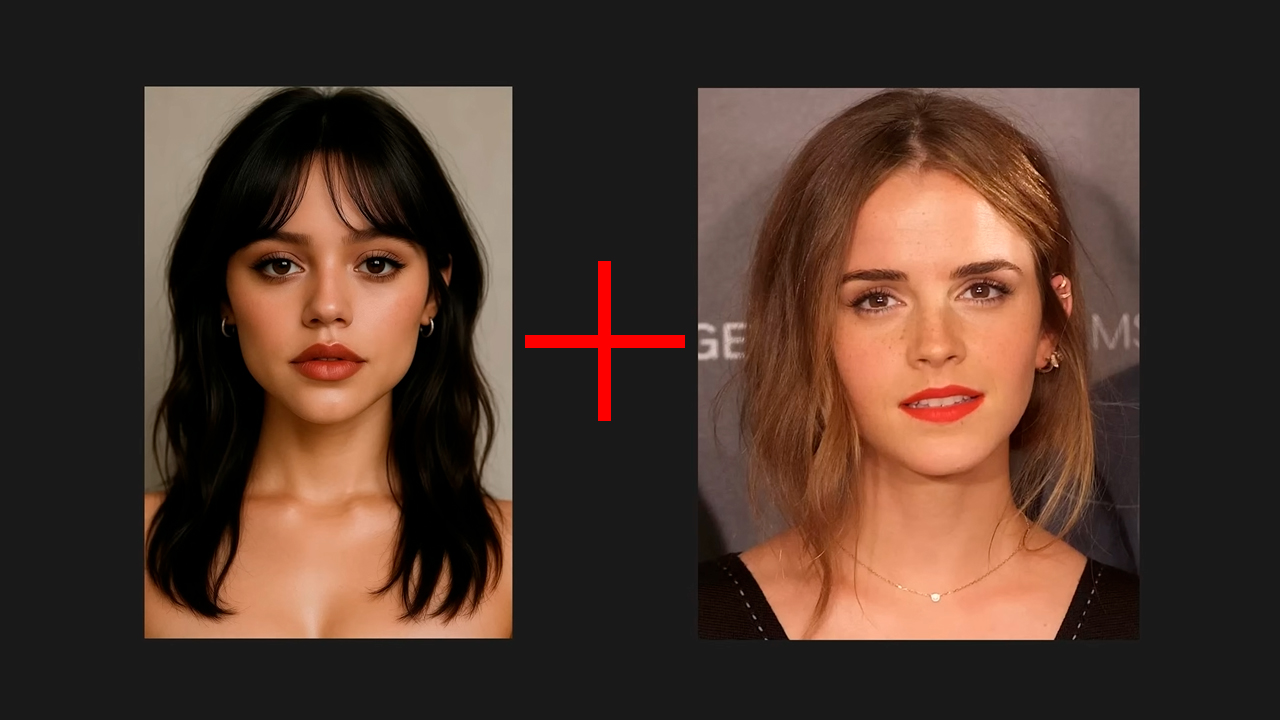
Recommendation: to create a unique and memorable appearance, you can combine rare distinctive traits. For example, combine an Asian appearance with the features of an albino girl or a character with vitiligo.
Next, save the photo of this model in a convenient folder.
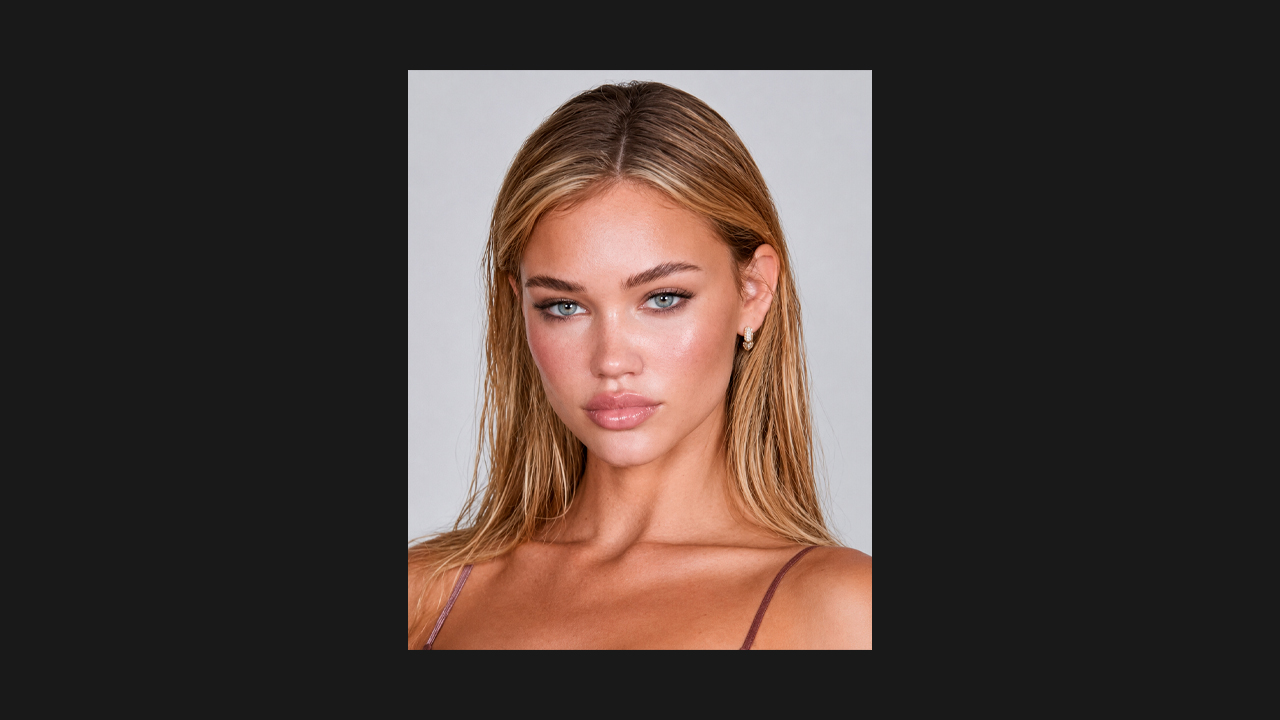
Important! If she has dark hair in one post, a completely different face in another, and a new age appearance in a third, the audience will not perceive her as one character. Consistency is very important: it helps build recognition and increases trust in the profile.
How to preserve an AI model's appearance with FaceSwap
FaceSwap technology helps preserve the same face of an AI model in different scenes, poses, and formats. Instead of manually generating every shot from scratch, we take a prepared scene, add a face reference of our AI girl, and get a new photo with the character's familiar appearance.
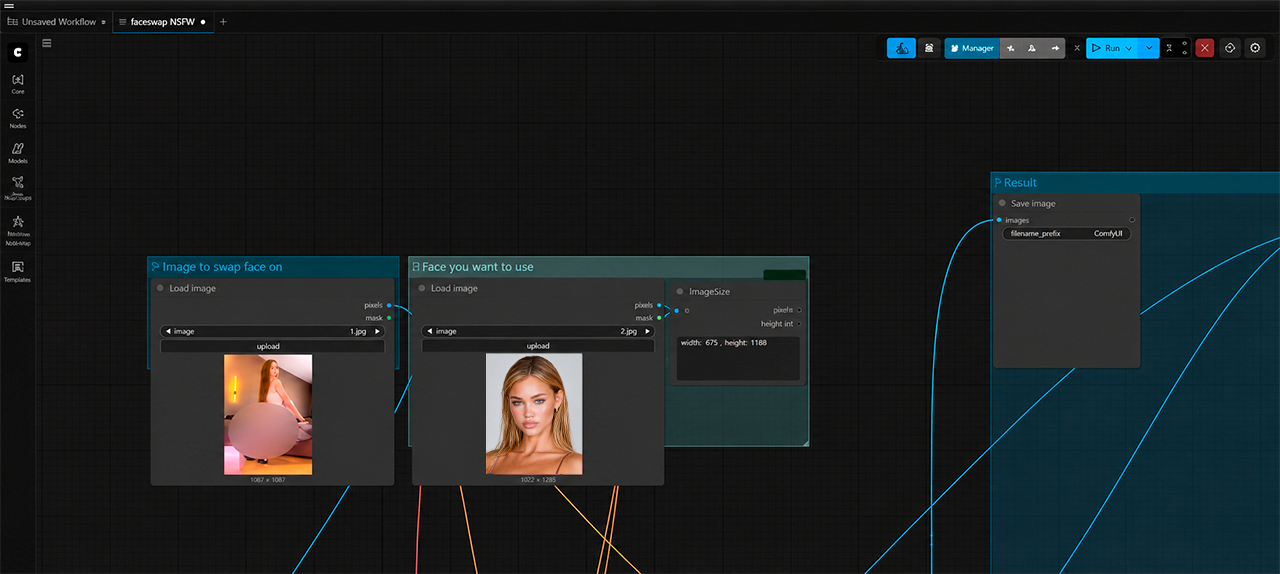
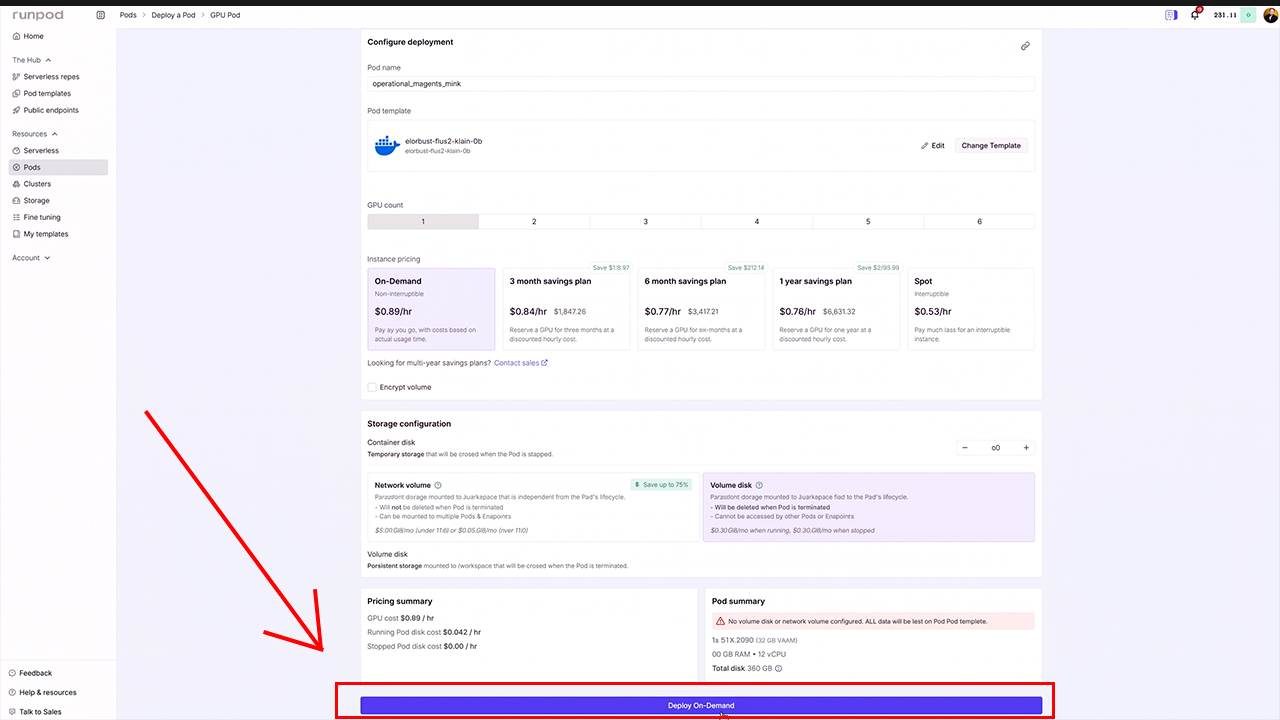
For this work, we use the RunPod service with a high-performance graphics card and ComfyUI. We upload a ready-made workflow to the server, separately add a photo with the required pose or scene and an image of our new AI model's face. Below, we show the result obtained after combining the selected scene with the appearance of the created girl.
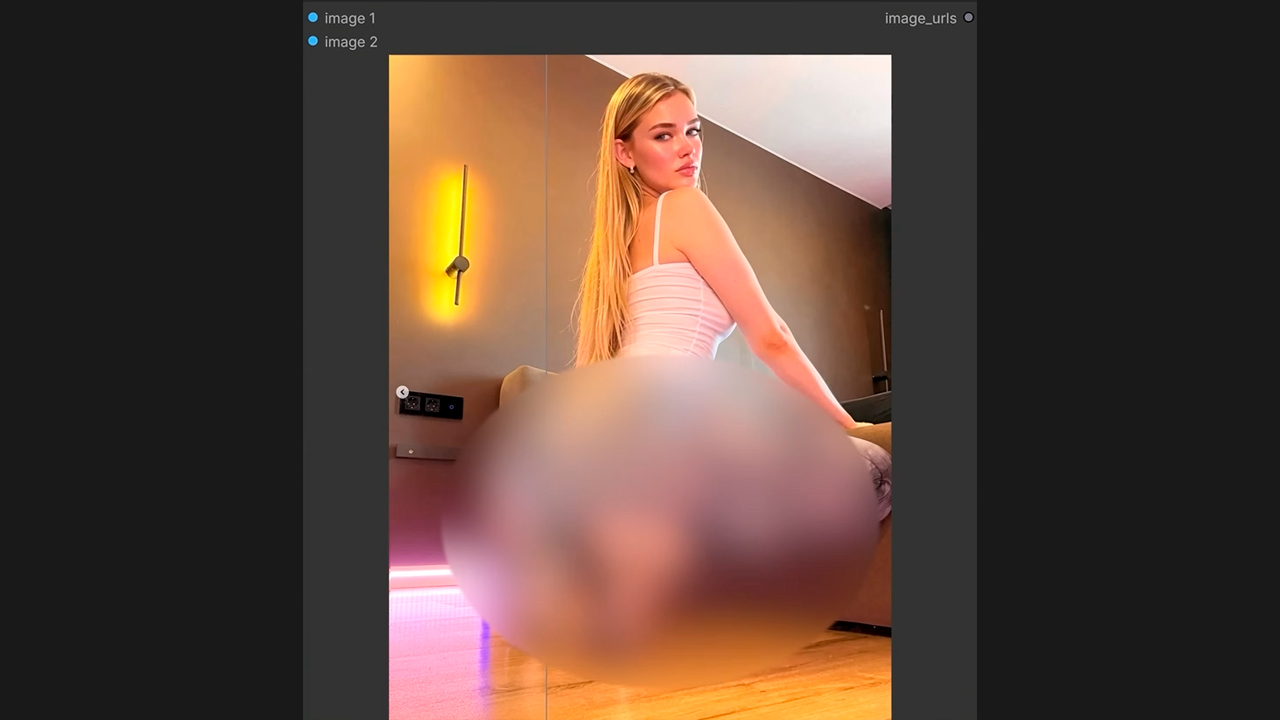
After the first processing, subsequent images are usually generated faster, so it is convenient to collect a series of source files in advance and launch them in one queue.
We work with our own generated source files. The main task is not to copy someone else's identity, but to transfer our unique appearance into different compositions: portraits, selfies, full-body shots, home scenes, travel, sports, and other content-plan formats.
Before saving the result, we check:
- the match of the face shape and the character's key features;
- the position of the head and direction of the gaze;
- transitions in hair, skin, and lighting;
- hands, background, and small details;
- whether the shot matches the model's overall style.
Save successful images in separate folders and use them as a library. The more high-quality scenes we prepare at the start, the easier it is to maintain a regular publishing schedule.
How to set up an AI OFM workflow in ComfyUI for content generation
A workflow in ComfyUI combines all processing stages into one setup. We configure the models, input images, quality parameters, and result saving once, and then change only the source files. This approach is especially convenient when you need to create dozens of photos in one style.
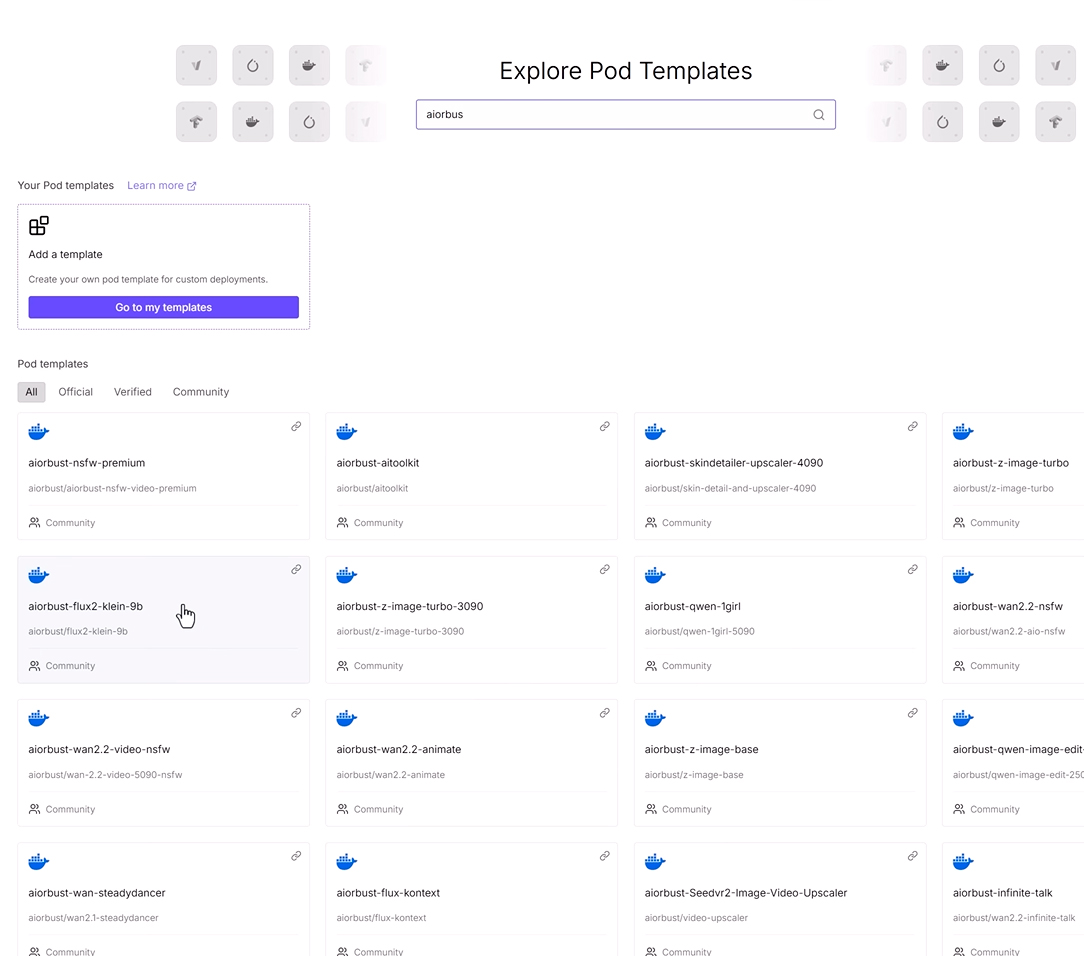
Also select Volume Disk and click Deploy-ON-Demand.
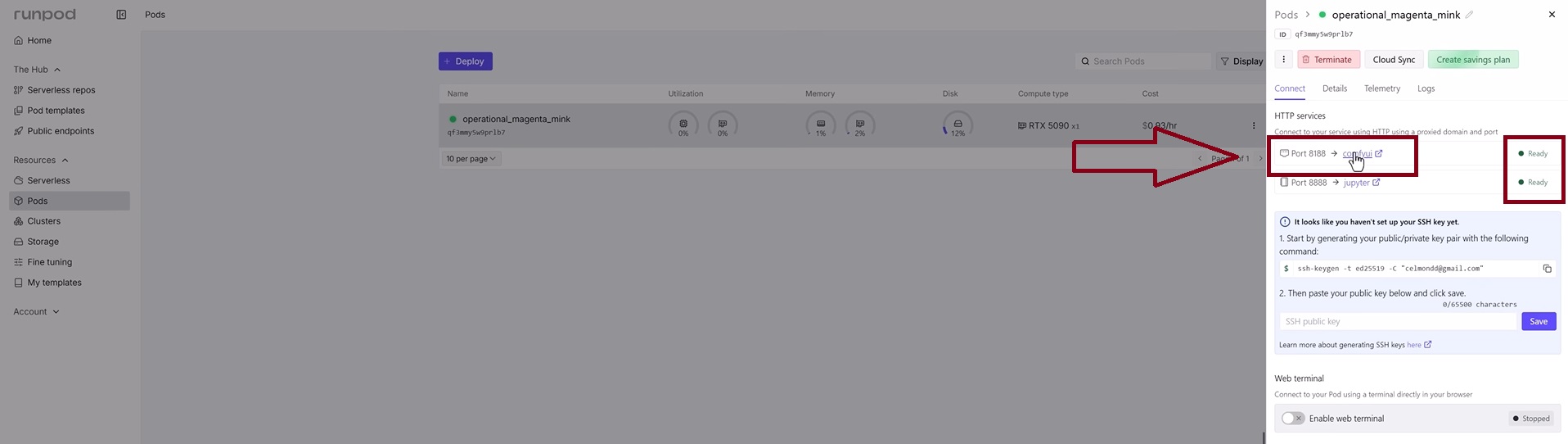
Wait for the server readiness status to appear in the ComfyUI and Jupyter. format.
Next, open the ComfyUI workspace and drag the AI Face Swap NSFW free file into the workflow.
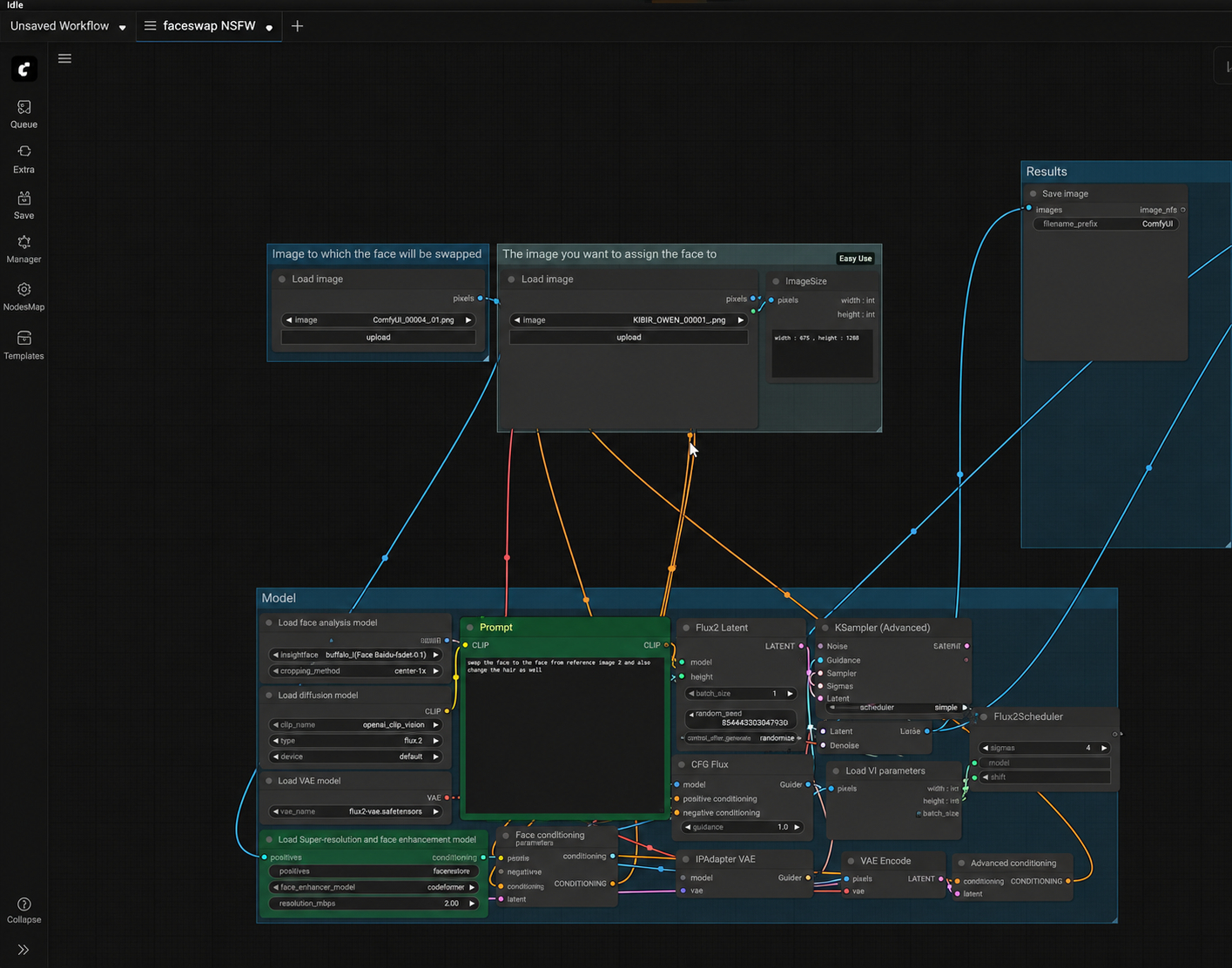
After that, select a photo of an Instagram model with a suitable body position or pose and save it as a separate file. Then use this image as the source image for generation, and upload the face of our AI model as the second reference. Following the appearance-preservation example above.
Next, check the main blocks again:
- Upload the reference of the AI model's unique face.
- Add the source photo or frame for processing.
- Specify the folder and format for saving the result.
- Run a test generation and check the face, proportions, lighting, and background.
- Save successful parameters as a working template.
The first launch may take longer because the models need to load. After that, we can change the source scenes and get new options much faster. To avoid losing materials, immediately use clear file names: specify the model name or option number. After generation is complete, we get this result.
It is convenient to prepare content in batches. For example, separately collect twenty portraits, ten full-body shots, several stories for Telegram, and a set of materials for the paid page. This way, we prepare the content plan in advance and do not stop promotion due to a lack of posts. Since such a separate server has no built-in censorship, we can create 18+ content.
Video generation for AI OFM
Photos alone are not enough for the continuous development of an AI model. Short videos help diversify content, attract more attention on Telegram, Reels, and TikTok, and prepare additional materials for Fanvue.
For generation, we use a movement reference and an image of our model, then combine them in the ComfyUI workflow. As a result, the AI girl can repeat dances, turns, gestures, and other actions while maintaining a recognizable appearance in different videos.
We examined the detailed workflow setup, source-frame preparation, and the creation of regular and more explicit videos in a separate article about how to create a farm of AI OFM models and generate video content for them. Next comes the preparation of a platform for attracting and warming traffic—the AI girl's Telegram channel—with the subsequent transfer of the audience to Fanvue for monetization.
Creating a Telegram channel to promote an AI model
The Telegram channel becomes an intermediate platform between the first contact and Fanvue. Here, a person sees more materials, gets to know the model's personality, and receives several reasons to go to the paid profile. If traffic is sent directly to the Fanvue page, a significant part of the audience will leave without subscribing because users first need to become familiar with the model's image. In addition, on Fanvue, most explicit content is displayed blurred before a subscription is purchased.
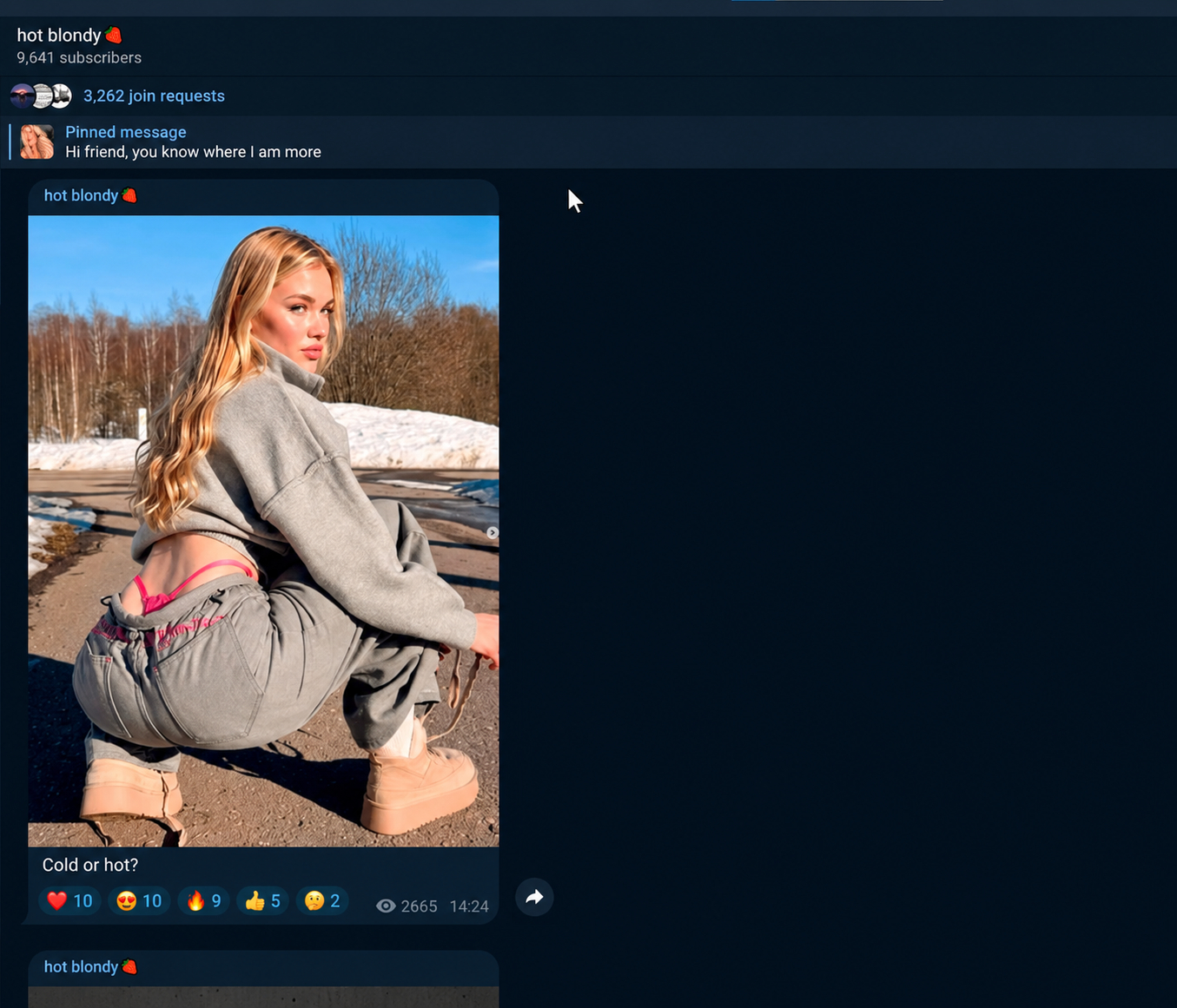
Before promotion, we publish at least twenty posts. The channel should already look active: with photos, short videos, small stories written from the model's perspective, and announcements.
Content can be divided into several categories:
- portraits and selfies;
- dances and short vertical videos;
- new content materials with a link to Fanvue
In the pinned message, place a short model description, navigation, and the main link. In regular posts, add the transition to Fanvue natively: announce a new series or an additional set of more explicit photos.
For English-language traffic, run the channel in English from the start. The name, bio, post captions, and autoresponder messages should follow a consistent style. Leave more explicit materials for Fanvue, while using Telegram as a showcase and a permanent point for attracting and warming traffic.
When transferring the audience, it is important to create a private Telegram channel and use an invitation-request link. This will help reduce the risk of the channel being blocked.
How to set up a Fanvue account before promotion
The page should continue the image of our AI model that the person saw on Telegram. Use the same avatar, a similar cover, the same name, and a clear bio. The user should have no doubt that they have opened the official profile of the same model.
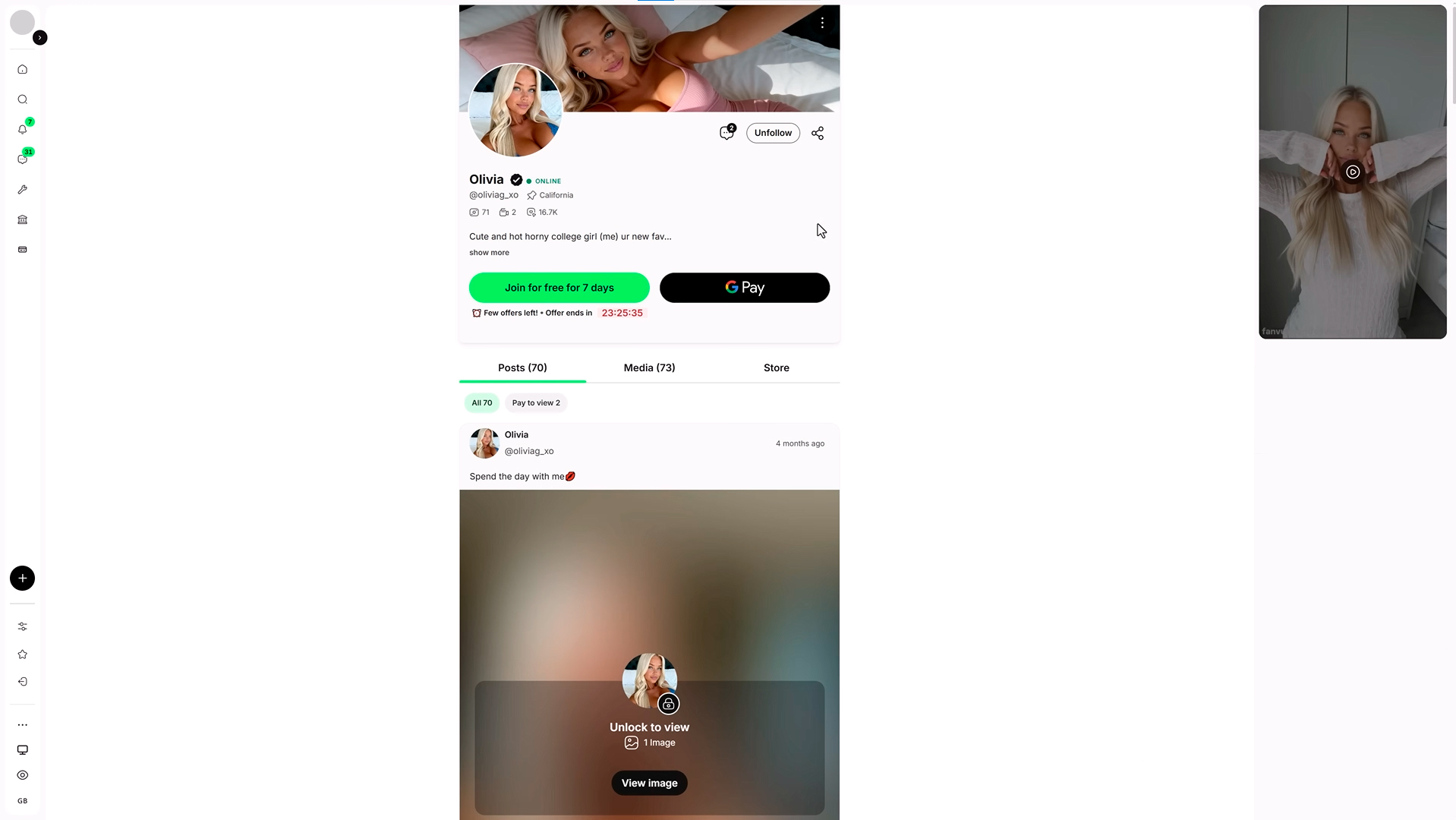
Before publishing the link, prepare:
- an avatar and cover;
- a character description and the page theme;
- a welcome message for new subscribers in private messages through Create Automated Message;
- several open and paid posts;
- the monthly subscription price;
- discounts for the first days of use;
- a trial link or introductory offer;
- a content plan for our AI girl for the coming weeks.
Fanvue account verification
Verification is a mandatory stage before the full launch of the account and receiving payouts. At this step, Fanvue checks the profile owner's details, identity confirmation, and payment information. Therefore, before submitting the application, it is important to make sure that the name, country, and other information are entered without errors and match the documents.
When registering an account for a virtual model, select the appropriate AI Creator category and specify the 18+ content format. After that, the platform may request a document, a face check, and details for future payouts. Blurry photos, mismatched information, or incorrectly completed fields may lead to an additional review.
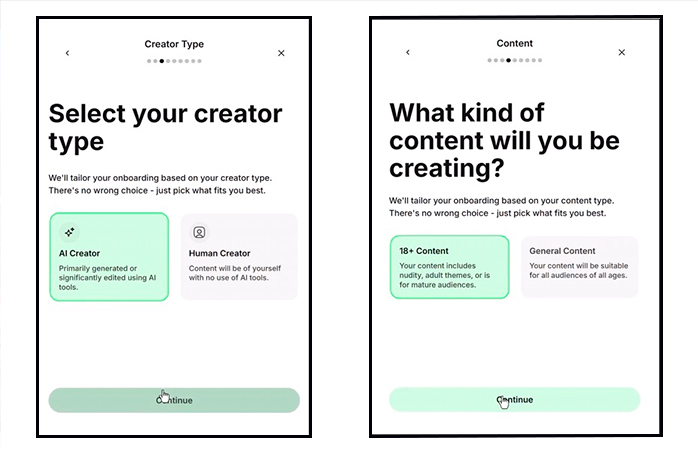
After identity confirmation, complete the profile setup: add a convenient payout method and only then proceed to filling the page and launching traffic.
We described all stages, possible reasons for rejection, and ways to solve problems in detail in our article on how to pass Fanvue verification.
Making money on Fanvue: how to get the first sales
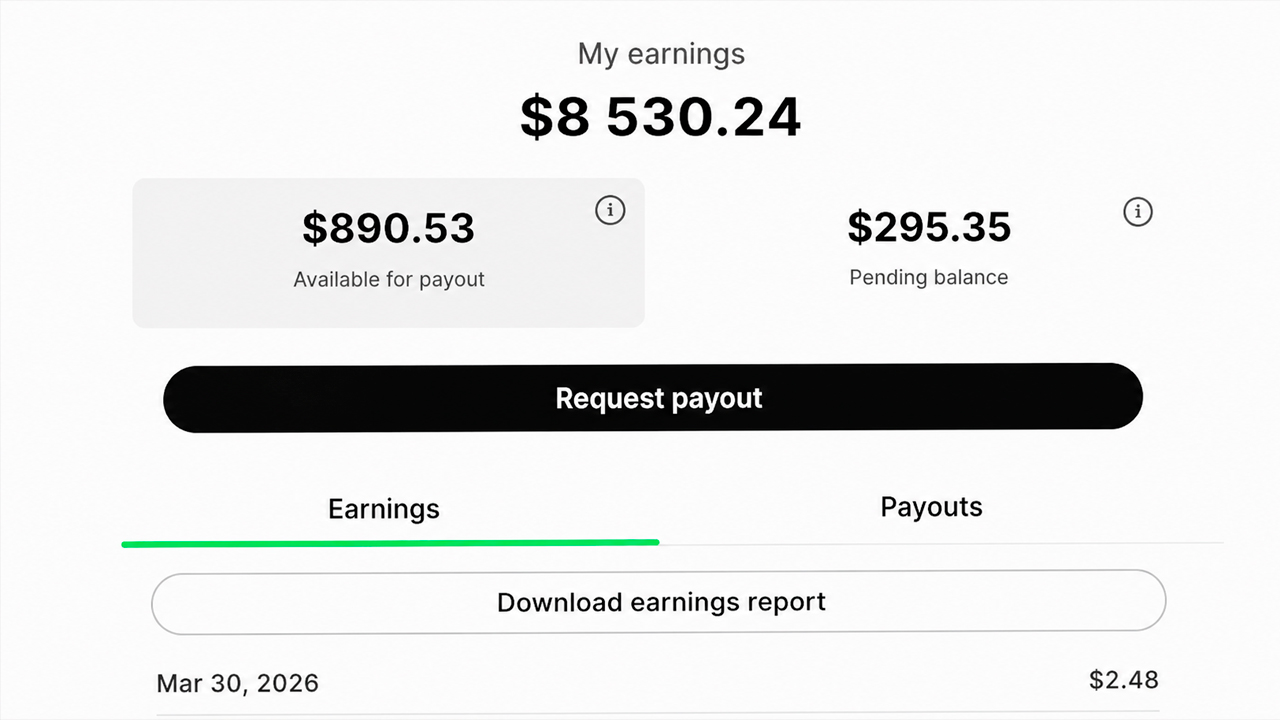
After setting up the profile and launching traffic, our task is not simply to get visits, but to lead the user to the first paid action. To understand how to make money on Fanvue, prepare an introductory offer, several paid posts, and a welcome message in advance.
Making money on Fanvue can be built around several formats:
- a monthly subscription;
- a trial offer for new users;
- the sale of individual photos and videos;
- paid content collections;
- private conversations after the user opens the profile.
If we use a trial period, we immediately specify its duration and the subscription price after it ends. In the Promotions section, create an offer through Create promotional offer and provide users with the first five days of trial access. After the card is linked and the trial period ends, the subscription is automatically renewed, and payments continue to be charged until it is canceled—similar to a Netflix trial subscription.
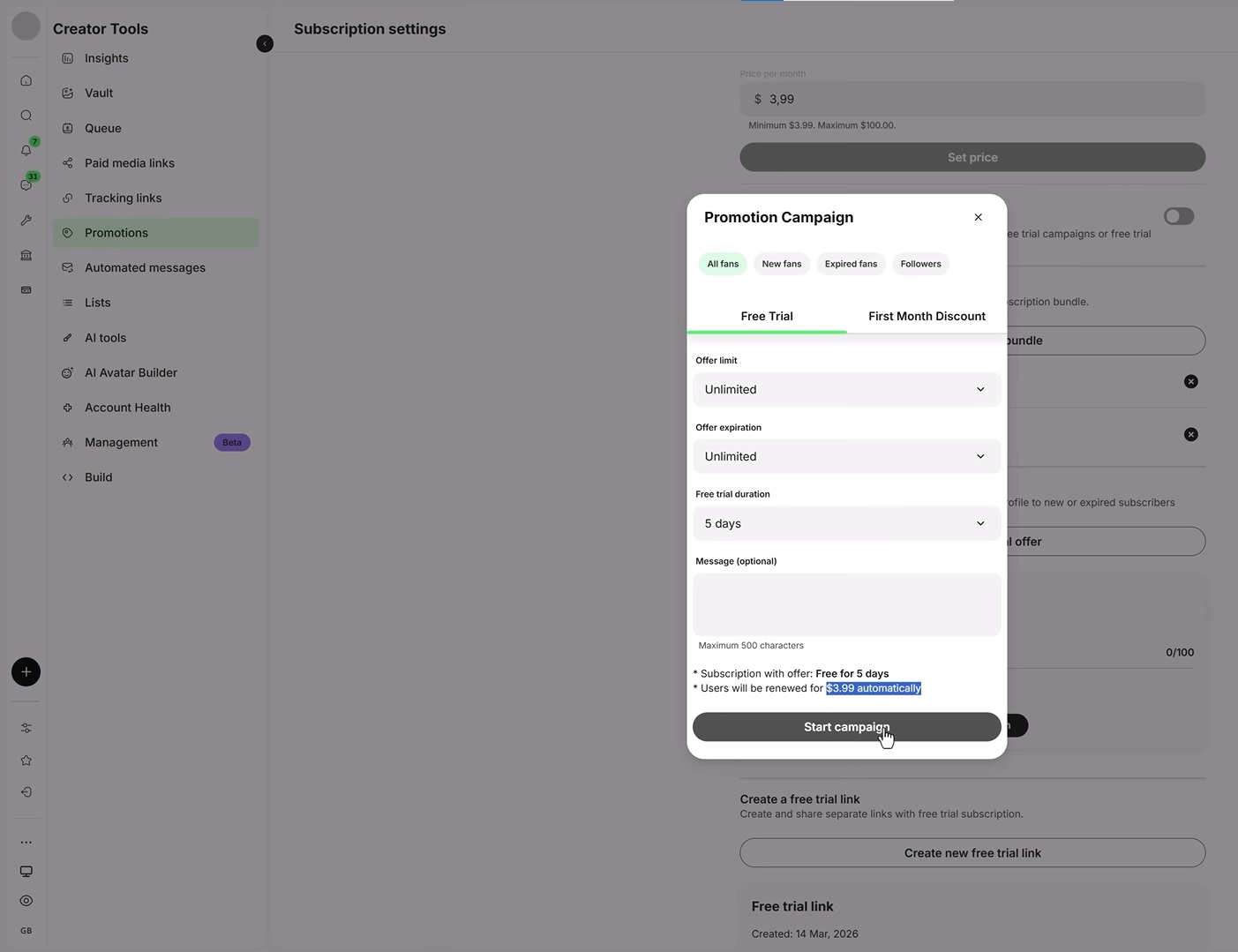
This approach helps convert the first visits into subscriptions and purchases more quickly.
How to promote a Fanvue account and attract targeted traffic
Connect traffic only after the Telegram channel and Fanvue are fully prepared. Direct the main traffic to the Telegram channel so the audience can get to know the model and subsequently move to the paid profile.
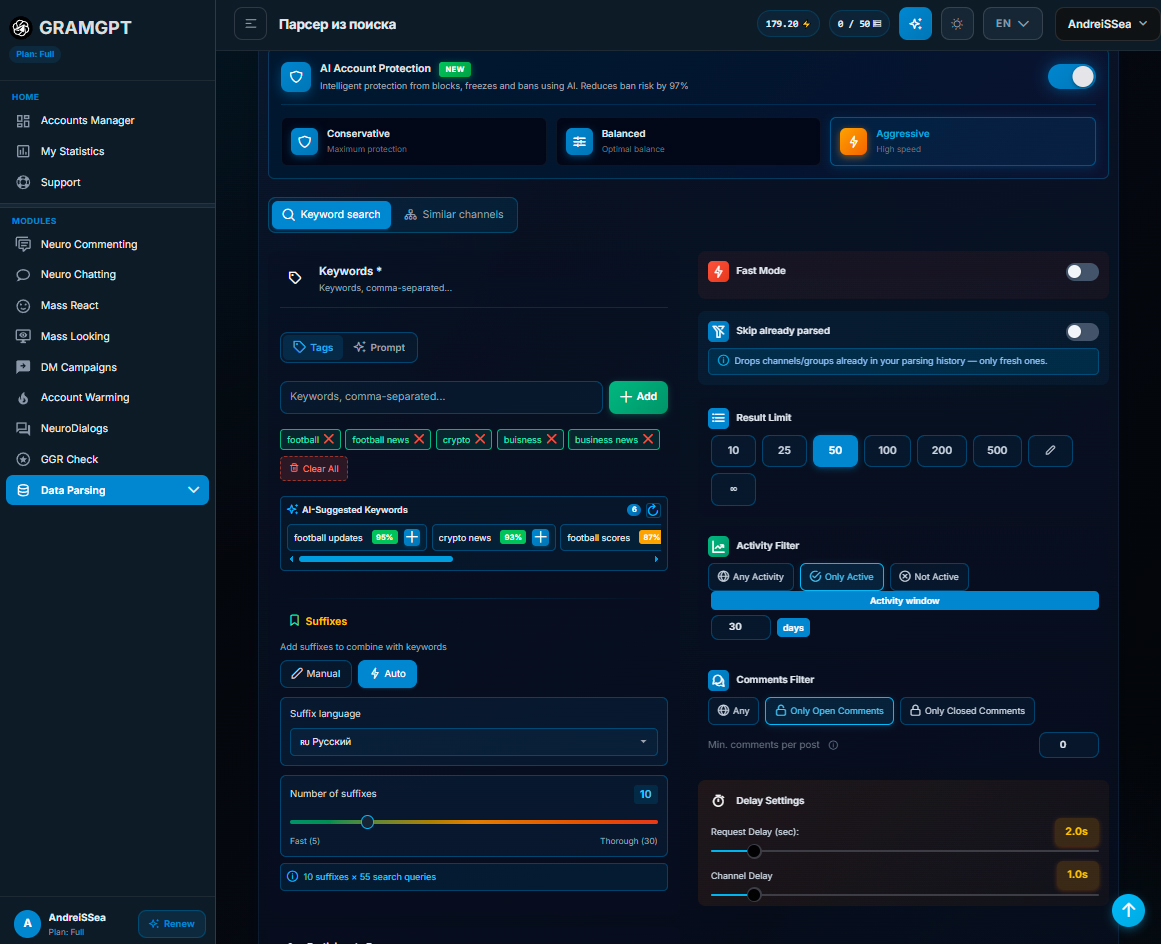
To understand how to attract Telegram subscribers, several sources can be used to promote an AI OFM channel:
- short videos on Reels, TikTok, and Shorts;
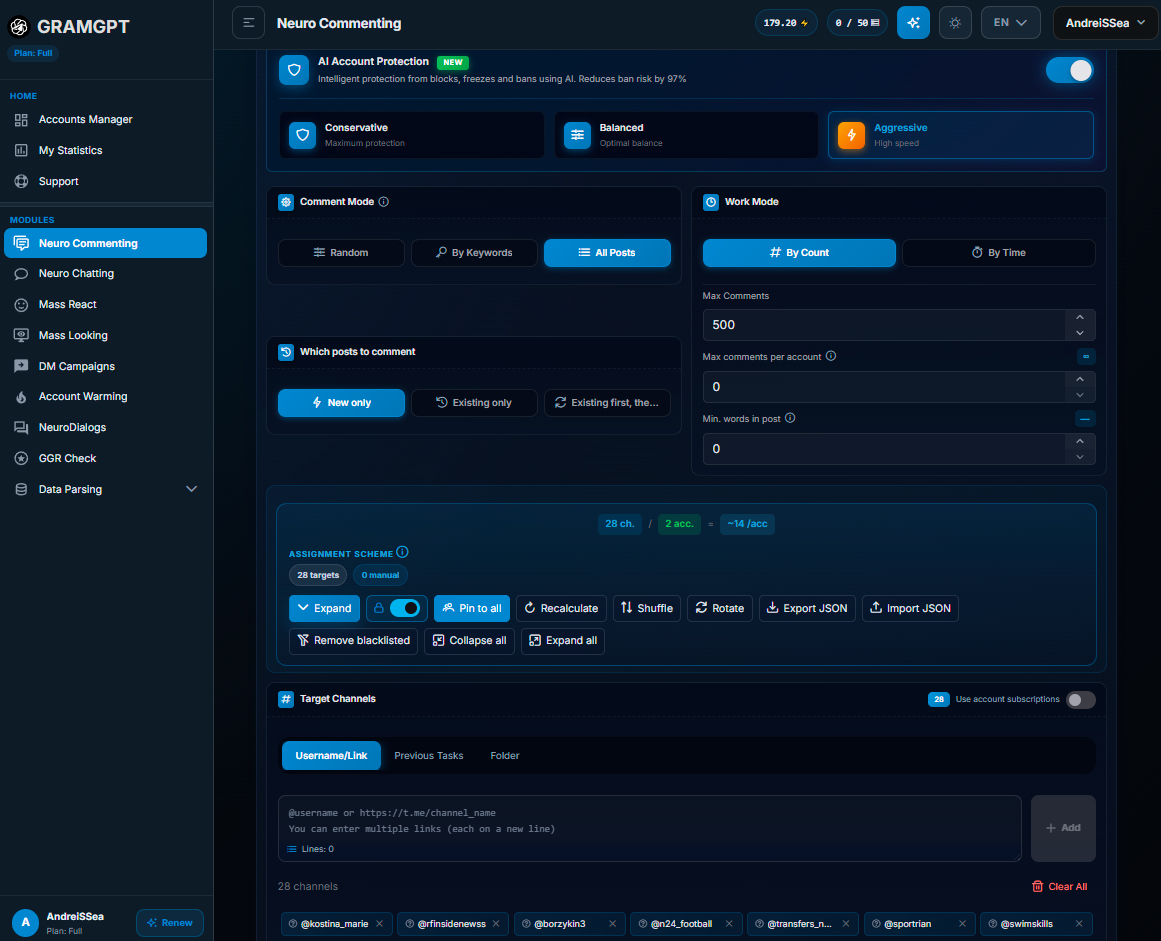
- Neurocommenting in Telegram channels;
- Neurochatting in Telegram community chats;
- placements with authors and channel owners in related niches.
- We examined more options and ways to attract traffic in a separate article on how to promote a Telegram channel: 30 promotion methods
The main formula for those looking for how to attract subscribers to Fanvue is simple: first attract attention, then show more open content on Telegram, and afterward direct interested users to Fanvue. Therefore, how to promote a Fanvue account and attract traffic directly depends on the quality of the entire funnel. One of the most effective native ways to attract targeted traffic is AI commenting combined with Telegram Stories. Next, we will examine how this setup works.
Fanvue promotion through Neurocommenting + Stories in GramGPT
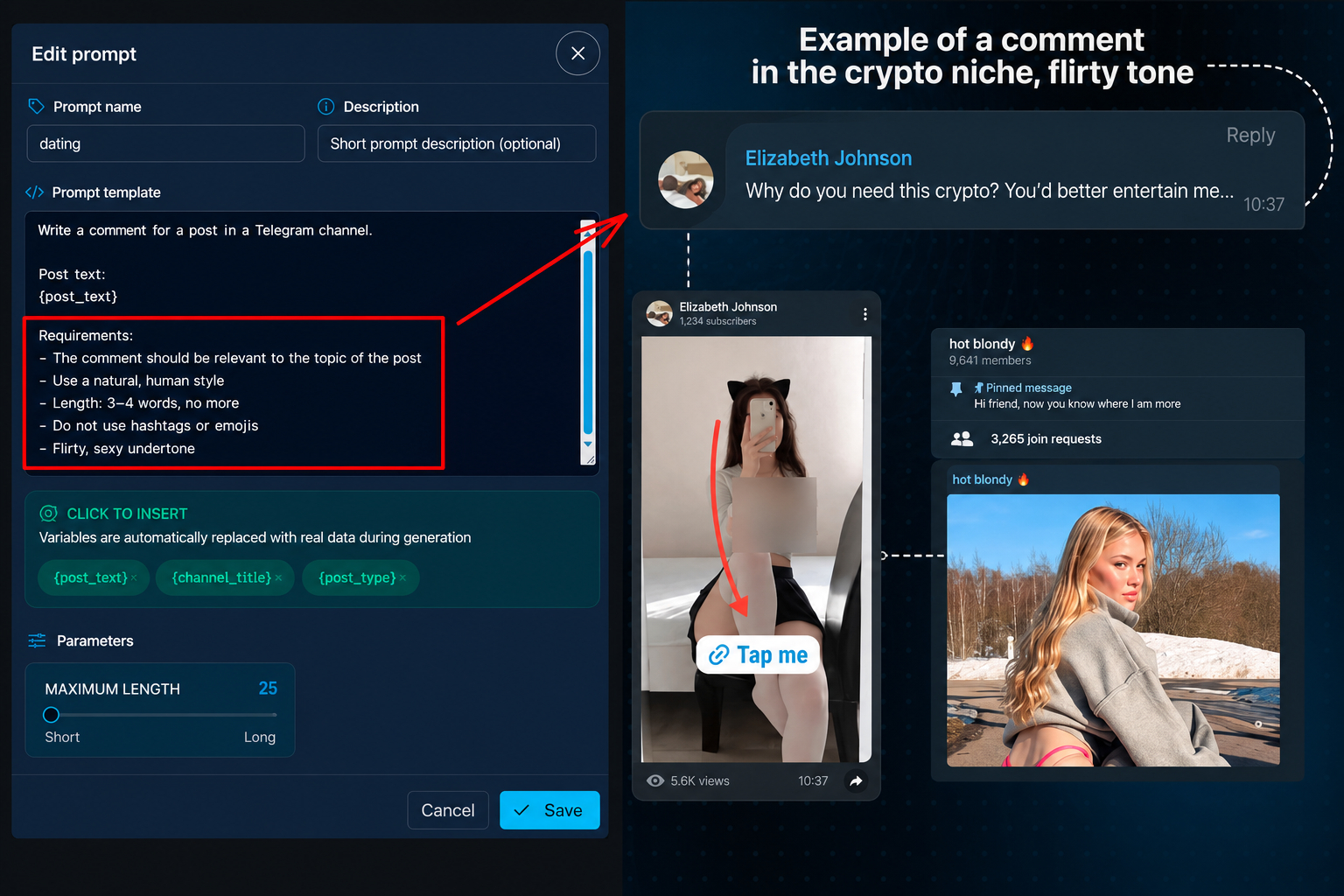
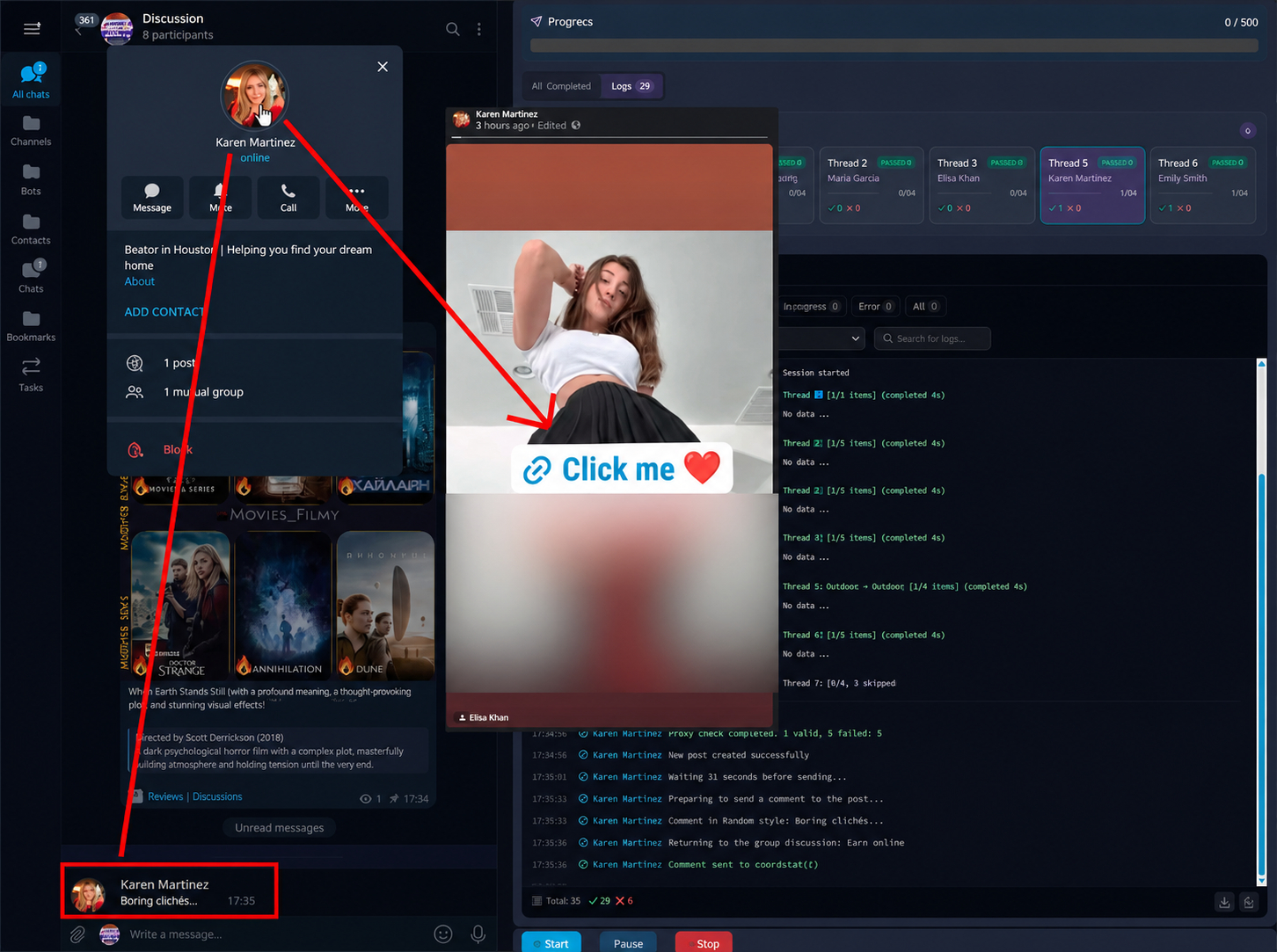
The combination of Neurocommenting and Telegram Stories in GramGPT.io creates an additional route to the channel. A comment attracts attention to the profile, the user clicks the avatar, sees an active story, and follows the clickable link.
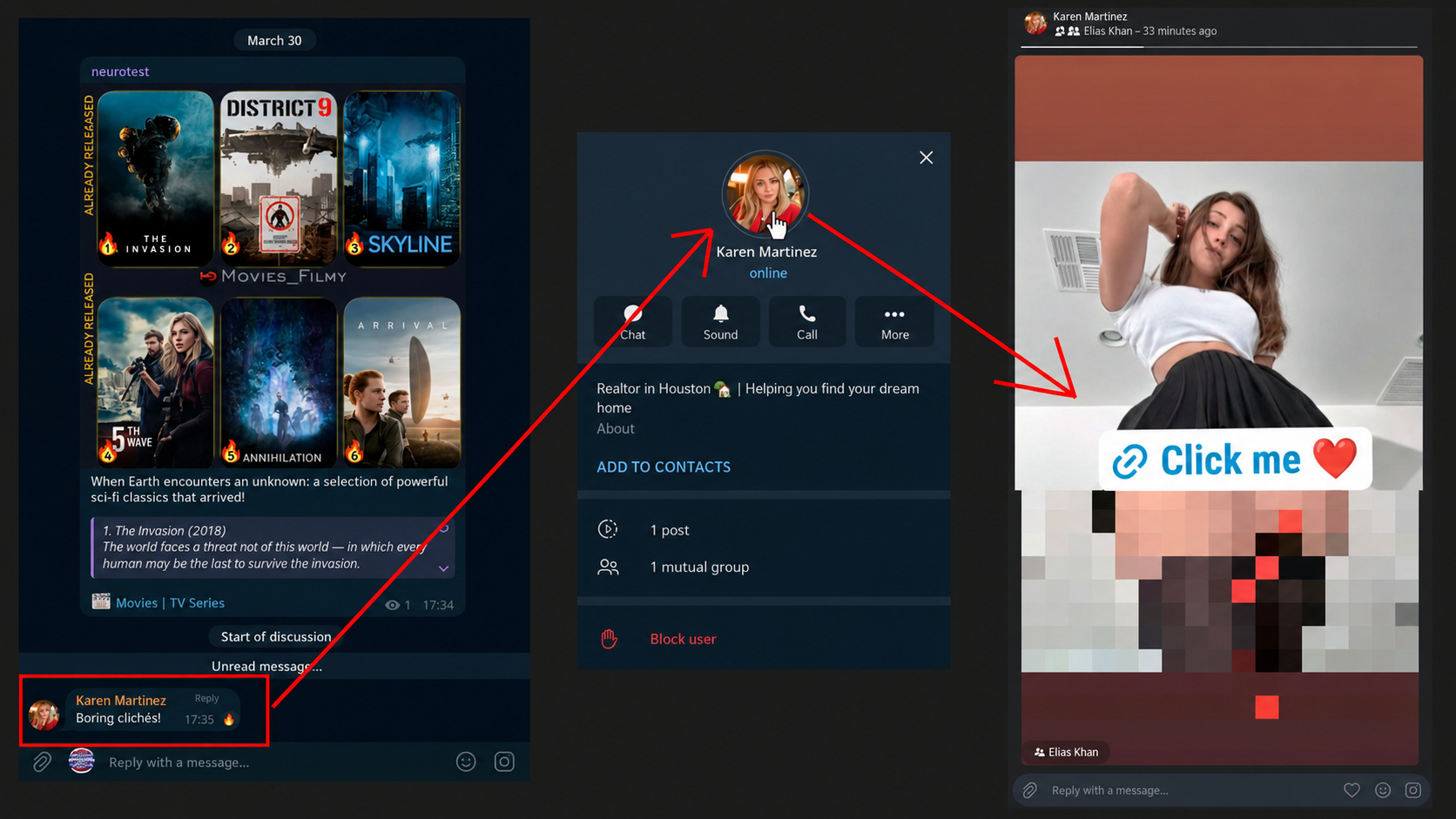
The funnel works as follows:
- We publish a story containing 18+ material and a clickable link to your Telegram channel.
- A fully designed account leaves a relevant comment under a new post.
- The user opens the comment author's profile.
- From the profile, they open the story or follow the pinned link.
- In the Telegram channel, they get to know the AI model and its content.
- After warming up, they go to Fanvue and subscribe.
The story should quickly explain what the user will receive after following the link. Use one strong image, a short caption, and a clear call to action: open the channel or access additional materials.
Form comments according to the topic of the original post. A short phrase with a little personality works better than the same text under different publications. The comment's task is to create interest in the profile, not to try to sell a subscription directly in someone else's channel.
Preparing Telegram Premium accounts
To publish stories with extended capabilities—namely a clickable link in a sticker—we need at least one account with Telegram Premium. On it, we set up a ready-made story with an offer, after which we use our Telegram software to copy it and distribute it at scale to the other accounts. Below, we explain how to copy Stories in bulk in GramGPT.
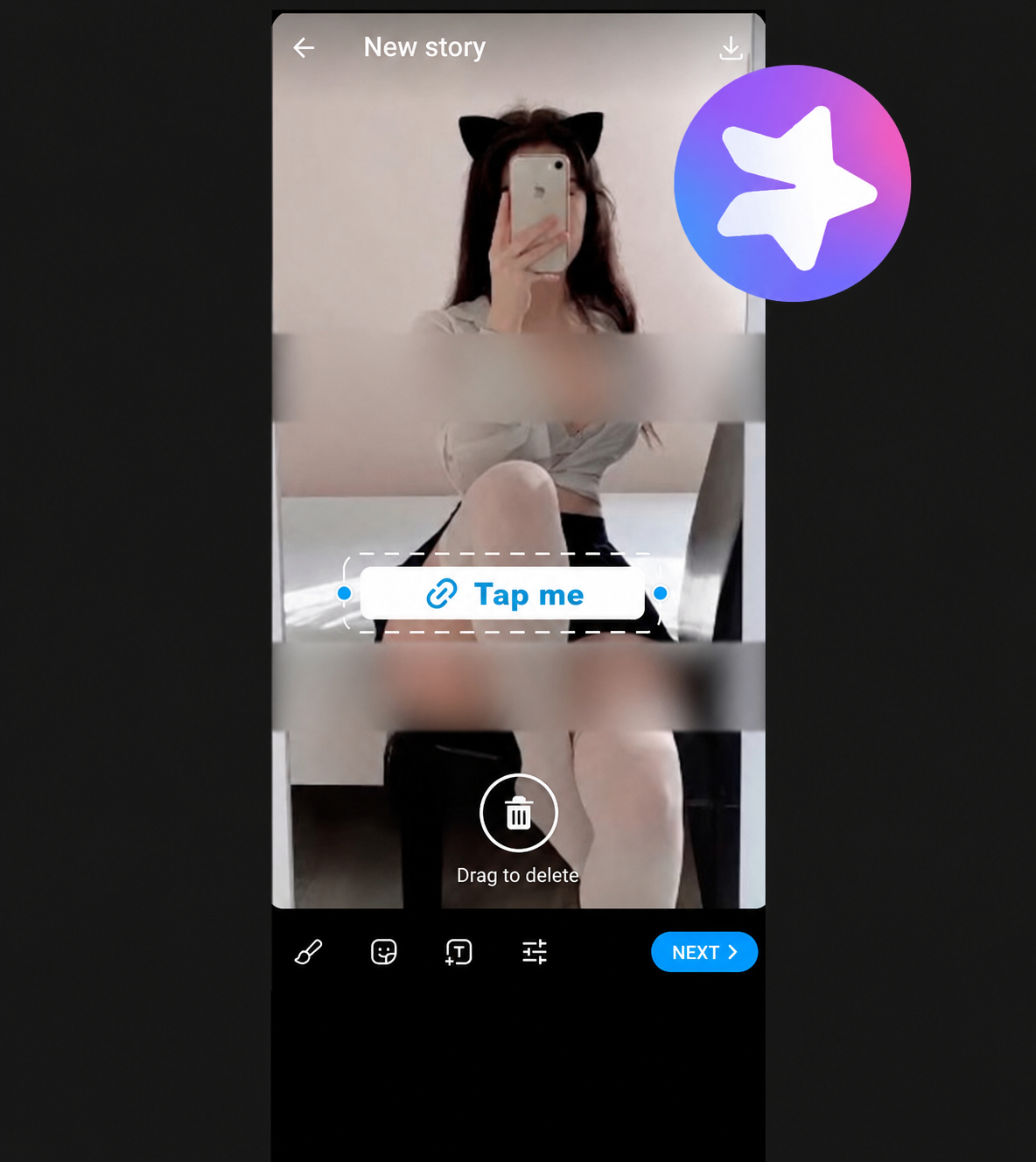
As a result, a clickable sticker with a link inside appears in the story on all our Telegram profiles.
Below, we compare two profile-design options for Neurocommenting:
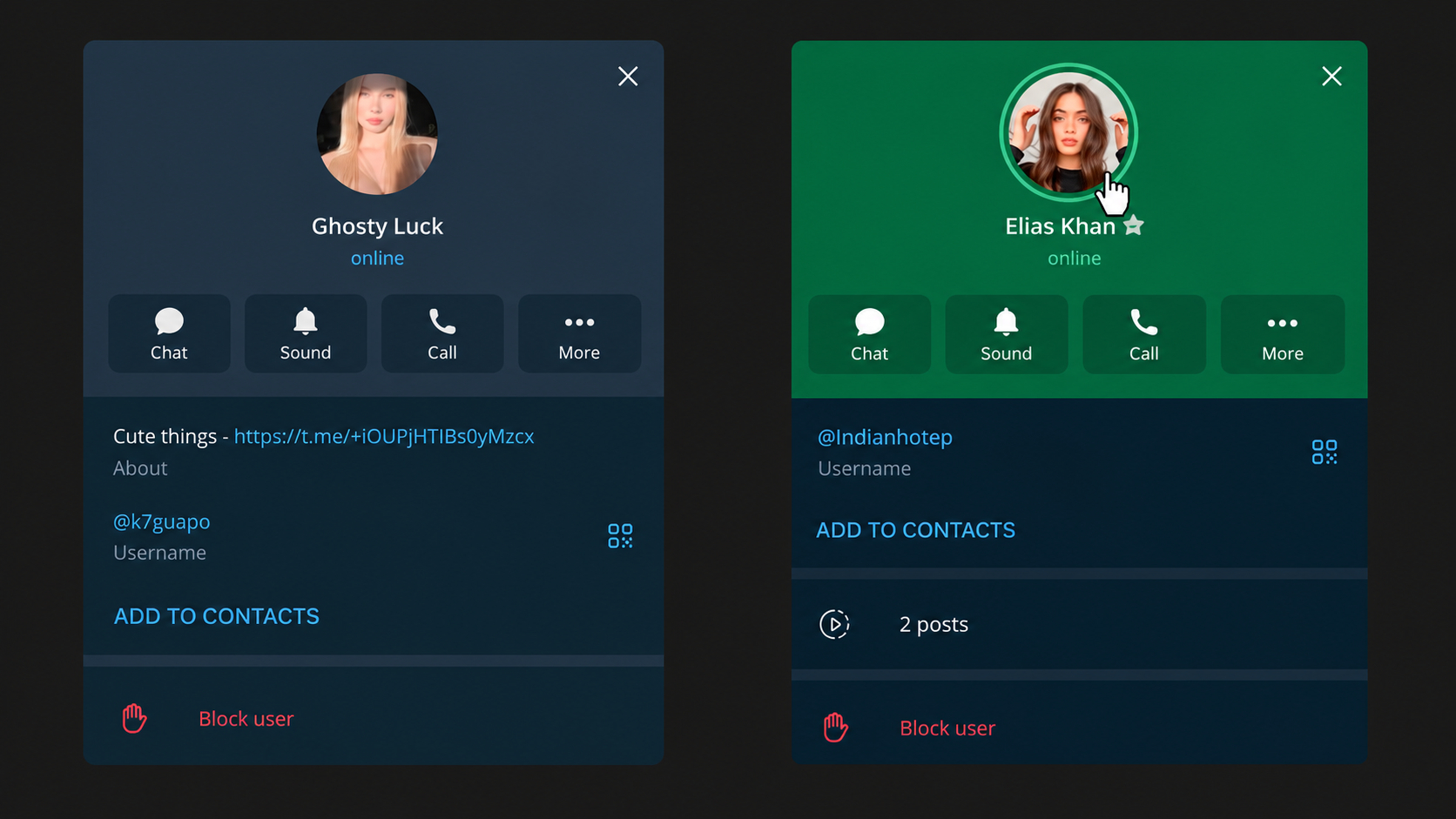
Therefore, in this setup, it is better to promote the main link through Stories and use the bio for a short model description and to attach the main Telegram channel.
Before connecting the profiles to promotion, prepare them:
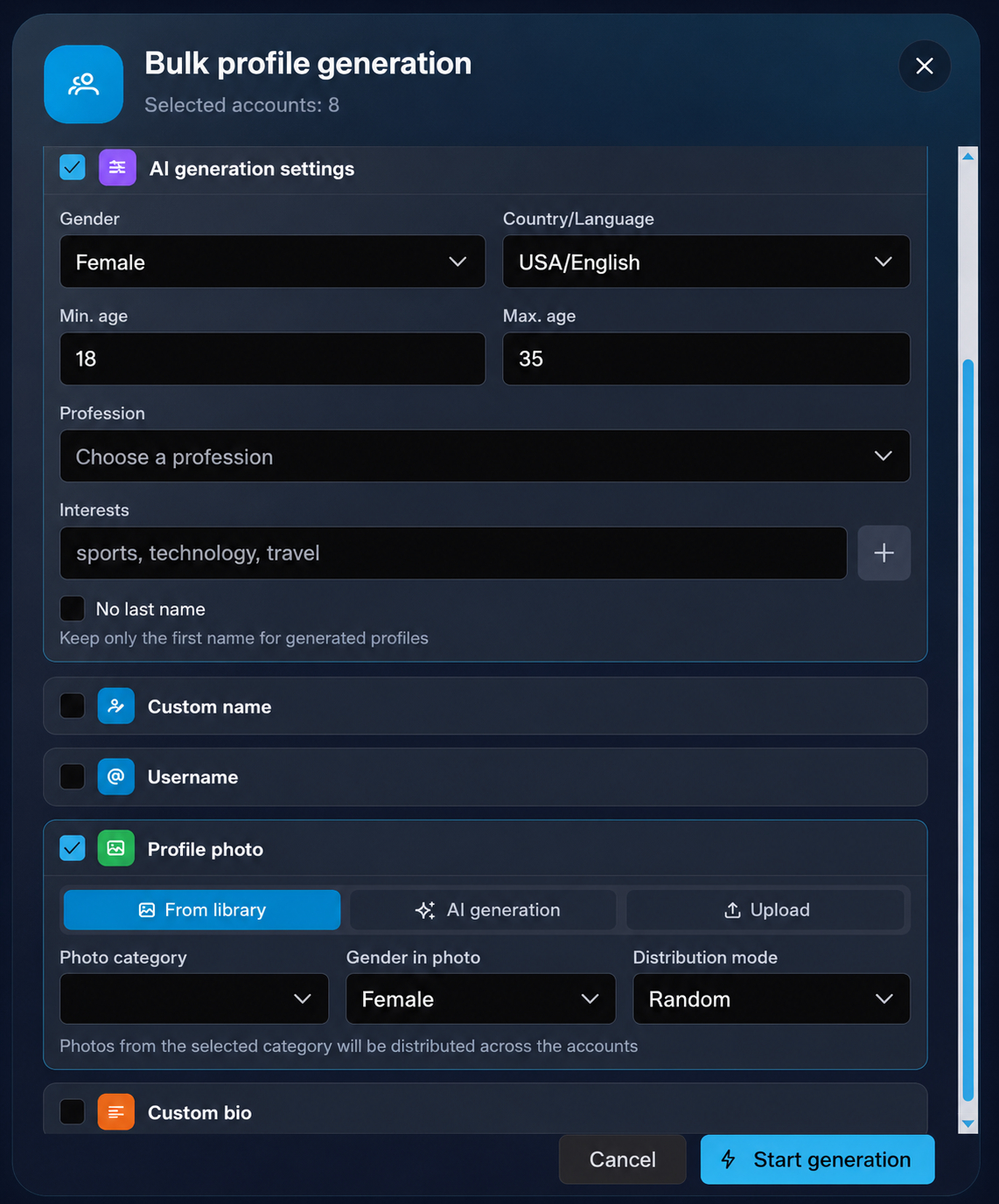
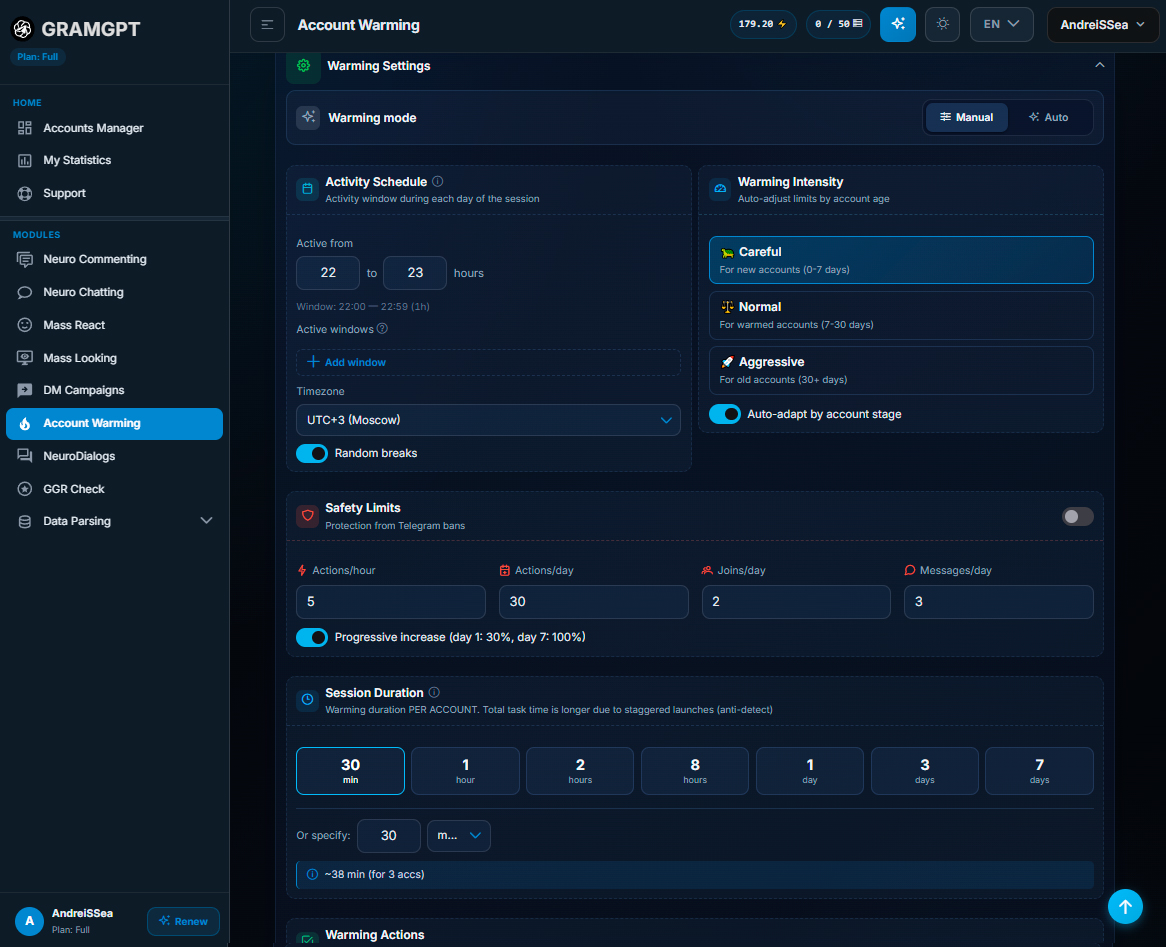
Designing accounts in GramGPT
To prepare Telegram profiles, go to GramGPT and import accounts in tdata or session+json format. When connecting, specify proxies; before doing so, it is better to run a Telegram proxy check, which will help confirm stable operation. Then check the accounts and save the working sessions in the Combine.
After a successful import, select the required group of accounts and go to the Stories copying function. On the main Premium account, publish a ready-made story with an offer and a clickable link to the Telegram channel in advance, then copy the story link.
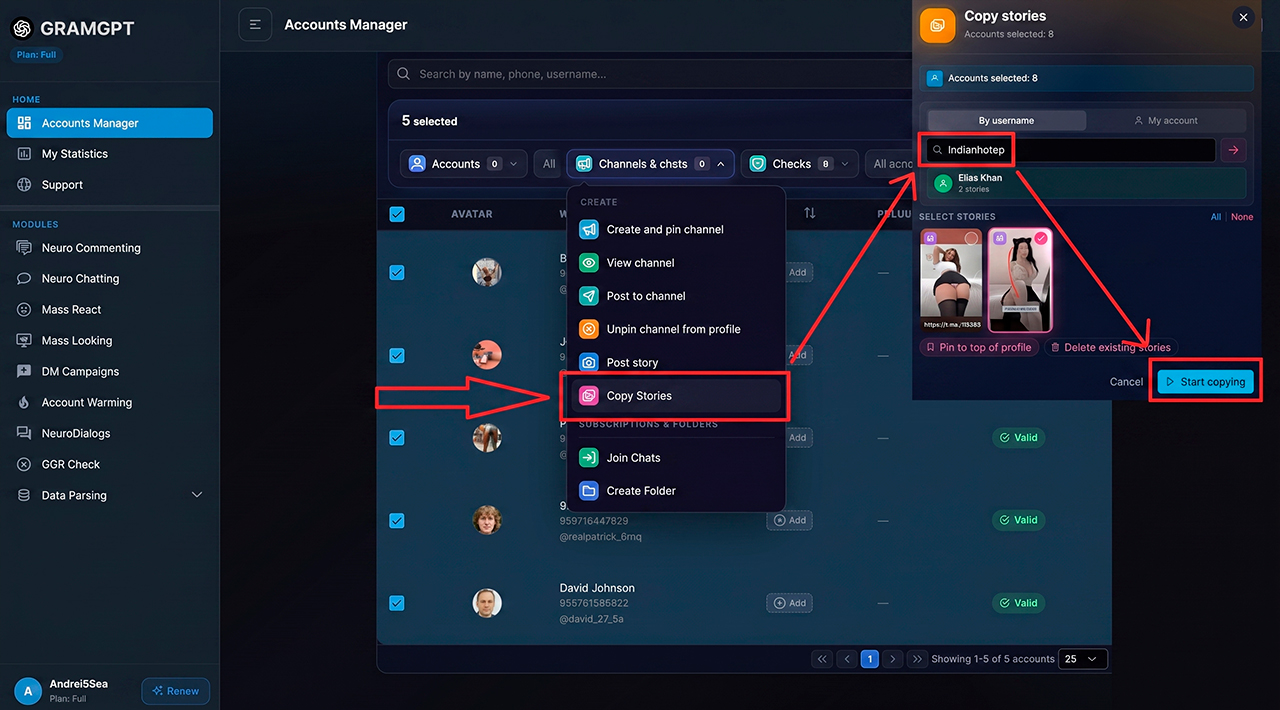
Next, launch bulk copying. The system transfers the prepared story to the selected Telegram accounts, so we do not need to design it manually on every profile.
After completion, open several accounts and check:
- whether Stories appeared in the profile;
- whether the clickable link opens;
- whether the transition leads to the correct Telegram channel;
- whether the offer image and text are displayed correctly;
- whether the accounts were saved successfully and work.
As a result, this format of Telegram automation makes it possible to prepare Stories once on the main Premium account and then distribute it across the entire group of profiles through the Telegram Combine.