You are about to send a passport scan, a work password or a very personal message, and a thought creeps in: who else can read this? After all, regular conversations sit on the messenger’s servers and open on any logged-in device. That is why many people hear about the Telegram secret chat yet have no clear idea what it changes or where the button hides.
The confusion is understandable. Desktop apps lack the option entirely, and many online guides describe outdated interfaces. As a result, people either trust ordinary threads too much or give up searching for the menu item.
Below we explain how encrypted conversations work, compare them with cloud threads, and walk through setup on Android, iPhone and Mac. Next come the self-destruct timer, screenshots and deletion. Finally, we show why work profiles need a cloud password more than secret threads, and how to set one on dozens of them via the GramGPT.io account manager.
What a Telegram secret chat is
It is a one-on-one conversation protected by end-to-end encryption. Keys appear on the two participating phones, so only those devices decode the messages. Telegram’s servers merely relay scrambled packets and keep no readable copy.
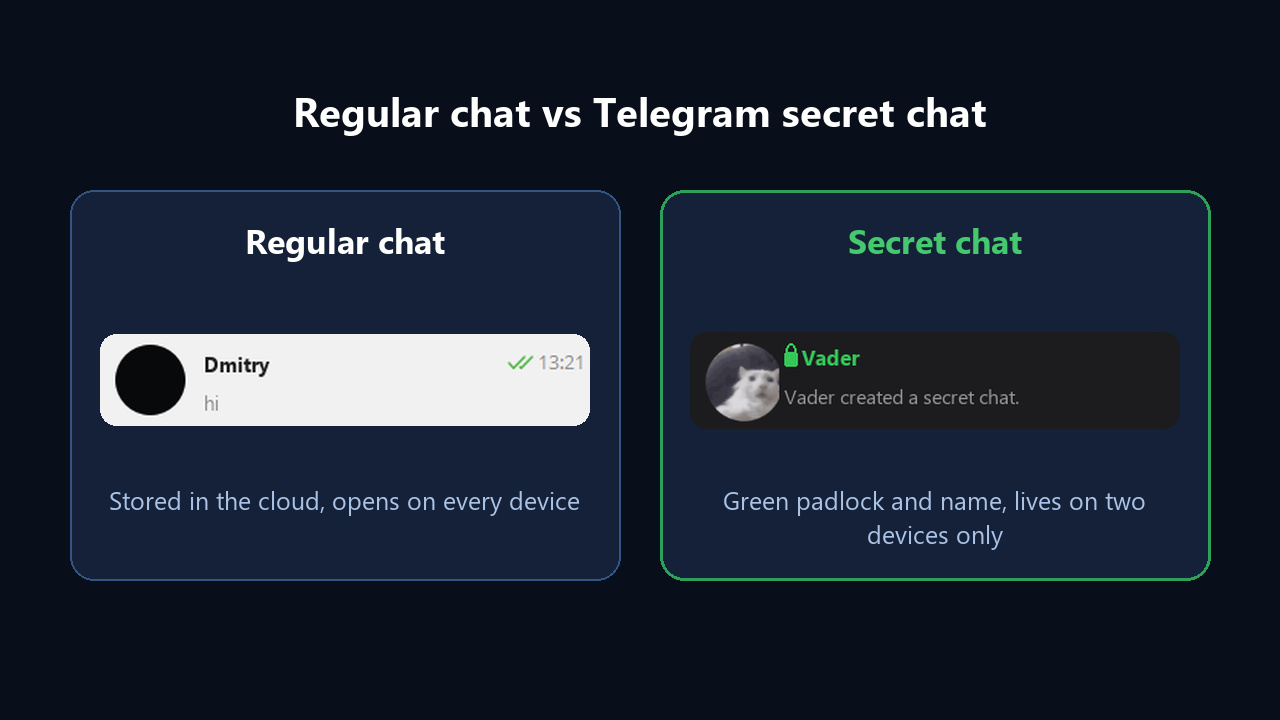
Ordinary threads are encrypted too, but between app and server. Thus messages live in the cloud, and history appears instantly on a laptop or in a browser. In other words, a Telegram secret chat trades convenience for privacy: the thread is locked to one specific device on each side.
Telegram secret chat vs regular chat
Storage location is the core difference, and every other quirk follows from it:
| Feature | Cloud thread | Encrypted thread |
|---|---|---|
| Encryption | app to server | device to device |
| Where messages live | Telegram servers | memory of two gadgets |
| Multi-device sync | yes | no, one gadget per side |
| Forwarding | allowed | blocked |
| Screen capture | unrestricted | Android blocks it, iOS alerts the other person |
| Deleting | for yourself or both | always for both |
| Auto-delete | by days | per message, from one second to a week |
| Groups and bots | supported | two people only |
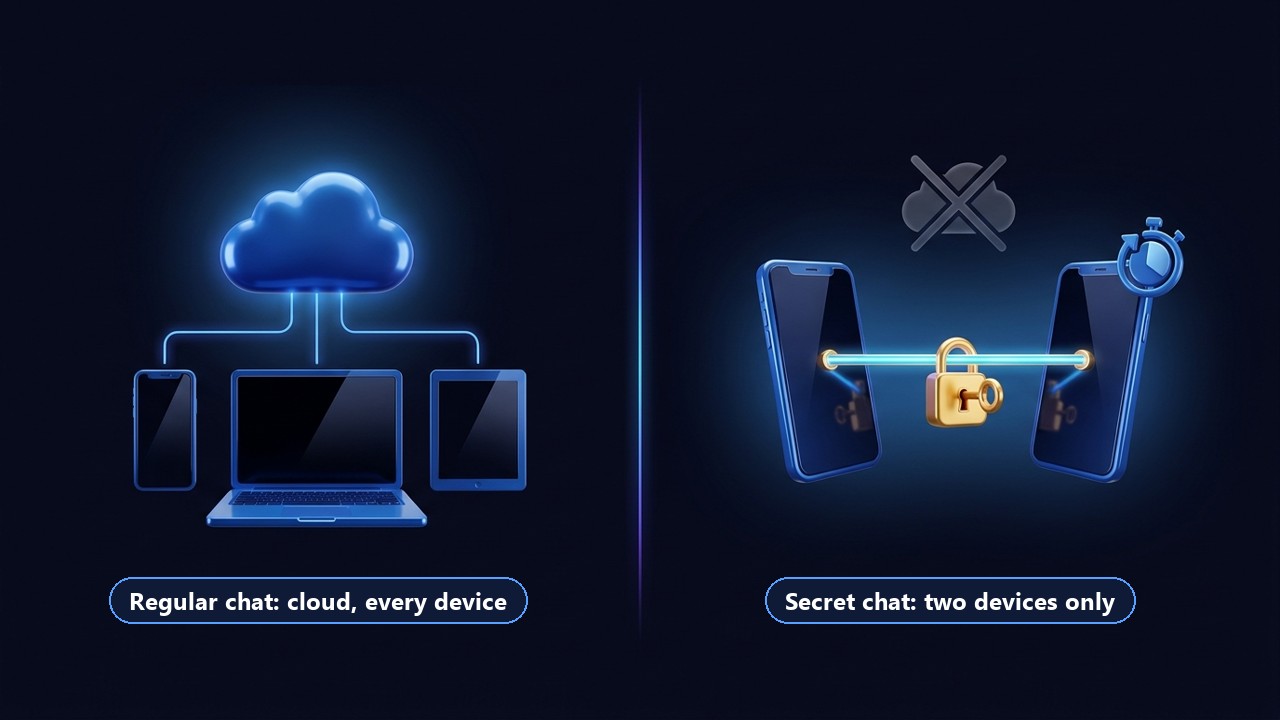
So the practical takeaway: use encrypted threads for passing sensitive details once, and keep daily conversations in the cloud where they are easier to manage.
How to start a Telegram secret chat
First, the feature exists in the mobile apps and in Telegram for macOS. Note that your contact must come online at least once; until then the thread waits for activation.
On Android
- Open your contact’s profile.
- Tap the three-dot menu at the top right.
- Choose the option to begin an encrypted conversation and confirm.
Alternatively, tap the round pencil button on the main screen and pick the new encrypted thread option before selecting a contact.
On iPhone
- Go to the person’s profile.
- Tap More.
- Pick Start Secret Chat in the menu; the conversation opens right away.
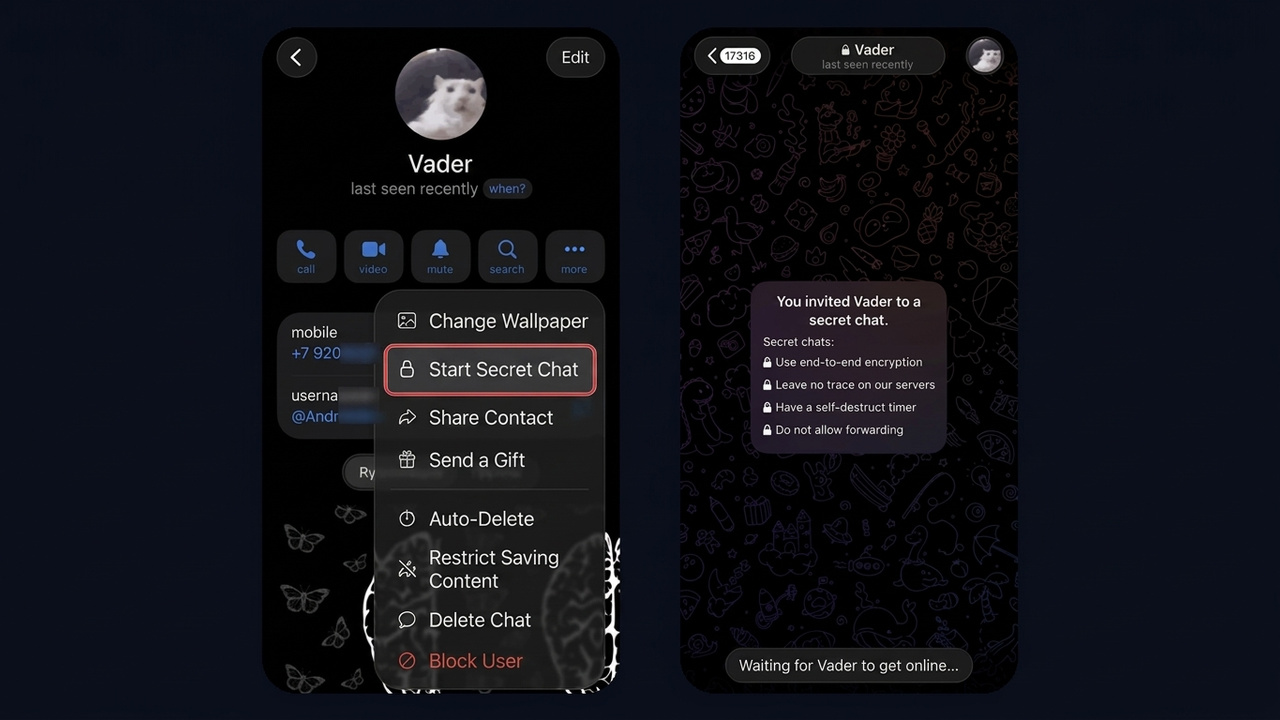
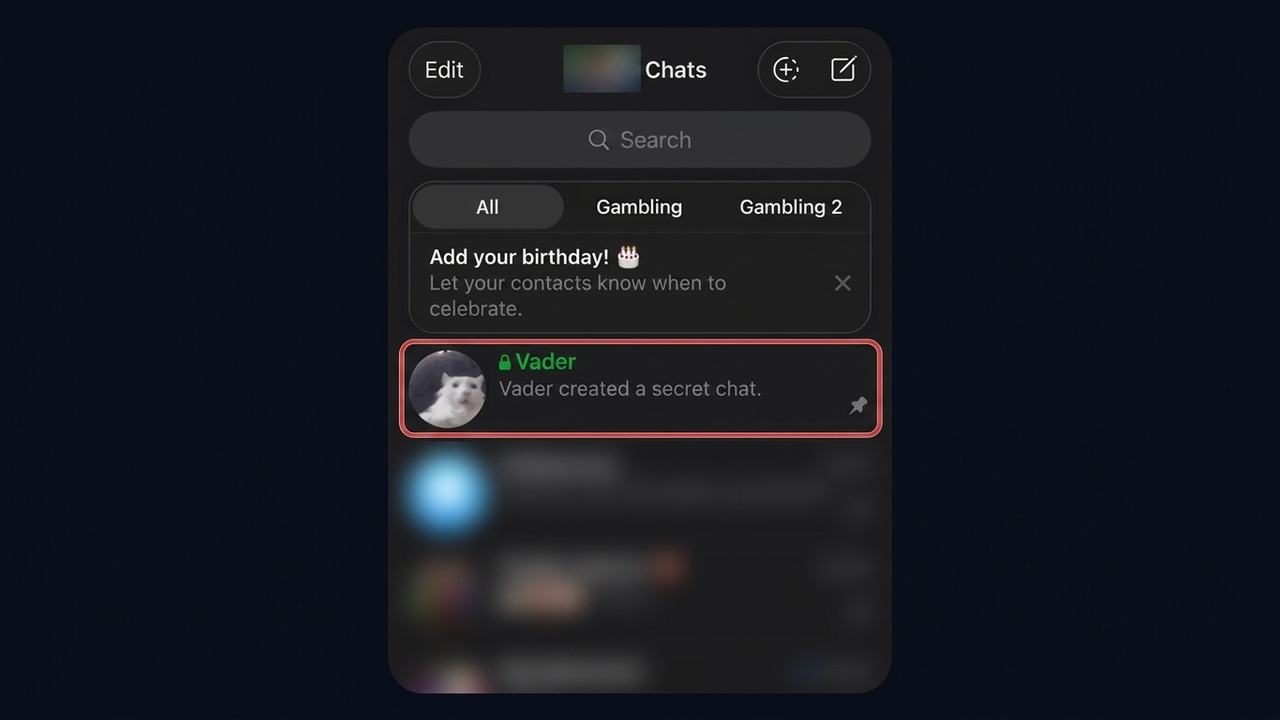
As a result, the new thread shows up with a green padlock and a green name. You can open several such threads with one person, and each gets its own key.
Telegram secret chat on desktop
Telegram Desktop for Windows and Linux, as well as the browser client, simply lacks this mode. On a computer, only the native macOS app can start or read encrypted conversations. The reason is architectural: keys stay on one gadget, whereas desktop clients revolve around cloud sync.
Self-destruct timer
Inside an encrypted thread you can enable auto-delete via the stopwatch icon in the input field or through the chat menu. Then pick an interval from one second to a week. Importantly, the countdown starts once the recipient opens a message, not when you hit send.
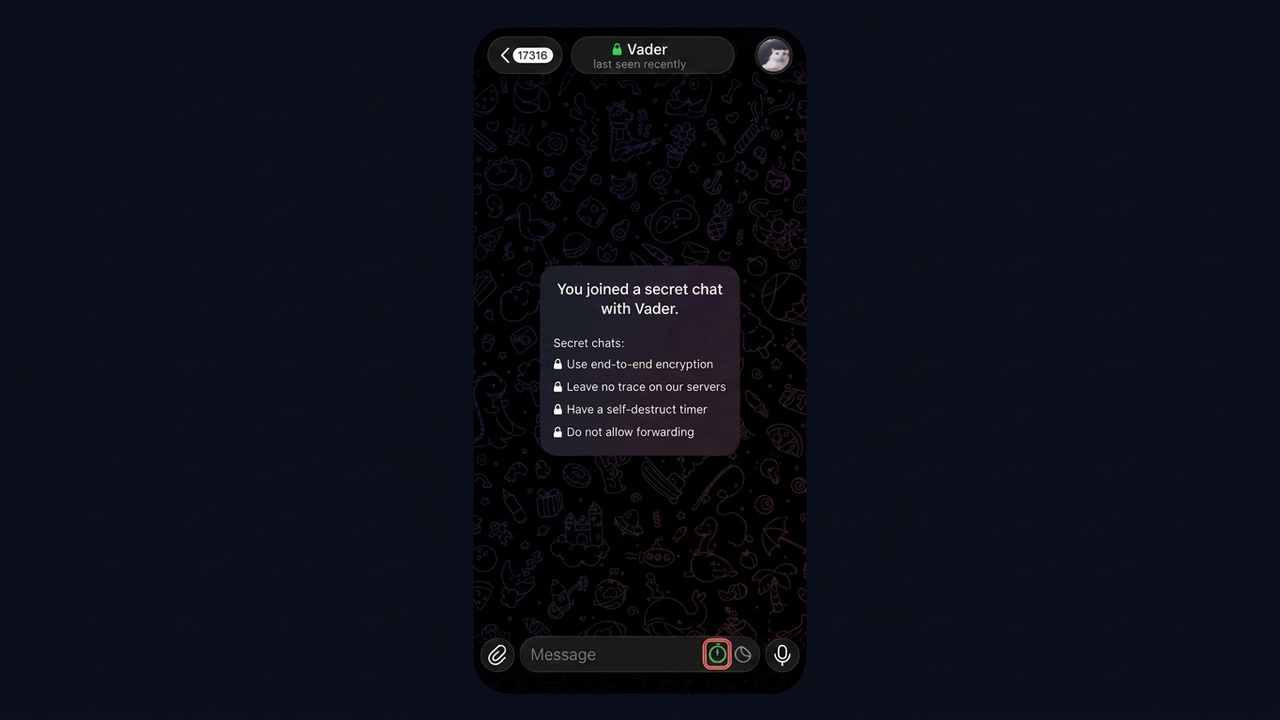
The timer covers text, photos, video, voice notes and files. In addition, short-timer media switches to hold-to-view mode: lift your finger and it disappears.
Encryption key: checking for interception
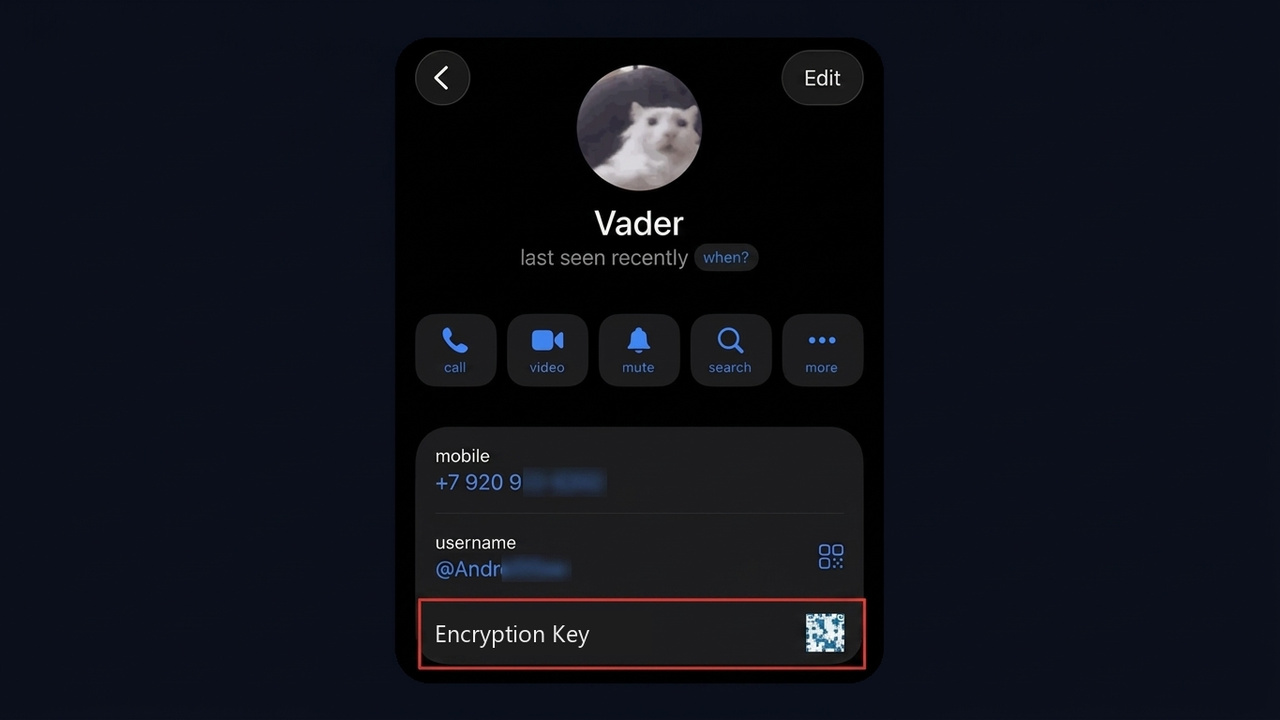
Within the encrypted thread, the contact’s profile contains an encryption key item. It displays an image and a row of emoji derived from the shared key. So compare them face to face or over a video call; a match proves nobody sits in the middle.
Screenshots and forwarding
Forwarding is impossible: the button is missing. But screen capture depends on the platform. Android forbids it outright, while iOS cannot technically block it, so Telegram posts a notice in the chat: you see "You took a screenshot!", and your contact learns that you captured the screen.
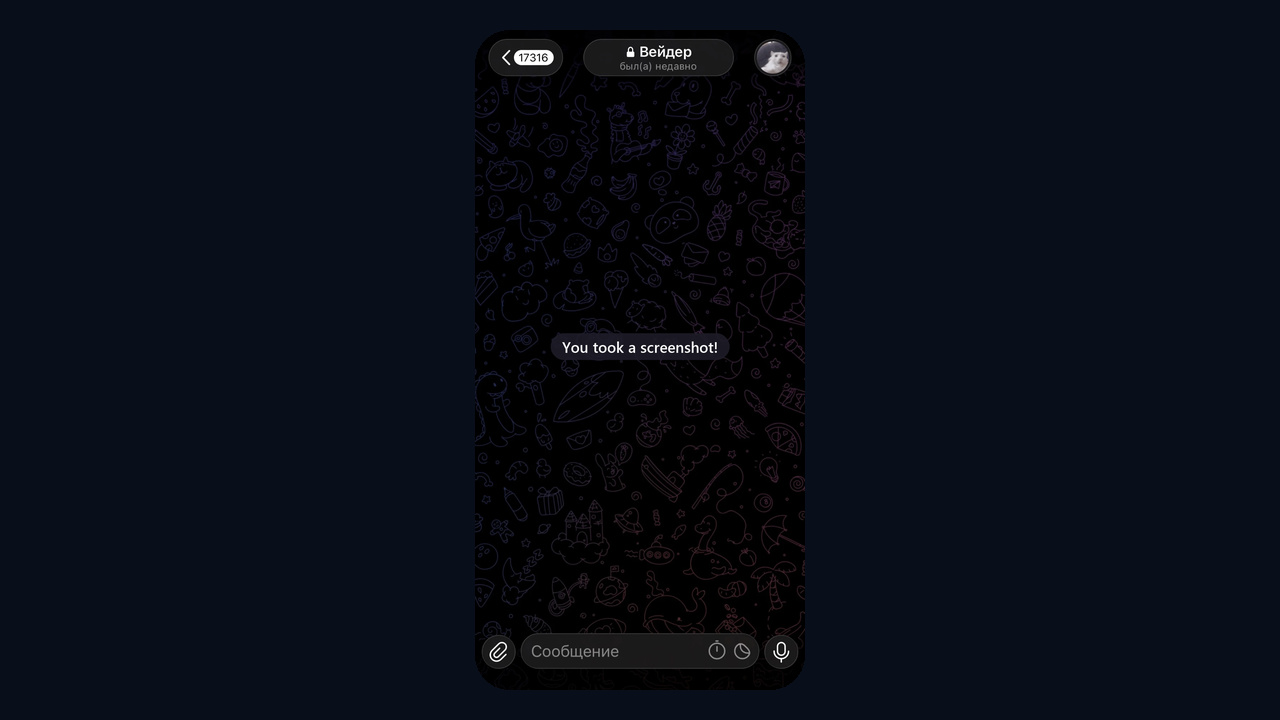
However, protection has limits. Nothing stops someone from photographing the display with a second phone, so share secrets only with people you trust.
How to find, delete or cancel a Telegram secret chat
First, finding one is easy: it sits among ordinary conversations, marked with a padlock and green text. Right after creation, the preview reads "… created a secret chat". If it is missing, you are probably logged in on another gadget, because encrypted threads never migrate.
Next, deleting works like any thread: long-press on Android or swipe left on iPhone, then delete. History vanishes for both participants. A pending request can be cancelled the same way, and your contact will see that the encrypted conversation was cancelled.
Keep in mind that logging out wipes every encrypted thread on that gadget. Recovery is impossible because no server backup exists.
How safe it really is
MTProto 2.0 with end-to-end encryption is considered robust, and Telegram publishes client source code. Even so, devices remain the weak spot. Malware on the phone, or an unlocked handset in someone else’s hands, defeats any cipher.
Therefore, enable an app passcode, keep the system updated and avoid unofficial clients from dubious sources.
More Telegram privacy tricks for everyday chats
But not every conversation needs an encrypted thread. Ordinary chats offer tools covering most needs:
- auto-delete clears a cloud thread after a day, a week or a month;
- view-once media lets photos and videos open a single time;
- hidden activity shows contacts a rough status instead of exact minutes;
- forwarding without a profile link stops forwarded messages from leading back to you;
- passcode lock keeps the app closed without a PIN or fingerprint;
- cloud password adds a second factor when someone logs in from a new gadget.
The last one matters most: a hijacked profile exposes every cloud conversation at once, and encrypted threads do not prevent that.
Telegram secret chat for business: NeuroDialogs and account protection
Many customers ask to move into a secret chat when they need to share an address, ID details or payment information. Answering there by hand is awkward: the thread lives on one device and cannot be handed to a colleague. The NeuroDialogs AI autoresponder solves this: it replies to customers in secret chats too, collects order details and leads them to payment based on your prompt and knowledge base.
Here is a conversation where NeuroDialogs answers the customer. The delivery details stay on two devices only and disappear on a timer.
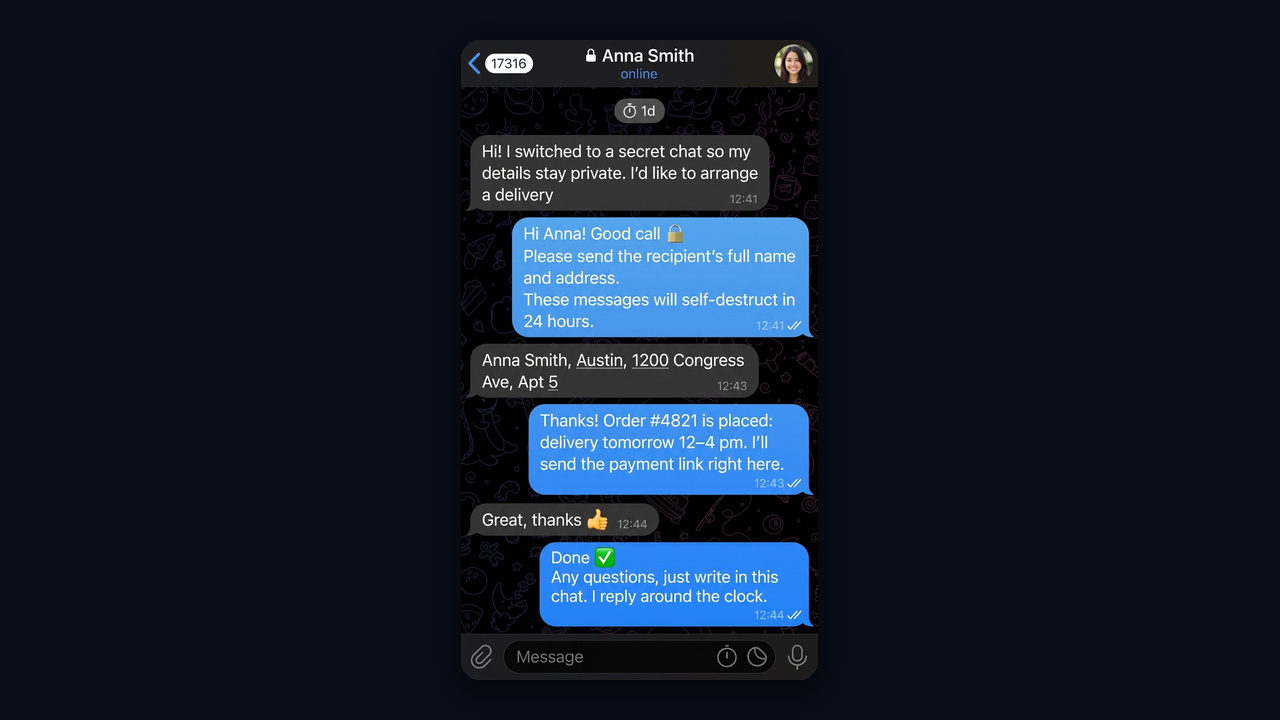
In the module you set the prompt and tone, upload a knowledge base with prices and terms, and tune reply delays and stop phrases. Meanwhile, you can open the chat and step in manually at any moment.