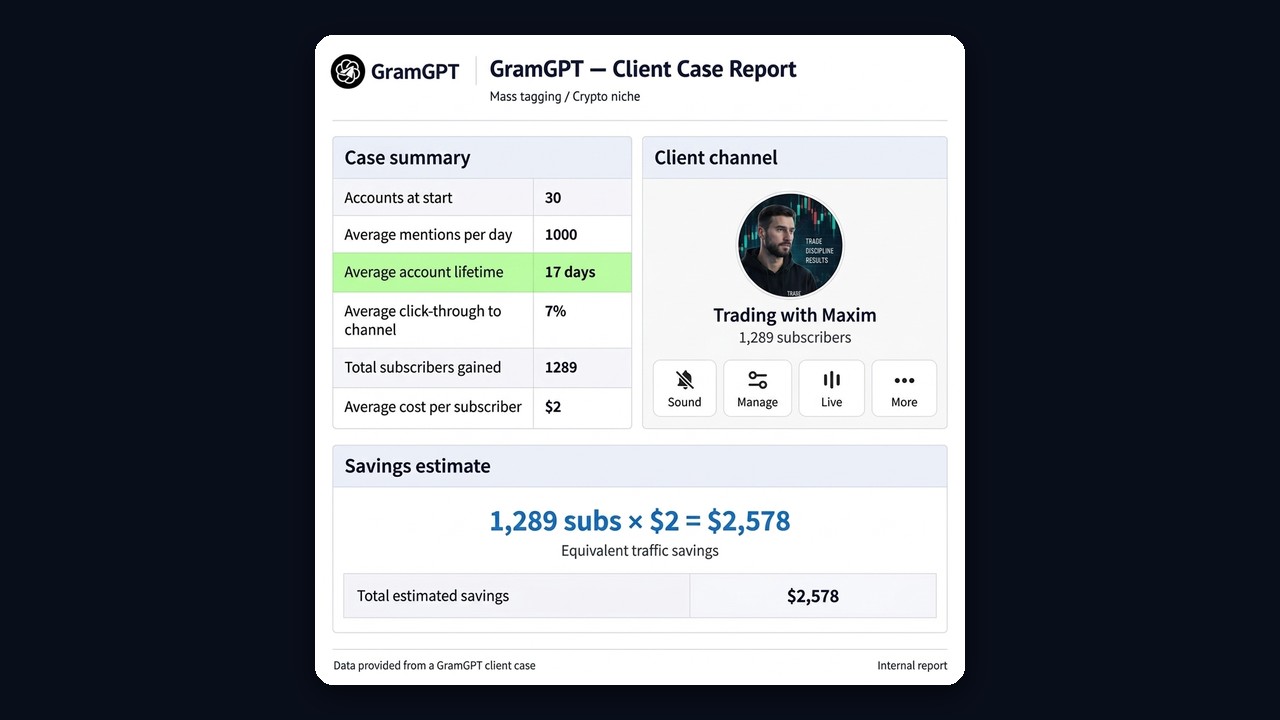
Paid ads in channels keep getting more expensive, and a single placement rarely reaches the people who actually need your offer. Telegram mass tagging solves this in a different way. Instead of buying reach, you tag hand-picked users in your posts. Each of them gets a personal alert, taps it and sees your creative.

However, many first launches fail. Accounts get restricted after a day, the audience is random, and the creative has no clear call to action. In 2026 the method still works, but only with the right limits and a relevant user base. Below we cover how mass tagging works, which limits keep accounts alive, a real client case and a step-by-step launch in GramGPT.io.
What is Telegram mass tagging
Telegram mass tagging means publishing short-lived posts that tag many users. When you tag someone, the messenger sends them an alert about it. The post itself carries a creative, and a clickable sticker or a link in the caption leads to your channel, profile or landing page.
For example, you can publish 20 posts and spread your target audience across them. As a result, a single campaign creates hundreds of personal touchpoints. Moreover, every touchpoint reaches a person you selected by interest in advance.
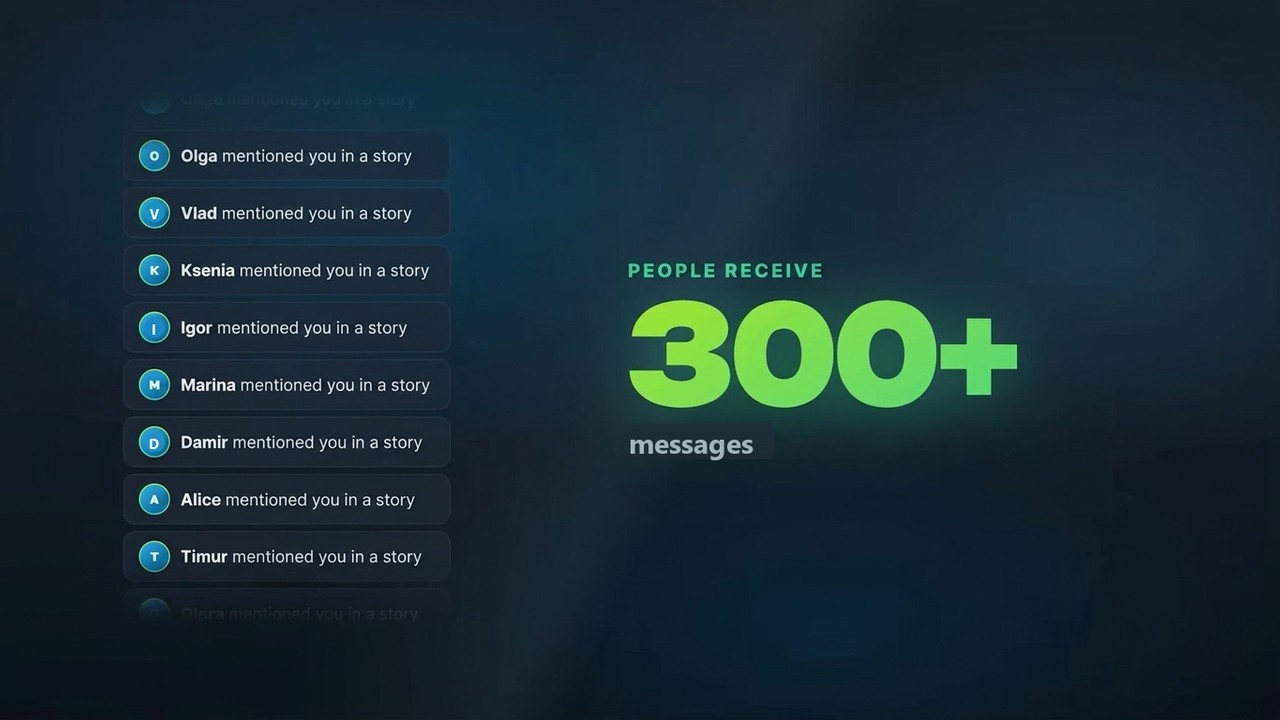
This is what it looks like for the audience: a few dozen stories turn into hundreds of personal alerts. Media buyers also call this approach tagging. In affiliate marketing it counts as conditionally free traffic, because you pay for profiles, not for impressions.
The main strength here is precision. You do not show the creative to a random crowd. Instead, you work with members of niche chats, active commenters and the audience of competing channels. That is why the method pays off best where one customer is worth a lot.
How to mention someone in a Telegram story manually
Before you automate anything, it helps to know how a regular tag works. To tag someone in a Telegram story, create a story, add their @username to the caption and publish it. The person then receives an alert and can view it right away. Similarly, you can mention a channel by its @username.
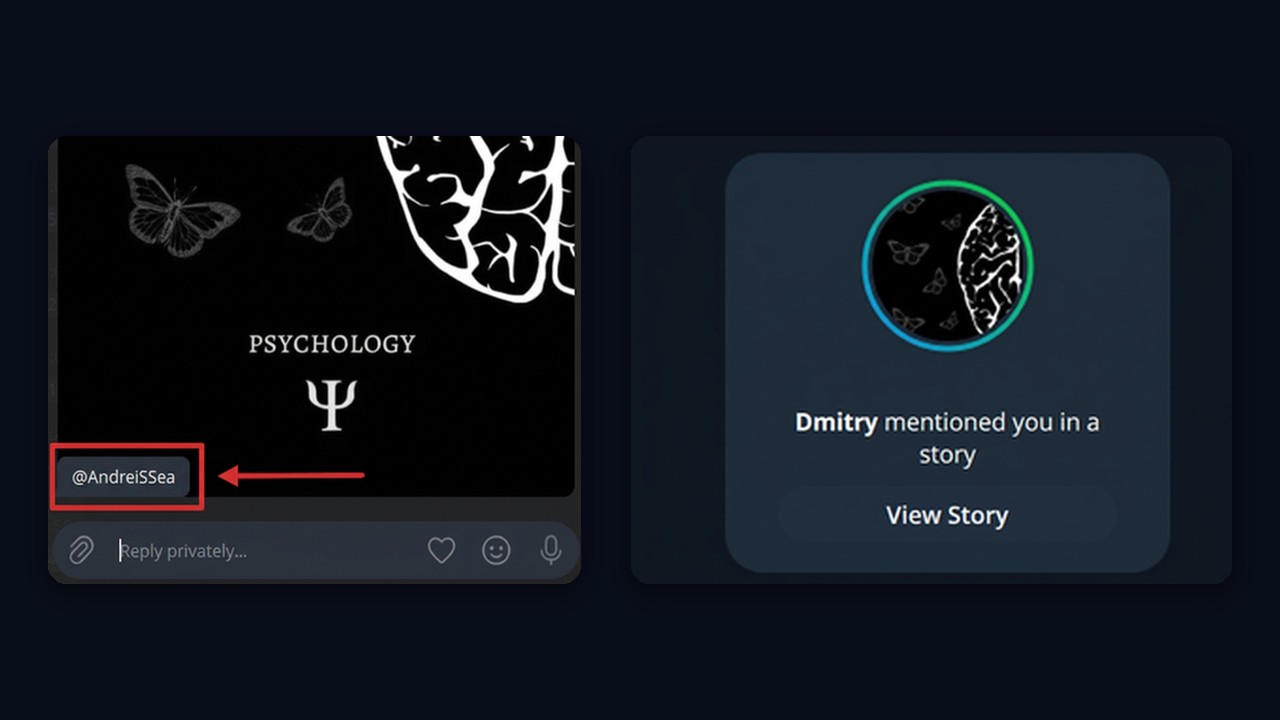
Doing this by hand is fine for a couple of friends or partners. But nobody tags hundreds of people manually. At scale you need software that splits the audience, keeps pauses and respects limits. Also, if a tag fails, check the username first. Then make sure the post has not hit its mention cap.
Telegram mass tagging limits: why a slow start matters
Each post has a cap on tags, and every profile has a daily action limit. Technically, you can mention up to five users at once. Meanwhile, a single profile can make up to 50 mentions a day. Still, hitting the maximum on day one is a bad idea.
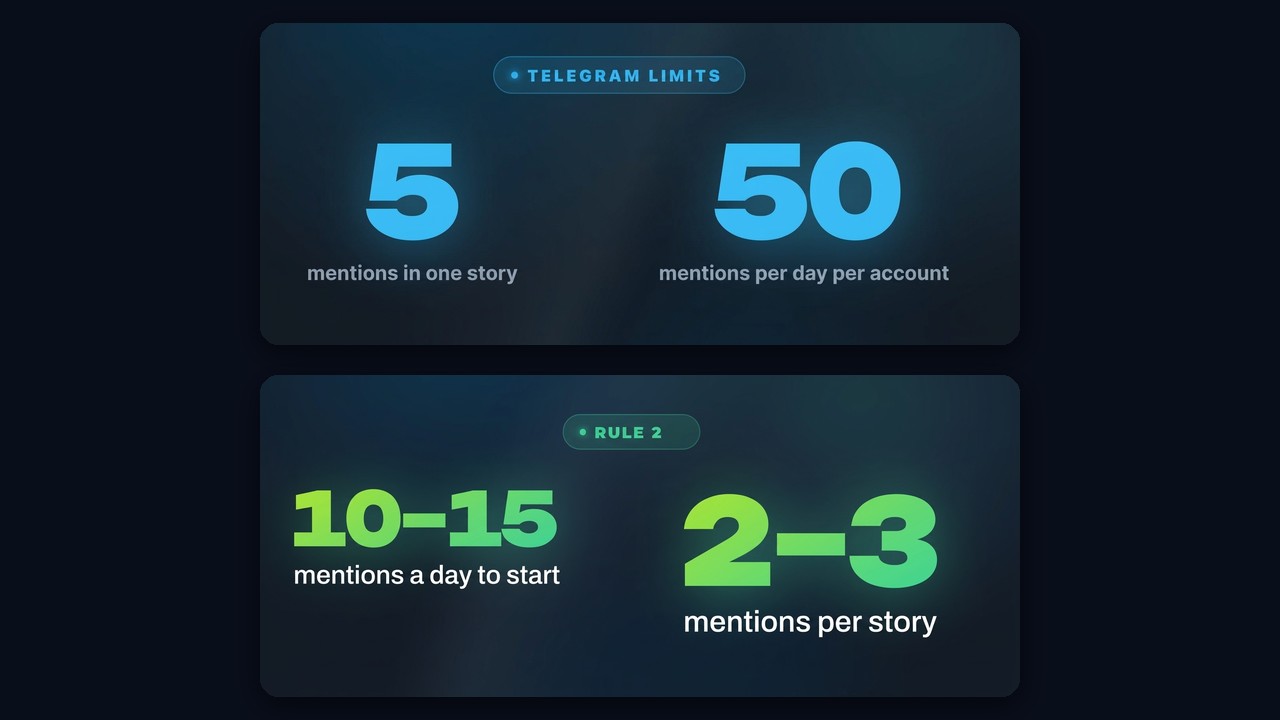
A safe starting setup looks like this:
- 10–15 mentions a day per profile at the start.
- 2–3 mentions per post.
- 60–300 seconds of delay between stories.
- For an even calmer launch, widen the delay to 200–900 seconds.
If the profiles survive the first days without issues, raise the volume step by step. A realistic target is 35–40 mentions per profile daily. In short, first test stability, then scale. Otherwise, starting at the edge of the limits quickly leads to restrictions.
Which accounts you need for story campaigns
A clickable sticker requires Premium. Therefore, before launch you should not just look for cheap profiles. First, compare two factors:
- How long profiles from a given country stay operational.
- How much Premium costs there.
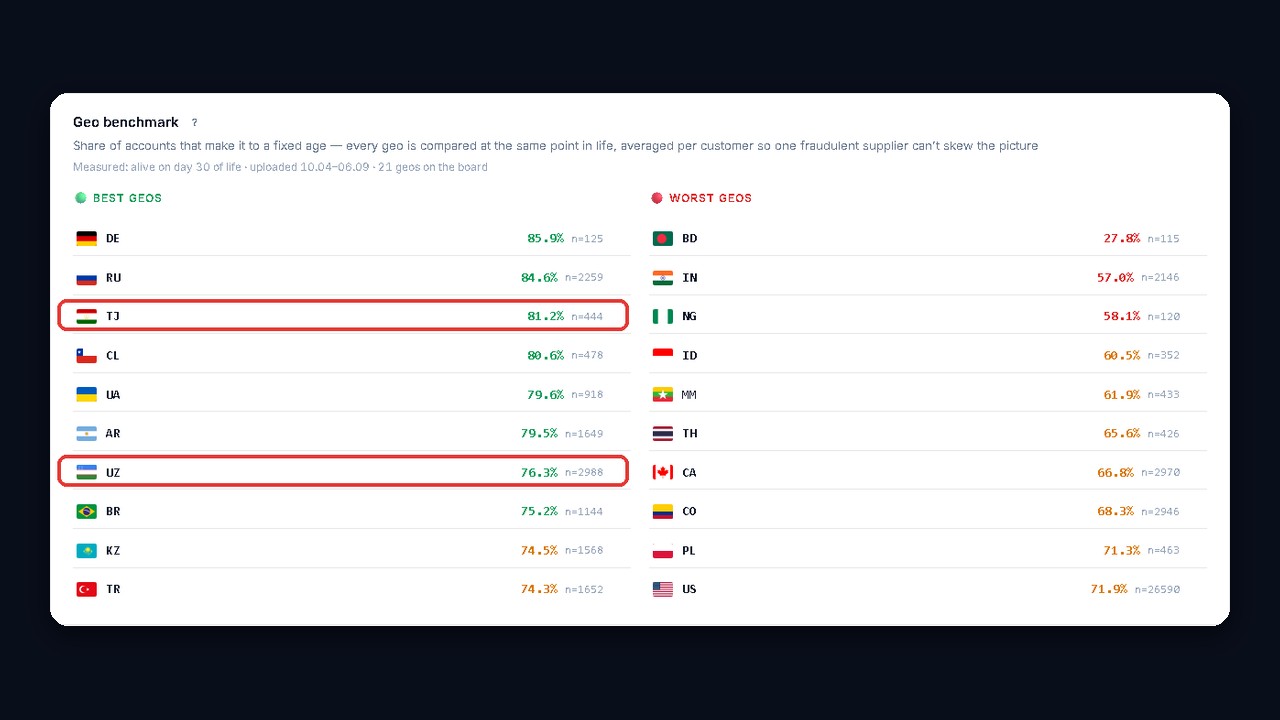
The cheapest options are not always the most profitable. For instance, some countries are cheaper but get restricted faster. Tajikistan and Uzbekistan are known to be more stable. The benchmark from our GGR account checker shows what share of accounts from each country lasts 30 days.
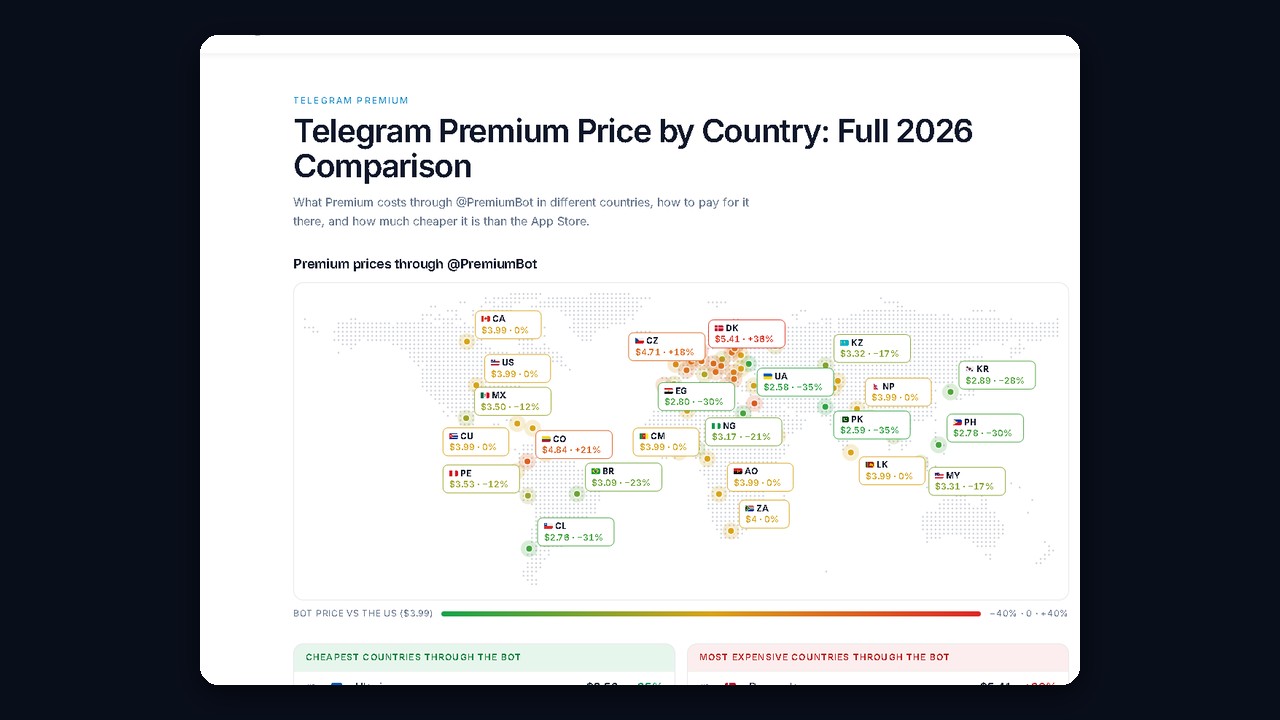
Also check subscription prices right before buying, since they change often. Our Telegram Premium price ranking by country helps you match the cost against account survival.
Once the geo is chosen, buy the accounts in the marketplace right inside the GramGPT.io dashboard. For example, filter by country (Tajikistan or Uzbekistan), price and spamblock status, while the Telegram age is shown right on the card. Profiles aged 30–90 days are the safer pick. Bulk purchases are available, a proxy is picked at checkout, and everything lands straight in the manager.
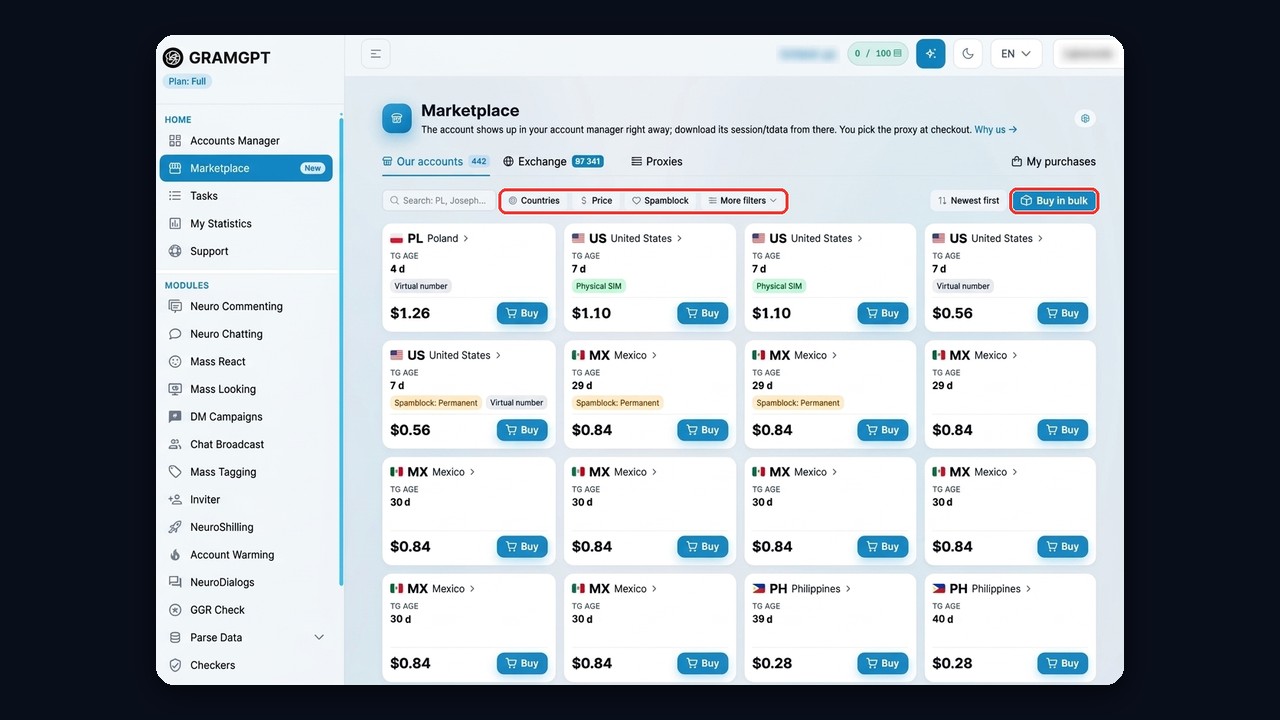
After the purchase and proxy setup, do not start actions immediately. Let them rest for 24 hours first. In this setup a single proxy can serve about five of them. And if you are only testing the method, you can add up to 10 accounts to the manager for free. That way you skip buying extra modules on day one.
Preparing accounts and Telegram Premium
You can buy Premium directly in the account manager, paying by card or through the official Telegram form. Before full-scale work, profiles may also need warming up. This is a separate and required stage. First you set up the profile, then you raise activity gradually, and only after that you launch campaigns. GramGPT has automatic account warming for exactly this.
Telegram mass tagging on unprepared accounts never gives stable results. So build the infrastructure first, and only then add traffic on top of it.
How to collect a target user base
Without a quality base, Telegram mass tagging turns into useless volume. The goal is not to reach as many people as possible. Instead, you need to reach people who actually want your offer.
You can collect the base with the Telegram group user parser:
- members of niche chats;
- users who post messages in chats;
- authors of comments under channel posts.
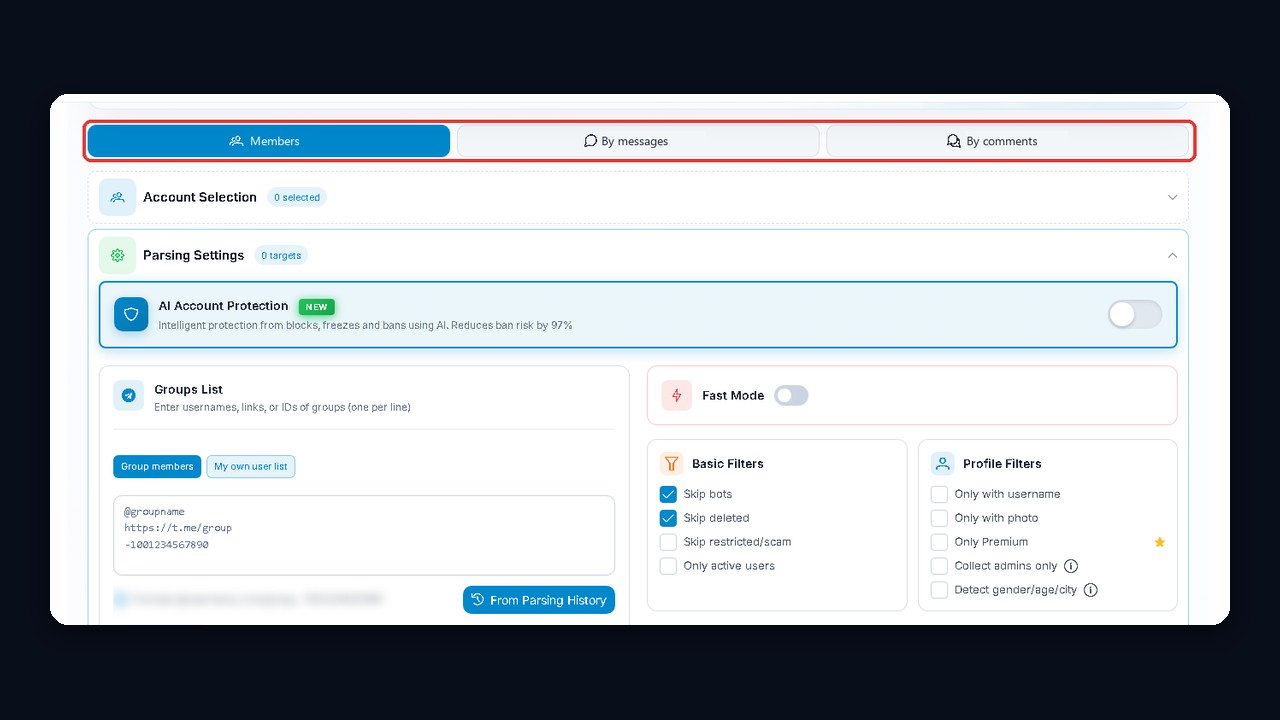
Once collected, the list goes into the campaign in one click. To begin with, add a small test base and check the logic on low volume. You can read more about the format in the official Telegram announcement of Stories.
Setting up a Telegram mass tagging campaign
When the profiles are ready, open the story mentions module in the GramGPT.io Telegram combine. Here you pick the profiles and set safe starting parameters. For example, for the first runs set "Stories per account per day" to 10–15; we use 15. Keep "Mentions per story" at two or three and "Between stories" at 60 to 300 seconds.
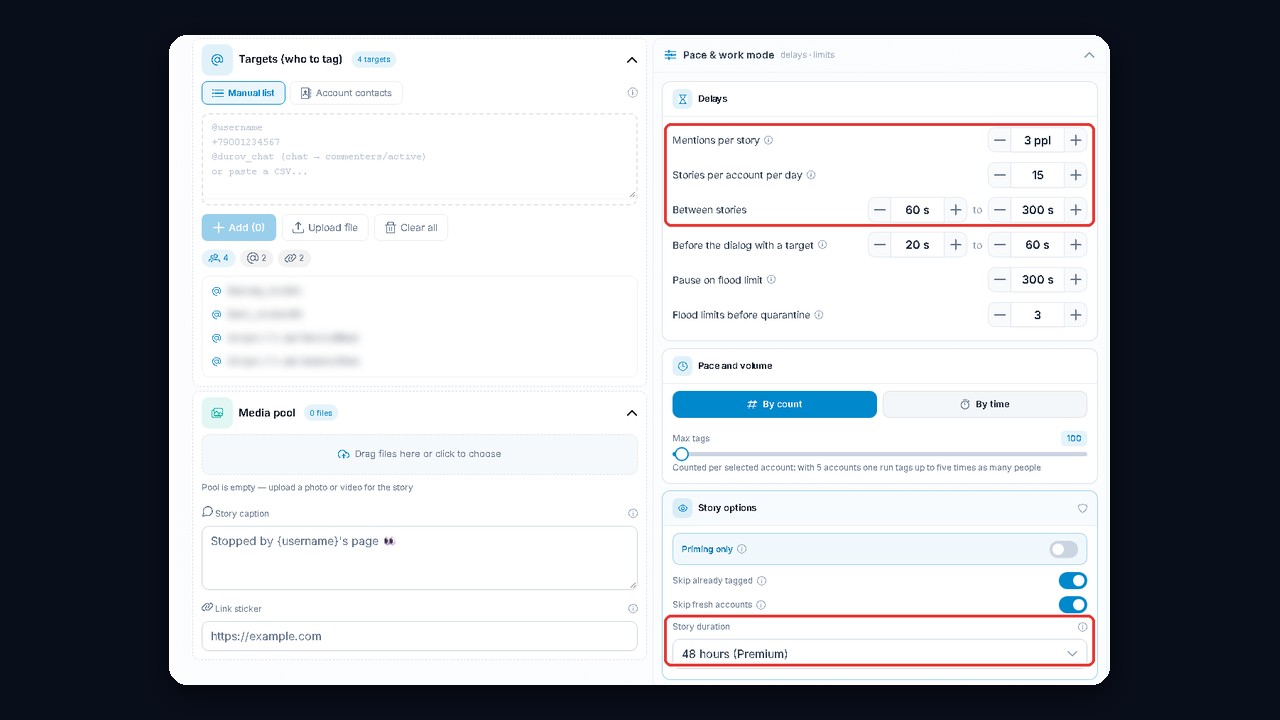
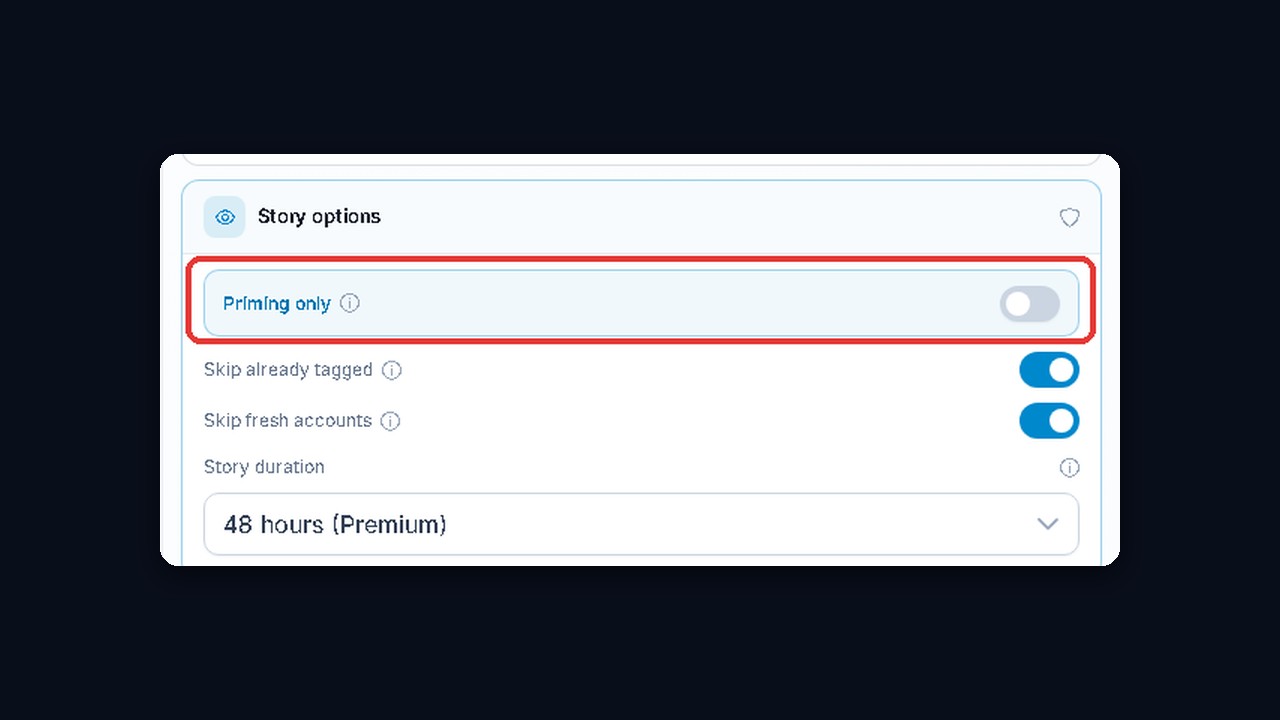
We recommend setting the story lifetime to 48 hours. By default the "Story lifetime" field is set to 24 hours, so switch it. This way recipients have two full days to react.
Creative and sticker
Next, upload an image or video and add a caption and sticker text. You can also put a link in the caption. Design the creative with the sticker in mind. In other words, leave free space for it so it does not cover the main offer.
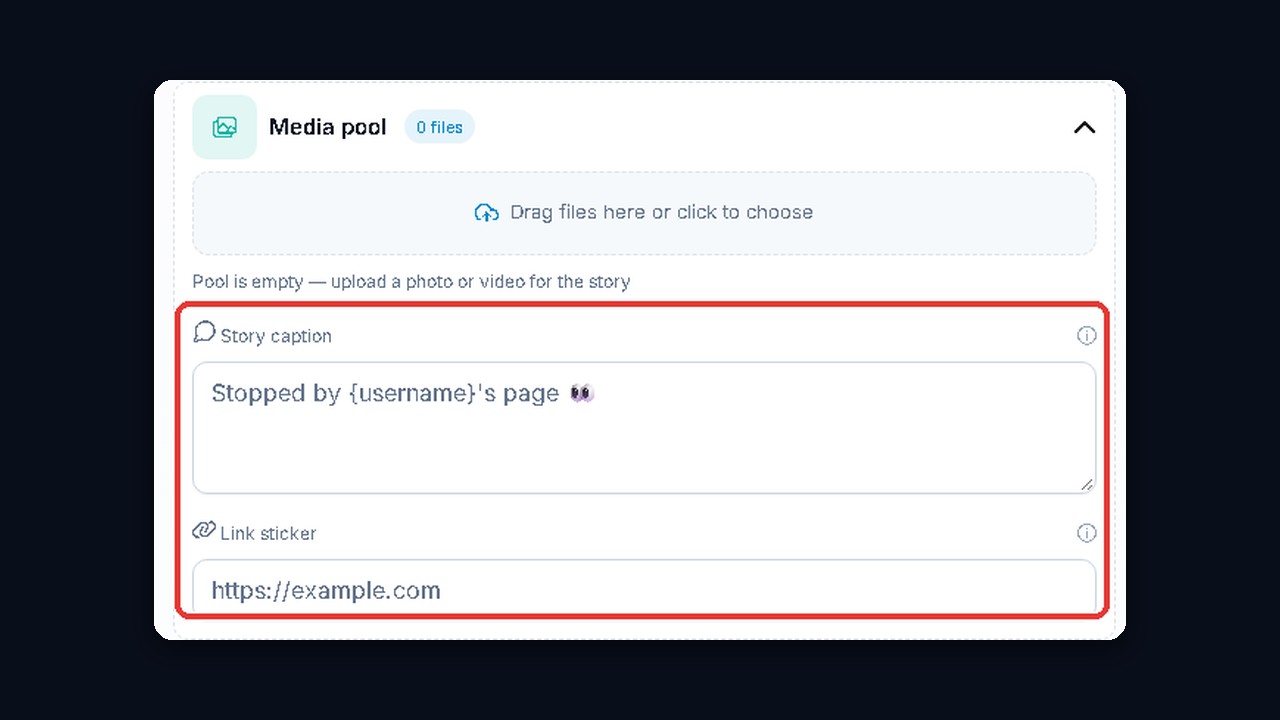
Above all, each post needs a single clear goal. So do not overload it with details. A person should see the benefit in seconds, tap the sticker and move on.