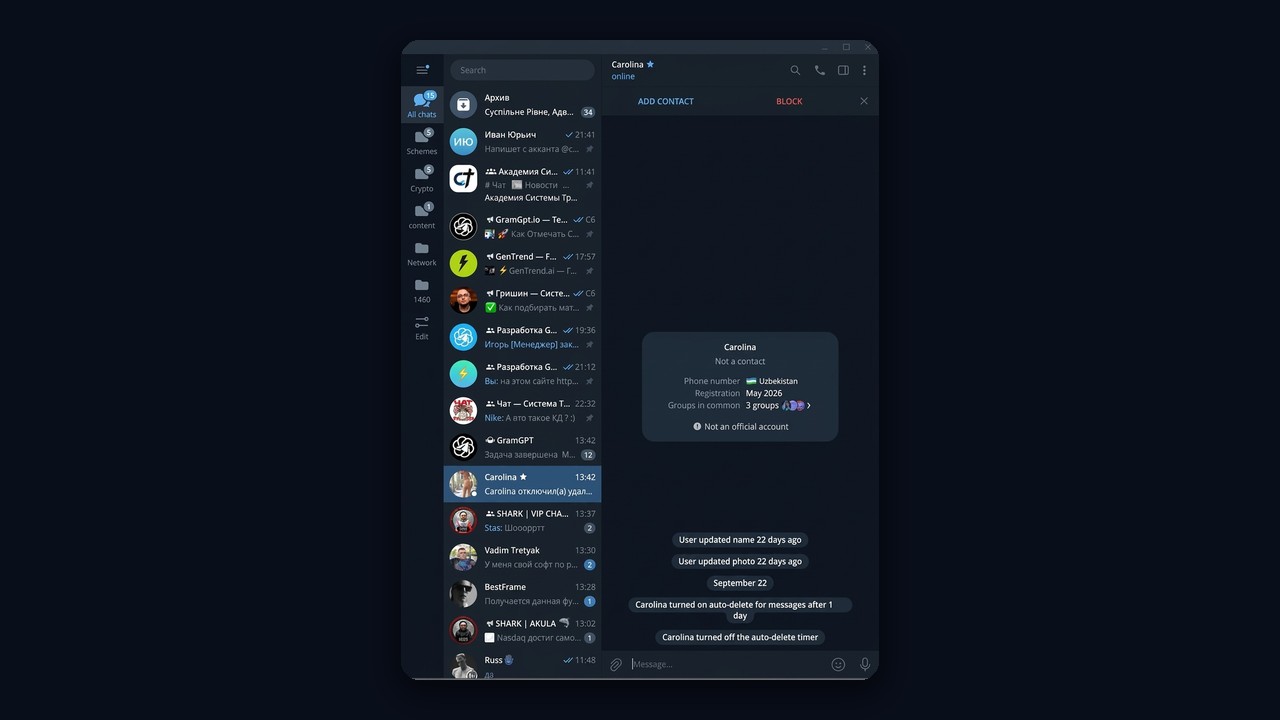
Telegram priming is a fresh way to get noticed without sending a single message. The recipient gets a system notice such as "turned on auto-delete for messages", taps through to see who it is, and finds your offer there. In GramGPT.io this mode lives inside the Story Mentions module, so a single subscription covers two mechanics at once: tagging and silent notices.
This review explains how the method works, how it differs from classic mentions, how to configure the module step by step and collect an audience, and which settings prevent freezes. We also share a real client case and show the notice from the recipient's side.
What is Telegram priming
Priming means touching someone's private chat with a service action instead of text. Instead, the sender toggles the auto-delete timer, and a line like "Anna turned on auto-delete for messages after 1 day" appears in the conversation and in notifications.
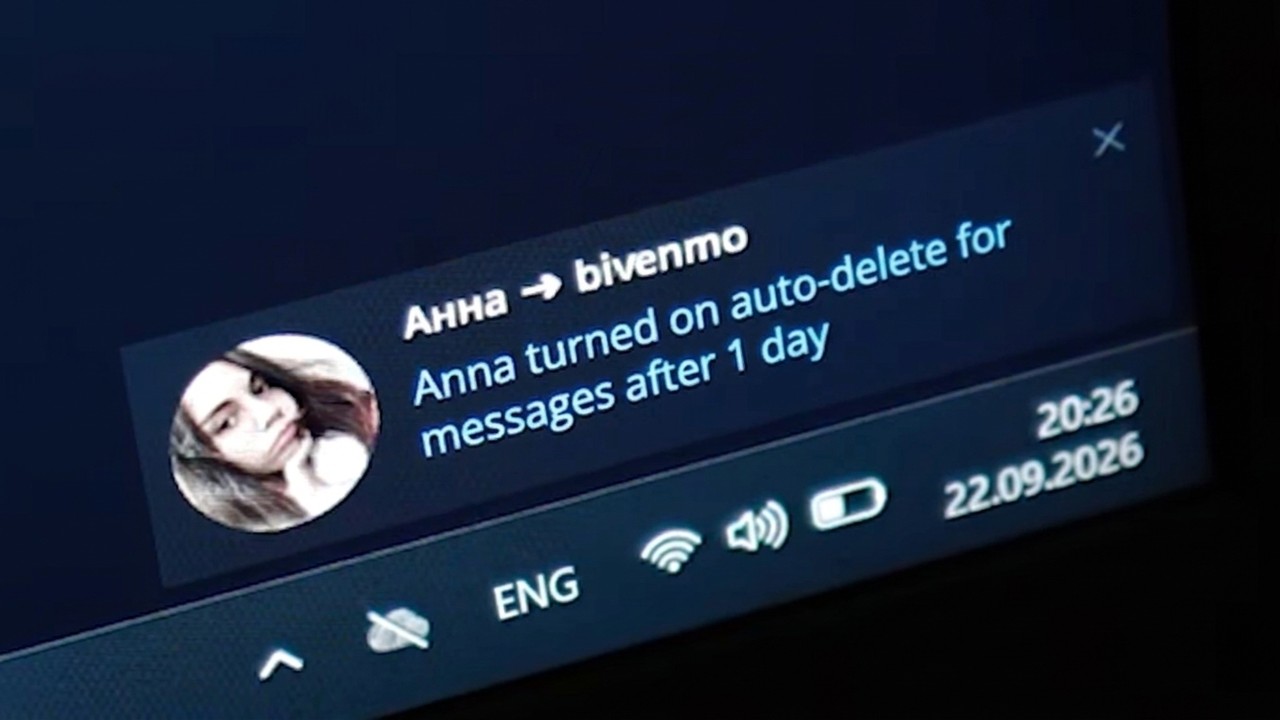
The key point is that no actual message is sent. Therefore, the platform doesn't treat it as a spam campaign. Meanwhile, a person who sees a puzzling notice from a stranger usually taps the avatar, just in case it's someone they know.
That's exactly where your setup pays off. For example, the page can hold a pinned bridge or a post with an ad, a brand mention or a bot link. Moreover, the mechanic is new, most users haven't seen it before, and curiosity is still high.
How Telegram priming works
The process runs in five stages. First you collect a competitor's audience, then your team touches people in turn, and curiosity does the rest.
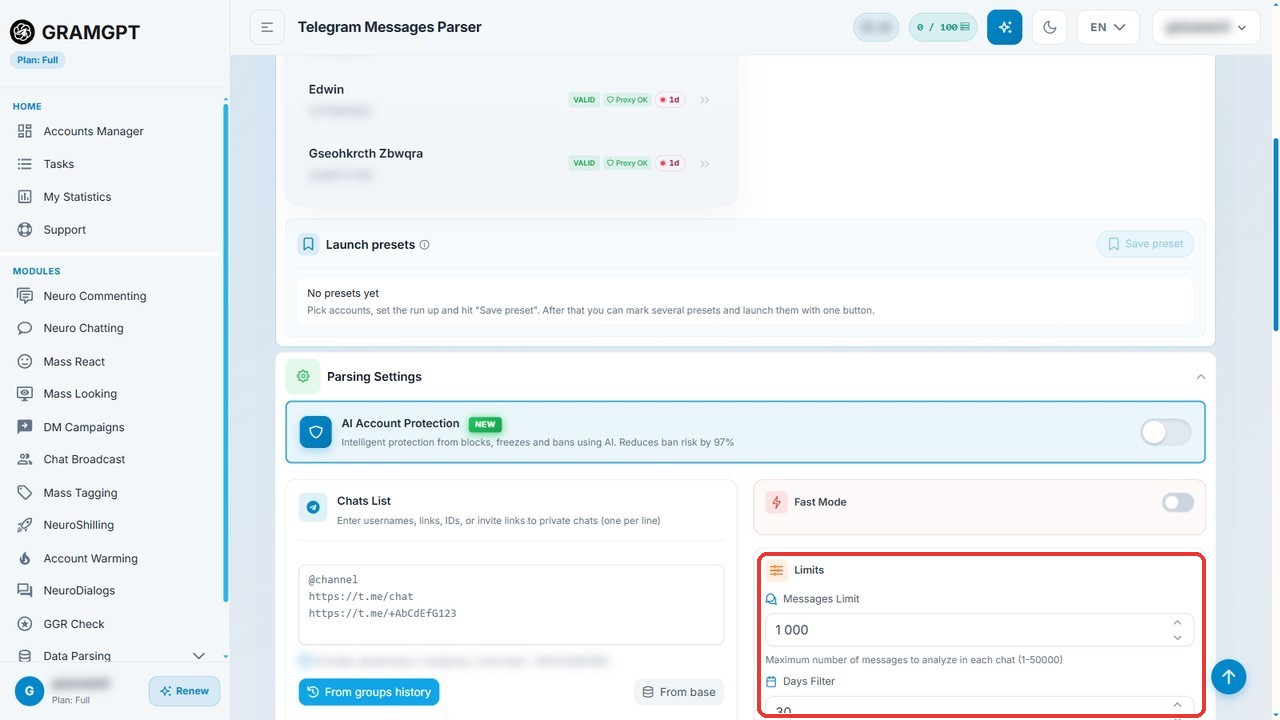
- Audience. A parser collects active members of niche communities.
- Touch. An account switches on the auto-delete timer in a dialog with that person.
- Notice. The recipient sees the system line and taps the avatar.
- Creative. A pinned feed, a visual or a link waits there.
- Click. If the offer matches their interests, they move on to your feed, bot or site.

Since the list comes from competitors, it's targeted from the start. So the better your pitch fits those interests, the higher the conversion.
Telegram priming vs classic tagging
First of all, the module has two modes. Classic mentions publish a visual and tag people in it, while the new mode skips publishing entirely.
| Parameter | Classic tagging | Notice mode |
|---|---|---|
| What the person gets | "You were mentioned" | A system line in a private dialog |
| Premium required | Yes, for a clickable link sticker | No |
| Limit without Premium | 1 tagged post every 24 hours, up to 5 people | Only delays and warm-up |
| Where the creative lives | In the post itself | On the bio page: bridge or pinned visual |
| Media pool needed | Yes | No |
As a result, this mode wins when you lack Premium or you need to reach more people. For the basics, see our guide on Telegram stories.
Case study: Telegram priming brought 1,824 users to a bot
For example, a GramGPT client promoted a video uniquification bot. The campaign delivered 1,824 users, and 56 of them bought a $10 subscription. That's $560 in revenue at a 3.07% paid conversion.
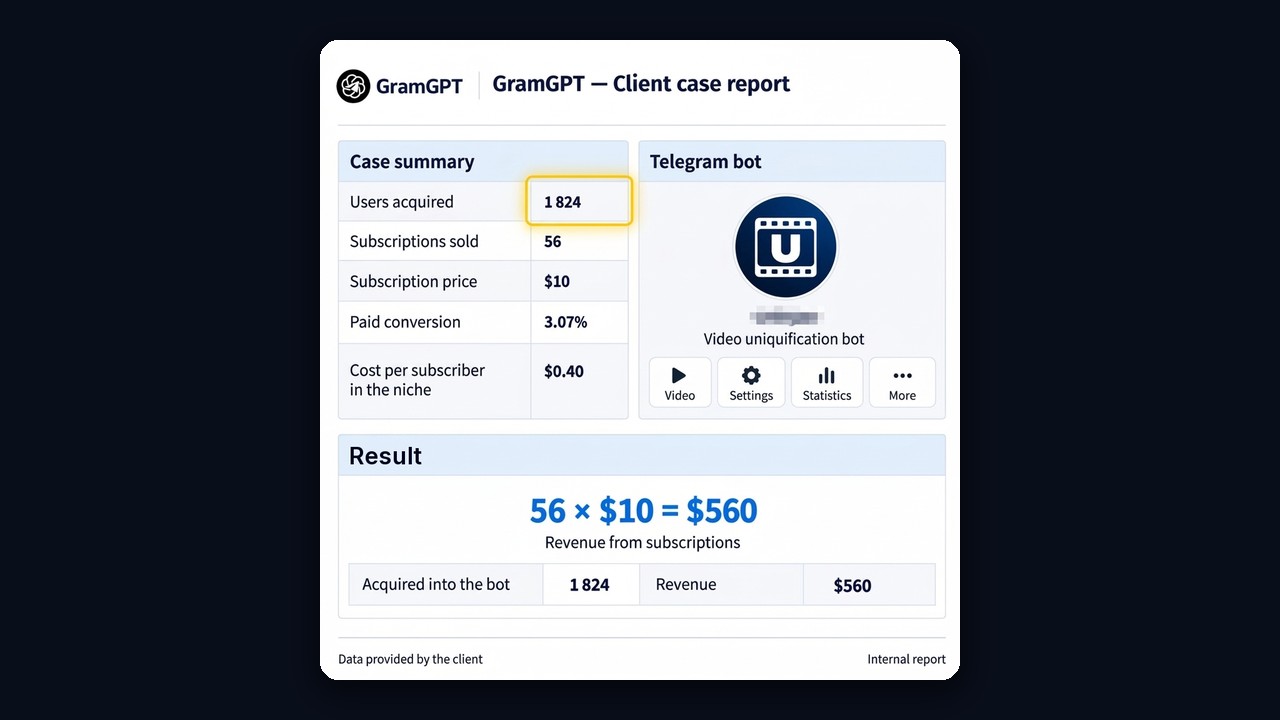
By comparison, a sponsored post in a niche community cost about $0.40 per subscriber, and that traffic still had to be pushed to buy. This method, in contrast, brought people who tapped through themselves and got curious about the offer.
Who benefits from this method
The technique suits anyone who sells to a well-defined crowd. For example, owners of paid bots, crypto or betting analytics, online courses, local services, marketplaces and affiliate offers. What unites them is a clear buyer persona that gathers in public groups.
On the other hand, it's a weak fit for broad brand awareness with no specific offer. Curiosity brings a visitor once, so the landing point must explain the value within seconds: a short headline, a concrete benefit and a single call to action.
How to set up Telegram priming in GramGPT.io
Below is the order we follow ourselves. The whole setup takes about half an hour. In addition, once configured, the module runs without your involvement.
1. Import the profiles and let them rest
To begin, import them into the account manager. Then let them sit for at least 24 hours before any activity. That matters because fresh ones that start working immediately get frozen noticeably more often.
2. Design the look
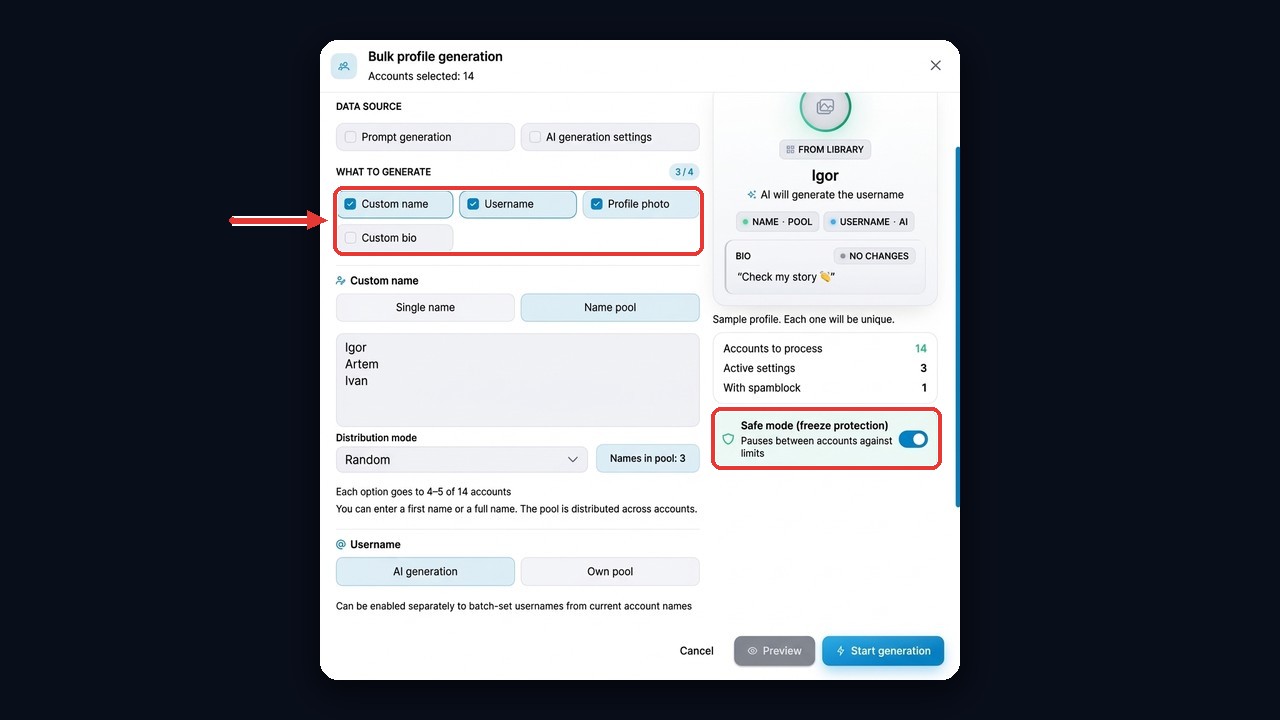
Above all, appearance decides whether someone goes further. So polish them before launch, individually or in bulk. For bulk work, select the rows and open Bulk profile generation.
- Name. One name for all or a pool distributed at random.
- Username. AI generation from current names or your own list.
- Photo. From the built-in library of hundreds of images or your own pool. The latter is better, since those photos don't repeat across other users.
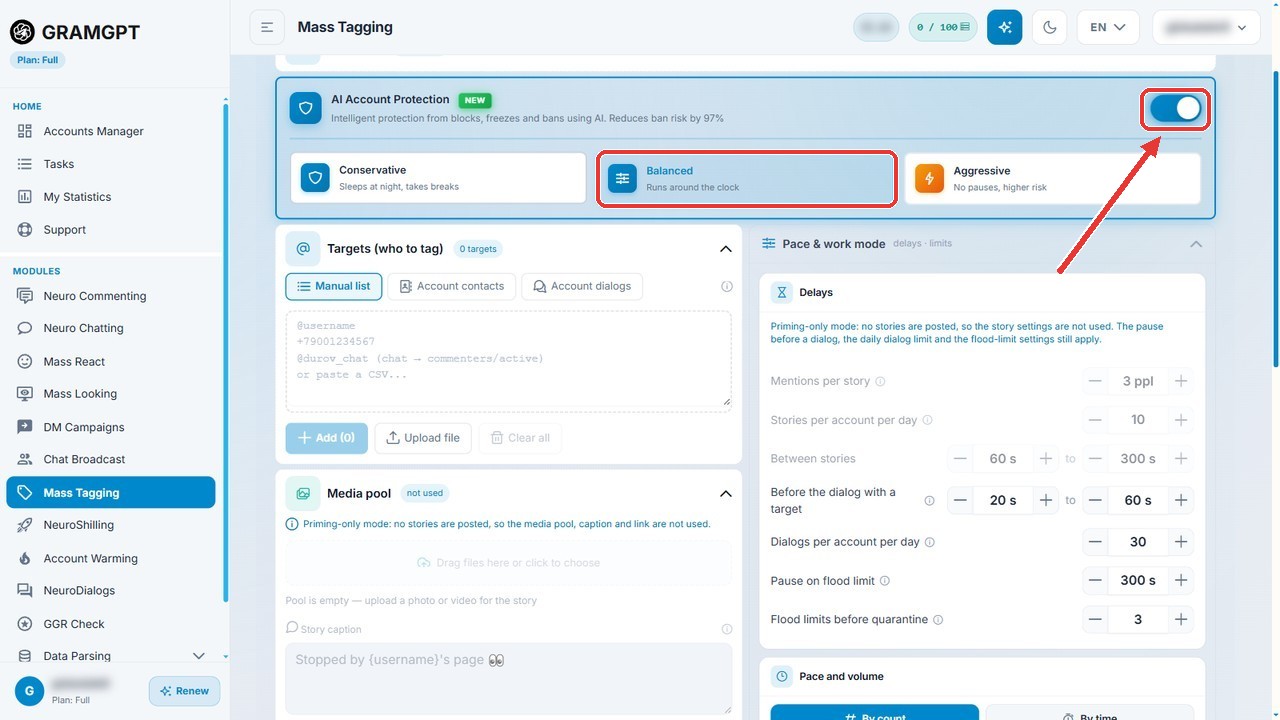
- Safe mode. Pauses between items to avoid restrictions.
3. Pin a bridge or publish a visual
Next, decide what visitors will see. There are two options; moreover, you can combine them. In the account manager, select the rows and open the Channels & chats menu.
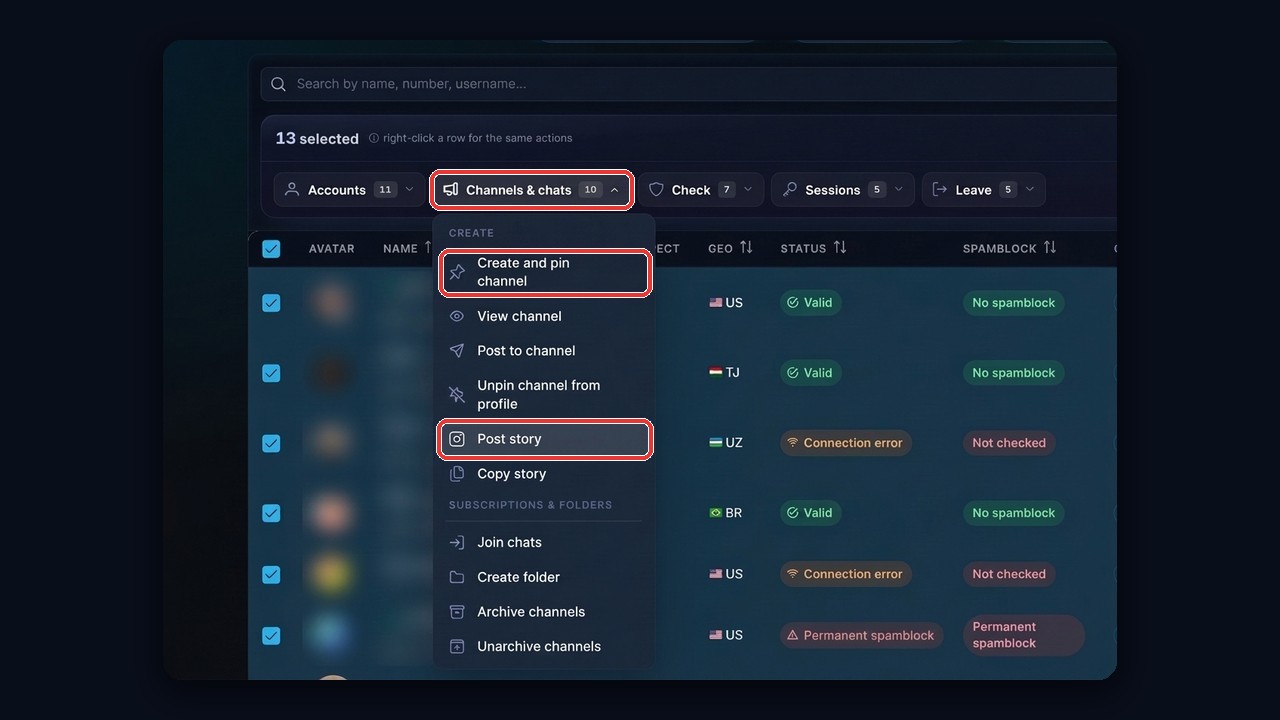
- Create and pin channel. A bridge with your banner and a link to your feed, bot or website.
- Post story. One visual across the whole selection, with a caption, link and lifetime.
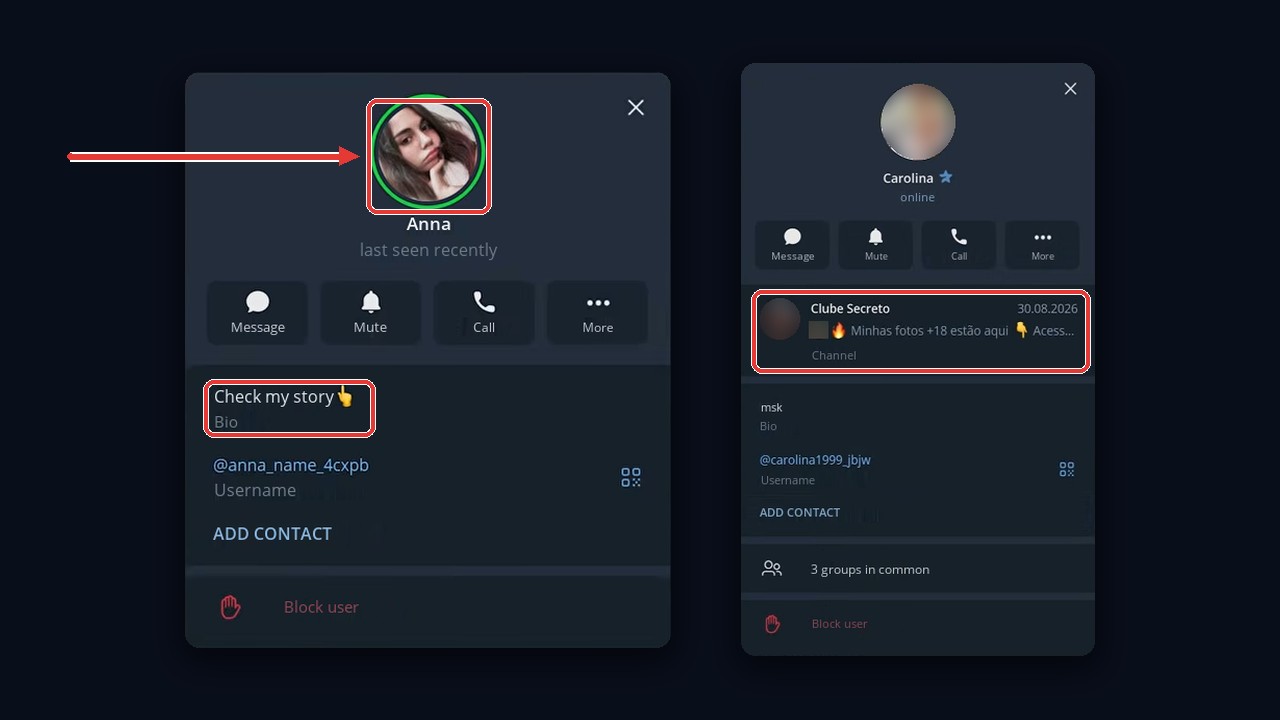
Note that a clickable link sticker works only with Premium. On regular ones, put your brand or @username right into the image so people can find you via search.
4. Turn on Telegram priming in the module
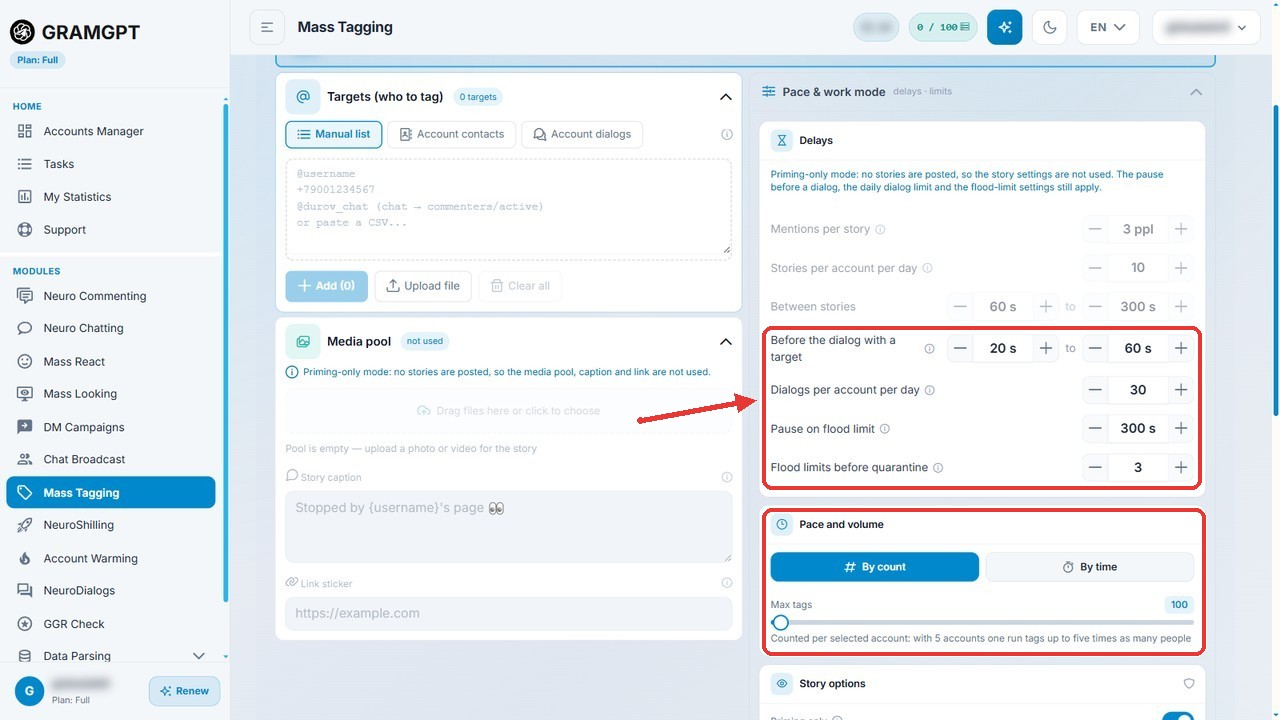
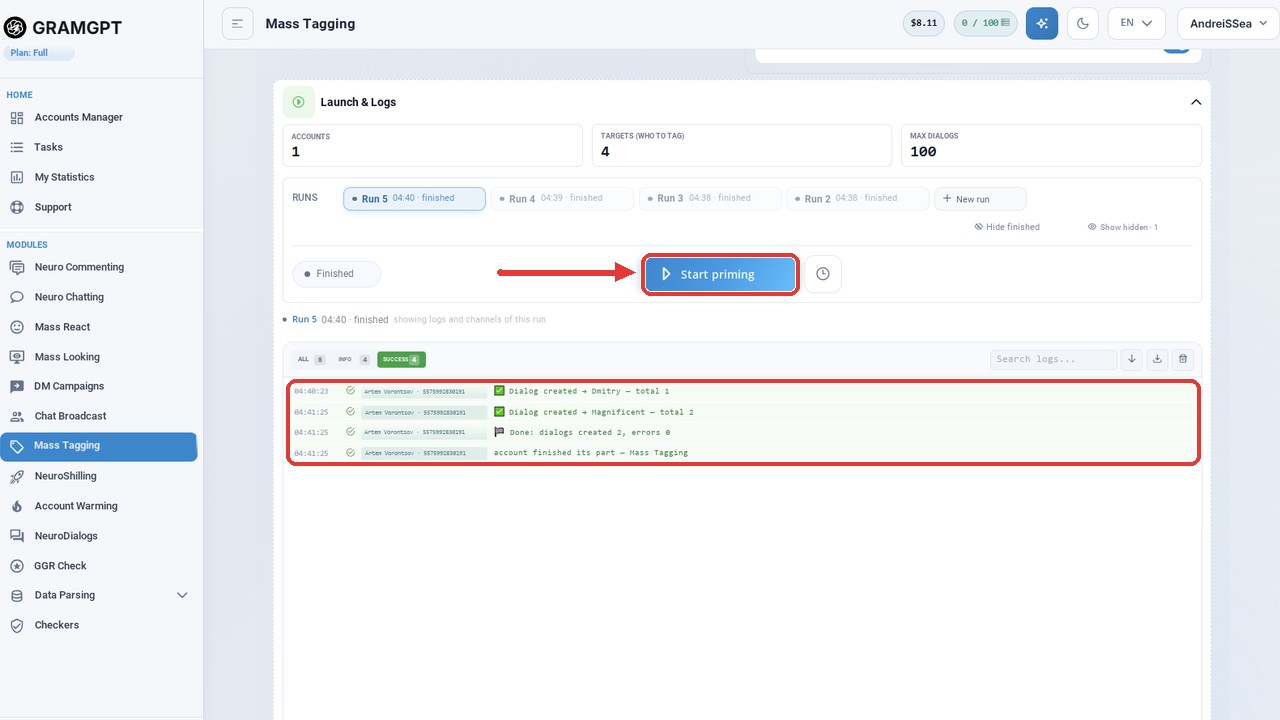
Now open the Story Mentions module and add everything you prepared. Then, in Story settings, switch on Priming only. From that moment, nothing gets published, and the media pool, caption and link sticker turn grey because this mode doesn't use them.
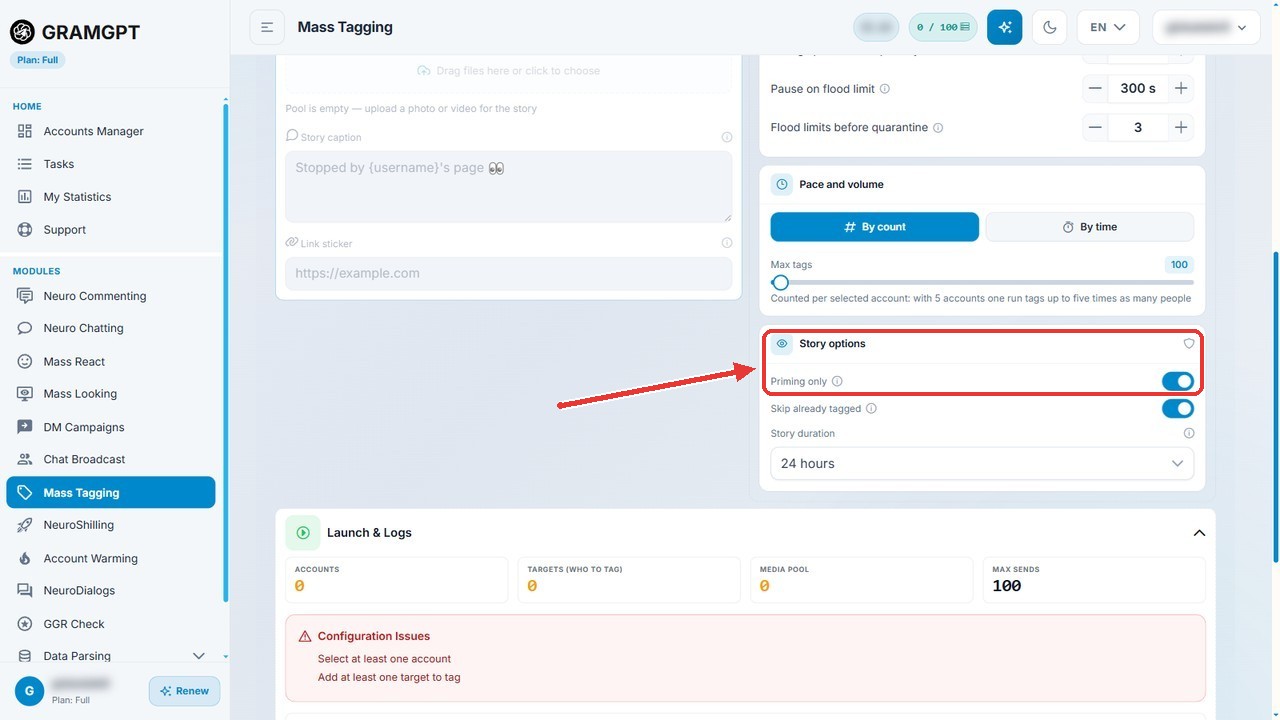
Besides, classic tagging is included in the module price, so you can return to it anytime by switching the toggle off.