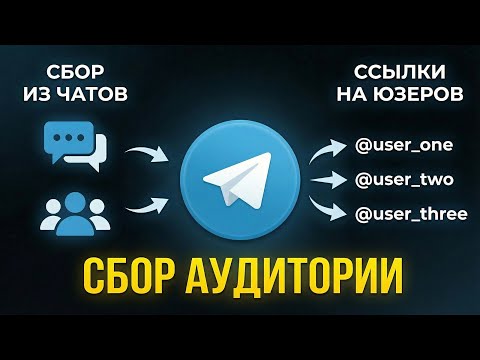
You have found a chat full of your target audience, so now you need a Telegram user scraper for open groups and chats, because there are thousands of people inside. Copying usernames by hand takes hours. Simple scraper bots return raw output full of bots, deleted accounts, empty profiles. As a result, mailing from such data brings a weak response, sometimes even a spam block.
That is why the tool has to do more than export names: it should filter out junk at once and protect your accounts. Therefore, below we walk through the Members mode of GramGPT.io: where to get groups, which filters to enable, how AI protection works and what to do with the finished database.
Why scrape Telegram group members
Members of a niche chat are an audience that has already gathered around your topic. For this reason, scraping them usually serves four goals:
- Channel growth. A base of relevant people for mass story viewing, inviting and comments.
- Sales. Potential clients from competitor chats, city groups and professional communities.
- Audience research. Telegram audience scraping shows who is in the niche: Premium share, activity, gender, age and city.
- Partnerships. Chat admins for ad placements and cross-promotion.
But doing it by hand is not realistic: the app shows people page by page, without filters or export. For example, a group of 20,000 people would take days, while a Telegram user scraper finishes in minutes.
What the GramGPT.io Telegram user scraper can do
First of all, the module collects members of open Telegram groups and chats: if the member list is visible to everyone, this Telegram group scraper exports it to CSV, TXT or JSON. It has three modes on one screen, and the choice depends on whether members are visible.
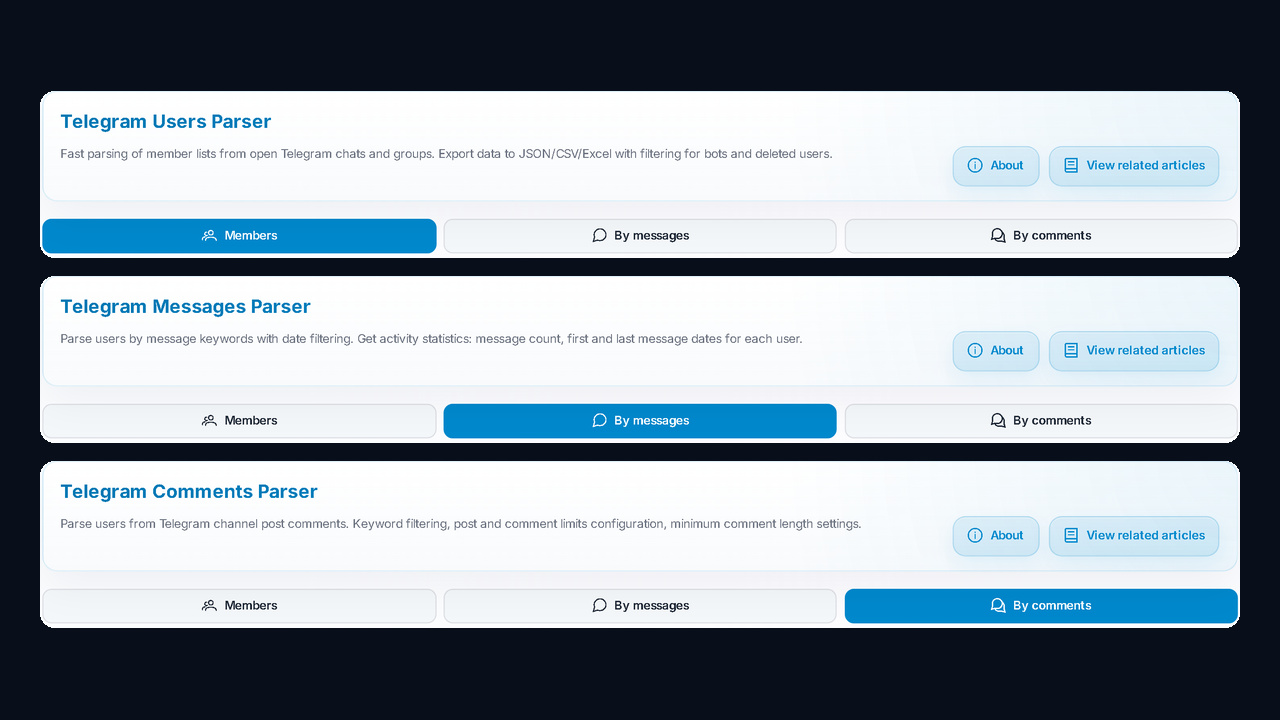
| Mode |
Where it takes people from |
When to use it |
| Members |
the group member list |
the chat is open and everyone is visible |
| By messages |
authors of messages for a chosen period |
names are hidden, but people post |
| By comments |
people commenting on channel posts |
you need the active audience of channels |
Here, the focus is on the first and fastest mode. If a chat shows only its admins, switch to scraping by messages, which we covered in the review of the Telegram hidden members scraper for chats.
Step 1. Accounts and launch presets
First, in the Account Selection block, move the profiles you need to the "Selected for Parsing" column. One account suits small chats; however, for big batches, spread the load across several.
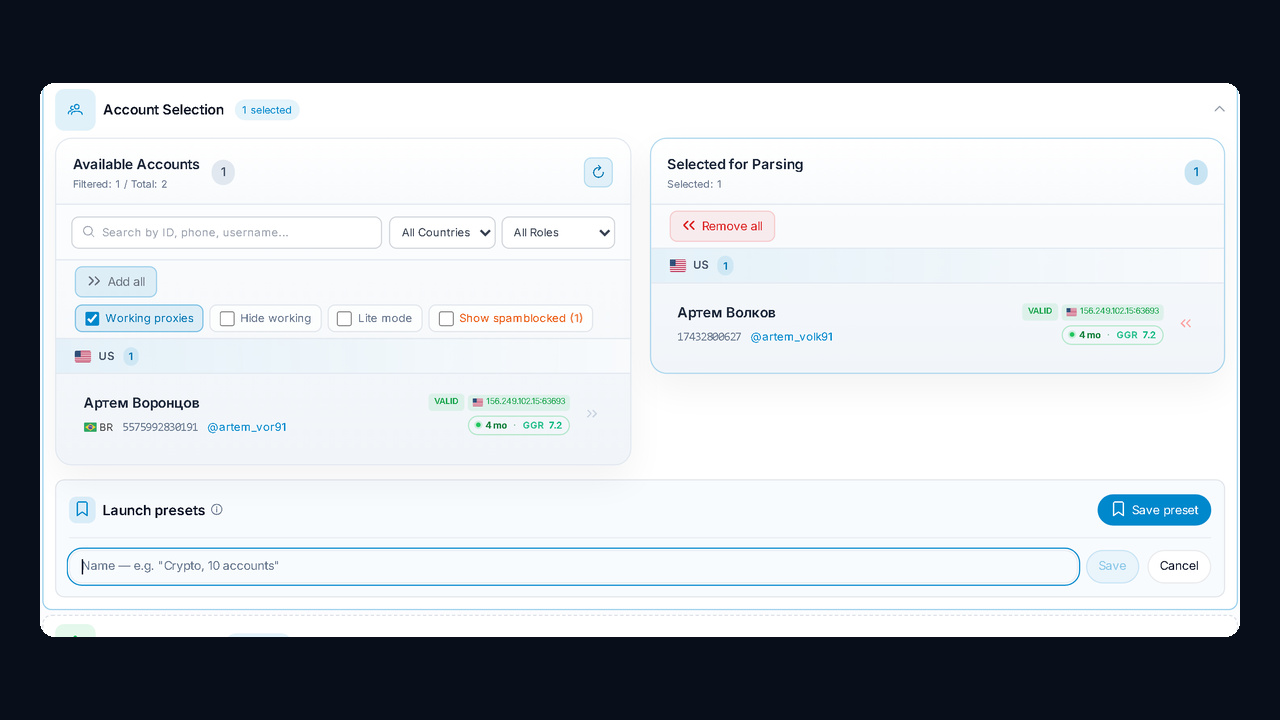
Also, the block has handy filters — Working proxies, Hide working, Lite mode. Moreover, good settings can be saved as a launch preset, such as "Crypto, 10 accounts", and loaded next time with one click.
Step 2. Where the Telegram user scraper gets groups
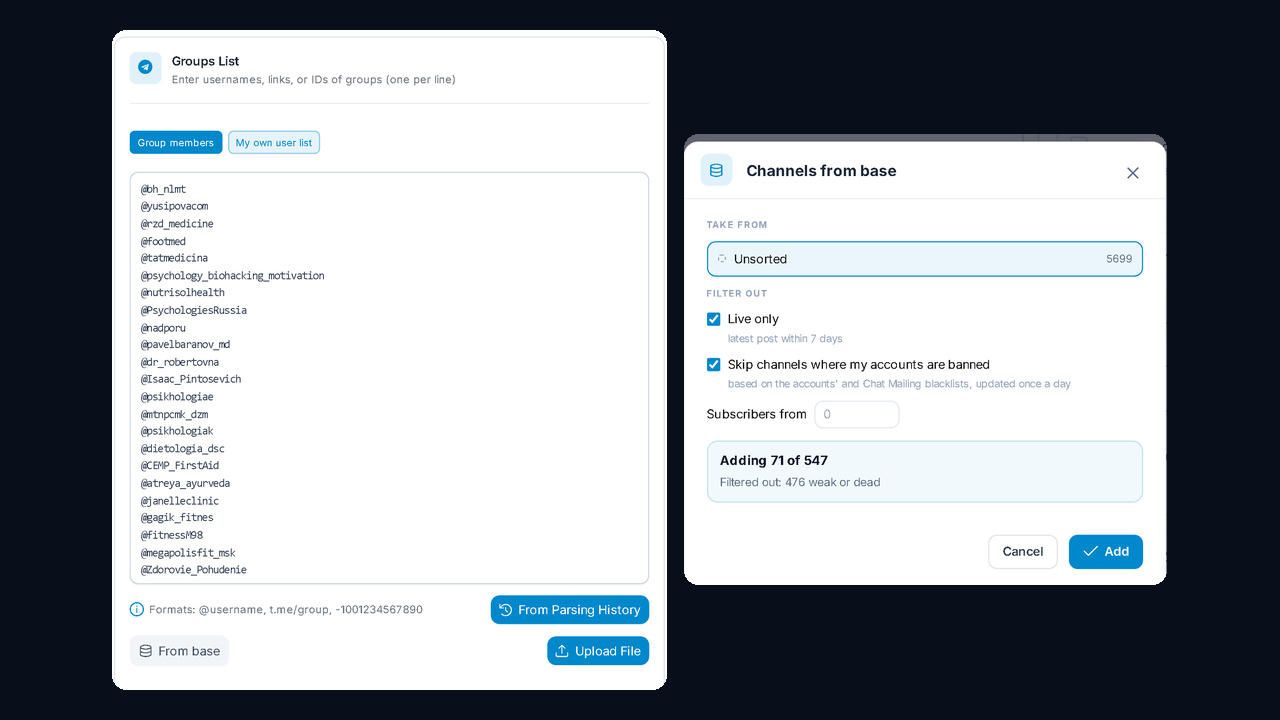
Next, paste links into the Groups List, one per line. Three formats work: @username, t.me/group and a numeric ID like -1001234567890. However, you do not have to type them yourself:
- From Parsing History adds groups found earlier by the channel and chat parser.
- From base takes groups from "My channel base" and drops dead ones.
- Upload File imports a ready set.
Next, where do the groups come from at all? Competitor chats, city communities and discussion threads of big niche channels all work well. In addition, you can collect them automatically via the Telegram channel and chat parser, then add them via "From Parsing History".
The "From base" window cleans the selection for you. For instance, "Live only" keeps groups with a post from the last 7 days, and "Skip channels where my accounts are banned" removes blacklisted ones. In the screenshot, the module added 71 out of 547 groups and filtered out 476 weak or dead ones.
Separately, set the Members Limit: how many people to scan per group, from 1 to 100,000. However, the filters apply to this sample; with strict filters, raise the limit.
Step 3. Telegram user scraper filters
Filters are what separate a working database from junk. In other words, without them about half of the result may be bots. Basic filters remove technical noise, profile filters drop irrelevant people, and extra modes help you keep the most active users.
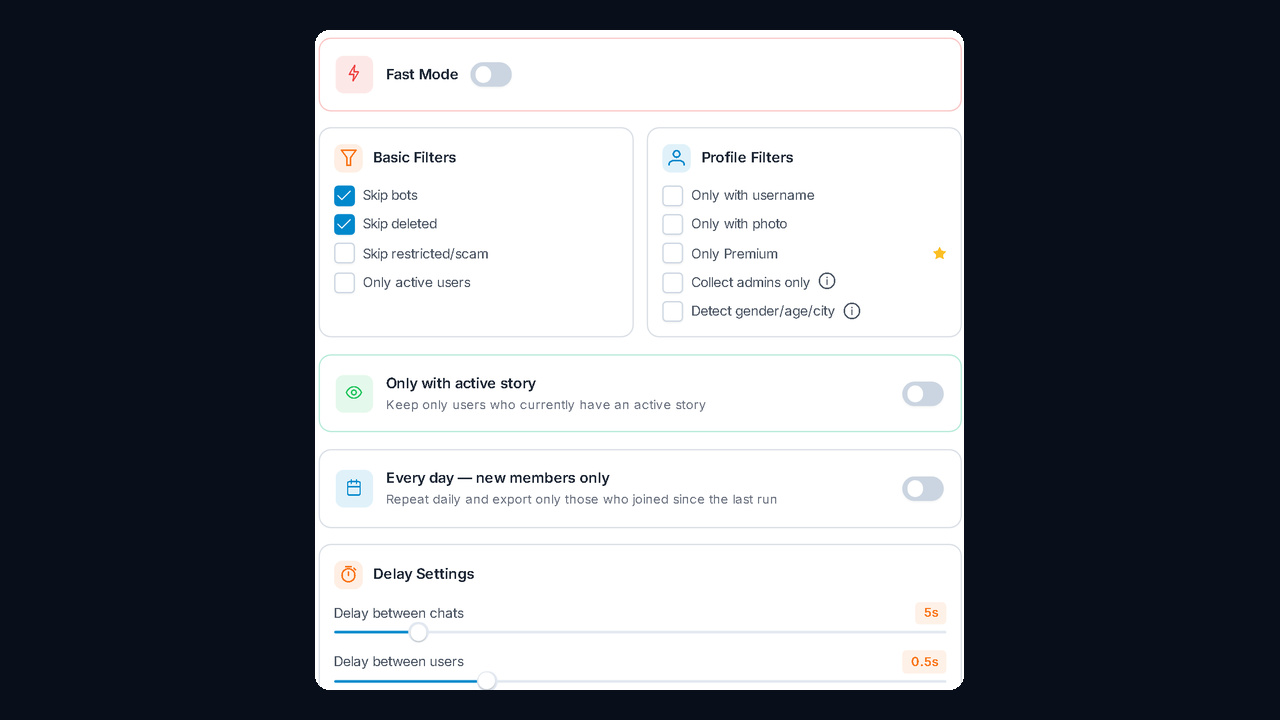
| Filter |
What it does |
When to enable |
| Skip bots and deleted |
removes bots and deleted accounts |
always |
| Skip restricted/scam |
drops accounts marked scam or restricted |
before mailing and inviting |
| Only active users |
keeps people seen online recently |
when a quick response matters |
| Only with username, photo, Premium |
keeps complete and paying profiles |
for direct messages and B2B |
| Collect admins only |
exports group administrators |
to find chat owners |
| Detect gender/age/city |
adds demographics to profiles |
to segment the base |
| Only with active story |
keeps people who have a live story |
before mass story viewing |
| Every day — new members only |
repeats the run and exports newcomers |
to track fresh joiners |
After that, you set the delays: between chats (5 seconds by default) and between users (0.5 seconds). Fast Mode speeds things up; instead, for big chats a calmer pace is safer.
My own user list: checking for active stories
The "My own user list" tab works differently. You paste ready usernames or upload a file, and the Telegram user scraper keeps only people who currently have an active story. Moreover, each user is checked with a separate request, which is why there is a check delay of 5–10 seconds and a target count that stops the run once enough people are found.
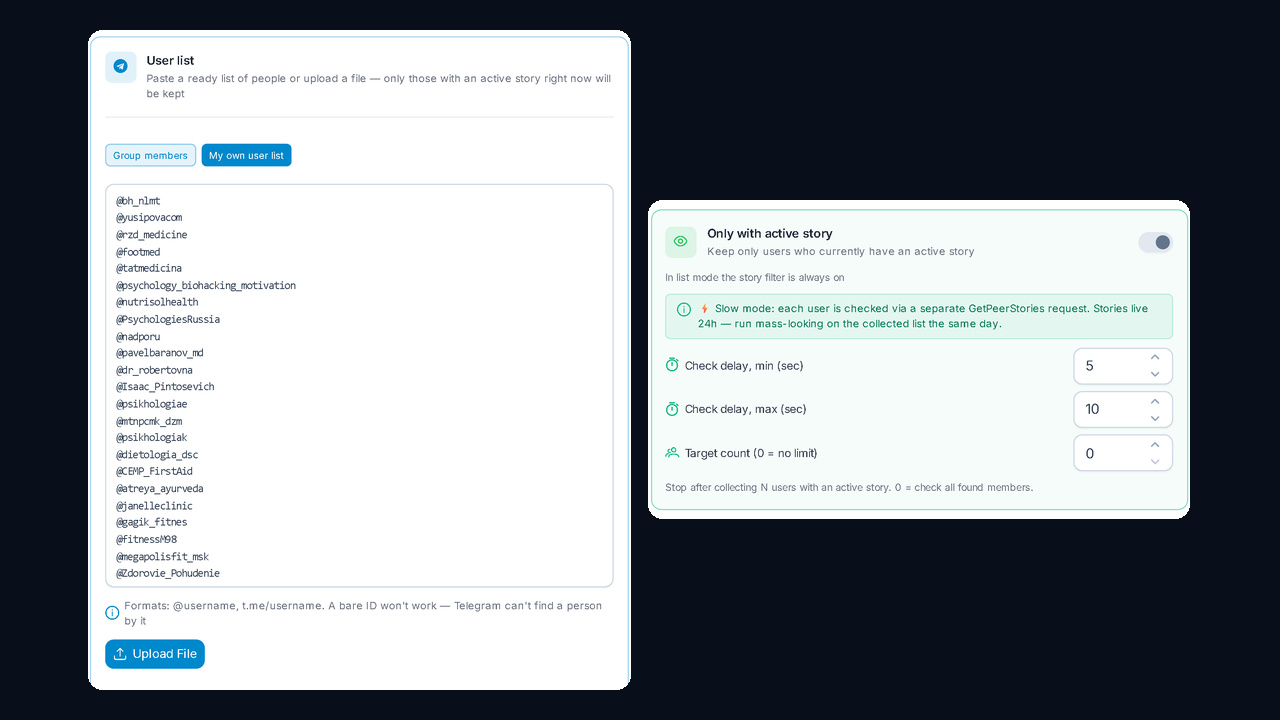
Accordingly, since stories live for 24 hours, send these people to mass looking on the same day.
Step 4. AI account protection
Next, scraping big chats means hundreds of requests, and sudden activity can earn an account a spam block. Therefore, for very large communities, turn on AI Account Protection: it adjusts the pace itself and, according to GramGPT, cuts the ban risk by 97%.
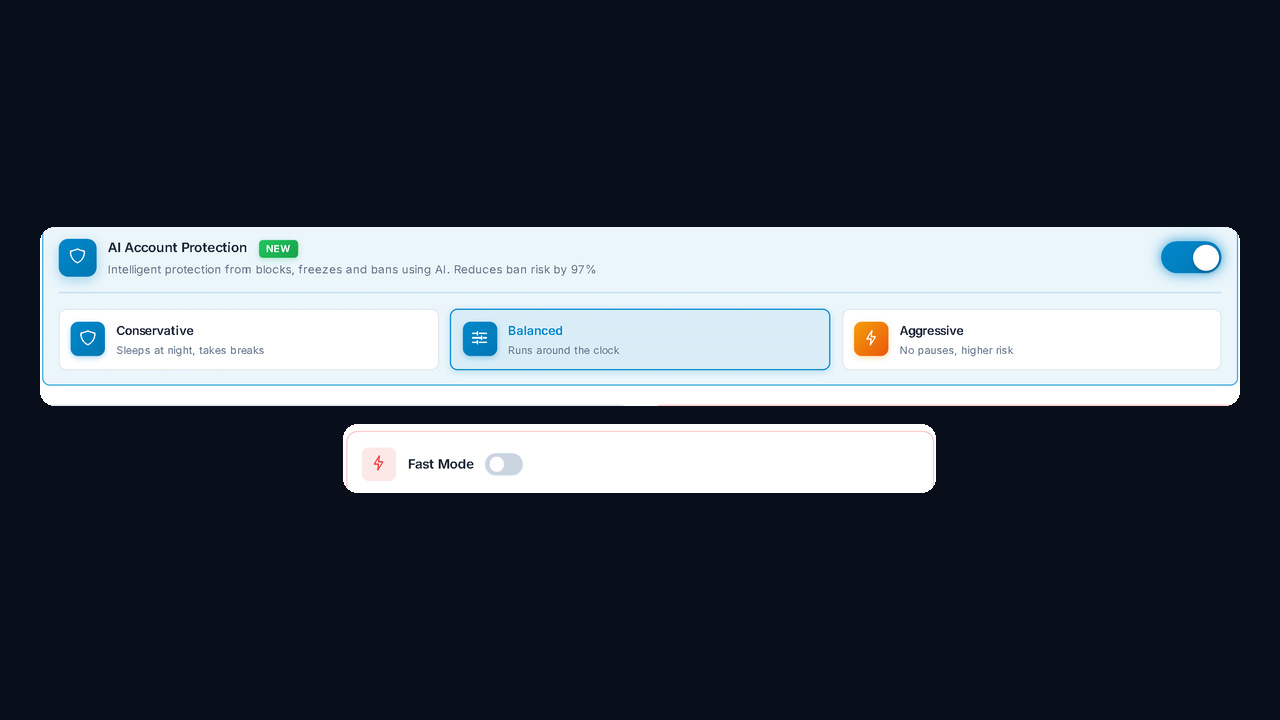
- Conservative sleeps at night and takes breaks, good for new accounts.
- Balanced runs around the clock at a moderate pace and is the default.
- Aggressive works without pauses: faster, but riskier.
Step 5. Launch, results and export
For instance, the Launch & Logs block shows how many accounts, groups and what member limit will go into the run. Then you click Start and watch the status; stuck tasks can be cancelled on the spot.
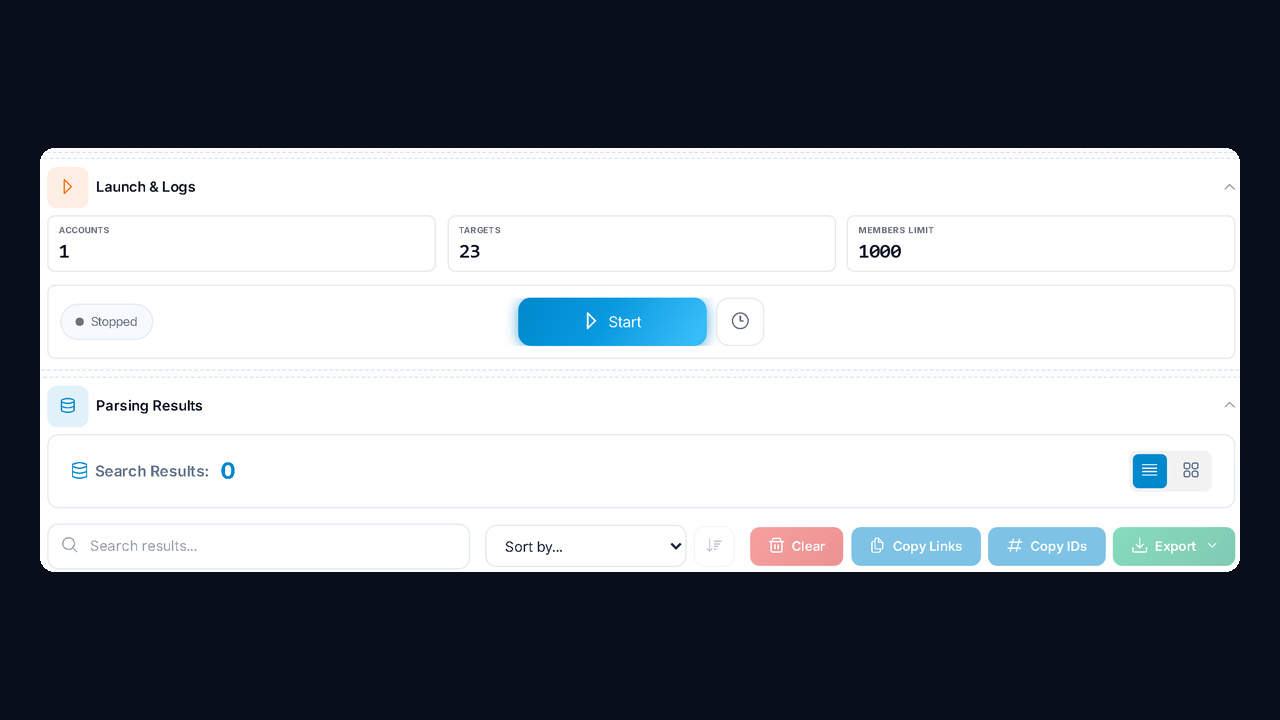
As a result, the users you find appear in Parsing Results while the run is still going: live logs show how many people were found per group, while counters show the total plus the Premium share. Then you can search, sort, copy links, copy IDs.
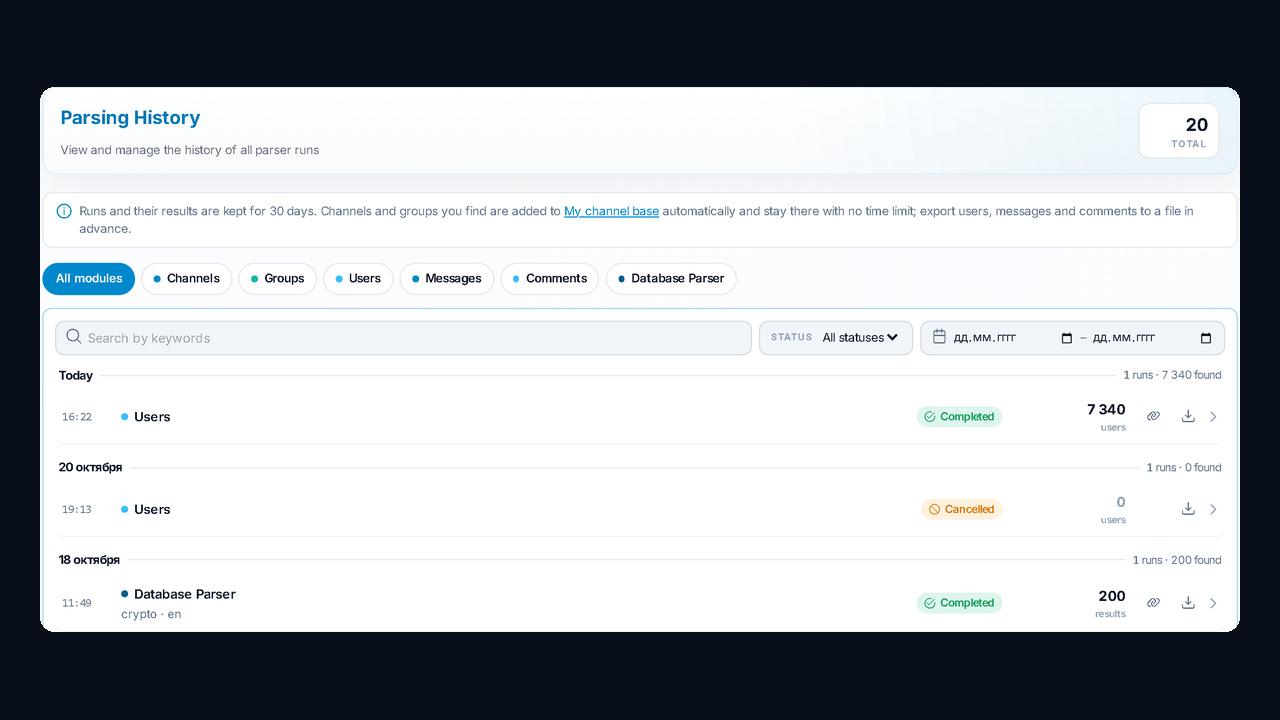
Also, every run stays in Parsing History for 30 days, with filters by module and status. Unlike channels, though, users are not moved to the base automatically; download the file as soon as it finishes.
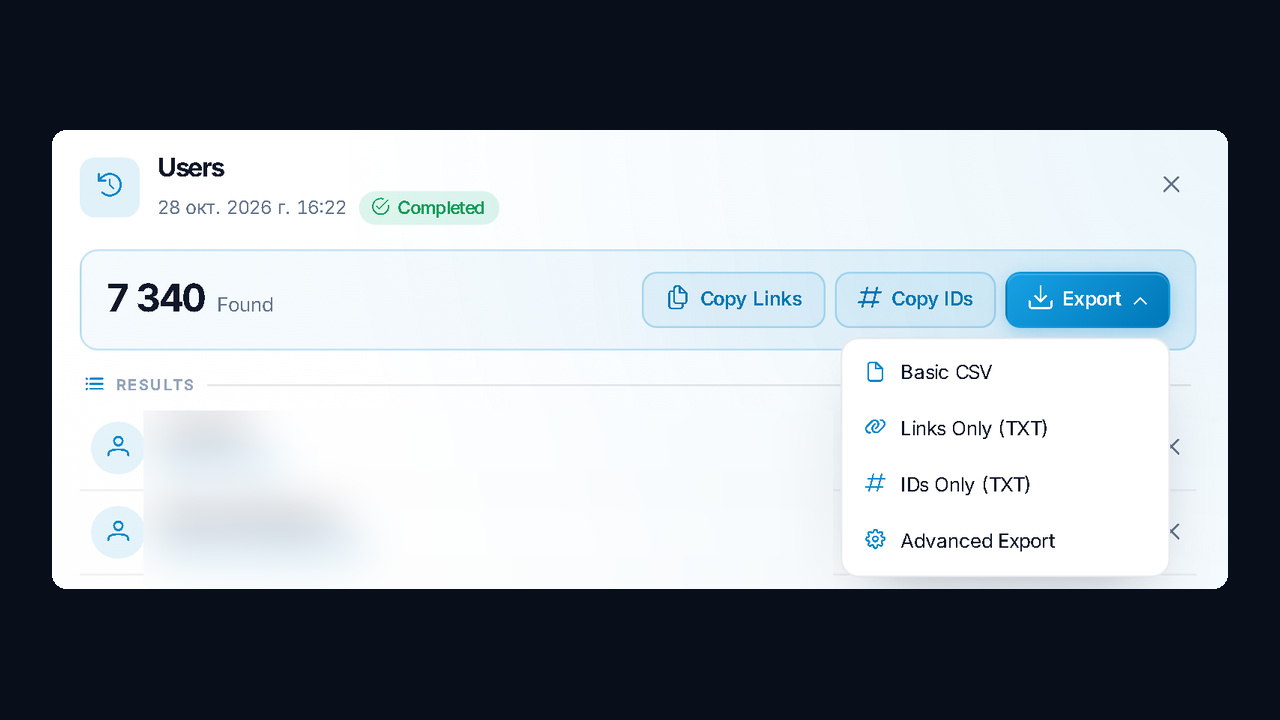
Open any entry to see its card: the total found, two copy buttons (usernames, numeric identifiers) plus a download button. Its menu lets you export Telegram group members: Basic CSV, Links Only (TXT), IDs Only (TXT), Advanced Export; the module page also has a full CSV/JSON download. The screenshot shows our test with 7,340 users.
Our video shows the whole path, from picking groups to downloading the file (Russian, with YouTube auto-dubbing):
What to do with the scraped users next
However, a database brings nothing on its own; what matters is the next step you connect to it. The most common combinations are:
- Mass looking. Views and reactions to the stories of scraped people bring them to your profile and channel.
- Inviting. Inviting users to your own group with the inviter.
- DM mailing and AI dialogs. Personal messages answered by AI.
- Analytics. For example, gender, age and city show who actually sits across competitor chats.
Meanwhile, the module runs in the cloud with nothing to install, and purchased or imported accounts connect from the manager. Pricing is on the Telegram user parser page.
Common mistakes when scraping members
| Mistake |
What happens |
How to fix it |
| A channel instead of a group |
channel subscribers are not available |
scrape comments or find the channel's chat |
| Names are hidden |
only admins come back |
switch to the By messages mode |
| Strict filters and a small limit |
the result is almost empty |
raise the Members Limit |
| One fresh account for hundreds of groups |
restrictions and Flood Wait |
add accounts and enable AI protection |
| The result was not exported |
the run is deleted after 30 days |
export the file right after the run |
Summary: a Telegram user scraper for open groups and chats
To sum up, the GramGPT.io Telegram user scraper turns an open chat into a ready base within minutes. Groups come from history or your base, then filters drop bots and empty profiles, and AI protection keeps accounts safe. Finally, you get clean usernames and IDs that can go straight into mass looking, inviting or direct messages.