You found the right person, opened a chat and froze over an empty field. What should a first client message actually say? "Hi, we offer services" gets silence or a block, but writing a fresh text for every lead takes hours.
Most cold outreach fails because of delivery, not the offer. A wall of text, a link up front and no question at the end turn even a useful proposal into spam.
So below you will find a simple formula, 15 ready templates for cold and warm leads, scripts for silent leads, a follow-up schedule and how to send a first message to dozens of clients and employees in minutes without bans.
First client message: cold, warm or returning
First, decide who you are writing to. The length, tone and goal of the text depend on it, so this step comes before anything else.
| Lead type |
Who they are |
Goal of the opener |
| Cold |
They don't know you: a member of a niche chat, a company from a list |
Get an answer, not a sale |
| Warm |
Left a request, joined your channel, asked for a price |
Give value fast and set the next step |
| Returning |
Bought before or went quiet after a chat |
Come back with a new reason |
In other words, a cold message opens the conversation, a warm note continues it and a returning note revives it. That is why the templates follow the same order.
A good cold opener fits into roughly 300 characters, so the whole text shows in the notification preview. It has four parts:
- Name and hook. Their name plus a detail that proves you looked at their profile, channel or post.
- Reason. Why you write now: for example, a post in a chat, a launch, a job ad, a review.
- One-line value. A concrete result or insight instead of a service list.
- One easy question. Also, it should be easy to answer with "yes", "no" or a number, and easy to decline.
For example: "Anna, hi! Saw your question in the sellers' group about falling Amazon sales. We recently lifted a similar store's listing CTR by 30% with new photos. Want two before-and-after examples?"
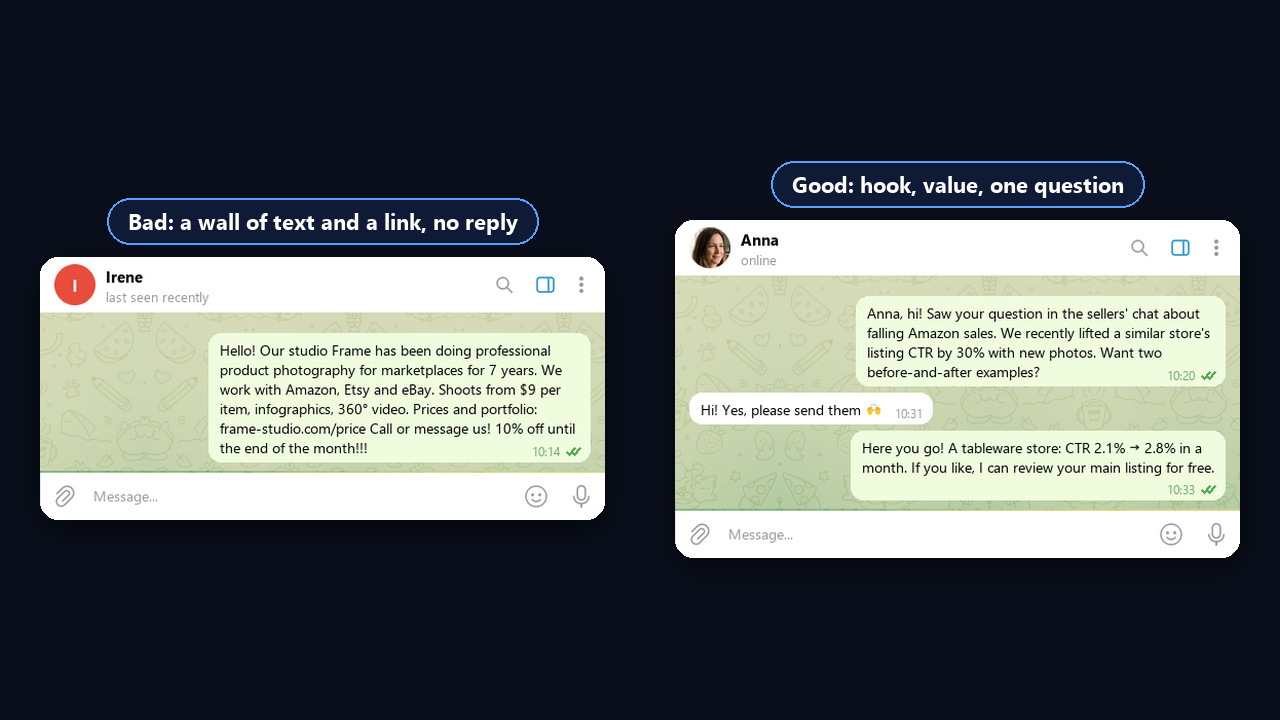
However, skip links, price lists and the company story. A link up front looks like spam, but a price without context also scares people off. Save them for message two, after the person replies.
Then run this quick checklist before you hit send:
| Item |
Standard |
| Length |
Under 300 characters, fully visible in the preview |
| Greeting |
Their name instead of "Dear customer" |
| Hook |
A fact from their profile, channel or company website |
| Links, files, prices |
Only in the follow-up |
| Call to action |
A single ask, no pressure |
| Send time |
Weekdays, 10:00–12:00 or 15:00–18:00 in their time zone |
Cold first client message: 5 templates
So treat every template as a draft. Change the hook for each person, because identical texts get recognised fast.
1. After a question in a niche chat
"[Name], hi! Saw your question in [chat] about [problem]. We solved the same thing for [similar client] with [method]. Want me to share what worked?"
2. B2B, based on public company news
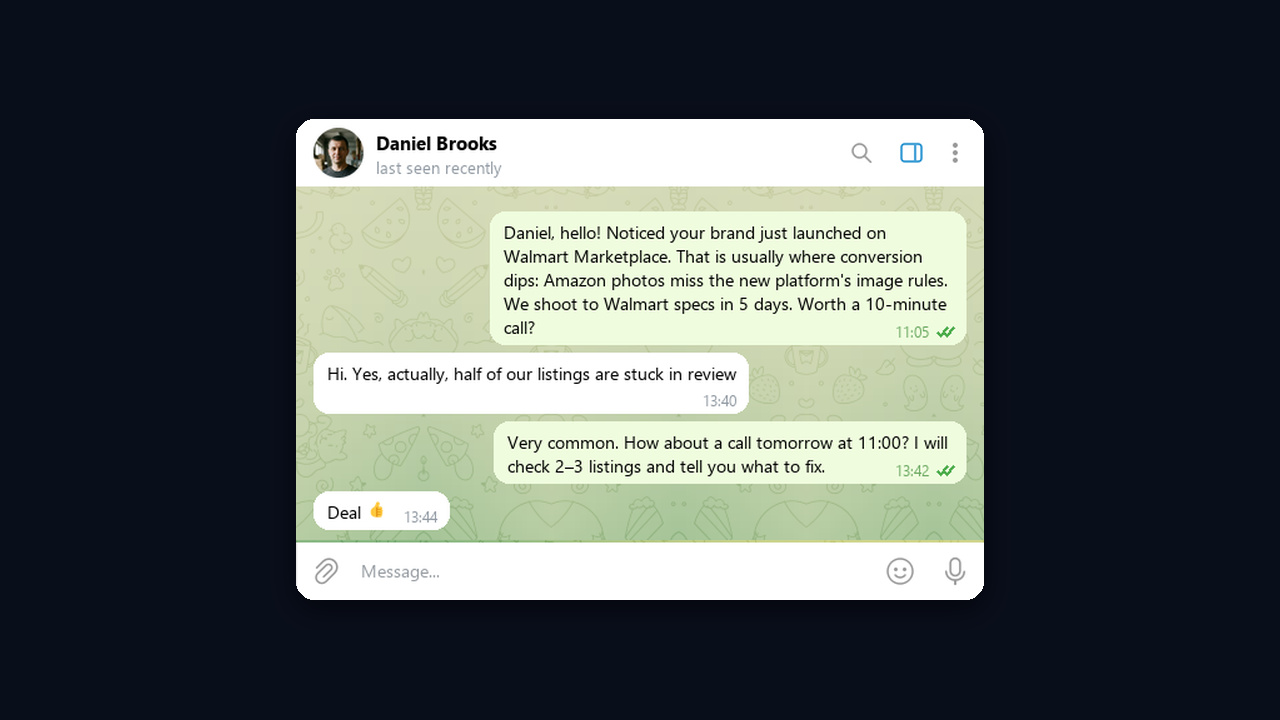
"[Name], hello! Noticed you opened [branch / new line]. That is usually the stage where [process] slows down. We help teams [result] in [timeframe]. Worth a 10-minute call?"
3. Referral
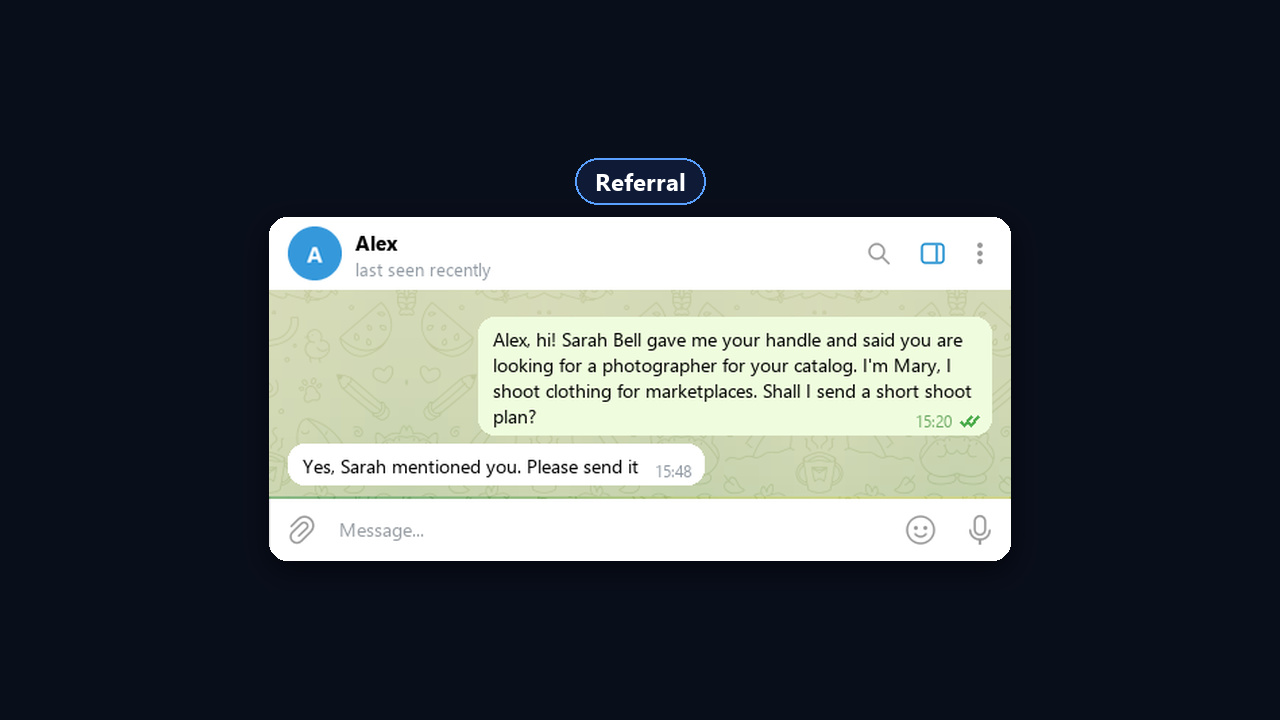
"[Name], hi! [Mutual contact] gave me your handle and said you are looking for [task]. I do [what you do]. Shall I send a short plan?"
4. After an affiliate marketing conference
"[Name], hey! We were both at [conference], but your talk on [traffic source] really stuck with me. We run a similar funnel in [geo]. Want to swap notes?"
5. Honest cold
"[Name], we haven't met, so I'll keep it short: we do [service] for [audience]. If it's not relevant, just reply "no" and I won't write again. Curious to see an example?"
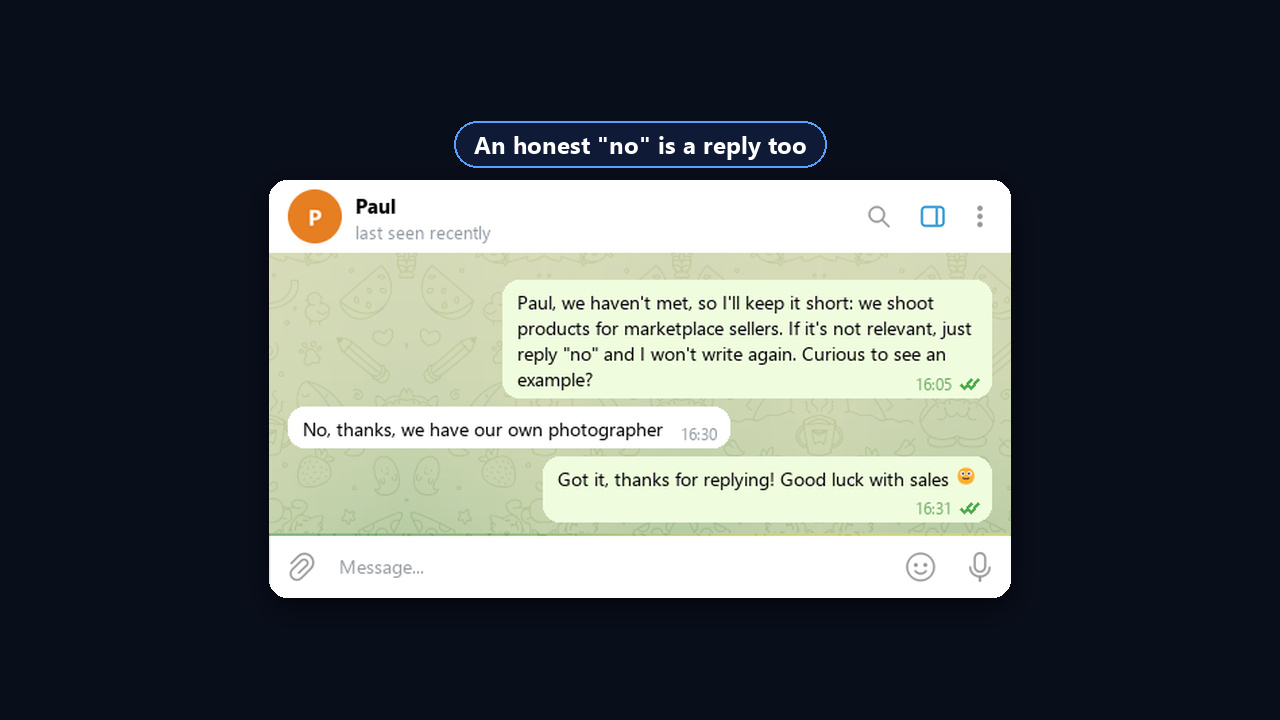
Specifics win here: industry, city, a number, a mutual contact. So a template with a real detail gets far more answers than a blank draft.
Cold first client message by niche: arbitrage and more
The formula stays the same, but the hook and the question change with the niche. Half of the examples below come from traffic arbitrage, where cold DMs are daily work: that is how teams find ad slots, media buyers and partners.
| Niche |
Who we write to |
Opener |
| Arbitrage: buying ads |
Admin of a niche channel |
«[Name], hi! Are you the admin of [channel]? We'd like to book a monthly ad package and pay upfront, but first we check reach. Could you send rates and stats?» |
| Arbitrage: hiring buyers |
Media buyer from an industry chat |
«[Name], saw your [source] case in the [name] chat. We're hiring buyers, and at the same time we cover accounts, ad spend and weekly payouts. Want the terms?» |
| Arbitrage: affiliate program |
Owner of a channel or website |
«[Name], you have an engaged audience on [topic]. We have an offer paying per [action], also with creatives and a link included. Shall I send the terms?» |
| Online school |
Subscriber of the school's channel |
«[Name], thanks for subscribing! Next week there is a free lesson on [topic]. Shall I sign you up?» |
| B2B services |
Company manager |
«[Name], noticed you are growing the team. We help fill [role] in [time] instead of months. Worth a 10-minute call?» |
| Local business |
Member of a neighborhood chat |
«[Name], saw your question about [service] in the neighborhood group. We are nearby on [street], so we can do it in [time]. Want a quote?» |
Here is the first of these situations as a real chat: an arbitrage team writes to a channel admin and books an ad package.
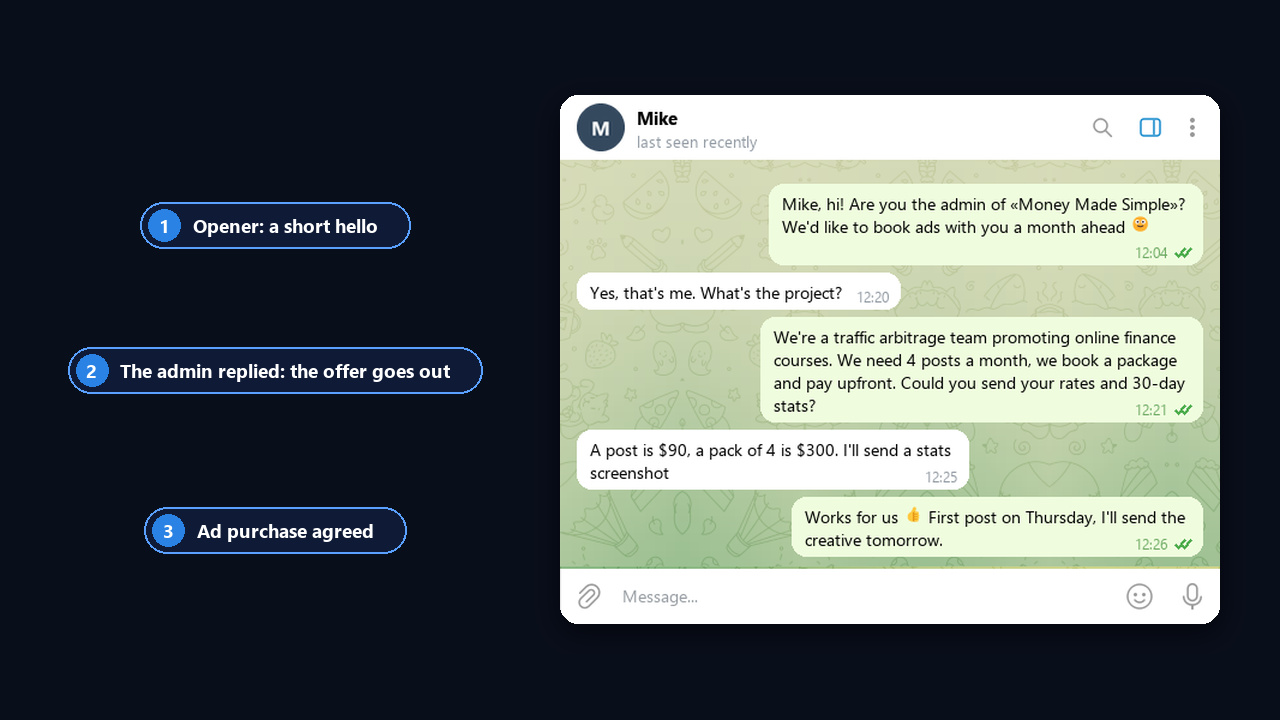
Once such messages add up to dozens a day, doing it by hand stops working. So below we show how to automate it.
Warm first client message: 4 templates
This person already showed interest, so speed matters most. An answer within an hour raises the odds of a deal because the lead is comparing several options at once.
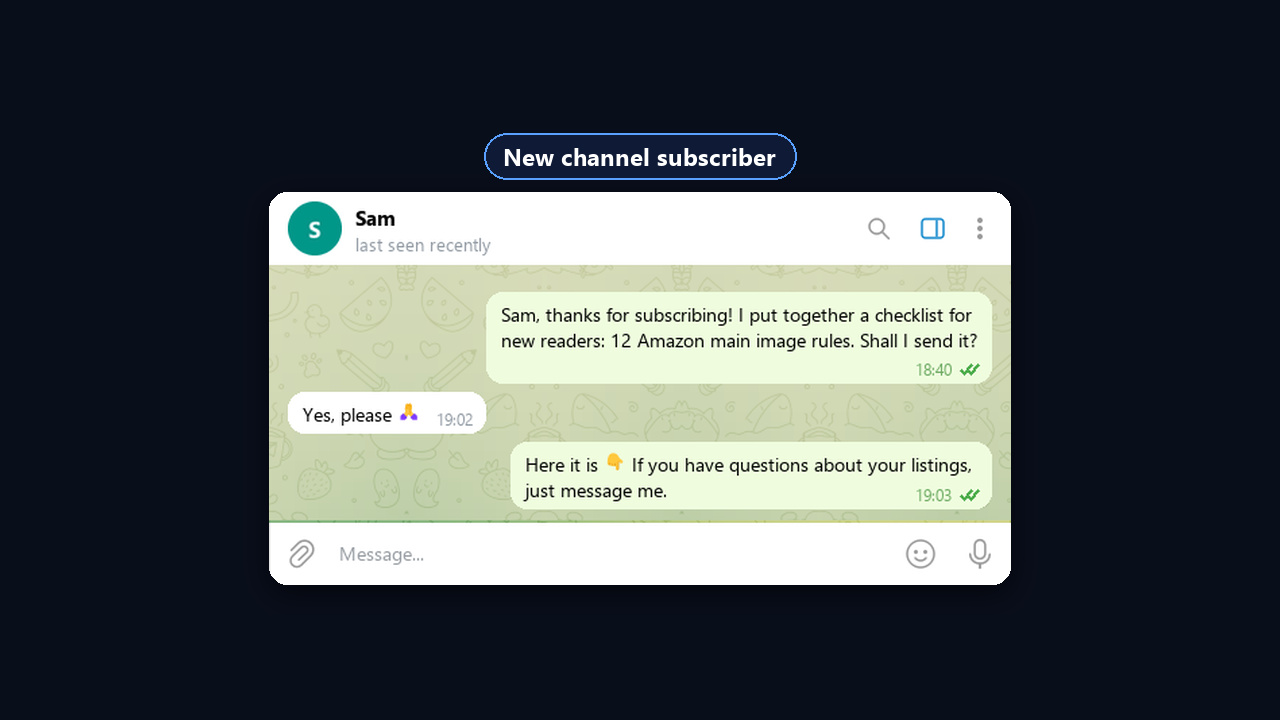
6. Reply to a website or ad request
"[Name], hi! I'm [your name] from [company], you requested [service]. Two quick questions so I can give an exact price: [question 1] and [question 2]?"
7. Reply to "how much is it?"
"[Service] starts at [price]. It includes [scope], so the result is [benefit]. The final cost depends on [parameter], so could you tell me that?"
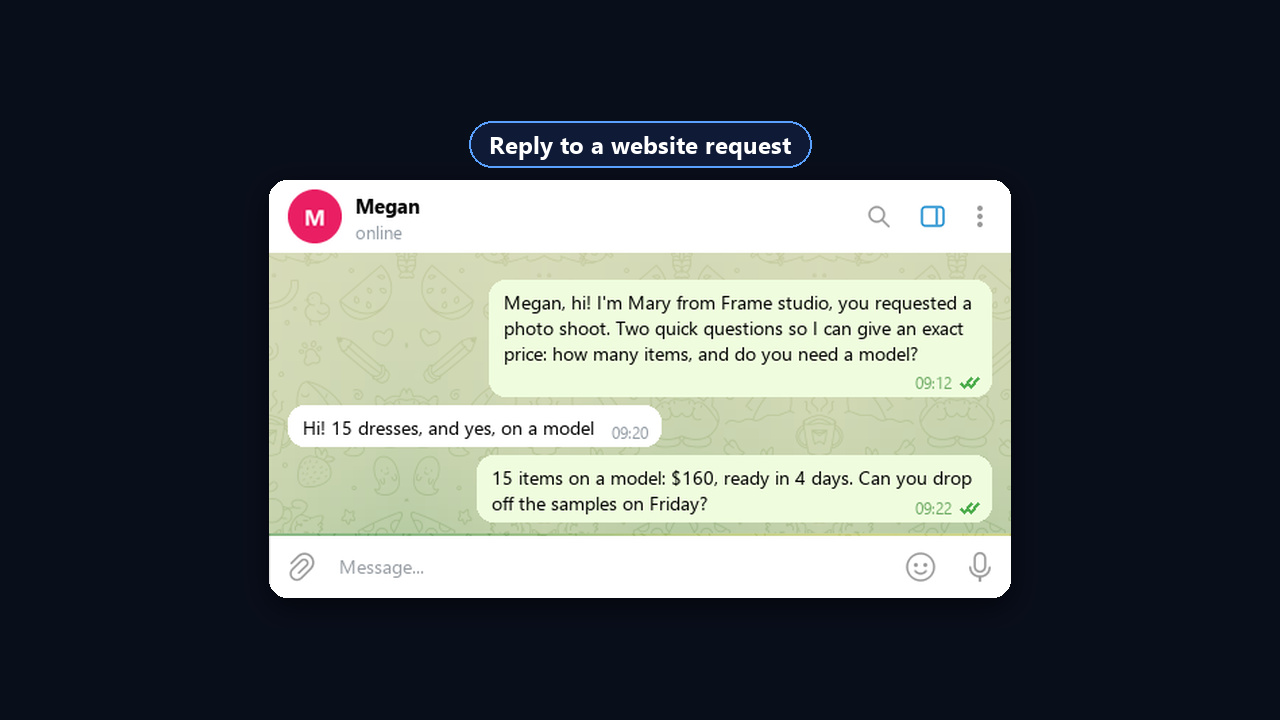
8. New channel subscriber
"[Name], thanks for subscribing! I put together a [checklist / guide] on [topic] for new readers. Shall I send it?"
9. After a call or meeting
"[Name], thanks for the call! As agreed, here is [document]. The key part is on page [N]. Does [day] work for a quick follow-up?"
At this stage, offer a warm lead a convenient format right away: a call, a video meeting, a voice note. Choosing the format cuts the back-and-forth.
What to write when a client goes silent, disappears or is unhappy
Next come returning contacts, so the approach changes. In this case a new reason and respect for the person's time matter most.
| Situation |
Template |
| 10. No reply after an offer |
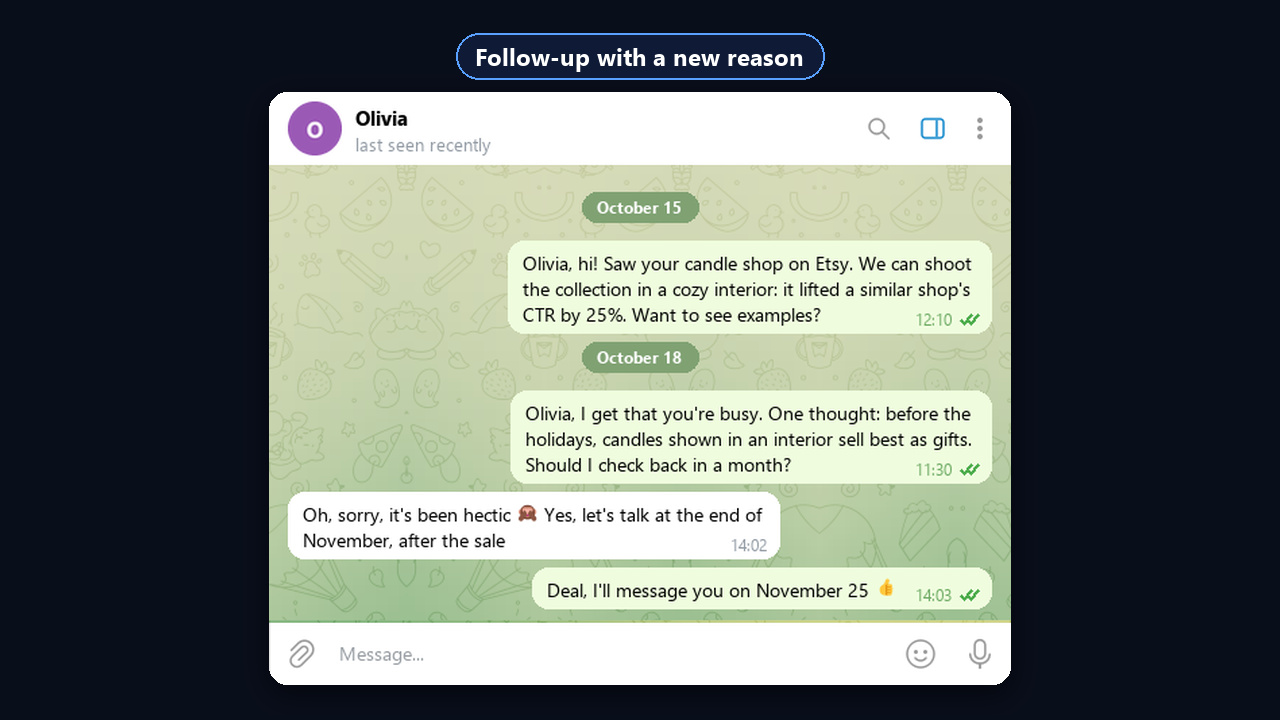
"[Name], I get that you're busy. One thought: [new benefit]. Should I check back in a month?" |
| 11. Missed appointment |
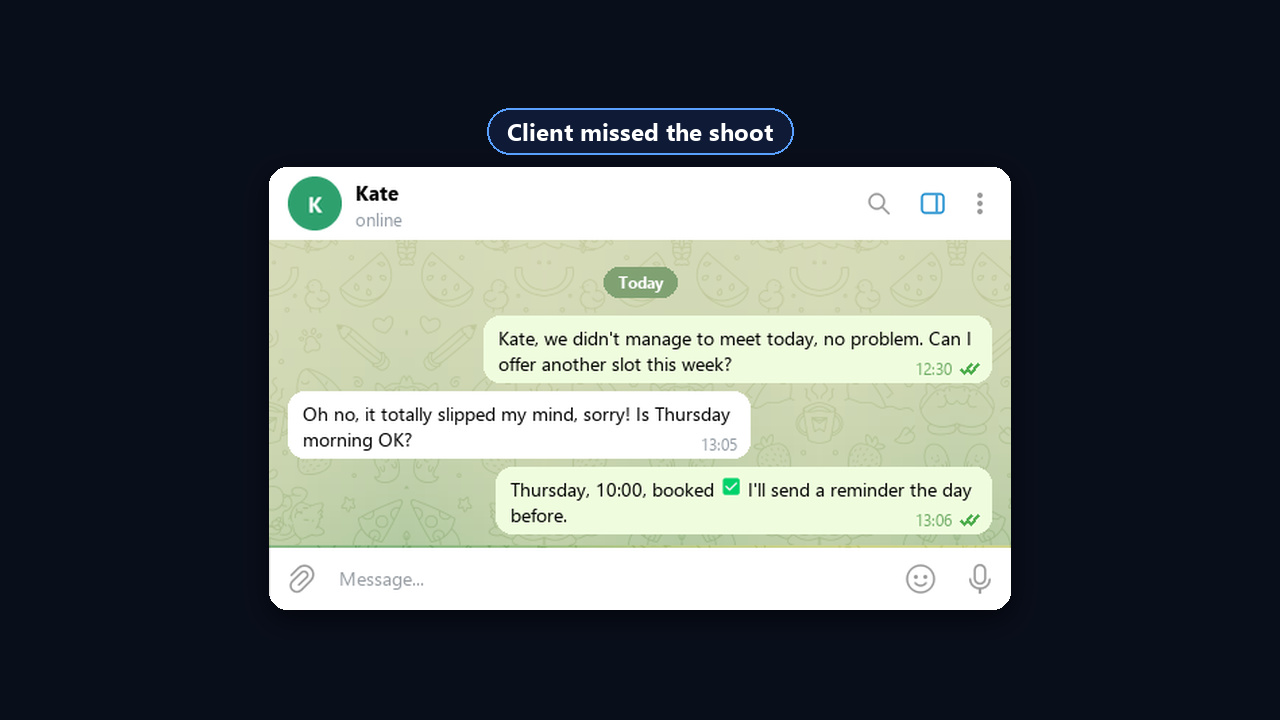
"[Name], we didn't manage to meet today, no problem. Can I offer another slot this week?" |
| 12. Lost advertiser |
"[Name], it's been a while since your last ad with us! We've updated the channel stats and added new formats. Regular advertisers get a discount until [date]. Shall I send the rates?" |
| 13. Review request |
"[Name], glad it worked out! If you have a minute, a few words on [platform] would help a lot. Here's the link." |
| 14. Unhappy advertiser |
"[Name], thanks for telling me straight. I'll check the reach today and suggest a fix by [time]: a bonus post or a reschedule. Can we talk?" |
| 15. Closing the loop |
"[Name], I don't want to be a pest, so I'll close this for now. If it becomes relevant, just ping me." |
When and how to follow up
If your first client message gets no answer, one reminder is fine, two are acceptable and a third annoys. So every follow-up should bring something new: a case, a number, an answer to a common objection.
| Step |
When |
What to send |
| Opener |
Day 1 |
The four-part formula |
| Follow-up 1 |
2–3 days later |
A short case or work sample |
| Follow-up 2 |
5–7 days later |
New value or an "is this still relevant?" check |
| Close |
A week after that |
Template 15: close the loop politely |
Also use Telegram formats. For instance, once they answer, a 20-second voice note or video circle builds more trust than text. A PDF case study, though, belongs in message two, not in the opener.
How to automate the first client message with GramGPT.io
For instance, a first client message has to reach 40 people. However, by hand that takes about two hours: open the dialog, paste the text, change the name, forty times over. GramGPT.io DM campaigns take over: the text and the list are set once, and the module sends everything from a pool of profiles with pauses and limits built in. As a result, all that is left is talking to whoever is interested.
Who to write to: cold leads, existing customers and staff
Besides, a DM campaign is not only for sales to strangers. It also helps when dozens of buyers or a whole team need a personal note at once.
| Who |
Mode |
Sample opener |
| Strangers from niche groups |
Trigger + AI per recipient |
«Anna, hi! Saw your question in the sellers group about product photos. Can I show you a couple of examples?» |
| Existing customers: buyers, bookings, subscribers |
Direct |
«Olga, hi! We opened November bookings for regulars with 15% off until Friday. Shall I reserve a slot for you?» |
| Employees and contractors |
Direct |
«Mike, hi! The shift schedule changes on Monday, the table is pinned in the team group. Type "ok" once you have seen it.» |
Regular customers and staff already know the sender, so they read a personal note more closely than a channel post or a busy group where news gets lost. The risk of spam reports is also much lower than when writing to strangers. In addition, an "ok" in return shows at once who has seen the announcement. Therefore, for existing customers and staff, pick one company profile they already know, and keep the pool for cold contacts.
Launch in four steps
- Collect targets. A list of usernames, account contacts or members of niche groups. The chat parser gathers an audience by keywords.
- Pick a mode. Direct suits your own base and short openers with a question. Trigger, however, suits cold contacts: the main sequence goes only to those who answer.
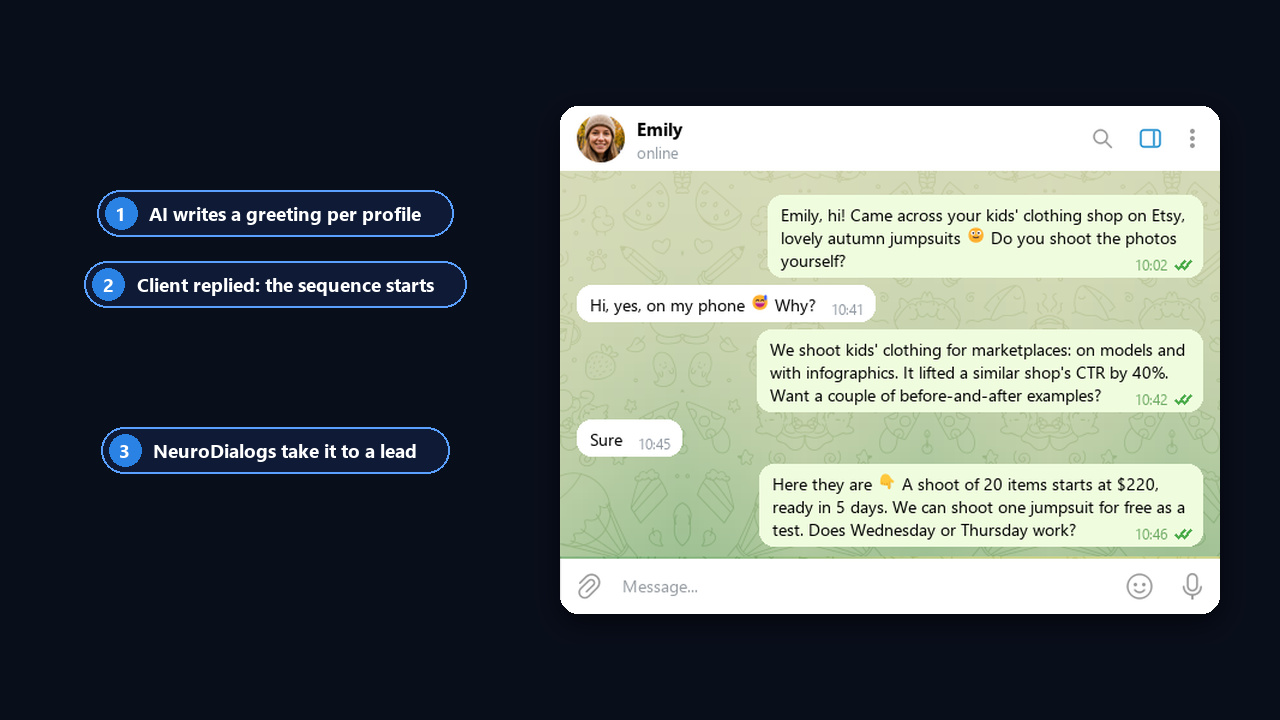
- Pick "AI per recipient". The AI writes the opener for each person's profile, while spintax {option1|option2} keeps the remaining texts unique.
- Connect NeuroDialogs. Then, when someone answers, the AI carries the conversation to a lead. See the AI autoresponder review for details, or add the NeuroDialogs module in your dashboard.
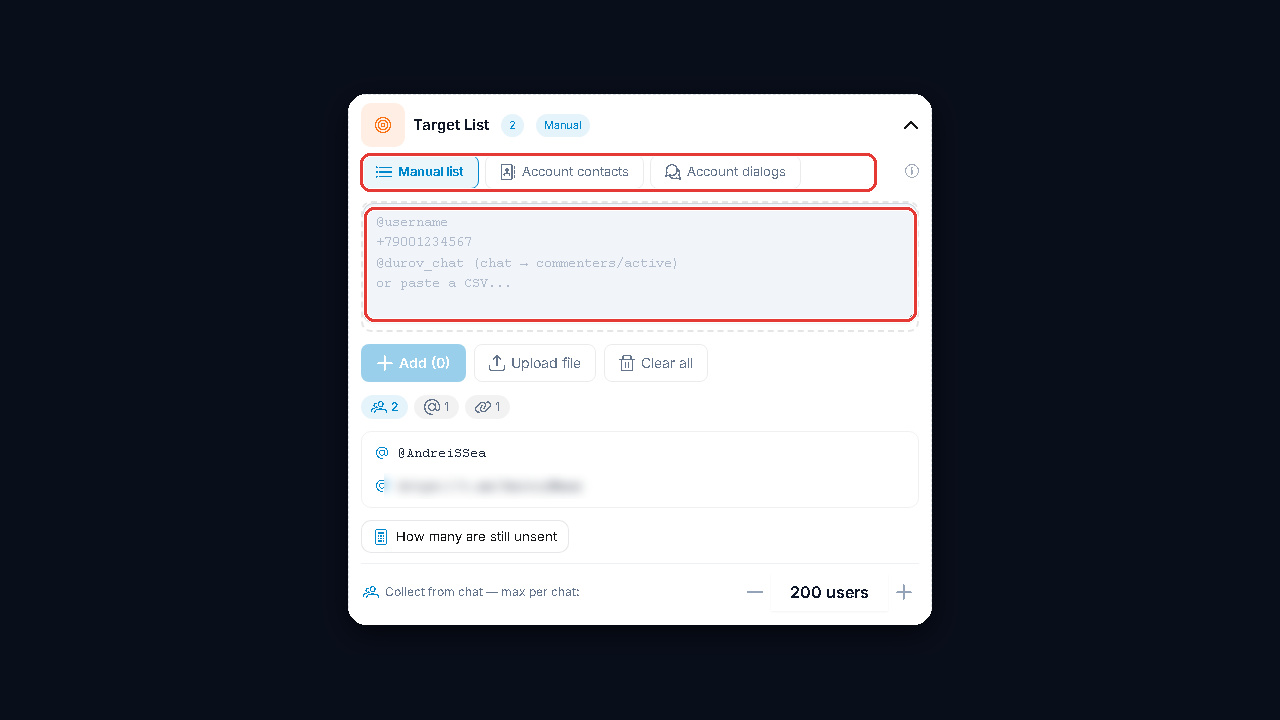
The settings look like this: the sending mode, an AI opener for each recipient and a sequence that NeuroDialogs pick up once the person responds. In Direct mode, however, the same fields work without waiting for an answer.
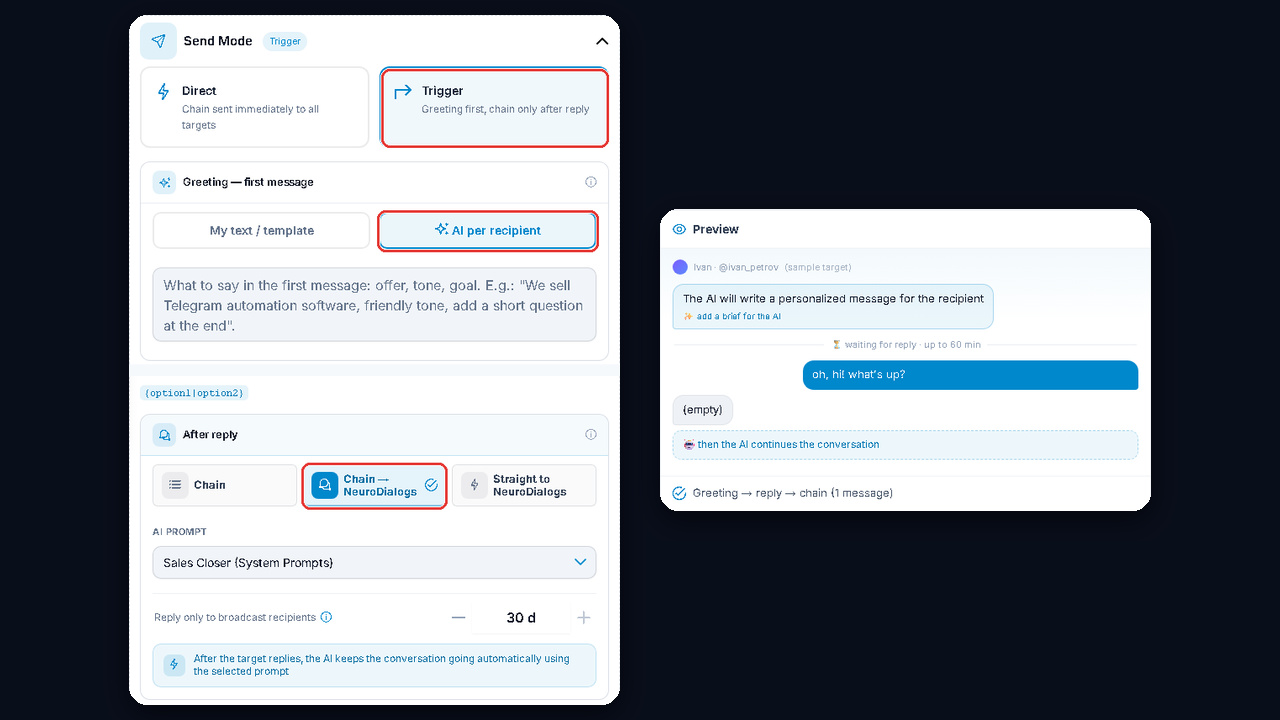
Here is how it looks for the recipient: a short greeting, their response and then the offer sequence, which NeuroDialogs picks up.
What you get
For example, a rough calculation: if one in four of 60 strangers answers a short greeting, that is 15 live conversations instead of 60 texts copied by hand. NeuroDialogs then carry each talk to a lead, and a manager steps in when the client is ready for details. Meanwhile, with an existing customer base or staff it is even simpler: one setup, and dozens of people get a personal note within minutes.
Also, warm up the accounts before launch: account warming imitates normal activity, and you can start the warm-up module in the same place. To buy DM campaigns and compare plans, open the module page.
Cold outreach on Telegram without bans: limits and risks
The module keeps pauses on its own, while the volume is up to the sender. At dozens a day the problem shifts from copy to profiles. Telegram publishes no official limits, but in practice new dialogs with strangers quickly lead to a spam block. So ramp up carefully.
| Period |
New conversations per account per day |
| Warm-up, week 1 |
0: normal activity only |
| Early days of outreach |
5–10 |
| After 1–2 weeks without reports |
15–25 |
| Aged account with answers |
up to 30–40 |
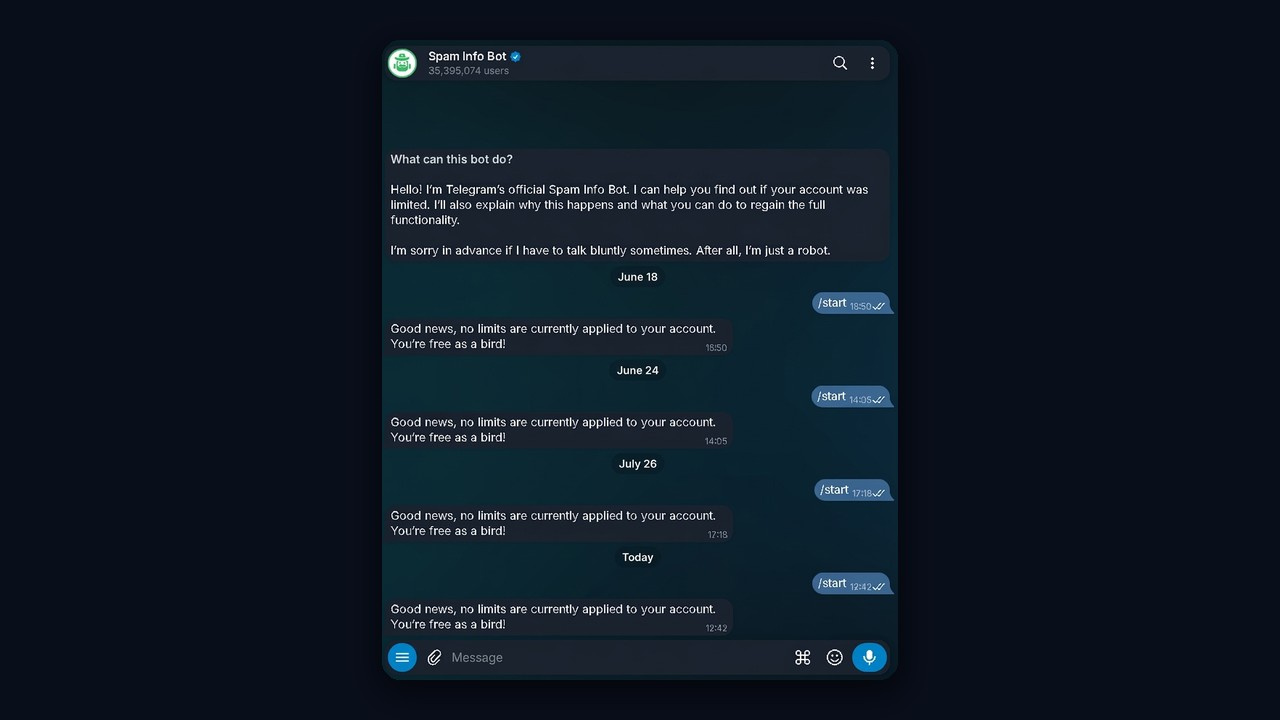
The real limit also depends on account age, user reports, response rate and proxy quality. If you get restricted, check your status in @SpamBot and then cut the volume. Our guide to the Telegram spam block explains each type of restriction.
Mind the risks too. Identical mass promos with a buy offer are a risk: recipients hit «Report spam», accounts get restricted, and as a result the brand's reputation suffers. Therefore write to people your offer truly fits, and never send the same text to hundreds of people.
Common mistakes: why a first client message gets ignored
| Mistake |
Better |
| "Hello" and then waiting |
Reason and ask together |
| Company story |
One-line value for the person |
| Link and price up front |
Links and prices after they answer |
| Three questions in a row |
One easy question |
| Same text for everyone |
A personal hook or AI personalization |
| Five reminders |
Two at most, then a polite close |
For more ways to find buyers, read how to find clients on Telegram.
Summary: the first client message in 2026
A first client message works when it is short, personal and ends with one easy question. The sale starts after the reply, so keep links, prices and cases for step two.
So use the templates as a base, follow up no more than twice and respect the limits. And once the volume grows, GramGPT.io DM campaigns in Direct or Trigger mode, together with NeuroDialogs, take the routine off your hands.