Your portfolio looks great, yet the inbox stays quiet. Sooner or later every freelancer wonders how a designer can find clients without begging friends for referrals. Word of mouth brings one or two orders a month. Meanwhile, big marketplaces take a cut and drop you into a crowd of hundreds of lookalike offers.
But demand hasn't gone anywhere. Business owners post requests in online communities, hunt for freelancers in messengers, scroll Pinterest and local service directories. The real problem is waiting for leads in a single place. So in 2026, a steady pipeline comes from combining several sources.
Below, you'll learn how to promote yourself as a designer: a prep checklist, a breakdown by specialty and six proven methods. We'll also show how AI answers in public chats bring in customers while you're busy designing.
Before You Start: What a Designer Needs to Find Clients
First of all, build a storefront. Anyone who notices your message in a chat will tap your avatar before answering. If it's empty, they move on to the next freelancer. Hence three assets come before any promotion: a showcase page, a portfolio and a posting plan.
Step 1. Set Up a Telegram Channel
Such a feed acts as a free landing page and takes an evening to launch. We have a separate guide on how to create a Telegram channel, so here are only the parts that win orders.
- Name. Your name plus niche: "Alexandra Ivanova | Interior Designer". Search then surfaces it by name.
- Avatar. A real photo or a clean logo instead of a random stock image.
- Bio. What you do, who it's for and a starting price. End with a contact for requests.
- Pinned post. Your three best projects, prices and how the process goes.
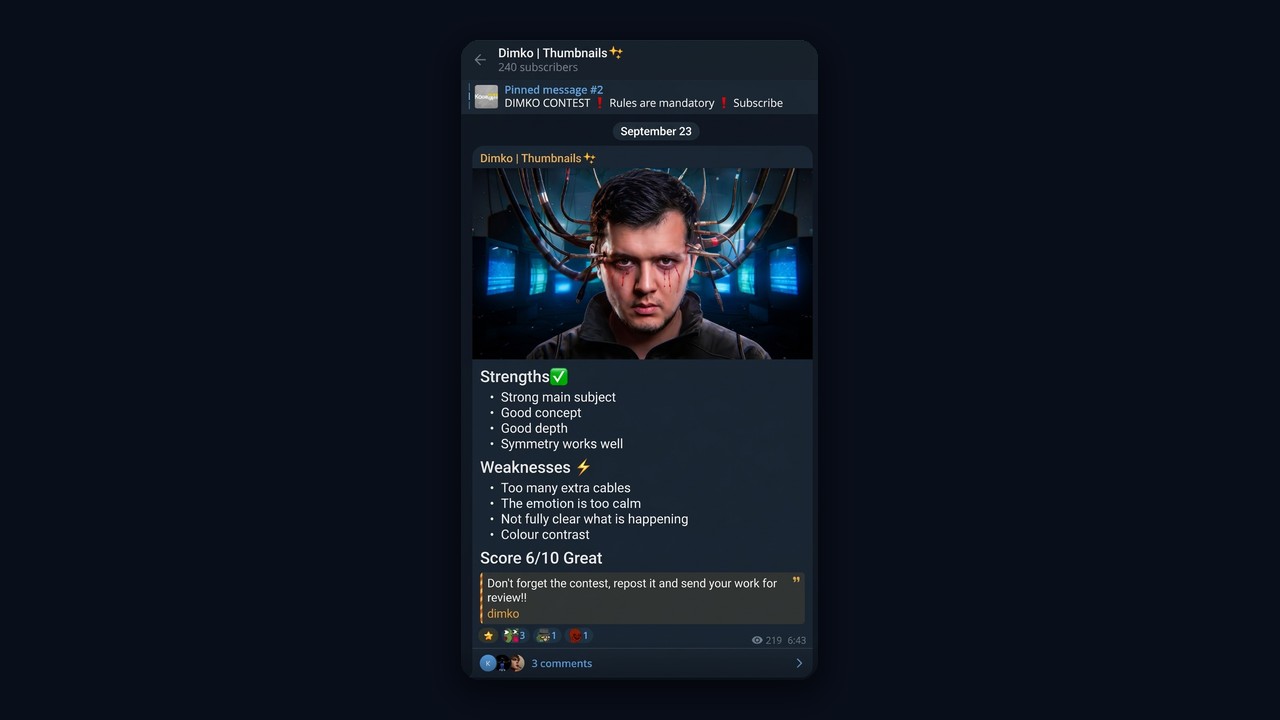
For example, a thumbnail designer named his channel "Dimko | Thumbnails", following the same "name plus niche" pattern. Every post shows a piece and breaks down its strengths and weaknesses, so a buyer sees the skill level at a glance.
Step 2. Turn Samples into Case Studies
Buyers pay for outcomes, not pretty mockups. So describe each piece as a case: task, solution, measurable result. For example: "Amazon listing images, click-through rate up from 2.1% to 4.8%". Student projects are fine too, but label them as concepts.
In fact, five to seven strong cases are enough. However, they must match what you sell. Interior renders won't help you land a logo job, and vice versa.
Step 3. Plan a Month of Posts
A page with no fresh posts looks abandoned. Then again, two or three updates a week will do: a case, a work-in-progress, a common client mistake, a testimonial. This rhythm proves you're active. As a result, a designer finds clients faster, because the feed answers questions before anyone writes.

Where Each Type of Designer Finds Clients
Sources differ by niche. However, spots full of logo requests rarely have homeowners planning a renovation. So define your audience, then pick platforms from the table.
| Specialty |
Typical buyer |
Where to look first |
| Graphic design |
Small businesses, creators, agencies |
Founder chats, freelance sites, Pinterest |
| E-commerce visuals |
Amazon, Etsy and marketplace sellers |
Seller chats, Fiverr |
| Web design |
Startups, coaches, dev studios |
Marketing groups, Upwork, your own page |
| Product and UI/UX |
SaaS teams, product companies |
Niche forums, referrals |
| Interiors |
Homeowners, developers |
Neighborhood chats, Houzz |
| Game design |
Indie studios, publishers |
Gamedev forums, events |
| Motion design |
YouTubers, ad agencies |
Creator hubs, Pinterest |
Customer acquisition for product designers works differently: SaaS teams rarely post in open chats, so referrals and case studies about metrics matter most.
Seller visuals also deserve a special mention. Demand there is huge, and merchants openly discuss who could redo their product images. This is exactly where AI chatting shines.
For example, a graphic designer finds clients among small shops, and web designers find them among marketers and startup founders, since they constantly need landing pages and redesigns. Interior specialists, on the other hand, benefit more from local platforms and residential forums where neighbors talk about renovations.
Method 1. AI Chatting: How Designers Find Clients in Telegram Groups
Neurochatting means an AI takes part in public conversations on your behalf. It reads the context and writes a relevant message from your account. In other words, it doesn't spam ads. Instead, it joins the discussion like a regular member.
What It Looks Like in Real Life
Picture a sellers' chat where someone asks who makes good listing graphics. At that moment, your AI-driven account steps in. It shares a quick tip and mentions, almost in passing, that it creates this kind of visuals. The question gets answered, and the merchant now sees a ready contractor.
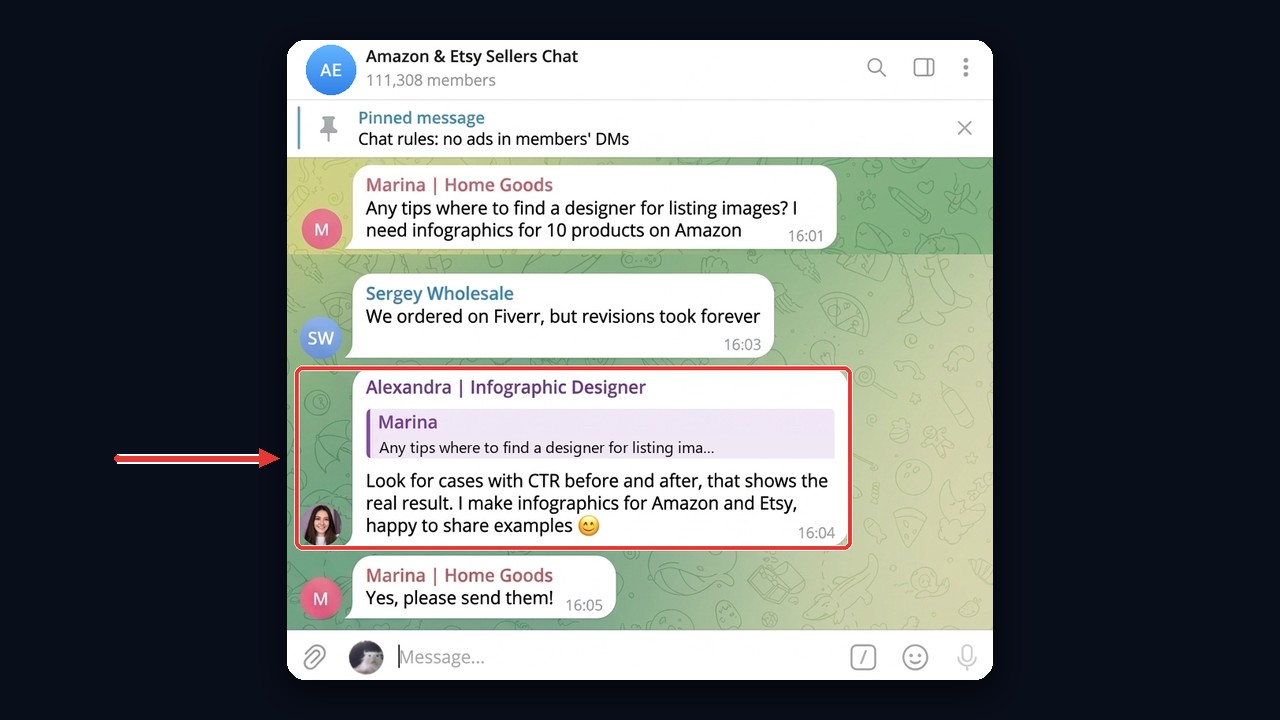
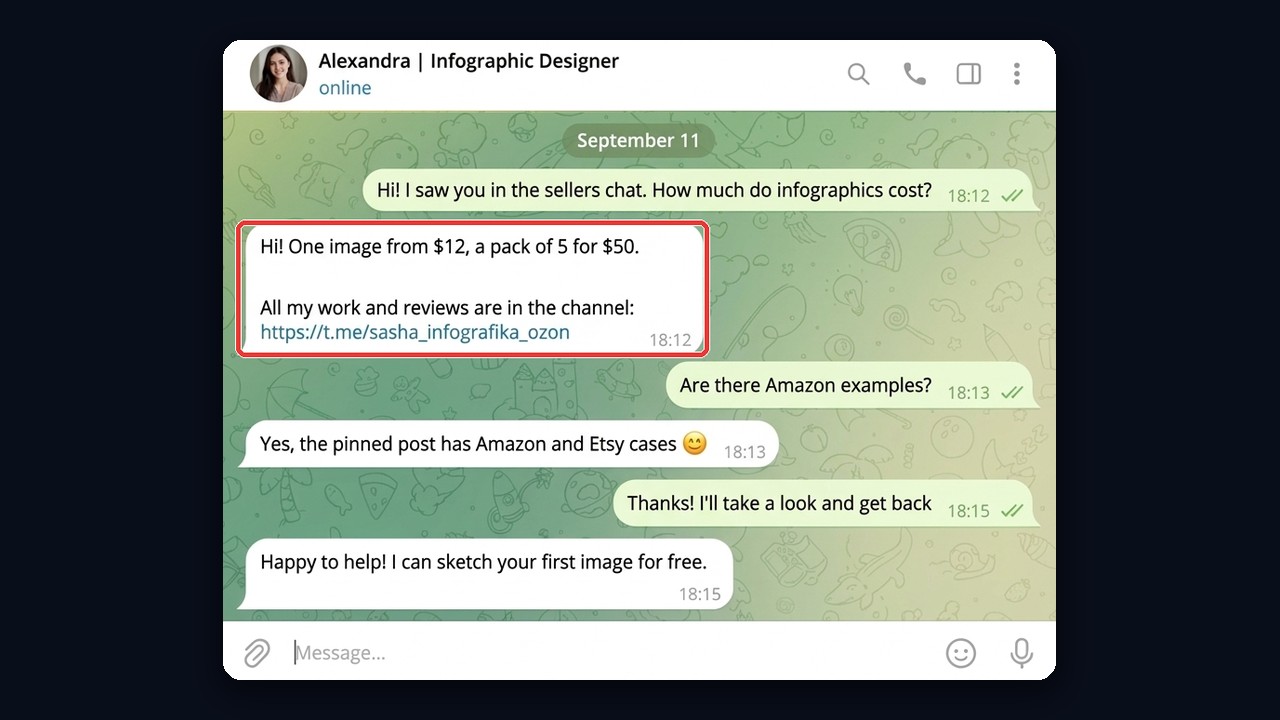
Next, the curious seller opens the account card. The account is dressed as a specialist: "Alexandra | Infographic Designer", a photo and a bridge link to a portfolio page. Then the conversation moves to direct messages, where the talk is already about the brief.
Which Groups Bring Design Orders
- Marketplace seller hubs. Listing images, infographics, promo banners.
- Founder and small-business circles. Logos, brand identity, pitch decks.
- Marketing and ad agency groups. Creatives and landing pages, so a steady flow of tasks.
- Residential and renovation groups. Here interior pros meet homeowners next door.
A fresh list of such communities comes from the channel and chat parser: it finds such spaces by keywords and shows how active they are. After that, your accounts join them in bulk through the account manager.
Setting Up the Prompt in GramGPT.io
Inside the module, create your own prompt. Describe the role, tone and the key rule: recommend your services naturally and offer help that fit the topic. Also keep each message to one to three sentences, so they read like a real person typing.
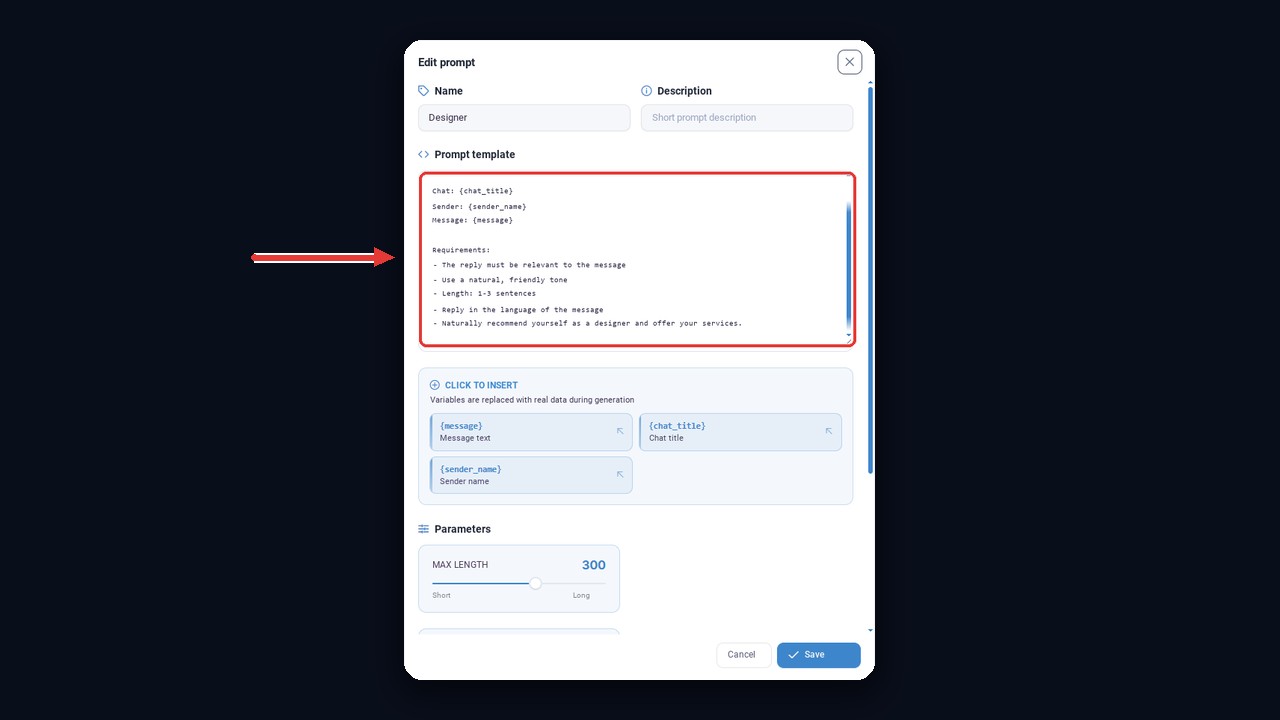
Besides that, set pauses between messages and a daily cap per account. Identical activity without breaks triggers restrictions quickly, so start small. The full walkthrough lives in our neurochatting guide, and another post explains selling through AI conversations in any niche.
NeuroDialogs: Handling "Let Me Think About It"
Once a lead writes privately, speed matters most. NeuroDialogs is an AI auto-responder that answers instantly. Then it clarifies the brief, quotes a timeline and gently handles doubts.
Example. Lead: "The price makes sense, I need to think." Reply: "Sure! To help you decide, I'll send two similar cases and sketch one slide for free. Sound good?"
That answer lands while interest is still warm. Therefore the request doesn't get lost in your busy week, and the person has a reason to keep talking.
Method 2. Your Telegram Feed as a Portfolio Showcase
If you wonder how to promote yourself as a graphic designer, start here: every other approach eventually points to this home base. In one minute, a visitor checks your style, rates and reviews. Accordingly, the better the showcase answers common questions, the shorter the back-and-forth.
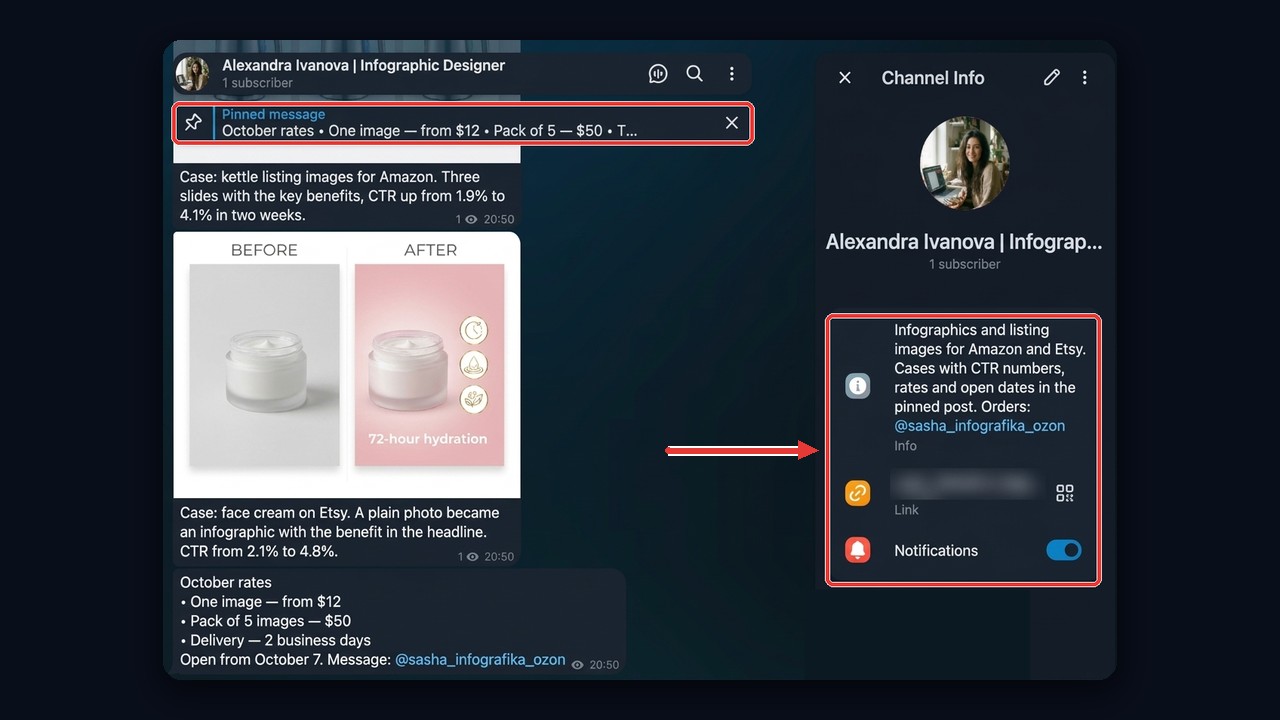
What to post so the showcase sells for you:
- Before and after. The strongest format for product visuals and interiors.
- Process. Sketches, options, revisions. This way buyers see what they pay for.
- Testimonials. Message screenshots, shared with the client's permission.
- Rates and open slots. They save time for both sides.
Early on, the subscriber count is small, but it doesn't matter. The same AI chatting sends visitors softly: every account has a bridge link in its bio, and people from those conversations drop by to see your projects. This is how to promote yourself as a web designer or illustrator without paid ads.
The showcase also filters leads. Someone who has browsed your cases and prices arrives with a clear task and budget. Consequently, conversations are shorter and more of them end with a payment.
Method 3. Freelance Marketplaces: Upwork and Fiverr
Marketplaces are an obvious starting point for beginners, because buyers come with budgets. Besides, the platform handles payments and disputes, so a new designer finds clients there without chasing invoices. For instance, on Upwork clients browse profiles with hourly rates, ratings and completed jobs, while on Fiverr you list a fixed-price gig.
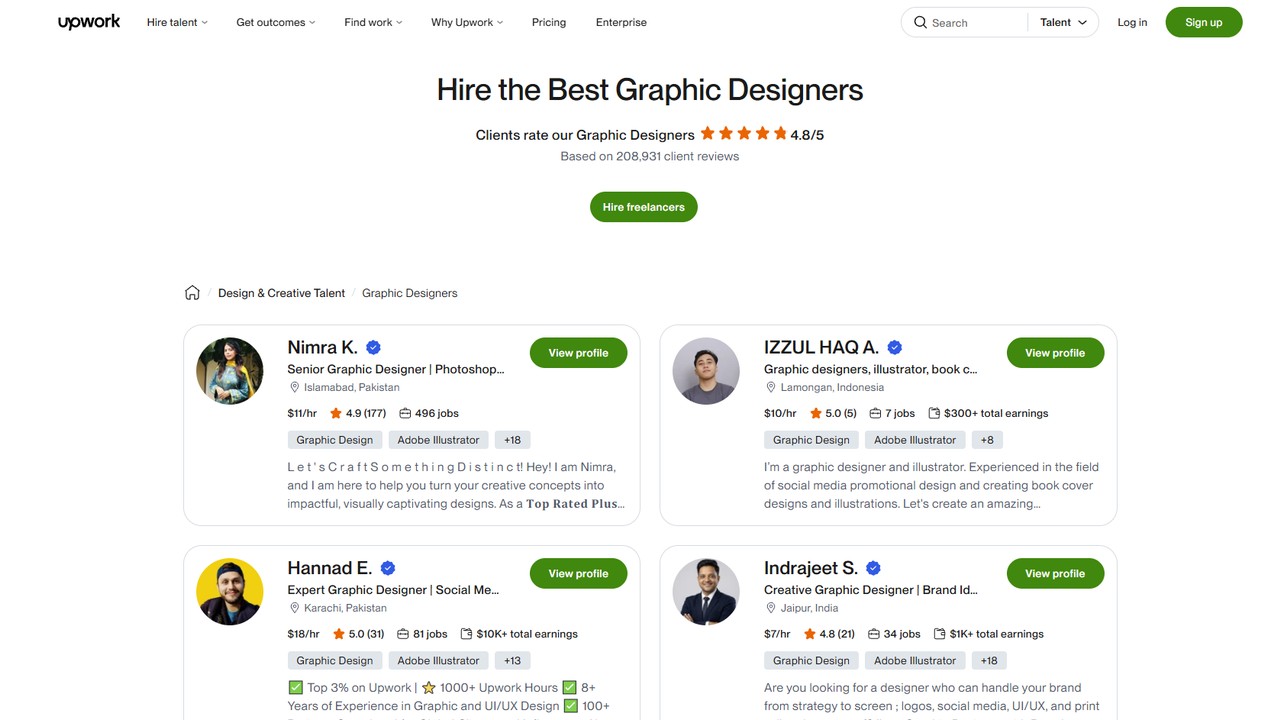
However, both come with trade-offs. First, fees eat into income. Second, every category is packed with similar offers. So stand out with specifics: not "I'll do any design", but "Amazon infographics, 5 images in 2 days". Collect early reviews on small orders, then raise your rate.
A strong gig page follows a simple formula. The title names the deliverable, the gallery opens with your best before-and-after, and the description answers three questions: what exactly the buyer receives, how many revisions are included and when the files arrive. Tiered packages help too, because shoppers like choosing between basic, standard and premium.
Still, don't build a whole business on a single site. Move repeat buyers to your own feed, where no commission applies.
Method 4. Telegram Search: The "Need a Designer" Query That Finds Clients
Telegram search surfaces dozens of feeds and chats where people post design jobs. Type "need a designer", "design order" or "design vacancy", and you'll get a list of places with fresh requests. Here a designer finds clients who already have a brief and a budget.
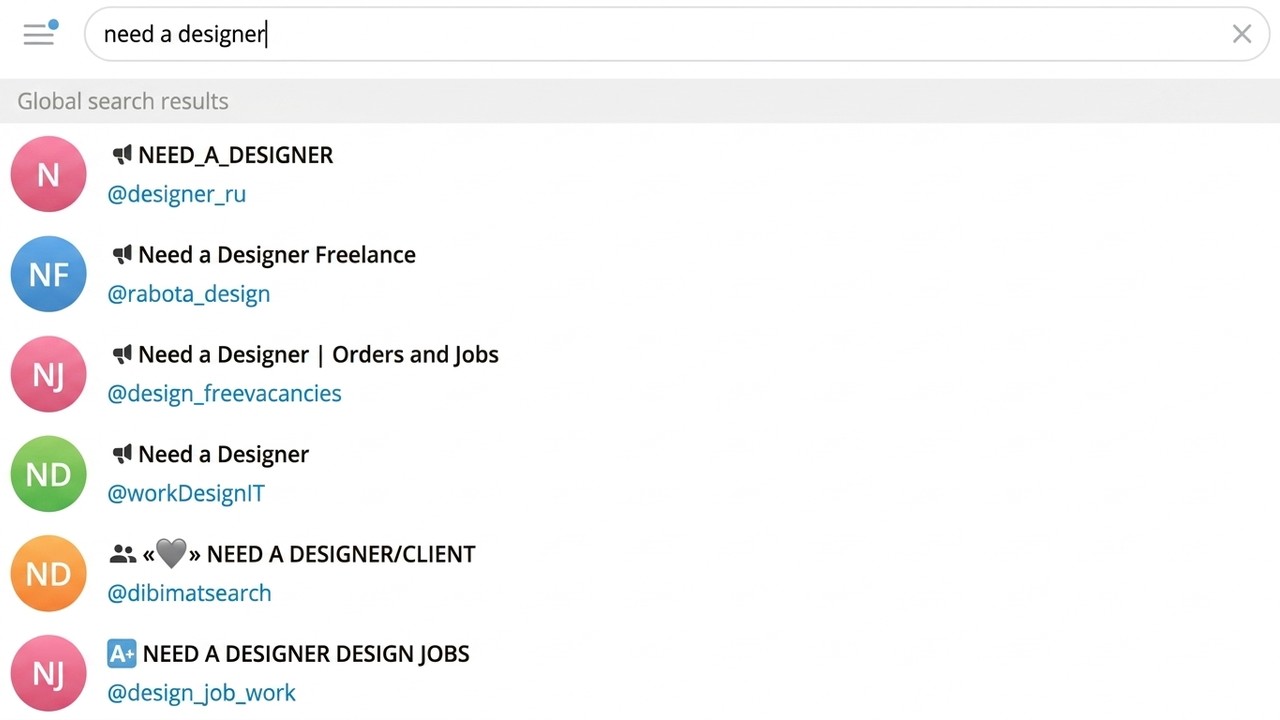
Then follow five to ten lively feeds and turn on notifications. Reply within minutes: a new request gets a closer look, whereas an hour later the poster already has twenty answers.
How to Write a Pitch That Gets Read
The rule is simple: a good pitch is short and specific, so every line counts. This way it proves you've read the brief instead of pasting a template everywhere.
Template. "Hi! I've been making marketplace infographics for three years. Here are two similar listings: link to my portfolio. For your task: 5 images in 2 days, $60. I can start today."
However, manual search handles one query at a time. But a parser finds hundreds of feeds and groups by keywords and keeps only the lively ones. For a quick look at a niche and its neighbors, try the free channel atlas.
Method 5. Houzz and Google Business Profile for Local Orders
Wondering how to find clients as an interior designer without ads? Local listings often bring the best leads nearby. Moreover, homeowners describe their project, compare reviews and contact a pro directly. On Houzz, a listing shows photos, ratings and project costs side by side.
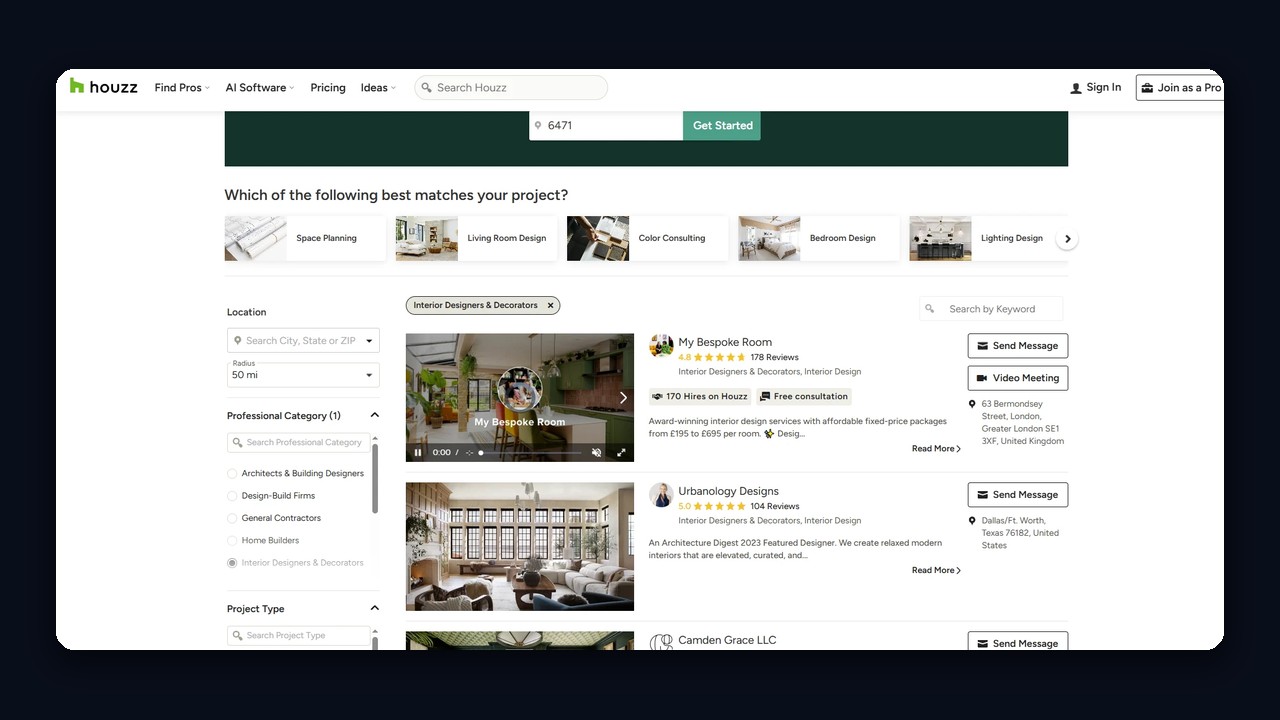
To make a listing effective, fill in every service with a starting price. Also add photos of finished rooms, not just renders. A Google Business Profile adds another layer: people searching "interior design near me" see your reviews on the map. Ask past customers for reviews right away.
This is how an interior designer will find clients in their own city far more easily than through global marketplaces.
Pinterest is often underrated, but it acts as a visual search engine. For example, people go there for renovation ideas, logo inspiration or website layouts. So if your pins show up in results, part of that audience clicks through to your account and then to Telegram.
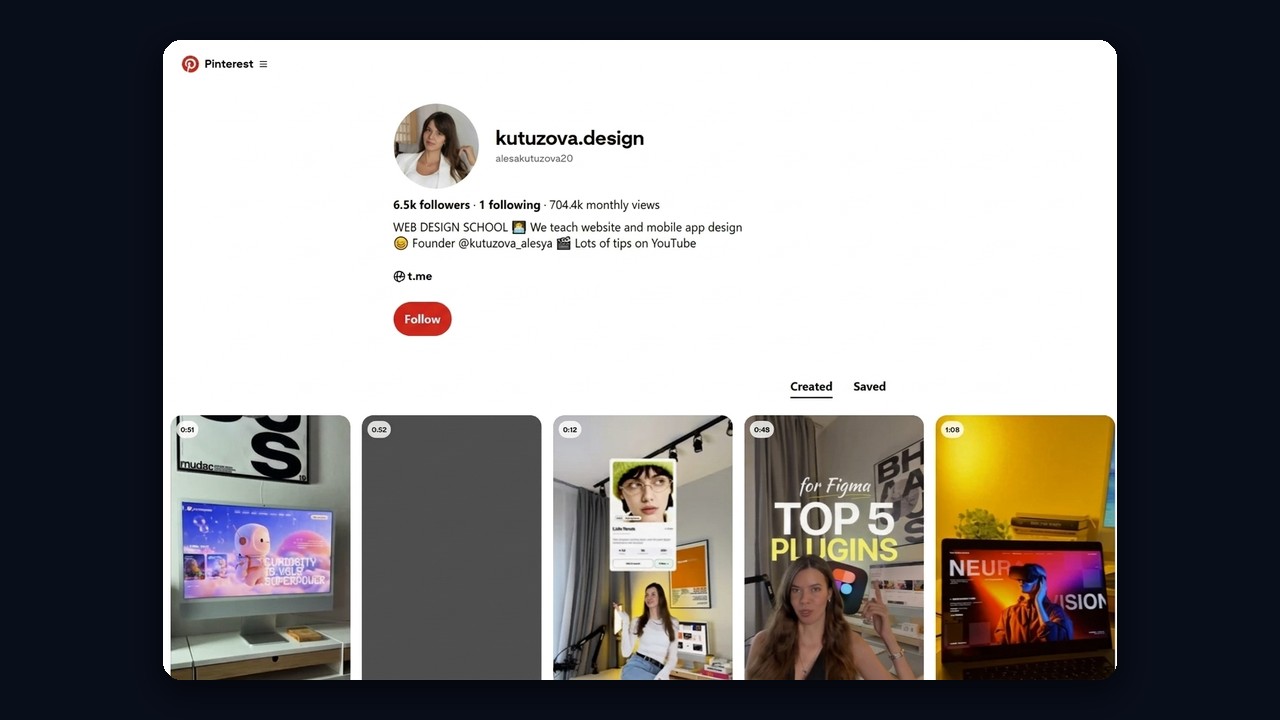
To begin, post vertical images with clear descriptions and keywords. Next, add a link to your showcase in the bio. Short process videos also collect more views than static images.
Organize pins into boards by task rather than by year: "Kitchen renovation ideas", "Minimal logos for cafes", "Shopify store layouts". Such titles match real queries, so boards rank in Pinterest search and keep sending visitors long after upload.
Promoting yourself as a graphic designer this way is slow but steady. Clicks usually start after two or three months. In return, you get warm leads who already like your style, so they haggle less.
Which Method Helps a Designer Find Clients Faster
Each source solves a different problem. So compare them by speed, cost and audience, then combine two or three.
| Method |
Early leads |
Cost |
Best for |
| AI chatting |
Within days |
Subscription and profiles |
Anyone selling to businesses |
| Own Telegram feed |
1–2 months |
Time for content |
Everyone, as a base |
| Upwork and Fiverr |
1–2 weeks |
Platform fees |
Beginners |
| Telegram search |
A few days |
Time for pitches |
Graphic and web tasks |
| Houzz and Google |
1–3 weeks |
Optional paid plans |
Interior projects |
| Pinterest |
2–3 months |
Time for pins |
Visual niches |
In short, AI chatting and search bring quick wins, while your feed and Pinterest build long-term reach. Run them in parallel: while slow sources grow, fast channels already pay the bills.
Common Mistakes When Looking for Orders
Most failures have little to do with skill. Instead, they come from presentation. Here's what usually gets in the way and how to fix it.
| ❌ Mistake |
✅ Better approach |
| A random mix of past pieces |
5–7 cases for one specialty |
| Hard selling in public chats |
Useful advice first, then a soft mention |
| A blank account card |
Name with specialty, photo and a portfolio link |
| Replying a day later |
Instant answers, including via an AI responder |
| Starting on brand-new accounts |
Account warming before any chat activity |
Bottom Line: How Designers Find Clients in 2026
Waiting for leads in a single spot no longer pays off. So prepare a showcase and portfolio, choose platforms that match your specialty and launch two or three approaches at once. Communities and Telegram search bring early projects, while your feed, Pinterest and local listings build a steady flow.
Part of this routine can be automated with GramGPT.io: AI chatting keeps conversations going in public chats, and NeuroDialogs answers leads in private while you focus on design. This way designers find clients without hours of daily searching.