Telegram groups are where freelancers pick up gigs, neighbours sell old bikes and small shops quietly find their first buyers. But the right community is rarely one tap away. Type a topic into search and you get a wall of near-identical titles, many of them silent since last spring, while invite-only circles stay invisible.
Also, much advice online is stale. Plenty of guides still send readers to People Nearby, a feature Telegram switched off back in 2024.
Below we compare a group with a channel, show where Telegram groups by city and niche actually hide, walk through joining a closed community and give a quick test for spotting a dead one. At the end, you'll see how marketers collect hundreds of relevant chats in one go in 2026.
Group or Channel: What Makes Telegram Groups Different
In a group, everyone who joined can type. Questions, replies, memes, photos of a broken washing machine: it all lands in one shared thread. A channel is a one-way feed, where the owner publishes and followers read, react and sometimes vote.
First, older articles split groups into "basic" and "supergroups". That split is history now, since any community that grows past a few hundred people gets the larger feature set. So when someone mentions a supergroup, they mean a big chat.
| What you compare |
Group |
Channel |
| Who can post |
Every member |
Owner and admins |
| Size cap |
200,000 people |
None |
| Typical use |
Q&A, local trade, vacancies, hobby talk |
News, blogs, brand updates |
| Where to discover it |
Search, invite links, comment threads of channels |
Search, directories, paid placements |

Besides, the two formats often live side by side. A channel posts, and a linked chat hosts the comments. That link is one of the easiest routes into active Telegram groups on almost any subject.
Which Kinds of Telegram Groups Exist
First, decide what you're after. A neighbourhood chat and a SaaS founders' circle live in very different corners and have very different etiquette.
- Neighbourhood and building chats. Residents trade tips about repairs, parking, lost cats and water outages.
- Marketplaces and services. Buy-sell boards and "who can fix my roof" threads, usually with strict posting days.
- Jobs and side hustles. Vacancy feeds sorted by city or skill. However, scam offers slip in often, so verify every recruiter.
- Hobby circles. Running clubs, board games, anime, travel buddies. The friendliest place to meet people with the same interests.
- Professional communities. Designers, developers, founders swapping cases. So a helpful answer earns more respect than any pitch.
- Promo and ad boards. Spaces built for announcements and mutual shout-outs. Reach is modest, but nobody bans you there.
Thus, for personal needs the first four types cover everything. But for growing a product, professional Telegram groups where your buyers already talk are worth far more.
Searching Telegram Groups Inside the App
Start with the search bar above your chat list. It matches public titles, descriptions and @usernames, free of charge.
Picking Words That Work
Here wording decides everything. For example, a bare "flea market" returns random results from half the planet, while "flea market Austin" narrows it down to people who could meet you this weekend.
- Swap synonyms. "Jobs", "hiring" and "gigs" surface different lists.
- Add a place. A district, a city or even a street name makes local chats pop up.
- Use the handle. Also, if you know the @address, paste it whole.
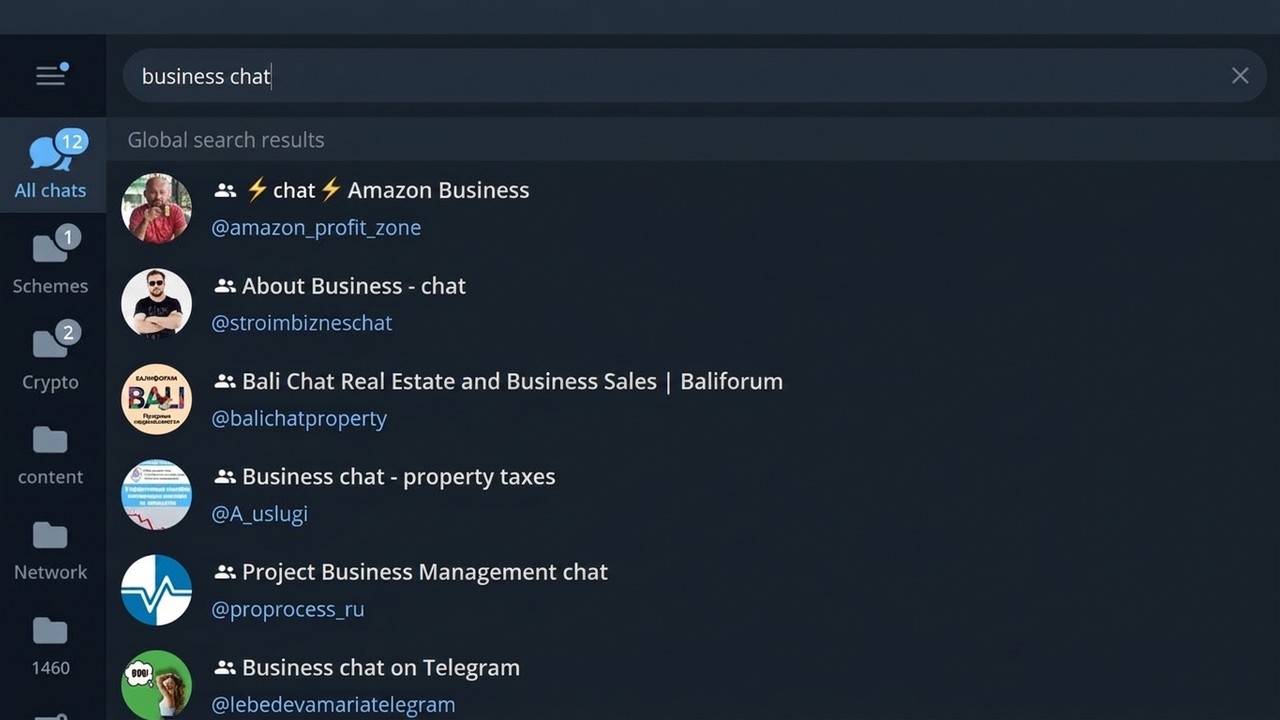
However, in-app search has a ceiling. It lists only a handful of matches per query, and invite-only communities never show up there at all.
Comment Threads Under Channel Posts
Also, many channels attach a chat for discussion. You'll spot a comments button under each post, and the channel profile links straight to that chat. So find one good channel in your niche: its comment section often leads to the liveliest crowd on the topic.
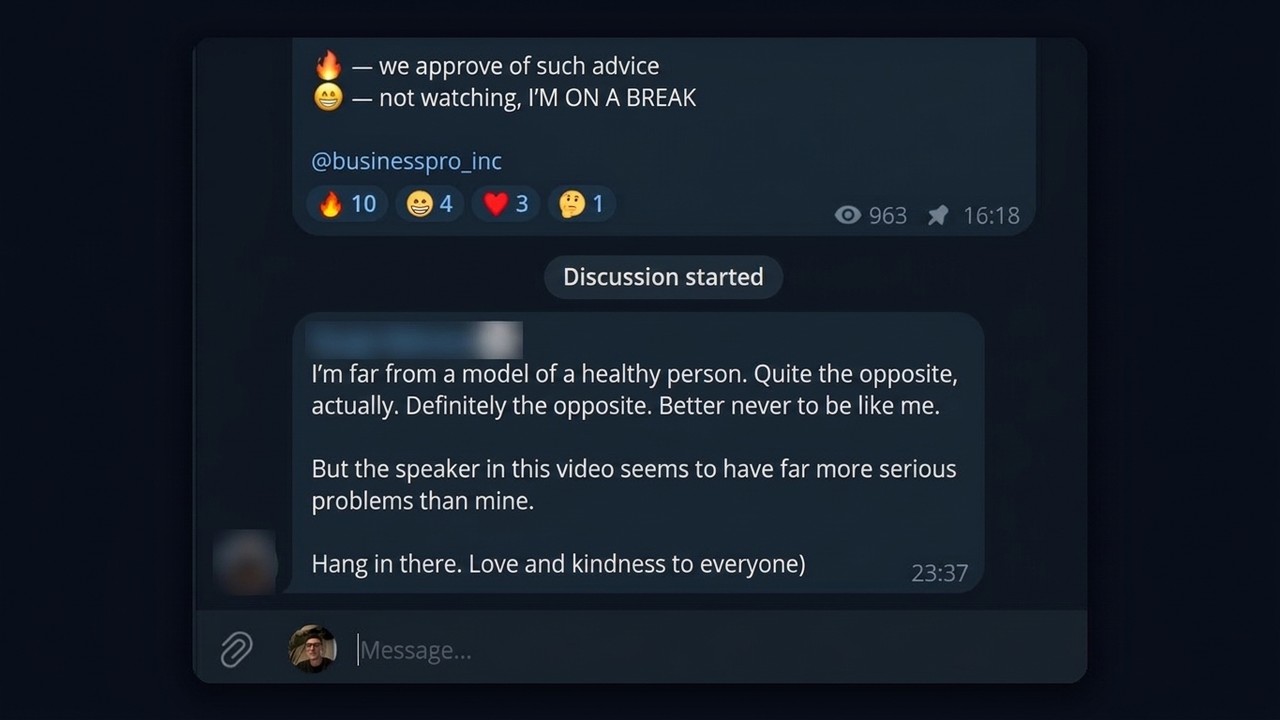
Hashtags help as well. Once you land in a decent community, scan the tags its members use: they often point to sister chats with a similar audience.
Finding Telegram Groups by City and Niche
Local and niche communities get the most traffic, because people solve everyday problems there. For example, they hunt for a plumber, compare kindergartens or discuss the new metro line.
- Place plus topic. "Sunny Park residents", "Chicago tech jobs", "Miami yoga".
- Directories. Catalogue sites sort chats by region and theme, though many entries go stale within months.
- Web search. Googling "telegram chat Seattle renters" often digs up Reddit threads and blog lists with invite links.
- Search bots. Handy, but they only know their own base, so freshness varies.
- Channel atlas. The free Telegram channel atlas lets you browse channels by topic and jump into their discussion chats.
Why "Groups Nearby" Disappeared
For years, Telegram showed local communities under People Nearby. Then, in September 2024, that section vanished, largely because spam bots and fraudsters exploited it. Tutorials that still say "open Contacts and tap Find People Nearby" lead nowhere today.
As a result, what remains is a city name in search, local news channels and directories. For sales teams there's a faster route: a parser that pulls every public chat matching your keywords within minutes.
Getting Into Telegram Groups, Including Private Ones
Open communities are easy. Tap Join and you're in. Also, you can scroll their history first to see whether the vibe suits you.
Closed ones, however, work differently. They never appear in search, so an invite link is the only door. Admins or members hand it out, and sometimes it sits in the description of a related channel.
- Plain invite. Click it, and then you're a member.
- Approval link. You press Request to Join and then wait for approval.
- Bot gate. A moderation bot may ask you to tap a button or answer a simple question before you can write.
Sometimes an invite fails. Usually the admin has revoked it, the link has expired or hit its usage cap, or you were removed from that chat earlier. In that case, ask for a fresh link and double-check that another account of yours isn't already inside.
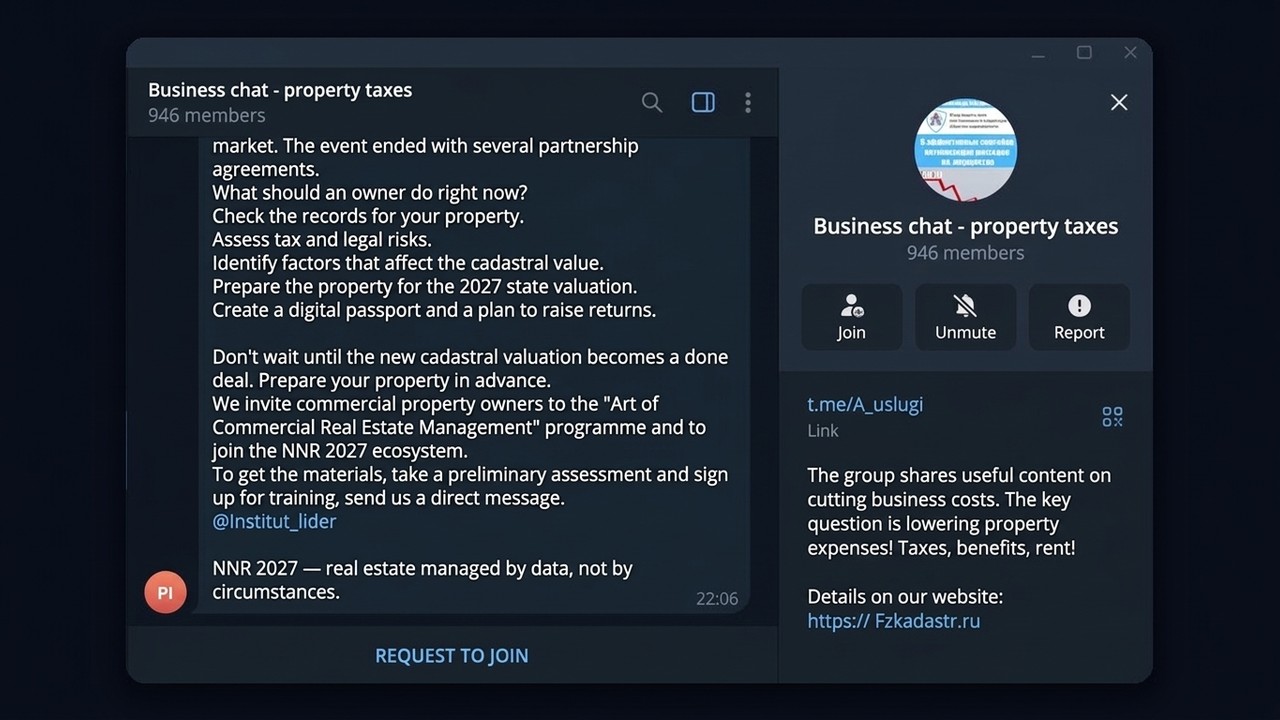
Keep in mind: each profile has a ceiling on memberships. A free account stops at roughly 500 groups and channels combined, and Premium raises that to about 1,000. The rest of the platform's caps are listed in our overview of Telegram limits.
Lively or Dead: A Two-Minute Test
First of all, a big member count proves nothing. For instance, a chat with 20,000 people can go a week without a single genuine message, so run a quick check before you commit.
| Check |
Alive |
Dead |
| Newest message |
Today or yesterday |
Weeks ago |
| Authors |
Many names, real back-and-forth |
Same few accounts or pure ads |
| Online counter |
A noticeable share of members |
Close to zero |
| Moderation |
Spam disappears, rules are pinned |
Link dumps everywhere |
| Newbie questions |
Answered within the hour |
Ignored for days |

In other words, replies are the real pulse. If a stranger's question gets an answer fast, people are home. But if the feed is the same banner posted by ten bots, you've found a billboard, not a community.
Collecting Telegram Groups at Scale with GramGPT.io
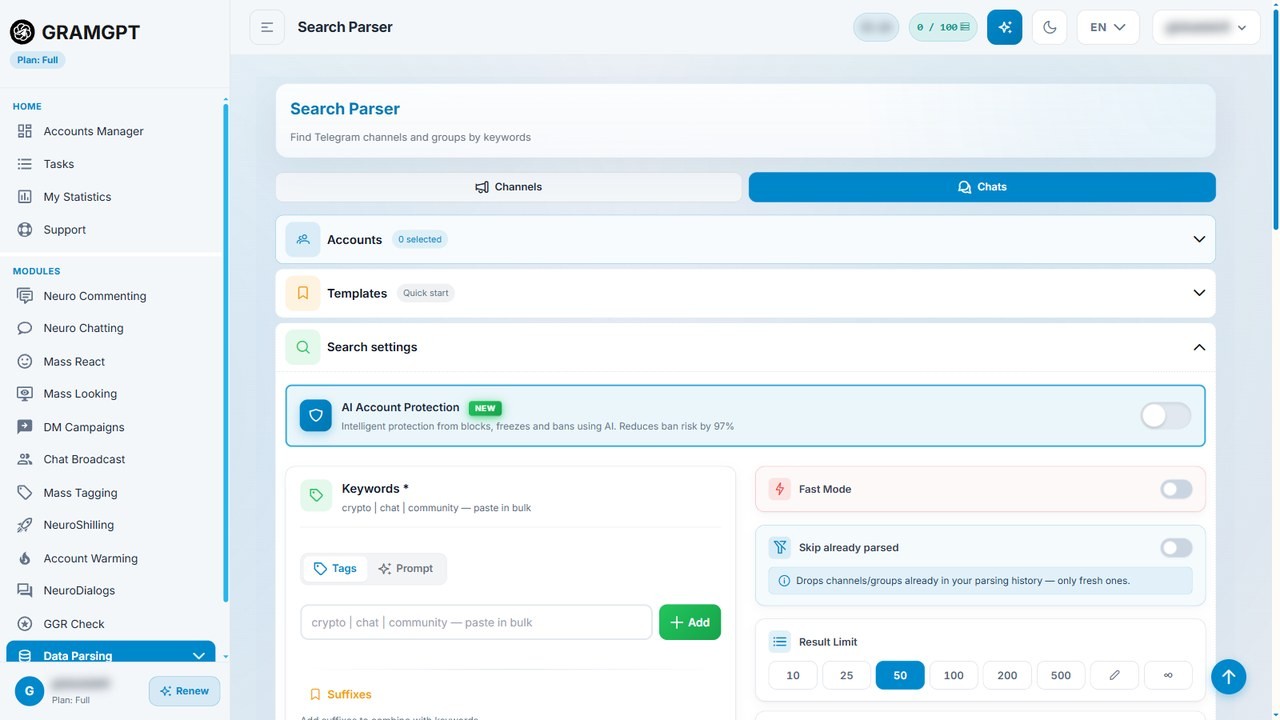
Searching by hand works for three or four chats. Outreach, however, needs dozens or hundreds of places where your audience actually talks. The GramGPT channel and chat parser handles that part.
Step 1. Feed It Keywords
You list topics and places, for instance "renovation Austin" or "crypto traders". Then the parser runs those phrases through Telegram search and saves every public match into a single base.
Step 2. Drop the Ghost Towns
Next, filter the base by size and posting frequency. As a result, only chats with ongoing conversations stay. Our chat parsing walkthrough shows how to clean such a list step by step.
Step 3. Pull the People Who Speak Up
Silent members rarely buy anything, so they matter less. That's why the user parser can export the authors of messages from a chosen period, giving you a list of people who are genuinely active.

Besides, you don't need to join those chats by hand. The account manager can enter them automatically and sort them into folders, as covered in our note on auto-joining chats.
The live groups you collect also work for promotion: you can run bulk messaging across these chats with delays, limits and AI-varied wording.
Starting Your Own Chat
If no community fits, then launch your own. It takes about a minute:
- Tap the pencil or menu icon and choose New Group.
- Add at least one person and pick a name.
- In settings, decide between a public @handle and a private invite link.
- Enable spam filters and appoint a couple of admins.

However, a fresh chat's biggest enemy is silence, because nobody wants to speak first in an empty room. NeuroShilling keeps early threads going with AI accounts that stay on topic until real members warm up. Also, more growth ideas are in our guide to promoting a channel and chat.
Chats Inside a Chat: Topics
Once a community covers many subjects, a single feed turns chaotic. Topics fix that because they split one space into separate threads, so "Crypto", "Schemes", "Live Streams" and general talk coexist without drowning each other out.
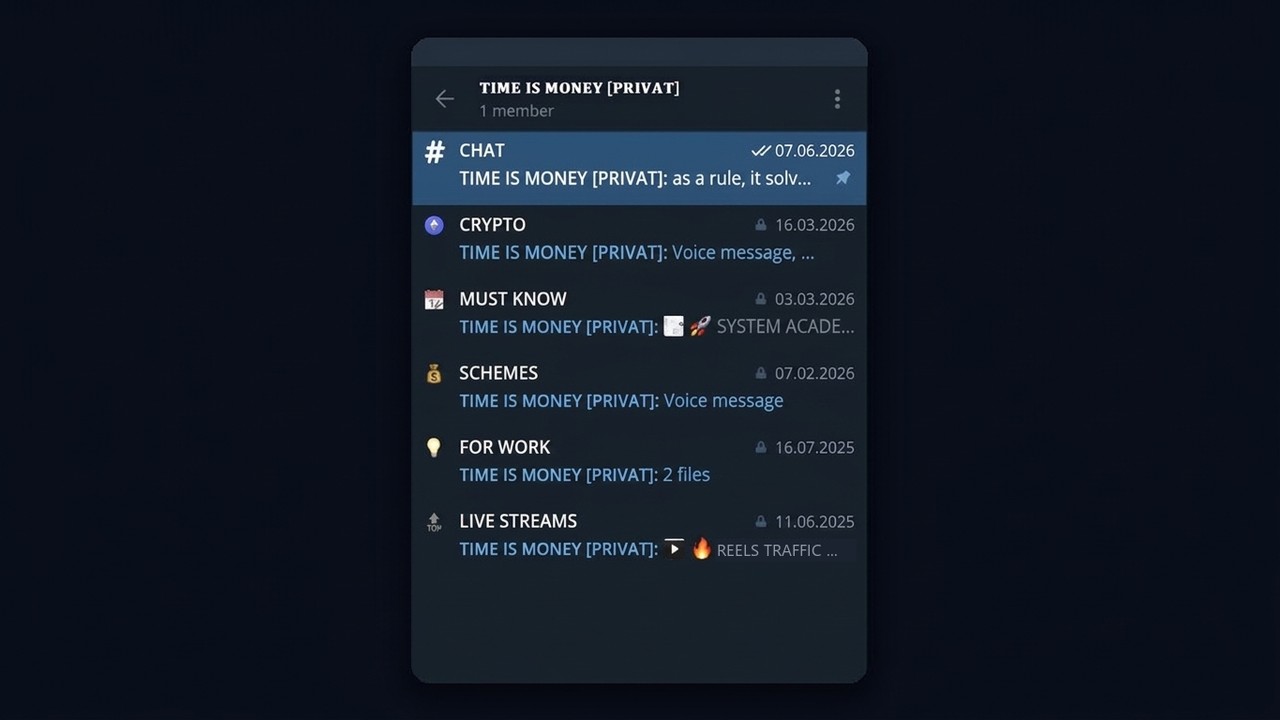
First, the owner or an admin switches this on via the Topics toggle in the chat settings. Then you create threads with their own names and icons. As a result, members see a menu of sections, and each thread keeps its own pinned posts and permissions.
That's why clubs, paid courses and private circles love this format. Instead of five separate chats, members join once and then pick the section they need.
Mistakes People Make Hunting for Chats
- Joining everything in sight. The membership cap fills up quickly and your list turns into noise.
- Trusting the member count. Inflated numbers look impressive, but nobody inside says a word.
- Pitching on day one. Most admins ban for it, and repeated reports can earn your account a spam block.
- Following outdated tutorials. People Nearby is gone, so those steps only burn time.
Conclusion: Finding Telegram Groups Without the Guesswork
To sum up, combine a topic with a place in search, follow comment threads of good channels and use directories with a pinch of salt. Also, private spaces open only through invites, and a two-minute activity check saves you from ghost towns.
But when chats are part of your marketing, manual digging soon becomes the bottleneck. In 2026, GramGPT.io can take over the routine part: gathering hundreds of Telegram groups by keyword, keeping the active ones and surfacing the people who actually write.