In 2026, Telegram bulk messaging with a link in every post leads to complaints and account limits more and more often. People spot repetitive ads fast. Meanwhile, a fresh account with no history or preparation can catch a spam block and drop out of work within days.
So what matters today is not random sending but the whole system. It includes prepared senders, a fresh set of target groups, a natural pace and varied wording from AI. As a result, your posts look less alike, while warm-up gradually gets them ready for the load.
Below, we configure it in GramGPT.io step by step. First, we prepare profiles and collect niche chats. Next, we draft the post and configure AI variations, delays, limits and the cyclic mode. Finally, we connect NeuroDialogues to handle incoming DMs.
What Telegram Bulk Messaging in Chats Is
Telegram bulk messaging in chats is the automatic posting of a ready-made ad to niche communities where your audience already hangs out. Accounts work through the collected database one by one and publish the copy with preset delays and limits.
In other words, it brings people straight from places where they already discuss the topic, look for services or ask questions.
Teams use it to drive traffic to a channel, collect service requests or find clients there. Besides, it works well alongside other promotion channels.
The same thing is often called group messaging. In the messenger, open groups and chats behave alike, so a Telegram mass message to groups is configured exactly like a message to chats. What matters is whether members are allowed to post.
How Telegram Bulk Messaging Works
At first glance, niche groups look crowded with ads, and a new one seems bound to get lost. In practice, results depend on data quality, how lively the chat is and how well the offer fits its members.
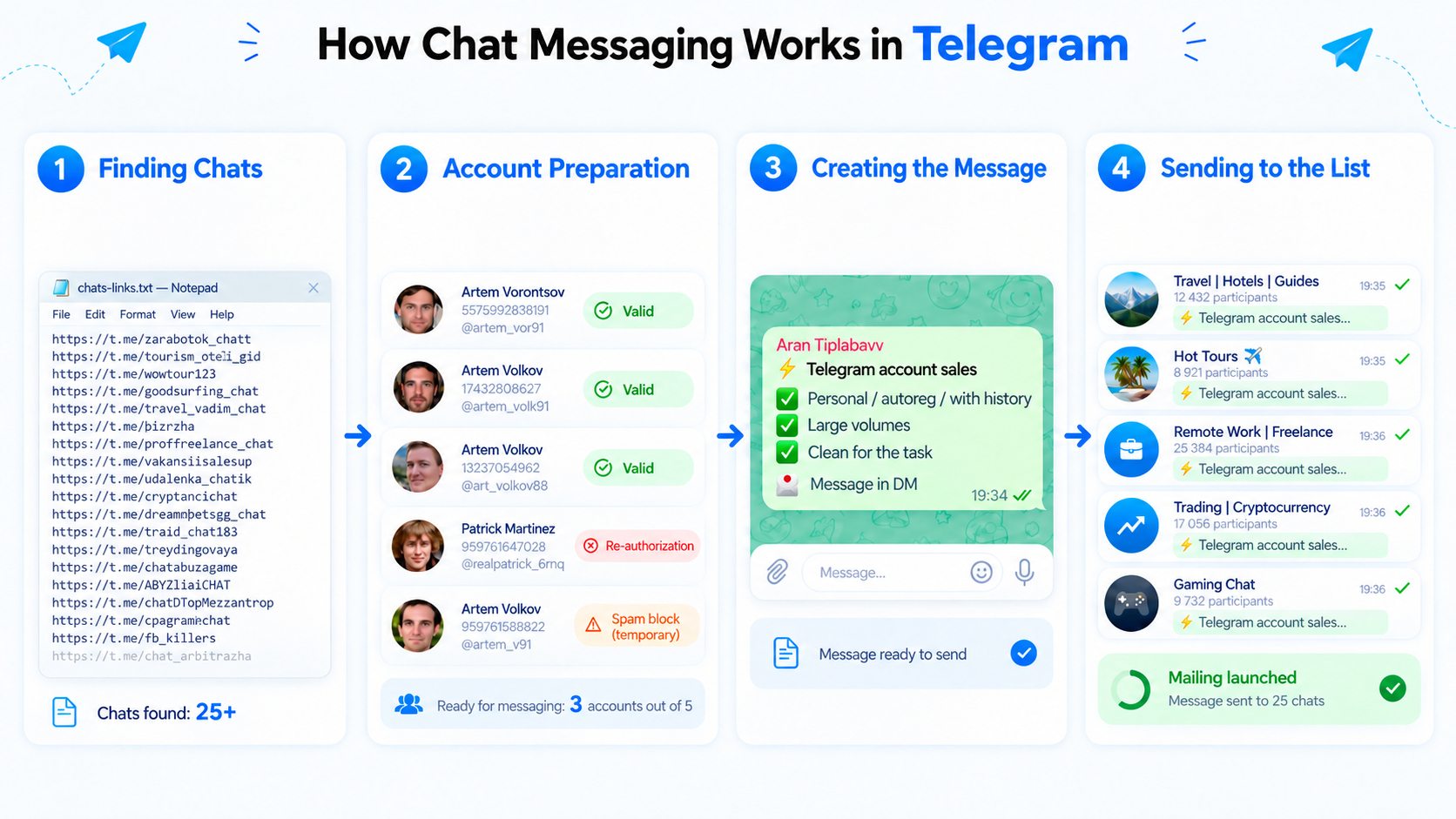
The flow looks like this:
Finding chats with your audience → preparing profiles → writing the offer → sending to every target
Also, a post keeps working after it is published. People use in-chat search: they type a service name, find a matching offer and contact the author directly. That is why such campaigns can bring requests days later, when the post has long scrolled up the feed.
The job of the ad is not to fit a whole sales funnel into a single message. Instead, it should explain the offer quickly and give a clear next step, such as writing to the sender in DMs.
The Main Mistake: a Link in the First Post
A common mistake at launch is adding a link to a channel, website, form or bot right away. Such a message reads as a blunt ad and usually gets fewer replies.
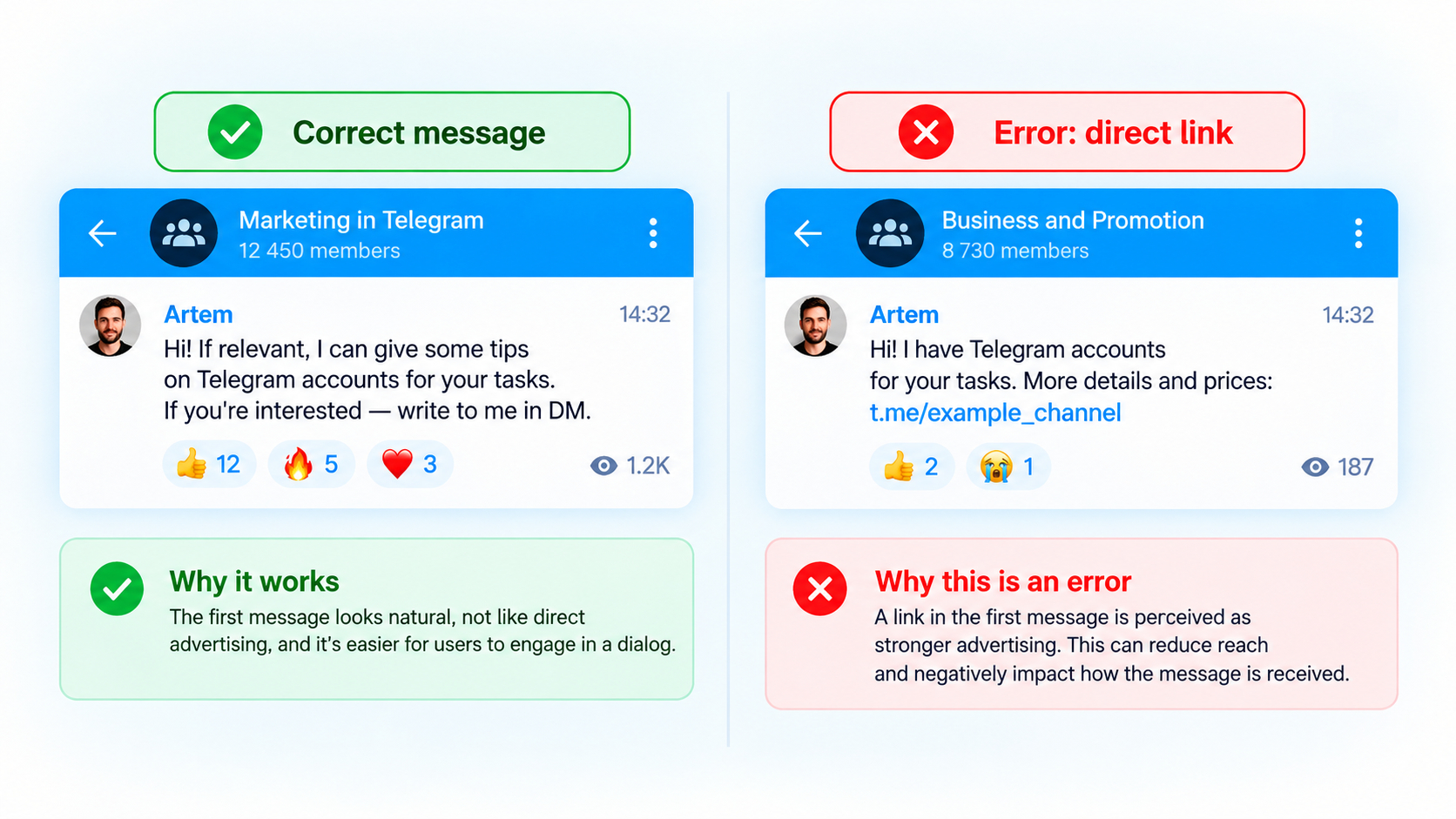
The better scenario is simpler. The copy briefly explains the offer and invites people to DM. Then an AI autoresponder or a manager replies.
In the private chat, you can clarify needs, explain the service, send materials or invite the person to your channel. This way, the first message becomes a first contact rather than a hard sell through a link.
What to Do If Links Are Banned
Many spaces forbid URLs or any promotion, and moderator bots delete such messages. Where links are banned but ads are fine, send a short pitch without a URL and ask readers to DM; set your channel as the profile’s personal channel so they find it. Where promotion is banned outright, exclude the place.
Three Ways to Send a Telegram Mass Message to Groups
You can spread an ad in three ways, and they differ a lot in effort and risk.
| Method |
How many groups |
Speed |
Risks |
Best for |
| By hand |
Up to a dozen communities |
Hours of manual work |
Identical posts from one profile quickly hit limits |
A one-off post in a few familiar communities |
| A Telegram bot |
Only places where admins added it |
Fast, but within a narrow circle |
No way into other communities |
Announcements in chats you run |
| A Telegram bulk message sender |
Hundreds of communities from several senders |
Automatic, with delays and limits |
Needs prepared, warmed-up accounts |
Regular Telegram mass messages to groups |
So people searching for a Telegram group sender usually need software that works through user accounts. That is how the Chat Messaging module in GramGPT.io works as a Telegram mass sender.
Below, we walk through the third option step by step.
How to Set Up Telegram Bulk Messaging in GramGPT.io
We will cover the whole process in order, from preparing accounts and the target selection to writing the ad and launching.
Preparing Accounts Before Telegram Bulk Messaging
First, import an account via tdata or session+json into the GramGPT.io account manager. Then add a SOCKS5 proxy from the same region as the account. After that, do not rush to change the profile design or start active sending. We covered how to choose an account for promotion in a previous article.
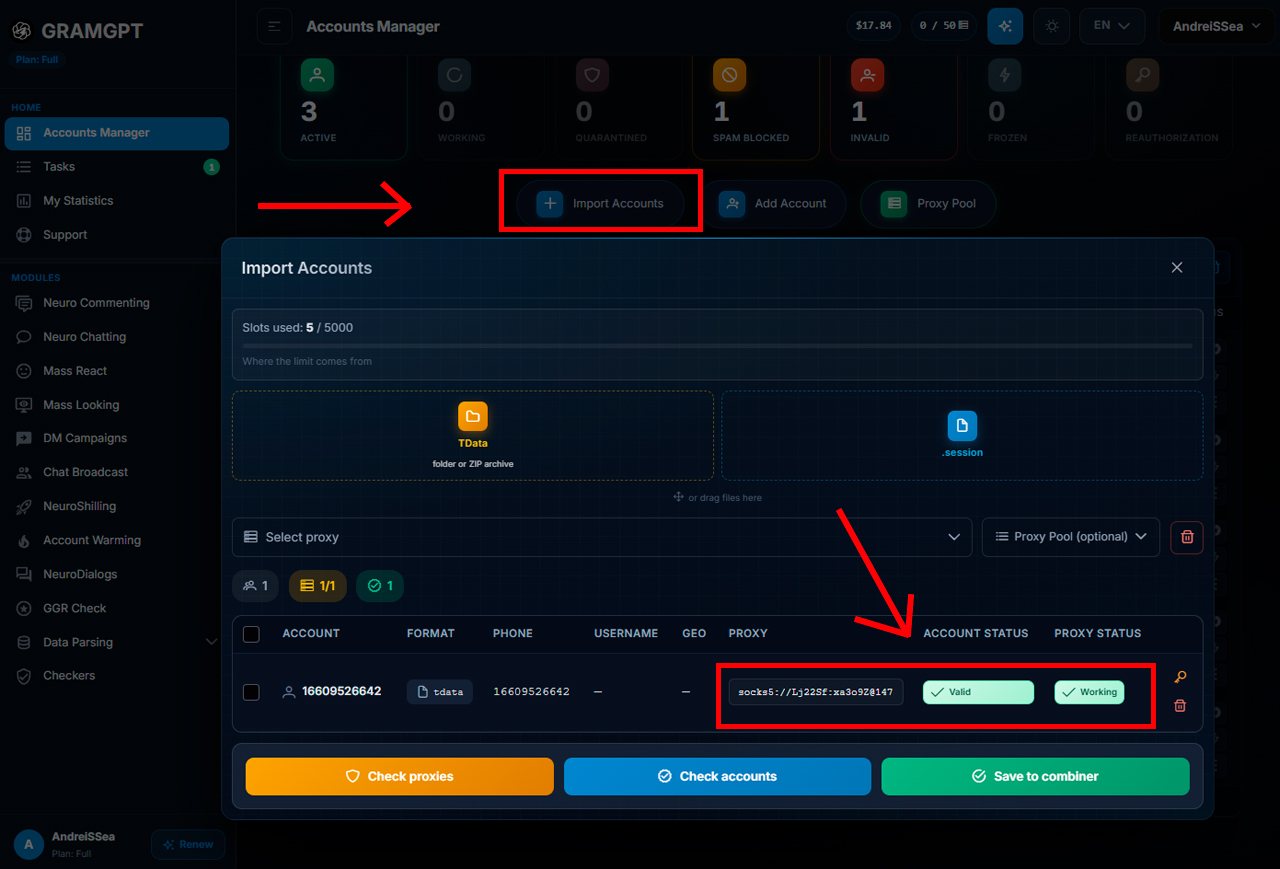
Next, let it rest for 24 hours on the new IP. Only then move on to further preparation.
Important: auto-registered accounts especially need account warm-up before real work. At this stage, profiles gradually build a behavior history: they read channels and perform other preset actions automatically.
After resting and warming up, the profile is ready. Still, check its condition first to see whether it suits this kind of posting.
GramGPT Rating: How to Choose Geo and Proxy
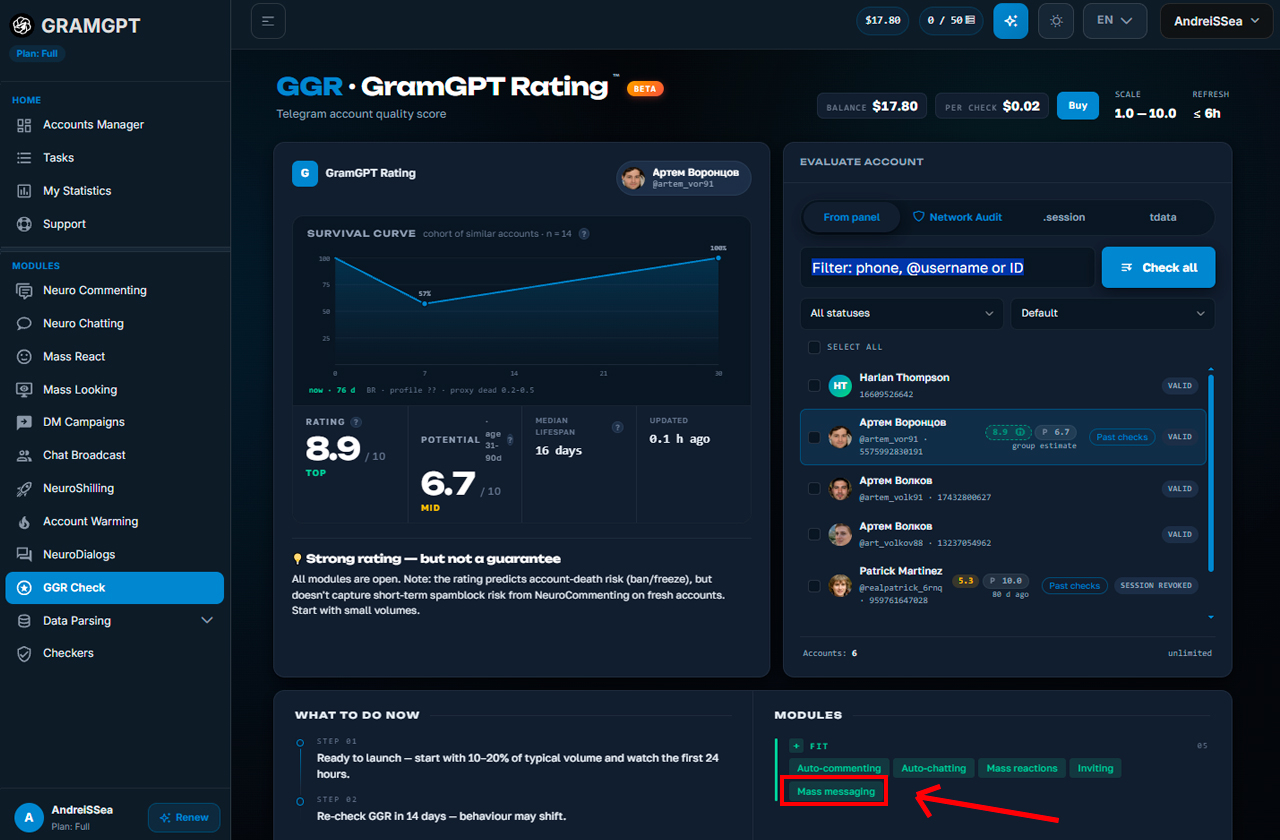
For a quick assessment, there is GramGPT Rating. It shows quality and how well an account fits a specific scenario. For example, this one is suitable for a campaign.
For CIS campaigns, pick senders with a suitable geo. In the benchmark, look not only at the survival rate but also at the data period, for example "in the system for 16 days". A high score over a few days cannot be compared directly with stats gathered over several months.
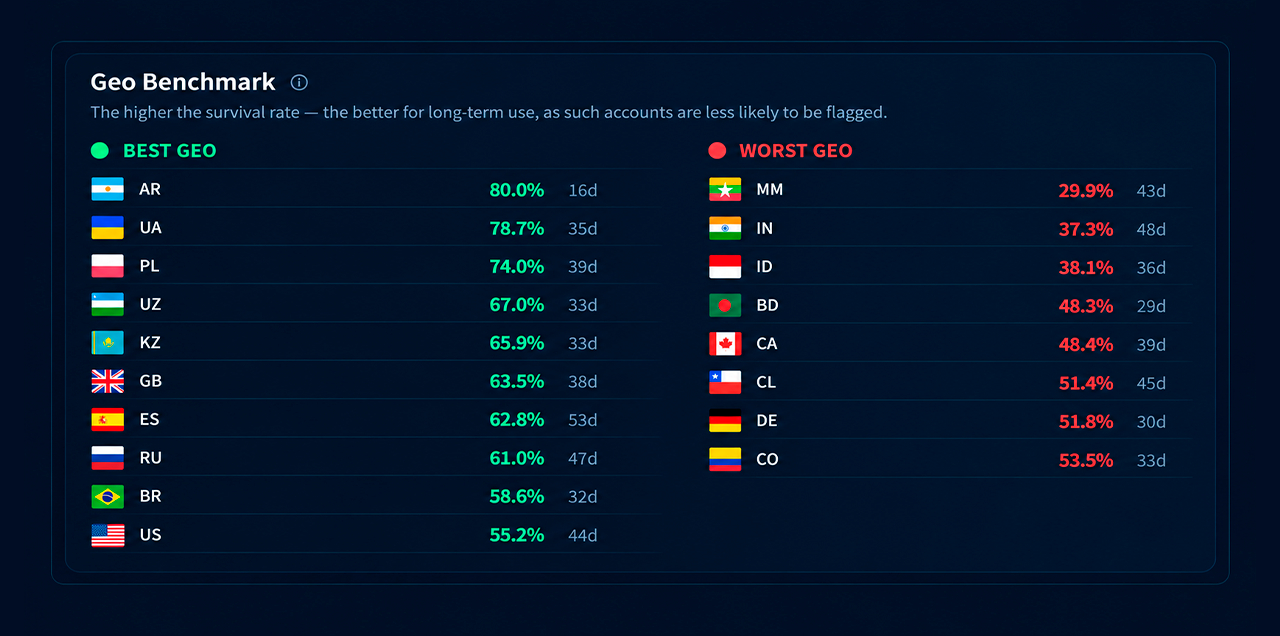
This way, automation prepares profiles step by step and avoids a sudden jump from import to heavy activity.
Why Account Age Matters
It also helps to find out the Telegram account creation date. In the free tools section, paste a profile link or ID, and the service shows its age.
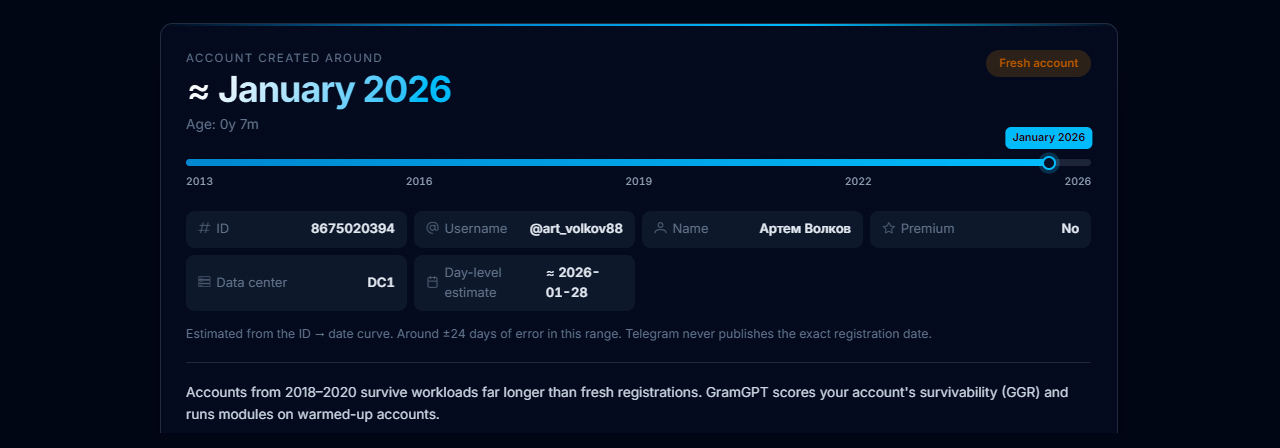
Consider age together with geo and the GGR score. As a rule, older accounts hold up better over long campaigns.
Parsing a Group List for Bulk Messaging
The next stage is collecting niche groups. Without it, even a well-tuned campaign will fall flat, because random communities bring a random audience.
Therefore, we first look for spaces where people likely to want your offer already gather. For this, we use the channel and chat parser from search.
Start with keywords for your niche. For example, verification services can use queries about KYC and checks. For crypto, try cryptocurrency, crypto, NFT and extra variants generated on request.
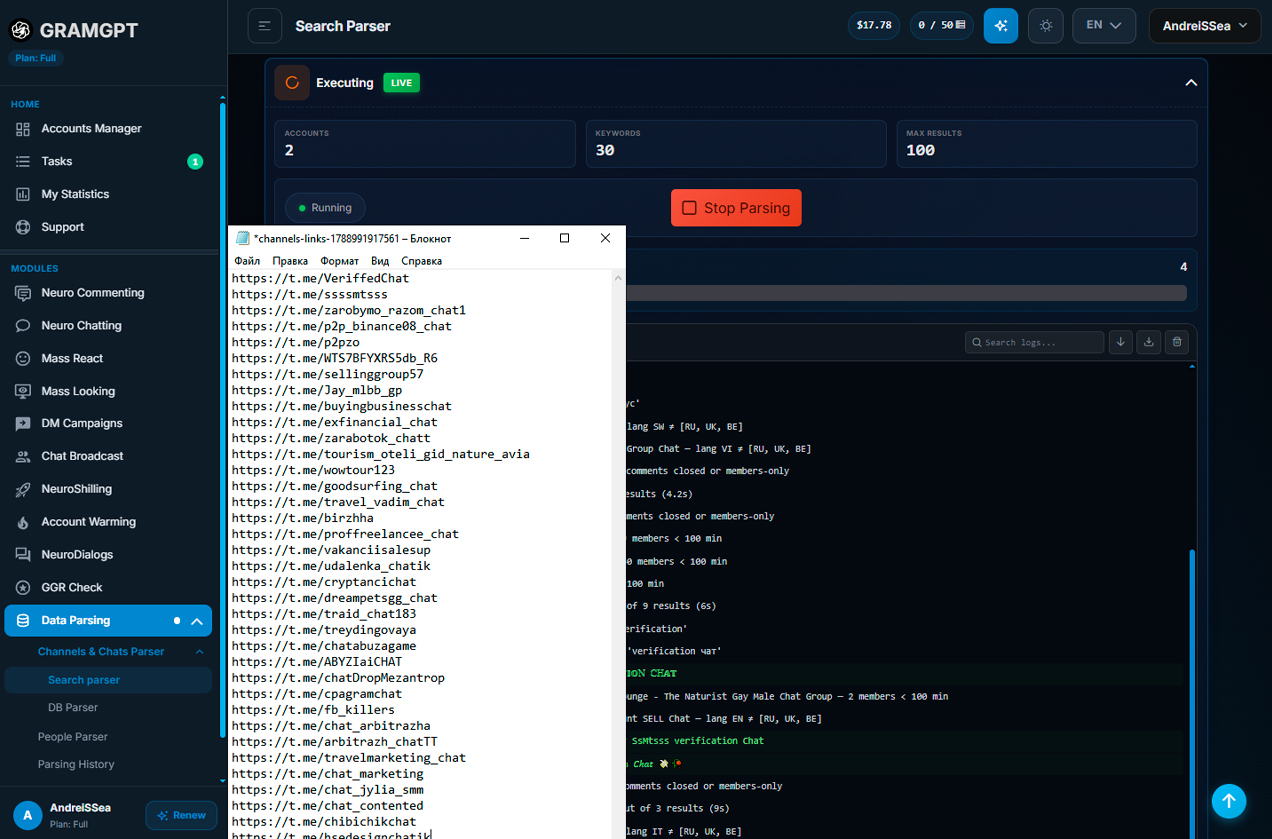
In the parser, configure:
- keywords and variations — add the main queries to the "Tags" field or write a prompt that suggests more;
- endings — for example, the word "chats" to build extra combinations;
- result limit — set it per task, for example up to 100;
- period and activity — keep only active communities, for example from the last 30 days;
- languages and geo — for example Russia, Ukraine, Kazakhstan, other CIS countries or regions abroad.
One query is rarely enough for a full catalog. So run the search with different phrasings, expand it step by step and save what you find.
The more precise your keywords and filters, the more relevant the results, and the better your Telegram bulk messaging performs later.
Writing the Ad for Telegram Bulk Messaging
With the catalog ready, open the Chat Messaging module. Select the prepared senders, upload what you found and add the ad.
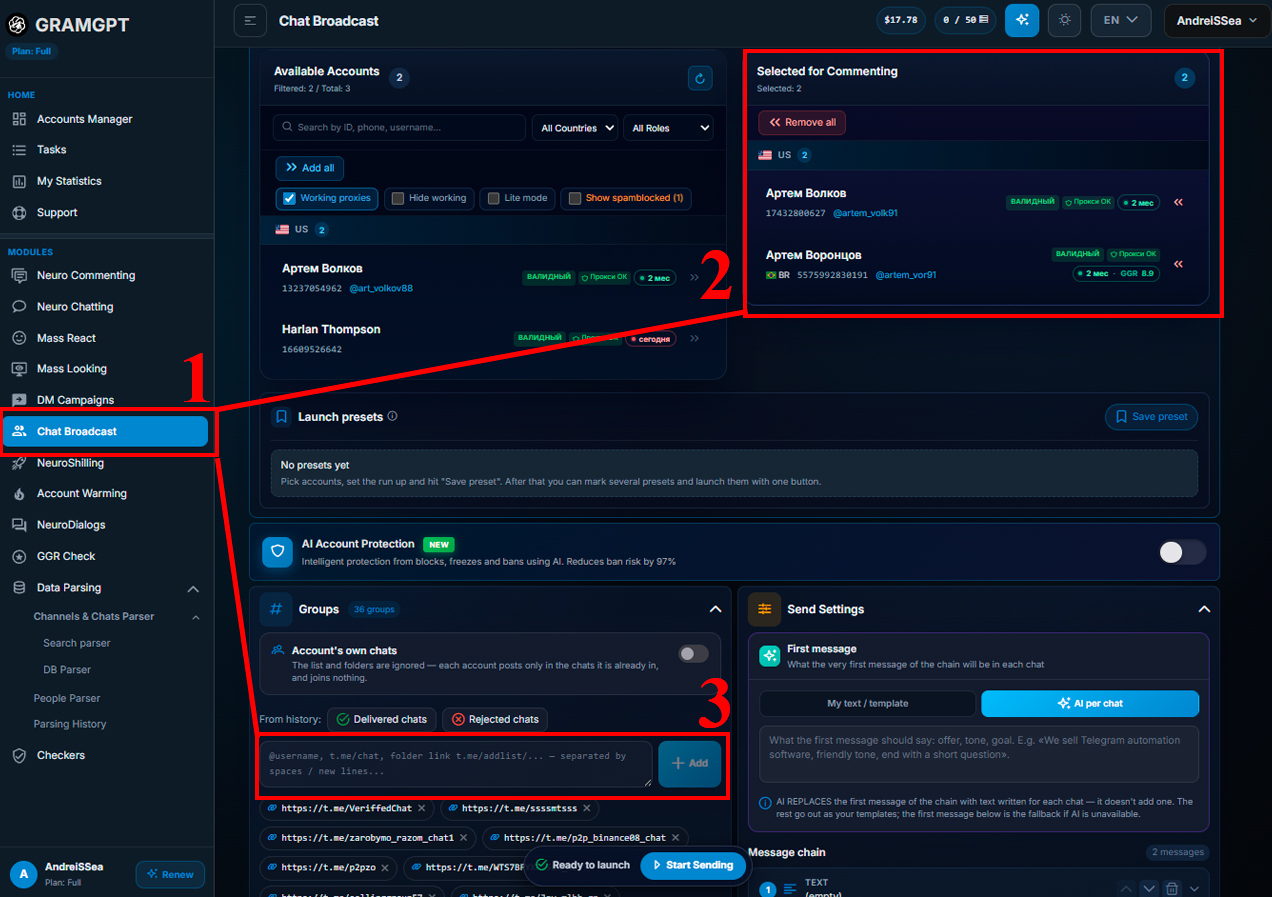
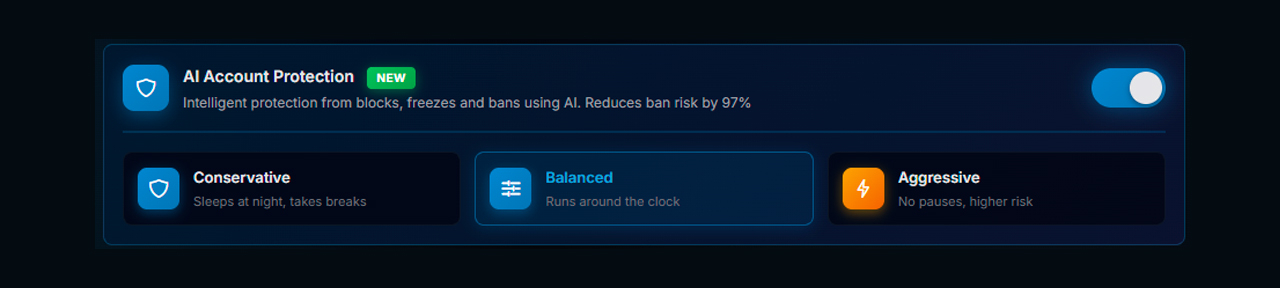
It is also worth turning on AI protection. It randomizes actions, adds pauses and simulates typing. As a result, behavior looks natural rather than a bare joined the group → posted pattern.
The module supports several formats:
- plain text;
- AI-generated text;
- photos, videos, GIFs, stickers, voice notes, video notes and documents;
- an inline post with buttons or a repost from your channel by link.
In most cases, a short ad with a concrete offer and an invitation to continue in DMs is enough.
Fixed Text and AI Generation
You can keep the wording fixed or add several options for individual words and phrases.
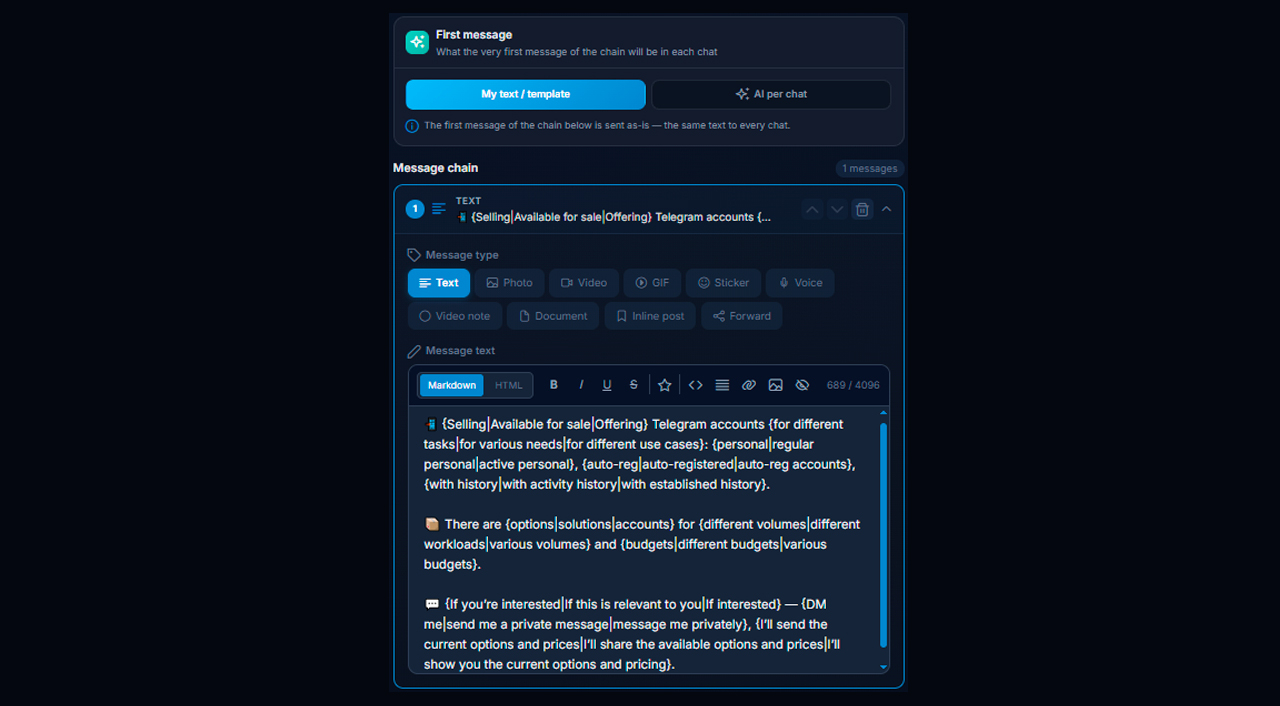
For example:
{Selling|Available for sale|Offering}
On each send, the system picks an option at random. The same trick works for whole sentences, not just single words. To skip building variations by hand, ask ChatGPT for a ready template.
Prompt for ChatGPT: Randomize this text while preserving the original meaning and structure. For key words and phrases, create 3 natural variants in the format {variant1|variant2|variant3}. Do not create three separate messages — it should remain one text with variations.
Another option is full AI generation. You define the core idea, the tone and extra rules, for example a friendly style or a question at the end. The meaning stays, but AI phrases the ad differently every time. So your posts stay varied, and you can test different angles.
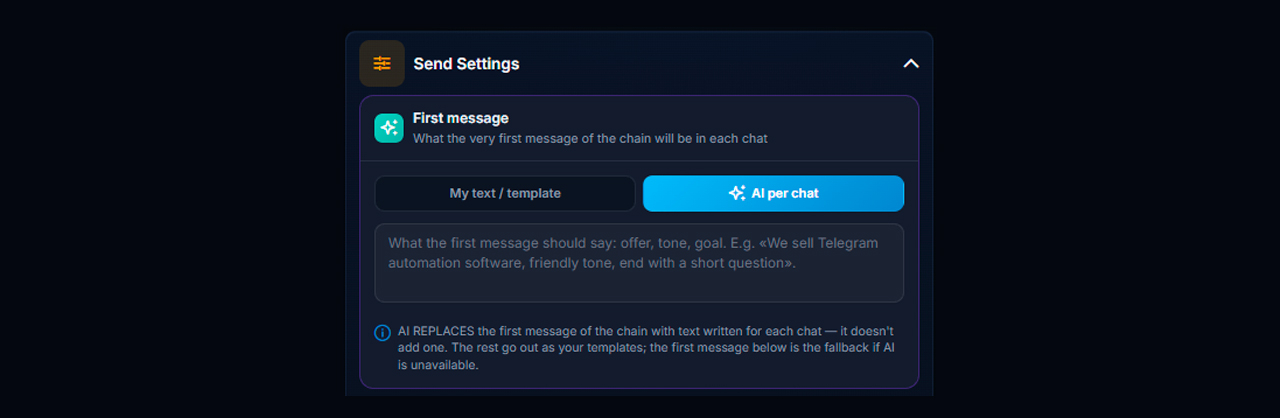
Usually one fixed version per group is enough. But to keep accounts alive longer, combine both approaches: fixed text with variations plus AI generation.
You can also send a chain of two, three or four posts. However, use it only where it is truly needed and looks natural.
Cyclic Mode
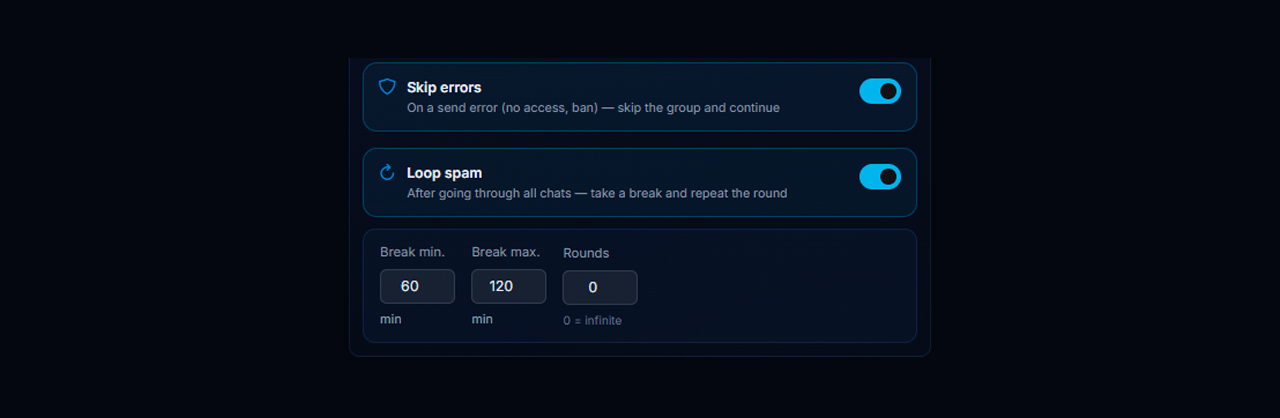
Cyclic mode means that after finishing the whole selection, the system automatically starts a new round in the same groups.
For example, profiles go through 1,000 groups, then wait for a pause, say 60 minutes, and the next round begins. You can choose the number of rounds or enter 0 for endless mode.
In addition, there is a "Skip errors" option. If a send fails, for instance because of missing access or a ban, the system skips that group and keeps working through the rest.
Settings to Check Before Launch
Before starting, adjust the main parameters that control pace and volume:
- Delays. Delay between chats: a basic guideline is 30 to 90 seconds. You can go lower, but the best value comes from testing. Delay within a chain applies when one group gets several posts; tune it to your scenario as well.

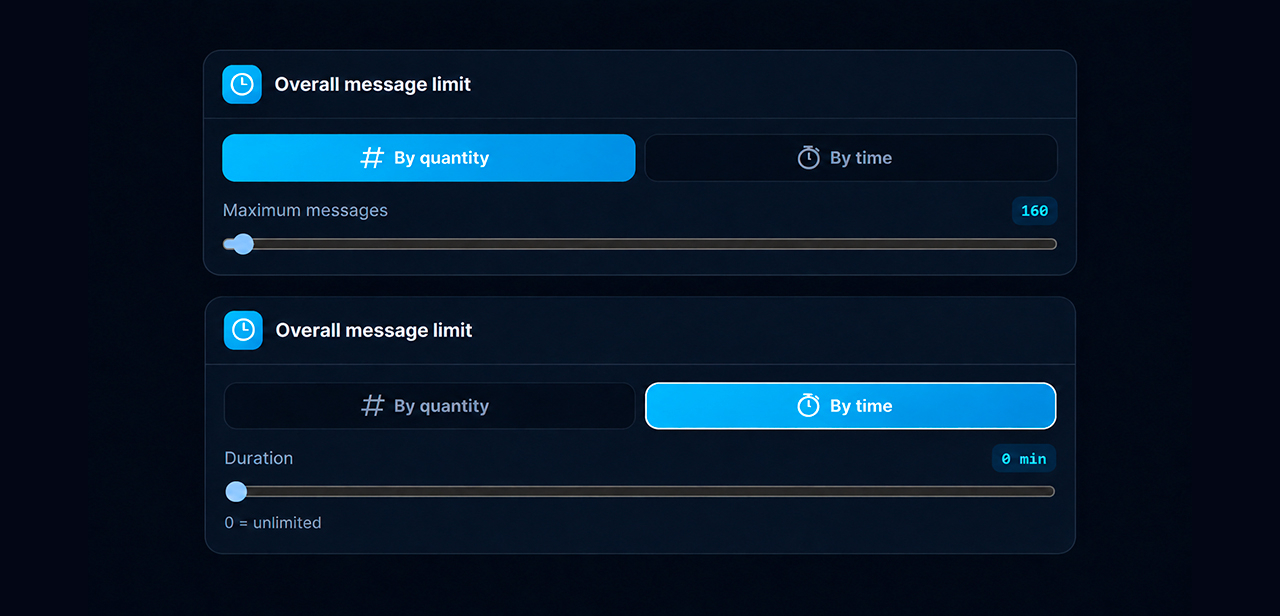
- Total limit. You can cap the run by count, for example 160 sends, or by time. A value of 0 removes the cap.
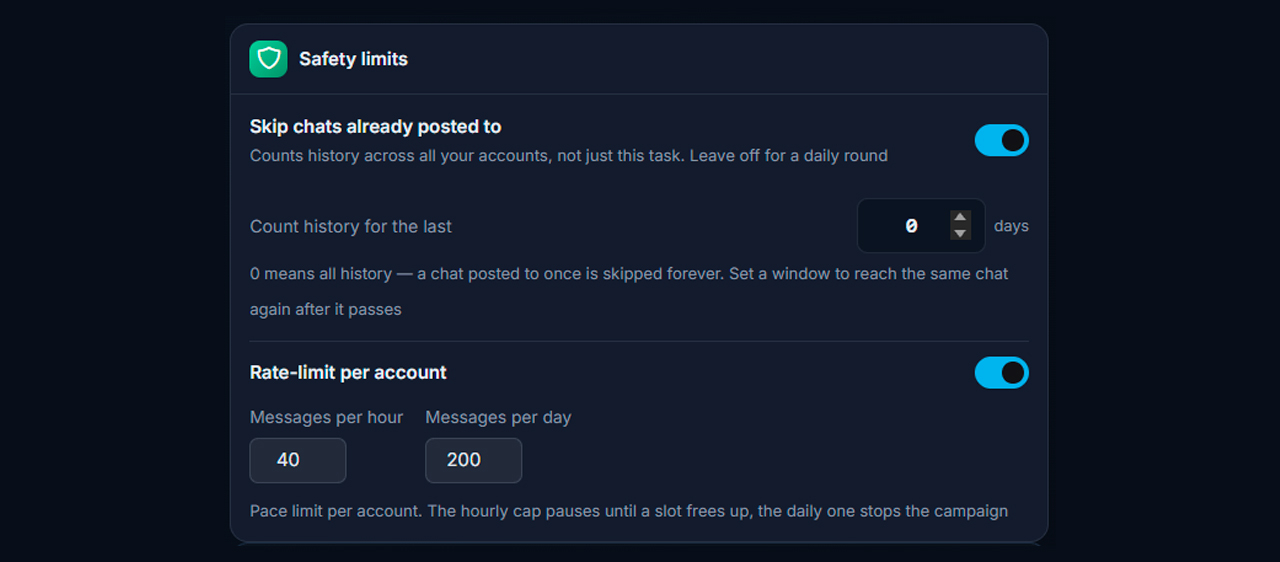
- Safety limits. Turn on skipping groups that already got the post if you need a one-time run. Separately, the per-account rate limit sets the maximum sends from one profile per hour and per day.
- Schedule. Set working hours, weekdays, a time zone and an end time. Outside the schedule the task waits.
Before launch, review the extra safety and behavior settings.
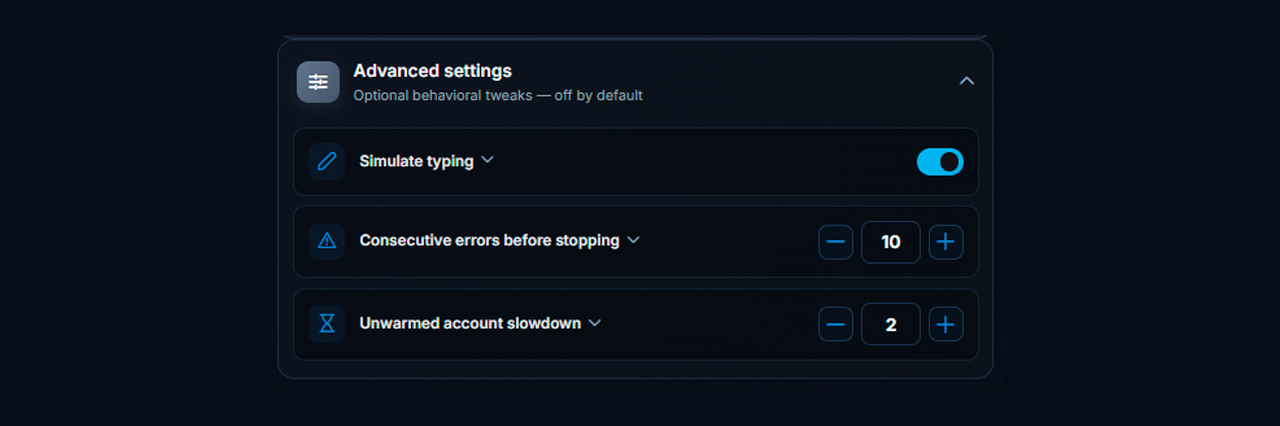
Here you will find special options:
- Typing simulation. Adds a pause before sending and imitates typing, so actions look more natural.
- Consecutive errors before stopping. Sets how many account-side errors, such as a spam limit or a timeout, stop the run. Closed DMs, "Premium only" and deleted accounts do not count. The default is 10, and 0 disables stopping.
- Slowdown for unwarmed accounts. Lengthens the pause between targets for accounts younger than 14 days, counted from first activity. The default 2 doubles the pause, while 1 turns the slowdown off.
No single delay suits every campaign. Therefore, start on part of the database, watch how senders behave and how many replies come in, then adjust step by step.
Connecting NeuroDialogues for Incoming DMs
The work does not end once the ad is posted. When someone writes to the sender in DMs, a NeuroDialogue takes over; simply put, it is an AI autoresponder.
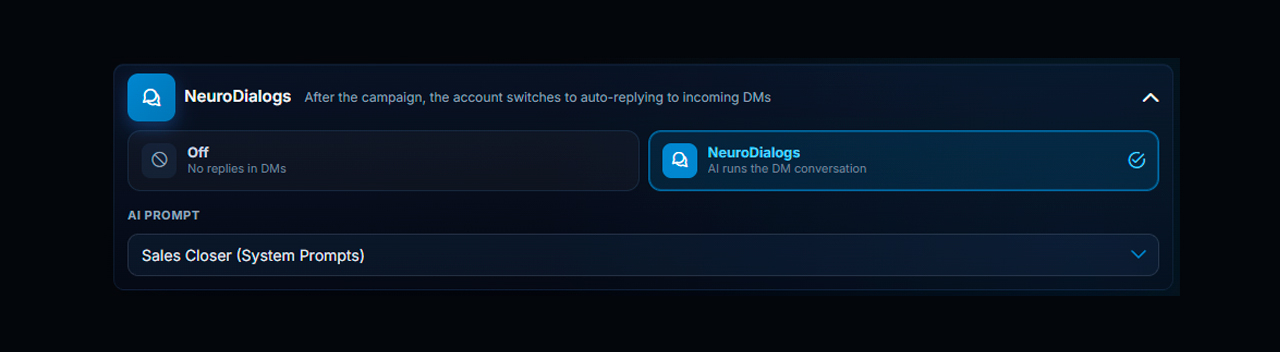
To configure it, pick a ready prompt. It defines the topic, style, goal of the conversation and replies for each stage of the dialogue.
These are very different levels of setup. A chat campaign starts fast: choose the targets, profiles, copy and parameters. NeuroDialogues, however, need careful work, because they handle incoming chats and move people down the funnel. We covered how to configure NeuroDialogues in detail in a previous review.
Demo: Launching Telegram Bulk Messaging
Once everything is ready, launch the campaign. The system posts to one group after another with your delays, limits and other settings.
The logs show progress and which targets are already done.
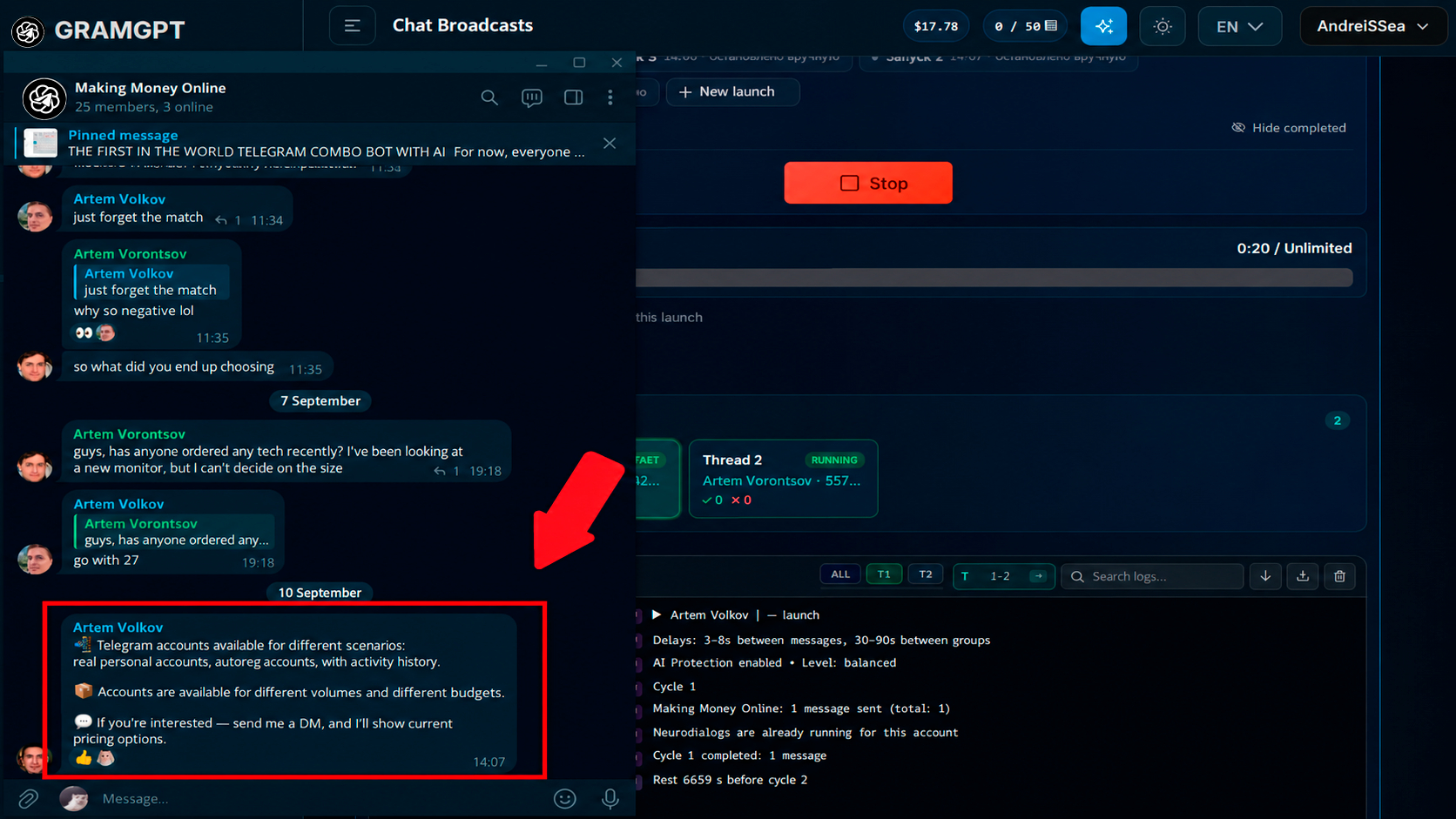
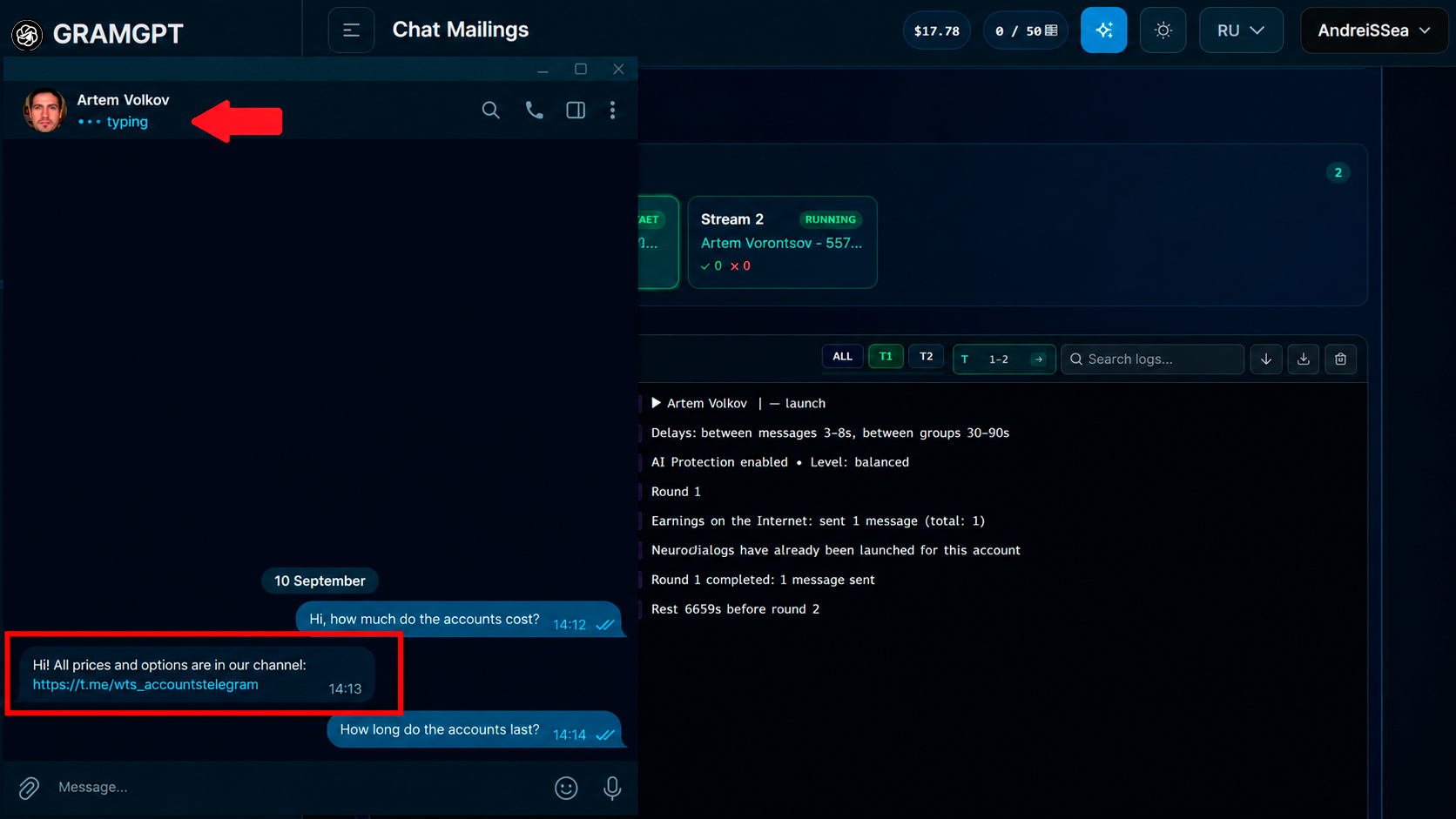
If someone gets interested and sends a DM, NeuroDialogues join the conversation and reply according to your scenario.
How to Avoid a Ban in Group Campaigns
There are no official caps, so watch the logs: flood errors call for a 1.5–2× longer pause, and a run of errors on one sender usually means a spam block, worth checking in @SpamBot. Chats that ban or kick the sender land in the module’s blacklist.
Conclusion: Telegram Bulk Messaging in 2026
With this approach, Telegram bulk messaging stops being random sending of identical posts and becomes a manageable promotion system. The service automates the whole process in a single dashboard. You get senders ready, build a unique pool of target groups, set up safer sending and reply to interested people automatically.
Stable campaigns, healthy senders and more targeted requests.