You follow over a hundred feeds, work conversations get buried under news, and you end up typing names into search just to reach a group. Telegram folders fix this, yet most people never configure them properly.
The usual workarounds are pins, the archive and muted notifications. However, none of them sorts conversations by purpose, so the feed stays endless. Besides, few people know a whole collection can be shared through a single URL.
So this guide starts with how to create a folder in Telegram on a phone and a computer. Next, we build a reading tab of channels, share it and go through the limits. Finally, we show how to prepare such sets on dozens of accounts at once with GramGPT.io.
What Telegram folders are and why you need them
A folder is a tab above your chats. On desktop, it can also sit in a left sidebar. Only the conversations and feeds you pick show up there, while the "All Chats" tab stays where it was. Your views sync across devices, so you configure them only once.

Also, a conversation can live under several of them, because each works like a label rather than a copy. Most people split their lists by one of three principles:
- By task. Work, Clients, Family: business messages never drown among personal ones.
- By type. Feeds to scroll through on one side, groups that need replies on the other.
- By topic. A bundle of sports, crypto, marketing feeds that is easy to pass on.
Telegram folders limit: free vs Premium
Limits depend on the subscription. The free tier is enough for most users. Premium triples the caps.
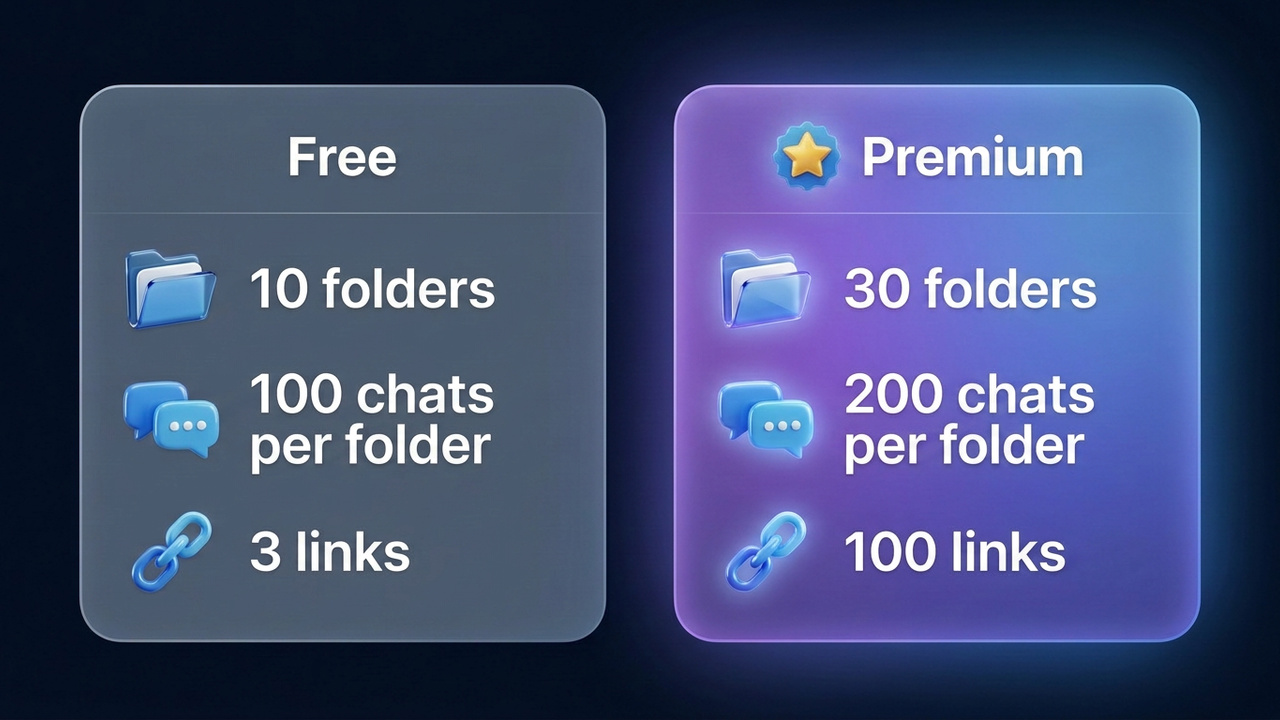
| Limit |
Free |
Premium |
| Per account |
10 |
30 |
| Conversations in each |
100 |
200 |
| Shared sets added via URL |
2 |
20 |
| Invite links |
3 |
100 |
| Colored tags next to chats |
— |
yes |
Colored tags show a label next to each thread in the main list, so you instantly see whether it belongs to Work or Clients. They come with the paid plan. For the price and other perks, see the guide to Telegram Premium.
How to create a folder in Telegram
Each app keeps this feature in its options, so the steps are easy to find. The path is nearly identical everywhere; only the menu names differ slightly.
- Android. ☰ → Settings → Chat Folders → Create New Folder.
- iPhone. Settings → Chat Folders → Create New Folder.
- Telegram Desktop. ☰ → Settings → Folders → Create new folder. Alternatively, right-click a conversation and choose "Add to folder".
- Telegram Web. ☰ → Settings → Chat Folders → Create Folder.
After that, the steps match. Type a name, tap "Add Chats", tick what you need and save with the check mark. Then the new tab appears at the top right away. If you have lots of conversations, use the search box inside the picker and tick them in a row: up to 100 at once. With dozens of accounts, repeating this on each one takes ages: the GramGPT account manager builds the folder on every selected profile within minutes and exports the links as one file.
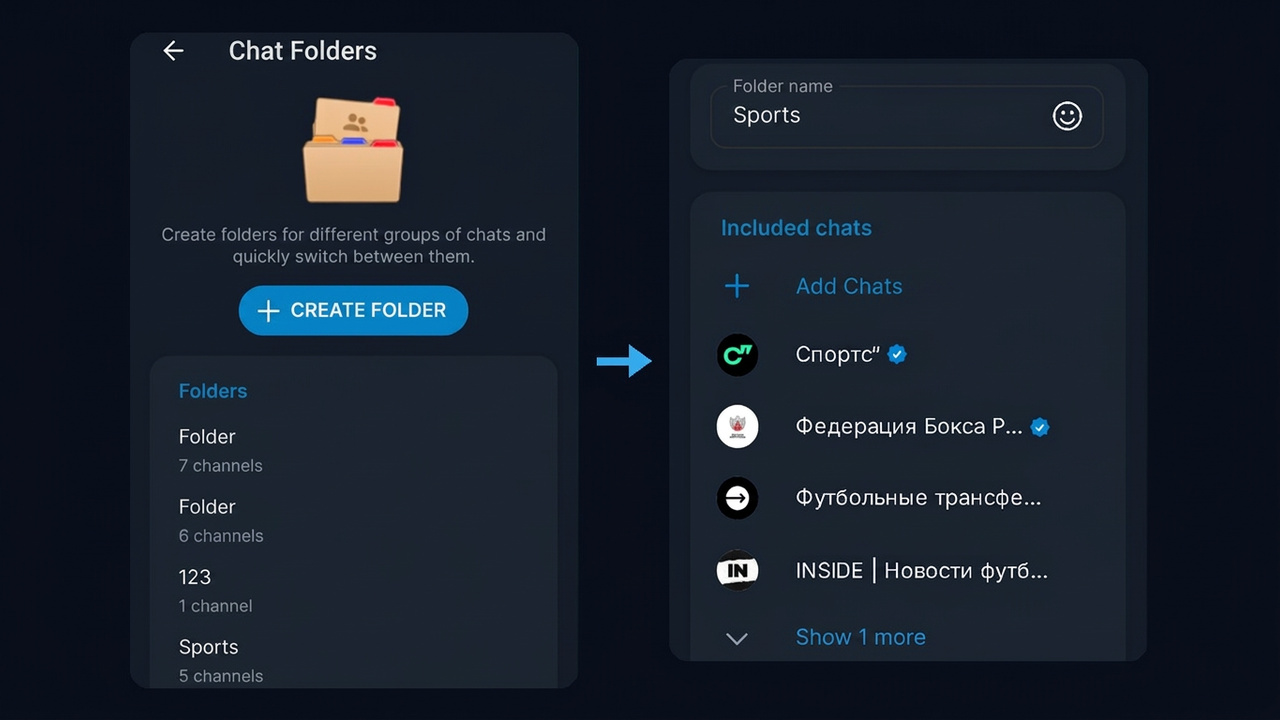
For example, here we build a Sports view in Telegram Web. On the left is the Chat Folders section, and on the right the name plus picked feeds.
Filters: chat types and exclusions
Instead of picking items by hand, you can use rules. The "Chat types" block offers contacts, non-contacts, groups, channels and bots. Meanwhile, exclusions hide read, archived, muted threads.
For instance, a Reply view with groups and read threads excluded shows only places where someone is waiting for you. But a rule-based view cannot be shared. Therefore, if you plan to send it to others, tick items manually.
Ideas to start with
If you are not sure where to begin, copy this template, because it works best for anyone with more than 50 conversations.
| Tab |
What goes there |
Setup |
| Work |
team threads and colleagues |
picked by hand |
| Clients |
direct threads with customers |
by hand, key ones pinned |
| Read |
all subscriptions |
"Channels" type, read excluded |
| Reply |
groups with new messages |
"Groups" type, read excluded |
| Study |
courses, classmates, notes |
by hand |
In other words, Telegram folders act like email filters: some sort by meaning, others by status.
How to edit, reorder and delete a tab
Everything sits in the same section; a long press also works.
- Edit renames it, changing what is inside.
- Reorder by dragging the row.
- Position in Desktop and Web can be on the left or on top.
- Delete removes it, but the conversations stay under All Chats.
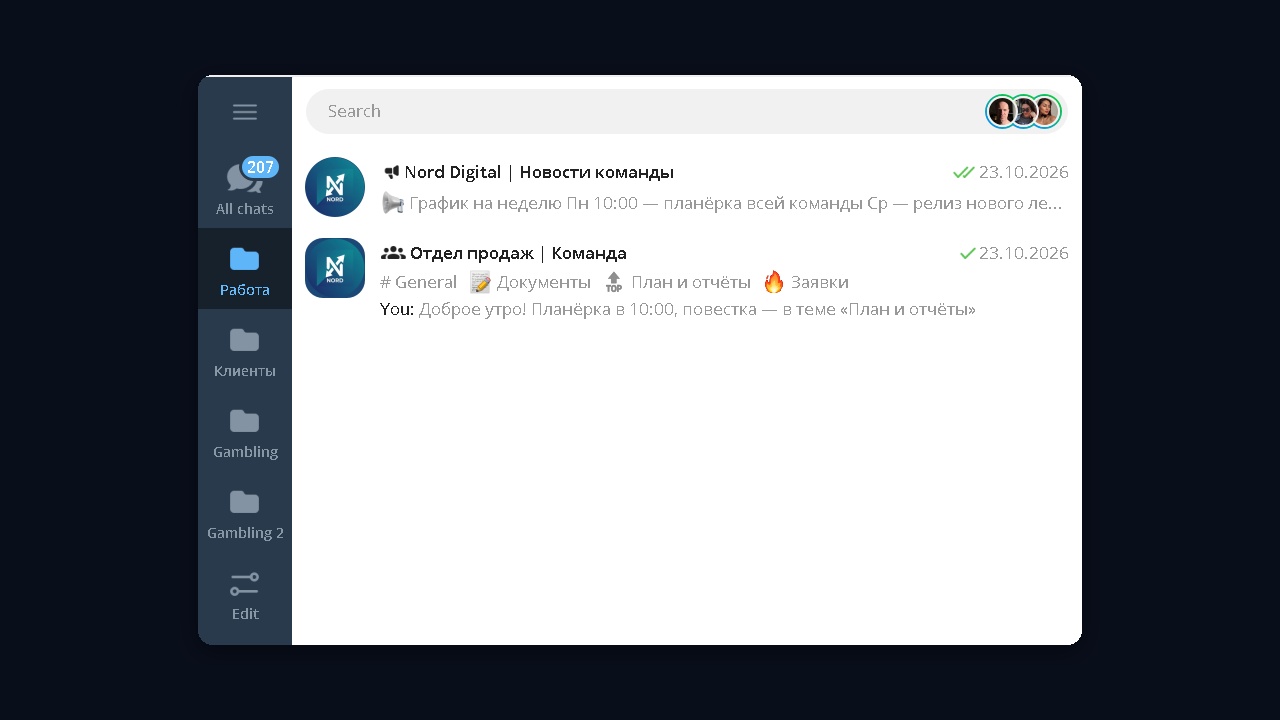
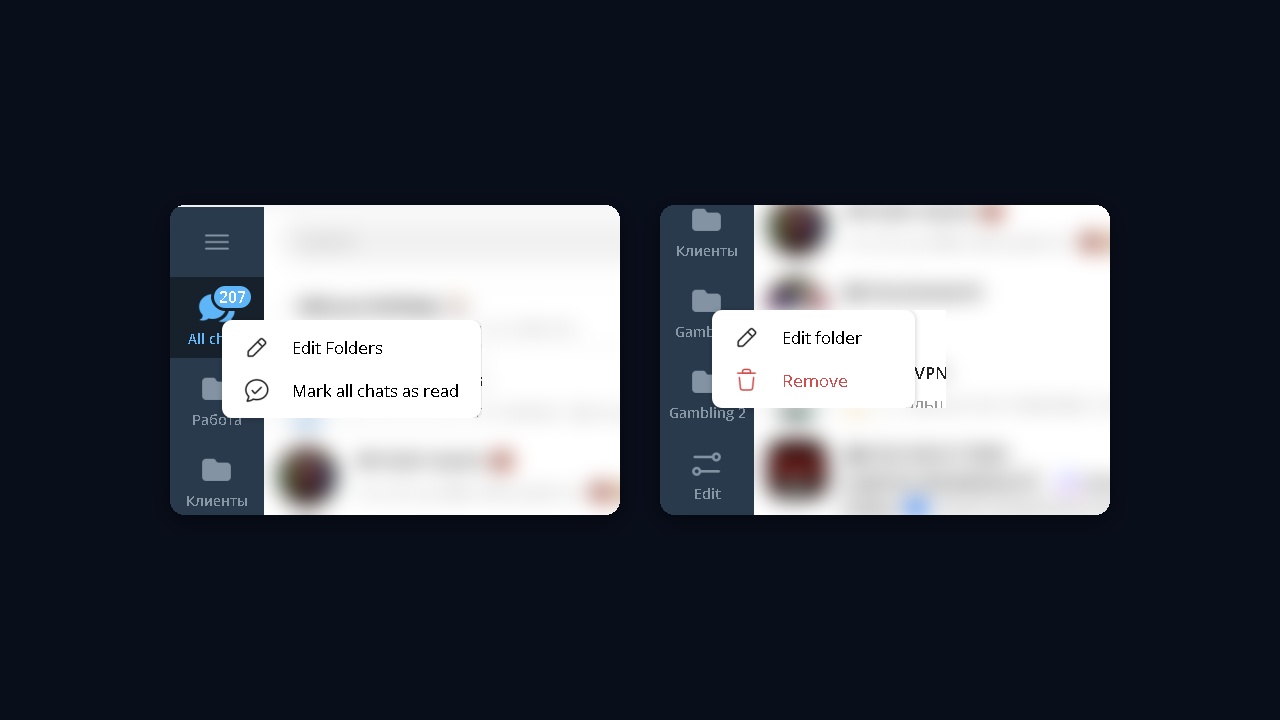
This is how Work and Clients look on desktop with the sidebar on the left. So switching takes a click; a badge counts unread messages.
Folder icons and layout on desktop
On desktop every view has an icon. Open "Edit Folder" and click the round icon next to the name: a grid of 30 icons appears, including a book, a gamepad, a coin, a star and a briefcase. The icon shows in the left sidebar, so the purpose of each tab is clear at a glance.
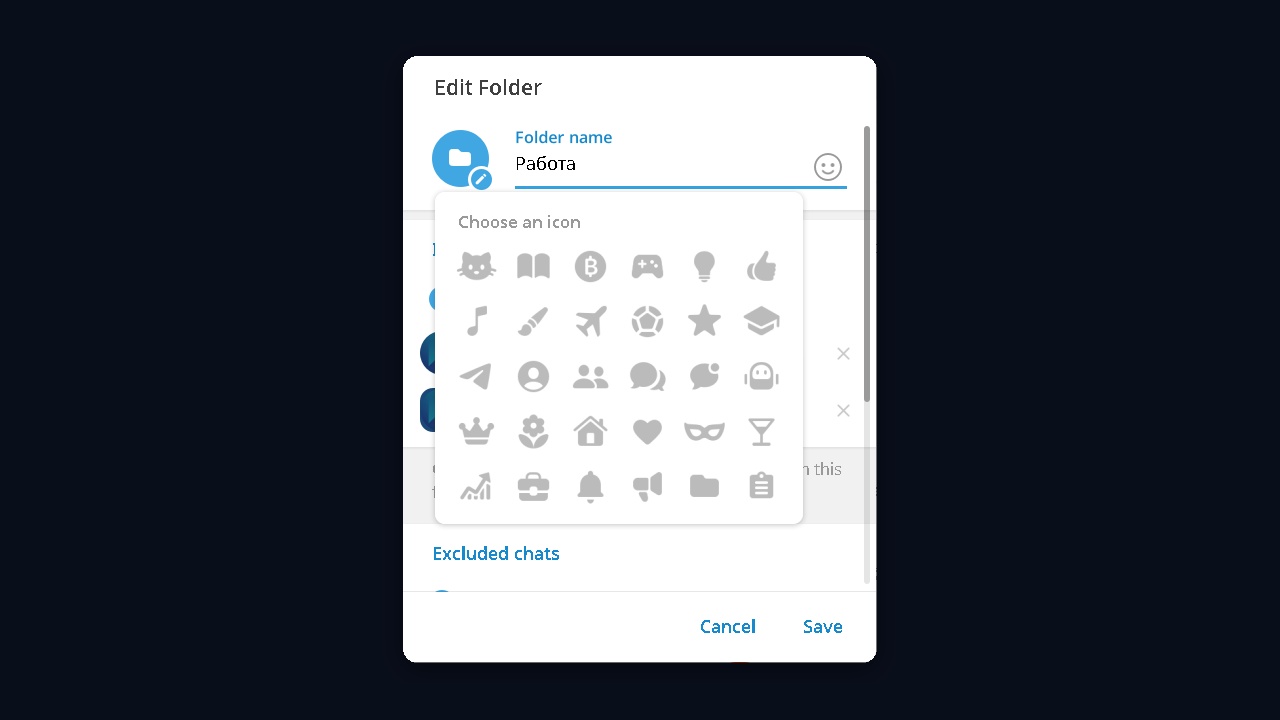
You can also put an emoji in the name, and it replaces the icon on phones. The layout lives under Settings → Folders: a sidebar on the left or tabs on top. With a subscription, the "All Chats" tab can be moved from the first place.
Notifications and marking a folder as read
If a view has piled up hundreds of unread messages, there is no need to open each thread. On desktop, right-click "All Chats" and choose "Mark all chats as read". Your own views offer "Edit folder" and "Remove" there.
To keep it quiet, mute its threads and turn on the "Muted" exclusion to your work views. That way, Work shows only threads that are waiting for a reply.
How to make a Telegram channel folder
The most popular setup is a view made only of subscriptions. As a result, everything you follow lives together and conversations stay elsewhere.
To build it, open "Add Chats" and tick feeds individually. The "Channels" type works too, but then sharing is off.
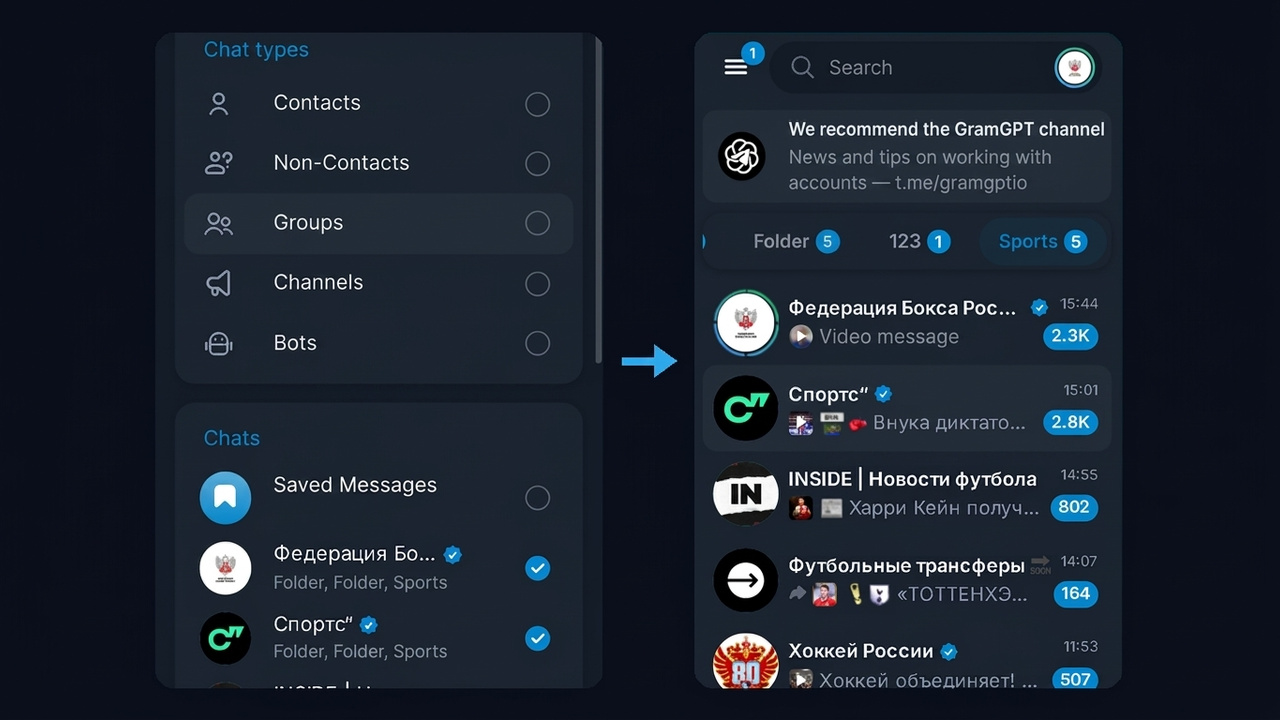
Here we ticked five sports feeds and got a Sports view with nothing else. Under each item, the app also lists where it already belongs, so duplicates are easy to spot.
A few tips for a reading list:
- Keep 10–30 feeds on a single topic, otherwise it turns back into a general stream.
- Mute them, pinning the important ones at the top.
- Exclude viewed items to see only what is new.
Telegram folder link: how to share a collection
Since 2023, any custom view can be shared. The recipient opens a t.me/addlist address and sees what is inside. Then a single tap adds the whole bundle and subscribes them to everything.
To get the URL:
- Open its settings or long-press it.
- Under "Invite links", tap "Create an Invite Link".
- Tick what to include and tap "Share Link".
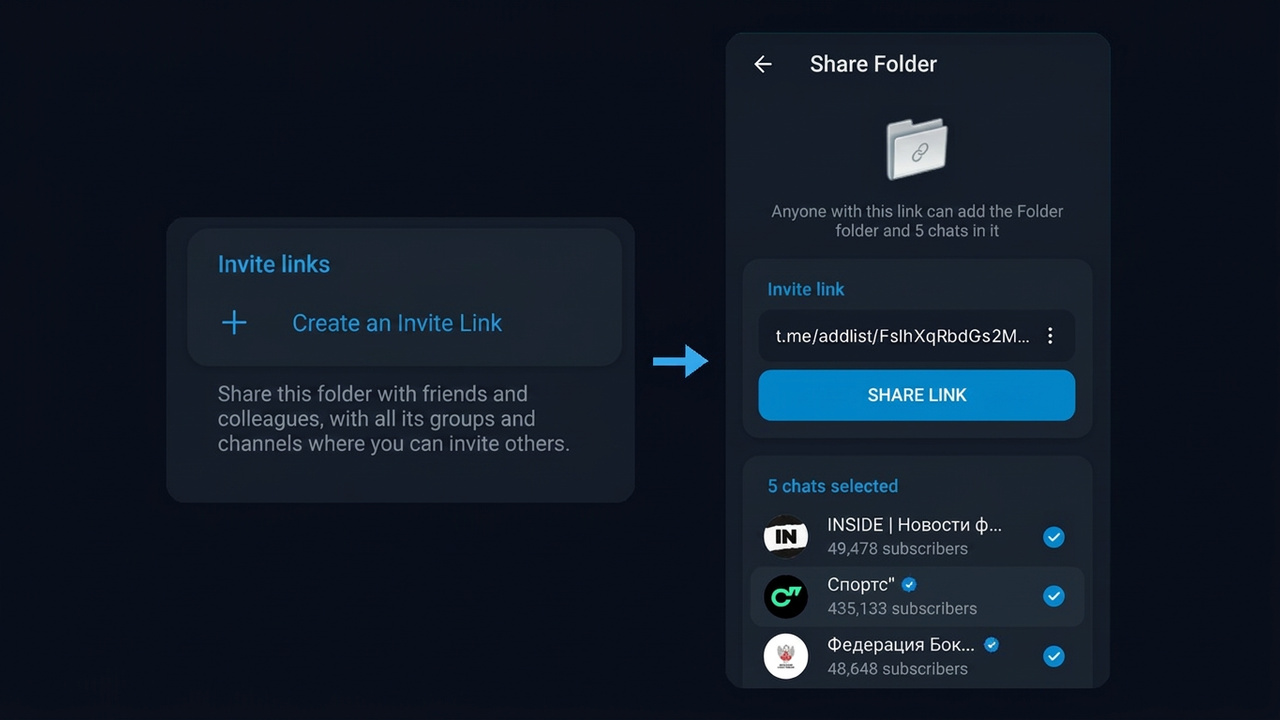
The screenshot shows an existing link for five channels. Moreover, a single view can have several URLs with different contents, for example for colleagues and for subscribers.
How to add a shared bundle and leave it
For the recipient it is even easier. Open the t.me/addlist address, untick anything unwanted, then tap "Add Folder". After that, it shows up, joining you to each ticked item.
Leaving is just as quick. When you delete such a view, the app offers to unsubscribe from its feeds too, but you can keep the ones you like.
Shared set rules
A link can include public channels and groups, plus private ones where you are allowed to invite people. Personal threads and bots are never passed on.
First, a free account can make up to three such URLs. In our test, the fourth attempt triggered a "Limit reached" window offering Premium.
Second, anything included later does not reach recipients automatically. You need to tick it in the existing link; after that, the app suggests that they pick up the new items.
Telegram folders disappeared and other issues
| Issue |
Cause |
Fix |
| Everything is gone |
outdated app or deleted views |
update the app, check the options |
| Share option missing |
chat types are enabled |
remove the types, tick items manually |
| Can't make a new one |
the limit of 10 is reached |
delete unused ones or get Premium |
| An item is missing from the link |
personal thread, bot or private channel without rights |
keep it only in your own copy |
| A shared set won't attach |
you already have two |
delete one of them |
A shared set subscribes people to several feeds at once, so admins use it for cross-promotion. Admins in the same niche build a joint collection; each posts it to its audience.
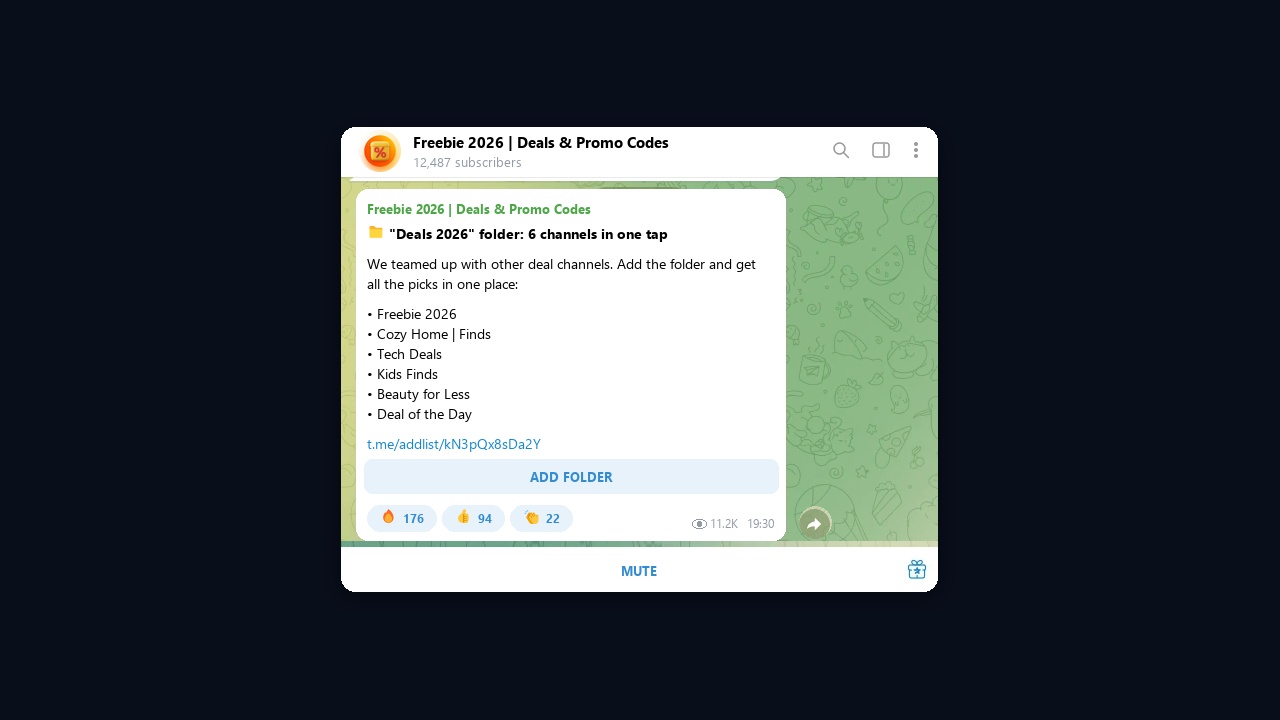
For example, here is a post with a "Discounts 2026" set: six channels behind a single URL and an "Add Folder" button. To make such a swap work, follow three rules:
- Team up with partners of similar size.
- Agree in advance who posts it first.
- Track the inflow for each partner, rotating the lineup after a month.
This is only one of the free growth tactics; the rest are covered by the guide on how to grow a Telegram channel.
Bulk folder creation in GramGPT.io
Doing it by hand takes two minutes. However, with dozens of accounts, each must subscribe, build a view and copy a URL. As a result, it quickly adds up to hours.
For this job, the GramGPT account manager with auto-join and folder creation handles the whole process from a single window.
- Import. Upload accounts as tdata or session+json.
- Join. Paste the URLs and split them evenly, so each account gets its own share. A delay of 100–200 seconds is the safer choice.
- Build. Select the accounts and run the builder: channels, groups or both.
- Export. Download the URLs from all accounts as a single file.
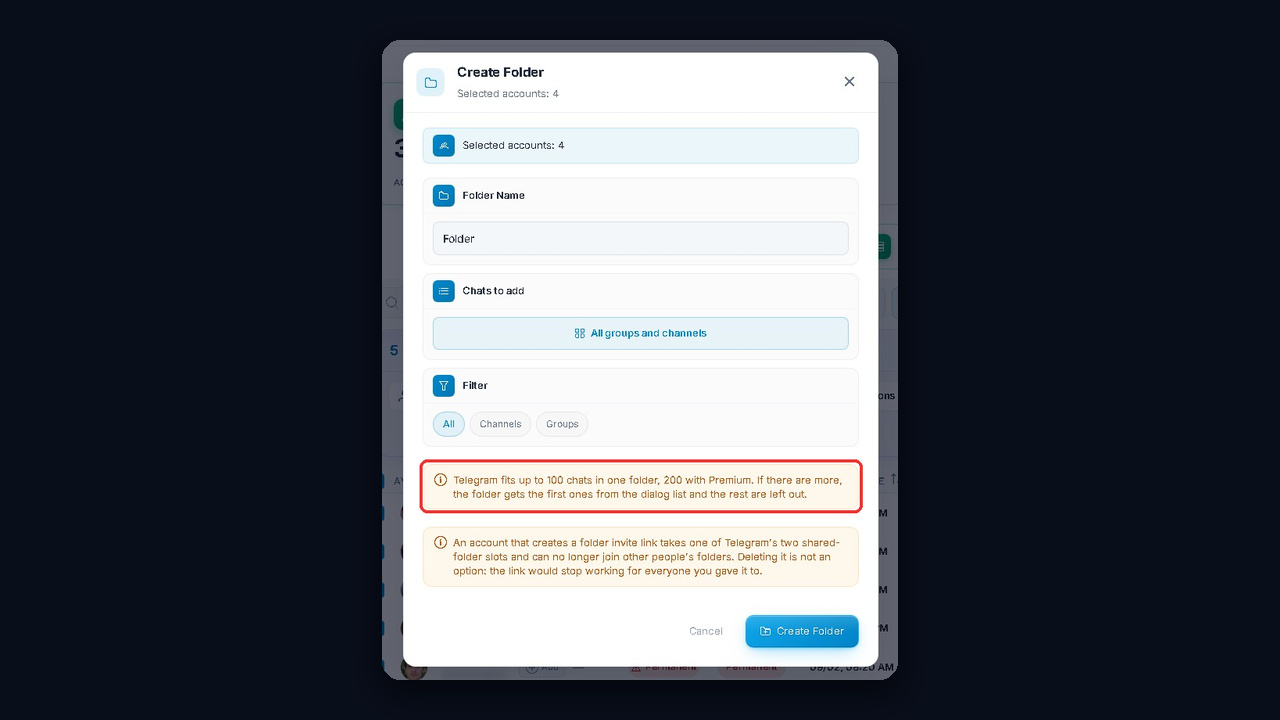
The window also warns about the platform limits: each holds up to 100 items, or 200 with Premium. As a result, dozens of ready sets appear within minutes, without manual setup on each profile.
The Telegram account manager itself is free. Its other features are described in the account manager review. Still, don't rush the joins: an account that subscribes too fast can get a spam block.
Summary: Telegram folders in 2026
To sum up, Telegram folders bring order within five minutes. Separate views split work, reading and clients, while filters surface what is unread.
On top of that, a reading bundle shared via t.me/addlist brings subscribers when you build it with niche neighbors. And if you need many such sets, the GramGPT.io account manager prepares them in bulk.