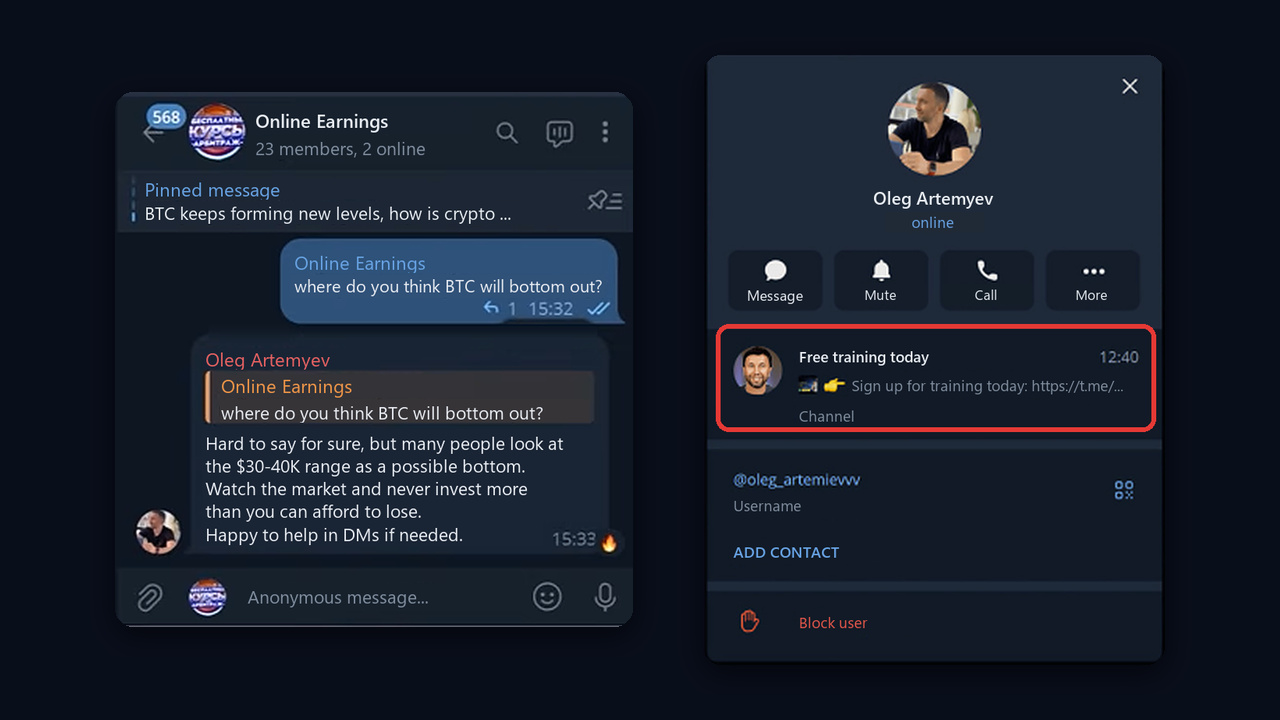
Someone in a neighborhood chat asks: "Can anyone recommend a contractor for a bathroom remodel?" Yet seven minutes later the thread holds a dozen offers from tradespeople, and the job goes to the fastest responder. Requests like this appear on Telegram every day in every niche, and Telegram keyword monitoring is how you spot them while they are still warm.
However, doing it by eye doesn't work. After all, there are dozens of useful communities, messages flow around the clock, and the one question you need sinks under memes and parking arguments.
This guide explains what you can track in 2026, which tracking methods exist, how to choose the right words and where to find chats. We'll also show how to go beyond catching a request and actually reply within a minute.
What Telegram Keyword Monitoring Is and Why It Pays
In plain terms, it means continuously scanning channels, chats and comment threads for chosen terms. For example, a tool or a person reads the stream and raises a flag when something relevant shows up: your brand name, a buyer's question, a competitor or industry news.
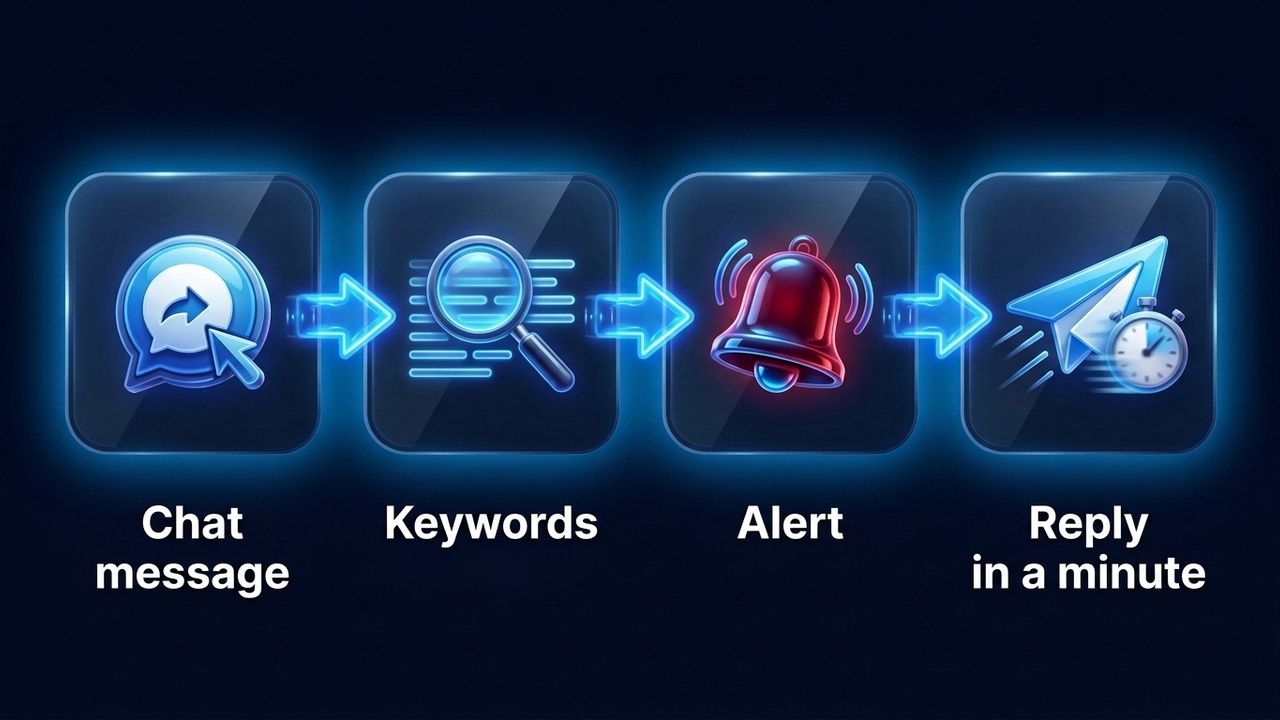
However, the goal decides the tool:
| Goal | What to look for | Who needs it |
|---|---|---|
| Lead generation | "recommend", "looking for", "who can" | Tradespeople, agencies, freelancers, local services |
| Brand reputation | Company, product and founder names | Brands and PR teams |
| Competitor tracking | Rival names, their promos and complaints | Marketers and sales teams |
Our focus is the first row, because Telegram keyword monitoring for leads turns into revenue fastest. Still, the principles are shared, so the same steps work for brand mentions too.
What You Can and Can't Track
First of all, you can only watch what is open. Anyone is able to read a public channel, while group messages are visible to members, which means the profile doing the watching has to be a member.
- Public channels. Here everything is visible without joining, so services reach it easily.
- Open chats. In fact, they are the main source of leads, because people ask questions in their own words here.
- Comment threads. Under niche publications, readers often ask for advice or complain, although some discussions are closed.
- Private spaces. Closed groups, DMs and secret chats, on the other hand, are off limits to any tool.
Manual Telegram Keyword Monitoring With Built-In Search
To begin with, you can start without third-party tools. For instance, global search finds channels by name, and since 2025 it has a Posts tab for public publications. However, that tab works only with a Premium subscription.
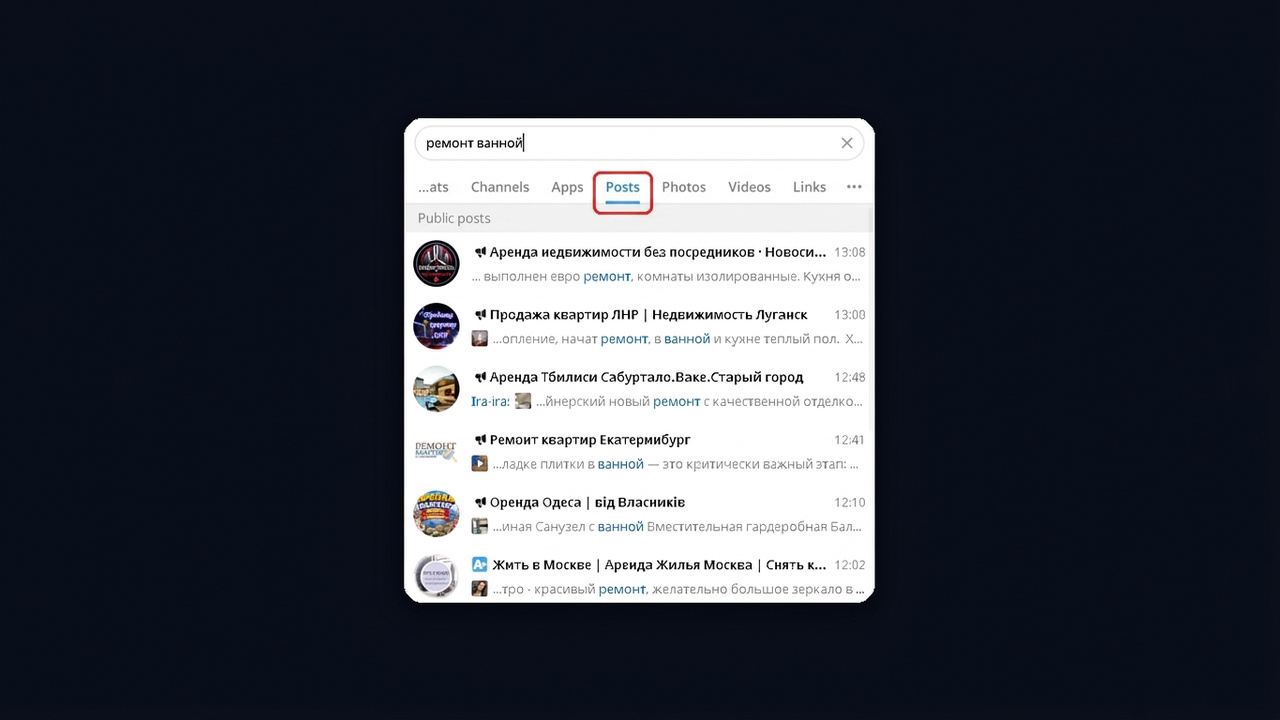
Besides, inside any group you can look up messages too: tap the magnifier, type a term and the app shows every match with dates. For example, check "recommend" in five local groups once a day. We cover every lookup option in our guide to Telegram search.
Nevertheless, there are no alerts, so you notice a request hours later. That's fine for five chats, but not for fifty.
Bots and Services for Telegram Keyword Monitoring
The next level is tools that read the stream for you and send a signal.
Keyword Alert Bots
Here you give the bot your terms, and it forwards every match to you. Typically such bots watch public channels and charge a subscription, so they suit a single task such as catching "renovation" in your city.
Analytics and Media Monitoring Platforms
Channel analytics services track mentions in public posts. Meanwhile, larger PR platforms add news sites and social networks, measure sentiment and build reports. In short, it is a pricey PR tool. The best-known options:
| Service | What it does | Best for |
|---|---|---|
| TGStat | Catalog with stats, post lookup, mention alerts sent to a bot or team chat | Marketers, creators |
| Telemetr | Analytics and post lookup, that is, a close TGStat alternative | Ad buyers |
| Medialogia | Real-time coverage of media, social networks and messengers, management reports | Large brands, PR teams |
| Brand Analytics | Social media and open feeds with sentiment scoring | Brands and agencies |
| Kribrum | Social media analysis, also reputation threat detection | Companies with heavy press coverage |
A Custom Userbot
Alternatively, a developer can write a script that reads conversations through a profile and filters messages. It's flexible; however, it needs coding, a server and upkeep.
Next, here is how the approaches compare:
| Method | Coverage | Alert speed | Who replies |
|---|---|---|---|
| Manual search | A few groups | Hours | You |
| Alert bot | Public channels, some chats | Minutes | You |
| PR platforms | Channels, news, social media | Minutes plus reports | PR team |
| Custom userbot | Any chat the account is in | Seconds | Depends on the script |
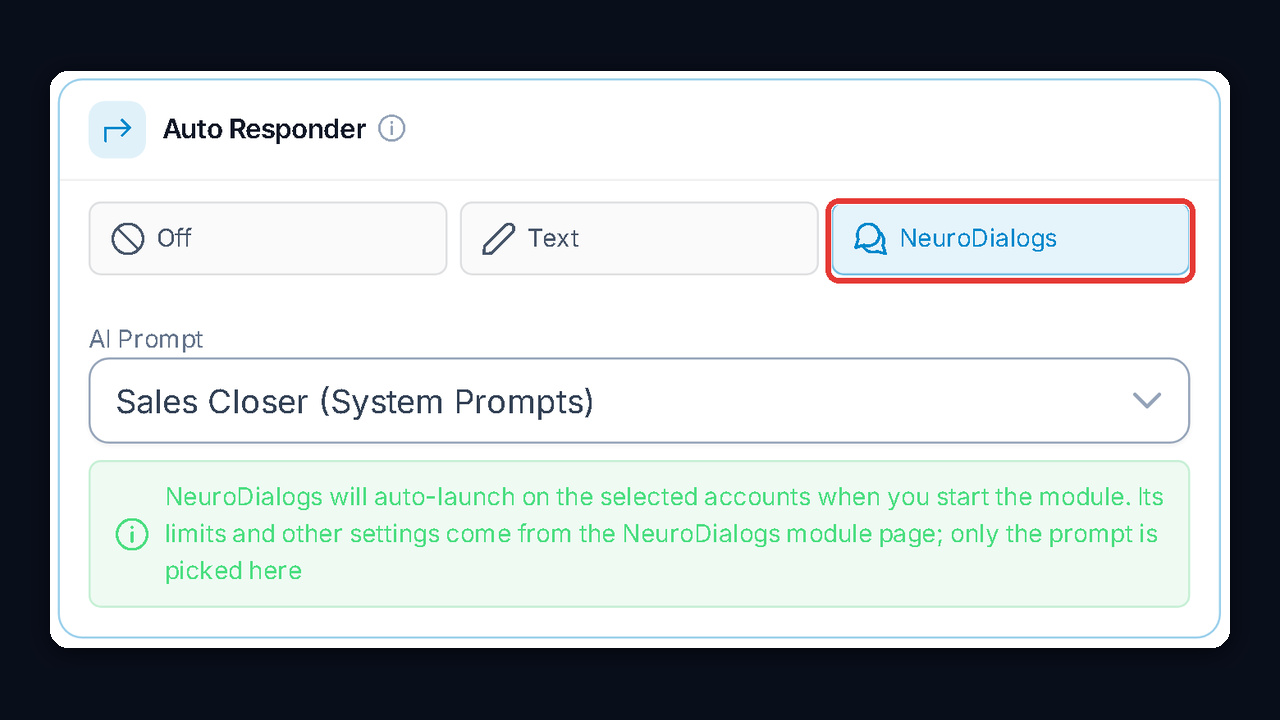
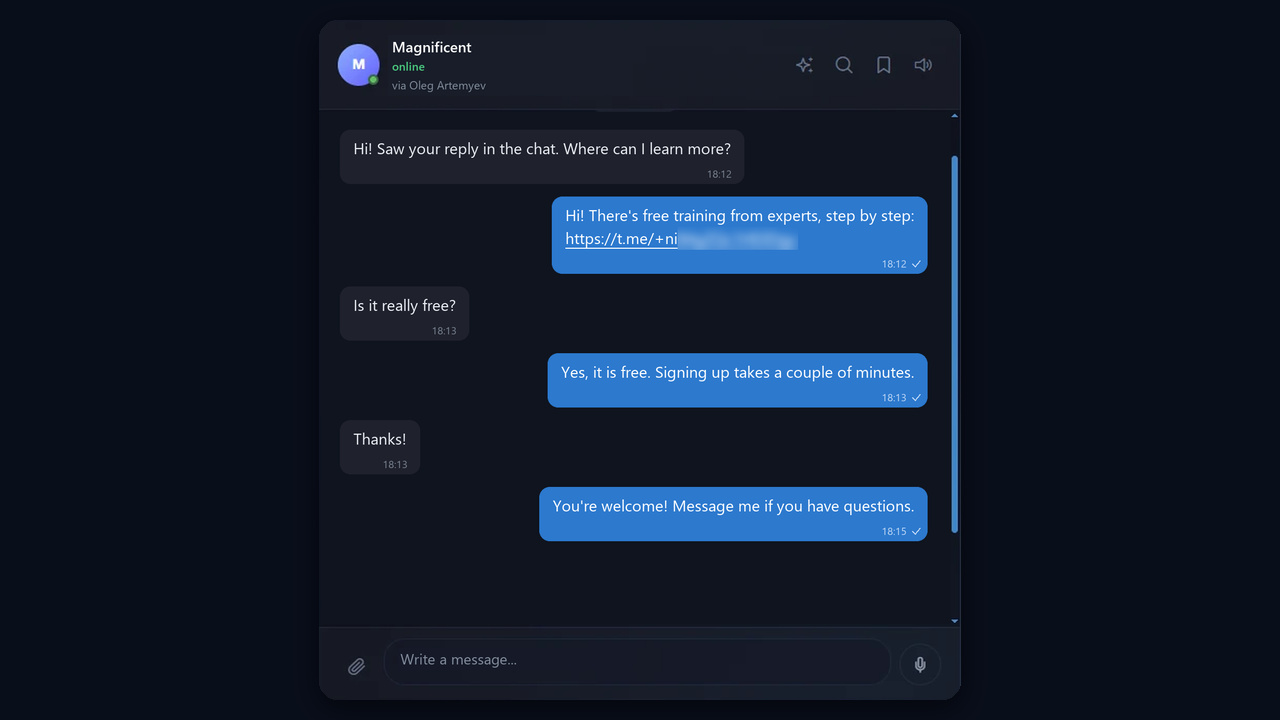
| GramGPT.io NeuroChatting | Places your accounts have joined | Seconds | AI on behalf of the profile |
Brand and Competitor Mention Tracking
If your company has a name, then people discuss it without you: they praise it, complain and compare it with rivals. That's why Telegram keyword monitoring matters for reputation as well as for leads. Only the term list changes, while the logic stays the same.
Which Terms to Add
- To begin, every spelling of the name: with and without spaces, transliterated, plus common typos.
- Also usernames and links: @channel, t.me/bot and your domain.
- In addition, products and people: plan names, the founder and well-known staff.
- Finally, competitors: for instance, their names together with "review", "scam", "alternative" or "which is better".
How to Respond to a Mention
Above all, the reaction depends on tone. For example, a product question deserves a fast, factual answer, while a complaint calls for a calm reply and an offer to sort it out privately.
| Mention type | What to do |
|---|---|
| Product question | Answer with facts, offer help in DMs |
| Complaint | Acknowledge it, move the fix to DMs, come back with the result |
| Comparison with a rival | Explain the difference without attacking anyone |
| Complaint about a rival | Offer an alternative without pushy ads |
How to Build a Keyword List for Telegram Monitoring
Above all, the classic mistake is tracking one broad word. For instance, "renovation" will bring contractors' own ads, neighbor disputes and spam. Therefore, build your phrases from the buyer's actual speech: join niche communities, search for questions and copy the phrasing as is.
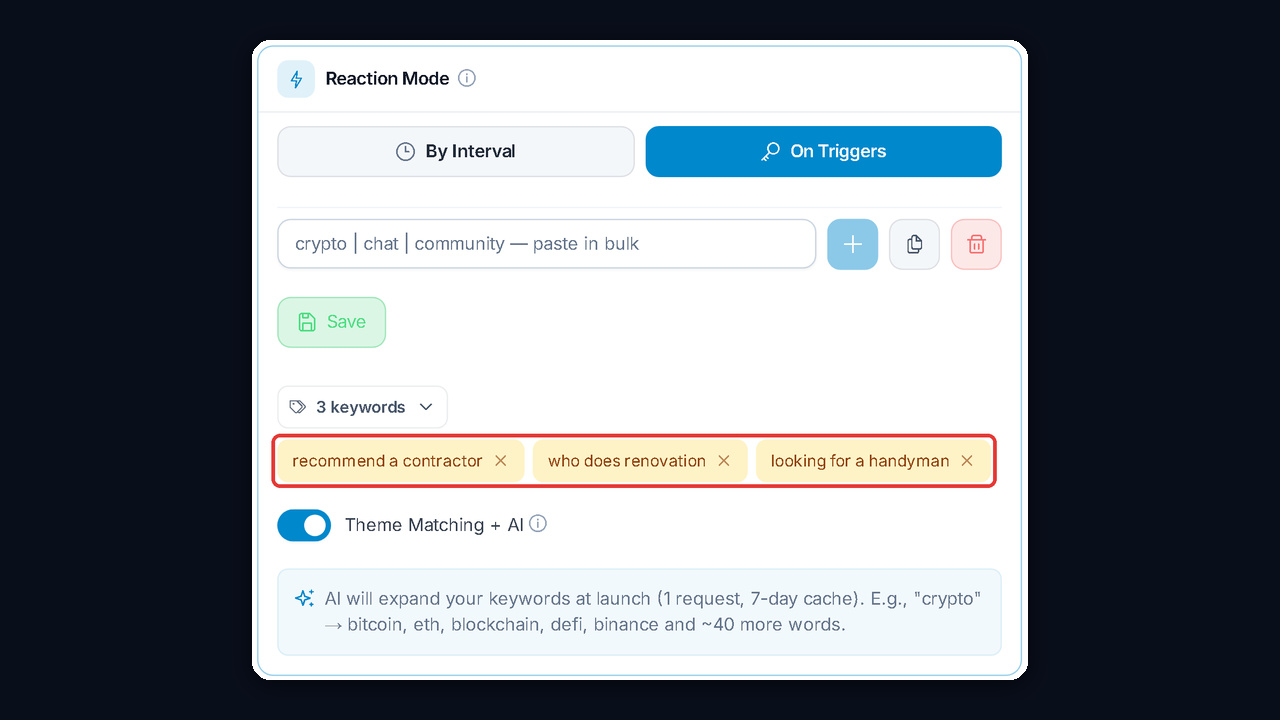
- Start with intent phrases: "recommend", "has anyone used", "looking for", "how much is", "need someone to".
- Then add stems and slang: "renovation", "remodel", "handyman", "crew".
- Next, add exclusions: "we offer", "available now", "10 years of experience" filter out competitors' ads.
- Finally, review weekly: false hits will suggest new exclusions.
For example, below are starter sets you can adapt to your city and service:
| Niche | Intent phrases | Exclusions |
|---|---|---|
| Home services | recommend a contractor, who does renovation, looking for a handyman | we offer, free estimate |
| Real estate | looking to rent, need an apartment, who is renting | for rent, agency |
| Marketing | need a media buyer, who can run ads | open to work, resume |
| Tutoring | looking for a tutor, SAT prep | I teach, years of experience |
| Legal | need a lawyer, how to file a claim | legal services, affordable |
Where to Find Groups Worth Watching
Once the terms are ready, pick the places: even perfect wording is useless in the wrong spots. So go where your audience gathers: neighborhood and city groups, professional spaces, flea markets and new-building forums. We explain manual discovery in our guide on how to find Telegram groups.
When you need dozens of places, collect them automatically. In GramGPT.io the Database Parser handles this: choose a category, language and access type, tick "Can post" and set post activity. As a result, you get open niche spaces where the account is allowed to write, a ready list to watch.
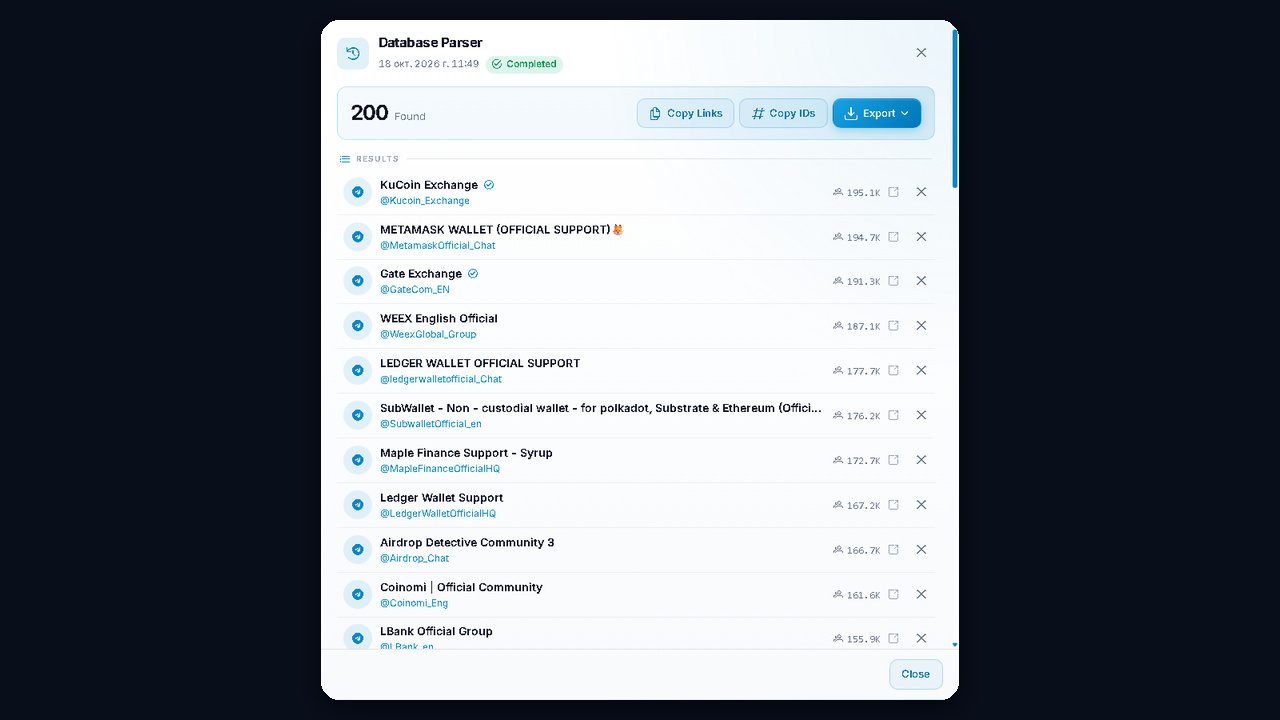
After that, the result exports as links and can go straight into the watch list. Learn more in our review of parsing Telegram chats and groups, and to size up a niche without any accounts, try the free channel atlas.