You type two words into the bar, expecting the exact channel you heard about, and get a dozen lookalikes instead. Telegram search can do far more than that: it turns up channels, communities, bots, people and even single posts. But each of those follows its own rules, and without them the thing you want simply never surfaces.
This guide explains how Telegram search works, how to track down a channel, a bot or a person by username, number or link, why some of them stay invisible, and how a channel can earn its own spot in the results. We also cover hunting for a whole audience instead of one person.
How Telegram Search Works: What You Can Find and Where
Wondering how to search on Telegram? The app splits search in two. The global kind lives in the bar above your chat list and covers the whole messenger: open channels, communities, bots and anyone with a handle. Local search runs inside a single chat and only looks through its messages.
Spotting the Search Bar on iPhone, Android and Desktop
On iPhone, for example, the bar hides above the chat list, so pull the list down and it appears. On Android and Telegram Desktop, tap the magnifier at the top of the screen. In the web version the bar is always visible above your chats.
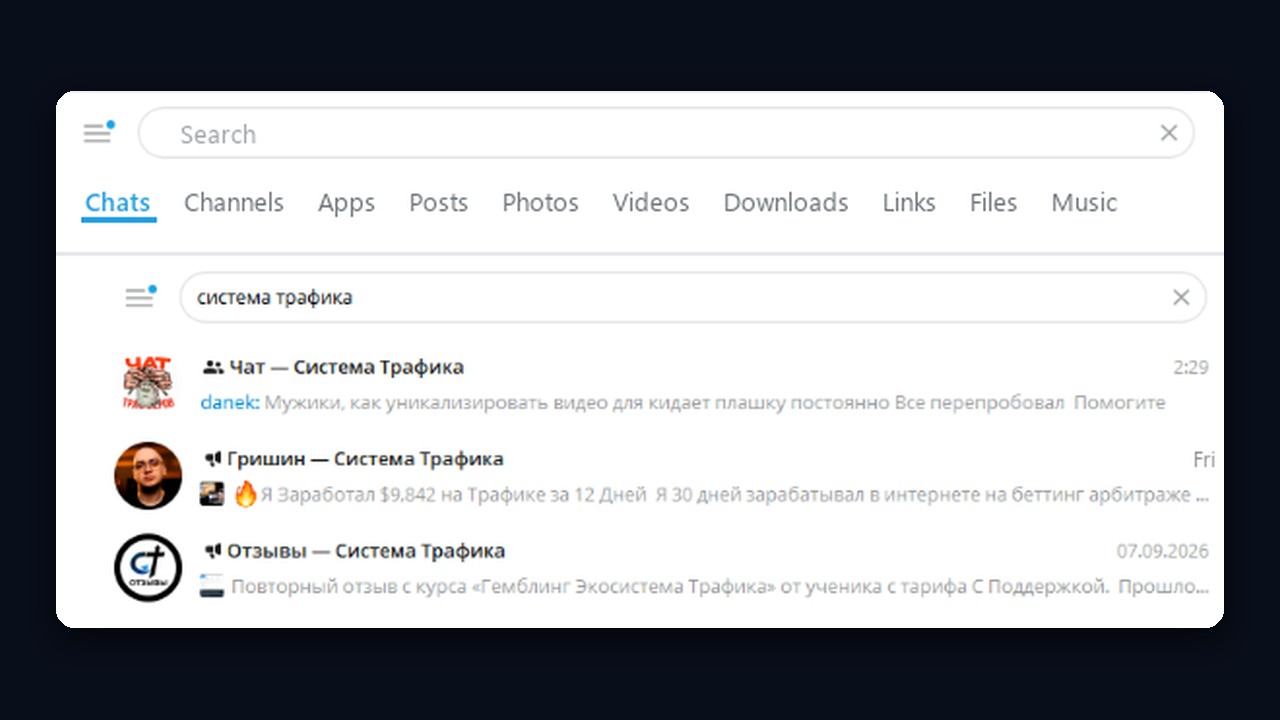
This is search in Telegram Desktop. Under the bar there are tabs: Chats, Channels, Apps, Posts, plus photos, videos, links and files. For a Russian query meaning "traffic system", a chat and two channels with that name appear at the top, each with its latest message underneath.
Global results are short and split into blocks. First come your own chats and contacts, followed by "Global search results" from all of Telegram. Private channels and closed communities stay out of it, because they lack a public link.
| Looking for | What to type | Main limitation |
|---|---|---|
| Channel or community | its theme, title or @handle | open ones only |
| Bot | the job it does plus "bot", or its @handle | paid slots mixed in |
| Person | @handle, phone, t.me link | no handle means no lookup by name |
| Posts | key terms under the Posts tab | launched for Premium |
| Message in one chat | any word via that chat's own search | limited to one conversation |

Finding Channels and Communities With Telegram Search
Telegram global search covers channels and lets you search Telegram groups too. First, phrase the topic the way its author probably would: "designer jobs", "SMM vacancies", "Minsk news". The app matches your words against titles and usernames, so short, concrete terms beat long phrases. The screenshot below shows a Russian-language query, "работа дизайнера" (designer jobs): the results are job channels and groups where designers look for work.
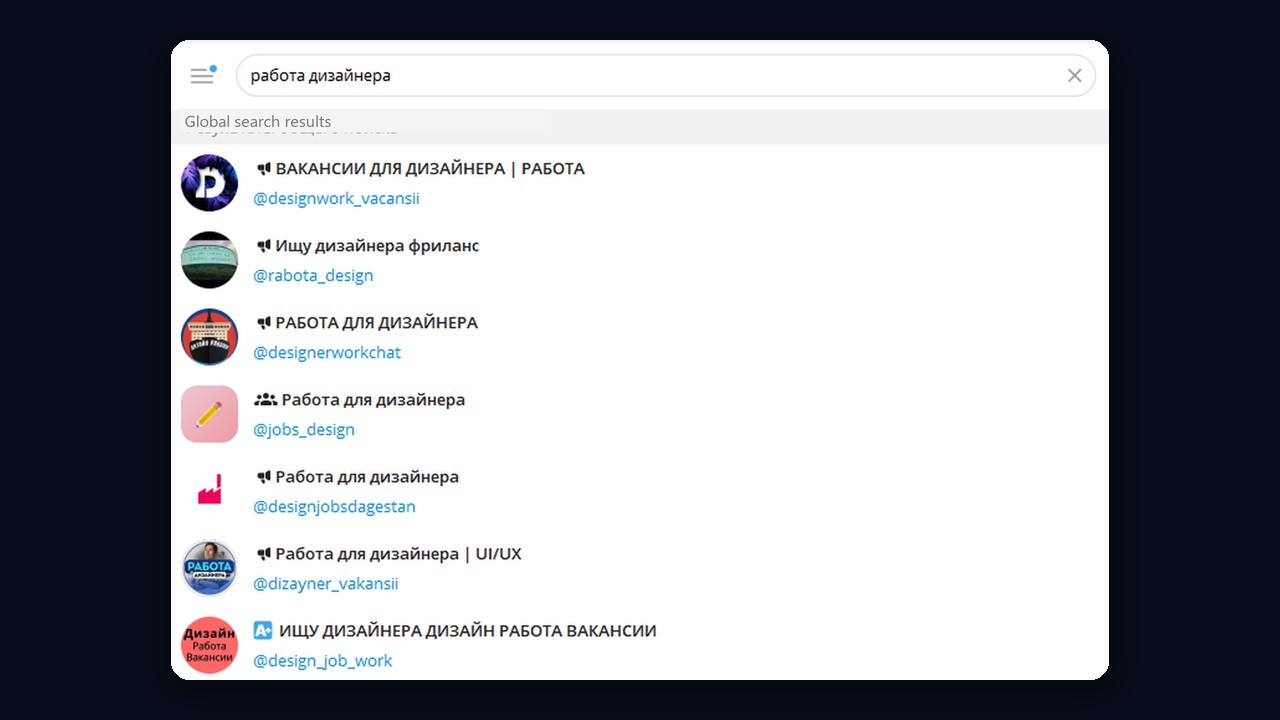
A megaphone icon marks a channel, but a people icon marks a group. So peek at the preview before you join: when the latest update went out and how people reacted shows whether anyone is home. Group hunting and getting into closed chats are covered in detail in our Telegram groups walkthrough.
Searching From Outside: Google and Catalogs
The built-in Telegram search engine only reads titles, so sometimes looking from outside works better. Put the topic into Google followed by site:t.me, say "designer site:t.me". The engine then lists open channels and posts mentioning that topic in their text, not merely in a title.
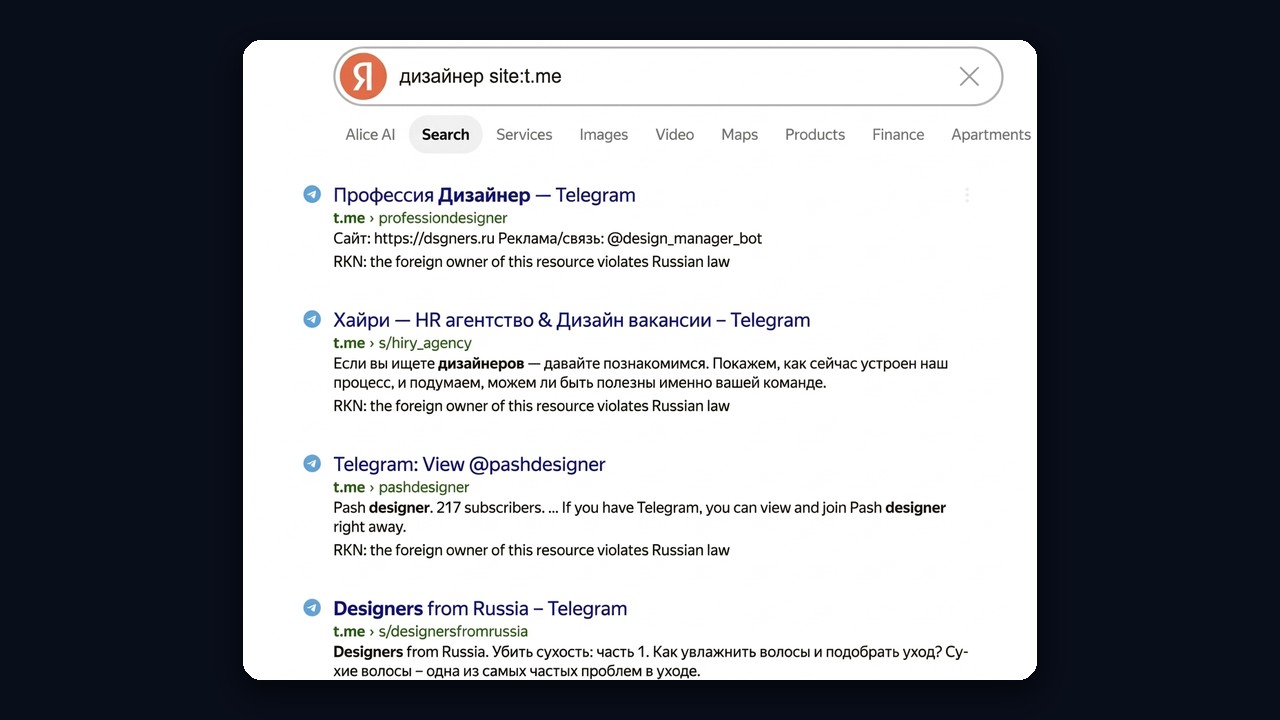
Yandex also marks t.me links with a note about the resource owner. That does not affect search: the channel still opens in the app or in a browser.
Also, any open channel is readable without the app: load t.me/s/ followed by its handle in a browser. Catalog sites sorting channels by niche with stats are another route; we skip links to them, and their figures deserve a second look.
When you need dozens of them, say for ad buying or niche research, manual searching hits the short result list fast. That is where a free channel map with hundreds of thousands of projects by topic helps. For building a base by keywords with subscriber filters, try the GramGPT.io channel parser.
Finding a Bot Without Falling for an Ad
Bots, then, are found the same way as channels: name the job plus the word "bot", e.g. "vpn bot". Many bots show a verification mark next to their name. However, the first line may carry an "Ad" label, which means an advertiser paid for that slot, so the bot is not necessarily the most popular one.
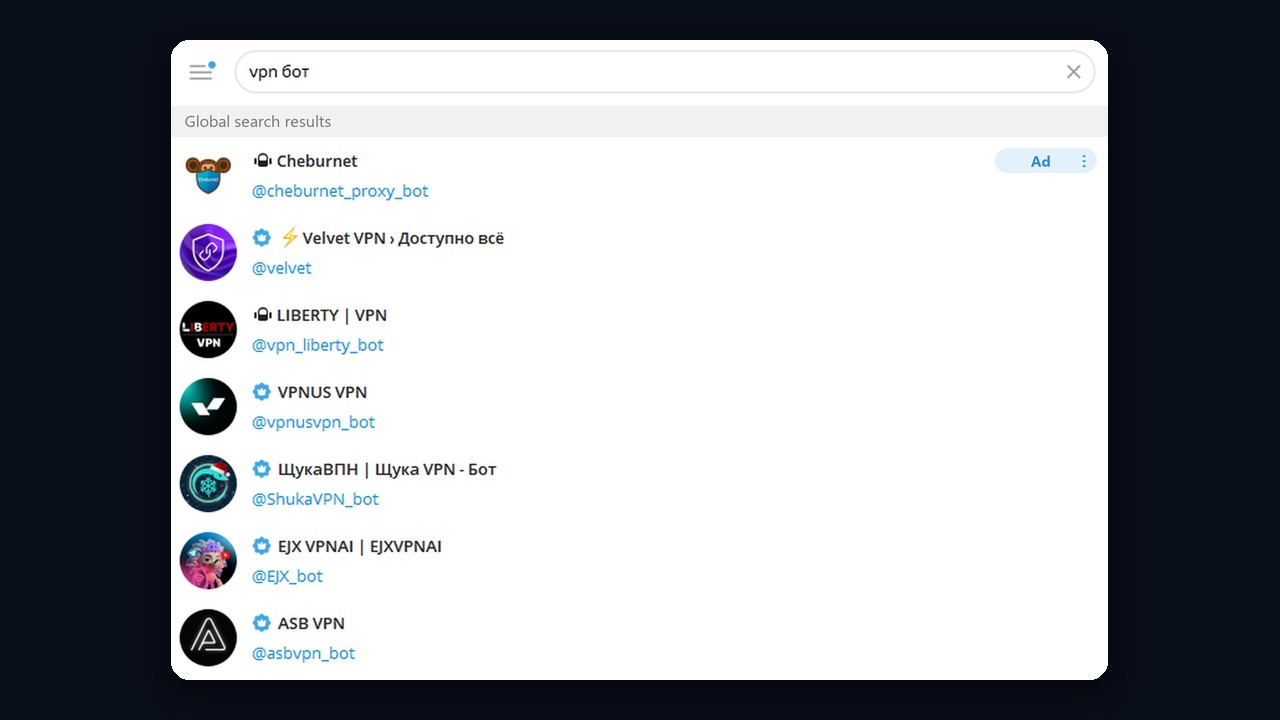
Got the precise handle? Enter all of it, @ included, and Telegram search jumps straight to that profile instead of offering lookalikes. Before launching an unfamiliar bot, look at its user count and notice if it requests data it has no use for.
Tracking Down a Person: Handle, Phone, Link or ID
Telegram Search by Username (@Handle)
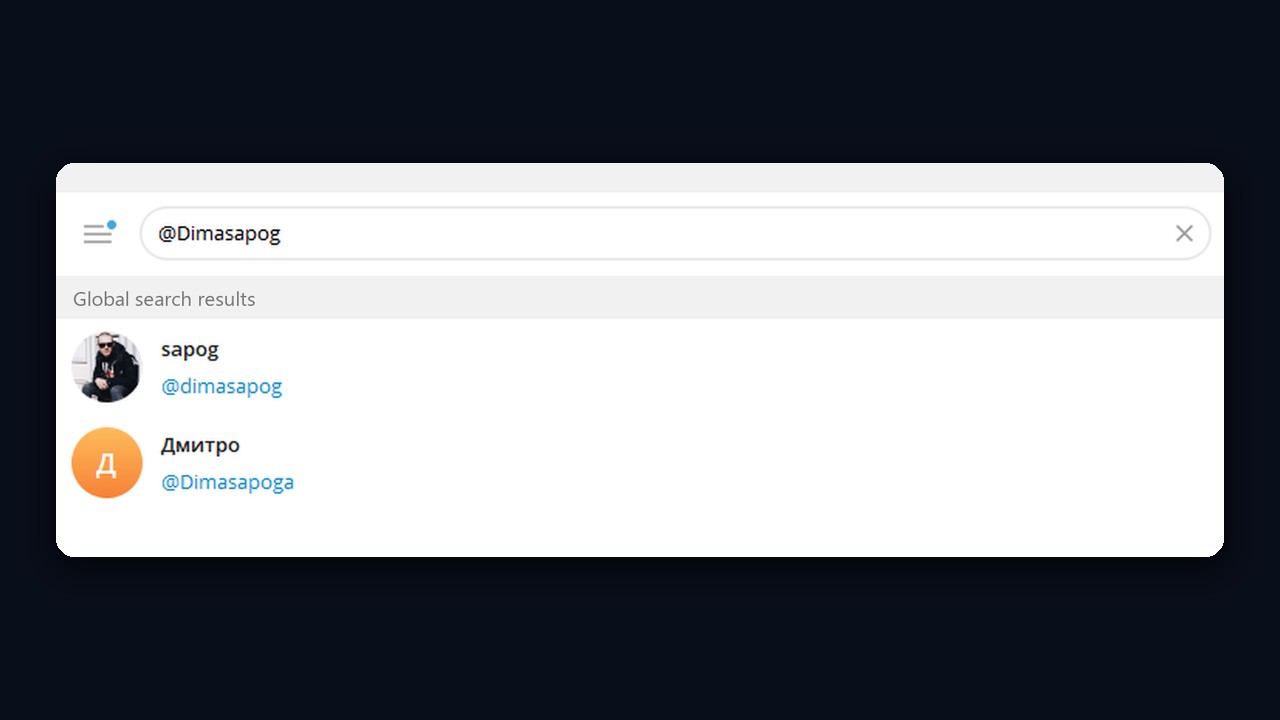
First of all, nothing beats a handle for accuracy. Enter it with the @ sign and the profile pops up under "Global search results". Similar handles show up as well, so compare the photo and name: in the example below one query returned two different accounts.
By Phone Number
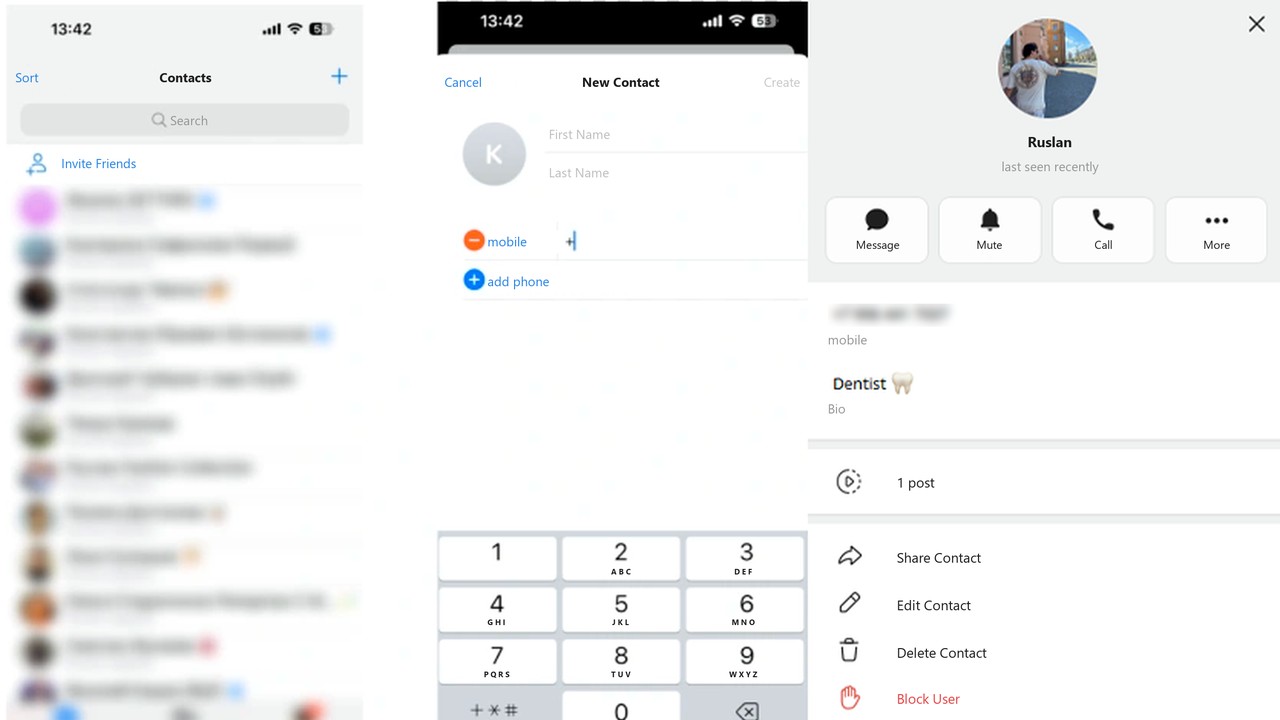
First, save the number to your phone contacts, or inside Telegram via Contacts → New Contact. If the person has an account and allows search by number, the profile opens right after saving. With that option disabled, the contact stays a bare number, no profile linked.
Hiding Your Number From Lookups
The reverse question comes up just as often. Open Privacy and Security in Settings and choose Phone Number. Under "Who can see my phone number" pick My Contacts or Nobody, and under "Who can find me by my number" pick My Contacts. From then on strangers won't locate you through it, even with your number saved, so they will need your handle or a link.
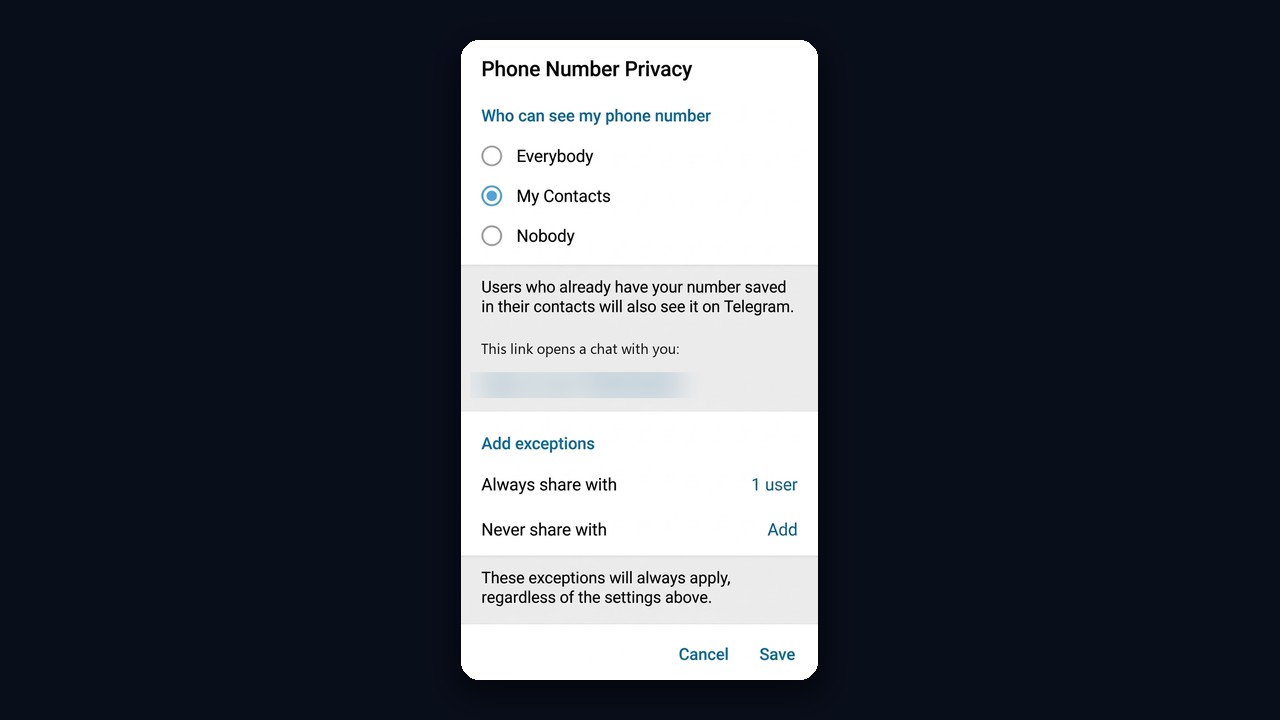
If someone still needs to see your number, add them under Always share with.
By Link, QR Code and ID
A link like t.me/username opens the profile in any browser, and the QR code from a profile does the same through a camera. The built-in engine, however, does not search by numeric ID. An ID is still useful for checking an account, for example to see its registration date by ID or username.
People-search bots: are they worth it?
Search for a Telegram people-search bot and you will find plenty that promise a full profile from a phone number, photo or handle. However, they run on leaked databases. Therefore, using them is risky: the data is often outdated, the "full report" costs money, and such bots get banned regularly. Besides, collecting personal data without consent breaks the law in many countries.
Instead, stick to the legal routes in this guide: a handle, a number from your contacts, a link, the Posts tab and chat search. And if you need an audience rather than one person, use the open data of public chat members described below.
Telegram Search for Posts and Messages
Recently Telegram added a Posts tab to its global search. It shows publications from public channels by keyword, and at launch it was opened to Premium subscribers. That makes it easy to catch fresh discussions even when you don't know the channel's name.
Finding a Message in a Channel or Chat
The local mode works inside a single conversation: hit the magnifying glass in its header and enter a word. There you can also filter messages by sender or jump to a date; in a feed it works the same way, just with a single author. Besides, many authors tag their posts, which we explained in our article on hashtags and tags.
When Telegram Search Comes Up Empty
When something definitely exists yet stays hidden, one of the causes below is almost always behind it. Sometimes, by the way, the bar simply fails to load, and an app update or restart fixes it.
| Not found | Likely reason | What to do |
|---|---|---|
| Someone by phone | their privacy blocks number lookups | request their handle or a t.me link |
| Someone by name | no handle, and names aren't indexed globally | go through a shared chat or their phone |
| A channel by title | the channel is private or recently changed its username | request an invitation link |
| Your own new channel | few subscribers and little activity; big ones rank higher | put the keyword in the title and description, liven it up |
| A channel that used to show up | restrictions after complaints or suspicious activity | check it for a shadowban |
The last case is more common than it seems. For example, if a channel vanished after an aggressive boost or a wave of reports, go through the signs in our piece on Telegram shadowbans.
Finding a Whole Audience, Not Just One Person
Manual Telegram search is fine when you need one contact. Promotion, though, needs an audience: members of niche chats who already care about your topic. Hunting them one by one makes no sense, so parsing is the answer.
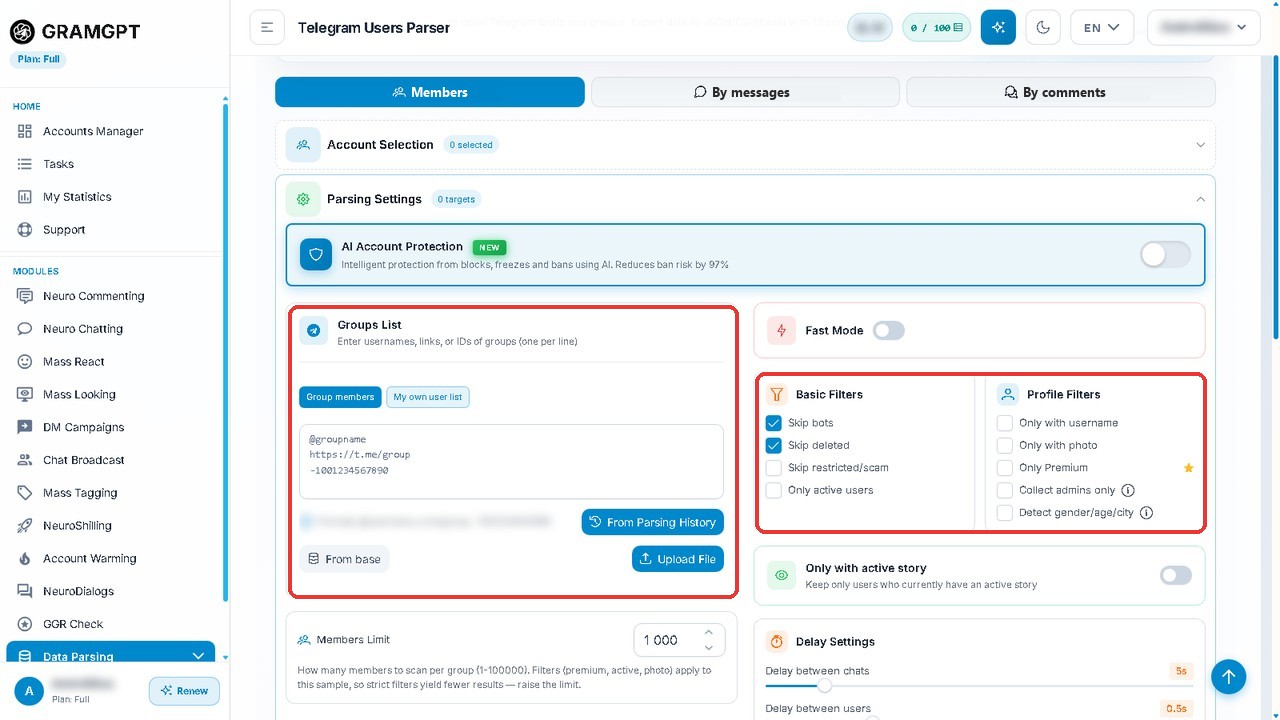
GramGPT.io offers a user parser for exactly this. It works in three steps:
- Add a list of open groups: usernames, links or IDs, one per line.
- Switch on filters: skip bots and deleted accounts, keep only people with a username, a photo or Premium.
- Set a member limit and delays, then export the base to JSON, CSV or Excel.
As a result you get a ready list of people from your niche, which then feeds mailings, AI dialogs or ads.