A seller offers a phone at half price, asks for a deposit and keeps rushing you. Then you open the profile and see a red word next to the name: SCAM. That is the Telegram scam label, a warning the platform adds on its own so you do not send money to a fraudster.
The trouble is that few people know what the badge actually means, and many confuse it with FAKE. Others, instead, meet an obvious con artist with no warning at all and wonder how to get that profile flagged. Meanwhile, owners of honest channels sometimes receive the label by mistake and have no idea where to turn.
This guide covers what SCAM and FAKE mean, how to report a scammer so the label appears, why a legitimate channel can be flagged and what to do if it happens to you. We also share a quick check you can run before any deal in 2026.
What the Telegram Scam Label Means, and How SCAM Differs From FAKE
Both badges are system flags, not something a user can add. Then they show up next to the name in the chat header, on the profile, in the chat list and in search. In other words, a Telegram scam label appears only after a moderation decision, and the owner cannot hide it.
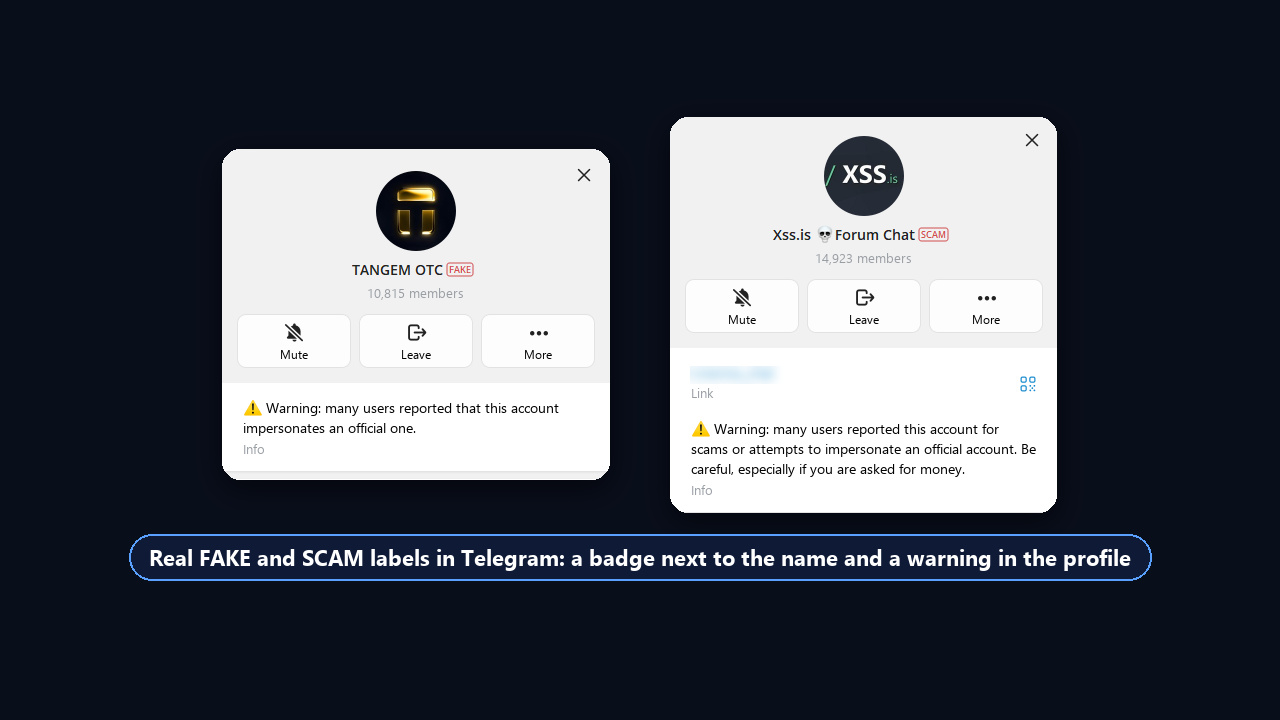
The Telegram API documentation describes the flags in one line each. SCAM marks a channel or group that is probably fraudulent, or a user who may be a scammer. FAKE appears when many people have reported an account as fake or deceptive, for instance one posing as a well-known brand.
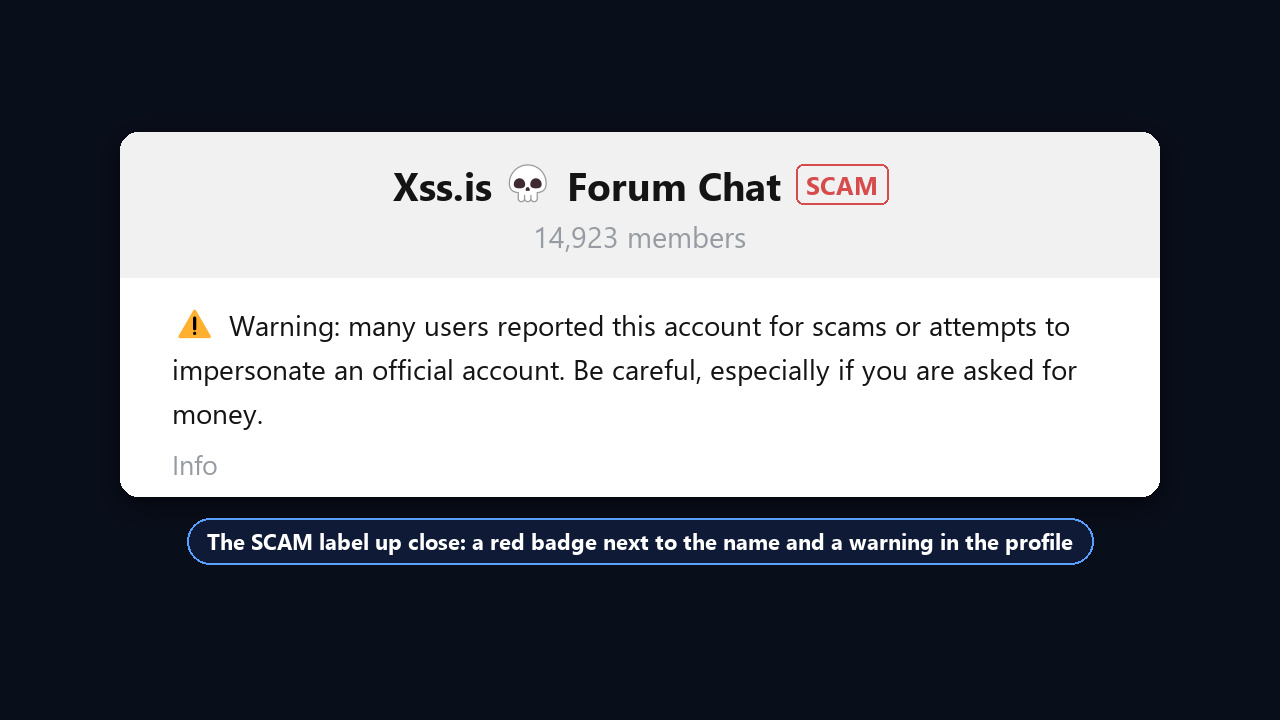
Besides the badge, the profile shows a warning. For a FAKE chat it says that many users reported the account for pretending to be the real brand. The SCAM text is stricter: it mentions complaints about fraud or posing as someone else and asks you to be careful, especially when money comes up.
| SCAM | FAKE | |
|---|---|---|
| Meaning | likely fraud | impersonation of a person or company |
| Typical trigger | deposits, bogus investments, stolen logins | clones of brands, bloggers, support or delivery services |
| Who sets it | platform moderators | moderators, after many reports |
| What readers should do | send no money and share no codes | find the original via the official website |
The FAKE Label on Telegram: What a Fake Badge Means
The Telegram fake label is not a softer version of SCAM but a separate flag. It goes to clones: channels, bots and profiles that copy the name, avatar and style of a well-known brand, exchange, blogger or support service. For instance, in the screenshot above, the TANGEM OTC channel borrows the Tangem crypto wallet brand, and “OTC” hints at over-the-counter trades, a classic setting for deposit scams.
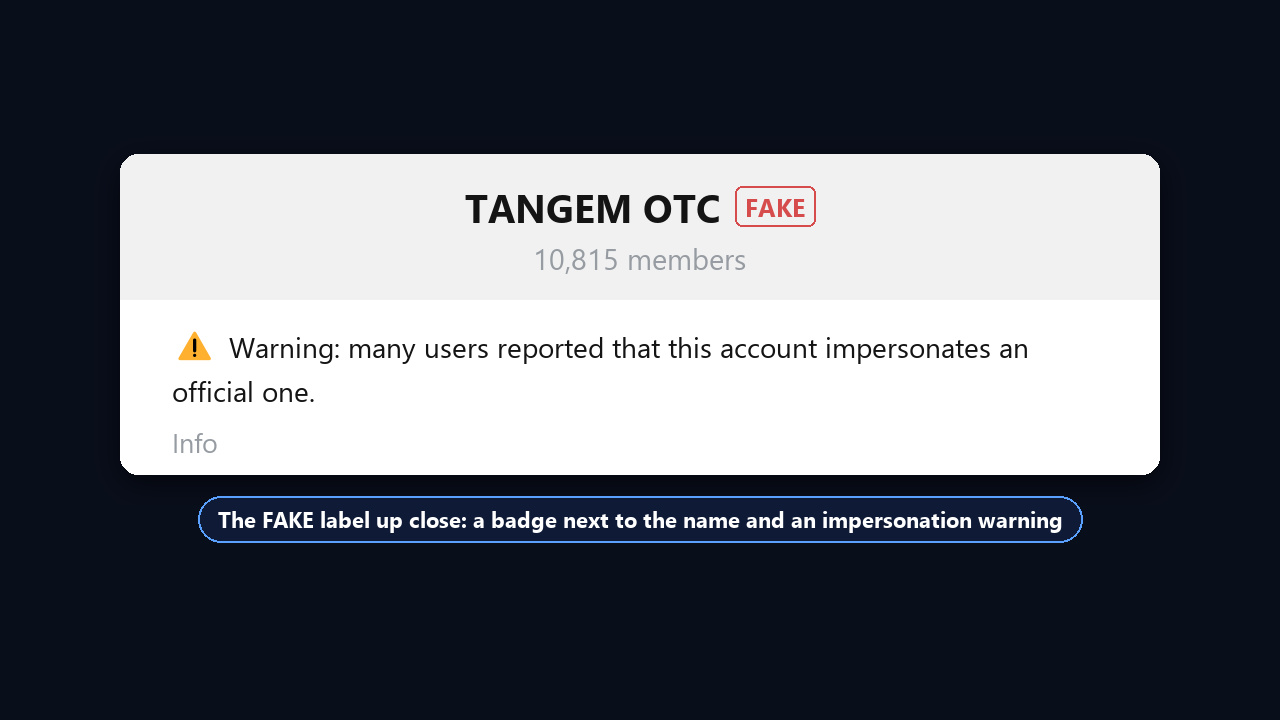
So a fake badge means one thing: this is not the original. This profile may not have cheated anyone yet, but do not trust it with money, codes or a seed phrase. Find the real channel through the link on the company’s official website, not by searching its title.
What the Badge Looks Like and What It Changes
Visually, the Telegram scam label is a small red outlined tag, hard to miss. However, the platform does not publish a list of restrictions for flagged chats. So the main consequence is lost trust: people see the warning before the first message, and advertisers stay away.
Users also notice that flagged channels and bots vanish from global search and open only via a direct link. We checked this ourselves: eight popular queries (support, wallet, free stars and others) returned no flagged accounts in the app’s search.
No warning, on the other hand, proves nothing. Many fraudsters operate for weeks before enough reports pile up. We covered the most common tricks in our guide to Telegram scams.
Telegram Scam Label vs Other Badges: Check Mark, Icons, Premium
| Badge | Where it sits | What it means |
|---|---|---|
| Blue check mark | on the right | official verification |
| Organisation icon | on the left | verified by a third-party verifier |
| Star or emoji | beside it | Telegram Premium, not proof of identity |
| SCAM | red outline | likely fraud |
| FAKE | red outline | impersonation of a person or company |
How to Report a Scammer on Telegram So the Label Appears
In May 2026, Russia’s Interior Ministry explained that the label follows mass user reports about fraud, phishing or impersonation. Moreover, not only channels but also their admins’ personal accounts can get it.
You cannot put a Telegram scam label on someone else directly, because moderators make the call. Still, your complaint starts a review, and several well-founded ones speed it up. Below are two official routes.
Option 1. Use the Report Menu
- First, open the scammer's profile, channel or message.
- Next, tap "⋮" or long-press the message and choose Report.
- Then pick the reason that fits and briefly describe what happened.
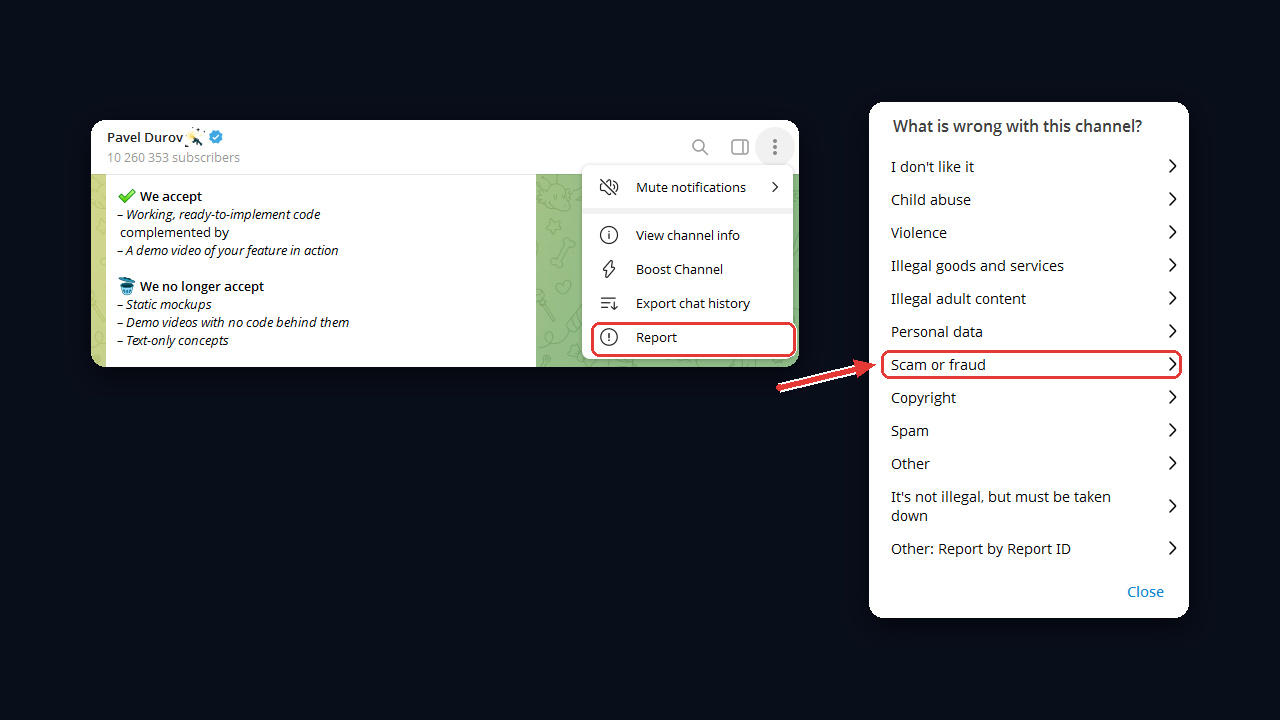
Reporting a specific message works better than reporting a whole profile. This way the moderator immediately sees the deposit request, the phishing link or the forged receipt.
Option 2. Contact @notoscam
For fraud reports, the messenger runs a dedicated official account, @notoscam. It is called Report Impersonation, carries a support status and a blue check, and its bio says that reports about scammers are welcome there.
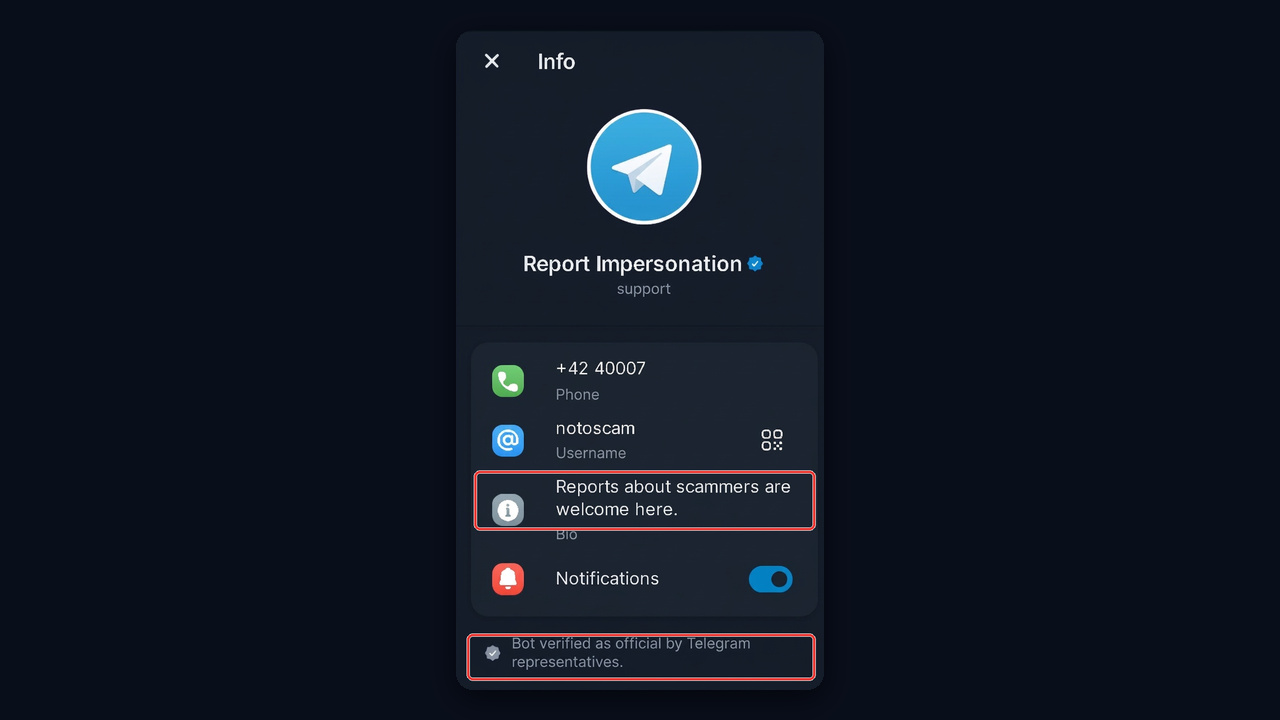
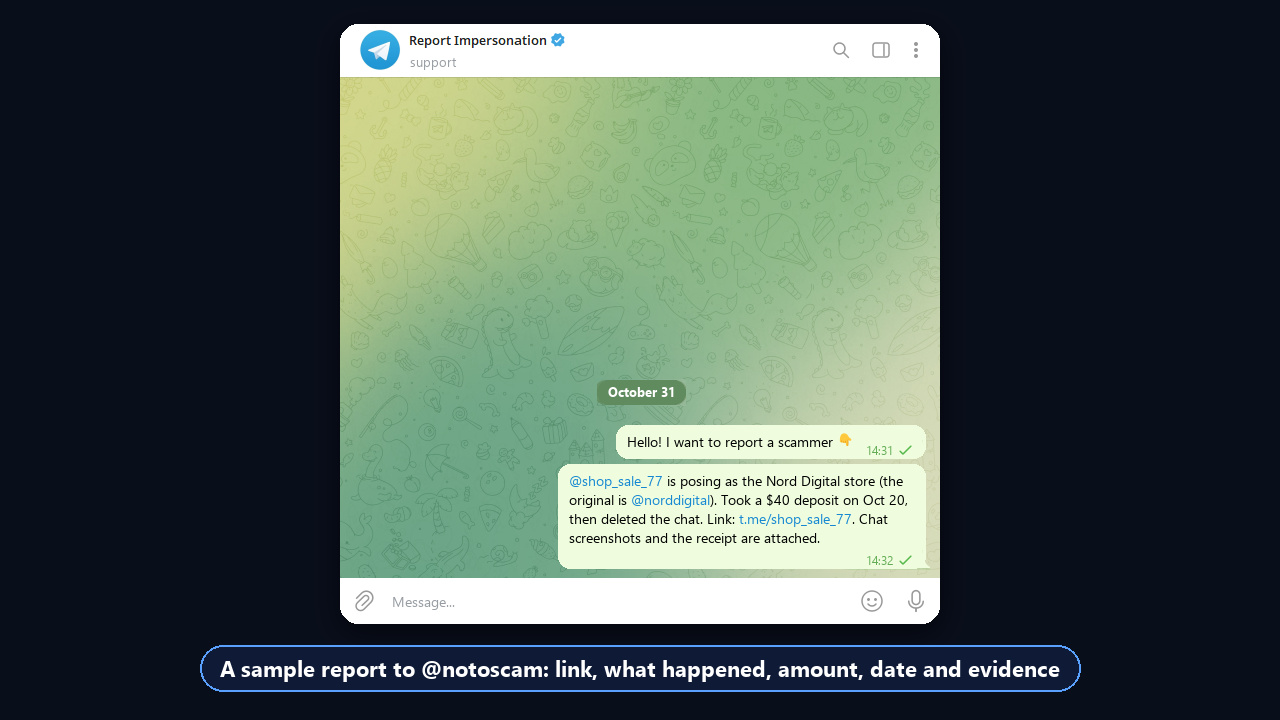
In your message, therefore, include the username, the t.me link, what happened and screenshots of the chat and payment. For example: "@seller_x asked for a $60 deposit for a phone, then blocked me after payment; receipt attached." As a rule, a short fact with evidence gets reviewed faster than an emotional story.
What to Attach So the Scammer Actually Gets Flagged
The moderator only sees what you send, not the whole history. So prepare everything in advance, then send it in one message.
- Link and username. The exact t.me address, not just the display name, since clones copy names.
- Chat screenshots. The deposit request, the promise or the threat.
- Payment proof. A receipt, the recipient's card number or wallet address.
- The original. If the profile poses as a company, link to the company's real channel.
Important: do not organise mass reporting through bots or "report boost" chats. False reports get detected, so the senders end up restricted themselves, up to a spam block.
When a Report Will Not Lead to a Badge
Not everything unpleasant is fraud. For example, the platform does not treat copying your posts as fraud: plagiarism complaints need proven copyright and go to [email protected]. Likewise, a dispute over product quality with no sign of deception will most likely end without any badge.
Why an Honest Channel Can Get a SCAM or FAKE Badge
Moderation reacts to signals, not intentions, because it cannot read minds. As a result, projects that never cheated anyone sometimes get flagged simply because they look risky.
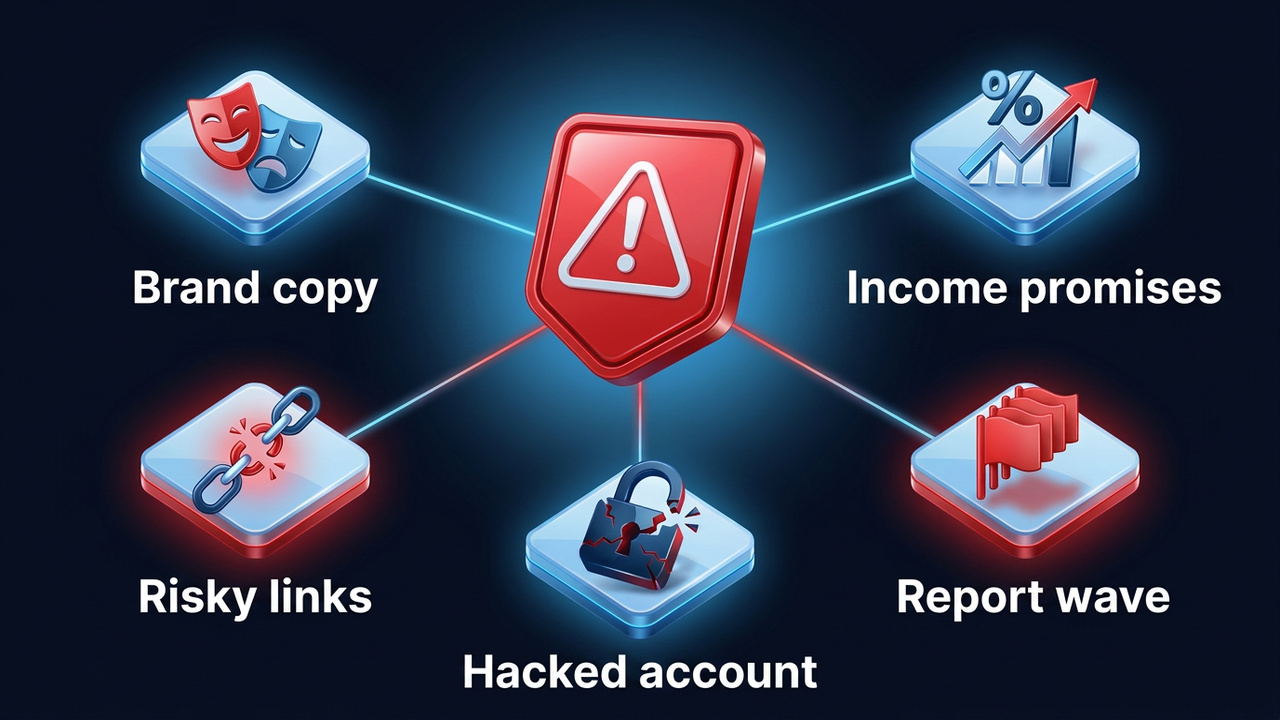
- Looking like a brand. A name, avatar or handle close to a famous company is a direct path to FAKE.
- Income promises. "Guaranteed 30% a month", trading signals, paid money-making schemes.
- Risky links. Wallets, NFT gift giveaways, bots that ask for a login code or "account confirmation".
- A wave of reports. Competitors or unhappy buyers flag the channel en masse, often after a dispute.
- A hacked account. Someone took over your profile or channel and ran a con in your name.
In fact, the last case is more common than it seems. If you were hacked, first regain access with our guide on what to do when your Telegram account is hacked, and only then deal with the Telegram scam label.
To avoid being flagged by mistake, grow your channel with clean methods: paid posts, catalog ads, collaborations and useful content. We collected these methods in our guide to Telegram promotion.
Mass-Report Attacks: How to Protect a Channel
Sometimes a badge is provoked on purpose: a rival orders a bot farm, hundreds of profiles join the channel, report it for “fraud” and leave. Signs of an attack include a sudden spike of joins and leaves within an hour or two with no ads, plus a stream of empty profiles without avatars.
- Join requests or a captcha. During the attack, switch on request approval or a captcha bot, so bots never become subscribers and cannot fake mass discontent.
- Evidence. Save the growth chart, screenshots and timing of the attack for your message to @notoscam.
- Do not delete the channel. Owners report that the flag can stay on the admins’ personal profiles, while the evidence disappears.
At the same time, do not confuse the badge with a shadowban: there is no tag, but the channel vanishes from search and recommendations. We explained how to check it in our guide to the Telegram shadowban. A “bot farm” mark in TGStat or Telemetr, by contrast, is not a platform flag at all, so you dispute it with the analytics service itself.
How to Remove a Telegram Scam Label
There is no public appeal process, no deadline and no guarantee. Even so, owners have had a label lifted after a calm, well-documented request, so go step by step.
- Close the gaps. Change your cloud password, end unknown sessions and review the channel admins.
- Remove risky content. Delete posts promising income, suspicious links and paid giveaways.
- Collect evidence. A company website linking to the channel, contracts, reviews, proof of the owner's identity.
- Write to @notoscam. Say who owns it, why the flag is wrong and which documents you attach.
Otherwise, if weeks pass without an answer, a restart is the honest option: a new channel, a link to it from your official site and a post telling your audience about the move. Businesses that cannot afford a sales gap usually take this route.
How to Check a Seller or Channel Before You Pay
A badge helps, but the decision to send money is still yours. Therefore, run through a short checklist before paying.
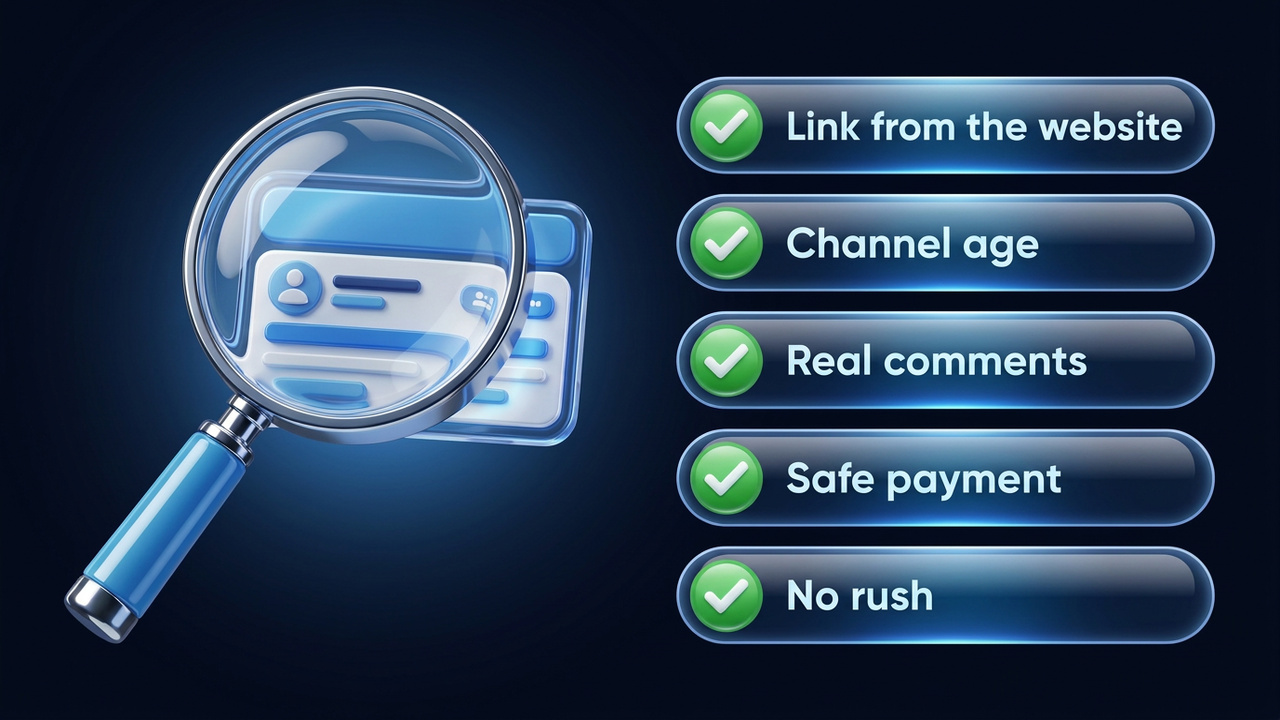
| Check | Red flag |
|---|---|
| Username and link | differ by one letter from the ones on the website |
| Channel age | created recently, all posts uploaded in one day |
| Subscribers and reactions | thousands of followers, empty comments |
| Payment | only a transfer to a private card or crypto |
| Pressure | "the offer expires in 10 minutes" |
Tools That Help You Check a Channel
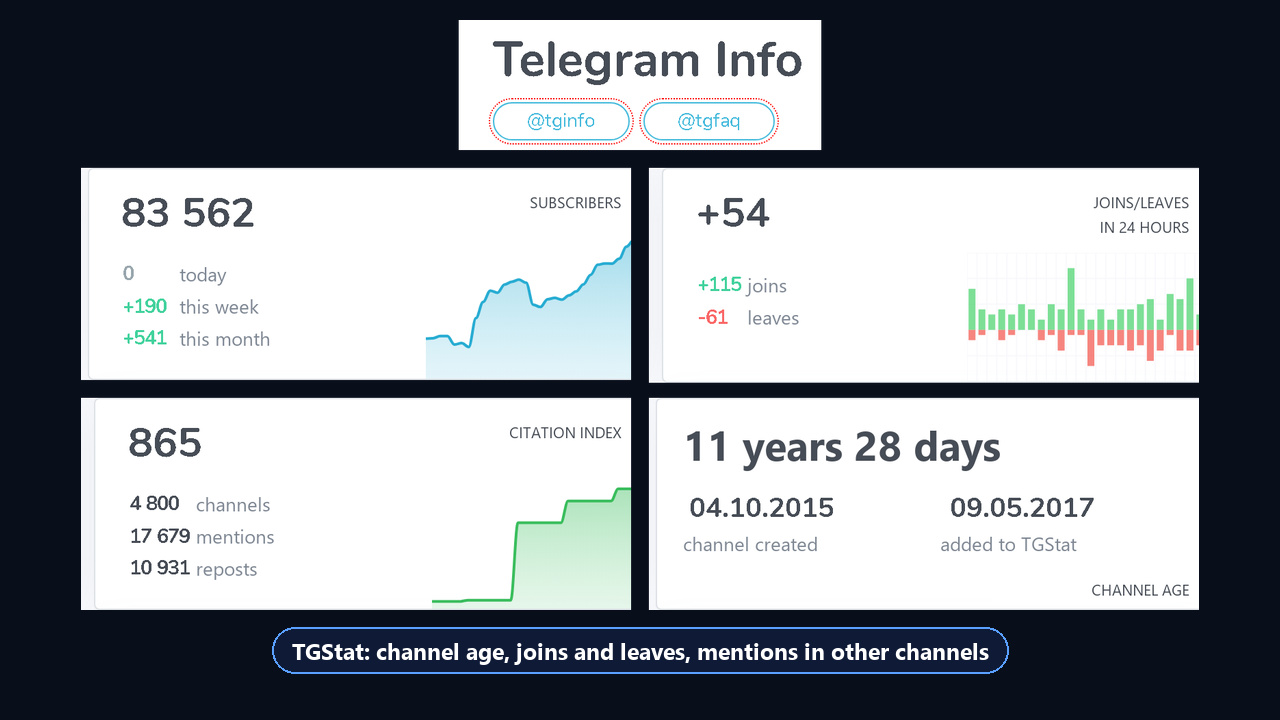
For example, analytics services such as TGStat and Telemetr show a channel’s history: name changes, subscriber sources and past ad posts. A sharp jump in followers with no ad mentions is a reason to slow down.
If you buy ready-made accounts, test the first batch with the free GGR checker before paying for more: it rates account quality and ban risk.
For businesses, it also pays to look for brand clones in advance. The GramGPT channel parser exports every channel using your name, so you can spot fakes before scammers use them.
Spotting Scam Links
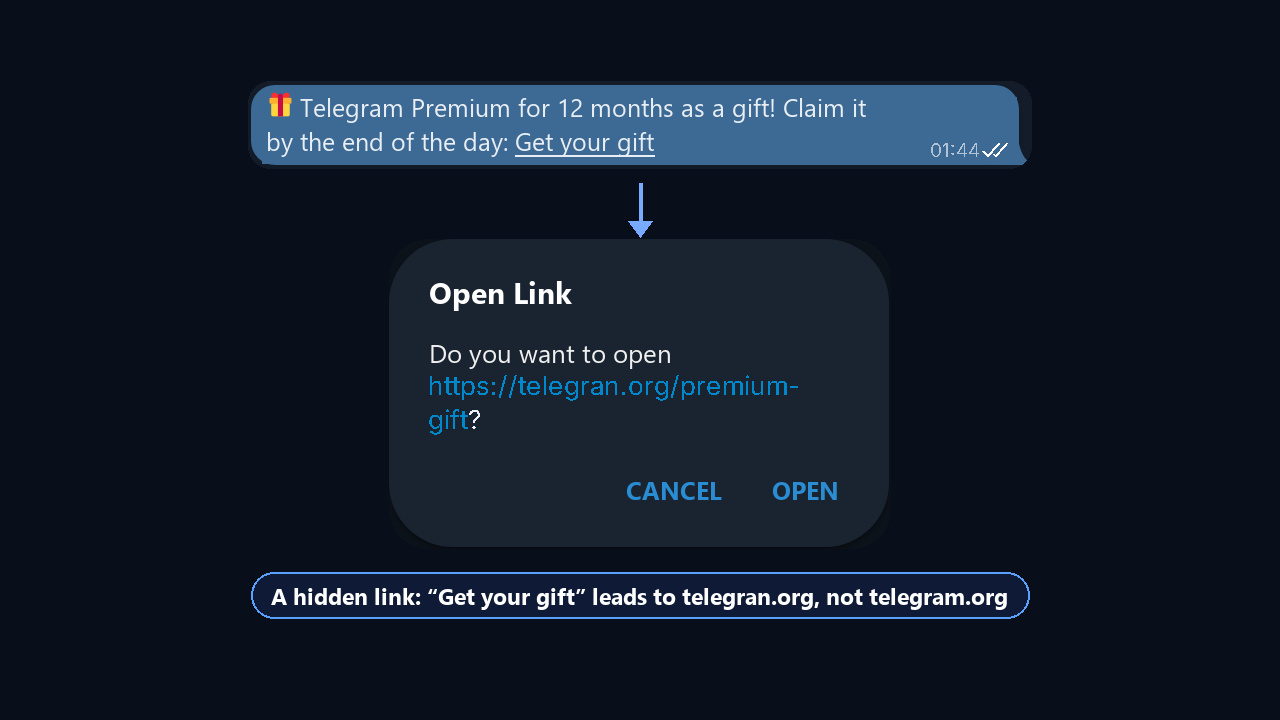
First of all, most thefts start with a link. Before tapping, hover or long-press it and read the full address. Warning signs include domains that imitate telegram.org with an extra letter, bots "for account verification" and pages asking for an SMS code or your cloud password. Also remember that official services never message you first asking you to "verify". Another kind of clone is a bot posing as TGStat, Telemetr or Combot that asks for access to your stats: this is how channels get stolen.
Gift, Stars and NFT Scams
Schemes around gifts and Stars spread widely in 2025–2026. For instance, a fraudster offers to swap or sell an NFT gift, suggests an "escrow" from their own circle and disappears after the transfer. Another version, however, promises free Stars through a bot that wants you to log in. The rule is simple: move gifts and Stars only through the app's built-in features. More on gifts in our Telegram gifts guide.
Common Mistakes With the Telegram Scam Label
| Mistake | Better approach |
|---|---|
| Assuming a seller is honest because there is no badge | Check the link, channel age and payment method |
| Treating SCAM as one user's complaint | Remember that moderators set the flag after a review |
| Buying "report boosts" against a scammer | Send one report with evidence and write to @notoscam |
| Paying "experts" to remove a badge | Contact support yourself, it costs nothing |
| Naming a channel almost like a famous brand | Pick your own name and link to it from your site |
| Confusing FAKE with SCAM | Remember: FAKE means impersonation, SCAM means likely fraud |
Telegram Scam Label: Key Takeaways
SCAM and FAKE are warnings from Telegram itself: the first points to likely fraud, the second to impersonation. To get a scammer flagged, report the message with evidence and contact @notoscam. Removing a mistaken badge, by contrast, takes a careful request with no promised timeline.
That is why in 2026 it is safer never to get close to a Telegram scam label: do not copy other brands, do not promise income and keep your accounts secure. Also, before any deal, compare the link with the official website: it protects you from scams and from clones that have not been flagged yet.