A weekend clip goes up, an hour later you check your Telegram story views and freeze. However, next to friends sit a dozen unknown users: a model-like avatar, "Crypto | Dubai", a sneaker shop. A hack or spying seems likely.
Yet the app never explains where these viewers come from. The viewer panel only shows names, while privacy options hide deep in the menus. So questions pile up: will authors notice your visit, does an anonymous mode exist, and why do strangers get access?
Below: audience modes, the path to your viewer panel on phone and desktop, sources of unknown viewers and settings that shut them out. Finally, we flip sides and show how creators convert such views into channel subscribers in 2026.
Who Can See Your Telegram Stories: Four Privacy Levels
Above all, the author decides who watches. First, before posting, the app offers four audience modes, and that choice defines who opens the clip.
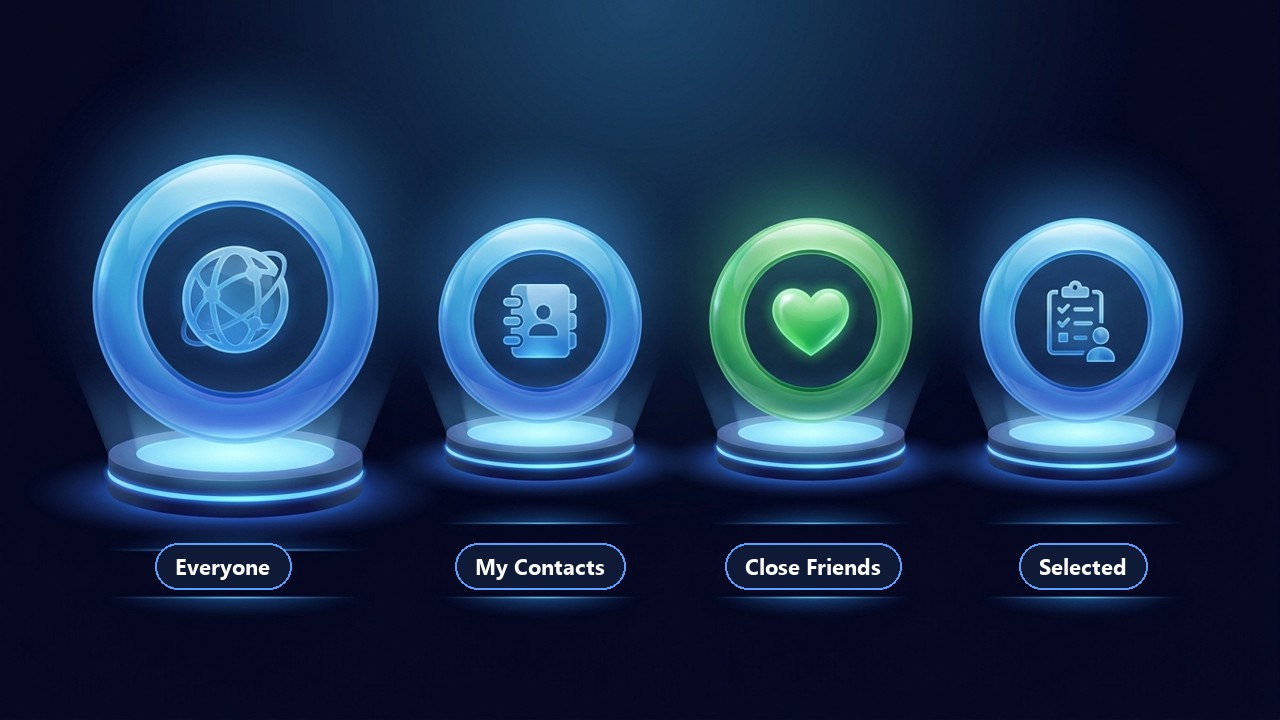
Also, each mode can be fine-tuned with exclusions or manual additions.
| Mode | Who sees it | Good for |
|---|---|---|
| Everyone | anyone who opens your profile, plus contacts in their story feed | public profiles, creators, promotion |
| My Contacts | only those saved in your address book | personal moments |
| Close Friends | a short list marked with a green ring | family and very private things |
| Selected | only the users you tick manually | a clip for one specific group |
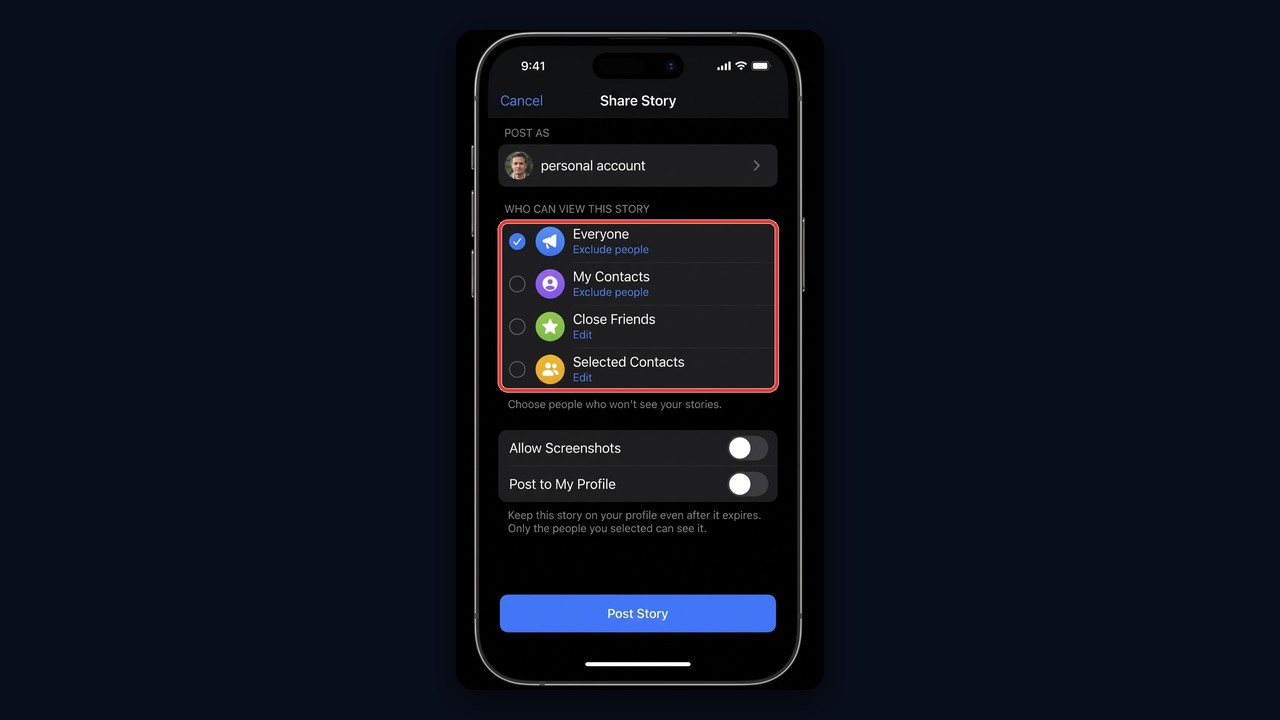
This is the audience picker shown before publishing. This screen also sets the lifetime, while pinning keeps the clip on your page beyond a day. For posting tips, editing tools and clip types, read our guide to Telegram stories.
Finding Out Who Watched Your Telegram Story
Only the author gets access to Telegram story views. In other words, your own audience is visible, other people's is not.
On iPhone and Android
- Tap your avatar above the chat list or launch the clip from your page.
- Then find the eye counter near the lower edge.
- One press reveals avatars, view times and reactions.
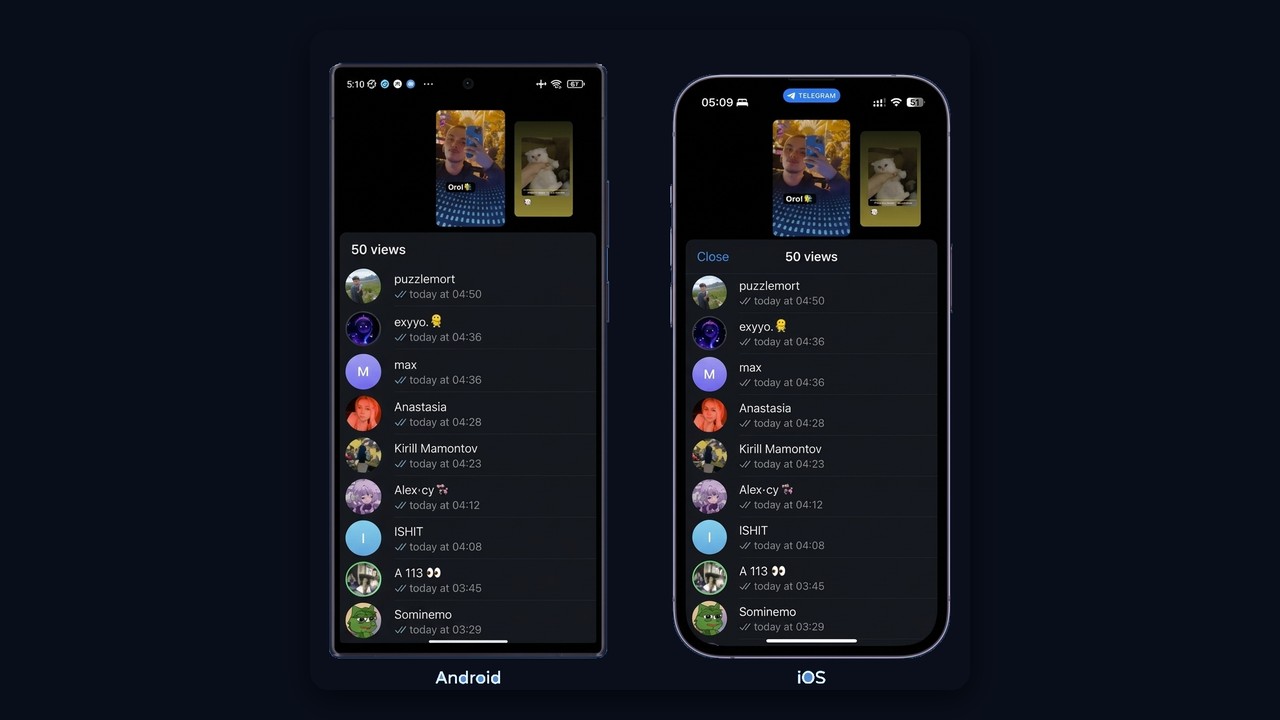
Android and iPhone show the same list: the total view count on top and viewers sorted by time below. Only small details differ, such as the "Close" button on iPhone.
On Telegram Desktop and Web
On a computer, open your page and pick the clip. The counter sits in the lower corner, and a click opens the same panel. The web client mirrors this in a smaller window.
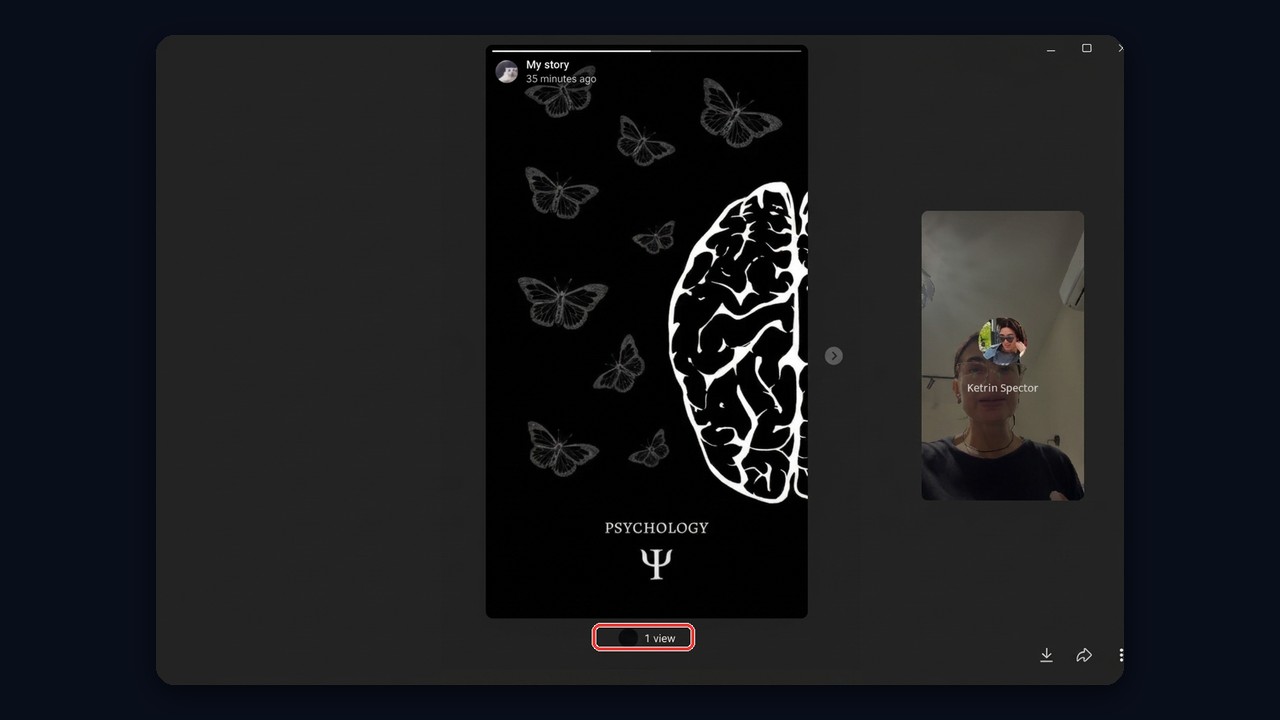
However, a computer is for watching only: posting works in the mobile app alone. Still, the counter is clickable on desktop too.
Filtering Your Telegram Story Views
Besides, you can narrow the results down. For example, show contacts only or move reactors to the top. As a result, it is easier to spot which friends actually stopped by.
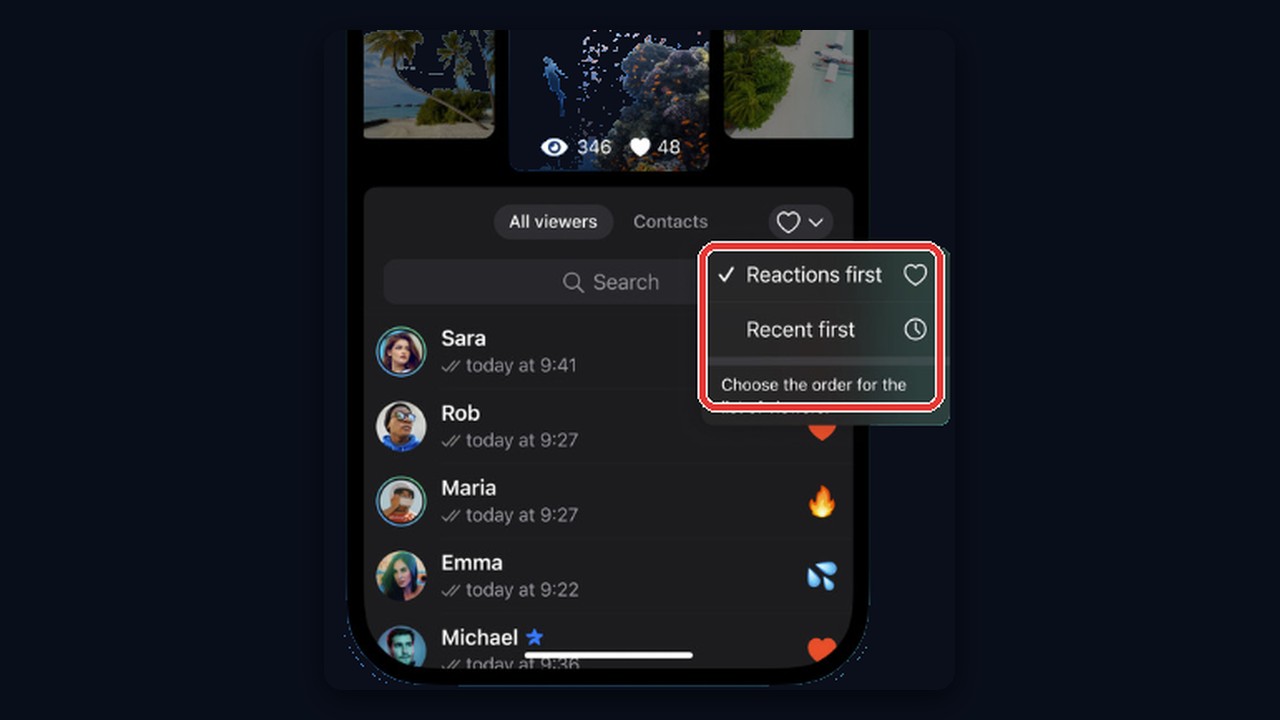
The heart menu sorts viewers: reactions first or recent first, while the Contacts tab hides every stranger. In real lists, though, unknown profiles often sit right next to contacts. These are exactly the accounts users try to figure out, so let's trace where they come from.
Other Things to Know About Telegram Story Views
- How long the list stays. For example, without a subscription, names are available while the clip is live and vanish after expiry. Premium, however, keeps this history longer.
- Channel clips. However, admins only get totals for views, reactions and shares, with no names attached.
- Profile visitors. In fact, the app does not track them. Therefore, profile-visitor bots display random accounts or ask for your session, which means zero data and a real risk of losing your account.
Why Strangers Show Up in Your Telegram Story Views
Unknown names among viewers almost never mean a hack. As a rule, one of five scenarios explains them.
| Viewer | How they saw the story | Tell-tale sign |
|---|---|---|
| Someone with your number | you are in their contacts, and your setting is Everyone | a real profile, a vaguely familiar name |
| A member of a shared group | tapped your avatar with the colored ring | similar interests, common groups |
| A mass-looking account | a service views stories of a whole audience | catchy name, pinned channel or link in bio |
| A spam or phishing account | collects active users for later messages | empty profile, then a DM |
| A random user | found you by username | a single view, nothing after |
In practice, the first three are by far the most common. For instance, a courier once saved your number, and now your stories land in their feed.
What Mass Looking Is and Why It Targets You
Mass looking means viewing stories at scale. A service takes a base of users from niche groups and channels, and prepared accounts open their clips one by one. Then an unfamiliar name catches your eye, curiosity leads to the profile, and a pinned channel waits there. That's how "Crypto | Dubai" and clothing stores end up among your viewers.
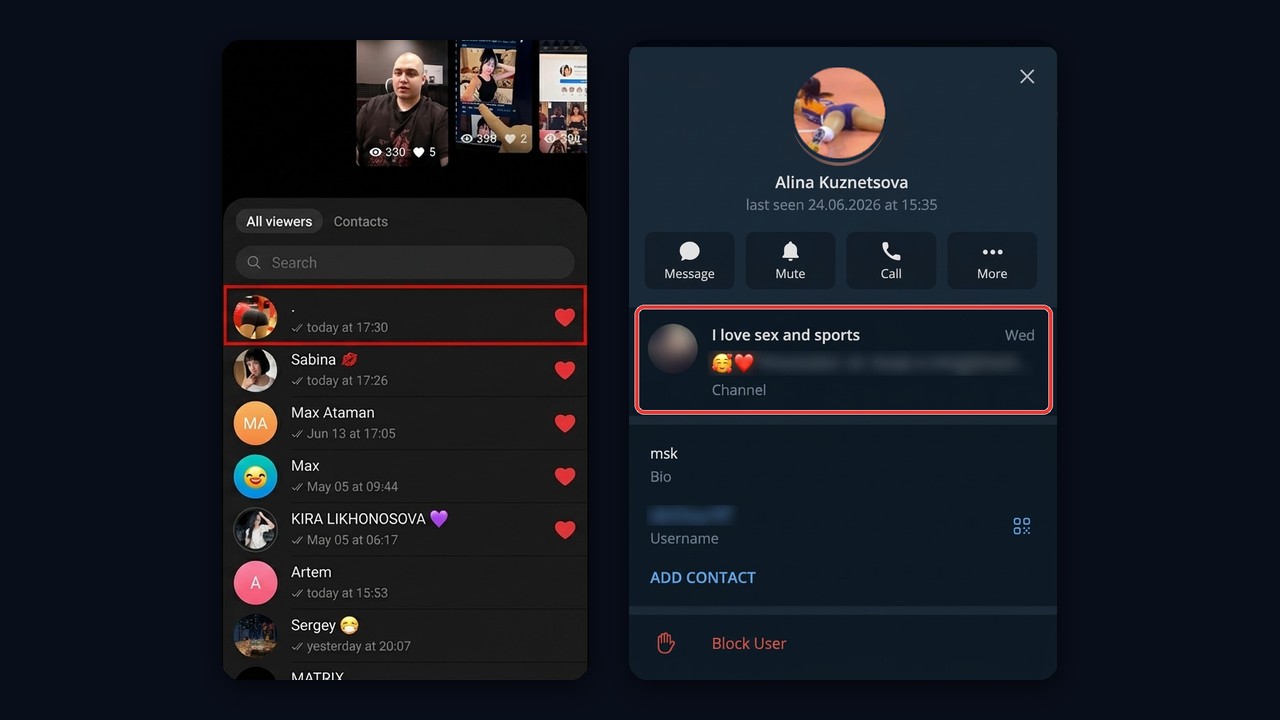
On the left, a nameless account opened the clip and left a like. On the right is its profile with its channel pinned. In short, nobody spies; the goal is one curious click.
Is It Dangerous
The view itself steals nothing, since the account only gets what you shared publicly. Instead, risk appears later. For example, a stranger may DM you, offer to "verify your account" or send a bot link. So never follow such links and never type your login code anywhere except the official app.
How to Hide Telegram Stories From Strangers
If unknown viewers bother you, however, a few settings solve it.
- Switch to My Contacts. As a result, only contacts can watch.
- Hide stories from specific people. The story privacy menu has an exclusion list, and anyone on it is shut out.
- Block a persistent account. After that it gets neither your posts nor your photo.
- Turn off sharing and screenshots. Toggles at posting time keep the clip from spreading.
You can also change the audience of a published clip via "⋯" and "Who can view", or delete random numbers from contacts. Users added to exclusions are shut out even in Everyone mode. The reverse trick exists too: archiving a chat removes that user's clips from your feed.
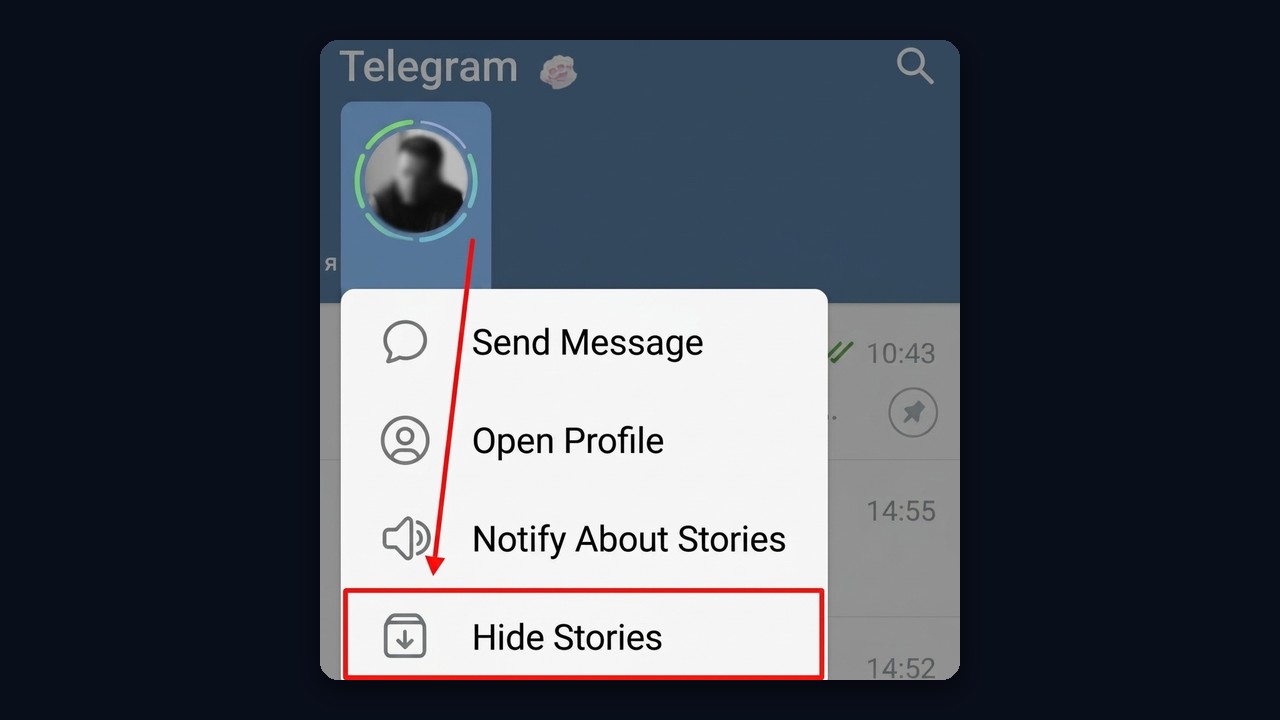
Someone else's clips disappear after a long press on the author's circle and "Hide Stories". As a result, they move to the archive and stop showing above your chats.
Telegram Stealth Mode: Watching Stories Anonymously
There is only one official way, and that is Telegram stealth mode in Premium. Switching it on wipes your views made five minutes earlier and keeps you hidden for another twenty-five. Consequently, the author won't find you among the viewers.
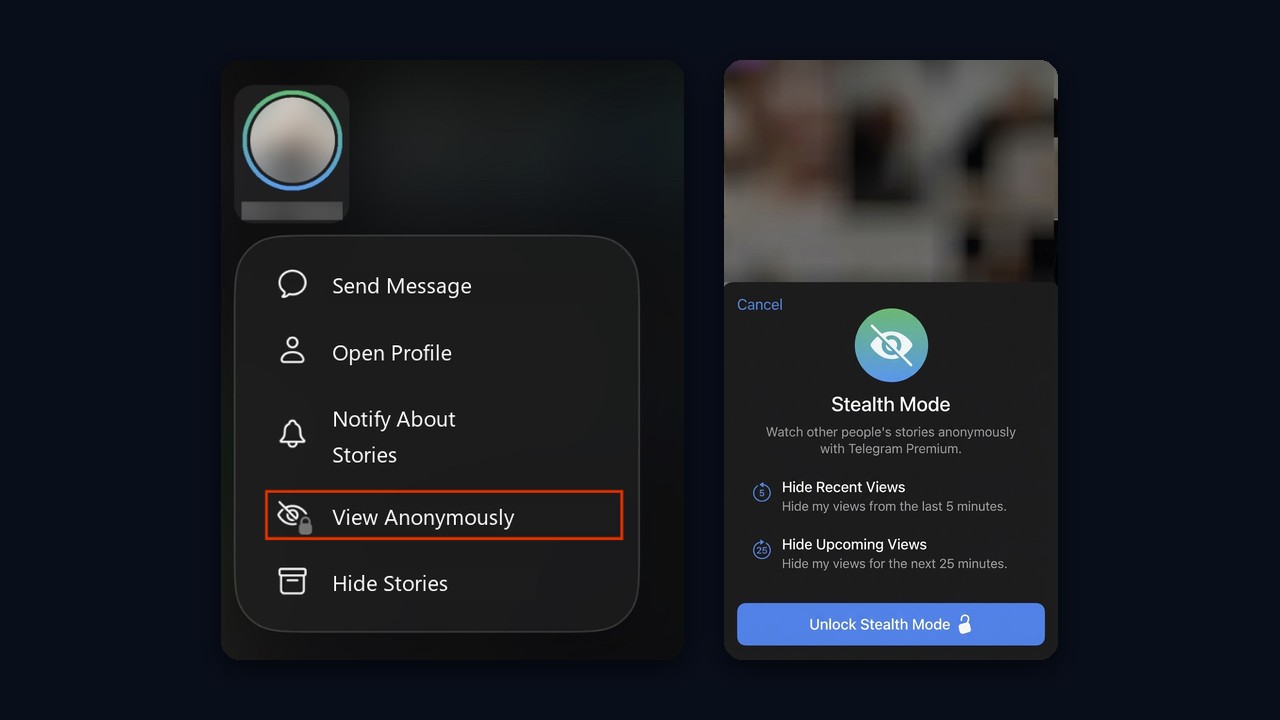
Stealth mode starts with a long press on a circle and "View Anonymously". If you already opened one, the "⋯" menu offers "Hide My View". So without a subscription anonymous viewing is impossible, and sites or bots offering it usually demand a login. Whether the subscription is worth it is covered in our guide to Telegram Premium.
Does Rewatching Show Up Again
No, because rewatching adds no new entry. The panel keeps one line with your name and the moment you first watched, plus any reaction you add.
How to Get More Telegram Story Views
Want the opposite, more viewers? Start with settings. First, Everyone mode opens your posts to every visitor, and pinning keeps it alive longer. Second, short clips with a question or a poll collect more reactions than a plain photo.
- Timing. For example, mornings and evenings bring more views than midday.
- Mentions. A tagged friend gets a notification and therefore often reshares the post.
- Links. Point to your channel or a post, so views turn into visits.
- Group activity. The more members notice you in shared groups, the more often they tap your ringed avatar.
Still, these tactics are slow. That's why channel owners use mass looking: you watch the posts of your target audience, and they visit your page in return.
How Telegram Story Views Turn Into Subscribers
Mass looking uses the same reaction to an unknown viewer, only in your favor. The scheme has four steps.
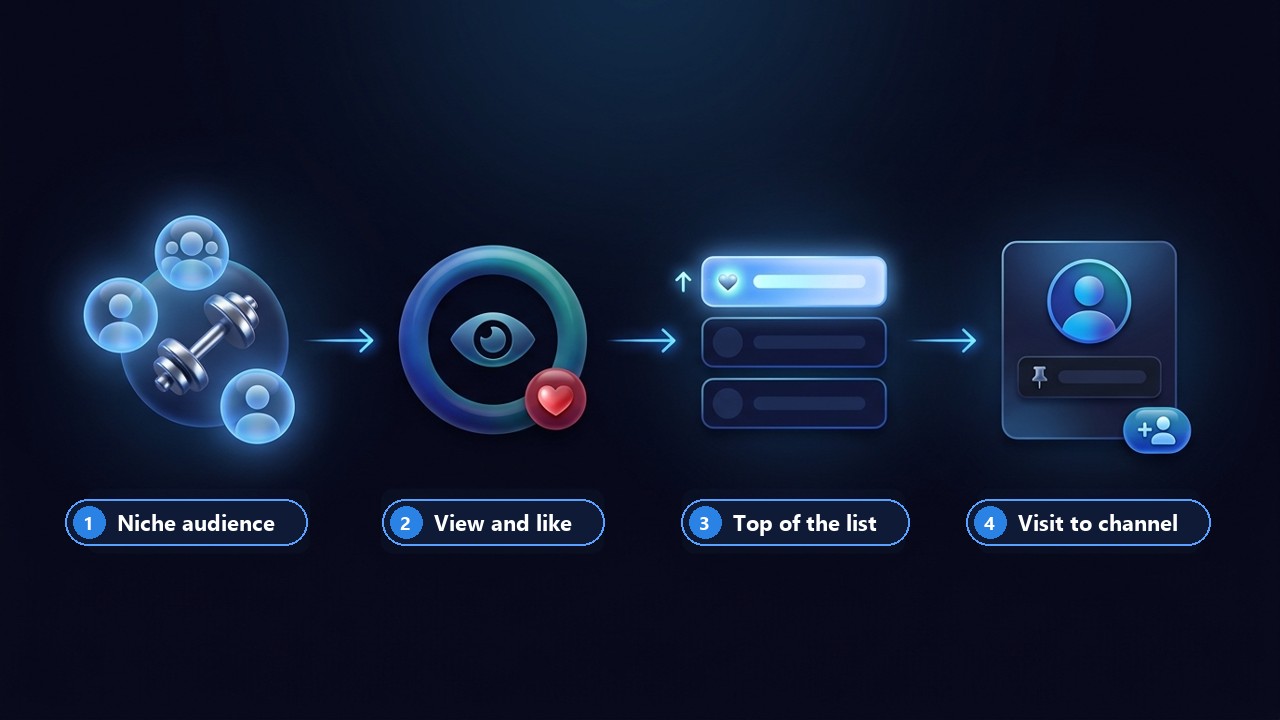
- Collect a niche audience. Before launch, you gather people who care about your topic. For example, a fitness channel needs members of workout groups and followers of sports blogs. A group member parser exports such a list.
- Prepare the pages. The avatar, name and bio match the same topic, and your channel is pinned in the bio. The GramGPT account manager styles profiles in bulk.
- View and like. Mass looking opens the posts of people from the list with a 10–20 second pause and leaves a reaction. The like lifts it to the top of the viewers list, because Telegram shows those who reacted first.
- Get a visit to the channel. The user sees an unknown profile at the top, opens it out of curiosity and taps the pinned link. If the topic fits, they subscribe.
In other words, a sports fan sees a sports profile among the viewers rather than a random stranger, so the visit feels natural. On top of that, re-looking returns to users who keep posting and reminds them of the profile.
How to Set Up Mass Looking for a Channel
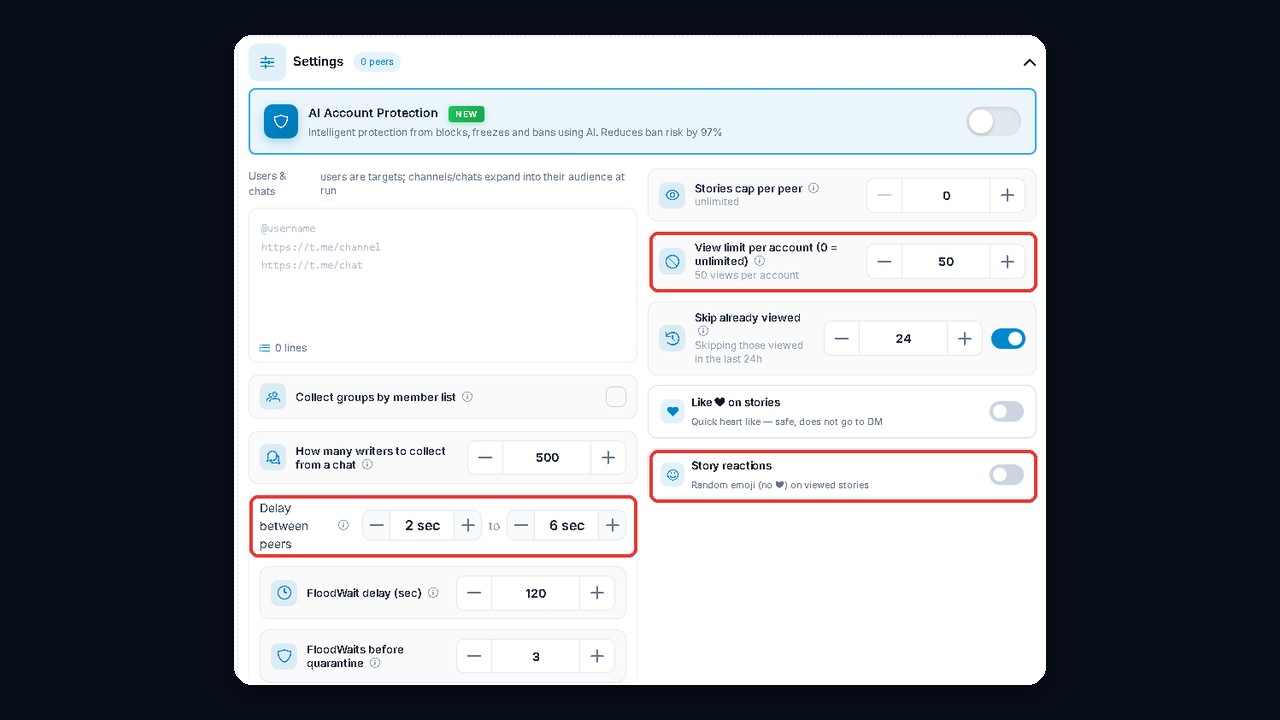
The Mass Looking module in GramGPT.io lets you set delays, a per-account story limit and reactions. Each profile handles 200 to 2,000 clips a day, yet a cap of around 500 keeps things stable. We covered the setup step by step in our Mass Looking review.