You try to create a Telegram account: the app is installed, the number typed, "Next" tapped — and no code arrives. Or everything works for a day and then gets limited after a few messages to friends. Getting a profile still takes minutes, yet newcomers now face much stricter rules.
Most older guides skip this. Some carriers now filter verification texts for foreign messengers, and the platform watches newcomers more closely. So "download, enter your number, done" no longer works every time.
This 2026 guide covers sign-up on a phone and a computer, what to do when verification fails, and whether a SIM is required at all. We also cover first security steps and where to get ready-made profiles when you need dozens for work.
Before You Create a Telegram Account: Requirements
A phone number sits at the core of every profile, because the service identifies people by it. Accordingly, an email, a name or a username cannot replace it. Before you start, prepare a few basics.
| Requirement | Why it matters |
|---|---|
| Mobile line | gets the confirmation digits; a single SIM holds a single profile |
| Official app | Android, iPhone, Windows, macOS or Linux, from telegram.org or an app store |
| SMS or call access | digits arrive by text, call or inside the app on another device |
| A name | visible to contacts; last name and photo are optional |
Can a single SIM hold two profiles? No. However, a single app can switch between up to three logins, and Telegram Premium raises that limit to four.
Signing Up on Android and iPhone
The flow is identical on both platforms; only the app store differs. When confirmation arrives instantly, the whole process takes two or three minutes.
Create a Telegram Account on Android
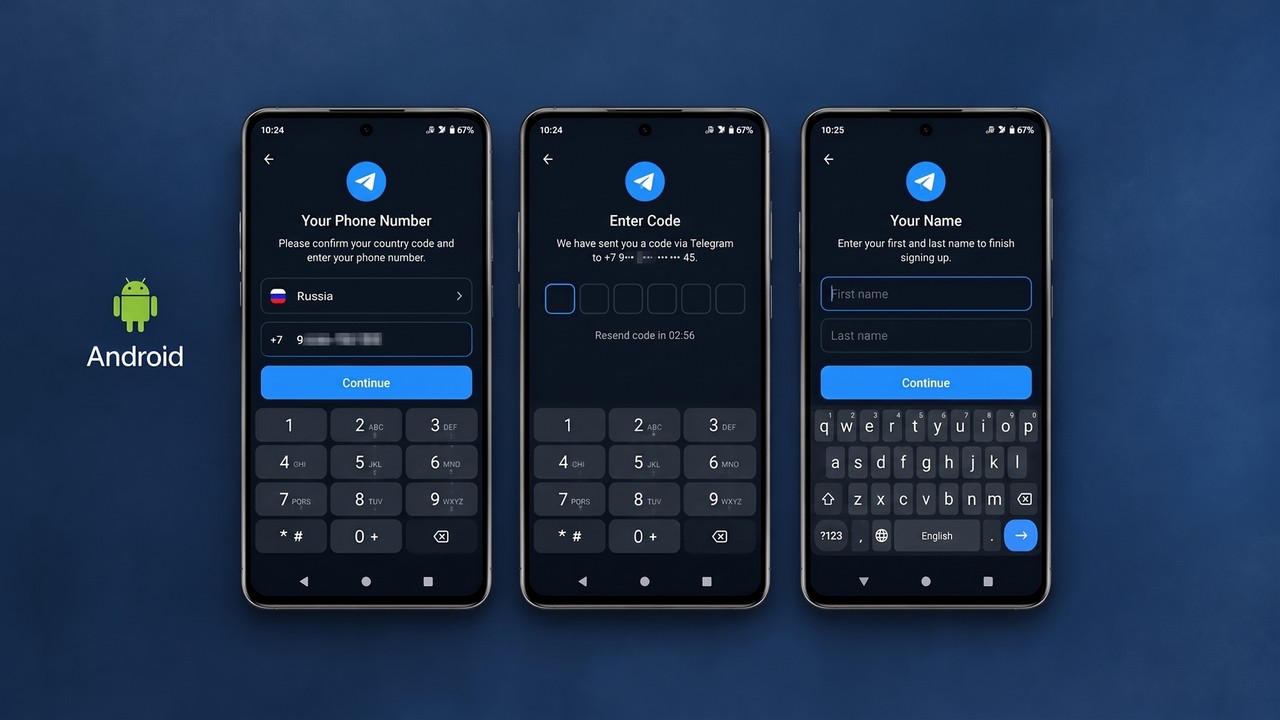
- Get the app via Google Play, or sideload the APK from the official site.
- The first screen offers "Start Messaging"; country selection follows.
- Type the digits, while the prefix appears by itself.
- Confirmation arrives by SMS, a call or a service message.
- Finish with a name; a photo stays optional.
Create a Telegram Account on iPhone
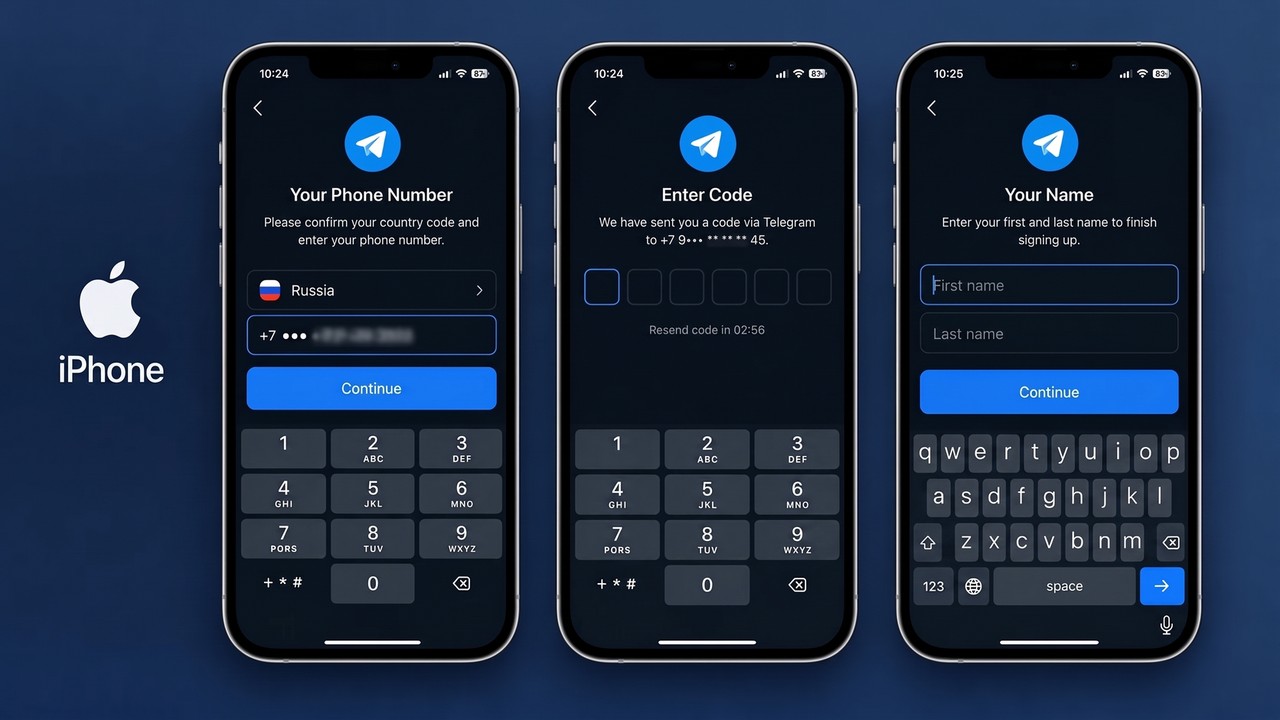
Meanwhile, iPhone owners grab it from the App Store, and the sequence matches: country, digits, confirmation, name. For example, the app asks for contact access, but you can decline. Your friend list will not sync, yet everything else works normally.
Adding a Second Profile
Already have one? To create a Telegram account alongside it, open Settings, tap "Add Account" and register another SIM. Our guide on using multiple accounts explains switching and notifications.
Create a Telegram Account via Telegram Desktop
Desktop registration runs through the official client, built for Windows, macOS and Linux. After installing it from telegram.org, press "Start Messaging", type your digits, confirm them and add a name.
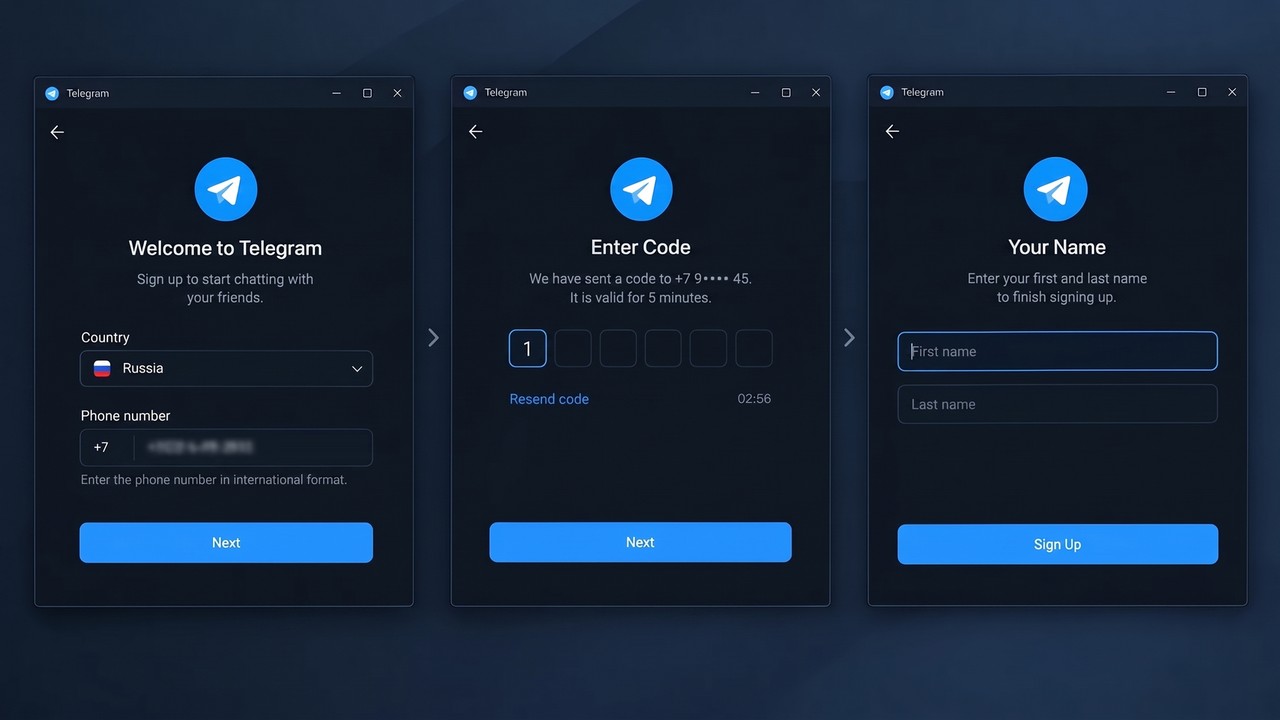
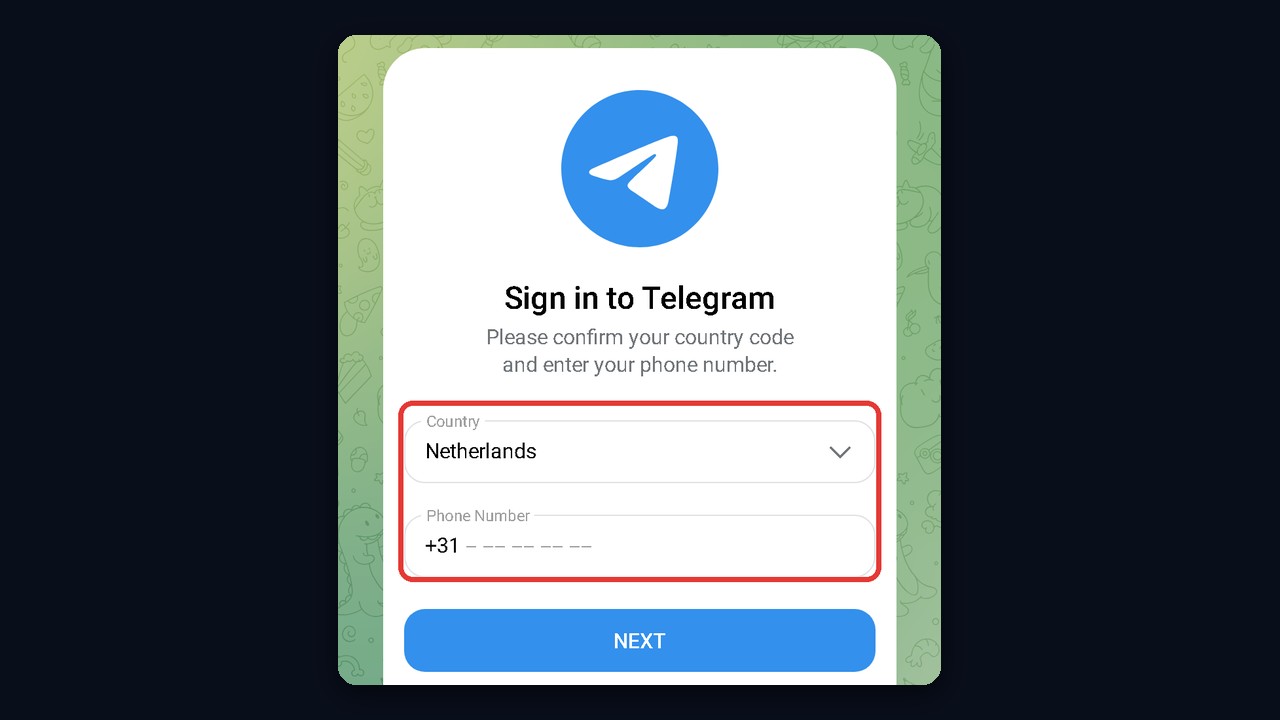
Similarly, the browser version shows the same layout: a country field, a number field and a blue button. Below it sit QR and passkey login options, but those only work for existing profiles. So a newcomer needs the phone route.
Bringing a Fresh Profile to a PC
Registered on mobile? In that case, QR login gets you onto a computer without another SMS. Click "Log in by QR Code" on the PC, then on the phone follow Settings → Devices → Link Desktop Device and aim the camera at the monitor.
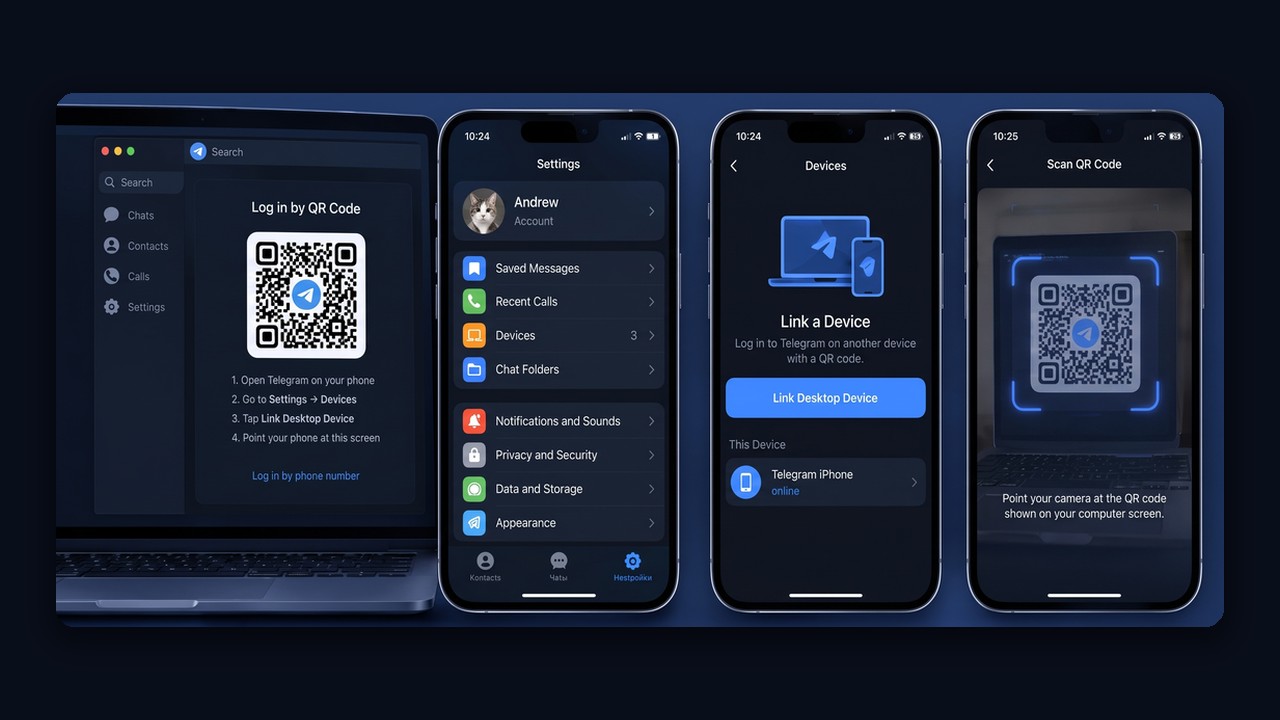
As a result, both sessions run in parallel, and chats sync through the cloud.
On a Tablet or Mac
iPads and Android tablets run the same mobile app, so the sign-up steps stay identical. Macs offer two clients: the native Telegram for macOS from the App Store and the cross-platform Telegram Desktop. Either one can register a profile, although secret chats only work in the native app.
Telegram Not Sending the Code: Fixes
Sign-up most often stalls at verification, and the cause is usually the carrier, not Telegram. For instance, Russian operators started filtering registration texts and calls for foreign messengers in late October 2025. Filters also differ between carriers, so some users receive digits while others do not.
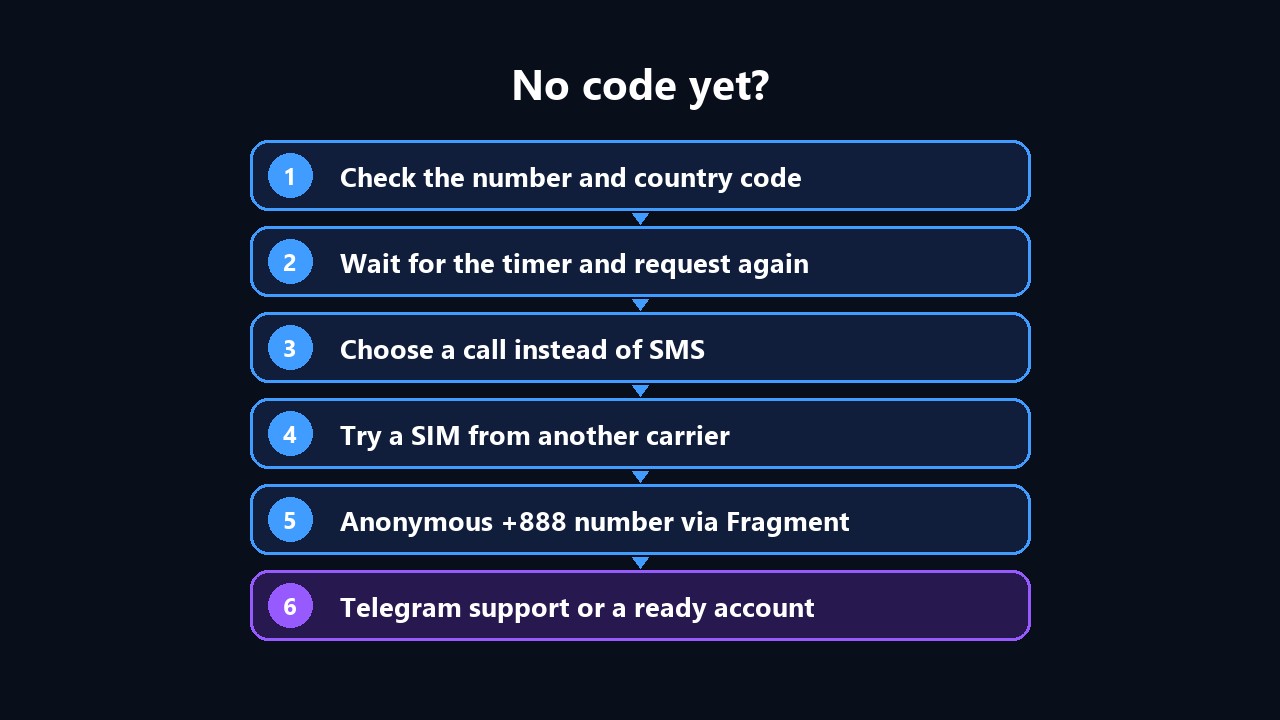
Start by checking the format and country prefix. Then wait for the timer and request a new one. If the text still does not arrive, choose a call instead; that option appears after a failed attempt.
| Method | Who can use it | Limits |
|---|---|---|
| SMS | everyone | some carriers block it |
| Phone call | everyone | appears after a failed attempt; requests are capped |
| Message inside Telegram | owners of an active session elsewhere | useless for a first sign-up |
| Login email | registered users | must be linked in settings beforehand |
| Foreign SIM or +888 number | people whose carrier blocks codes | you need lasting access to it |
If nothing helps, contact support through the official website form, describing your location, operator and every failed attempt.
The Number Used to Belong to Someone Else
Carriers resell released numbers, so a new SIM is sometimes already tied to a stranger’s profile. After entering the code, you either land in that old account or face a cloud password prompt. Telegram removes profiles that stay inactive for over six months, but you do not have to wait.
At the password prompt, tap “Forgot password?”, then “Reset account”: the old profile is deleted and the number becomes free. If the previous owner was active recently, Telegram adds a waiting period of up to seven days. And if the stranger’s profile opens without a password, leave the chats alone, log out and tell support the carrier issued this number to you.
Telegram Account Without a Phone Number: Is It Possible?
Some number is always required, but it can live outside a SIM. Telegram officially supports anonymous +888 numbers. You buy them on Fragment with TON, and verification arrives there instead of through a carrier.
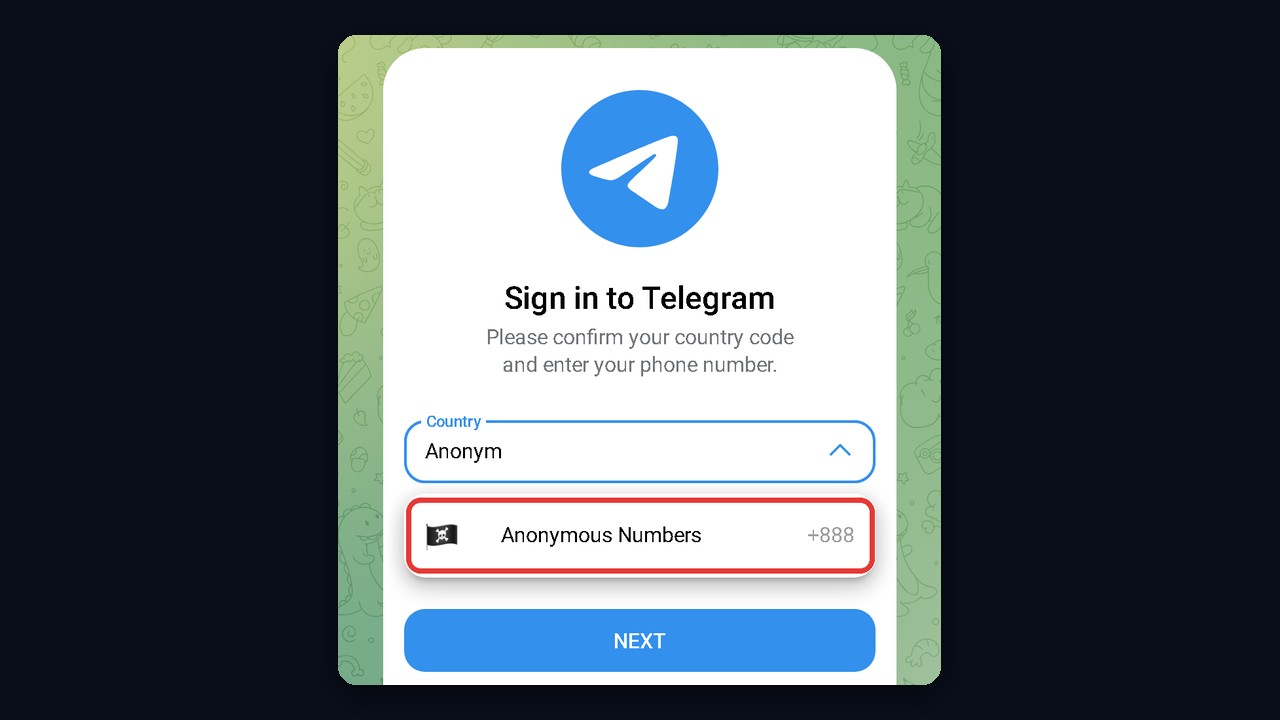
For example, these numbers even appear in the country list during sign-up. Still, they cost far more than a regular SIM, so people choose them for privacy rather than savings.
Why Disposable Numbers Are Risky
- Re-rentals. SMS services hand the same line to the next customer, who can then log into your profile.
- Lost access. When you switch devices, verification goes to a line you no longer control.
- Faster restrictions. The platform recognizes such ranges and checks those profiles harder.
Can You Sign Up With Email Only?
No. Email-only registration does not exist. A login email is linked after sign-up as a backup channel, so a phone stays mandatory.
After You Create a Telegram Account: First Settings
First, right after sign-up, spend five minutes on security. Otherwise, losing a fresh profile is easier than you might think.
- Two-step verification. In Privacy and Security, set a cloud password so stolen digits alone cannot open it.
- Login email. The same section lets you add a backup address.
- Passkey. It enables login via fingerprint or Face ID without codes.
- Hidden number. Under "Phone Number", choose "Nobody" or "My Contacts".
- Username. A short @username lets people reach you privately.
- Passcode lock. The app stays closed without a PIN, even if the phone ends up in someone else’s hands.
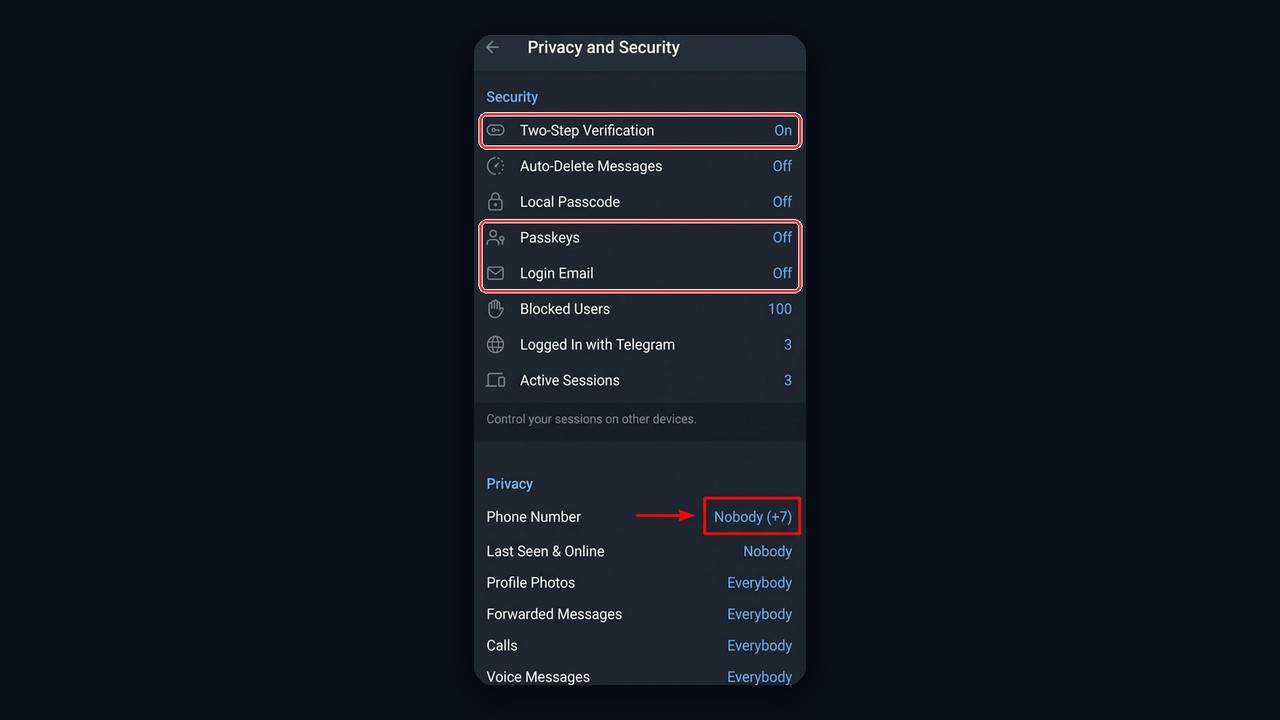
Also review the Devices section, which lists every active session. If someone sold you the profile, follow our steps on how to protect an account after purchase.
Why New Accounts Get Limited Early
The platform checks fresh profiles without history most strictly. Therefore, a burst of activity early on looks like spam, even when you only invite friends.
| Mistake | Better approach |
|---|---|
| Messaging dozens of strangers right away | talk only to contacts initially |
| Joining many groups within an hour | add a few chats per day |
| Leaving the profile empty | fill in name, photo and bio |
| Registering many accounts from one IP | spread them across proxies |
| Sending links in first messages | chat without links initially |
| Changing name, photo and number on day one | set the profile once and leave it |
First-Week Plan
- First two days: complete the profile, follow 3–5 channels, chat only with contacts;
- Days 3–4: join a couple of themed groups, read and react;
- End of the week: first group messages without links, then new conversations step by step.
For dozens of work profiles this routine runs automatically: a warm-up module imitates human activity on a schedule.
If a restriction still hits, our spam block guide covers every type and how to lift it.
Need to Create Telegram Accounts for Work? Try the GramGPT.io Marketplace
A couple of profiles cover personal chats. But when you create a Telegram account for promotion, outreach or client work, you usually need dozens. Creating each one by hand is slow: separate SIMs, verification, aging and warm-up, while some lines never receive anything at all.
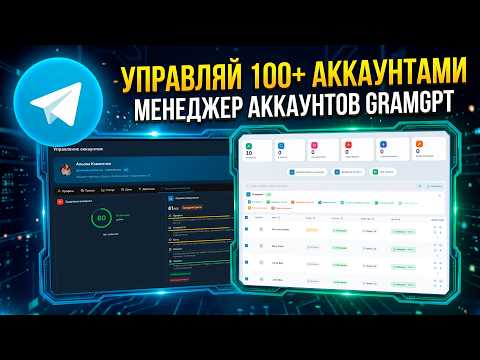
That is why the GramGPT.io dashboard now includes a marketplace. You can filter ready profiles by country, price and spam-block status, while the Telegram age shows right on each card. Besides, bulk purchases are available, and a proxy gets picked right at checkout.
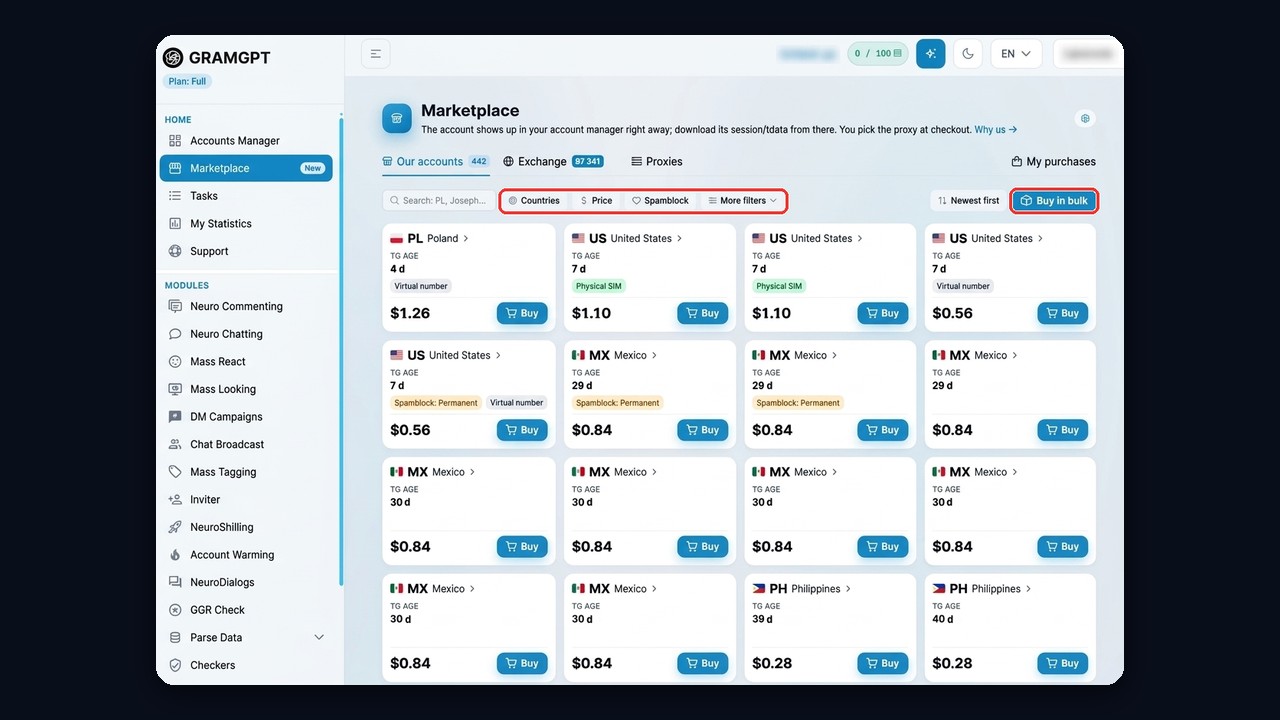
As a result, each purchased profile lands in the account manager instantly, with session and tdata files ready to download. From there, everything stays together: quality checks via GGR, auto warm-up before heavy use, and bulk actions in the account manager.