You tap an invite link or open a community you follow daily, and a grey notice replaces all posts. In other words, this channel can't be displayed, and your app gives almost no explanation. Some people meet such notices on phones only, others on every gadget, and sometimes a community simply vanishes from their chat list.
So we decode each wording of the warning, explain what a reader may still try and when nothing works. We also cover the owner's side: why moderators close channels, what a shadowban looks like, how to appeal and how to prepare a backup before a block wipes out your audience.
Why a channel can't be displayed: six causes
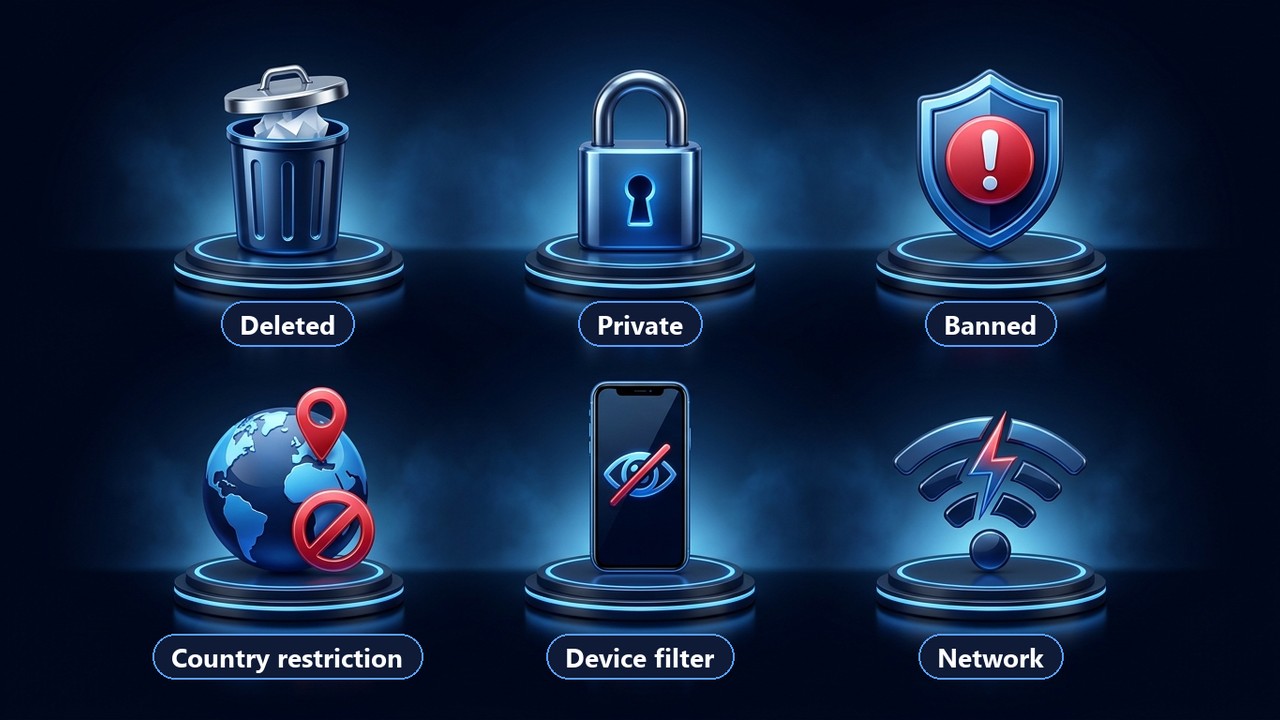
Messengers hide content for very different reasons. However, each of them sits with the source itself, your device, your country or your connection. Here is a full list:
- Deleted. The owner removed it, so the URL leads nowhere.
- Private. The invite expired, you left, or an admin removed you.
- Closed for violations. Moderators closed it for spam, fraud, piracy or illegal material.
- Restricted in your country. A government asked to hide it for a specific region.
- Device filter. Store builds of the app hide adult material.
- Network issue. The app fails to reach its servers, so nothing loads.
Decode the warning text
The wording is your quickest clue. For example, a mention of Google Play or of broken rules narrows the options at once. Compare it with this table:
| Notice says | Real reason | Way in? |
|---|---|---|
| something about "your device" | adult filter inside mobile builds | yes, untick it under privacy settings |
| pornographic material | App Store or Play Store policy | usually, from a laptop |
| Google Play Store by name | Play policy for that build | yes, with the APK from telegram.org |
| local laws | a government takedown request | only when you travel abroad |
| copyright infringement | a rights holder complaint | owners may appeal |
| Terms of Service | moderators closed it | none |
| "Private channel" or "no access to this chat" | invite-only community or admin removal | ask for a fresh invite |
| no notice, it just vanished | deleted or renamed | search for its new title |
If nothing loads at all, blame the connection first.
Channel can't be displayed on iPhone and Android: how to bypass it
Phone owners run into this warning most of all. That is because Apple and Google require apps in their stores to filter adult material. As a result, a community that opens on a laptop stays locked on the phone with the notice "This channel can't be displayed because it was used to spread pornographic content" or a Google Play message.
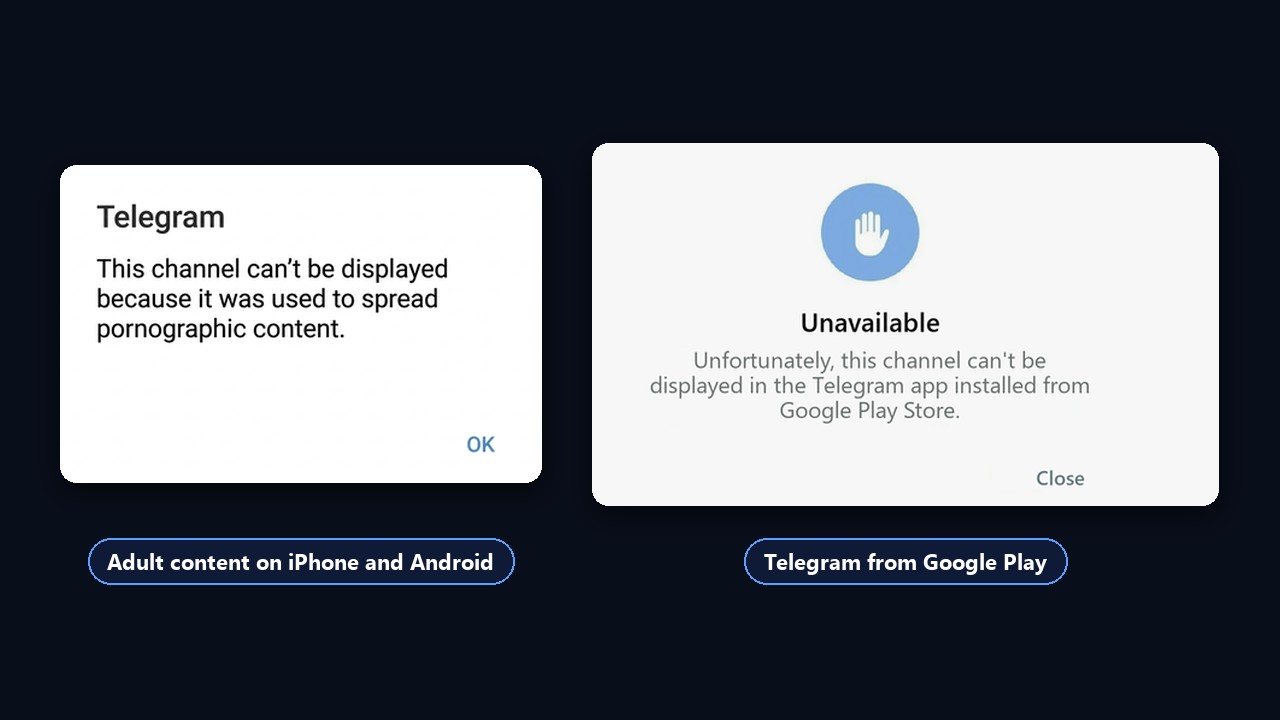
This filter switches off in app settings. Some iOS versions hide that option, so a browser is your most reliable route:
- Sign in to web.telegram.org or the desktop client with the same login.
- Open Settings → Privacy and Security.
- In the Sensitive content block, tick "Disable filtering".
- Fully quit Telegram on your phone, then launch it again so changes sync.
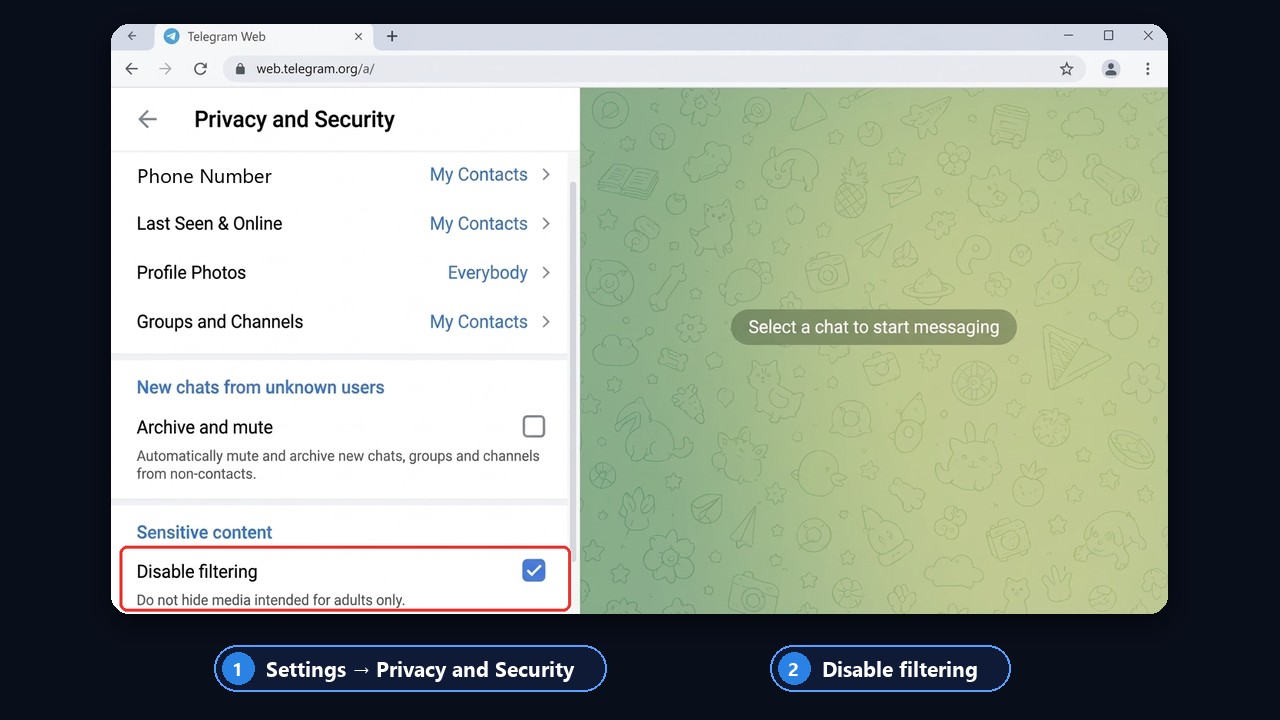
Note that this removes device filtering only. If moderators or a government blocked a community, toggles change nothing. Moreover, some countries never get this option.
Telegram sensitive content settings
The toggle lives in Settings → Privacy and Security → Sensitive content. Ticking "Disable filtering" means Telegram will show sensitive content on every device signed in to your account. In other words, you allow sensitive content once, on the web or desktop, and the phone picks it up after a restart. If the block never appears, your region or app store build does not offer it.
Channel can't be displayed on Android
Android is less strict. Its Google Play build hides some adult material with a Play Store notice, whereas an APK from telegram.org shows it. So try that privacy switch first, and install an official APK if warnings stay.
Channel can't be displayed in Kazakhstan and other countries
Some sources disappear at the request of governments. For instance, people in Kazakhstan get a note about local law, while readers abroad see everything. Similar limits exist in several other states, so the restriction covers one region only.
A VPN usually does not help, because such limits depend on your login as well as your IP. Therefore, two honest options remain. First, read its public preview in a browser at t.me/s/ followed by its username. Second, find a mirror its author announced earlier.
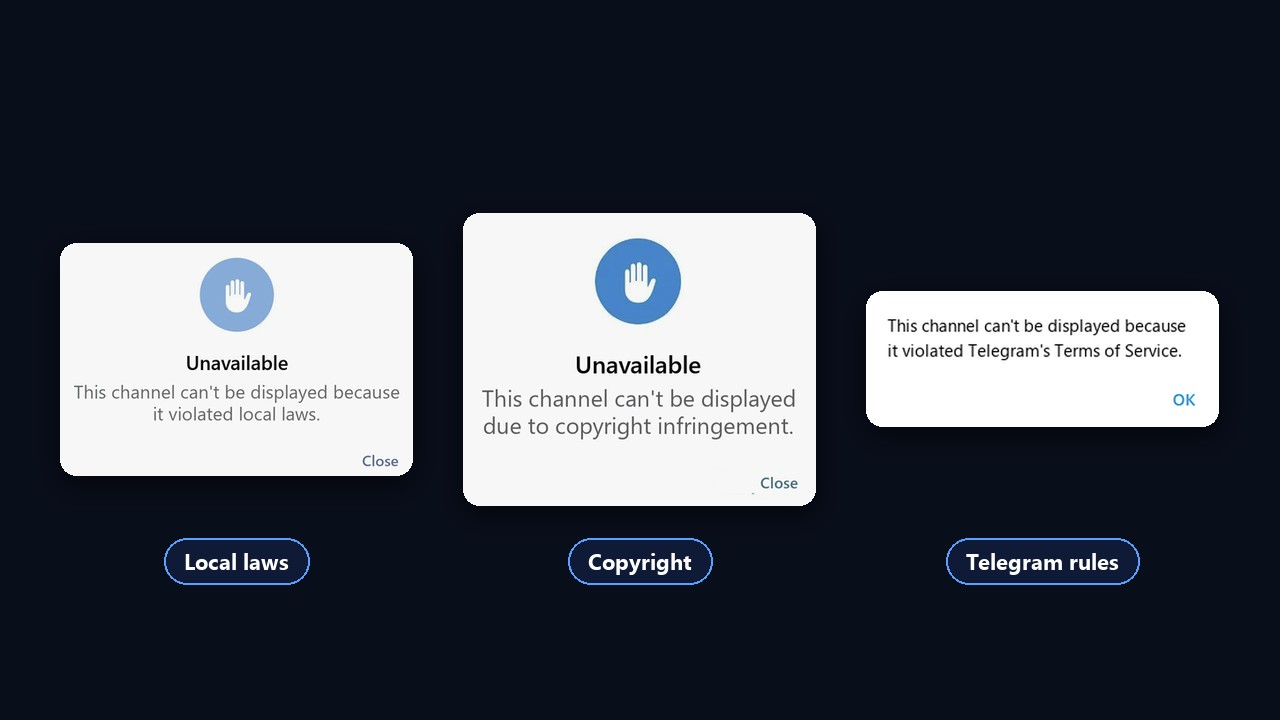
No setting removes the three notices above. Local law, copyright and platform rules are moderation decisions, and only the owner is able to challenge them.
Reading a public preview without the app
Even when a channel can't be displayed in the app, its public preview often stays reachable. Open a browser, type t.me/s/ and add the username: recent posts, photos and view counts load as a plain web page. For example, this works well for news feeds and author blogs, because their owners keep them public on purpose.
However, previews have limits. Commenting, reacting and joining are unavailable there, and very large videos may refuse to play. Also, invite-only spaces never appear there, since they have no public username at all. Still, for a quick check of whether posts exist, a browser preview is your fastest tool.
When the network is to blame
If "Connecting…" or "Updating…" spins instead of posts, the community is fine. A proxy fixes this in a minute, and our article on Telegram web proxy explains the setup.
Private channel, or an admin removed you
Closed spaces open to members only. So if you left or the invite expired, the app shows "Private channel. This channel is unavailable". Return is possible only with a new invite from an admin.
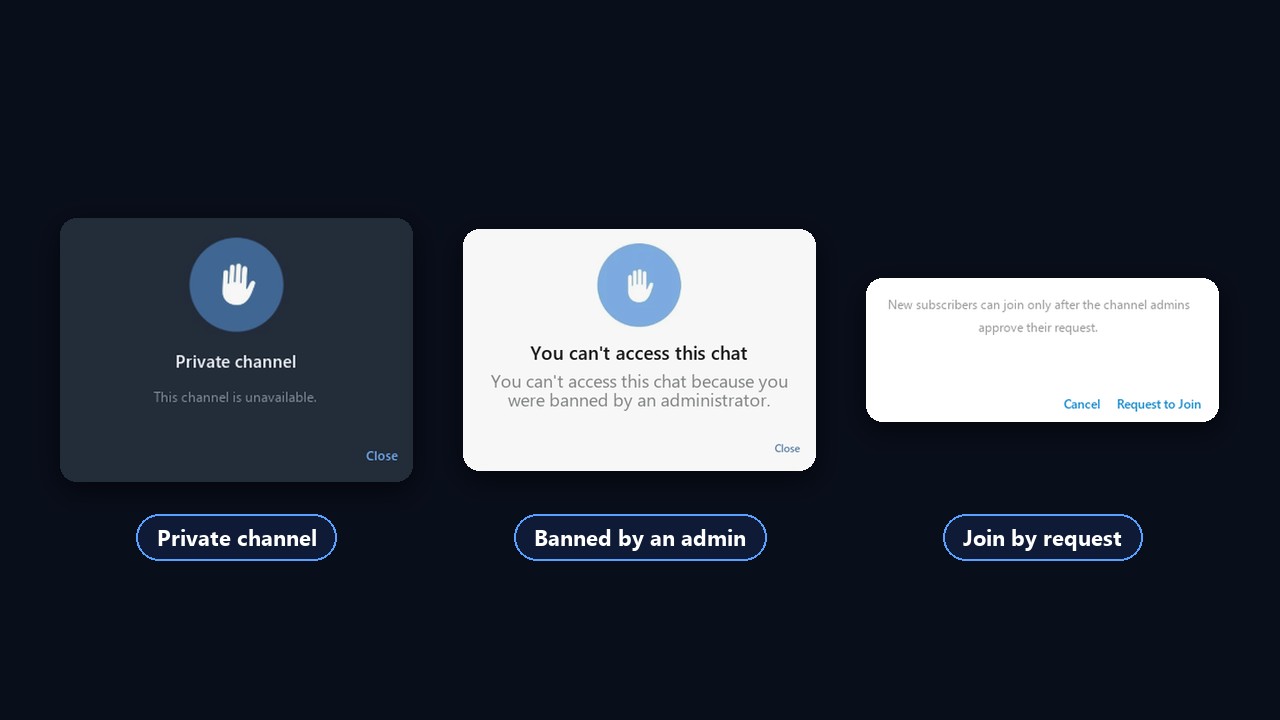
- "Private channel". You are not subscribed, and the old invite no longer works.
- "No access to this chat". An admin blocked you, and only they are able to lift it.
- "Request to Join". Members join by request, so access appears after approval.
Deleted or blocked: how to tell
When a deleted channel can't be displayed, it shows no violation notice at all. It disappears from the chat list, its link says no such channel exists, and t.me/s/username does not open. Later, someone else may even take the username.
A blocked one, by contrast, stays in the list but shows the reason instead of posts: platform rules, copyright or local law. In short, a violation notice means moderation, while nothing at all means deletion.
Nothing deleted comes back, because the posts get erased too. If you removed yours by mistake, start over and invite subscribers again.
Why moderation closes channels: the owner's view
For an author, a hidden community means lost reach, ad deals and income. That is why it pays to know what triggers moderation:
- Copyright complaints. Films, books, courses and music without rights cause most takedowns.
- Public adult material. Such sources get hidden on mobile first and closed after reports.
- Spam and fraud. Fake giveaways, bought activity, sales of illegal goods.
- Government requests. It keeps working but disappears in certain states.
- Mass reports. Rivals or angry readers press "Report", and moderators review it.
Warning signs appear fast: views collapse, a service notification arrives, and a second login fails to open it. To check, visit t.me/s/username in a browser while logged out.
Channel shadowban: missing from search results
There is also a soft restriction: everything works, yet new readers barely arrive. Most often, a Telegram shadowban on a channel looks like this: it no longer shows up in search for its name or keywords, although it used to rank. Subscribers still see it, but new audiences do not.
The check is simple: from a second login, type the exact name into global search. If even an exact query returns nothing, a restriction is likely. We explain how results are ranked in our guide to Telegram search.
How to get a blocked channel back
First, delete whatever caused complaints: disputed posts, other people's files, links to prohibited resources. Then contact support via the "Ask a Question" item or a form at telegram.org/support. Describe it, add its URL and list what you fixed.
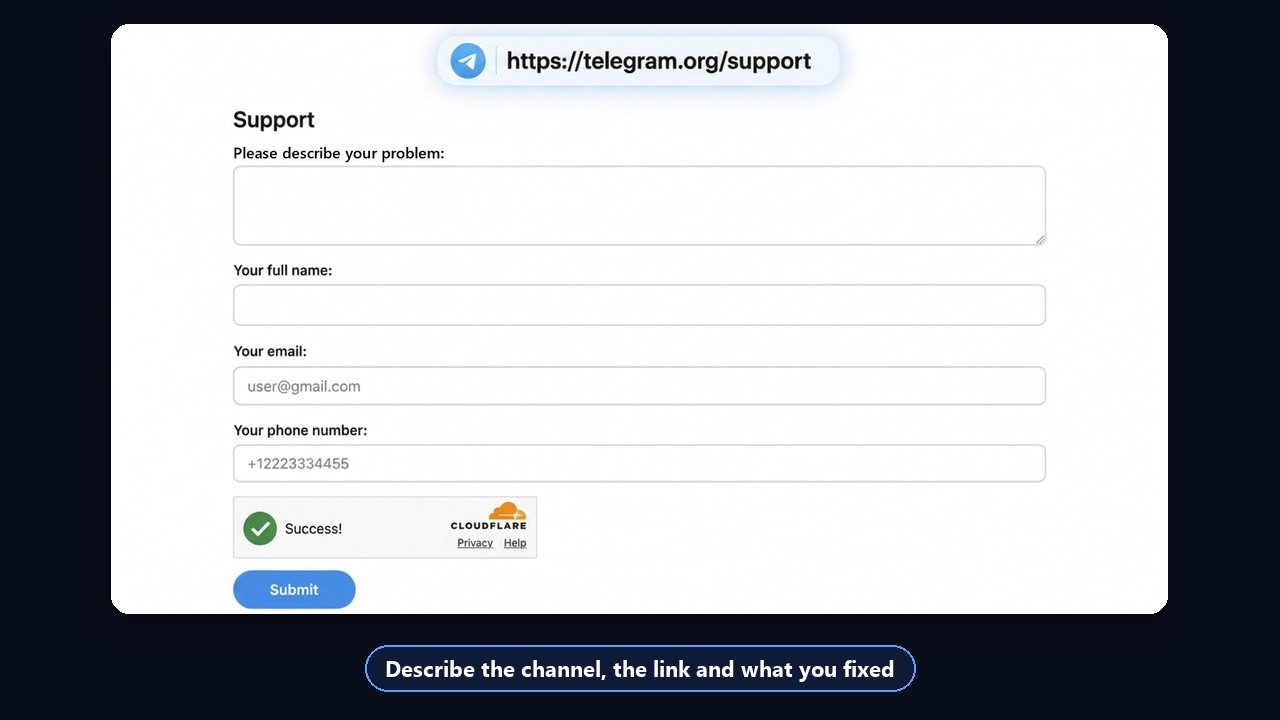
However, nothing is guaranteed. Anything closed for fraud or illegal material almost never returns. Copyright takedowns get lifted more often, but replies take weeks. So preparing in advance beats waiting for support.
How to protect your audience in advance
Nobody rules out takedowns completely, yet it is possible to stop it from resetting the whole project. To do that, build three things: a backup, a shared folder and a way to reach readers elsewhere.
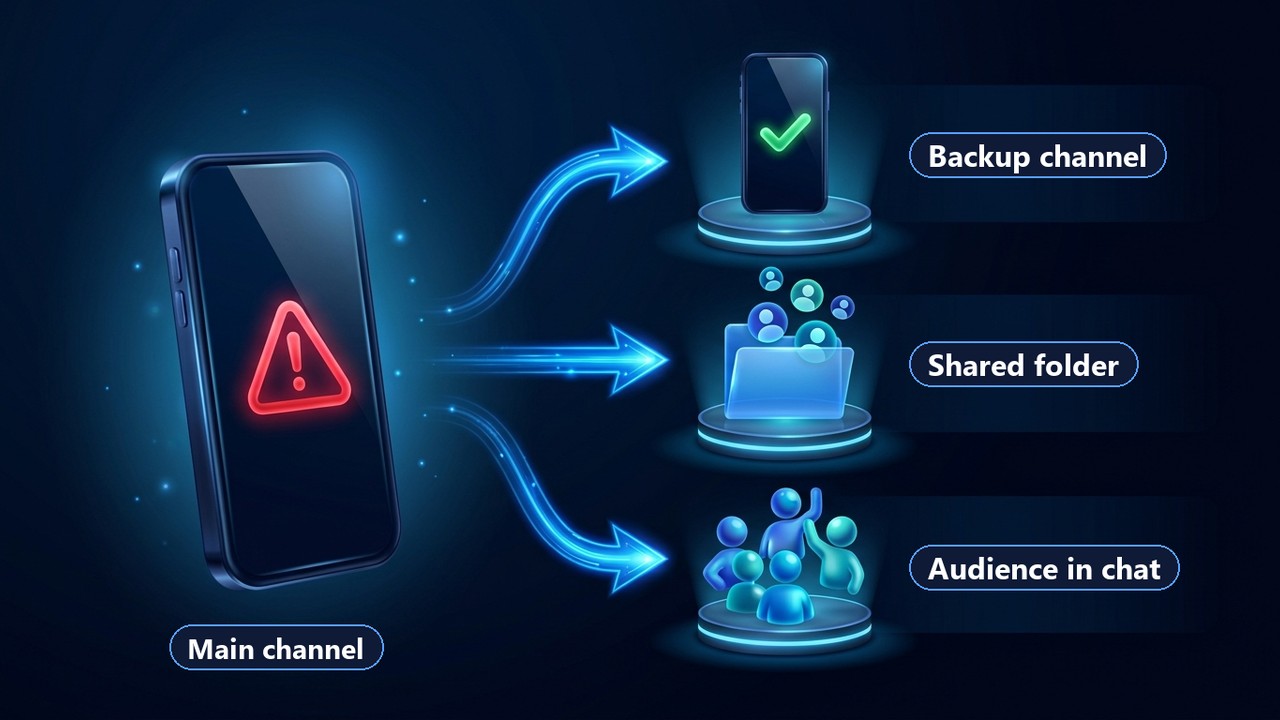
Backup in case your channel can't be displayed
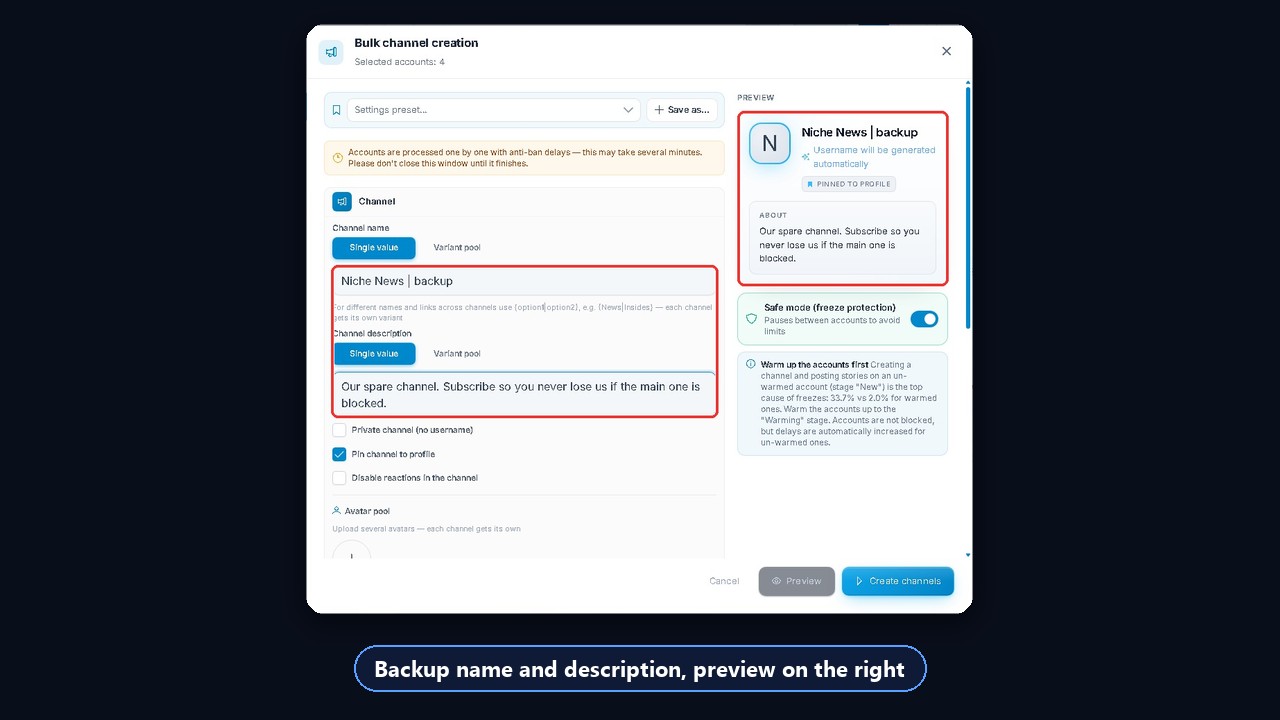
Create a backup while your main source still works. It copies branding and a short selection of posts, and part of your audience already follows it. Also let a different profile own it, so trouble with an author leaves that spare untouched.
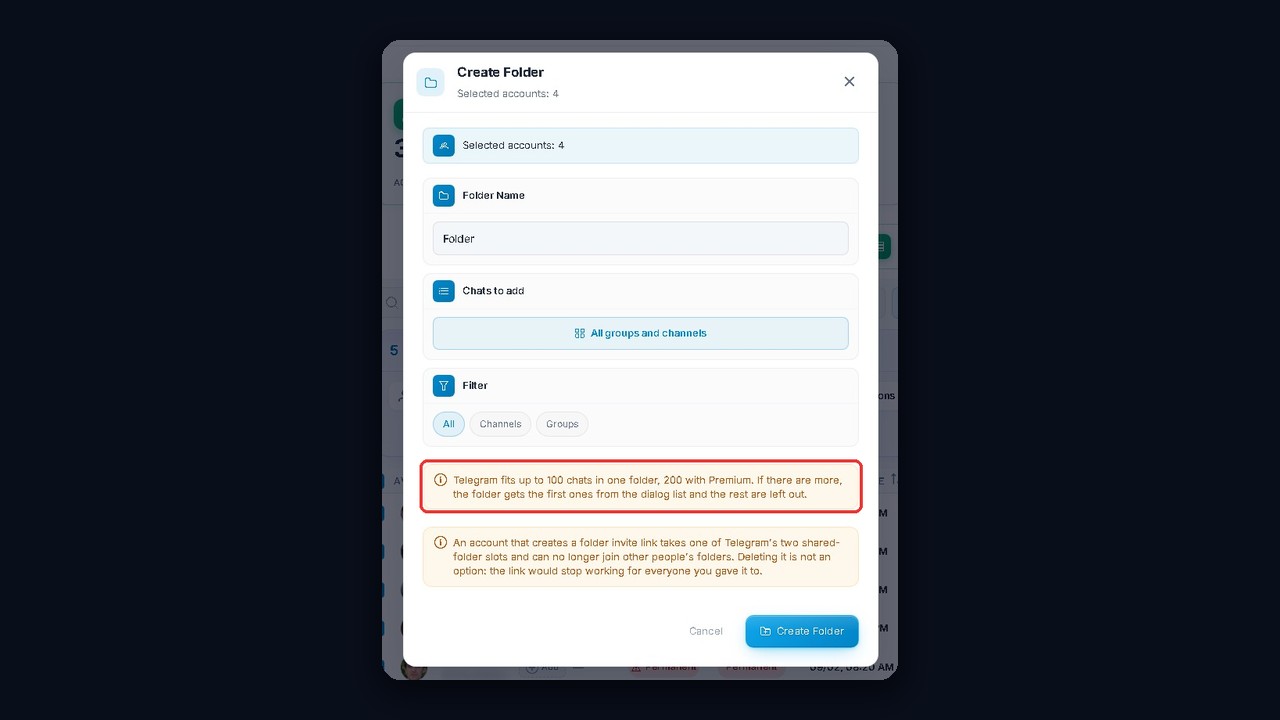
A shared folder adds one more layer. You put your main source, backup and chat into one folder and share its link. Because readers join everything at once, they already sit in your backup when its main twin disappears. One folder fits up to 100 chats, or 200 with Premium.
In GramGPT.io, channels and folders are created in bulk. In the Account Manager, you pick logins, set a name and description, and each one gets its own pinned channel. A preview on its right side shows results.