In 2026, one of the main challenges when launching a Telegram group is attracting the first active members. Even useful content does not start discussions on its own: while the chat remains empty, new visitors do not see any activity and have no reason to join. Therefore, community owners look for sources of inexpensive traffic that allow them to test interest in a project without paying for every click.
One source of conditionally free traffic is inviting in Telegram — directly inviting users from relevant groups and channels. A Telegram invite can be sent directly by an administrator or delivered through a link, depending on the promotion scenario. The method helps show a new chat more quickly to people who are already interested in its topic. At the same time, in recent years Telegram has strengthened automated monitoring and begun using AI tools more actively to detect suspicious activity. Therefore, audience quality, a gradual launch, and compliance with restrictions are more important than the maximum number of invitations.
In this article, we will explain what inviting is, how it works in groups, and how it differs from Telegram channel promotion through invitation links. We will review Telegram limits, chat and account preparation, target audience collection, as well as three launch methods: manually, through an automation service, or through a freelancer.
What Inviting in Telegram Is and Why It Is Used
Inviting in Telegram is a way to attract members through direct invitations to a group or channel. We select users from thematic communities and add them to a prepared chat using an account that has the appropriate permissions. The ability to invite depends on the person’s privacy settings, the account’s condition, and Telegram restrictions.
For a group owner, inviting is a way to attract not random accounts, but real target users who are already interested in the community’s topic. Therefore, we collect an audience from relevant groups and channels, clean the database, and begin with a small test. We evaluate the result not only by the number of additions, but also by how many people read messages, participate in discussions, and remain in the chat.
The easiest way to understand what inviting means for a business is by its result: the right people learn about a new chat and get an opportunity to join the discussion. And what inviting means for an invited member depends on how the group has been prepared — if it contains a clear topic, useful content, and active communication, the person has a reason to stay.
Group, Chat, and Channel: Where Users Can Be Invited
Inviting can be used for different spaces within Telegram, but the main scenario is related to groups and chats. They are suitable for communication, can bring together up to 200,000 members, and make it possible to gradually form an active community. Channels work differently: the author publishes content, while subscribers read it.
Inviting to Groups and Chats
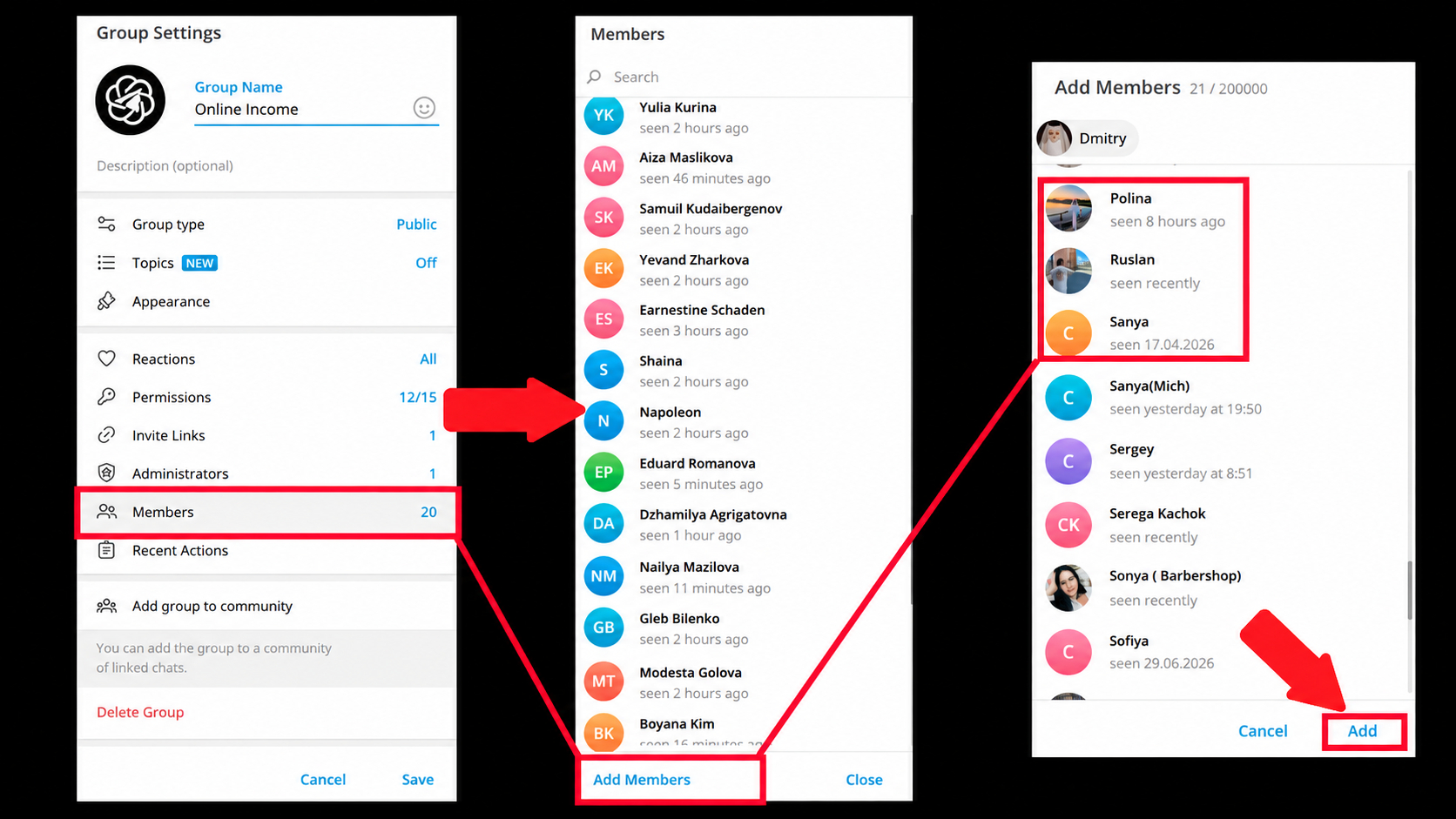
After being added, the user immediately sees the description, pinned message, and current discussions. To invite someone to Telegram group or understand how to invite someone to a Telegram chat, the administrator opens the relevant profile and uses the available invitation option. In the chat, you can answer questions, talk about the product, and direct members to a channel, bot, or website. Below is an example of an intermediary chat that introduces the user to the offer and directs them to the required resource.
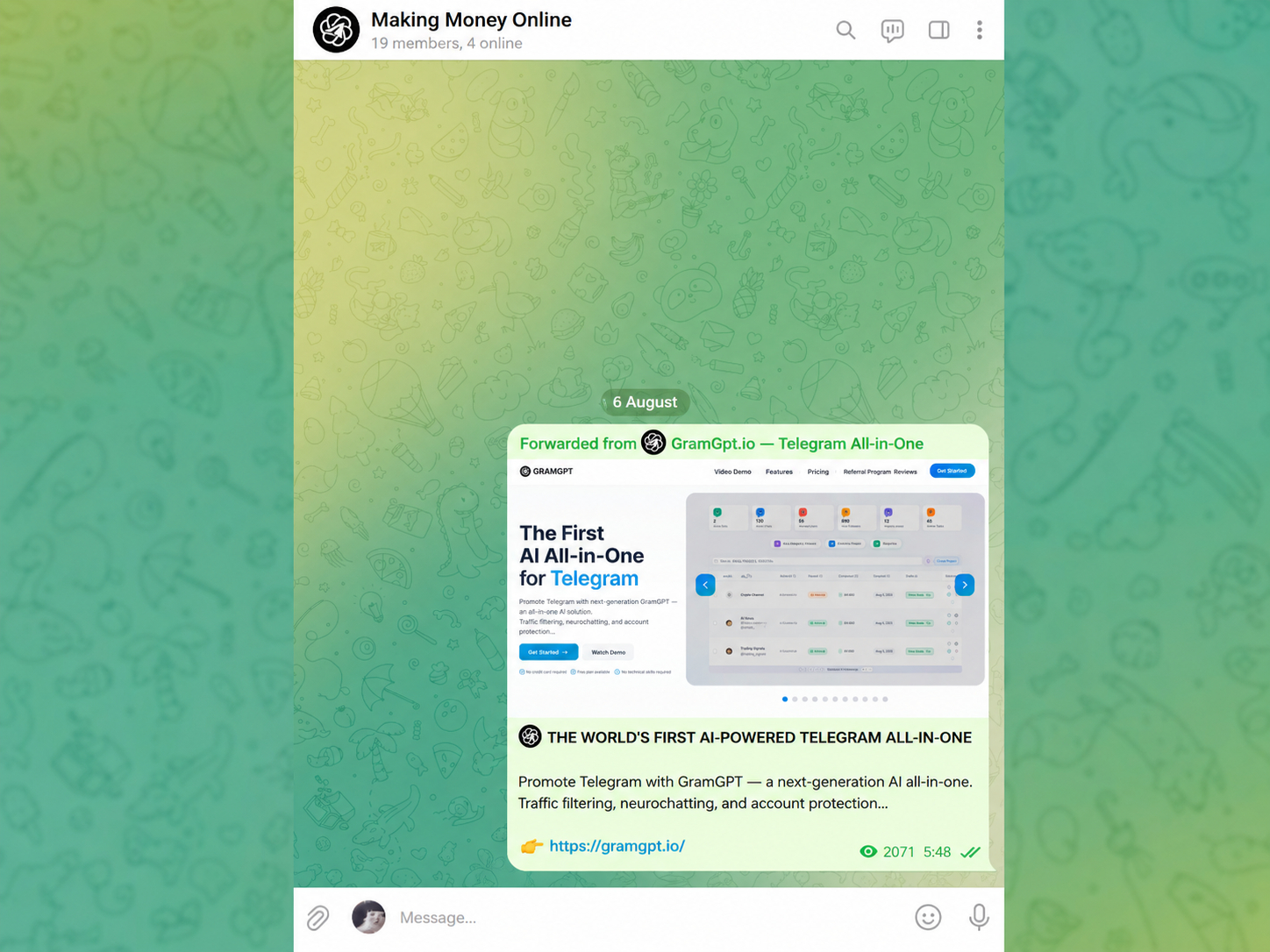
There is no “only the first 200 members” rule for groups, but the ability to invite depends on users’ privacy settings and Telegram’s anti-spam restrictions. Therefore, when deciding how to invite people to Telegram group, we begin attracting members to Telegram with a small database and gradually increase the volume.
Inviting to a Channel
Inviting to a Telegram channel works according to a different principle: subscribers do not communicate with one another, but read the author’s publications. To understand how to invite someone to a Telegram channel, first prepare the channel design, a pinned message, and several posts that immediately demonstrate value and generate user interest. Below is an example of a channel with a bridge post, where the main method of transition is a Telegram channel invitation link that directs the user to the next action.
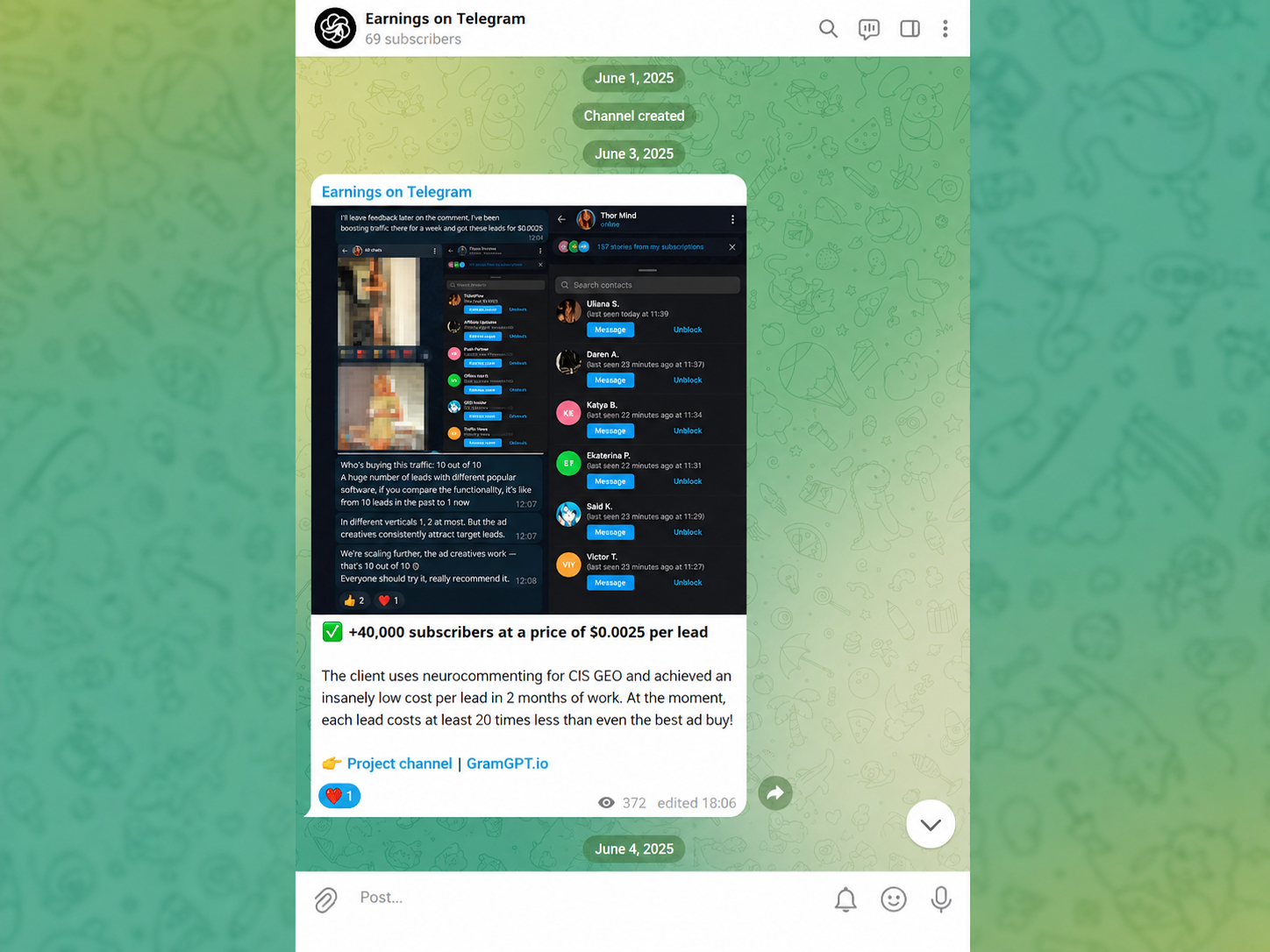
The owner can directly add only the first 200 subscribers to a specific channel. After reaching this number, a invite link Telegram takes the user to a prepared resource where they become familiar with the content and decide whether to subscribe. Advertising, useful content, and partner placements are also used for further promotion.
How to Create an Invite Link on Telegram
Telegram automatically generates the main Telegram invite link for a group or channel. The same section is used to manage additional Telegram invite links and explains how to create Telegram group invite link for a specific community.
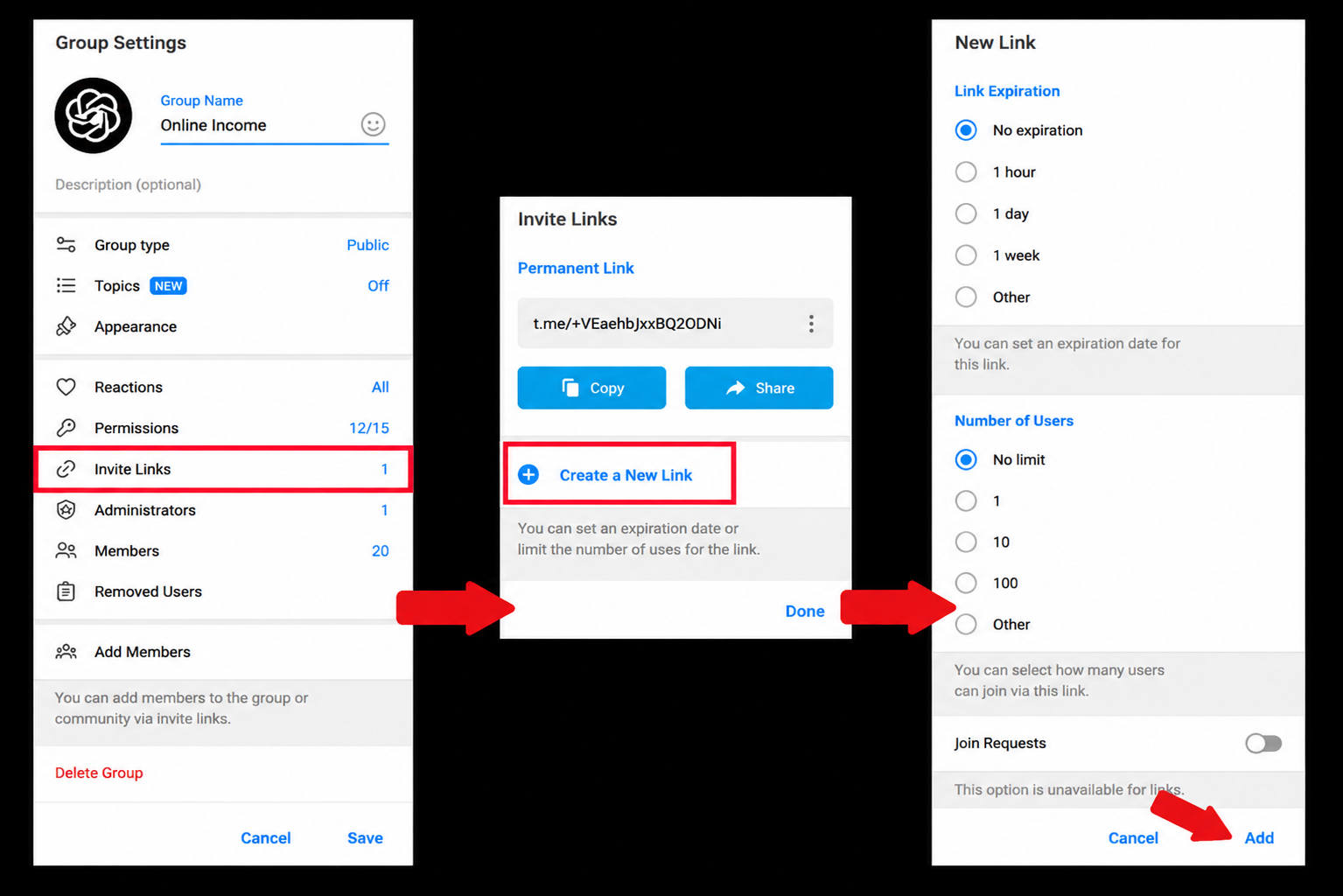
To find it or create an additional one:
- Open the required group or channel.
- Tap the community name at the top of the screen.
- Go to the management or editing section.
- Open “Invite Links” and select “Create a New Link.”
For a new link, you can set an expiration date, limit the number of joins, or enable administrator approval of requests. This is the basic process for users searching how to make Telegram invite link or how to create invite link in Telegram. After creating it, copy the address and publish it together with a short description and a clear call to join. To understand how to send invite link in Telegram, simply share the copied address in private messages or publish it in thematic chats where the target audience is located.
How Inviting Works in Telegram
Inviting is based on three elements: a suitable audience, a prepared group, and a careful launch. First, we find thematic communities, collect users, clean the database of irrelevant profiles, and only then begin sending invitations.
You can understand how inviting works in Telegram by following the path of a new member. After being added, the person opens the group, reads the description and pinned message, reviews the latest publications, and decides whether they are interested in staying. Therefore, the result depends not only on the quality of the database, but also on how clearly the community itself is designed.

In practice, Telegram inviting is best started with a small test. We select one audience segment, for example sports, choose several closely related sources, and check how many users were successfully added, how many remained in the group, and how many showed activity. This helps identify exactly what needs improvement: the database, the chat design, or the offer for new members.
- Define the audience. We take into account the topic, language, country, and user interests.
- Select sources. We find open groups and chats where potential project members communicate.
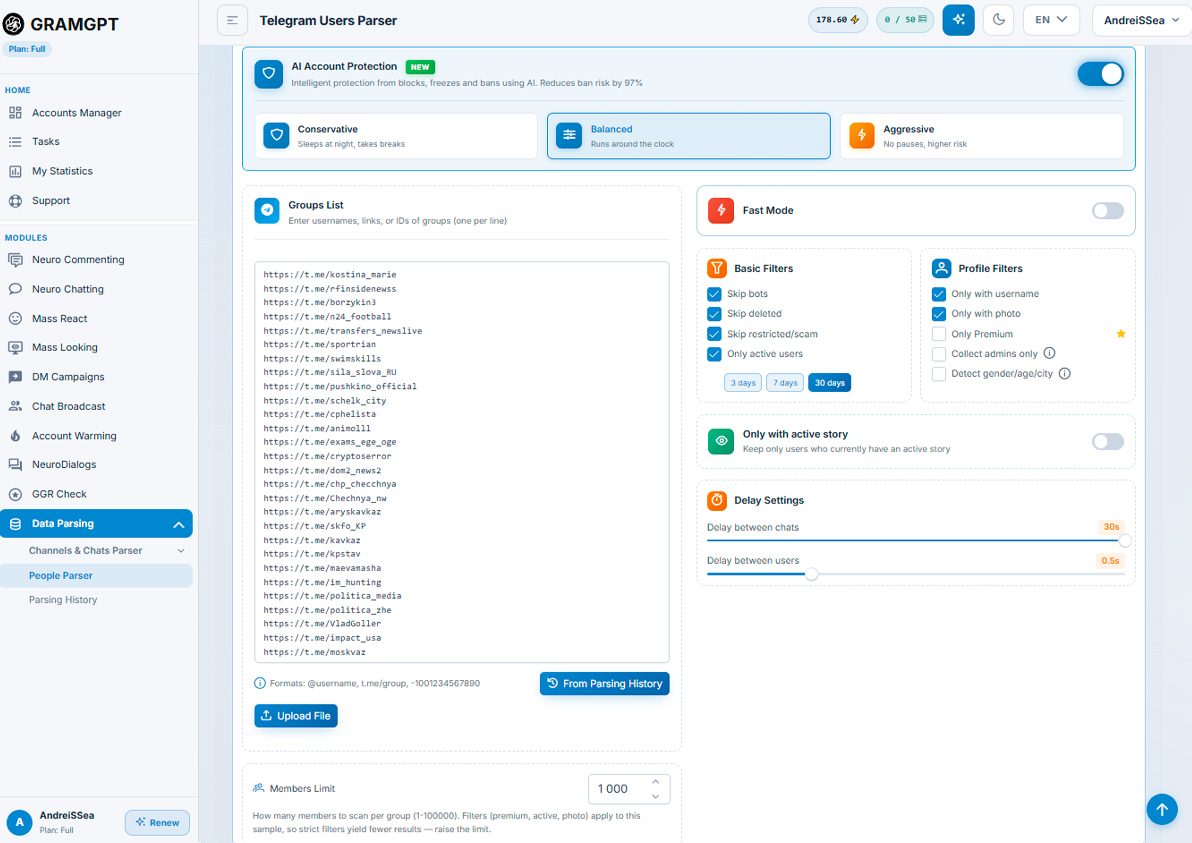
- Collect and clean the database. We exclude bots, deleted pages, administrators, inactive accounts, and accounts that have already been processed.
- Prepare the group. We create the description, pin an advertising post, and add materials that immediately explain the community’s value.
- Conduct a test launch. We begin with a small volume and track successful additions, departures, complaints, and activity.
- Adjust the settings. We retain sources with good retention and exclude audiences that quickly leave the group.
The result is influenced not only by the quality of the database, but also by platform rules. How inviting works in Telegram groups depends on the account’s permissions, its current restrictions, and each user’s privacy settings. Therefore, some invitations may not go through even if the audience has been collected correctly.
From a promotion perspective, what Telegram inviting is can be explained as the path from a discovered user to a target action: audience source → invitation → group view → introduction to the content → request, transition, or participation in the discussion. We evaluate effectiveness not only by the number of additions, but also by the activity and retention of new members.
Inviting Restrictions and Limits
Inviting limits cannot be reduced to one safe number per day. Telegram does not publish a universal daily threshold for invitations to groups: the actual volume depends on the account’s condition and warm-up, the frequency of actions, users’ privacy settings, and the audience’s response.
Account Limit
For a new account or one that has not been used for a long time, we begin with a test — 2–4 invitations per day. This is our cautious starting guideline, not an official Telegram limit and not a guarantee that restrictions will not occur. We increase the volume only when invitations go through without errors and most new members remain in the group.
If a FLOOD_WAIT error appears, we pause work for the period specified by Telegram. Before restarting, we check the account’s condition, the quality of the target database, and the statistics of departures from the group.
Group Restrictions
- Working volume. In our practice, we keep to a range of up to 4–6% of the group’s current number of members, but no more than 200 invitations per day in total across all accounts. This is an internal recommendation for testing, not an official Telegram limit.
- Profile privacy. A user can prohibit others from adding them to groups and channels.
- Audience response. Quick departures and complaints indicate an irrelevant database and may lead to restrictions on the account or community.
When to Stop the Launch
We reduce the volume or pause the task if the share of successful invitations falls, FLOOD_WAIT or PEER_FLOOD errors appear, the number of complaints grows, or most new members immediately leave the group. Increasing the number of actions in such a situation only makes the problem worse.
We check the current Telegram limits before each launch. Settings that worked for one account or community are not automatically transferred to another profile or group.
How Inviting Works: Preparation Before Launch
The result of inviting is largely determined before the first invitation. If the group looks empty, does not explain its value, and does not offer a clear next step, new members will simply leave.
Preparing a Telegram Group
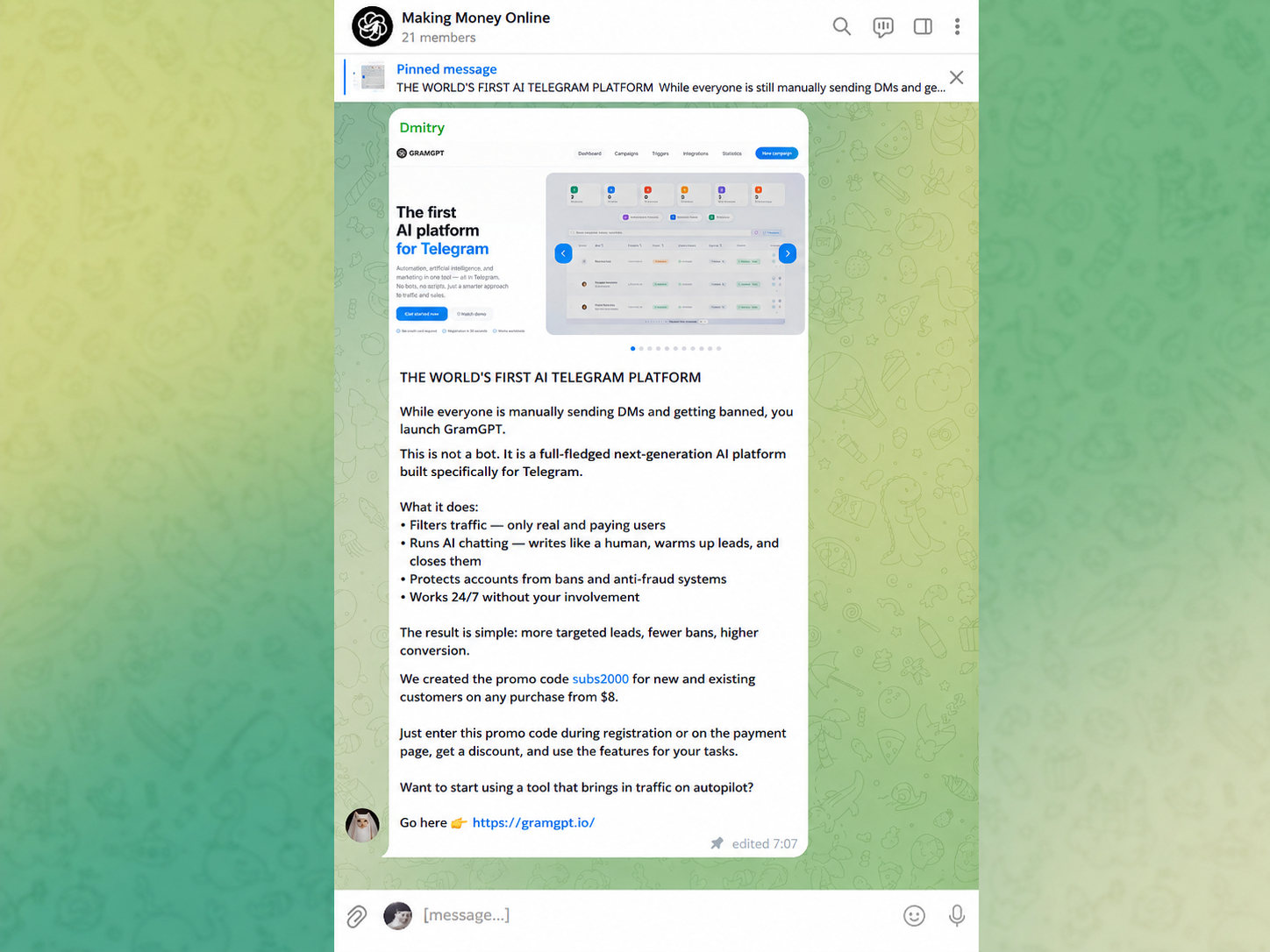
The group should be designed as an intermediary chat for a specific promotion scenario. A publication history and natural activity increase trust. For work, it is better to use a group older than 6 months with a usage history and a resting period, because it may be more effective than a new chat without content and members.
What to Check Before Invitations
- a clear name, avatar, description, and link;
- permission to add members;
- a pinned message or advertising post;
- a well-designed offer;
- from 400 to 1,500 members in the group — the first real users can be attracted through task exchanges, such as UNU;
- a bot for deleting service notifications if they interfere with reading.
After being added, the user should immediately see the offer, advertising post, and a clear transition to the main resource — a channel, bot, website, or main group. The intermediary chat introduces the audience to the offer and helps select interested users, whom we direct further through the funnel. During the launch, we do not abruptly change the design or create artificial activity with repetitive messages: this can reduce trust and worsen audience retention.
Preparing an Account Before Inviting in GramGPT.io
Before the first launch, it is important to prepare not only the group, but also the entire working environment: put the account in order, protect access, ensure a stable connection, and collect the target audience. The better the profile is designed and warmed up, the easier it is to begin work without a sharp increase in errors and departures from the community.
Warming Up the Account Before Work
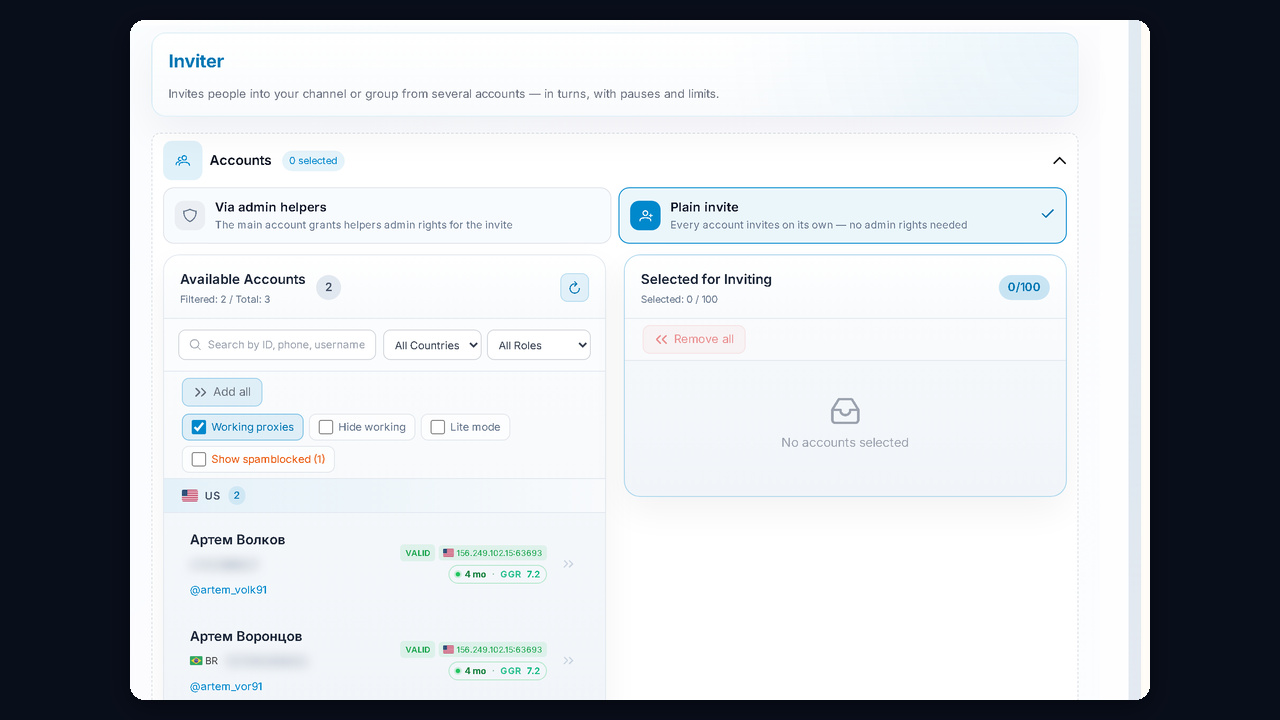
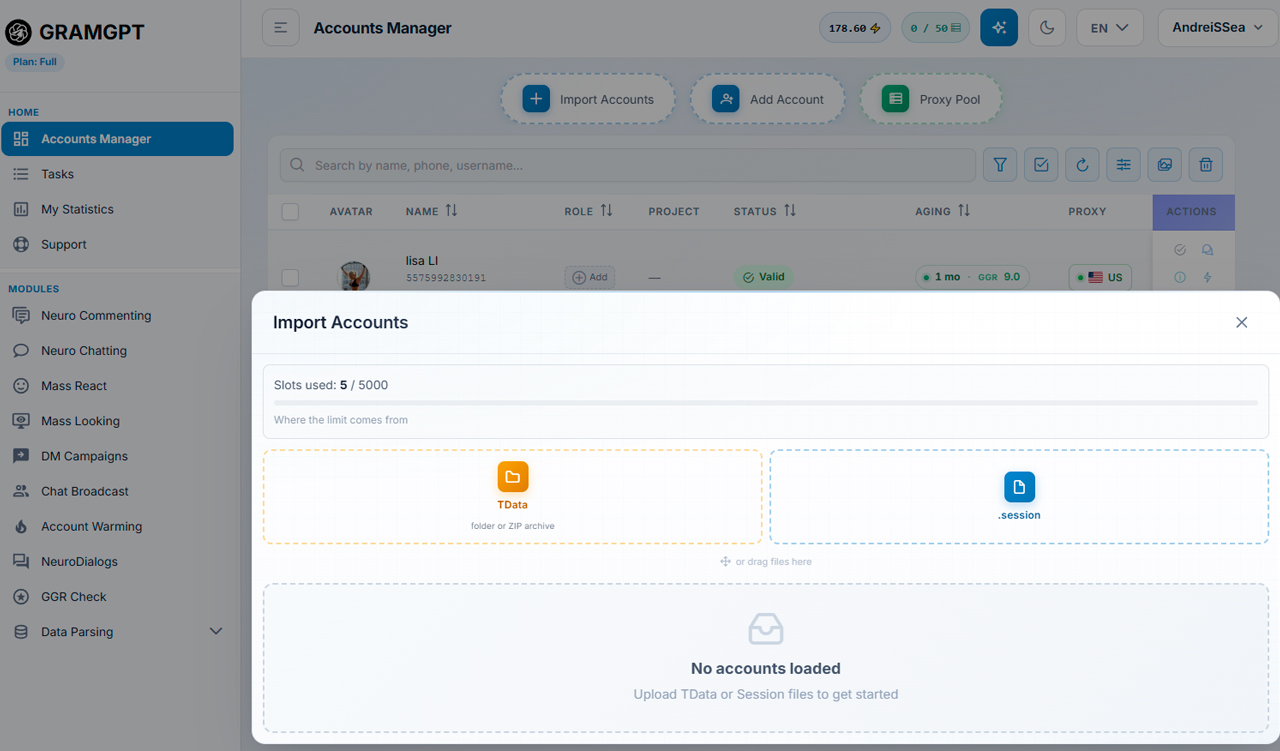
We begin warming up the Telegram account after purchasing and importing accounts via tdata or session+json into GramGPT.io: during the first 24–48 hours, we complete the profile, enable two-step authentication, check active sessions, and use the account for ordinary communication.
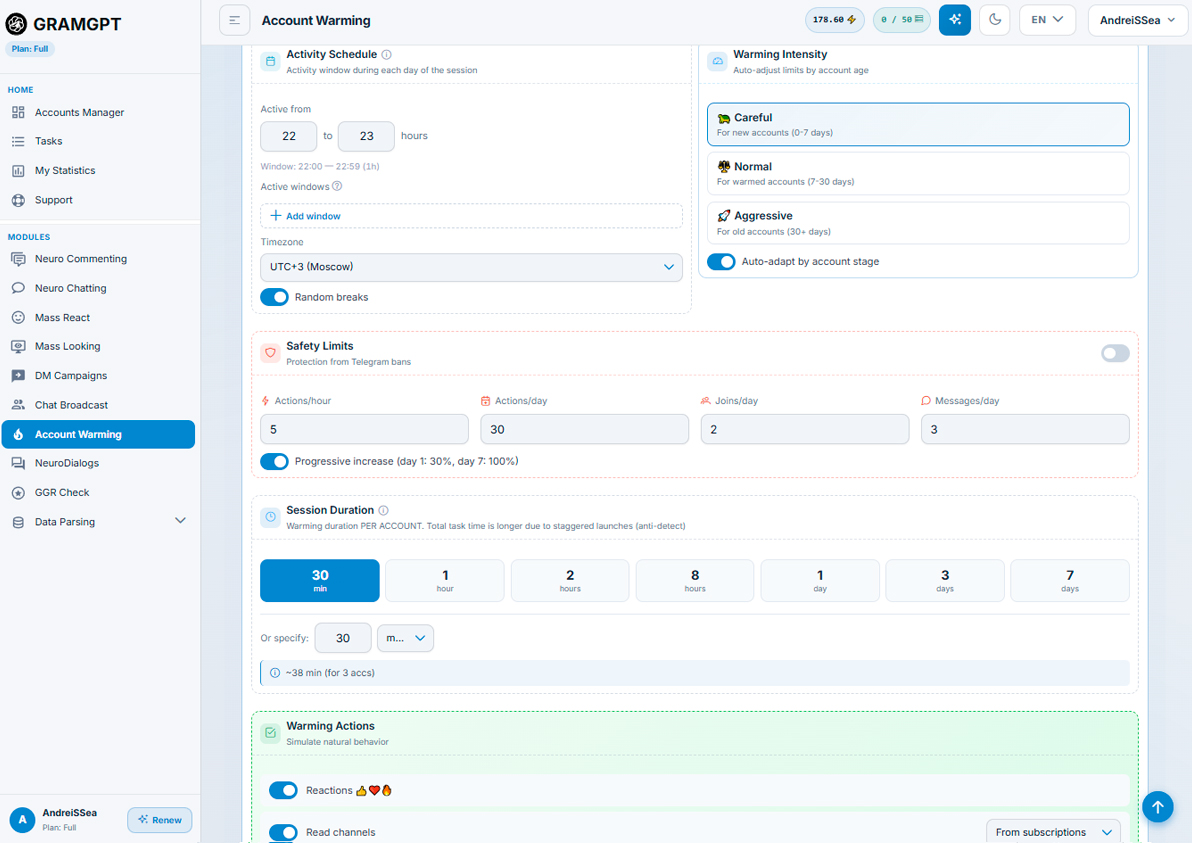
Next, we go to the warm-up module, set the warm-up mode, and enable it: the profile will perform the natural actions of a real user, and only after a complete warm-up cycle do we gradually move on to invitations, starting with the minimum values specified above.
For a stable connection, you can use a proxy in Telegram with a permanent IP in the same country to which the account belongs. A proxy does not increase limits or protect against a spam block, but it helps avoid an abrupt location change. We do not recommend combining several tools and intensive promotion scenarios on one account. If Telegram displays a restriction, we pause the work and check the profile’s condition.