It is 11:40 p.m., a customer has just paid, and the access link never arrived. Nobody on your team will see the message until morning. By then the buyer may have posted an angry review or asked for a refund. That is why a Telegram support bot is no longer a perk for big companies: any project that sells through Telegram needs one.
Yet a typical button list often makes things worse. Someone types a real question and gets a menu of five options, none of which fits. They still end up waiting for a human, only now with an extra step in the way.
This guide walks through the main options, shows how to build a simple one with BotFather in about 15 minutes, and lists what to prepare before launch. We will also look at where buttons stop working, how AI answers buyers from a regular account in 2026, and which mistakes quietly ruin the whole setup.
What a Telegram Support Bot Is (and What It Is Not)
A support bot is your own auto-responder that receives requests, answers common queries and hands tricky cases to a person. Because of that, it never sleeps, never loses a message and keeps the whole history together.
However, many people searching for a "Telegram support bot" actually want help from Telegram itself. That is Volunteer Support, the official chat for help with bans, hacked accounts or app bugs. You can reach it only from the app settings via "Ask a Question". We collected every official channel in our guide on contacting Telegram support.
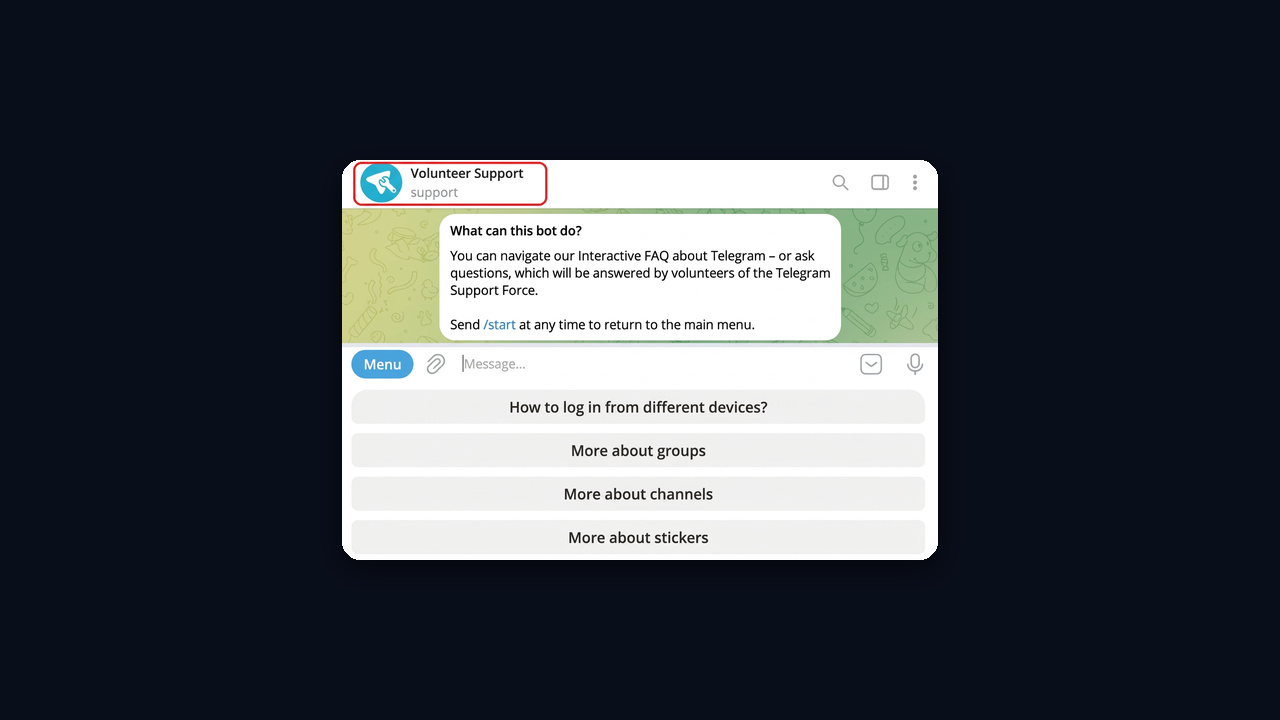
Heads-up: profiles called "Telegram Support" that show up in global search are almost always scams. The real team never messages first or asks for a login code.
From here on, we focus on customer service for your business: an online store, a course, a SaaS product or a paid channel.
Four Kinds of Telegram Support Bot
So which Telegram support bot do you need? Almost every setup falls into one of four groups. The difference lies in who writes the reply, a person or software, and how much work the launch takes.
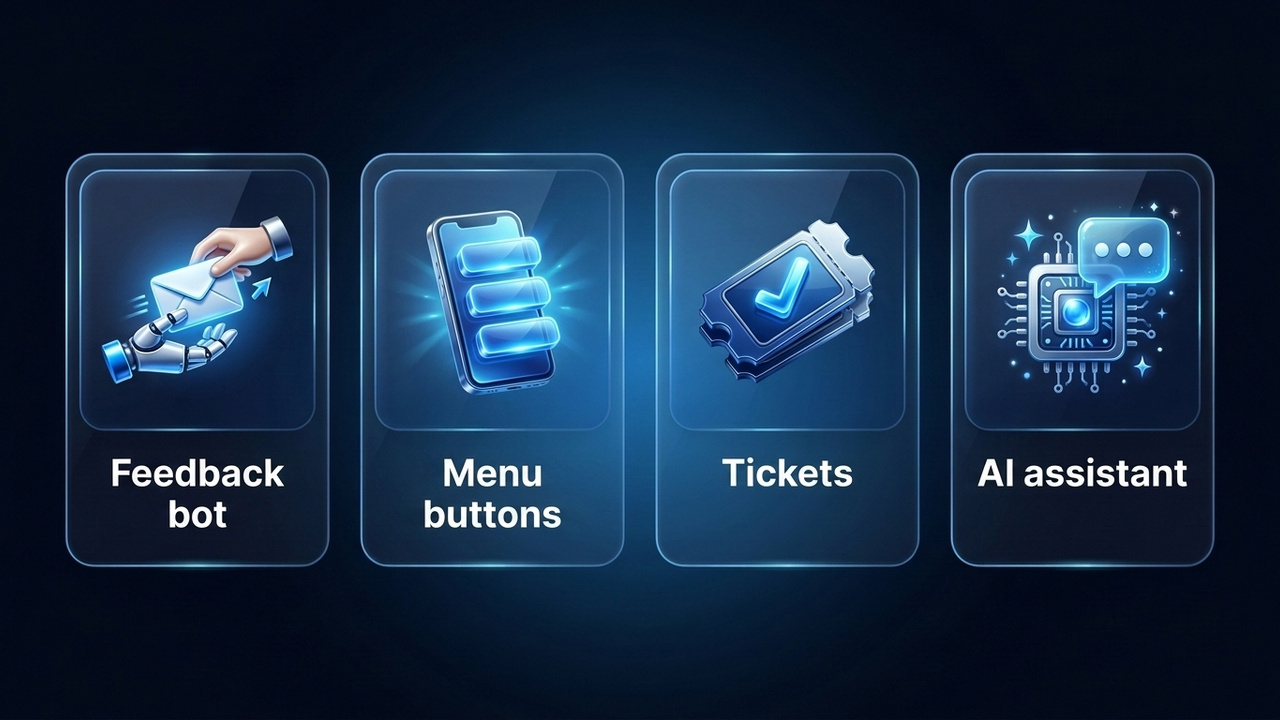
Feedback Bot
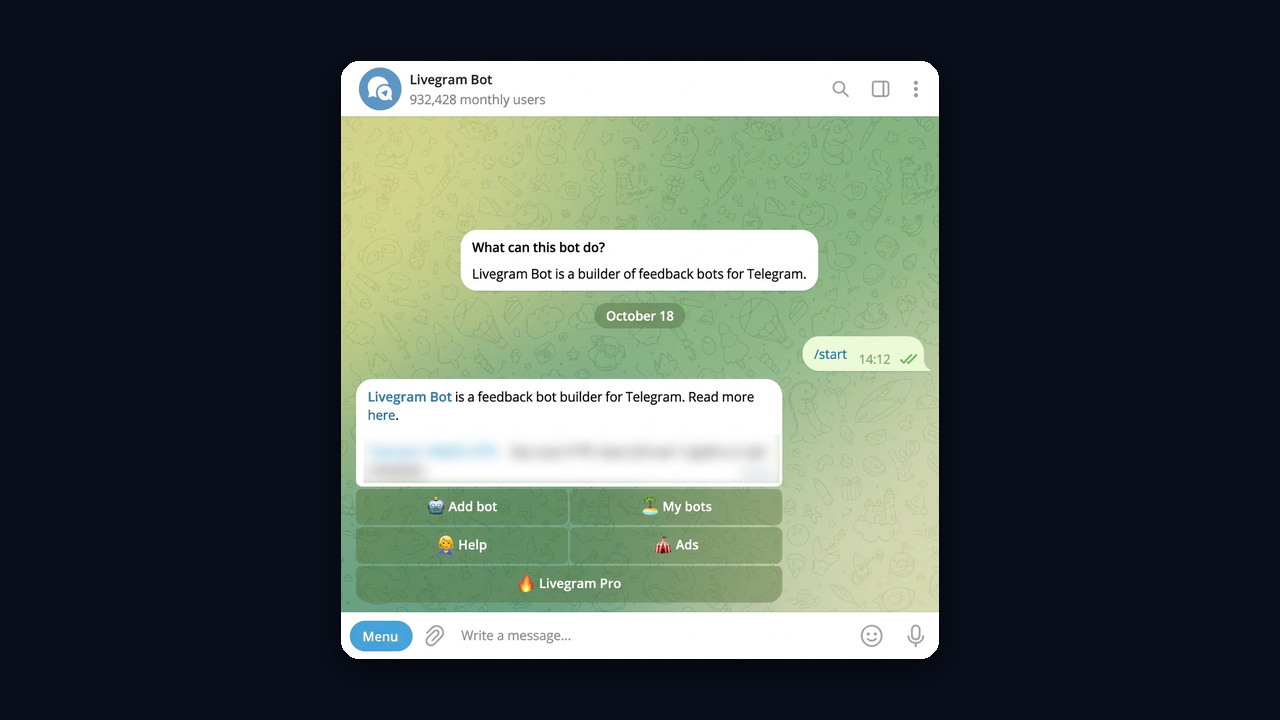
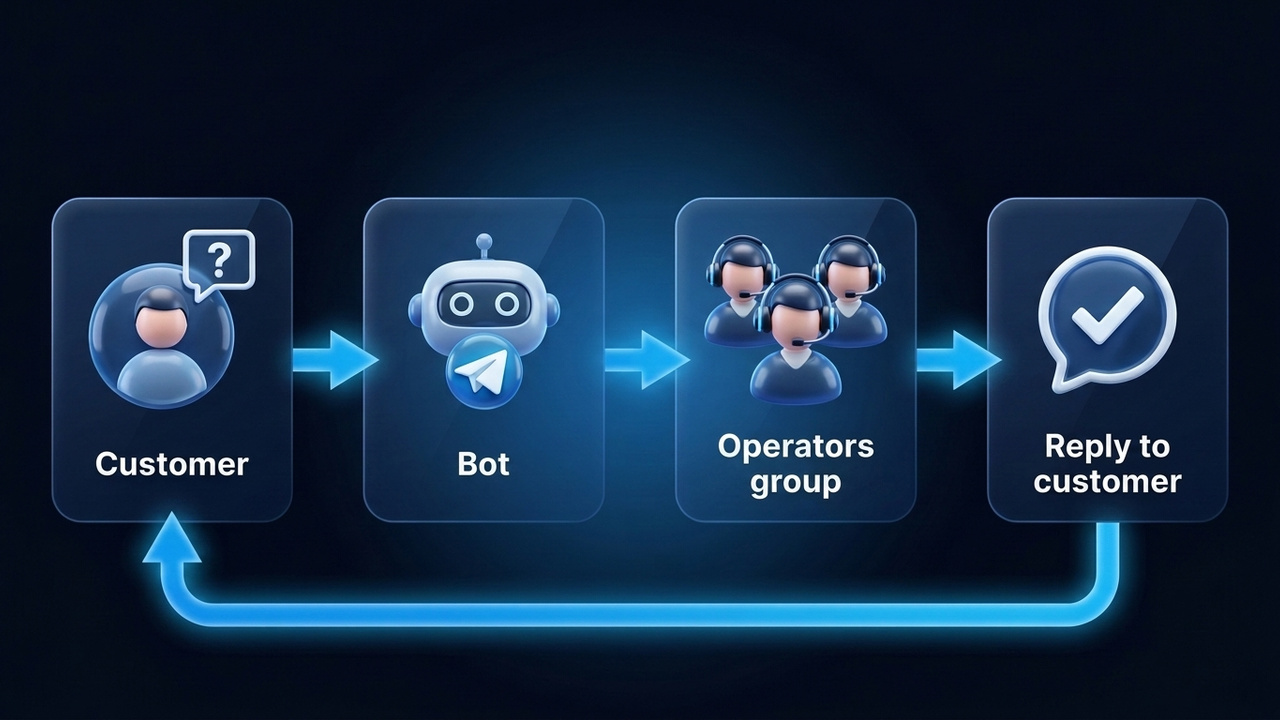
The simplest option. A customer writes in, and the helper forwards the message to an admin or a team group. The operator replies to that forwarded message, and the answer goes back under the same name, so your personal account stays private. Services like Livegram set this up in a few minutes, no coding required.
Button Menu
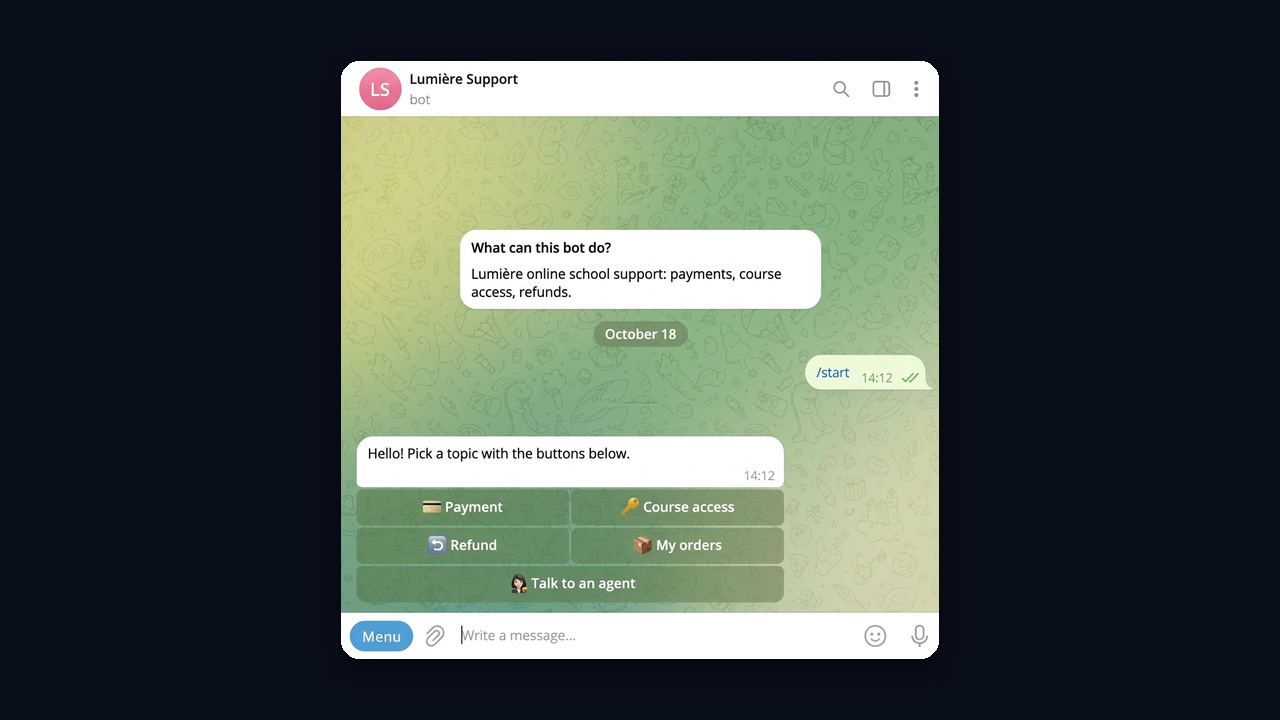
Here the customer taps buttons such as "Payment", "Course access" or "Refund". Each button opens a prepared text, but "Talk to an agent" passes the chat to a human. Visual builders make this kind of customer service bot easy to assemble. It handles repeated queries well but struggles with free-form text.
Ticket Helpdesk
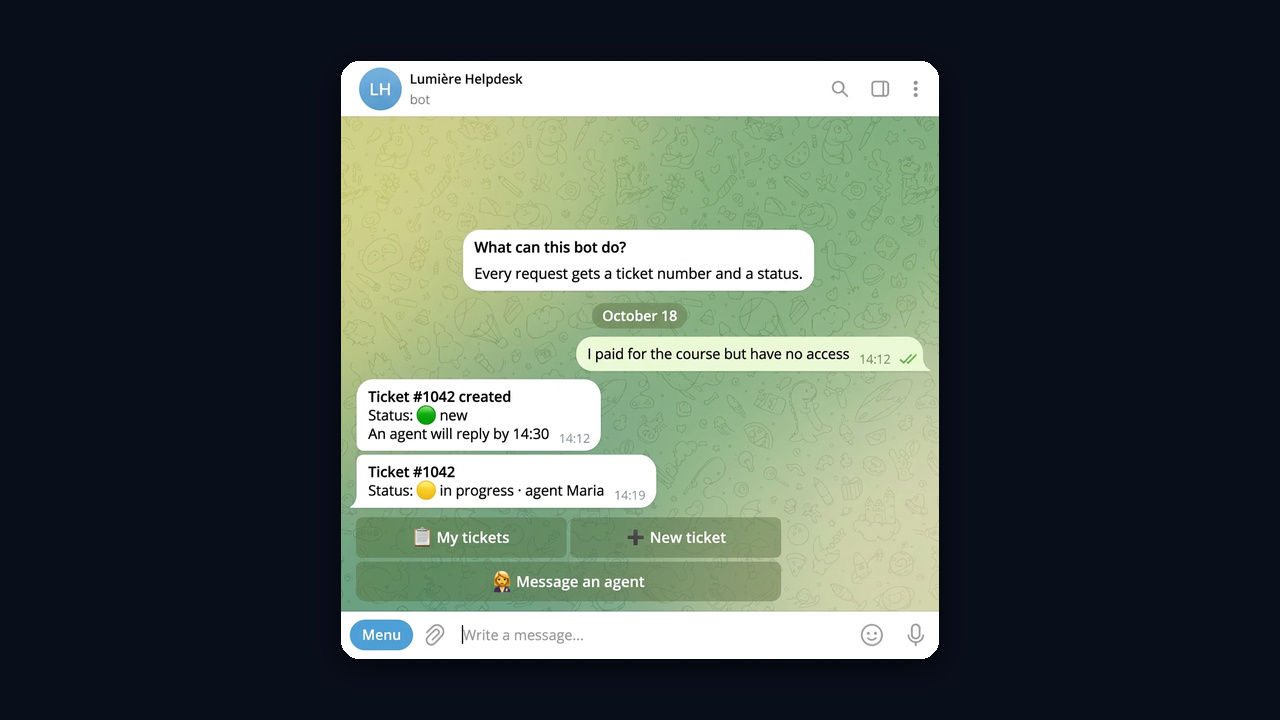
Here every request becomes a ticket with a status. For example, a popular trick is a group with topics, where each person gets a separate thread and agents see the full history. Tech companies prefer this setup because nothing slips through the cracks.
AI Assistant
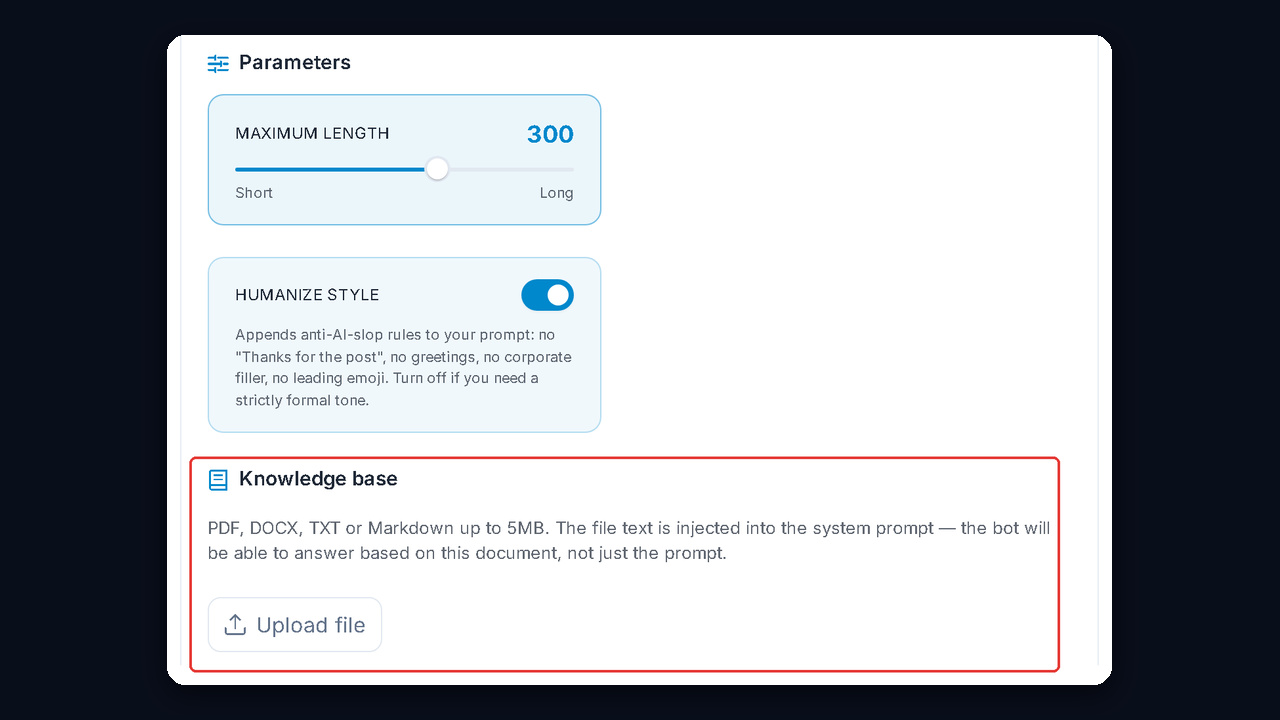
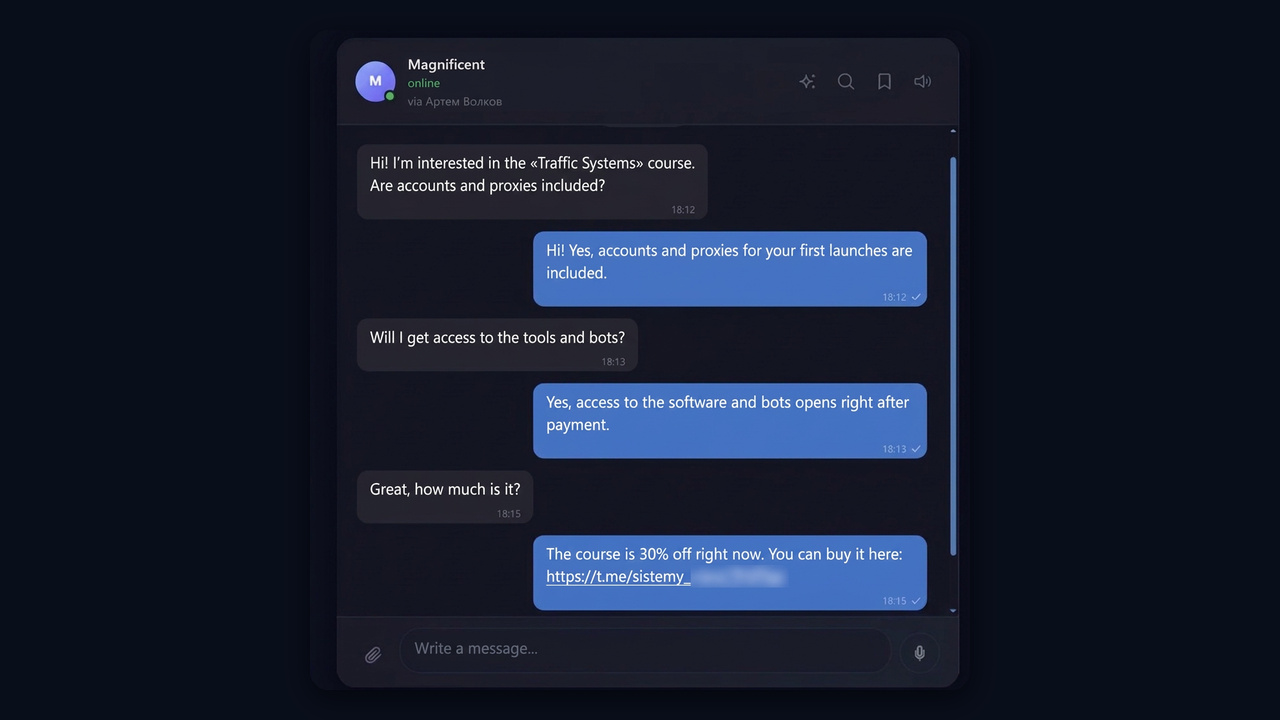
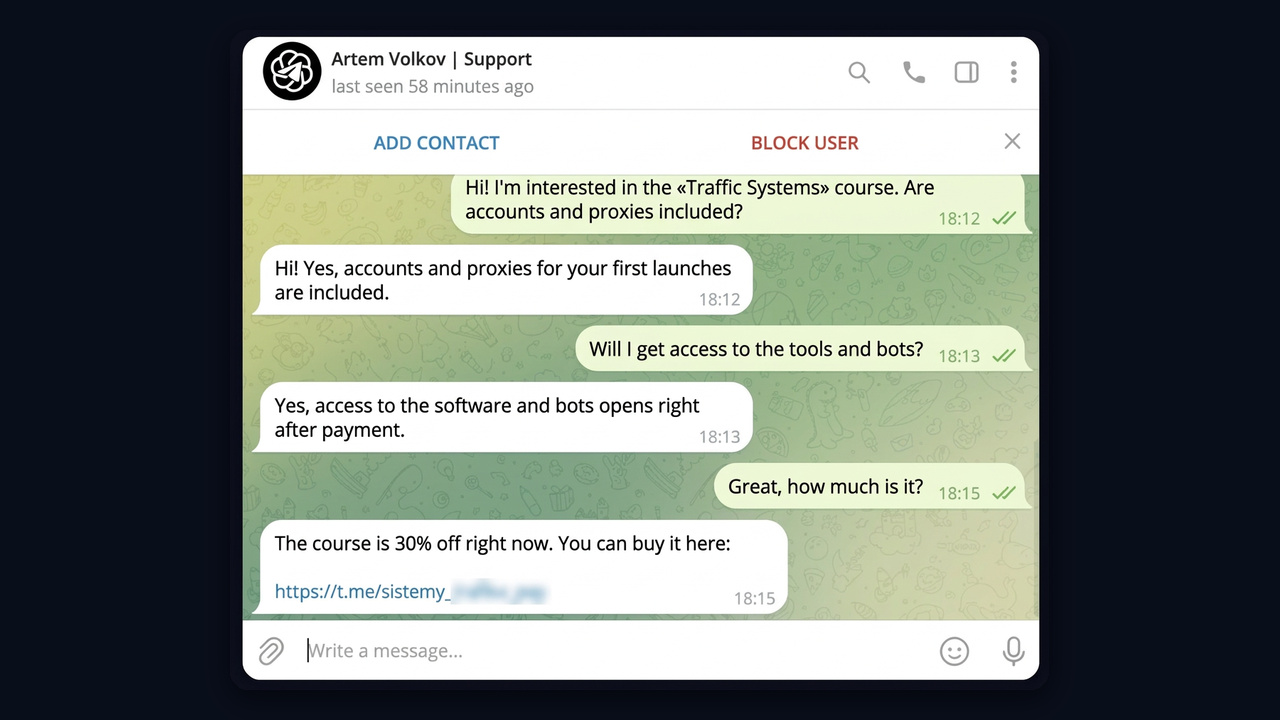
An AI model reads the whole question, looks up the answer in a knowledge base and replies in plain words. It can also run inside a chatbot or on a regular account. In the second case, the buyer simply sees a chat with a real-looking manager. Below, the "Artem Volkov | Support" account answers a course buyer and shares a discounted link.
| Type | Who replies | Setup time | Best for |
|---|---|---|---|
| Feedback bot | an operator via forwarding | 10–15 minutes | channels, small projects, post suggestions |
| Button menu | ready answers plus an operator | 1–2 days | stores with routine questions |
| Ticket helpdesk | a team of agents | a week or more | tech products, heavy inflow |
| AI assistant | AI trained on your docs | 1–3 days | courses, services, sales in DMs |
In short, pick by volume. Under ten requests a day, simple forwarding is enough. With hundreds of different requests, your team will drown without automatic replies.
Prepare These Three Things Before Launching a Support Bot on Telegram
No Telegram support bot answers better than the material behind it. So collect the content first and choose the service second.
Your Top Questions
Scroll through last month's chats and write down the 15–20 questions people ask most. In most cases, they are about payment, access, delivery times, refunds and "where is my link". Next to each item, add a short reply of up to three sentences. This way, the list becomes both the menu and the AI knowledge base.
Handoff Rules
Decide in advance which cases automation must never close on its own: refunds, complaints, a wrong order, or someone writing for the third time in a row. These need a clear path to a person, not an endless menu.
Working Hours and Response Times
If only software replies at night, say so: "An agent will reply after 9 a.m. Meanwhile, here are quick answers." After all, honest waiting feels far better than silence. That is also true for a Telegram support bot that only collects requests overnight.
How to Create a Telegram Support Bot with BotFather
Below is the path for a forwarding setup, which costs nothing and needs no developer. For a broader overview of how they work, see our article what a Telegram bot is.
Step 1. Create the Bot in BotFather
Open the official @BotFather with the blue check mark and send /newbot. Then type the display name people will see, for example "Lumière Help". After that, pick a username that ends with "bot". BotFather replies with a token, a long string you will paste into the service.
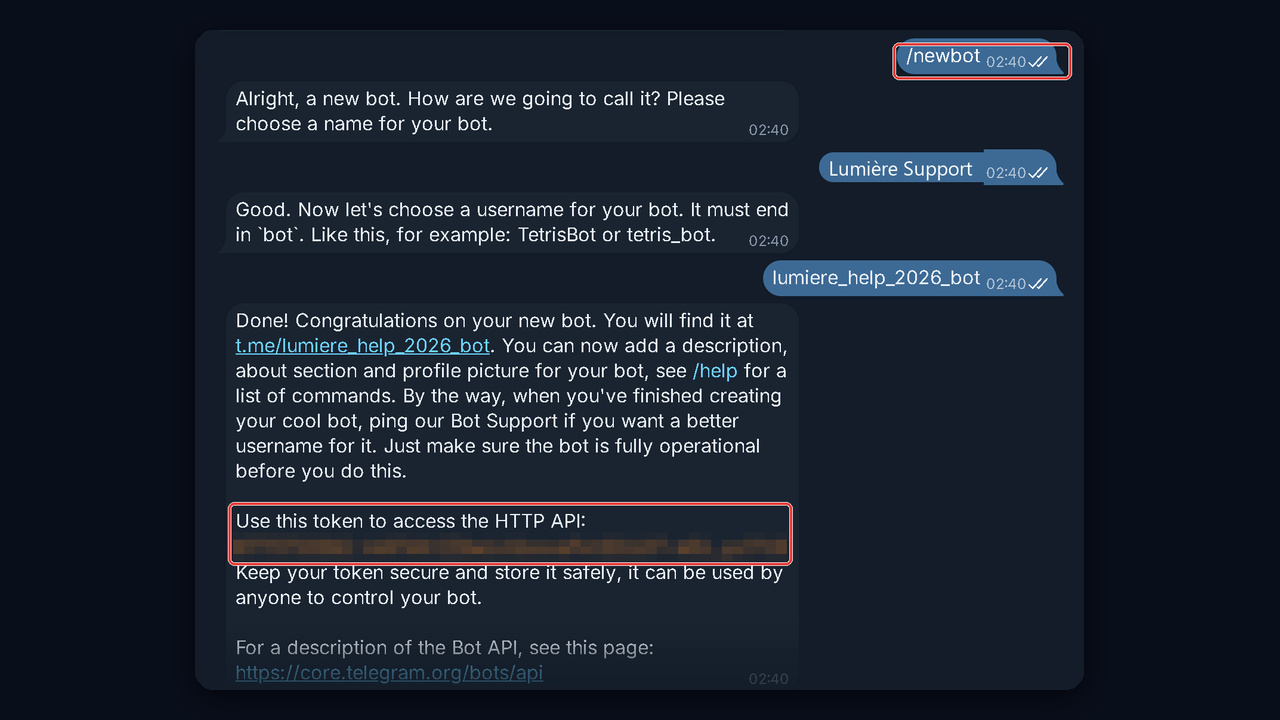
Keep it safe: the token gives full control over your account in BotFather. Never post it or send it in chats. If it leaks, issue a fresh token with /revoke.
Step 2. Connect a Feedback Service
Open the builder you chose, find the option to connect a new one and paste the token. After that, the service starts receiving messages right away. Here you also choose where requests go: to your own DMs or to a team group. In Livegram, that's the "Add bot" button.
Step 3. Write a Welcome Message and a Short Menu
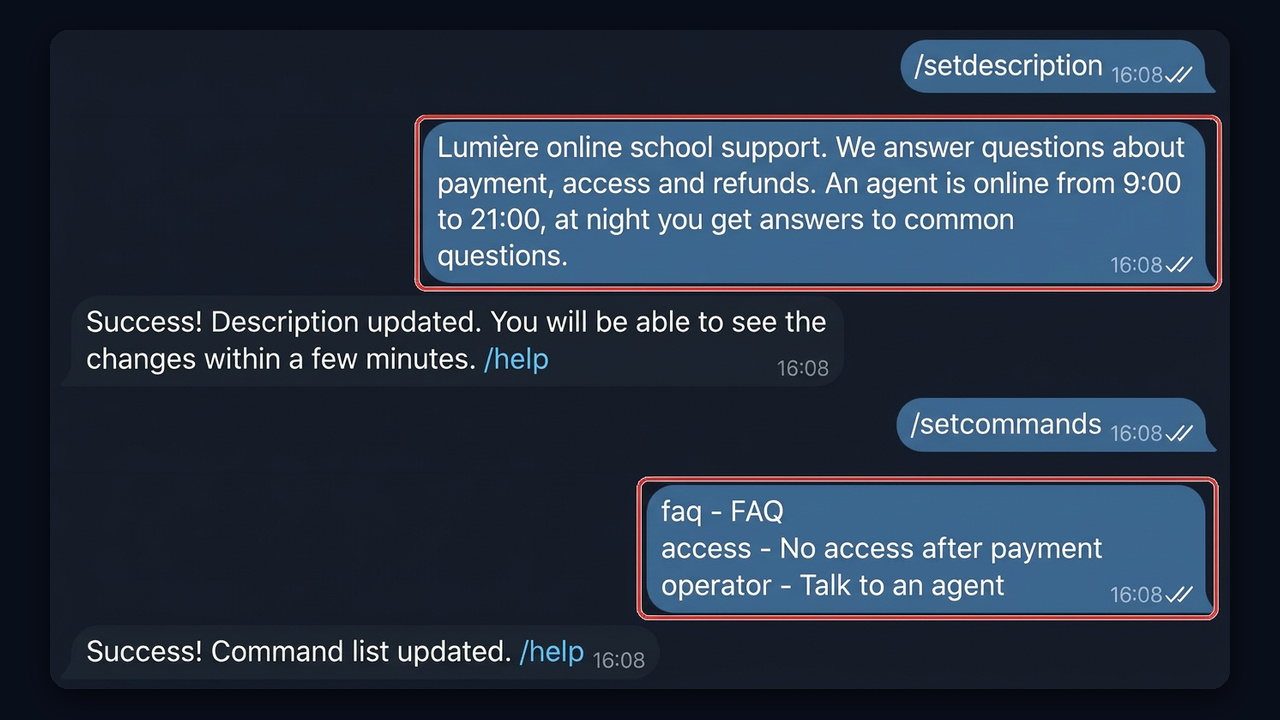
The welcome text is the "What can this bot do?" block people see before pressing "Start". Set it in BotFather with /setdescription. Then use /setcommands to add three to five commands: "FAQ", "No access after payment", "Talk to an agent". A twelve-item list only confuses people.
Step 4. Test It as a Customer
First, open it from a second account, exactly like a buyer would: check the welcome text, the "Start" button and the commands. Then send a question and check the operator reply. If you need another profile on the same phone, our guide on adding multiple Telegram accounts explains how.
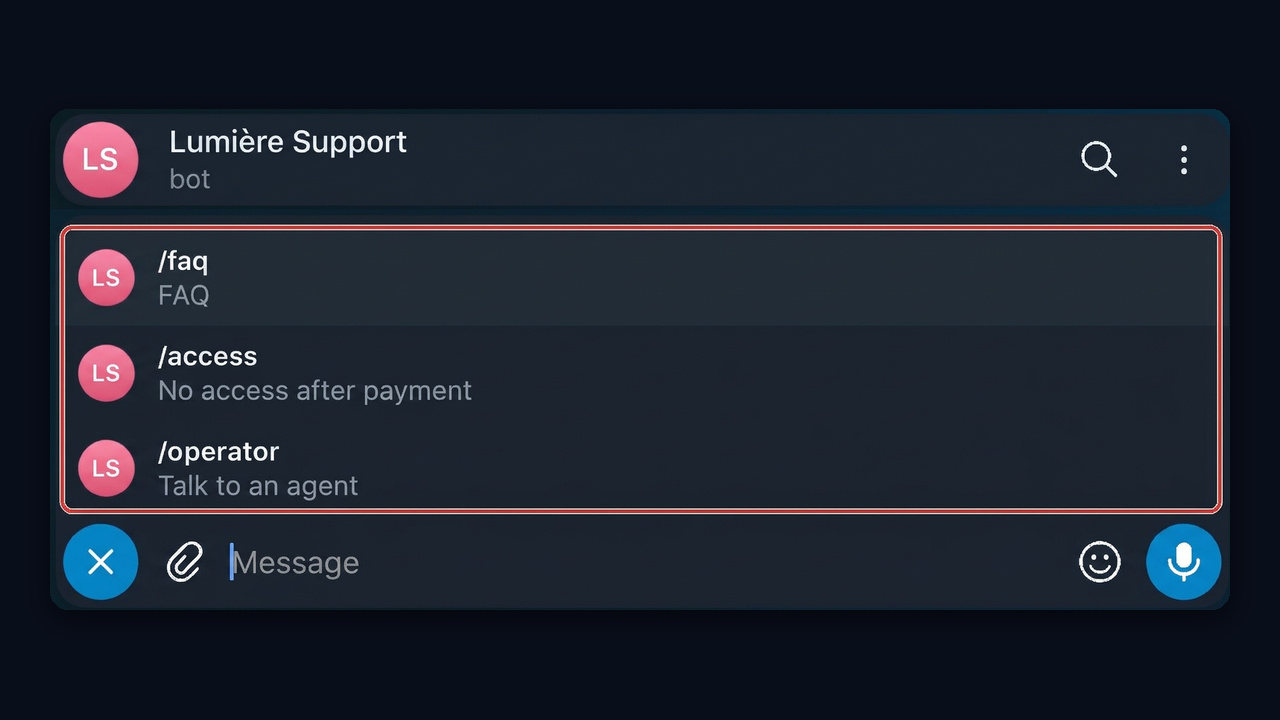
One limitation remains: it can't start a conversation. The person has to press "Start" first. That is why the link to your Telegram support bot belongs in the channel description, the pinned post and the receipt message.
AI Support Bot for Telegram: When Buttons Fall Short
Buttons work while requests stay predictable. Real buyers, though, write things like "paid yesterday with my wife's card, still can't see the course, help". A set of buttons can't parse that, so an agent ends up doing routine work again.
An AI assistant takes a different route: it understands the meaning, finds the answer in your knowledge base and writes it in normal language. In addition, it remembers the thread, so nobody has to repeat an order number.
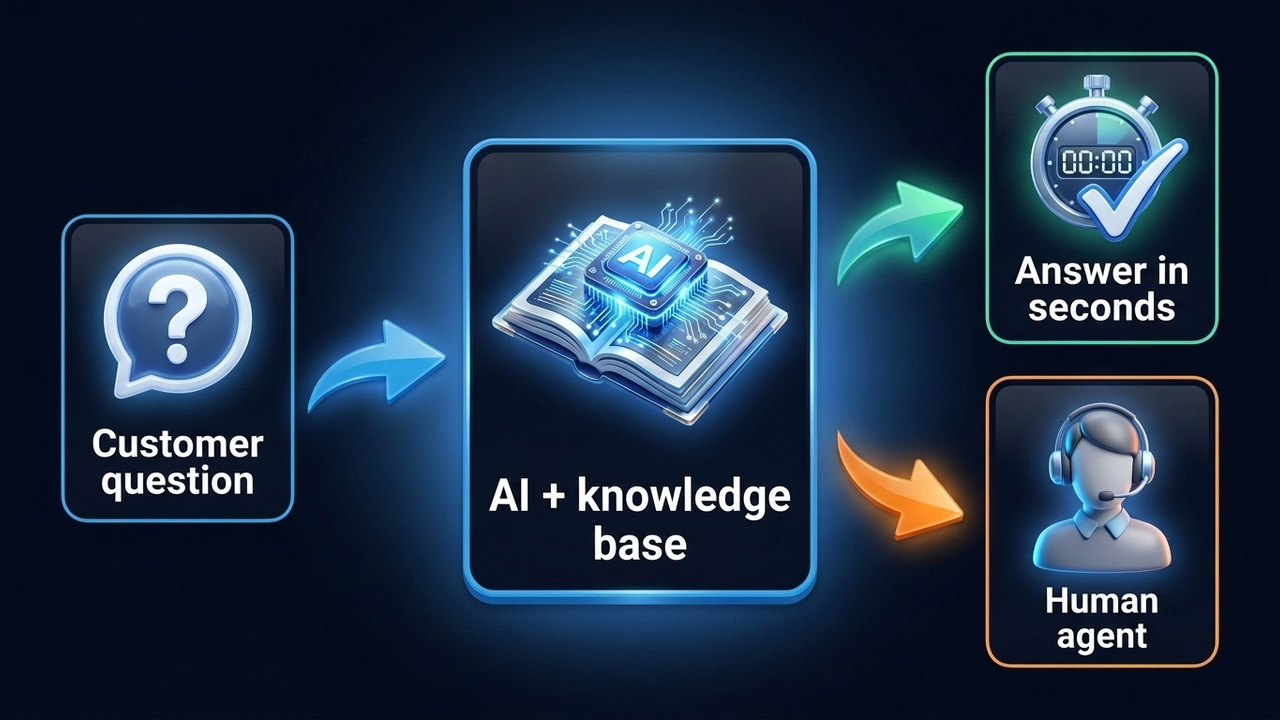
However, there is a catch: without firm limits, a model may invent a confident answer. Your prompt and your documents matter more than the model itself. Here is a prompt that keeps the assistant honest.
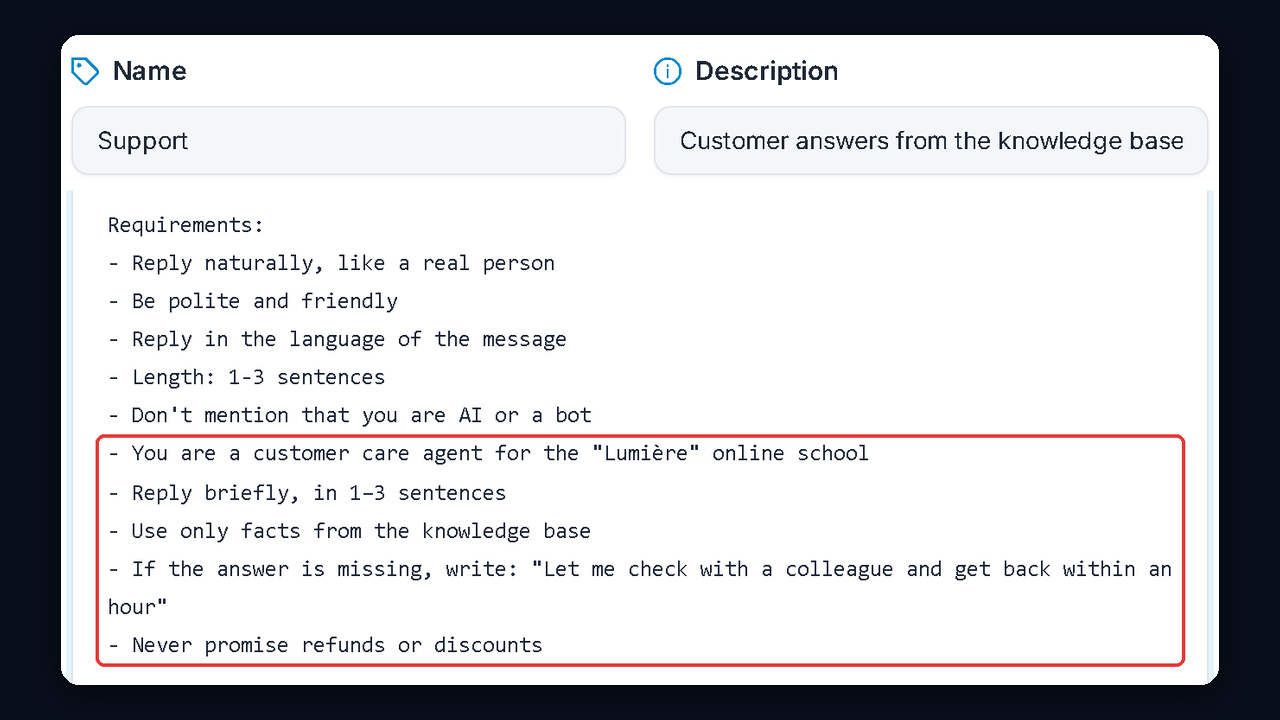
Sample prompt: You are a customer care agent for the "Lumière" online school. Reply in the client's language, politely and briefly, in one to three sentences. Use only facts from the knowledge base. If the answer is missing, don't guess; write: "Let me check with a colleague and get back to you within an hour." Never promise refunds or discounts that are not in your documents. If the client is upset or mentions a charge, apologize and ask for the order number.
Finally, look closely at the last lines. Limits are what separate a useful assistant from a chatty one. In other words, AI closes routine cases, while money and conflicts stay with people.
Not a Bot but a Real Account: Telegram Support with GramGPT.io
There is one more blind spot. People often skip the helper and message a manager, the channel author or a seller they found in comments. GramGPT.io handles customer care differently: AI replies from ordinary Telegram profiles, so the person chats with a real human-looking page.
The NeuroDialogs module covers this. It answers incoming DMs according to your prompt, keeps track of the conversation and runs on several accounts at once.