You hold the mic to leave a quick hello, and Telegram records a voice note instead of the round clip you wanted. Or the camera opens, the picture stutters, your background music cuts out, and your friend gets a blurry blob. The Telegram video message is one of the most personal formats in the app in 2026, yet most people still treat it as a guessing game.
Typical tutorials stop at "press and hold". Real questions start after that: how to turn a finished clip into a circle, why it lags on an iPhone, where the button hides on desktop, and whether those little bubbles can actually bring customers.
This guide covers the difference between round clips and ordinary videos, recording on phones and computers, converting gallery footage and adding a soundtrack. Then we look at channels, saving, common glitches, and finally how to promote with video notes and bring new viewers to them through GramGPT.io.
What a Telegram Video Message Is
A video message, often called a video note or round video, is a short clip framed in a circle. You film it straight from the chat window with the front or rear lens, so there is no need to open the gallery.
The appeal is about attention. In a chat the bubble starts playing silently on its own and shows a face right away, so people watch it far more often than a file they have to tap. But the format comes with firm limits.
| Feature | Round video | Regular video | Voice note |
|---|---|---|---|
| Length | up to 60 seconds | file up to 2 GB | no strict cap |
| Shape | circle | any ratio | audio only |
| Caption | not allowed | allowed | not allowed |
| Where you record it | inside the chat | camera app or gallery | inside the chat |
| Autoplay | yes, muted | depends on settings | no |
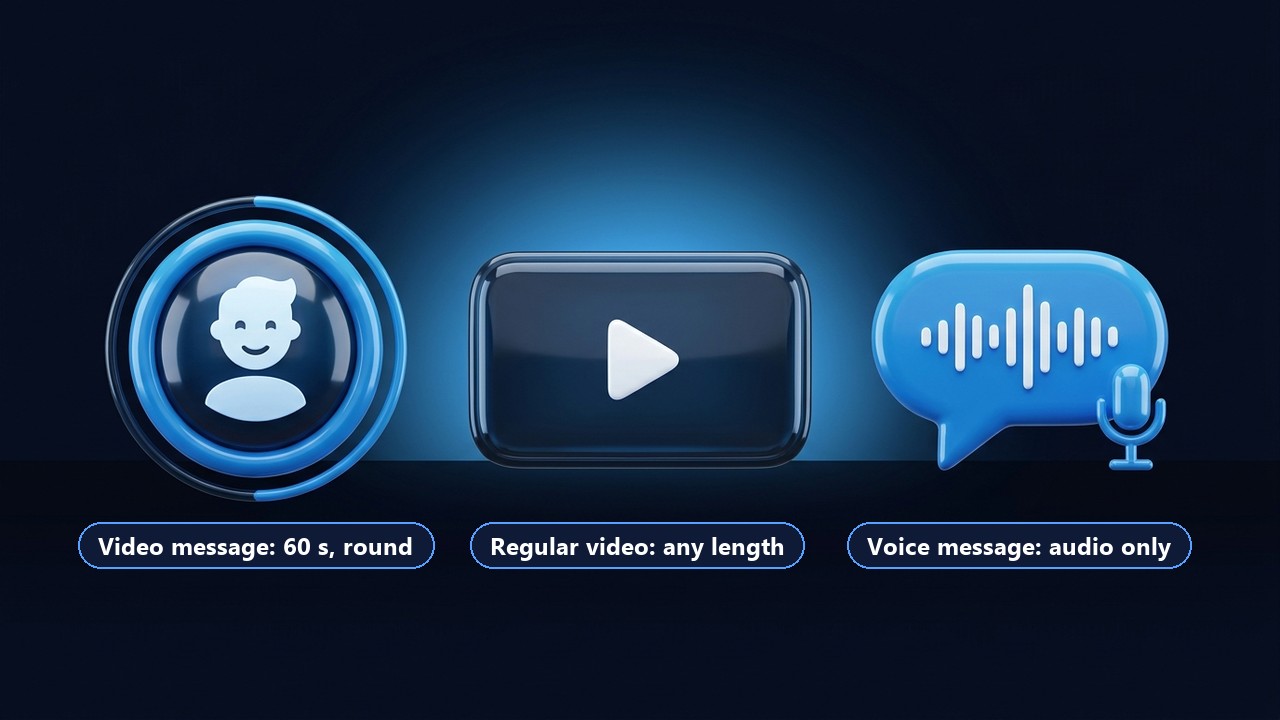
So round clips shine when speed and a human face matter more than polish. A product walkthrough with on-screen text, by contrast, belongs in a standard upload.
How to Record a Telegram Video Message on Your Phone
Voice notes and round clips share one button to the right of the text field. Tap it once, and the microphone icon then flips to a camera. There is no separate setting to enable, because a single tap switches the mode back and forth.
The Basic Steps on Android and iPhone
- Open a chat and tap the mic briefly so the new icon appears.
- Press and hold that icon. A circular viewfinder pops up, and then filming starts.
- Lift your finger to send the clip.
- Changed your mind? Keep holding and slide left to discard it.
That is the whole routine, and it takes about two seconds. Android and iOS behave the same here; only the icons look slightly different.
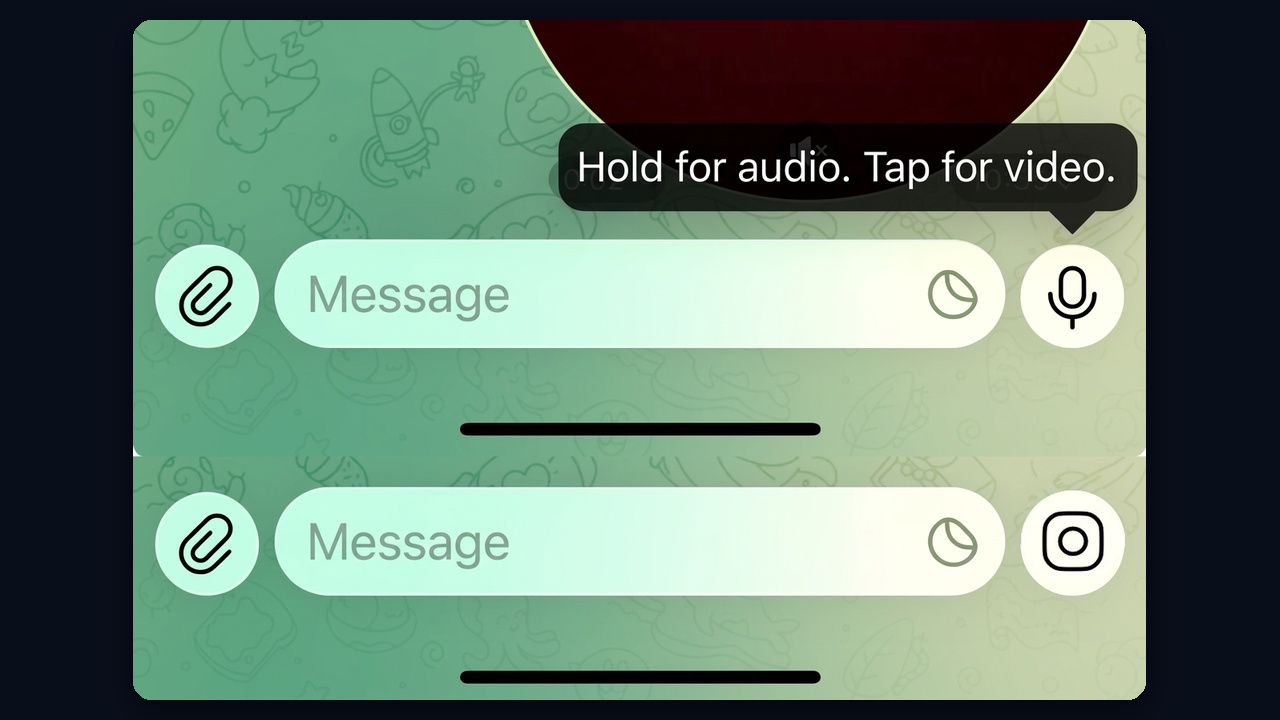
The tooltip above the button says the same thing: hold for audio, tap for video. Once the camera icon replaces the mic, Telegram video message mode is on.
Hands-Free Mode, Pause and Trim
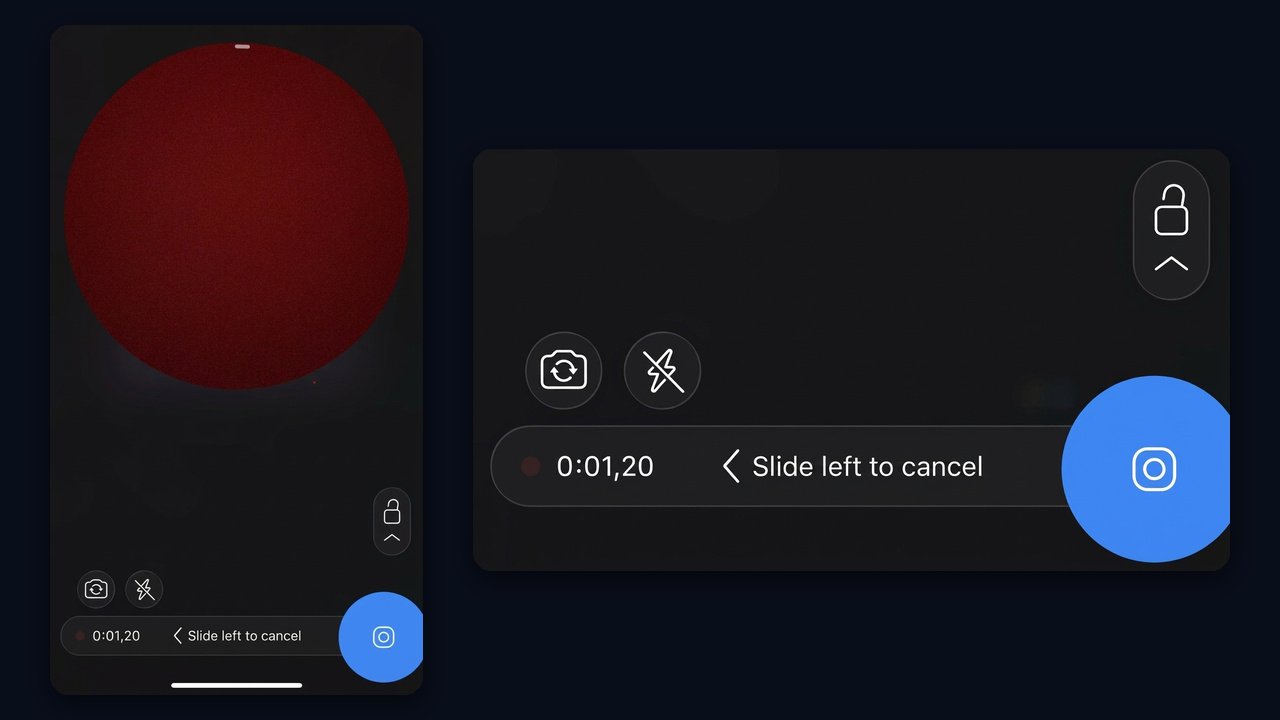
Holding a finger on the glass for a full minute gets tiring. Instead, slide up toward the padlock while filming, and the recording locks. Then extra controls appear:
- Flip to switch between selfie and rear lenses.
- Flash, which on the selfie side lights your face with a bright screen.
- Pause, available in recent versions, so you can stop and continue.
- Preview, where you can rewatch the take and trim both ends.
Trimming happens on the timeline at the bottom, so just drag the handles to cut a clumsy start. If the take still looks wrong, tap the bin icon and film again.
View-Once Round Clips
Locked mode also shows a small "1" icon. It makes the clip viewable a single time, and after that it disappears from the chat. That suits private moments, but remember that nothing stops the other person from filming their screen with a second phone.
Telegram Video Messages on Desktop and Mac
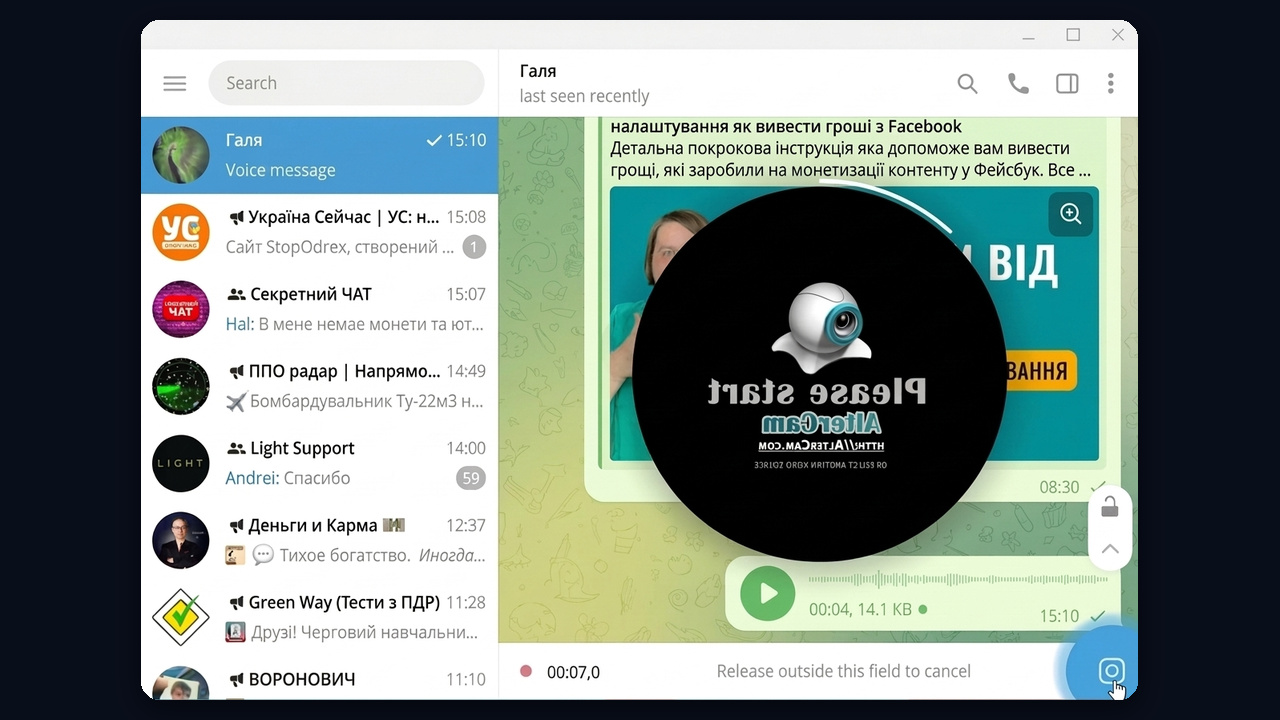
For years this feature was mobile-only. Today the desktop apps support it too, which means you can film from a laptop. In Telegram Desktop, click the mic so it turns into a lens icon, then start recording. You will also need a webcam and access granted in your system privacy settings.
Lighting matters even more on laptops, because built-in webcams get noisy in dim rooms. Face a window or a lamp. Also note that browser versions do not handle recording equally well, so the installed app is the safer choice for regular use.
Turning a Clip or a Song into a Telegram Video Message
The built-in recorder only captures what happens right now. It cannot take an existing gallery file and reshape it into a circle, which is why searches about converting clips and adding music are so common.
Why Your Music Stops
Once filming begins, Telegram grabs the audio session. On iPhone, background playback from another app usually pauses; on Android the mic picks it up muffled and echoey. So the practical fix is to add the track in an editing app first and convert the finished file afterwards.
Converter Bots: A Round Video in Two Clicks
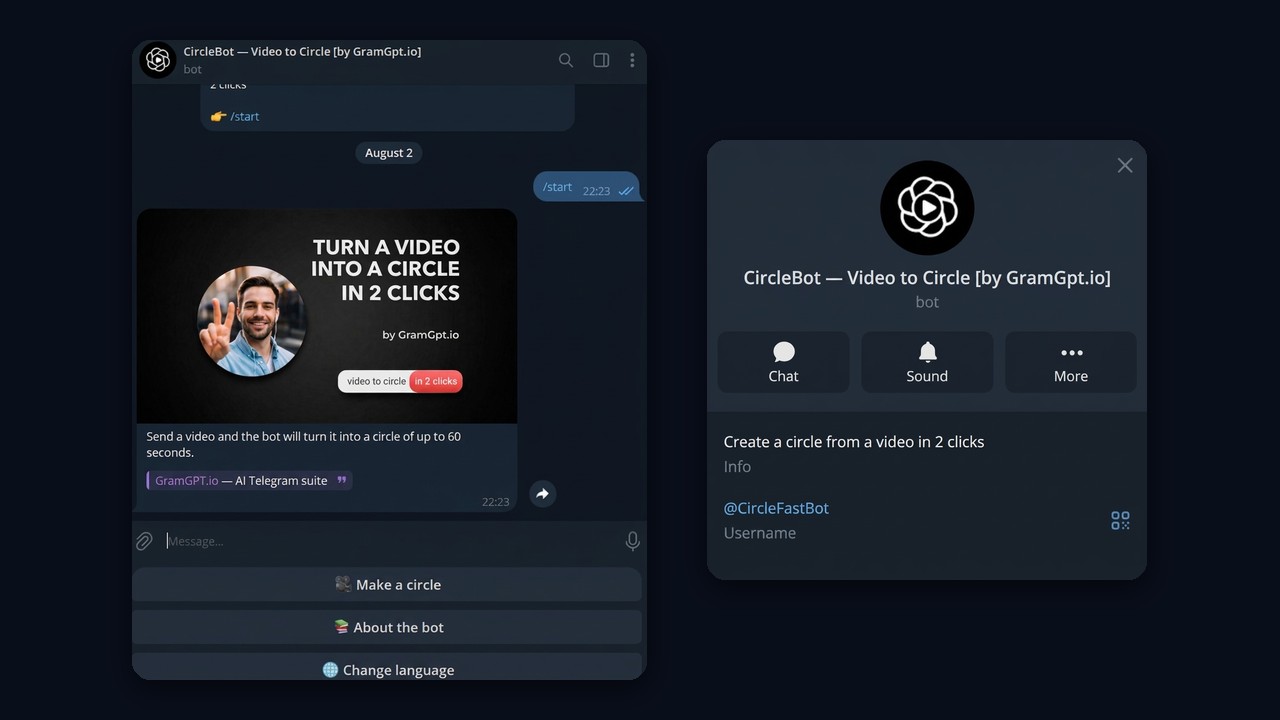
The easiest converter is a bot. The platform lets bots deliver a square clip of up to one minute as a video note, and that is how such bots work, CircleBot being one example. Open the bot and send your file, and it replies with a circle of up to 60 seconds that you can forward anywhere.
When picking a bot, remember that your clip lands on the developer's server, so keep private or client footage away from unknown services.
First, prepare the source before uploading: cut it to 60 seconds, keep the subject centred and check the audio levels. The same trick works for photos, too. Build a short slideshow, feed it to the bot, and you get a circle made from still images.
Telegram Video Messages in Channels and Groups
In a channel, an admin films the clip from the composer with the same button used in private chats. Subscribers see it in the feed like any post, and if discussion is linked they can comment. Mixed into text posts, these short clips let readers see the person behind the channel, and that builds trust.
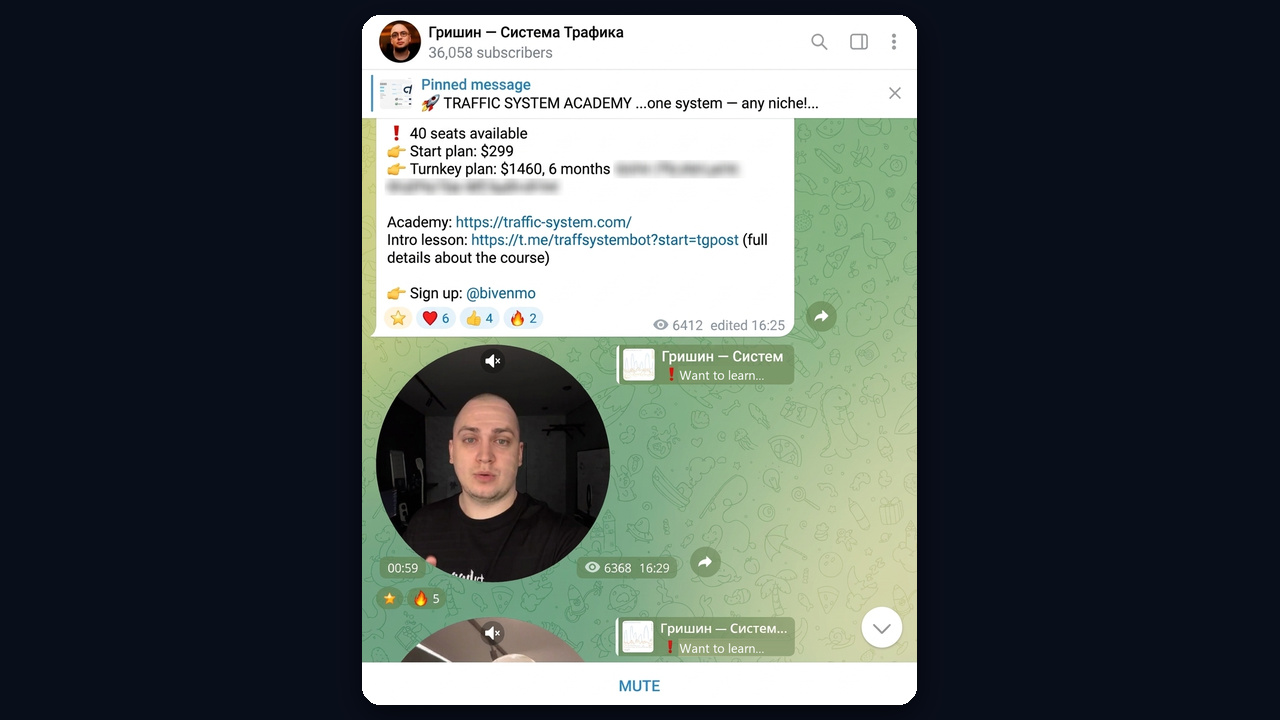
For example, in this channel a Telegram video message goes out between offer posts. The author's short personal clip gathered 6,368 views, almost as many as the pinned post with the pricing.
You can also share a channel clip to your stories, for example by tapping Forward and choosing the story option. We covered the format in our guide to Telegram stories.
Groups are different, because everything depends on member permissions. An admin can switch off video messages for regular members. So if the record icon is missing or the clip fails in just one group, that restriction is the likely reason.
Saving Round Clips and Switching the Button Back
Keeping a Copy
On iPhone, long-press the clip and choose Save Video, and it lands in your gallery. Android offers a save-to-gallery item in the same long-press menu. In Telegram Desktop, right-click the circle and pick Save As.
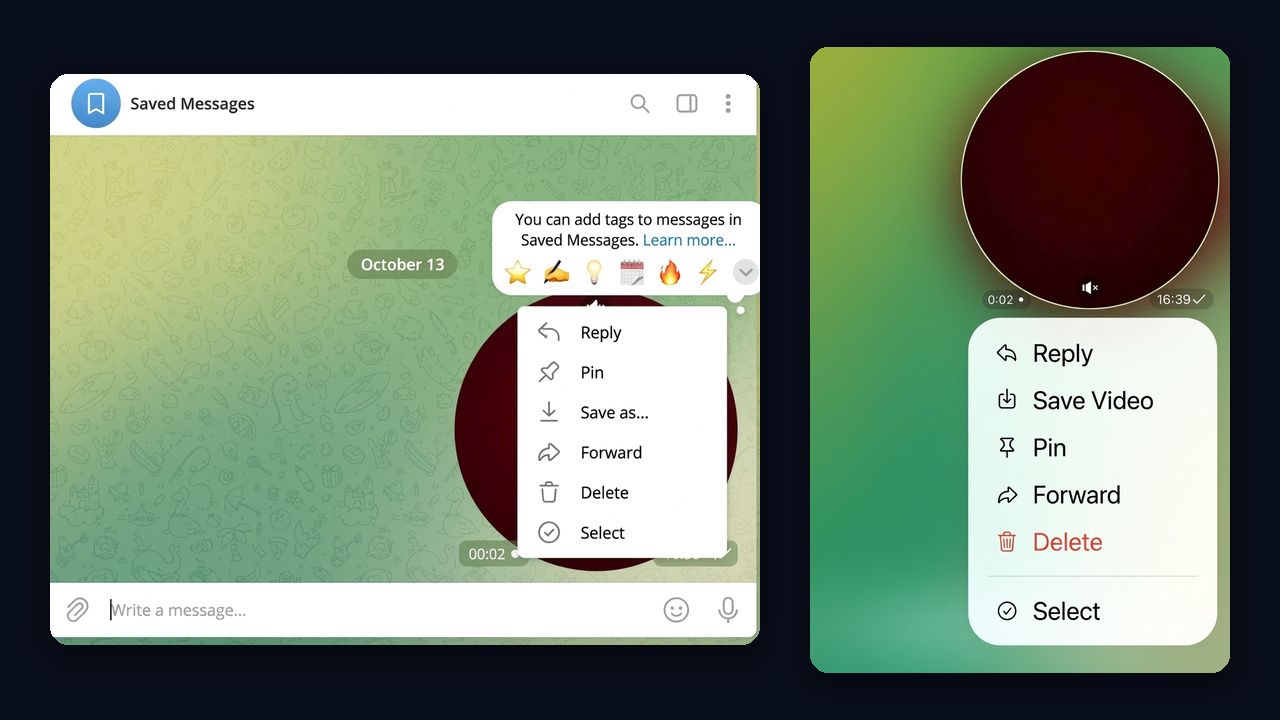
However, channels with content protection hide the save option entirely. Respect that choice: the author deliberately blocked copying.
Getting Rid of the Camera Mode
A common annoyance is a button stuck in video mode, so a circle opens when you wanted a voice note. Tap that icon once, and the mic returns. If autoplaying clips from others bother you, turn off autoplay under Data and Storage. And a clip sent by mistake can be deleted for both sides from the message menu.
Telegram Video Message Not Working or Lagging
Most failures come from the phone rather than from Telegram itself: permissions, storage or a busy camera. Start with the quick checks below.
| Symptom | Likely cause | Fix |
|---|---|---|
| Nothing records | no camera or mic permission | grant access in phone settings |
| Black frame | another app holds the lens | close video calls, restart Telegram |
| Lag while filming | overheating, low power mode, full storage | disable battery saver, free up space |
| Blurry picture | dim light, smudged lens | face a light source, wipe the lens |
| Not sending, red exclamation mark | connection drop or group restriction | check the network and chat rights, retry |
| Not playing for the recipient | slow connection | wait for loading or switch networks |
If recording stutters on an iPhone, check Low Power Mode first, because it lowers the frame rate. There is no manual 60 fps toggle, so smoothness depends on the sensor, lighting and device load. When nothing else helps, update the app and clear its cache. Broader outages are covered in our article on Telegram not working.
Video Message Ideas for a Telegram Channel
A circle gives what text cannot, because it carries a face, a voice and a tone. For an expert or a small business, that is the fastest road to trust. Better still, people usually watch to the end, since the clip lasts under a minute.
Ideas for a regular schedule:
- Introduction. Who you are and why the channel is worth following, in 20–30 seconds.
- Behind the scenes. Packing an order, a photo shoot, drafting a post.
- Q&A. One subscriber question, one clip.
- Product demo. Show the item in your hands rather than in a photo.
- Customer review. A buyer on camera persuades better than a screenshot.
- Announcement. A reminder about a live stream, a sale or a fresh post.
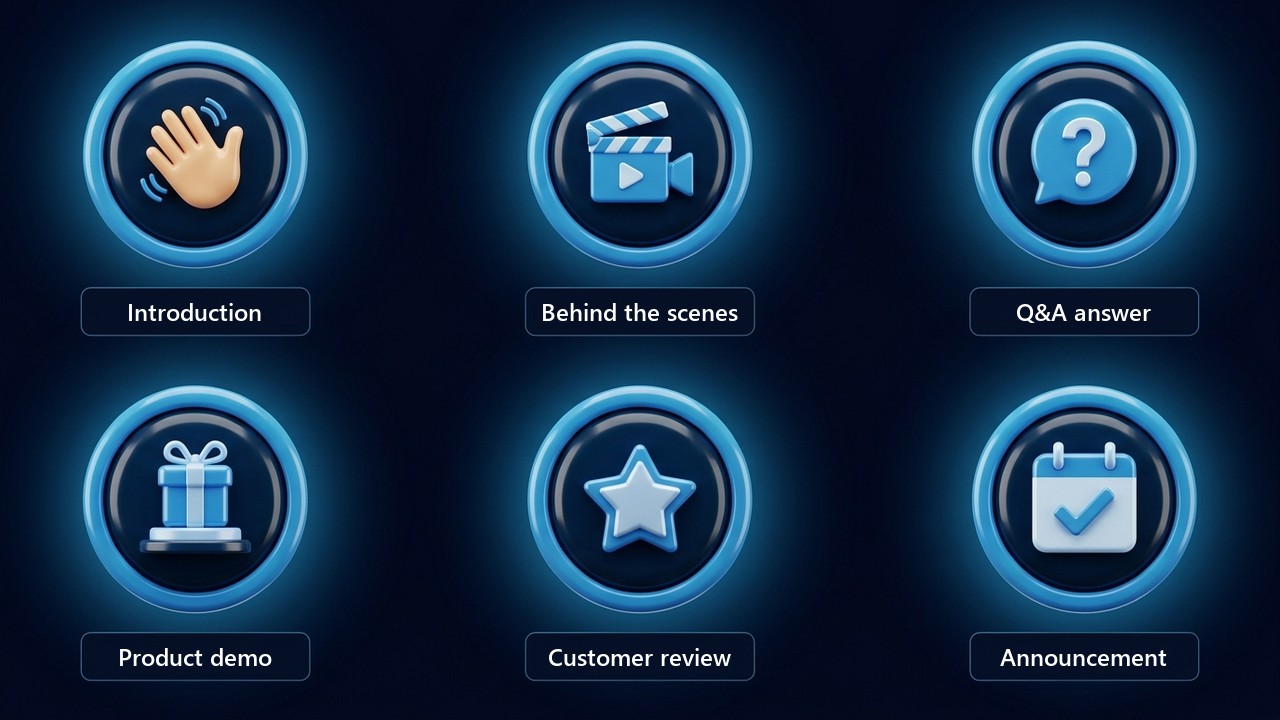
Several habits make these recordings work. First, the opening three seconds decide whether anyone keeps watching, so lead with the point. Second, captions are impossible here, so speak clearly and repeat the key message in a nearby text post. Finally, mind the light: a face in shadow hurts credibility more than imperfect delivery.
Next, people need to find the channel. The following section shows how story mentions bring in fresh viewers, and the wider plan lives in our guide on how to promote a Telegram channel.
How to Promote with a Telegram Video Message
Your subscribers already see the round clips, but new people will not stumble on them by chance. That is where mass tagging comes in: accounts publish a story with your footage and mention your target audience in it. Each person gets a "mentioned you in a story" push, opens it, and meets a real face instead of a banner.
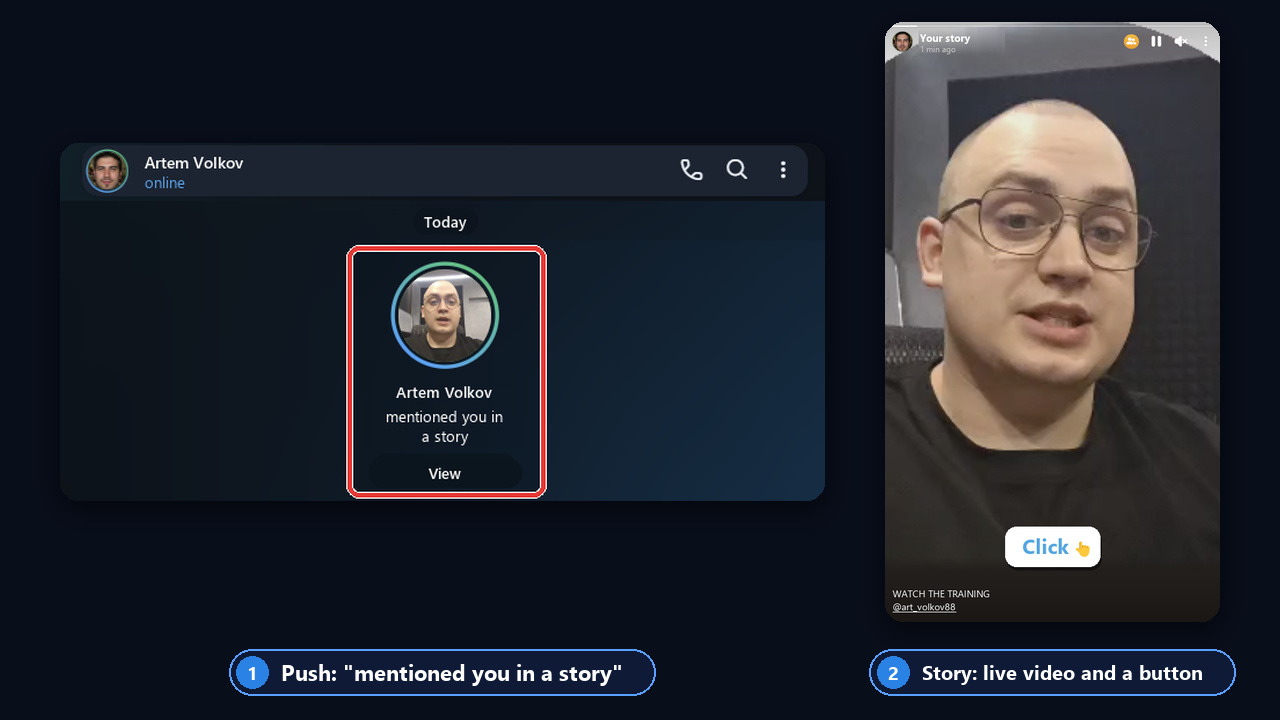
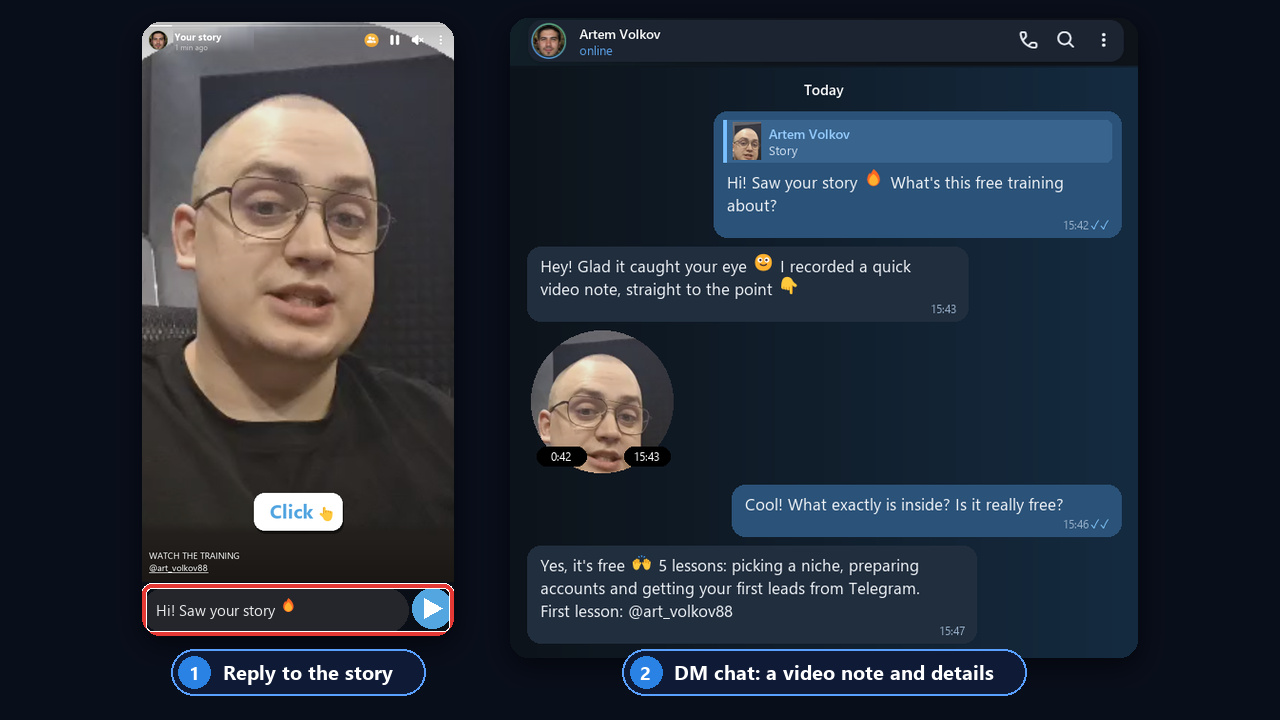
Here is the recipient's view. First, a mention card appears in their private chat; then the story opens with the author on camera and a Click button leading to the channel. In other words, the strength of a round clip, a face and a voice, now reaches a stranger who actually fits your niche.
Launching the Funnel in Five Steps
- Creative. Film a 15–30 second offer and state the point within three seconds. The circle goes to your channel, while the vertical source file of the same take goes into the story.
- Feed. Post the circle and pin it, because visitors land here after the story.
- Audience. Collect commenters and active members of competitor chats with the user parser, or paste a chat link straight into the targets field.
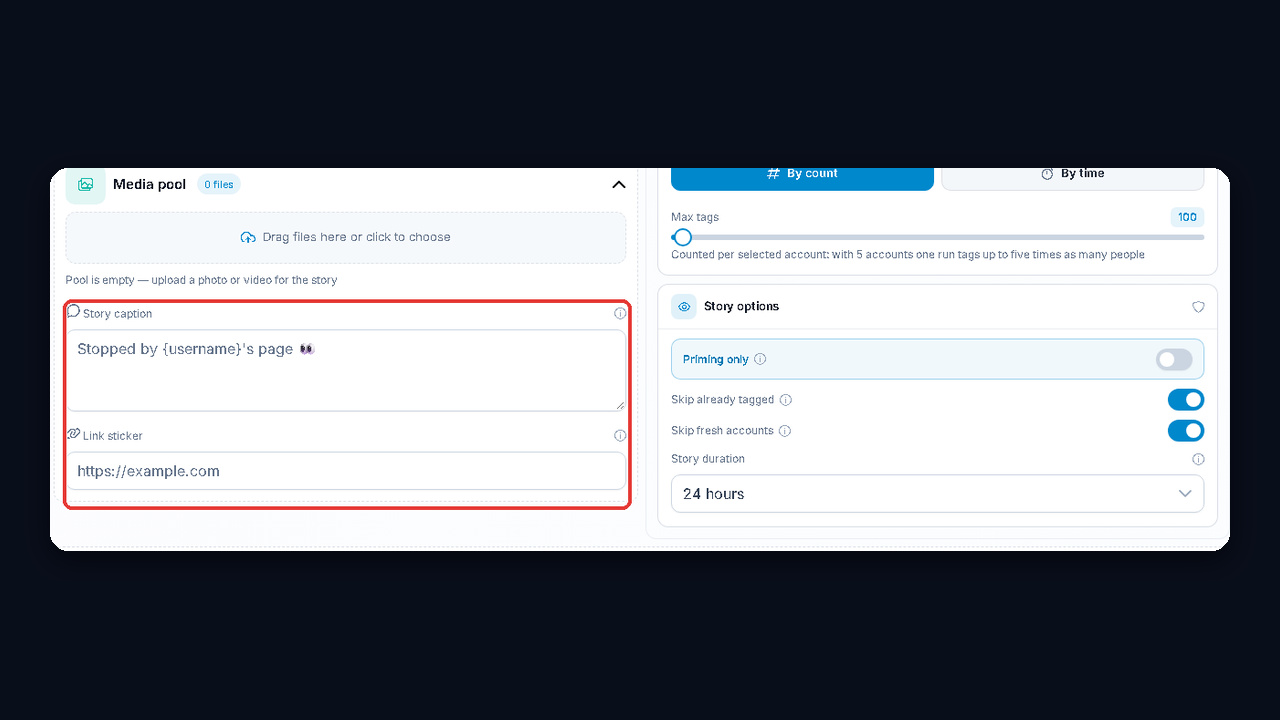
- Tagging. Upload the footage to the media pool, write a caption with {username} and add a link sticker to your channel. The module inserts each person's name, so the story reads like a personal note.
- Replies. Anyone who messages you gets an answer from Neuro Dialogs.
Mass Tagging Limits
Without Telegram Premium, an account may post just one story with mentions per day, tagging up to five people. So volume and a clickable sticker both call for Premium profiles. Start gently: 10–15 tags per account daily, 2–3 per story, and pauses of one to five minutes. After that, scale toward 35–40 tags.
Besides, mass looking adds traffic: accounts view your audience's stories, and people check who dropped by.