A contract sits in a chat with a manager who quit last month, tasks live in a dozen private threads, and the new hire spends a week figuring out where clients are discussed. That is what happens when Telegram turns into a corporate messenger on its own, with no structure and no rules.
The usual fix is "let's move to a proper work messenger." Yet a month later half the staff still writes in Telegram, because clients, contractors and old habits are all there. Now the staff juggles two messengers and chaos in both.
So let's look at when Telegram works as a corporate messenger and when it does not, what the 2026 risks are, how to build a workspace out of groups, topics, channels and folders, which rules to set, and how to keep logins and client history in 2026 when someone leaves.
Telegram as a Corporate Messenger: Who It Fits and Who It Doesn't
For example, Telegram shines for small teams that already talk to customers there and see no point in paying for another service. Think of a sales department, a marketing agency, an online school, a support desk or an affiliate traffic team. For them, a single app covers the staff chat, the announcement board and the internal news feed.

The catch, however, is that Telegram has no company admin console. Accounts belong to people, not to the business, each member keeps their own history, and a departing employee walks away with every conversation. Larger companies with data retention policies usually need a dedicated workplace tool instead.
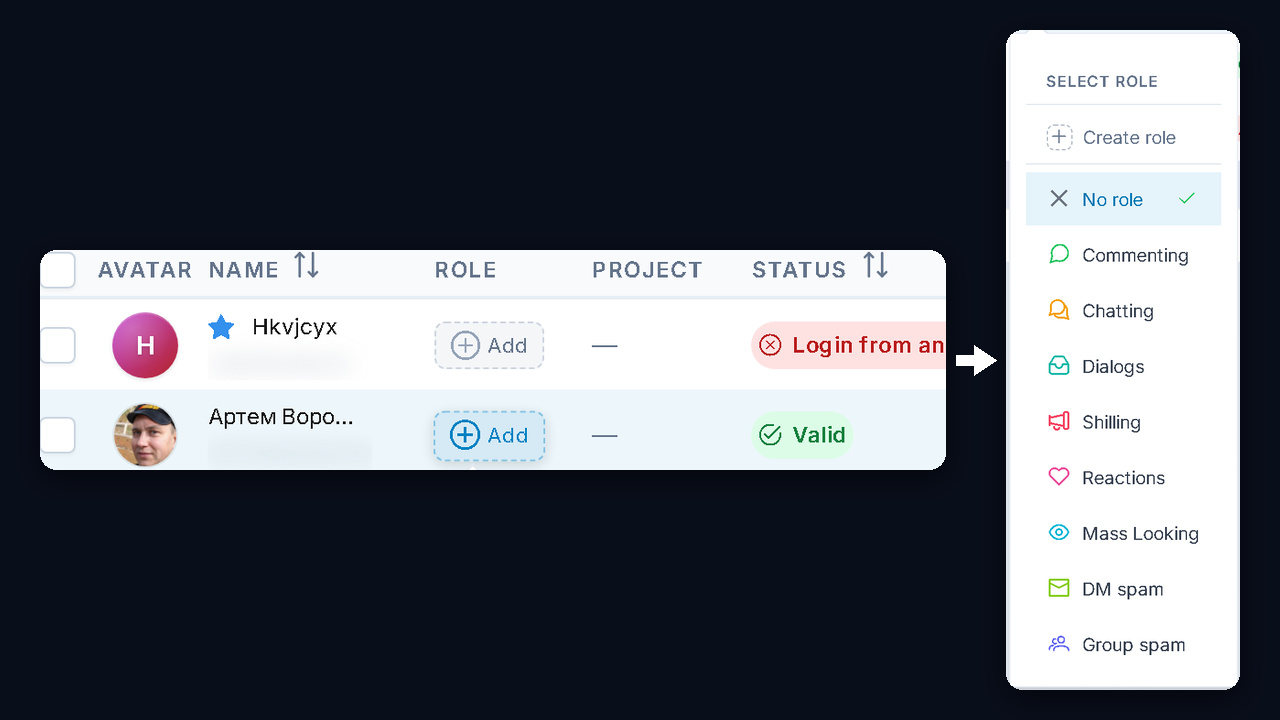
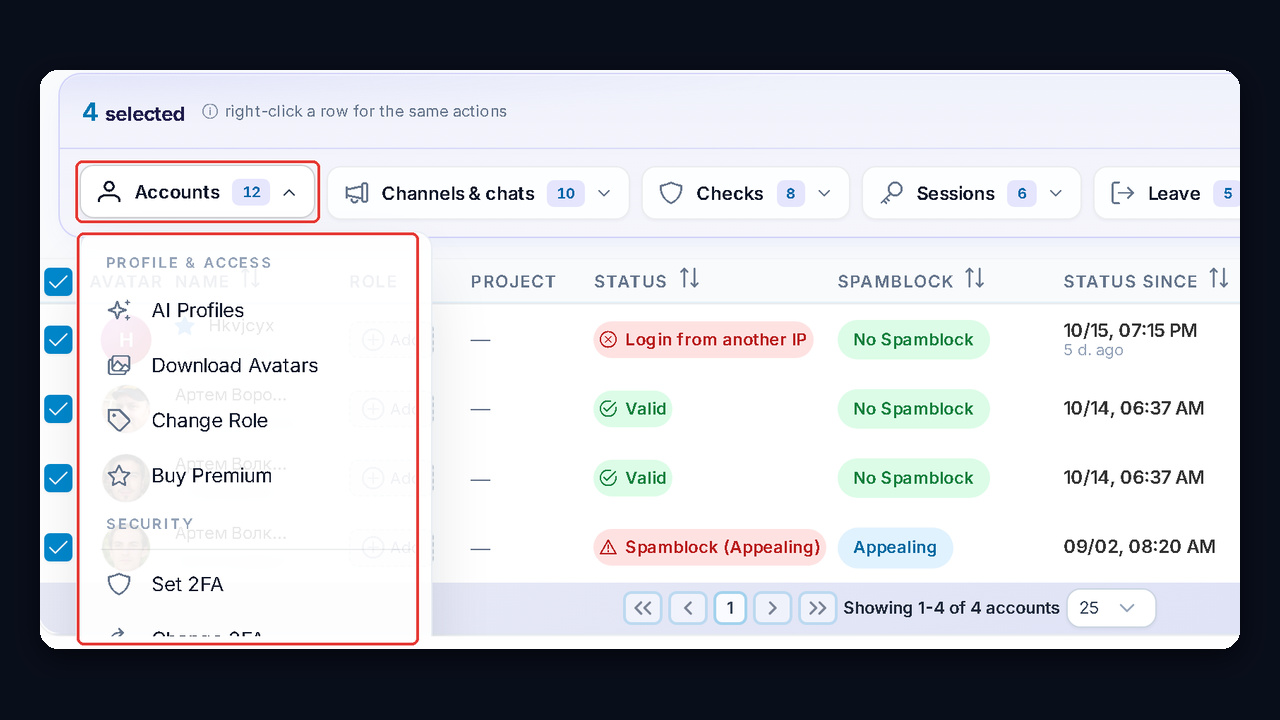
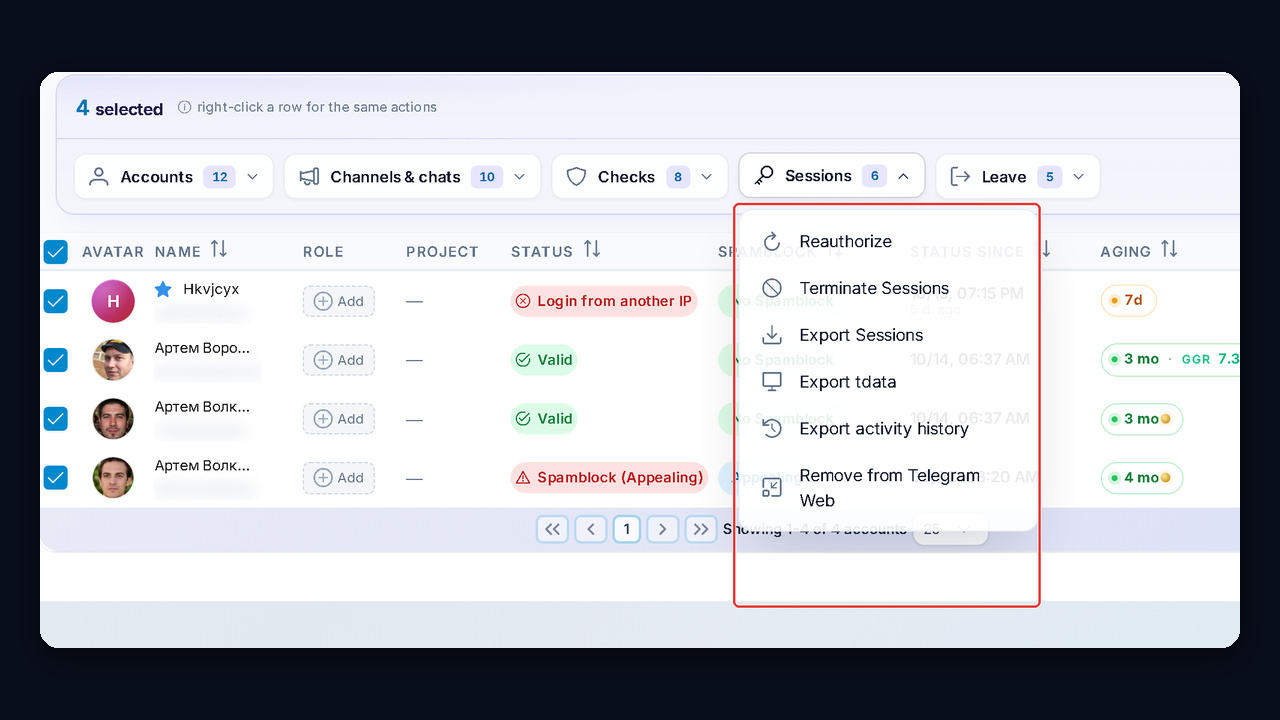
For a small business, the GramGPT.io Account Manager closes this gap: work profiles, cloud passwords and sessions stay with the employer. We show how it works in the security section.
| Factor | Telegram for teams | Corporate messenger |
|---|---|---|
| Price | Free, Premium optional | Per-seat subscription |
| Clients and contractors | Already there | Have to be invited separately |
| Access control | Group admins plus discipline | One company dashboard |
| History | Stored by each member | Stored on company servers |
| Tasks and time tracking | Bots and checklists | Built-in modules |
In short, if you have up to 30–50 people and most of the work happens with outsiders, a messenger setup is the practical choice. If audit trails and archives matter more, a separate workplace chat app with central admin is the better fit.
Corporate Messenger or Telegram in 2026: Risks and a Hybrid Setup
There is also an outside risk, especially for companies in Russia. After the app was slowed down there in early 2026, demand for local workplace tools grew roughly fivefold, according to Izvestia and CNews. Teams that kept all internal communication in a single place were cut off for days.
Compliance matters too. If conversations hold customers' personal data, lawyers usually ask for a platform with local servers and an audit log. No such guarantees exist here, so contracts, HR files and personal data belong elsewhere.
That is why many companies go hybrid: internal discussions and documents live in a dedicated corporate messenger, while sales, support and contractors stay where the clients already are. Keep a backup line as well, and know what to do during outages; our guide on what to do when Telegram is not working covers it. To keep the team in its work chats during a slowdown, set up a Telegram web proxy in advance.
| Task | Best place |
|---|---|
| Talking to clients and contractors | Telegram, since customers are there |
| Internal department talk | Telegram for small crews, a workplace tool for large ones |
| Contracts, HR and personal data | A workplace tool with local servers |
| Backup during outages | A second line everyone knows about |
Looking for a free corporate messenger? Most workplace tools offer free plans with limits on seats or history. Telegram costs nothing at all, but you pay in setup time for the policies and access settings covered next.
Building Telegram for Teams: The Core Pieces
So the setup rests on four building blocks. Each solves its own problem, and together they pull tasks out of private chats.
A Department Group With Pinned Rules
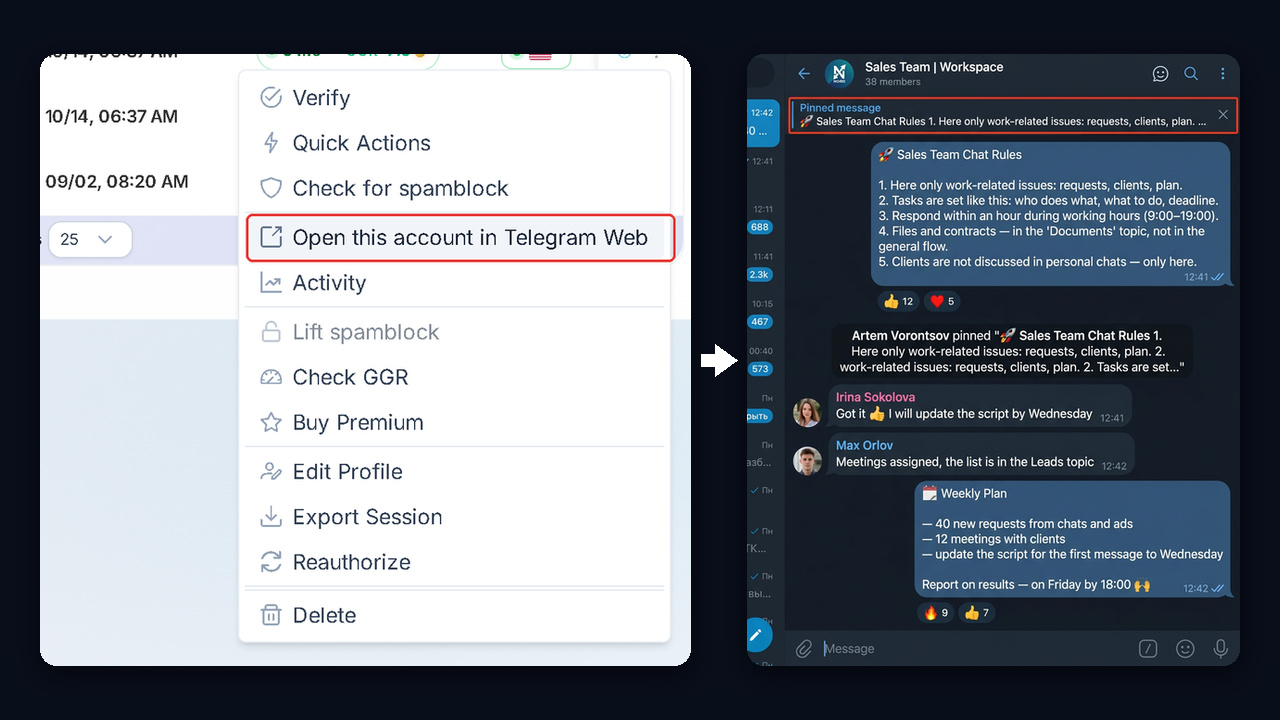
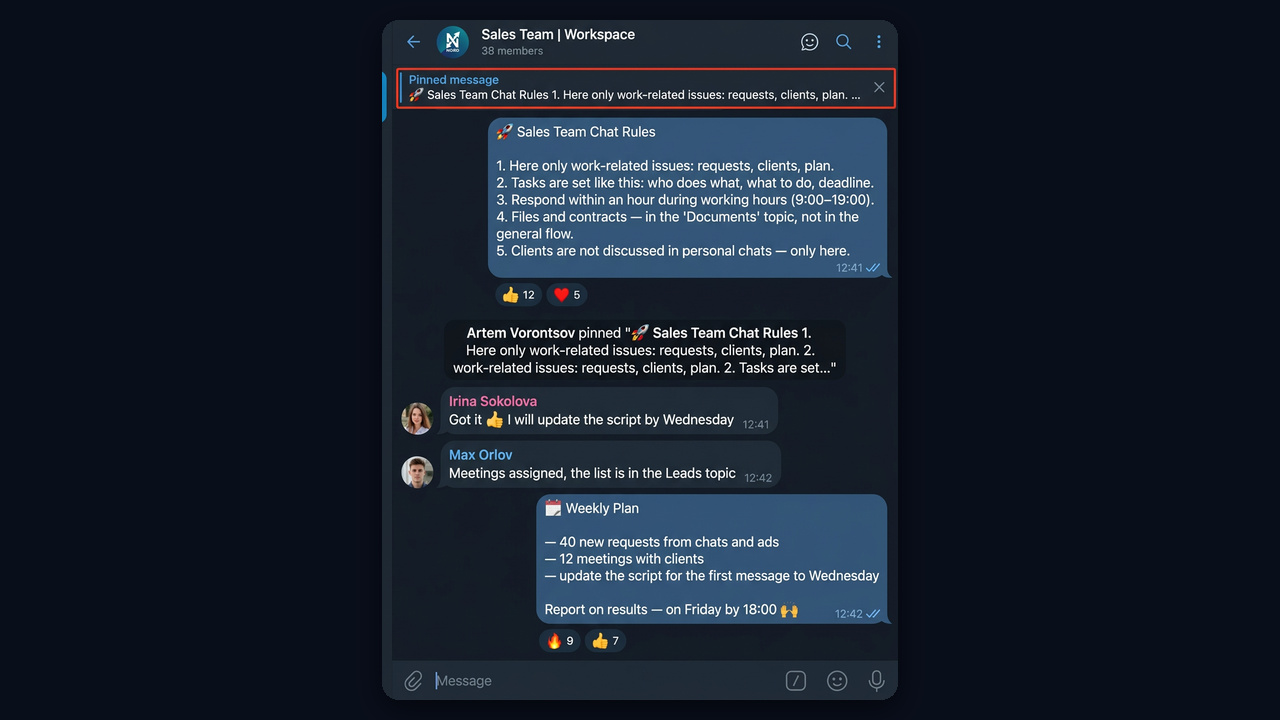
First, create one group per department or project: "Sales", "Support", "Course Launch". This then becomes the main shared chat. Add a short description of its purpose and pin the guidelines as the very first message, so every newcomer sees them right away.
Topics Instead of Ten Separate Chats
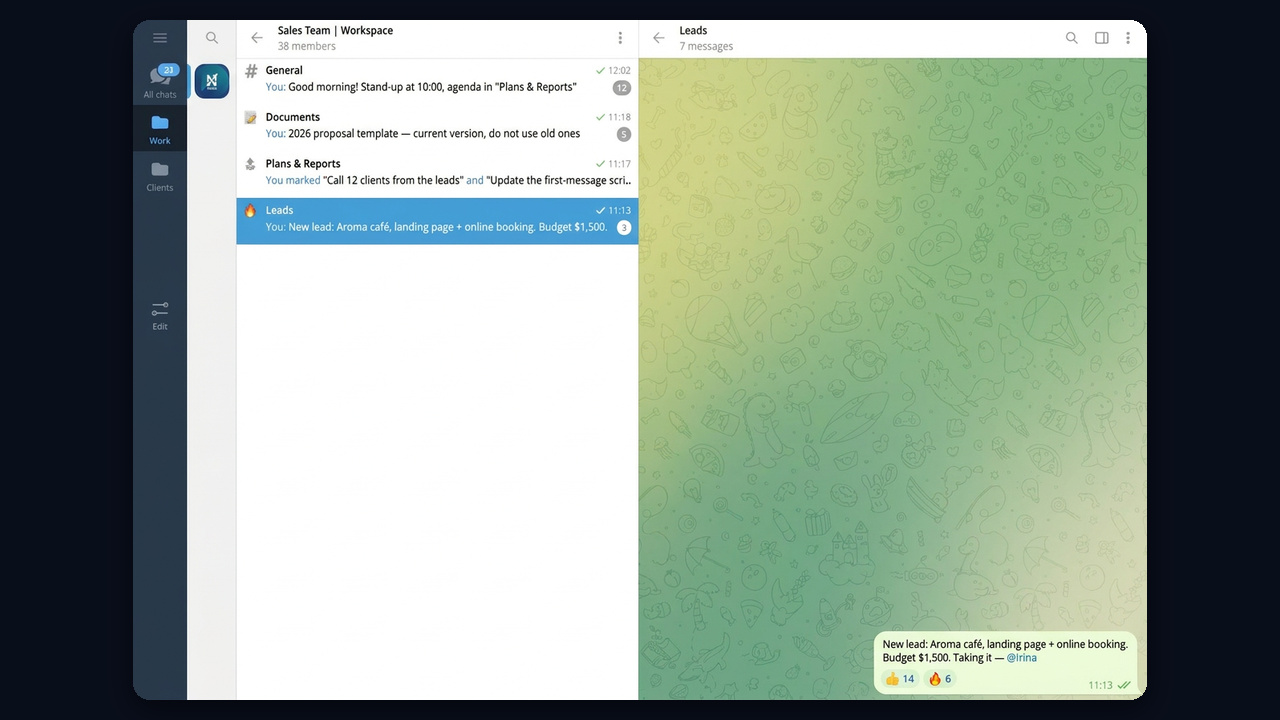
However, once a group passes 10–15 members, threads start to blur. Turn on topics in the group settings, and the chat splits into sections such as "Leads", "Documents" and "Plans & Reports". Files stop drowning in small talk, and people can mute the topics they do not need.
A Company News Channel
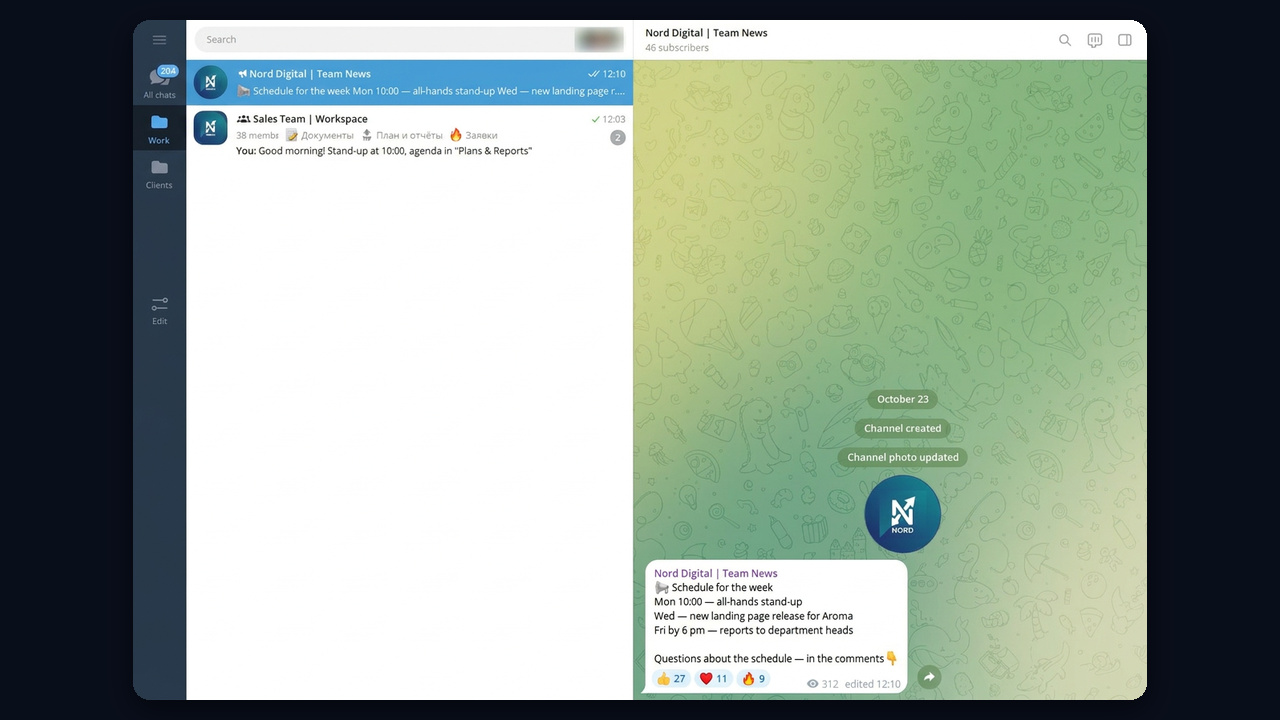
Next, create a private channel for announcements: schedules, policy changes, product updates. Only managers post there, so important news never gets buried. You can also open comments under a post to gather questions in a single spot. In the screenshot, the news channel sits in a "Work" folder next to the sales group, and the post shows views and reactions from staff.
Folders That Separate Work From Life
Finally, ask every employee to create "Work" and "Clients" folders. Business chats then stay away from family groups, and in the evening the folder can simply stay closed. Besides, the app allows up to 10 folders for free and up to 30 with Premium.
Shared Chats With Clients
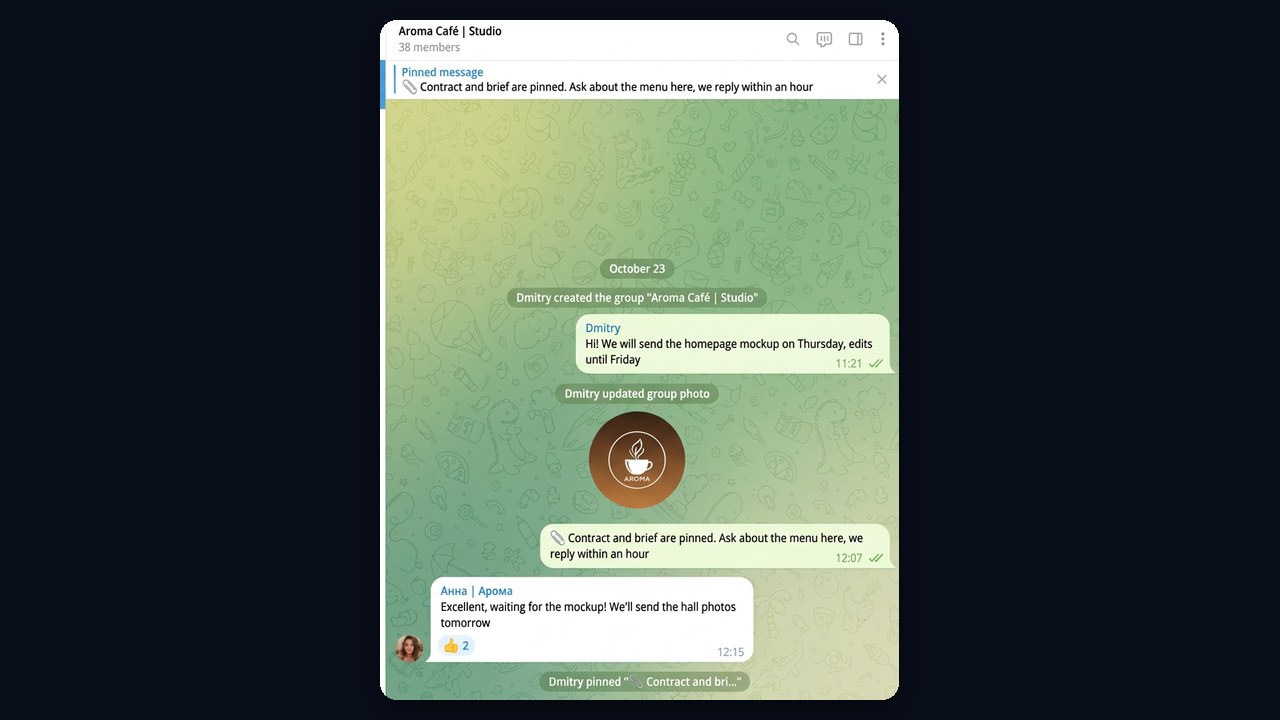
Agencies and studios do well with a separate chat per client: the client, the project lead and the specialist. As a result, agreements stay visible to everyone, and when a manager changes, the replacement just reads the history. Use a consistent name like "Client | Studio" so these chats are easy to gather into a folder.
Also, pin the brief and the contract, so the client sees them the moment they open the chat.
How to Name Work Chats in a Corporate Messenger
A good work chat name tells people whose room it is and why it exists, so anyone finds it in a second. Pick a single pattern for the whole company: "Department | Team", "Project | Task" or "Client | Studio". For example, "Sales | Team", "Course Launch | Marketing", "Aroma Café | Studio".
Skip inside jokes and abbreviations only two people understand: a newcomer should get the purpose from the name alone. With dozens of rooms, add a colour emoji per department at the start, such as 🟢 for sales and 🔵 for support.
Separating Staff and Personal Profiles
Once the structure is ready, decide which numbers people will work from before inviting anyone. When someone talks to clients from a personal number, the contacts leave with them. Therefore, a separate business account solves this: it can sit next to the private profile on the same phone, with a tap to switch. Our guide on adding multiple Telegram accounts shows how.
Also put a name, role and company in that profile, and keep the personal number hidden from customers. We cover the privacy settings in detail in the post on how to hide your phone number.
Corporate Chat Rules: A Ready Template
But structure without rules turns back into noise within weeks. That is why the pinned post should hold 5–7 short points answering the key questions: what to post, how to assign work and when to expect a reply.
Sample rules: 1. Job questions only. 2. A task means who, what and by when. 3. Replies within an hour, 9:00 to 19:00. 4. Files and contracts go to the "Documents" topic. 5. Clients are discussed here, never in private chats. 6. No voice notes longer than a minute.
| ❌ Bad | ✅ Good |
|---|---|
| "Can someone check the contract?" | "@Irene, please review the North Ltd contract by 3 pm" |
| Five voice notes in a row | Short text with bullet points |
| Files dropped in the main feed | A file in the "Documents" topic with a clear name |
| Discussing a client in DMs | Discussing it in the group so everyone sees it |
Also agree on off-hours. Scheduled messages help here: you can write tomorrow's task in the evening and set it to arrive at 9:00.
Tasks, Calls and Files Inside Telegram
The app will not replace a full project tracker, yet a crew of 5–20 people often gets by with its built-in tools.
- Checklists. Also, recent versions let you send a to-do message where members tick off completed items. Creating a list takes Premium, while anyone can tick items.
- Polls. For example, pick a meeting time or a design option without a long back-and-forth.
- Group calls. Then a video meeting starts from the chat in a single tap, no link needed.
- Bots. Also, task boards, reminders and reports plug right into the chat.
- Cloud storage. So files up to 2 GB stay in the conversation and can be found through chat search.
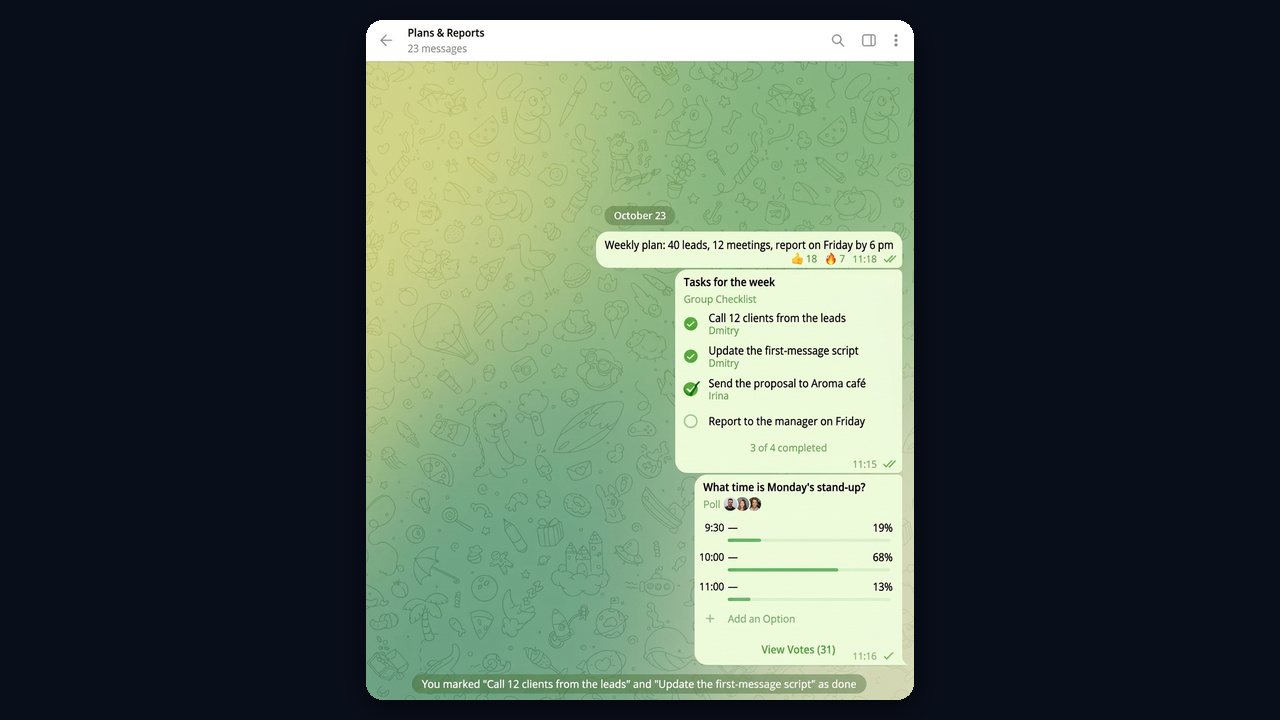
For customer questions, however, a business account adds quick replies, opening hours and a greeting, as we explain in our guide to Telegram Business. But when the volume grows, a support bot sorts incoming requests before a person picks them up.
Security: Who Owns the Accounts in a Corporate Messenger
The biggest risk for a company Telegram, though, is not hacking but turnover. If a staff profile is tied to an employee's own number, the business loses customers, history and access the day they leave. Therefore, settle four things in advance.
- Numbers belong to the business. Register these profiles on corporate SIM cards, not personal ones.
- The lead owns the chats. Staff get admin permissions, never ownership.
- A cloud password on every account. Two-step verification blocks logins even with the SMS code.
- Sessions under control. When someone leaves, end their sessions and change the password the same day.
Admin rights, in other words, deserve the same care instead of "everyone, just in case."
| Role | Group permissions |
|---|---|
| Owner (team lead) | Full rights, ownership transfer, deleting the group |
| Department admin | Pinning, deleting messages, adding members |
| Employee | Messages, files, polls, no member management |
For example, the group owner has every right switched on, including "Add new admins." Keep that switch away from regular staff, so nobody but the lead hands out access.
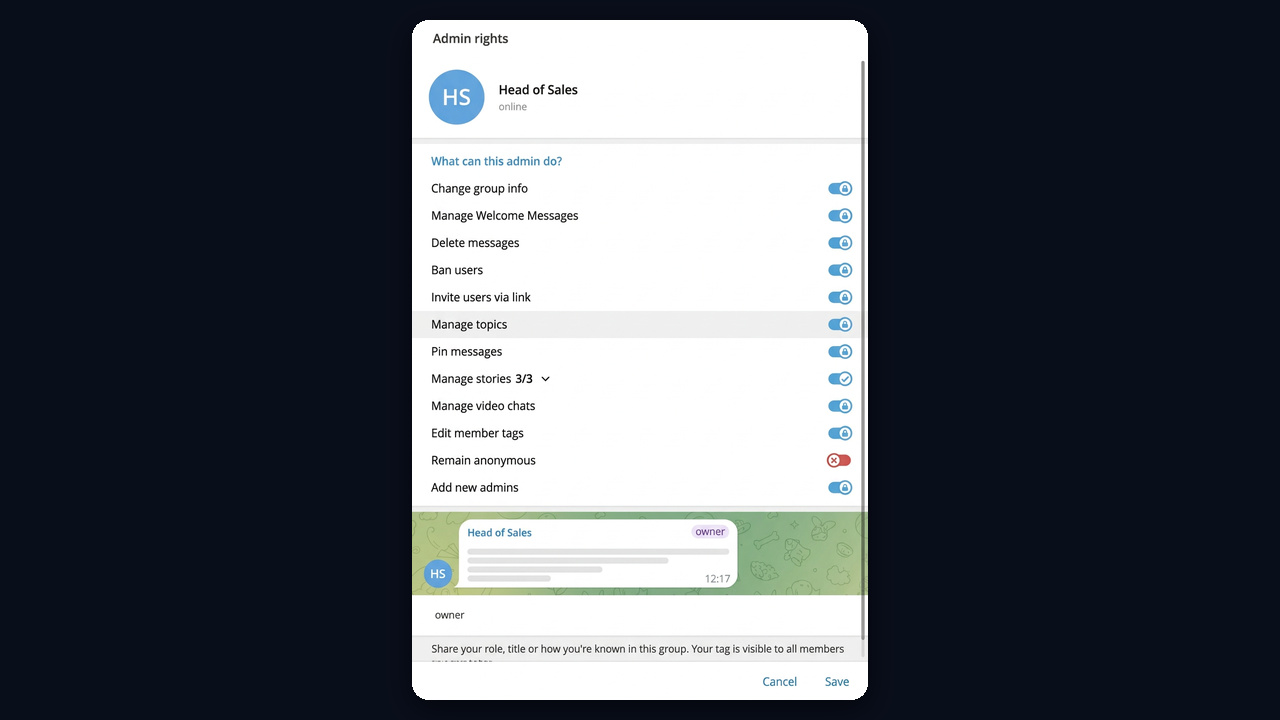
All of this works by hand while you have two or three accounts. But with dozens, you need a single place that shows them all and keeps access with the company even after someone leaves.