You type a great idea into the settings field and the app answers "This username is already taken." Five more tries, same result. Twenty minutes later you settle for something like max_1998_orlov — hard to dictate and a little embarrassing on a business card. Picking a Telegram username should not feel like that.
But the real obstacle is rarely creativity. Most people mix up the display name and the @handle, don't know the format rules and waste attempts on options the app will never accept. Online generators spit out hundreds of random words, yet none of them tells you which one fits your goal.
This guide covers the difference between the two fields, the rules that matter in 2026, ways to come up with a memorable handle, fancy fonts and invisible labels, what to do when your choice is taken and how to set up dozens of work profiles at once.
Telegram Username vs Display Name
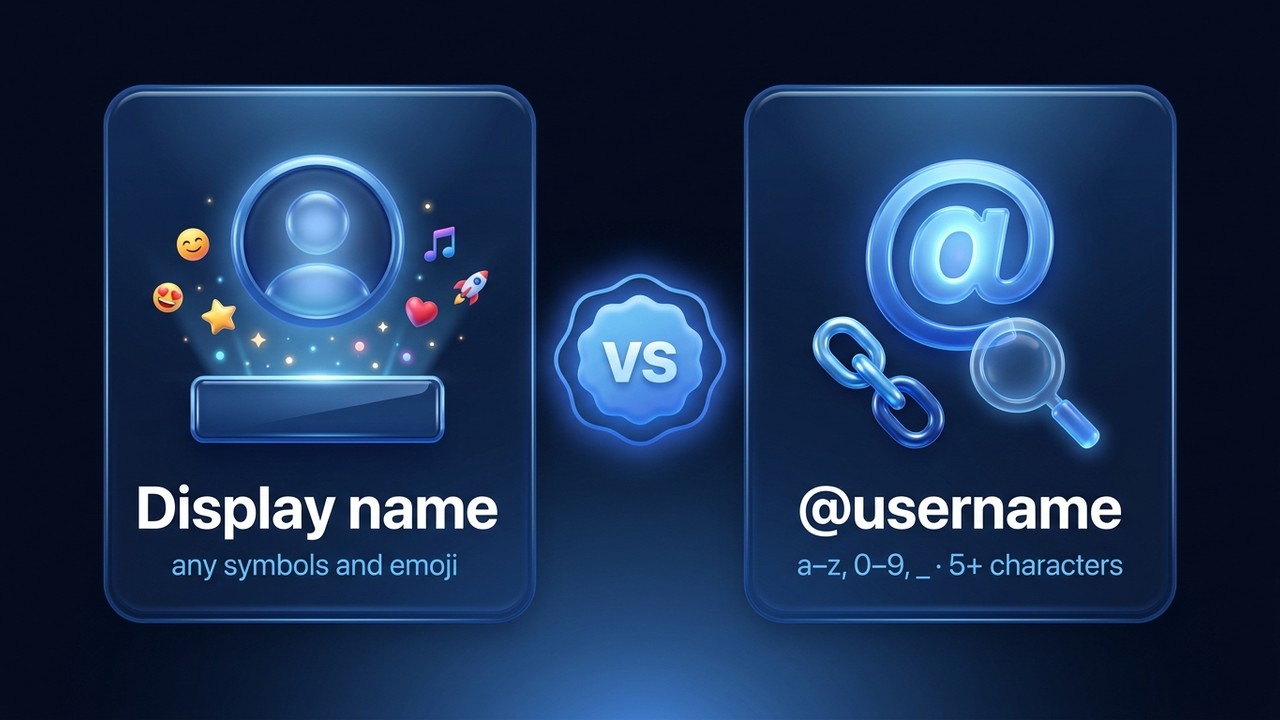
A "Telegram nickname" can refer to two separate things. Your display name is what others see above your messages and in their chat list. The username is the public handle with an @ sign: it makes you searchable and gives you a link of the form t.me/handle.
| Display name | Username | |
|---|---|---|
| Required | Yes, at least one character | No, it's optional |
| Allowed characters | Any alphabet, emoji, symbols | Latin a–z, digits 0–9, underscore |
| Unique | No, thousands of people share them | Yes, one per account |
| Searchable | Mostly by your contacts | By everyone via global search |
| Shareable link | No | t.me/username |
So when someone asks for your contact, they almost always want the @handle. The display name, by contrast, changes daily without affecting how people find you.
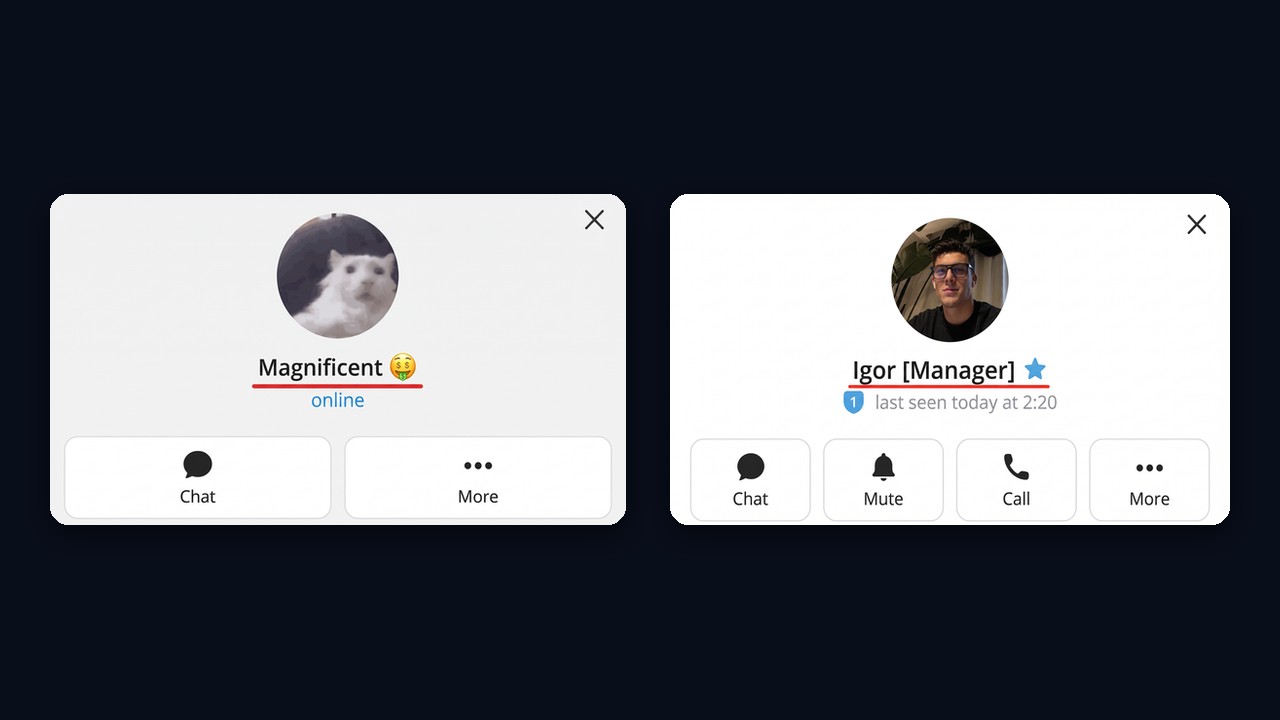
For example, this is how display names look on a profile: one person uses a nickname with an emoji, another adds a job title in brackets. Telegram accepts both without restrictions.
Telegram Username Rules You Can't Skip
The handle follows a strict format, and most rejections come from breaking it.
- Latin letters, digits and underscores only. So spaces, dots, hyphens and non-Latin scripts fail.
- Five to 32 characters. Four-letter handles exist only as collectibles sold on Fragment.
- Starts with a letter. That is why something like 1maxorlov won't save.
- Case doesn't matter. MaxOrlov and maxorlov point to the same account, although the app remembers your capitalization.
- One basic handle per account. Collectible ones, however, stack and switch freely.
Keep in mind that a handle is public. Anyone who knows it may message you without having your phone number, and leaving the field empty avoids that.
How to Come Up With a Good Telegram Username
A strong handle is easy to say, remember and type. That comes from a few simple techniques instead of random generators.
- Name plus role. anna_design, orlov_travel, kate_smm. This way, people instantly see who you are.
- Initials and a short surname. m_orlov or ksmirnova are free far more often than a full version.
- An association. A hobby, a city or an object: nightrunner, austin_coffee. But it suits personal accounts best.
- Sound play. Repeated syllables and rhymes like lalaland_art or tiktak_time stick in memory.
- Match your other socials. Followers find you faster, and the platform also considers matching handles when settling disputes.
- The phone test. First, read it out to a friend. If you had to explain where the underscore goes, then simplify it.
Telegram Username Examples for Different Goals
Here are a few patterns that work. A freelancer might use first_skill (lena_copy), a local business brand_city (bloom_denver), and a creator might pick a short word with a twist (pixelfox). Meanwhile, a support account works best as brand_help, because users trust it instantly.
Cool Usernames for Telegram: What Actually Looks Cool
"Cool" usually means short and clean, not stuffed with x's and numbers. Instead, real words, a confident tone and no birth year look far better than xX_dark_angel_2007_Xx. Also avoid dictionary words alone: coffee or travel were taken years ago, so combine them with something personal.
Telegram Channel Name Ideas
For a channel, the link matters even more than for a person, since it appears in ads and forwards. So pick something short that matches the channel title and skip extra digits. Topic plus format often works: daily_ux_tips, kyiv_events, crypto_brief. We cover naming and setup in detail in our guide on creating a Telegram channel.
Fancy Fonts, Emoji and Invisible Labels
All the styling below applies to the display name only. Your handle, as noted, accepts plain Latin characters, digits and underscores.
Fancy Font Styles
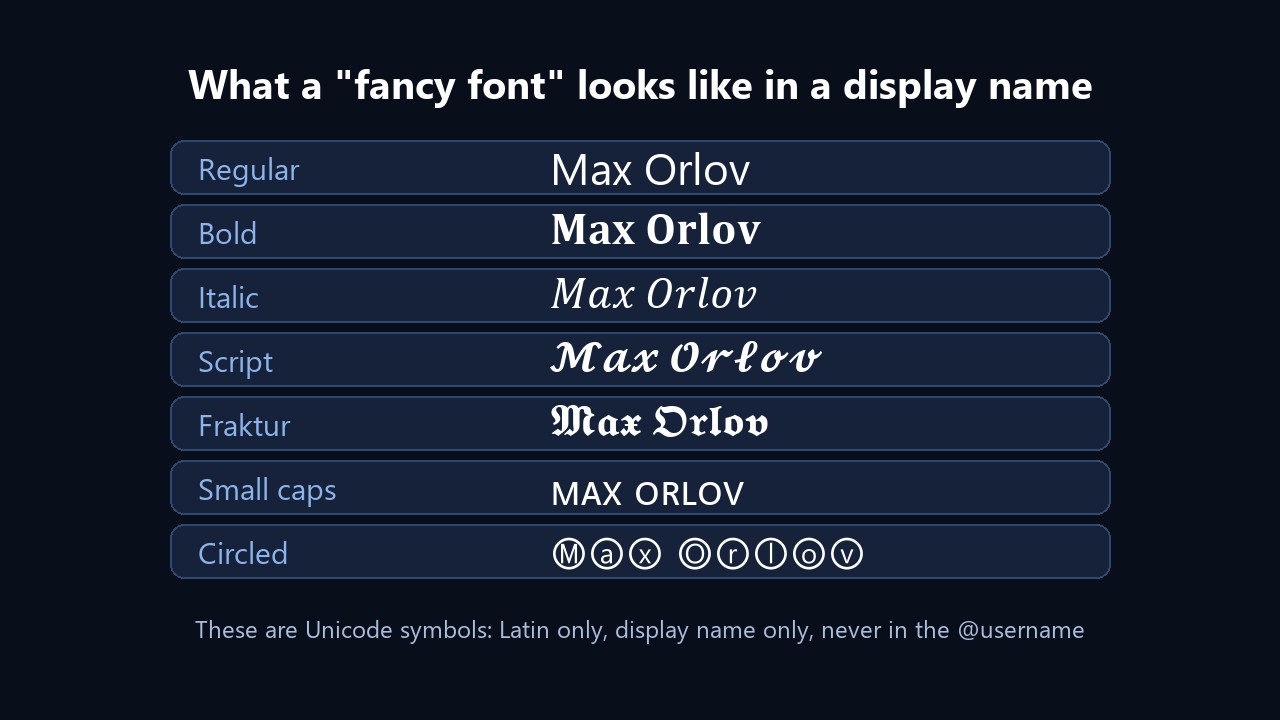
Those "fonts" from online generators are not fonts at all. They are special Unicode symbols that resemble letters, such as 𝐌𝐚𝐱, 𝓜𝓪𝔁 or ᴍᴀx. The messenger renders them, so the result looks unusual, but there are trade-offs.
- Latin only. Most other alphabets have no such sets, so generators swap in look-alike glyphs and some letters break.
- Weaker search. In other words, neither contacts nor chat search will find you.
- Inconsistent display. Also, older phones sometimes show empty boxes.
Emoji and Status Icons
Regular emoji go straight into the field, and many sellers or nail artists do exactly that. An animated icon beside it, on the other hand, is an emoji status that requires a subscription. Everything else it unlocks is listed in our Telegram Premium overview.
A Blank or Invisible Label
A truly empty field won't save, but an invisible character fills it, for instance such as the Hangul filler "ㅤ". Your messages then appear with nothing above them. It looks striking, yet many people treat such profiles as fake, so skip it for work chats.
How to Change Your Telegram Username
The path is nearly the same everywhere; only button labels differ.
On a Phone
- Open Settings.
- Tap Edit on iPhone, or your name on Android.
- Change the first and last name, or open Username.
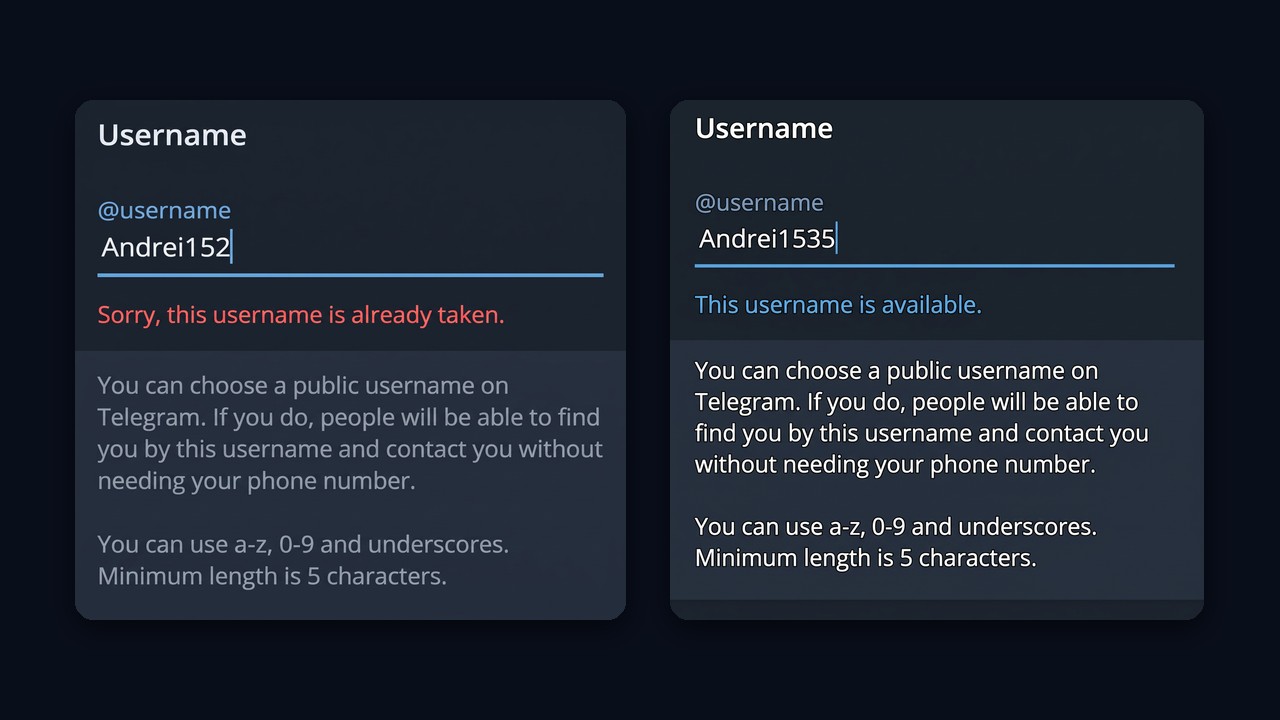
- Type an option. Then the app shows right away whether it's available.
- Save.
On Desktop and Web
In Telegram Desktop, open the menu, then Settings and My Account (called Edit Profile in newer builds). The same three fields are there as well, so the steps also match. In the web version, go to the menu, then Settings, and tap the pencil icon.
What Is My Telegram Username and How to See Someone Else's
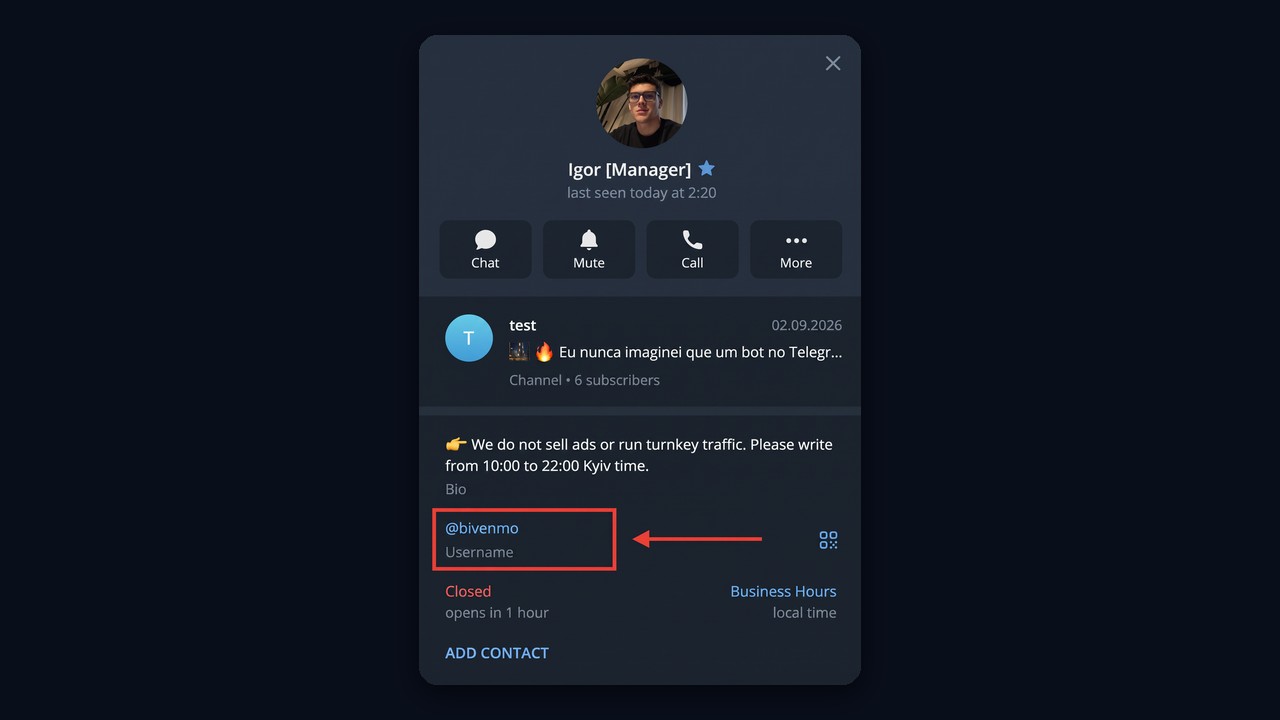
Your own handle appears in Settings right under your phone number. To check another person's, tap their name at the top of the chat. No @ line there means they never set one, and there is no other legitimate way to look it up. Sites promising a username lookup by phone usually harvest your data instead. Lawful search methods are explained in our article on Telegram search.
On a profile, therefore, the handle sits on its own line labelled Username, right below the bio.
Will Anyone Notice When You Change It?
Contacts see the update immediately, even on old messages, but there is no separate notification. Strangers starting a new chat may, however, see a hint that your profile changed recently. Also note that your old handle becomes free once you switch, so someone else can grab it and old links stop working.
Why the Change Fails
- It's taken. Try another variant or a collectible.
- Invalid characters. A dot, a hyphen or a non-Latin letter.
- Too short. Fewer than five characters.
- Too many attempts. After several quick changes, saving may be blocked for a while.
Nicknames Inside Groups: Member Tags
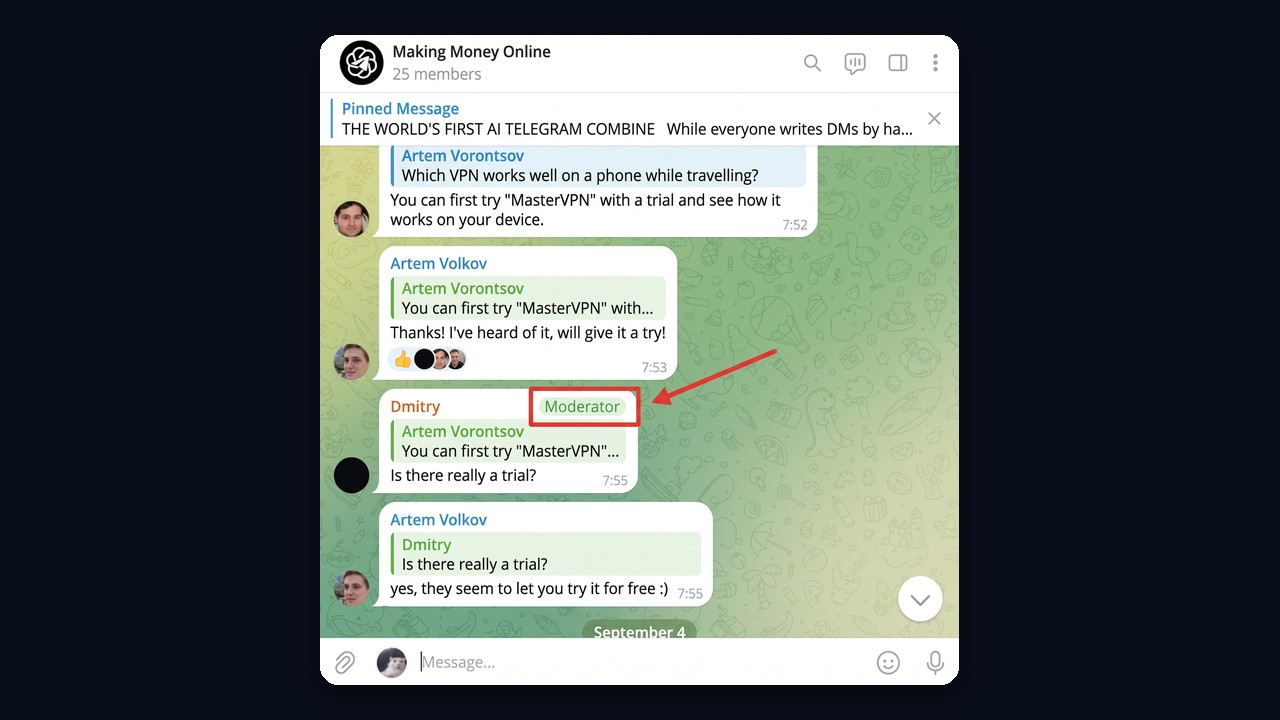
Group nicknames used to live only inside game bots, which stored them on their side. Since spring 2026, Telegram has built-in member tags: a short label next to you, visible only in that group, such as "designer", "flat 12" or "moderator".
The admin, however, decides who sets them. They may keep that right or let members label themselves by enabling the matching option under the group's Permissions. Admin tags are colored, so their role is obvious at a glance. Do not confuse them with hashtags in posts: we explain the difference in our guide to hashtags and tags in Telegram.
Your Dream Telegram Username Is Already Occupied
Regular handles go to whoever claims them earliest. When yours belongs to somebody else, three routes remain.
- Tweak it. Add a role or a city, or shorten a word. Because of that, this is usually the fastest fix.
- Ask Telegram. For a non-collectible handle that you already own on two or more of Facebook, X and Instagram, write to @Username_bot. The company also reclaims handles from abandoned bots and channels.
- Buy a collectible. Listings on Fragment are open to anyone with TON.
Fragment as a Telegram Username Marketplace
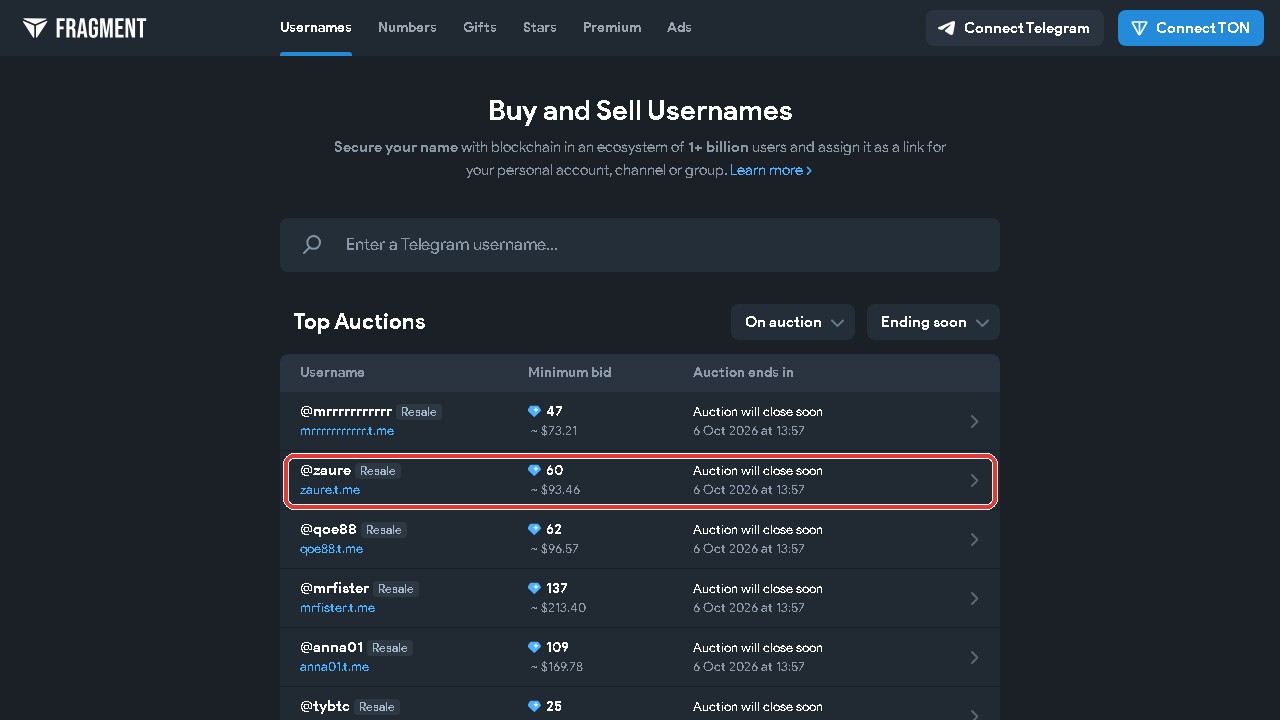
Fragment is the official platform where collectible handles trade for TON. Short and dictionary handles go to auction, with bids starting at a few dozen TON. After purchase, you link the handle to a profile or channel and may resell it later.
Scammers love this market. For example, a "buyer" offers a great price for your handle and sends a fake Fragment link asking you to connect a wallet. Therefore, deal only through the official site. Common tricks are described in our post on Telegram scams.
What Your Handle Says About You
A handle is the first thing people learn about you, even before the avatar. Therefore, leave out your birth year, home city or part of your number: combined with other details, they help someone find you outside the app.
The handle alone doesn't expose your number. Still, if you'd rather not hear from strangers, delete it by saving an empty field. As a result, you disappear from search, but existing chats stay intact.
Setting Up Dozens of Work Profiles With GramGPT.io
For promotion accounts, the profile becomes part of the funnel. Someone notices a comment or a story view, opens the profile and decides whether to click the link. Twenty accounts all signed "Artem Volkov" look suspicious to people and to anti-spam systems alike.
However, doing twenty profiles by hand eats an hour. The GramGPT account manager handles it in one pass. Besides, all profiles sit in one table with their name, status, spam block and aging.
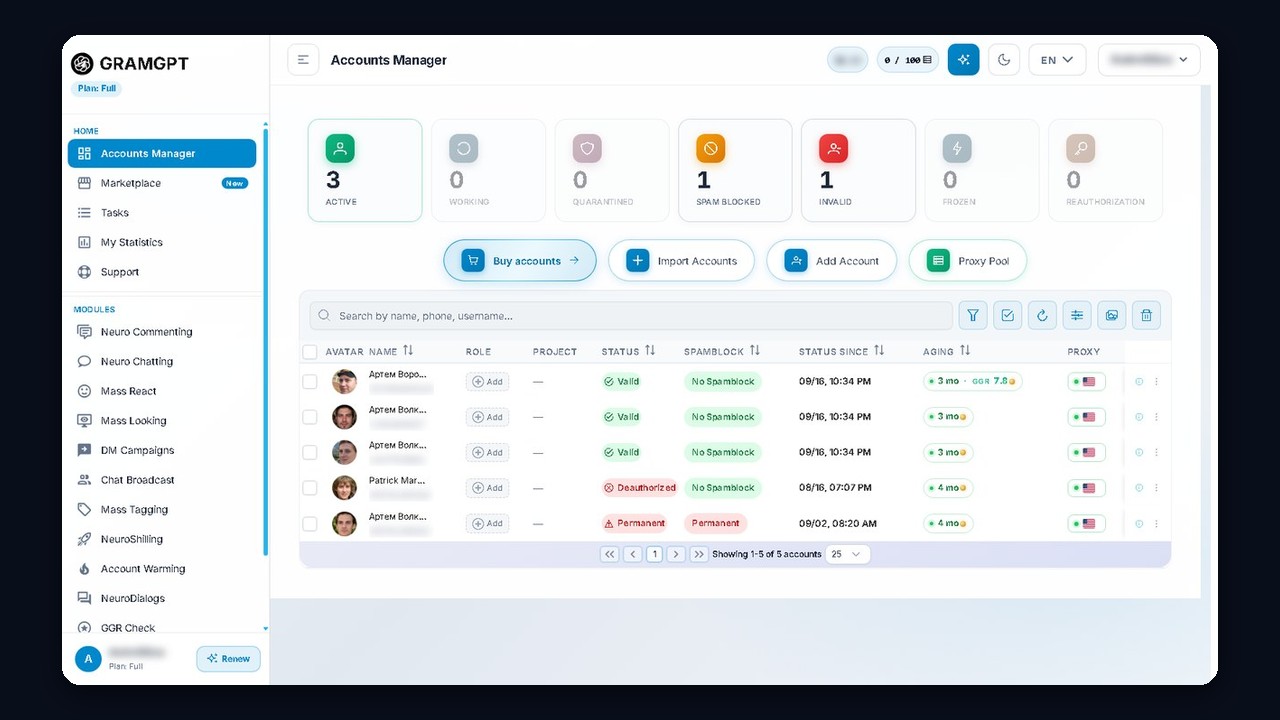
Here is the workflow:
- Select the accounts and open Accounts, then AI profiles.
- Tick what to change: name, username, profile photo, bio.
- Set the title. One for all, or a pool spread across accounts.
- Set the username. AI generates it from the current titles, or you upload your own pool.
- Keep Safe mode on. It pauses between accounts to stay within limits. Then check the preview and start.
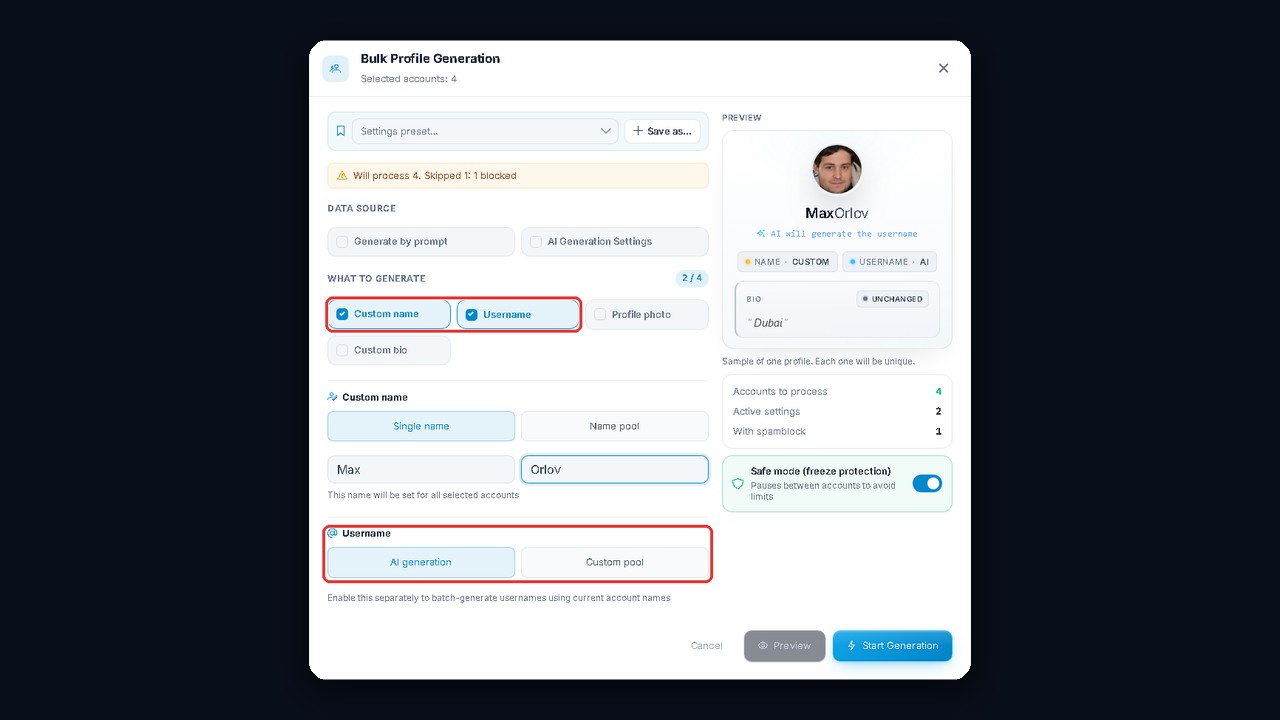
The right side of the window shows a sample profile, and every next one comes out unique. Our channel's video walks through the manager in more detail; it has English auto-dubbing.
Besides, the account manager is free. Once the profiles look human, they go to work in modules such as neuro commenting and mass looking, where people click straight through to the profile.