You plan a feed about city news, gaming news or an AI model, yet readers should never see your name, phone number or personal page. So the question of how to set up an anonymous Telegram channel comes up before the very first post.
However, most people simply start from their main profile and assume that is enough. Yet a signature under a post, the admin list, a t.me link with digits or a forwarded message can expose the author within a minute. After that, lookup bots do the rest.
That is why this guide explains how anonymity really works on the messenger during 2026: where the owner shows up, how to launch from a dedicated login, then how to run and grow the project, with AI OFM, news, gaming and sports channels as examples. We will also show a multi-profile setup with GramGPT.io.
Is Telegram anonymous? What an anonymous Telegram channel hides
An anonymous Telegram channel is a project that cannot be traced back to a real person. Moreover, the app itself never shows the creator: the info page lists no owner. Still, authors give themselves away through details that are easy to miss.
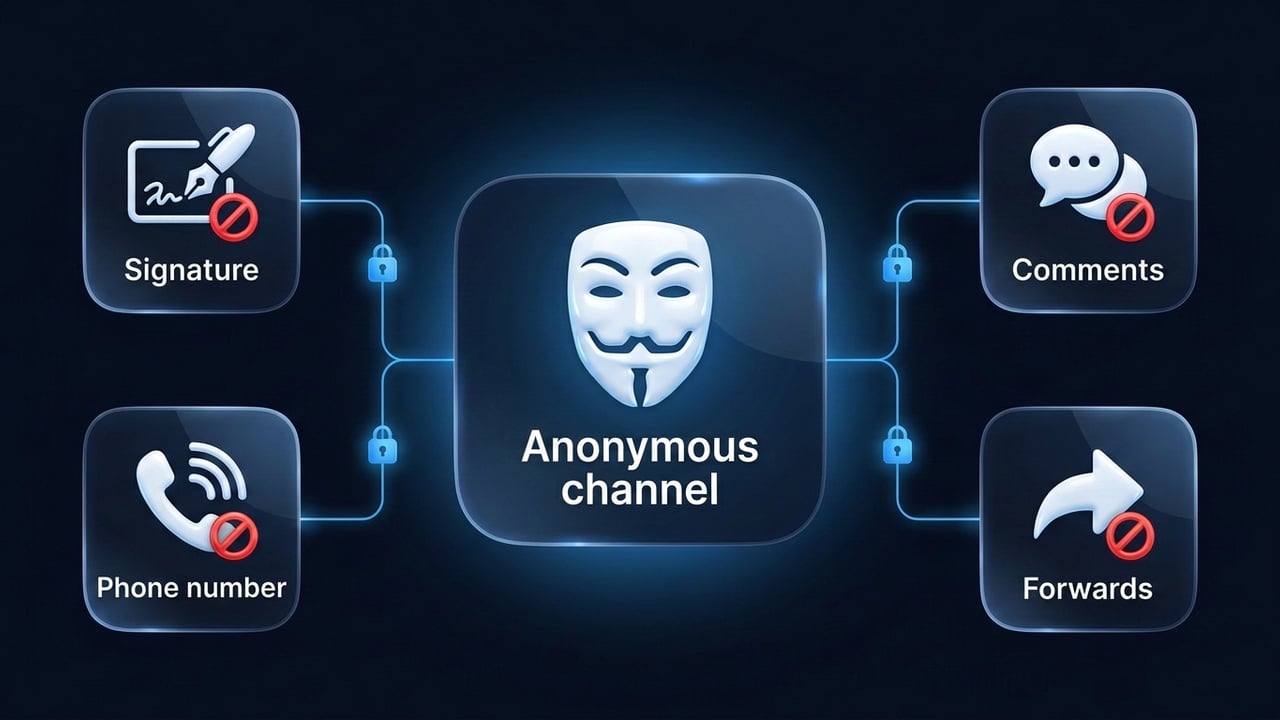
| Where the author shows up | How it happens | How to close it |
|---|---|---|
| Post signatures | "Sign messages" is on | turn the option off |
| Phone number | visible to everyone, searchable | "Nobody", search for contacts only |
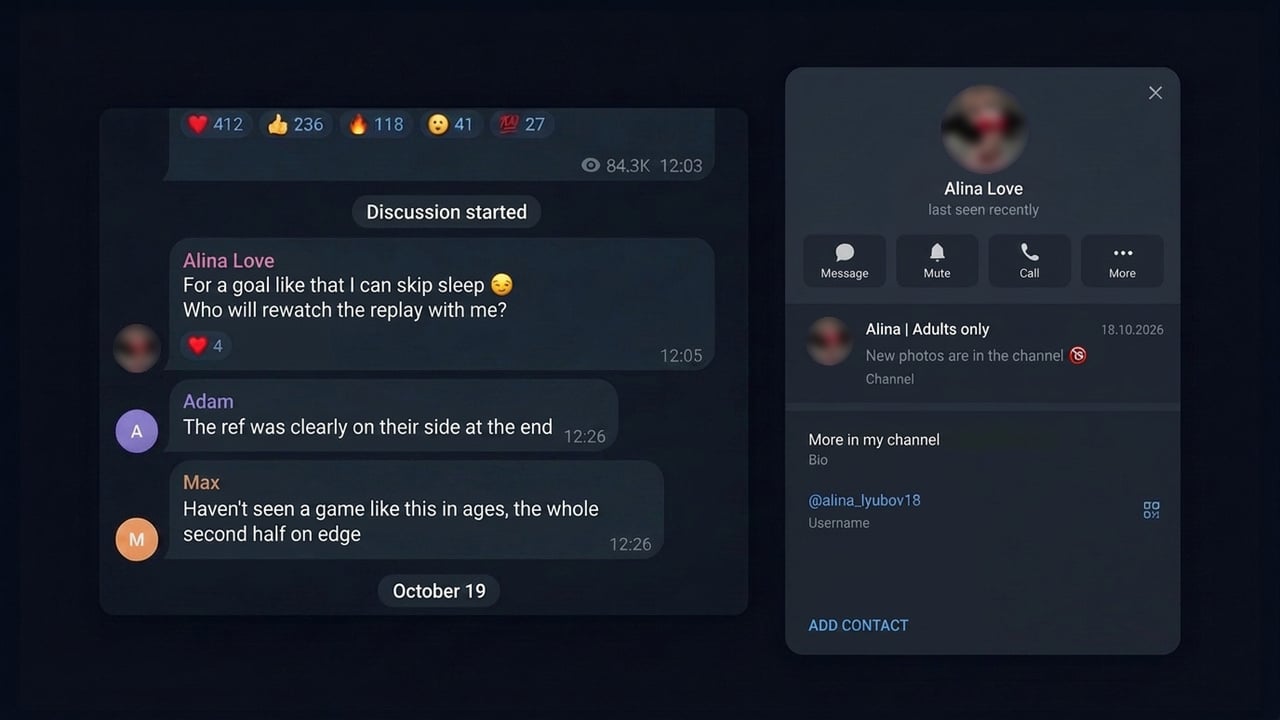
| Discussion group | the admin replies as a real person | reply anonymously |
| Forwarded messages | the sender's name links back to you | forwarding set to "Nobody" |
| Bio links | own @username, a t.me/+ link | a feedback bot |
| Photos and texts | geotags, reflections, a familiar style | strip metadata, change habits |
Put simply, the feed stays hidden only as long as the admin behind it stays hidden. So that is where the work starts.
Can someone find out who owns a Telegram channel?
There is no official way. Even so, owners get identified by indirect clues: an admin signature, a private handle inside the description, comments from a real account, an open number. On top of that, the messenger's privacy policy allows it to share contact data and IP addresses with a court. Briefly, secrecy protects you from readers and competitors, but not from an official request.
A dedicated account as the starting point
The most common mistake is launching from an everyday profile. Even if you lock it down later, traces remain: shared groups, old chats, the digits saved to other people's phones. That is why an anonymous Telegram channel should start on a separate identity with no link to you.
Where to get a SIM
- A +888 number. It is bought on Fragment for TON, so no SIM card is needed. The price is high, but the number is not tied to a passport.
- A second SIM card. This is cheaper, but the carrier knows who you are, so the cover is partial.
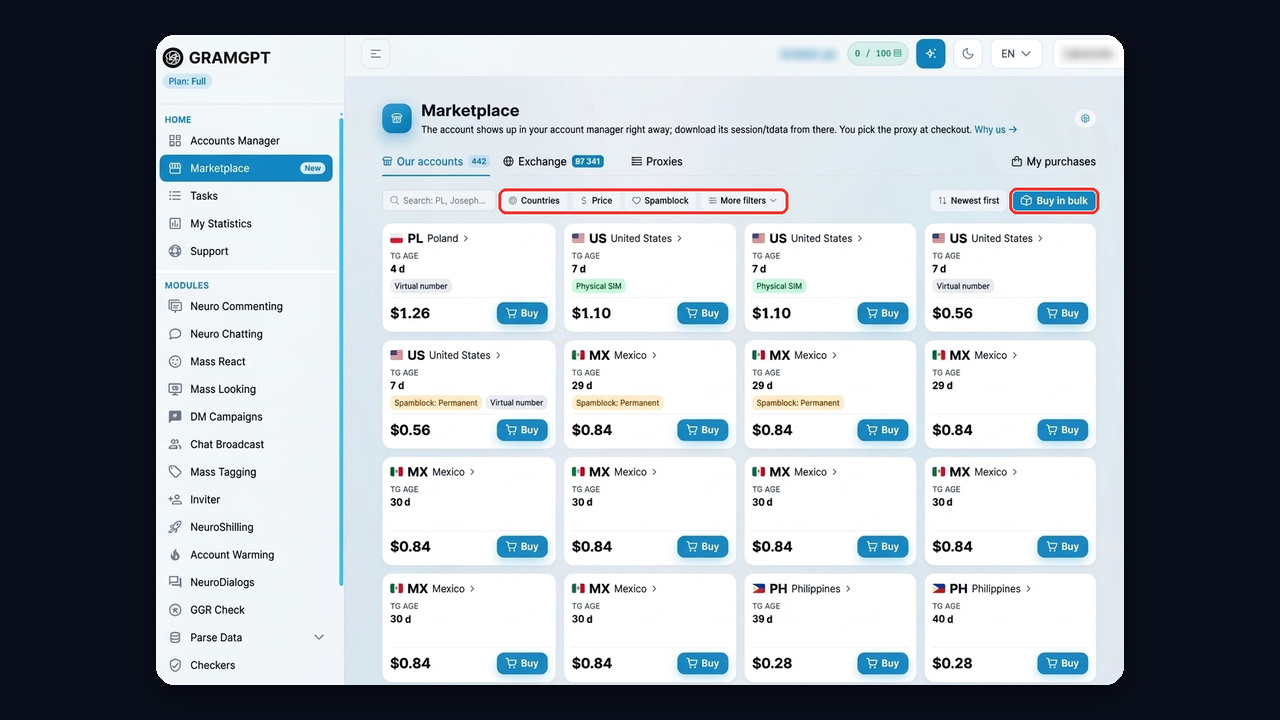
- A ready-made account. For example, a verified one from a marketplace costs from $0.40, is already aged, with no link back to you.
Registration always needs a phone: a SIM or anonymous digits. A purchased account solves two problems: the SIM is registered under another name, while the warm-up is already done. Choosing is covered by our guide on buying ready accounts. Moreover, a single dashboard keeps them together; more on that below.
Privacy options to change
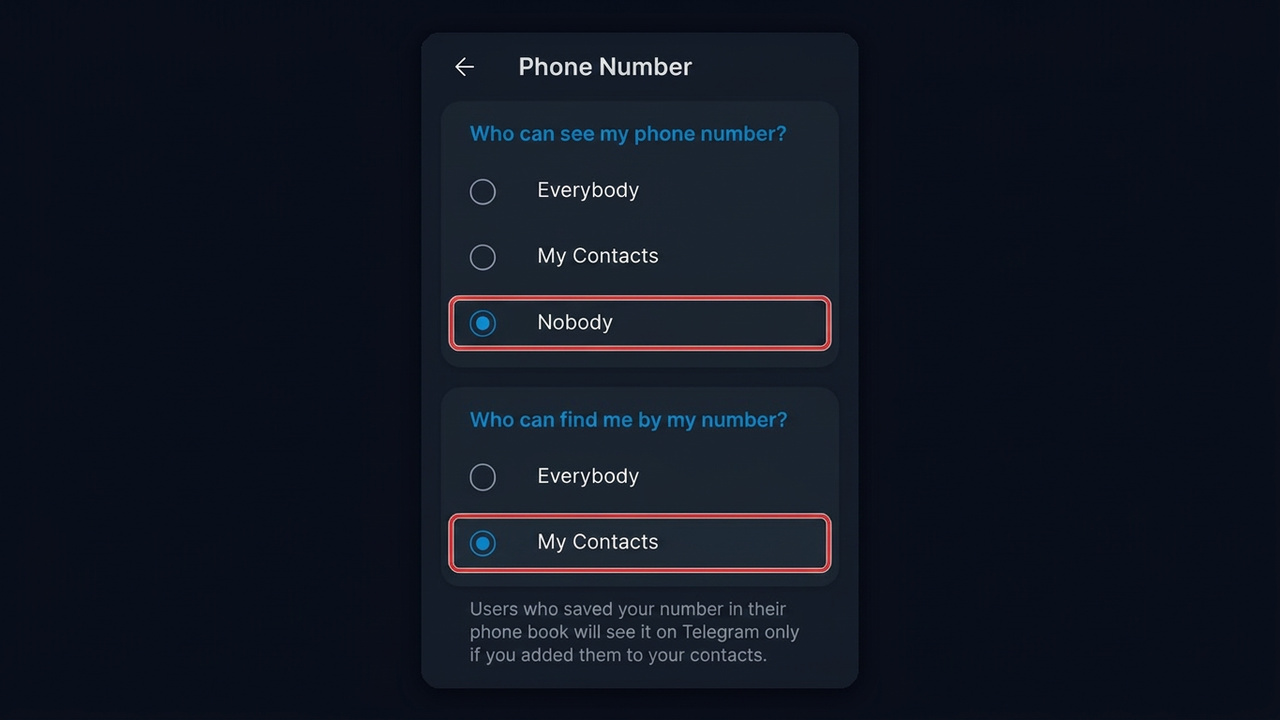
Next, close everything that points to the real owner. Under "Privacy and Security", set:
- Phone number: "Nobody", with search by digits for "My Contacts" only.
- Forwarded messages: "Nobody", so forwards don't lead back to the profile.
- Photo and bio: neutral, with no face or private links.
- Last seen and calls: contacts only or "Nobody".
- Two-step verification: a must, otherwise the login can be stolen with an SMS code.
For more detail, see our guides on how to hide your phone number and what "last seen recently" means.
How to create an anonymous Telegram channel step by step
Once the identity is ready, creating the feed takes five minutes. Above all, the key is to configure it right away.
- Create it from the new profile. Keep names, home cities and private links out of the title and description.
- Turn off signatures. Open the channel menu → Manage channel and switch off "Sign messages" so that posts go out without the editor's name.
- Set up the discussion. Reply there as the feed, then give admins the "Remain anonymous" right for the group.
- Add a contact. For example, instead of a private @username, point readers to a feedback bot.
- Pick the visibility. Choose the type with the table below.
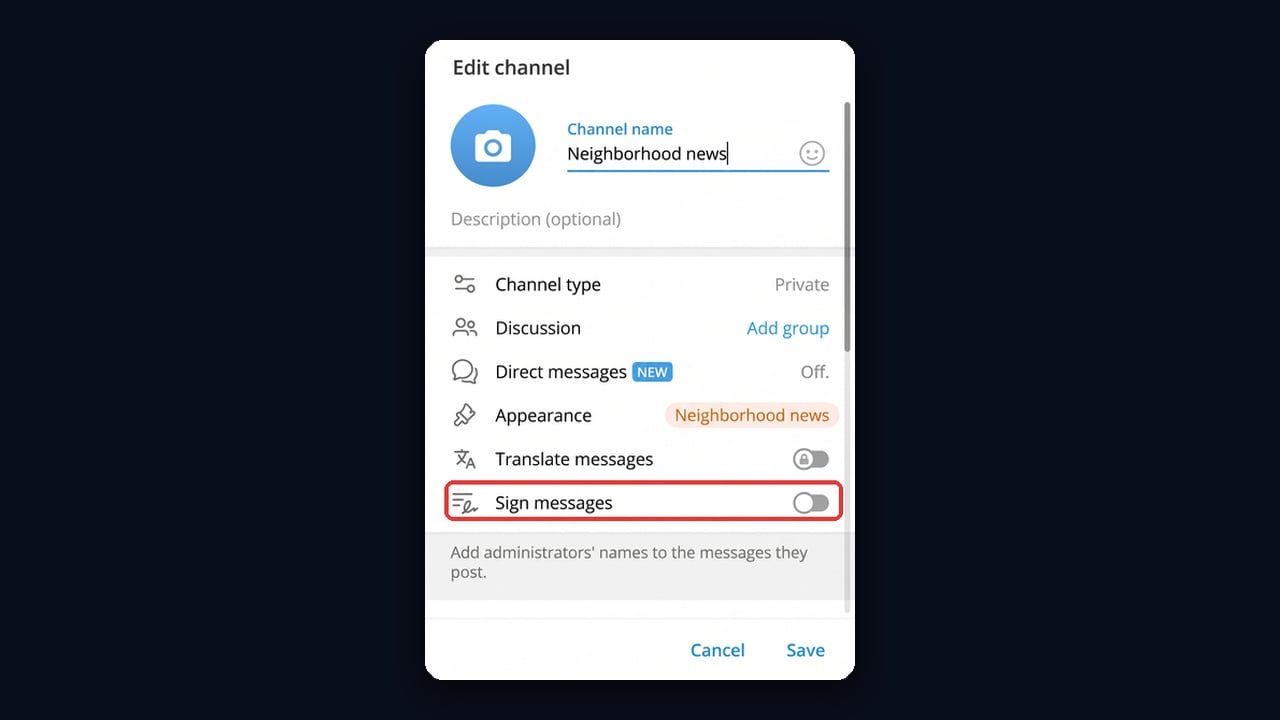
As a result, the admin stays invisible only with these settings. If even a single post or reply goes out from the real profile, the cover is gone. For the title, description and avatar, read our guide to feed design.
Public or private anonymous Telegram channel: which to choose
First of all, decide whether the project needs growth from search. The answer defines the type and the way readers will find it.
| Type | In-app search | How it grows | Best for |
|---|---|---|---|
| Public | found by title and @username | search, reposts, comments | news, niches, AI models |
| Private | not found | invite link only | closed clubs, paid content |
Remember that a closed feed does not hide the author by itself: a signature or a private contact exposes it just as easily. Therefore, the rules below apply to both types.
An anonymous starting point in GramGPT.io
Keeping a project private by hand gets hard: each login needs setup, and slips are easy to miss. For this reason, GramGPT.io brings the whole path into a single dashboard, for one feed or several.
- Accounts from the marketplace. You buy ready-made profiles with the right country and age: the SIM has nothing to do with you, and each one lands straight into the manager.
- Bulk privacy. Inside the account manager, select the profiles, open the "Privacy" window, then hide the number, forwards, photo and calls for all of them. The "Max privacy" preset does it with a single click.
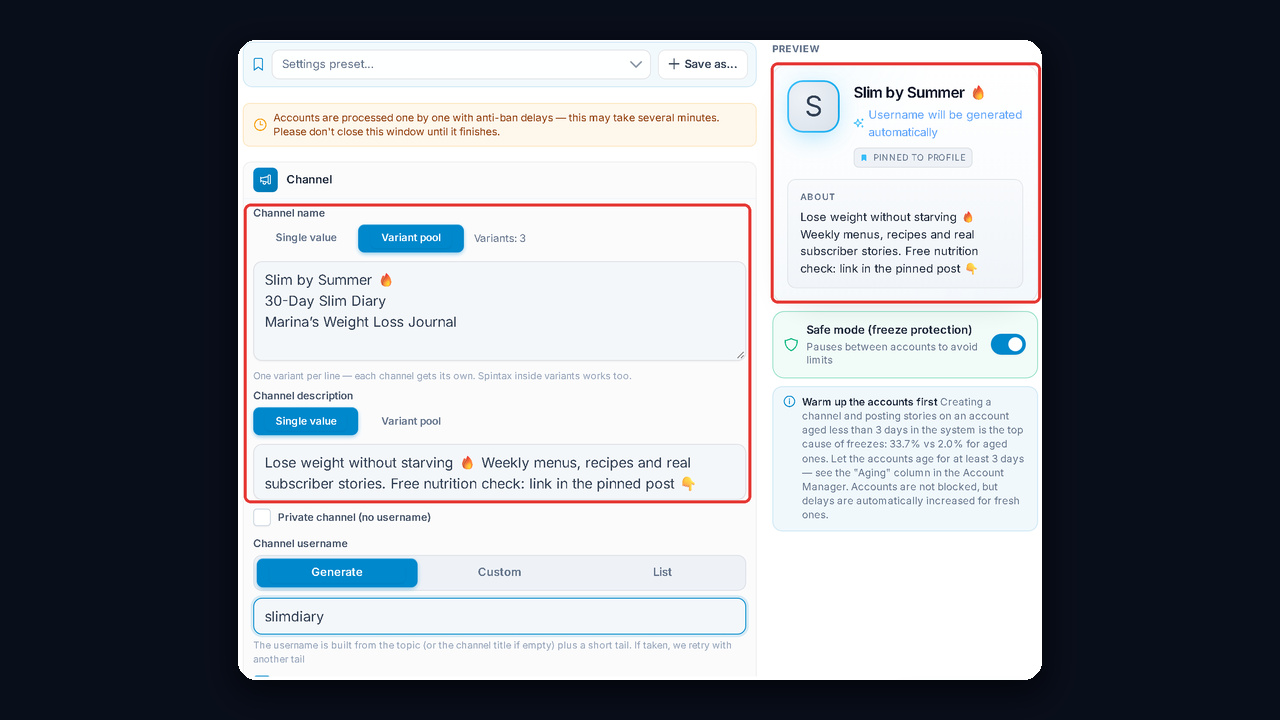
- Auto-creation. The "Create and pin channel" action builds a feed on each login with the title, description, avatar and first post that you set.
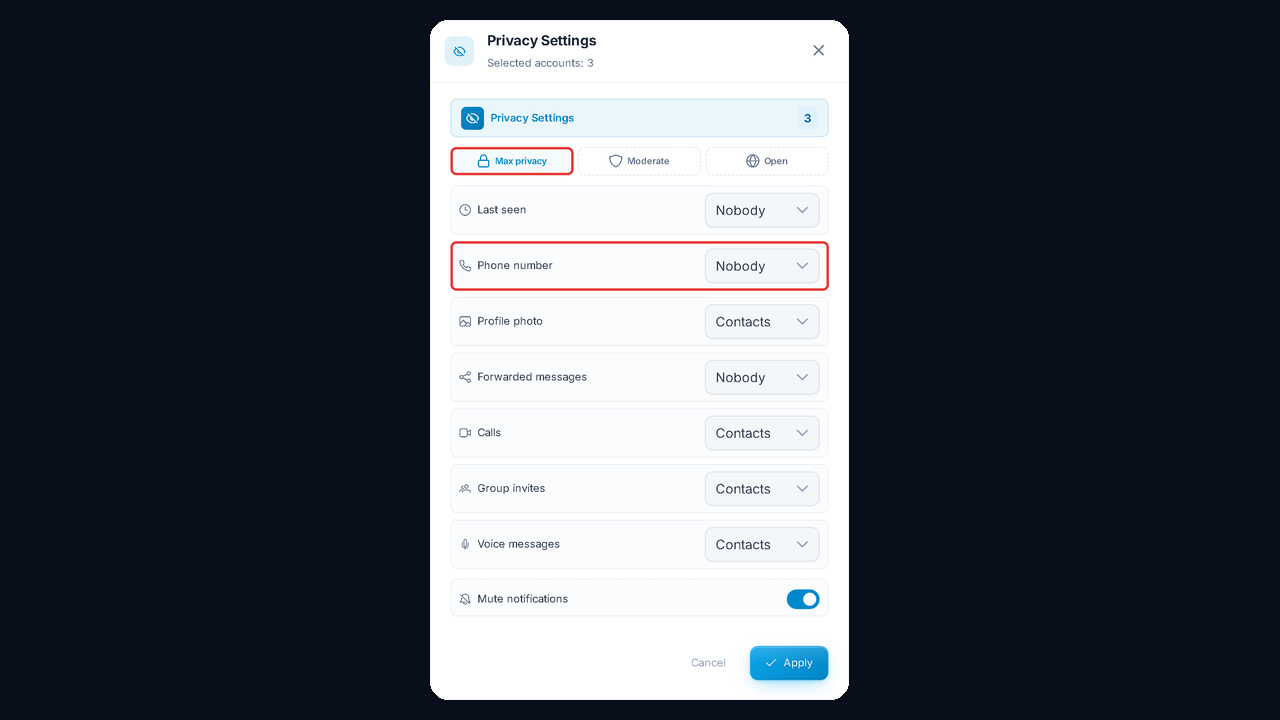
Consequently, each project gets its own clean starting point: a dedicated login, locked settings and tidy branding. Besides, none of them leads back to the owner.