You post a schedule change to the team chat, and an hour later three colleagues ask what time the call starts. The message sank under memes and voice notes. That is the moment most admins look for a way to tag everyone in Telegram with one command, the way Discord handles it. The app has no such button.
But typing thirty names by hand is slow, some users have no username, and the bots from search often ping only those who wrote recently. Large communities can even hide the roster from regular users.
This guide covers how to ping a single person, how to reach the whole room in 2026 without spamming it, which bots help and why a mention sometimes never arrives. We also show how story mentions get you noticed beyond your own chat.
Can You Tag Everyone in Telegram With One Command?
No built-in command exists. If you type @all or @everyone, the app treats it as plain text and nobody gets a notification. That is a deliberate choice, because a supergroup can hold up to 200,000 accounts, and one such ping could wake the whole community at 3 a.m.
What you get instead is a set of workarounds:
- Manual mentions by @username or from the member pop-up, fine for small rooms.
- A pinned message plus a notification for the whole room.
- Bots that build ping batches and split them up.
- Story mass tagging — built for reach, not urgent notes: it tags your members plus a new target audience from nearby groups and brings new subscribers. See method 4.
The right pick depends on size and goal. So before you tag everyone in Telegram, start with the basic building block: a single mention.
How to Mention Someone in a Group Chat
There are three ways to tag someone in Telegram, and all of them work the same on phone and desktop. Technically, a mention is a link to a profile placed inside your text. The recipient gets a separate notification, usually even when the conversation is muted, and an @ badge appears next to it on their chat list. Therefore, such a ping cuts through, while an ordinary line gets scrolled past.
Using the @username
Type @ followed by the handle, for example @AndreiSSea. The name turns blue, and the recipient can jump straight to it.
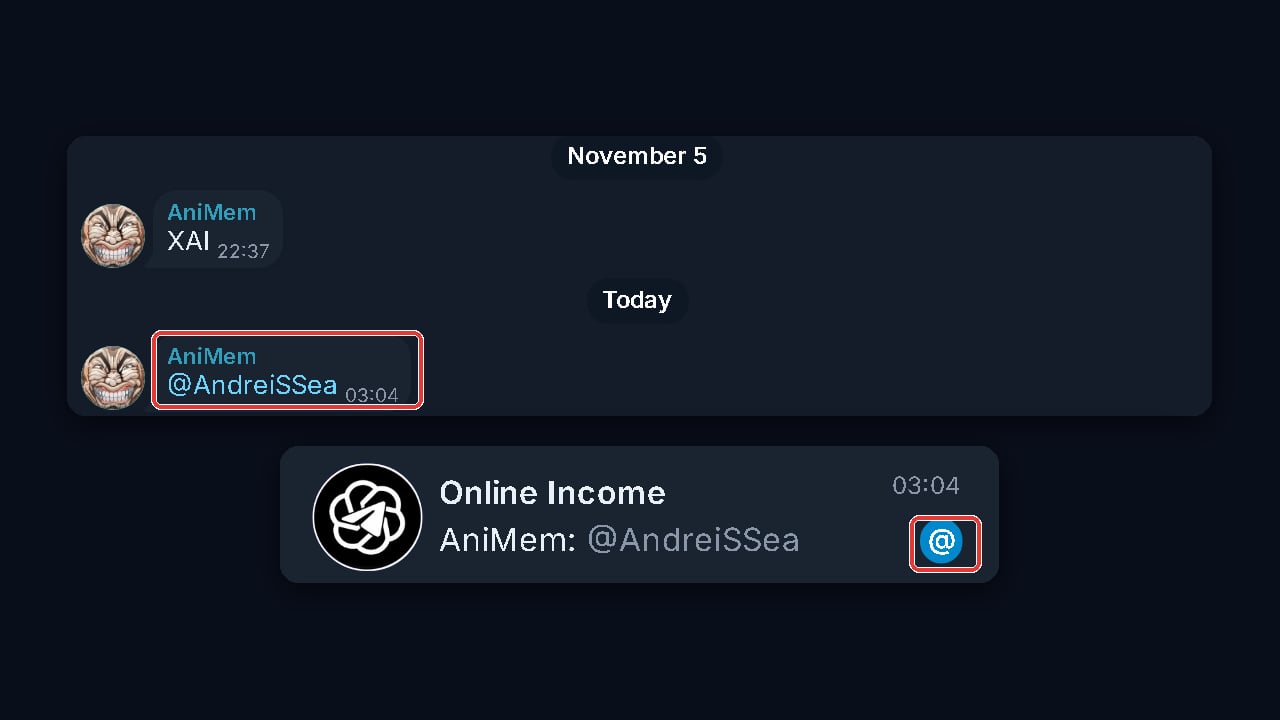
At the top, the message from the "Online Income" group contains nothing but the username, which is enough. Below, the recipient's inbox shows the @ badge. Channels and services with a public nickname can be mentioned the same way.
No Username? Pick From the List
When someone has no public handle, there is nothing to type. Instead, type @ into the message field and wait: a roster pops up above the keyboard. Tap the right person, and the app inserts a name-based mention behaving exactly like a regular one.
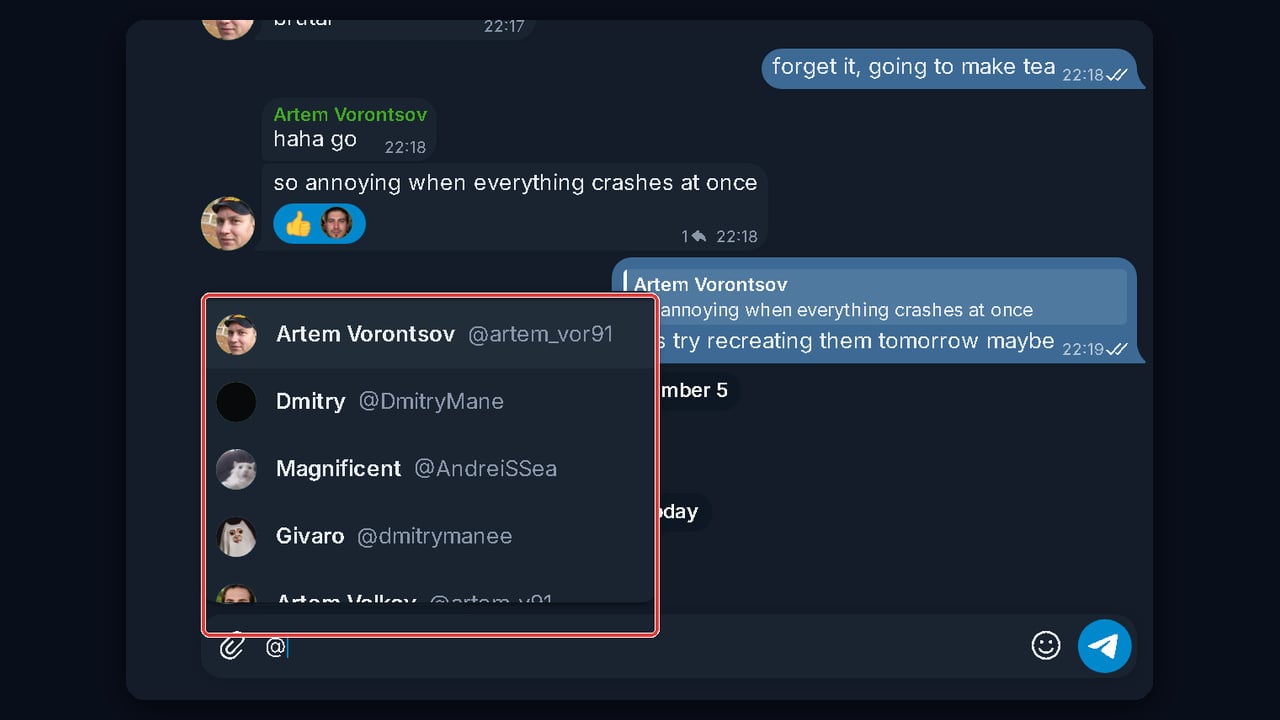
The pop-up shows display names and usernames, so typing a few letters narrows it down. For a 25-person group, "Art" leaves just the two Artems.
Replying to a Message
To continue a thread with one member, hit Reply on their text. The author gets notified without a separate mention, and the quote shows the context.
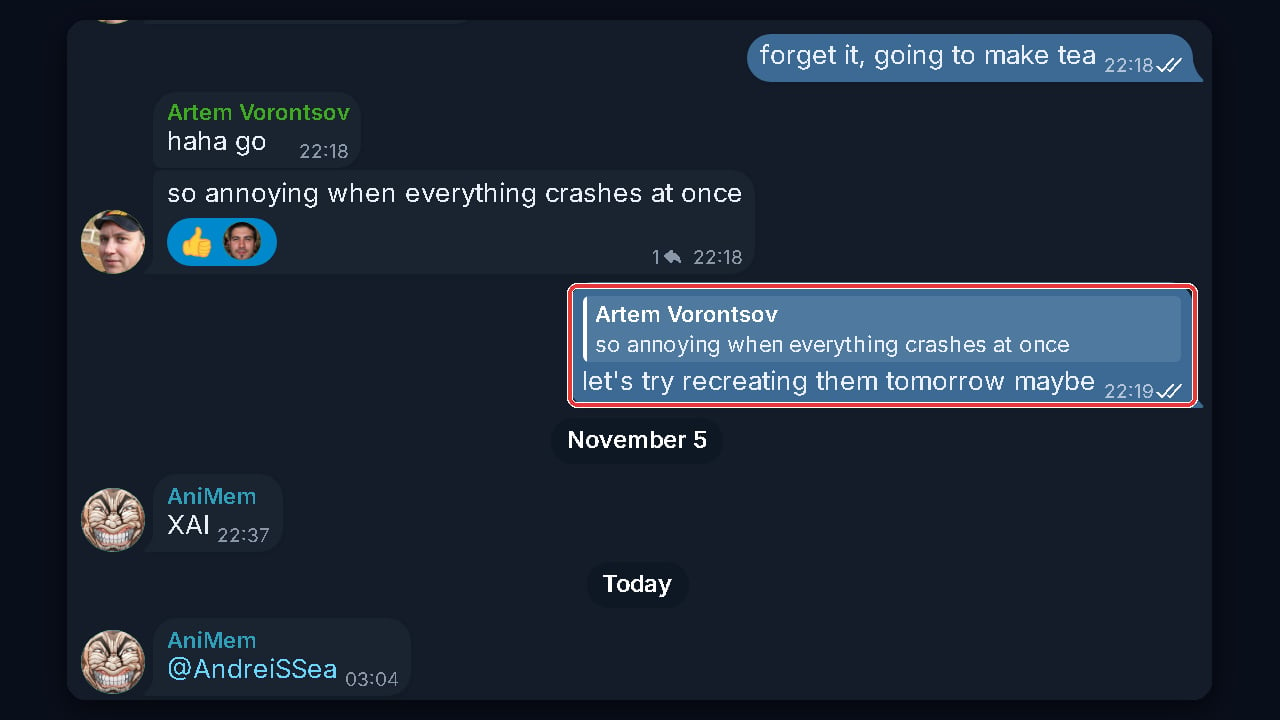
For example, on the screenshot, the reply quotes Artem's line on top and adds new text below. As a result, he is notified just as he would be from an @ ping.
Method 1: Tag Everyone in Telegram Manually
For a small chat this is the simplest way to tag everyone in Telegram. Type @, choose the first contact, add a space, repeat for the rest, then write the note itself, for example "standup moves to noon", and send.
To keep track of who is left, open the group profile and switch to the Members tab. It shows the full lineup, so you can tick names off as you go. A circle of 10–15 takes a couple of minutes.
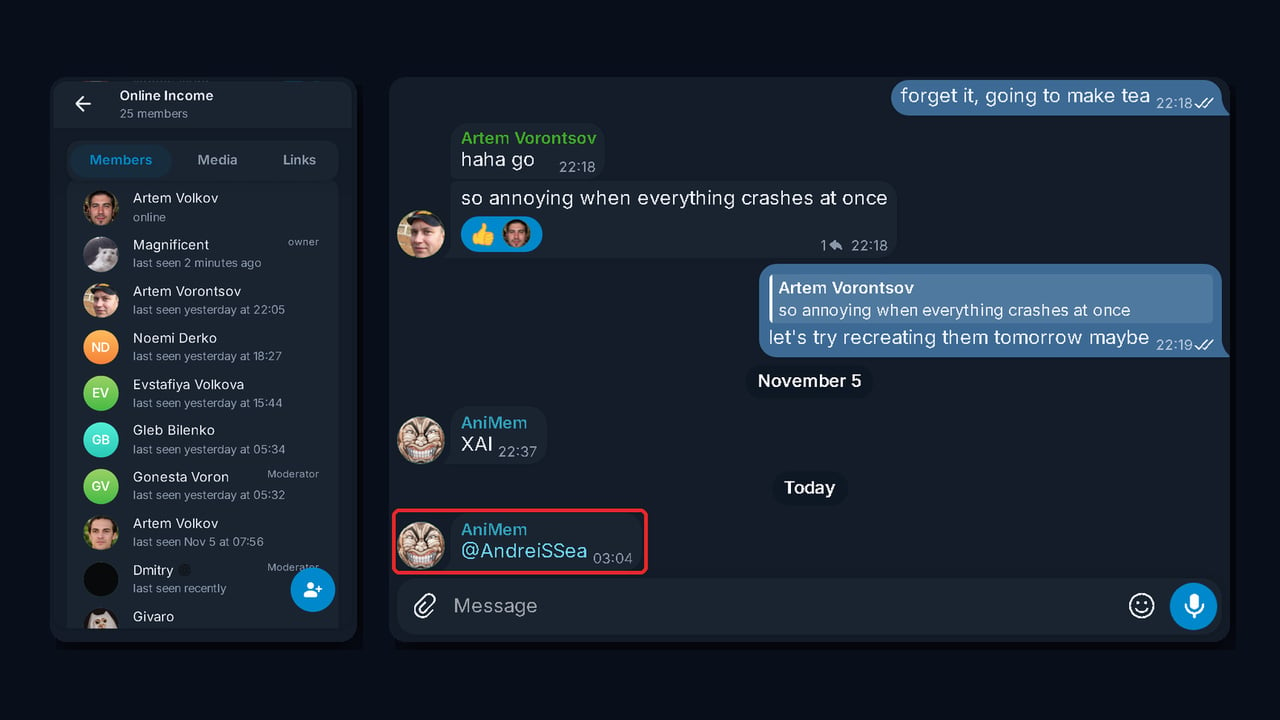
Roles are shown next to the names: owner and moderators. If the tab is missing or shows admins only, membership is hidden.
Where Manual Tagging Breaks Down
However, three problems show up as the community grows:
- Time. Pinging 80 users by hand eats half an hour, and you repeat it for each announcement.
- Hidden members. Groups with 100+ participants can hide the roster, leaving regular users with admins and recent posters only.
- Flood protection. A text stuffed with dozens of mentions may be flagged, and sending gets throttled for a while.
As a result, large communities rarely solve this with long name strings. Instead, they pin, or they automate it. And if you need to tag more people than the chat holds, such as the target audience of nearby groups, method 4 fits.
Method 2: Pin With a Notification to Tag Everyone in Telegram
This is the closest thing to @all inside the app. When an admin pins an update and leaves the notify box ticked, each member is notified, and the text stays on top of the conversation until someone unpins it.
Steps are the same on desktop and web:
- Publish the announcement or find an existing one.
- Right-click it (long-press on a phone) and choose Pin.
- Make sure the option to notify all members is checked, then confirm.
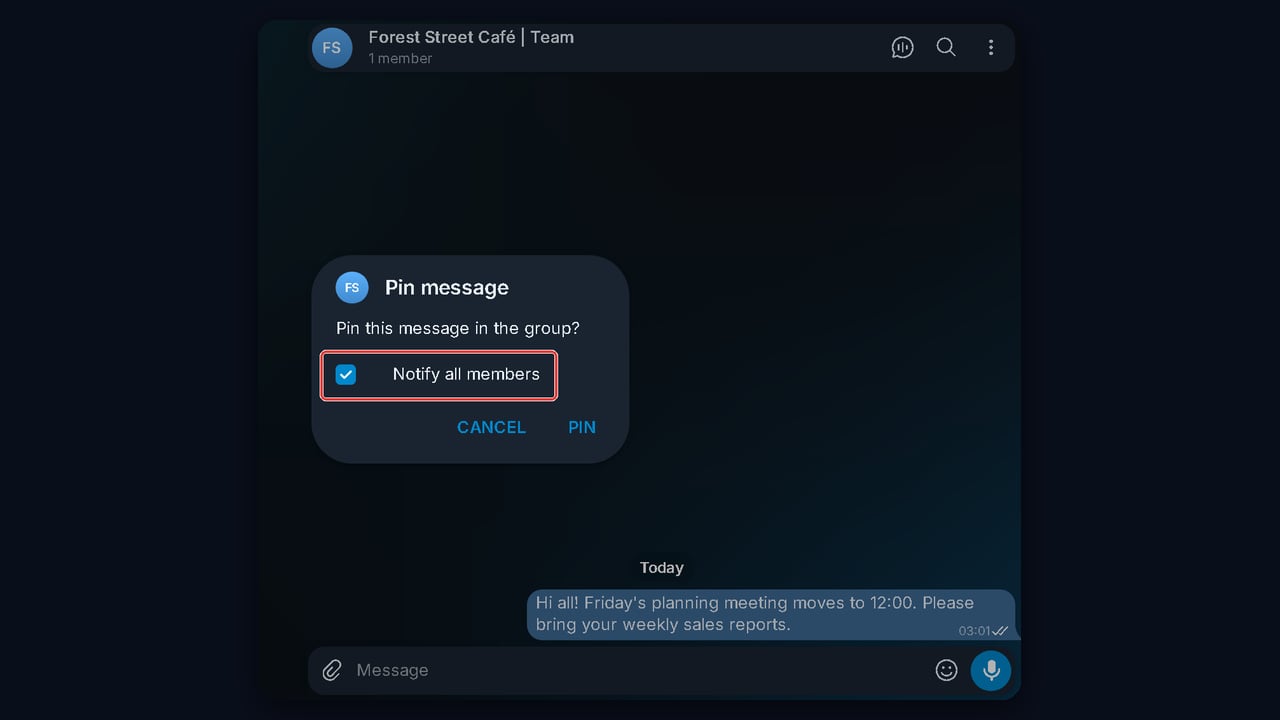
Only the owner or an admin holding the right permission can do this. Also, use it sparingly: if each update arrives as a ping, readers mute the room fast. Save it for a new time, a deadline or a rule change.
Note: pinning is not a personal mention. Readers see a general notice, but no @ badge appears.
A few habits make announcements land even without pings. Open with the key fact, bold the date and time, and keep the whole note under five lines. Readers skim notification previews, and a clear first sentence matters more than an extra exclamation mark. If a decision is needed, attach a poll right below: voting takes a single tap and quietly shows who has seen the update.
Method 3: Bots That Tag Everyone in Telegram Chats
If each participant must be pinged individually, you need a bot. They respond to a command by sending your text plus a set of @names. Search the app for terms like "tag all" or "mention all" to find them.
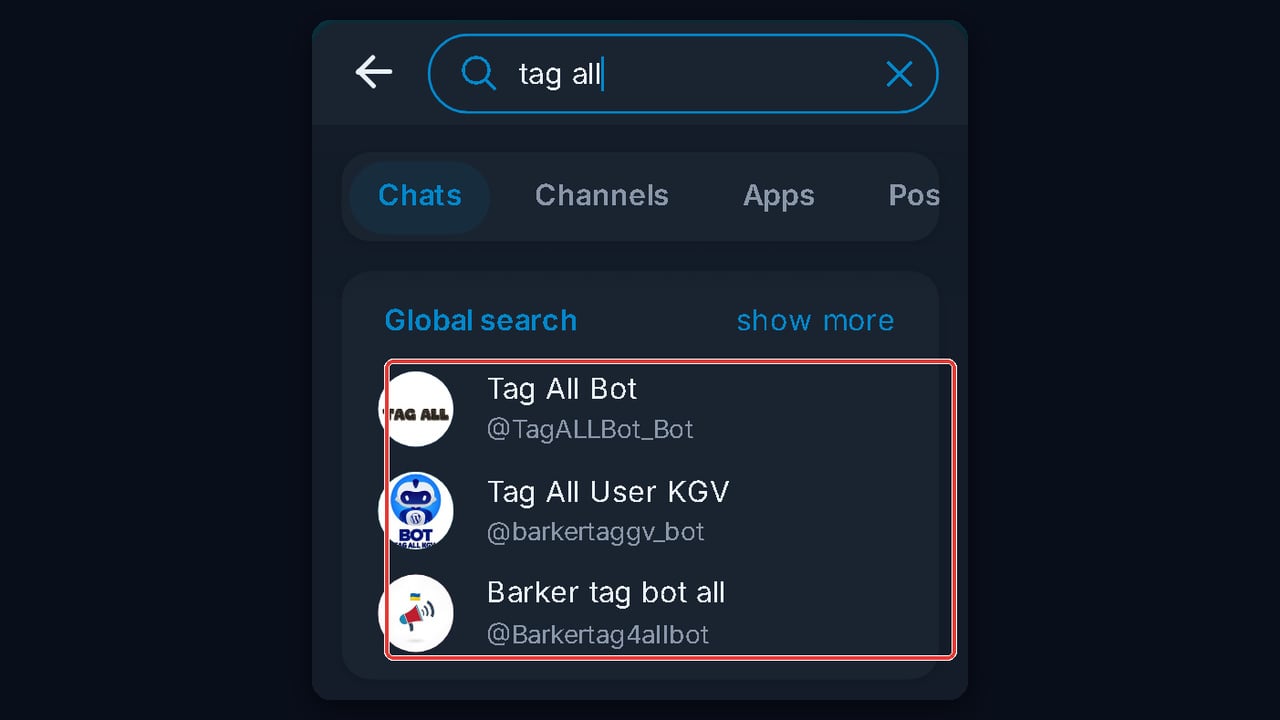
For instance, the screenshot shows results for that query: several tools with near-identical names. This is not an endorsement of any of them; vet each candidate using the tips below.
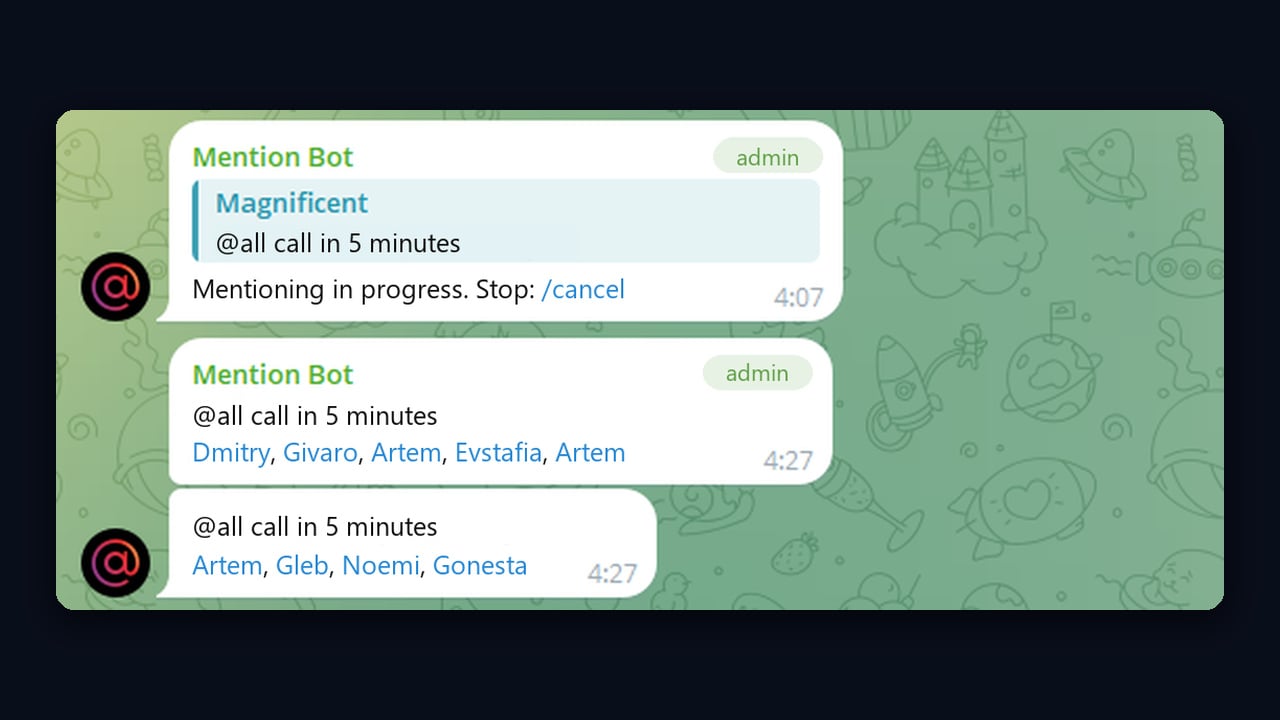
For example, here is how such a bot works: after the @all command, it replies "Mentioning in progress" and splits members into several posts of 4–5 names. Each person gets a personal alert, and /cancel stops the run.
Setting Up a Tagging Bot
- Open its profile and add it to the community from its profile or via Add Members.
- Make it an admin, otherwise it often cannot read the conversation or build a roster.
- Send the command from its description, usually /all, followed by your announcement.
Next, good tools split them into chunks of 4–10 per post, depending on the service, to stay under flood limits. This way, nobody from the batch is left out.
Why the Bot Misses Some Users
This is the top complaint, and the reason is technical: a regular bot cannot fetch the complete lineup of a community. It only knows those who posted after it joined, pressed its sign-up button or joined while it was present. Therefore, silent participants never make it into the batch. A message parser still finds them, and method 4 reaches them.
Some services run through a user account instead of the Bot API and see the full roster. The trade-off: you hand over account access, which is a matter of trust.
Safety Checklist
First, look at how many users it has and how long it has been around. Grant only the rights it needs: deleting content or banning users has nothing to do with tagging. Never enter a login code or password into a third-party service that promises to "ping all without admin rights". For background on what such helpers can and cannot do, read our beginner guide to bots.
Method 4: Story Mass Tagging for Members and New Audiences
All methods so far work inside a single conversation. Yet often the goal is broader: remind folks from neighbouring topic groups that you exist, or bring back regulars who stopped opening your room. A story mention does that: the recipient gets a private "mentioned you in a story" notice and taps through.
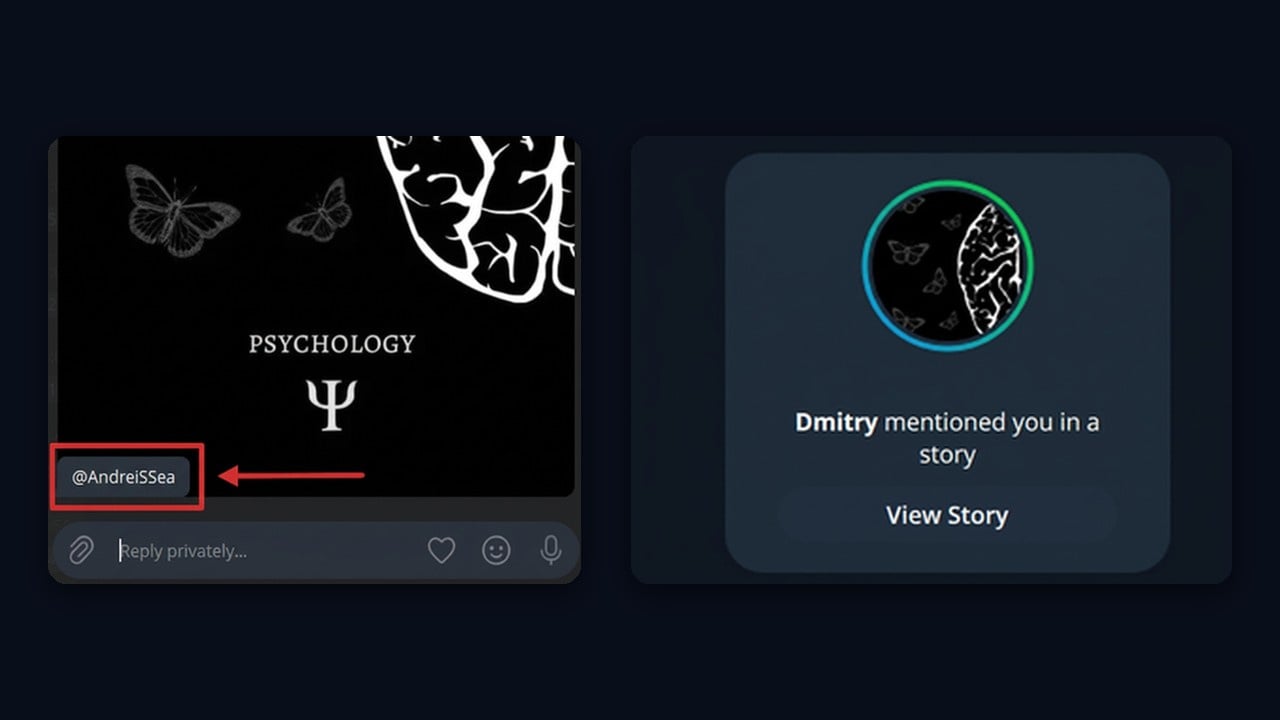
By hand this works for a couple of friends, and our stories guide explains what to show in them. For hundreds of targets you need a tool spreading mentions across stories, keeping pauses and staying within account limits.
A Combined Approach: Stories Plus the Chat
So, to tag everyone in Telegram without hitting limits, pair story mentions with tools inside the chat. From our experience, a safe benchmark is about 50 mentions per day per account. However, mind the speed: urgent notes need a pin or a bot, while mass tagging serves reach. For hundreds of people, spread mentions across several accounts (see how to buy Telegram accounts).
- Several stories. Up to 5 people each, not the whole list at once.
- The chat in parallel. Across related groups, pin a notified message, then run an @all bot.
- A link inside. Add a channel button or a post link, so people act at once.
- Beyond your members. Also tag channel subscribers as well as your target audience from niche chats, turning mentions into a source of new traffic.
Tip: fewer tags per story, more stories. Instead of 5 tags per story, use 2–3 across several; Telegram tends to be more lenient with that rhythm. Before mass actions, warm up the accounts.
How It Works in GramGPT.io
In the mass tagging module you upload a target list, a creative and a caption. Most campaigns aim at competitor and adjacent communities, but you can also mention selected people from your own group, for example the most active ones before a giveaway. The system publishes a series of stories from your accounts and marks 2–3 accounts each time.
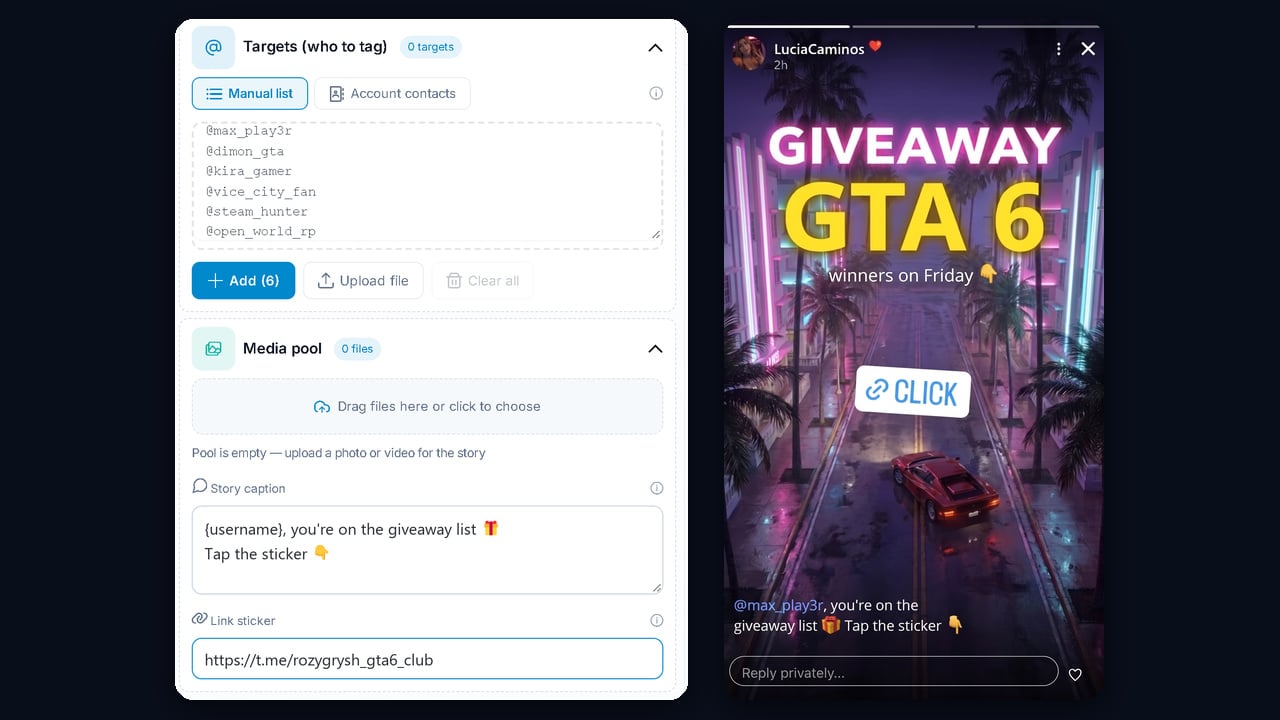
The example is a giveaway campaign: the caption uses the {username} template, so each recipient sees their own handle, and the "Click" sticker leads to the channel. Besides, a clickable link sticker requires Telegram Premium on the posting account.
As a result, mass tagging brought our gaming channel 125 join requests; see the gaming growth guide.
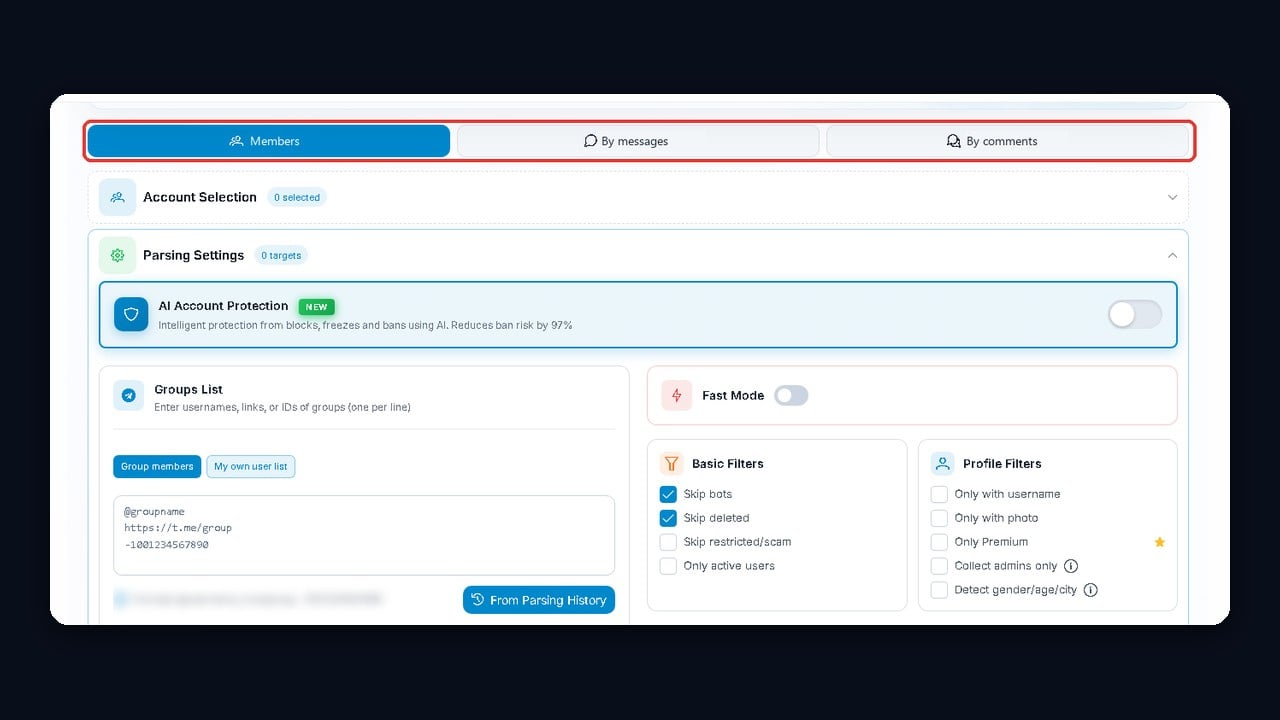
The target list comes from the user parser: members of niche communities, active posters and commenters. Premium accounts plug into the free account manager, where each account keeps its own proxy.
Groups vs Channels: Where You Can Tag Everyone in Telegram
Everything above applies to communities of any size. Channels, however, behave differently, because subscribers are an audience rather than participants.
| Type |
Pinging a single person |
Reaching the whole room |
| Small group |
@username, pop-up after @, reply |
Manual mentions, a notifying pin |
| Large group |
Same, but membership may be hidden |
A notifying pin, a tagging bot |
| Channel |
An @name in a post does not alert subscribers |
An update with sound on, pinning, a poll in comments |
Moreover, channel followers already receive each update unless they muted it. So there is nobody to ping: the format, pinning and comments do the work.
Why You Cannot Tag Everyone in Telegram: Common Failures
Sometimes you are sure you tagged someone, but they saw nothing. Here are the usual reasons and fixes.
| Symptom |
Cause |
Fix |
| The name stayed black |
A typo, or no public nickname at all |
Pick the contact from the @ pop-up |
| Person not in the pop-up |
The roster is hidden, or they left |
Reply to their message or ask an admin |
| No pop-up alert |
App notifications are off in phone settings |
The @ badge still shows; ask them to check settings |
| Some people were skipped |
The helper only knows those who posted while it was there |
Ask users to press its button, or pin instead |
| Message failed to send |
Flood protection kicked in |
Spread them across several messages with a pause |
Most of the time, picking someone from the pop-up instead of typing their username fixes it. If size is the real limit, move to a pin or automation.
Conclusion
You cannot tag everyone in Telegram with one command, but other tools cover the job. This table shows which one to pick:
| Task |
Method |
Speed |
| Call up to 15 people |
@username or the pop-up after @ |
instant |
| Urgent announcement |
Pinned message with a notification |
instant |
| Each member by name in a big group |
A bot with admin rights |
1–2 minutes |
| New audience from nearby chats |
Story mass tagging |
within a day |
Finally, mind hidden rosters and flood limits, and split long batches.
To reach people beyond your chat and win new subscribers, use story mass tagging, the 2026 answer that GramGPT.io automates.