You found a lively competitor channel and want its subscribers, but the messenger does not show them. Bots that promise to "export followers" send random profiles at best and take your money at worst. Meanwhile, real people write under every publication, and GramGPT will scrape users from Telegram comments for you.
So instead of subscribers, collect the commenters: they are the most engaged readers. Below we explain why subscribers stay hidden and how to scrape users from Telegram comments under channel posts in GramGPT.io. We also cover limits, filters and what to do with the result.
Can you scrape a channel's subscribers?
No: only the admin sees who is subscribed, and not in full. That is why no service honestly exports someone else's subscribers. However, a public thread shows every author's name, username and ID.
Part of the readership is visible through what it writes in the thread. Unlike classic exporters, it works even when the subscriber roster is hidden. These are not dead profiles but real readers who react to what they see.
The module has three modes: Members, By messages and By comments. You need the third one here. The tool goes through the latest publications, opens the thread under each and saves everyone who wrote there.
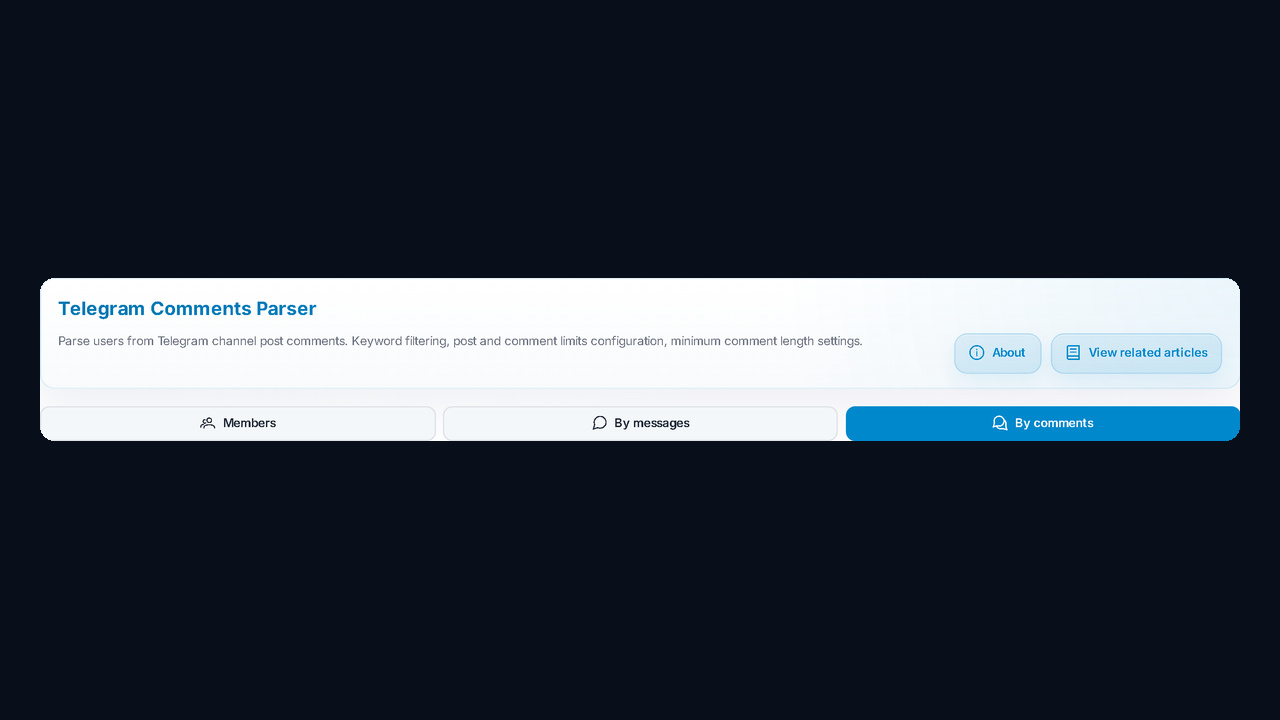
People often look for it as a "Telegram comment scraper", yet the output is not an archive of messages but a contact base: name, username, ID and profile link. Saving what they wrote is optional.
If you need everyone in a public group, the Members mode is handier: we covered it in the review of the user scraper for groups. For chats that hide their participants, use the hidden members scraper by messages.
Step 1. Accounts and presets
First, in Account Selection, move profiles to the Selected for Parsing column. One profile is enough for a couple of sources; for dozens, take several so the load is shared and the risk of a spam block drops.
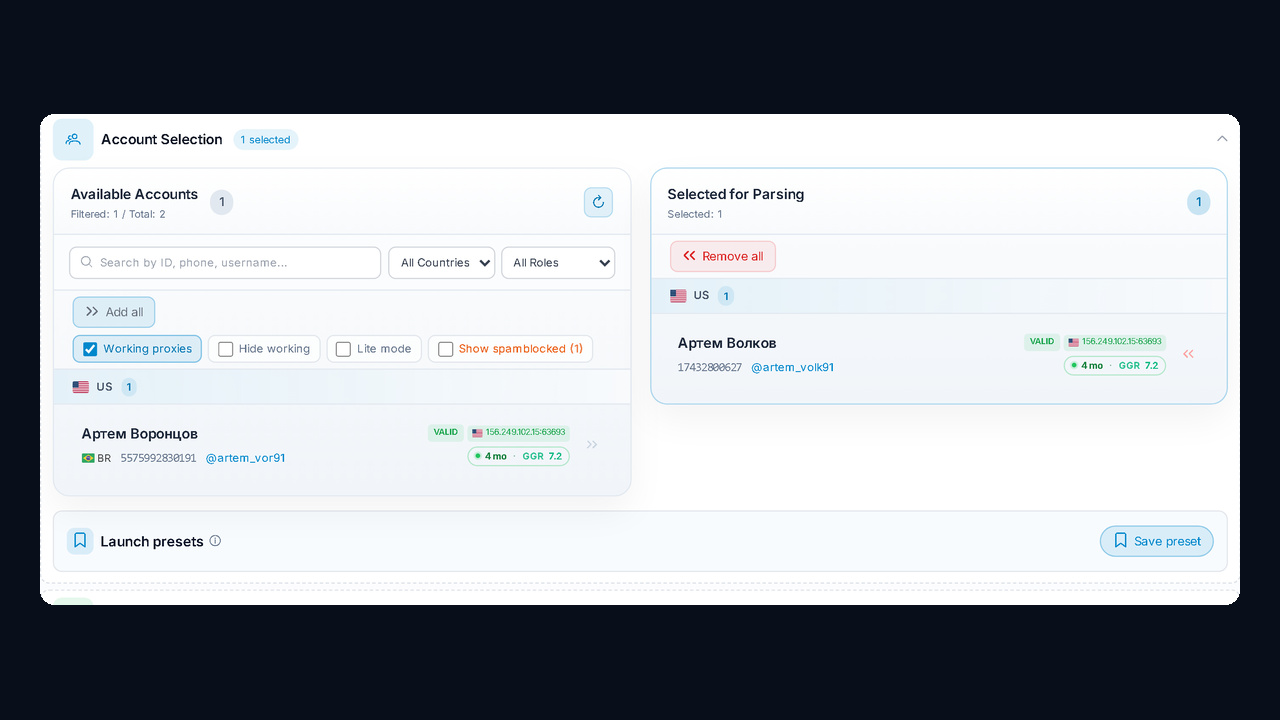
Good setups are saved as launch presets for next time.
Step 2. Sources with an open thread
Next, paste addresses into the Channels List, one per line: @name, t.me/name, a numeric ID or a t.me/+hash invite link to a private one. The key condition is an enabled discussion; otherwise there is nobody to collect.
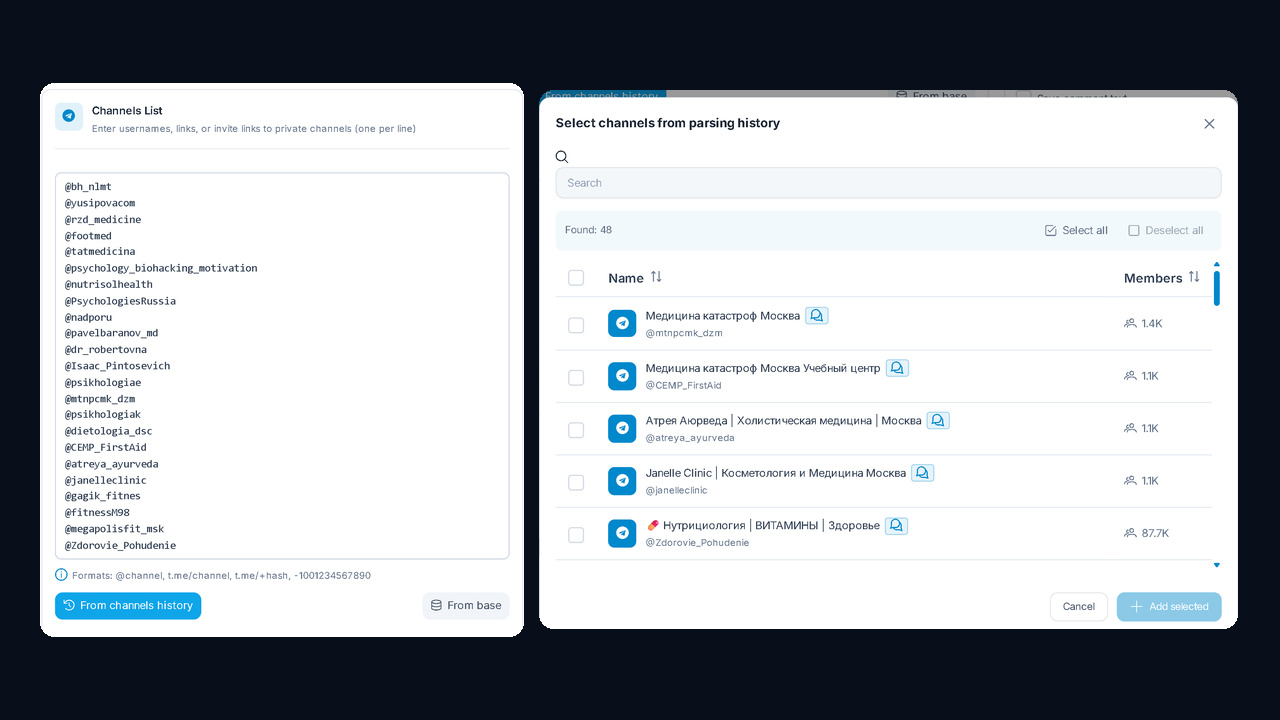
Your own feed and a competitor's both work: to collect the members who comment, you do not need admin rights. Finding them by hand takes long, so gather them first with the channel parser and its discussion filter, then add them via From channels history. Also, From base pulls them from your saved collection.
Step 3. Limits and keywords
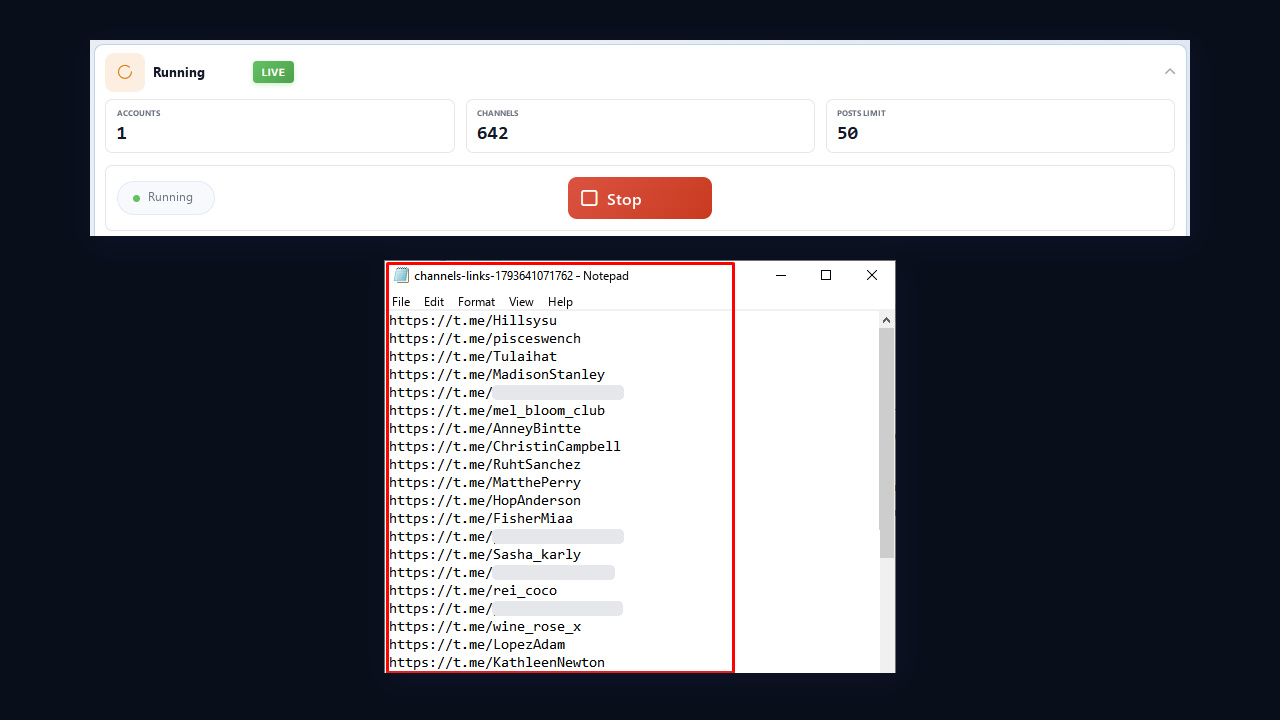
Then choose the depth. Posts Limit is how many recent entries to analyze in each, from 1 to 500. Comments per Post is how many answers to read under each one, from 1 to 1,000. For example, 50 entries with 100 answers each give up to 5,000 in total.
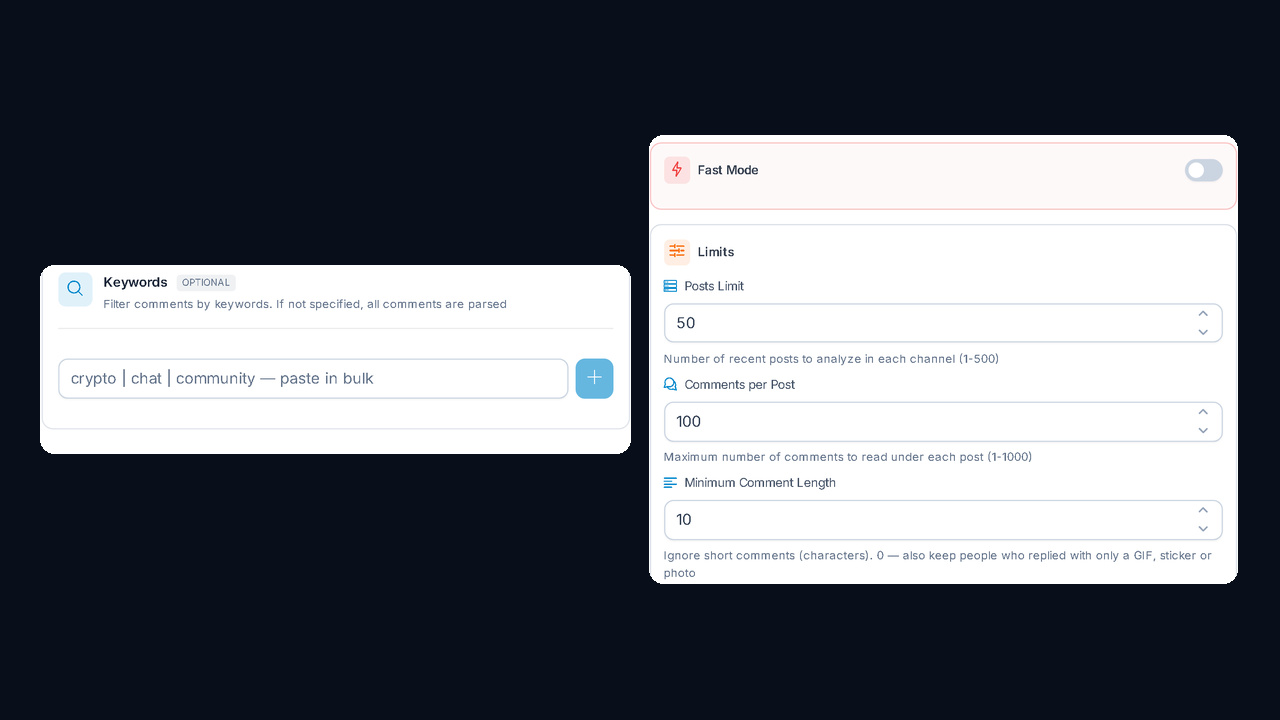
Also adjust Minimum Comment Length. A value of 10 drops "ok" and "+", while 0 keeps even those who replied with a GIF, sticker or photo. Keywords are optional: once you add them, you scrape users from Telegram comments that contain those words, such as "how much", "where to buy" or "any advice". This way you get buyers with a ready request.
Step 4. Filters and reply text
Filters remove junk before export. Basic ones skip bots, deleted and scam profiles; profile filters keep accounts with a username, a photo or Premium; Detect gender/age/city adds demographics. Only active users keeps those seen online recently.
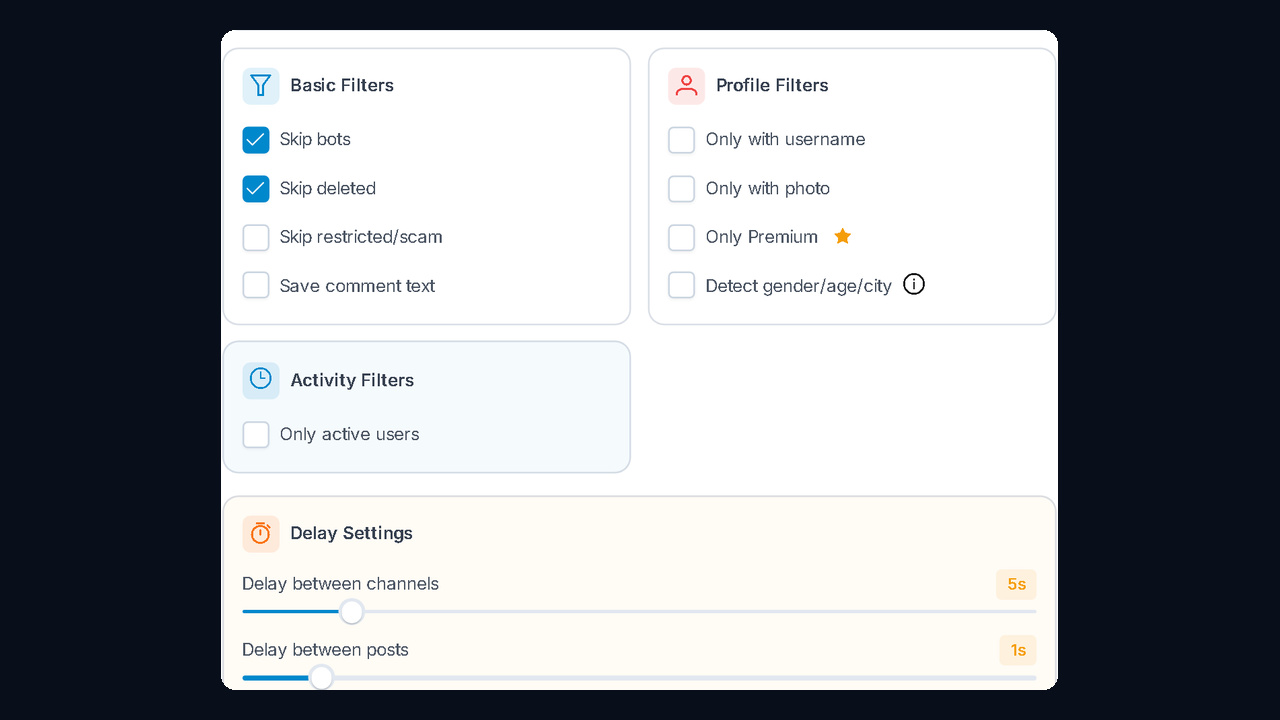
The Save comment text box is especially useful. With it, this scraper stores each person together with their reply, so you see right away who asked what.
Step 5. AI protection, delays and launch
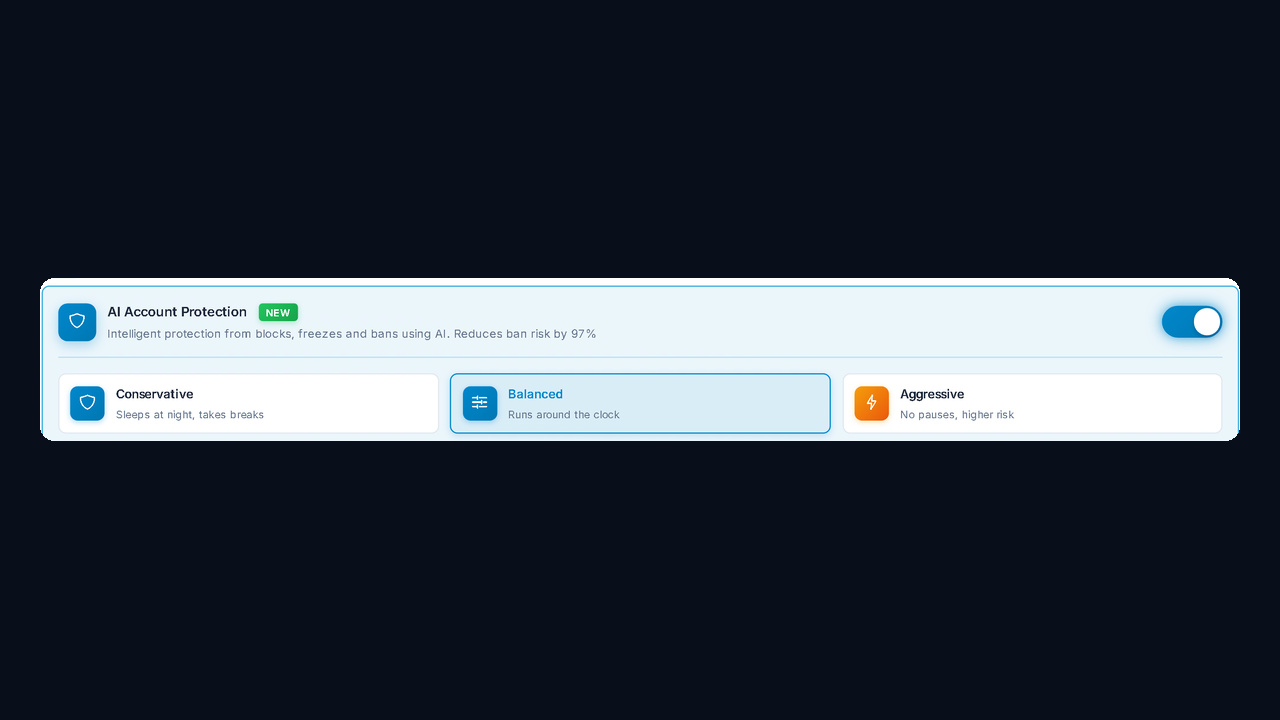
Hundreds of entries mean thousands of API calls. That is why, for large runs, you should enable AI Account Protection: it picks pauses on its own and, according to GramGPT, cuts the ban risk by 97%. Conservative sleeps at night, Balanced runs around the clock, and Aggressive goes without pauses at a higher risk.
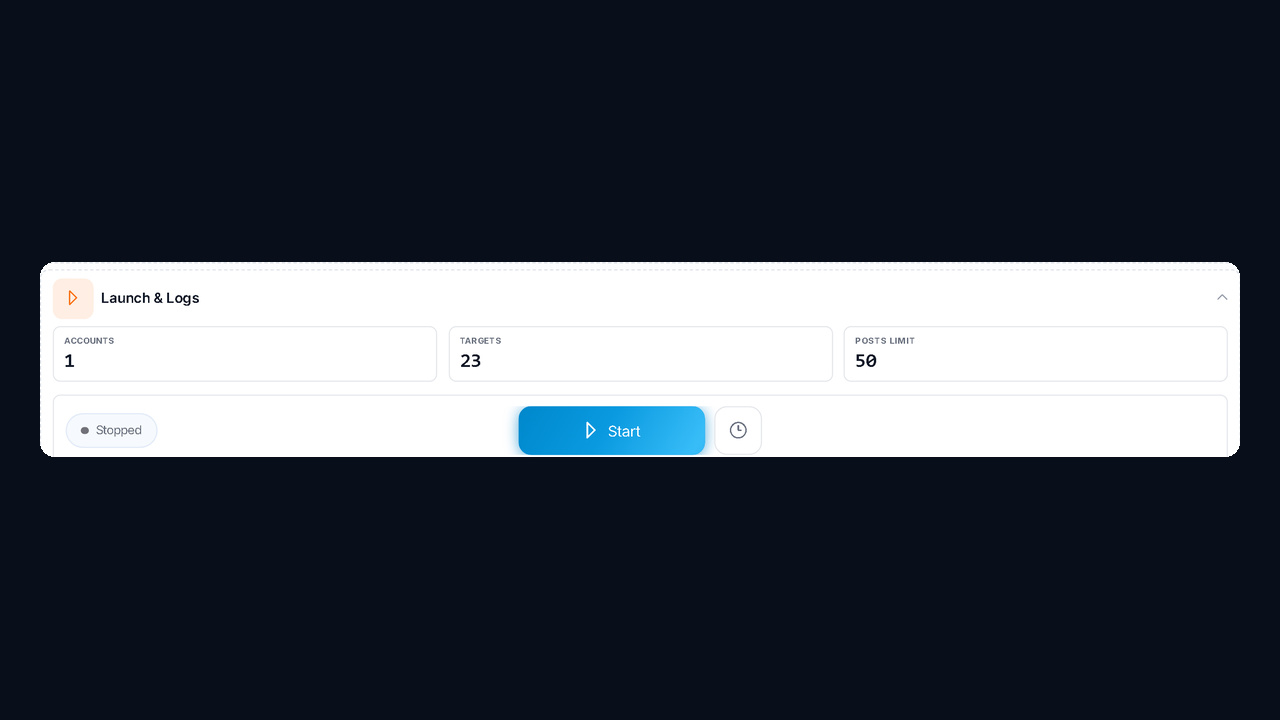
Without AI protection, delays set the pace: 5 seconds between feeds and 1 second between entries. Finally, Launch & Logs shows the profiles, targets and depth, and after you click Start the logs track the progress.
One setup does not fit every task. Here are starting values to adjust from.
| Task |
Posts Limit |
Replies per Post |
Min. length |
Keywords |
| Quick test of a feed |
20 |
100 |
0 |
none |
| Niche base from 10–30 feeds |
100–200 |
300 |
5 |
none |
| Hot leads with a request |
300–500 |
1,000 |
10 |
"price", "how much", "where to buy" |
| Experts and opinion leaders |
100 |
500 |
50 |
none |
Start with a quick test. If 20 entries give fewer than 30 authors, the readers are passive and a deep run will not pay off. Meanwhile, long answers of 50+ characters come from those who know the subject, so this threshold surfaces experts instead of those who just type "+".
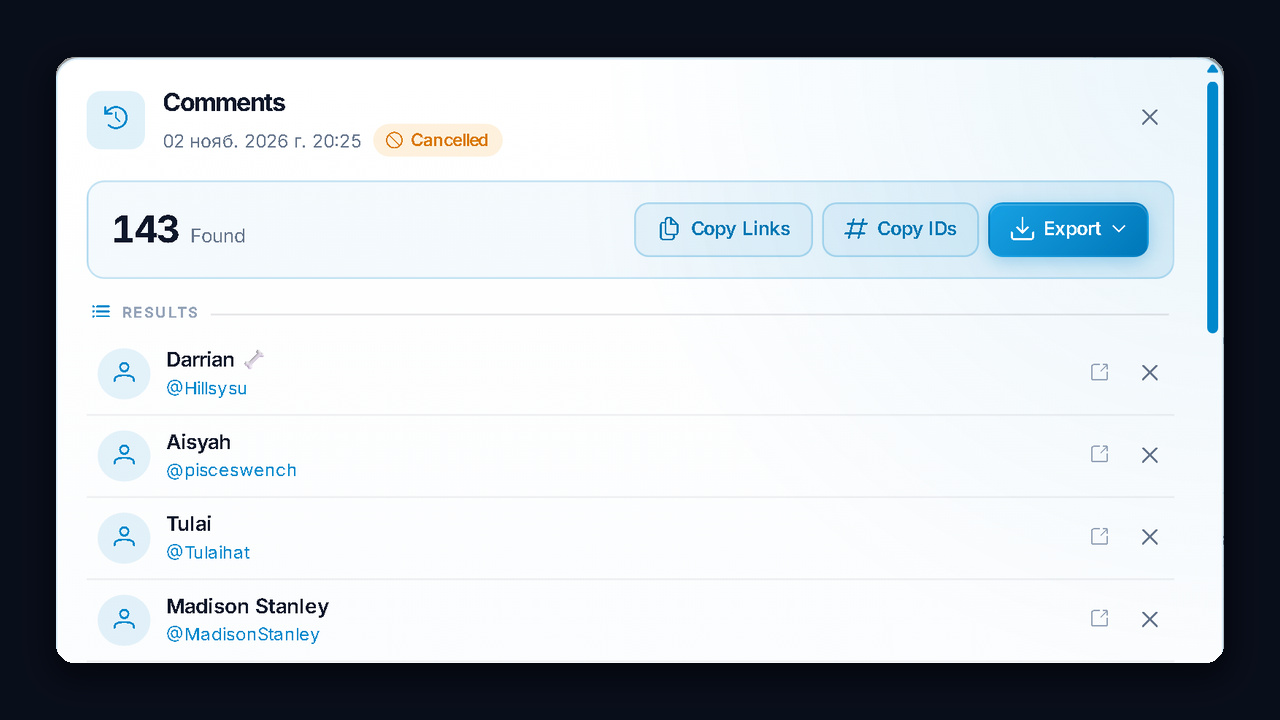
Results appear while the run is still going. Our test run found 143 active people in 2–3 minutes, 14 with Premium. Search, sort, copy links or IDs.
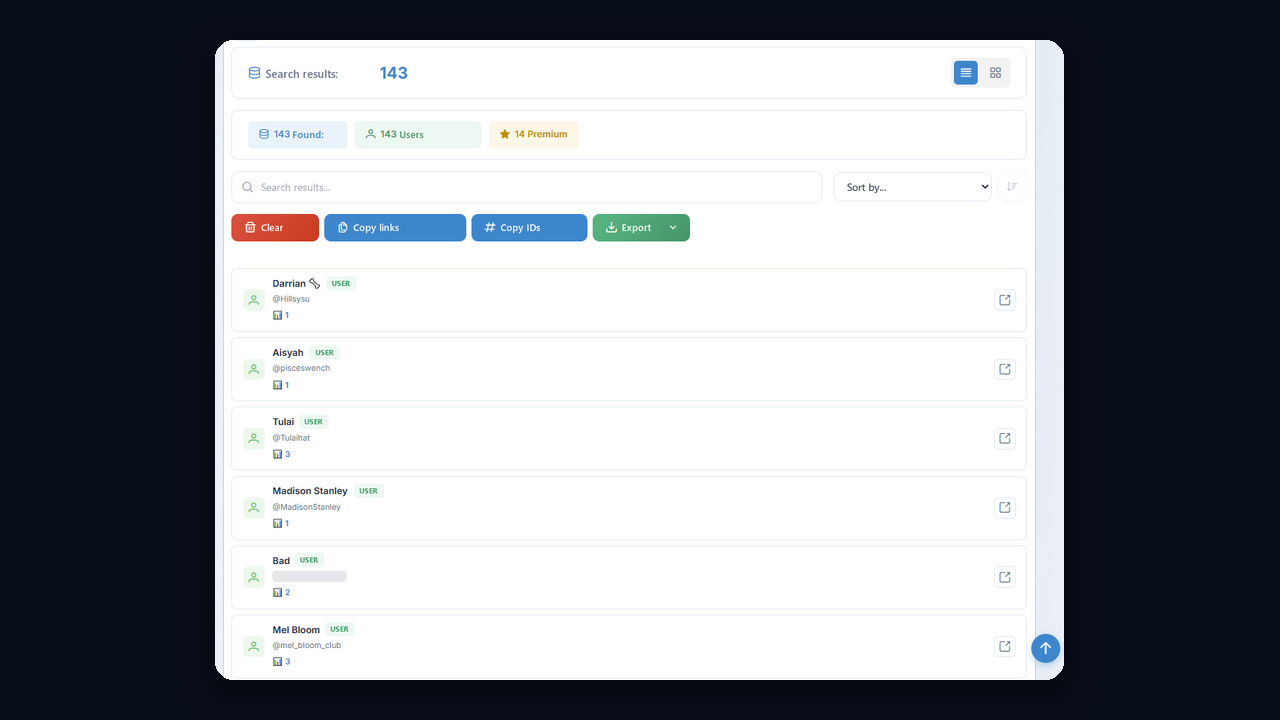
Export goes to CSV, TXT or JSON, and Copy links grabs the profiles at once. If you need the messages together with their authors, turn on text saving: the spreadsheet then shows the person and what they said. Still, the authors are the point, and the text only hints at what to offer them.
Also, every run stays in Parsing History for 30 days. However, contacts are not moved to My base automatically, so download the file right away.
Active commenters are a warm audience: they already care about the topic. So once the base is ready, sort the file by what they wrote: those who asked about price get a DM, the rest get softer touches. Then connect each segment to the next step:
Only public data ends up in the file: name, username, ID and what someone posted openly. However, phone numbers and private chats stay out of reach. So reach out about the question a lead raised and respect a refusal.
Example: finding clients for a renovation studio
Say a renovation studio is looking for customers in its city. The whole path takes five actions:
- Find 15–20 renovation, interior design and new-building pages with active discussions.
- In the third mode, pick the Hot leads scenario and the words "estimate", "how much" and "recommend a contractor".
- Turn on the no-bots and username-only filters, Detect gender/age/city and Save comment text.
- Export a CSV, keep your city and split the rows by what was written: who asked about price and who just chatted.
- Send the first segment a careful DM; warm up the second with mass looking and invite them to your feed.
Instead of cold followers, you end up with prospects who stated a need themselves, which makes starting a conversation much easier than with a bought database.
What if discussion is turned off?
Then there are no authors at all, because nobody writes there. We explained how owners switch it on and off in the article about turning the thread on and off. Still, those readers are reachable in two ways:
- Neighbouring feeds. Pick pages in the same niche with a working thread: the same readers often sit there.
- The linked group. If the description points to a separate chat, the Members mode collects its participants, and By messages handles closed ones.
| Mistake |
What happens |
How to fix it |
| Discussion is closed |
nobody is found |
choose ones with an active thread |
| A group instead of a channel |
nothing to read |
switch to the group mode |
| Minimum length too high |
almost nobody passes |
lower the threshold to 0–10 characters |
| Depth too low |
only fresh authors are collected |
raise the Posts Limit |
| The result was not exported |
the run is deleted after 30 days |
download the file right away |
Summary
You cannot pull someone else's subscribers, but you can scrape users from Telegram comments in GramGPT.io and get those who write there. Limits set the depth, keywords and minimum length select the right leads, and saved texts show their requests. It is a parser that keeps the commenters, not just what was said. You get a warm pool for mass looking, inviting and DMs.